 Скачать презентацию Internet Basics for Lilburn Elementary Lisa Campbell Media
e535423dbe7d199c064367405297af2b.ppt
- Количество слайдов: 27



Internet Basics for Lilburn Elementary Lisa Campbell, Media Specialist
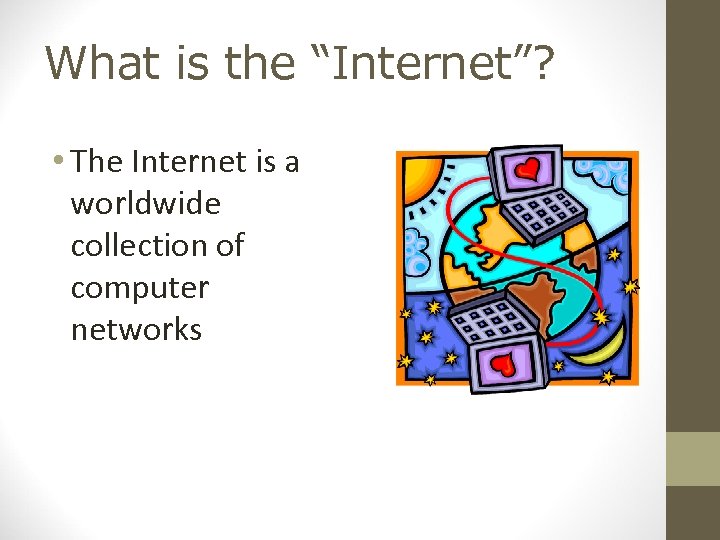
What is the “Internet”? • The Internet is a worldwide collection of computer networks
The Internet is the …. • Plumbing that connects all the computers so they can “talk”!
This “talk” can take several forms: • Email • Wiki’s -- Discussion groups like Facebook
What is the “World Wide Web”? • This is the information on those computers.
• When you search for information, you are really searching other computers. • All the information on all the computers all over the world is the World Wide Web! • (All connected by the plumbing, or the “internet”. )
How to search for facts: We have a choice of two tools: • Search Engine • Database
What’s the Difference?
Search Engine • A search engine, like Google, is a robot that finds web sites containing the exact words you were looking for. • No humans are involved.
The bad news about Search Engines: • Search “penguins” • What you might get: • Penguin Tires, Inc. • Penguin Skateboards
Keywords! Google remembers 10 words. Be specific!
Making a cake? • Google “cake recipe” • 29, 200, 000 results – that’s 29 MILLION!!
Keep adding words • Add “chocolate cake recipe” • 18, 000 results - 18 MILLION
Keep adding words • Add “sour cream banana chocolate cake recipe” • 3, 770, 000 results – 3 MILLION
Keep adding words • Add “coconut sprinkles sour cream banana chocolate cake recipe” • 214, 000 results – WHEW!!
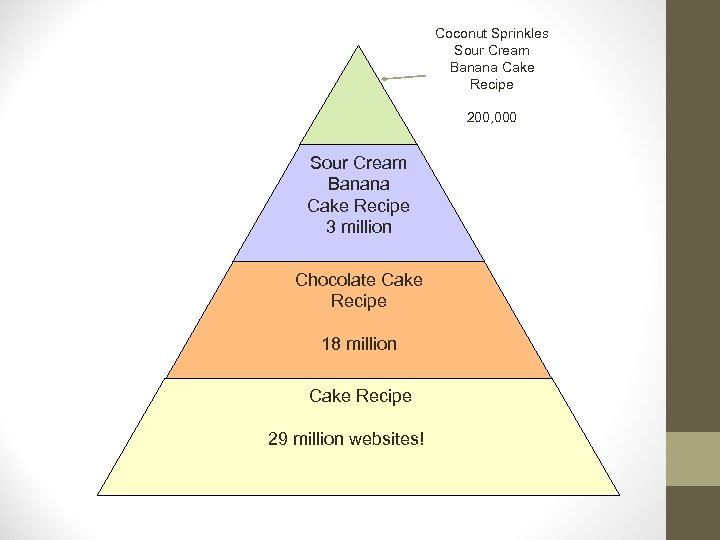
Coconut Sprinkles Sour Cream Banana Cake Recipe 200, 000 Sour Cream Banana Cake Recipe 3 million Chocolate Cake Recipe 18 million Cake Recipe 29 million websites!
The more keywords you add, the smaller your results!
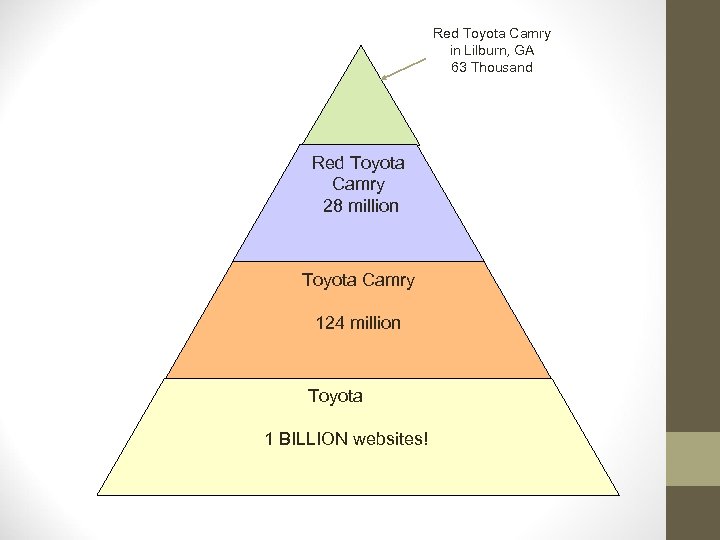
Red Toyota Camry in Lilburn, GA 63 Thousand Red Toyota Camry 28 million Toyota Camry 124 million Toyota 1 BILLION websites!
Database • Look at the word: • Data = facts • Base = place • A human takes facts from the internet, reads it and makes sure it is correct, then keeps it in one place.
Database • You can usually trust what you read in a database, like Britannica or Worldbook online.
What is a URL? • A URL is the site address on the world wide web. It stands for “Uniform Resource Locator” (geeky computer talk)
What is in a URL? • http - Hyper. Text Transfer Protocol • More geeky computer talk! • indicates a Web document or directory. Most of the URLs you will use start with http, which is the method by which data is transferred over the Web. • www – world wide web • Example: Gwinnett County Public Library • http: //www. gwinnettpl. org/
What’s that at the end? • http: //www. gwinnettpl. org
Domain names • . com = commercial • . net = network • . org – non profit • . edu = educational institution • . mil = military • . gov = government
New Domain Names • . aero = air transport industry • . biz = businesses • . coop = cooperatives • . info = unrestricted use • . name = individuals • . museum = museums • . pro = professionals • There are lots of them!
Country Codes: • . au - Australia. br - Brazil. ca - Canada. fr - France. hk - Hong Kong. il - Israel. in - India. it - Italy. mx - Mexico. tw - Taiwan. uk - United Kingdom
Get used to glancing at the URL • A crook pretending to be Ebay! • URL from Romania! It was right in the URL. • cgi. ebay. in/romania_WQ 44 vmds 8767204 • Many fell for it and lost their money!
Скачать презентацию Internet Basics for Lilburn Elementary Lisa Campbell Media
e535423dbe7d199c064367405297af2b.ppt