


 Скачать презентацию Integrating Technology When Teaching Large Classes Wendy L
012a39bb935163bc707edc41d10b88bf.ppt
- Количество слайдов: 28
 Integrating Technology When Teaching Large Classes Wendy L. Keeney-Kennicutt Associate Director, First Year Chemistry Program Presidential Professor for Teaching Excellence Texas A&M University K-keeney@tamu. edu 2010 1
 Technologies I Use n Web assessments for student feedback n Email n Excel Spreadsheet n Ebook, e-solution manual and e-homework n Class Websites – public and private n Calibrated Peer Review – on-line writing/reviewing n Turnitin n Clickers n Office hours/review sessions in Second Life 2
 My Background n Taught first year chemistry at TAMU since 1984 – Off sequence students for >10 years n Class size: 2 classes of 230 -300 students each n Always had excellent student evaluations, university teaching awards, but… n I was unhappy with rigidity of class structure, felt I wasn’t serving my students… n What could I do? I used technology to……. ASK THEM! LISTEN! BE CREATIVE! 3
 Tools for Student Feedback § SALG (Student Assessment of Learning Gains) – Updated website: www. salgsite. org – Free & easy assessment tool § Myers Briggs/Kiersey Temperment Sorter/Jung Typology Test (output – 4 letters e. g. INTJ) – Free quiz: www. humanmetrics. com § Learning Style Test (VARK) – Free quiz: www. vark-learn. com – Provides learning styles (Visual, Aural, Read/Write, Kinesthetic) with hints for students 2010 4
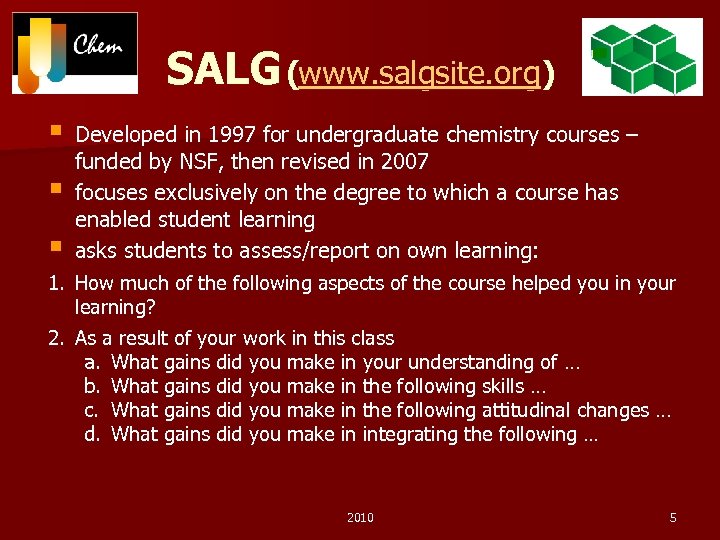 SALG (www. salgsite. org) § § § Developed in 1997 for undergraduate chemistry courses – funded by NSF, then revised in 2007 focuses exclusively on the degree to which a course has enabled student learning asks students to assess/report on own learning: 1. How much of the following aspects of the course helped you in your learning? 2. As a result of your work in this class a. What gains did you make in your understanding of … b. What gains did you make in the following skills … c. What gains did you make in the following attitudinal changes … d. What gains did you make in integrating the following … 2010 5
 SALG Benefits § Free and easy to use and modify § Can add questions, including demographics − I’ve used this for many semesters for classroom research § Provides easy-to-read output § Provides raw numeric data for your own correlations § Students can log in with their name so credit can be given § SALG dissociates names from responses to ensure anonymity How do I incorporate it? § worth 5 points on their final exam (~95% compliance) What do I get out of it? § Reliable, consistent information from my class over time 2010 6
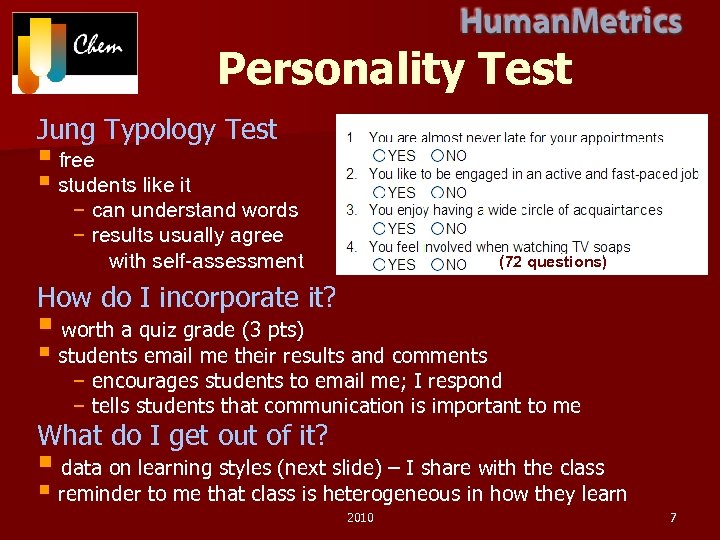 Personality Test Jung Typology Test § free § students like it − can understand words − results usually agree with self-assessment (72 questions) How do I incorporate it? § worth a quiz grade (3 pts) § students email me their results and comments − encourages students to email me; I respond − tells students that communication is important to me What do I get out of it? § data on learning styles (next slide) – I share with the class § reminder to me that class is heterogeneous in how they learn 2010 7
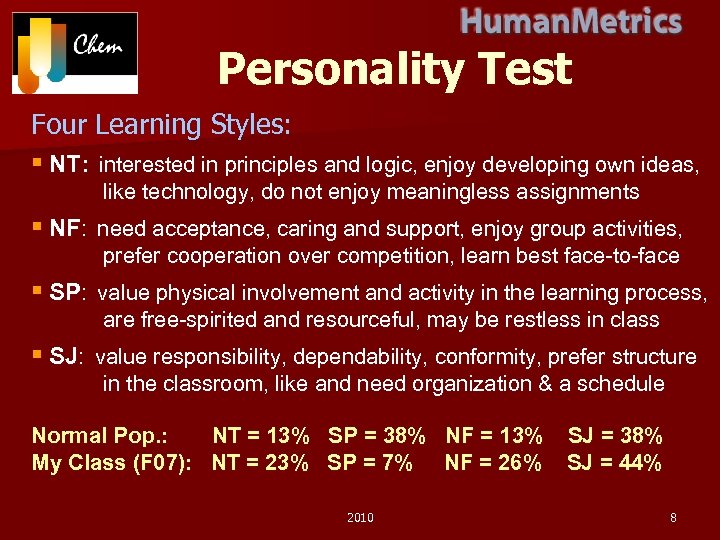 Personality Test Four Learning Styles: § NT: interested in principles and logic, enjoy developing own ideas, like technology, do not enjoy meaningless assignments § NF: need acceptance, caring and support, enjoy group activities, prefer cooperation over competition, learn best face-to-face § SP: value physical involvement and activity in the learning process, are free-spirited and resourceful, may be restless in class § SJ: value responsibility, dependability, conformity, prefer structure in the classroom, like and need organization & a schedule Normal Pop. : NT = 13% SP = 38% NF = 13% My Class (F 07): NT = 23% SP = 7% NF = 26% 2010 SJ = 38% SJ = 44% 8
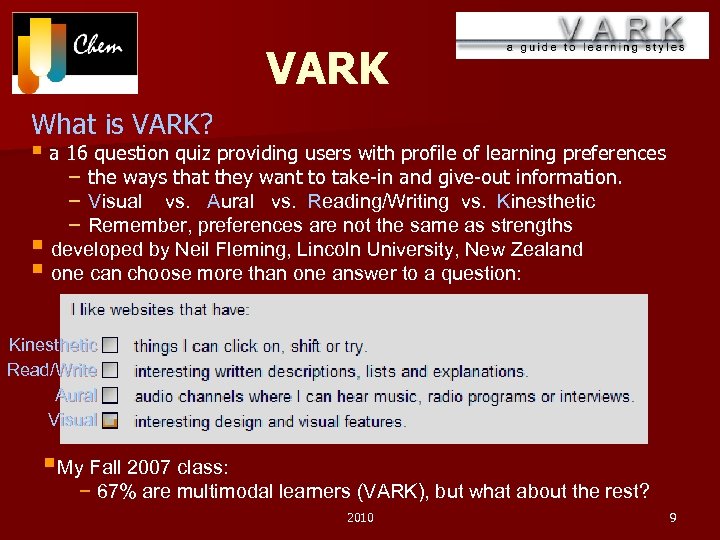 VARK What is VARK? § a 16 question quiz providing users with profile of learning preferences − the ways that they want to take-in and give-out information. − Visual vs. Aural vs. Reading/Writing vs. Kinesthetic − Remember, preferences are not the same as strengths § developed by Neil Fleming, Lincoln University, New Zealand § one can choose more than one answer to a question: Kinesthetic Read/Write Aural Visual §My Fall 2007 class: − 67% are multimodal learners (VARK), but what about the rest? 2010 9
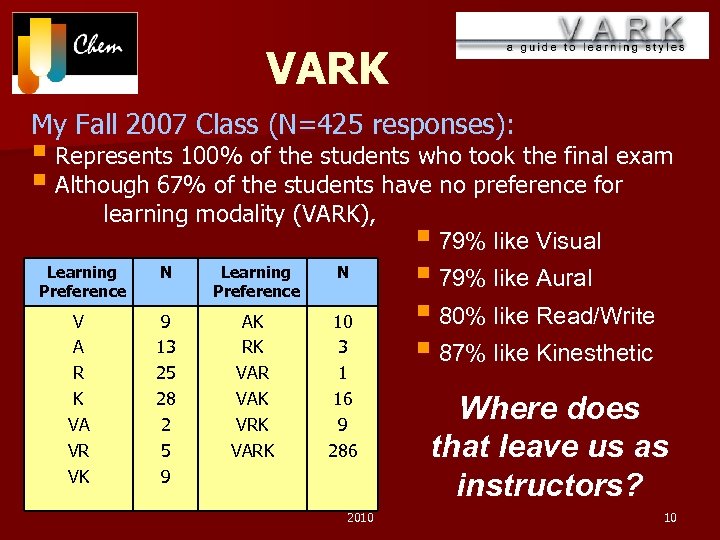 VARK My Fall 2007 Class (N=425 responses): § Represents 100% of the students who took the final exam § Although 67% of the students have no preference for learning modality (VARK), § 79% like Visual Learning N § 79% like Aural Preference § 80% like Read/Write V 9 AK 10 A 13 RK 3 § 87% like Kinesthetic R 25 VAR 1 K VA VR VK 28 2 5 9 VAK VRK VARK 16 9 286 2010 Where does that leave us as instructors? 10
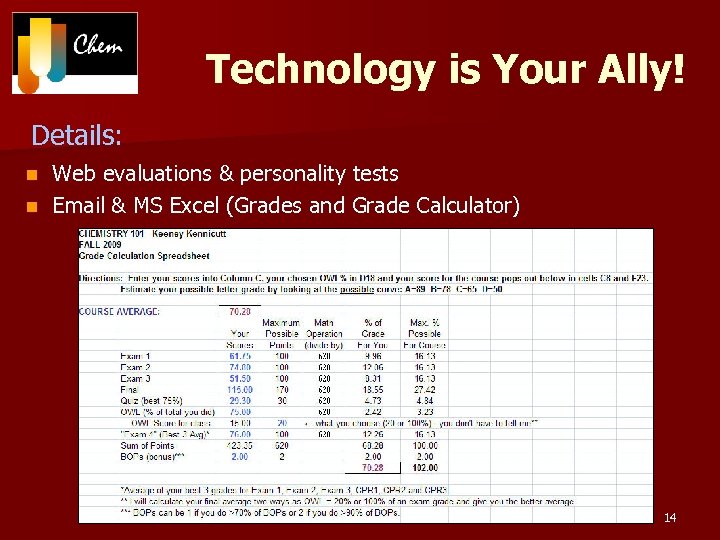
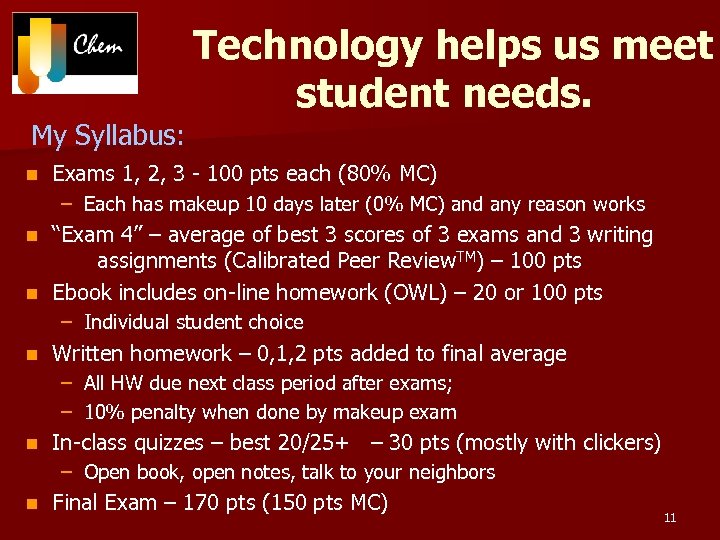 Technology helps us meet student needs. My Syllabus: n Exams 1, 2, 3 - 100 pts each (80% MC) – Each has makeup 10 days later (0% MC) and any reason works “Exam 4” – average of best 3 scores of 3 exams and 3 writing assignments (Calibrated Peer Review. TM) – 100 pts n Ebook includes on-line homework (OWL) – 20 or 100 pts n – Individual student choice n Written homework – 0, 1, 2 pts added to final average – All HW due next class period after exams; – 10% penalty when done by makeup exam n In-class quizzes – best 20/25+ – 30 pts (mostly with clickers) – Open book, open notes, talk to your neighbors n Final Exam – 170 pts (150 pts MC) 11
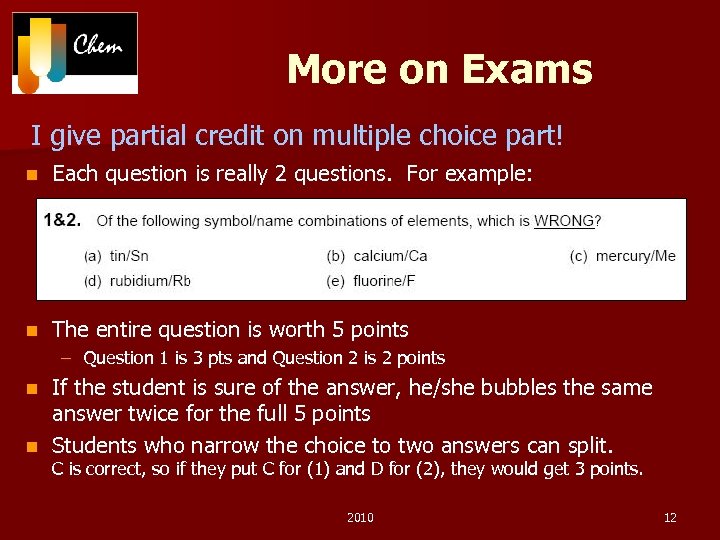 More on Exams I give partial credit on multiple choice part! n Each question is really 2 questions. For example: n The entire question is worth 5 points – Question 1 is 3 pts and Question 2 is 2 points If the student is sure of the answer, he/she bubbles the same answer twice for the full 5 points n Students who narrow the choice to two answers can split. n C is correct, so if they put C for (1) and D for (2), they would get 3 points. 2010 12
 Technologies I Use n Web assessments for student feedback n Email n Excel Spreadsheet n Ebook, e-solution manual and e-homework n Class Websites – public and private n Calibrated Peer Review – on-line writing/reviewing n Turnitin n Clickers n Office hours/review sessions in Second Life 13
 Technology is Your Ally! Details: Web evaluations & personality tests n Email & MS Excel (Grades and Grade Calculator) n 14
 Technology is Your Ally! n Ebook – – Hardcopy is optional Comes with on-line homework (OWL) and solution manual Cost: $45/semester Due to lower book costs, we can ask students to buy clickers – With $$ for graders decreasing and university costs increasing, ebooks are the future 2010 15
 Technology is Your Ally! Two websites – public and at elearning. tamu. edu n Public - www. chem. tamu. edu/class/fyp/wkk-chem. html n – – – n Info source – syllabus, office hours, handouts, HW assignments Course notes, learning objectives, old exams, Camtasia videos Links to all technology websites we use Powerpoint: “How to do well in First Year Chemistry” Math Skills Review selected as NSTA Sci. Links to other chemistry/science-related sites Elearning website – – Link to my public webpage Link to register clicker Link to Turnitin for my writing assignments (Calibrated Peer Review) Grades 2010 16
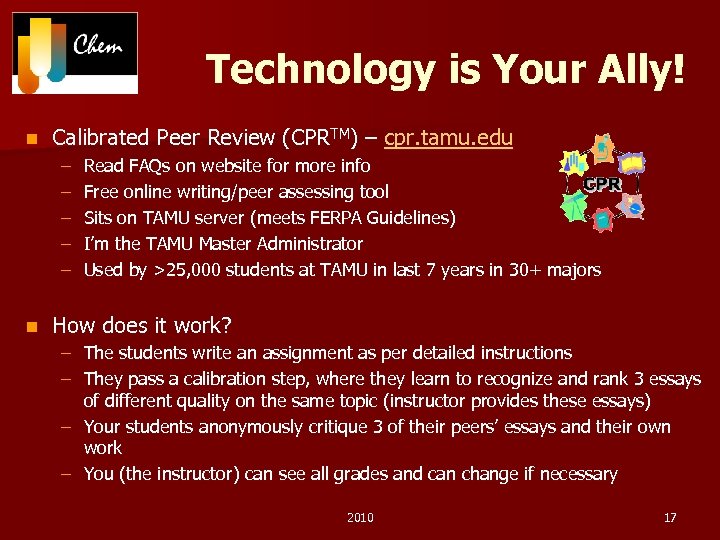 Technology is Your Ally! n Calibrated Peer Review (CPRTM) – cpr. tamu. edu – – – n Read FAQs on website for more info Free online writing/peer assessing tool Sits on TAMU server (meets FERPA Guidelines) I’m the TAMU Master Administrator Used by >25, 000 students at TAMU in last 7 years in 30+ majors How does it work? – The students write an assignment as per detailed instructions – They pass a calibration step, where they learn to recognize and rank 3 essays of different quality on the same topic (instructor provides these essays) – Your students anonymously critique 3 of their peers’ essays and their own work – You (the instructor) can see all grades and can change if necessary 2010 17
 Technology is Your Ally! n Turnitin thru elearning. tamu. edu – for CPR assignments – Plagiarism control – Students check their own work before submitting to CPR – I spot check to see if they actually turned in their CPR essay n Clicker quizzes – Used daily to promote learning and attendance – Open book, open notes, talk to your neighbor § Student learn more when they teach someone else – Test on topics taught that day – Students get instant feedback – Low stakes assessment – Take time § Must allow students to log into the system § Must give them time to figure out problem § Must allow students send in their answer. 18
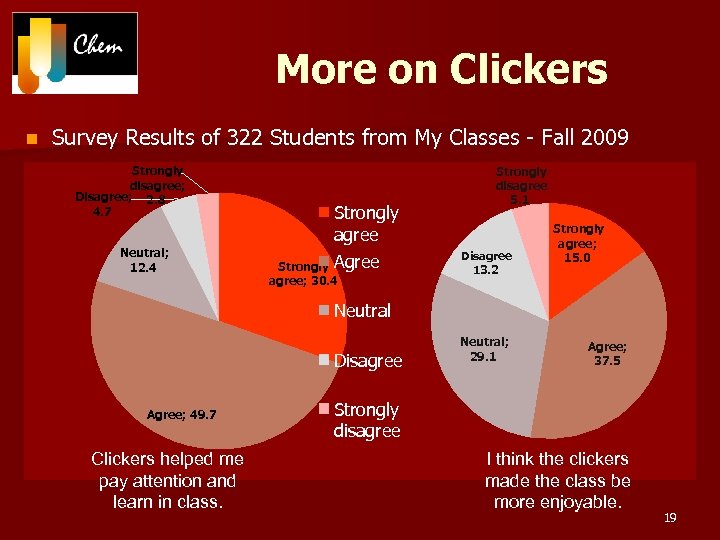 More on Clickers n Survey Results of 322 Students from My Classes - Fall 2009 Strongly disagree; Disagree; 2. 8 4. 7 Neutral; 12. 4 Strongly agree Strongly Agree agree; 30. 4 Strongly disagree 5. 1 Disagree 13. 2 Strongly agree; 15. 0 Neutral Disagree Agree; 49. 7 Clickers helped me pay attention and learn in class. Neutral; 29. 1 Agree; 37. 5 Strongly disagree I think the clickers made the class be more enjoyable. 19
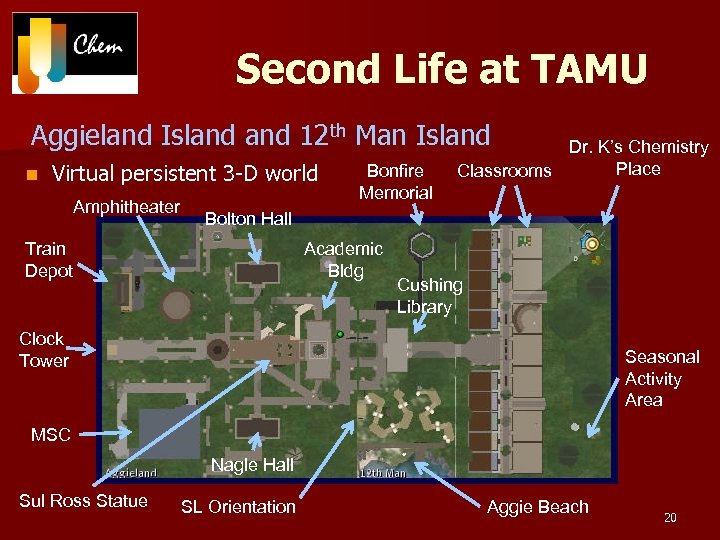 Second Life at TAMU Aggieland Island 12 th Man Island n Virtual persistent 3 -D world Amphitheater Bonfire Memorial Dr. K’s Chemistry Place Classrooms Bolton Hall Train Depot Academic Bldg Cushing Library Clock Tower Seasonal Activity Area MSC Nagle Hall Sul Ross Statue SL Orientation Aggie Beach 20
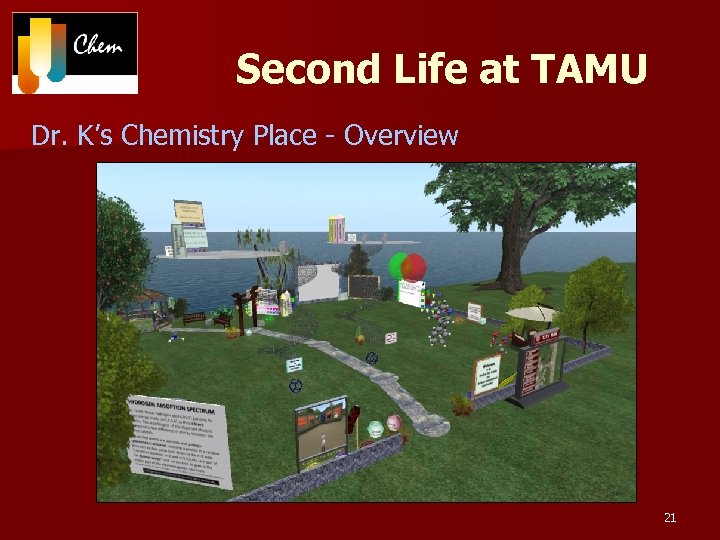 Second Life at TAMU Dr. K’s Chemistry Place - Overview 21
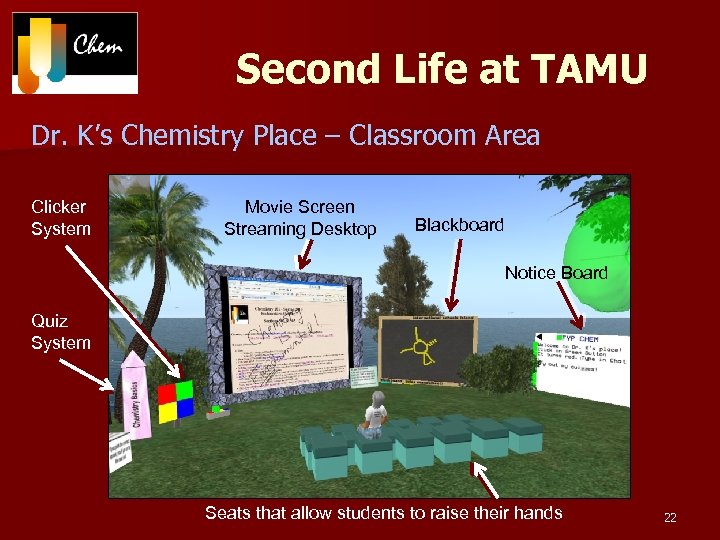 Second Life at TAMU Dr. K’s Chemistry Place – Classroom Area Clicker System Movie Screen Streaming Desktop Blackboard Notice Board Quiz System Seats that allow students to raise their hands 22
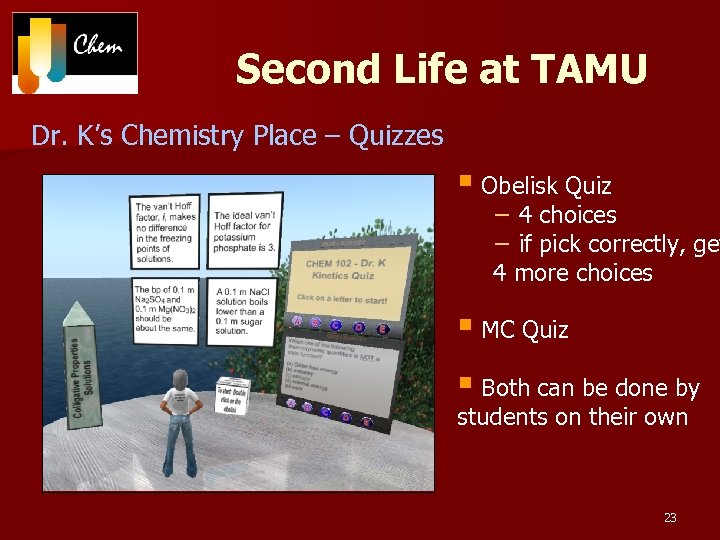 Second Life at TAMU Dr. K’s Chemistry Place – Quizzes § Obelisk Quiz − 4 choices − if pick correctly, get ge 4 more choices § MC Quiz § Both can be done by students on their own 23
 Technology is Your Ally! n Second Life – Office hour/review session/SL activity for 1 quiz grade – Cannot be mandatory – there is a population density problem § An island can only handle about 50 people; I have 550 students – A way to reach technically-savvy students – More personal than email or telephone – Can work with groups at a distance – No need for students to come to campus n SL Issues – Technology – Lack of student computer literacy Technology Caveat: you must spend time inside/outside class to help with tech learning curves. 24
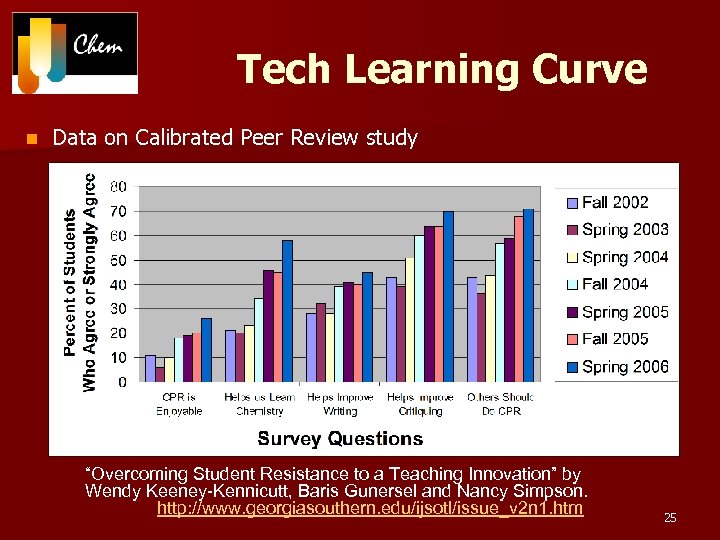 Tech Learning Curve n Data on Calibrated Peer Review study “Overcoming Student Resistance to a Teaching Innovation” by Wendy Keeney-Kennicutt, Baris Gunersel and Nancy Simpson. http: //www. georgiasouthern. edu/ijsotl/issue_v 2 n 1. htm 25
 But you are not tied to technology! Examples from my class: n My lectures are not powerpoint – I have 3 overhead projectors – I write/talk at the same time n My notes are handwritten – Available on the public website and at Copy Corner – I tack $1 onto Copy Corner notes to support the Chemistry Road Show n Student notecard with picture – – – Counts as a quiz grade Includes hometown, chemistry background etc. plus something special My opportunity to share my background Written homework from the textbook (counted, not graded) n Paper quizzes n – See student thought processes 2010 26
 The personal touch! Examples from my class: n Weekly review sessions – Sundays at 2 pm – in real life – – n Review the week’s work Answer queries Give more examples at a slower pace Why? § I teach an off-sequence course § Student chemistry backgrounds are very non-homogeneous § I was bored with answering the same questions over and over § Some students are too shy to ask questions Weekly review sessions – Sundays at 5 pm – in Second Life – For students who like that technology and cannot make it to campus – Students and I can speak using microphone or chat via our avatars n Office hours – my office is in back of Chemistry Help Desk area 27
 Benefits of Technology for Me § Allows me to meet needs of different learning styles § Allows students to design their own course assessments § (within reason) Gives me more time to spend doing fun activities with my students −Clickers are amazing time-savers (no grading/alphabetizing/recording) § Learning environment is converted from teacher-centered to student-centered. § Allows me to be imaginative in my syllabus and stay true to my teaching style. Think about choosing another fun tech method for your classes! 28