


 Скачать презентацию Installing and Using Condor Project Computer Sciences Department
b5da94a11b594e8bd661fb2b75f120f9.ppt
- Количество слайдов: 77
 Installing and Using Condor Project Computer Sciences Department University of Wisconsin-Madison
 What is Condor? › High-Throughput Computing system h Emphasizes long-term productivity › Many features for local and global › computing Limited focus for today h Managing a cluster of machines and the jobs that will run on them www. cs. wisc. edu/Condor 2
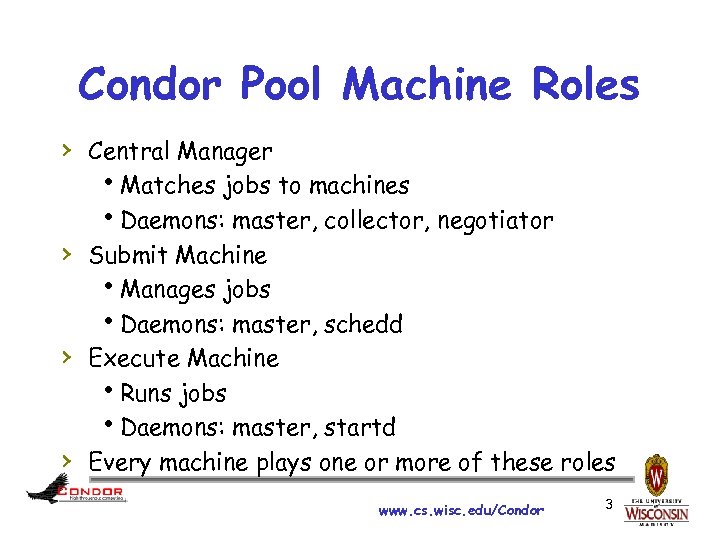 Condor Pool Machine Roles › Central Manager h. Matches jobs to machines h. Daemons: master, collector, negotiator › Submit Machine h. Manages jobs h. Daemons: master, schedd › Execute Machine h. Runs jobs h. Daemons: master, startd › Every machine plays one or more of these roles www. cs. wisc. edu/Condor 3
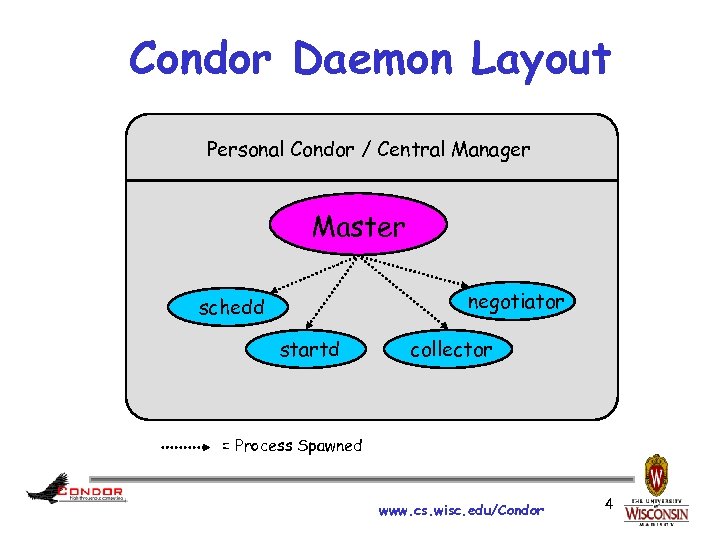 Condor Daemon Layout Personal Condor / Central Manager Master negotiator schedd startd collector = Process Spawned www. cs. wisc. edu/Condor 4
 condor_master › Starts up all other Condor daemons › Runs on all Condor hosts › If there any problems and a daemon › exits, it restarts the daemon and sends email to the administrator Acts as the server for many Condor remote administration commands: h condor_reconfig, condor_restart h condor_off, condor_on h condor_config_val h etc. www. cs. wisc. edu/Condor 5
 Central Manager: condor_collector › Collects information from all other Condor daemons in the pool h“Directory Service” / Database for a Condor pool h. Each daemon sends a periodic update Class. Ad to the collector › Services queries for information: h. Queries from other Condor daemons h. Queries from users (condor_status) › Only on the Central Manager(s) › At least one collector per pool www. cs. wisc. edu/Condor 6
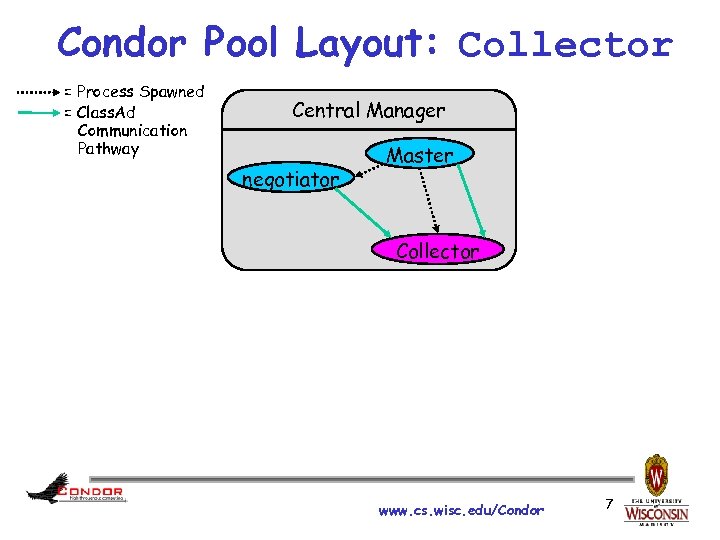 Condor Pool Layout: Collector = Process Spawned = Class. Ad Communication Pathway Central Manager negotiator Master Collector www. cs. wisc. edu/Condor 7
 Central Manager: condor_negotiator › Performs “matchmaking” in Condor › Each “Negotiation Cycle” (typically 5 minutes): h Gets information from the collector about all available machines and all idle jobs h Tries to match jobs with machines that will serve them h Both the job and the machine must satisfy each other’s requirements › Only one Negotiator per pool h Ignoring HAD › Only on the Central Manager(s) www. cs. wisc. edu/Condor 8
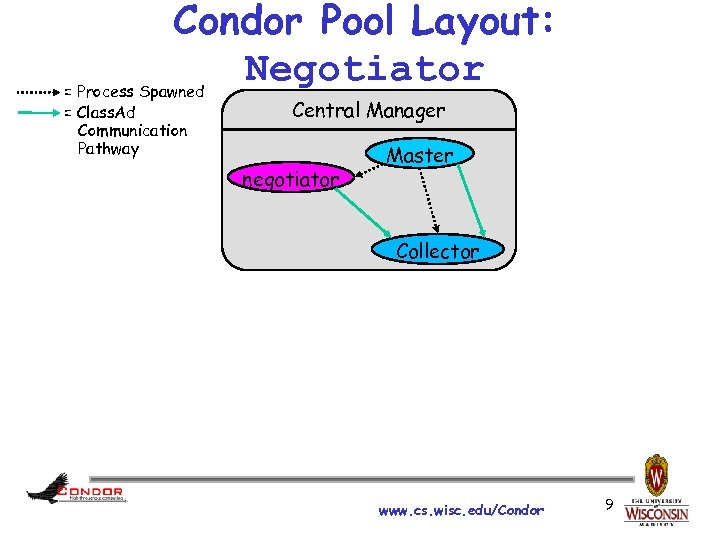 Condor Pool Layout: Negotiator = Process Spawned = Class. Ad Communication Pathway Central Manager negotiator Master Collector www. cs. wisc. edu/Condor 9
 Execute Hosts: condor_startd › Represents a machine to the Condor › › system Responsible for starting, suspending, and stopping jobs Enforces the wishes of the machine owner (the owner’s “policy”… more on this in the administrator’s tutorial) Creates a “starter” for each running job One startd runs on each execute node www. cs. wisc. edu/Condor 10
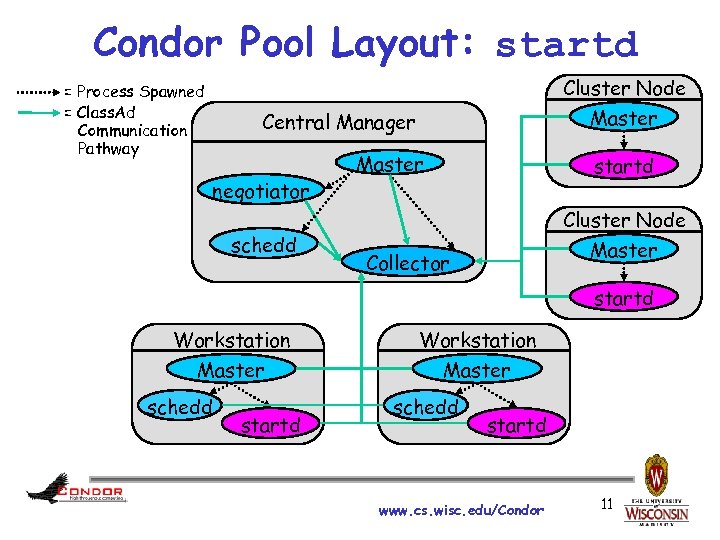 Condor Pool Layout: startd Cluster Node = Process Spawned = Class. Ad Communication Pathway Master Central Manager negotiator schedd Master startd Cluster Node Master Collector startd Workstation Master schedd startd www. cs. wisc. edu/Condor 11
 › › › Submit Hosts: condor_schedd Condor’s Scheduler Daemon One schedd runs on each submit host Maintains the persistent queue of jobs Responsible for contacting available machines and sending them jobs Services user commands which manipulate the job queue: hcondor_submit, condor_rm, condor_q, condor_hold, condor_release, condor_prio, … › Creates a “shadow” for each running job www. cs. wisc. edu/Condor 12
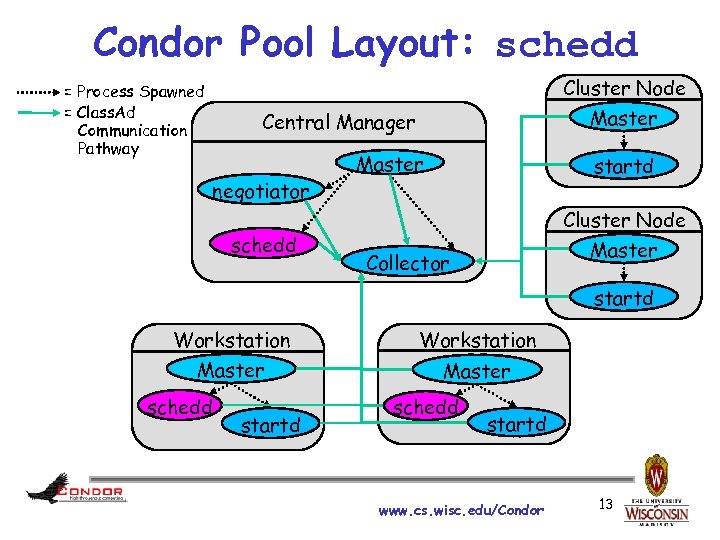 Condor Pool Layout: schedd Cluster Node = Process Spawned = Class. Ad Communication Pathway Master Central Manager negotiator schedd Master startd Cluster Node Master Collector startd Workstation Master schedd startd www. cs. wisc. edu/Condor 13
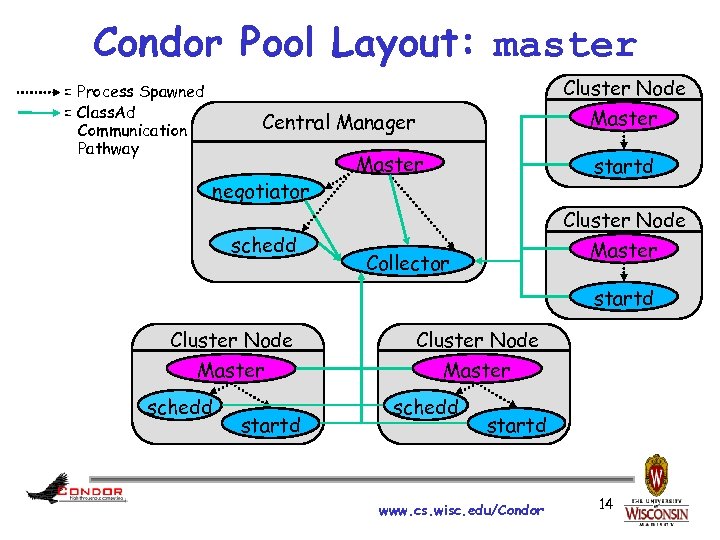 Condor Pool Layout: master Cluster Node = Process Spawned = Class. Ad Communication Pathway Master Central Manager negotiator schedd Master startd Cluster Node Master Collector startd Cluster Node Master schedd startd www. cs. wisc. edu/Condor 14
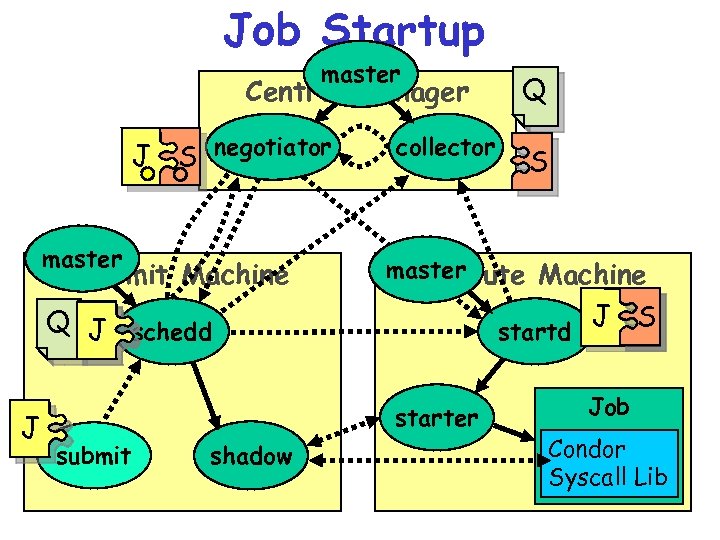 Job Startup master Central Manager J S negotiator master Submit Machine collector S master Execute Machine Q J schedd J Q startd starter submit shadow www. cs. wisc. edu/Condor J S Job Condor Syscall Lib 15
 Condor Class. Ads www. cs. wisc. edu/Condor 16
 What is a Class. Ad? › Condor’s internal data representation h. Similar to a classified ad in a newspaper • Or Craig’s list • Or 58. com, baixing. com, ganji. com h. Represent an object & its attributes • Usually many attributes h. Can also describe what an object matches with www. cs. wisc. edu/Condor 17
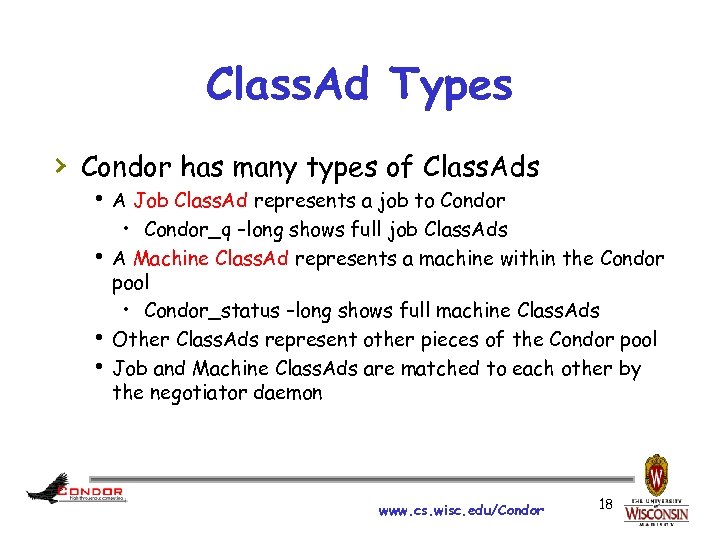 Class. Ad Types › Condor has many types of Class. Ads h A Job Class. Ad represents a job to Condor • Condor_q –long shows full job Class. Ads h A Machine Class. Ad represents a machine within the Condor pool • Condor_status –long shows full machine Class. Ads h Other Class. Ads represent other pieces of the Condor pool h Job and Machine Class. Ads are matched to each other by the negotiator daemon www. cs. wisc. edu/Condor 18
 Class. Ads Explained › Class. Ads can contain a lot of details h. The job’s executable is "cosmos" h. The machine’s load average is 5. 6 › Class. Ads can specify requirements h. My job requires a machine with Linux › Class. Ads can specify rank h. This machine prefers to run jobs from the physics group www. cs. wisc. edu/Condor 19
![Example Machine Ad [root@creamce ~]# condor_status –l Machine =](https://present5.com/presentation/b5da94a11b594e8bd661fb2b75f120f9/image-20.jpg "Example Machine Ad [root@creamce ~]# condor_status –l Machine =") Example Machine Ad [root@creamce ~]# condor_status –l Machine = "creamce. foo" Entered. Current. State = 1305040012 Java. Version = "1. 4. 2" Cpu. Is. Busy = false Cpu. Busy = ( ( Load. Avg - Condor. Load. Avg ) >= 0. 500000 ) Total. Virtual. Memory = 1605580 Load. Avg = 0. 0 Condor. Load. Avg = 0. 0. . . [root@creamce ~]# www. cs. wisc. edu/Condor 20
Example Machine Ad [root@creamce ~]# condor_status –l Machine = "creamce. foo" Entered. Current. State = 1305040012 Java. Version = "1. 4. 2" Cpu. Is. Busy = false Cpu. Busy = ( ( Load. Avg - Condor. Load. Avg ) >= 0. 500000 ) Total. Virtual. Memory = 1605580 Load. Avg = 0. 0 Condor. Load. Avg = 0. 0. . . [root@creamce ~]# www. cs. wisc. edu/Condor 20
![Hostname Configuration [root@test 17 ~]# cat /etc/hosts # Do not remove the following line,](https://present5.com/presentation/b5da94a11b594e8bd661fb2b75f120f9/image-21.jpg "Hostname Configuration [root@test 17 ~]# cat /etc/hosts # Do not remove the following line,") Hostname Configuration [root@test 17 ~]# cat /etc/hosts # Do not remove the following line, or various programs # that require network functionality will fail. 127. 0. 0. 1 localhost. localdomain localhost : : 1 localhost 6. localdomain 6 localhost 6 10. 1. 1. 161 test 01. epikh test 01 10. 1. 1. 162 test 02. epikh test 02 10. 1. 1. 163 test 03. epikh test 03 10. 1. 1. 164 test 04. epikh test 04 10. 1. 1. 165 test 05. epikh test 05 10. 1. 1. 166 test 06. epikh test 06 10. 1. 1. 167 test 07. epikh test 07 10. 1. 1. 168 test 08. epikh test 08 10. 1. 1. 169 test 18. epikh test 18 10. 1. 1. 171 test 09. epikh test 09 10. 1. 1. 172 test 10. epikh test 10 10. 1. 1. 173 test 11. epikh test 11 10. 1. 1. 174 test 12. epikh test 12 10. 1. 1. 175 test 13. epikh test 13 10. 1. 1. 176 test 14. epikh test 14 10. 1. 1. 177 test 15. epikh test 15 10. 1. 1. 178 test 16. epikh test 16 10. 1. 1. 179 test 17. epikh test 17 [root@test 17 ~]# hostname test##. epikh [root@test 17 ~]# www. cs. wisc. edu/Condor 21
Hostname Configuration [root@test 17 ~]# cat /etc/hosts # Do not remove the following line, or various programs # that require network functionality will fail. 127. 0. 0. 1 localhost. localdomain localhost : : 1 localhost 6. localdomain 6 localhost 6 10. 1. 1. 161 test 01. epikh test 01 10. 1. 1. 162 test 02. epikh test 02 10. 1. 1. 163 test 03. epikh test 03 10. 1. 1. 164 test 04. epikh test 04 10. 1. 1. 165 test 05. epikh test 05 10. 1. 1. 166 test 06. epikh test 06 10. 1. 1. 167 test 07. epikh test 07 10. 1. 1. 168 test 08. epikh test 08 10. 1. 1. 169 test 18. epikh test 18 10. 1. 1. 171 test 09. epikh test 09 10. 1. 1. 172 test 10. epikh test 10 10. 1. 1. 173 test 11. epikh test 11 10. 1. 1. 174 test 12. epikh test 12 10. 1. 1. 175 test 13. epikh test 13 10. 1. 1. 176 test 14. epikh test 14 10. 1. 1. 177 test 15. epikh test 15 10. 1. 1. 178 test 16. epikh test 16 10. 1. 1. 179 test 17. epikh test 17 [root@test 17 ~]# hostname test##. epikh [root@test 17 ~]# www. cs. wisc. edu/Condor 21
 Normal Condor Installation (Don’t Do This Today) › Goto Condor’s Yum Repository Page hhttp: //www. cs. wisc. edu/condor/yum/ › Follow the instructions there h. Use condor-stable-rhel 4. repo h. Ignore the optional steps www. cs. wisc. edu/Condor 22
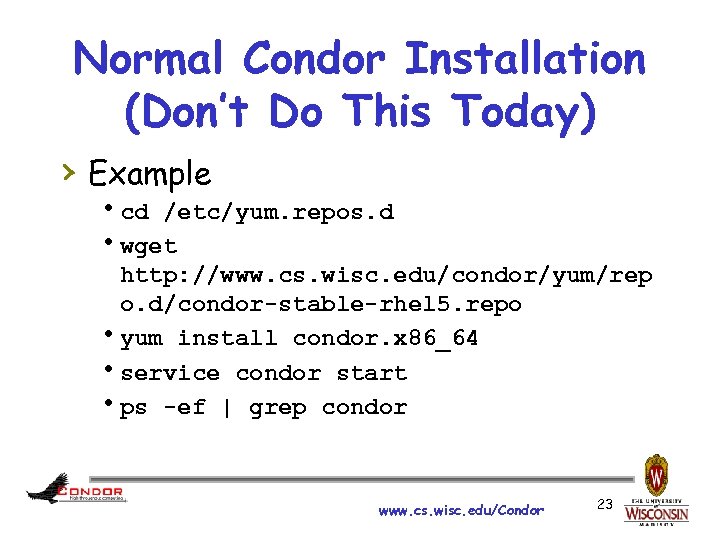 Normal Condor Installation (Don’t Do This Today) › Example hcd /etc/yum. repos. d hwget http: //www. cs. wisc. edu/condor/yum/rep o. d/condor-stable-rhel 5. repo hyum install condor. x 86_64 hservice condor start hps -ef | grep condor www. cs. wisc. edu/Condor 23
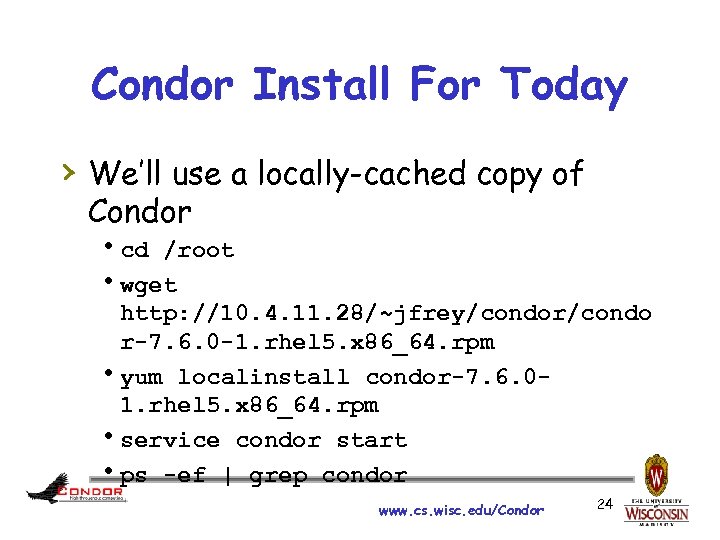 Condor Install For Today › We’ll use a locally-cached copy of Condor hcd /root hwget http: //10. 4. 11. 28/~jfrey/condor/condo r-7. 6. 0 -1. rhel 5. x 86_64. rpm hyum localinstall condor-7. 6. 01. rhel 5. x 86_64. rpm hservice condor start hps -ef | grep condor www. cs. wisc. edu/Condor 24
![Good Install Results [root@creamce ~]# ps -ef|grep condor 10898 1 0 21: 32 ?](https://present5.com/presentation/b5da94a11b594e8bd661fb2b75f120f9/image-25.jpg "Good Install Results [root@creamce ~]# ps -ef|grep condor 10898 1 0 21: 32 ?") Good Install Results [root@creamce ~]# ps -ef|grep condor 10898 1 0 21: 32 ? 00: 00 /usr/sbin/condor_master -pidfile /var/run/condor. pid condor 10899 10898 0 21: 32 ? 00: 00 condor_collector -f condor 10900 10898 0 21: 32 ? 00: 00 condor_negotiator -f condor 10901 10898 0 21: 32 ? 00: 00 condor_schedd -f condor 10902 10898 0 21: 32 ? 00: 00 condor_startd -f root 10903 10901 0 21: 32 ? 00: 00 condor_procd -A /var/run/condor/procd_pipe. SCHEDD -R 10000000 -S 60 -C 101 root 10945 10763 0 21: 38 pts/0 00: 00 grep condor [root@creamce ~]# condor_status Name Op. Sys Arch State Activity Load. Av Mem Actvty. Time creamce. foo LINUX X 86_64 Unclaimed Idle 0. 000 768 0+00: 04: 42 Total Owner Claimed Unclaimed Matched Preempting Backfill X 86_64/LINUX 1 0 0 0 Total [root@creamce ~]# 1 0 0 0 www. cs. wisc. edu/Condor 25
Good Install Results [root@creamce ~]# ps -ef|grep condor 10898 1 0 21: 32 ? 00: 00 /usr/sbin/condor_master -pidfile /var/run/condor. pid condor 10899 10898 0 21: 32 ? 00: 00 condor_collector -f condor 10900 10898 0 21: 32 ? 00: 00 condor_negotiator -f condor 10901 10898 0 21: 32 ? 00: 00 condor_schedd -f condor 10902 10898 0 21: 32 ? 00: 00 condor_startd -f root 10903 10901 0 21: 32 ? 00: 00 condor_procd -A /var/run/condor/procd_pipe. SCHEDD -R 10000000 -S 60 -C 101 root 10945 10763 0 21: 38 pts/0 00: 00 grep condor [root@creamce ~]# condor_status Name Op. Sys Arch State Activity Load. Av Mem Actvty. Time creamce. foo LINUX X 86_64 Unclaimed Idle 0. 000 768 0+00: 04: 42 Total Owner Claimed Unclaimed Matched Preempting Backfill X 86_64/LINUX 1 0 0 0 Total [root@creamce ~]# 1 0 0 0 www. cs. wisc. edu/Condor 25
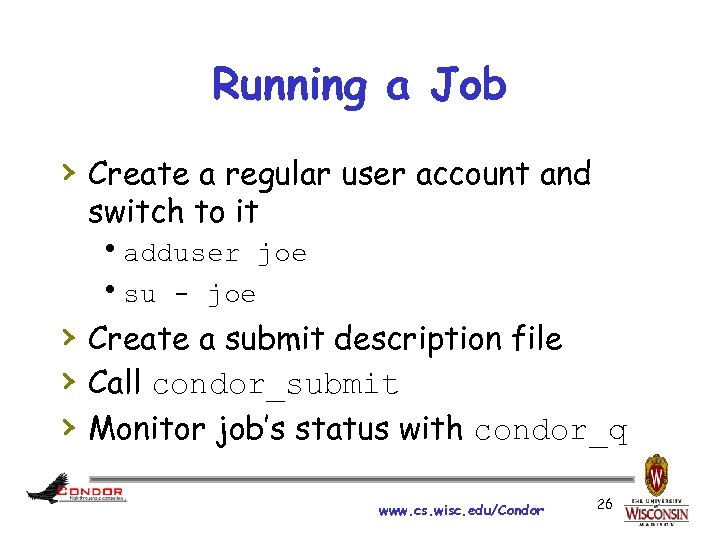 Running a Job › Create a regular user account and switch to it hadduser joe hsu - joe › Create a submit description file › Call condor_submit › Monitor job’s status with condor_q www. cs. wisc. edu/Condor 26
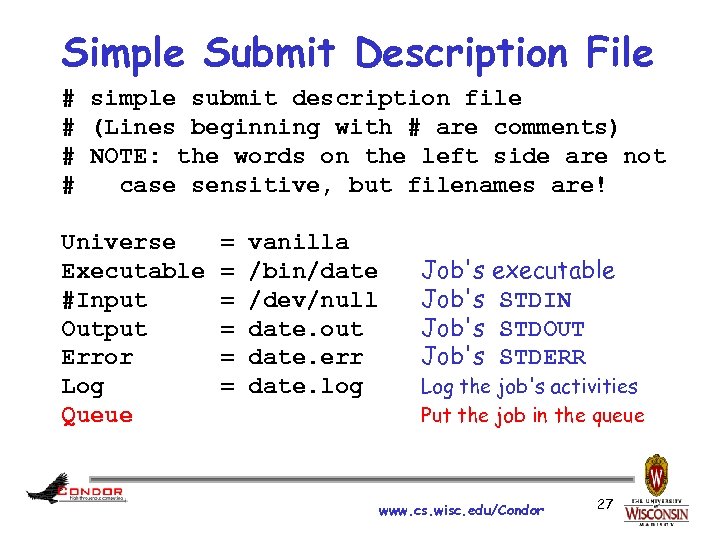 Simple Submit Description File # simple submit description file # (Lines beginning with # are comments) # NOTE: the words on the left side are not # case sensitive, but filenames are! Universe Executable #Input Output Error Log Queue = = = vanilla /bin/date /dev/null date. out date. err date. log Job's executable Job's STDIN Job's STDOUT Job's STDERR Log the job's activities Put the job in the queue www. cs. wisc. edu/Condor 27
![Submitting the Job [jfrey@creamce ~]$ condor_submit date. sub Submitting job(s). 1 job(s) submitted to](https://present5.com/presentation/b5da94a11b594e8bd661fb2b75f120f9/image-28.jpg "Submitting the Job [jfrey@creamce ~]$ condor_submit date. sub Submitting job(s). 1 job(s) submitted to") Submitting the Job [jfrey@creamce ~]$ condor_submit date. sub Submitting job(s). 1 job(s) submitted to cluster 4. [jfrey@creamce ~]$ condor_q -- Submitter: creamce. foo : <10. 1. 1. 179: 60736> : creamce. foo ID OWNER SUBMITTED RUN_TIME ST PRI SIZE CMD 4. 0 jfrey 5/10 22: 19 0+00: 00 I 0 0. 1 date 1 jobs; 1 idle, 0 running, 0 held [jfrey@creamce ~]$ condor_q -- Submitter: creamce. foo : <10. 1. 1. 179: 60736> : creamce. foo ID OWNER SUBMITTED RUN_TIME ST PRI SIZE CMD 0 jobs; 0 idle, 0 running, 0 held [jfrey@creamce ~]$ www. cs. wisc. edu/Condor 28
Submitting the Job [jfrey@creamce ~]$ condor_submit date. sub Submitting job(s). 1 job(s) submitted to cluster 4. [jfrey@creamce ~]$ condor_q -- Submitter: creamce. foo : <10. 1. 1. 179: 60736> : creamce. foo ID OWNER SUBMITTED RUN_TIME ST PRI SIZE CMD 4. 0 jfrey 5/10 22: 19 0+00: 00 I 0 0. 1 date 1 jobs; 1 idle, 0 running, 0 held [jfrey@creamce ~]$ condor_q -- Submitter: creamce. foo : <10. 1. 1. 179: 60736> : creamce. foo ID OWNER SUBMITTED RUN_TIME ST PRI SIZE CMD 0 jobs; 0 idle, 0 running, 0 held [jfrey@creamce ~]$ www. cs. wisc. edu/Condor 28
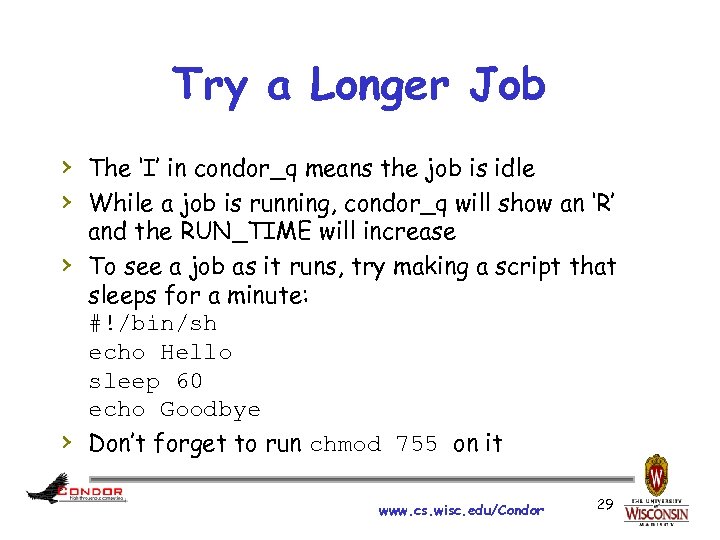 Try a Longer Job › The ‘I’ in condor_q means the job is idle › While a job is running, condor_q will show an ‘R’ › › and the RUN_TIME will increase To see a job as it runs, try making a script that sleeps for a minute: #!/bin/sh echo Hello sleep 60 echo Goodbye Don’t forget to run chmod 755 on it www. cs. wisc. edu/Condor 29
![Sample Job Log [jfrey@creamce ~]$ cat date. log 000 (005. 000) 05/10 22: 28:](https://present5.com/presentation/b5da94a11b594e8bd661fb2b75f120f9/image-30.jpg "Sample Job Log [jfrey@creamce ~]$ cat date. log 000 (005. 000) 05/10 22: 28:") Sample Job Log [jfrey@creamce ~]$ cat date. log 000 (005. 000) 05/10 22: 28: 41 Job submitted from host: <10. 1. 1. 179: 60736>. . . 001 (005. 000) 05/10 22: 28: 42 Job executing on host: <10. 1. 1. 179: 59674>. . . 005 (005. 000) 05/10 22: 28: 42 Job terminated. (1) Normal termination (return value 0) Usr 0 00: 00, Sys 0 00: 00 - Run Remote Usage Usr 0 00: 00, Sys 0 00: 00 - Run Local Usage Usr 0 00: 00, Sys 0 00: 00 - Total Remote Usage Usr 0 00: 00, Sys 0 00: 00 - Total Local Usage 0 - Run Bytes Sent By Job 0 - Run Bytes Received By Job 0 - Total Bytes Sent By Job 0 - Total Bytes Received By Job . . . [jfrey@creamce ~]$ www. cs. wisc. edu/Condor 30
Sample Job Log [jfrey@creamce ~]$ cat date. log 000 (005. 000) 05/10 22: 28: 41 Job submitted from host: <10. 1. 1. 179: 60736>. . . 001 (005. 000) 05/10 22: 28: 42 Job executing on host: <10. 1. 1. 179: 59674>. . . 005 (005. 000) 05/10 22: 28: 42 Job terminated. (1) Normal termination (return value 0) Usr 0 00: 00, Sys 0 00: 00 - Run Remote Usage Usr 0 00: 00, Sys 0 00: 00 - Run Local Usage Usr 0 00: 00, Sys 0 00: 00 - Total Remote Usage Usr 0 00: 00, Sys 0 00: 00 - Total Local Usage 0 - Run Bytes Sent By Job 0 - Run Bytes Received By Job 0 - Total Bytes Sent By Job 0 - Total Bytes Received By Job . . . [jfrey@creamce ~]$ www. cs. wisc. edu/Condor 30
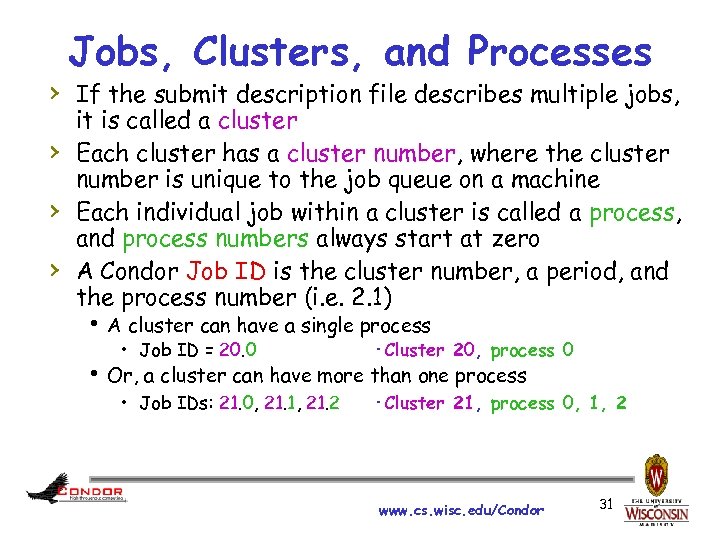 Jobs, Clusters, and Processes › If the submit description file describes multiple jobs, › › › it is called a cluster Each cluster has a cluster number, where the cluster number is unique to the job queue on a machine Each individual job within a cluster is called a process, and process numbers always start at zero A Condor Job ID is the cluster number, a period, and the process number (i. e. 2. 1) h A cluster can have a single process • Job ID = 20. 0 ·Cluster 20, process 0 h Or, a cluster can have more than one process • Job IDs: 21. 0, 21. 1, 21. 2 ·Cluster 21, process 0, 1, 2 www. cs. wisc. edu/Condor 31
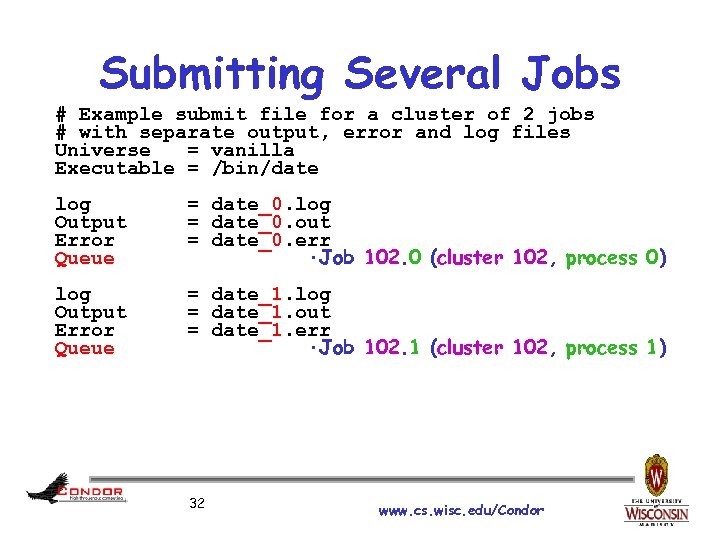 Submitting Several Jobs # Example submit file for a cluster of 2 jobs # with separate output, error and log files Universe = vanilla Executable = /bin/date log Output Error Queue = date_0. log = date_0. out = date_0. err ·Job 102. 0 (cluster 102, process 0) log Output Error Queue = date_1. log = date_1. out = date_1. err ·Job 102. 1 (cluster 102, process 1) 32 www. cs. wisc. edu/Condor
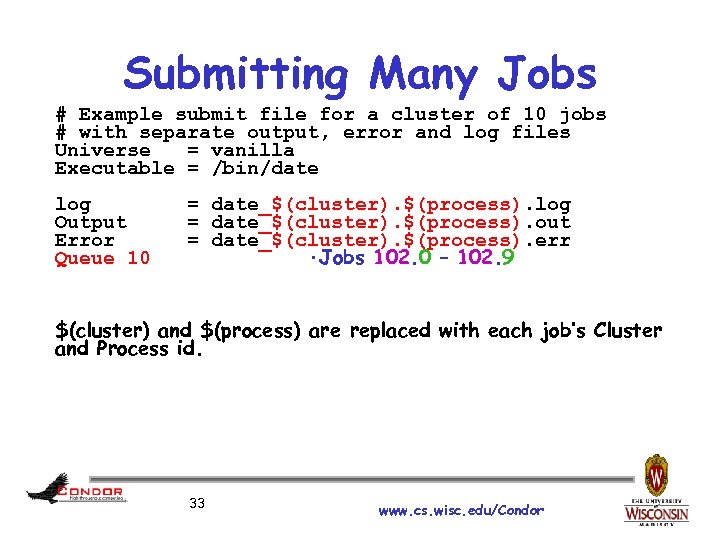 Submitting Many Jobs # Example submit file for a cluster of 10 jobs # with separate output, error and log files Universe = vanilla Executable = /bin/date log Output Error Queue 10 = date_$(cluster). $(process). log = date_$(cluster). $(process). out = date_$(cluster). $(process). err ·Jobs 102. 0 – 102. 9 $(cluster) and $(process) are replaced with each job’s Cluster and Process id. 33 www. cs. wisc. edu/Condor
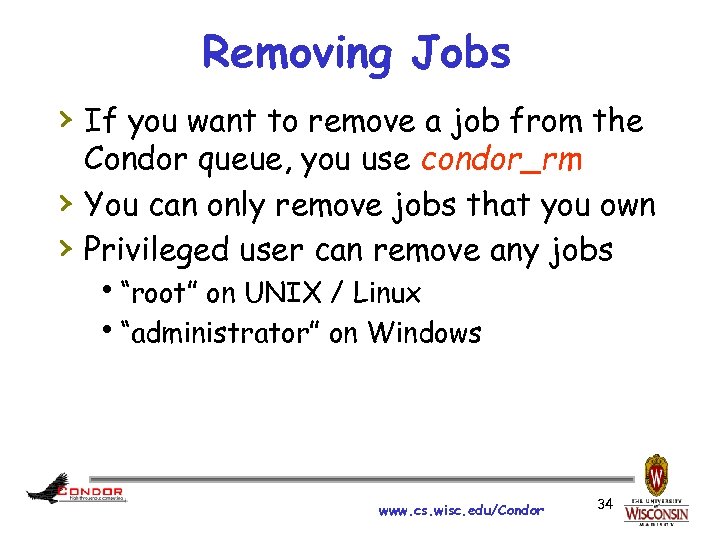 Removing Jobs › If you want to remove a job from the › › Condor queue, you use condor_rm You can only remove jobs that you own Privileged user can remove any jobs h“root” on UNIX / Linux h“administrator” on Windows www. cs. wisc. edu/Condor 34
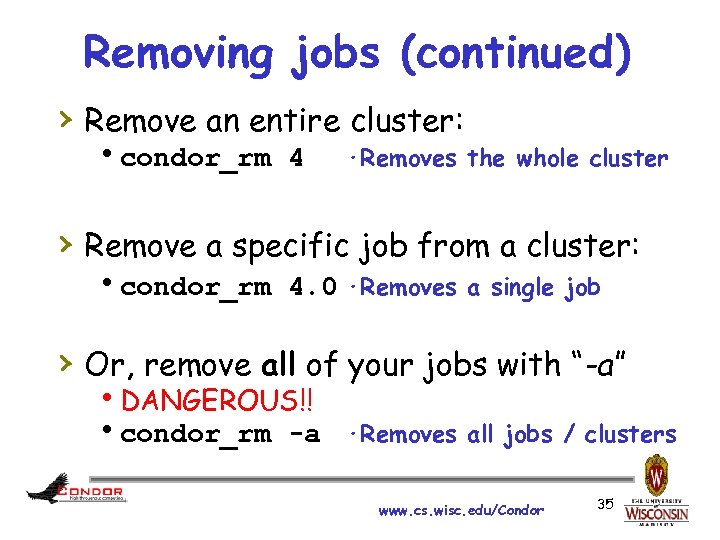 Removing jobs (continued) › Remove an entire cluster: hcondor_rm 4 ·Removes the whole cluster › Remove a specific job from a cluster: hcondor_rm 4. 0 ·Removes a single job › Or, remove all of your jobs with “-a” h. DANGEROUS!! hcondor_rm -a ·Removes all jobs / clusters www. cs. wisc. edu/Condor 35
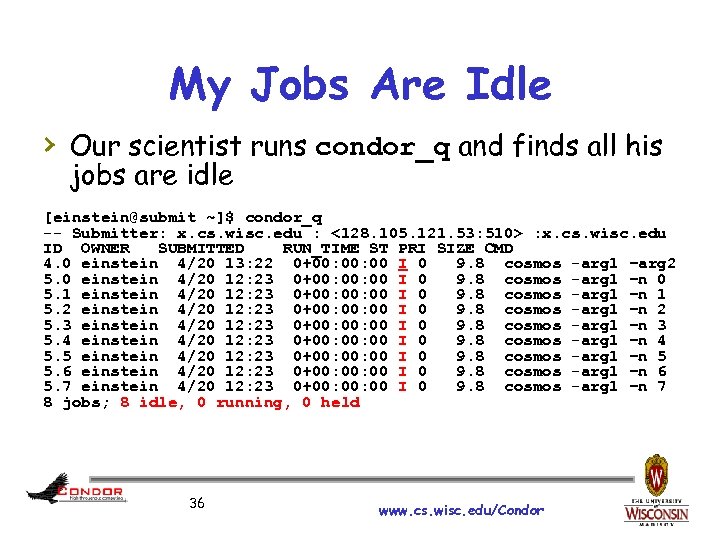 My Jobs Are Idle › Our scientist runs condor_q and finds all his jobs are idle [einstein@submit ~]$ condor_q -- Submitter: x. cs. wisc. edu : <128. 105. 121. 53: 510> : x. cs. wisc. edu ID OWNER SUBMITTED RUN_TIME ST PRI SIZE CMD 4. 0 einstein 4/20 13: 22 0+00: 00 I 0 9. 8 cosmos -arg 1 –arg 2 5. 0 einstein 4/20 12: 23 0+00: 00 I 0 9. 8 cosmos -arg 1 –n 0 5. 1 einstein 4/20 12: 23 0+00: 00 I 0 9. 8 cosmos -arg 1 –n 1 5. 2 einstein 4/20 12: 23 0+00: 00 I 0 9. 8 cosmos -arg 1 –n 2 5. 3 einstein 4/20 12: 23 0+00: 00 I 0 9. 8 cosmos -arg 1 –n 3 5. 4 einstein 4/20 12: 23 0+00: 00 I 0 9. 8 cosmos -arg 1 –n 4 5. 5 einstein 4/20 12: 23 0+00: 00 I 0 9. 8 cosmos -arg 1 –n 5 5. 6 einstein 4/20 12: 23 0+00: 00 I 0 9. 8 cosmos -arg 1 –n 6 5. 7 einstein 4/20 12: 23 0+00: 00 I 0 9. 8 cosmos -arg 1 –n 7 8 jobs; 8 idle, 0 running, 0 held 36 www. cs. wisc. edu/Condor
 Exercise a little patience › On a busy pool, it can take a while to match and start your jobs › Wait at least a negotiation cycle or two (typically a few minutes) 37 www. cs. wisc. edu/Condor
![Check Machine's Status [einstein@submit ~]$ condor_status Name Op. Sys Arch State Activity Load. Av](https://present5.com/presentation/b5da94a11b594e8bd661fb2b75f120f9/image-38.jpg "Check Machine's Status [einstein@submit ~]$ condor_status Name Op. Sys Arch State Activity Load. Av") Check Machine's Status [einstein@submit ~]$ condor_status Name Op. Sys Arch State Activity Load. Av Mem Actvty. Time slot 1@c 002. chtc. wi LINUX X 86_64 Claimed Busy 1. 000 4599 0+00: 13 slot 2@c 002. chtc. wi LINUX X 86_64 Claimed Busy 1. 000 1024 1+19: 10: 36 slot 3@c 002. chtc. wi LINUX X 86_64 Claimed Busy 0. 990 1024 1+22: 42: 20 slot 4@c 002. chtc. wi LINUX X 86_64 Claimed Busy 1. 000 1024 0+03: 22: 10 slot 5@c 002. chtc. wi LINUX X 86_64 Claimed Busy 1. 000 1024 0+03: 17: 00 slot 6@c 002. chtc. wi LINUX X 86_64 Claimed Busy 1. 000 1024 0+03: 09: 14 slot 7@c 002. chtc. wi LINUX X 86_64 Claimed Busy 1. 000 1024 0+19: 13: 49. . . vm 1@INFOLABS-SML 65 WINNT 51 INTEL Owner Idle 0. 000 511 [Unknown] vm 2@INFOLABS-SML 65 WINNT 51 INTEL Owner Idle 0. 030 511 [Unknown] vm 1@INFOLABS-SML 66 WINNT 51 INTEL Unclaimed Idle 0. 000 511 [Unknown] vm 2@INFOLABS-SML 66 WINNT 51 INTEL Unclaimed Idle 0. 010 511 [Unknown] vm 1@infolabs-smlde WINNT 51 INTEL Claimed Busy 1. 130 511 [Unknown] vm 2@infolabs-smlde WINNT 51 INTEL Claimed Busy 1. 090 511 [Unknown] Total Owner Claimed Unclaimed Matched Preempting Backfill INTEL/WINNT 51 X 86_64/LINUX 104 759 78 170 16 587 10 0 0 1 0 0 Total 863 248 603 10 0 1 0 38 www. cs. wisc. edu/Condor
Check Machine's Status [einstein@submit ~]$ condor_status Name Op. Sys Arch State Activity Load. Av Mem Actvty. Time slot 1@c 002. chtc. wi LINUX X 86_64 Claimed Busy 1. 000 4599 0+00: 13 slot 2@c 002. chtc. wi LINUX X 86_64 Claimed Busy 1. 000 1024 1+19: 10: 36 slot 3@c 002. chtc. wi LINUX X 86_64 Claimed Busy 0. 990 1024 1+22: 42: 20 slot 4@c 002. chtc. wi LINUX X 86_64 Claimed Busy 1. 000 1024 0+03: 22: 10 slot 5@c 002. chtc. wi LINUX X 86_64 Claimed Busy 1. 000 1024 0+03: 17: 00 slot 6@c 002. chtc. wi LINUX X 86_64 Claimed Busy 1. 000 1024 0+03: 09: 14 slot 7@c 002. chtc. wi LINUX X 86_64 Claimed Busy 1. 000 1024 0+19: 13: 49. . . vm 1@INFOLABS-SML 65 WINNT 51 INTEL Owner Idle 0. 000 511 [Unknown] vm 2@INFOLABS-SML 65 WINNT 51 INTEL Owner Idle 0. 030 511 [Unknown] vm 1@INFOLABS-SML 66 WINNT 51 INTEL Unclaimed Idle 0. 000 511 [Unknown] vm 2@INFOLABS-SML 66 WINNT 51 INTEL Unclaimed Idle 0. 010 511 [Unknown] vm 1@infolabs-smlde WINNT 51 INTEL Claimed Busy 1. 130 511 [Unknown] vm 2@infolabs-smlde WINNT 51 INTEL Claimed Busy 1. 090 511 [Unknown] Total Owner Claimed Unclaimed Matched Preempting Backfill INTEL/WINNT 51 X 86_64/LINUX 104 759 78 170 16 587 10 0 0 1 0 0 Total 863 248 603 10 0 1 0 38 www. cs. wisc. edu/Condor
![Not Matching at All? condor_q –analyze [einstein@submit ~]$ condor_q -analyze 29 The Requirements expression](https://present5.com/presentation/b5da94a11b594e8bd661fb2b75f120f9/image-39.jpg "Not Matching at All? condor_q –analyze [einstein@submit ~]$ condor_q -analyze 29 The Requirements expression") Not Matching at All? condor_q –analyze [einstein@submit ~]$ condor_q -analyze 29 The Requirements expression for your job is: ( (target. Memory > 8192) ) && (target. Arch == "INTEL") && (target. Op. Sys == "LINUX") && (target. Disk >= Disk. Usage) && (TARGET. File. System. Domain == MY. File. System. Domain) Condition Machines Matched Suggestion ----------1 ( ( target. Memory > 8192 ) ) 0 MODIFY TO 4000 2 ( TARGET. File. System. Domain == "cs. wisc. edu" )584 3 ( target. Arch == "INTEL" ) 1078 4 ( target. Op. Sys == "LINUX" ) 1100 5 ( target. Disk >= 13 ) 1243 39 www. cs. wisc. edu/Condor
Not Matching at All? condor_q –analyze [einstein@submit ~]$ condor_q -analyze 29 The Requirements expression for your job is: ( (target. Memory > 8192) ) && (target. Arch == "INTEL") && (target. Op. Sys == "LINUX") && (target. Disk >= Disk. Usage) && (TARGET. File. System. Domain == MY. File. System. Domain) Condition Machines Matched Suggestion ----------1 ( ( target. Memory > 8192 ) ) 0 MODIFY TO 4000 2 ( TARGET. File. System. Domain == "cs. wisc. edu" )584 3 ( target. Arch == "INTEL" ) 1078 4 ( target. Op. Sys == "LINUX" ) 1100 5 ( target. Disk >= 13 ) 1243 39 www. cs. wisc. edu/Condor
![Learn about available resources: [einstein@submit ~]$ condor_status –const 'Memory > 8192' (no output means](https://present5.com/presentation/b5da94a11b594e8bd661fb2b75f120f9/image-40.jpg "Learn about available resources: [einstein@submit ~]$ condor_status –const 'Memory > 8192' (no output means") Learn about available resources: [einstein@submit ~]$ condor_status –const 'Memory > 8192' (no output means no matches) [einstein@submit ~]$ condor_status -const 'Memory > 4096' Name Op. Sys Arch State Activ Load. Av Mem Actvty. Time vm 1@s 0 -03. cs. LINUX X 86_64 Unclaimed Idle 0. 000 5980 1+05: 35: 05 vm 2@s 0 -03. cs. LINUX X 86_64 Unclaimed Idle 0. 000 5980 13+05: 37: 03 vm 1@s 0 -04. cs. LINUX X 86_64 Unclaimed Idle 0. 000 7988 1+06: 00: 05 vm 2@s 0 -04. cs. LINUX X 86_64 Unclaimed Idle 0. 000 7988 13+06: 03: 47 Total Owner Claimed Unclaimed Matched Preempting X 86_64/LINUX 4 0 0 Total 4 0 0 40 www. cs. wisc. edu/Condor
Learn about available resources: [einstein@submit ~]$ condor_status –const 'Memory > 8192' (no output means no matches) [einstein@submit ~]$ condor_status -const 'Memory > 4096' Name Op. Sys Arch State Activ Load. Av Mem Actvty. Time vm 1@s 0 -03. cs. LINUX X 86_64 Unclaimed Idle 0. 000 5980 1+05: 35: 05 vm 2@s 0 -03. cs. LINUX X 86_64 Unclaimed Idle 0. 000 5980 13+05: 37: 03 vm 1@s 0 -04. cs. LINUX X 86_64 Unclaimed Idle 0. 000 7988 1+06: 00: 05 vm 2@s 0 -04. cs. LINUX X 86_64 Unclaimed Idle 0. 000 7988 13+06: 03: 47 Total Owner Claimed Unclaimed Matched Preempting X 86_64/LINUX 4 0 0 Total 4 0 0 40 www. cs. wisc. edu/Condor
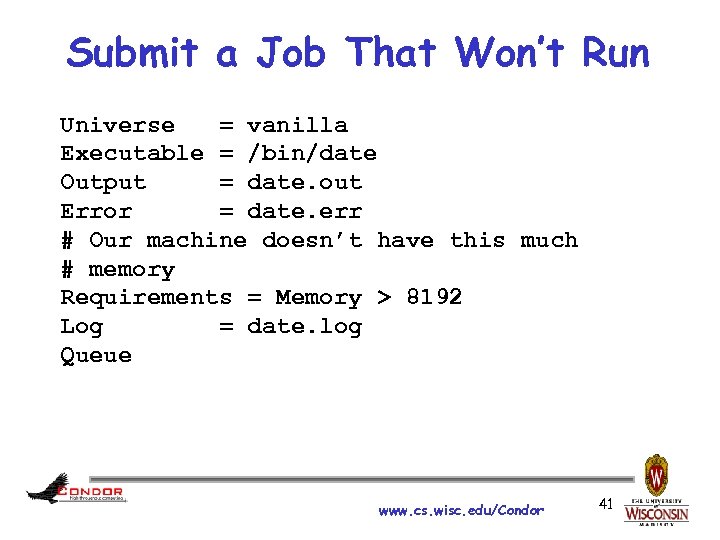 Submit a Job That Won’t Run Universe = vanilla Executable = /bin/date Output = date. out Error = date. err # Our machine doesn’t have this much # memory Requirements = Memory > 8192 Log = date. log Queue www. cs. wisc. edu/Condor 41
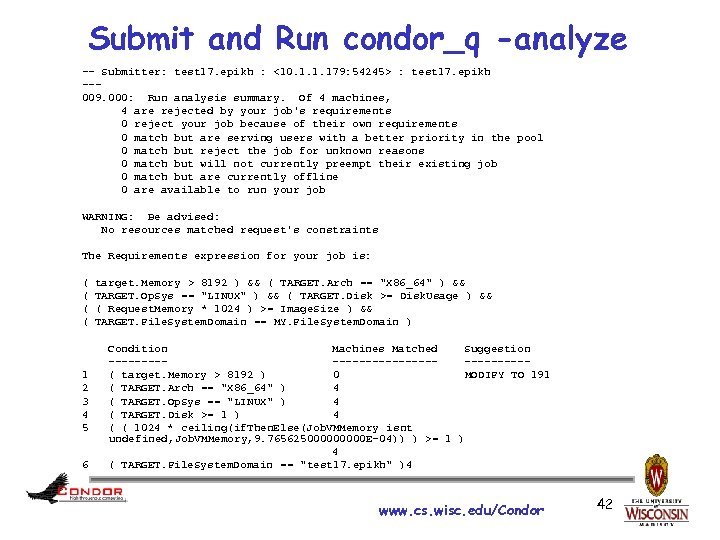 Submit and Run condor_q -analyze -- Submitter: test 17. epikh : <10. 1. 1. 179: 54245> : test 17. epikh --009. 000: Run analysis summary. Of 4 machines, 4 are rejected by your job's requirements 0 reject your job because of their own requirements 0 match but are serving users with a better priority in the pool 0 match but reject the job for unknown reasons 0 match but will not currently preempt their existing job 0 match but are currently offline 0 are available to run your job WARNING: Be advised: No resources matched request's constraints The Requirements expression for your job is: ( ( 1 2 3 4 5 6 target. Memory > 8192 ) && ( TARGET. Arch == "X 86_64" ) && TARGET. Op. Sys == "LINUX" ) && ( TARGET. Disk >= Disk. Usage ) && ( Request. Memory * 1024 ) >= Image. Size ) && TARGET. File. System. Domain == MY. File. System. Domain ) Condition Machines Matched Suggestion ----------------( target. Memory > 8192 ) 0 MODIFY TO 191 ( TARGET. Arch == "X 86_64" ) 4 ( TARGET. Op. Sys == "LINUX" ) 4 ( TARGET. Disk >= 1 ) 4 ( ( 1024 * ceiling(if. Then. Else(Job. VMMemory isnt undefined, Job. VMMemory, 9. 76562500000 E-04)) ) >= 1 ) 4 ( TARGET. File. System. Domain == "test 17. epikh" )4 www. cs. wisc. edu/Condor 42
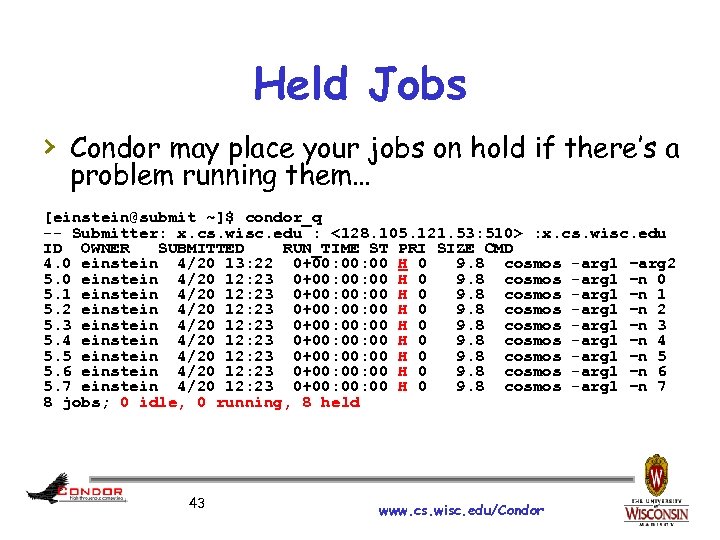 Held Jobs › Condor may place your jobs on hold if there’s a problem running them… [einstein@submit ~]$ condor_q -- Submitter: x. cs. wisc. edu : <128. 105. 121. 53: 510> : x. cs. wisc. edu ID OWNER SUBMITTED RUN_TIME ST PRI SIZE CMD 4. 0 einstein 4/20 13: 22 0+00: 00 H 0 9. 8 cosmos -arg 1 –arg 2 5. 0 einstein 4/20 12: 23 0+00: 00 H 0 9. 8 cosmos -arg 1 –n 0 5. 1 einstein 4/20 12: 23 0+00: 00 H 0 9. 8 cosmos -arg 1 –n 1 5. 2 einstein 4/20 12: 23 0+00: 00 H 0 9. 8 cosmos -arg 1 –n 2 5. 3 einstein 4/20 12: 23 0+00: 00 H 0 9. 8 cosmos -arg 1 –n 3 5. 4 einstein 4/20 12: 23 0+00: 00 H 0 9. 8 cosmos -arg 1 –n 4 5. 5 einstein 4/20 12: 23 0+00: 00 H 0 9. 8 cosmos -arg 1 –n 5 5. 6 einstein 4/20 12: 23 0+00: 00 H 0 9. 8 cosmos -arg 1 –n 6 5. 7 einstein 4/20 12: 23 0+00: 00 H 0 9. 8 cosmos -arg 1 –n 7 8 jobs; 0 idle, 0 running, 8 held 43 www. cs. wisc. edu/Condor
![Look at jobs on hold [einstein@submit ~]$ condor_q –hold -- Submiter: submit. chtc. wisc.](https://present5.com/presentation/b5da94a11b594e8bd661fb2b75f120f9/image-44.jpg "Look at jobs on hold [einstein@submit ~]$ condor_q –hold -- Submiter: submit. chtc. wisc.") Look at jobs on hold [einstein@submit ~]$ condor_q –hold -- Submiter: submit. chtc. wisc. edu : <128. 105. 121. 53: 510> : submit. chtc. wisc. edu ID OWNER HELD_SINCE HOLD_REASON 6. 0 einstein 4/20 13: 23 Error from starter on skywalker. cs. wisc. edu 9 jobs; 8 idle, 0 running, 1 held Or, see full details for a job [einstein@submit ~]$ condor_q –l 6. 0 … Hold. Reason = "Error from starter" … 44 www. cs. wisc. edu/Condor
Look at jobs on hold [einstein@submit ~]$ condor_q –hold -- Submiter: submit. chtc. wisc. edu : <128. 105. 121. 53: 510> : submit. chtc. wisc. edu ID OWNER HELD_SINCE HOLD_REASON 6. 0 einstein 4/20 13: 23 Error from starter on skywalker. cs. wisc. edu 9 jobs; 8 idle, 0 running, 1 held Or, see full details for a job [einstein@submit ~]$ condor_q –l 6. 0 … Hold. Reason = "Error from starter" … 44 www. cs. wisc. edu/Condor
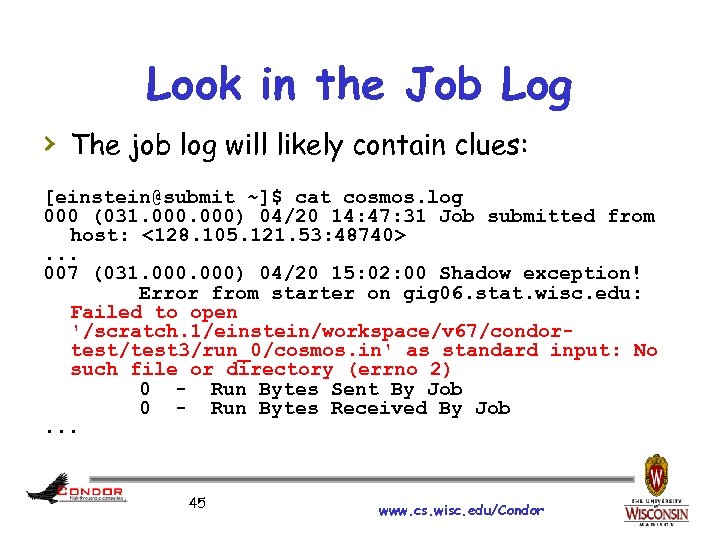 Look in the Job Log › The job log will likely contain clues: [einstein@submit ~]$ cat cosmos. log 000 (031. 000) 04/20 14: 47: 31 Job submitted from host: <128. 105. 121. 53: 48740>. . . 007 (031. 000) 04/20 15: 02: 00 Shadow exception! Error from starter on gig 06. stat. wisc. edu: Failed to open '/scratch. 1/einstein/workspace/v 67/condortest/test 3/run_0/cosmos. in' as standard input: No such file or directory (errno 2) 0 - Run Bytes Sent By Job 0 - Run Bytes Received By Job. . . 45 www. cs. wisc. edu/Condor
 Holding Jobs › You can put jobs in the HELD state yourself, using condor_hold h Same syntax and rules as condor_rm › You can take jobs out of the HELD state with the condor_release command h Again, same syntax and rules as condor_rm www. cs. wisc. edu/Condor 46
 Configuration Files › “amp wiring” by www. cs. wisc. edu/Condor
 Configuration File › Found either in file pointed to with the CONDOR_CONFIG environment variable, /etc/condor_config, or ~condor/condor_config › All settings can be in this one file › Might want to share between all machines (NFS, automated copies, Wallaby, etc) 48 www. cs. wisc. edu/Condor
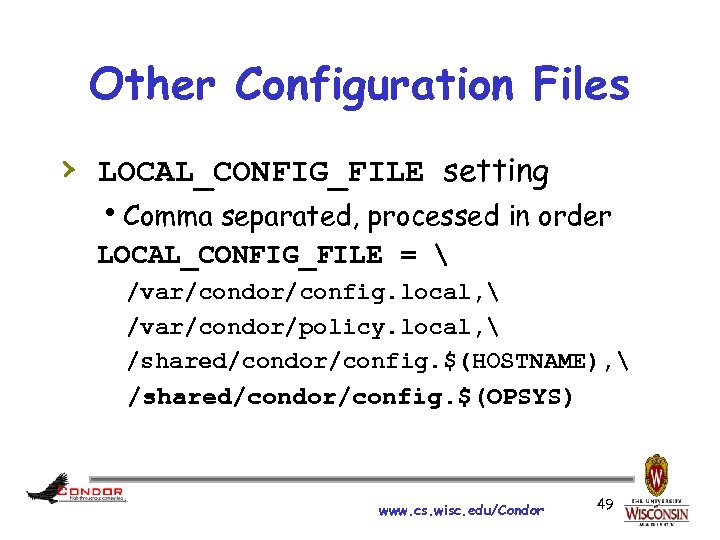 Other Configuration Files › LOCAL_CONFIG_FILE setting h. Comma separated, processed in order LOCAL_CONFIG_FILE = /var/condor/config. local, /var/condor/policy. local, /shared/condor/config. $(HOSTNAME), /shared/condor/config. $(OPSYS) www. cs. wisc. edu/Condor 49
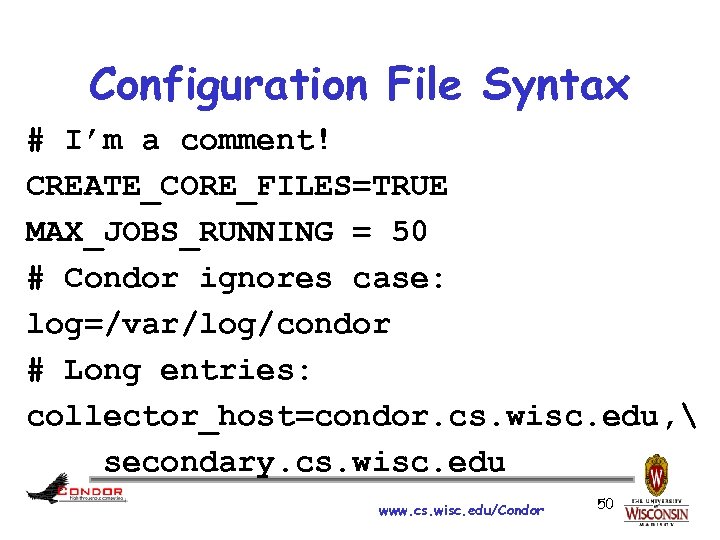 Configuration File Syntax # I’m a comment! CREATE_CORE_FILES=TRUE MAX_JOBS_RUNNING = 50 # Condor ignores case: log=/var/log/condor # Long entries: collector_host=condor. cs. wisc. edu, secondary. cs. wisc. edu www. cs. wisc. edu/Condor 50
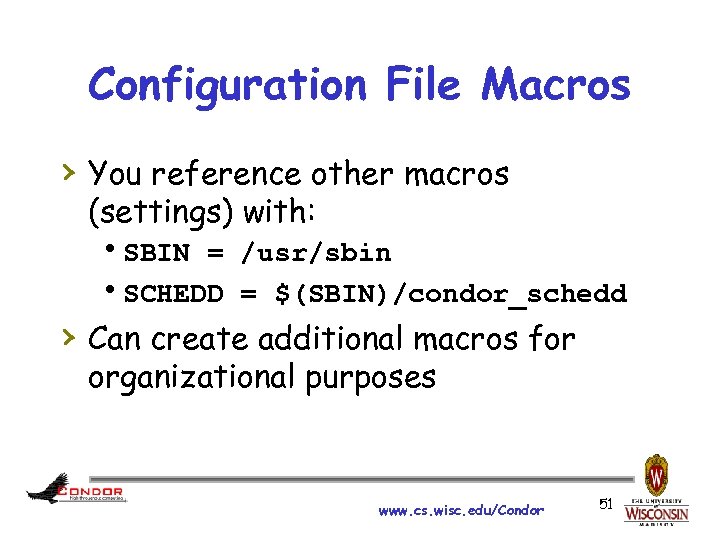 Configuration File Macros › You reference other macros (settings) with: h. SBIN = /usr/sbin h. SCHEDD = $(SBIN)/condor_schedd › Can create additional macros for organizational purposes www. cs. wisc. edu/Condor 51
 Tools www. cs. wisc. edu/Condor
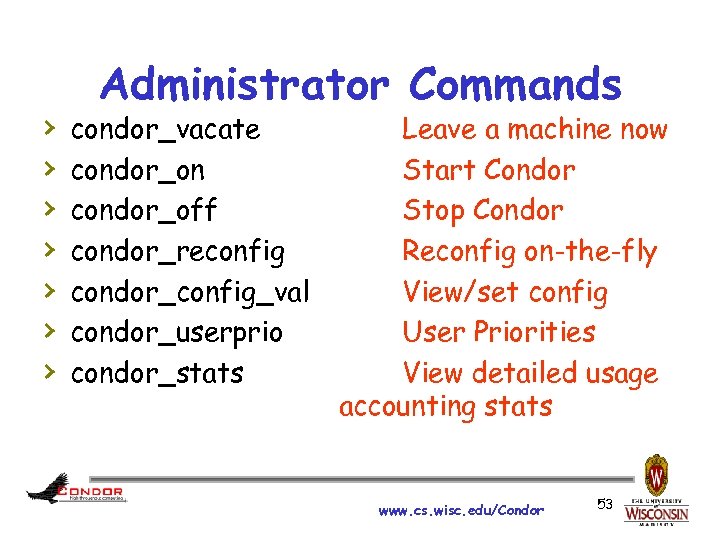 › › › › Administrator Commands condor_vacate condor_on condor_off condor_reconfig condor_config_val condor_userprio condor_stats Leave a machine now Start Condor Stop Condor Reconfig on-the-fly View/set config User Priorities View detailed usage accounting stats www. cs. wisc. edu/Condor 53
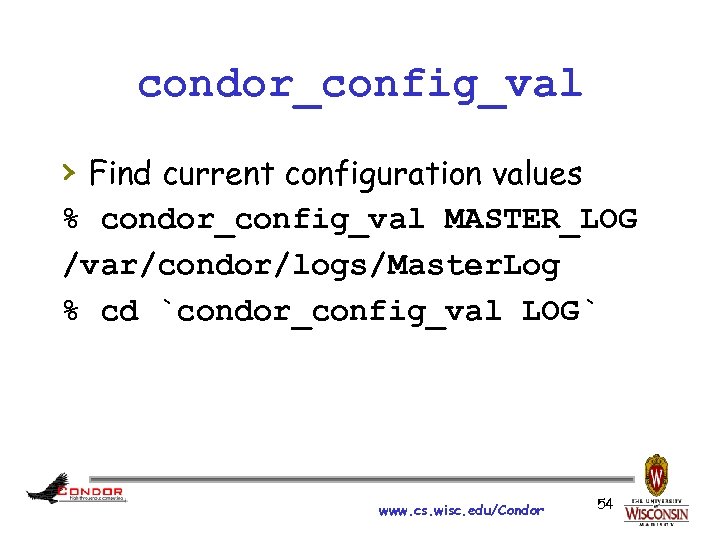 condor_config_val › Find current configuration values % condor_config_val MASTER_LOG /var/condor/logs/Master. Log % cd `condor_config_val LOG` www. cs. wisc. edu/Condor 54
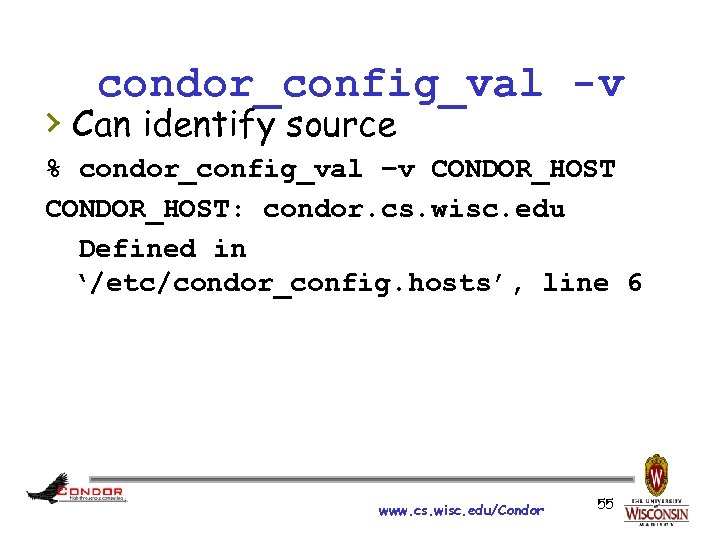 condor_config_val -v › Can identify source % condor_config_val –v CONDOR_HOST: condor. cs. wisc. edu Defined in ‘/etc/condor_config. hosts’, line 6 www. cs. wisc. edu/Condor 55
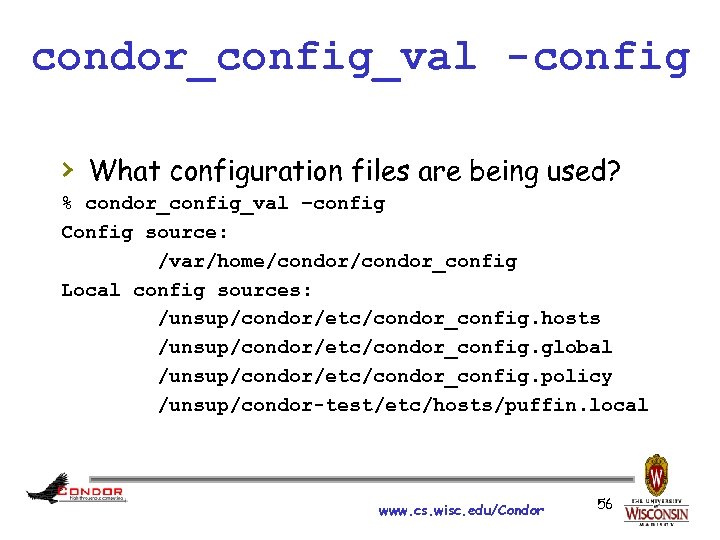 condor_config_val -config › What configuration files are being used? % condor_config_val –config Config source: /var/home/condor_config Local config sources: /unsup/condor/etc/condor_config. hosts /unsup/condor/etc/condor_config. global /unsup/condor/etc/condor_config. policy /unsup/condor-test/etc/hosts/puffin. local www. cs. wisc. edu/Condor 56
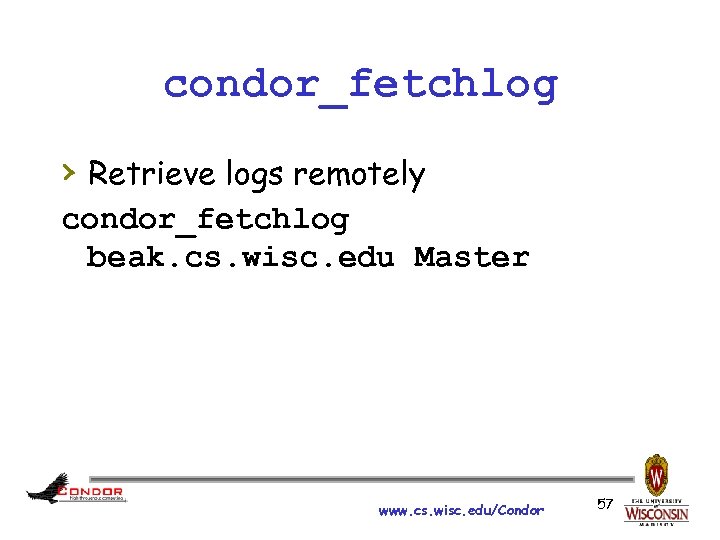 condor_fetchlog › Retrieve logs remotely condor_fetchlog beak. cs. wisc. edu Master www. cs. wisc. edu/Condor 57
 Querying daemons condor_status › Queries the collector for information about daemons in your pool › Defaults to finding condor_startds › condor_status –schedd summarizes all job queues › condor_status –master returns list of all condor_masters www. cs. wisc. edu/Condor 58
 condor_status › -long displays the full Class. Ad › Optionally specify a machine name to limit results to a single host condor_status –l node 4. cs. wisc. edu www. cs. wisc. edu/Condor 59
 condor_status -constraint › Only return Class. Ads that match an › expression you specify Show me idle machines with 1 GB or more memory hcondor_status -constraint 'Memory >= 1024 && Activity == "Idle"' www. cs. wisc. edu/Condor 60
 condor_status -format › Controls format of › › output Useful for writing scripts Uses C printf style formats h. One field per argument www. cs. wisc. edu/Condor “slanting” by Stefano Mortellaro (“fazen”) © 2005 Licensed under the Creative Commons Attribution 2. 0 license http: //www. flickr. com/photos/fazen/17200735/ http: //www. webcitation. org/5 XIh. NWC 7 Y 61
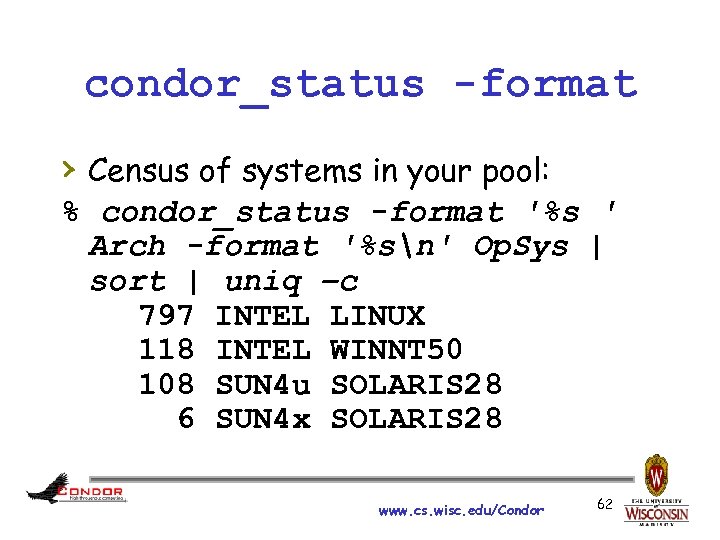 condor_status -format › Census of systems in your pool: % condor_status -format '%s ' Arch -format '%sn' Op. Sys | sort | uniq –c 797 INTEL LINUX 118 INTEL WINNT 50 108 SUN 4 u SOLARIS 28 6 SUN 4 x SOLARIS 28 www. cs. wisc. edu/Condor 62
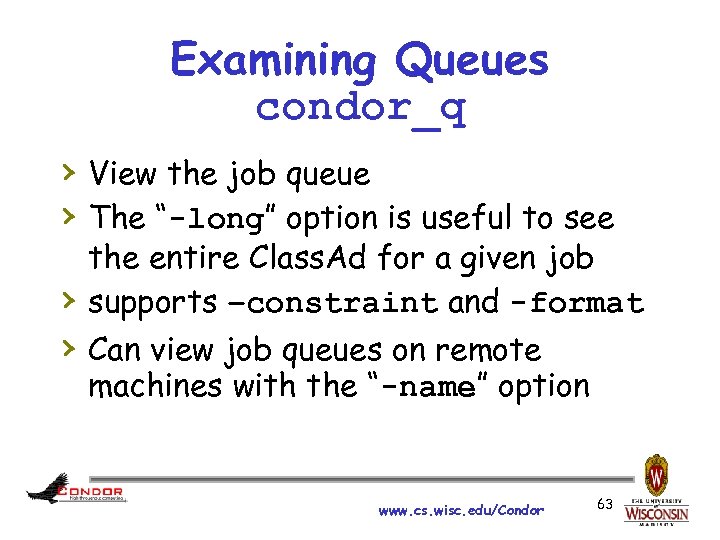 Examining Queues condor_q › View the job queue › The “-long” option is useful to see the entire Class. Ad for a given job supports –constraint and -format › › Can view job queues on remote machines with the “-name” option www. cs. wisc. edu/Condor 63
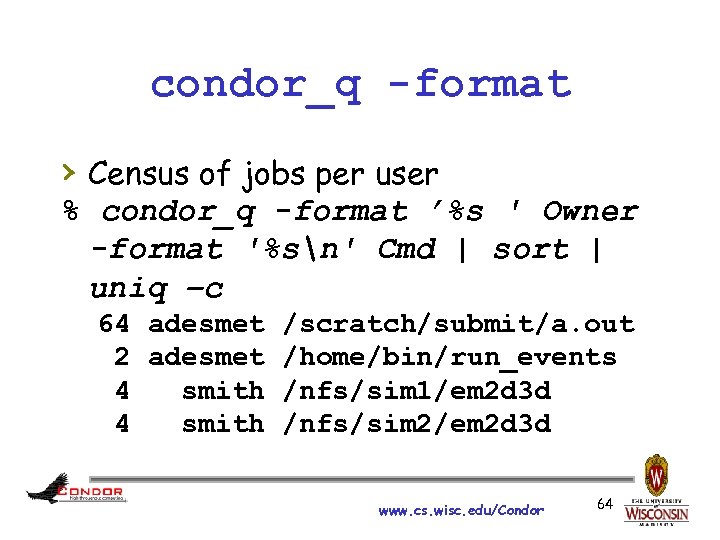 condor_q -format › Census of jobs per user % condor_q -format ’%s ' Owner -format '%sn' Cmd | sort | uniq –c 64 adesmet /scratch/submit/a. out 2 adesmet /home/bin/run_events 4 smith /nfs/sim 1/em 2 d 3 d 4 smith /nfs/sim 2/em 2 d 3 d www. cs. wisc. edu/Condor 64
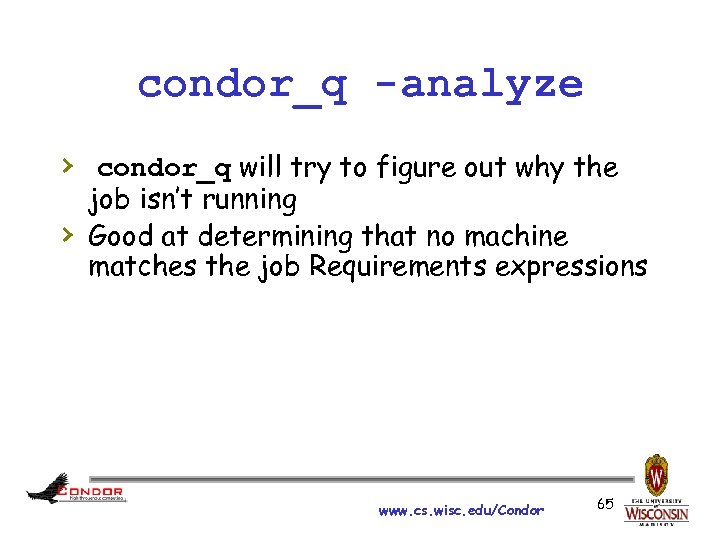 condor_q -analyze › condor_q will try to figure out why the › job isn’t running Good at determining that no machine matches the job Requirements expressions www. cs. wisc. edu/Condor 65
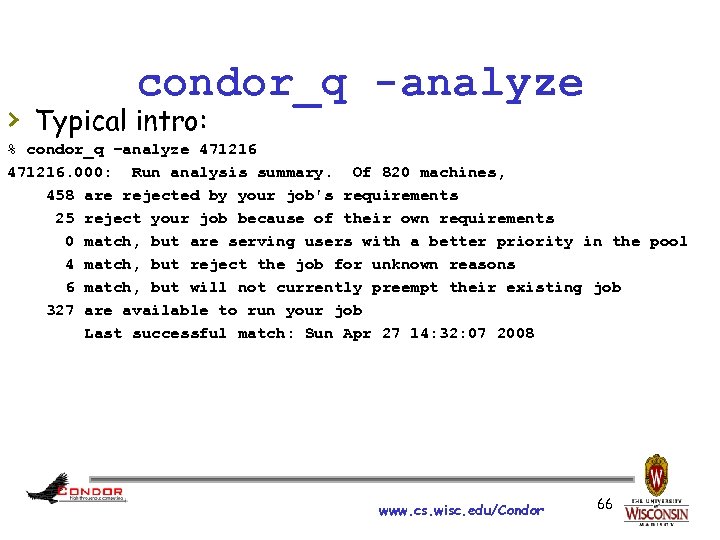 condor_q -analyze › Typical intro: % condor_q –analyze 471216. 000: Run analysis summary. Of 820 machines, 458 are rejected by your job's requirements 25 reject your job because of their own requirements 0 match, but are serving users with a better priority in the pool 4 match, but reject the job for unknown reasons 6 match, but will not currently preempt their existing job 327 are available to run your job Last successful match: Sun Apr 27 14: 32: 07 2008 www. cs. wisc. edu/Condor 66
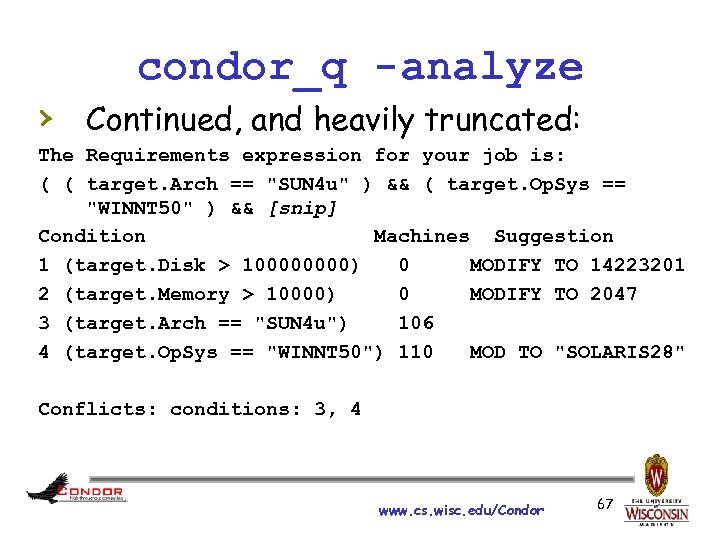 condor_q -analyze › Continued, and heavily truncated: The Requirements expression for your job is: ( ( target. Arch == "SUN 4 u" ) && ( target. Op. Sys == "WINNT 50" ) && [snip] Condition Machines Suggestion 1 (target. Disk > 10000) 0 MODIFY TO 14223201 2 (target. Memory > 10000) 0 MODIFY TO 2047 3 (target. Arch == "SUN 4 u") 106 4 (target. Op. Sys == "WINNT 50") 110 MOD TO "SOLARIS 28" Conflicts: conditions: 3, 4 www. cs. wisc. edu/Condor 67
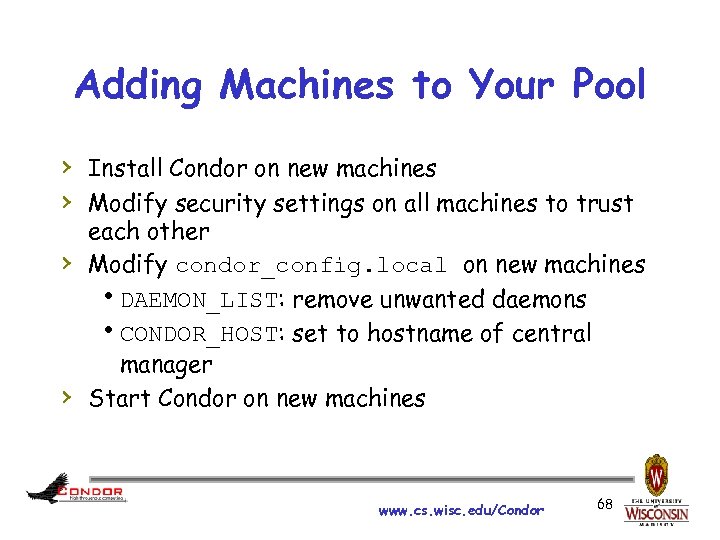 Adding Machines to Your Pool › Install Condor on new machines › Modify security settings on all machines to trust › › each other Modify condor_config. local on new machines h. DAEMON_LIST: remove unwanted daemons h. CONDOR_HOST: set to hostname of central manager Start Condor on new machines www. cs. wisc. edu/Condor 68
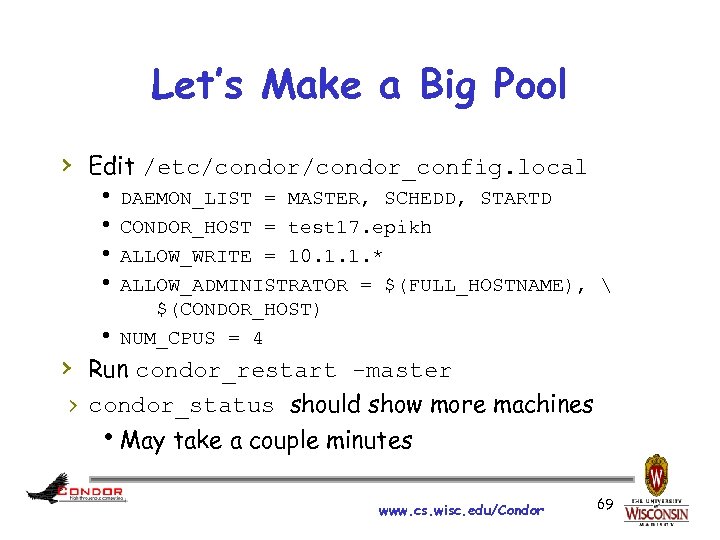 Let’s Make a Big Pool › Edit /etc/condor_config. local h DAEMON_LIST = MASTER, SCHEDD, STARTD h CONDOR_HOST = test 17. epikh h ALLOW_WRITE = 10. 1. 1. * h ALLOW_ADMINISTRATOR = $(FULL_HOSTNAME), $(CONDOR_HOST) h NUM_CPUS = 4 › Run condor_restart -master › condor_status should show more machines h. May take a couple minutes www. cs. wisc. edu/Condor 69
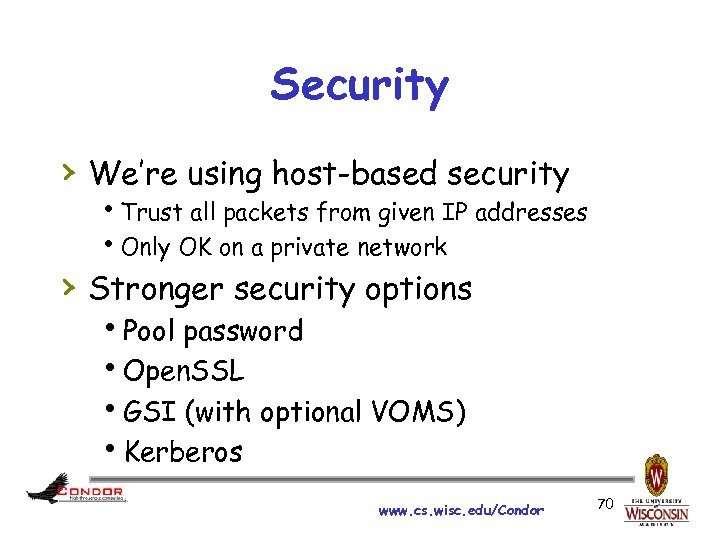 Security › We’re using host-based security h. Trust all packets from given IP addresses h. Only OK on a private network › Stronger security options h. Pool password h. Open. SSL h. GSI (with optional VOMS) h. Kerberos www. cs. wisc. edu/Condor 70
 File Transfer › If your job needs data files, you’ll › › › need to have Condor transfer them for you Likewise, Condor can transfer results files back for you You need to place your data files in a place where Condor can access them Sounds Great! What do I need to do? www. cs. wisc. edu/Condor
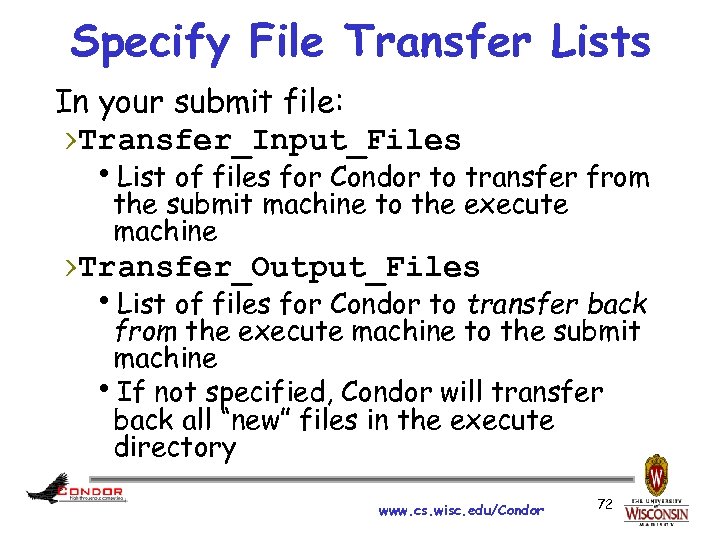 Specify File Transfer Lists In your submit file: ›Transfer_Input_Files h. List of files for Condor to transfer from the submit machine to the execute machine ›Transfer_Output_Files h. List of files for Condor to transfer back from the execute machine to the submit machine h. If not specified, Condor will transfer back all “new” files in the execute directory www. cs. wisc. edu/Condor 72
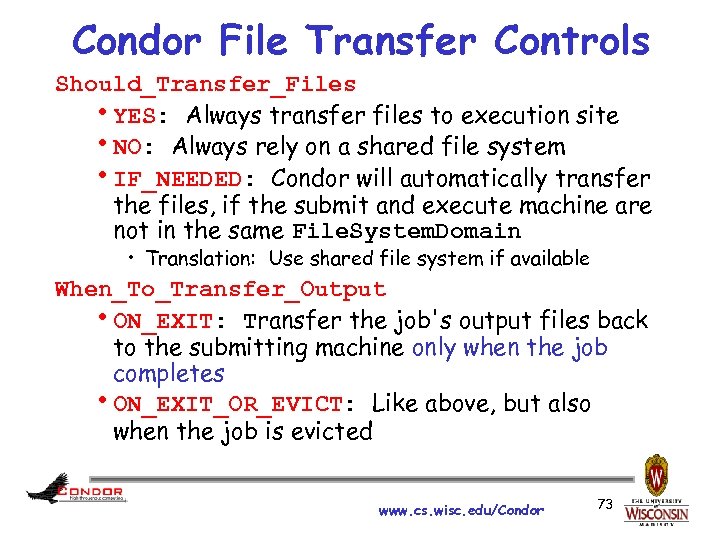 Condor File Transfer Controls Should_Transfer_Files h. YES: Always transfer files to execution site h. NO: Always rely on a shared file system h. IF_NEEDED: Condor will automatically transfer the files, if the submit and execute machine are not in the same File. System. Domain • Translation: Use shared file system if available When_To_Transfer_Output h. ON_EXIT: Transfer the job's output files back to the submitting machine only when the job completes h. ON_EXIT_OR_EVICT: Like above, but also when the job is evicted www. cs. wisc. edu/Condor 73
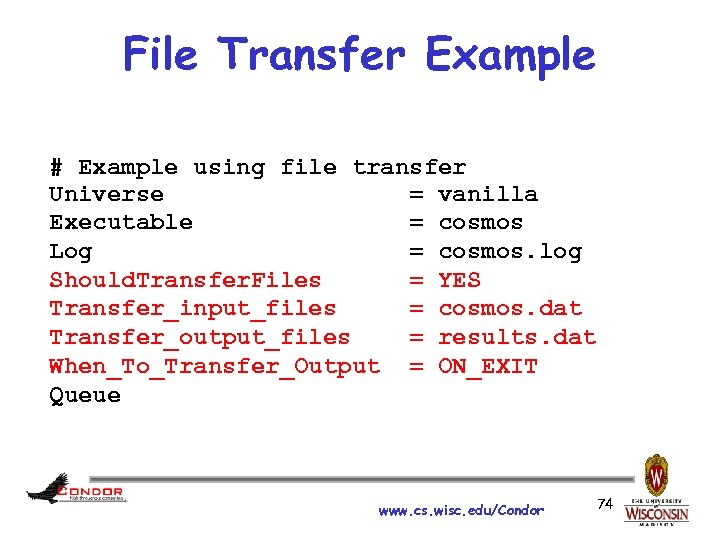 File Transfer Example # Example using file transfer Universe = vanilla Executable = cosmos Log = cosmos. log Should. Transfer. Files = YES Transfer_input_files = cosmos. dat Transfer_output_files = results. dat When_To_Transfer_Output = ON_EXIT Queue www. cs. wisc. edu/Condor 74
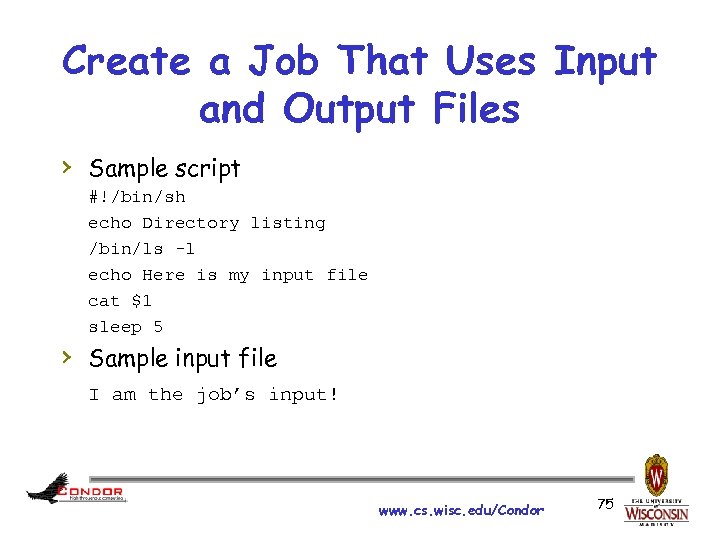 Create a Job That Uses Input and Output Files › Sample script #!/bin/sh echo Directory listing /bin/ls -l echo Here is my input file cat $1 sleep 5 › Sample input file I am the job’s input! www. cs. wisc. edu/Condor 75
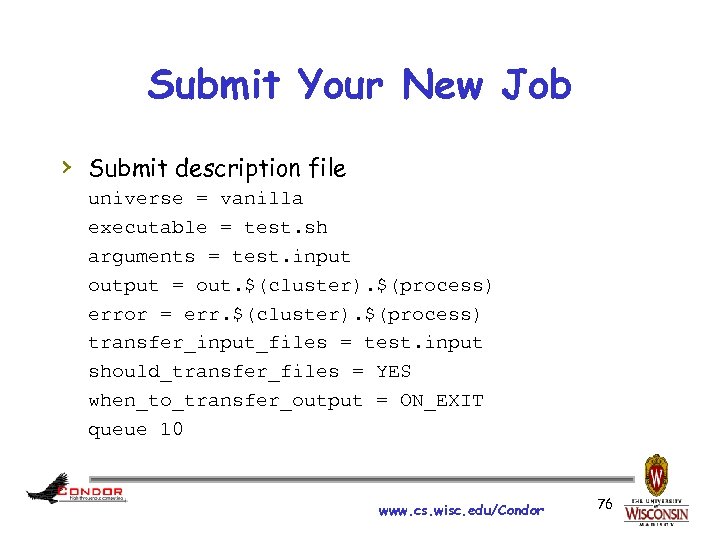 Submit Your New Job › Submit description file universe = vanilla executable = test. sh arguments = test. input output = out. $(cluster). $(process) error = err. $(cluster). $(process) transfer_input_files = test. input should_transfer_files = YES when_to_transfer_output = ON_EXIT queue 10 www. cs. wisc. edu/Condor 76
 More Information › › › http: //www. cs. wisc. edu/condor/manual/v 7. 6 https: //condor-wiki. cs. wisc. edu/index. cgi/wiki condor-users mailing list condor-admin@cs. wisc. edu support email www. cs. wisc. edu/Condor 77