 Скачать презентацию Insert Picture Here Extreme Backup and Recovery on
458d08d5877d6696e2649ac4514d715a.ppt
- Количество слайдов: 43



<Insert Picture Here> Extreme Backup and Recovery on the Oracle Database Machine Michael Nowak, Consulting Member of Technical Staff, Oracle Phil Stephenson, Principal Product Manager, Oracle
Scope • A flash forward to your experience backup/restore/recovery testing in your future Exadata environment • Providing guidance to avoid pitfalls and answer common questions • Cold hard facts from MAA testing. Concepts applicable to Exadata v 1 and v 2, performance data from Exadata v 2 • Watch out for Best Practice Alerts and Extreme Performance Alerts – 2–
Not in scope but important! • This presentation details backup, restore, and recovery for local failures. For site failures, you of course should use Data Guard which works great with Exadata! • Though not detailed, we will at least need to know if you plan on using Data Guard. More later… – 3–
Prevailing themes • Backing up a database with a Database Machine or Exadata is • Easy! • Blazing fast! • Speed is automatic! – 4–

Where do I start? – 5–
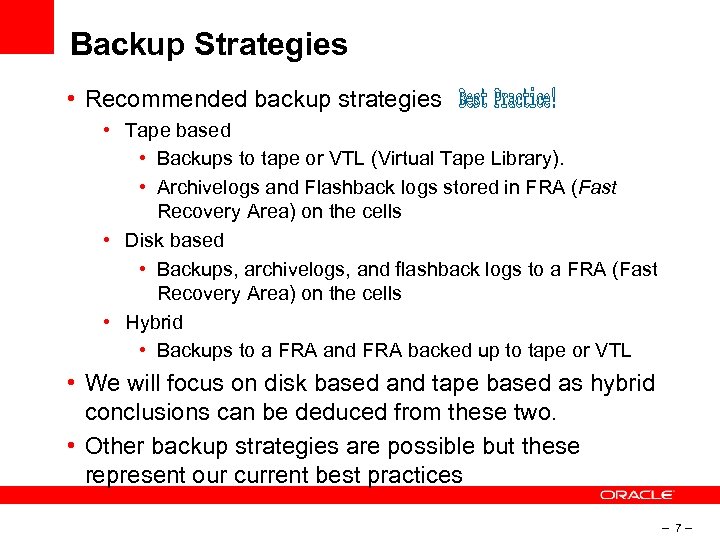
Backup Strategies • Recommended backup strategies • Tape based • Backups to tape or VTL (Virtual Tape Library). • Archivelogs and Flashback logs stored in FRA (Fast Recovery Area) on the cells • Disk based • Backups, archivelogs, and flashback logs to a FRA (Fast Recovery Area) on the cells • Hybrid • Backups to a FRA and FRA backed up to tape or VTL • We will focus on disk based and tape based as hybrid conclusions can be deduced from these two. • Other backup strategies are possible but these represent our current best practices – 7–
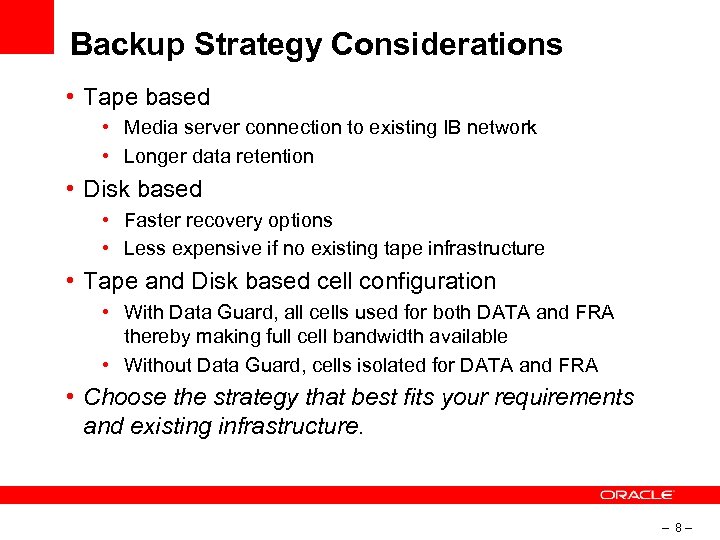
Backup Strategy Considerations • Tape based • Media server connection to existing IB network • Longer data retention • Disk based • Faster recovery options • Less expensive if no existing tape infrastructure • Tape and Disk based cell configuration • With Data Guard, all cells used for both DATA and FRA thereby making full cell bandwidth available • Without Data Guard, cells isolated for DATA and FRA • Choose the strategy that best fits your requirements and existing infrastructure. – 8–
That wasn’t too bad, but now how do I implement it? – 9–
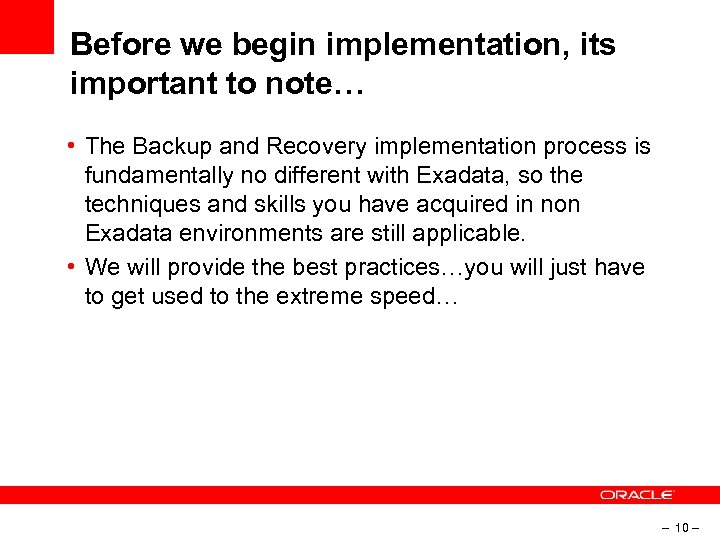
Before we begin implementation, its important to note… • The Backup and Recovery implementation process is fundamentally no different with Exadata, so the techniques and skills you have acquired in non Exadata environments are still applicable. • We will provide the best practices…you will just have to get used to the extreme speed… – 10 –
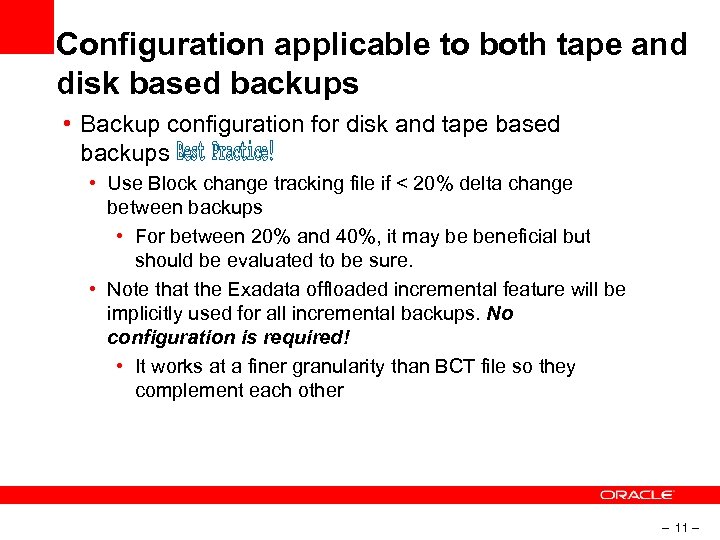
Configuration applicable to both tape and disk based backups • Backup configuration for disk and tape based backups • Use Block change tracking file if < 20% delta change between backups • For between 20% and 40%, it may be beneficial but should be evaluated to be sure. • Note that the Exadata offloaded incremental feature will be implicitly used for all incremental backups. No configuration is required! • It works at a finer granularity than BCT file so they complement each other – 11 –
I have an existing tape backup system so lets backup to tape – 12 –
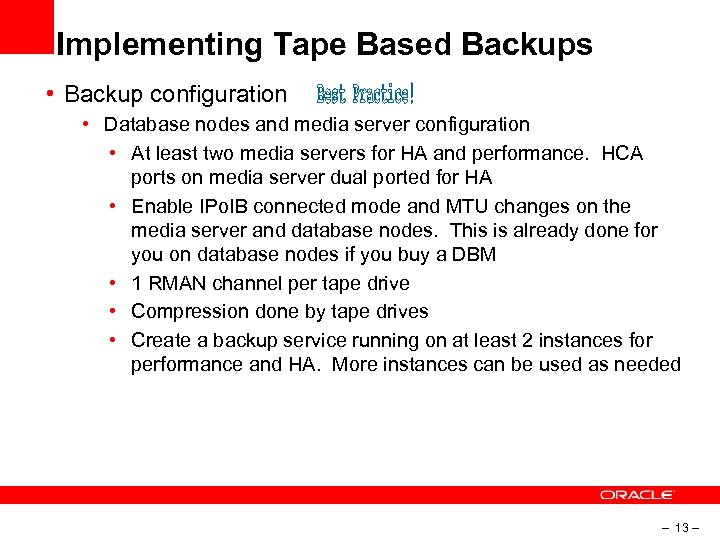
Implementing Tape Based Backups • Backup configuration • Database nodes and media server configuration • At least two media servers for HA and performance. HCA ports on media server dual ported for HA • Enable IPo. IB connected mode and MTU changes on the media server and database nodes. This is already done for you on database nodes if you buy a DBM • 1 RMAN channel per tape drive • Compression done by tape drives • Create a backup service running on at least 2 instances for performance and HA. More instances can be used as needed – 13 –
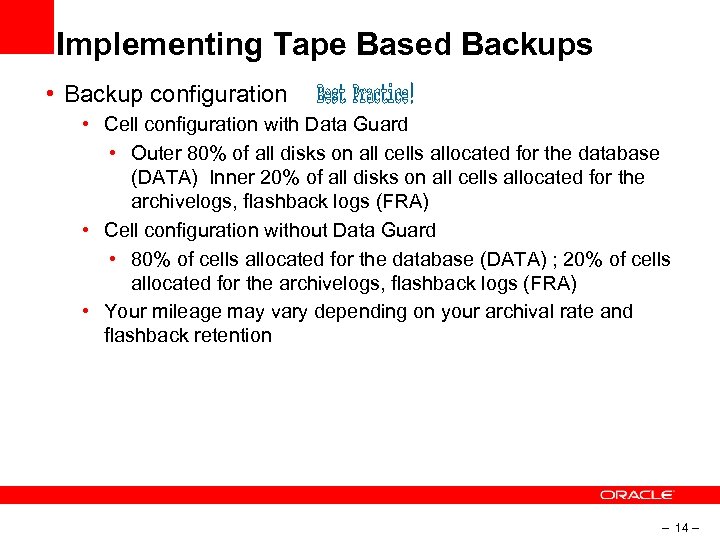
Implementing Tape Based Backups • Backup configuration • Cell configuration with Data Guard • Outer 80% of all disks on all cells allocated for the database (DATA) Inner 20% of all disks on all cells allocated for the archivelogs, flashback logs (FRA) • Cell configuration without Data Guard • 80% of cells allocated for the database (DATA) ; 20% of cells allocated for the archivelogs, flashback logs (FRA) • Your mileage may vary depending on your archival rate and flashback retention – 14 –
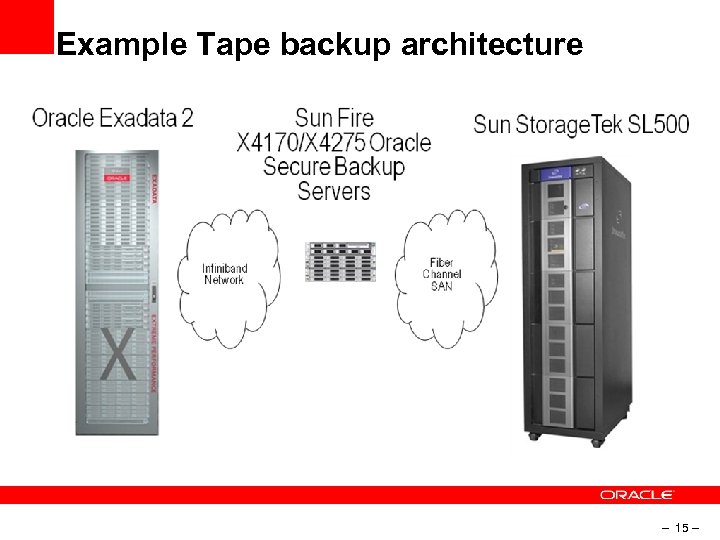
Example Tape backup architecture – 15 –
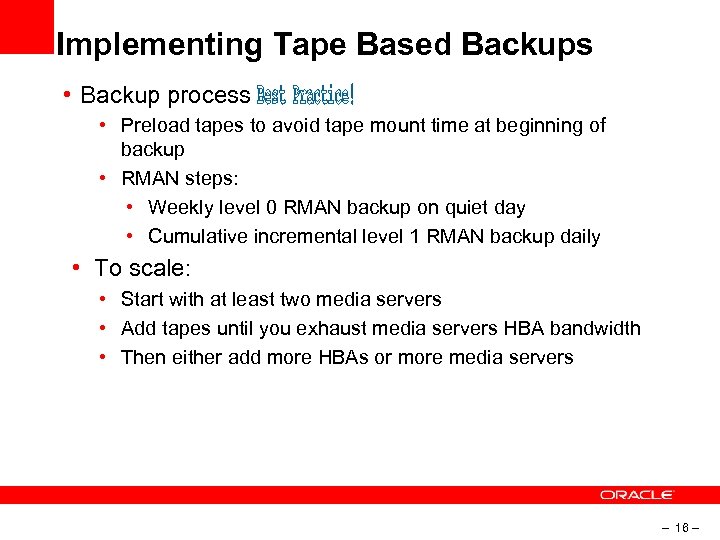
Implementing Tape Based Backups • Backup process • Preload tapes to avoid tape mount time at beginning of backup • RMAN steps: • Weekly level 0 RMAN backup on quiet day • Cumulative incremental level 1 RMAN backup daily • To scale: • Start with at least two media servers • Add tapes until you exhaust media servers HBA bandwidth • Then either add more HBAs or more media servers – 16 –
I love all disk space I have with my Database Machine, so lets backup to disk – 17 –
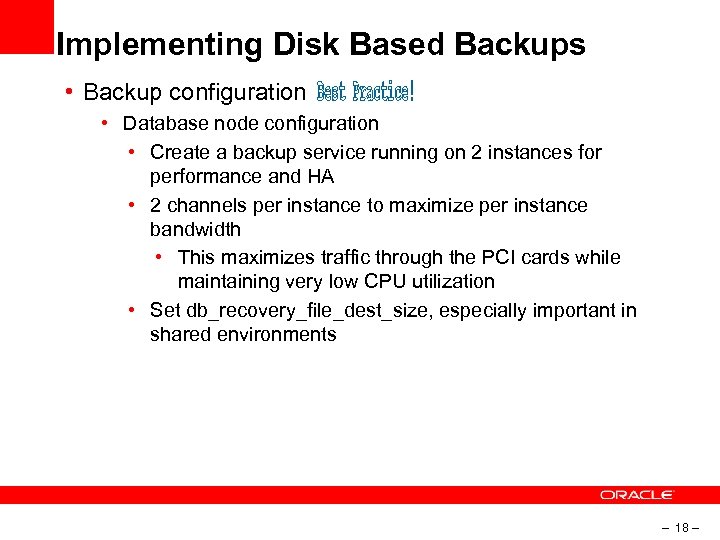
Implementing Disk Based Backups • Backup configuration • Database node configuration • Create a backup service running on 2 instances for performance and HA • 2 channels per instance to maximize per instance bandwidth • This maximizes traffic through the PCI cards while maintaining very low CPU utilization • Set db_recovery_file_dest_size, especially important in shared environments – 18 –
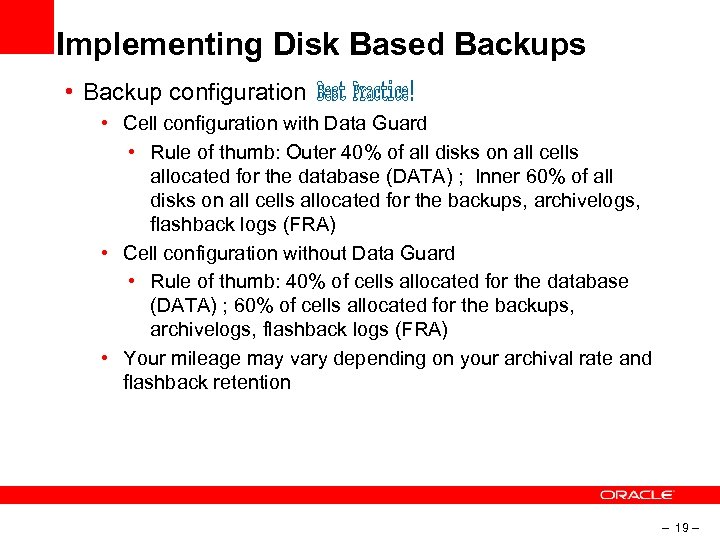
Implementing Disk Based Backups • Backup configuration • Cell configuration with Data Guard • Rule of thumb: Outer 40% of all disks on all cells allocated for the database (DATA) ; Inner 60% of all disks on all cells allocated for the backups, archivelogs, flashback logs (FRA) • Cell configuration without Data Guard • Rule of thumb: 40% of cells allocated for the database (DATA) ; 60% of cells allocated for the backups, archivelogs, flashback logs (FRA) • Your mileage may vary depending on your archival rate and flashback retention – 19 –
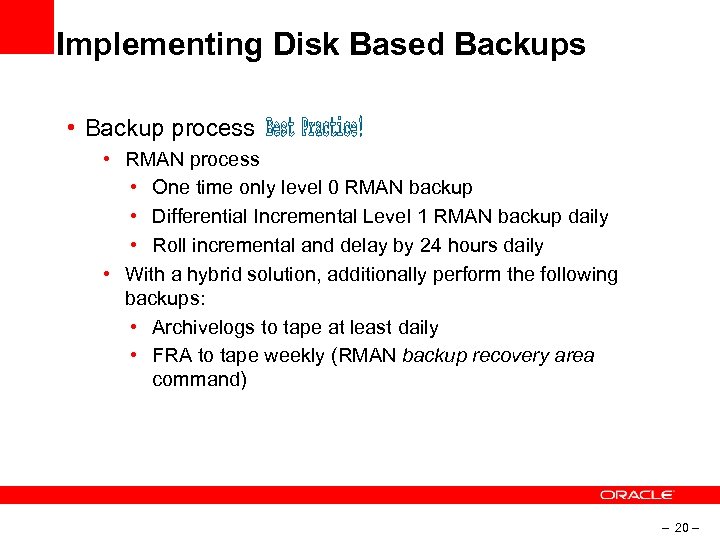
Implementing Disk Based Backups • Backup process • RMAN process • One time only level 0 RMAN backup • Differential Incremental Level 1 RMAN backup daily • Roll incremental and delay by 24 hours daily • With a hybrid solution, additionally perform the following backups: • Archivelogs to tape at least daily • FRA to tape weekly (RMAN backup recovery area command) – 20 –

OK, I get it, but don’t you have a script or something? – 21 –
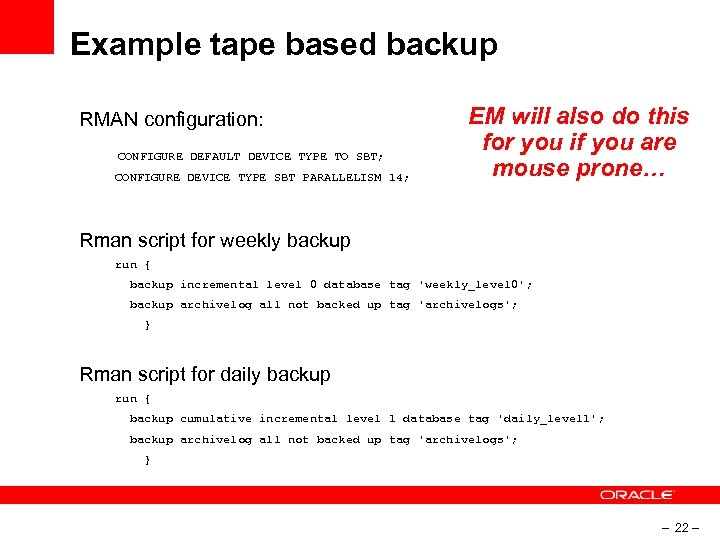
Example tape based backup RMAN configuration: CONFIGURE DEFAULT DEVICE TYPE TO SBT; CONFIGURE DEVICE TYPE SBT PARALLELISM 14; EM will also do this for you if you are mouse prone… Rman script for weekly backup run { backup incremental level 0 database tag 'weekly_level 0'; backup archivelog all not backed up tag 'archivelogs'; } Rman script for daily backup run { backup cumulative incremental level 1 database tag 'daily_level 1'; backup archivelog all not backed up tag 'archivelogs'; } – 22 –
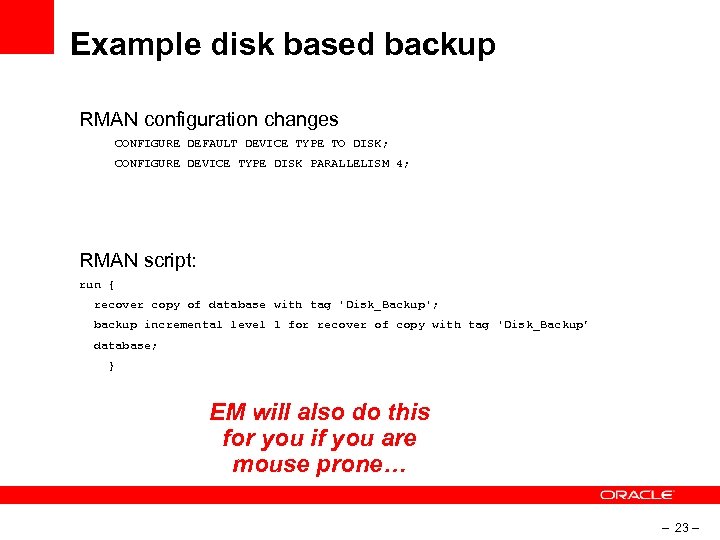
Example disk based backup RMAN configuration changes CONFIGURE DEFAULT DEVICE TYPE TO DISK; CONFIGURE DEVICE TYPE DISK PARALLELISM 4; RMAN script: run { recover copy of database with tag 'Disk_Backup'; backup incremental level 1 for recover of copy with tag 'Disk_Backup’ database; } EM will also do this for you if you are mouse prone… – 23 –
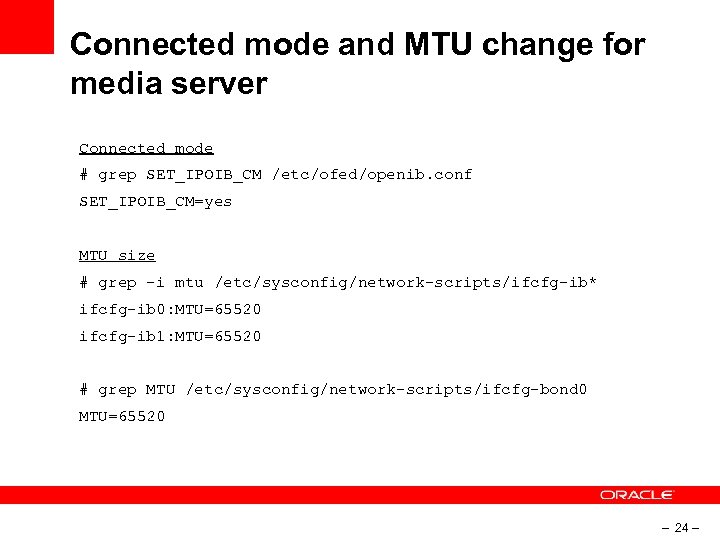
Connected mode and MTU change for media server Connected mode # grep SET_IPOIB_CM /etc/ofed/openib. conf SET_IPOIB_CM=yes MTU size # grep -i mtu /etc/sysconfig/network-scripts/ifcfg-ib* ifcfg-ib 0: MTU=65520 ifcfg-ib 1: MTU=65520 # grep MTU /etc/sysconfig/network-scripts/ifcfg-bond 0 MTU=65520 – 24 –
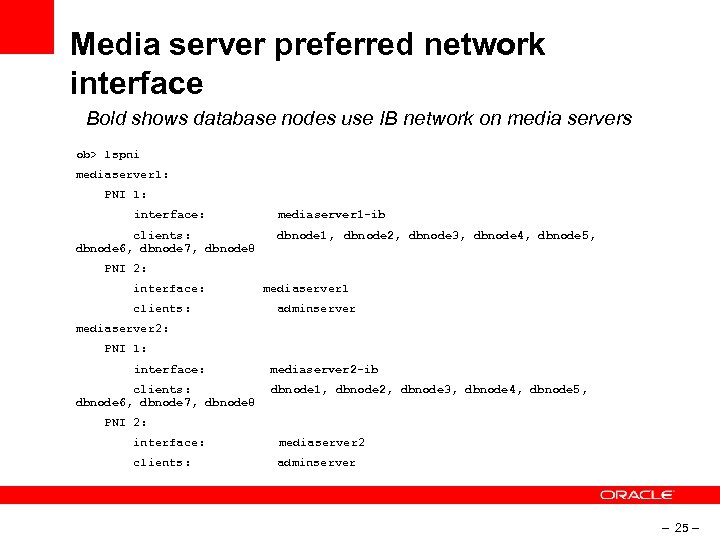
Media server preferred network interface Bold shows database nodes use IB network on media servers ob> lspni mediaserver 1: PNI 1: interface: clients: dbnode 6, dbnode 7, dbnode 8 mediaserver 1 -ib dbnode 1, dbnode 2, dbnode 3, dbnode 4, dbnode 5, PNI 2: interface: clients: mediaserver 1 adminserver mediaserver 2: PNI 1: interface: clients: dbnode 6, dbnode 7, dbnode 8 mediaserver 2 -ib dbnode 1, dbnode 2, dbnode 3, dbnode 4, dbnode 5, PNI 2: interface: mediaserver 2 clients: adminserver – 25 –
I got it running! Now how should I monitor it? – 26 –
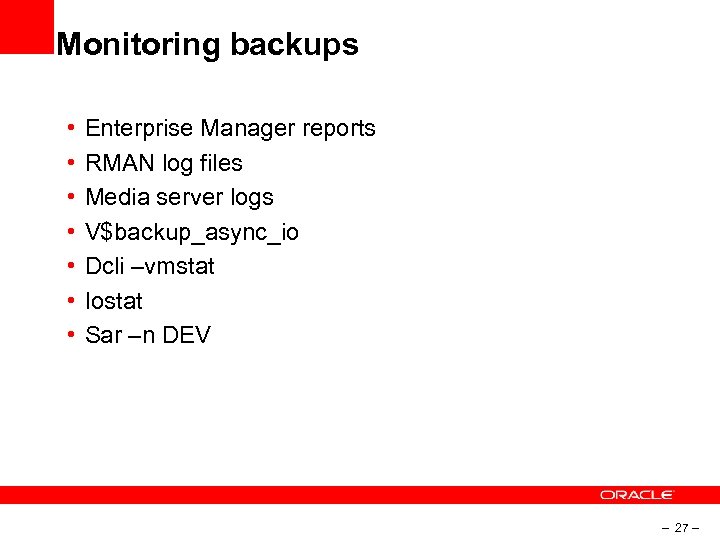
Monitoring backups • • Enterprise Manager reports RMAN log files Media server logs V$backup_async_io Dcli –vmstat Iostat Sar –n DEV – 27 –
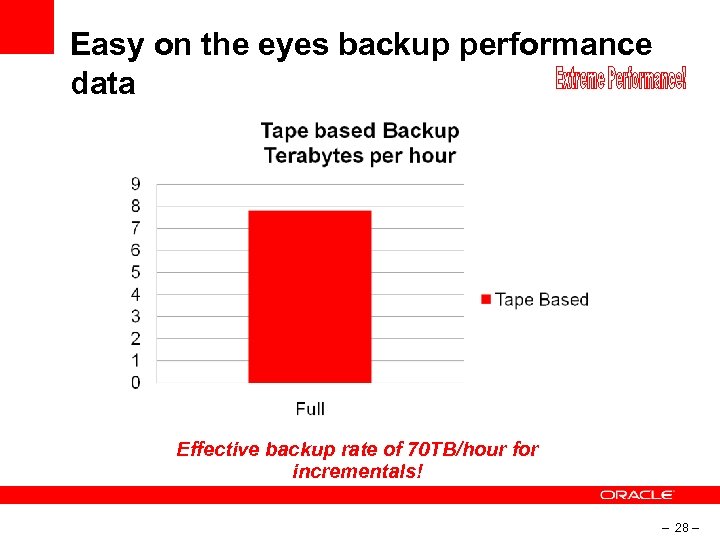
Easy on the eyes backup performance data Effective backup rate of 70 TB/hour for incrementals! – 28 –
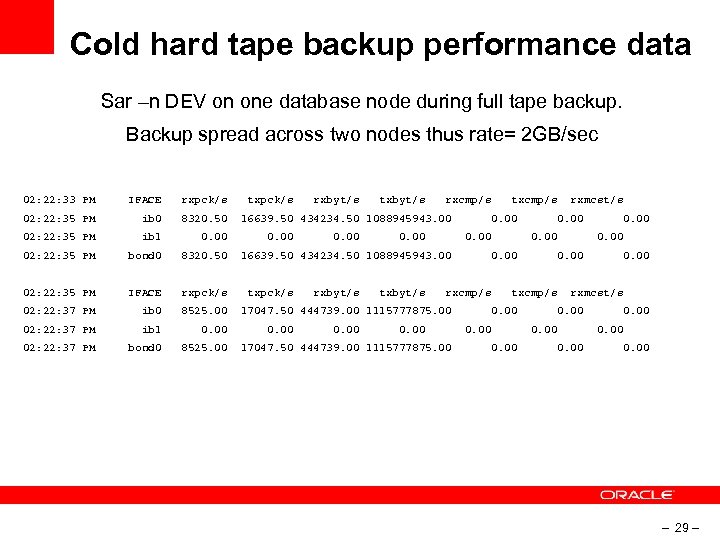
Cold hard tape backup performance data Sar –n DEV on one database node during full tape backup. Backup spread across two nodes thus rate= 2 GB/sec 02: 22: 33 PM IFACE rxpck/s 02: 22: 35 PM ib 0 8320. 50 02: 22: 35 PM ib 1 0. 00 02: 22: 35 PM bond 0 8320. 50 02: 22: 35 PM IFACE rxpck/s 02: 22: 37 PM ib 0 8525. 00 02: 22: 37 PM ib 1 0. 00 02: 22: 37 PM bond 0 8525. 00 txpck/s rxbyt/s txbyt/s rxcmp/s 16639. 50 434234. 50 1088945943. 00 txcmp/s 0. 00 rxbyt/s txbyt/s rxcmp/s 0. 00 17047. 50 444739. 00 1115777875. 00 0. 00 txcmp/s 0. 00 rxmcst/s 0. 00 17047. 50 444739. 00 1115777875. 00 0. 00 16639. 50 434234. 50 1088945943. 00 txpck/s rxmcst/s 0. 00 – 29 –
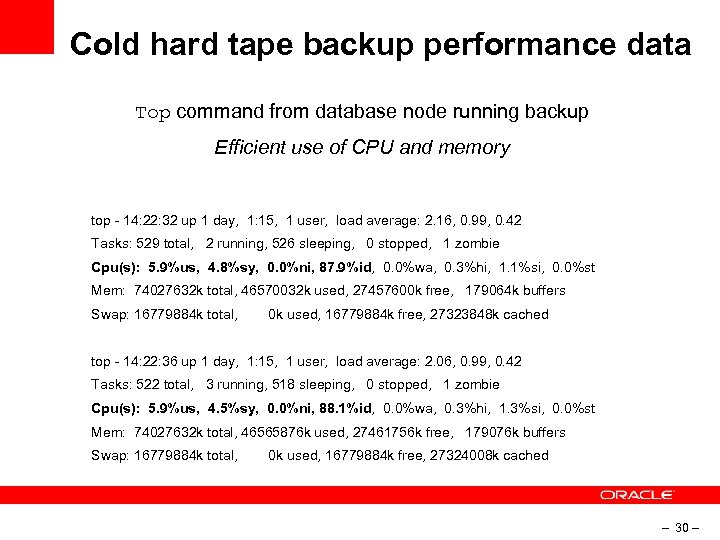
Cold hard tape backup performance data Top command from database node running backup Efficient use of CPU and memory top - 14: 22: 32 up 1 day, 1: 15, 1 user, load average: 2. 16, 0. 99, 0. 42 Tasks: 529 total, 2 running, 526 sleeping, 0 stopped, 1 zombie Cpu(s): 5. 9%us, 4. 8%sy, 0. 0%ni, 87. 9%id, 0. 0%wa, 0. 3%hi, 1. 1%si, 0. 0%st Mem: 74027632 k total, 46570032 k used, 27457600 k free, 179064 k buffers Swap: 16779884 k total, 0 k used, 16779884 k free, 27323848 k cached top - 14: 22: 36 up 1 day, 1: 15, 1 user, load average: 2. 06, 0. 99, 0. 42 Tasks: 522 total, 3 running, 518 sleeping, 0 stopped, 1 zombie Cpu(s): 5. 9%us, 4. 5%sy, 0. 0%ni, 88. 1%id, 0. 0%wa, 0. 3%hi, 1. 3%si, 0. 0%st Mem: 74027632 k total, 46565876 k used, 27461756 k free, 179076 k buffers Swap: 16779884 k total, 0 k used, 16779884 k free, 27324008 k cached – 30 –
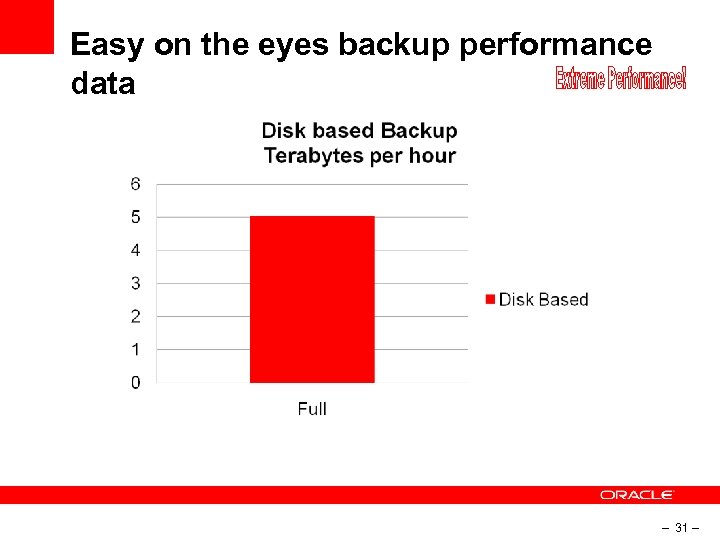
Easy on the eyes backup performance data – 31 –
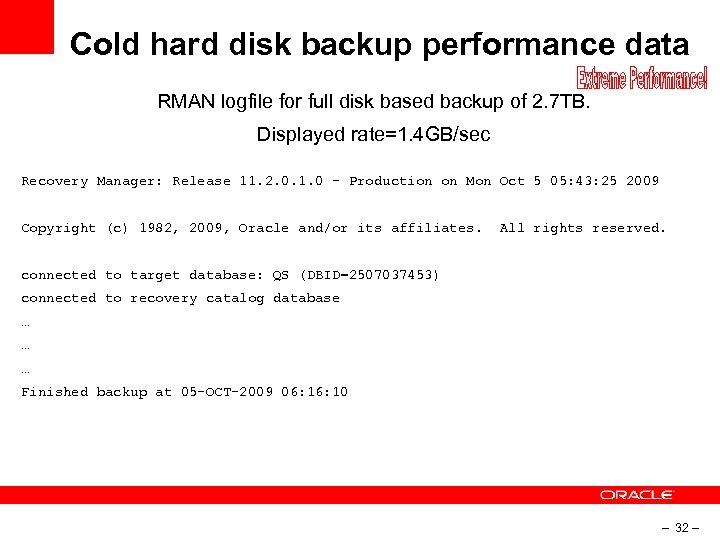
Cold hard disk backup performance data RMAN logfile for full disk based backup of 2. 7 TB. Displayed rate=1. 4 GB/sec Recovery Manager: Release 11. 2. 0. 1. 0 - Production on Mon Oct 5 05: 43: 25 2009 Copyright (c) 1982, 2009, Oracle and/or its affiliates. All rights reserved. connected to target database: QS (DBID=2507037453) connected to recovery catalog database … … … Finished backup at 05 -OCT-2009 06: 10 – 32 –
Backup is one thing, but what the more important restore and recovery? – 33 –
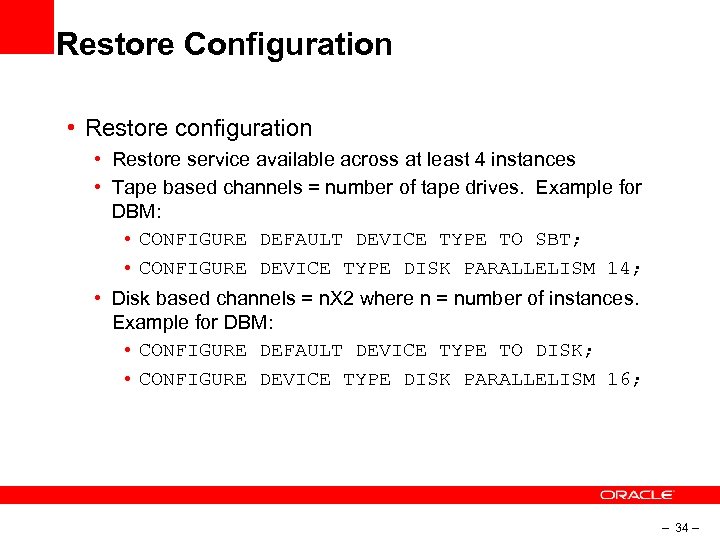
Restore Configuration • Restore configuration • Restore service available across at least 4 instances • Tape based channels = number of tape drives. Example for DBM: • CONFIGURE DEFAULT DEVICE TYPE TO SBT; • CONFIGURE DEVICE TYPE DISK PARALLELISM 14; • Disk based channels = n. X 2 where n = number of instances. Example for DBM: • CONFIGURE DEFAULT DEVICE TYPE TO DISK; • CONFIGURE DEVICE TYPE DISK PARALLELISM 16; – 34 –
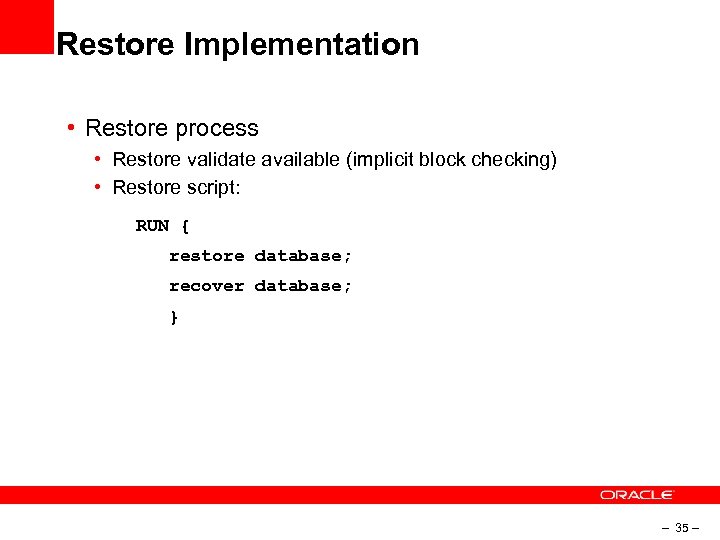
Restore Implementation • Restore process • Restore validate available (implicit block checking) • Restore script: RUN { restore database; recover database; } – 35 –
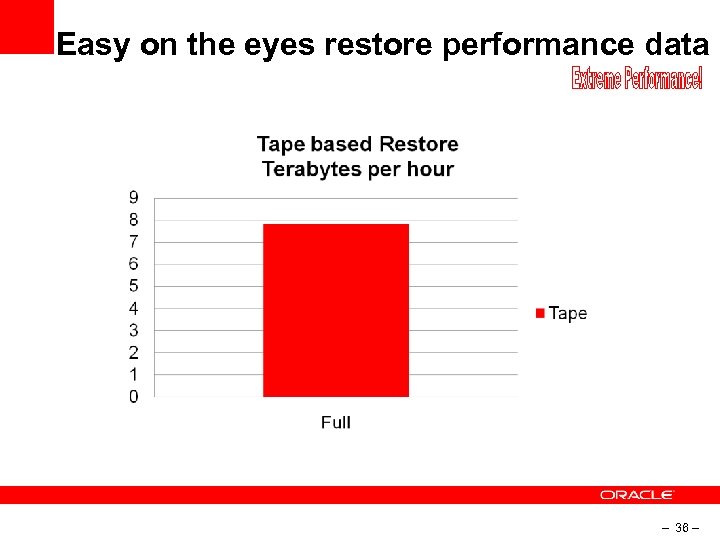
Easy on the eyes restore performance data – 36 –
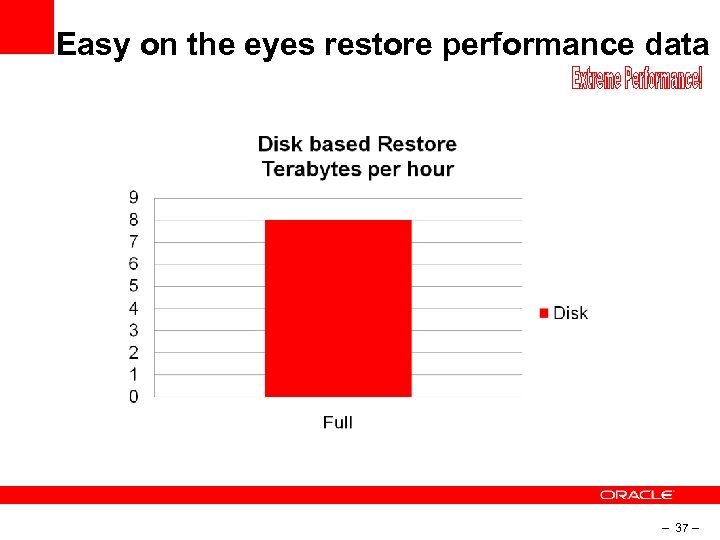
Easy on the eyes restore performance data – 37 –
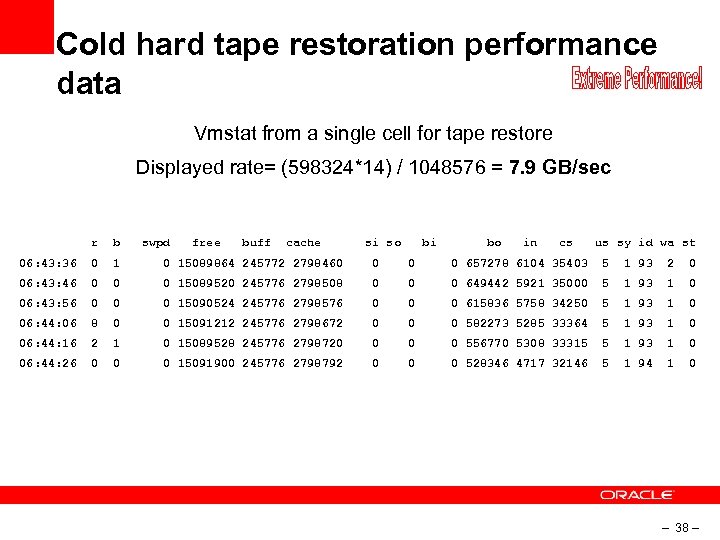
Cold hard tape restoration performance data Vmstat from a single cell for tape restore Displayed rate= (598324*14) / 1048576 = 7. 9 GB/sec r b swpd free buff cache si so bi bo in cs us sy id wa st 06: 43: 36 0 15089864 245772 2798460 0 657278 6104 35403 5 1 93 2 0 06: 43: 46 0 0 0 15089520 245776 2798508 0 0 0 649442 5921 35000 5 1 93 1 0 06: 43: 56 0 0 0 15090524 245776 2798576 0 0 0 615836 5758 34250 5 1 93 1 0 06: 44: 06 8 0 0 15091212 245776 2798672 0 0 0 582273 5285 33364 5 1 93 1 0 06: 44: 16 2 1 0 15089528 245776 2798720 0 556770 5308 33315 5 1 93 1 0 06: 44: 26 0 0 0 15091900 245776 2798792 0 0 0 528346 4717 32146 5 1 94 1 0 – 38 –
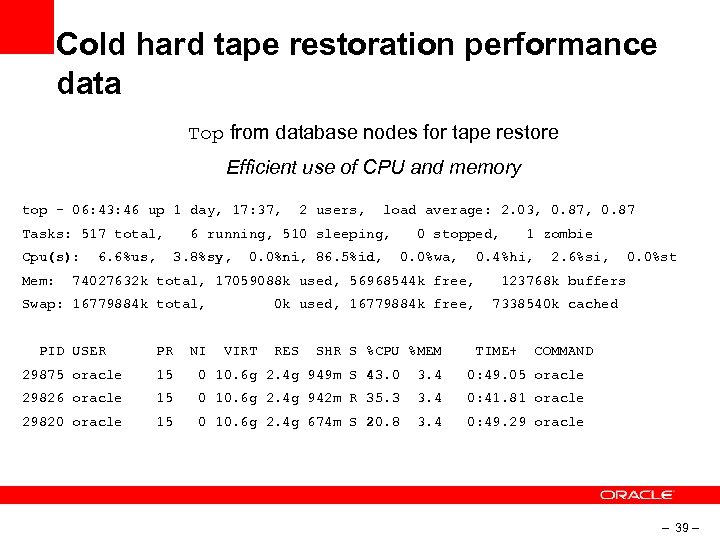
Cold hard tape restoration performance data Top from database nodes for tape restore Efficient use of CPU and memory top - 06: 43: 46 up 1 day, 17: 37, Tasks: 517 total, Cpu(s): Mem: 6. 6%us, 2 users, load average: 2. 03, 0. 87 6 running, 510 sleeping, 3. 8%sy, 0. 0%ni, 86. 5%id, 0 stopped, 0. 0%wa, 0. 4%hi, 74027632 k total, 17059088 k used, 56968544 k free, Swap: 16779884 k total, NI RES SHR S %CPU %MEM 2. 6%si, 0. 0%st 123768 k buffers 0 k used, 16779884 k free, VIRT 1 zombie 7338540 k cached PID USER PR TIME+ COMMAND 29875 oracle 15 0 10. 6 g 2. 4 g 949 m S 43. 0 3. 4 0: 49. 05 oracle 29826 oracle 15 0 10. 6 g 2. 4 g 942 m R 35. 3 3. 4 0: 41. 81 oracle 29820 oracle 15 0 10. 6 g 2. 4 g 674 m S 20. 8 3. 4 0: 49. 29 oracle – 39 –
Recovering after restoration • A lot of work done to deal with the fact that Exadata has so much IO bandwidth • Coordinator, slaves, DBWR – tuning at each level to open things up • Zero Recovery configuration! • Recover database and that’s it. . • Monitor v$recovery_progress for recovery rates – 40 –
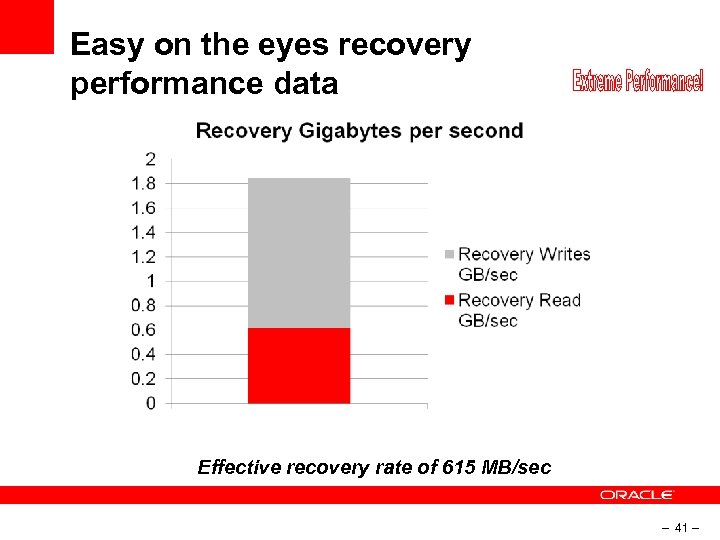
Easy on the eyes recovery performance data Effective recovery rate of 615 MB/sec – 41 –

Now you are ready to do it yourself… – 42 –
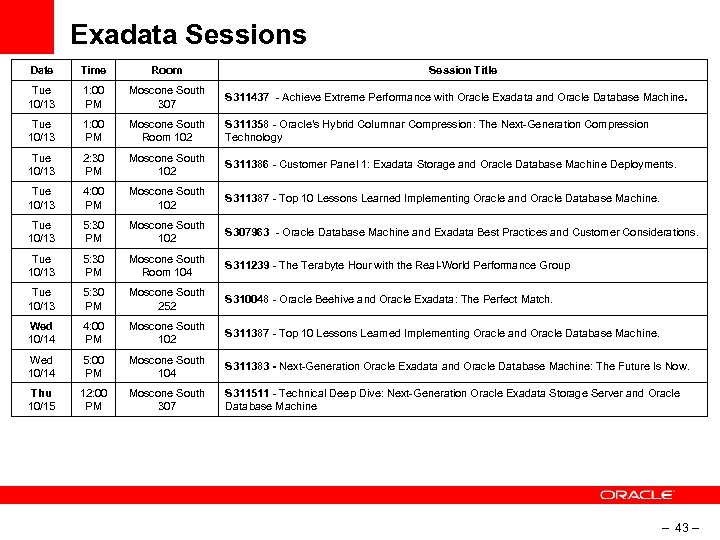
Exadata Sessions Date Time Room Session Title Tue 10/13 1: 00 PM Moscone South 307 S 311437 - Achieve Extreme Performance with Oracle Exadata and Oracle Database Machine. Tue 10/13 1: 00 PM Moscone South Room 102 S 311358 - Oracle's Hybrid Columnar Compression: The Next-Generation Compression Technology Tue 10/13 2: 30 PM Moscone South 102 S 311386 - Customer Panel 1: Exadata Storage and Oracle Database Machine Deployments. Tue 10/13 4: 00 PM Moscone South 102 S 311387 - Top 10 Lessons Learned Implementing Oracle and Oracle Database Machine. Tue 10/13 5: 30 PM Moscone South 102 S 307963 - Oracle Database Machine and Exadata Best Practices and Customer Considerations. Tue 10/13 5: 30 PM Moscone South Room 104 S 311239 - The Terabyte Hour with the Real-World Performance Group Tue 10/13 5: 30 PM Moscone South 252 S 310048 - Oracle Beehive and Oracle Exadata: The Perfect Match. Wed 10/14 4: 00 PM Moscone South 102 S 311387 - Top 10 Lessons Learned Implementing Oracle and Oracle Database Machine. Wed 10/14 5: 00 PM Moscone South 104 S 311383 - Next-Generation Oracle Exadata and Oracle Database Machine: The Future Is Now. Thu 10/15 12: 00 PM Moscone South 307 S 311511 - Technical Deep Dive: Next-Generation Oracle Exadata Storage Server and Oracle Database Machine – 43 –

Q & A – 44 –
Скачать презентацию Insert Picture Here Extreme Backup and Recovery on
458d08d5877d6696e2649ac4514d715a.ppt