


 Скачать презентацию Input and Output Patt and Patel Ch 8
d90470a5fd44f50367f8e2b375ef839f.ppt
- Количество слайдов: 34
 Input and Output Patt and Patel Ch. 8 1
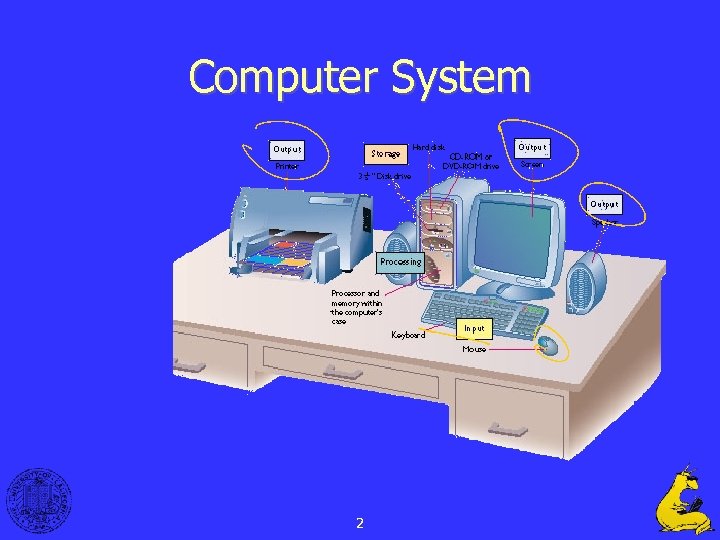 Computer System 2
 I/O: Connecting to Outside World • So far, we’ve learned how to: – compute with values in registers – load data from memory to registers – store data from registers to memory • But where does data in memory come from? • And how does data get out of the system so that humans can use it? 3
 I/O: Connecting to the Outside World Types of I/O devices characterized by: – behavior: input, output, storage • input: keyboard, motion detector, network interface • output: monitor, printer, network interface • storage: disk, CD-ROM – data rate: how fast can data be transferred? • keyboard: 100 bytes/sec • disk: 30 MB/s or more • network: 1 Mb/s - 1 Gb/s 4
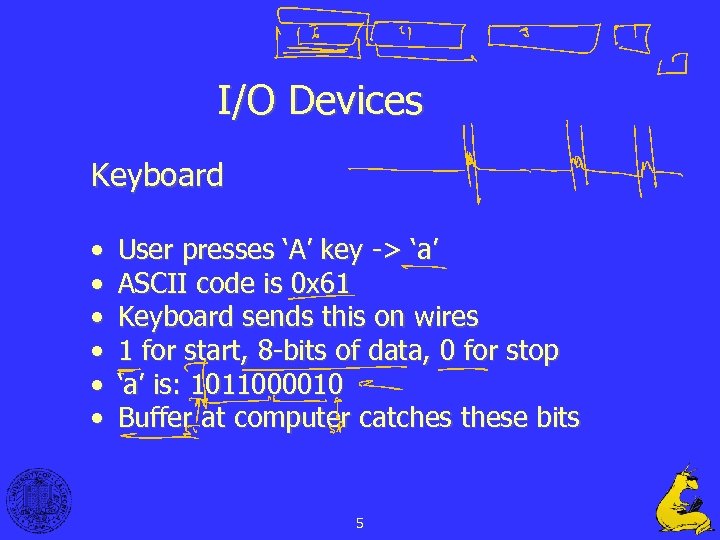 I/O Devices Keyboard • • • User presses ‘A’ key -> ‘a’ ASCII code is 0 x 61 Keyboard sends this on wires 1 for start, 8 -bits of data, 0 for stop ‘a’ is: 1011000010 Buffer at computer catches these bits 5
 I/O Devices Displays • Character display works with the reverse process (sort of) • Most displays today are “bit mapped” Printers • Just like a display but now being “printed” to paper, not a screen. • Again, most printers are now “bit mapped” verses character. 6
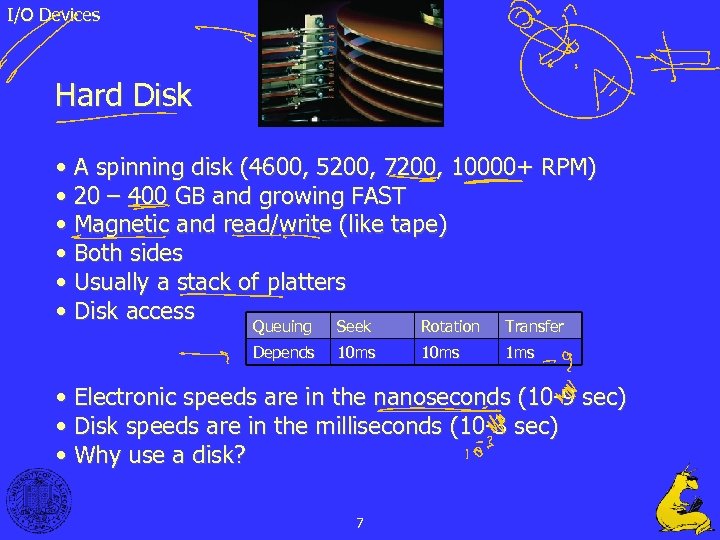 I/O Devices Hard Disk • A spinning disk (4600, 5200, 7200, 10000+ RPM) • 20 – 400 GB and growing FAST • Magnetic and read/write (like tape) • Both sides • Usually a stack of platters • Disk access Queuing Seek Rotation Transfer Depends 10 ms 1 ms • Electronic speeds are in the nanoseconds (10 -9 sec) • Disk speeds are in the milliseconds (10 -3 sec) • Why use a disk? 7
 I/O Devices Questions • • • How does CPU ask for a char to be printed? Which printer? Which display? Who’s? When is printer ready for the next char? When does keyboard have the next char? What about the million times slower? 8
 LC-3 I/O Uses the “TRAP” instruction to invoke the Operating System, which in turns talks to the hardware. User specifies the type of operation desired by giving a code to the OS. Ex. “TRAP x 20” gets a character from the keyboard. 9
 LC-3 I/O • Don’t use “JSR” because – OS doesn’t trust user to provide the correct address – Want to switch into OS mode, where more things are allowed • CPU sees the “TRAP” instruction and uses the trap vector to determine where to go in the OS code. • OS will not allow (or should not) – Users to read each other’s keyboards – Users to access all memory or disk locations 10
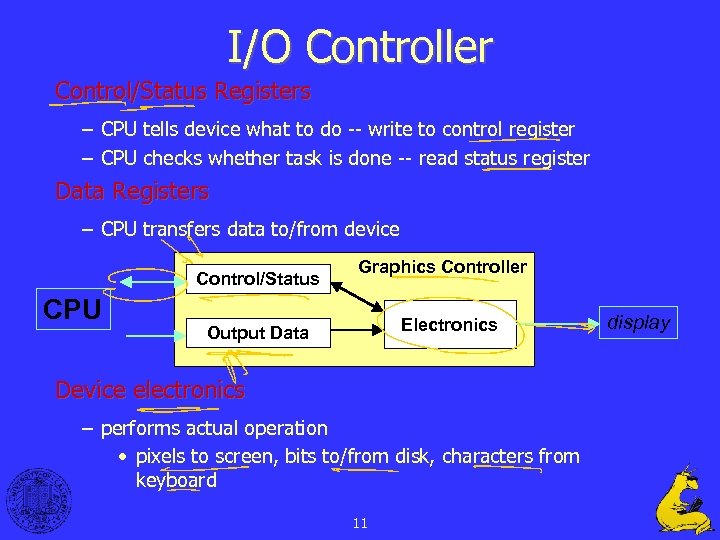 I/O Controller Control/Status Registers – CPU tells device what to do -- write to control register – CPU checks whether task is done -- read status register Data Registers – CPU transfers data to/from device Control/Status CPU Graphics Controller Electronics Output Data Device electronics – performs actual operation • pixels to screen, bits to/from disk, characters from keyboard 11 display
 Programming Interface How are device registers identified? – Memory-mapped vs. special instructions How is timing of transfer managed? – Asynchronous vs. synchronous Who controls transfer? – CPU (polling) vs. device (interrupts) 12
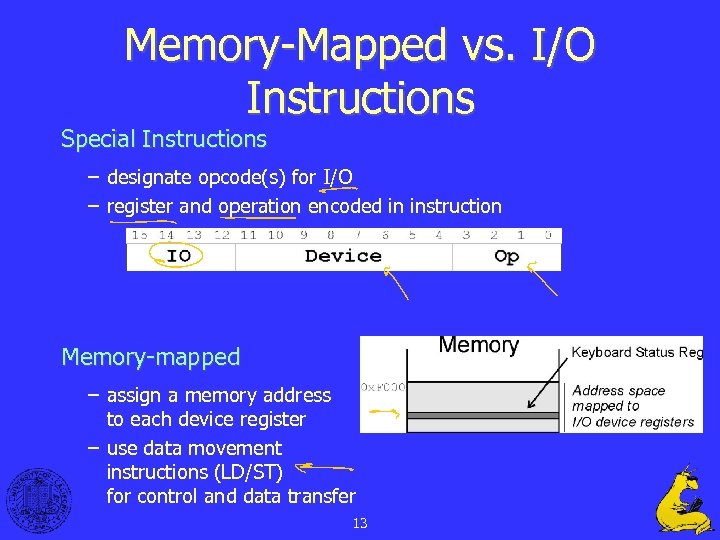 Memory-Mapped vs. I/O Instructions Special Instructions – designate opcode(s) for I/O – register and operation encoded in instruction Memory-mapped – assign a memory address to each device register – use data movement instructions (LD/ST) for control and data transfer 13
 Memory-Mapped vs. I/O Instructions Which is better? • What is the problem with having special instructions for IO? • What happens if a new device is created? Memory mapped is much more flexible and expandable. 14
 Memory Mapped IO • Idea is to place devices other than RAM chips at physical address locations. • This way to access IO devices you use the same load and store instructions. 15
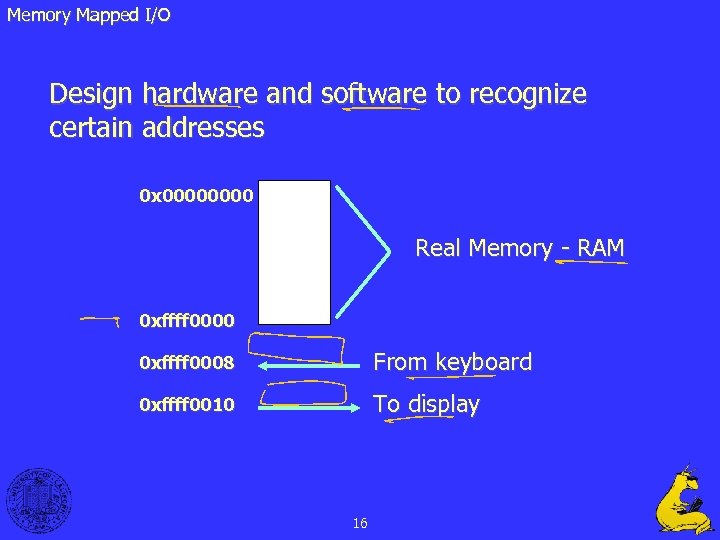 Memory Mapped I/O Design hardware and software to recognize certain addresses 0 x 0000 Real Memory - RAM 0 xffff 0000 0 xffff 0008 From keyboard 0 xffff 0010 To display 16
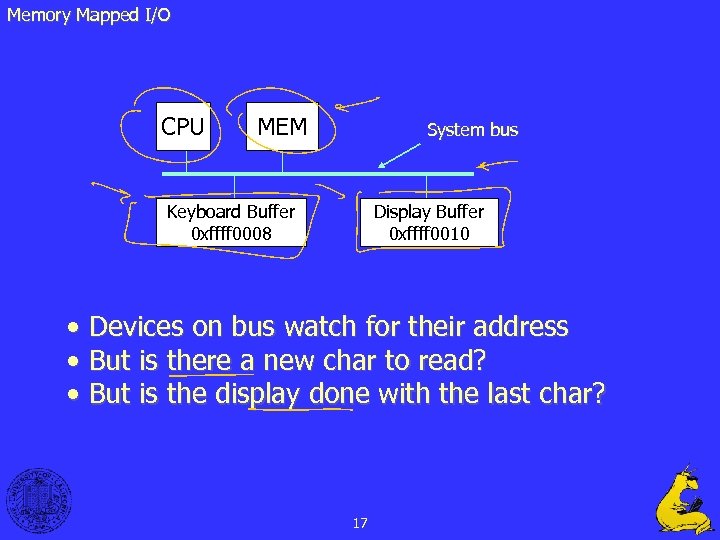 Memory Mapped I/O CPU MEM System bus Keyboard Buffer 0 xffff 0008 Display Buffer 0 xffff 0010 • Devices on bus watch for their address • But is there a new char to read? • But is the display done with the last char? 17
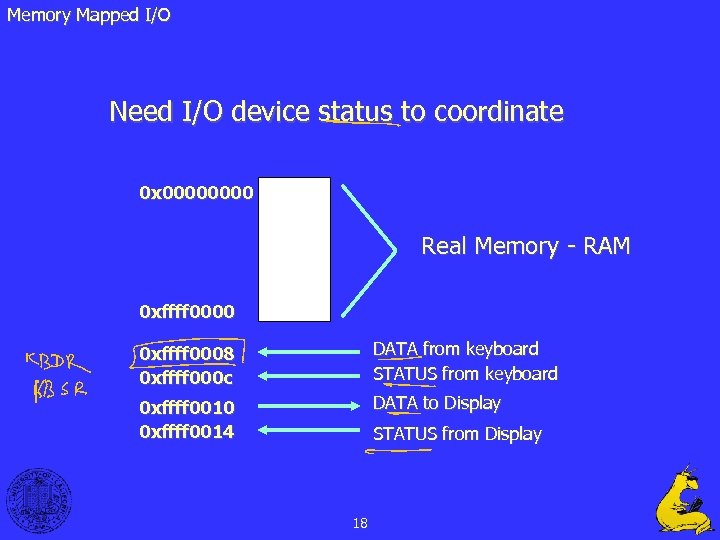 Memory Mapped I/O Need I/O device status to coordinate 0 x 0000 Real Memory - RAM 0 xffff 0000 0 xffff 0008 0 xffff 000 c DATA from keyboard STATUS from keyboard 0 xffff 0010 0 xffff 0014 DATA to Display STATUS from Display 18
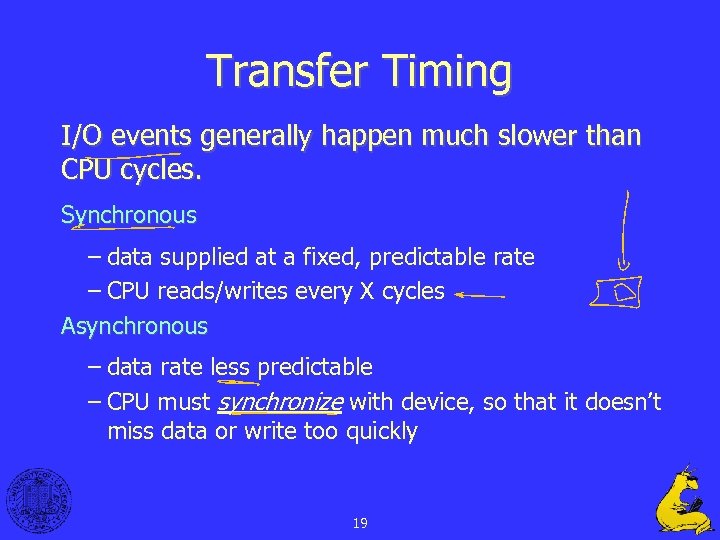 Transfer Timing I/O events generally happen much slower than CPU cycles. Synchronous – data supplied at a fixed, predictable rate – CPU reads/writes every X cycles Asynchronous – data rate less predictable – CPU must synchronize with device, so that it doesn’t miss data or write too quickly 19
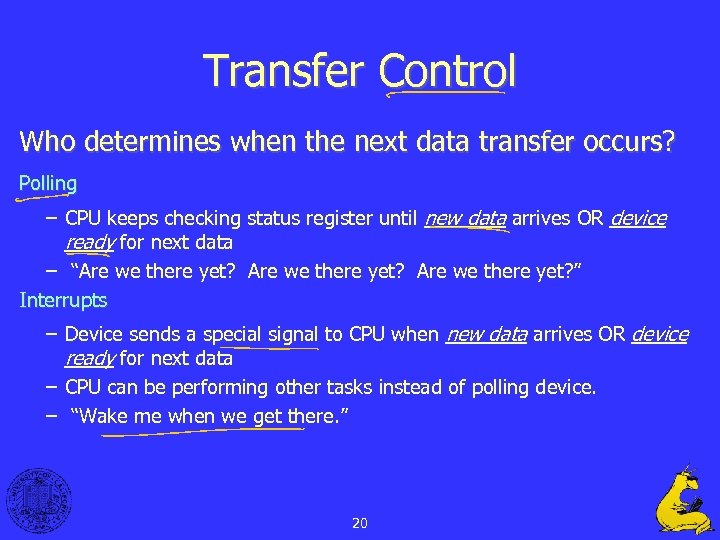 Transfer Control Who determines when the next data transfer occurs? Polling – CPU keeps checking status register until new data arrives OR device ready for next data – “Are we there yet? ” Interrupts – Device sends a special signal to CPU when new data arrives OR device ready for next data – CPU can be performing other tasks instead of polling device. – “Wake me when we get there. ” 20
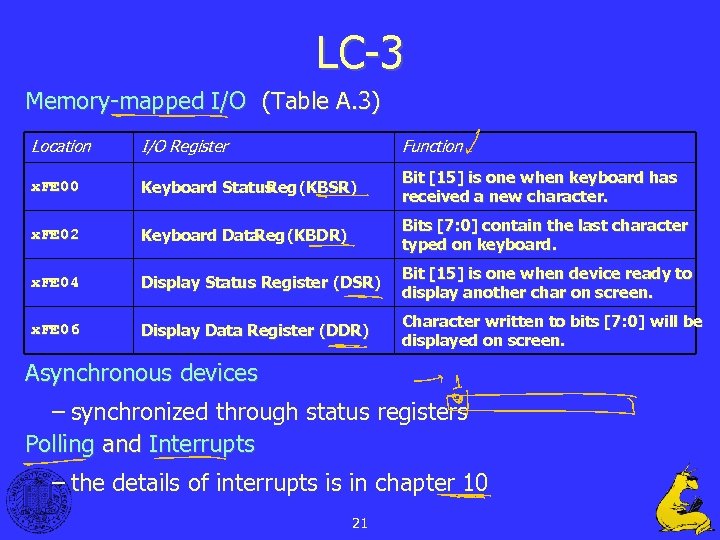 LC-3 Memory-mapped I/O (Table A. 3) Location I/O Register Function x. FE 00 Keyboard Status Reg (KBSR) Bit [15] is one when keyboard has received a new character. x. FE 02 Keyboard Data Reg (KBDR) Bits [7: 0] contain the last character typed on keyboard. x. FE 04 Display Status Register (DSR) Bit [15] is one when device ready to display another char on screen. x. FE 06 Display Data Register (DDR) Character written to bits [7: 0] will be displayed on screen. Asynchronous devices – synchronized through status registers Polling and Interrupts – the details of interrupts is in chapter 10 21
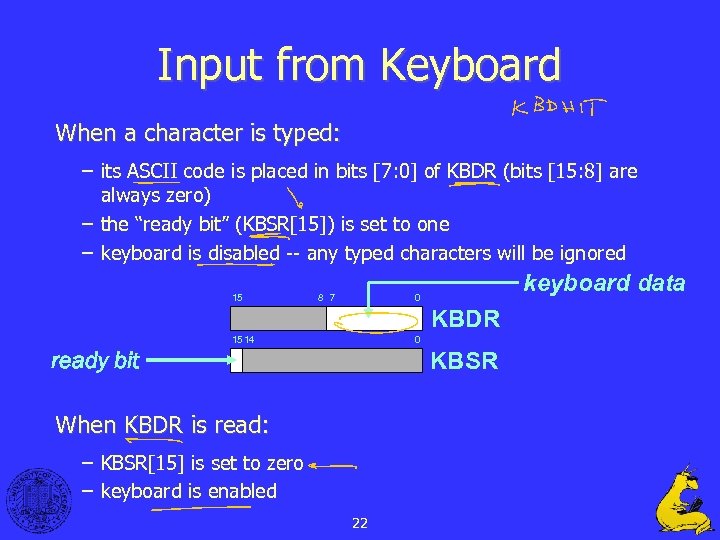 Input from Keyboard When a character is typed: – its ASCII code is placed in bits [7: 0] of KBDR (bits [15: 8] are always zero) – the “ready bit” (KBSR[15]) is set to one – keyboard is disabled -- any typed characters will be ignored 15 8 7 keyboard data 0 KBDR 1514 0 ready bit KBSR When KBDR is read: – KBSR[15] is set to zero – keyboard is enabled 22
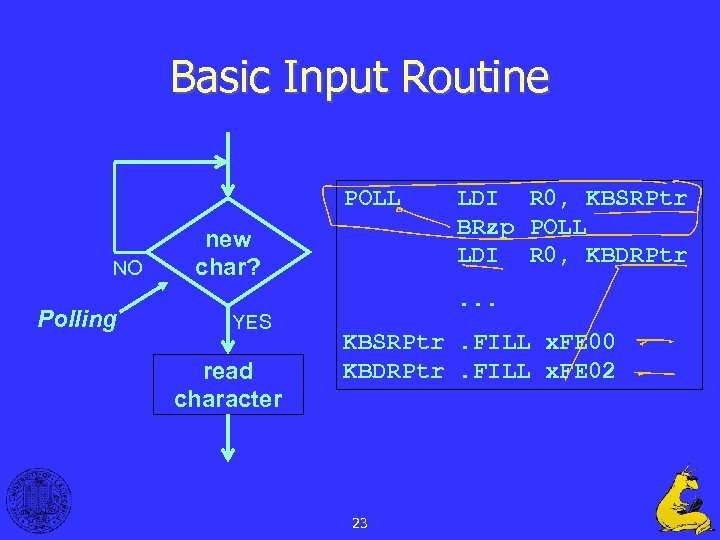 Basic Input Routine POLL NO Polling new char? YES read character LDI R 0, KBSRPtr BRzp POLL LDI R 0, KBDRPtr. . . KBSRPtr. FILL x. FE 00 KBDRPtr. FILL x. FE 02 23
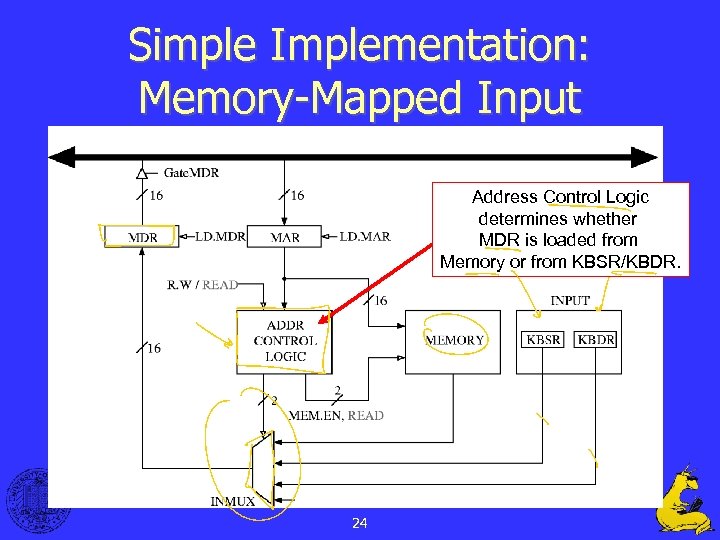 Simple Implementation: Memory-Mapped Input Address Control Logic determines whether MDR is loaded from Memory or from KBSR/KBDR. 24
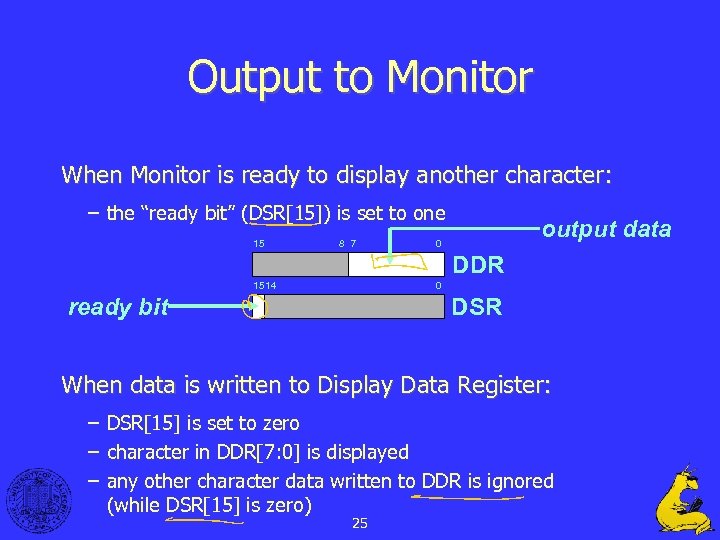 Output to Monitor When Monitor is ready to display another character: – the “ready bit” (DSR[15]) is set to one 15 8 7 output data 0 DDR 1514 0 ready bit DSR When data is written to Display Data Register: – DSR[15] is set to zero – character in DDR[7: 0] is displayed – any other character data written to DDR is ignored (while DSR[15] is zero) 25
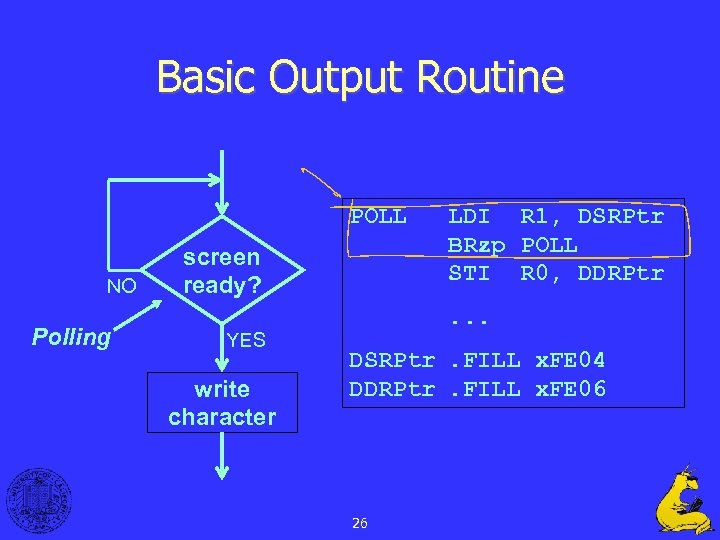 Basic Output Routine POLL NO Polling screen ready? YES write character LDI R 1, DSRPtr BRzp POLL STI R 0, DDRPtr. . . DSRPtr. FILL x. FE 04 DDRPtr. FILL x. FE 06 26
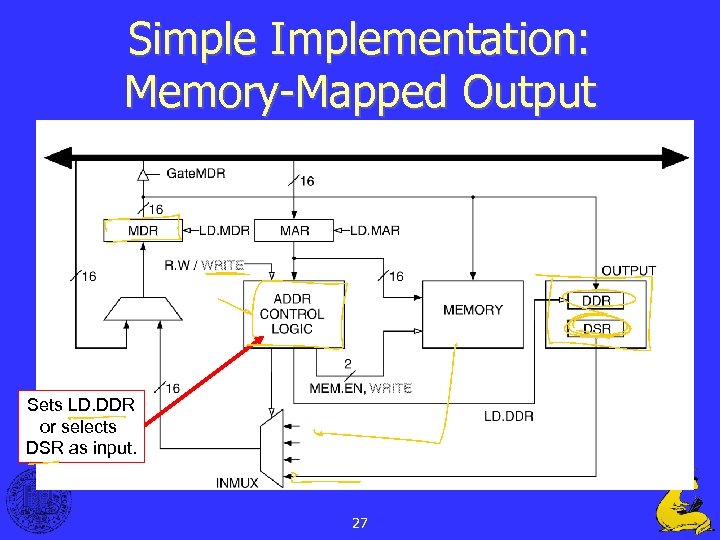 Simple Implementation: Memory-Mapped Output Sets LD. DDR or selects DSR as input. 27
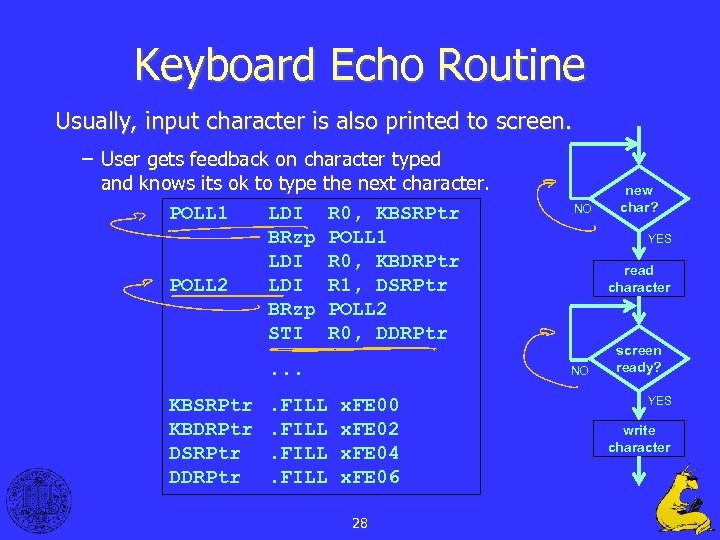 Keyboard Echo Routine Usually, input character is also printed to screen. – User gets feedback on character typed and knows its ok to type the next character. POLL 1 LDI R 0, KBSRPtr BRzp POLL 1 LDI R 0, KBDRPtr POLL 2 LDI R 1, DSRPtr BRzp POLL 2 STI R 0, DDRPtr. . . KBSRPtr KBDRPtr DSRPtr DDRPtr . FILL NO YES read character NO x. FE 00 x. FE 02 x. FE 04 x. FE 06 28 new char? screen ready? YES write character
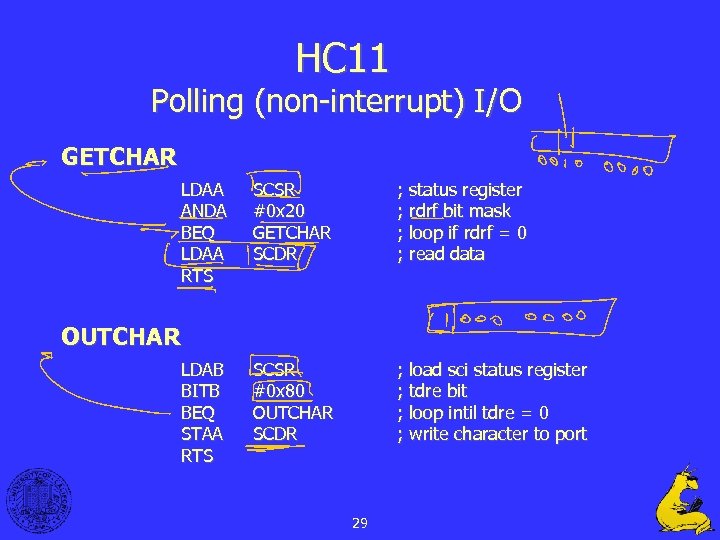 HC 11 Polling (non-interrupt) I/O GETCHAR LDAA ANDA BEQ LDAA RTS SCSR #0 x 20 GETCHAR SCDR ; status register ; rdrf bit mask ; loop if rdrf = 0 ; read data SCSR #0 x 80 OUTCHAR SCDR ; load sci status register ; tdre bit ; loop intil tdre = 0 ; write character to port OUTCHAR LDAB BITB BEQ STAA RTS 29
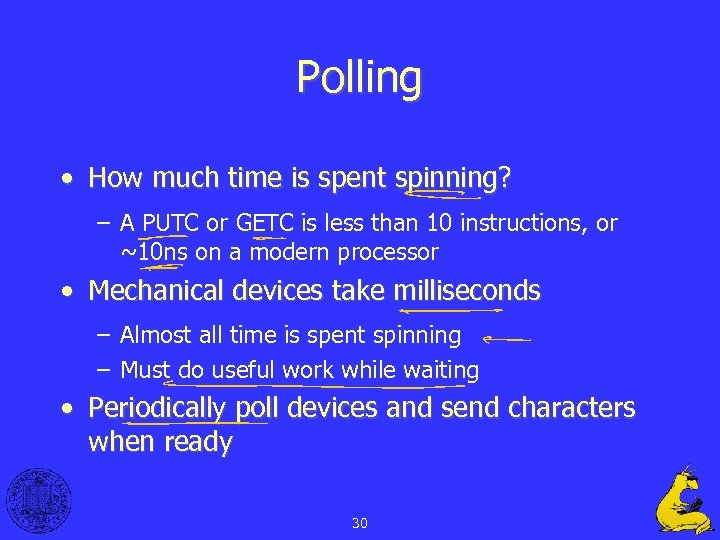 Polling • How much time is spent spinning? – A PUTC or GETC is less than 10 instructions, or ~10 ns on a modern processor • Mechanical devices take milliseconds – Almost all time is spent spinning – Must do useful work while waiting • Periodically poll devices and send characters when ready 30
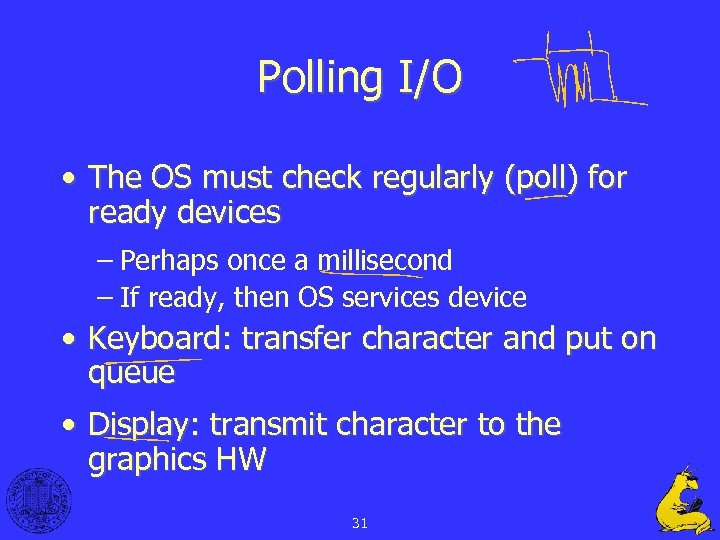 Polling I/O • The OS must check regularly (poll) for ready devices – Perhaps once a millisecond – If ready, then OS services device • Keyboard: transfer character and put on queue • Display: transmit character to the graphics HW 31
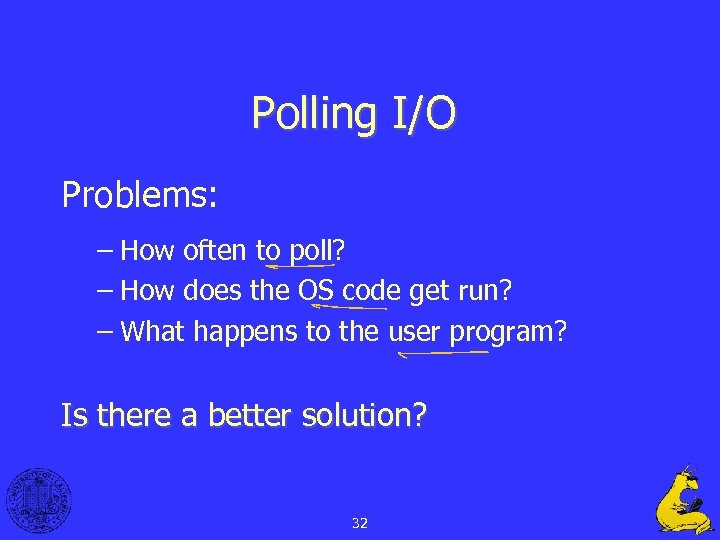 Polling I/O Problems: – How often to poll? – How does the OS code get run? – What happens to the user program? Is there a better solution? 32
 Questions? 33
 34
34