 Скачать презентацию INFSCI 2955 Adaptive Web Systems Session 1 -2
3f0456792b24705a2161b6d524177332.ppt
- Количество слайдов: 68



INFSCI 2955 Adaptive Web Systems Session 1 -2: Adaptive E-Learning Systems Peter Brusilovsky School of Information Sciences University of Pittsburgh, USA http: //www. sis. pitt. edu/~peterb/2955 -092/
Overview • The Context • Technologies • Adaptive E-Learning Systems vs. Learning Management Systems (LMS)
Why Adaptive E-Learning? • Adaptation was always an issue in education - what is special about the Web? • greater diversity of users – “user centered” systems may not work • new “unprepared” users – traditional systems are too complicated • users are “alone” – limited help from a peer or a teacher
Technologies • Origins of AEL technologies • ITS Technologies • AH Technologies • Native Web Technologies
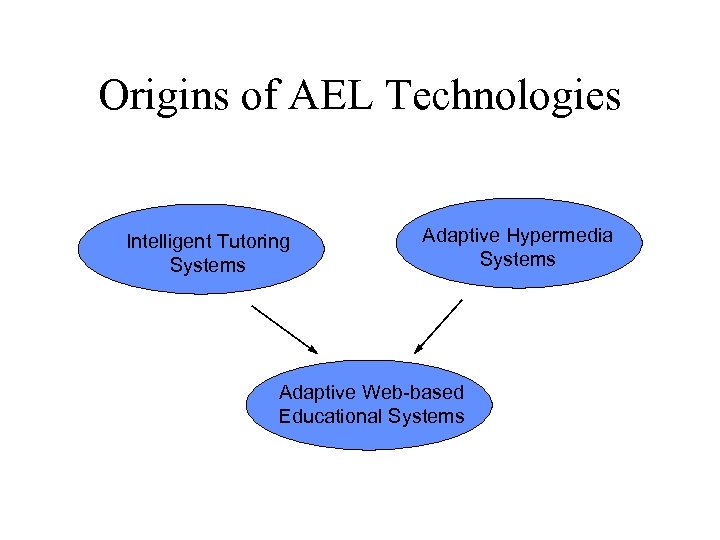
Origins of AEL Technologies Intelligent Tutoring Systems Adaptive Hypermedia Systems Adaptive Web-based Educational Systems
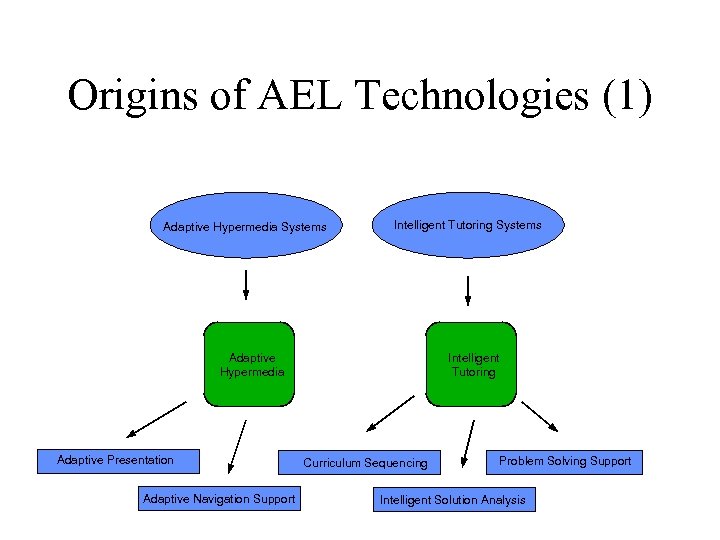
Origins of AEL Technologies (1) Adaptive Hypermedia Systems Intelligent Tutoring Systems Adaptive Hypermedia Adaptive Presentation Adaptive Navigation Support Intelligent Tutoring Curriculum Sequencing Problem Solving Support Intelligent Solution Analysis
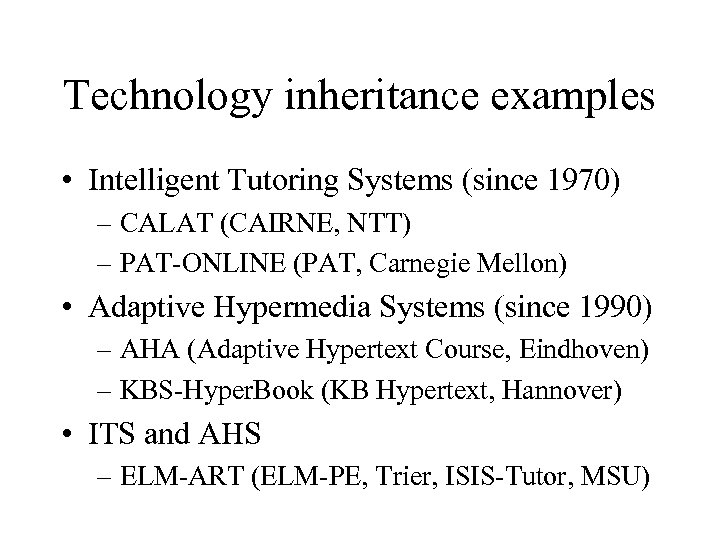
Technology inheritance examples • Intelligent Tutoring Systems (since 1970) – CALAT (CAIRNE, NTT) – PAT-ONLINE (PAT, Carnegie Mellon) • Adaptive Hypermedia Systems (since 1990) – AHA (Adaptive Hypertext Course, Eindhoven) – KBS-Hyper. Book (KB Hypertext, Hannover) • ITS and AHS – ELM-ART (ELM-PE, Trier, ISIS-Tutor, MSU)
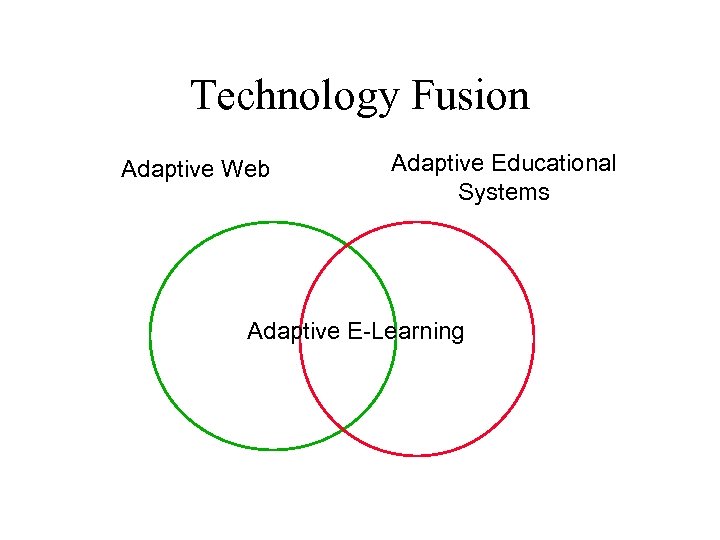
Technology Fusion Adaptive Web Adaptive Educational Systems Adaptive E-Learning
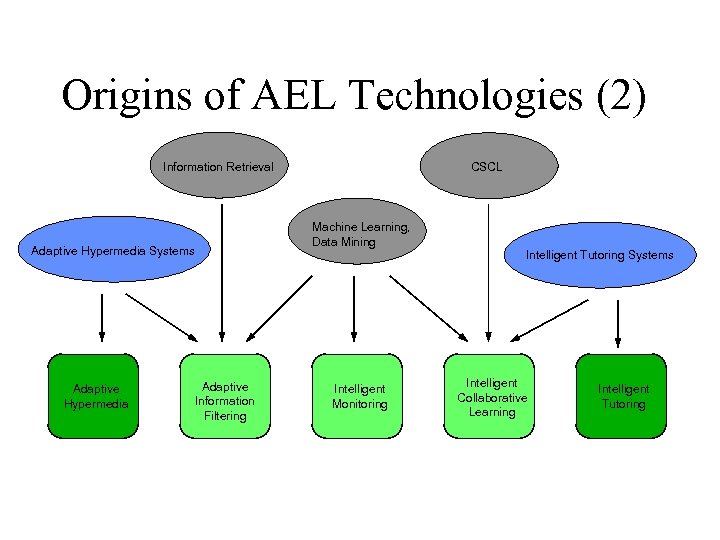
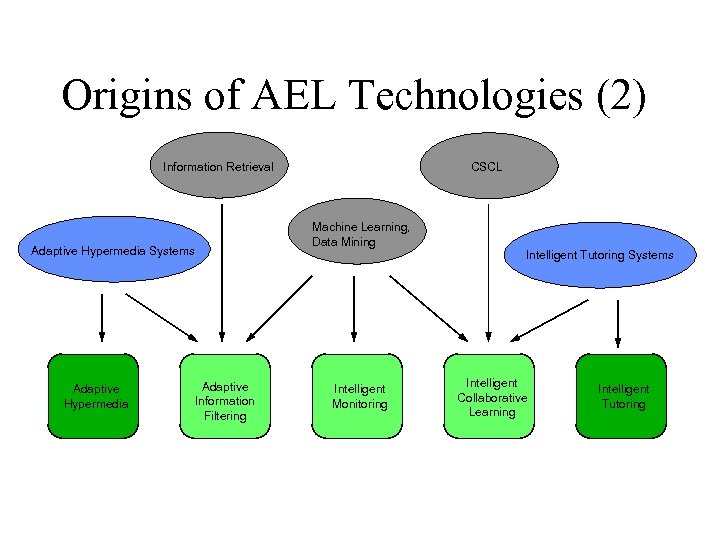
Origins of AEL Technologies (2) Information Retrieval Adaptive Hypermedia Systems Adaptive Hypermedia Adaptive Information Filtering CSCL Machine Learning, Data Mining Intelligent Monitoring Intelligent Tutoring Systems Intelligent Collaborative Learning Intelligent Tutoring
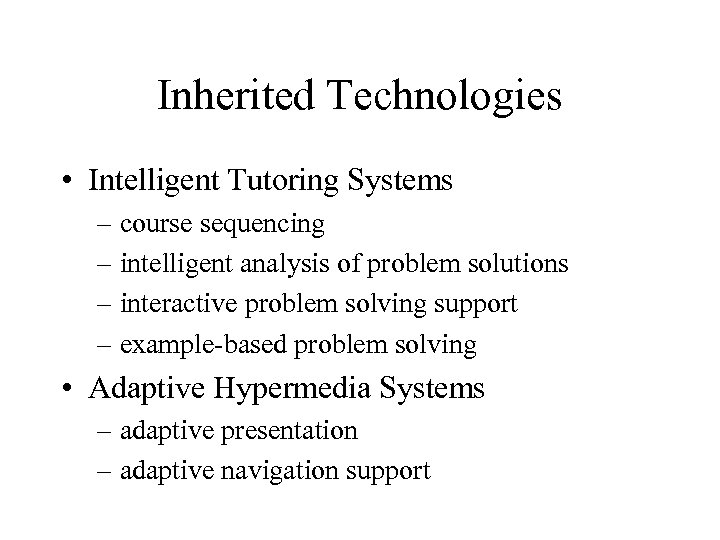
Inherited Technologies • Intelligent Tutoring Systems – course sequencing – intelligent analysis of problem solutions – interactive problem solving support – example-based problem solving • Adaptive Hypermedia Systems – adaptive presentation – adaptive navigation support
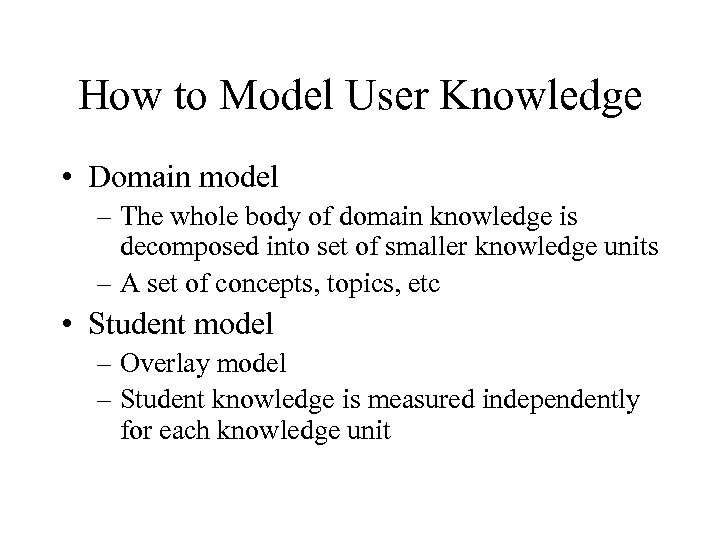
How to Model User Knowledge • Domain model – The whole body of domain knowledge is decomposed into set of smaller knowledge units – A set of concepts, topics, etc • Student model – Overlay model – Student knowledge is measured independently for each knowledge unit
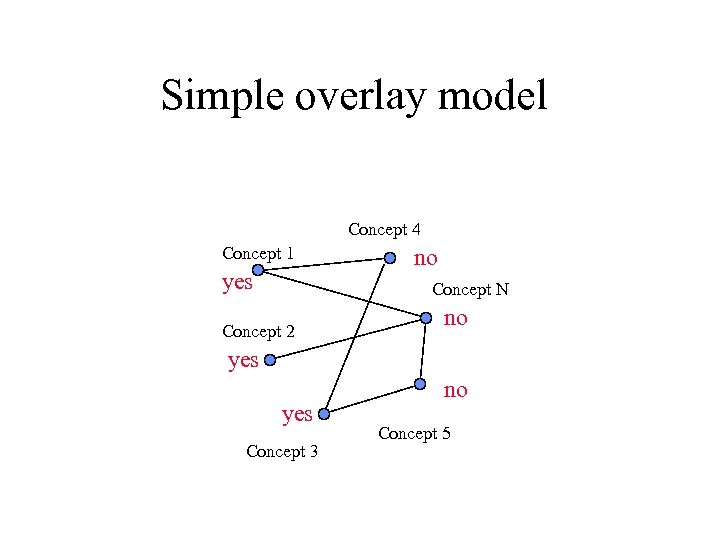
Simple overlay model Concept 4 Concept 1 yes no Concept N Concept 2 no yes Concept 3 no Concept 5
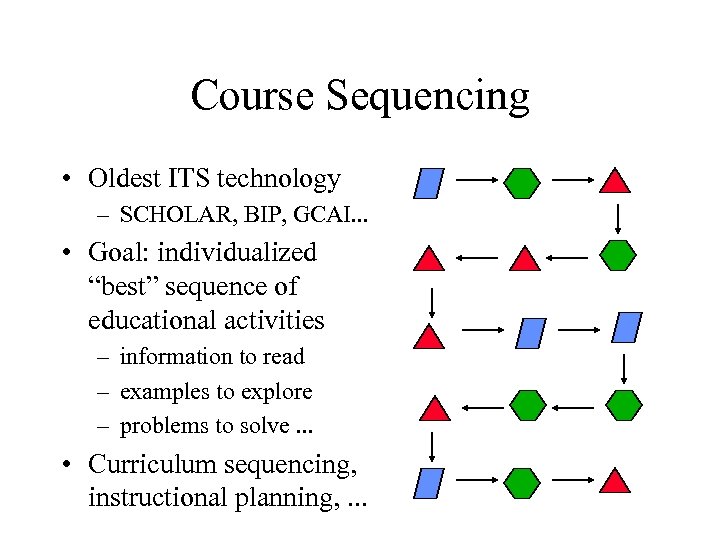
Course Sequencing • Oldest ITS technology – SCHOLAR, BIP, GCAI. . . • Goal: individualized “best” sequence of educational activities – information to read – examples to explore – problems to solve. . . • Curriculum sequencing, instructional planning, . . .
Course Sequencing • What is modeled? – User knowledge of the subject – User individual traits • What is adapted? – Order of educational activities – Presentation of hypertext links – Presented content – Problem solving feedback
Active vs. passive sequencing • Active sequencing – goal-driven expansion of knowledge/skills – achieve an educational goal • predefined (whole course) • flexible (set by a teacher or a student) • Passive sequencing (remediation) – sequence of actions to repair misunderstanding or lack of knowledge
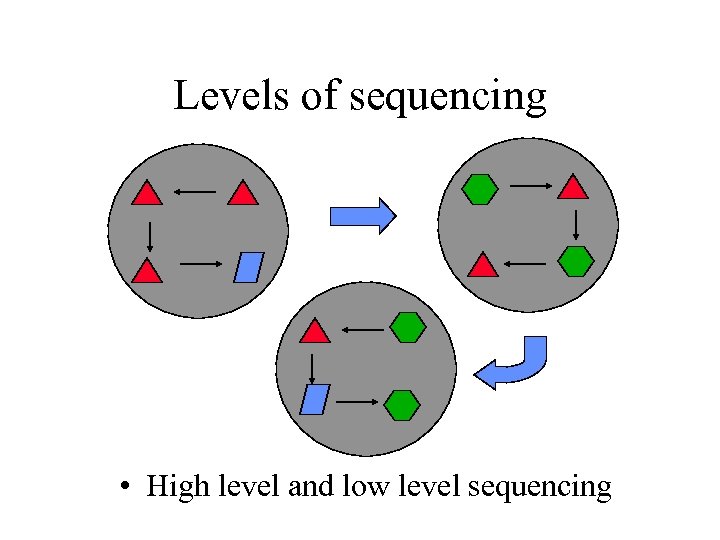
Levels of sequencing • High level and low level sequencing
Sequencing options • On each level sequencing decisions can be made differently – Which item to choose? – When to stop? • Options – predefined – random – adaptive – student decides
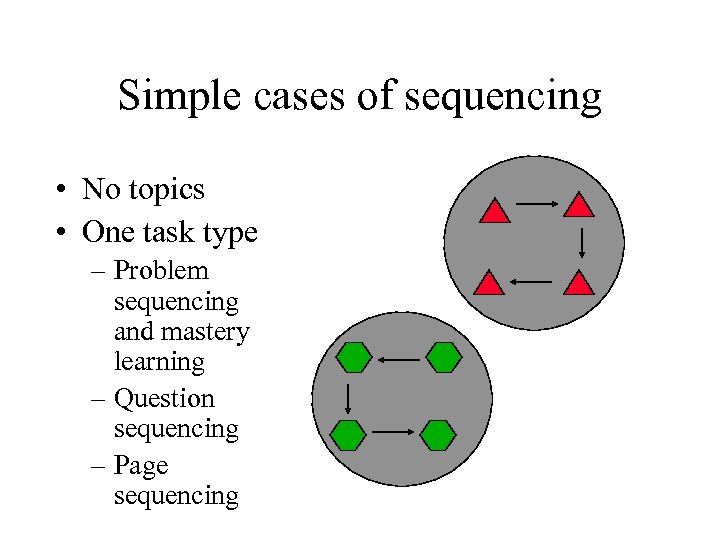
Simple cases of sequencing • No topics • One task type – Problem sequencing and mastery learning – Question sequencing – Page sequencing
Sequencing with models • Given the state of UM and the current goal pick up the best topic or ULM within a subset of relevant ones (defined by links) • Special cases with multi-topic indexing and several kinds of ULM • Applying explicit pedagogical strategy to sequencing
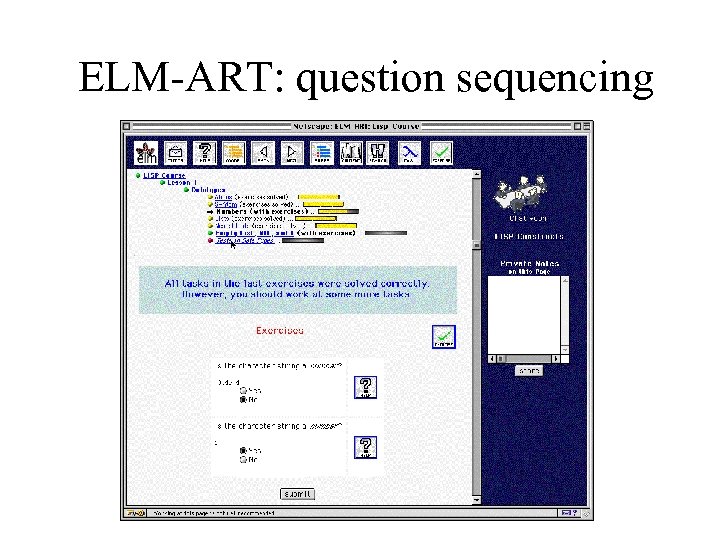
ELM-ART: question sequencing
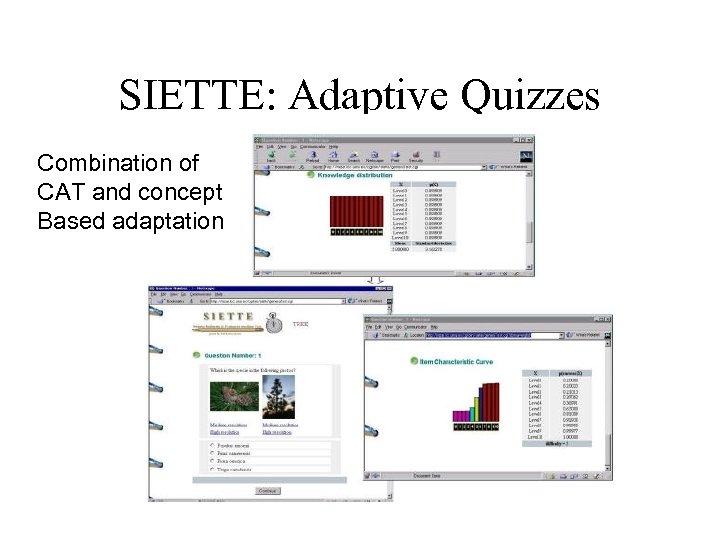
SIETTE: Adaptive Quizzes Combination of CAT and concept Based adaptation
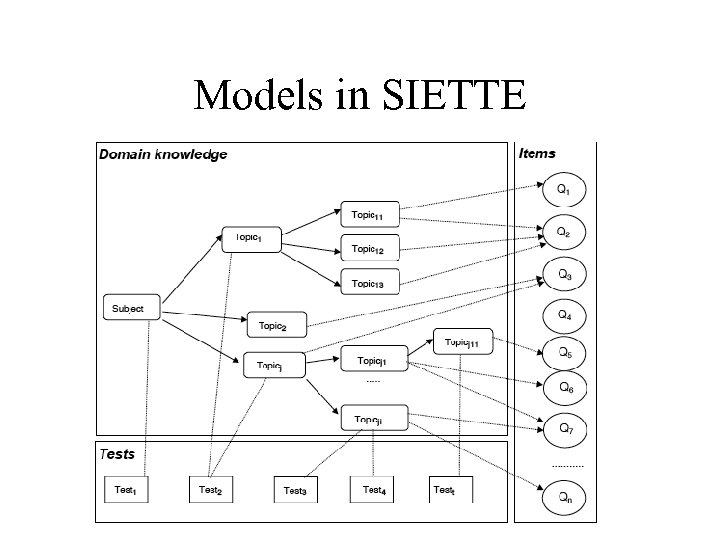
Models in SIETTE
Beyond Sequencing: Generation
Adaptive Problem Solving Support • The “main duty” of ITS • From diagnosis to problem solving support • Highly-interactive support – interactive problem solving support • Low-interactive support – intelligent analysis of problem solutions
Adaptive Problem Solving Support • What is modeled? – User knowledge of the subject – User individual traits • What is adapted? – Order of educational activities – Presentation of hypertext links – Presented content – Problem solving feedback
Models for interactive problemsolving support and diagnosis • Domain model – Concept model (same as for sequencing) – Bug model – Constraint model • Student model – Generalized overlay model (works with bug model and constraint model too) • Teaching material - feedback messages for bugs/constraints
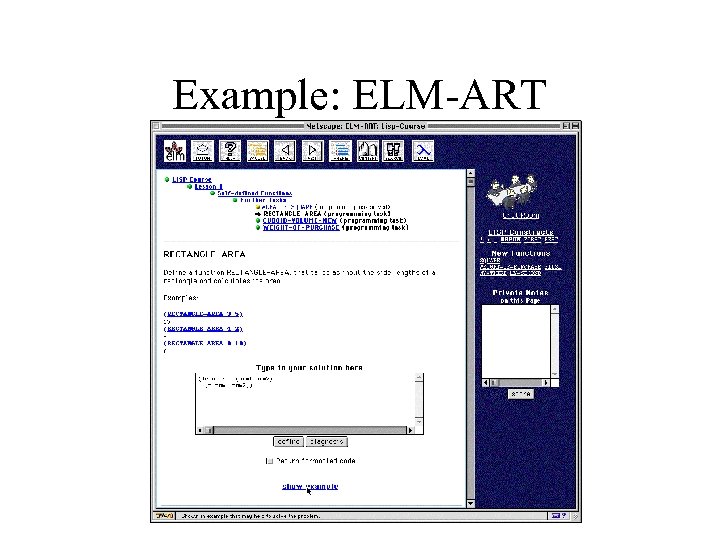
Example: ELM-ART
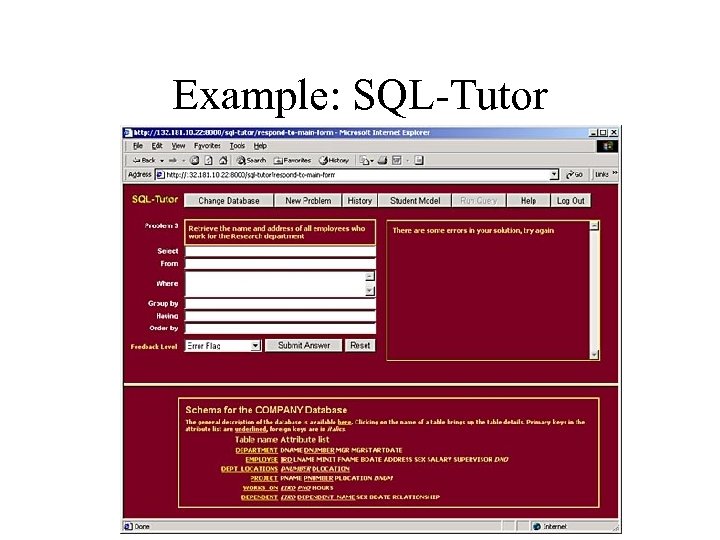
Example: SQL-Tutor
Interactive Problem Solving Support • Classic System: Lisp-Tutor • The “ultimate goal” of many ITS developers • Several kinds of adaptive feedback on every step of problem solving – – – Coach-style intervention Highlight wrong step What is wrong What is the correct step Several levels of help by request
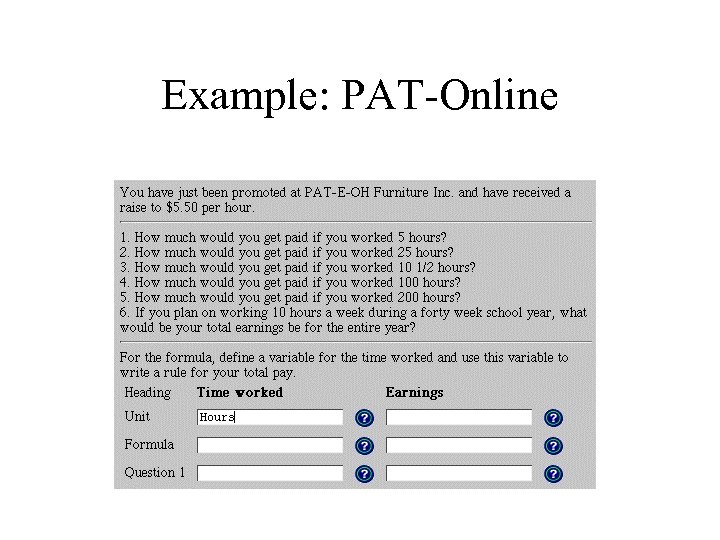
Example: PAT-Online
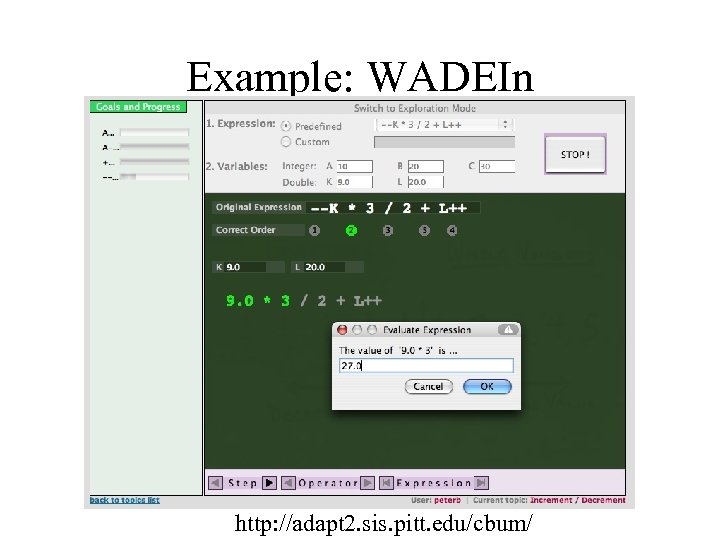
Example: WADEIn http: //adapt 2. sis. pitt. edu/cbum/
Problem-solving support • Important for WBE – problem solving is a key to understanding – lack of problem solving help • Hardest technology to implement – research issue – implementation issue • Excellent student modeling capability!
Adaptive hypermedia • Hypermedia systems = Pages + Links • Adaptive presentation – content adaptation • Adaptive navigation support – link adaptation • Could be considered as “soft” sequencing – Helping the user to get to the right content
Adaptive problem solving support • What is modeled? – User knowledge of the subject – User individual traits • What is adapted? – Order of educational activities – Presentation of hypertext links – Presented content – Problem solving feedback
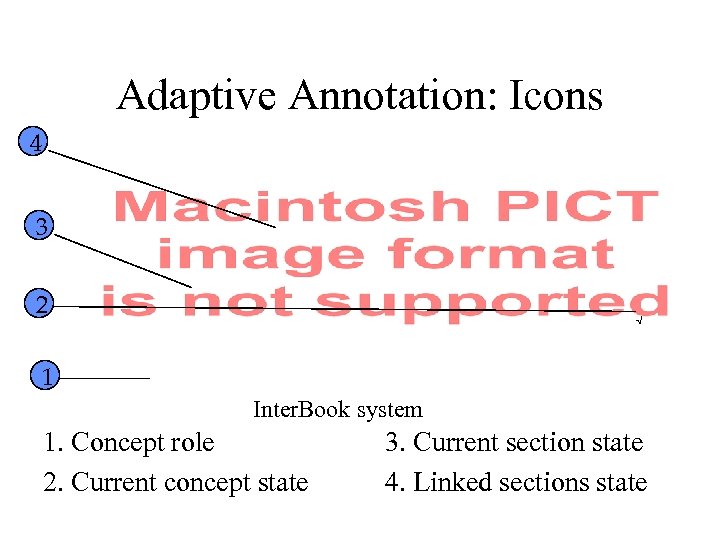
Adaptive Annotation: Icons 4 3 2 √ 1 Inter. Book system 1. Concept role 2. Current concept state 3. Current section state 4. Linked sections state
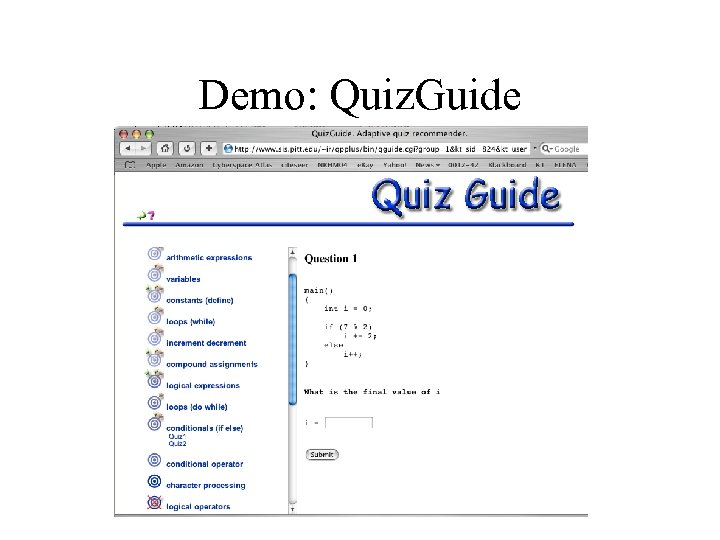
Demo: Quiz. Guide
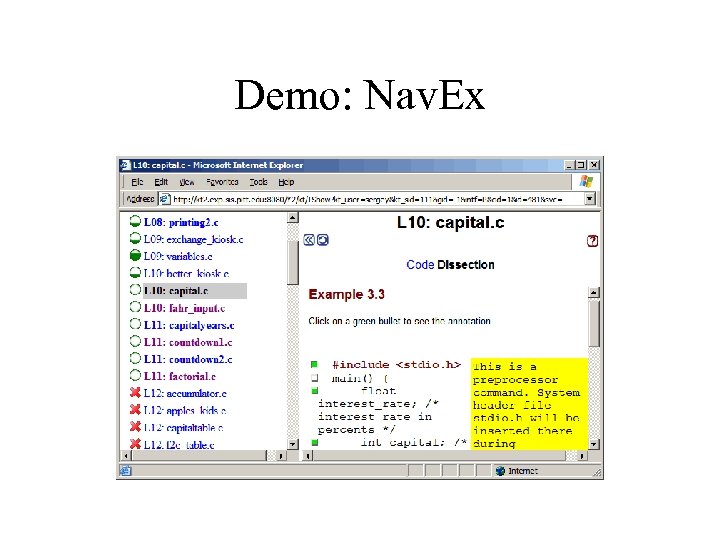
Demo: Nav. Ex
Adaptive Presentation • What is modeled? – User knowledge of the subject – User individual traits • What is adapted? – Order of educational activities – Presentation of hypertext links – Presented content – Problem solving feedback
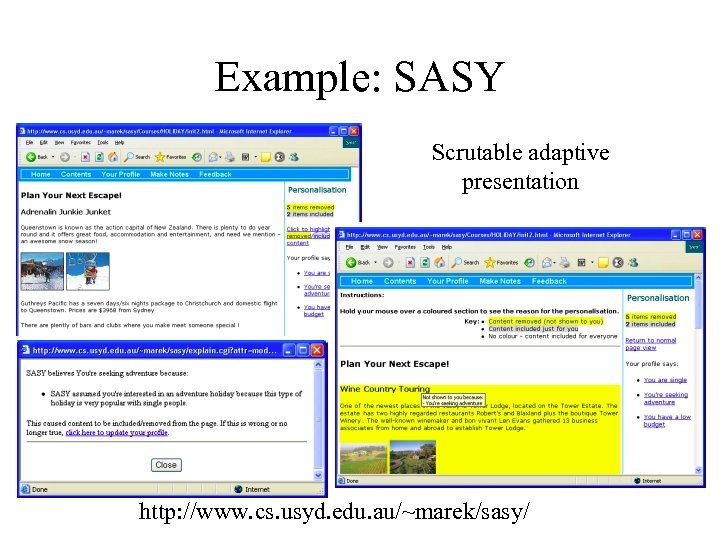
Example: SASY Scrutable adaptive presentation http: //www. cs. usyd. edu. au/~marek/sasy/
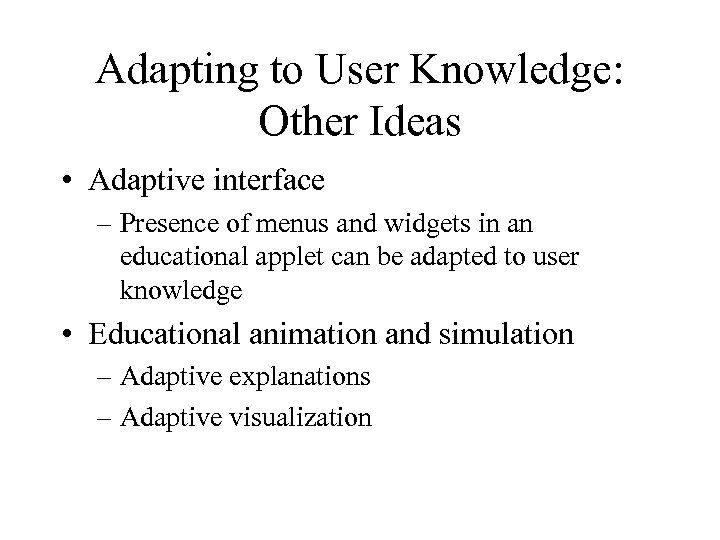
Adapting to User Knowledge: Other Ideas • Adaptive interface – Presence of menus and widgets in an educational applet can be adapted to user knowledge • Educational animation and simulation – Adaptive explanations – Adaptive visualization
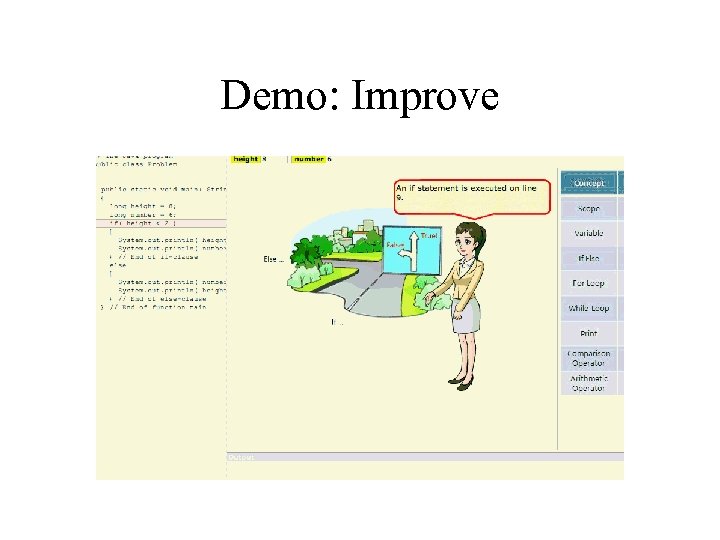
Demo: Improve
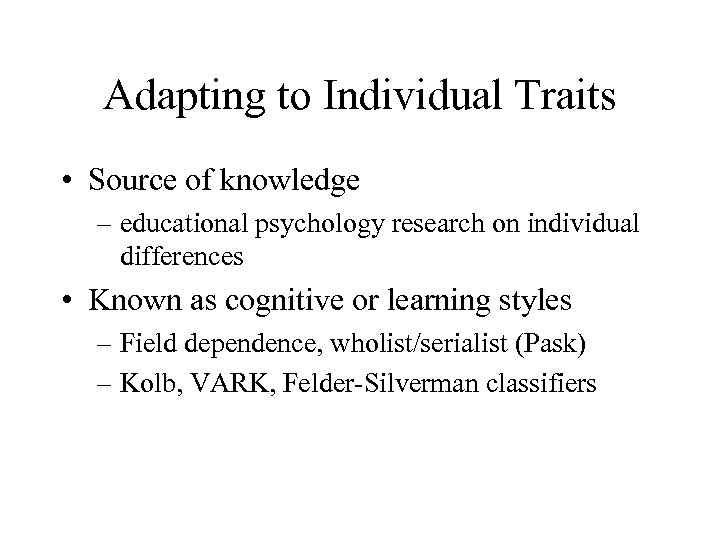
Adapting to Individual Traits • Source of knowledge – educational psychology research on individual differences • Known as cognitive or learning styles – Field dependence, wholist/serialist (Pask) – Kolb, VARK, Felder-Silverman classifiers
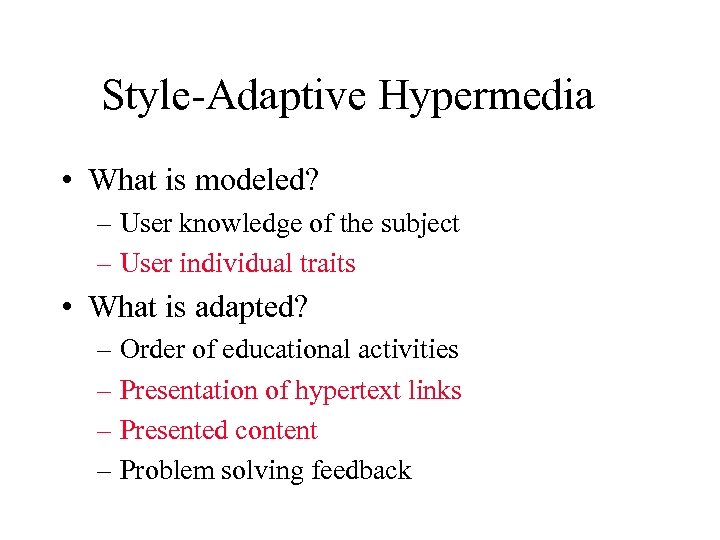
Style-Adaptive Hypermedia • What is modeled? – User knowledge of the subject – User individual traits • What is adapted? – Order of educational activities – Presentation of hypertext links – Presented content – Problem solving feedback
Style-Adaptive Hypermedia • Different content for different style – Recommended/ordered links – Generated on a page – Mixed evidences in favor • Different navigation tools for different styles – Adding/removing maps, advanced organizers, etc. • Good review: – Bajraktarevic, N. , Hall, W. , and Fullick, P. 2003. Incorporating Learning Styles in Hypermedia Environment: Empirical Evaluation, In Proceedings of Workshop on Adaptive Hypermedia and Adaptive Web-Based Systems, Nottingham, 41 -52. http: //wwwis. win. tue. nl/ah 2003/proceedings/paper 4. pdf
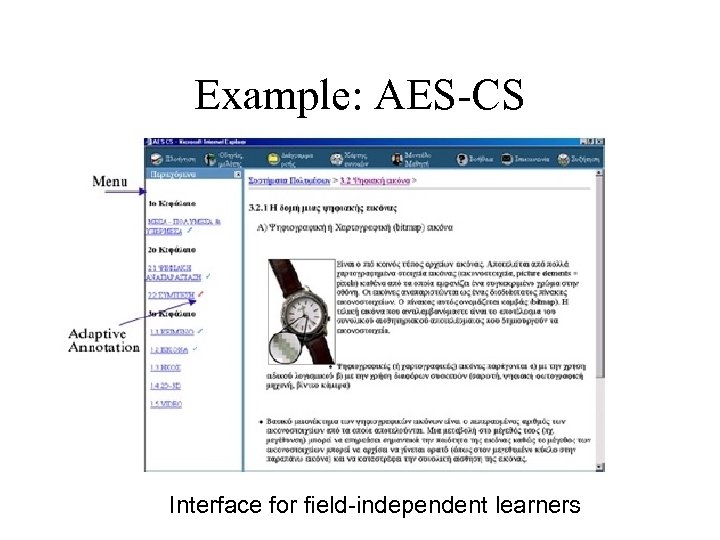
Example: AES-CS Interface for field-independent learners
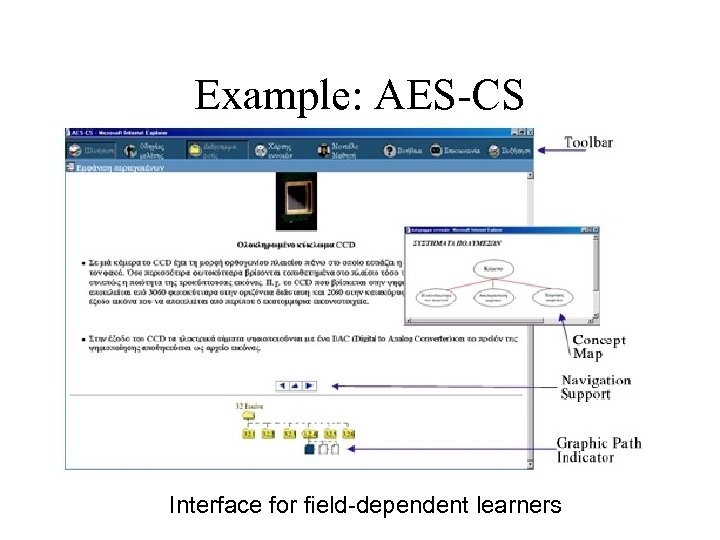
Example: AES-CS Interface for field-dependent learners
Style-Adaptive Feedback • What is modeled? – User knowledge of the subject – User individual traits • What is adapted? – Order of educational activities – Presentation of hypertext links – Presented content – Problem solving feedback
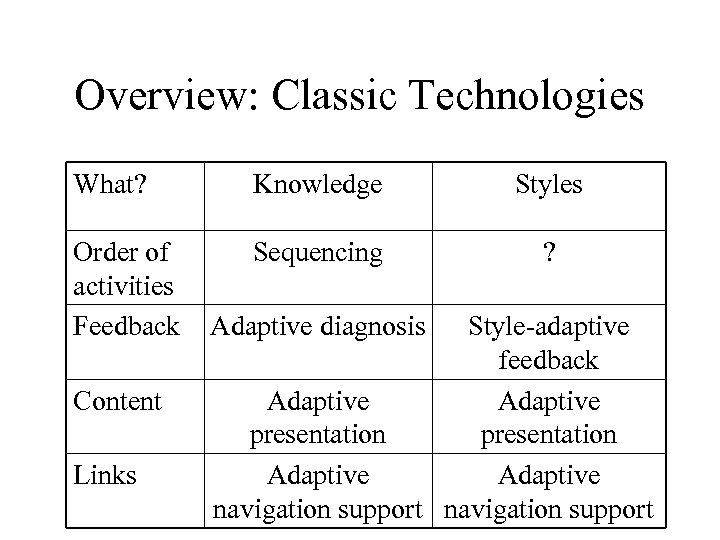
Overview: Classic Technologies What? Knowledge Styles Order of activities Feedback Sequencing ? Content Links Adaptive diagnosis Style-adaptive feedback Adaptive presentation Adaptive navigation support
Origins of AEL Technologies (2) Information Retrieval Adaptive Hypermedia Systems Adaptive Hypermedia Adaptive Information Filtering CSCL Machine Learning, Data Mining Intelligent Monitoring Intelligent Tutoring Systems Intelligent Collaborative Learning Intelligent Tutoring
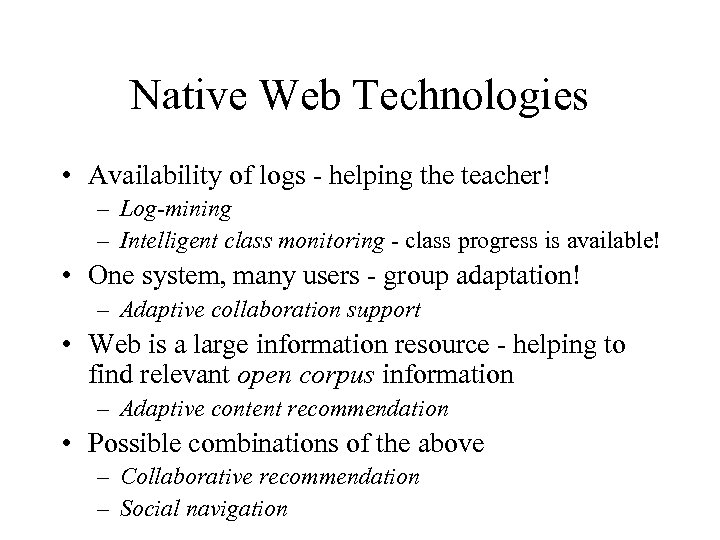
Native Web Technologies • Availability of logs - helping the teacher! – Log-mining – Intelligent class monitoring - class progress is available! • One system, many users - group adaptation! – Adaptive collaboration support • Web is a large information resource - helping to find relevant open corpus information – Adaptive content recommendation • Possible combinations of the above – Collaborative recommendation – Social navigation
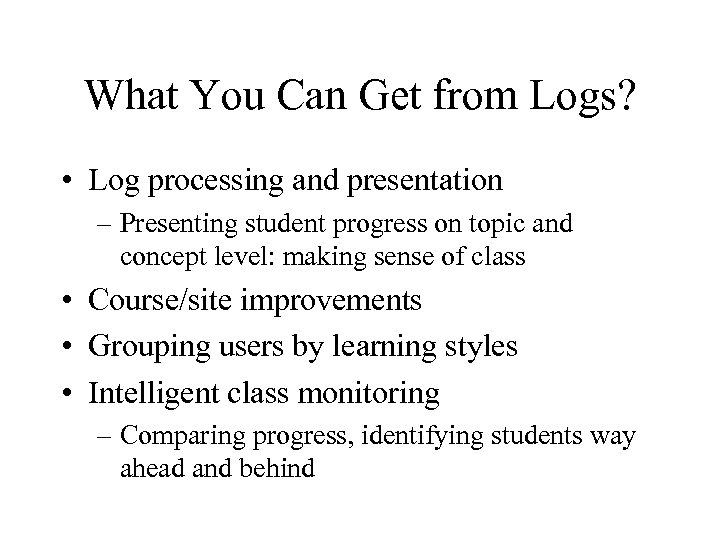
What You Can Get from Logs? • Log processing and presentation – Presenting student progress on topic and concept level: making sense of class • Course/site improvements • Grouping users by learning styles • Intelligent class monitoring – Comparing progress, identifying students way ahead and behind
Adaptive Collaboration Support • Peer help • Collaborative group formation • Group collaboration support – Collaborative work support – Forum discussion support • Mutual awareness support • More information – Proceedings of the Workshop on Personalization in E-learning Environments at Individual and Group Level at the 11 th International Conference on User Modeling, http: //hermis. di. uoa. gr/Pe. LEIGL/PING 07 -proceedings. pdf
Personalized Access to Educational Resources • A lot of resources are available on the Web and in educational DL/Repostitories • A new direction of adaptation - provide personalized access to these resources – Content based recommender • Adding advantage of community wisdom – Collaborative recommender systems – Social navigation systems
Modeling User Interests • Concept-level modeling – Same domain models as in knowledge modeling, but the overlay models level of interests, not level of knowledge • Keyword-level modeling – Uses a long list of keywords (terms) in place of domain model – User interests are modeled as weigthed vector or terms – Originated from adaptive filtering/search area
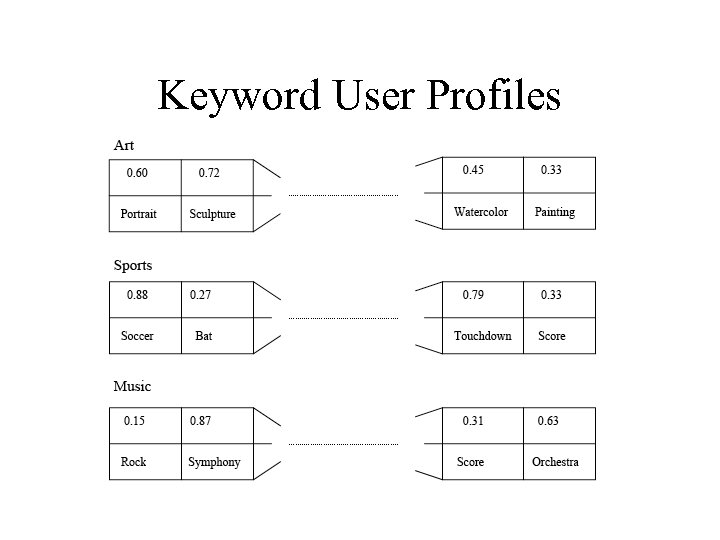
Keyword User Profiles
Use of Profiles in AES: ML Tutor
Overview • The Context • Technologies • Adaptive E-Learning Systems vs. Learning Management Systems (LMS)
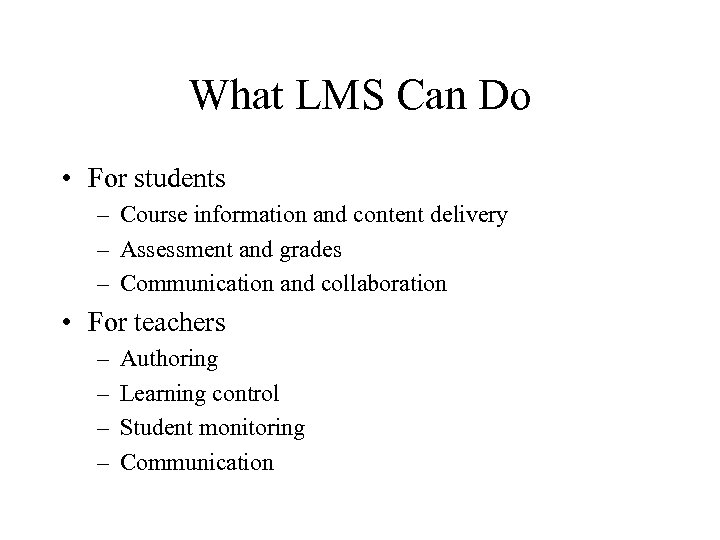
What LMS Can Do • For students – Course information and content delivery – Assessment and grades – Communication and collaboration • For teachers – – Authoring Learning control Student monitoring Communication
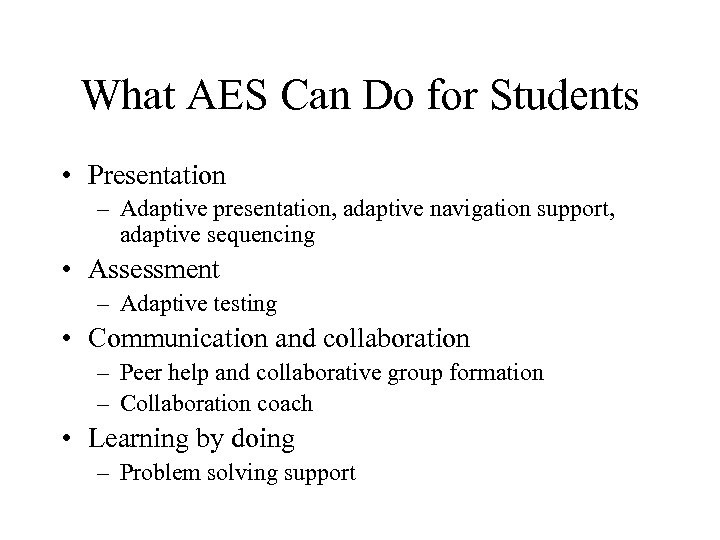
What AES Can Do for Students • Presentation – Adaptive presentation, adaptive navigation support, adaptive sequencing • Assessment – Adaptive testing • Communication and collaboration – Peer help and collaborative group formation – Collaboration coach • Learning by doing – Problem solving support
What AES Can Do for Teachers • Student monitoring – Identifying students in trouble • Control – Sequencing – Adaptive navigation support • Authoring – Concept-based authoring and courseware engineering
AES vs. LMS • Adaptive E-Learning systems can provide a more advanced support for most functions – Course material presentation - Inter. Book, AHA – Assessment with quizzes - SIETTE – Threaded discussions - collaboration agents – Student management - intelligent monitoring • Why LMS are not really adaptive? – Except simple control and learning design
Challenges • How to make it working in practice? – AES systems use advanced techniques - hard to develop – AWBES content is based on knowledge - hard to create – AES require login and user modeling - hard to integrate • Possible solutions - (watch, Ph. D students!) – Component-based architectures for AWBES – Authoring support – Open Corpus adaptive systems
Component-based Architectures • Research systems can provide a better support of almost each function of E-Learning process • Adaptive systems show to implement nearly each component adaptively • We need the ability to assemble from components – Course authors can choose best components and best content for their needs – Components providers and content providers have a chance to compete in developing better products
Current State • Several component-based frameworks – ADAPT 2, Active. Math, MEDEA, … • Attempts to develop systems with internal components • Reusable user/student model servers • Some matching work in the standardization movement
Re-use/Standards Movement • Learning Object Re-use supported by coming standards is another major research direction in ELearning • The re-use movement joins many existing streams of work driven by similar ideas – Create content once, use many times – Content independent from the “host” system – Content and interfaces with the host system are based on standards (metadata, CMI, etc) • Let content providers be players in E-Learning • The future is components and re-use
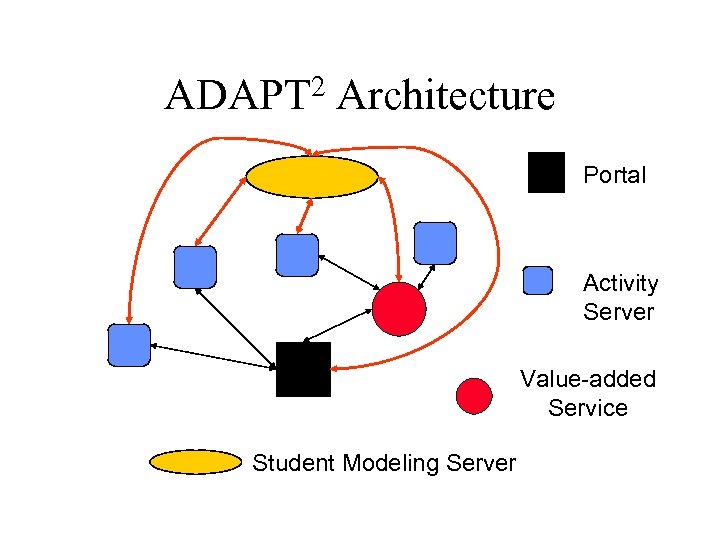
2 ADAPT Architecture Portal Activity Server Value-added Service Student Modeling Server
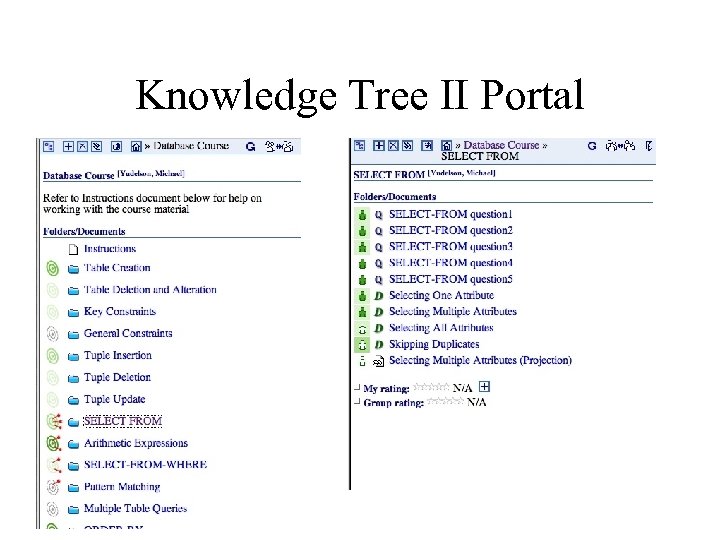
Knowledge Tree II Portal
Скачать презентацию INFSCI 2955 Adaptive Web Systems Session 1 -2
3f0456792b24705a2161b6d524177332.ppt