 Скачать презентацию INFORMIX USER S GUIDE IBM Informix Dynamic Server Linux
8cc5f2b5de5f45d76a17b4d293a19bdf.ppt
- Количество слайдов: 44



INFORMIX USER’S GUIDE IBM Informix Dynamic Server Linux 설치 안내서 v. 11 Ⅰ. IBM Informix 제품 정보 Ⅱ. 참고 자료 및 SITE Ⅲ. OS별 INFORMIX Dynamic Server 지원 정보 Ⅳ. IDS 설치 사전 준비 Ⅴ. IDS 설치 ( GUI 모드 ) Ⅵ. IDS 설치 ( Text 모드 ) Ⅵ. Informix 데이타베이스 초기화 Ⅶ. Informix 데이타베이스 초기화 Ⅷ. Install & Initialize Error Ⅸ. 첨부 made by mjo
INFORMIX FOR LINUX
INFORMIX FOR LINUX
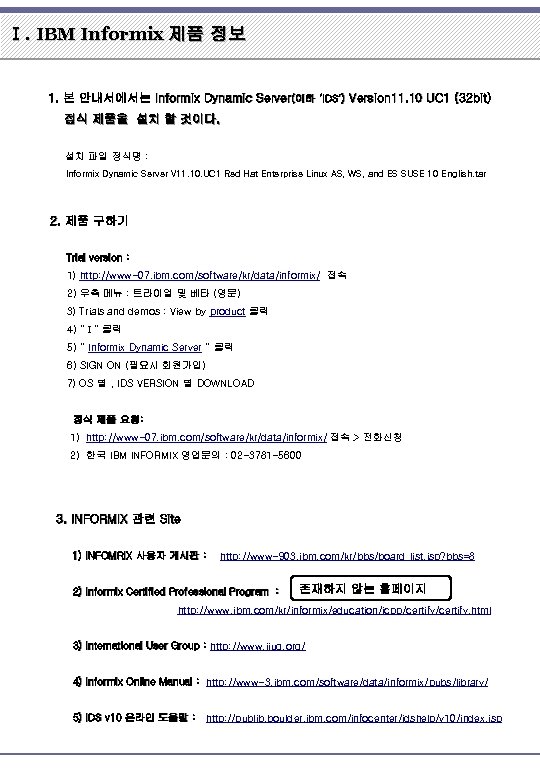
Ⅰ. IBM Informix 제품 정보 1. 본 안내서에서는 Informix Dynamic Server(이하 ‘IDS’) Version 11. 10 UC 1 (32 bit) 정식 제품을 설치 할 것이다. 설치 파일 정식명 : Informix Dynamic Server V 11. 10. UC 1 Red Hat Enterprise Linux AS, WS, and ES SUSE 10 English. tar 2. 제품 구하기 Trial version : 1) http: //www-07. ibm. com/software/kr/data/informix/ 접속 2) 우측 메뉴 : 트라이얼 및 베타 (영문) 3) Trials and demos : View by product 클릭 4) “ I ” 클릭 5) “ Informix Dynamic Server “ 클릭 6) SIGN ON (필요시 회원가입) 7) OS 별 , IDS VERSION 별 DOWNLOAD 정식 제품 요청: 1) http: //www-07. ibm. com/software/kr/data/informix/ 접속 > 전화신청 2) 한국 IBM INFORMIX 영업문의 : 02 -3781 -5600 3. INFORMIX 관련 Site 1) INFOMRIX 사용자 게시판 : http: //www-903. ibm. com/kr/bbs/board_list. jsp? bbs=8 2) Informix Certified Professional Program : 존재하지 않는 홈페이지 http: //www. ibm. com/kr/informix/education/icpp/certify. html 3) International User Group : http: //www. iiug. org/ 4) Informix Online Manual : http: //www-3. ibm. com/software/data/informix/pubs/library/ 5) IDS v 10 온라인 도움말 : http: //publib. boulder. ibm. com/infocenter/idshelp/v 10/index. jsp
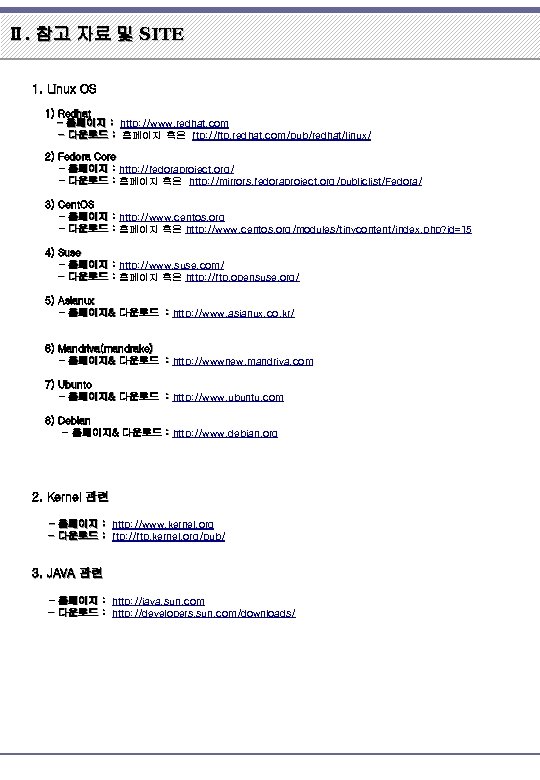
Ⅱ. 참고 자료 및 SITE 1. Linux OS 1) Redhat - 홈페이지 : http: //www. redhat. com - 다운로드 : 홈페이지 혹은 ftp: //ftp. redhat. com/pub/redhat/linux/ 2) Fedora Core - 홈페이지 : http: //fedoraproject. org/ - 다운로드 : 홈페이지 혹은 http: //mirrors. fedoraproject. org/publiclist/Fedora/ 3) Cent. OS - 홈페이지 : http: //www. centos. org - 다운로드 : 홈페이지 혹은 http: //www. centos. org/modules/tinycontent/index. php? id=15 4) Suse - 홈페이지 : http: //www. suse. com/ - 다운로드 : 홈페이지 혹은 http: //ftp. opensuse. org/ 5) Asianux - 홈페이지& 다운로드 : http: //www. asianux. co. kr/ 홈페이지& 6) Mandriva(mandrake) - 홈페이지& 다운로드 : http: //wwwnew. mandriva. com 홈페이지& 7) Ubunto - 홈페이지& 다운로드 : http: //www. ubuntu. com 홈페이지& 8) Debian - 홈페이지& 다운로드 : http: //www. debian. org 홈페이지& 2. Kernel 관련 - 홈페이지 : http: //www. kernel. org - 다운로드 : ftp: //ftp. kernel. org/pub/ 3. JAVA 관련 - 홈페이지 : http: //java. sun. com - 다운로드 : http: //developers. sun. com/downloads/

Ⅲ. OS별 INFORMIX Dynamic Server 지원 정보 n 아래의 IBM 홈페이지에서 설치하려는 IDS 제품이 OS별로 설치 가능한지 체크 한다. OS별로 한다. 1) 아래의 URL을 웹브라우저를 통해 접근한다. http: //www-306. ibm. com/software/data/informix/pubs/roadmaps. html 2) 우측 상단의 “ Download the spreadsheet now “ 을 클릭하여 Exel file을 다운로드 한다. 3) 다운로드한 EXEL FILE을 열어 IDS 버젼 별 설치 가능한 OS 종류, 버젼 정보를 확인한다. 예) Project IDS IDS IDS 11. 10. UC 1 11. 10. UC 1 : Maker Architecture OS AMD IBM Intel Intel AMD 64 Power. PC x 86 EM 64 T x 86 EM 64 T Debian Ubuntu AIX 5 L Asianux Debian RHEL SUSE SLES Ubuntu : : OS Version : 4 6. 06. 1 LTS 5. 3 2 4 4 4 10 6. 06. 1 LTS : GA 2007 -07 -30 2007 -07 -30 2007 -07 -30 ;

Ⅲ. OS별 INFORMIX Dynamic Server 지원 정보 n IDS 10 UC 6 LINUX 별 설치 가능 유무 IDS 11. 10 UC 1 Linux Version TEXT MODE INSTALL GUI MODE INSTALL 3 Available 4 Available 5 Available 4* Available 5* Available Feodora 7* Available Asianux 2 Available 3* Available 9 Available 10. 2 Available 3 Available 4* Available 6 Available 7. 10* Available - 4. 0 r 1 Available - Redhat ES Cent. OS SUSE Mandriva CS Ubuntu Debian ※ ‘*’ 표시는 공식적으로 지원하지 않는 OS , Version 임 IDS 11 UC 1 machine notes 내용 OS Information : Built on Red Hat Enterprise Linux ES release 4 (Nahant Update 3). Certified on RHEL 5, SUSE SLES 10 and Asianux 2. 0. And also certified on Red Hat Enterprise Linux ES release 4, RHEL 5, SUSE SLES 10 and Asianux 2. 0 for x 86_64 (EM 64 T/AMD 64).

Ⅳ. IDS 설치 사전 준비 ※ 본 안내서는 Red. HAT ES 5 상에 IDS 11. 10 UC 1를 설치하는 것을 기준으로 작성 되었다 ※ UC 1를 1. informix user, group 생성 & /informix 생성 본 안내서에서는 /informix 디렉토리에 IDS를 설치 할것이다. ID는 informix , PASSWORD도 informix , SHELL은 ksh을 사용하는것으로 하여 생성한다. Yum install ksh 명령을 # groupadd -g 200 informix 설치 # useradd -g 200 -u 200 -d /informix -s /bin/ksh informix -m # passwd informix Changing password for user informix. New UNIX password: Retype new UNIX password: 이용해 없으면 2. 환경변수를 적용한다. 제품을 설치할 /informix 디렉토리를 INFORMIXDIR 환경변수로 등록하고 , 기타 환경변수를 등록한다. # su – informix $ vi. profile export INFORMIXDIR=/informix export PS 1='[`hostname`]$LOGNAME: $PWD > ' $. . /. profile [Red. Hat. ES 5]informix: /informix > id uid=200(informix) groups=200(informix) context=user_u: system_r: unconfined_t [Red. Hat. ES 5]informix: /informix >

Ⅳ. IDS 설치 사전 준비 3. $INFOMRIXDIR 에 IDS 제품 복사, 압축해제 - 반드시 informix user로 login후 압축 해제 4. Java version 확인 반드시 V 1. 5 이상 설치 확인 ( cf> OS bundle : java 1. 4. 2. xx )

Ⅴ. IDS 설치 (GUI 모드) 1. root login , $INFORMIXDIR 환경변수 설정 - 반드시 root user로 로그인 하여, $INFORMIXDIR 환경변수를 아래와 같이 설정한다. - $INFORMIXDIR에 설치 스크립트 ids_install이 존재하는지 확인한다. 2. GUI 모드로 IDS제품 설치를 시작한다. 주의 > GUI 설치시 아래와 같은 error message가 출력되면 , “ Ⅷ. Install & Initialize Error - GUI 설치 실패 “ 를 참고 한다. The installer is unable to run in graphical mode. ~~

Ⅴ. IDS 설치 (GUI 모드) - 계속 3. IDS V 11 GUI 모드 설치 초기 화면 4. Release Notes & Install Guide 관련 문서 안내 ‘ Next ‘ 를 클릭 한다.

Ⅴ. IDS 설치 (GUI 모드) - 계속 5. IDS V 11 설치 환영 ‘ Next ‘ 를 클릭 한다 6. 제품 라이센스 안내 제품 설치를 위해선 “Accept ” 를 하고 ‘ Next ‘ 를 클릭 한다

Ⅴ. IDS 설치 (GUI 모드) - 계속 7. IDS V 10 설치 디렉토리 설정 $INFORMIXIDR 환경변수 값과 비교하여 필요시 수정 , 이상 없으면 ‘ Next ‘ 를 선택 한다 8. 이미 설치 된 IDS 제품 정보 찾기 이미 설치된 IDS 제품군 정보를 갱신한다. 수분이 소요 되므로 대기 한다.

Ⅴ. IDS 설치 (GUI 모드) - 계속 9. 설치 할 IDS 제품 선택 Default 설정( IDS, CSDK, JDBC 설치 ) 을 사용하기 위해 ‘ Next ‘ 를 클릭 한다 10. 역활 분리 (Role speration) 유무 선택 Default 설정( 역활분리 않함 ) 을 ‘ No’ 선택 하고 ‘ Next ‘ 를 클릭 한다. 역활분리에 대한 내용은 온라인 도움말 및 IBM Informix: Administrator’s Guide 메뉴얼을 참조 한다.

Ⅴ. IDS 설치 (GUI 모드) - 계속 11. 데모(Demo) 데이타베이스 생성 유무 선택 Default 설정( 생성 하지 않음 ) 을 선택하고 ‘ Next ‘ 를 클릭 한다. 12. IDS 제품 설치 최종 확인 제품 설치 내역을 확인하고 , 이상 없으면 ‘ Next ‘ 를 클릭 한다

Ⅴ. IDS 설치 (GUI 모드) - 계속 13. IDS 제품 설치 진행 IDS , CSDK , JDBC 등의 설치 진행 과정을 볼 수 있다. 14. 제품 설치 후 수행 할 작업 사항 안내 상세한 사항은 IBM Informix Dynamic Server Getting Started Guide 를 참조 한다. ‘ Next ‘ 를 클릭 한다

Ⅴ. IDS 설치 (GUI 모드) - 계속 15. IDS V 11 제품 설치 성공 메세지 ‘ Next ‘ 를 선택 한다 16. IDS V 11 제품 설치 프로그램 종료 IDS 제품 설치 프로그램을 종료하기 위해 ‘ Finish ‘ 를 클릭한다

Ⅵ. IDS 설치 ( Text 모드 ) 1. “ Ⅳ. IDS 설치 사전 준비 ” 의 1 ~ 4 단계를 수행한다. 2. Text 모드로 IDS 제품 설치를 실행 시킨다. [Red. Hat. ES 5]root: /informix > ls bundle. ini DBLD ids 11. 1 uc 1. tar images lost+found SERVER CSDK ICONNECT ids_install JDBC README. html suite. jar [Red. Hat. ES 5]root: /informix >. /ids_install Do you want to run installer in GUI mode [y/n] : n Initializing Install. Shield Wizard. . . . Launching Install. Shield Wizard. . . . “ ids_install “ 명령어 실행 / GUI mode install 실행 선택 않함 ‘n’ 입력 3. 제품 설치 시작 선택 1. 2. 3. 4. Release Notes Installation Guide Launch Information Center Begin Installation Please select one of these options [4] < enter > Beginning installation. . . Press 1 for Next, 3 to Cancel or 4 to Redisplay [1] < enter > 4. IDS V 11 설치 환영 Welcome to the Install. Shield Wizard for IBM Informix Dynamic Server Version 11. 10 Bundle The Install. Shield Wizard will install IBM Informix Dynamic Server Version 11. 10 Bundle on your computer. To continue, choose Next. Press 1 for Next, 2 for Previous, 3 to Cancel or 4 to Redisplay [1] < enter >

Ⅵ. IDS 설치 ( Text 모드 ) - 계속 5. 제품 라이센스 안내 Software Licensing Agreement Press Enter to display the license agreement on your screen. Please read the agreement carefully before installing the Program. After reading the agreement, you will be given the opportunity to accept it or decline it. If you choose to decline the agreement, installation will not be completed and you will not be able to use the Program. International Program License Agreement Part 1 - General Terms BY DOWNLOADING, INSTALLING, COPYING, ACCESSING, OR USING THE PROGRAM YOU AGREE TO THE TERMS OF THIS AGREEMENT. IF YOU ARE ACCEPTING THESE TERMS ON BEHALF OF ANOTHER PERSON OR A COMPANY OR OTHER LEGAL ENTITY, YOU REPRESENT AND WARRANT THAT YOU HAVE FULL AUTHORITY TO BIND THAT PERSON, COMPANY, OR LEGAL ENTITY TO THESE TERMS. IF YOU DO NOT AGREE TO THESE TERMS, - DO NOT DOWNLOAD, INSTALL, COPY, ACCESS, OR USE THE PROGRAM; AND Press Enter to continue viewing the license agreement, or, Enter 1 to accept the agreement, 2 to decline it or 99 to go back to the previous screen. 1 Press 1 for Next, 3 to Cancel or 4 to Redisplay [1] < enter > 동의 (Accept) 하면 <enter> 6. IDS V 11 설치 디렉토리 설정 IBM Informix Dynamic Server Version 11. 10 Bundle Install Location Please specify a directory or press Enter to accept the default directory. Directory Name: [/informix] Press 1 for Next, 3 to Cancel or 4 to Redisplay [1] < enter > $INFORMIXIDR 환경변수 값과 비교하여 필요시 수정 , 이상 없으면 <enter>

Ⅵ. IDS 설치 ( Text 모드 ) - 계속 7. 이미 설치 된 IDS 제품 정보 찾기 & 설치 할 IDS 제품 선택 Searching for products available for install: this may take a few minutes. Select the products you would like to install: To select/deselect a product or to change its setup type, type its number: Product Setup Type -------------------1. [ ] IBM Informix IConnect Version 3. 00 2. [x] IBM Informix Client-SDK Version 3. 00 Typical 3. [x] IBM Informix Dynamic Server Version 11. 10 Typical 4. [x] IBM Informix JDBC Driver Version 3. 10 Other options: 0. Continue installing Enter command [0] < enter > Press 1 for Next, 2 for Previous, 3 to Cancel or 4 to Redisplay [1] < enter > Default 설정( IDS, CSDK, JDBC 설치 ) 을 사용하기 위해 <enter> 를 입력한다. 8. 역활 분리 (Role speration) 유무 선택 Do you want to enable role separation? [ ] 1 - Yes [X] 2 - No To select an item enter its number, or 0 when you are finished: [0] < enter > If you enable role separation, you can assign existing groups of users to specific auditing roles. If you do not enable role separation, the Database Server Administrator performs all administration tasks. Press 1 for Next, 2 for Previous, 3 to Cancel or 4 to Redisplay [1] < enter > Default 설정( 역활분리 않함 ) 을 ‘ No’ 선택 하고 <enter> 를 입력한다. 역활분리에 대한 내용은 온라인 도움말 및 IBM Informix: Administrator’s Guide 메뉴얼을 참조 한다

Ⅵ. IDS 설치 ( Text 모드 ) - 계속 9. 데모(Demo) 데이타베이스 생성 유무 선택 Do you want to create an IDS demonstration database server instance? [ ] 1 - Yes [X] 2 - No To select an item enter its number, or 0 when you are finished: [0] < enter > You can use a demonstration database server instance to verify that IDS is installed correctly and that the hardware is configured correctly. You can also configure the demonstration database server instance to use it as a production instance. Press 1 for Next, 2 for Previous, 3 to Cancel or 4 to Redisplay [1] < enter > Default 설정( 생성 하지 않음 ) 을 선택하고 <enter> 입력 10. IDS 제품 설치 최종 확인 IBM Informix Dynamic Server Version 11. 10 Bundle will be installed in the following location: /informix with the following features: IBM Informix Client-SDK Version 3. 00 IBM Informix Dynamic Server Version 11. 10 IBM Informix JDBC Driver Version 3. 10 for a total size: 297. 4 MB Press 1 for Next, 2 for Previous, 3 to Cancel or 4 to Redisplay [1] < enter > 이상 없으면 <enter> 입력

Ⅵ. IDS 설치 ( Text 모드 ) - 계속 11. IDS 제품 설치 진행 Installing IBM Informix Dynamic Server Bundle. Please wait. . . 0 % complete 100 % complete Creating uninstaller. . . Installing IBM Informix JDBC Driver. Please wait. . . Creating uninstaller. . . Installing Message Files by RPM Installing GLS Files by RPM Installing IDS Files by RPM Installing SDK Message Files by RPM Installing SDK GLS Files by RPM Installing SDK Files by RPM Branding Files. . . Installing directory Installing directory : : . etc bin lib/client/csm lib/esql lib/dmi

Ⅵ. IDS 설치 ( Text 모드 ) - 계속 12. 제품 설치 후 수행 할 작업 사항 안내 Please read the information below. Set required environment variables Set $INFORMIXDIR to the directory where the IDS server is installed. Set $PATH to include $INFORMIXDIR/bin Set $INFORMIXSERVER to the name of the database server Set $ONCONFIG to the name of the active onconfiguration file. If using a sqlhosts file other than $INFORMIXDIR/etc/sqlhosts Set $INFORMIXSQLHOSTS If using a locale/language other than the default Set $CLIENT_LOCALE Set $DB_LOCALE Set $SERVER_LOCALE Set $DBLANG Prepare connectivity files sqlhosts /etc/services Prepare configuration file Set DBSERVERNAME Set SERVERNUM Set ROOTNAME Press ENTER to read the text [Type q to quit] Set ROOTPATH Set ROOTSIZE Initialize database server As informix or root, run oninit If initializing a new server for the FIRST time, run oninit -i This will overwrite any existing data, so use caution on an exis ting setup For more information please refer to the IBM Informix Dynamic Server Getting Started Guide Press 1 for Next, 3 to Cancel or 4 to Redisplay [1] < enter > 확인 후 <enter> 상세한 사항은 IBM Informix Dynamic Server Getting Started Guide 를 참조 한다.

Ⅵ. IDS 설치 ( Text 모드 ) - 계속 13. IDS V 11 제품 설치 프로그램 종료 The Install. Shield Wizard has successfully installed IBM Informix Dynamic Server Version 11. 10 Bundle. Choose Next to continue the wizard. Press 1 for Next, 3 to Cancel or 4 to Redisplay [1] 1. 2. 3. 4. Release Notes Installation Guide Launch Information Center Finish Installation Please select one of these options [4] < enter > Finishing installation. . . Press 3 to Finish or 4 to Redisplay [3] < enter > IDS 제품 설치 프로그램을 종료하기 위해 <enter> 입력 < enter >

Ⅶ. Informix 데이타베이스 초기화 1. 데이타베이스 구성 내역 - INSTANCE : ids 11 uc 1 - root chunk : /infomrix/DBS/rootdbs. chk [ 300 MB. cook device ] - Buffers [ 100 MB ] : 50000 - ONCONFIG : onconfig. ids 11 uc 1 - INFORMIXSQLHOSTS : sqlhosts. ids 11 uc 1 - TCP/IP 서비스 포트 : 9088 ( sqlexec ) 2. 데이타베이스 초기화 준비 작업 : 반드시 root user로 login 하여 아래와 같은 작업을 수행 한다. - Kernel parameter 수정 /informix/release/en_us/0333/ ids_machine_notes_11. 10. txt 의 Kernel parameter 권고 값을 확인하고 이를 /etc/sysctl. conf 에 아래와 같이 적용하고 반드시 REBOOT 후 Kernel parameter 변경을 확인한다. [root@Red. Hat. ES 5 informix/release/en_us/0333 > vi ids_machine_notes_11. 10. txt System Configuration ========== 1. Kernel Parameters The values of the kernel parameters that were used for testing this product are given below. These values might need to be tuned depending on the application and availability of system resources. They can either be dynamically changed in the /proc file system or are defined in the kernel sources and can be changed by rebuilding the kernel. SHMMAX: 33554432 SHMMIN: 1 SHMMNI: 128 SHMSEG: 128 SHMALL: 4194304 SEMMNI: 128 SEMMSL: 250 SEMMNS: 32000 SEMOPM: 32 Kernel parameter 권장 값
![Ⅶ. Informix 데이타베이스 초기화 - 계속 [root@Red. Hat. ES 5 etc]# vi sysctl. conf](https://present5.com/presentation/8cc5f2b5de5f45d76a17b4d293a19bdf/image-26.jpg "Ⅶ. Informix 데이타베이스 초기화 - 계속 [root@Red. Hat. ES 5 etc]# vi sysctl. conf")
Ⅶ. Informix 데이타베이스 초기화 - 계속 [root@Red. Hat. ES 5 etc]# vi sysctl. conf : # Controls the maximum shared segment size, in bytes kernel. shmmax = 4294967295 # Controls the maximum number of shared memory segments, in pages kernel. shmall = 268435456 ## INFORMIX IDS 10 FC 6 ## #kernel. shmmax = 33554432 kernel. shmmin = 1 kernel. shmmni = 128 kernel. shmseg = 128 #kernel. shmall = 4194304 kernel parameter 적용 kernel. semmni = 128 kernel. semmsl = 250 kernel. semmns = 32000 kernel. semopm = 32 : wq! [root@Red. Hat. ES 5 etc]# reboot [root@Red. Hat. ES 5 ~]# sysctl -a |grep shm vm. hugetlb_shm_group = 0 kernel. shmmni = 128 kernel. shmall = 268435456 kernel parameter 적용 확인 kernel. shmmax = 4294967295 [root@Red. Hat. ES 5 ~]# sysctl -a |grep sem kernel. sem = 250 32000 32 128 ※ 본 안내서에서는 shmall 과 shmmax 값은 OS Default 값이 더 크므로 이를 사용한다. kernel parameter 값을 변경하기 전에 “sysctl –a |grep shm “ , ”sysctl –a |grep sem” command로 기존 값과 비교하여 적용한다. “ipcs –lms “ command로도 kernel parameter 변경을 확인 할 수 있다.

Ⅶ. Informix 데이타베이스 초기화 - 계속 - TCP/IP 서비스 포트 등록 /etc/services file에 다음을 확인하고 없으면 이를 등록 후 , reboot 한다. 외부에서 접속시 아래의 port 번호로 access 하게 된다. [root@Red. Hat. ES 5 ~]# vi /etc/services sqlexec 9088/tcp 9088/udp : # IBM Informix SQL Interface : - rootdbs chunk 생성 /informix/DBS/rootdbs. chk 를 생성 하고 소유권 및 권한을 아래와 같이 반드시 변경한다. [root@Red. Hat. ES 5 ~]# cd /informix [root@Red. Hat. ES 5 informix]# mkdir DBS [root@Red. Hat. ES 5 informix]# chown informix: informix DBS [root@Red. Hat. ES 5 informix]# cd DBS [root@Red. Hat. ES 5 DBS]# touch rootdbs. chk [root@Red. Hat. ES 5 DBS]# chown informix: informix rootdbs. chk [root@Red. Hat. ES 5 DBS]# chmod 660 rootdbs. chk [root@Red. Hat. ES 5 DBS]# pwd /informix/DBS [root@Red. Hat. ES 5 DBS]# ls -al total 8 drwxr-xr-x 2 informix 4096 Oct 29 14: 58. drwxr-xr-x 34 informix 4096 Oct 29 14: 58. . -rw-rw---- 1 informix 0 Oct 29 14: 58 rootdbs. chk 3. informix user 환경파일 수정 ksh을 사용할 경우 다음와 같이 /informix/. profile을 수정 & 적용한다. • PATH : /informix/bin 을 받드시 포함시킨다. • LD_LIBRARY_PATH : linux의 이경우 이 이름으로 라이브러리 디렉토리 경로를 포함시킨다. • INFORMXISERVER : 생성할 INSTANCE 이름을 지정 / 등록한다. • ONCONFIG • INFORMIXSQLHOSTS : $INFORMXDIR/etc 아래의 IDS SQLHOSTS file 이름을 지정한다. : $INFORMXDIR/etc 아래의 IDS Config file의 이름을 지정한다.
![Ⅶ. Informix 데이타베이스 초기화 - 계속 [root@Red. Hat. ES 5 ~]# su – informix](https://present5.com/presentation/8cc5f2b5de5f45d76a17b4d293a19bdf/image-28.jpg "Ⅶ. Informix 데이타베이스 초기화 - 계속 [root@Red. Hat. ES 5 ~]# su – informix")
Ⅶ. Informix 데이타베이스 초기화 - 계속 [root@Red. Hat. ES 5 ~]# su – informix [root@Red. Hat. ES 5 ~]# vi. profile export INFORMIXDIR=/informix export PS 1='[`hostname`]$LOGNAME: $PWD > ' export PATH=$PATH: $INFORMIXDIR/bin/: . export LD_LIBRARY_PATH=/usr/lib: $INFORMIXDIR/lib/esql: . export INFORMIXSERVER=ids 11 uc 1 export ONCONFIG=onconfig. ids 11 uc 1 export INFORMIXSQLHOSTS=$INFORMIXDIR/etc/sqlhosts. ids 11 uc 1 export TERMCAP=/informix/etc/termcap # informix terminal [Red. Hat. ES 5]informix: /informix >. . /. profile [Red. Hat. ES 5]informix: /informix > env |grep INFORMIXSERVER=ids 11 uc 1 INFORMIXDIR=/informix 확인 INFORMIXSQLHOSTS=/informix/etc/sqlhosts. ids 11 uc 1 “ 1. 데이타베이스 구성 내역” 참조 4. $ONCONFIG FILE 수정 - /informix/etc/onconfig. std 표준 파일을 $ONCONFIG 즉, onconfig. ids 11 Uc 6로 copy 한다. - onconfig에 대한 사항은 online 도움말이나 IBM Library내의 Administrator’s Guide를 참조한다. - 여기에서는 초기화를 위한 최소한의 내용만을 다룬다. - onmonitor라는 tool로 수정가능하나, 본 가이드에서는 vi로 직접 편집 한다. • ROOTPATH : root dbspace의 chunk 위치를 지정한다. • ROOTSIZE : root dbshpace chunk의 size (KB) , 본 가이드에서는 300 MB로 지정한다. • MSGPATH : informix log file의 위치를 지정한다. • ALARMPROGRAM : 자동 logical log backup을 위한 alaram programe 위치를 지정한다. • TAPDEV/LTAPDEV : backup device 위치를 지정한다 , 본 가이드에서는 편의상 /dev/null 로 지정하여 fake backup을 사용한다. • SERVERNUM : INSTANCE NUMBER , 머신상에서 유일한 숫자를 부여한다. • DBSERVERNAME : INSTANCE 이름 , 머신상에서 유일한 이름을 부여한다. • DBSERVERALIASES : INSTNACE 의 별칭을 부여한다. • NETTYPE : 데이타베이스 연결시 사용되는 network 연결 type을 정의한다. • DUMPDIR : IDS dump file 생성 위치를 지정한다. • BUFFERPOOL: buffer size를 지정한다. 본가이드에서는 100 MB를 할당하기로 했으므로 • buffers=50000 로 지정한다. (Linux blocksize=2 KB)

Ⅶ. Informix 데이타베이스 초기화 - 계속 • SHMBASE : shared memory 할당 start address 위치. /informix/release/en_us/0333/ ids_machine_notes_11. 10. txt 의 권고사항을 반드시 확인하도록 한다 ※ Red Hat Enterprise Linux 3 이상은 반드시 SHMBASE를 0 xb 7600000을 사용하도록 하고 있다. 이를 지키지 않으면 INSTANCE가 초기화시 다음과 같은 error message를 출력하고 실패하게 된다. “ Ⅷ. Install & Initialize Error - OS couldn't allocate first resident segment 편 “을 참고 한다. couldn't allocate first resident segment at SHMBASE (0 x 52564801) [Red. Hat. ES 5]informix: /informix/etc > cp onconfig. std $ONCONFIG [Red. Hat. ES 5]informix: /informix/etc > vi $ONCONFIG #************************************* # # Licensed Material - Property Of IBM # # "Restricted Materials of IBM" # # IBM Informix Dynamic Server # (c) Copyright IBM Corporation 1996, 2006 All rights reserved. # # Title: onconfig. std # Description: IBM Informix Dynamic Server Configuration Parameters # #************************************* # Root Dbspace Configuration ROOTNAME rootdbs # Root dbspace name ROOTPATH /informix/DBS/rootdbs. chk # Path for device containing root dbspace #ROOTPATH /dev/online_root # Path for device containing root dbspace ROOTOFFSET 0 #ROOTSIZE # Offset of root dbspace into device (Kbytes) 30000 # Size of root dbspace (Kbytes) 300000 # Size of root dbspace (Kbytes) : : Ⅸ. 첨부 “ onconfig. ids 11 uc 1 “ 참조

Ⅶ. Informix 데이타베이스 초기화 - 계속 5. $INFORMIXSQLHOSTS 수정 - /informix/etc/sqlhosts 표준 파일을 $INFORMIXSQLHOSTS 즉, sqlhosts. ids 11 fc 1로 copy 한다. - sqlhosts에 대한 사항은 online 도움말이나 IBM Library내의 Administrator’s Guide를 참조한다. - 여기에서는 초기화를 위한 최소한의 내용만을 다룬다. - onmonitor라는 tool로 수정 가능하나, 본 가이드에서는 vi로 직접 편집 한다. 첫번째 칼럼 : $ONCONFIG내의 DBSERVERNAME 혹은 DBSERVERALIAS를 연결 이름으로 지정한다. • 두번째 칼럼 : NETTYPE을 지정한다. • 세번째 칼럼 : hostname. 연결하려는 Database가 존재하는 머신 이름 혹은 ip address를 • 지정한다. 머신이름을 사용하기 위해서는 /etc/hosts file에 등록되어 있어야 한다. ex) 본 가이드에서는 hostname으로 • “Red. Hat. ES 5”를 사용한다. 네번째 칼럼 : service name, tcp/ip 연결의 경우 /etc/serivices file에 등록했던 포트이름을 지정하거나, 직접 포트번호를 기입한다. • 다섯번째 칼럼 : Option , 필요한 연결 옵션을 지정한다. [Red. Hat. ES 5]informix: /informix/etc > cp sqlhosts $INFORMIXSQLHOSTS [Red. Hat. ES 5]informix: /informix/etc > vi $INFORMIXSQLHOSTS #demo_on onipcshm on_hostname on_servername #demo_se seipcpip se_hostname sqlexec ids 11 uc 1 onsoctcp Red. Hat. ES 5 sqlexec ids 11 uc 1_shm onipcshm Red. Hat. ES 5 ids 11 uc 1_shm 6. INSTANCE 초기화 - “oninit –ivy “ command 를 사용하여 초기화 하는 방법과 onmonitor tool의 Parameters > Initialize 를 통해 초기화 하는 방법이 있다, 본 가이드는 command를 사용하기로 한다. [Red. Hat. ES 5]informix: /informix/etc > oninit -ivy

Ⅶ. Informix 데이타베이스 초기화 - 계속 Checking group membership to determine server run mode. . . succeeded Reading configuration file '/informix/etc/onconfig. ids 11 uc 1'. . . succeeded Creating /INFORMIXTMP/. infxdirs. . . succeeded Creating infos file "/informix/etc/. infos. ids 11 uc 1". . . succeeded Linking conf file "/informix/etc/. conf. ids 11 uc 1". . . succeeded Writing to infos file. . . succeeded Checking config parameters. . . succeeded Allocating and attaching to shared memory. . . succeeded Creating resident pool 8060 kbytes. . . succeeded Allocating 100016 kbytes for buffer pool of 2 K page size. . . succeeded Initializing rhead structure. . . succeeded Initializing ASF. . . succeeded Initializing Dictionary Cache and SPL Routine Cache. . . succeeded Bringing up ADM VP. . . succeeded Creating VP classes. . . succeeded Onlining 0 additional cpu vps. . . succeeded Onlining 2 IO vps. . . succeeded Initialization of Encryption. . . succeeded Forking main_loop thread. . . succeeded Initializing DR structures. . . succeeded Forking 1 'soctcp' listener threads. . . succeeded Forking 1 'ipcshm' listener threads. . . succeeded Starting tracing. . . succeeded Initializing 1 flushers. . . succeeded Initializing log/checkpoint information. . . succeeded Initializing dbspaces. . . succeeded Opening primary chunks. . . succeeded Opening mirror chunks. . . succeeded Validating chunks. . . succeeded Creating database partition. . . succeeded Initialize Async Log Flusher. . . succeeded Forking btree cleaner. . . succeeded Initializing DBSPACETEMP list. . . succeeded Checking database partition index. . . succeeded Initializing dataskip structure. . . succeeded Checking for temporary tables to drop. . . succeeded Forking onmode_mon thread. . . succeeded Starting scheduling system. . . succeeded Verbose output complete: mode = 5 [Red. Hat. ES 5]informix: /informix/etc > onstat IBM Informix Dynamic Server Version 11. 10. UC 1 초기화 성공 -- On-Line -- Up 00: 26 -- 125876 Kbytes

Ⅷ. Install & Initialize Error l onstat: error while loading shared libraries: libstdc++. so. 5 : 이 error 는 libstdc++. so. 5 library가 OS 설치시 설치 되지 않았을 경우에 제품 설치 과정이나 onstat command 실행 시 아래와 같이 발생한다. (1) 제품 설치 과정시 error : Branding Installed Files. . . Installation of IBM Informix Internet Foundation failed. etc/brand: error while loading shared libraries: libstdc++. so. 5: cannot open shared object file: No such file or directory The Install. Shield Wizard has successfully installed IBM Informix Dynamic Server Bundle. Choose Next to continue the wizard. Press 1 for Next, 2 for Previous, 3 to Cancel or 4 to Redisplay [1] : (2) Onstat command 실행시 error [Red. Hat. ES 5]informix: /informix/etc > onstat – onstat: error while loading shared libraries: libstdc++. so. 5: cannot open shared object file: No such file or directory Sol] OS 에 따라 “ compat-libstdc++-33 -3. 2. 3 -61. i 386. rpm “이나 libstdc++5 -3. 3. 6 -2 mdk. i 586. rpm “을 OS 설치 CD나 Download site에서 download 하여 설치하고 , Informix Dynamic Server(IDS) 제품만 재설치 한다. 재설치 않 할 경우 다음과 같이 error message를 출력 한다. (3) libstdc++ library installl 후 IDS 재설치 않 할 경우 error [Red. Hat. ES 5]informix: /informix/etc > onstat Invalid serial number. Please consult the Installation Instructions. Sol] IDS를 재설치 하면 된다.

Ⅷ. Install & Initialize Error l OS couldn't allocate first resident segment at SHMBASE (0 x 52574801) - 계속 (2) SHMBASE = 0 x 44000000 일때 error [Red. Hat. ES 5]informix: /informix/etc > oninit -vy Checking group membership to determine server run mode. . . succeeded Reading configuration file '/informix/etc/onconfig. ids 11 uc 1'. . . succeeded Creating /INFORMIXTMP/. infxdirs. . . succeeded Creating infos file "/informix/etc/. infos. ids 11 uc 1". . . succeeded Linking conf file "/informix/etc/. conf. ids 11 uc 1". . . succeeded Writing to infos file. . . succeeded Checking config parameters. . . succeeded Allocating and attaching to shared memory. . . succeeded [Red. Hat. ES 5]informix: /informix/etc > <= Initialize 실패 [Red. Hat. ES 5]informix: /informix/etc > onstat -m shared memory not initialized for INFORMIXSERVER 'ids 11 uc 1' 01: 07: 41 IBM Informix Dynamic Server Started. 01: 07: 41 Contiguous shared memory segment allocation failed at 0 x 44000000. Allocation successful at 0 xe 1 e 000. Check SHMBASE is consistent with the value in $INFORMIXDIR/etc/onconfig. std. If you are using the correct SHMBASE value in your ONCONFIG file, then consider this message informational only. 01: 07: 41 OS couldn't allocate first resident segment at SHMBASE (0 x 52574801). Sol] 특정 OS 사용시 $ONCONFIG의 SHMBASE 변경 필요 Redhat. T ES 5 , CENTOS 5 의 경우 반드시 SHMBASE를 아래의 값을 사용해야 한다. SHMBASE 0 xb 7600000 # Shared memory base address 참고 ) $INFORMIXDIR//release/en_us/0333/ids_machine_notes_10. 00. txt 2. Location of Shared Memory The ONCONFIG variable SHMBASE is set to the following: SHMBASE 0 x 44000000 L - On Red Hat Enterprise Linux 3 the start address for shared libraries is 0 xb 7600000 and memory address space is utilized downwards.

Ⅷ. Install & Initialize Error l OS couldn't allocate first resident segment at SHMBASE (0 x 52574801) : 이 error 는 $ONCONFIG 상의 BUFFERS 값만큼의 shared memory를 할당하지 못할 경우 발생하는것으로 “oninit –ivy” 혹은 “ oninit –vy” command로 instance 초기화 혹은 구동시 다음과 같은 증상을 보인다. (1) SHMBASE = 0 xb 7600000 일때 error [Red. Hat. ES 5]informix: /informix/etc > oninit -vy Checking group membership to determine server run mode. . . succeeded Reading configuration file '/informix/etc/onconfig. ids 10 fc 6'. . . succeeded Creating /INFORMIXTMP/. infxdirs. . . succeeded Creating infos file "/informix/etc/. infos. ids 10 fc 6". . . succeeded Linking conf file "/informix/etc/. conf. ids 10 fc 6". . . succeeded Writing to infos file. . . succeeded Checking config parameters. . . succeeded Allocating and attaching to shared memory. . . succeeded [Red. Hat. ES 5]informix: /informix/etc > <= Initialize 실패 [Red. Hat. ES 5]informix: /informix/etc > onstat -m shared memory not initialized for INFORMIXSERVER 'ids 10 fc 6' 00: 58: 29 IBM Informix Dynamic Server Started. 00: 58: 29 Contiguous shared memory segment allocation failed at 0 xb 7600000. Allocation successful at 0 xaaf 20000. Check SHMBASE is consistent with the value in $INFORMIXDIR/etc/onconfig. std. If you are using the correct SHMBASE value in your ONCONFIG file, then consider this message informational only. 00: 58: 31 OS couldn't allocate first resident segment at SHMBASE (0 x 52574801). Sol] 1) VMware를 사용한 경우 : 일부 VMware version에서 bug로 보임 반드시 $ONCONFIG 상의 BUFFERS, SHMVIRTSIZE, SHMADD 값을 default 값 혹은 권장값 이내로 설정해야 한다. BUFFERS= 50000 , SHMVIRTSIZE= 8192(default) , SHMADD=8192(default) 2) 1)의 경우 아니고 실제 Physical memory가 부족한 경우 : memory 추가 혹은 $ONCONFIG의 BUFFERS 값 축소 변경

Ⅷ. Install & Initialize Error l GUI 설치 실패 : 아래와 같은 error message 시 출력시 다음과 같이 조치한다. - 이전 X 11 라이브러리를 설치 한다. : yum install xorg-x 11 -deprecated-libs - java 버전을 v 1. 5 이상으로 재설치 한다. l VNC , Xmanager 등을 통한 remote 설치 시 - Xmanager 사용시 DISPLAY 환경 변수를 자신의 환경에 맞게 아래와 같이 수정한다. export DISPLAY= ipaddress: console number ex ) export DISPLAY= 192. 168. 0. 1: 1. 0 - VNC 사용시 ~HOME/. VNC/xstartup 화일 등을 점검 한다.

Ⅸ. 첨부 l onconfig. ids 11 uc 1 #************************************* # # Licensed Material - Property Of IBM # # "Restricted Materials of IBM" # # IBM Informix Dynamic Server # (c) Copyright IBM Corporation 1996, 2007. All rights reserved. # # Title: onconfig. std # Description: IBM Informix Dynamic Server Configuration Parameters # #************************************* # Root Dbspace Configuration # Warning: Always verify ROOTPATH before performing # disk initialization (oninit -i/-iy) to # avoid disk corruption of another instance ROOTNAME ROOTPATH ROOTOFFSET #ROOTSIZE rootdbs # Root dbspace name /informix/DBS/rootdbs. chk # Path for device containing root dbspace 0 # Offset of root dbspace into device (Kbytes) 30000 # Size of root dbspace (Kbytes) 300000 # Size of root dbspace (Kbytes) # Disk Mirroring Configuration Parameters MIRRORPATH MIRROROFFSET 0 # Mirroring flag (Yes = 1, No = 0) # Path for device containing mirrored root # Offset into mirrored device (Kbytes) 0 # Physical Log Configuration PHYSDBS PHYSFILE rootdbs 2000 # Location (dbspace) of physical log # Physical log file size (Kbytes) # Logical Log Configuration LOGFILES LOGSIZE 6 2000 # Number of logical log files # Logical log size (Kbytes) # Tablespace Configuration in Root Dbspace TBLTBLFIRST TBLTBLNEXT # # # 0 0 # First extent size (Kbytes) (0 = default) # Next extent size (Kbytes) (0 = default) Security DBCREATE_PERMISSION: By default any user can create a database. Uncomment DBCREATE_PERMISSON to limit database creation to a specific user. Add a new DBCREATE_PERMISSION line for each permitted user. #DBCREATE_PERMISSION informix

Ⅸ. 첨부 # # # DB_LIBRARY_PATH: When loading a (C or C++) shared object (for a UDR or UDT), IDS checks that the user-specified path starts with one of the directory prefixes listed in the comma-separated list of prefixes in DB_LIBRARY_PATH. The string "$INFORMIXDIR/extend" must be included in DB_LIBRARY_PATH in order for extensibility and IBM supplied blades to work correctly. # DB_LIBRARY_PATH $INFORMIXDIR/extend # IFX_EXTEND_ROLE: # 0 (or off) => Disable use of EXTEND role to control who can register # external routines. # 1 (or on) => Enable use of EXTEND role to control who can register # external routines. This is the default behaviour. # IFX_EXTEND_ROLE 1 # To control the usage of EXTEND role. # EILSEQ_COMPAT_MODE: # When processing characters, IDS checks if the characters are valid # for the locale and returns error -202 if they are not. This causes # problems in some applications. This parameter preserves the old # behavior and permits these characters. # 0 => Disallow illegal characters. This is the default behavior. # 1 => Allow illegal characters. # EILSEQ_COMPAT_MODE 0 # # # # # ADMIN_MODE_USERS This is a comma separated list of those users who can connect to the IDS server while it is in single user mode. This list of users is in addition user informix. Example: ADMIN_MODE_USERS usera, userb, userc # ADMIN_MODE_USERS # Diagnostics MSGPATH CONSOLE /informix/online. log # System message log file path /dev/console # System console message path # To automatically backup logical logs, edit alarmprogram. sh and set # BACKUPLOGS=Y ALARMPROGRAM /informix/etc/alarmprogram. sh # Alarm program path ALRM_ALL_EVENTS 0 # Triggers ALARMPROGRAM for any event occur TBLSPACE_STATS 1 # Maintain tblspace statistics

Ⅸ. 첨부 # System Archive Tape Device TAPEDEV #TAPEDEV TAPEBLK TAPESIZE /dev/null # Tape device path /dev/tapedev # Tape device path 32 # Tape block size (Kbytes) 10240 # Maximum amount of data to put on tape (Kbytes) # Log Archive Tape Device LTAPEDEV #LTAPEDEV LTAPEBLK LTAPESIZE /dev/null /dev/tapedev 32 10240 # # Log Log Max tape device path tape block size (Kbytes) amount of data to put on log tape (Kbytes) # Optical STAGEBLOB # Informix Dynamic Server staging area # System Configuration SERVERNUM 0 DBSERVERNAME ids 11 uc 1 DBSERVERALIASES ids 11 uc 1_shm NETTYPE soctcp, 1, , CPU NETTYPE ipcshm, 1, , NET DEADLOCK_TIMEOUT 60 RESIDENT 0 # Unique id corresponding to a On. Line instance # Name of default database server # List of alternate dbservernames # Configure poll thread(s) for nettype # Max time to wait of lock in distributed env. # Forced residency flag (Yes = 1, No = 0) MULTIPROCESSOR NUMCPUVPS SINGLE_CPU_VP 0 1 0 # 0 for single-processor, 1 for multi-processor # Number of user (cpu) vps # If non-zero, limit number of cpu vps to one NOAGE AFF_SPROC AFF_NPROCS 0 0 0 # Process aging # Affinity start processor # Affinity number of processors # Shared Memory Parameters LOCKS 2000 NUMAIOVPS PHYSBUFF 32 LOGBUFF 32 CLEANERS 1 SHMBASE 0 x 44000000 L #SHMBASE 0 xb 7600000 SHMVIRTSIZE 8192 SHMADD 8192 EXTSHMADD 8192 SHMTOTAL 0 SHMVIRT_ALLOCSEG 0 CKPTINTVL TXTIMEOUT STACKSIZE 300 32 # # # Maximum number of locks Number of IO vps Physical log buffer size (Kbytes) Logical log buffer size (Kbytes) Number of buffer cleaner processes # Shared memory base address # initial virtual shared memory segment size # Size of new shared memory segments (Kbytes) # Size of new extension shared memory segments (Kbytes) # Total shared memory (Kbytes). 0=>unlimited # Values between 0 and. 99 are %, values > 1 are # KB - when this much virtual memory is used we # try to get a new segment. 0 means "off". 2 nd # parameter is alarm level # Check point interval (in sec) # Transaction timeout (in sec) # Stack size (Kbytes)

Ⅸ. 첨부 # # # # # Dynamic Logging DYNAMIC_LOGS: 2 : server automatically add a new logical log when necessary. (ON) 1 : notify DBA to add new logical logs when necessary. (ON) 0 : cannot add logical log on the fly. (OFF) When dynamic logging is on, we can have higher values for LTXHWM/LTXEHWM, because the server can add new logical logs during long transaction rollback. However, to limit the number of new logical logs being added, LTXHWM/LTXEHWM can be set to smaller values. If dynamic logging is off, LTXHWM/LTXEHWM need to be set to smaller values to avoid long transaction rollback hanging the server due to lack of logical log space, i. e. 50/60 or lower. In case of system configured with CDR, the difference between LTXHWM and LTXEHWM should be atleast 30% so that we could minimize log overrun issue. DYNAMIC_LOGS LTXHWM LTXEHWM 2 70 80 # System Page Size # BUFFSIZE - On. Line no longer supports this configuration parameter. # To determine the page size used by On. Line on your platform # see the last line of output from the command, 'onstat -b'. # # # Recovery Variables OFF_RECVRY_THREADS: Number of parallel worker threads during fast recovery or an offline restore. ON_RECVRY_THREADS: Number of parallel worker threads during an online restore. OFF_RECVRY_THREADS ON_RECVRY_THREADS 10 1 # Default number of offline worker threads # Default number of online worker threads # Data Replication Variables # DRAUTO: 0 manual, 1 retain type, 2 reverse type DRAUTO 0 # DR automatic switchover DRINTERVAL 30 # DR max time between DR buffer flushes (in sec) DRTIMEOUT 30 # DR network timeout (in sec) DRLOSTFOUND /informix/etc/dr. lostfound # DR lost+found file path DRIDXAUTO 0 # DR automatic index repair. 0=off, 1=on LOG_INDEX_BUILDS 0 # logically log content of indexes # CDR Variables CDR_EVALTHREADS 1, 2 # evaluator threads (per-cpu-vp, additional) CDR_DSLOCKWAIT 5 # DS lockwait timeout (seconds) CDR_QUEUEMEM 4096 # Maximum amount of memory for any CDR queue (Kbytes) CDR_NIFCOMPRESS 0 # Link level compression (-1 never, 0 none, 9 max) CDR_SERIAL 0 # Serial Column Sequence CDR_DBSPACE # dbspace for syscdr database CDR_QHDR_DBSPACE # CDR queue dbspace (default same as catalog) CDR_QDATA_SBSPACE # List of CDR queue smart blob spaces

Ⅸ. 첨부 # # # CDR_MAX_DYNAMIC_LOGS -1 => unlimited 0 => disable dynamic log addition >0 => limit the no. of dynamic log additions with the specified value. Max dynamic log requests that CDR can make within one server session. CDR_MAX_DYNAMIC_LOGS 0 # Dynamic log addition disabled by default # Backup/Restore variables BAR_ACT_LOG /informix/bar_act. log # ON-Bar Log file - not in /tmp please BAR_DEBUG_LOG /informix/bar_dbug. log # ON-Bar Debug Log - not in /tmp please BAR_MAX_BACKUP 0 BAR_RETRY 1 BAR_NB_XPORT_COUNT 20 BAR_XFER_BUF_SIZE 31 RESTARTABLE_RESTORE ON BAR_PROGRESS_FREQ 0 # Informix Storage Manager variables ISM_DATA_POOL ISMData ISM_LOG_POOL ISMLogs # Read Ahead Variables RA_PAGES RA_THRESHOLD # # # # DBSPACETEMP: On. Line equivalent of DBTEMP for SE. This is the list of dbspaces that the On. Line SQL Engine will use to create temp tables etc. If specified it must be a colon separated list of dbspaces that exist when the On. Line system is brought online. If not specified, or if all dbspaces specified are invalid, various ad hoc queries will create temporary files in /tmp instead. DBSPACETEMP # # # Number of pages to attempt to read ahead # Number of pages left before next group # Default temp dbspaces DUMP*: The following parameters control the type of diagnostics information which is preserved when an unanticipated error condition (assertion failure) occurs during On. Line operations. For DUMPSHMEM, DUMPGCORE and DUMPCORE 1 means Yes, 0 means No. DUMPDIR DUMPSHMEM DUMPGCORE DUMPCNT /informix/tmp 1 0 0 1 # # # Preserve diagnostics in this directory Dump a copy of shared memory Dump a core image using 'gcore' Dump a core image (Warning: this aborts On. Line) Number of shared memory or gcore dumps for a single user's session FILLFACTOR 90 # Fill factor for building indexes # method for On. Line to use when determining current time USEOSTIME 0 # 0: use internal time(fast), 1: get time from OS(slow)

Ⅸ. 첨부 # Parallel Database Queries (pdq) MAX_PDQPRIORITY 100 # Maximum allowed pdqpriority DS_MAX_QUERIES # Maximum number of decision support queries DS_TOTAL_MEMORY # Decision support memory (Kbytes) DS_MAX_SCANS 1048576 # Maximum number of decision support scans DS_NONPDQ_QUERY_MEM 128 # Non PDQ query memory (Kbytes) DATASKIP # List of dbspaces to skip # SDS Configuration Items SDS_ENABLE 0 # SDS Activation 0 - no, 1 - yes # Set this value in a SDS node after setting up the # SDS primary. # Warning: Always verify ROOTPATH before performing # disk initialization (oninit -i/-iy) to # avoid disk corruption of another instance SDS_TIMEOUT 20 # Time Delay that Primary will wait for any ACK # while perform page flushing before making # SDS Server as down SDS_TEMPDBS # Temporary dbspaces used by the SDS Server # <dbspace Name>, <path>, <pagesize>, <offset>, <size>. . . SDS_PAGING # Paging File Location # <paging File 1 path>, <paging File 2 path> # OPTCOMPIND # 0 => Nested loop joins will be preferred (where # possible) over sortmerge joins and hash joins. # 1 => If the transaction isolation mode is not # "repeatable read", optimizer behaves as in (2) # below. Otherwise it behaves as in (0) above. # 2 => Use costs regardless of the transaction isolation # mode. Nested loop joins are not necessarily # preferred. Optimizer bases its decision purely # on costs. OPTCOMPIND 2 # To hint the optimizer DIRECTIVES 1 ONDBSPACEDOWN OPCACHEMAX 2 0 # Optimizer DIRECTIVES ON (1/Default) or OFF (0) # Dbspace down option: 0 = CONTINUE, 1 = ABORT, 2 = WAIT # Maximum optical cache size (Kbytes) # HETERO_COMMIT (Gateway participation in distributed transactions) # 1 => Heterogeneous Commit is enabled # 0 (or any other value) => Heterogeneous Commit is disabled HETERO_COMMIT 0 SBSPACENAME SYSSBSPACENAME # # # # Default smartblob space name - this is where blobs go if no sbspace is specified when the smartblob is created. It is also used by some datablades as the location to put their smartblobs. Default smartblob space for use by the Informix Server. This is used primarily for Informix Server system statistics collection.

Ⅸ. 첨부 BLOCKTIMEOUT 3600 # Default timeout for system block SYSALARMPROGRAM /usr/informix/etc/evidence. sh # System Alarm program path # Optimization goal: -1 = ALL_ROWS(Default), 0 = FIRST_ROWS OPT_GOAL -1 ALLOW_NEWLINE 0 # embedded newlines(Yes = 1, No = 0 or anything but 1) #Create Index Online Shared Memory usage limitation ONLIDX_MAXMEM 5120 # Per pool per index (Kbytes) #Timeout for client connection request LISTEN_TIMEOUT 10 # Timeout (in Seconds) #Following are the deprecated configuration parameters, instead of these #use BUFFERPOOL configuration parameter #BUFFERS, LRU_MIN_DIRTY, LRU_MAX_DIRTY IFX_FOLDVIEW EXPLAIN_STAT 0 1 RTO_SERVER_RESTART 0 RAS_PLOG_SPEED RAS_LLOG_SPEED AUTO_CKPTS 1000 0 1 AUTO_LRU_TUNING 1 AUTO_AIOVPS 1 AUTO_REPREPARE 1 # fold multiple tables or union all view with ansi joins # Enable Query Statistics in EXPLAIN file. # Recovery Time Objective for IDS restart after # a server crash; specified in seconds # 0=OFF, (60 -1800) # IDS RAS param; do not change; auto updated # Monitor critical resources and trigger # checkpoints more frequently if there is a # chance txn blocking might occur # If unable to find low priority buffer for # page fault, increase LRU flushing # When using cooked file chunks, if AIO VPs # too busy, increase number of flushers and # AIO VPs # Automatically re-optimize stored procedures and # re-prepared statements when tables # referenced directly and indirectly by them change # thereby minimizing the occurence of -710 error # Last Committed Isolation usage as default # None: Dont use LC as default # Committed Read: Use LC as default for Committed Read isolation level # Dirty Read: Use LC as default for Dirty Read isolation level # All: Use LC as default for Committed Read and Dirty Read isolation levels USELASTCOMMITTED NONE DIRECT_IO 0 # Use direct I/O for chunks (Yes = 1, No = 0) MAX_FILL_DATA_PAGES 0 # Fill data pages maximally (Yes = 1, No = 0) # # The following are default settings for enabling Java in the database. # Replace all occurrences of /usr/informix with the value of $INFORMIXDIR.

Ⅸ. 첨부 #VPCLASS jvp, num=1 JVPJAVAHOME /usr/informix/extend/krakatoa/jre JVPHOME /usr/informix/extend/krakatoa # Krakatoa installation directory JVPPROPFILE /usr/informix/extend/krakatoa/. jvpprops # JVP property file JVPLOGFILE /usr/informix/jvp. log JDKVERSION 1. 3 # Number of JVPs to start with # JRE installation root directory # JVP log file. # JDK version supported by this server # The path to the JRE libraries relative to JVPJAVAHOME JVPJAVALIB /bin # The JRE libraries to use for the Java VM JVPJAVAVM jsig: hpi: jvm: java: net: zip: jpeg # use JVPARGS to change Java VM configuration #To display jni call #JVPARGS -verbose: jni # Classpath to use upon Java VM start-up (use _g version for debugging) #JVPCLASSPATH /usr/informix/extend/krakatoa_g. jar: /usr/informix/extend/krakatoa/jdbc_g. jar JVPCLASSPATH /usr/informix/extend/krakatoa. jar: /usr/informix/extend/krakatoa/jdbc. jar # The following parameters are related to the buffer pool #BUFFERPOOL default, buffers=1000, lrus=8, lru_min_dirty=50, lru_max_dirty=60 BUFFERPOOL size=2 K, buffers=50000, lrus=8, lru_min_dirty=50. 000000, lru_max_dirty=60. 000000

END 감사합니다 ありがとう (ございます ) 謝謝 Thank you Danke Gracias Merci Спасибо Dhanyavaad Dankon
Скачать презентацию INFORMIX USER S GUIDE IBM Informix Dynamic Server Linux
8cc5f2b5de5f45d76a17b4d293a19bdf.ppt