


 Скачать презентацию Informix Compression 2013 Scott Pickett WW Informix Technical
0cd71738a7b301a18ea6af2a5d8bb9da.ppt
- Количество слайдов: 60
 Informix Compression 2013 Scott Pickett WW Informix Technical Sales For questions about this presentation contact: spickett@us. ibm. com © 2014 IBM Corporation
 Overview of Compression § § § 2 Ability to store data rows in compressed format on disk. Saves up to 90% of storage space. Ability to estimate possible compression ratio. Fits more data onto a page. Fits more data into the buffer pool. Reduces logical log usage. © 2014 IBM Corporation
 Delivery of Compression § Previously we have had in-row table page data compression – All the data that resides within a row was compressed. – All the data stored outside the row was left uncompressed. § In addition, we now have: – Text/Byte Compression – Index Compression 3 © 2014 IBM Corporation
 Text/Byte Compression § With this feature we are enabling the compression of data stored in Partition Blobs. – Partition Blobs are simple large objects (mostly text and byte data types) in which the data is stored outside the row, but in same partition of the same dbspace as the row data. • So even though the blob data is stored on a separate page from the row data, the partition blob page still belongs to the same partition. 4 © 2014 IBM Corporation
 What Is Storage Optimization? § Ability to consolidate free space in a table or fragment to the end of the table or fragment. § Ability to return this free space to the dbspace § Space returned can then be used by any table in the dbspace 5 © 2014 IBM Corporation
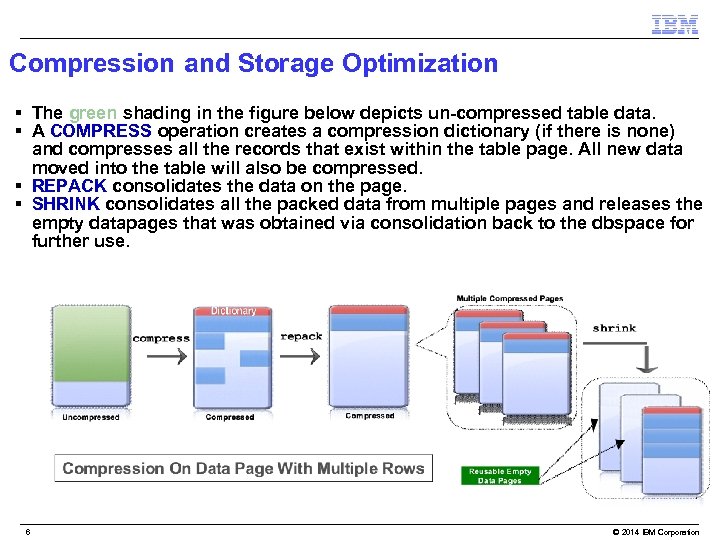 Compression and Storage Optimization § The green shading in the figure below depicts un-compressed table data. § A COMPRESS operation creates a compression dictionary (if there is none) and compresses all the records that exist within the table page. All new data moved into the table will also be compressed. § REPACK consolidates the data on the page. § SHRINK consolidates all the packed data from multiple pages and releases the empty datapages that was obtained via consolidation back to the dbspace for further use. 6 © 2014 IBM Corporation
 Storage Optimization § Prior to IDS 12. 10 we have functionality for: – Consolidating free space (repacking) – Returning free space to a dbspace (shrinking), § In 12. 10 – Repacking of in-row data followed by repacking of partition blob data. – Shrinking data: • After the blob data is repacked, there will be lot more FREE pages towards the tail of the partition. • These pages can be returned back to the dbspace by using shrink commands. 7 © 2014 IBM Corporation
 Compression Concepts § Lempel-Ziv (LZ) based algorithm – static dictionary, built by random sampling § Frequently repeating patterns replaced with 12 -bit symbol numbers § Any byte that does not match a pattern is also replaced with a 12 -bit reserved symbol number § Patterns can be up to 15 bytes long § Max possible compression = 90% (15 bytes replaced with 1. 5 bytes = 12 bits) 8 © 2014 IBM Corporation
 Compression Symbols § 12 -bits means 4, 096 symbols – 256 reserved symbols for bytes that match no pattern – 3, 840 pattern symbols § Patterns > 7 bytes use up two symbol numbers § Therefore, not all patterns can be compressed § The compression dictionary tries to capture the “best” patterns (frequency x length) § Non-matching bytes grow by 50% (8 bits replaced by 12 bits) 9 © 2014 IBM Corporation
 HDR, RSS, SDS, ER, CDC and Compression § All support compressed tables § HDR, RSS, SDS – Tables will be compressed on secondary server iff they are compressed on primary server § ER – Compression status of tables is independent between source and target, as specified by the user § CDC – Compression of targets is a function of what the target database supports and what the user specifies 10 © 2014 IBM Corporation
 Data That Still Cannot Be Compressed § § § 11 Data stored in Blobspace Blobs (described in next slide) System catalog tables Temp tables Partition tables Dictionary tables Tables in the following databases: sysuser, sysmaster, sysutils, syscdr, syscdcv 1 © 2014 IBM Corporation
 Blobspace Blobs § What are Blobspace Blobs? – Data stored outside the row, outside the partition and even outside the dbspace in a separate dbspace called as blobspace, which is especially designated for holding blob data. – Data Stored in blobspace blobs is generally much larger than data stored in partition blobs and hence does not go through the conventional buffer pool. 12 © 2014 IBM Corporation
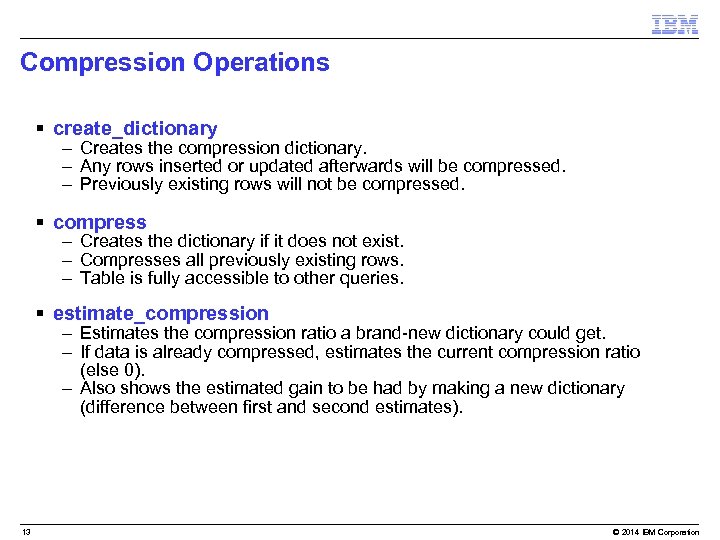 Compression Operations § create_dictionary – Creates the compression dictionary. – Any rows inserted or updated afterwards will be compressed. – Previously existing rows will not be compressed. § compress – Creates the dictionary if it does not exist. – Compresses all previously existing rows. – Table is fully accessible to other queries. § estimate_compression – Estimates the compression ratio a brand-new dictionary could get. – If data is already compressed, estimates the current compression ratio (else 0). – Also shows the estimated gain to be had by making a new dictionary (difference between first and second estimates). 13 © 2014 IBM Corporation
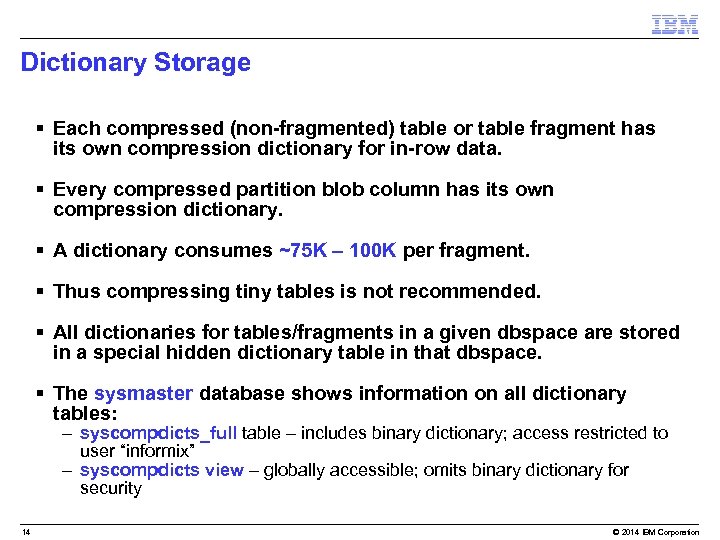 Dictionary Storage § Each compressed (non-fragmented) table or table fragment has its own compression dictionary for in-row data. § Every compressed partition blob column has its own compression dictionary. § A dictionary consumes ~75 K – 100 K per fragment. § Thus compressing tiny tables is not recommended. § All dictionaries for tables/fragments in a given dbspace are stored in a special hidden dictionary table in that dbspace. § The sysmaster database shows information on all dictionary tables: – syscompdicts_full table – includes binary dictionary; access restricted to user “informix” – syscompdicts view – globally accessible; omits binary dictionary for security 14 © 2014 IBM Corporation
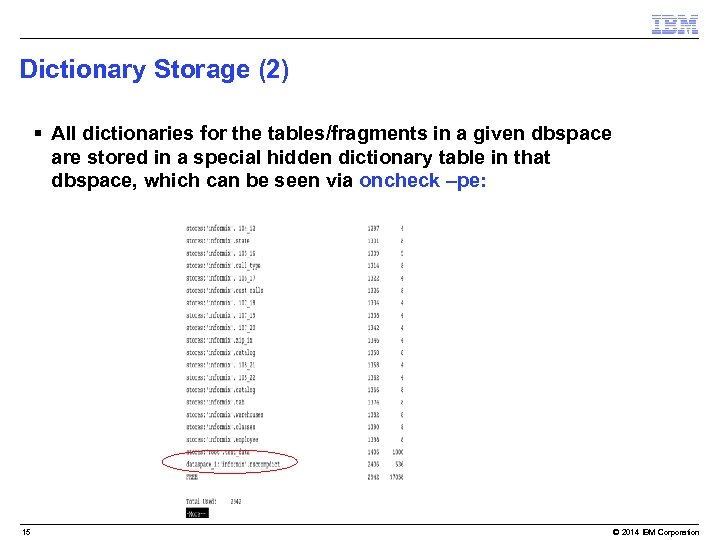 Dictionary Storage (2) § All dictionaries for the tables/fragments in a given dbspace are stored in a special hidden dictionary table in that dbspace, which can be seen via oncheck –pe: 15 © 2014 IBM Corporation
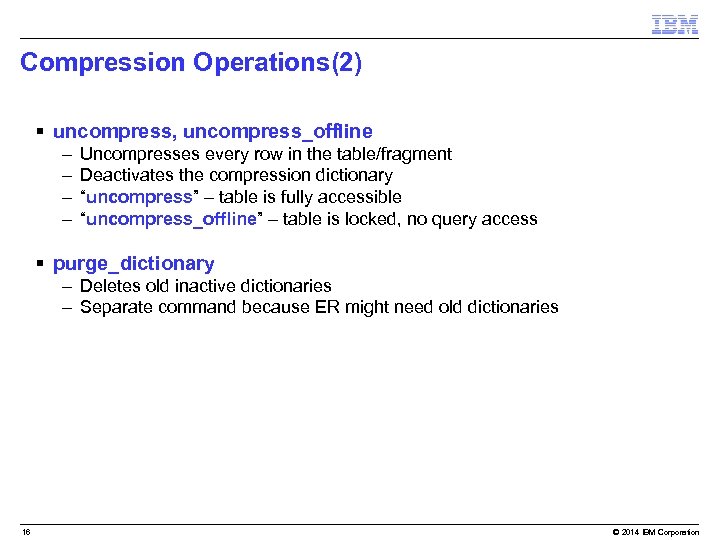 Compression Operations(2) § uncompress, uncompress_offline – – Uncompresses every row in the table/fragment Deactivates the compression dictionary “uncompress” – table is fully accessible “uncompress_offline” – table is locked, no query access § purge_dictionary – Deletes old inactive dictionaries – Separate command because ER might need old dictionaries 16 © 2014 IBM Corporation
 Storage Optimization Operations § repack, repack_offline – Moves rows within a table or fragment to consolidate free space at the end. – Moves partition blobs within a table or fragment to consolidate free space at the end. – “repack” – table is fully accessible. § “repack_offline” – table is locked, no query access § shrink – Returns any free space at end of table or fragment to the dbspace. – Normally done after a repack. 17 © 2014 IBM Corporation
 Admin API Interface § All compression and storage optimization operations are invoked via the Informix Admin API built-in UDRs – execute function task(…); – execute function admin(…); § Example – execute function task(“table compress repack shrink”, “table_name”, “database_name”, “owner_name”); § Enables OAT graphical interface. § Enables remote execution (DBA does not need to log directly in to the target machine). 18 © 2014 IBM Corporation
![Syntax § Commands: – execute function task(“table compress repack shrink [blobs|rows]”, “table_name”, “database_name”, “owner_name”);](https://present5.com/presentation/0cd71738a7b301a18ea6af2a5d8bb9da/image-19.jpg "Syntax § Commands: – execute function task(“table compress repack shrink [blobs|rows]”, “table_name”, “database_name”, “owner_name”);") Syntax § Commands: – execute function task(“table compress repack shrink [blobs|rows]”, “table_name”, “database_name”, “owner_name”); § To compress the entire table including partition blobs – execute function task(“table compress”, “table_name”, “database_name”, “owner_name”); § To compress just the partition blobs of the table – execute function task(“table compress blobs”, “table_name”, “database_name”, “owner_name”); § To compress just the in-row data (11. 50. x. C 4 functionality) – execute function task(“table compress rows”, “table_name”, “database_name”, “owner_name”); 19 © 2014 IBM Corporation
Syntax § Commands: – execute function task(“table compress repack shrink [blobs|rows]”, “table_name”, “database_name”, “owner_name”); § To compress the entire table including partition blobs – execute function task(“table compress”, “table_name”, “database_name”, “owner_name”); § To compress just the partition blobs of the table – execute function task(“table compress blobs”, “table_name”, “database_name”, “owner_name”); § To compress just the in-row data (11. 50. x. C 4 functionality) – execute function task(“table compress rows”, “table_name”, “database_name”, “owner_name”); 19 © 2014 IBM Corporation
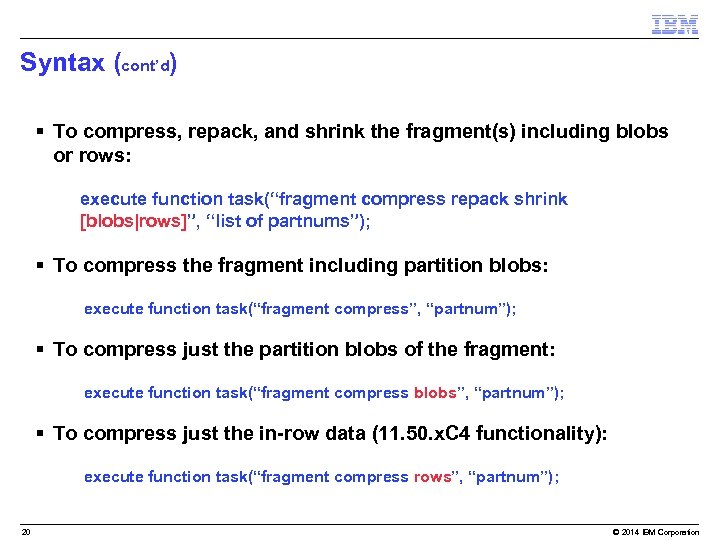 Syntax (cont’d) § To compress, repack, and shrink the fragment(s) including blobs or rows: – execute function task(“fragment compress repack shrink [blobs|rows]”, “list of partnums”); § To compress the fragment including partition blobs: execute function task(“fragment compress”, “partnum”); § To compress just the partition blobs of the fragment: execute function task(“fragment compress blobs”, “partnum”); § To compress just the in-row data (11. 50. x. C 4 functionality): execute function task(“fragment compress rows”, “partnum”); 20 © 2014 IBM Corporation
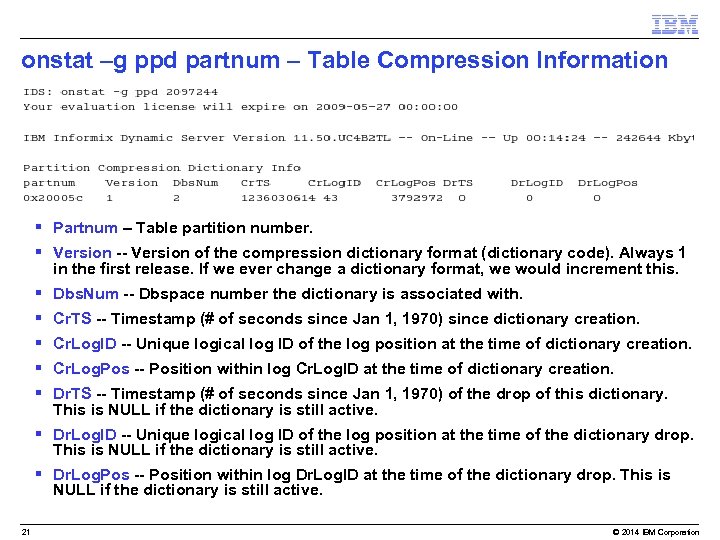 onstat –g ppd partnum – Table Compression Information § Partnum – Table partition number. § Version -- Version of the compression dictionary format (dictionary code). Always 1 in the first release. If we ever change a dictionary format, we would increment this. § Dbs. Num -- Dbspace number the dictionary is associated with. § Cr. TS -- Timestamp (# of seconds since Jan 1, 1970) since dictionary creation. § Cr. Log. ID -- Unique logical log ID of the log position at the time of dictionary creation. § Cr. Log. Pos -- Position within log Cr. Log. ID at the time of dictionary creation. § Dr. TS -- Timestamp (# of seconds since Jan 1, 1970) of the drop of this dictionary. This is NULL if the dictionary is still active. § Dr. Log. ID -- Unique logical log ID of the log position at the time of the dictionary drop. This is NULL if the dictionary is still active. § Dr. Log. Pos -- Position within log Dr. Log. ID at the time of the dictionary drop. This is NULL if the dictionary is still active. 21 © 2014 IBM Corporation
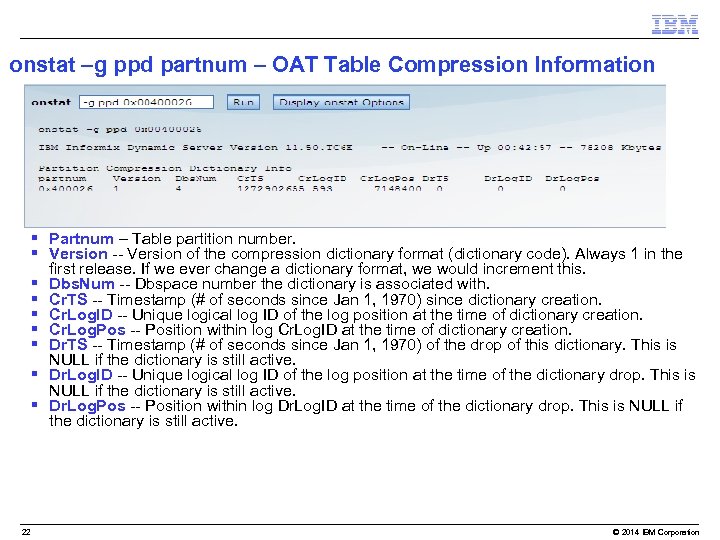 onstat –g ppd partnum – OAT Table Compression Information § Partnum – Table partition number. § Version -- Version of the compression dictionary format (dictionary code). Always 1 in the first release. If we ever change a dictionary format, we would increment this. § Dbs. Num -- Dbspace number the dictionary is associated with. § Cr. TS -- Timestamp (# of seconds since Jan 1, 1970) since dictionary creation. § Cr. Log. ID -- Unique logical log ID of the log position at the time of dictionary creation. § Cr. Log. Pos -- Position within log Cr. Log. ID at the time of dictionary creation. § Dr. TS -- Timestamp (# of seconds since Jan 1, 1970) of the drop of this dictionary. This is NULL if the dictionary is still active. § Dr. Log. ID -- Unique logical log ID of the log position at the time of the dictionary drop. This is NULL if the dictionary is still active. § Dr. Log. Pos -- Position within log Dr. Log. ID at the time of the dictionary drop. This is NULL if the dictionary is still active. 22 © 2014 IBM Corporation
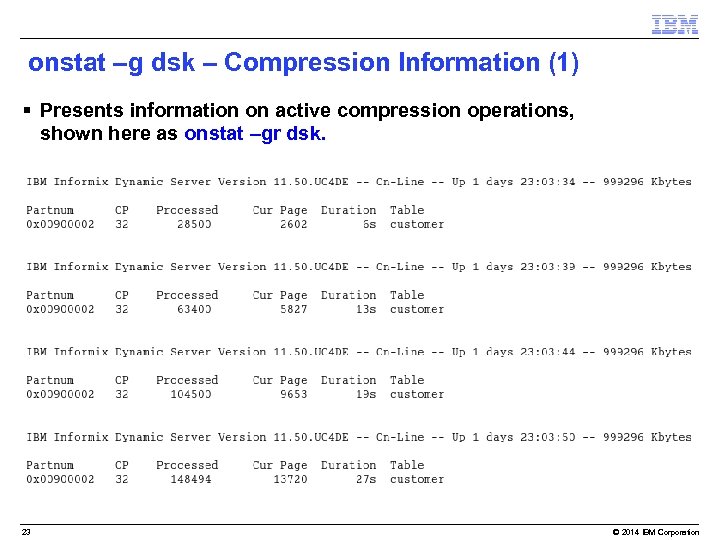 onstat –g dsk – Compression Information (1) § Presents information on active compression operations, shown here as onstat –gr dsk. 23 © 2014 IBM Corporation
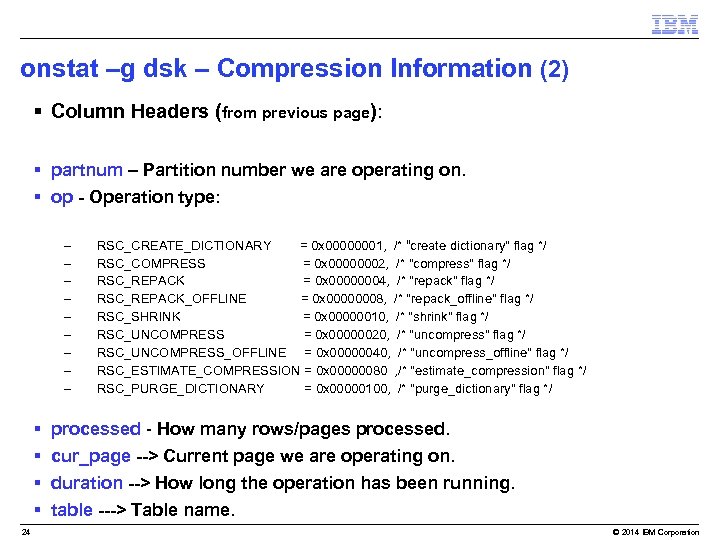 onstat –g dsk – Compression Information (2) § Column Headers (from previous page): § partnum – Partition number we are operating on. § op - Operation type: – – – – – § § 24 RSC_CREATE_DICTIONARY = 0 x 00000001, /* “create dictionary" flag */ RSC_COMPRESS = 0 x 00000002, /* "compress" flag */ RSC_REPACK = 0 x 00000004, /* "repack" flag */ RSC_REPACK_OFFLINE = 0 x 00000008, /* "repack_offline" flag */ RSC_SHRINK = 0 x 00000010, /* "shrink" flag */ RSC_UNCOMPRESS = 0 x 00000020, /* "uncompress" flag */ RSC_UNCOMPRESS_OFFLINE = 0 x 00000040, /* "uncompress_offline" flag */ RSC_ESTIMATE_COMPRESSION = 0 x 00000080 , /* "estimate_compression" flag */ RSC_PURGE_DICTIONARY = 0 x 00000100, /* "purge_dictionary" flag */ processed - How many rows/pages processed. cur_page --> Current page we are operating on. duration --> How long the operation has been running. table ---> Table name. © 2014 IBM Corporation
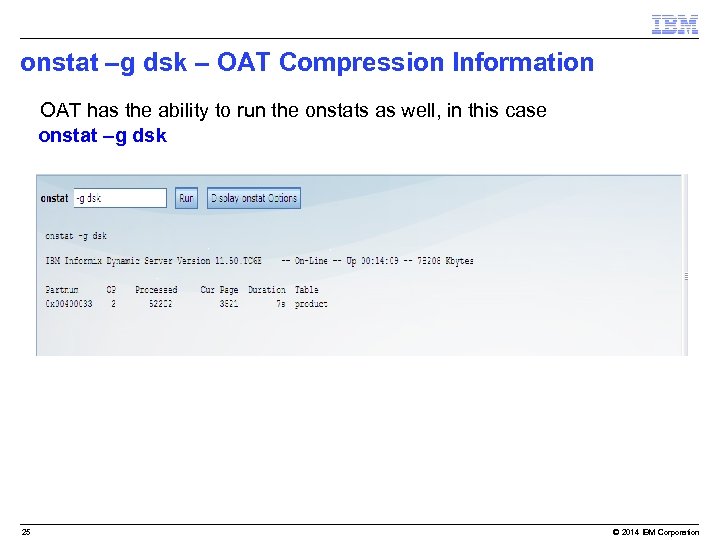 onstat –g dsk – OAT Compression Information • OAT has the ability to run the onstats as well, in this case • onstat –g dsk 25 © 2014 IBM Corporation
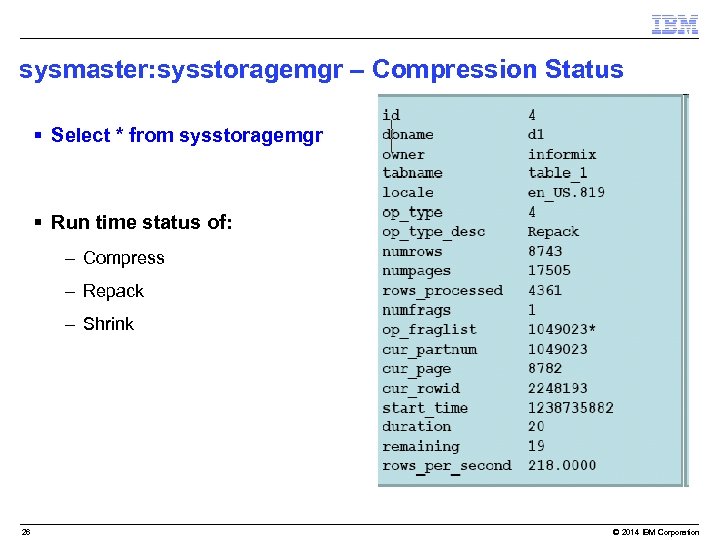 sysmaster: sysstoragemgr – Compression Status § Select * from sysstoragemgr § Run time status of: – Compress – Repack – Shrink 26 © 2014 IBM Corporation
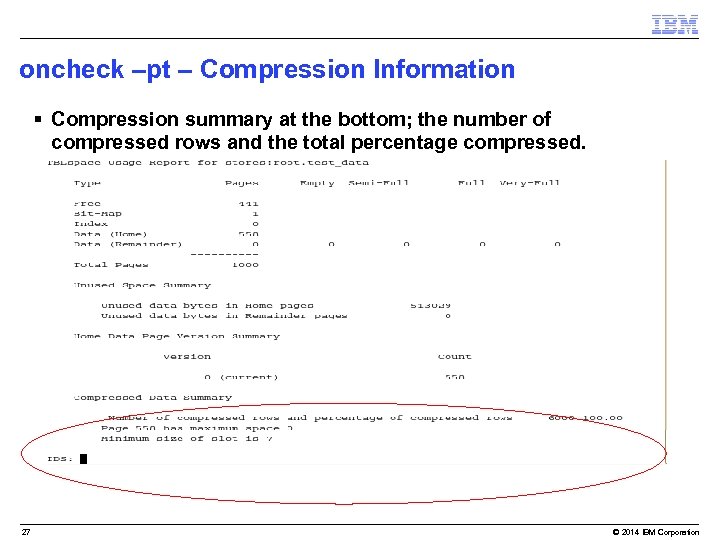 oncheck –pt – Compression Information § Compression summary at the bottom; the number of compressed rows and the total percentage compressed. 27 © 2014 IBM Corporation
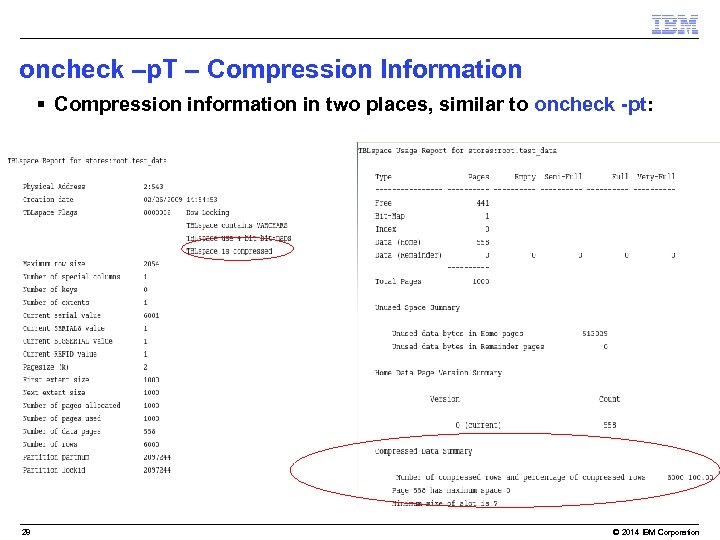 oncheck –p. T – Compression Information § Compression information in two places, similar to oncheck -pt: 28 © 2014 IBM Corporation
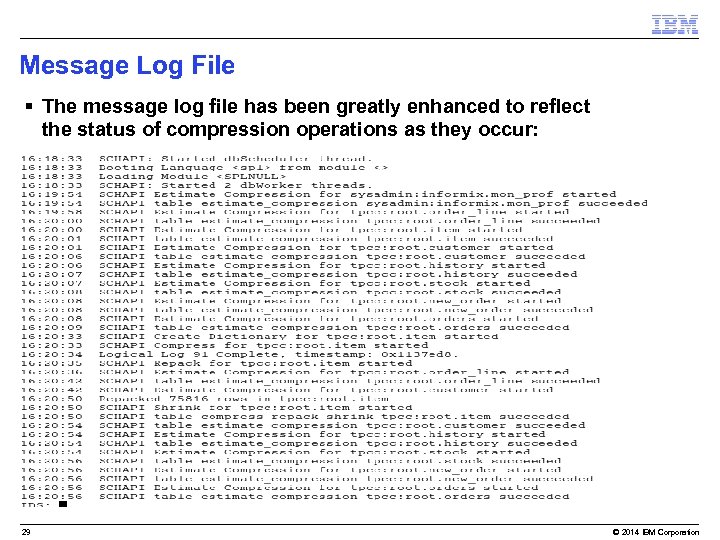 Message Log File § The message log file has been greatly enhanced to reflect the status of compression operations as they occur: 29 © 2014 IBM Corporation
 Tuning – Whole Table Compression Operations § Physical Log very large. § Large Logical Logs and a lot of them: – Compression on whole tables uses a lot of logical log space. § Parallel compression operations possible: – Machines > 1 CPU. – Fragment tables on single CPU machines: • Single fragment nptotal < BUFFERPOOL. • Not too many tables at once – possible backup on CPU. § Heavy BUFFERPOOL buffers: – Excess memory should be available in SHMVIRTSIZE. – SHMADD minimum 4 x default. 30 © 2014 IBM Corporation
 Summary § Compression and Storage Optimization can save disk space and thus $$$. § For I/O-bound workloads, compression can also improve performance. § Compression reduces logging. § Compression fits more data into the buffer pool. § Storage Optimization allows extent space freed by the repack and shrink operations to be reclaimed from tables and fragments of tables. 32 © 2014 IBM Corporation
 Index Compression © 2014 IBM Corporation
 Index Compression - Overview § Compress and repack an existing index. § Create a new index that will be built as a compressed index. 34 © 2014 IBM Corporation
 Index Compression § Benefits of automatic compression: – Informix saves disk space by keeping indexes compressed. – Informix provides I/O savings by reading in compressed index pages to the buffer pool. 35 © 2014 IBM Corporation
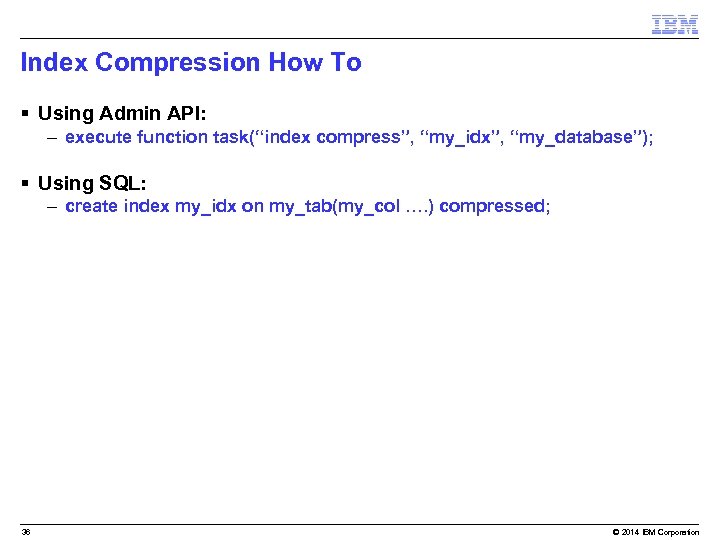 Index Compression How To § Using Admin API: – execute function task(“index compress”, “my_idx”, “my_database”); § Using SQL: – create index my_idx on my_tab(my_col …. ) compressed; 36 © 2014 IBM Corporation
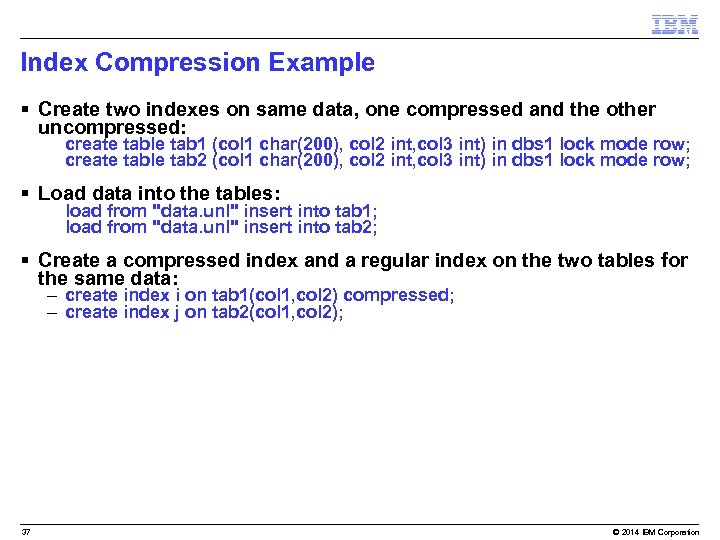 Index Compression Example § Create two indexes on same data, one compressed and the other uncompressed: – create table tab 1 (col 1 char(200), col 2 int, col 3 int) in dbs 1 lock mode row; – create table tab 2 (col 1 char(200), col 2 int, col 3 int) in dbs 1 lock mode row; § Load data into the tables: – load from "data. unl" insert into tab 1; – load from "data. unl" insert into tab 2; § Create a compressed index and a regular index on the two tables for the same data: – create index i on tab 1(col 1, col 2) compressed; – create index j on tab 2(col 1, col 2); 37 © 2014 IBM Corporation
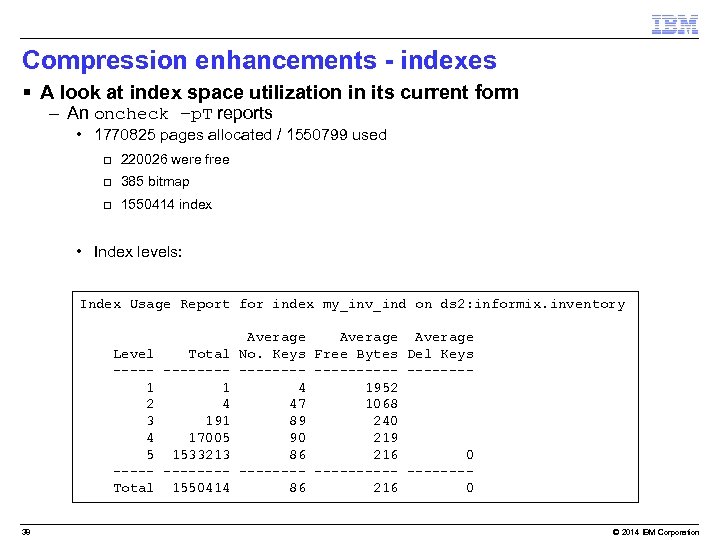 Compression enhancements - indexes § A look at index space utilization in its current form – An oncheck –p. T reports • 1770825 pages allocated / 1550799 used q 220026 were free q 385 bitmap q 1550414 index • Index levels: Index Usage Report for index my_inv_ind on ds 2: informix. inventory Level Total -------1 1 2 4 3 191 4 17005 5 1533213 -------Total 1550414 38 Average No. Keys Free Bytes Del Keys ----------4 1952 47 1068 89 240 90 219 86 216 0 ----------86 216 0 © 2014 IBM Corporation
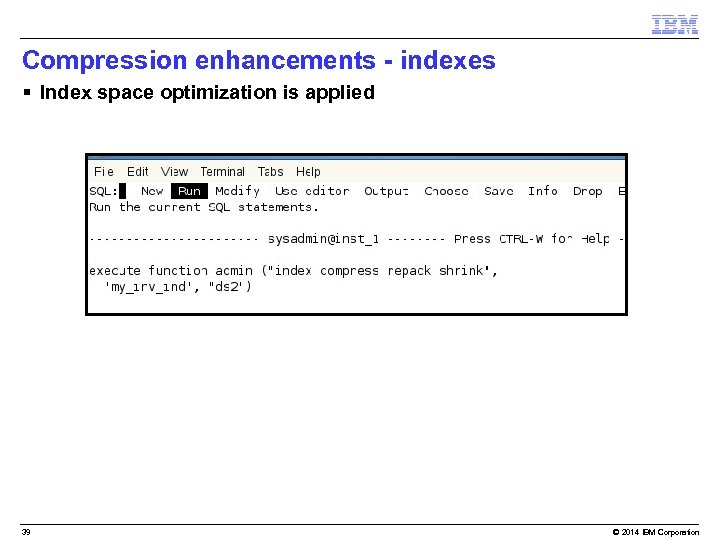 Compression enhancements - indexes § Index space optimization is applied 39 © 2014 IBM Corporation
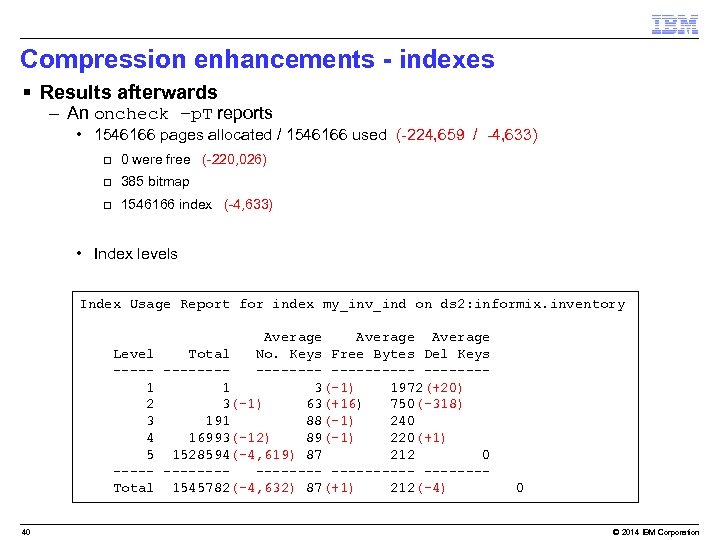 Compression enhancements - indexes § Results afterwards – An oncheck –p. T reports • 1546166 pages allocated / 1546166 used (-224, 659 / -4, 633) q 0 were free (-220, 026) q 385 bitmap q 1546166 index (-4, 633) • Index levels Index Usage Report for index my_inv_ind on ds 2: informix. inventory Level ----1 2 3 4 5 ----Total 40 Average Total No. Keys Free Bytes Del Keys -------- -------1 3(-1) 1972(+20) 3(-1) 63(+16) 750(-318) 191 88(-1) 240 16993(-12) 89(-1) 220(+1) 1528594(-4, 619) 87 212 0 -------- -------1545782(-4, 632) 87(+1) 212(-4) 0 © 2014 IBM Corporation
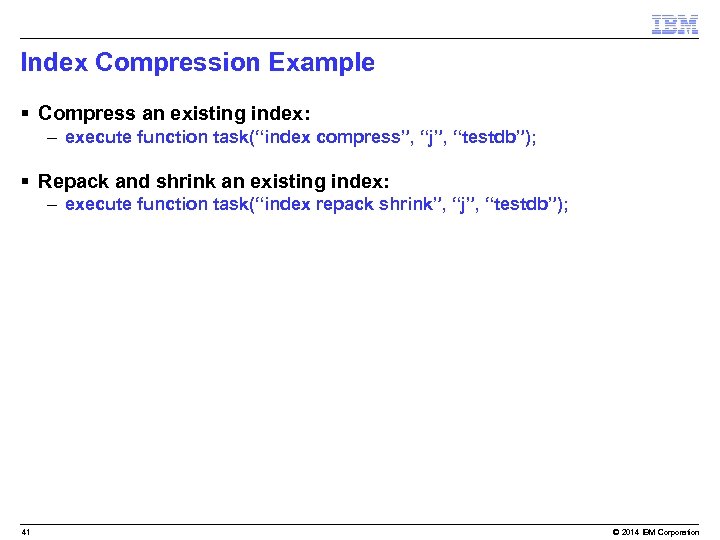 Index Compression Example § Compress an existing index: – execute function task(“index compress”, “j”, “testdb”); § Repack and shrink an existing index: – execute function task(“index repack shrink”, “j”, “testdb”); 41 © 2014 IBM Corporation
 Index Compression - Notes § Repack and Shrink Operations work here. § Cannot uncompress a compressed index – Drop and rebuild. § § 42 Indexes created through the VTI may not be compressed. Btree indexes only may be compressed. Leaves only can be compressed. Detached indexes only may be compressed. © 2014 IBM Corporation
 Auto Compression © 2014 IBM Corporation
 Agenda § § 44 Overview Details How To Customer Benefits © 2014 IBM Corporation
 Auto Compression - Overview § Create a compression dictionary for the data rows of a table automatically when it has enough number of rows. 45 © 2014 IBM Corporation
 Auto Compression § Benefits of automatic compression: – Informix compresses data rows as the data is loaded. – Informix sets compression as a property of the table, so any new fragments added also get compressed automatically. – You use current SQL admin API commands to set a table or fragment for auto compression. – You have an SQL interface to create a compressed table. 46 © 2014 IBM Corporation
 Auto Compression Details § New data will be loaded as compressed. § A minimum of 2000 rows are needed for compression dictionary to be created. § You can start compression with the same SQL admin API commands that you currently use. § You can also compress a table, using SQL syntax when you create the table. 47 © 2014 IBM Corporation
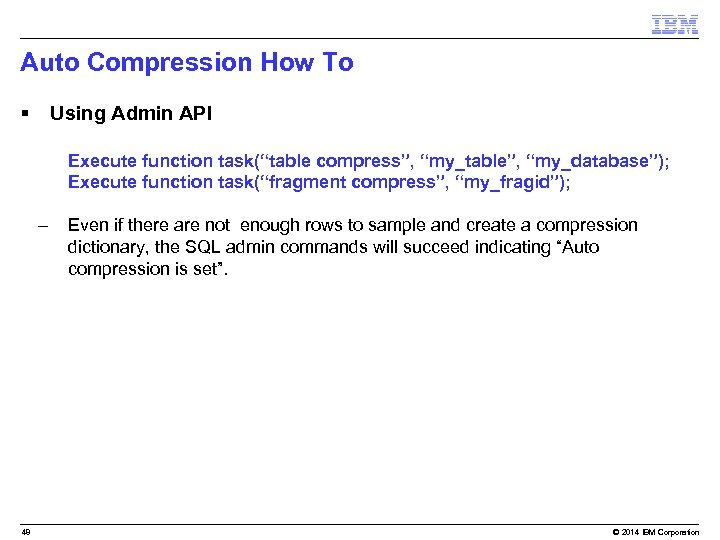 Auto Compression How To § Using Admin API – – – 48 Execute function task(“table compress”, “my_table”, “my_database”); Execute function task(“fragment compress”, “my_fragid”); Even if there are not enough rows to sample and create a compression dictionary, the SQL admin commands will succeed indicating “Auto compression is set”. © 2014 IBM Corporation
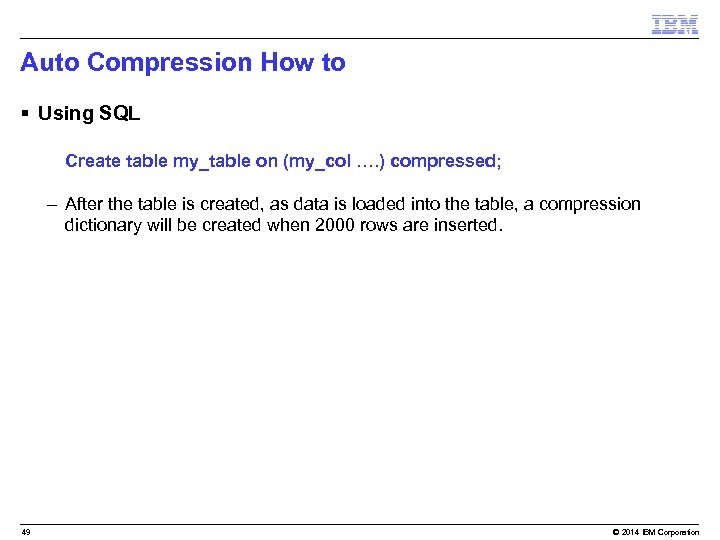 Auto Compression How to § Using SQL – Create table my_table on (my_col …. ) compressed; – After the table is created, as data is loaded into the table, a compression dictionary will be created when 2000 rows are inserted. 49 © 2014 IBM Corporation
 Auto Compression § When a table load uses light append, a dictionary will be automatically created: – The rows that loaded before the dictionary was created will be compressed. § During a normal insert, the new rows inserted will be compressed: – Data rows already in the table (before the compress) will not be compressed. 50 © 2014 IBM Corporation
 Auto Compression § Auto compression is not supported for indexes and blobs. 51 © 2014 IBM Corporation
 Questions 52 © 2014 IBM Corporation
 Compression and the Open Admin Tool © 2014 IBM Corporation
 OAT Compression § There are new enhancements to Informix’ compression functionality – OAT supports executing operations with the new functionality under the Space Administration: Storage option, maximize the Tables and Indexes pane – One thing that has not changed -- compression is still a chargeable option for Informix Enterprise (previously Ultimate) Edition licensees • Included as part of an Advanced Enterprise (formerly Ultimate Informix Warehouse Edition) purchase • Not available with any other editions • Compress, uncompress, create_dictionary and purge-dictionary functionality are chargable options on Enterprise Edition. – Repack, shrink, defragment, and estimate_compression functionality are still available on all editions at no charge. 54 © 2014 IBM Corporation
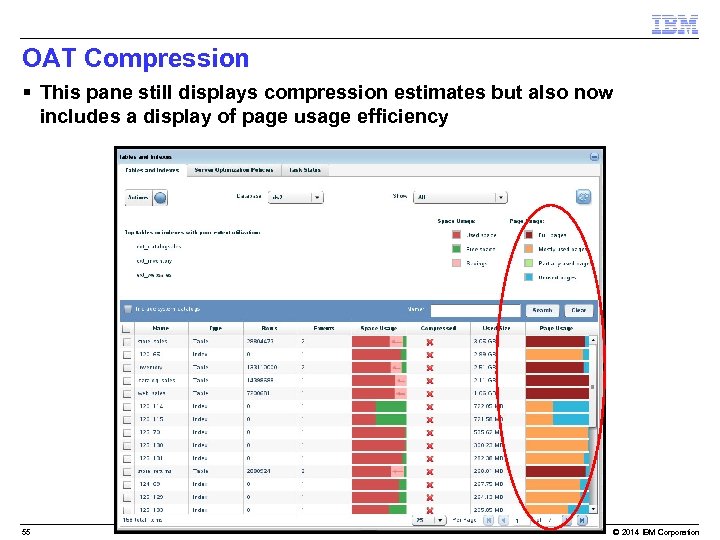 OAT Compression § This pane still displays compression estimates but also now includes a display of page usage efficiency 55 © 2014 IBM Corporation
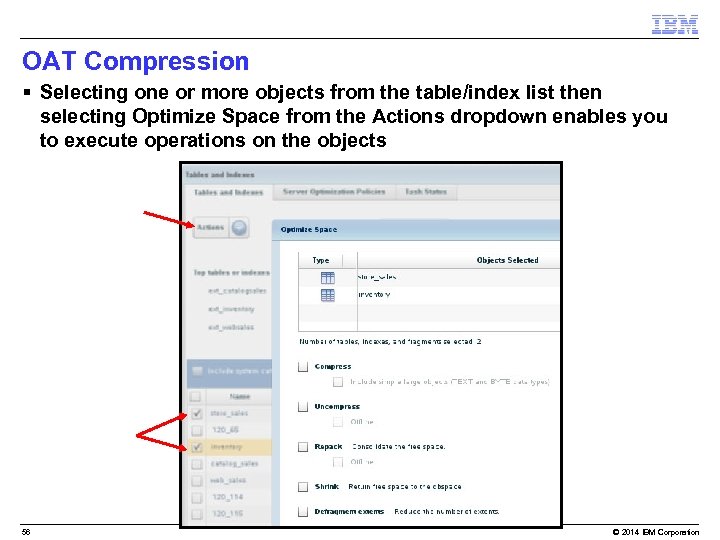 OAT Compression § Selecting one or more objects from the table/index list then selecting Optimize Space from the Actions dropdown enables you to execute operations on the objects 56 © 2014 IBM Corporation
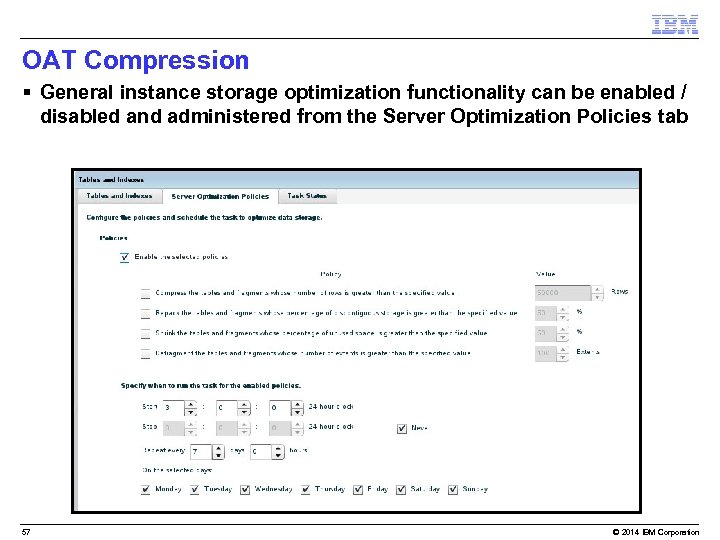 OAT Compression § General instance storage optimization functionality can be enabled / disabled and administered from the Server Optimization Policies tab 57 © 2014 IBM Corporation
 The Board of Directors of the International Informix Users Group (IIUG) announce the: 2014 IIUG Informix Conference April 27 – May 1, 2014 J. W. Marriott Hotel (Brickell) Miami, Florida, USA For more details visit the official conference web site www. iiug 2014. org Register before February 28, 2014 and save $125. 00 – See you in Miami! (remember IIUG members save an additional $100!) Attention Speakers We are now accepting Presentation Proposals thru Nov. 20, 2013. Details at the conference speaker page: www. iiug 2014. org/speakers All Non IBM speakers selected receive a Complimentary Conference pass!! ! 58 © 2013 IBM Corporation
 Questions 59 © 2014 IBM Corporation
 Logo 60 © 2014 IBM Corporation
 Logo 61 © 2014 IBM Corporation