


 Скачать презентацию Information Systems A system A syste A SYSTEM
8930c936d093077352699148f7aa99b4.ppt
- Количество слайдов: 38
 Information Systems A system A syste A SYSTEM is a set of items (components, equipment, process, etc) linked together to carry out a given task in order to achieve one or more objectives. .
 The Purpose of Information Systems Uses for Information Systems • • An information system is a mechanism that helps people collect, store, organize, and use information. This is the primary use for computers. An information system can be manual, like a card catalog or an address book or computerized. Computerized information systems can range from a simple database of names to a satellite-tracking system. All information systems, regardless of their type, serve the same purpose – to help users get a certain type of value from their information.
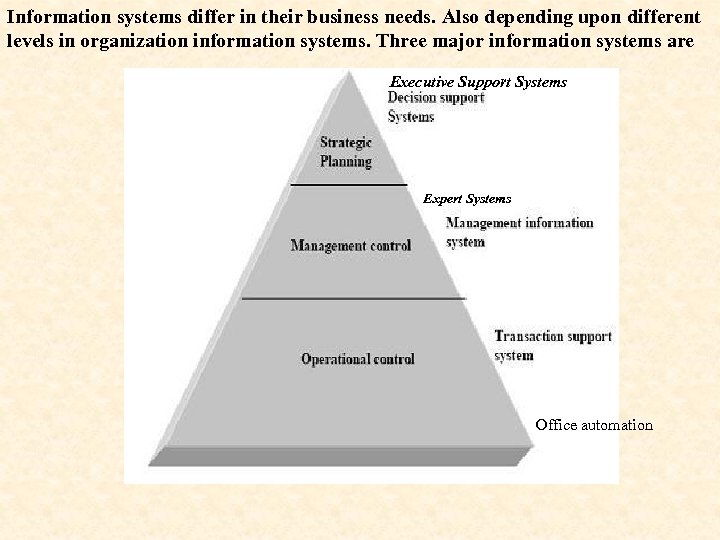 Information systems differ in their business needs. Also depending upon different levels in organization information systems. Three major information systems are Executive Support Systems Expert Systems Office automation
 Types of Information Systems • Office Automation Systems • Transaction Processing Systems • • Management Information Systems Decision Support Systems • Expert Systems • Executive Support Systems
 Office Automation Systems This is the use of computer systems to execute a variety of office operations, such as word processing, accounting, and e-mail. Office automation almost always implies a network of computers with a variety of available programs. Office automation (OA) is regarded as being of major importance in improving business efficiency in most financial institutions. Office automation systems are also used to automate routine office tasks, such as (a) (creation of documents, )document preparation (b) the billing , (c) personal information management (message distribution) (d) information retrieval
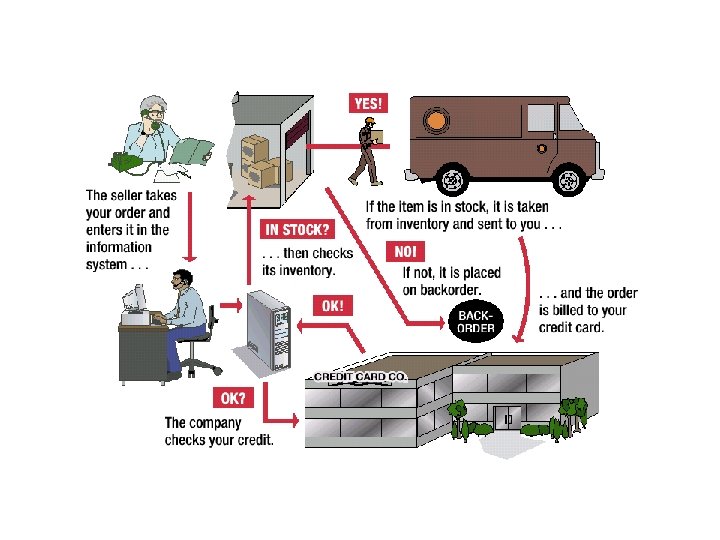
 Transaction Processing Systems • Transaction processing system is a system that handles data created by the organisation’s business activities. It captures, stores and transmits details of business transactions such as sales, purchases, invoices, etc. • TPS can also be defined as “…computerised system that performs and records the daily routine transactions…” of the Business activities. • A transaction is an event that can occur as a series of steps, such as taking and fulfilling an order from a customer.
 Transaction Processing Systems • Transaction Processing System supports operational managers and provides them with daily routine transactions. By helping them keep track of the elementary activities/ transactions of the organisation. • TPS also provide the raw materials needed by other information systems such as MIS.
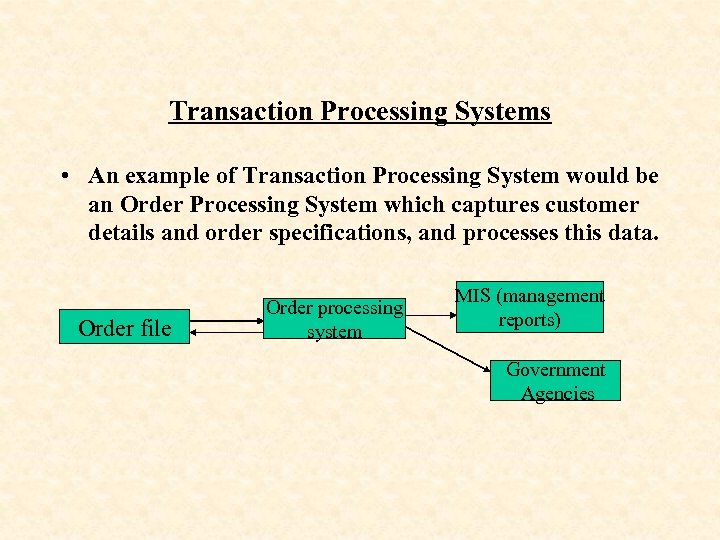 Transaction Processing Systems • An example of Transaction Processing System would be an Order Processing System which captures customer details and order specifications, and processes this data. Order file Order processing system MIS (management reports) Government Agencies
 • Typically, an order file would contain such data as customer particulars, order number, discount, etc. This data would be immediately captured by Order Processing System (TPS) which would contain accurate and up-to-date sales data on the sales master file. • This information is then captured by middle managers who make reports on the transactions of the business at the end of the period. This data will also be available immediately to Government agencies for purposes of tax.
 • Another example can be the payroll system. A payroll system keeps track of money paid to employee. • An employee time card with the employee’s name, Social Security number, and number of hours worked per week represents a single transaction for this system. Once this transaction is input into the system, it updates the system’s file that permanently maintains employee information for the organization. (master file)
 Types of Information Systems Management Information Systems • i) Management Information System can be defined as “a set of computer programs that use data from recorded transactions from a Transaction Processing System as input and produce summary and routine reports as output. ” • ii) Management Information System (MIS) is a system which helps middle management with monitoring, controlling, decision-making, and administrative activities.
 • A management information system (MIS) is designed to provide information that is designed for use by different types of managers by meeting the needs of managers at different levels. • MIS uses data from TPS which it summarises into reports that reflect the performance of the Business/ Organisation. • Senior-level managers need different types of information than mid- or low-level managers. These people may need entirely different types of information, or to view the same type of information in unique ways.
 Management Information Systems • Both manual and computerized information processing can be divided into two broad types; namely batch and real time processing. Batch processing are becoming less common, periodically if the process concerned have a impact on customers. • Batch Processing System • Batch processing systems, this is a system where data is collected, accumulated for a certain interval period of time such as weekly or monthly, and then these transactions are captured as a unit in order to update the related master file.
 • Examples of systems that use batch are: payroll, water billing , final accounts preparation (i. e. Batch processing system would collect data from various departments about employees names, time worked, rate of pay, etc and will then be processed into salaries/ pay at the month-end. ) and even final examination results utilizes this type of system.
 • • • • Advantages. Time is available to check and correct errors. No special equipment or software is required, therefore, the available hardware and software can adapt to the type of processing. It contributes to large-scale economies due to bulk processing. System design is simple It cheaper than employing real time processing. Processing can be done in parts and the remainder later. Disadvantages. If errors go without being checked the entire information may be affected resulting in the re-input of data. Delay is introduced in organizing data in batches hence resulting in management’s required information not up to date. Preparing batches result in duplication of effort.
 Real time processing • Real time processing occurs when data is collected and captured right away so that the results of the processing are known immediately. • Real time processing means that there is no delay between the inputs of the transaction to the C. P. U and the updating of the master file. Real time may require on line facilities because the C. P. U must always be available to accept the data and update the master file Real time processing involves transaction being input and processed immediately, in ‘real-time ’. • On-line refers to the input of the transactions while the input device is connected directly to the main central processing unit of the system.
 Real time processing • The term ‘on-line’ is also used to describe an active Internet connection. • On-line-Real time processing is appropriate when immediate processing is required and the delay implicit in batch processing would not be acceptable. • Examples of On-line systems include the following: -in a department store or a supermarket -banking system and booking system
 Examples of On-line systems a) As a sale is made in a department store or a supermarket, the bar code on the merchandise is scanned at the Point-of-sale system/ terminal that is directly connected to the central machine in the supermarket or at the head office in order to facilitate on-line-real time processing. b) In banking and credit card systems, customer details are often maintained in a real-time environment whereby there is an immediate access to customer balances, credit position and authorization for withdrawals
 Examples of On-line systems • c) Travel agents (booking systems) Travel agents, airlines and theatre ticket agencies all use real – time systems. Once a hotel room, plane seat or theatre seat is booked up everyone on the system must know about it immediately so that they do not sell the same holiday or seat to two or more different customers • Advantages. • Management information is up to date. • There is no delay in processing as it almost done instantaneously e. g. accounting enquiries can be dealt with while the customer is on the phone, simply by inputting the customers records on the V. D. U • Information is more readily available because the master file is on line.
 • Disadvantages. • A computer used for real time application cannot be used for anything else • Systems are much more complex than in other forms of processing or demand processing • Because data files are immediately updated, errors maybe more damaging and security becomes an important consideration. • Hardware and software costs are more expensive
 Types of Information Systems – Expert Systems An expert system is a specialized information system that performs tasks normally done by people, such as making decisions. (A computer application that performs a task that would otherwise be performed by a human expert) An ES can store facts and rules about a specific area of knowledge, and can then use this knowledge base to deliver advice to a user. . For example, there are expert systems that can diagnose human illnesses, make financial forecasts, and schedule routes for delivery vehicles. Some expert systems are designed to take the place of human experts, while others are designed to aid them. Like: -Financial expert systems-Government services such as working out tax and benefits, also in calculating loan/ credit decisions in banks or lending institutions
 Expert Systems • For example, an expert system used by the construction industry stores thousands of facts and rules governing costs associated with constructing various types of building, taking into account type of ground, floor area, number of heating required and so on. When a construction company wants to work out the estimated cost of a new building, they enter the requirements and the expert system comes up with a cost. (This is traditionally the job of a quantity surveyor, who would take several days to perform the complex calculations manually that the expert system can do in a matter of seconds. )
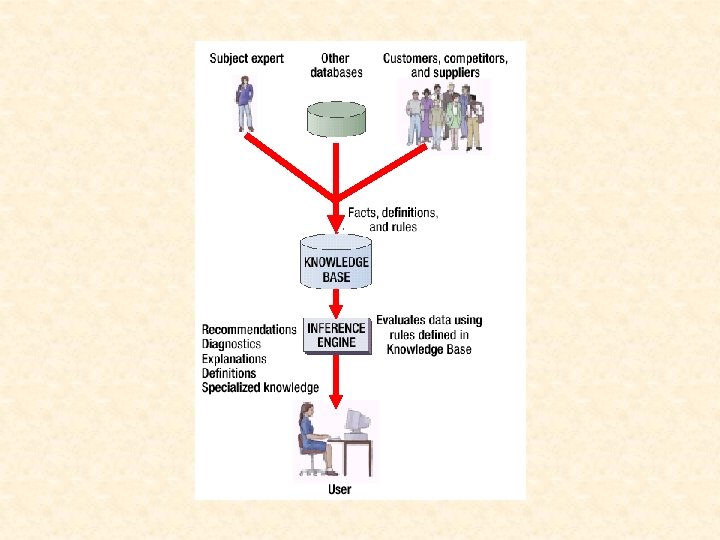
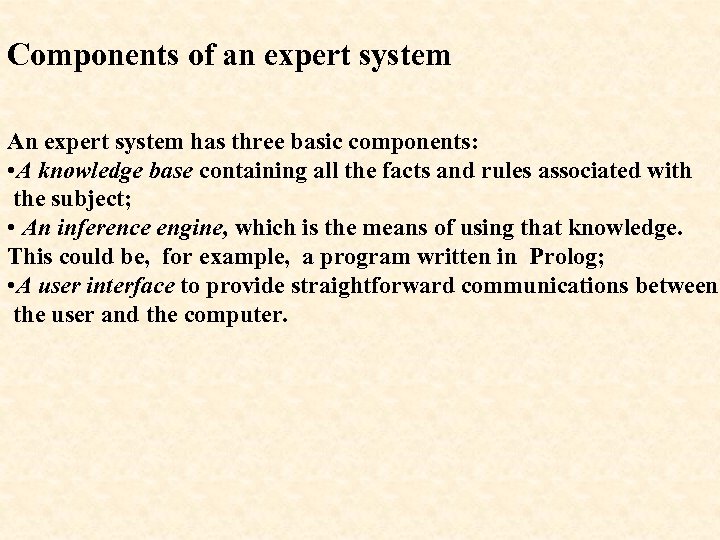 Components of an expert system An expert system has three basic components: • A knowledge base containing all the facts and rules associated with the subject; • An inference engine, which is the means of using that knowledge. This could be, for example, a program written in Prolog; • A user interface to provide straightforward communications between the user and the computer.
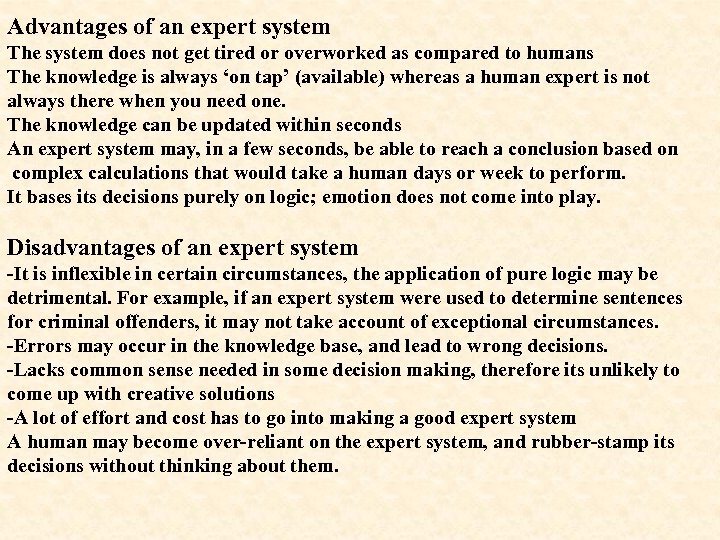 Advantages of an expert system The system does not get tired or overworked as compared to humans The knowledge is always ‘on tap’ (available) whereas a human expert is not always there when you need one. The knowledge can be updated within seconds An expert system may, in a few seconds, be able to reach a conclusion based on complex calculations that would take a human days or week to perform. It bases its decisions purely on logic; emotion does not come into play. Disadvantages of an expert system -It is inflexible in certain circumstances, the application of pure logic may be detrimental. For example, if an expert system were used to determine sentences for criminal offenders, it may not take account of exceptional circumstances. -Errors may occur in the knowledge base, and lead to wrong decisions. -Lacks common sense needed in some decision making, therefore its unlikely to come up with creative solutions -A lot of effort and cost has to go into making a good expert system A human may become over-reliant on the expert system, and rubber-stamp its decisions without thinking about them.
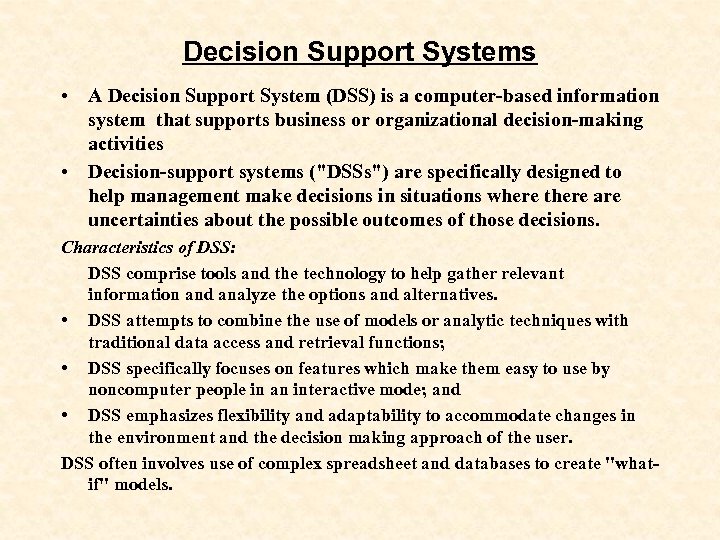 Decision Support Systems • A Decision Support System (DSS) is a computer-based information system that supports business or organizational decision-making activities • Decision-support systems ("DSSs") are specifically designed to help management make decisions in situations where there are uncertainties about the possible outcomes of those decisions. Characteristics of DSS: DSS comprise tools and the technology to help gather relevant information and analyze the options and alternatives. • DSS attempts to combine the use of models or analytic techniques with traditional data access and retrieval functions; • DSS specifically focuses on features which make them easy to use by noncomputer people in an interactive mode; and • DSS emphasizes flexibility and adaptability to accommodate changes in the environment and the decision making approach of the user. DSS often involves use of complex spreadsheet and databases to create "whatif" models.
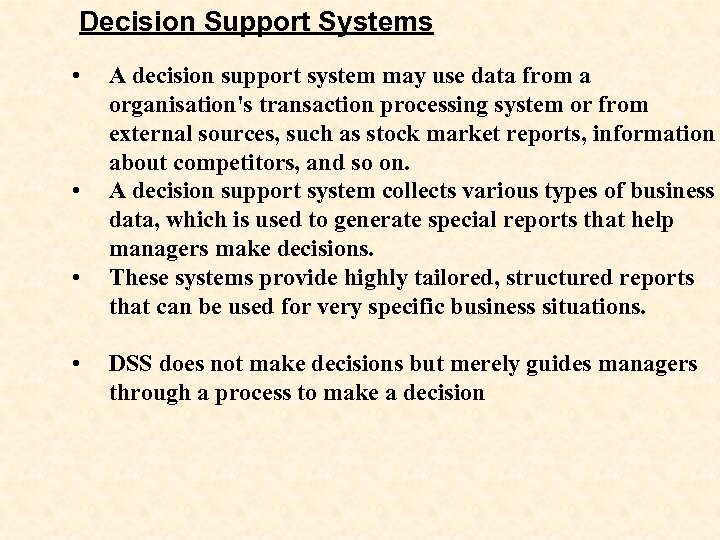 Decision Support Systems • • A decision support system may use data from a organisation's transaction processing system or from external sources, such as stock market reports, information about competitors, and so on. A decision support system collects various types of business data, which is used to generate special reports that help managers make decisions. These systems provide highly tailored, structured reports that can be used for very specific business situations. DSS does not make decisions but merely guides managers through a process to make a decision
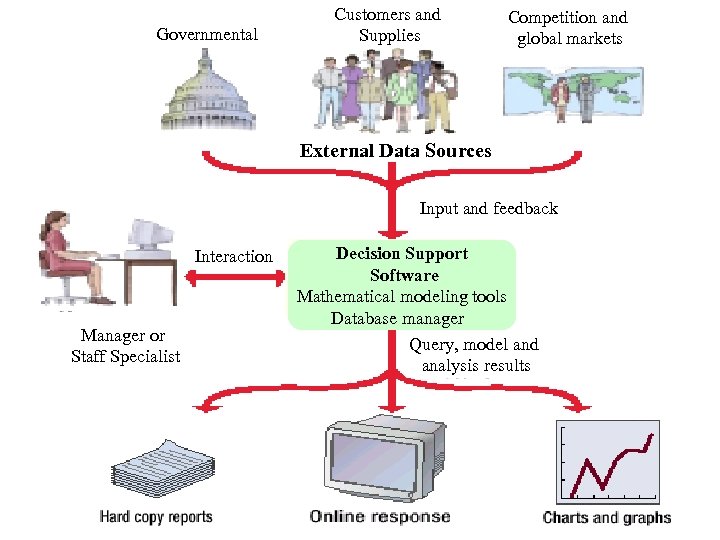 Governmental Customers and Supplies Competition and global markets External Data Sources Input and feedback Interaction Manager or Staff Specialist Decision Support Software Mathematical modeling tools Database manager Query, model and analysis results
 The nature of Decision-making • There are two types of decisions: structured & unstructured • Structured decisions are those that are made, following a set of rules and guidelines • Decisions are objective • Solutions are clear • There is always the right answer • Unstructured decisions are those made subjectively • You may also have semi-structured decisions which lies between structured and unstructured
 Types of decision-makesrs in DSS: There are two groups of decision-makers, namely. . • Analytic decision-maker – follows set of rules, uses graphs, statistics, probability theory etc • Heuristic decision-maker – uses rule of thumb, experience, common sense, trial & error etc • (Computing proceeding/s to a solution by trial and error. ) Note: that DSS will have sub systems e. g spreadsheets, graphics, statictical analysis , databases etc DSS is aimed at serving strategic managers although all managers can also use it.
 Characteristics a DSS : • Provide support for semi or unstructured decision-making • Provide support for decision-making to management • Should be user friendly • Provide support for decisions that are interdependent as well as those that are independent • Provide support for all stages of decision-making processes
 Executive Support Systems/Executive IS Executive Support Systems (ESS). - is designed to help senior management make strategic decisions They serve at strategic level of the organization, and although they have limited capabilities they employ the most advanced graphics and can deliver graphs and data from many sources immediately to senior executives offices or boardrooms. ESS gathers, analyses and summaries the key internal and external information used in the business. In most cases ESSs are oriented towards external events, although they do take summarized information from MIS and DSS. A good way to think about an ESS is to imagine the senior management team in an aircraft cockpit - with the instrument panel showing them the status of all the key business activities. ESS typically involve lots of data analysis and modelling tools such as "what-if" analysis to help strategic decision-making.
 Characteristics of Executive Information Systems • Ability to filter out and summaries data from the main data • Ability to drill down to specific areas • Ability to manipulate summary data • Has built-in graphics, charts, etc • Availability of templates • Availability of analysis tools
 Knowledge Management Systems ("KMS") exist to help businesses create and share information. These are typically used in a business where employees create new knowledge and expertise - which can then be shared by other people in the organisation to create further commercial opportunities. Good examples include firms of lawyers, accountants and management consultants. KMS are built around systems which allow efficient categorisation and distribution of knowledge. For example, the knowledge itself might be contained in word processing documents, spreadsheets, Power. Point presentations. internet pages or whatever. To share the knowledge, a KMS would use group collaboration systems such as an intranet.
 The Information Systems Department • The Role of the IS Department • Role Players in an IS Department
 The Information Systems Department The Role of the IS Department • The Information Systems (IS) department is responsible for designing, building, and managing an organization's information systems. • In years past, the IS department served only the informational needs of managers. Today, the IS team supports all workers in a business, and supports the business' mission, as well. • An IS department's tasks include designing, planning, installing, and maintaining systems; generating reports; and cost control.
 The Information Systems Department Role Players in an IS Department An IS department can include many members with many different skills. A large IS staff may include: Managers Purchasing Agents Computer Scientists Security Managers Systems Analysts Trainers Programmers User Assistance Architects Database Specialists Technical Writers System or Network Managers Hardware Maintenance Technicians