


 Скачать презентацию Information architecture WUCM 1 1 Information architecture
ca18bd85b480ecf58712ca0818831102.ppt
- Количество слайдов: 41
 Information architecture WUCM 1 1
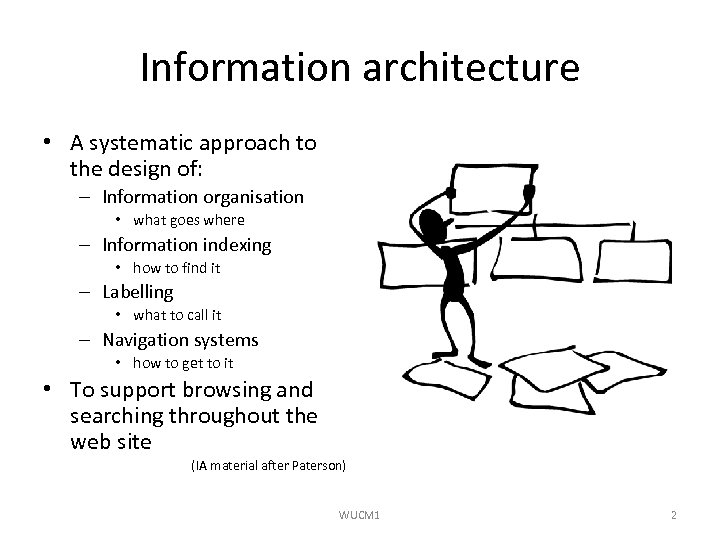 Information architecture • A systematic approach to the design of: – Information organisation • what goes where – Information indexing • how to find it – Labelling • what to call it – Navigation systems • how to get to it • To support browsing and searching throughout the web site (IA material after Paterson) WUCM 1 2
 Website structure • This is the technical mirror of the Information Architecture – The server directory structure to support the Information Architecture – The code structure to support the interaction design – The security structure to protect your design WUCM 1 3
 Web (in)consistency • The KISS principle • Some common barriers to Web consistency – different users – different browsers – slow connections – problems with servers WUCM 1 4
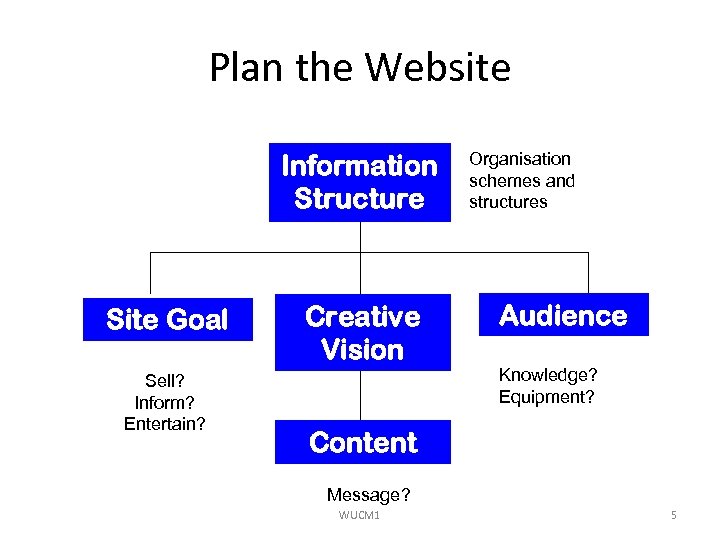 Plan the Website Information Structure Site Goal Sell? Inform? Entertain? Creative Vision Organisation schemes and structures Audience Knowledge? Equipment? Content Message? WUCM 1 5
 Stages of web design • Information gathering • Focus on content, how organised, and plan basic navigational links – Diagram/Plan • Decide controls, detail all navigation links, user interactions – Storyboard • Visual design for style, layout, colours etc. WUCM 1 6
 Information organisation schemes • Exact – Alphabetical, chronological, geographical • Category-based – Arranged by topic or subject, task, audience or metaphor – Ambiguous: depending on language and organisation • Hybrid – A mixture of schemes WUCM 1 7
 Labelling • Labels should mean something obvious – Don't waste the visitor's time – Be consistent • Labelling systems – Navigation: e. g. Home, Main Page, FAQs – Indexing: e. g. to classify content – Links: natural e. g. ". . . the Annual Report states …" – Headings: consistent terminology and granularity – Icons: beware ambiguities WUCM 1 8
 Information organisation exercise: a toyshop Brainstorm it! • List all possible content categories – Don't worry about redundancy or size of category • Start to group things by topic – From master list to sub-list – Create only one level of sub-lists • Refine the topic groups – Move topics around the sub-lists until they work • Produce content map (see later) WUCM 1 9
 Organisation structures • Information is organised in modular chunks – Hierarchy • top-down approach – Hypertext • chunks and links; hierarchical or non-hierarchical – Database-oriented model • bottom-up; entity-relationship diagrams reveal structure of information WUCM 1 10
 Hierarchy • Is the foundation of all good information architectures! • Rules of thumb – Mutually exclusive hierarchical categories – Balance breadth v depth (3 -5 -7 rule - see later discussion) – Don’t become trapped in the hierarchy - use hypertext and database structures if relevant WUCM 1 11
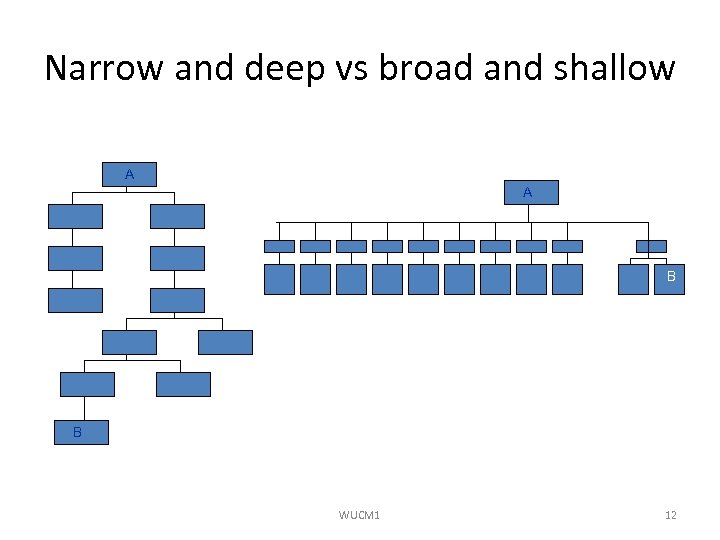 Narrow and deep vs broad and shallow A A B Ten main page options to reach limited content B Six clicks to reach Page B WUCM 1 12
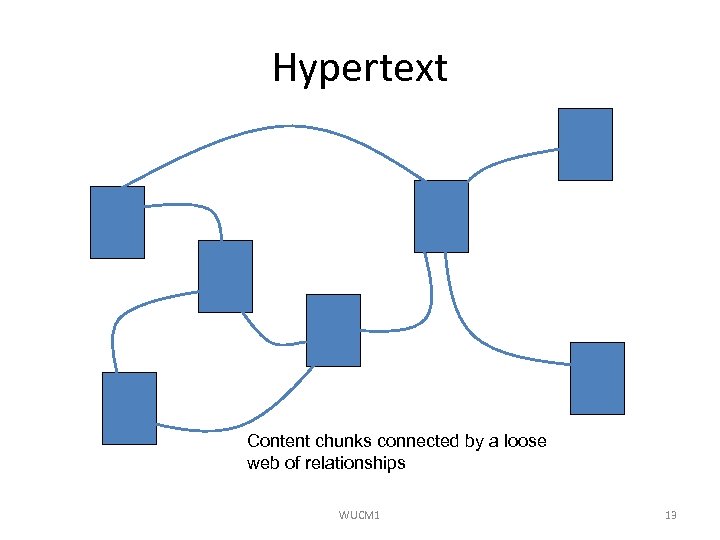 Hypertext Content chunks connected by a loose web of relationships WUCM 1 13
 Database model • Supports powerful field-specific searching • Makes content management much easier • Enables re-purposing of same content for different users – Multiple forms and formats • Limitations: – Records must follow rigid rules – Not easy to store free text, graphics and the hypertext links of every page WUCM 1 14
 Content map • Gives a very abstract view of entire web site • Shows: – Proposed content – Content hierarchy/flow – Relationships between content • Does NOT show: – Actual pages of site WUCM 1 15
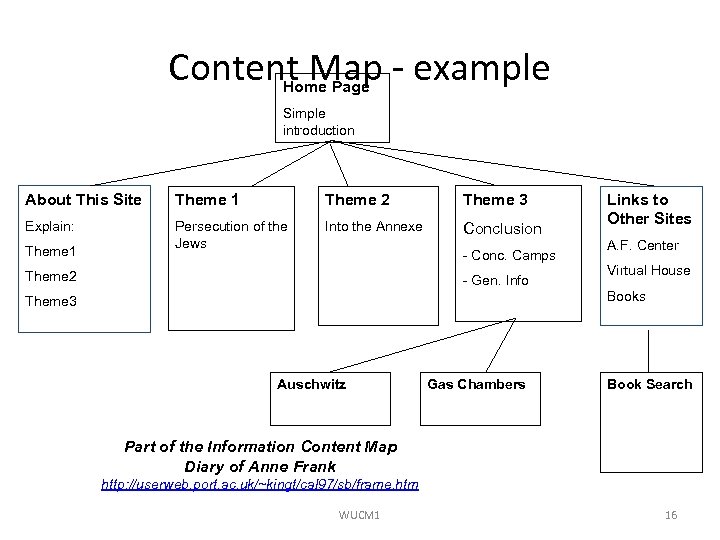 Content Map - example Home Page Simple introduction About This Site Theme 1 Theme 2 Theme 3 Explain: Persecution of the Jews Into the Annexe Conclusion Theme 1 - Conc. Camps Theme 2 - Gen. Info Links to Other Sites A. F. Center Virtual House Books Theme 3 Auschwitz Gas Chambers Book Search Part of the Information Content Map Diary of Anne Frank http: //userweb. port. ac. uk/~kingt/cal 97/sb/frame. htm WUCM 1 16
 Architecture map • Adds greater structural detail • Shows and labels ALL the pages on the site • Uses colour to distinguish – Structural levels – Page types • Static, dynamic, temporary, Java-based, HTML-based. . . – Link types / destinations • Grouped to enable design and placing of navigation bars • Is ESSENTIAL when a large team is working WUCM 1 17
 Navigation • A site map is a navigation aid for visitors to a web site • It may be – – WUCM 1 An index A table of contents An overview A diagram 18
 Plan the navigation • Pre-production – Make a basic content map/series of maps • Outline or hand-drawn flowcharts – Keep content elements (images, text etc) in their own, dedicated holders • Use lists, folders, wallets for paper-based resources • Use clearly labelled directories for electronic-based resources • (Impact here on the web server organisation) WUCM 1 19
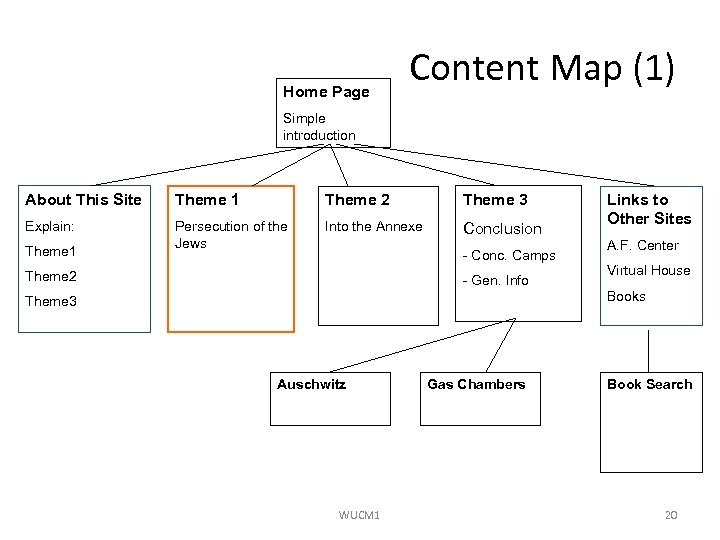 Home Page Content Map (1) Simple introduction About This Site Theme 1 Theme 2 Theme 3 Explain: Persecution of the Jews Into the Annexe Conclusion Theme 1 - Conc. Camps Theme 2 - Gen. Info Links to Other Sites A. F. Center Virtual House Books Theme 3 Auschwitz Gas Chambers Book Search Part of the Information Content Map for Diary of Anne Frank WUCM 1 20
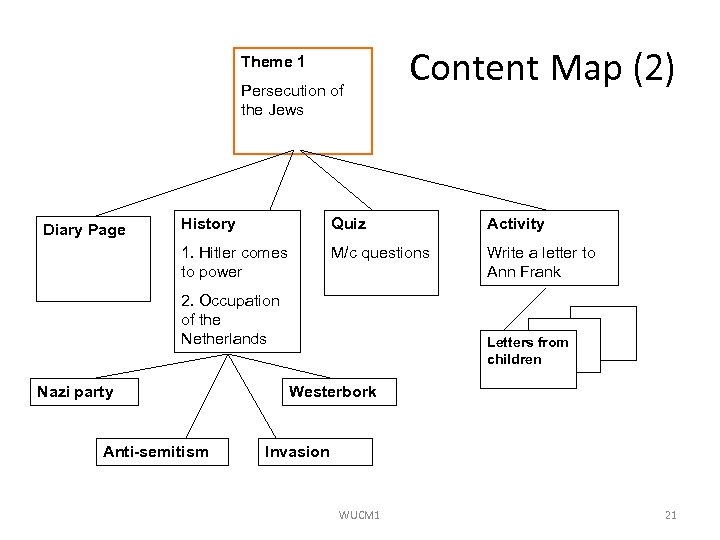 Theme 1 Persecution of the Jews Content Map (2) History Quiz Activity 1. Hitler comes to power Diary Page M/c questions Write a letter to Ann Frank 2. Occupation of the Netherlands Nazi party Anti-semitism Letters from children Westerbork Information Content Map for Theme 1 Invasion WUCM 1 21
 Building context • No natural landmarks - not like a book • You never know where a visitor will arrive • Rules of thumb: – Organisation's name on all pages (link back to home page) – Present the information hierarchy structure clearly and consistently – "You are here" is always useful! WUCM 1 22
 Visual strategies for a site map • Hierarchical lists organised in horizontal and / or vertical relationships – Important but limiting • Progressive disclosure – An unfolding presentation of hierarchy • Global / circular • Metaphor – Diagrams that employ a metaphorical / pictorial relationship to the information presented WUCM 1 23
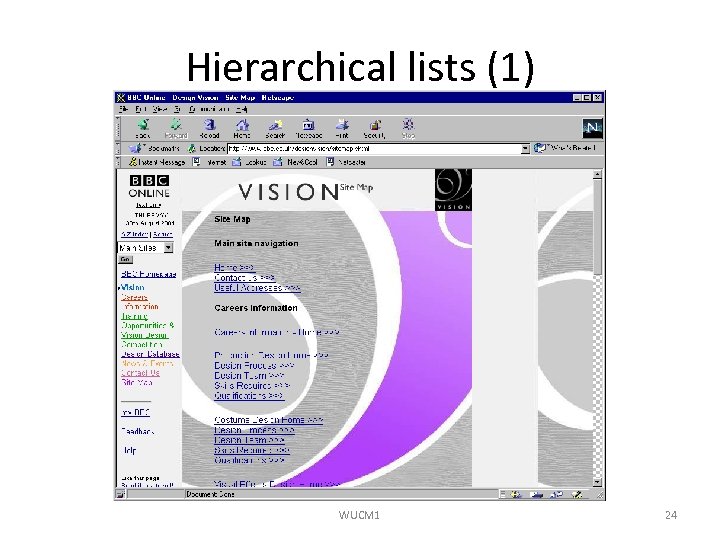 Hierarchical lists (1) WUCM 1 24
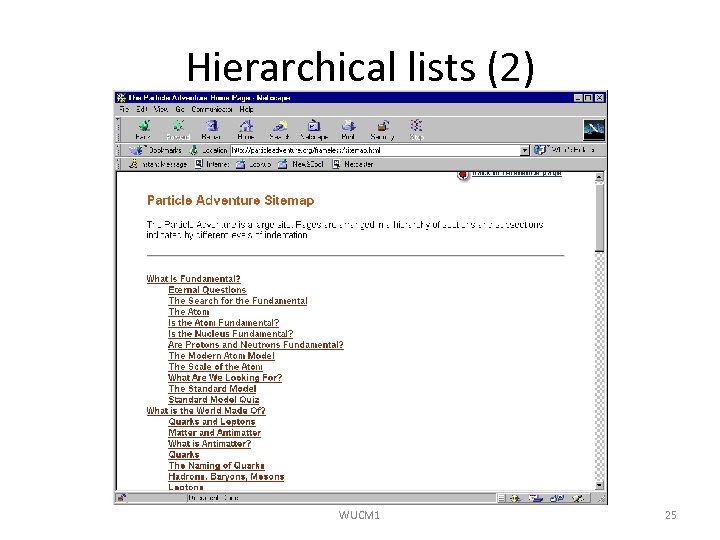 Hierarchical lists (2) WUCM 1 25
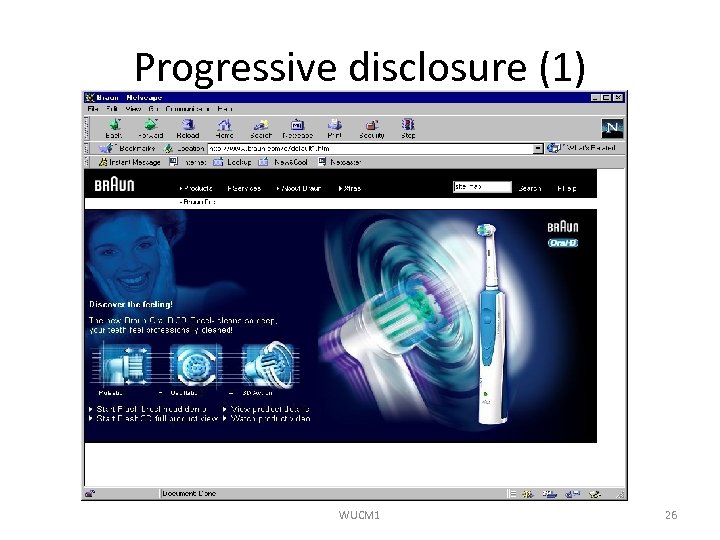 Progressive disclosure (1) WUCM 1 26
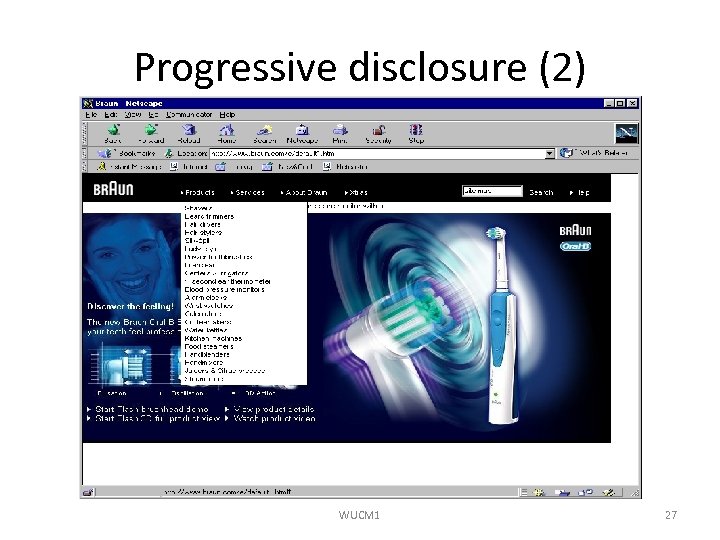 Progressive disclosure (2) WUCM 1 27
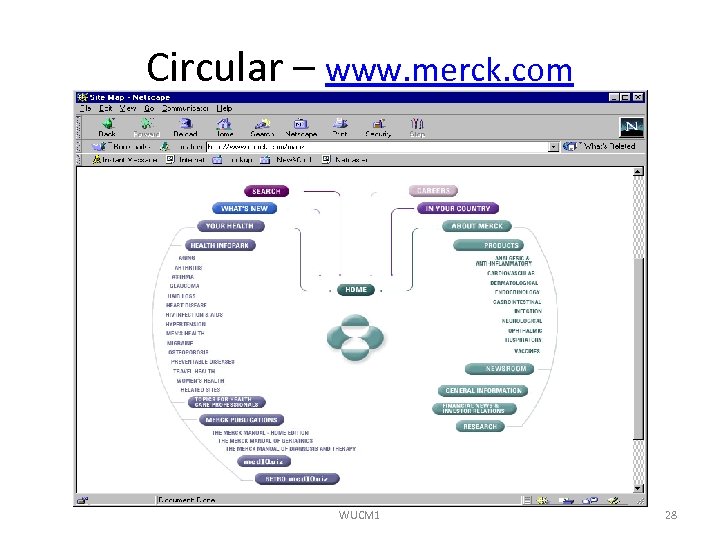 Circular – www. merck. com WUCM 1 28
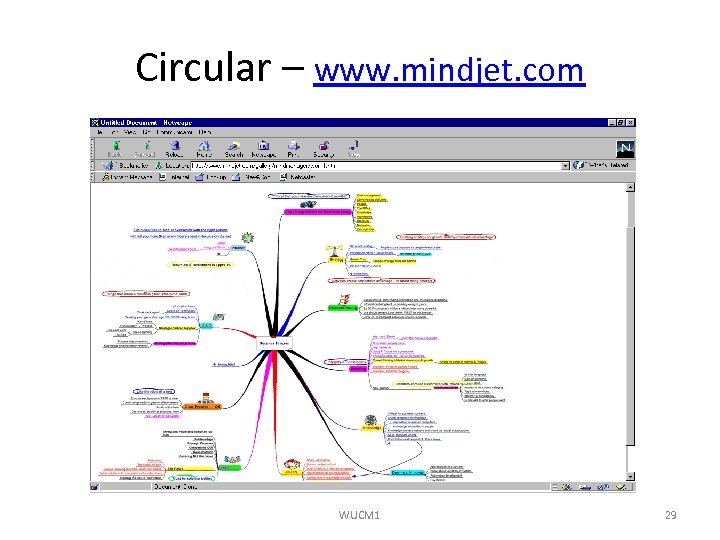 Circular – www. mindjet. com WUCM 1 29
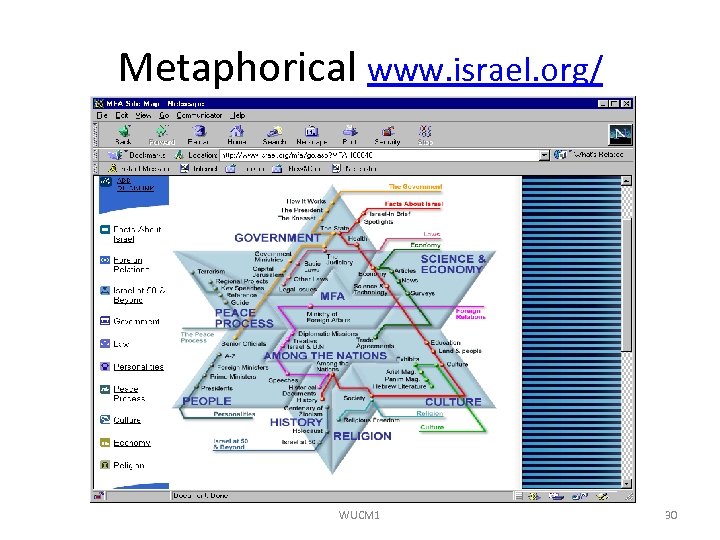 Metaphorical www. israel. org/ WUCM 1 30
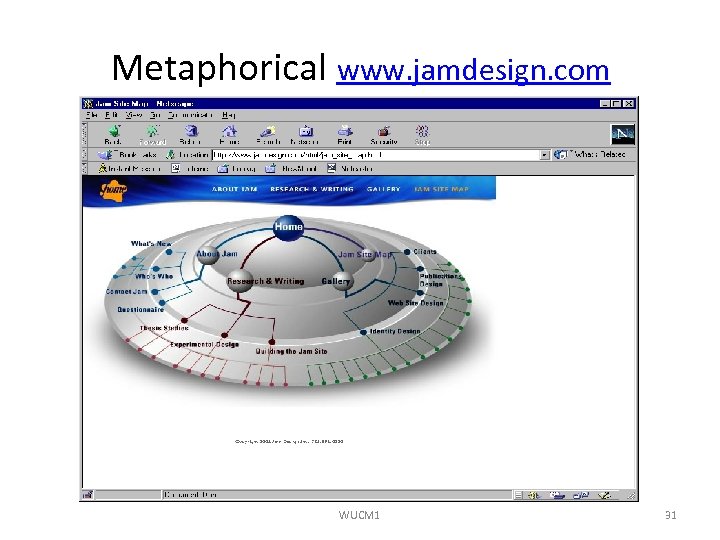 Metaphorical www. jamdesign. com WUCM 1 31
 Good navigation • Carry out navigation with the minimum number of jumps • 3 -5 -7 Rule – 3 hops max to important information – 5 hops max to 80% of the site – 7 hops max to any document on site WUCM 1 32
 Integrated navigation elements • Navigation bars – Group of links /graphics etc. – Top or bottom (or both) better than side – Frames? Obsolete – Vertical bar • Pull down / pop up menus WUCM 1 33
 Existing browser navigation features • • • Open page URL on File menu or elsewhere Back, forward, home buttons History menu Bookmark list Prospective view - destination URL Trail of "used links" by colour-coding WUCM 1 34
 Don’t meddle! One last Content point! “Of all the graphic design elements we looked at, the only one that is strongly tied to user success was the use of browser-default link colour… Our theory is that the use of default colours is helpful because users don’t have to relearn every time they go to a new site. ” Jared Spool et al, (1997) Web Site Usability. User Interface Engineering. Andover, MA. WUCM 1 35
 Web server structure • Information Architecture discussed so far views the data from the outside • Web server structure is the internal view (implementation) of the same data space (design) – It needs to mirror the outside view of the data – Be easy to maintain and extend – Be easy and obvious to ‘learn’ for new members of the team – Relate well to the code required to support the interaction WUCM 1 36
 Server file organisation issues 1 • How many ‘sites’ on the server? – Should each site be regarded as in its own tree? • How many distinct ‘author groups’? – What is the ‘interaction’ between groups? – What is the interaction between content authors and programmers? • How rigid should your file structure rules be? – How far down the tree should the rigid rules go? – Should there be a naming convention? WUCM 1 37
 Server file organisation issues 2 • Relationship between the different information organisations and the sever file organisation? • Relationship between the navigation structures and the server file organisation? WUCM 1 38
 Information design conclusions Step 1 - Information content FIRST! Step 2 - Interactions NEXT! Step 3 - Visual design with colours … and all the "interesting" bits …. LAST! If you “Storyboard” with coloured pens, it can give an idea of visual design in Step 2 WUCM 1 39
 Review In this session, we have looked at: • How to plan and design websites • Information organisation schemes and structures • Content maps, architectural maps and site maps • Navigation systems and elements • Web server structures to support the data space Any questions? WUCM 1 40
 References • Louis Rosenfeld and Peter Morville, (1998), Information Architecture for the World Wide Web, O’Reilly, ISBN: 1565922824 – Chapters 2, 3, 4 • Paul Kahn and Krzysztof Lenk. (2001), Mapping Web Sites, Roto. Vision, ISBN: 2880464641 – Chapter 4 • Steve Krug (2000), Don't make me think, New Riders, ISBN: 0789723107 WUCM 1 41