


 Скачать презентацию Industrial Wireless Ethernet The New Era of Data
709a0505aa31ca201c06c95ec0b6398c.ppt
- Количество слайдов: 21
 Industrial Wireless Ethernet The New Era of Data Transmission © ELPRO Technologies Think Wireless…Think ELRPO NORCAL ISA
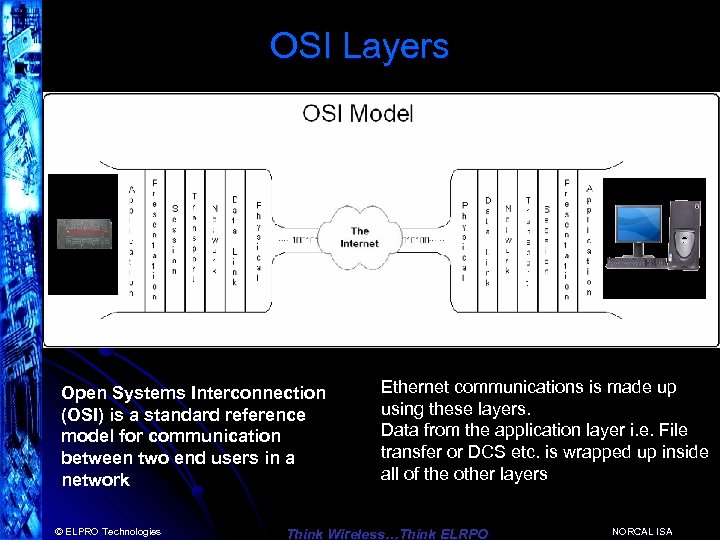 OSI Layers Open Systems Interconnection (OSI) is a standard reference model for communication between two end users in a network © ELPRO Technologies Ethernet communications is made up using these layers. Data from the application layer i. e. File transfer or DCS etc. is wrapped up inside all of the other layers Think Wireless…Think ELRPO NORCAL ISA
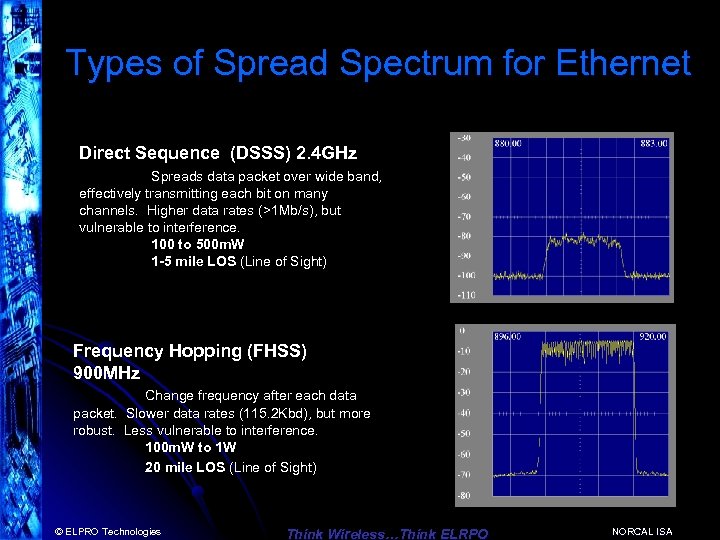 Types of Spread Spectrum for Ethernet Direct Sequence (DSSS) 2. 4 GHz Spreads data packet over wide band, effectively transmitting each bit on many channels. Higher data rates (>1 Mb/s), but vulnerable to interference. 100 to 500 m. W 1 -5 mile LOS (Line of Sight) Frequency Hopping (FHSS) 900 MHz Change frequency after each data packet. Slower data rates (115. 2 Kbd), but more robust. Less vulnerable to interference. 100 m. W to 1 W 20 mile LOS (Line of Sight) © ELPRO Technologies Think Wireless…Think ELRPO NORCAL ISA
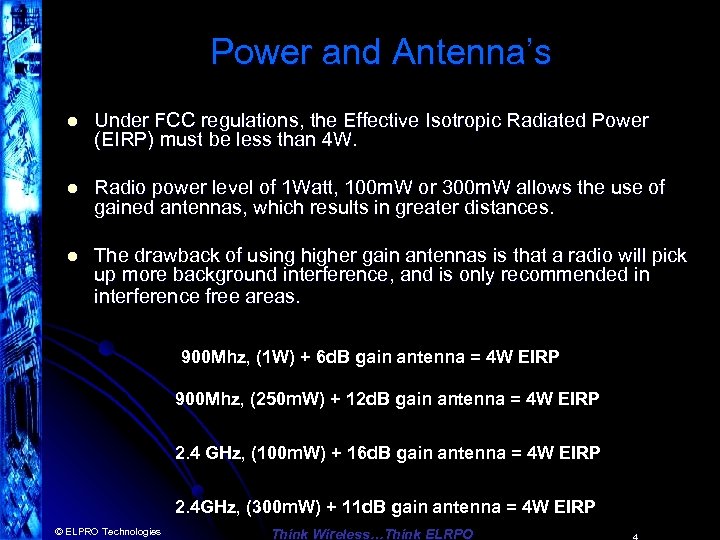 Power and Antenna’s l Under FCC regulations, the Effective Isotropic Radiated Power (EIRP) must be less than 4 W. l Radio power level of 1 Watt, 100 m. W or 300 m. W allows the use of gained antennas, which results in greater distances. l The drawback of using higher gain antennas is that a radio will pick up more background interference, and is only recommended in interference free areas. 900 Mhz, (1 W) + 6 d. B gain antenna = 4 W EIRP 900 Mhz, (250 m. W) + 12 d. B gain antenna = 4 W EIRP 2. 4 GHz, (100 m. W) + 16 d. B gain antenna = 4 W EIRP 2. 4 GHz, (300 m. W) + 11 d. B gain antenna = 4 W EIRP © ELPRO Technologies Think Wireless…Think ELRPO
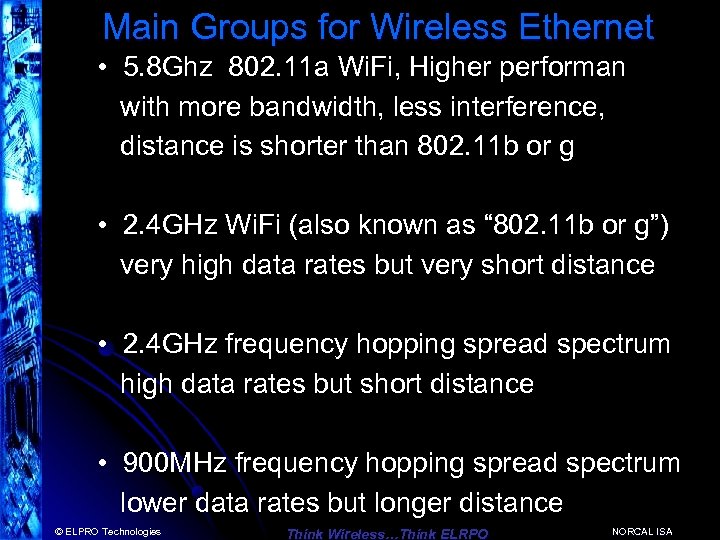 Main Groups for Wireless Ethernet • 5. 8 Ghz 802. 11 a Wi. Fi, Higher performan with more bandwidth, less interference, distance is shorter than 802. 11 b or g • 2. 4 GHz Wi. Fi (also known as “ 802. 11 b or g”) very high data rates but very short distance • 2. 4 GHz frequency hopping spread spectrum high data rates but short distance • 900 MHz frequency hopping spread spectrum lower data rates but longer distance © ELPRO Technologies Think Wireless…Think ELRPO NORCAL ISA
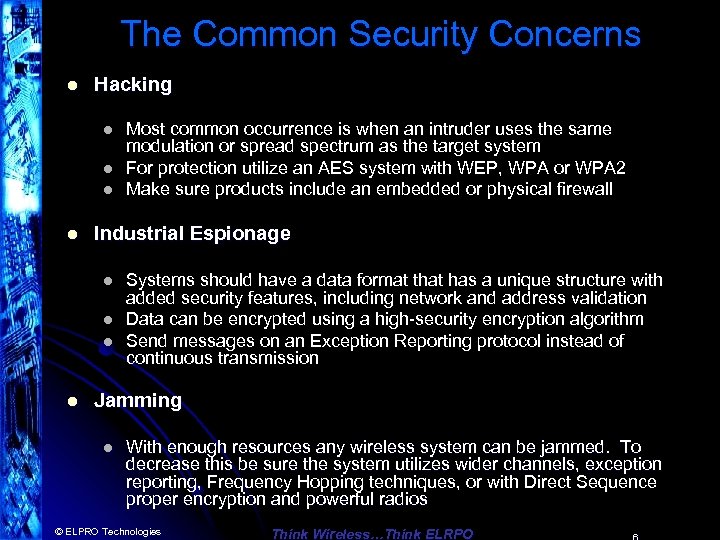 The Common Security Concerns l Hacking l l Industrial Espionage l l Most common occurrence is when an intruder uses the same modulation or spread spectrum as the target system For protection utilize an AES system with WEP, WPA or WPA 2 Make sure products include an embedded or physical firewall Systems should have a data format that has a unique structure with added security features, including network and address validation Data can be encrypted using a high-security encryption algorithm Send messages on an Exception Reporting protocol instead of continuous transmission Jamming l With enough resources any wireless system can be jammed. To decrease this be sure the system utilizes wider channels, exception reporting, Frequency Hopping techniques, or with Direct Sequence proper encryption and powerful radios © ELPRO Technologies Think Wireless…Think ELRPO
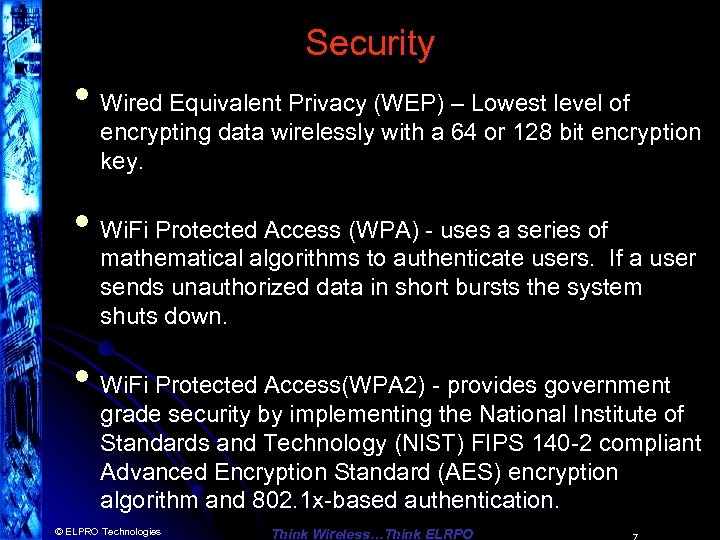 Security • Wired Equivalent Privacy (WEP) – Lowest level of encrypting data wirelessly with a 64 or 128 bit encryption key. • Wi. Fi Protected Access (WPA) - uses a series of mathematical algorithms to authenticate users. If a user sends unauthorized data in short bursts the system shuts down. • Wi. Fi Protected Access(WPA 2) - provides government grade security by implementing the National Institute of Standards and Technology (NIST) FIPS 140 -2 compliant Advanced Encryption Standard (AES) encryption algorithm and 802. 1 x-based authentication. © ELPRO Technologies Think Wireless…Think ELRPO
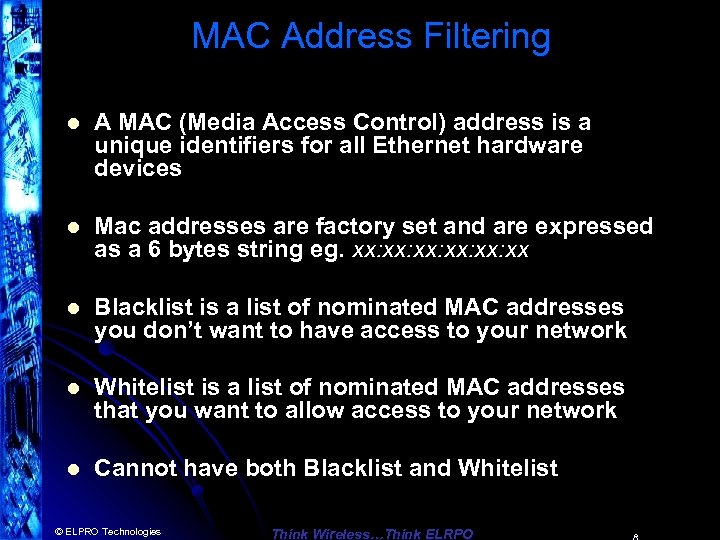 MAC Address Filtering l A MAC (Media Access Control) address is a unique identifiers for all Ethernet hardware devices l Mac addresses are factory set and are expressed as a 6 bytes string eg. xx: xx: xx: xx l Blacklist is a list of nominated MAC addresses you don’t want to have access to your network l Whitelist is a list of nominated MAC addresses that you want to allow access to your network l Cannot have both Blacklist and Whitelist © ELPRO Technologies Think Wireless…Think ELRPO
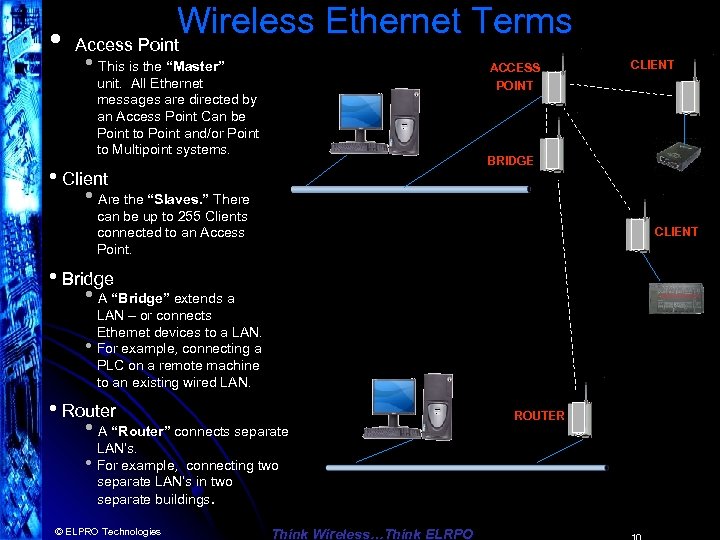 Wireless Ethernet Terms • Access Point • This is the “Master” ACCESS unit. All Ethernet messages are directed by an Access Point Can be Point to Point and/or Point to Multipoint systems. POINT BRIDGE • Client • Are the “Slaves. ” There can be up to 255 Clients connected to an Access Point. CLIENT • Bridge • A “Bridge” extends a LAN – or connects Ethernet devices to a LAN. • For example, connecting a PLC on a remote machine to an existing wired LAN. • Router • A “Router” connects separate LAN’s. • For example, connecting two separate LAN’s in two separate buildings. © ELPRO Technologies CLIENT Think Wireless…Think ELRPO ROUTER
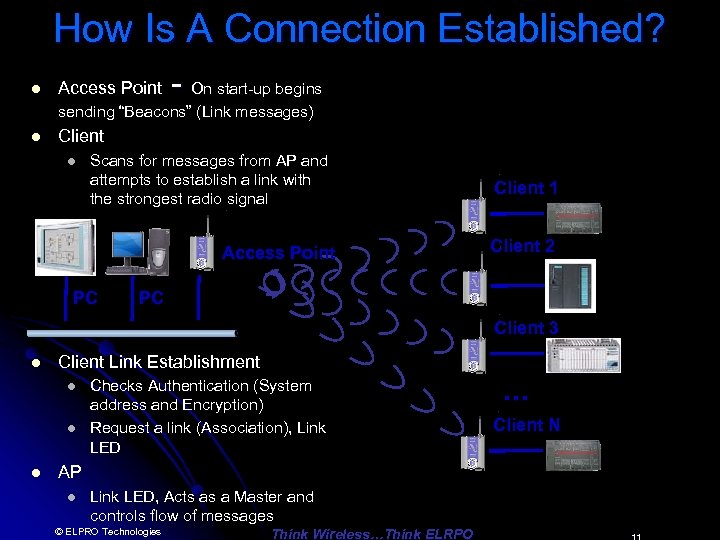 How Is A Connection Established? l Access Point - On start-up begins sending “Beacons” (Link messages) l Client l Scans for messages from AP and attempts to establish a link with the strongest radio signal Access Point PC Client 1 Client 2 PC Client 3 l Client Link Establishment l l l Checks Authentication (System address and Encryption) Request a link (Association), Link LED AP l Link LED, Acts as a Master and controls flow of messages © ELPRO Technologies Think Wireless…Think ELRPO … Client N
 Why Wireless Ethernet? • Massive growth of Wired Ethernet in the last 5 years • Wireless Ethernet is an extension of this growth • Ethernet is well-known, carries multiple applications • Simple IP programming compared I/O Telemetry programming and mapping © ELPRO Technologies Think Wireless…Think ELRPO NORCAL ISA
 Uses for Wireless Ethernet • Developed for industrial customers & Factory Automation • Process control and automation applications - PLCs, DCS, SCADA, data acquisition, wireless video • Can handle multiple applications simultaneously © ELPRO Technologies Think Wireless…Think ELRPO NORCAL ISA
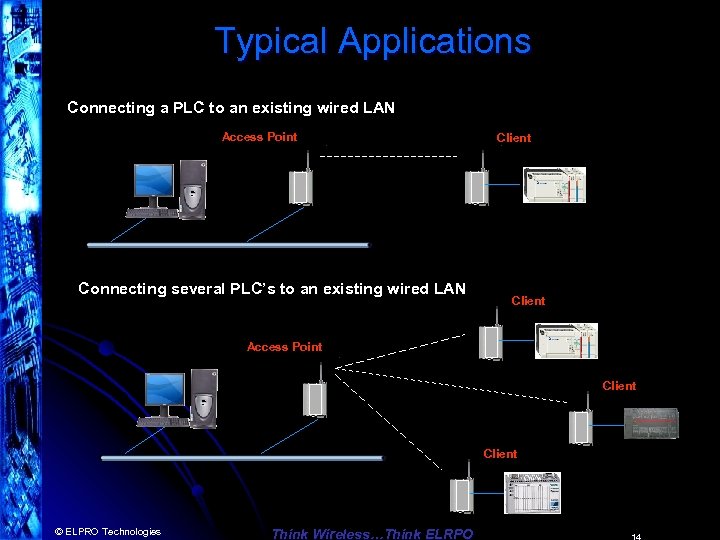 Typical Applications Connecting a PLC to an existing wired LAN Access Point Connecting several PLC’s to an existing wired LAN Client Access Point Client © ELPRO Technologies Think Wireless…Think ELRPO
 Applications l Most are PLC connections PLC to PLC or PLC to computer l Automation industries Pharmaceutical, Manufacturing, Ethernet Enabled Transmitters, Video Security l Process Control – Data Loggers, RTU’s, Digital Recorders, Video Security l SCADA market Oil & Gas, Water/Waste Water, Irrigation © ELPRO Technologies Think Wireless…Think ELRPO NORCAL ISA
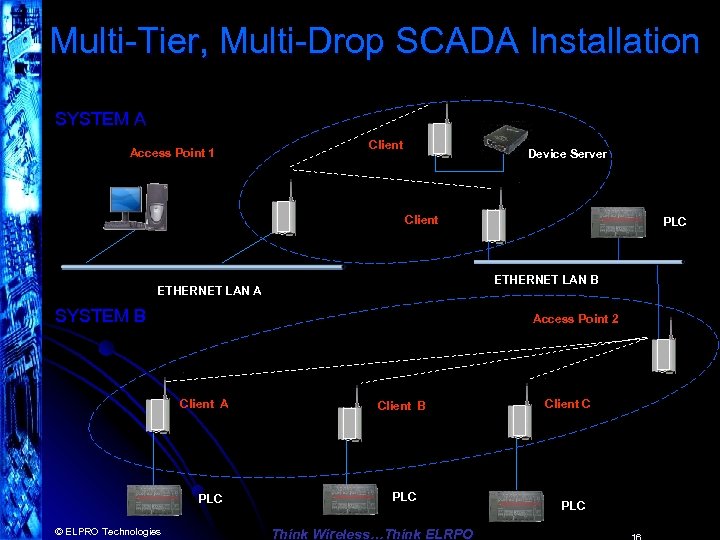 Multi-Tier, Multi-Drop SCADA Installation SYSTEM A Access Point 1 Client Device Server Client ETHERNET LAN B ETHERNET LAN A SYSTEM B Access Point 2 Client A PLC © ELPRO Technologies PLC Client B PLC Think Wireless…Think ELRPO Client C PLC
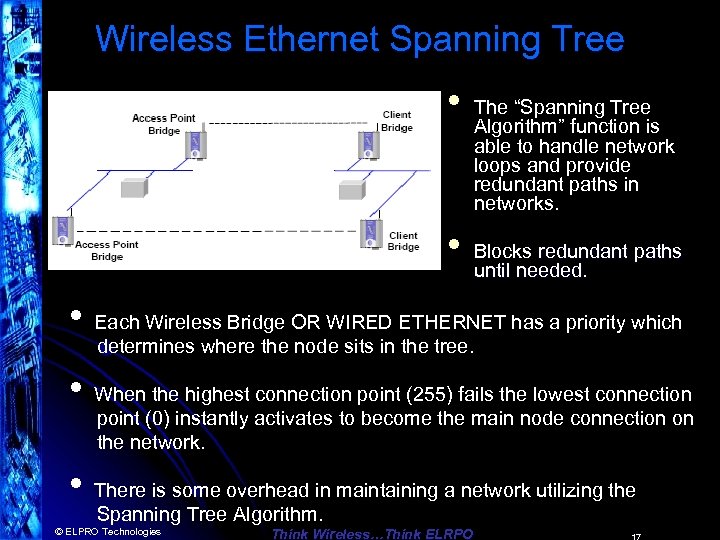 Wireless Ethernet Spanning Tree • • The “Spanning Tree Algorithm” function is able to handle network loops and provide redundant paths in networks. Blocks redundant paths until needed. • Each Wireless Bridge OR WIRED ETHERNET has a priority which determines where the node sits in the tree. • When the highest connection point (255) fails the lowest connection point (0) instantly activates to become the main node connection on the network. • There is some overhead in maintaining a network utilizing the Spanning Tree Algorithm. © ELPRO Technologies Think Wireless…Think ELRPO
 Configuration and Diagnostics l Configuration and diagnostics via Web browser (Internet Explorer) – Typically there is an Easy Quick Start Configuration l Password protected l Configuration and diagnostics accessed remotely via radio link l Radio signal, Background noise, and connection diagnostics l Most have default configuration by DIP switch l Firmware easily upgraded © ELPRO Technologies Think Wireless…Think ELRPO
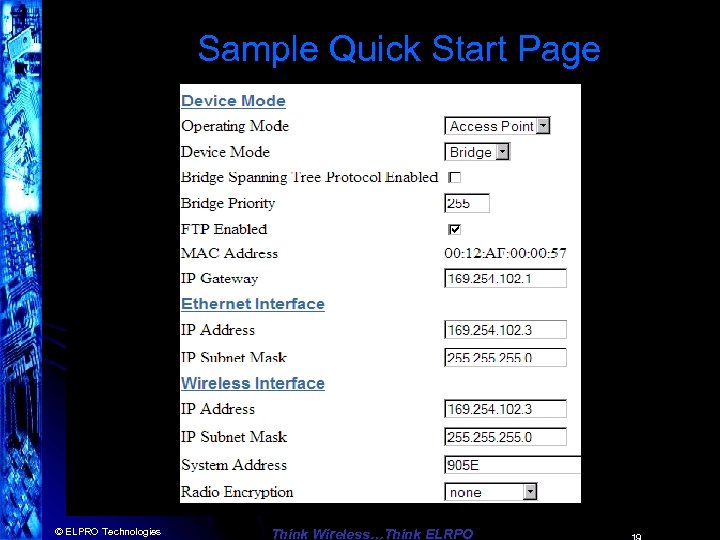 Sample Quick Start Page Quick Start Configuration Menu Item © ELPRO Technologies Think Wireless…Think ELRPO
 Ethernet Modems in the Real World l Can I browse the internet? l l l 900 Mhz, Yes, but expect to get web browsing speeds slightly faster than a 56 k dial up modem. 2. 4 Ghz Yes, used in many commercial applications, Hotels, Airports, etc. Can it do video? l l © ELPRO Technologies 900 Mhz - is not designed for that purpose unless utilizing very high compression MPEG 3 or 4. 2. 4 Ghz – Can display realtime live video, more reliable at 802. 11 b Think Wireless…Think ELRPO
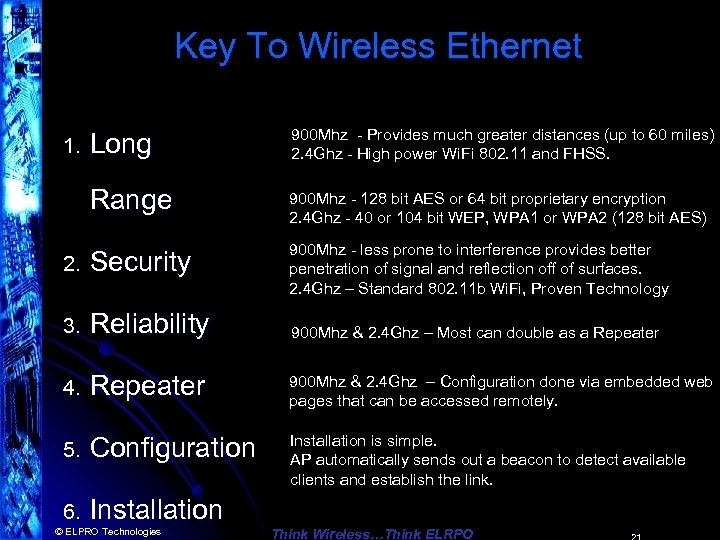 Key To Wireless Ethernet Long 900 Mhz - Provides much greater distances (up to 60 miles) 2. 4 Ghz - High power Wi. Fi 802. 11 and FHSS. Range 900 Mhz - 128 bit AES or 64 bit proprietary encryption 2. 4 Ghz - 40 or 104 bit WEP, WPA 1 or WPA 2 (128 bit AES) 2. Security 900 Mhz - less prone to interference provides better penetration of signal and reflection off of surfaces. 2. 4 Ghz – Standard 802. 11 b Wi. Fi, Proven Technology 3. Reliability 900 Mhz & 2. 4 Ghz – Most can double as a Repeater 4. Repeater 900 Mhz & 2. 4 Ghz – Configuration done via embedded web pages that can be accessed remotely. 5. Configuration Installation is simple. AP automatically sends out a beacon to detect available clients and establish the link. 6. Installation 1. © ELPRO Technologies Think Wireless…Think ELRPO
 THANK YOU Wireless Ethernet The New Era of Data Transmission Tim Gross ELPRO Technologies tim. gross@hotmail. com 858 -822 -8818 3/17/2018 22