 Скачать презентацию IMS Tools Reorganization Janet Le Blanc Silicon Valley
da13b22003e0659a33c663196cc565d7.ppt
- Количество слайдов: 79



IMS Tools ………Reorganization Janet Le. Blanc Silicon Valley Lab leblancj@ca. ibm. com © 2005 IBM Corporation
IMS Tools – Overview / Mission § Overview – DM Tools is unique business model within IBM – Operates as entrepreneurial business – High focus on return on investment / profitability – Customer requirements driven § Mission – Deliver IMS based solutions that: • Are profitable to IBM • Meet customer expectations and needs
IMS Tools – New Products, Versions, Releases
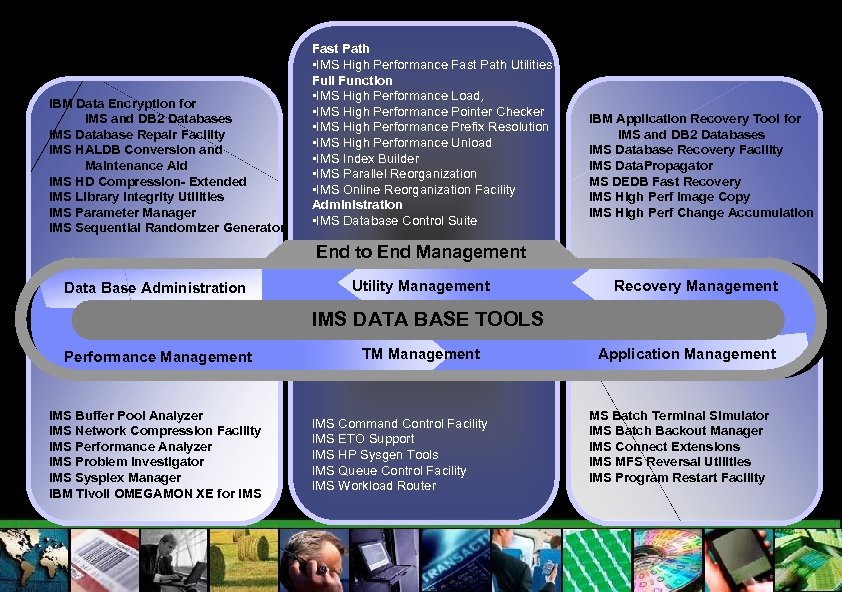
IBM Data Encryption for IMS and DB 2 Databases IMS Database Repair Facility IMS HALDB Conversion and Maintenance Aid IMS HD Compression- Extended IMS Library Integrity Utilities IMS Parameter Manager IMS Sequential Randomizer Generator Fast Path • IMS High Performance Fast Path Utilities Full Function • IMS High Performance Load, • IMS High Performance Pointer Checker • IMS High Performance Prefix Resolution • IMS High Performance Unload • IMS Index Builder • IMS Parallel Reorganization • IMS Online Reorganization Facility Administration • IMS Database Control Suite IBM Application Recovery Tool for IMS and DB 2 Databases IMS Database Recovery Facility IMS Data. Propagator MS DEDB Fast Recovery IMS High Perf Image Copy IMS High Perf Change Accumulation End to End Management Data Base Administration Utility Management Recovery Management IMS DATA BASE TOOLS Performance Management IMS Buffer Pool Analyzer IMS Network Compression Facility IMS Performance Analyzer IMS Problem Investigator IMS Sysplex Manager IBM Tivoli OMEGAMON XE for IMS TM Management IMS Command Control Facility IMS ETO Support IMS HP Sysgen Tools IMS Queue Control Facility IMS Workload Router Application Management MS Batch Terminal Simulator IMS Batch Backout Manager IMS Connect Extensions IMS MFS Reversal Utilities IMS Program Restart Facility
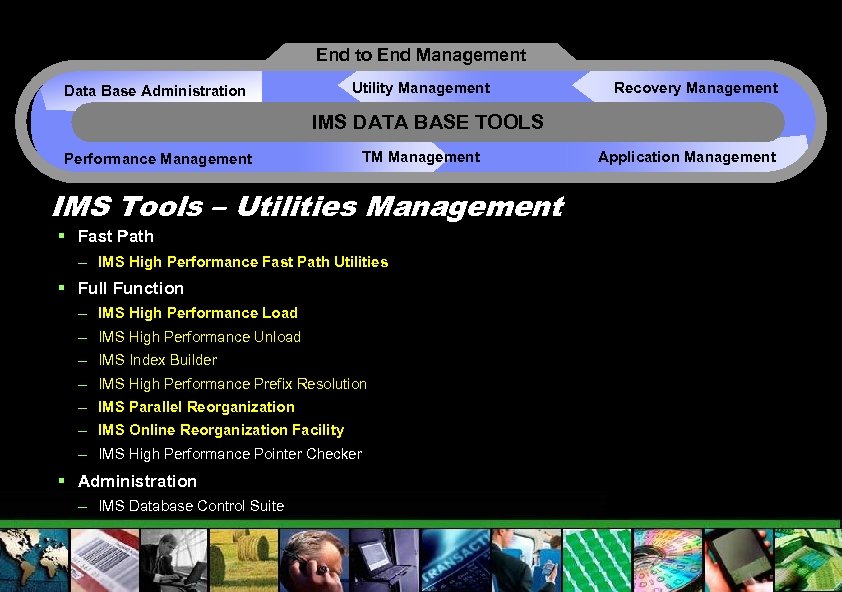
End to End Management Utility Management Data Base Administration Recovery Management IMS DATA BASE TOOLS Performance Management TM Management IMS Tools – Utilities Management § Fast Path – IMS High Performance Fast Path Utilities § Full Function – IMS High Performance Load – IMS High Performance Unload – IMS Index Builder – IMS High Performance Prefix Resolution – IMS Parallel Reorganization – IMS Online Reorganization Facility – IMS High Performance Pointer Checker § Administration – IMS Database Control Suite Application Management
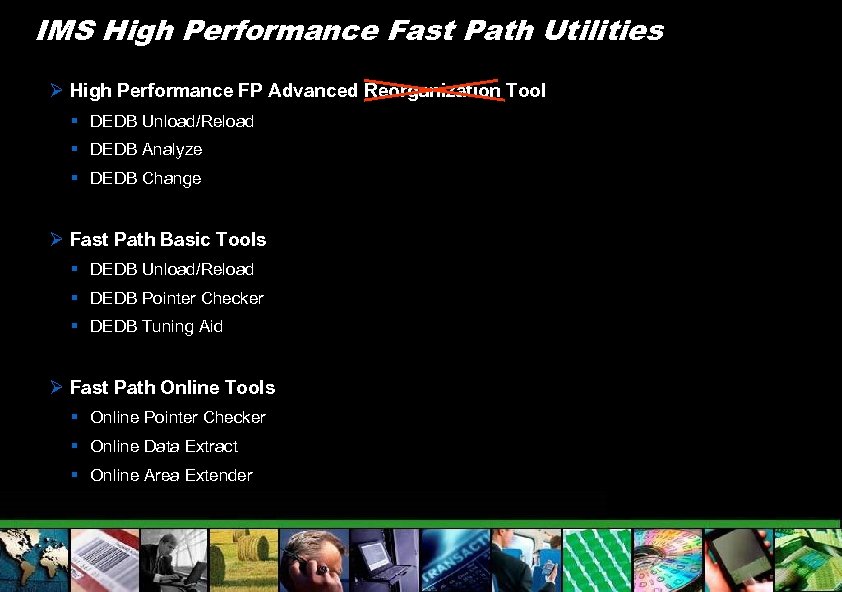
IMS High Performance Fast Path Utilities Ø High Performance FP Advanced Reorganization Tool § DEDB Unload/Reload § DEDB Analyze § DEDB Change Ø Fast Path Basic Tools § DEDB Unload/Reload § DEDB Pointer Checker § DEDB Tuning Aid Ø Fast Path Online Tools § Online Pointer Checker § Online Data Extract § Online Area Extender
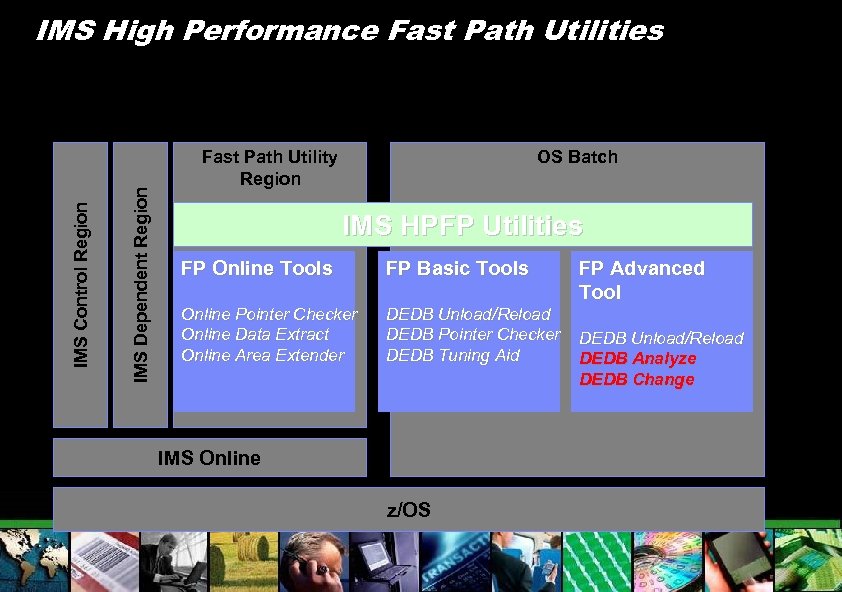
IMS Dependent Region IMS Control Region IMS High Performance Fast Path Utilities Fast Path Utility Region OS Batch IMS HPFP Utilities FP Online Tools FP Basic Tools Online Pointer Checker Online Data Extract Online Area Extender DEDB Unload/Reload DEDB Pointer Checker DEDB Tuning Aid IMS Online z/OS FP Advanced Tool DEDB Unload/Reload DEDB Analyze DEDB Change
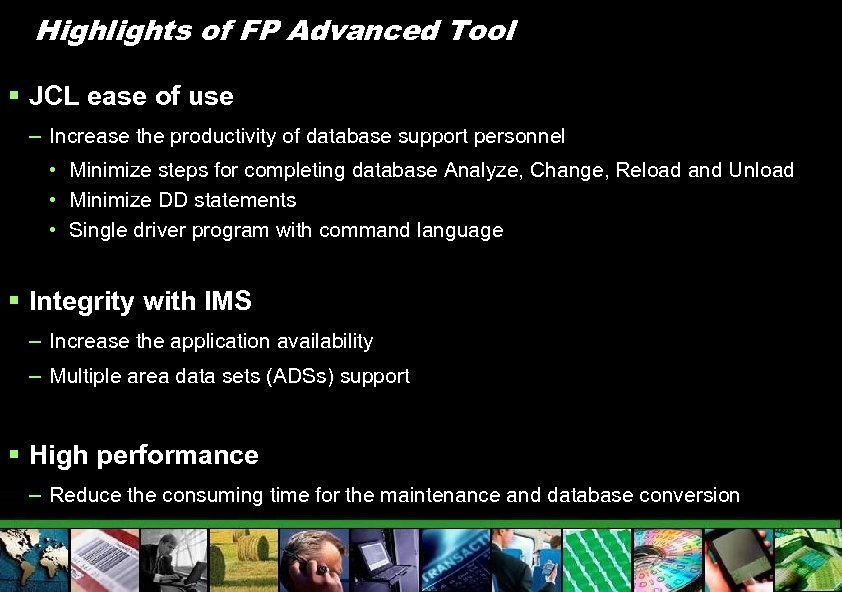
Highlights of FP Advanced Tool § JCL ease of use – Increase the productivity of database support personnel • Minimize steps for completing database Analyze, Change, Reload and Unload • Minimize DD statements • Single driver program with command language § Integrity with IMS – Increase the application availability – Multiple area data sets (ADSs) support § High performance – Reduce the consuming time for the maintenance and database conversion
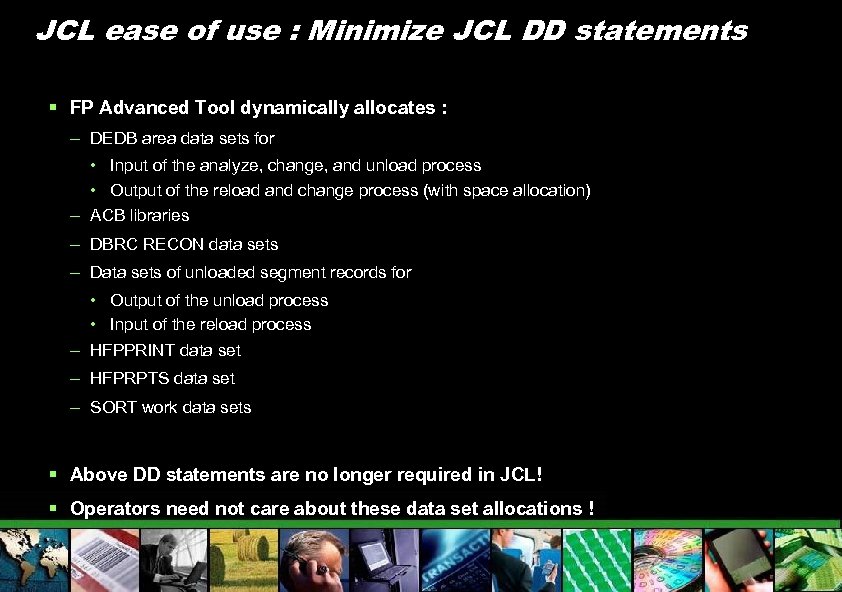
JCL ease of use : Minimize JCL DD statements § FP Advanced Tool dynamically allocates : – DEDB area data sets for • Input of the analyze, change, and unload process • Output of the reload and change process (with space allocation) – ACB libraries – DBRC RECON data sets – Data sets of unloaded segment records for • Output of the unload process • Input of the reload process – HFPPRINT data set – HFPRPTS data set – SORT work data sets § Above DD statements are no longer required in JCL! § Operators need not care about these data set allocations !
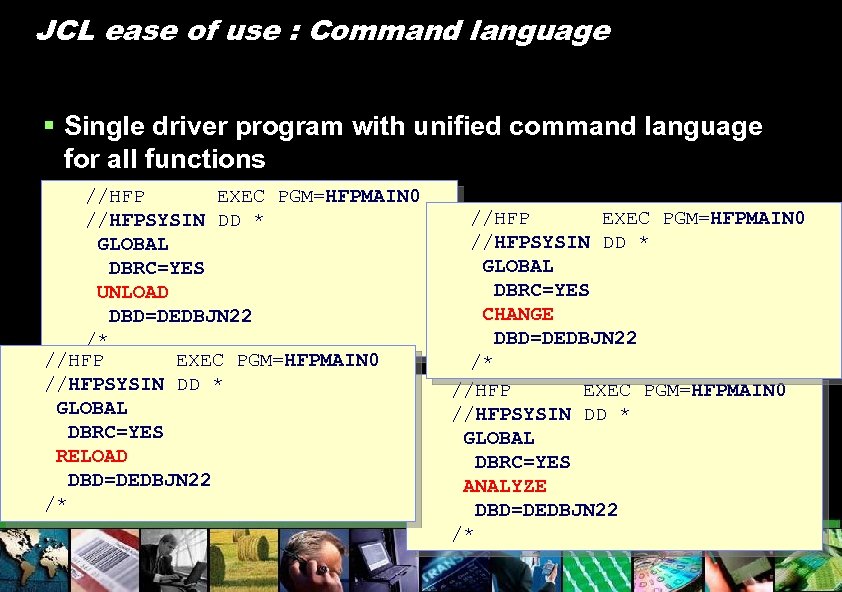
JCL ease of use : Command language § Single driver program with unified command language for all functions //HFP EXEC PGM=HFPMAIN 0 § Simplified JCL * //HFPSYSIN DD structure GLOBAL DBRC=YES UNLOAD DBD=DEDBJN 22 /* //HFP EXEC PGM=HFPMAIN 0 //HFPSYSIN DD * GLOBAL DBRC=YES RELOAD DBD=DEDBJN 22 /* //HFP EXEC PGM=HFPMAIN 0 //HFPSYSIN DD * GLOBAL DBRC=YES CHANGE DBD=DEDBJN 22 /* //HFP EXEC PGM=HFPMAIN 0 //HFPSYSIN DD * GLOBAL DBRC=YES ANALYZE DBD=DEDBJN 22 /*
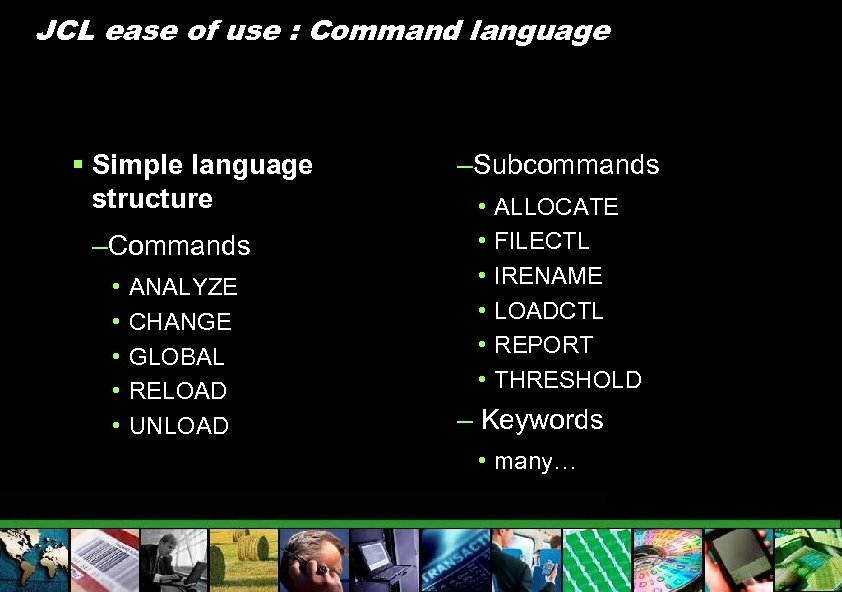
JCL ease of use : Command language § Simple language structure –Commands • • • ANALYZE CHANGE GLOBAL RELOAD UNLOAD –Subcommands • • • ALLOCATE FILECTL IRENAME LOADCTL REPORT THRESHOLD – Keywords • many…
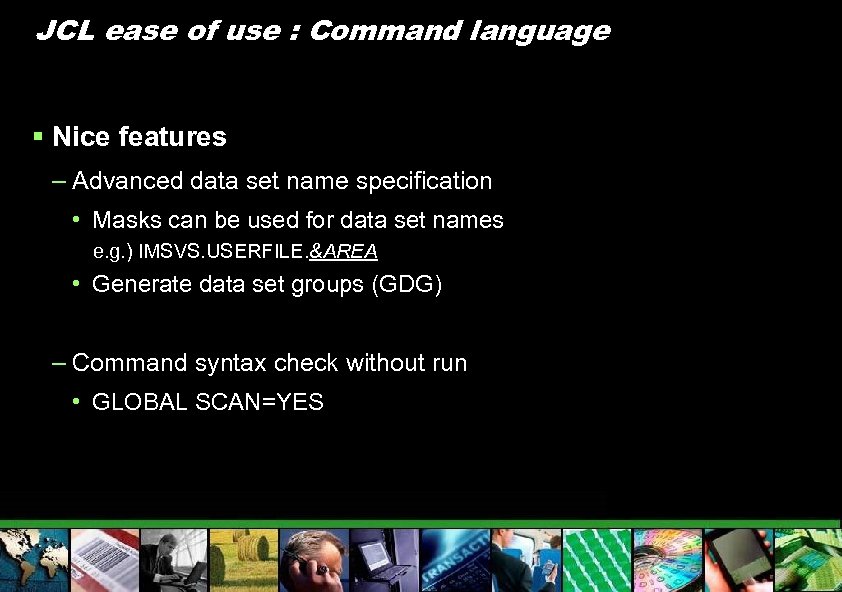
JCL ease of use : Command language § Nice features – Advanced data set name specification • Masks can be used for data set names e. g. ) IMSVS. USERFILE. &AREA • Generate data set groups (GDG) – Command syntax check without run • GLOBAL SCAN=YES
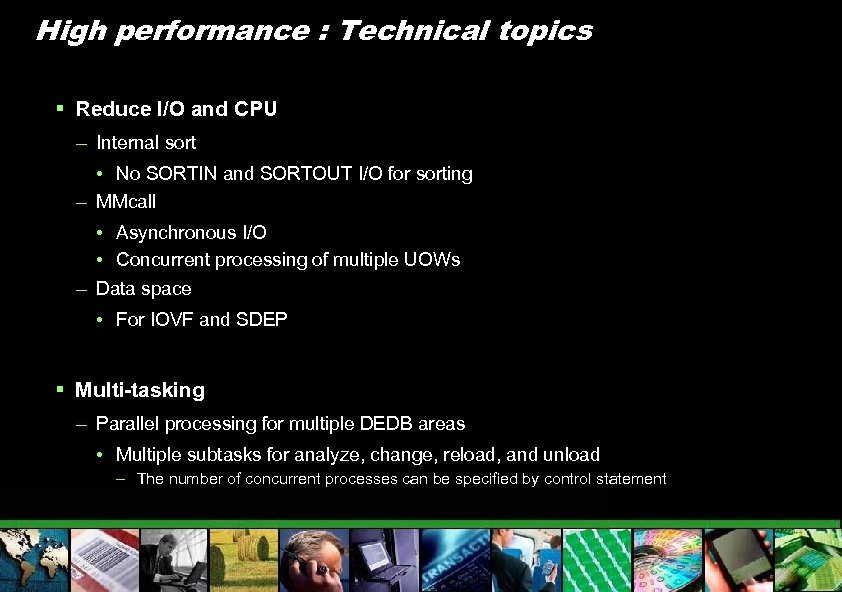
High performance : Technical topics § Reduce I/O and CPU – Internal sort • No SORTIN and SORTOUT I/O for sorting – MMcall • Asynchronous I/O • Concurrent processing of multiple UOWs – Data space • For IOVF and SDEP § Multi-tasking – Parallel processing for multiple DEDB areas • Multiple subtasks for analyze, change, reload, and unload – The number of concurrent processes can be specified by control statement
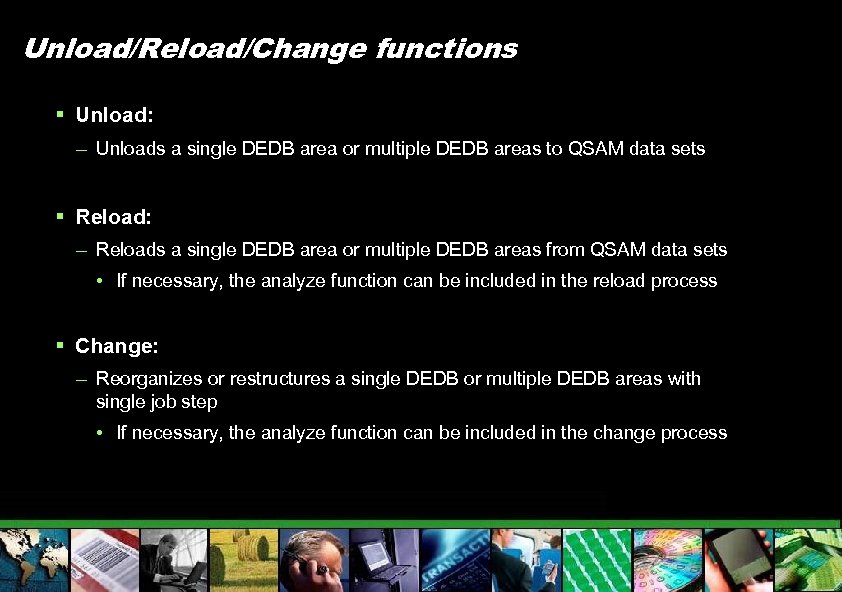
Unload/Reload/Change functions § Unload: – Unloads a single DEDB area or multiple DEDB areas to QSAM data sets § Reload: – Reloads a single DEDB area or multiple DEDB areas from QSAM data sets • If necessary, the analyze function can be included in the reload process § Change: – Reorganizes or restructures a single DEDB or multiple DEDB areas with single job step • If necessary, the analyze function can be included in the change process
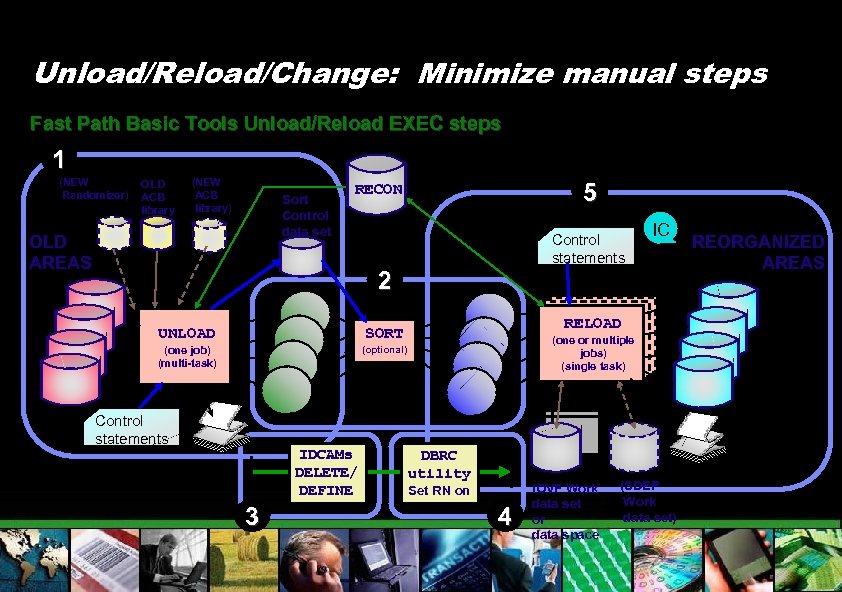
Unload/Reload/Change: Minimize manual steps Fast Path Basic Tools Unload/Reload EXEC steps 1 (NEW Randomizer) OLD ACB library (NEW ACB library) Sort Control data set OLD AREAS 5 RECON Control statements 2 UNLOAD RELOAD (one RELOAD or multiple SORT (one job) (multi-task) (optional) Control statements IDCAMs DELETE/ DEFINE 3 IC jobs) (single task) DBRC utility Set RN on 4 IOVF Work data set or data space (SDEP Work data set) REORGANIZED AREAS
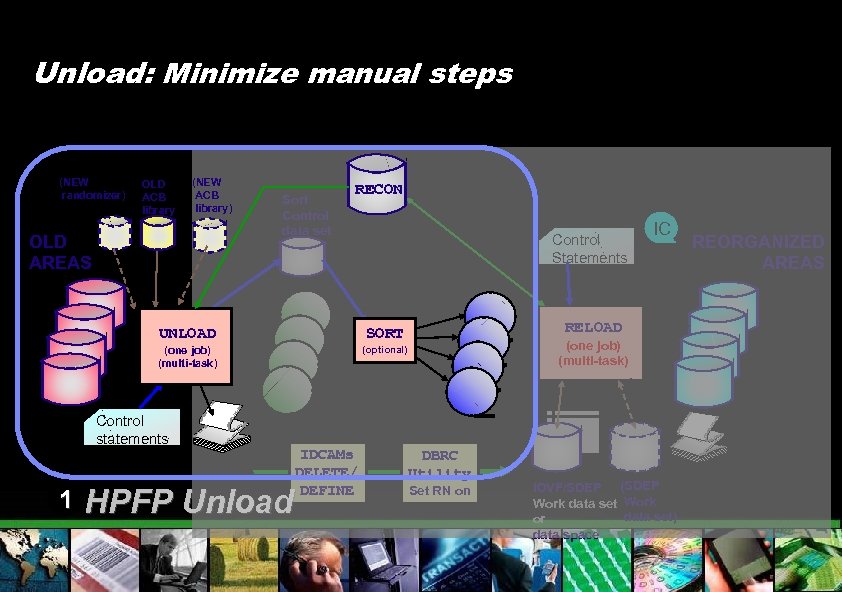
Unload: Minimize manual steps (NEW randomizer) OLD ACB library (NEW ACB library) OLD AREAS Sort Control data set RECON Control Statements UNLOAD (optional) Control statements 1 RELOAD SORT (one job) (multi-task) HPFP Unload IDCAMs DELETE/ DEFINE IC (one job) (multi-task) DBRC Utility Set RN on IOVF/SDEP (SDEP Work data set) or data space REORGANIZED AREAS
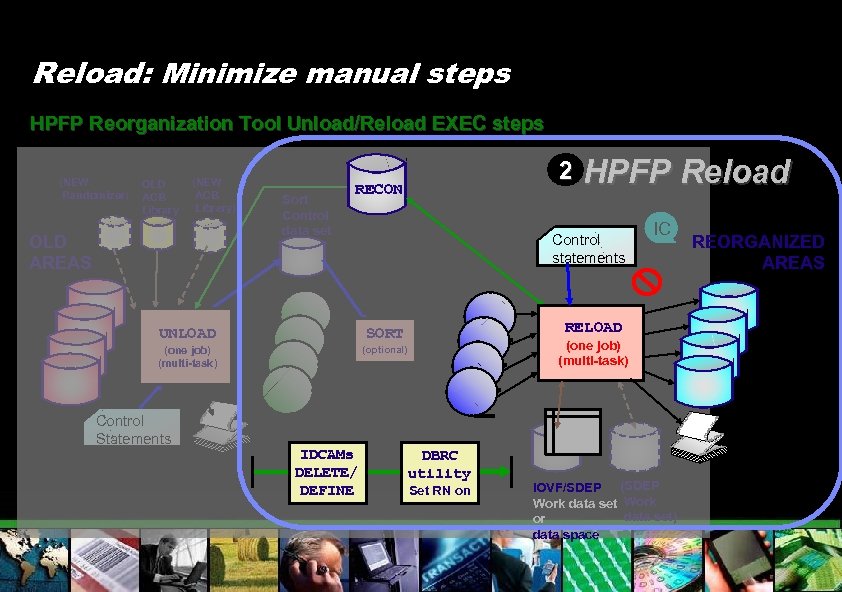
Reload: Minimize manual steps HPFP Reorganization Tool Unload/Reload EXEC steps (NEW Randomizer) OLD ACB Library (NEW ACB Library) OLD AREAS Sort Control data set 2 RECON Control statements UNLOAD (one job) (multi-task) (optional) IDCAMs DELETE/ DEFINE IC RELOAD SORT Control Statements HPFP Reload (one job) (multi-task) DBRC utility Set RN on IOVF/SDEP (SDEP Work data set) or data space REORGANIZED AREAS
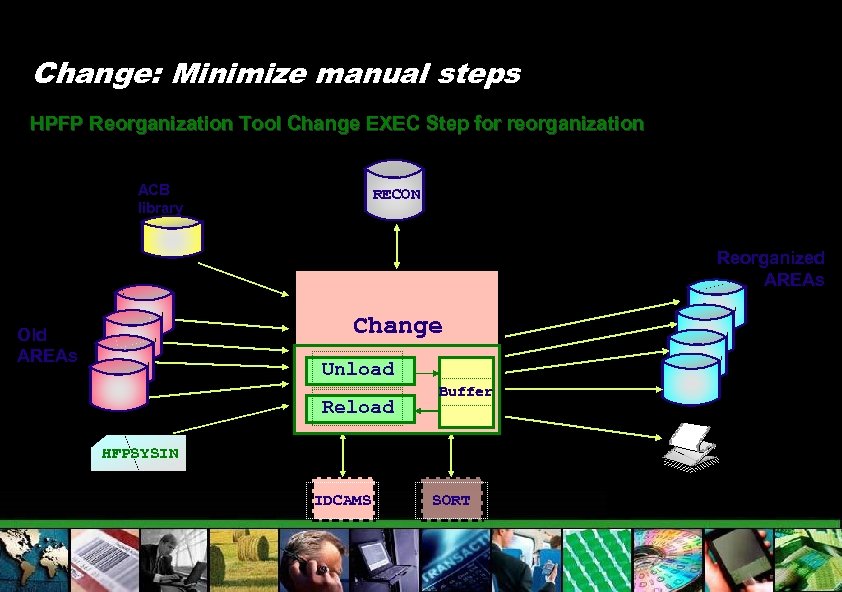
Change: Minimize manual steps HPFP Reorganization Tool Change EXEC Step for reorganization ACB library RECON Reorganized AREAs Change Old AREAs (one job) Unload (multi-task) Reload Buffer HFPSYSIN IDCAMS SORT
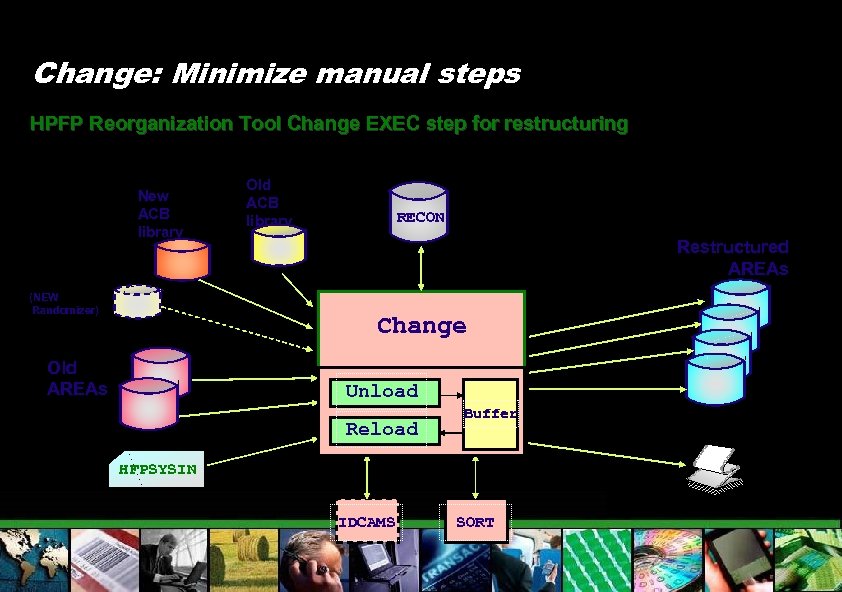
Change: Minimize manual steps HPFP Reorganization Tool Change EXEC step for restructuring New ACB library (NEW Randomizer) Old ACB library RECON Restructured AREAs Change Old AREAs Unload Reload Buffer HFPSYSIN IDCAMS SORT
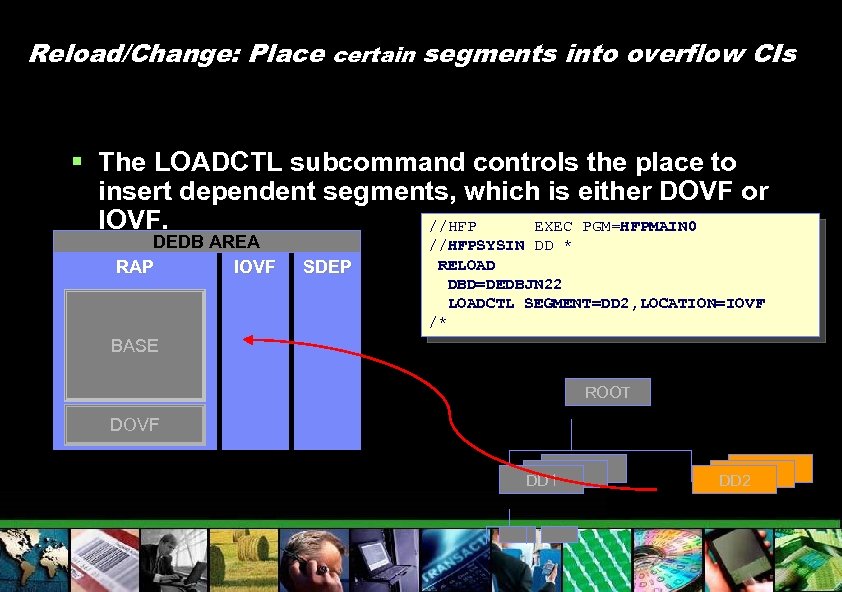
Reload/Change: Place certain segments into overflow CIs § The LOADCTL subcommand controls the place to insert dependent segments, which is either DOVF or IOVF. //HFP EXEC PGM=HFPMAIN 0 DEDB AREA RAP IOVF SDEP //HFPSYSIN DD * RELOAD DBD=DEDBJN 22 LOADCTL SEGMENT=DD 2, LOCATION=IOVF /* BASE ROOT DOVF DD 1 DD 1 DD 2
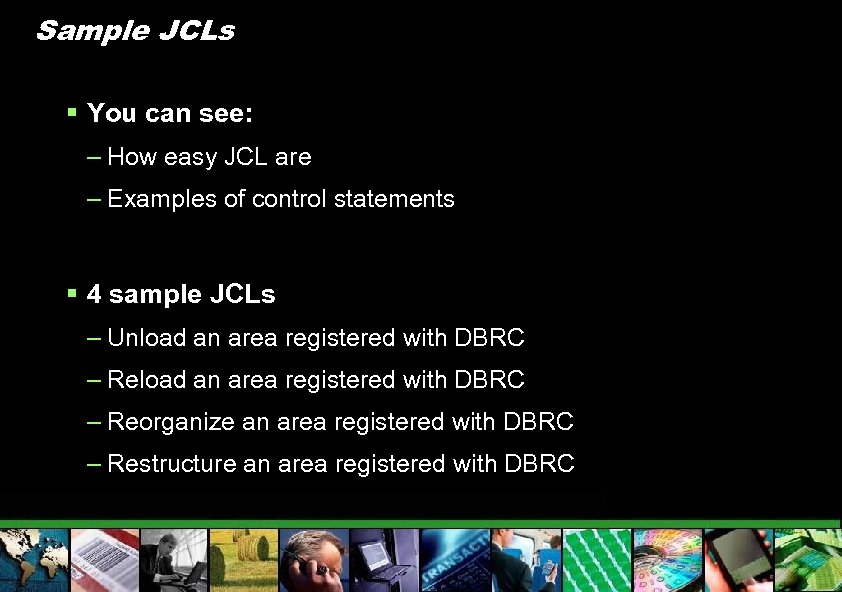
Sample JCLs § You can see: – How easy JCL are – Examples of control statements § 4 sample JCLs – Unload an area registered with DBRC – Reorganize an area registered with DBRC – Restructure an area registered with DBRC
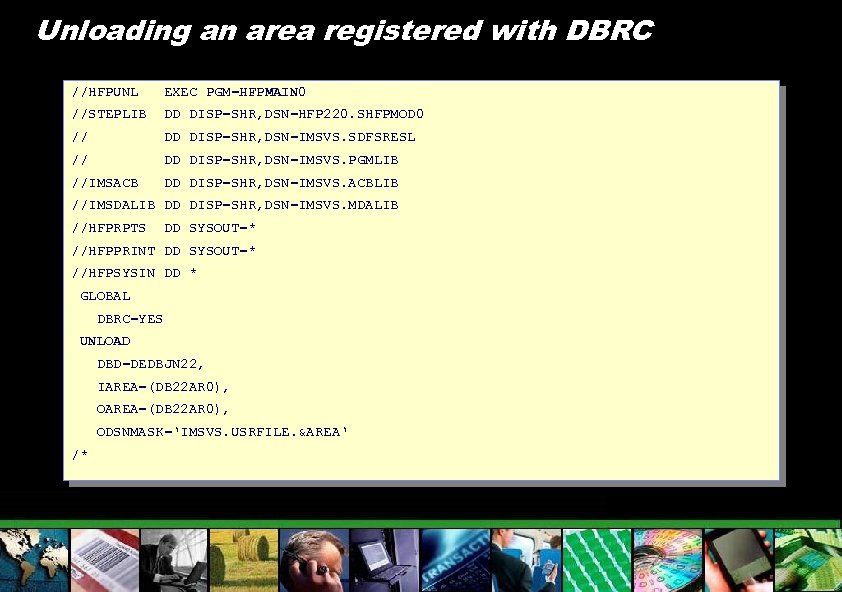
Unloading an area registered with DBRC //HFPUNL EXEC PGM=HFPMAIN 0 //STEPLIB DD DISP=SHR, DSN=HFP 220. SHFPMOD 0 // DD DISP=SHR, DSN=IMSVS. SDFSRESL // DD DISP=SHR, DSN=IMSVS. PGMLIB //IMSACB DD DISP=SHR, DSN=IMSVS. ACBLIB //IMSDALIB DD DISP=SHR, DSN=IMSVS. MDALIB //HFPRPTS DD SYSOUT=* //HFPPRINT DD SYSOUT=* //HFPSYSIN DD * GLOBAL DBRC=YES UNLOAD DBD=DEDBJN 22, IAREA=(DB 22 AR 0), ODSNMASK=‘IMSVS. USRFILE. &AREA‘ /*
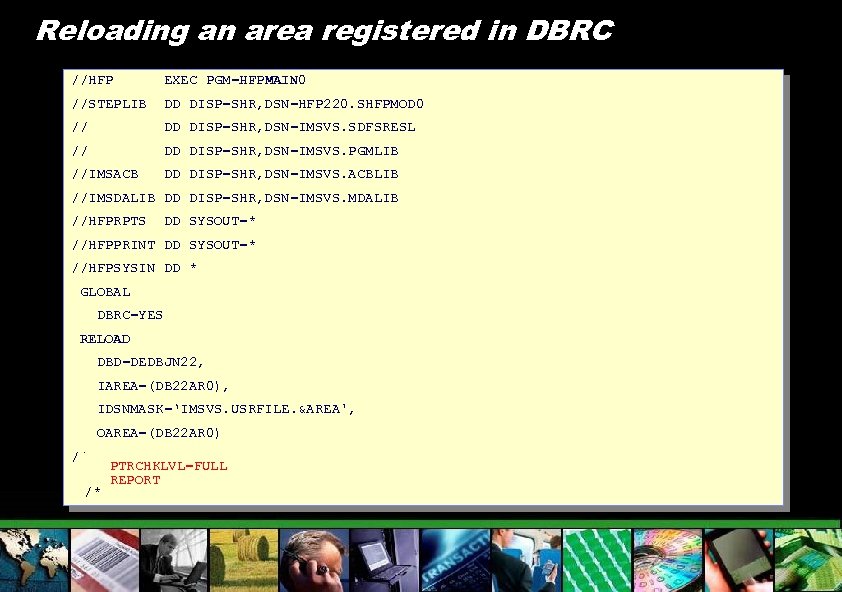
Reloading an area registered in DBRC //HFP EXEC PGM=HFPMAIN 0 //STEPLIB DD DISP=SHR, DSN=HFP 220. SHFPMOD 0 // DD DISP=SHR, DSN=IMSVS. SDFSRESL // DD DISP=SHR, DSN=IMSVS. PGMLIB //IMSACB DD DISP=SHR, DSN=IMSVS. ACBLIB //IMSDALIB DD DISP=SHR, DSN=IMSVS. MDALIB //HFPRPTS DD SYSOUT=* //HFPPRINT DD SYSOUT=* //HFPSYSIN DD * GLOBAL DBRC=YES RELOAD DBD=DEDBJN 22, IAREA=(DB 22 AR 0), IDSNMASK=‘IMSVS. USRFILE. &AREA', OAREA=(DB 22 AR 0) /* /* PTRCHKLVL=FULL REPORT
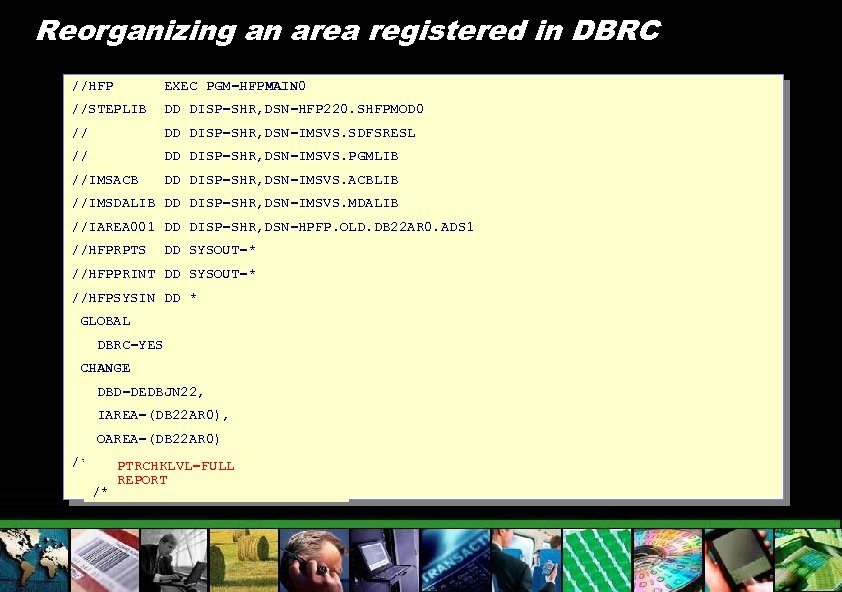
Reorganizing an area registered in DBRC //HFP EXEC PGM=HFPMAIN 0 //STEPLIB DD DISP=SHR, DSN=HFP 220. SHFPMOD 0 // DD DISP=SHR, DSN=IMSVS. SDFSRESL // DD DISP=SHR, DSN=IMSVS. PGMLIB //IMSACB DD DISP=SHR, DSN=IMSVS. ACBLIB //IMSDALIB DD DISP=SHR, DSN=IMSVS. MDALIB //IAREA 001 DD DISP=SHR, DSN=HPFP. OLD. DB 22 AR 0. ADS 1 //HFPRPTS DD SYSOUT=* //HFPPRINT DD SYSOUT=* //HFPSYSIN DD * GLOBAL DBRC=YES CHANGE DBD=DEDBJN 22, IAREA=(DB 22 AR 0), OAREA=(DB 22 AR 0) /* /* PTRCHKLVL=FULL REPORT
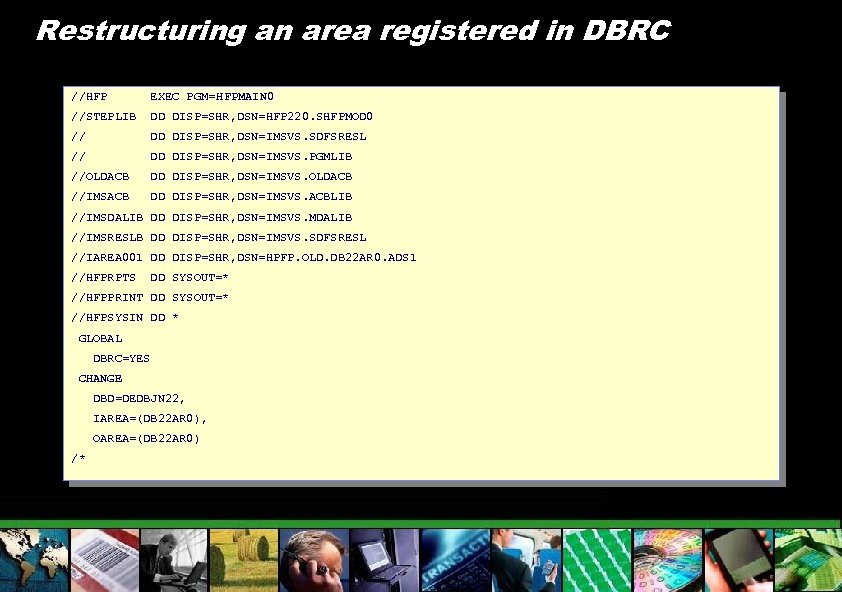
Restructuring an area registered in DBRC //HFP EXEC PGM=HFPMAIN 0 //STEPLIB DD DISP=SHR, DSN=HFP 220. SHFPMOD 0 // DD DISP=SHR, DSN=IMSVS. SDFSRESL // DD DISP=SHR, DSN=IMSVS. PGMLIB //OLDACB DD DISP=SHR, DSN=IMSVS. OLDACB //IMSACB DD DISP=SHR, DSN=IMSVS. ACBLIB //IMSDALIB DD DISP=SHR, DSN=IMSVS. MDALIB //IMSRESLB DD DISP=SHR, DSN=IMSVS. SDFSRESL //IAREA 001 DD DISP=SHR, DSN=HPFP. OLD. DB 22 AR 0. ADS 1 //HFPRPTS DD SYSOUT=* //HFPPRINT DD SYSOUT=* //HFPSYSIN DD * GLOBAL DBRC=YES CHANGE DBD=DEDBJN 22, IAREA=(DB 22 AR 0), OAREA=(DB 22 AR 0) /*
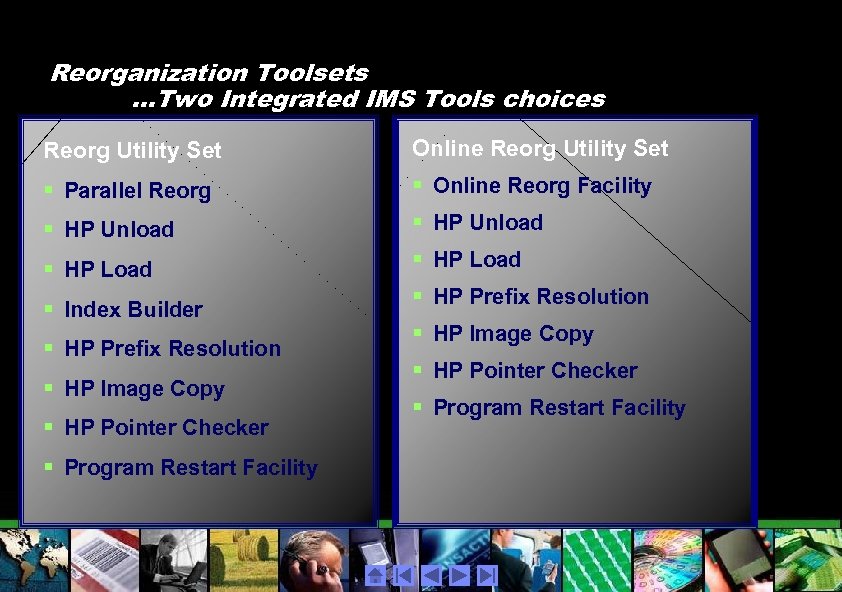
Reorganization Toolsets …Two Integrated IMS Tools choices Reorg Utility Set Online Reorg Utility Set § Parallel Reorg § Online Reorg Facility § HP Unload § HP Load § Index Builder § HP Prefix Resolution § HP Image Copy § HP Pointer Checker § Program Restart Facility
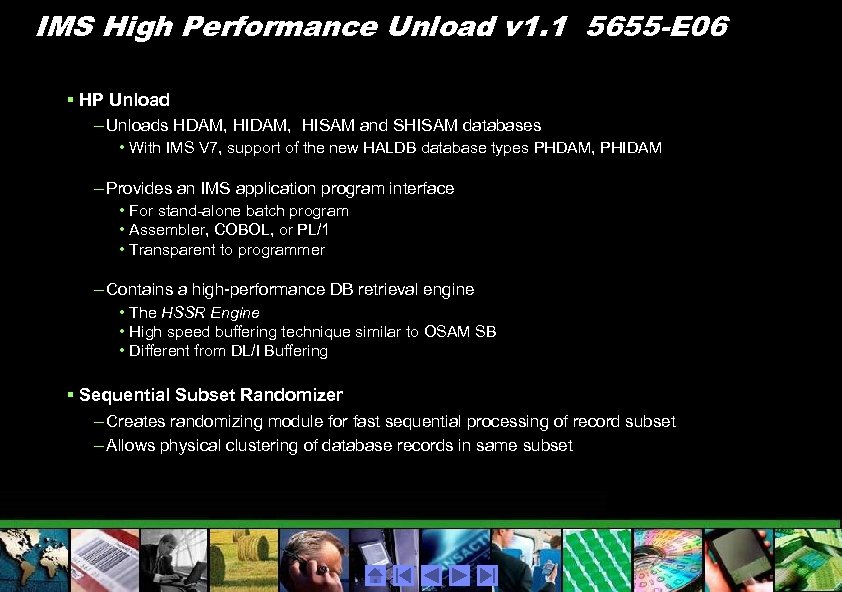
IMS High Performance Unload v 1. 1 5655 -E 06 § HP Unload – Unloads HDAM, HISAM and SHISAM databases • With IMS V 7, support of the new HALDB database types PHDAM, PHIDAM – Provides an IMS application program interface • For stand-alone batch program • Assembler, COBOL, or PL/1 • Transparent to programmer – Contains a high-performance DB retrieval engine • The HSSR Engine • High speed buffering technique similar to OSAM SB • Different from DL/I Buffering § Sequential Subset Randomizer – Creates randomizing module for fast sequential processing of record subset – Allows physical clustering of database records in same subset
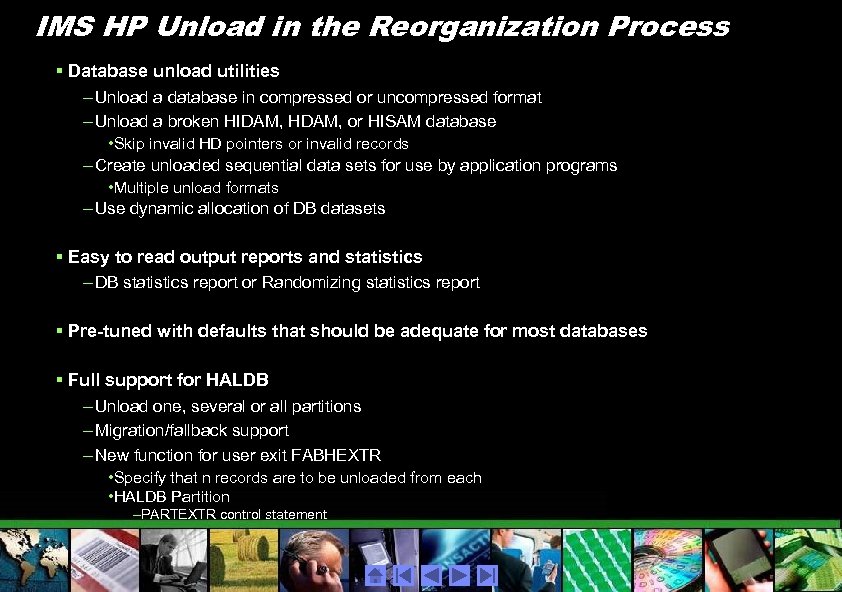
IMS HP Unload in the Reorganization Process § Database unload utilities – Unload a database in compressed or uncompressed format – Unload a broken HIDAM, HDAM, or HISAM database • Skip invalid HD pointers or invalid records – Create unloaded sequential data sets for use by application programs • Multiple unload formats – Use dynamic allocation of DB datasets § Easy to read output reports and statistics – DB statistics report or Randomizing statistics report § Pre-tuned with defaults that should be adequate for most databases § Full support for HALDB – Unload one, several or all partitions – Migration/fallback support – New function for user exit FABHEXTR • Specify that n records are to be unloaded from each • HALDB Partition –PARTEXTR control statement
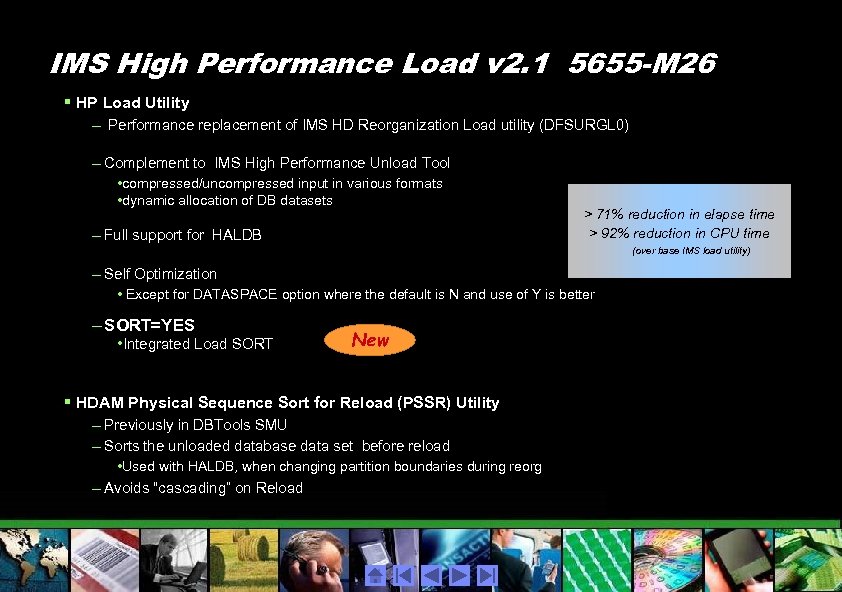
IMS High Performance Load v 2. 1 5655 -M 26 § HP Load Utility – Performance replacement of IMS HD Reorganization Load utility (DFSURGL 0) – Complement to IMS High Performance Unload Tool • compressed/uncompressed input in various formats • dynamic allocation of DB datasets – Full support for HALDB > 71% reduction in elapse time > 92% reduction in CPU time (over base IMS load utility) – Self Optimization • Except for DATASPACE option where the default is N and use of Y is better – SORT=YES • Integrated Load SORT New § HDAM Physical Sequence Sort for Reload (PSSR) Utility – Previously in DBTools SMU – Sorts the unloaded database data set before reload • Used with HALDB, when changing partition boundaries during reorg – Avoids “cascading” on Reload
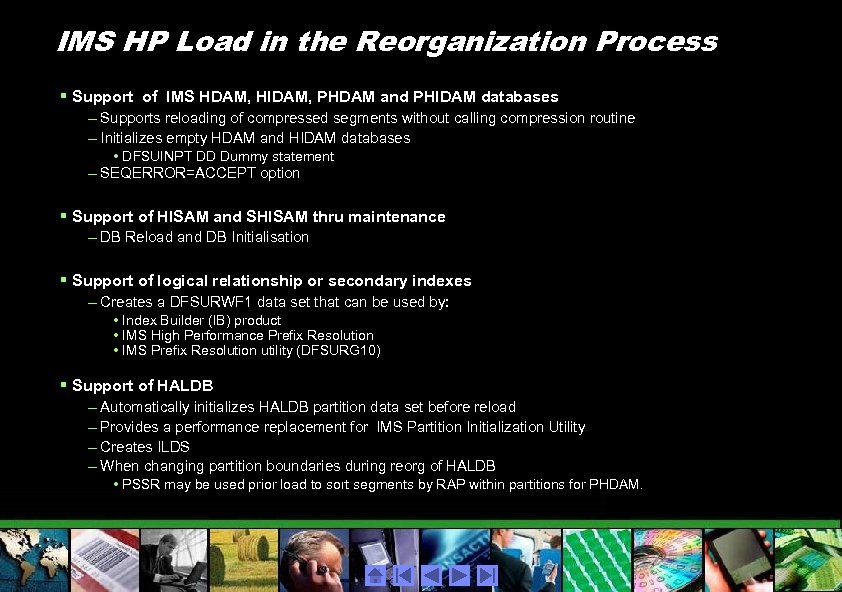
IMS HP Load in the Reorganization Process § Support of IMS HDAM, HIDAM, PHDAM and PHIDAM databases – Supports reloading of compressed segments without calling compression routine – Initializes empty HDAM and HIDAM databases • DFSUINPT DD Dummy statement – SEQERROR=ACCEPT option § Support of HISAM and SHISAM thru maintenance – DB Reload and DB Initialisation § Support of logical relationship or secondary indexes – Creates a DFSURWF 1 data set that can be used by: • Index Builder (IB) product • IMS High Performance Prefix Resolution • IMS Prefix Resolution utility (DFSURG 10) § Support of HALDB – Automatically initializes HALDB partition data set before reload – Provides a performance replacement for IMS Partition Initialization Utility – Creates ILDS – When changing partition boundaries during reorg of HALDB • PSSR may be used prior load to sort segments by RAP within partitions for PHDAM.
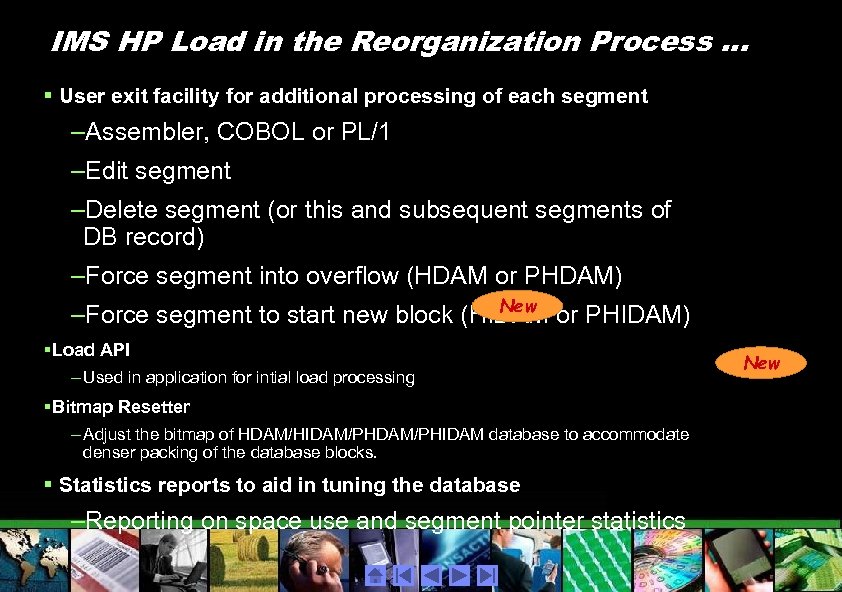
IMS HP Load in the Reorganization Process. . . § User exit facility for additional processing of each segment –Assembler, COBOL or PL/1 –Edit segment –Delete segment (or this and subsequent segments of DB record) –Force segment into overflow (HDAM or PHDAM) New –Force segment to start new block (HIDAM or PHIDAM) §Load API – Used in application for intial load processing §Bitmap Resetter – Adjust the bitmap of HDAM/HIDAM/PHIDAM database to accommodate denser packing of the database blocks. § Statistics reports to aid in tuning the database –Reporting on space use and segment pointer statistics New
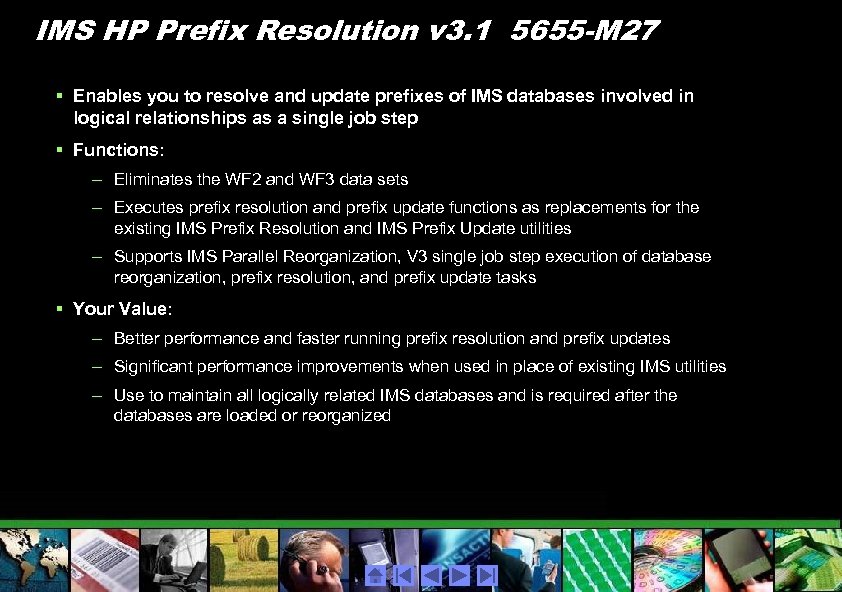
IMS HP Prefix Resolution v 3. 1 5655 -M 27 § Enables you to resolve and update prefixes of IMS databases involved in logical relationships as a single job step § Functions: – Eliminates the WF 2 and WF 3 data sets – Executes prefix resolution and prefix update functions as replacements for the existing IMS Prefix Resolution and IMS Prefix Update utilities – Supports IMS Parallel Reorganization, V 3 single job step execution of database reorganization, prefix resolution, and prefix update tasks § Your Value: – Better performance and faster running prefix resolution and prefix updates – Significant performance improvements when used in place of existing IMS utilities – Use to maintain all logically related IMS databases and is required after the databases are loaded or reorganized
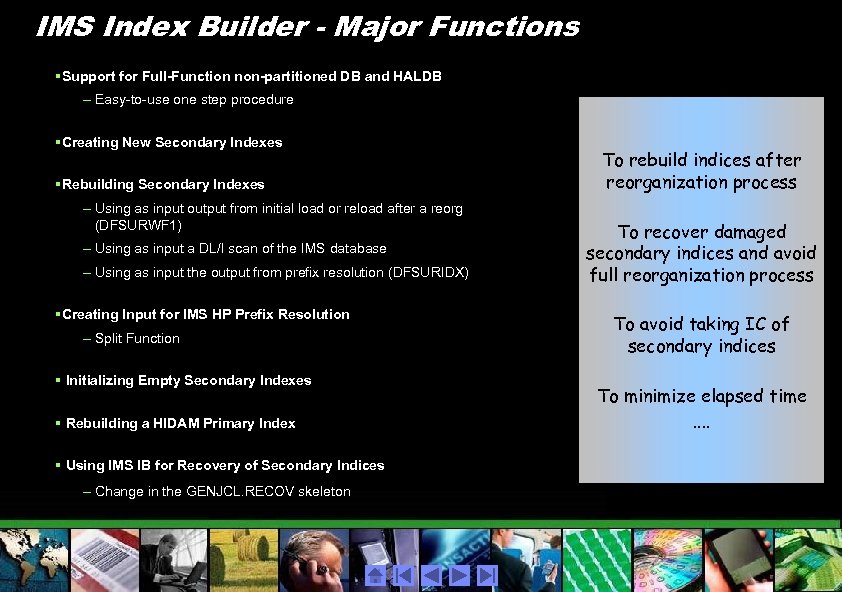
IMS Index Builder - Major Functions § Support for Full-Function non-partitioned DB and HALDB – Easy-to-use one step procedure § Creating New Secondary Indexes § Rebuilding Secondary Indexes – Using as input output from initial load or reload after a reorg (DFSURWF 1) – Using as input a DL/I scan of the IMS database – Using as input the output from prefix resolution (DFSURIDX) § Creating Input for IMS HP Prefix Resolution – Split Function § Initializing Empty Secondary Indexes § Rebuilding a HIDAM Primary Index § Using IMS IB for Recovery of Secondary Indices – Change in the GENJCL. RECOV skeleton To rebuild indices after reorganization process To recover damaged secondary indices and avoid full reorganization process To avoid taking IC of secondary indices To minimize elapsed time. .
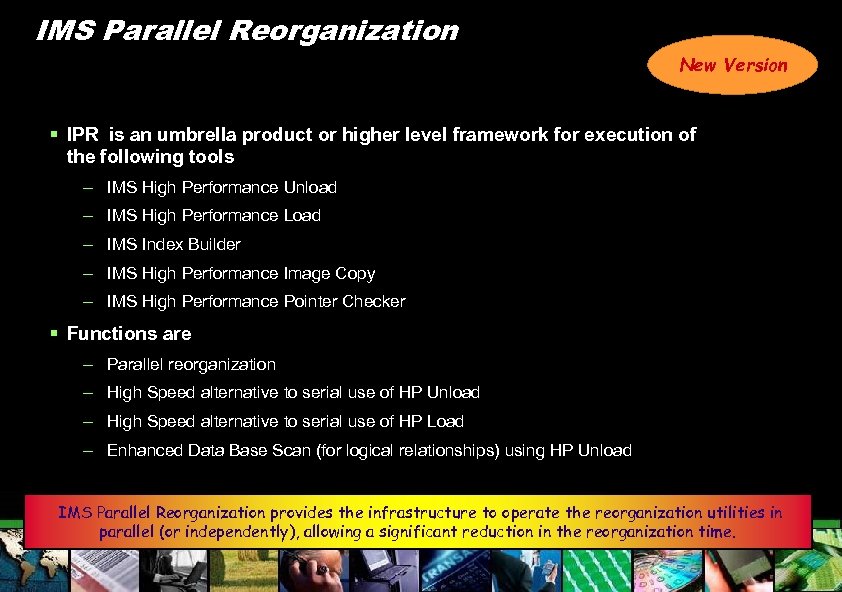
IMS Parallel Reorganization New Version § IPR is an umbrella product or higher level framework for execution of the following tools – IMS High Performance Unload – IMS High Performance Load – IMS Index Builder – IMS High Performance Image Copy – IMS High Performance Pointer Checker § Functions are – Parallel reorganization – High Speed alternative to serial use of HP Unload – High Speed alternative to serial use of HP Load – Enhanced Data Base Scan (for logical relationships) using HP Unload IMS Parallel Reorganization provides the infrastructure to operate the reorganization utilities in parallel (or independently), allowing a significant reduction in the reorganization time.
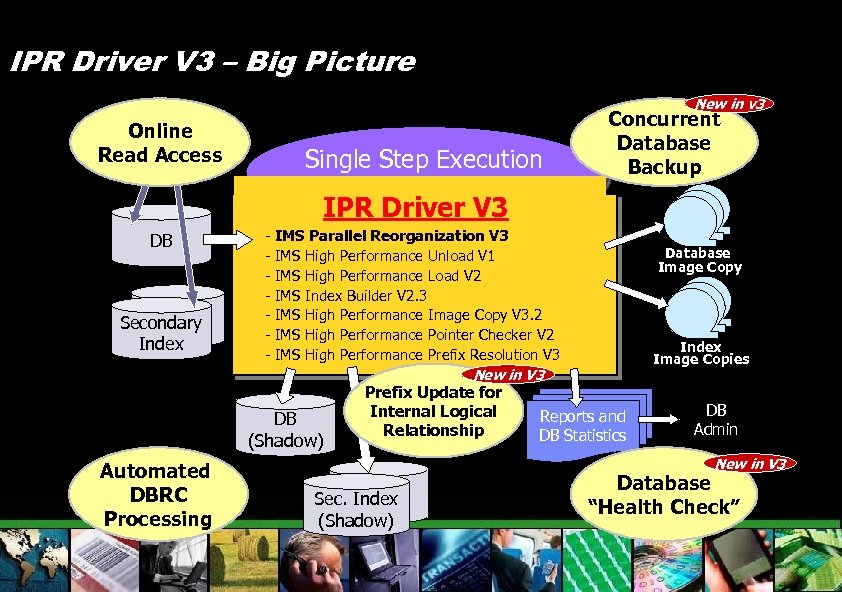
IPR Driver V 3 – Big Picture New in v 3 Online Read Access Concurrent Database Backup Single Step Execution Sep. 21 Announcement IMS Tools New Versions/Release IPR Driver V 3 DB Secondary Index - IMS Parallel Reorganization V 3 IMS High Performance Unload V 1 IMS High Performance Load V 2 IMS Index Builder V 2. 3 IMS High Performance Image Copy V 3. 2 IMS High Performance Pointer Checker V 2 IMS High Performance Prefix Resolution V 3 New in V 3 DB (Shadow) Automated DBRC Processing Prefix Update for Internal Logical Relationship Database Image Copy Index Image Copies Reports and DB Statistics DB Admin New in V 3 Sec. Index (Shadow) Database “Health Check”
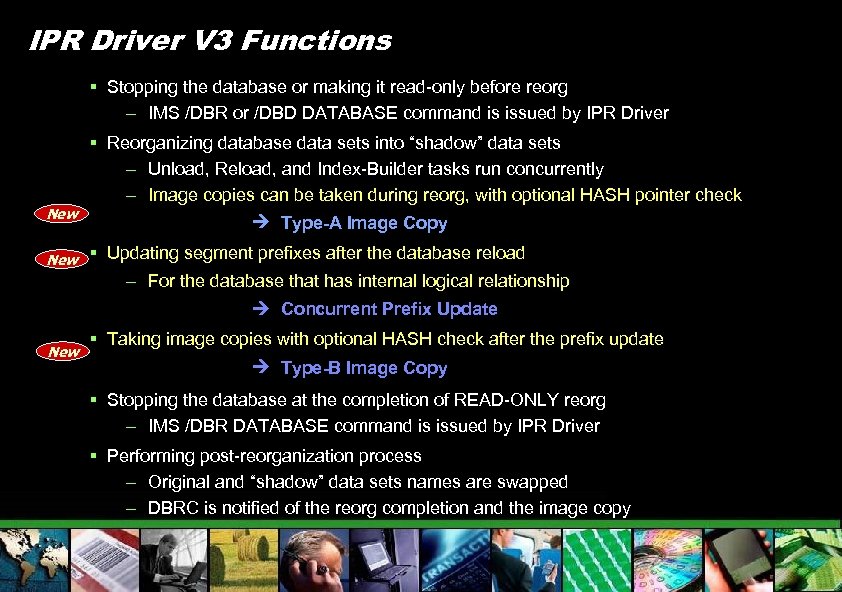
IPR Driver V 3 Functions § Stopping the database or making it read-only before reorg – IMS /DBR or /DBD DATABASE command is issued by IPR Driver New § Reorganizing database data sets into “shadow” data sets – Unload, Reload, and Index-Builder tasks run concurrently – Image copies can be taken during reorg, with optional HASH pointer check Type-A Image Copy § Updating segment prefixes after the database reload – For the database that has internal logical relationship Concurrent Prefix Update New § Taking image copies with optional HASH check after the prefix update Type-B Image Copy § Stopping the database at the completion of READ-ONLY reorg – IMS /DBR DATABASE command is issued by IPR Driver § Performing post-reorganization process – Original and “shadow” data sets names are swapped – DBRC is notified of the reorg completion and the image copy
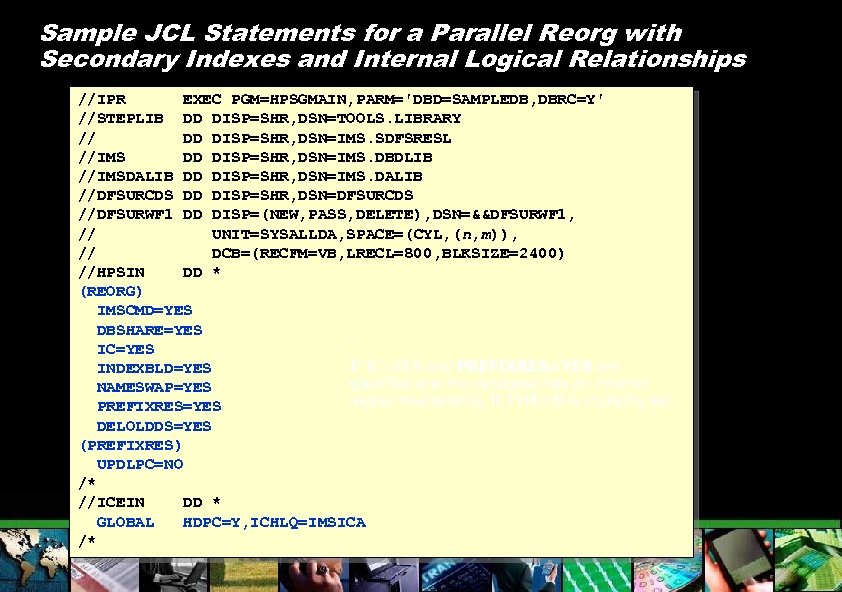
Sample JCL Statements for a Parallel Reorg with Secondary Indexes and Internal Logical Relationships //IPR EXEC PGM=HPSGMAIN, PARM='DBD=SAMPLEDB, DBRC=Y' //STEPLIB DD DISP=SHR, DSN=TOOLS. LIBRARY // DD DISP=SHR, DSN=IMS. SDFSRESL //IMS DD DISP=SHR, DSN=IMS. DBDLIB //IMSDALIB DD DISP=SHR, DSN=IMS. DALIB //DFSURCDS DD DISP=SHR, DSN=DFSURCDS //DFSURWF 1 DD DISP=(NEW, PASS, DELETE), DSN=&&DFSURWF 1, // UNIT=SYSALLDA, SPACE=(CYL, (n, m)), // DCB=(RECFM=VB, LRECL=800, BLKSIZE=2400) //HPSIN DD * (REORG) IMSCMD=YES DBSHARE=YES. IC=YES If IC=YES and PREFIXRES=YES are INDEXBLD=YES specified and the database has an internal NAMESWAP=YES logical relationship, ICTYPE=B is implicitly set. PREFIXRES=YES DELOLDDS=YES (PREFIXRES) UPDLPC=NO /* //ICEIN DD * GLOBAL HDPC=Y, ICHLQ=IMSICA /*
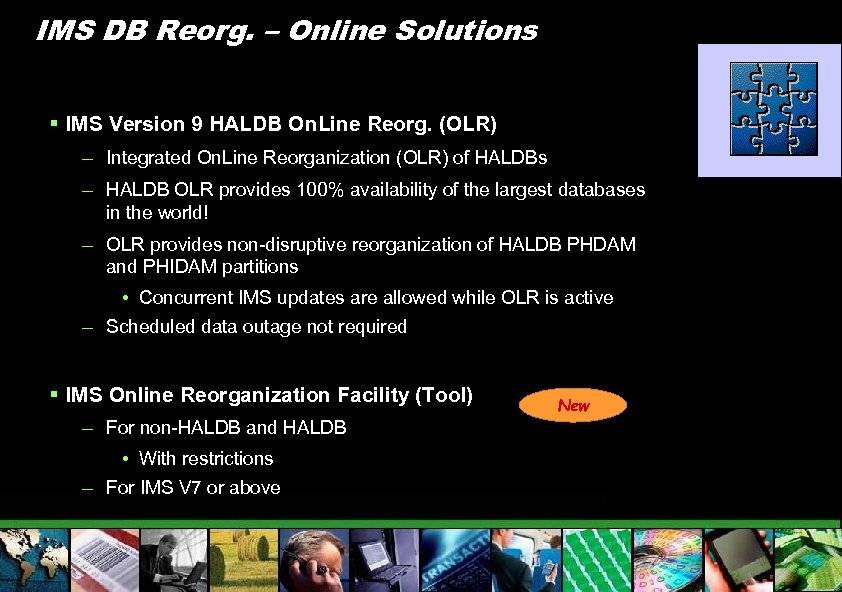
IMS DB Reorg. – Online Solutions § IMS Version 9 HALDB On. Line Reorg. (OLR) – Integrated On. Line Reorganization (OLR) of HALDBs – HALDB OLR provides 100% availability of the largest databases in the world! – OLR provides non-disruptive reorganization of HALDB PHDAM and PHIDAM partitions • Concurrent IMS updates are allowed while OLR is active – Scheduled data outage not required § IMS Online Reorganization Facility (Tool) – For non-HALDB and HALDB • With restrictions – For IMS V 7 or above New
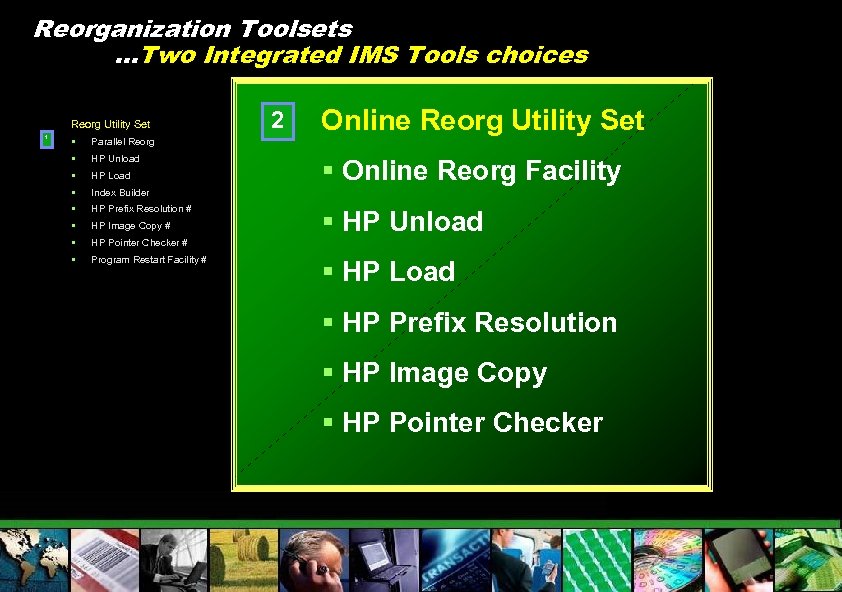
Reorganization Toolsets …Two Integrated IMS Tools choices Reorg Utility Set 1 § HP Unload § HP Load § Index Builder § HP Prefix Resolution # § HP Image Copy # § HP Pointer Checker # § Program Restart Facility # Online Reorg Utility Set Parallel Reorg § 2 § Online Reorg Facility § HP Unload § HP Load § HP Prefix Resolution § HP Image Copy § HP Pointer Checker
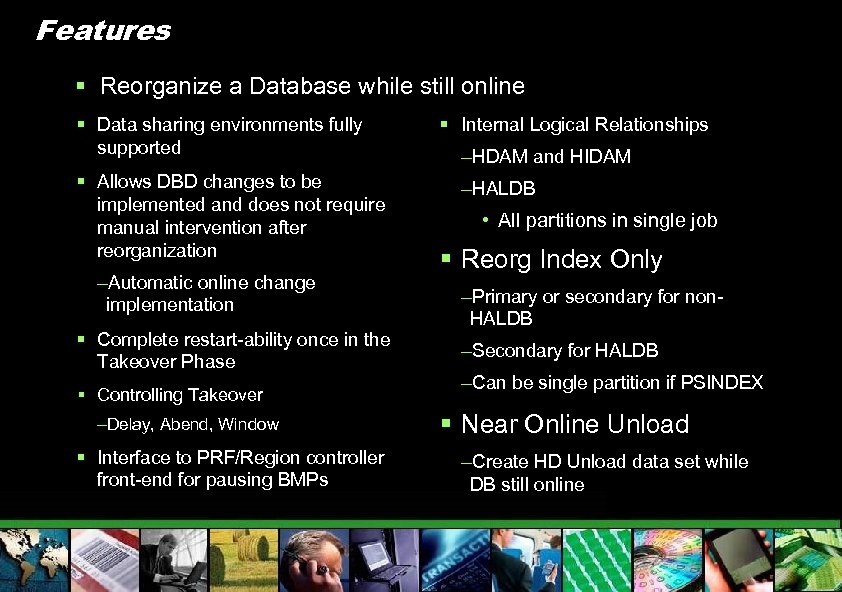
Features § Reorganize a Database while still online § Data sharing environments fully supported § Allows DBD changes to be implemented and does not require manual intervention after reorganization –Automatic online change implementation § Complete restart-ability once in the Takeover Phase § Controlling Takeover –Delay, Abend, Window § Interface to PRF/Region controller front-end for pausing BMPs § Internal Logical Relationships –HDAM and HIDAM –HALDB • All partitions in single job § Reorg Index Only –Primary or secondary for non. HALDB –Secondary for HALDB –Can be single partition if PSINDEX § Near Online Unload –Create HD Unload data set while DB still online
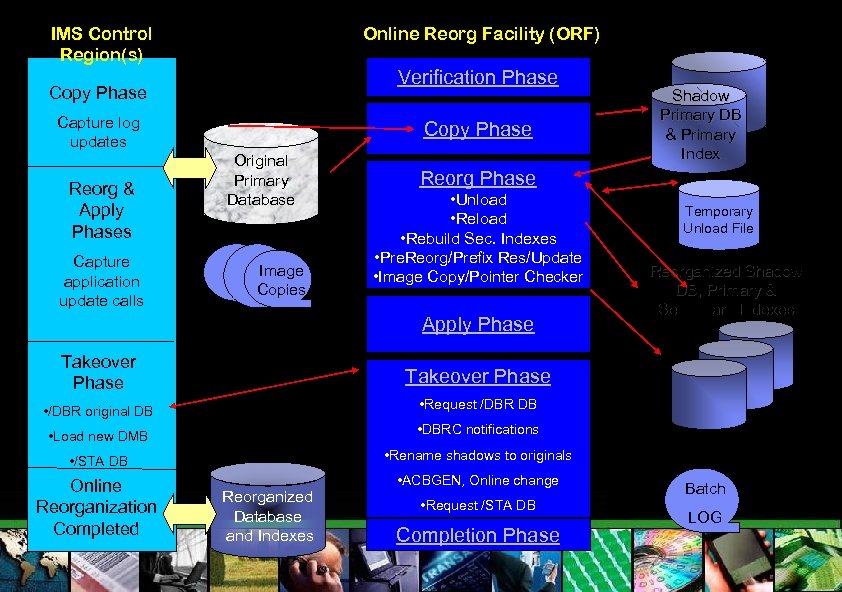
IMS Control Region(s) Online Reorg Facility (ORF) Verification Phase Copy Phase Capture log updates Reorg & Apply Phases Capture application update calls Copy Phase Original Primary Database Image Copies Shadow Primary DB & Primary Index Reorg Phase • Unload • Rebuild Sec. Indexes • Pre. Reorg/Prefix Res/Update • Image Copy/Pointer Checker Apply Phase Takeover Phase • Request /DBR DB • Load new DMB • DBRC notifications • /STA DB • Rename shadows to originals Online Reorganization Completed • ACBGEN, Online change Reorganized Shadow DB, Primary & Secondary Indexes Takeover Phase • /DBR original DB Temporary Unload File Reorganized Database and Indexes • Request /STA DB Completion Phase Batch LOG
IMS Online Reorganization Facility for z/OS § Online Reorganization – DBD Changes permitted – Controlling Takeover Phase – Managing BMPs during Takeover Phase – New Functions
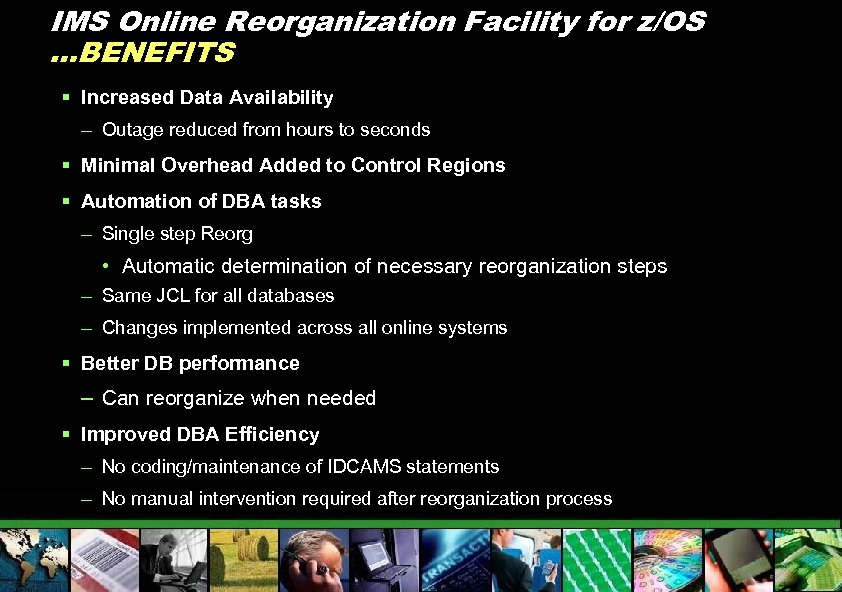
IMS Online Reorganization Facility for z/OS …BENEFITS § Increased Data Availability – Outage reduced from hours to seconds § Minimal Overhead Added to Control Regions § Automation of DBA tasks – Single step Reorg • Automatic determination of necessary reorganization steps – Same JCL for all databases – Changes implemented across all online systems § Better DB performance – Can reorganize when needed § Improved DBA Efficiency – No coding/maintenance of IDCAMS statements – No manual intervention required after reorganization process
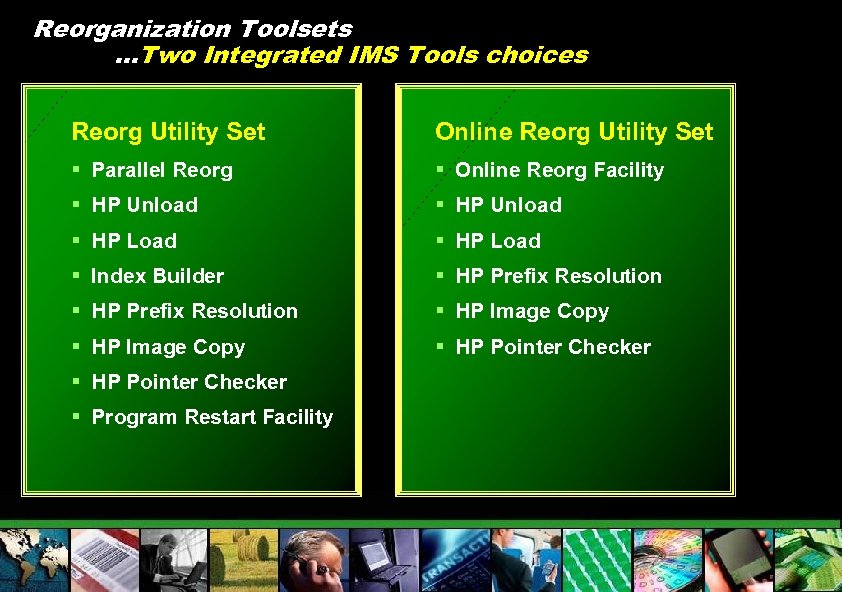
Reorganization Toolsets …Two Integrated IMS Tools choices Reorg Utility Set Online Reorg Utility Set § Parallel Reorg § Online Reorg Facility § HP Unload § HP Load § Index Builder § HP Prefix Resolution § HP Image Copy § HP Pointer Checker § Program Restart Facility

IMS Tools ………What’s new and exciting Janet Le. Blanc Silicon Valley Lab leblancj@ca. ibm. com © 2005 IBM Corporation

Additional Slides

Reorg Slides
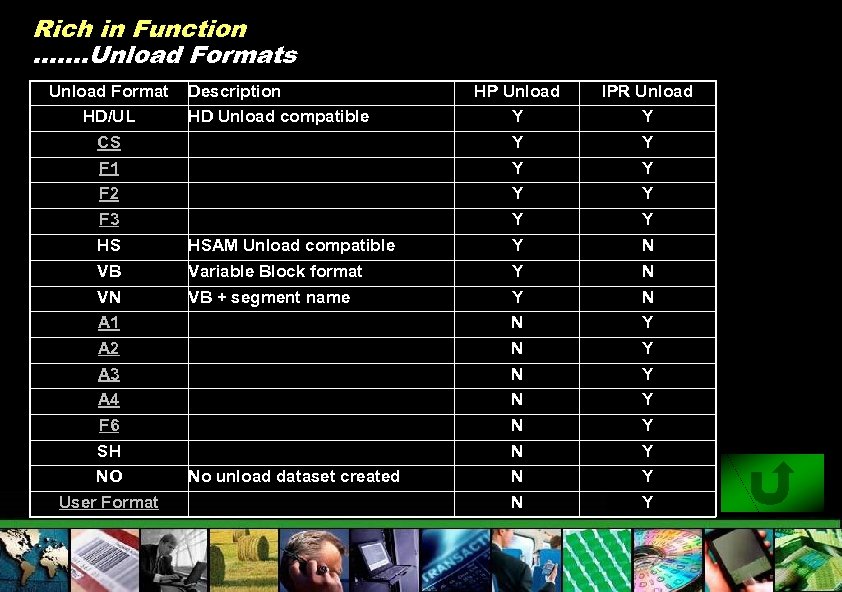
Rich in Function ……. Unload Formats Unload Format HD/UL Description HD Unload compatible HP Unload Y IPR Unload Y CS Y Y F 1 Y Y F 2 F 3 Y Y HS HSAM Unload compatible Y N VB Variable Block format Y N VN A 1 VB + segment name Y N N Y A 2 N Y A 3 N Y A 4 N Y F 6 N Y SH N Y N Y NO User Format No unload dataset created

HD/SH Format
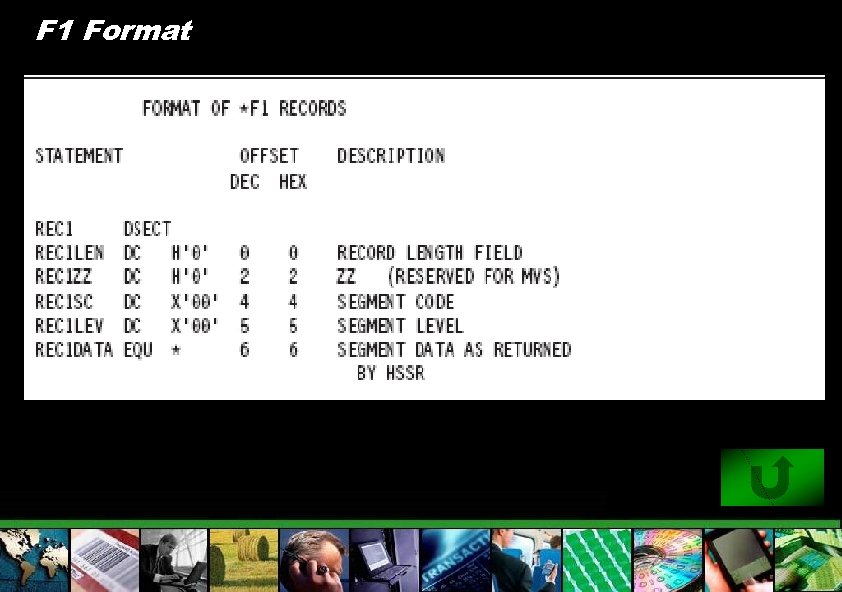
F 1 Format
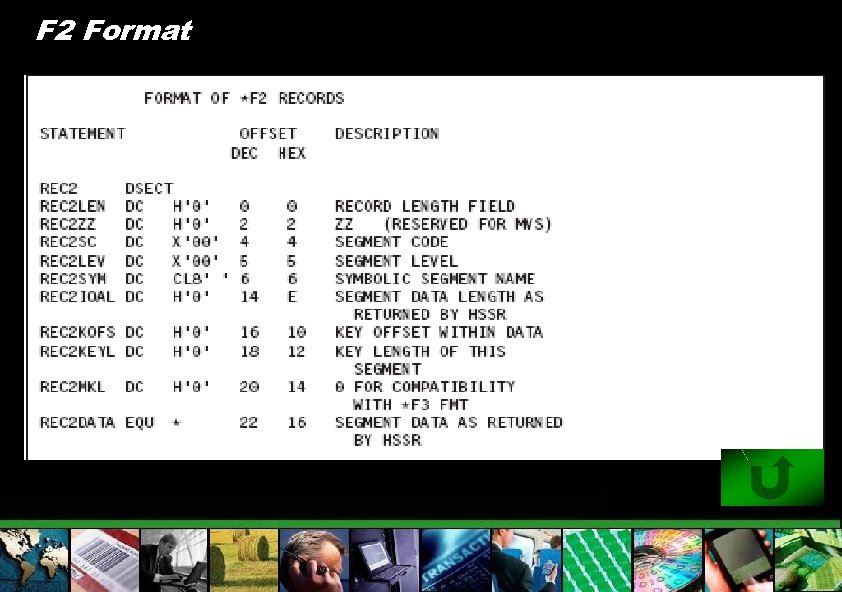
F 2 Format
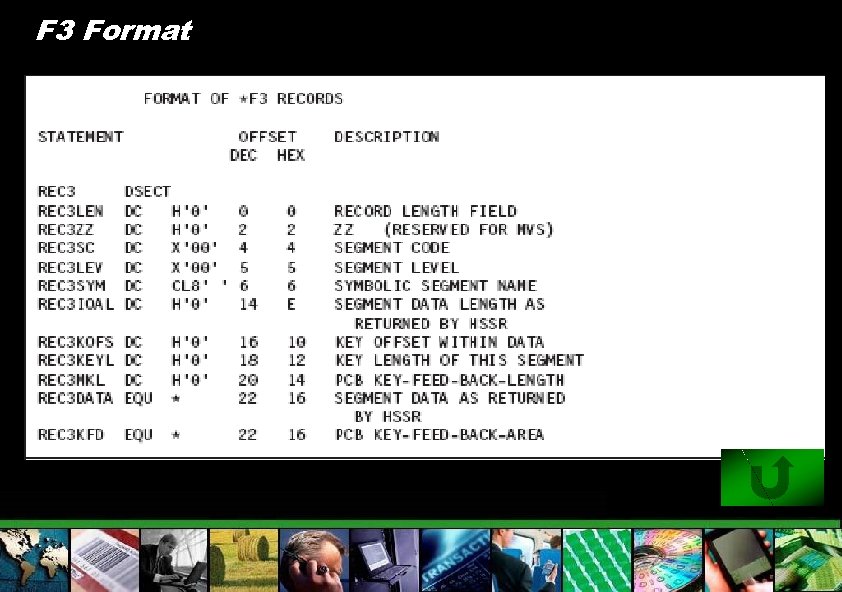
F 3 Format

CS Format
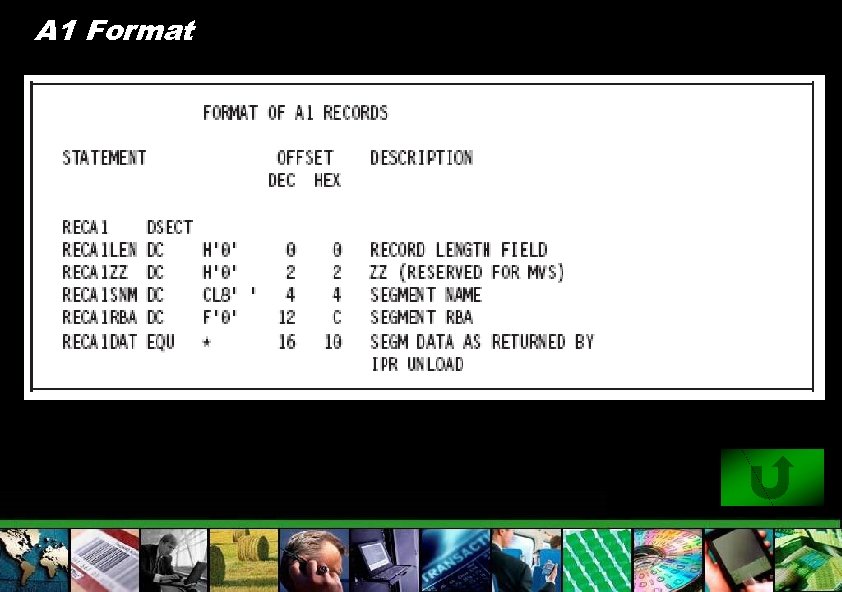
A 1 Format
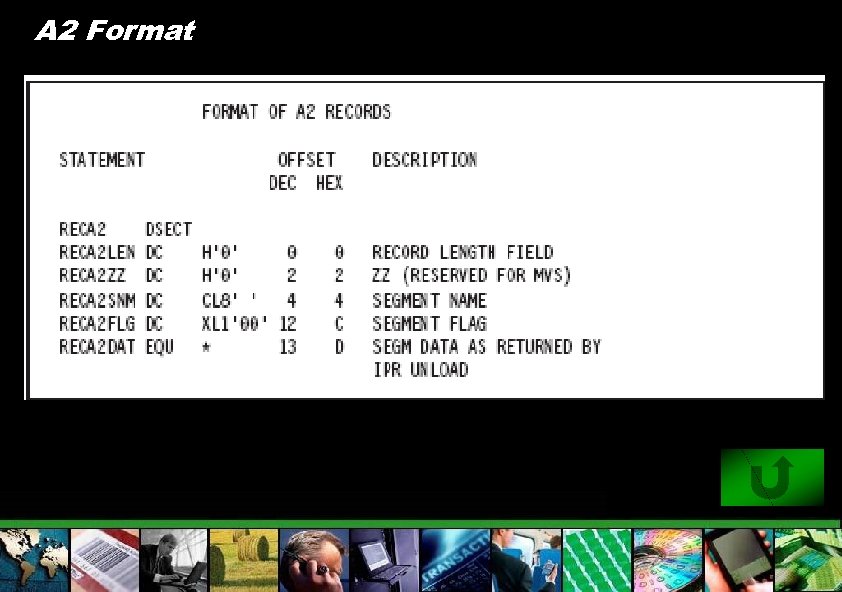
A 2 Format
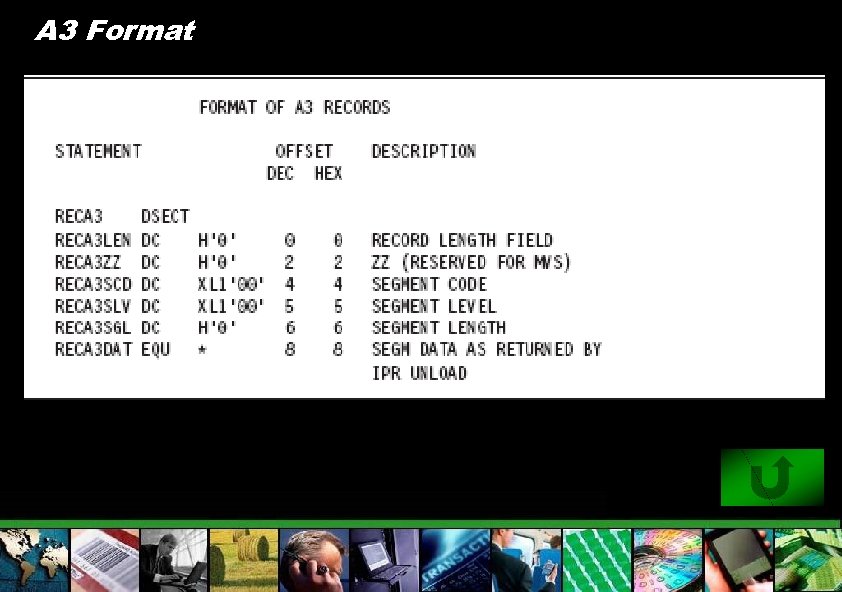
A 3 Format
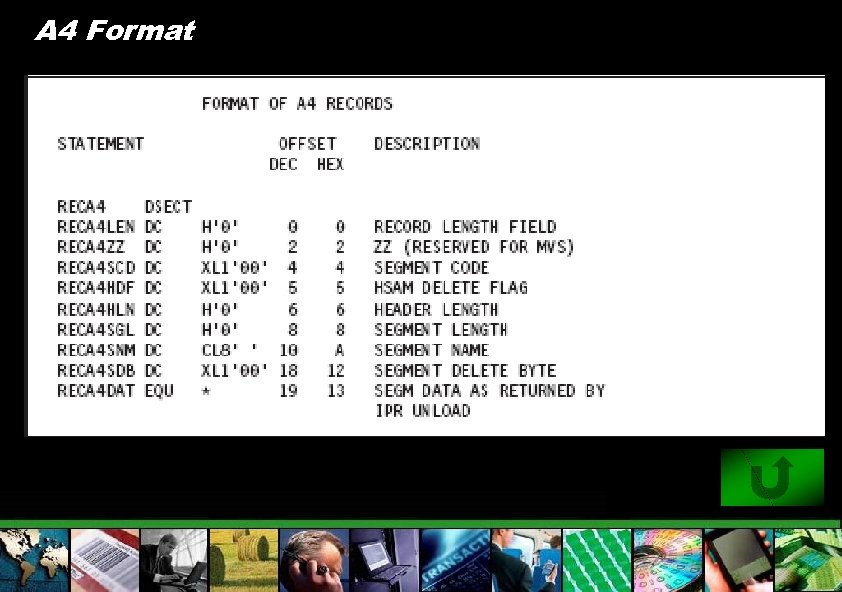
A 4 Format
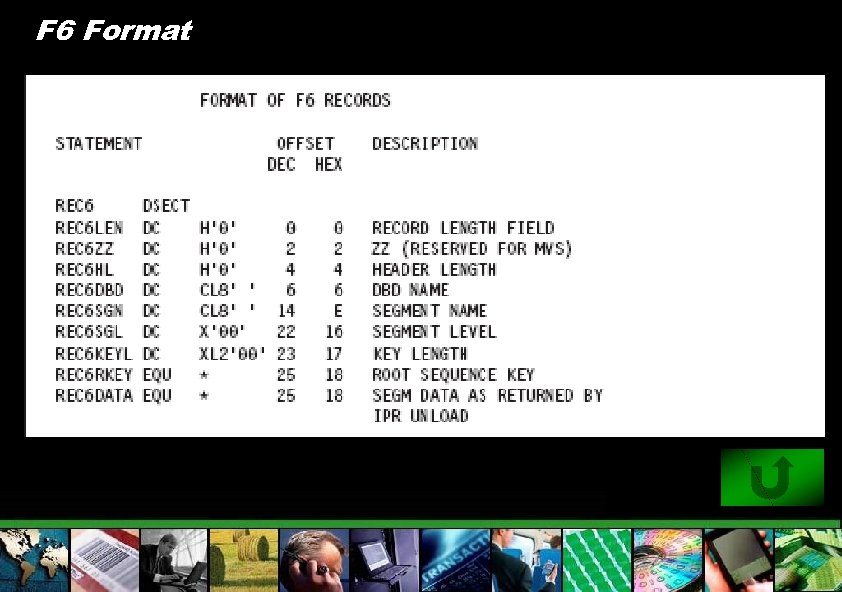
F 6 Format
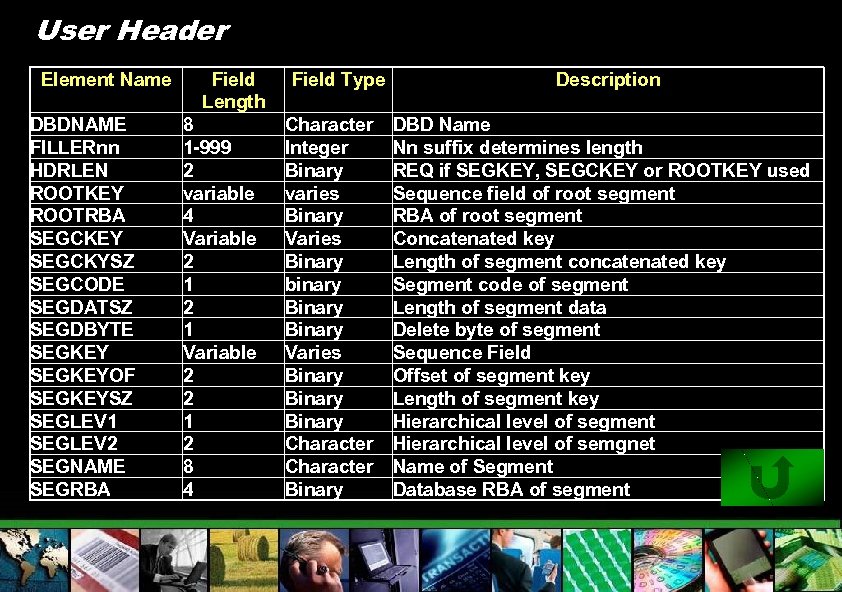
User Header Element Name DBDNAME FILLERnn HDRLEN ROOTKEY ROOTRBA SEGCKEY SEGCKYSZ SEGCODE SEGDATSZ SEGDBYTE SEGKEYOF SEGKEYSZ SEGLEV 1 SEGLEV 2 SEGNAME SEGRBA Field Length 8 1 -999 2 variable 4 Variable 2 1 Variable 2 2 1 2 8 4 Field Type Character Integer Binary varies Binary Varies Binary binary Binary Varies Binary Character Binary Description DBD Name Nn suffix determines length REQ if SEGKEY, SEGCKEY or ROOTKEY used Sequence field of root segment RBA of root segment Concatenated key Length of segment concatenated key Segment code of segment Length of segment data Delete byte of segment Sequence Field Offset of segment key Length of segment key Hierarchical level of segment Hierarchical level of semgnet Name of Segment Database RBA of segment
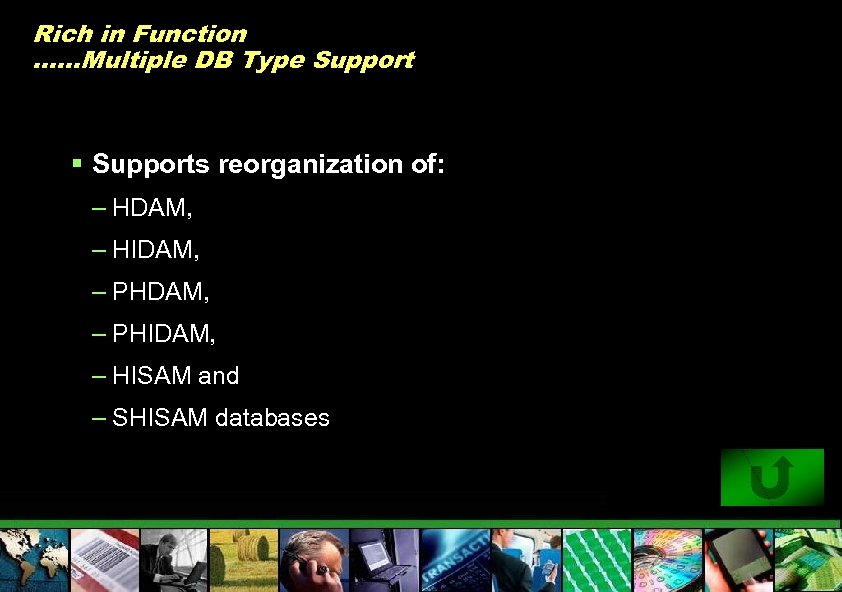
Rich in Function ……Multiple DB Type Support § Supports reorganization of: – HDAM, – HIDAM, – PHIDAM, – HISAM and – SHISAM databases
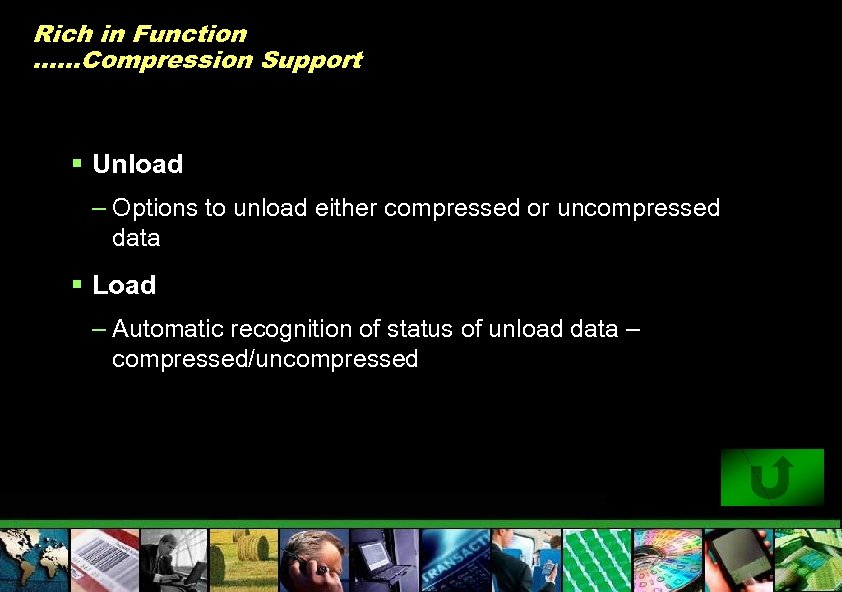
Rich in Function ……Compression Support § Unload – Options to unload either compressed or uncompressed data § Load – Automatic recognition of status of unload data – compressed/uncompressed
Rich in Function …. . HALDB Support § Reorganization: – By Partition – Range of partitions – All partitions § Rebuild ILDS § Rebuild Secondary Indexes § Conversion Support – Unload with migration option § Load has integrated partition initialization
Rich in Function …. . Fault Tolerance § Unload – Continue Processing after sequence errors – Handle Corrupt Databases • Incorrect HD pointers can be bypassed • Processing of incorrect HISAM record can be skipped • Root segments of HIDAM or PHIDAM can be processing using Index instead of pointers § Load – Reject/Save/Accept Sequence Errors
Rich in Function …. . User Exits Unload Load § Record Formatting exit & Return Code Edit exit § User exit facility for additional processing of each segment –Assembler, COBOL or PL/1 –Edit segment –edit segment – 5 std record format routines provided –delete segment (or this and subsequent segments of DB record) § Run-Time Environment Exit § Buffer Handler Initialization Exit –force segment into overflow (HDAM or PHDAM) –force segment to start new block (HIDAM or PHIDAM)
Rich in Function …. . Application Program Interface Unload Load § For stand-alone batch program § Assembler Language , COBOL for OS/390 and VM PL/I for z/OS and OS/390 § Assembler, COBOL, or PL/1 § Transparent to programmer
Rich in Function …. Additional utilities § Sequential Subset Randomizer – Creates randomizing module for fast sequential processing of record subset – Allows physical clustering of database records in same subset § Physical Sequence Sort for Reload (PSSR) Utility – Sorts the unloaded database data set before reload • Used with HALDB, when changing partition boundaries during reorg – Avoids “cascading” on Reload § Bitmap Resetter – The bitmap resetter can be used to adjust the bitmap of HDAM/HIDAM/PHIDAM database to accommodate denser packing of the database blocks.

IBM GLOBAL SERVICES IMS Online Reorg Facility © 2005 IBM Corporation © IBM Corporation 2005
Verification Phase § Before we get started – verify we have what we need – DBD Structure • Do we support current DBD definitions? • If changes, can we implement all changes? – DBRC definitions – Data sets • Can shadow datasets be allocated? • Can image copy data sets be allocated? • Can work/temp files be allocated? – Software • Are all necessary utilities available? • Are these utilities at the proper level? • Are online systems at compatible level?
DBD Changes – Specify a library with the new DBD – Limited to non-HALDB – No changes in hierarchical structure – No changes in DBRC – Examples: • Change of randomizing parameter • Addition of segment types • Segment length increase – New DBD may be copied to primary DBD library during Takeover
Copy Phase § Activate capture of log updates to primary database in online systems – STOP/START primary database to create sync point § Copy original database data sets to shadow data sets § Apply log updates to shadow data sets § Switch from log updates to application updates in online systems – STOP/START primary database to create transition point § Build shadow primary index
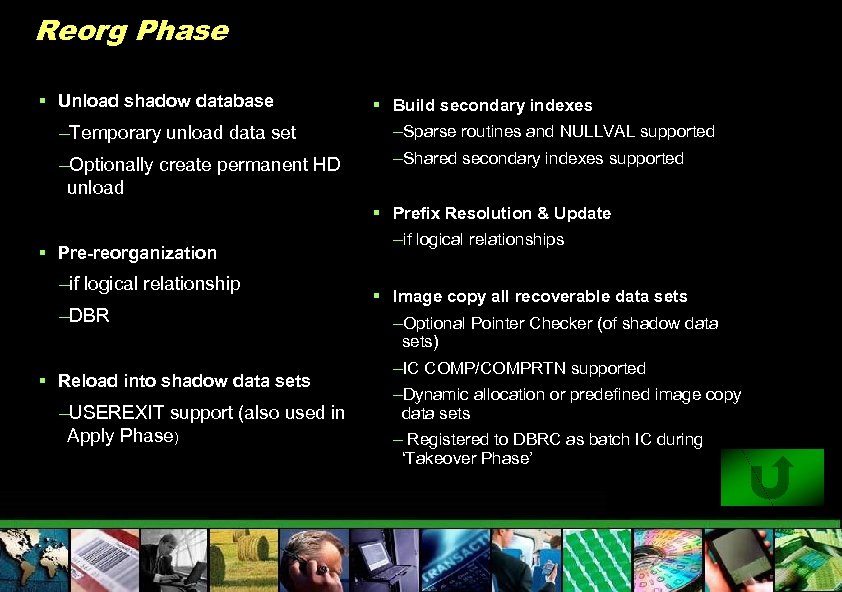
Reorg Phase § Unload shadow database § Build secondary indexes –Temporary unload data set –Sparse routines and NULLVAL supported –Optionally create permanent HD unload –Shared secondary indexes supported § Prefix Resolution & Update § Pre-reorganization –if logical relationship –DBR § Reload into shadow data sets –USEREXIT support (also used in Apply Phase) –if logical relationships § Image copy all recoverable data sets –Optional Pointer Checker (of shadow data sets) –IC COMP/COMPRTN supported –Dynamic allocation or predefined image copy data sets – Registered to DBRC as batch IC during ‘Takeover Phase’
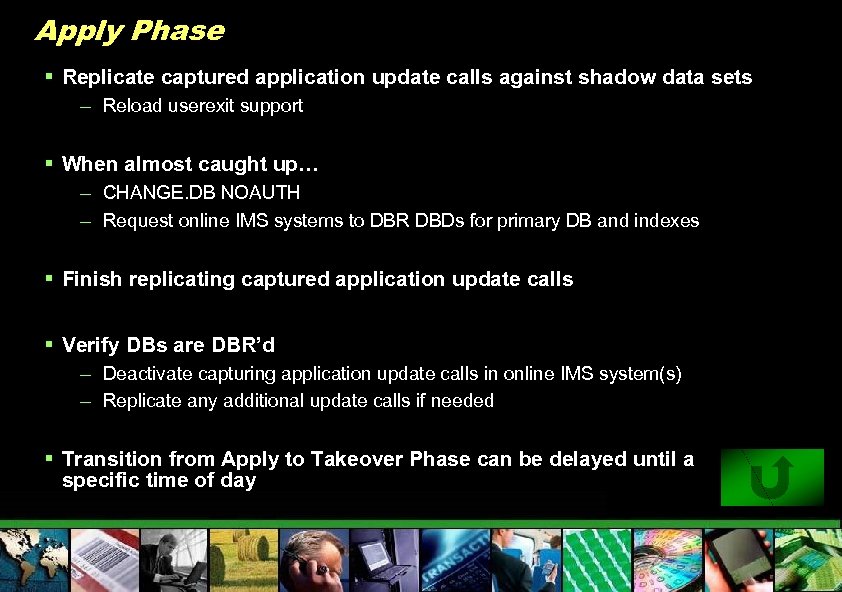
Apply Phase § Replicate captured application update calls against shadow data sets – Reload userexit support § When almost caught up… – CHANGE. DB NOAUTH – Request online IMS systems to DBR DBDs for primary DB and indexes § Finish replicating captured application update calls § Verify DBs are DBR’d – Deactivate capturing application update calls in online IMS system(s) – Replicate any additional update calls if needed § Transition from Apply to Takeover Phase can be delayed until a specific time of day
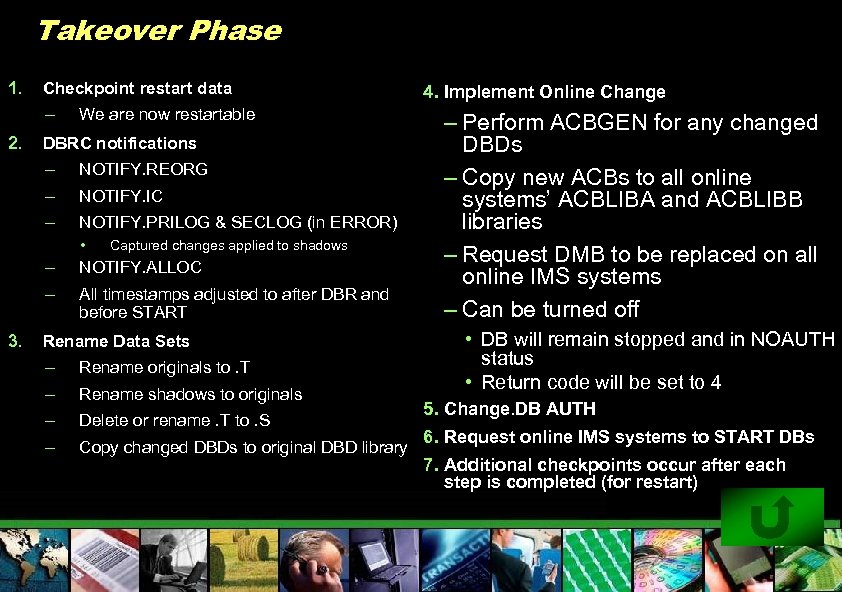
Takeover Phase 1. Checkpoint restart data – 2. We are now restartable DBRC notifications – NOTIFY. REORG – NOTIFY. IC – NOTIFY. PRILOG & SECLOG (in ERROR) • Captured changes applied to shadows – – 3. NOTIFY. ALLOC All timestamps adjusted to after DBR and before START Rename Data Sets – Rename originals to. T – Rename shadows to originals – Delete or rename. T to. S – Copy changed DBDs to original DBD library 4. Implement Online Change – Perform ACBGEN for any changed DBDs – Copy new ACBs to all online systems’ ACBLIBA and ACBLIBB libraries – Request DMB to be replaced on all online IMS systems – Can be turned off • DB will remain stopped and in NOAUTH status • Return code will be set to 4 5. Change. DB AUTH 6. Request online IMS systems to START DBs 7. Additional checkpoints occur after each step is completed (for restart)
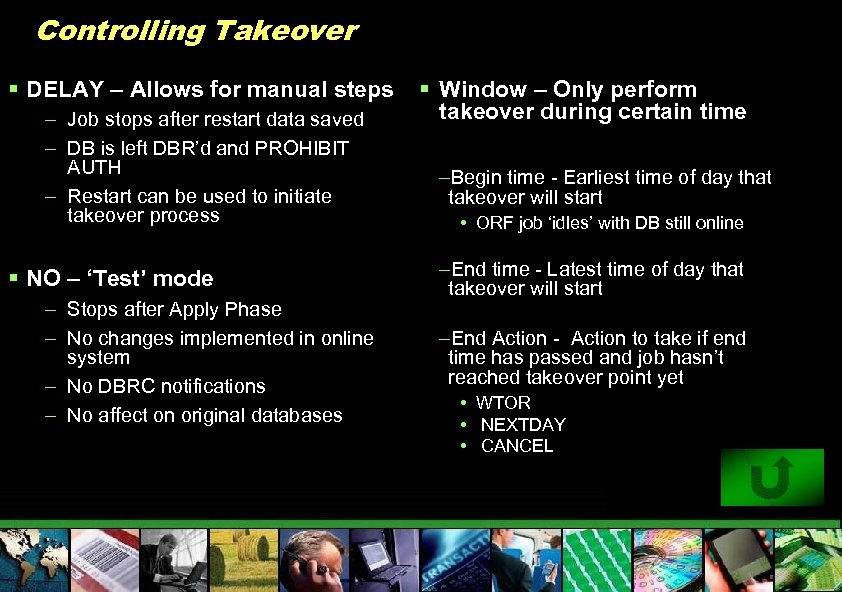
Controlling Takeover § DELAY – Allows for manual steps – Job stops after restart data saved – DB is left DBR’d and PROHIBIT AUTH – Restart can be used to initiate takeover process § NO – ‘Test’ mode – Stops after Apply Phase – No changes implemented in online system – No DBRC notifications – No affect on original databases § Window – Only perform takeover during certain time –Begin time - Earliest time of day that takeover will start • ORF job ‘idles’ with DB still online –End time - Latest time of day that takeover will start –End Action - Action to take if end time has passed and job hasn’t reached takeover point yet • WTOR • NEXTDAY • CANCEL
Completion Phase § All of the final reports and messages are written. § Shadow data sets are deleted if you have DELETE(Y) specified. § Data sets are deallocated. § Miscellaneous cleanup tasks are performed. § The IMS Online Reorganization Facility batch job ends.
Controlling BMPs § Problem – BMPs must be stopped when ORF needs to STOP or DBR a DB – Interface with Program Restart Facility or ORF region controller front-end • New BMPs are ‘paused’ until DB is restarted • Existing BMPs – next CHKP – HALDB – BMP is paused until DB is restarted – Non-HALDB – > pseudo U 3303 > Job restarted from last checkpoint after DB is restarted
New Transactions When DB is Offline § Problem – New transaction arrives when DB is DBR’d – Transaction placed on suspend queue • Exit/Automation to process suspend queue and reissue transaction – Takeover WINDOW to reduce impact
New Functionality § Interface to PRF/Region controller front-end for pausing BMPs § Internal Logical Relationship for HALDB – All partitions in single job § Reorg Index Only – Primary or secondary for non-HALDB – Secondary for HALDB – Can be single partition if PSINDEX § Near Online Unload – Create HD Unload data set while DB still online

IMS Tools ………What’s new and exciting Janet Le. Blanc Silicon Valley Lab leblancj@ca. ibm. com © 2005 IBM Corporation
Скачать презентацию IMS Tools Reorganization Janet Le Blanc Silicon Valley
da13b22003e0659a33c663196cc565d7.ppt