


 Скачать презентацию Improved Terrain Generation From UAV Sensors Presented at
92be2a953178f9d051fb28dd06e2e489.ppt
- Количество слайдов: 27
 Improved Terrain Generation From UAV Sensors Presented at MOVES Research and Education Summit July 12 -14, 2011 NPS, Monterey CA By Wolfgang Baer Associate Research Prof. Naval Postgraduate School Monterey, California Baer@nps. edu Nascent Systems
 Improved Terrain Generation From UAV Sensors • Image-Model Feedback Algorithm for Rapid Terrain Database Generation – Dual eye input registration aid – Interactive Registration Algorithm • PVNT Mission Control Station • Image Registration Bottleneck • Dual Eye Input Experiments
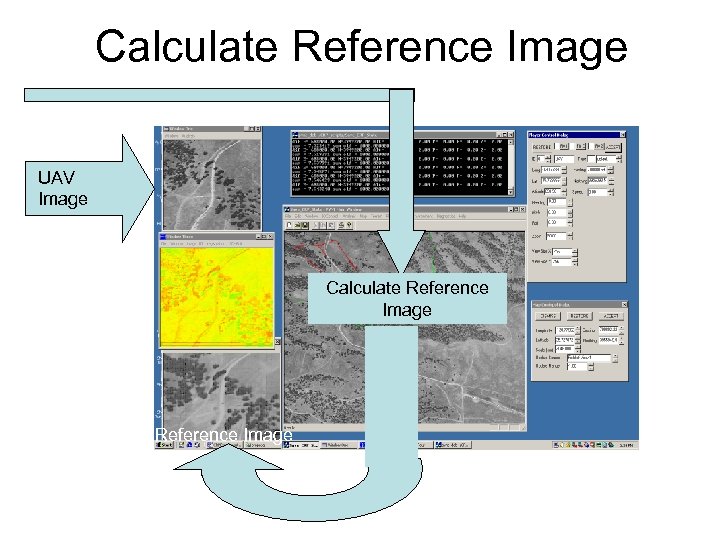
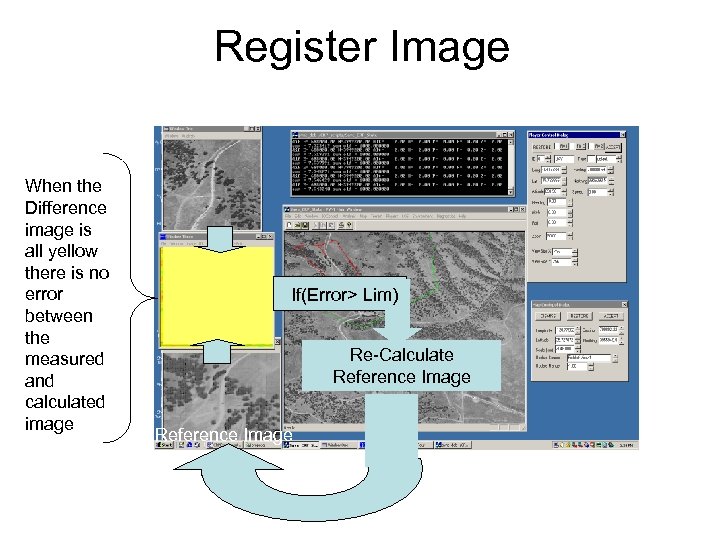
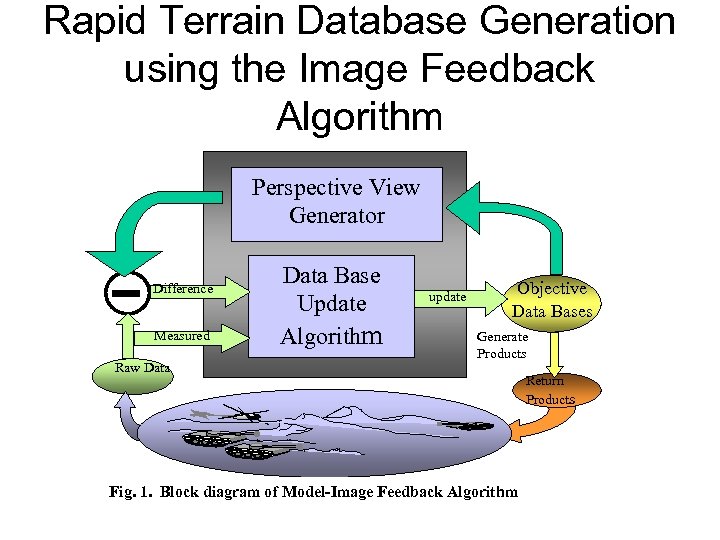 Rapid Terrain Database Generation using the Image Feedback Algorithm Perspective View Generator Difference Measured Raw Data Base Update Algorithm update Objective Data Bases Generate Products Fig. 1. Block diagram of Model-Image Feedback Algorithm Return Products
 Advantage of Image-Model Feedback Algorithm • It is easier to generate accurate perspective views from 3 D models than to perform pattern recognition on 2 D images in order to generate 3 D models. • Examples are – Shadow effects – Haze and atmospheric effects – Local feature heights – Foreshortening and perspective distortions
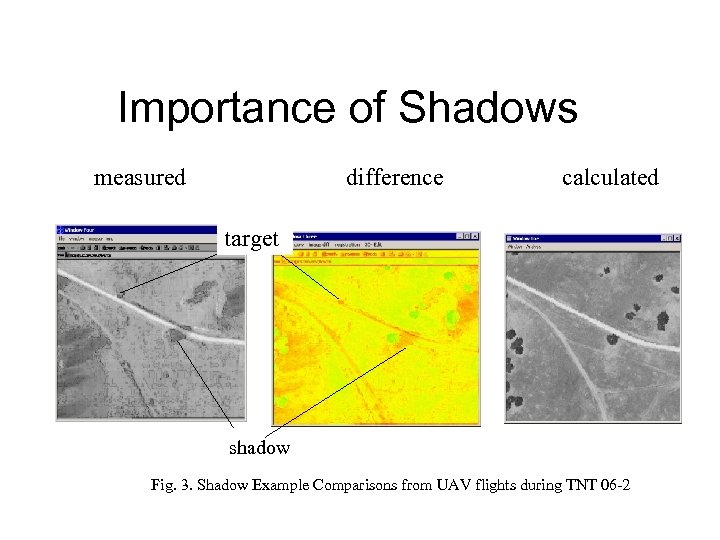 Importance of Shadows measured difference calculated target shadow Fig. 3. Shadow Example Comparisons from UAV flights during TNT 06 -2
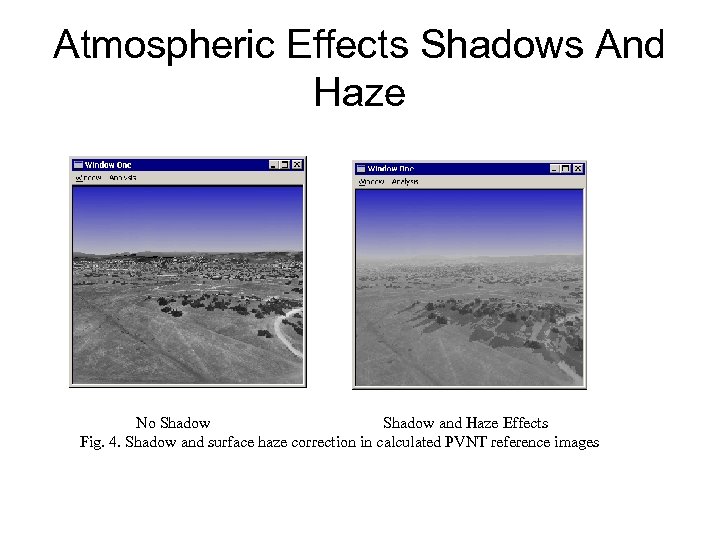 Atmospheric Effects Shadows And Haze No Shadow and Haze Effects Fig. 4. Shadow and surface haze correction in calculated PVNT reference images
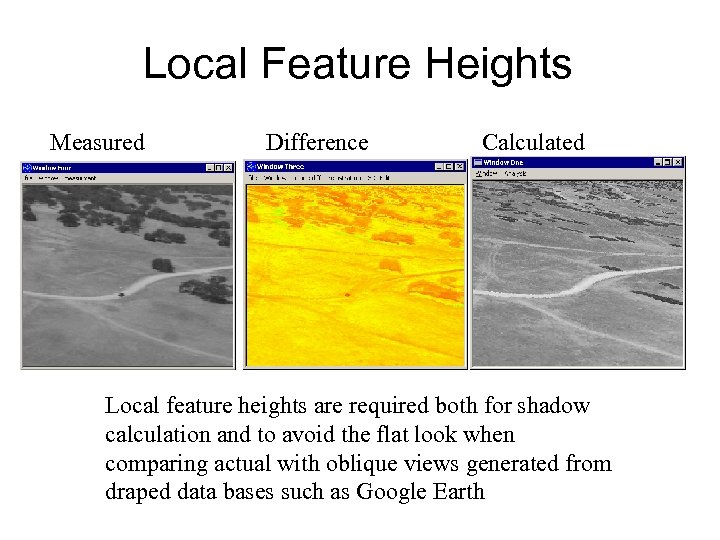 Local Feature Heights Measured Difference Calculated Local feature heights are required both for shadow calculation and to avoid the flat look when comparing actual with oblique views generated from draped data bases such as Google Earth
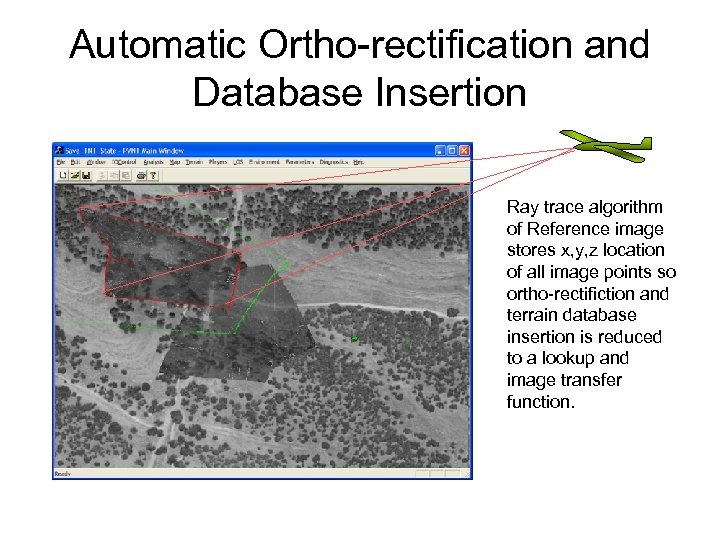
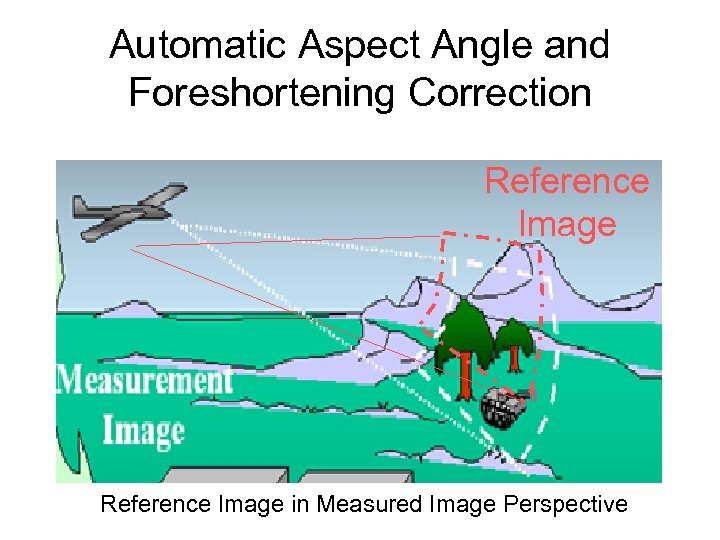 Automatic Aspect Angle and Foreshortening Correction Reference Image in Measured Image Perspective
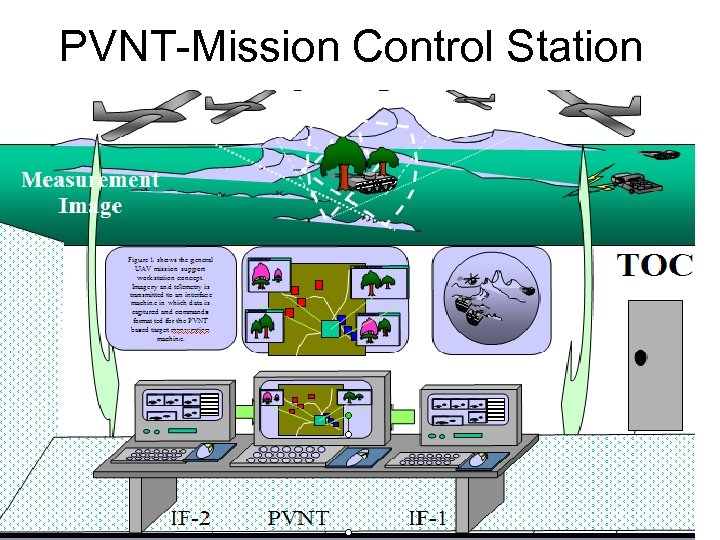 PVNT-Mission Control Station
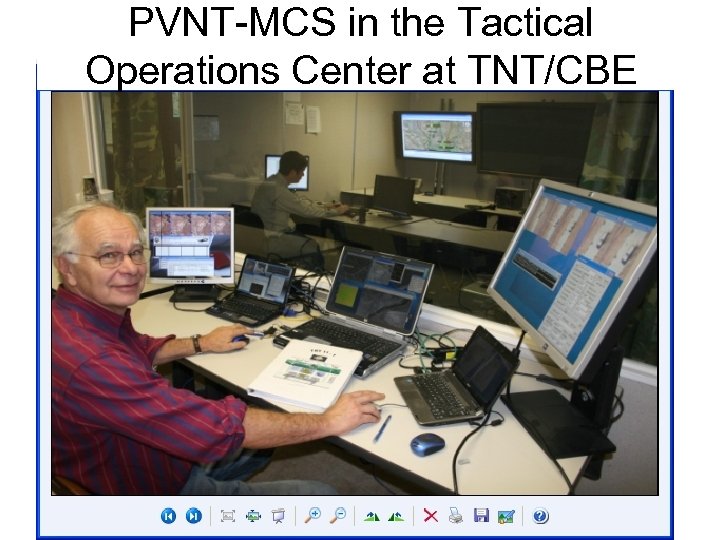 PVNT-MCS in the Tactical Operations Center at TNT/CBE
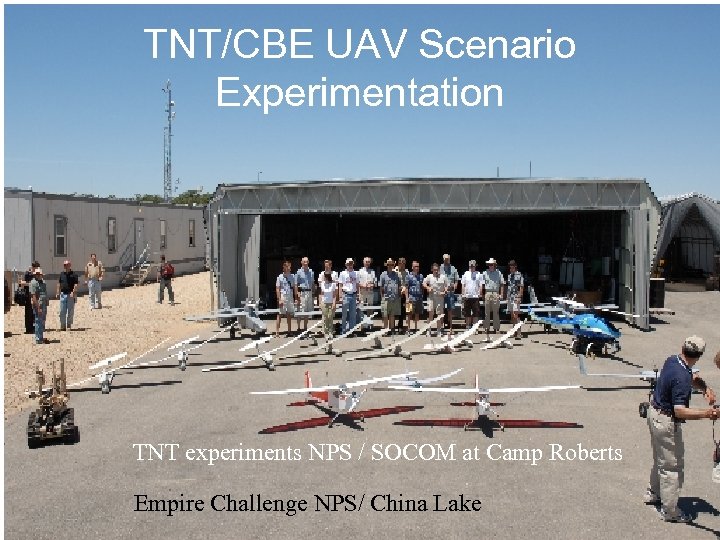 TNT/CBE UAV Scenario Experimentation TNT experiments NPS / SOCOM at Camp Roberts Empire Challenge NPS/ China Lake
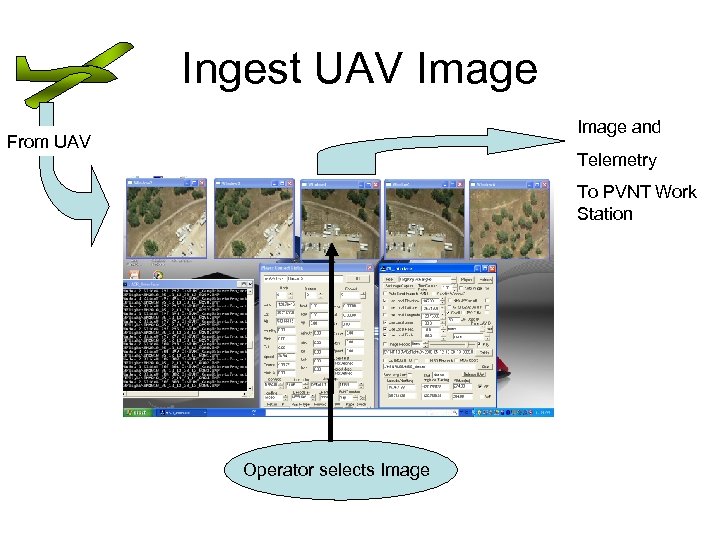 Ingest UAV Image and From UAV Telemetry To PVNT Work Station Operator selects Image
 Calculate Reference Image UAV Image Calculate Reference Image
 Register Image When the Difference image is all yellow there is no error between the measured and calculated image If(Error> Lim) Re-Calculate Reference Image
 Automatic Ortho-rectification and Database Insertion Ray trace algorithm of Reference image stores x, y, z location of all image points so ortho-rectifiction and terrain database insertion is reduced to a lookup and image transfer function.
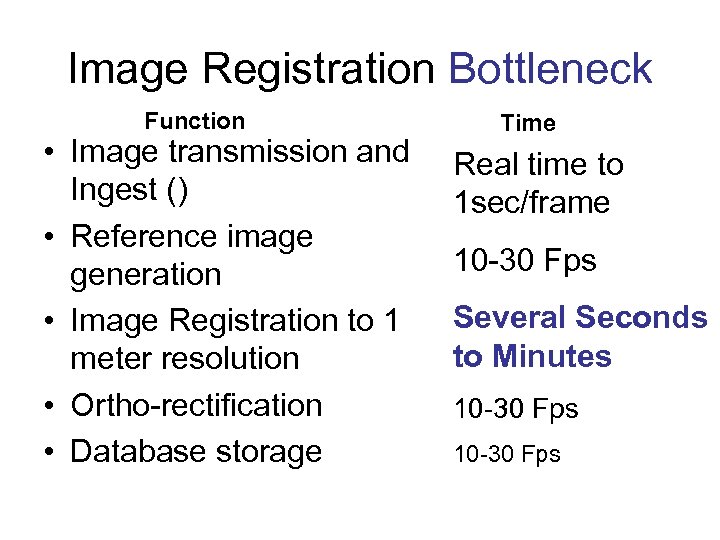 Image Registration Bottleneck Function • Image transmission and Ingest () • Reference image generation • Image Registration to 1 meter resolution • Ortho-rectification • Database storage Time Real time to 1 sec/frame 10 -30 Fps Several Seconds to Minutes 10 -30 Fps
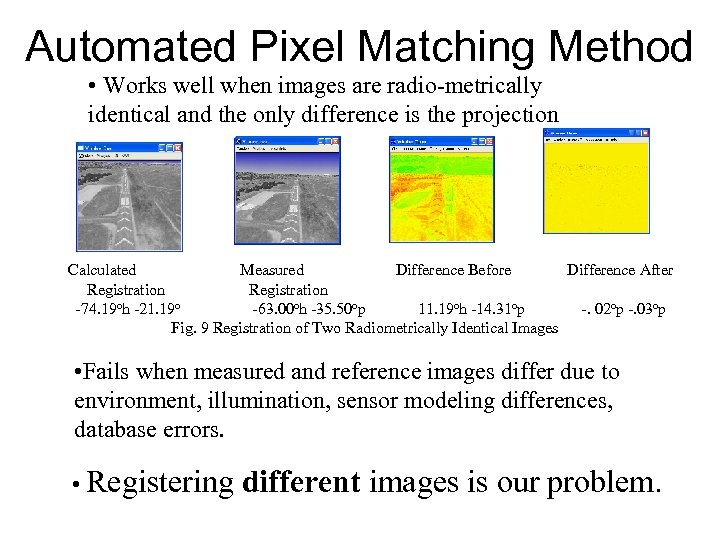 Automated Pixel Matching Method • Works well when images are radio-metrically identical and the only difference is the projection Calculated Measured Difference Before Difference After Registration -74. 19 oh -21. 19 o -63. 00 oh -35. 50 op 11. 19 oh -14. 31 op -. 02 op -. 03 op Fig. 9 Registration of Two Radiometrically Identical Images • Fails when measured and reference images differ due to environment, illumination, sensor modeling differences, database errors. • Registering different images is our problem.
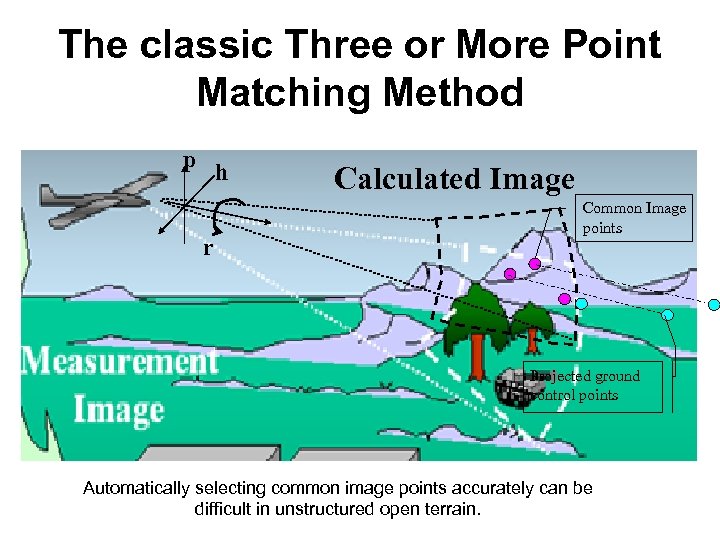 The classic Three or More Point Matching Method p h r Calculated Image Common Image points Projected ground control points Automatically selecting common image points accurately can be difficult in unstructured open terrain.
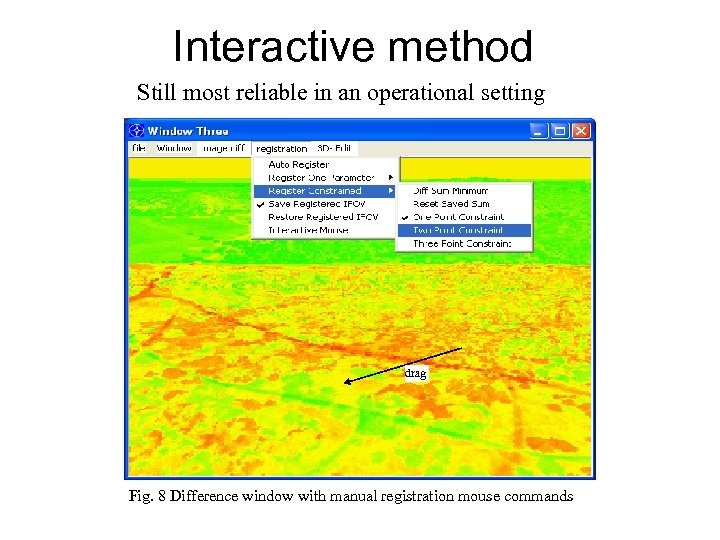 Interactive method Still most reliable in an operational setting drag Fig. 8 Difference window with manual registration mouse commands
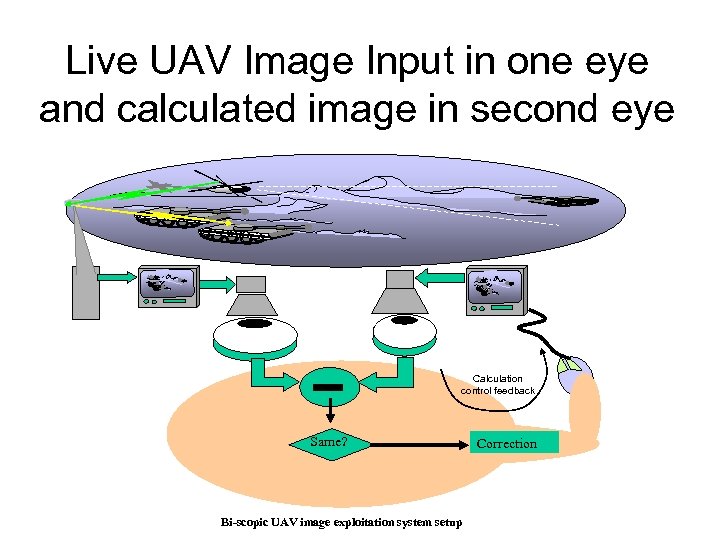
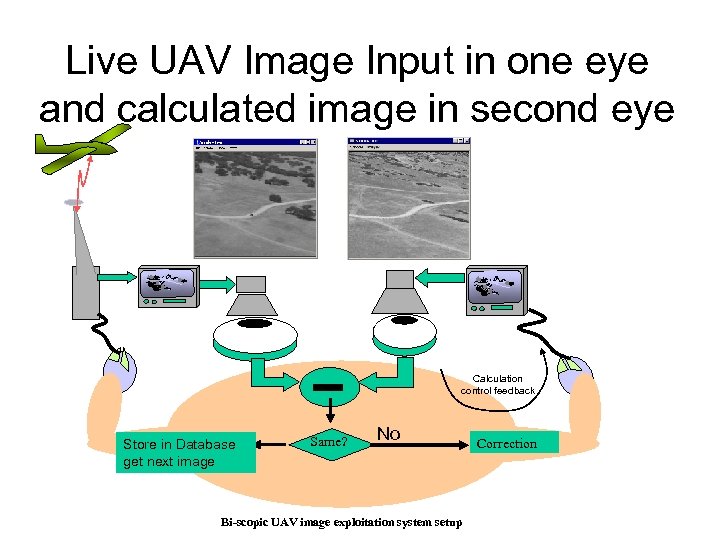
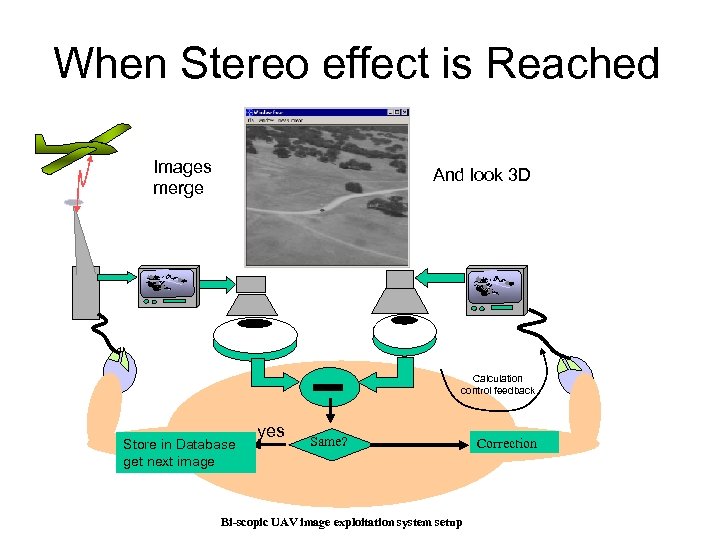
 Interactive Camera Parameter Estimation • Traditional 3 control and 3 measured point entry is a 6 click batch process • Interactive Camera Parameter Estimation recalculates the best registration camera parameters after every entry • Potentially reduces entry of registration data to one click • Transferring Attention between two Images is fatiguing
 Live UAV Image Input in one eye and calculated image in second eye Calculation control feedback Same? Bi-scopic UAV image exploitation system setup Correction
 Author Wearing Dual Eye Input at Camp Roberts
 Live UAV Image Input in one eye and calculated image in second eye Calculation control feedback Store in Database get next image Same? No Bi-scopic UAV image exploitation system setup Correction
 When Stereo effect is Reached Images merge And look 3 D Calculation control feedback Store in Database get next image yes Same? Bi-scopic UAV image exploitation system setup Correction
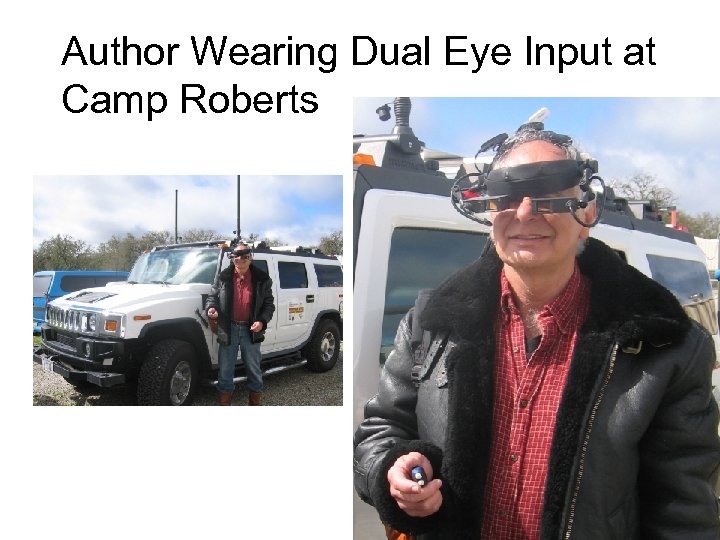
 Terrain Generation Experiment Conclusion • Automated image registration still requires human cognition for general open field applications • Interactive registration can utilize each measured and control point to improve registration and minimize data entry load • Dual –Eye input may provide a usefull interface for automated database insertion and UAV flight control
 PVNT MCS Workstation Demo • Conducted at 6 Pm • Watson Hall Rm 272 • Demonstrate – PVNT – Two Camp Roberts Interface Computers – Dual Eye Input display
 Contact Information • Prof. Wolfgang Baer Dep. of Information Science Code IS, Naval Postgraduate School, 1 University Circle, Monterey, CA 93943, • Tel 831 -656 -2209 Baer@nps. edu Sponsors