 Скачать презентацию Implementing Single Sourcing for Online Help Debjani Sen
759fadf3e0b1260b81a834337318f049.ppt
- Количество слайдов: 33



Implementing Single Sourcing for Online Help Debjani Sen Information Developer Peregrine Systems STC Region 8 Conference, Nov 1 -3, 2001
Session Objectives • • Define single sourcing Highlight the benefits of single sourcing Discuss the challenges of single sourcing Paradigm shift in online help creation Evaluate some available single sourcing tools Provide guidelines for modularizing new documents Highlight how single sourcing is a valuable investment for the writer and the company • Case Study
What is Single Sourcing? • Writing information once and reusing it many times • Converting the source document to produce different output formats including print, training information (tutorials), web (HTML, XML), online help (Win. Help, Java. Help, etc) • Designing information for different audiences
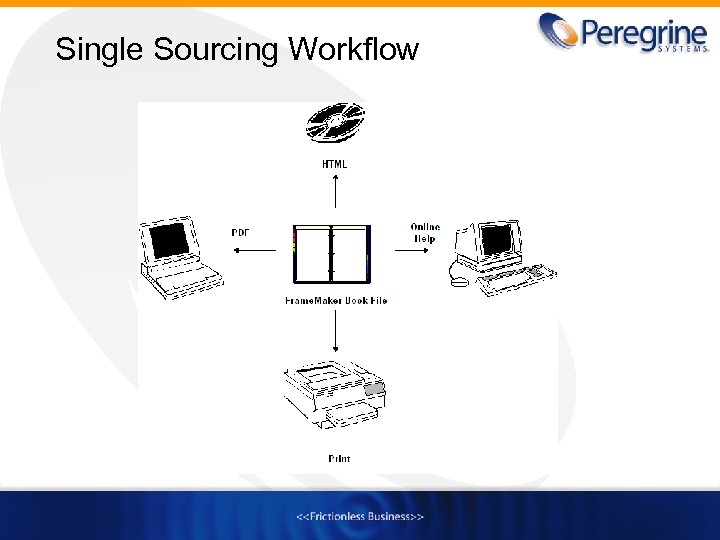
Single Sourcing Workflow
Single Sourcing Assumptions • The content in your printed and online documentation has to have overlapping information for single sourcing to be successful • If the content in your printed and online documentation is significantly different, single sourcing may not be the right approach
Benefits of Single Sourcing • Saves time and money • Reduces duplication of effort • Writers can update the source document once, reducing room for error when documents are updated – You do not have to maintain multiple documentation sets • Improves consistency across various sets of documentation and users get documents that are: – up to date with the latest changes – accurate – effective • Reduces review time
Benefits of Single Sourcing (cont. ) • Reduces translation costs by limiting the total volume of text created and reusing the same document source for different outputs • Allows you to bring products to market more quickly than before
Challenges of Single Sourcing • High learning curve • The requirements for printed and online documentation are too different to use a common source file • Requires tremendous up front work in terms of modularizing and organizing your source documentation • Developing templates require time and dedicated resources • Challenging task to get “buy in” from everyone within the organization • Requires getting used to new technology • Initial efforts may not always be successful
Paradigm Shift in Online Help Creation • Creating Online Help the Current Way – Create source document using Word or Frame. Maker – Copy and paste relevant information from the source document into an online help creation tool like Robo. HELP – Manually format the source information – Repeat this process for version changes • Creating Online Help the Single Sourced Way – Create modular source documents in Frame. Maker – Use the pre-defined templates in the single source tool to automatically convert and map your source information into an online help format – Customize templates if required – Save and reuse your templates for new versions
Guidelines to Convert Existing Documents to Online Help • Modularize your Frame. Maker documentation – Chunk information by creating stand alone topics – Avoid references to sections that are dependent on positions, for instance, references to “see below”, “the following section”, etc – Create references that provide the topic name – Cater to readers who do not always look for information sequentially
Guidelines to Convert Existing Documents to Online Help (cont. ) • Create conditional text if necessary to specify which output should be mapped to online help and print – Conceptual information will be for print only – Procedural information (that explains how to complete a task) will be for print and online • Create a compact list of paragraph and character tags in Frame. Maker – Create tag names that make sense and can be easily mapped
Available Tools for Single Sourcing • Web. Works Publisher Professional Edition 7. 0 by Quadralay Corporation – 15 day trial version – Upgrade from Standard Edition costs $850 – New version costs $1195 • Fore. Help Pro 5. 0 by Fore. Front Incorporated – $349 per license • Mif 2 go by Omni Systems – No trial version – $295 per license • Author. IT V 3 Enterprise Edition Fixed License by Author. IT Software Corporation – Based in Auckland, New Zealand – $699 per license
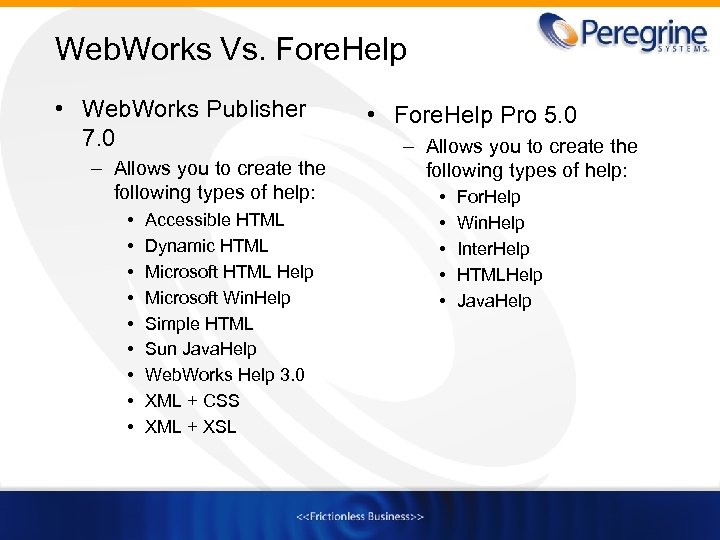
Web. Works Vs. Fore. Help • Web. Works Publisher 7. 0 – Allows you to create the following types of help: • • • Accessible HTML Dynamic HTML Microsoft HTML Help Microsoft Win. Help Simple HTML Sun Java. Help Web. Works Help 3. 0 XML + CSS XML + XSL • Fore. Help Pro 5. 0 – Allows you to create the following types of help: • • • For. Help Win. Help Inter. Help HTMLHelp Java. Help
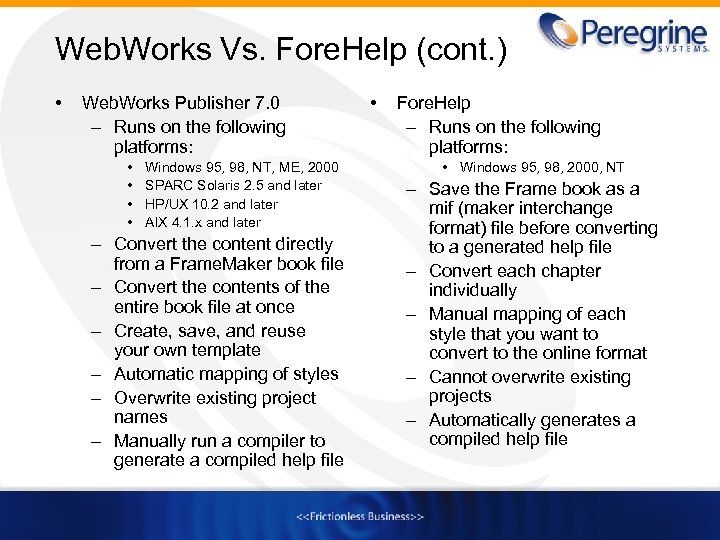
Web. Works Vs. Fore. Help (cont. ) • Web. Works Publisher 7. 0 – Runs on the following platforms: • • Windows 95, 98, NT, ME, 2000 SPARC Solaris 2. 5 and later HP/UX 10. 2 and later AIX 4. 1. x and later – Convert the content directly from a Frame. Maker book file – Convert the contents of the entire book file at once – Create, save, and reuse your own template – Automatic mapping of styles – Overwrite existing project names – Manually run a compiler to generate a compiled help file • Fore. Help – Runs on the following platforms: • Windows 95, 98, 2000, NT – Save the Frame book as a mif (maker interchange format) file before converting to a generated help file – Convert each chapter individually – Manual mapping of each style that you want to convert to the online format – Cannot overwrite existing projects – Automatically generates a compiled help file
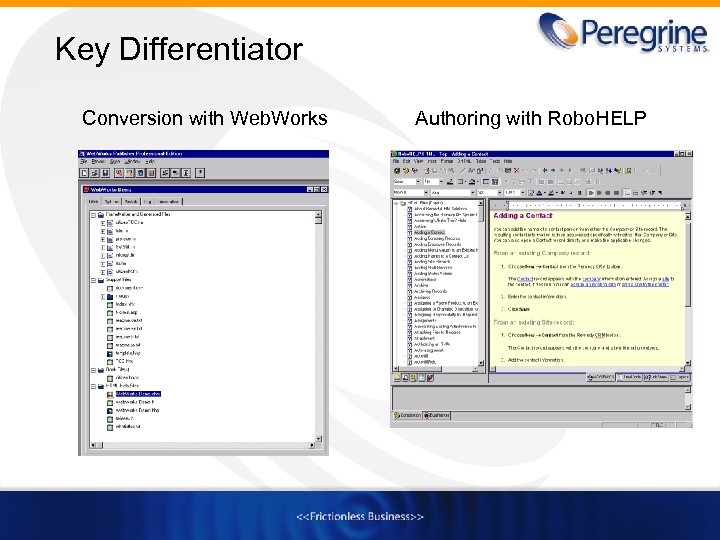
Key Differentiator Conversion with Web. Works Authoring with Robo. HELP
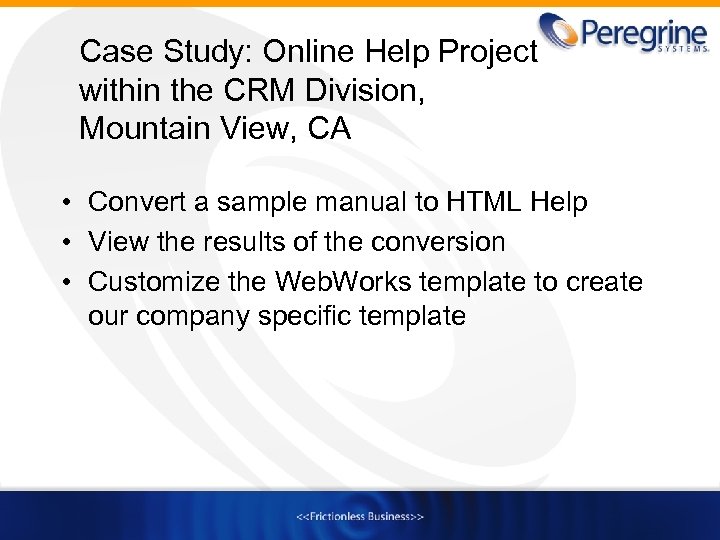
Case Study: Online Help Project within the CRM Division, Mountain View, CA • Convert a sample manual to HTML Help • View the results of the conversion • Customize the Web. Works template to create our company specific template
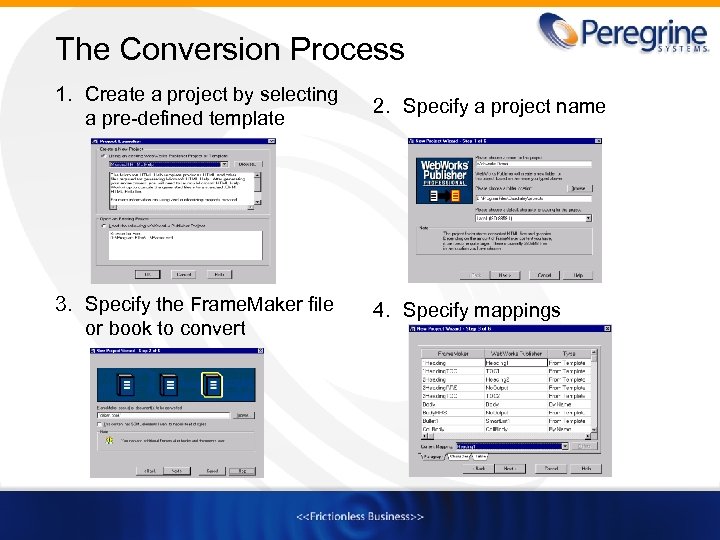
The Conversion Process 1. Create a project by selecting a pre-defined template 2. Specify a project name 3. Specify the Frame. Maker file or book to convert 4. Specify mappings
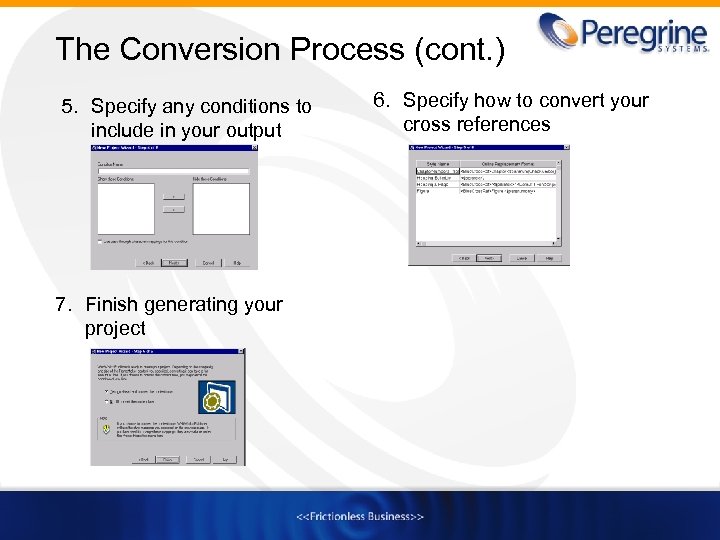
The Conversion Process (cont. ) 5. Specify any conditions to include in your output 7. Finish generating your project 6. Specify how to convert your cross references
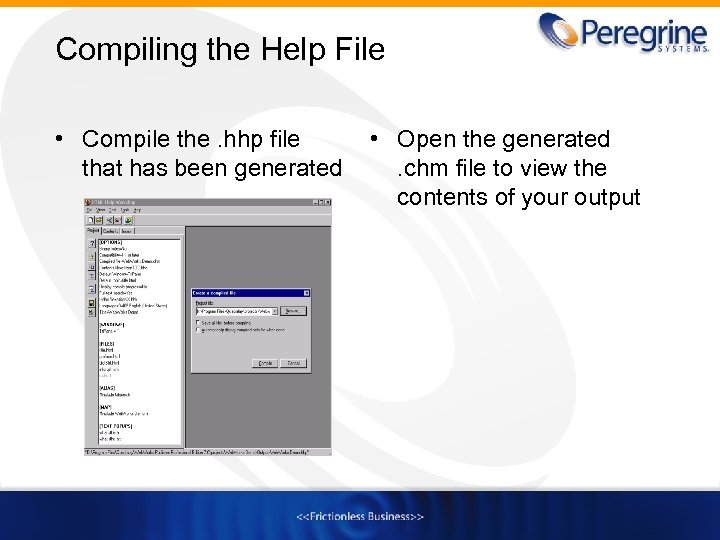
Compiling the Help File • Compile the. hhp file that has been generated • Open the generated. chm file to view the contents of your output
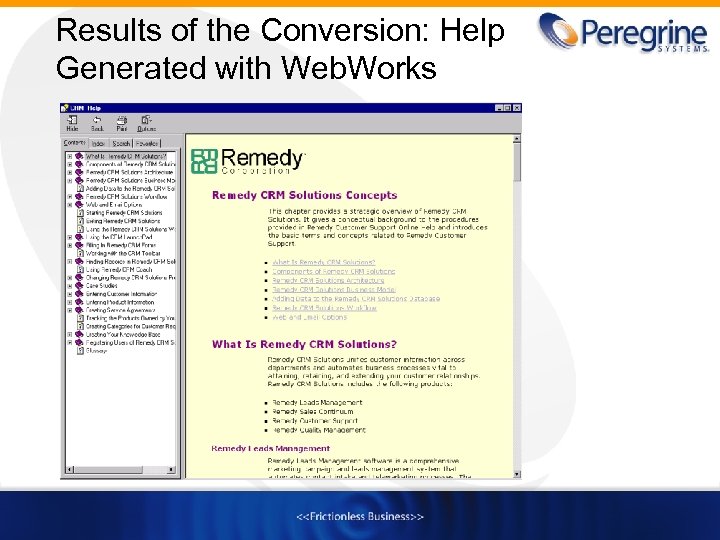
Results of the Conversion: Help Generated with Web. Works
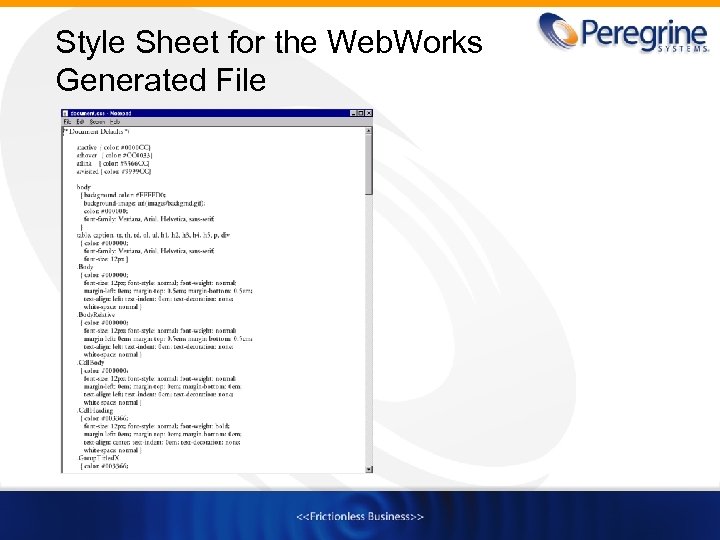
Style Sheet for the Web. Works Generated File
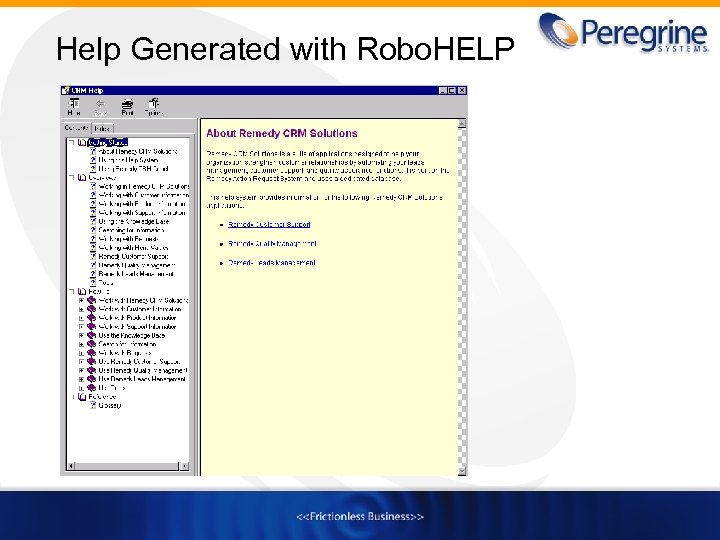
Help Generated with Robo. HELP
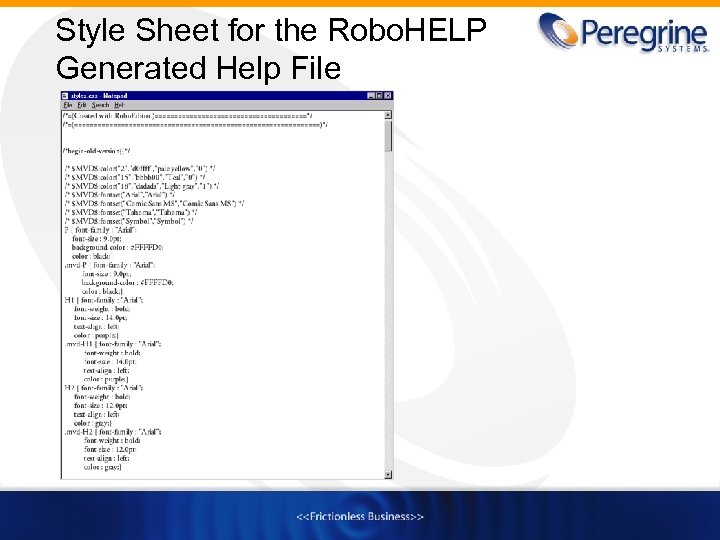
Style Sheet for the Robo. HELP Generated Help File
Customizing the Web. Works Template • Web. Works Publisher comes with a set of predefined templates that you can modify • Map your Frame paragraph and character styles to the Web. Works styles – Unmap tags that have been manually mapped to the default Web. Works styles and map them to a more appropriate style – Delete mappings that are not used – Break up your Frame. Maker topics to individual HTML pages
Customizing the Web. Works Template (cont. ) • Map your conditional text • Map your cross reference formats to online replacement formats • Modify the style sheet (. css file) to control the appearance of your generated output
Working with the Web. Works Style Sheet • Web. Works generates two style sheets: – document. css that contains the settings for your project – catalog. css that contains style definitions for paragraphs, characters, and tables • Define your style, layout, and formatting specifications in the Style Designer, which is populated in the. css file • Generate the output to view the results of your new style
Using Your Own Style Sheet • Create your own style sheet • Replace the Web. Works generated style sheet with your own by adding it to the Support directory where the document. css file is stored • Regenerate the output to read your style sheet
Saving the Project as a Template • Save the project as a template using the Save As Template feature in Web. Works • Web. Works stores the template in the Web. Works Publisher directory • You can reuse the template for other projects
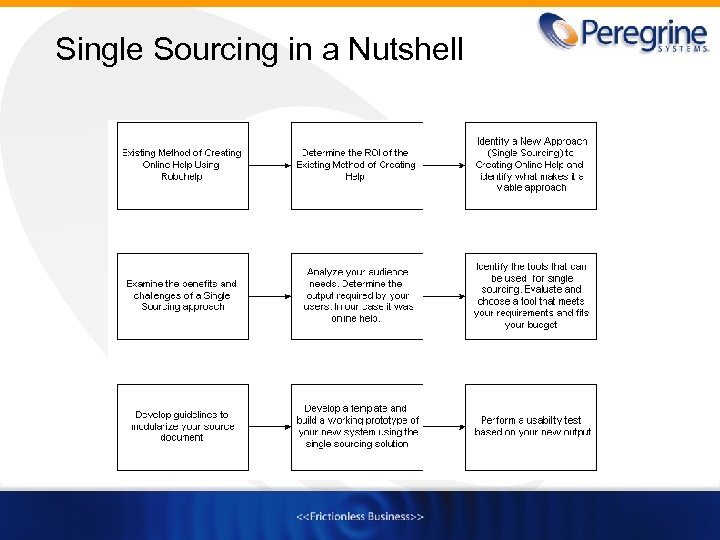
Single Sourcing in a Nutshell
Future of Single Sourcing • New concept that will take time to get used to • The potential of Web. Works seems promising as future versions of the application are released with a more intuitive graphical user interface than before • Single sourcing efforts are slowly moving to the direction of database publishing where information is stored in a database and writers query to extract specific information
Conclusion • Evaluate whether single sourcing is the right approach for you and your company • If you choose to single source, decide on the appropriate method and conversion tool that will make publishing easy and cost effective for your business needs
References • Altom, Tim. Single-Source and the Bottom Line. Retrieved August 19, 2001, from the World Wide Web: http: //www. simplywritten. com • Hackos, Jo. Ann and Rockley, Ann. Single Sourcing. Retrieved July 28, 2001 from the World Wide Web: http: //www. singlesourcing. com/ • Snavely, Deborah. Single Sourcing from Frame. Maker 5. 5. 6 to Forehelp Premier 2000. Retrieved August 3, 2001, from the World Wide Web: http: //www. inframe-mag. com/files/fm 2 fh-update. htm • The Rockley Group, Enterprise Content Management through Single Sourcing. Retrieved July 28, 2001 from the World Wide Web: http: //www. rockley. com • The Idea. Store. Single-Sourcing and Content Reuse with Frame. Maker and Frame. Maker +SGML. Retrieved August 2, 2001, from the World Wide Web: http: //www. theideastore. com/single-sourcing. content-reuse. html
Contact Information Debjani Sen Peregrine Systems Mountain View, CA Email: debjani. sen@peregrine. com
Скачать презентацию Implementing Single Sourcing for Online Help Debjani Sen
759fadf3e0b1260b81a834337318f049.ppt