


 Скачать презентацию Image Processing with Applications-CSCI 567 MATH 563 Lectures 3
0237e0628d50748a8e796f38b79587ae.ppt
- Количество слайдов: 20
 Image Processing with Applications-CSCI 567/MATH 563 Lectures 3 , 4, and 5: L 3. Representing Digital Images; Zooming. Bilinear Bi-cubic interpolations; Relationships, Connectivity, Regions, Boundaries; Arithmetic and Logical Operations with Images. L 4: L 5: Transformations Gray Level, Log, Power-Law, Piecewise-Linear. Experiments with software performing: arithmetic; Log and Power function operations. The software is coded by students of this class- 2005, 2008. Spring 2012 Meeting 2, 7: 20 PM-10 PM
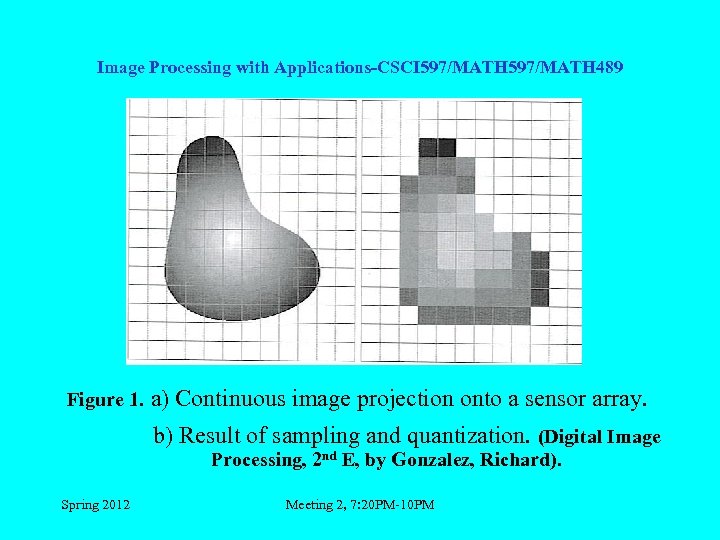 Image Processing with Applications-CSCI 597/MATH 489 Figure 1. a) Continuous image projection onto a sensor array. b) Result of sampling and quantization. (Digital Image Processing, 2 nd E, by Gonzalez, Richard). Spring 2012 Meeting 2, 7: 20 PM-10 PM
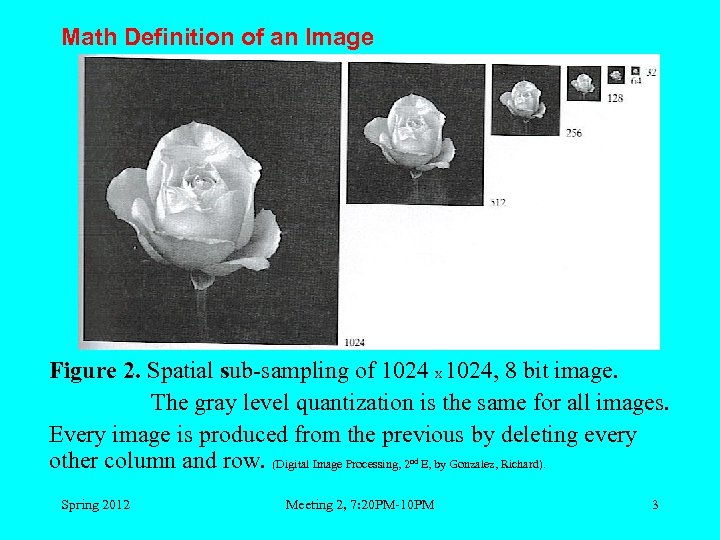 Math Definition of an Image Figure 2. Spatial sub-sampling of 1024 X 1024, 8 bit image. The gray level quantization is the same for all images. Every image is produced from the previous by deleting every other column and row. (Digital Image Processing, 2 E, by Gonzalez, Richard). nd Spring 2012 Meeting 2, 7: 20 PM-10 PM 3
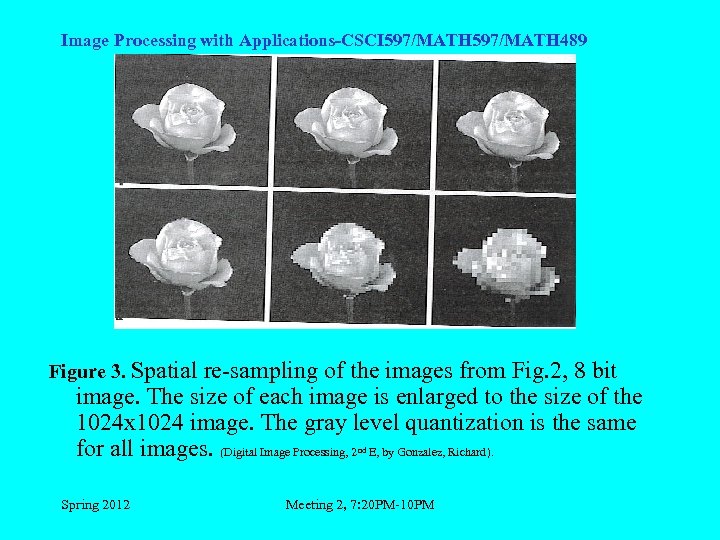 Image Processing with Applications-CSCI 597/MATH 489 Figure 3. Spatial re-sampling of the images from Fig. 2, 8 bit image. The size of each image is enlarged to the size of the 1024 x 1024 image. The gray level quantization is the same for all images. (Digital Image Processing, 2 E, by Gonzalez, Richard). nd Spring 2012 Meeting 2, 7: 20 PM-10 PM
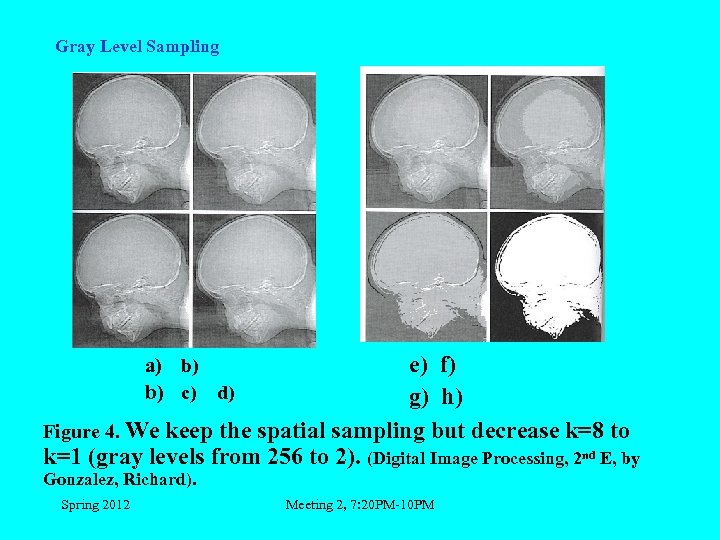 Gray Level Sampling e) f) g) h) Figure 4. We keep the spatial sampling but decrease k=8 to k=1 (gray levels from 256 to 2). (Digital Image Processing, 2 nd E, by a) b) b) c) d) Gonzalez, Richard). Spring 2012 Meeting 2, 7: 20 PM-10 PM
 Image Processing with Applications-CSCI 597/MATH 489 Experimental prove made by Huang (1965)Image with high level of detail could be presented with only a few gray levels. Image with low level of detail need more gray levels. ZOOMING AND SHRINKING It is the same procedure as re-sampling and sub-sampling. The difference is that in this case we work with digital images. Spring 2012 Meeting 2, 7: 20 PM-10 PM
 Gray level Interpolation for Scaling • Nearest Neighbor Interpolation Nearest neighbor interpolation is the simplest method and basically makes the pixels bigger. The color of a pixel in the new image is the color of the nearest pixel of the original image. If you enlarge 200%, one pixel will be enlarged to a 2 x 2 area of 4 pixels with the same color as the original pixel. Most image viewing and editing software use this type of interpolation to enlarge a digital image for the purpose of closer examination because it does not change the color information of the image and does not introduce any anti-aliasic. For the same reason, it is not suitable to enlarge photographic images because it increases the visibility of jaggies. Spring 2012 Meeting 2, 7: 20 PM-10 PM
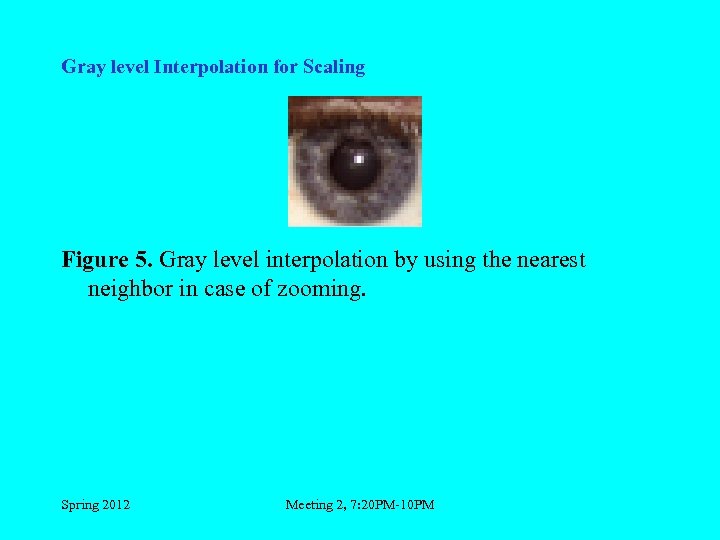 Gray level Interpolation for Scaling Figure 5. Gray level interpolation by using the nearest neighbor in case of zooming. Spring 2012 Meeting 2, 7: 20 PM-10 PM
 Gray level Interpolation for Scaling • Bilinear Interpolation determines the value of a new pixel based on a weighted average of the 4 pixels in the nearest 2 x -2 neighborhood of the pixel in the original image. The averaging has an anti-aliasing effect and therefore produces relatively smooth edges with hardly any jaggies. Spring 2012 Meeting 2, 7: 20 PM-10 PM
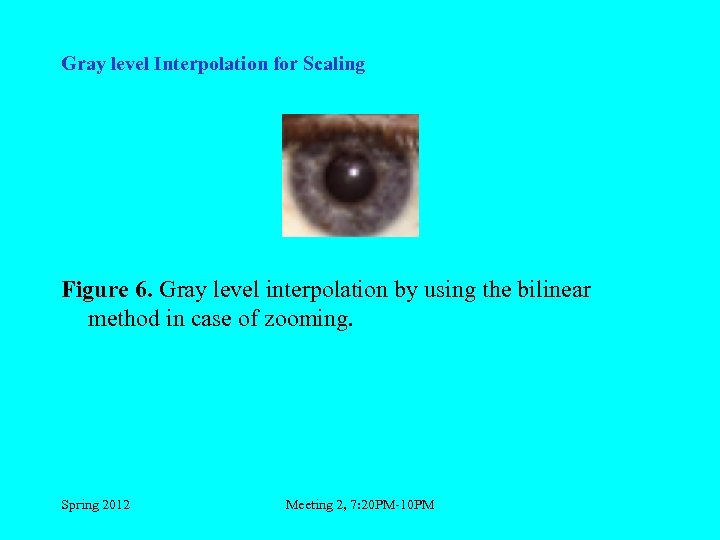 Gray level Interpolation for Scaling Figure 6. Gray level interpolation by using the bilinear method in case of zooming. Spring 2012 Meeting 2, 7: 20 PM-10 PM
 Gray level Interpolation for Scaling • Bicubic interpolation is more sophisticated and produces smoother edges than bilinear interpolation. Here, a new pixel is a bicubic function using 16 pixels in the nearest 4 x 4 neighborhood of the pixel in the original image. This is the method most commonly used by image editing software, printer drivers and many digital cameras for re-sampling images. Spring 2012 Meeting 2, 7: 20 PM-10 PM
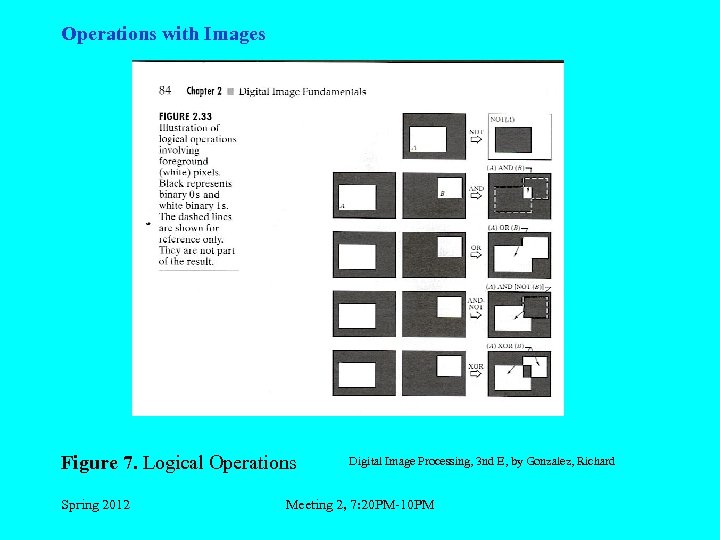 Operations with Images Figure 7. Logical Operations Spring 2012 Digital Image Processing, 3 nd E, by Gonzalez, Richard Meeting 2, 7: 20 PM-10 PM
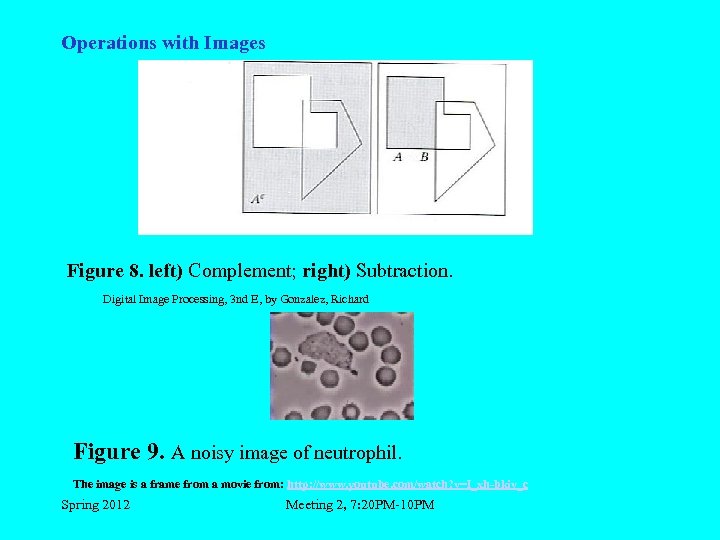 Operations with Images Figure 8. left) Complement; right) Subtraction. Digital Image Processing, 3 nd E, by Gonzalez, Richard Figure 9. A noisy image of neutrophil. The image is a frame from a movie from: http: //www. youtube. com/watch? v=I_xh-bkiv_c Spring 2012 Meeting 2, 7: 20 PM-10 PM
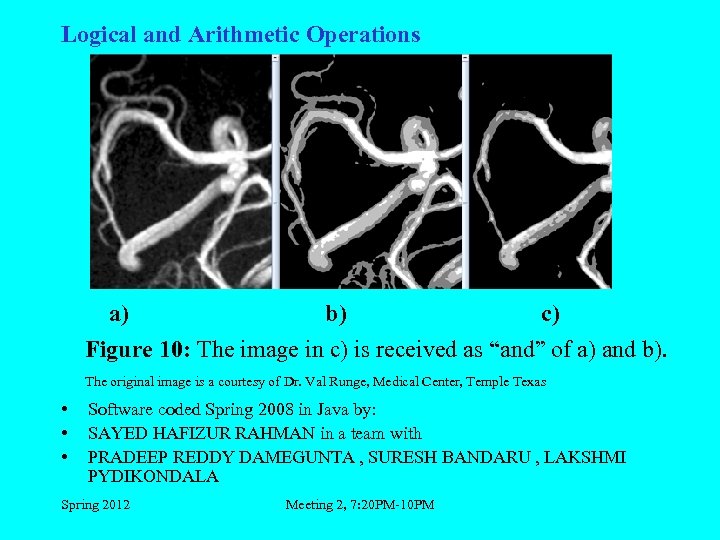 Logical and Arithmetic Operations a) b) c) Figure 10: The image in c) is received as “and” of a) and b). The original image is a courtesy of Dr. Val Runge, Medical Center, Temple Texas • • • Software coded Spring 2008 in Java by: SAYED HAFIZUR RAHMAN in a team with PRADEEP REDDY DAMEGUNTA , SURESH BANDARU , LAKSHMI PYDIKONDALA Spring 2012 Meeting 2, 7: 20 PM-10 PM
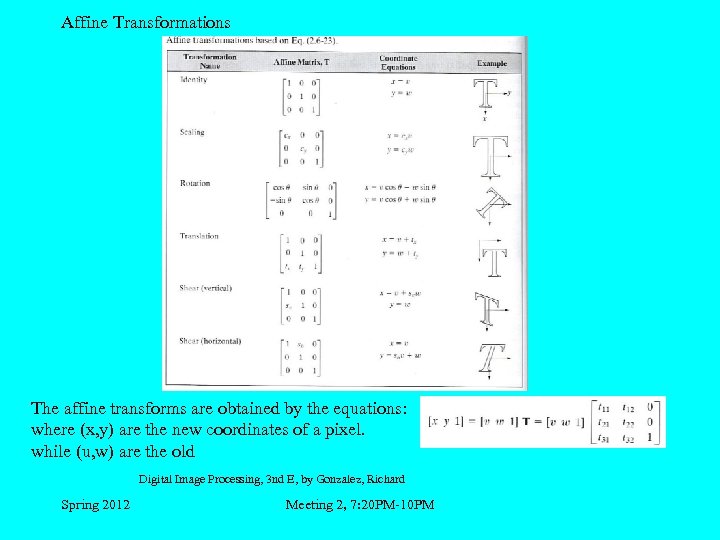 Affine Transformations The affine transforms are obtained by the equations: where (x, y) are the new coordinates of a pixel. while (u, w) are the old Digital Image Processing, 3 nd E, by Gonzalez, Richard Spring 2012 Meeting 2, 7: 20 PM-10 PM
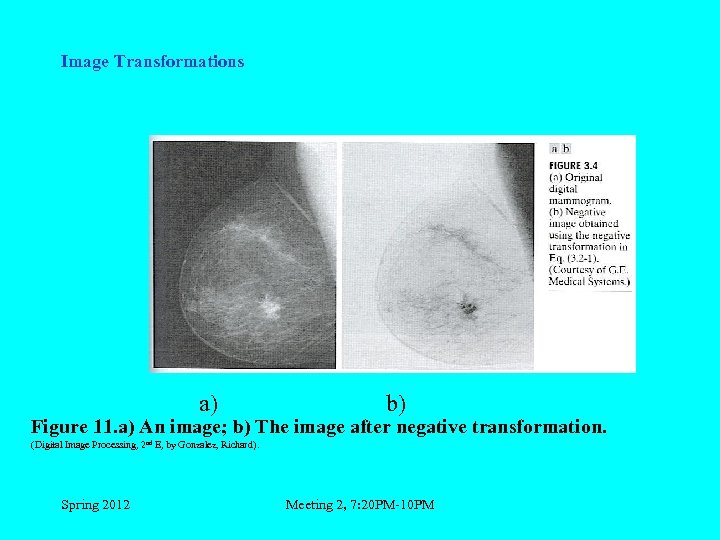 Image Transformations a) b) Figure 11. a) An image; b) The image after negative transformation. (Digital Image Processing, 2 nd E, by Gonzalez, Richard). Spring 2012 Meeting 2, 7: 20 PM-10 PM
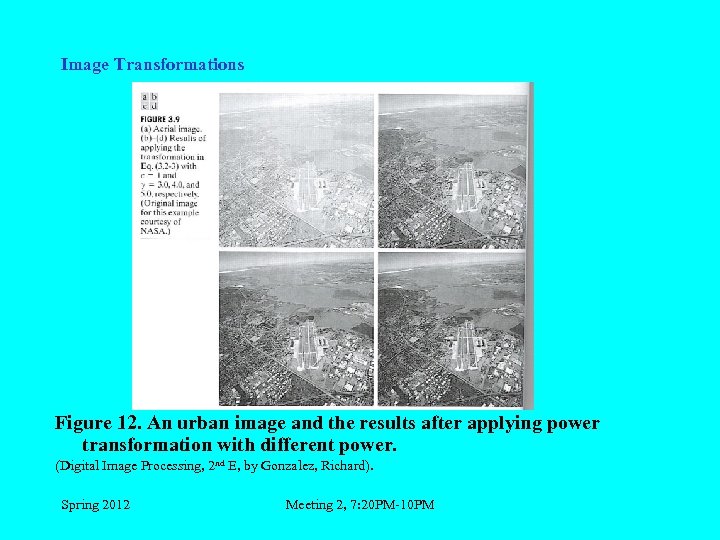 Image Transformations Figure 12. An urban image and the results after applying power transformation with different power. (Digital Image Processing, 2 nd E, by Gonzalez, Richard). Spring 2012 Meeting 2, 7: 20 PM-10 PM
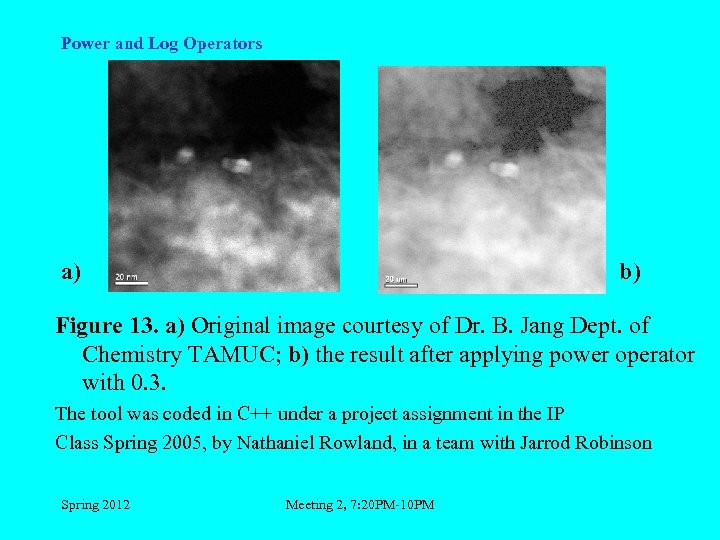 Power and Log Operators a) b) Figure 13. a) Original image courtesy of Dr. B. Jang Dept. of Chemistry TAMUC; b) the result after applying power operator with 0. 3. The tool was coded in C++ under a project assignment in the IP Class Spring 2005, by Nathaniel Rowland, in a team with Jarrod Robinson Spring 2012 Meeting 2, 7: 20 PM-10 PM
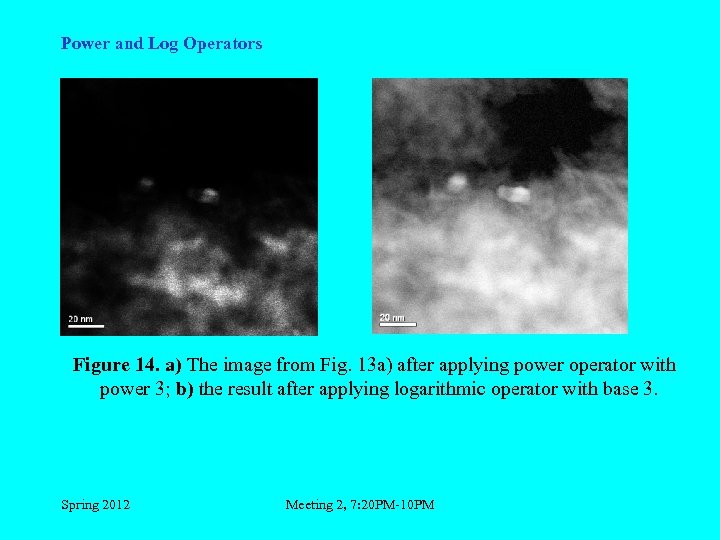 Power and Log Operators Figure 14. a) The image from Fig. 13 a) after applying power operator with power 3; b) the result after applying logarithmic operator with base 3. Spring 2012 Meeting 2, 7: 20 PM-10 PM
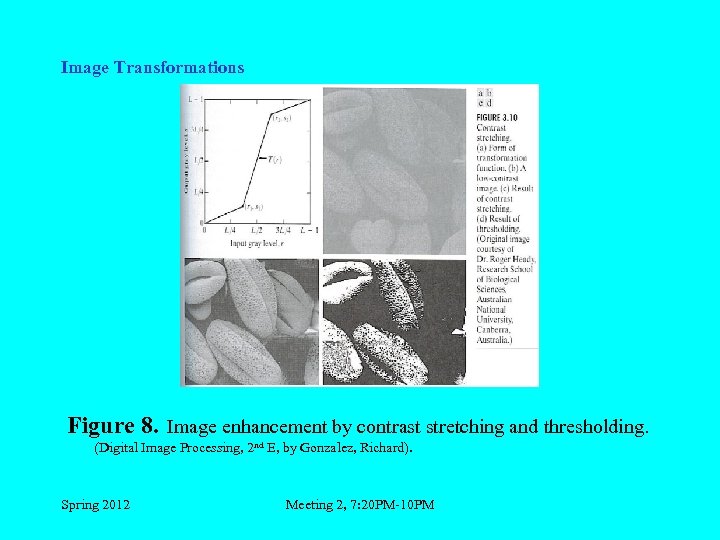 Image Transformations Figure 8. Image enhancement by contrast stretching and thresholding. (Digital Image Processing, 2 nd E, by Gonzalez, Richard). Spring 2012 Meeting 2, 7: 20 PM-10 PM