 Скачать презентацию IKI 10230 Pengantar Organisasi Komputer Bab 4 1
ce38d487faa1b0f8bc11af67bb6cfe8f.ppt
- Количество слайдов: 39



IKI 10230 Pengantar Organisasi Komputer Bab 4. 1: Input/Output & Interrupt Sumber: 1. Hamacher. Computer Organization, ed-5. 2. Materi kuliah CS 152/1997, UCB. 19 Maret 2003 Bobby Nazief (nazief@cs. ui. ac. id) Qonita Shahab (niet@cs. ui. ac. id) bahan kuliah: http: //www. cs. ui. ac. id/kuliah/iki 10230/
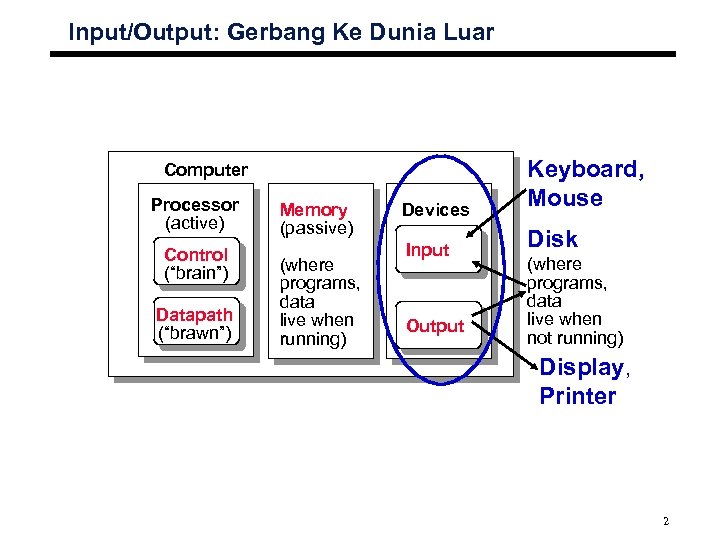
Input/Output: Gerbang Ke Dunia Luar Devices Keyboard, Mouse Input Disk Computer Processor (active) Control (“brain”) Datapath (“brawn”) Memory (passive) (where programs, data live when running) Output (where programs, data live when not running) Display, Printer 2
Motivation for Input/Output ° I/O is how humans interact with computers ° I/O lets computers do amazing things: • Read pressure of synthetic hand control synthetic arm and hand of fireman • Control propellers, fins, communicate in BOB (Breathable Observable Bubble) • Read bar codes of items in refrigerator ° Computer without I/O like a car without wheels; great technology, but won’t get you anywhere 3
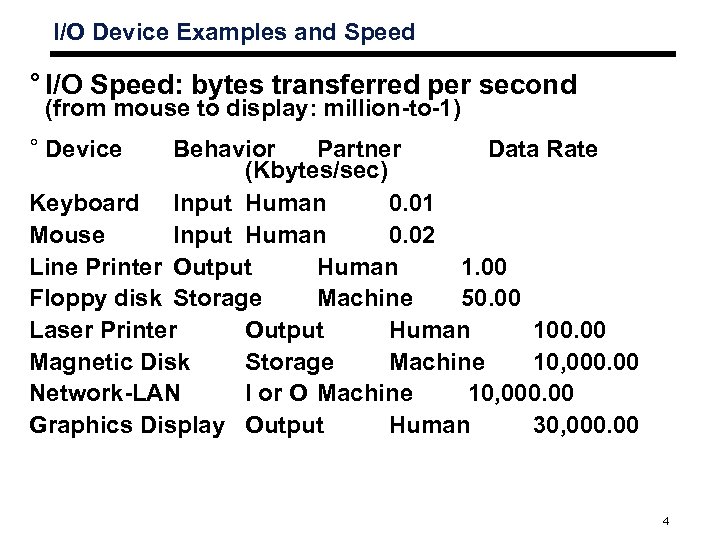
I/O Device Examples and Speed ° I/O Speed: bytes transferred per second (from mouse to display: million-to-1) ° Device Behavior Partner Data Rate (Kbytes/sec) Keyboard Input Human 0. 01 Mouse Input Human 0. 02 Line Printer Output Human 1. 00 Floppy disk Storage Machine 50. 00 Laser Printer Output Human 100. 00 Magnetic Disk Storage Machine 10, 000. 00 Network-LAN I or O Machine 10, 000. 00 Graphics Display Output Human 30, 000. 00 4
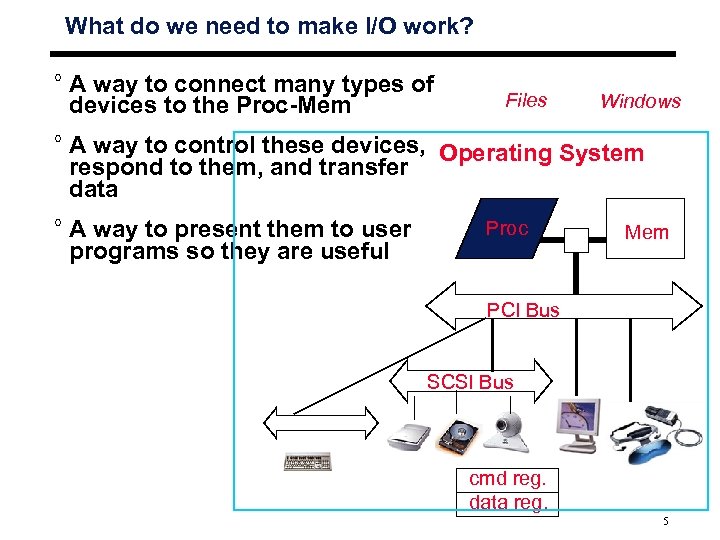
What do we need to make I/O work? ° A way to connect many types of devices to the Proc-Mem Files Windows ° A way to control these devices, Operating System respond to them, and transfer data ° A way to present them to user programs so they are useful Proc Mem PCI Bus SCSI Bus cmd reg. data reg. 5
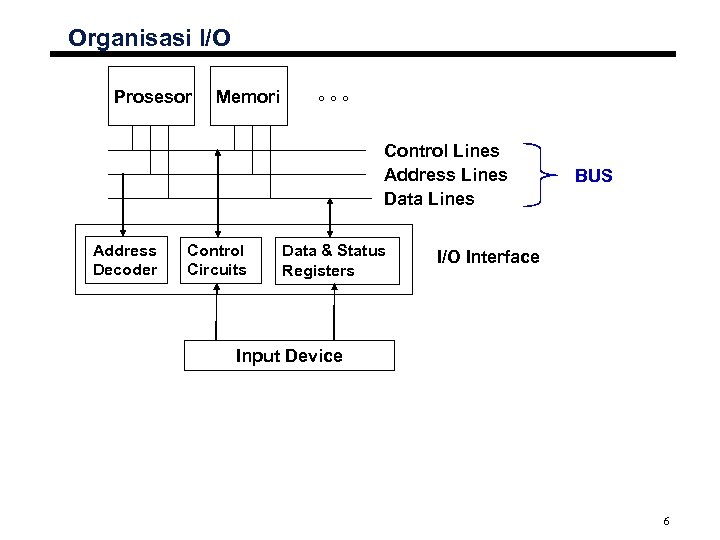
Organisasi I/O Prosesor Memori °°° Control Lines Address Lines Data Lines Address Decoder Control Circuits Data & Status Registers BUS I/O Interface Input Device 6
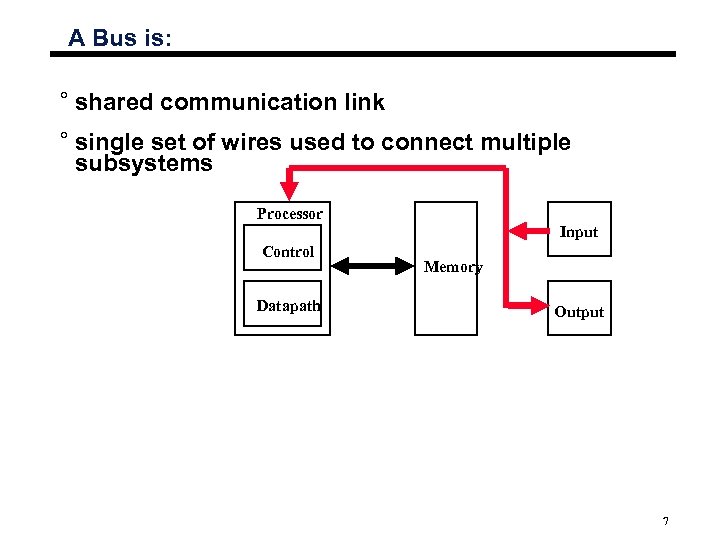
A Bus is: ° shared communication link ° single set of wires used to connect multiple subsystems Processor Input Control Datapath Memory Output 7
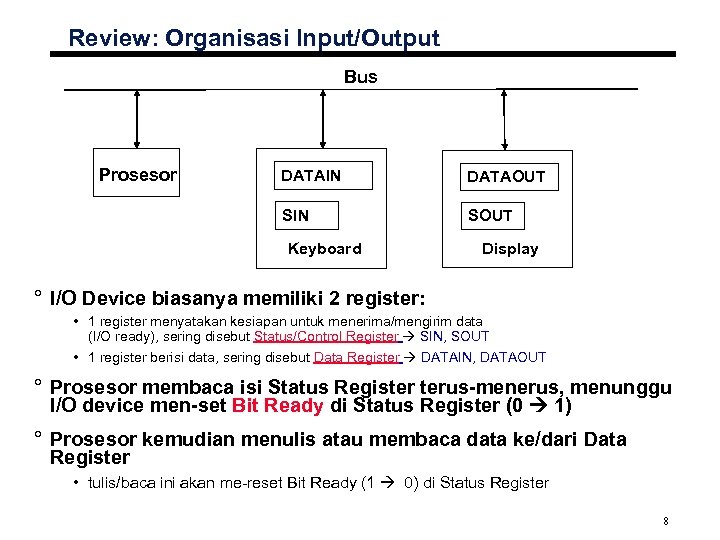
Review: Organisasi Input/Output Bus Prosesor DATAIN DATAOUT SIN SOUT Keyboard Display ° I/O Device biasanya memiliki 2 register: • 1 register menyatakan kesiapan untuk menerima/mengirim data (I/O ready), sering disebut Status/Control Register SIN, SOUT • 1 register berisi data, sering disebut Data Register DATAIN, DATAOUT ° Prosesor membaca isi Status Register terus-menerus, menunggu I/O device men-set Bit Ready di Status Register (0 1) ° Prosesor kemudian menulis atau membaca data ke/dari Data Register • tulis/baca ini akan me-reset Bit Ready (1 0) di Status Register 8
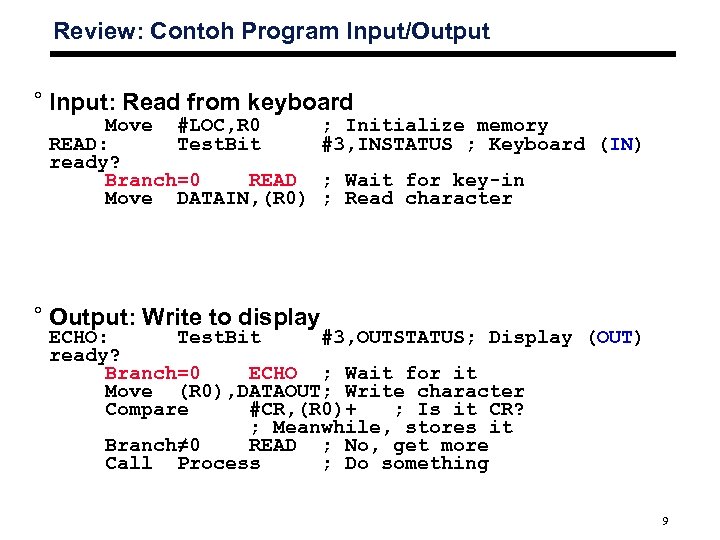
Review: Contoh Program Input/Output ° Input: Read from keyboard Move #LOC, R 0 READ: Test. Bit ready? Branch=0 READ Move DATAIN, (R 0) ; Initialize memory #3, INSTATUS ; Keyboard (IN) ; Wait for key-in ; Read character ° Output: Write to display ECHO: Test. Bit #3, OUTSTATUS; Display (OUT) ready? Branch=0 ECHO ; Wait for it Move (R 0), DATAOUT; Write character Compare #CR, (R 0)+ ; Is it CR? ; Meanwhile, stores it Branch≠ 0 READ ; No, get more Call Process ; Do something 9
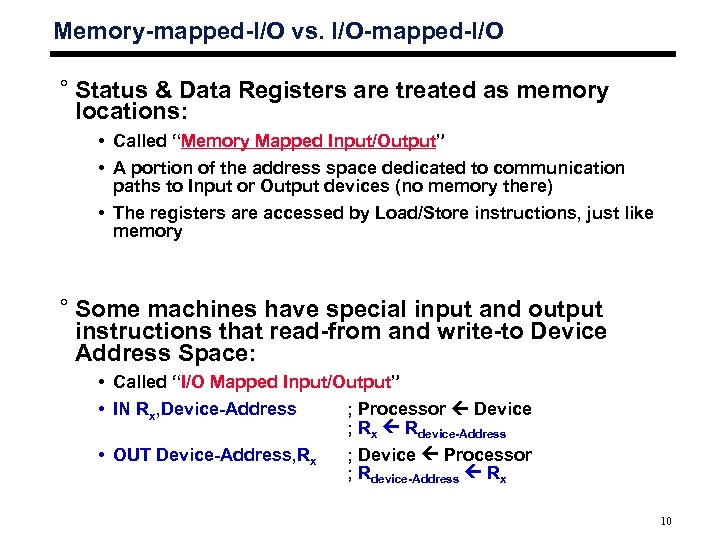
Memory-mapped-I/O vs. I/O-mapped-I/O ° Status & Data Registers are treated as memory locations: • Called “Memory Mapped Input/Output” • A portion of the address space dedicated to communication paths to Input or Output devices (no memory there) • The registers are accessed by Load/Store instructions, just like memory ° Some machines have special input and output instructions that read-from and write-to Device Address Space: • Called “I/O Mapped Input/Output” • IN Rx, Device-Address ; Processor Device ; Rx Rdevice-Address • OUT Device-Address, Rx ; Device Processor ; Rdevice-Address Rx 10
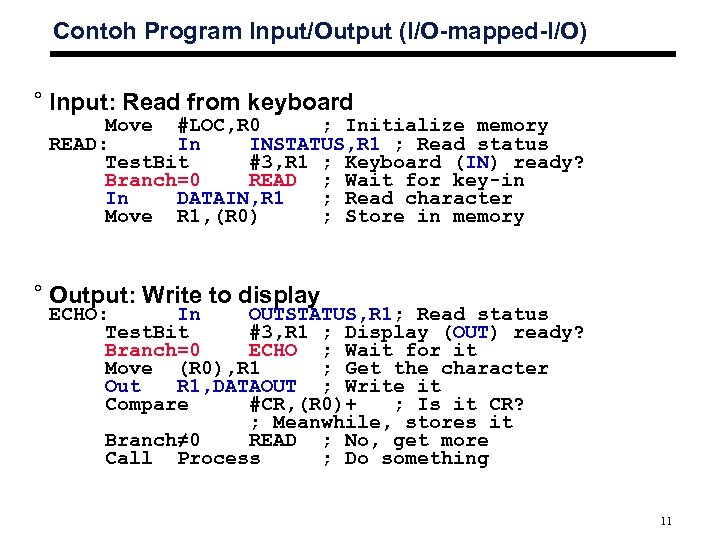
Contoh Program Input/Output (I/O-mapped-I/O) ° Input: Read from keyboard Move #LOC, R 0 ; Initialize memory READ: In INSTATUS, R 1 ; Read status Test. Bit #3, R 1 ; Keyboard (IN) ready? Branch=0 READ ; Wait for key-in In DATAIN, R 1 ; Read character Move R 1, (R 0) ; Store in memory ° Output: Write to display ECHO: In OUTSTATUS, R 1; Read status Test. Bit #3, R 1 ; Display (OUT) ready? Branch=0 ECHO ; Wait for it Move (R 0), R 1 ; Get the character Out R 1, DATAOUT ; Write it Compare #CR, (R 0)+ ; Is it CR? ; Meanwhile, stores it Branch≠ 0 READ ; No, get more Call Process ; Do something 11
Polling
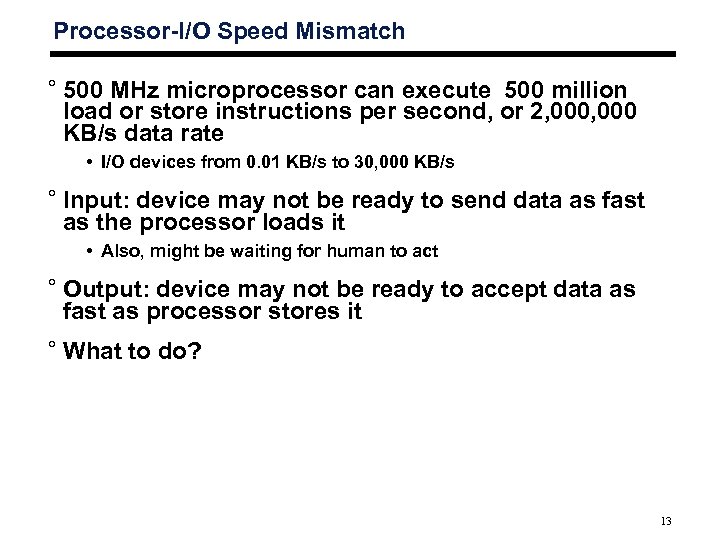
Processor-I/O Speed Mismatch ° 500 MHz microprocessor can execute 500 million load or store instructions per second, or 2, 000 KB/s data rate • I/O devices from 0. 01 KB/s to 30, 000 KB/s ° Input: device may not be ready to send data as fast as the processor loads it • Also, might be waiting for human to act ° Output: device may not be ready to accept data as fast as processor stores it ° What to do? 13
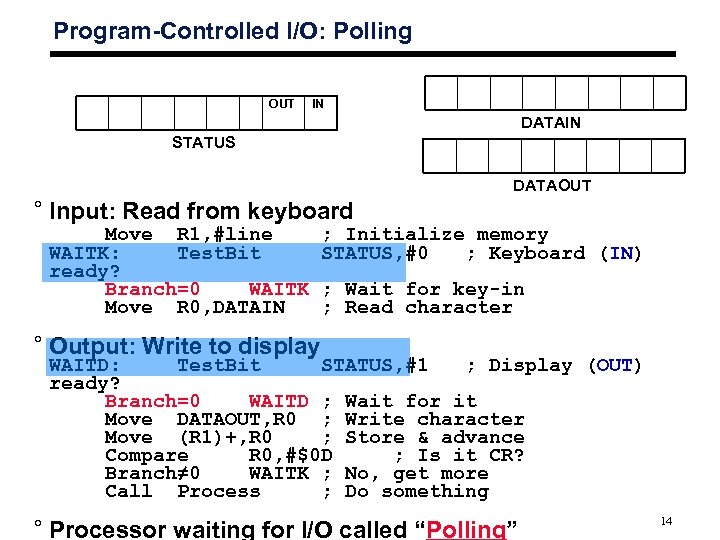
Program-Controlled I/O: Polling OUT IN DATAIN STATUS DATAOUT ° Input: Read from keyboard Move R 1, #line WAITK: Test. Bit ready? Branch=0 WAITK Move R 0, DATAIN ; Initialize memory STATUS, #0 ; Keyboard (IN) ; Wait for key-in ; Read character ° Output: Write to display WAITD: Test. Bit STATUS, #1 ; Display (OUT) ready? Branch=0 WAITD ; Wait for it Move DATAOUT, R 0 ; Write character Move (R 1)+, R 0 ; Store & advance Compare R 0, #$0 D ; Is it CR? Branch≠ 0 WAITK ; No, get more Call Process ; Do something ° Processor waiting for I/O called “Polling” 14
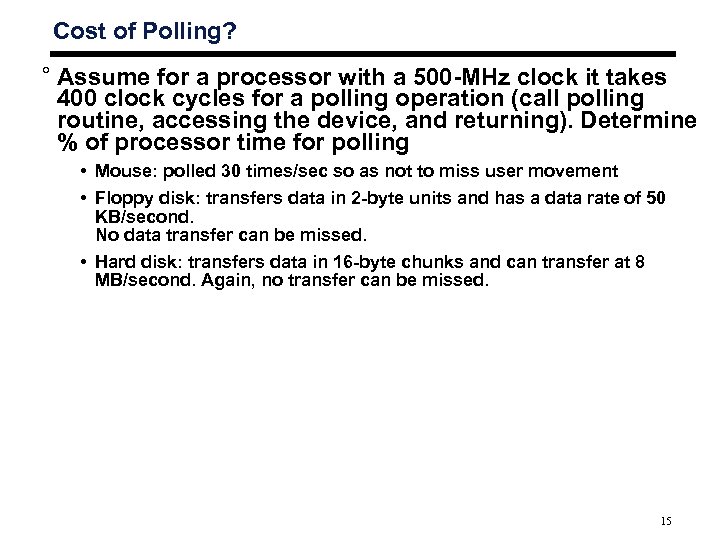
Cost of Polling? ° Assume for a processor with a 500 -MHz clock it takes 400 clock cycles for a polling operation (call polling routine, accessing the device, and returning). Determine % of processor time for polling • Mouse: polled 30 times/sec so as not to miss user movement • Floppy disk: transfers data in 2 -byte units and has a data rate of 50 KB/second. No data transfer can be missed. • Hard disk: transfers data in 16 -byte chunks and can transfer at 8 MB/second. Again, no transfer can be missed. 15
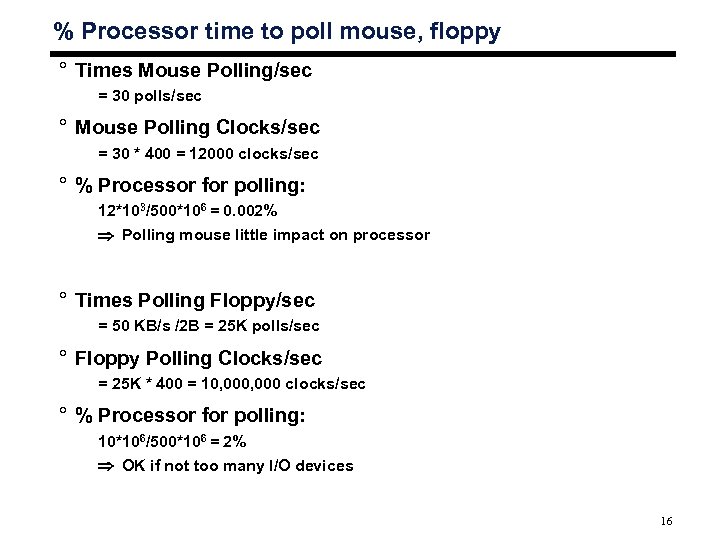
% Processor time to poll mouse, floppy ° Times Mouse Polling/sec = 30 polls/sec ° Mouse Polling Clocks/sec = 30 * 400 = 12000 clocks/sec ° % Processor for polling: 12*103/500*106 = 0. 002% Polling mouse little impact on processor ° Times Polling Floppy/sec = 50 KB/s /2 B = 25 K polls/sec ° Floppy Polling Clocks/sec = 25 K * 400 = 10, 000 clocks/sec ° % Processor for polling: 10*106/500*106 = 2% OK if not too many I/O devices 16
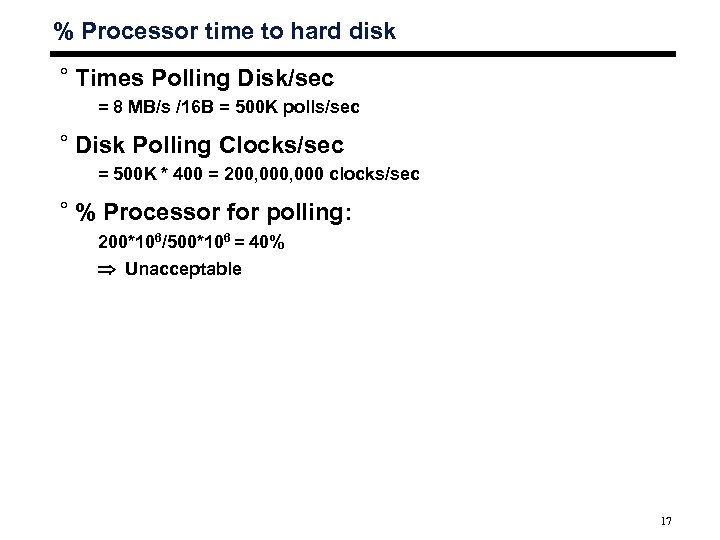
% Processor time to hard disk ° Times Polling Disk/sec = 8 MB/s /16 B = 500 K polls/sec ° Disk Polling Clocks/sec = 500 K * 400 = 200, 000 clocks/sec ° % Processor for polling: 200*106/500*106 = 40% Unacceptable 17
Interrupt
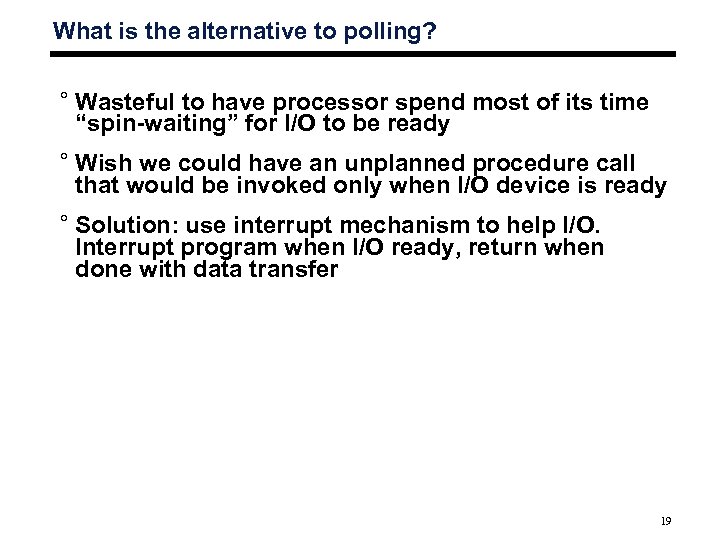
What is the alternative to polling? ° Wasteful to have processor spend most of its time “spin-waiting” for I/O to be ready ° Wish we could have an unplanned procedure call that would be invoked only when I/O device is ready ° Solution: use interrupt mechanism to help I/O. Interrupt program when I/O ready, return when done with data transfer 19
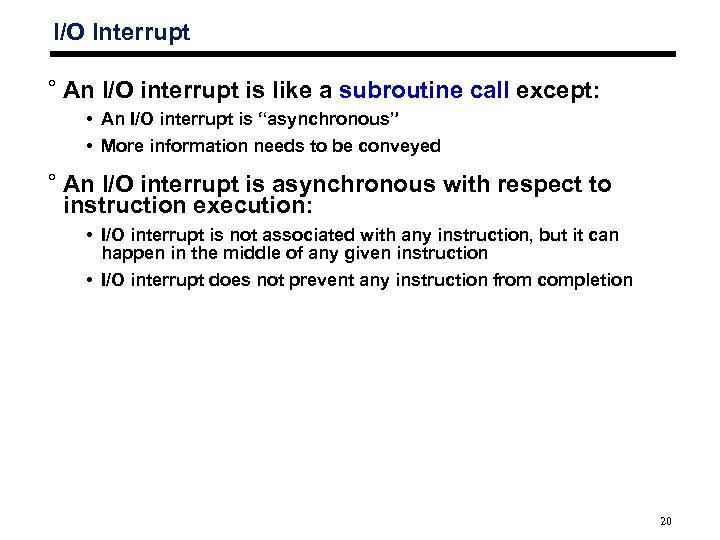
I/O Interrupt ° An I/O interrupt is like a subroutine call except: • An I/O interrupt is “asynchronous” • More information needs to be conveyed ° An I/O interrupt is asynchronous with respect to instruction execution: • I/O interrupt is not associated with any instruction, but it can happen in the middle of any given instruction • I/O interrupt does not prevent any instruction from completion 20
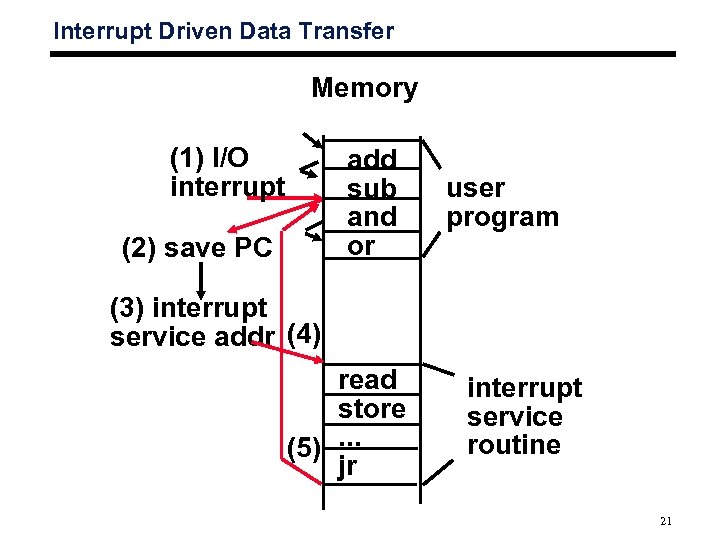
Interrupt Driven Data Transfer Memory (1) I/O interrupt add sub and or (2) save PC user program (3) interrupt service addr (4) read store (5). . . jr interrupt service routine 21
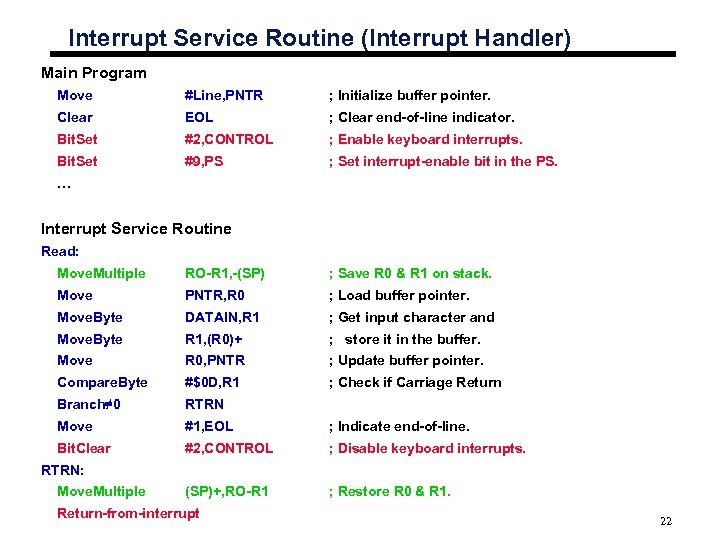
Interrupt Service Routine (Interrupt Handler) Main Program Move #Line, PNTR ; Initialize buffer pointer. Clear EOL ; Clear end-of-line indicator. Bit. Set #2, CONTROL ; Enable keyboard interrupts. Bit. Set #9, PS ; Set interrupt-enable bit in the PS. … Interrupt Service Routine Read: Move. Multiple RO-R 1, -(SP) ; Save R 0 & R 1 on stack. Move PNTR, R 0 ; Load buffer pointer. Move. Byte DATAIN, R 1 ; Get input character and Move. Byte R 1, (R 0)+ ; store it in the buffer. Move R 0, PNTR ; Update buffer pointer. Compare. Byte #$0 D, R 1 ; Check if Carriage Return Branch≠ 0 RTRN Move #1, EOL ; Indicate end-of-line. Bit. Clear #2, CONTROL ; Disable keyboard interrupts. (SP)+, RO-R 1 ; Restore R 0 & R 1. RTRN: Move. Multiple Return-from-interrupt 22
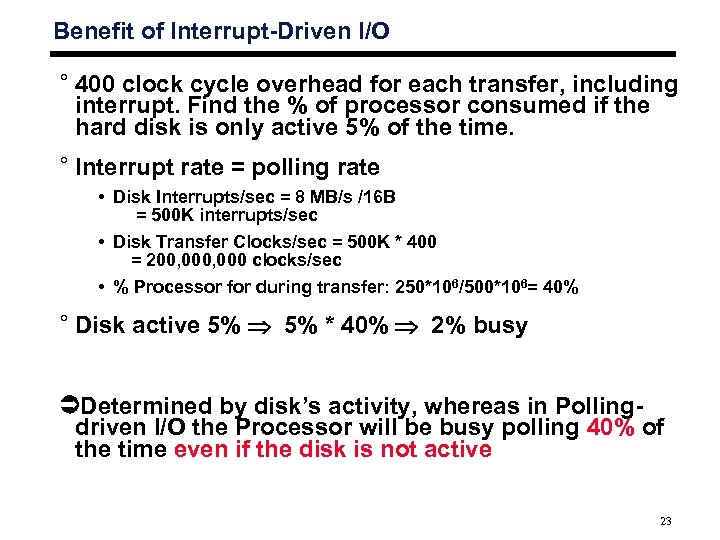
Benefit of Interrupt-Driven I/O ° 400 clock cycle overhead for each transfer, including interrupt. Find the % of processor consumed if the hard disk is only active 5% of the time. ° Interrupt rate = polling rate • Disk Interrupts/sec = 8 MB/s /16 B = 500 K interrupts/sec • Disk Transfer Clocks/sec = 500 K * 400 = 200, 000 clocks/sec • % Processor for during transfer: 250*106/500*106= 40% ° Disk active 5% * 40% 2% busy Determined by disk’s activity, whereas in Pollingdriven I/O the Processor will be busy polling 40% of the time even if the disk is not active 23
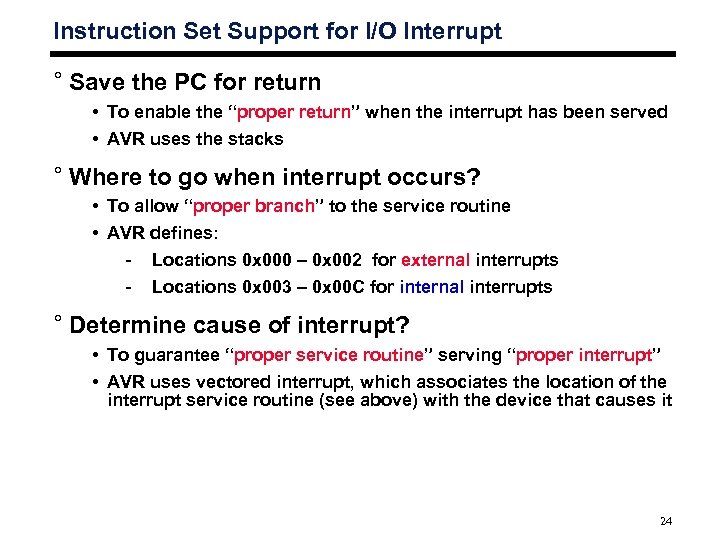
Instruction Set Support for I/O Interrupt ° Save the PC for return • To enable the “proper return” when the interrupt has been served • AVR uses the stacks ° Where to go when interrupt occurs? • To allow “proper branch” to the service routine • AVR defines: - Locations 0 x 000 – 0 x 002 for external interrupts - Locations 0 x 003 – 0 x 00 C for internal interrupts ° Determine cause of interrupt? • To guarantee “proper service routine” serving “proper interrupt” • AVR uses vectored interrupt, which associates the location of the interrupt service routine (see above) with the device that causes it 24
Interrupt Hardware
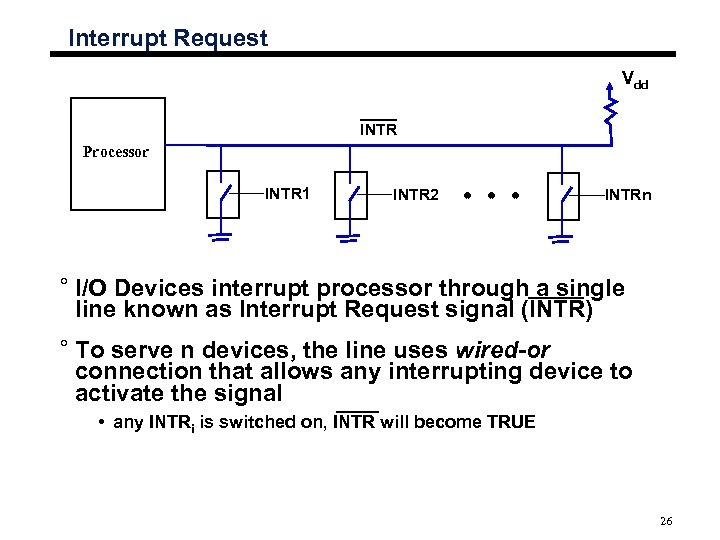
Interrupt Request Vdd INTR Processor INTR 1 INTR 2 INTRn ° I/O Devices interrupt processor through a single line known as Interrupt Request signal (INTR) ° To serve n devices, the line uses wired-or connection that allows any interrupting device to activate the signal • any INTRi is switched on, INTR will become TRUE 26
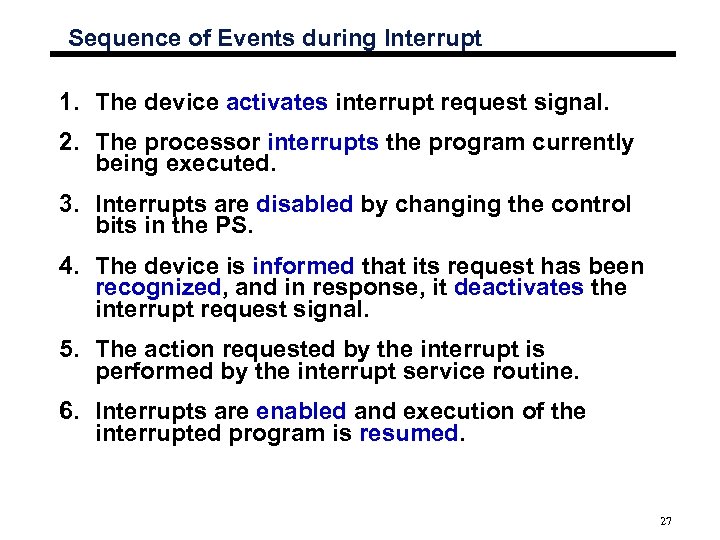
Sequence of Events during Interrupt 1. The device activates interrupt request signal. 2. The processor interrupts the program currently being executed. 3. Interrupts are disabled by changing the control bits in the PS. 4. The device is informed that its request has been recognized, and in response, it deactivates the interrupt request signal. 5. The action requested by the interrupt is performed by the interrupt service routine. 6. Interrupts are enabled and execution of the interrupted program is resumed. 27
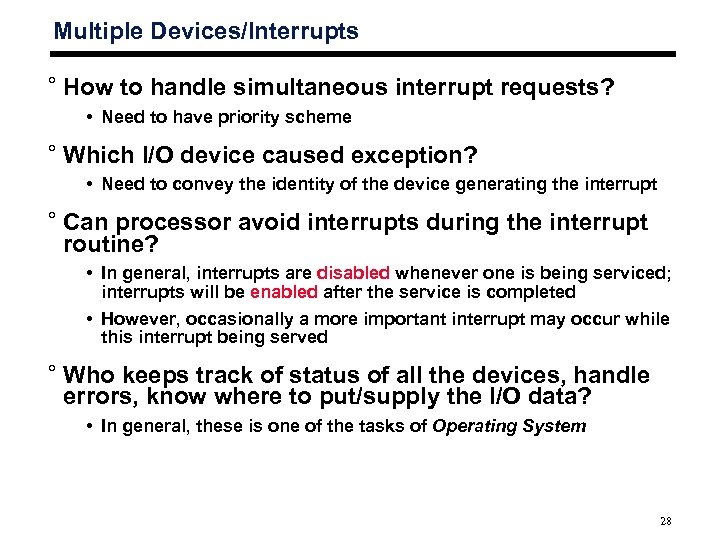
Multiple Devices/Interrupts ° How to handle simultaneous interrupt requests? • Need to have priority scheme ° Which I/O device caused exception? • Need to convey the identity of the device generating the interrupt ° Can processor avoid interrupts during the interrupt routine? • In general, interrupts are disabled whenever one is being serviced; interrupts will be enabled after the service is completed • However, occasionally a more important interrupt may occur while this interrupt being served ° Who keeps track of status of all the devices, handle errors, know where to put/supply the I/O data? • In general, these is one of the tasks of Operating System 28
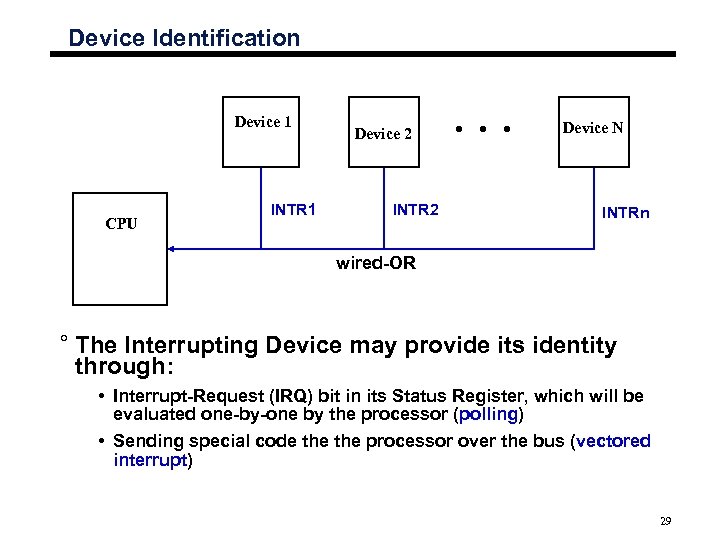
Device Identification Device 1 CPU INTR 1 Device 2 INTR 2 Device N INTRn wired-OR ° The Interrupting Device may provide its identity through: • Interrupt-Request (IRQ) bit in its Status Register, which will be evaluated one-by-one by the processor (polling) • Sending special code the processor over the bus (vectored interrupt) 29
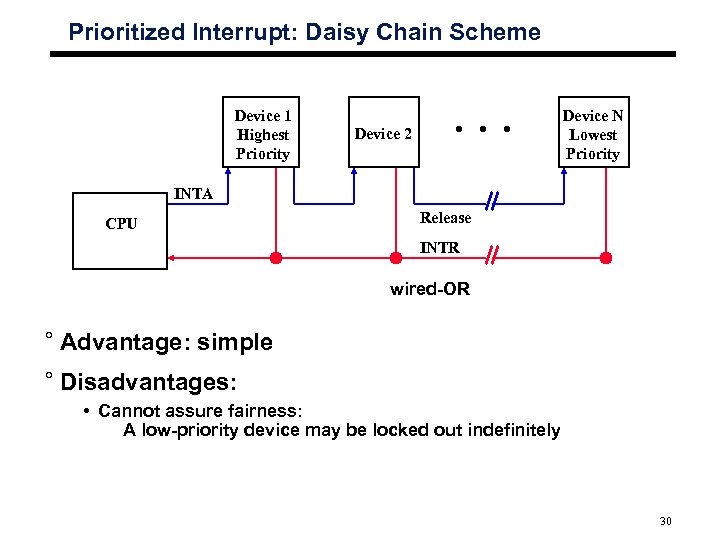
Prioritized Interrupt: Daisy Chain Scheme Device 1 Highest Priority Device N Lowest Priority Device 2 INTA CPU Release INTR wired-OR ° Advantage: simple ° Disadvantages: • Cannot assure fairness: A low-priority device may be locked out indefinitely 30
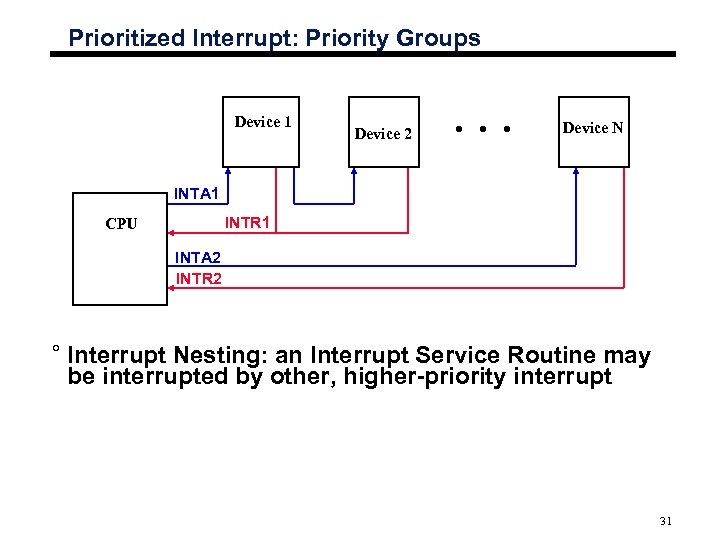
Prioritized Interrupt: Priority Groups Device 1 Device 2 Device N INTA 1 INTR 1 CPU INTA 2 INTR 2 ° Interrupt Nesting: an Interrupt Service Routine may be interrupted by other, higher-priority interrupt 31
Exceptions
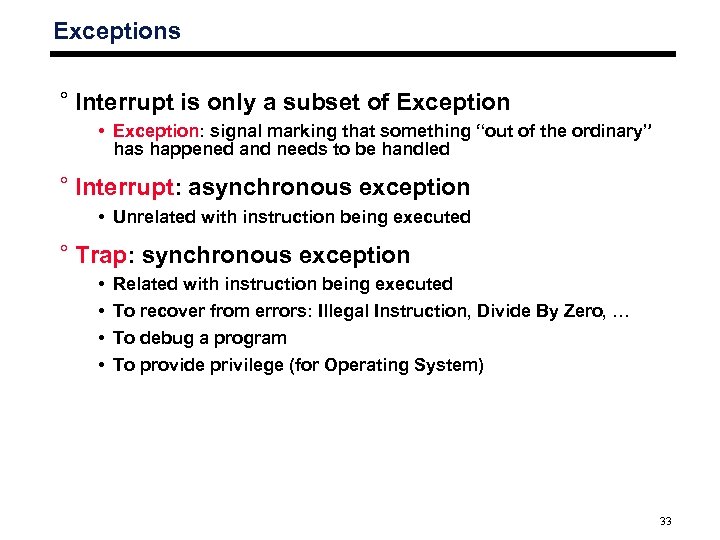
Exceptions ° Interrupt is only a subset of Exception • Exception: signal marking that something “out of the ordinary” has happened and needs to be handled ° Interrupt: asynchronous exception • Unrelated with instruction being executed ° Trap: synchronous exception • • Related with instruction being executed To recover from errors: Illegal Instruction, Divide By Zero, … To debug a program To provide privilege (for Operating System) 33
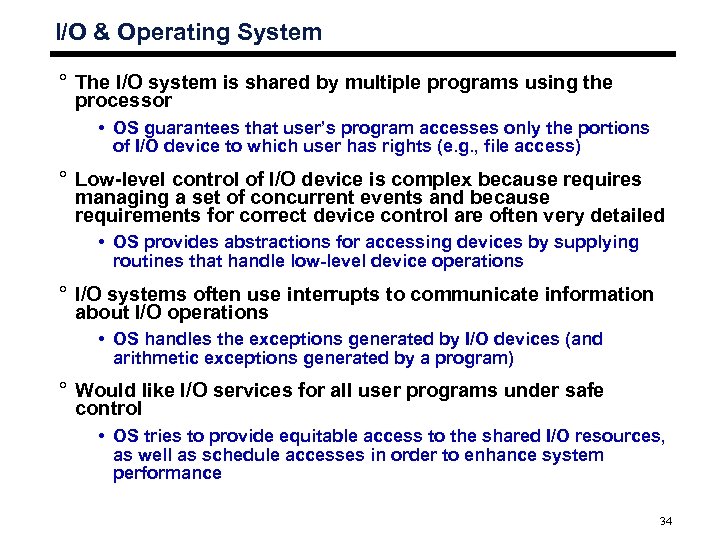
I/O & Operating System ° The I/O system is shared by multiple programs using the processor • OS guarantees that user’s program accesses only the portions of I/O device to which user has rights (e. g. , file access) ° Low-level control of I/O device is complex because requires managing a set of concurrent events and because requirements for correct device control are often very detailed • OS provides abstractions for accessing devices by supplying routines that handle low-level device operations ° I/O systems often use interrupts to communicate information about I/O operations • OS handles the exceptions generated by I/O devices (and arithmetic exceptions generated by a program) ° Would like I/O services for all user programs under safe control • OS tries to provide equitable access to the shared I/O resources, as well as schedule accesses in order to enhance system performance 34
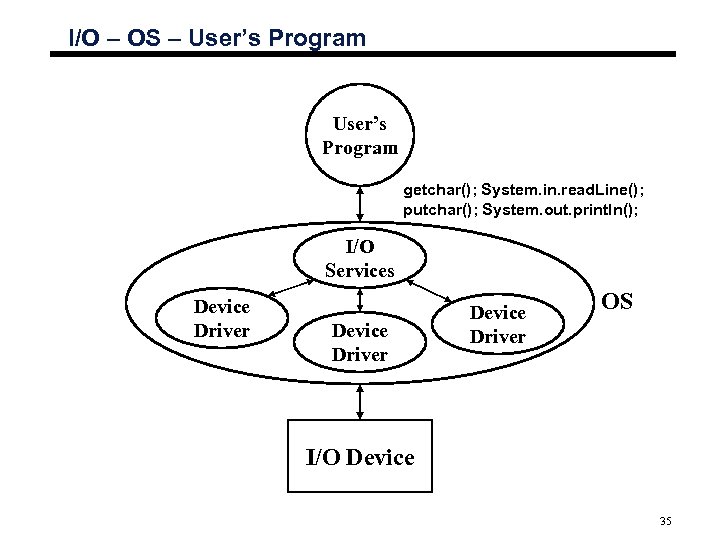
I/O – OS – User’s Program getchar(); System. in. read. Line(); putchar(); System. out. println(); I/O Services Device Driver OS I/O Device 35
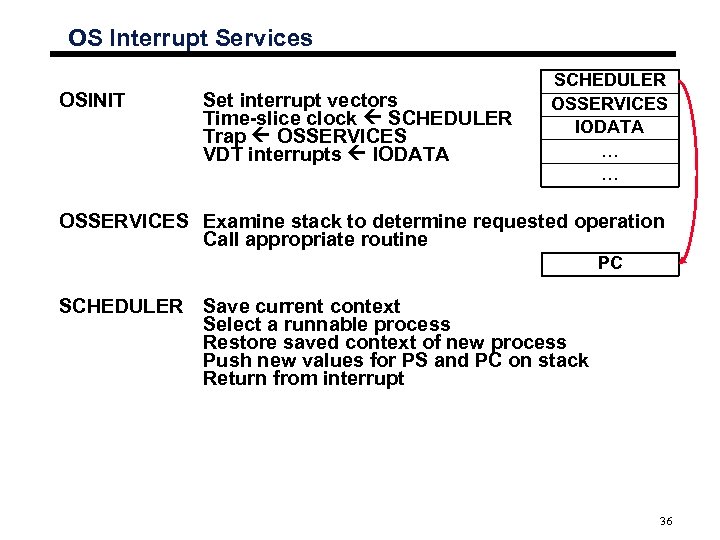
OS Interrupt Services OSINIT Set interrupt vectors Time-slice clock SCHEDULER Trap OSSERVICES VDT interrupts IODATA SCHEDULER OSSERVICES IODATA … … OSSERVICES Examine stack to determine requested operation Call appropriate routine PC SCHEDULER Save current context Select a runnable process Restore saved context of new process Push new values for PS and PC on stack Return from interrupt 36
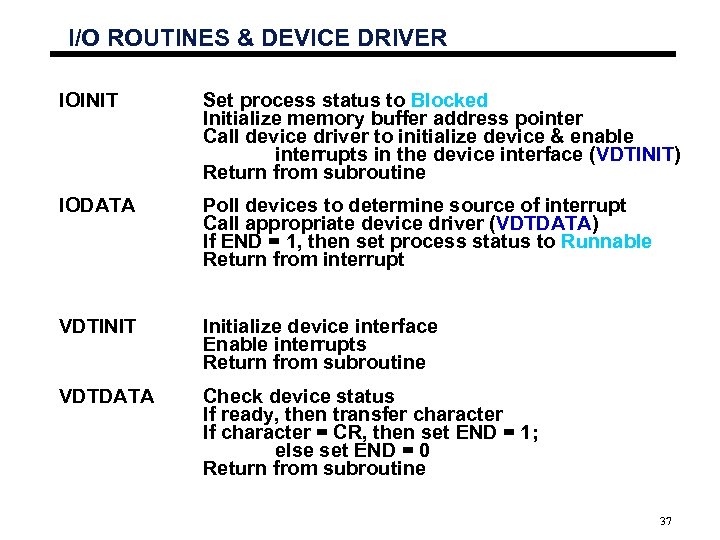
I/O ROUTINES & DEVICE DRIVER IOINIT Set process status to Blocked Initialize memory buffer address pointer Call device driver to initialize device & enable interrupts in the device interface (VDTINIT) Return from subroutine IODATA Poll devices to determine source of interrupt Call appropriate device driver (VDTDATA) If END = 1, then set process status to Runnable Return from interrupt VDTINIT Initialize device interface Enable interrupts Return from subroutine VDTDATA Check device status If ready, then transfer character If character = CR, then set END = 1; else set END = 0 Return from subroutine 37
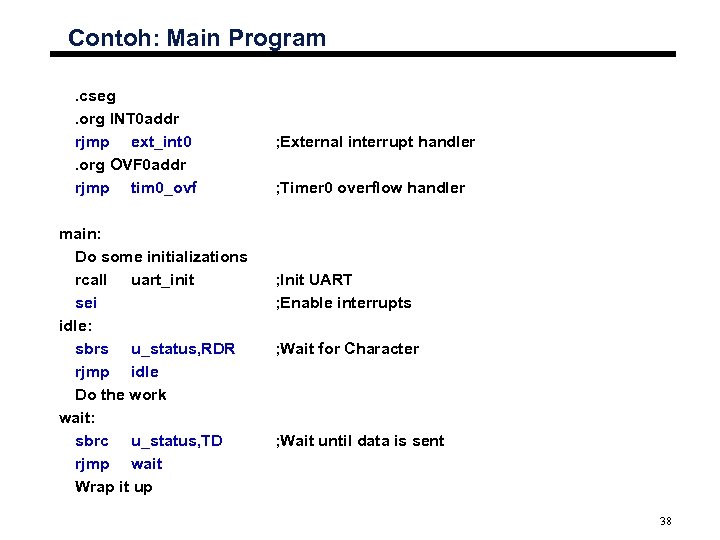
Contoh: Main Program. cseg. org INT 0 addr rjmp ext_int 0. org OVF 0 addr rjmp tim 0_ovf main: Do some initializations rcall uart_init sei idle: sbrs u_status, RDR rjmp idle Do the work wait: sbrc u_status, TD rjmp wait Wrap it up ; External interrupt handler ; Timer 0 overflow handler ; Init UART ; Enable interrupts ; Wait for Character ; Wait until data is sent 38
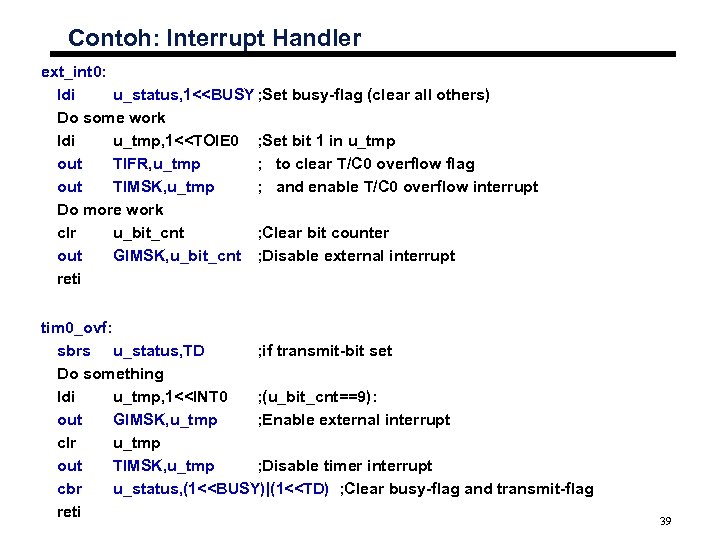
Contoh: Interrupt Handler ext_int 0: ldi u_status, 1<<BUSY ; Set busy-flag (clear all others) Do some work ldi u_tmp, 1<<TOIE 0 ; Set bit 1 in u_tmp out TIFR, u_tmp ; to clear T/C 0 overflow flag out TIMSK, u_tmp ; and enable T/C 0 overflow interrupt Do more work clr u_bit_cnt ; Clear bit counter out GIMSK, u_bit_cnt ; Disable external interrupt reti tim 0_ovf: sbrs u_status, TD ; if transmit-bit set Do something ldi u_tmp, 1<<INT 0 ; (u_bit_cnt==9): out GIMSK, u_tmp ; Enable external interrupt clr u_tmp out TIMSK, u_tmp ; Disable timer interrupt cbr u_status, (1<<BUSY)|(1<<TD) ; Clear busy-flag and transmit-flag reti 39
Скачать презентацию IKI 10230 Pengantar Organisasi Komputer Bab 4 1
ce38d487faa1b0f8bc11af67bb6cfe8f.ppt