 Скачать презентацию IIPS-Fall 2006 Colleague Web Advisor Campus Cruiser
92beb11f2e83e7d1a6d9d51cacf70938.ppt
- Количество слайдов: 44



IIPS-Fall 2006 Colleague, Web. Advisor, Campus. Cruiser & Blackboard Integration Presenters: Cape Fear CC Joel Brubaker, Colleague Admin Christina Heikkila, Web. Master
Things to Keep in Mind Integrating Colleague’s Web. Advisor, Campus. Cruiser interface and Blackboard interface into your campus workflow is no easy task. The following represents over two years of decision making, custom programming, some trial and error and some luck. Keep it simple, start small and slowly add to it.
Overview Decision Making n Define Business Rules for Accounts n Colleague Setup in CORE n Web. Advisor User Accounts n Campus. Cruiser Integration n Blackboard Snapshot Generator n Blackboard Snapshot Tool n Envision Process Handler n
Decision Making n Determine naming convention n Have a roll out plan n Consider timing of rollout if switching usernames; summer, between terms n Are there laws affecting use of SSN? n Standardization – reduces work load of IT by allowing full automation
Decision Making - CFCC changed from disparate names to a standard naming convention for all constituents This did away with the, “I want my name to be this, that, the other. ” Rollout of the change occurred between Summer and Fall 2005.
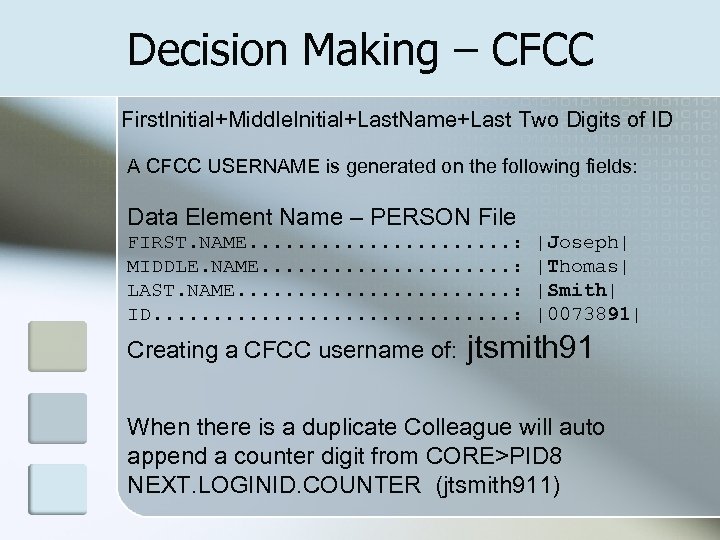
Decision Making – CFCC First. Initial+Middle. Initial+Last. Name+Last Two Digits of ID A CFCC USERNAME is generated on the following fields: Data Element Name – PERSON File FIRST. NAME. . . . . : MIDDLE. NAME. . . . . : LAST. NAME. . . : ID. . . . : Creating a CFCC username of: |Joseph| |Thomas| |Smith| |0073891| jtsmith 91 When there is a duplicate Colleague will auto append a counter digit from CORE>PID 8 NEXT. LOGINID. COUNTER (jtsmith 911)
Decision Making – CFCC Problem – Initial Passwords n We didn’t like the choices for initial passwords n No effective/secure way to deliver random password option to the account holder Solution – Random Pin & LDAP
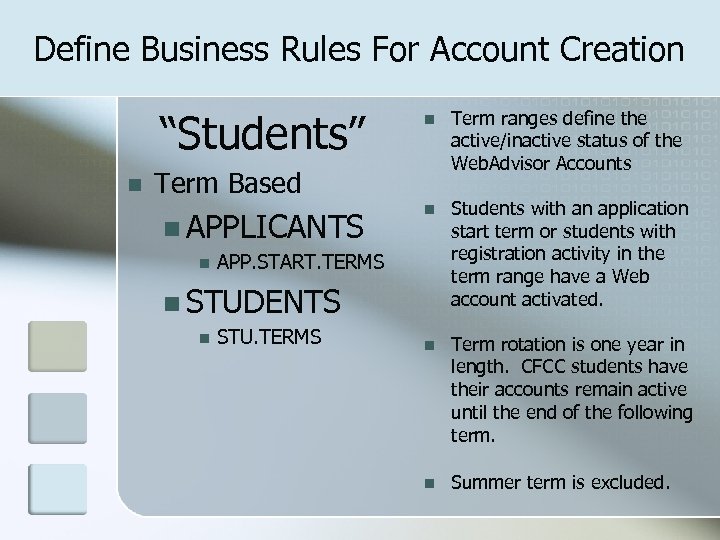
Define Business Rules For Account Creation “Students” n n Term ranges define the active/inactive status of the Web. Advisor Accounts n Students with an application start term or students with registration activity in the term range have a Web account activated. n Term rotation is one year in length. CFCC students have their accounts remain active until the end of the following term. n Summer term is excluded. Term Based n APPLICANTS n APP. START. TERMS n STUDENTS n STU. TERMS
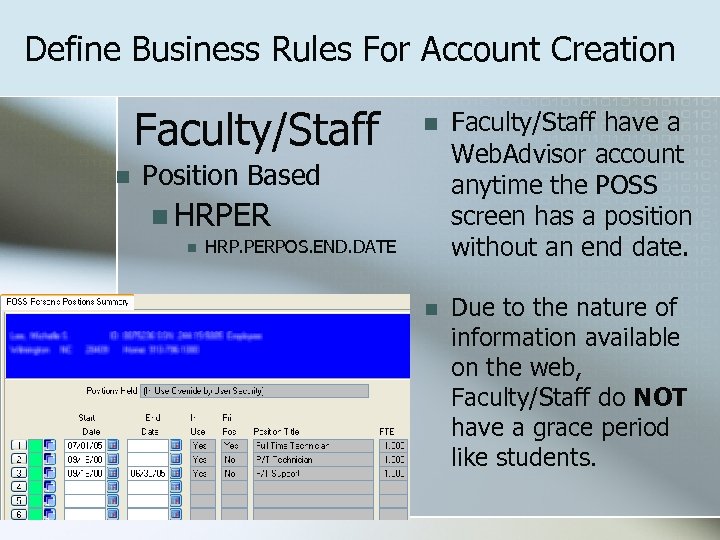
Define Business Rules For Account Creation Faculty/Staff n n Faculty/Staff have a Web. Advisor account anytime the POSS screen has a position without an end date. n Due to the nature of information available on the web, Faculty/Staff do NOT have a grace period like students. Position Based n HRPER n HRP. PERPOS. END. DATE
Define Business Rules For Account Creation With this business model in place, SAVEDLISTS are generated with select statements going through the logic of above. 3 Sets of lists are created for each ‘group’ Full Sets New accounts to create Accounts to remove (Ascii File X 2 WL)
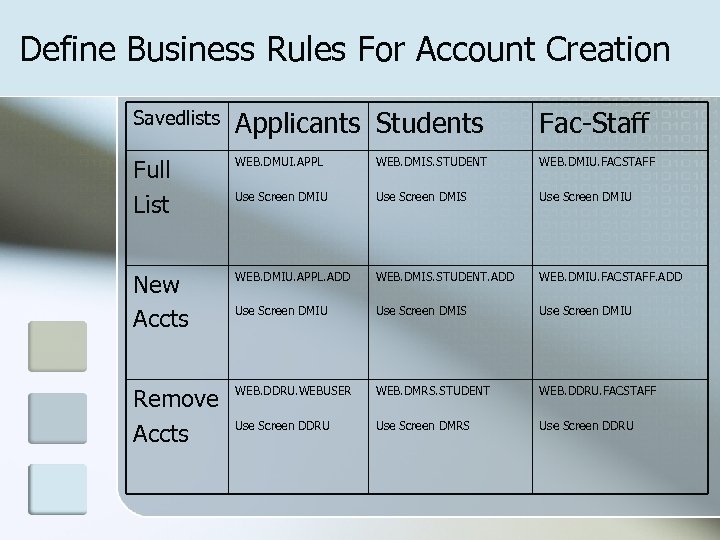
Define Business Rules For Account Creation Savedlists Applicants Students Fac-Staff Full List WEB. DMUI. APPL WEB. DMIS. STUDENT WEB. DMIU. FACSTAFF Use Screen DMIU Use Screen DMIS Use Screen DMIU New Accts WEB. DMIU. APPL. ADD WEB. DMIS. STUDENT. ADD WEB. DMIU. FACSTAFF. ADD Use Screen DMIU Use Screen DMIS Use Screen DMIU Remove Accts WEB. DDRU. WEBUSER WEB. DMRS. STUDENT WEB. DDRU. FACSTAFF Use Screen DDRU Use Screen DMRS Use Screen DDRU
Define Business Rules For Account Creation The Web. Advisor account is what drives everything else!
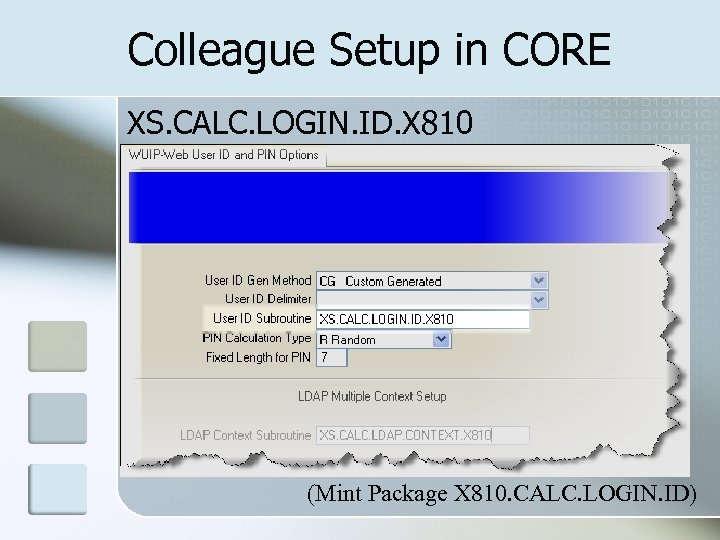
Colleague Setup in CORE XS. CALC. LOGIN. ID. X 810 (Mint Package X 810. CALC. LOGIN. ID)
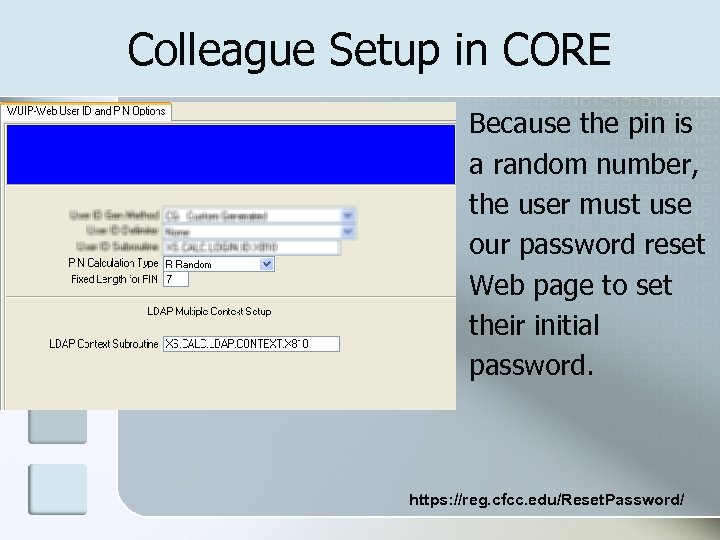
Colleague Setup in CORE Because the pin is a random number, the user must use our password reset Web page to set their initial password. https: //reg. cfcc. edu/Reset. Password/
Colleague Setup in CORE n Note about the Random Pin Option Is the Initial Password for Web. Advisor n The same random pin also populates the TREG (Telephone Registration PIN). n CFCC randomly generates new TREG pins prior to the start of each semesters registration. Communications Management (CC) is used to email notification to students of their TREG/TRAC pin numbers. The student email address used is Campus. Cruiser. It should be noted, the initial setup of the Web. Advisor account sets the TREG pin. From that point forward, TREG is not affected by any Web. Advisor information.
How It All Ties Together Batch Updates occur on a schedule you set (Data updates from Colleague to Third Party) n EDX Updates occur in real-time (Data updates from Colleague to Third Party) n Portal communications occur in realtime (Reading or Writing Data to Colleague n
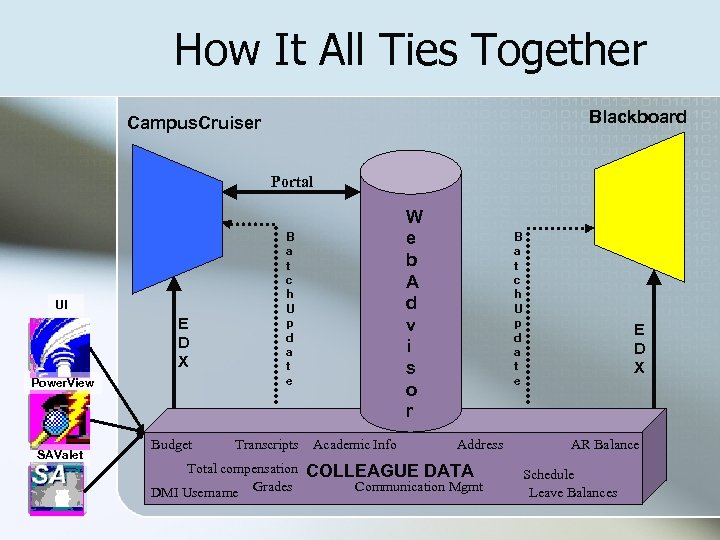
How It All Ties Together Blackboard Campus. Cruiser Portal UI E D X Power. View SAValet Budget W e b A d v i s o r B a t c h U p d a t e Transcripts Total compensation DMI Username Grades Academic Info B a t c h U p d a t e Address COLLEAGUE DATA Communication Mgmt E D X AR Balance Schedule Leave Balances
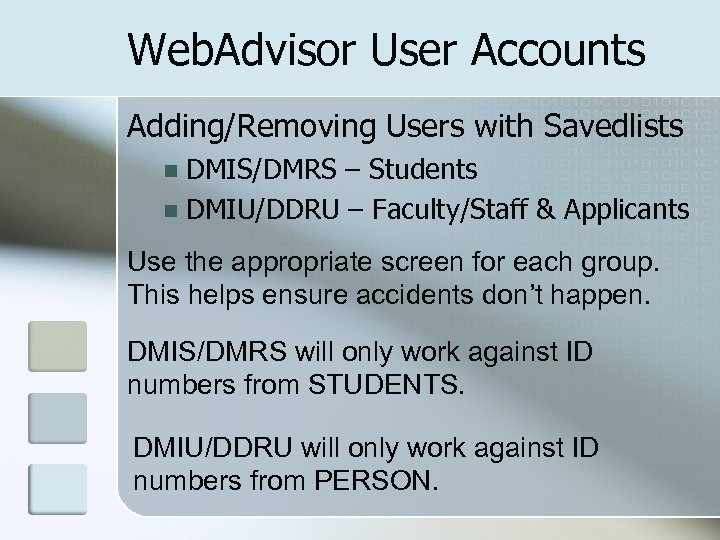
Web. Advisor User Accounts Adding/Removing Users with Savedlists DMIS/DMRS – Students n DMIU/DDRU – Faculty/Staff & Applicants n Use the appropriate screen for each group. This helps ensure accidents don’t happen. DMIS/DMRS will only work against ID numbers from STUDENTS. DMIU/DDRU will only work against ID numbers from PERSON.
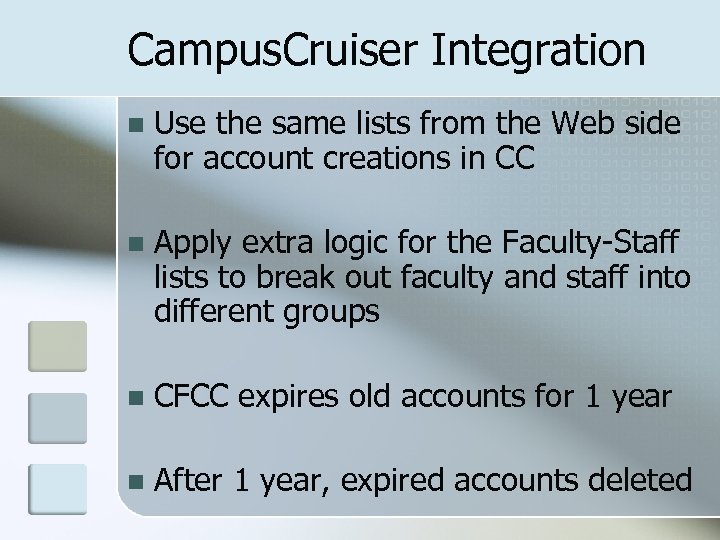
Campus. Cruiser Integration n Use the same lists from the Web side for account creations in CC n Apply extra logic for the Faculty-Staff lists to break out faculty and staff into different groups n CFCC expires old accounts for 1 year n After 1 year, expired accounts deleted
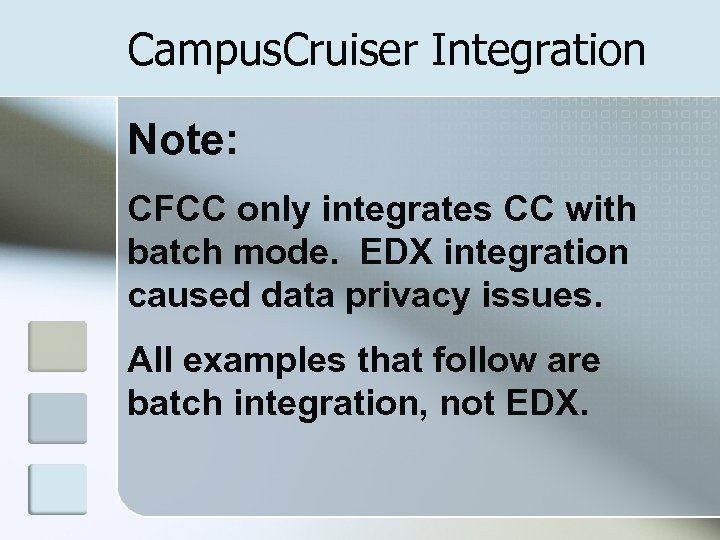
Campus. Cruiser Integration Note: CFCC only integrates CC with batch mode. EDX integration caused data privacy issues. All examples that follow are batch integration, not EDX.
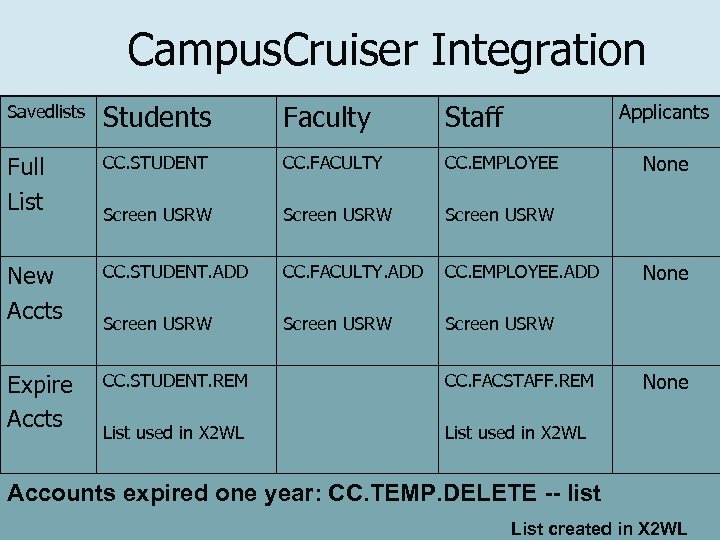
Campus. Cruiser Integration Savedlists Students Faculty Staff Full List CC. STUDENT CC. FACULTY CC. EMPLOYEE Screen USRW New Accts CC. STUDENT. ADD CC. FACULTY. ADD CC. EMPLOYEE. ADD Screen USRW Expire Accts CC. STUDENT. REM CC. FACSTAFF. REM List used in X 2 WL Applicants None Accounts expired one year: CC. TEMP. DELETE -- list List created in X 2 WL
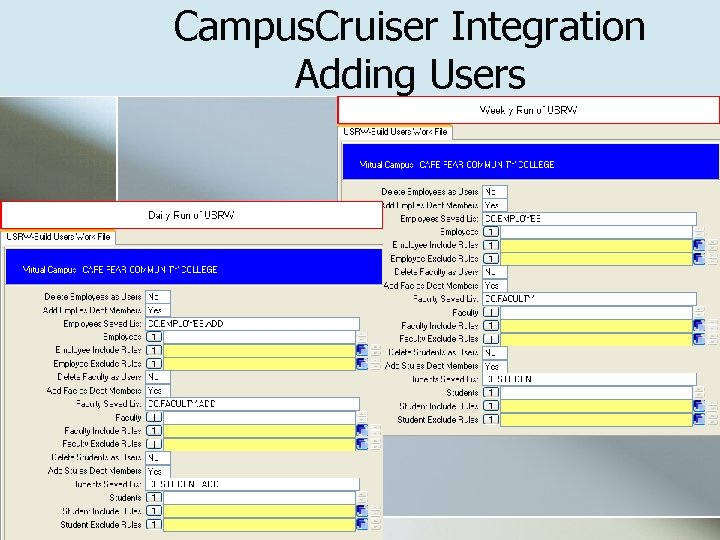
Campus. Cruiser Integration Adding Users
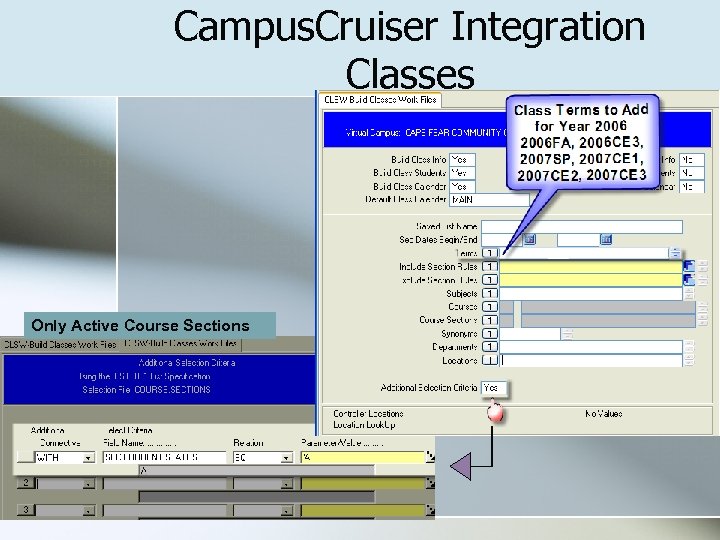
Campus. Cruiser Integration Classes Only Active Course Sections
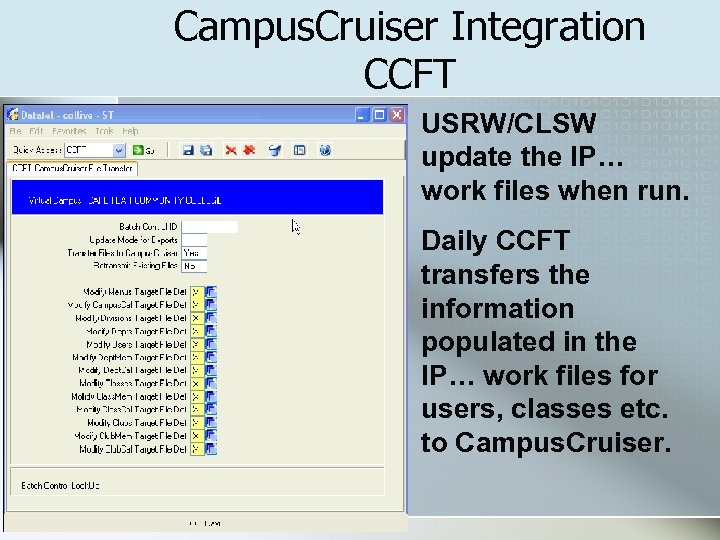
Campus. Cruiser Integration CCFT USRW/CLSW update the IP… work files when run. Daily CCFT transfers the information populated in the IP… work files for users, classes etc. to Campus. Cruiser.
Blackboard Snapshot Generator Snapshot selection based on: Smart Coding of Section Numbers n n IN…, DY…, NY…, LRNGLAB Use of ASCI comments for non standard sections Subject Based Online Tutoring n Specific Subjects (ACC, ENG, MAT)
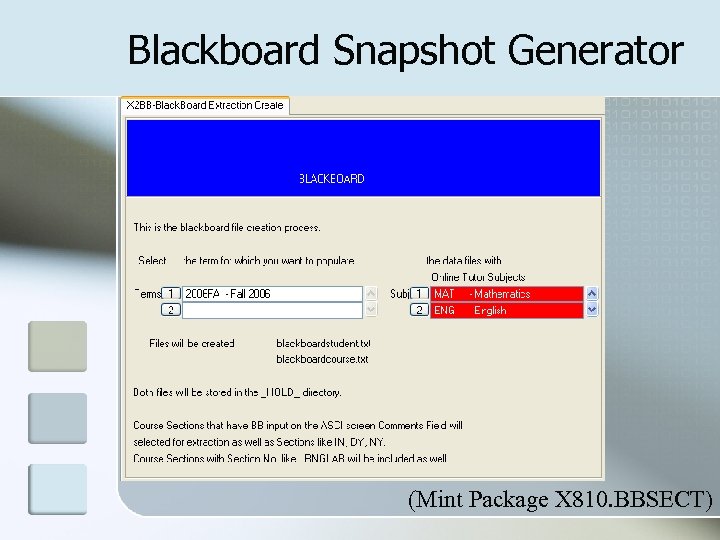
Blackboard Snapshot Generator (Mint Package X 810. BBSECT)
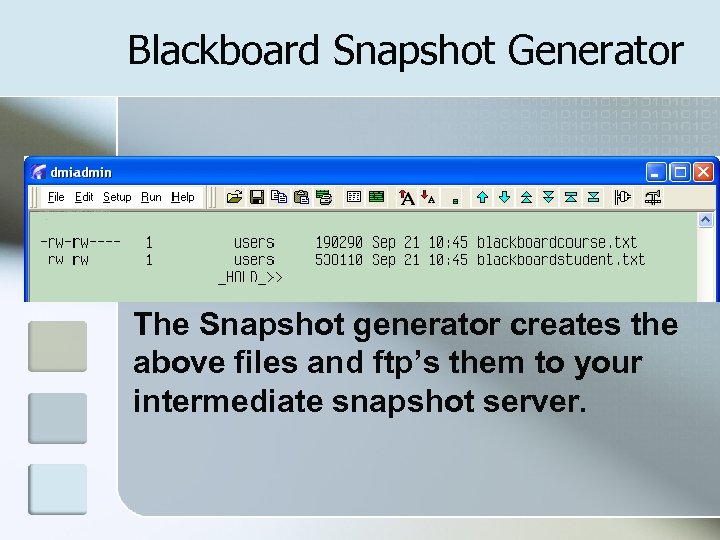
Blackboard Snapshot Generator The Snapshot generator creates the above files and ftp’s them to your intermediate snapshot server.
Blackboard Snapshot Tool
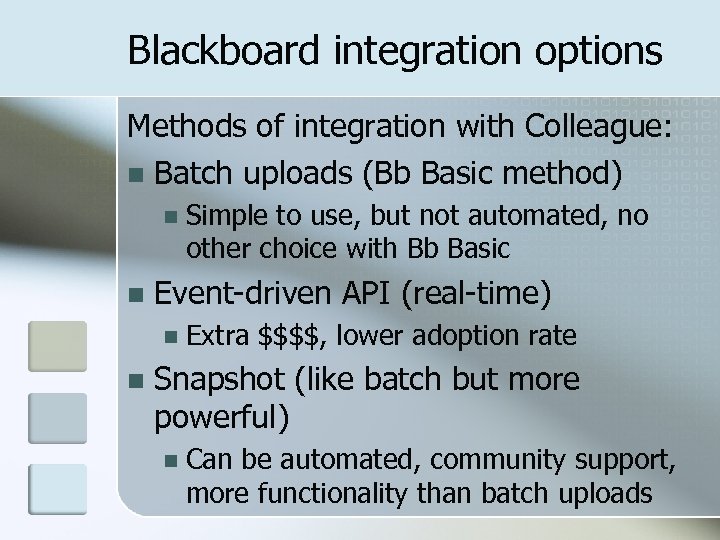
Blackboard integration options Methods of integration with Colleague: n Batch uploads (Bb Basic method) n n Event-driven API (real-time) n n Simple to use, but not automated, no other choice with Bb Basic Extra $$$$, lower adoption rate Snapshot (like batch but more powerful) n Can be automated, community support, more functionality than batch uploads
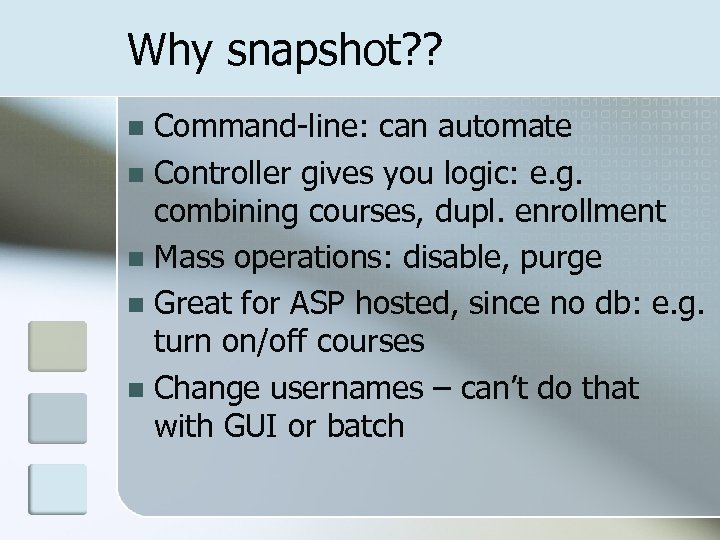
Why snapshot? ? Command-line: can automate n Controller gives you logic: e. g. combining courses, dupl. enrollment n Mass operations: disable, purge n Great for ASP hosted, since no db: e. g. turn on/off courses n Change usernames – can’t do that with GUI or batch n
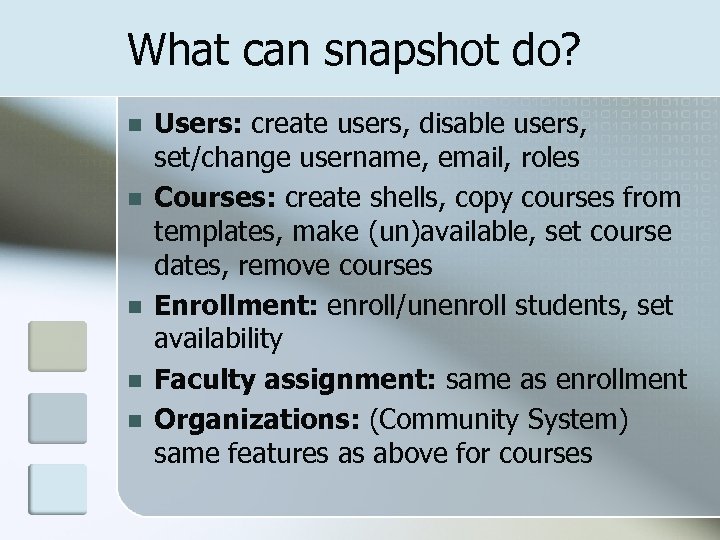
What can snapshot do? n n n Users: create users, disable users, set/change username, email, roles Courses: create shells, copy courses from templates, make (un)available, set course dates, remove courses Enrollment: enroll/unenroll students, set availability Faculty assignment: same as enrollment Organizations: (Community System) same features as above for courses
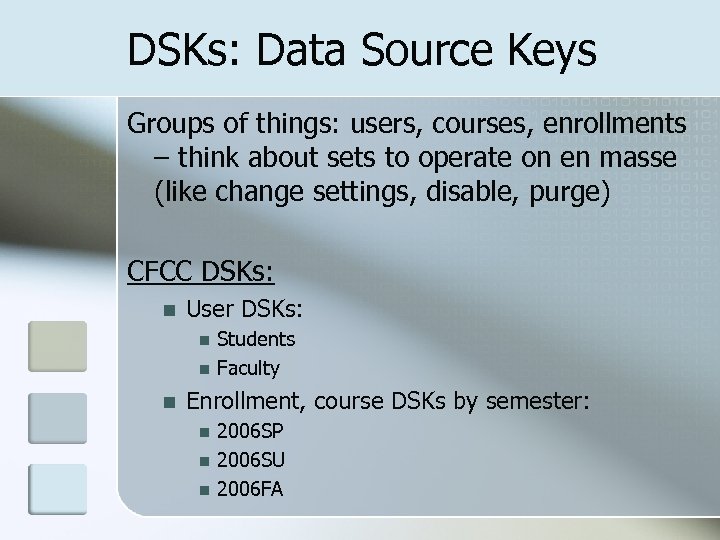
DSKs: Data Source Keys Groups of things: users, courses, enrollments – think about sets to operate on en masse (like change settings, disable, purge) CFCC DSKs: n User DSKs: n n n Students Faculty Enrollment, course DSKs by semester: n n n 2006 SP 2006 SU 2006 FA
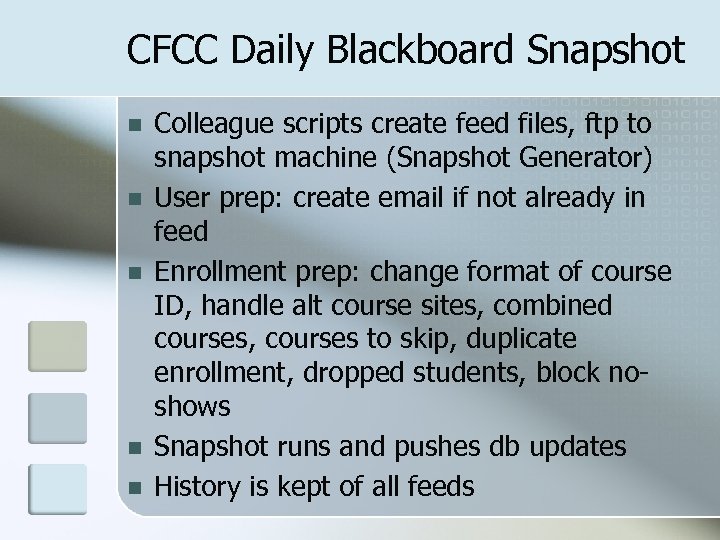
CFCC Daily Blackboard Snapshot n n n Colleague scripts create feed files, ftp to snapshot machine (Snapshot Generator) User prep: create email if not already in feed Enrollment prep: change format of course ID, handle alt course sites, combined courses, courses to skip, duplicate enrollment, dropped students, block noshows Snapshot runs and pushes db updates History is kept of all feeds
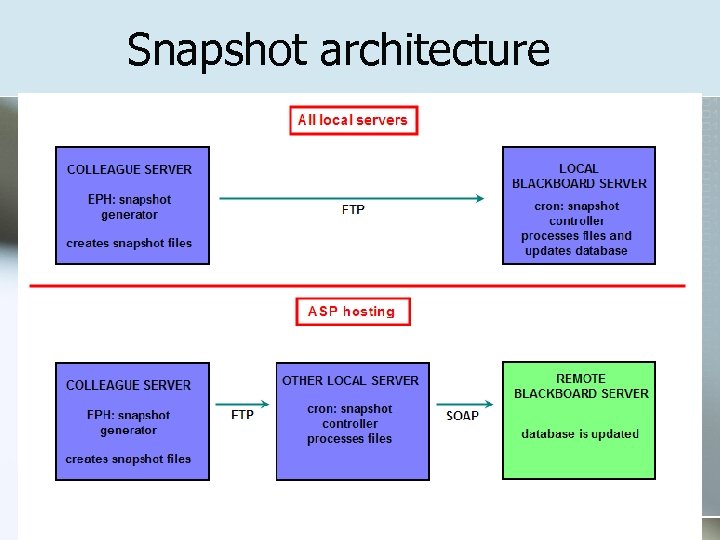
Snapshot architecture
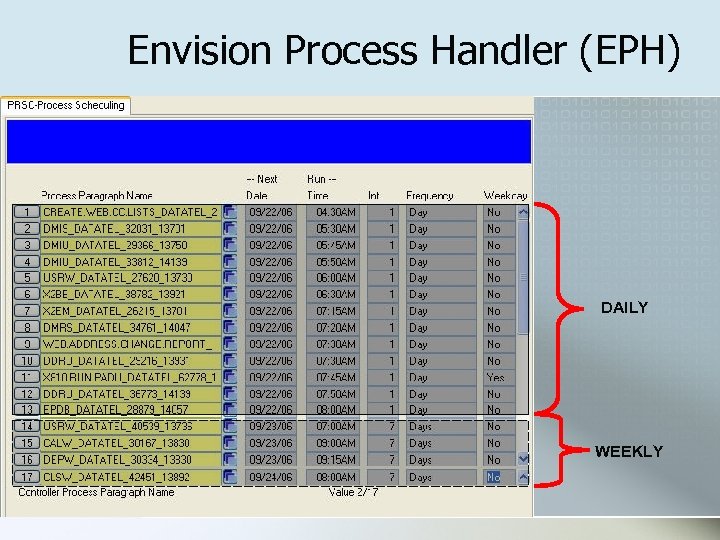
Envision Process Handler (EPH) n Everything we’ve covered up to this point, the EPH handles daily for CFCC* n Think of EPH as cron for Colleague n Allows jobs to finish in succession rather than basing a job on a start time n Can turn it off while doing maintenance *Except for CCFT EPH covered in Datatel’s “Runtime Administration 4. 7. 1” doc See presentation from SEDUG 2005 on EPH for code and procedures.
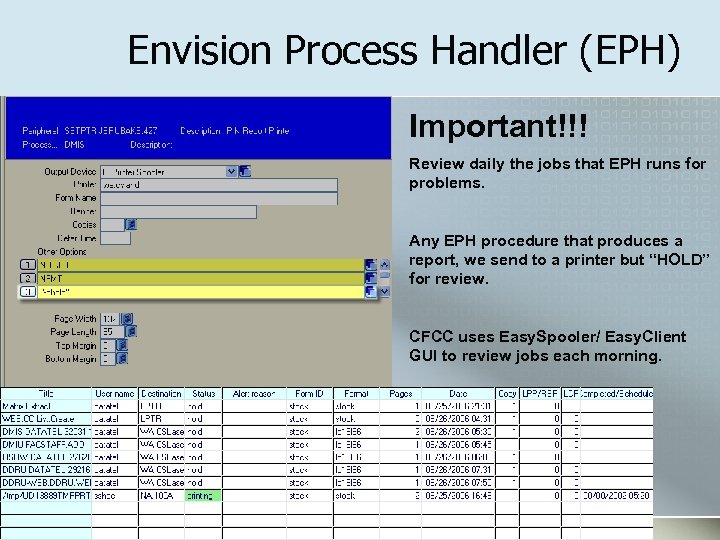
Envision Process Handler (EPH) Important!!! Review daily the jobs that EPH runs for problems. Any EPH procedure that produces a report, we send to a printer but “HOLD” for review. CFCC uses Easy. Spooler/ Easy. Client GUI to review jobs each morning.
Envision Process Handler (EPH) DAILY WEEKLY
Q&A
Custom Software/Procedures Custom Login ID CORE>WUIP Word Doc - Web-Campus. Cruiser Login Specs. doc MINT Package - x 810. calc. login. id. tar Account List Creation -- VOC PA Word Doc with PA for SAVEDLISTS - X 2 WL Blackboard Extract – X 2 BB screen Word Doc - Black. Board Extract Specs. doc MINT Package - x 810. bbsect. tar Envision Process Handler (EPH) Power. Point - SEDUG Envision Process Handler. ppt
Custom Software/Procedures All Software Available at: www. cfcc. edu/share For use as-is. Login: seadevil Password: available at session
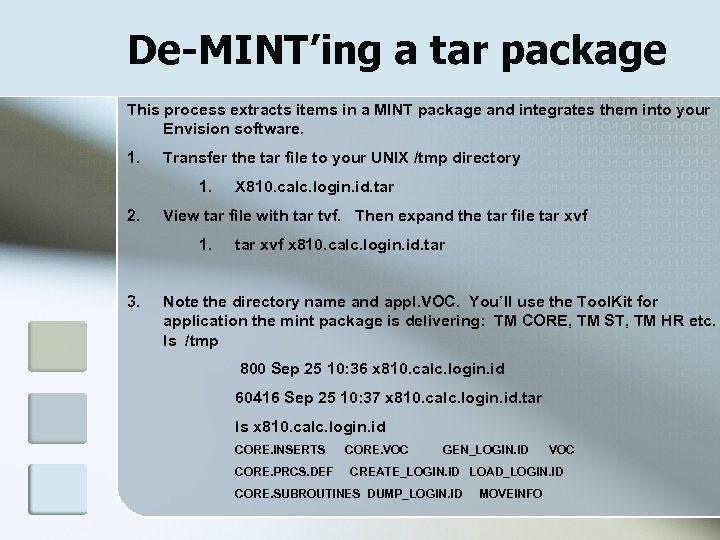
De-MINT’ing a tar package This process extracts items in a MINT package and integrates them into your Envision software. 1. Transfer the tar file to your UNIX /tmp directory 1. 2. View tar file with tar tvf. Then expand the tar file tar xvf 1. 3. X 810. calc. login. id. tar xvf x 810. calc. login. id. tar Note the directory name and appl. VOC. You’ll use the Tool. Kit for application the mint package is delivering: TM CORE, TM ST, TM HR etc. ls /tmp 800 Sep 25 10: 36 x 810. calc. login. id 60416 Sep 25 10: 37 x 810. calc. login. id. tar ls x 810. calc. login. id CORE. INSERTS CORE. PRCS. DEF CORE. VOC GEN_LOGIN. ID VOC CREATE_LOGIN. ID LOAD_LOGIN. ID CORE. SUBROUTINES DUMP_LOGIN. ID MOVEINFO
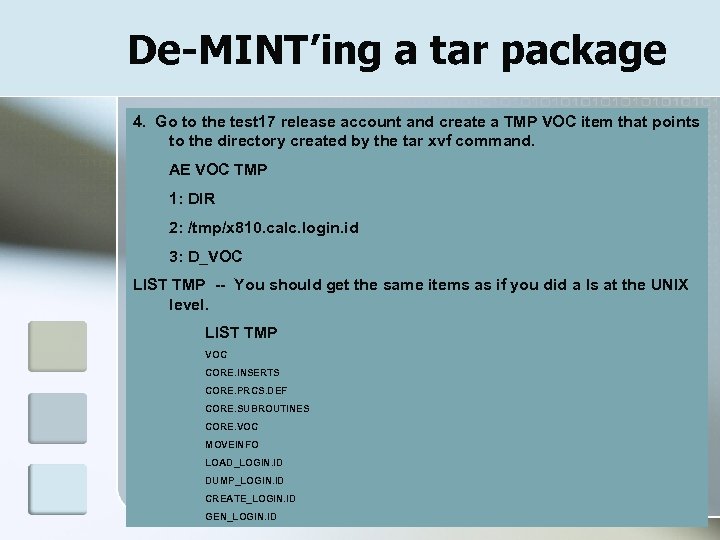
De-MINT’ing a tar package 4. Go to the test 17 release account and create a TMP VOC item that points to the directory created by the tar xvf command. AE VOC TMP 1: DIR 2: /tmp/x 810. calc. login. id 3: D_VOC LIST TMP -- You should get the same items as if you did a ls at the UNIX level. LIST TMP VOC CORE. INSERTS CORE. PRCS. DEF CORE. SUBROUTINES CORE. VOC MOVEINFO LOAD_LOGIN. ID DUMP_LOGIN. ID CREATE_LOGIN. ID GEN_LOGIN. ID
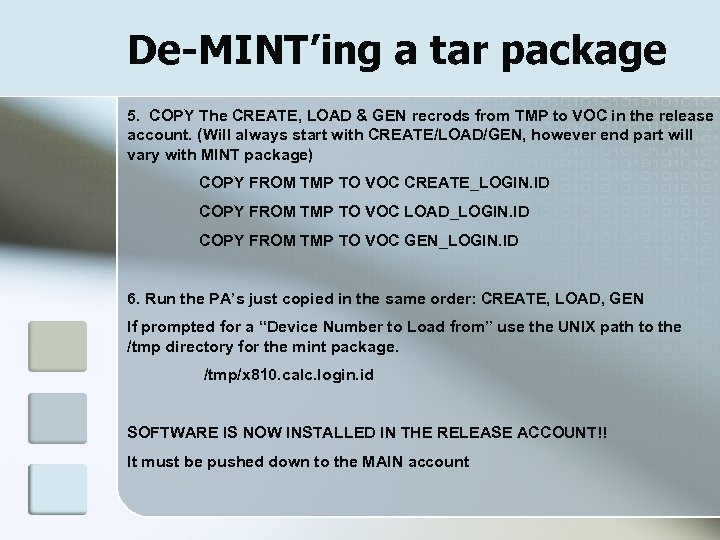
De-MINT’ing a tar package 5. COPY The CREATE, LOAD & GEN recrods from TMP to VOC in the release account. (Will always start with CREATE/LOAD/GEN, however end part will vary with MINT package) COPY FROM TMP TO VOC CREATE_LOGIN. ID COPY FROM TMP TO VOC LOAD_LOGIN. ID COPY FROM TMP TO VOC GEN_LOGIN. ID 6. Run the PA’s just copied in the same order: CREATE, LOAD, GEN If prompted for a “Device Number to Load from” use the UNIX path to the /tmp directory for the mint package. /tmp/x 810. calc. login. id SOFTWARE IS NOW INSTALLED IN THE RELEASE ACCOUNT!! It must be pushed down to the MAIN account
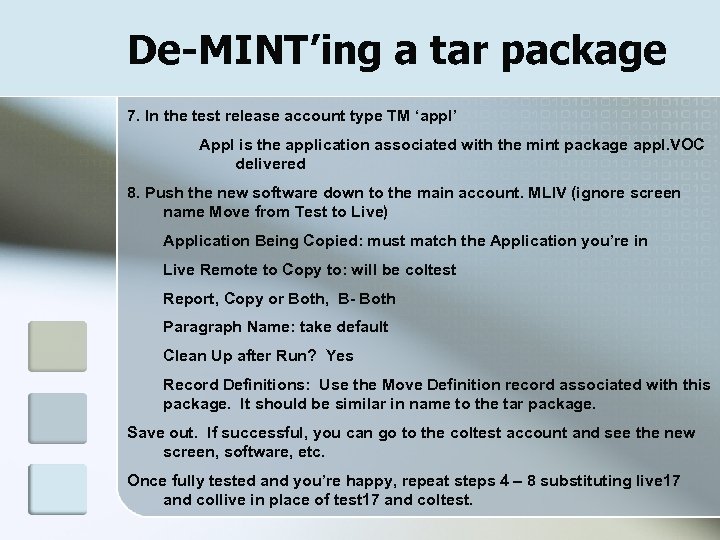
De-MINT’ing a tar package 7. In the test release account type TM ‘appl’ Appl is the application associated with the mint package appl. VOC delivered 8. Push the new software down to the main account. MLIV (ignore screen name Move from Test to Live) Application Being Copied: must match the Application you’re in Live Remote to Copy to: will be coltest Report, Copy or Both, B- Both Paragraph Name: take default Clean Up after Run? Yes Record Definitions: Use the Move Definition record associated with this package. It should be similar in name to the tar package. Save out. If successful, you can go to the coltest account and see the new screen, software, etc. Once fully tested and you’re happy, repeat steps 4 – 8 substituting live 17 and collive in place of test 17 and coltest.
Скачать презентацию IIPS-Fall 2006 Colleague Web Advisor Campus Cruiser
92beb11f2e83e7d1a6d9d51cacf70938.ppt