


 Скачать презентацию IEEE Sixth International Symposium on Multimedia Software Engineering
57068bed3fefb0f460ca89b99d111270.ppt
- Количество слайдов: 36
 IEEE Sixth International Symposium on Multimedia Software Engineering MSE 2004 December 13 -15, 2004, Miami, FL (U. S. A. ) A Technological Framework for TV-supported Collaborative Learning Alberto Gil Solla Department of Telematic Engineering University of Vigo (Spain)
 Organization • Introduction to t-learning. • The MHP standard. • An architecture for virtual communities. • Implementation details. • Summary and future work.
 A Few Words about t-Learning
 Introduction A lot of work is being done on distance learning. In order to overcome the limitations of traditional learning. Difficulties in the use of computers. Limited penetration of computers. Uneven presence of broadband infrastructure. Access to education is considered key to maintain a region’s competitiveness.
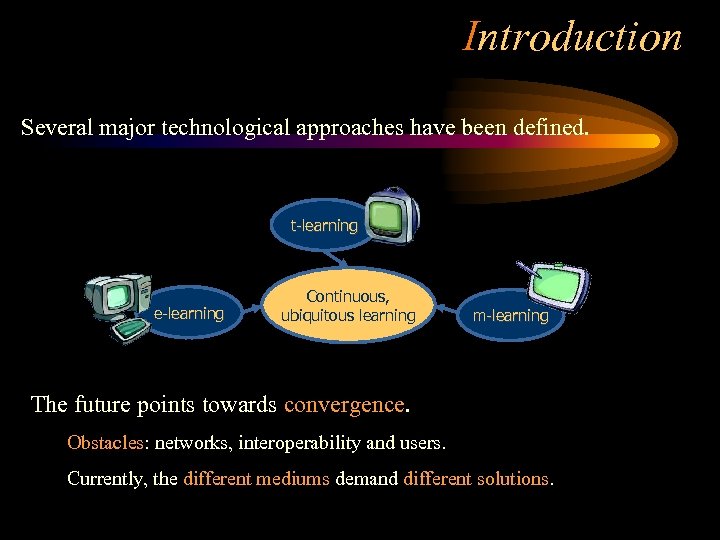 Introduction Several major technological approaches have been defined. t-learning e-learning Continuous, ubiquitous learning m-learning The future points towards convergence. Obstacles: networks, interoperability and users. Currently, the different mediums demand different solutions.
 T-Learning’s Advantages. . . • There is at least one TV in nearly 100% of households in developed countries. – Internet not expected to go beyond 70% • Television is easy to use for everybody. • IDTV helps to prevent social exclusion in the access to education. – Overcomes economical and cultural barriers. • No need to buy a computer. • No need of technological knowledge.
 . . . and Peculiarities • A set-top box is not a computer. – Lower computing power. – Limited user interaction capabilities. • A TV screen has low resolution. – Simple user interfaces with big visual elements. • IDTV is a natural medium for broadcast and handling multimedia content. • Users are predominantly passive. – TV is considered as a medium for entertainment. – IDTV is ideal for informal learning (edutainment).
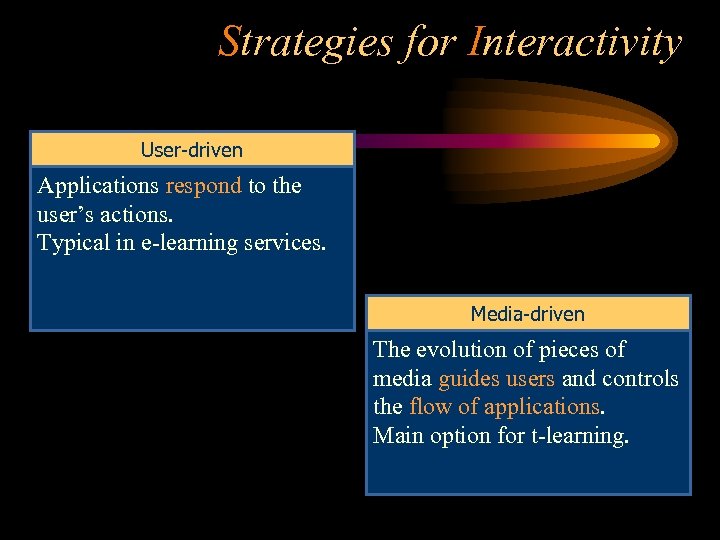 Strategies for Interactivity User-driven Applications respond to the user’s actions. Typical in e-learning services. Media-driven The evolution of pieces of media guides users and controls the flow of applications. Main option for t-learning.
 but the Situation is Changing • The new IDTV promotes a user’s active role. • The increasing availability of high-quality directional networks. bi- • From simulated interactivity (with contents) to real interactivity (with service provider and other users) • Creation of virtual learning communities. • Mitigates feeling of isolation.
 The MHP Standard
 The Multimedia Home Platform • Published by the DVB (Digital Video Broadcasting) Consortium in February, 2000. • It defines a neutral framework for IDTV applications and services. • Communication in IDTV is highly asymmetric. – Broadcast networks and (optional) return channels. • The availability of a return channel determines the interactive capabilities (simulated vs. real interactivity)
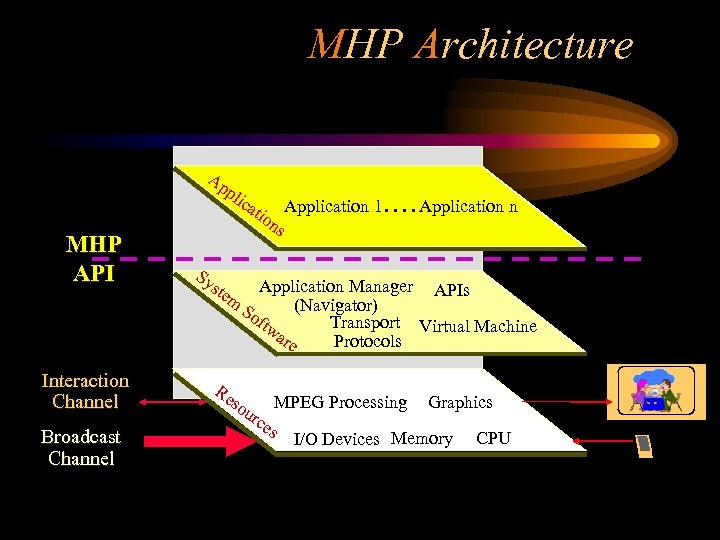 MHP Architecture Ap pli c ati MHP API Interaction Channel Broadcast Channel Sy ste m Re on Application 1. . Application n s Application Manager APIs (Navigator) So ftw Transport Virtual Machine are Protocols so ur MPEG Processing Graphics ce s I/O Devices Memory CPU
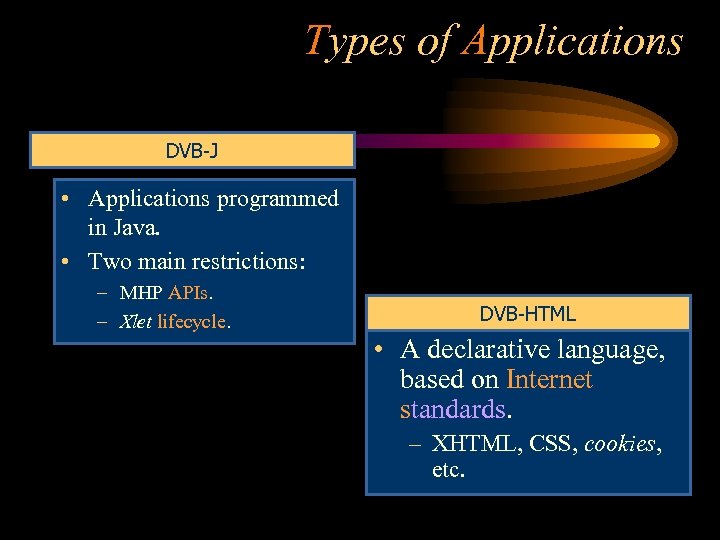 Types of Applications DVB-J • Applications programmed in Java. • Two main restrictions: – MHP APIs. – Xlet lifecycle. DVB-HTML • A declarative language, based on Internet standards. – XHTML, CSS, cookies, etc.
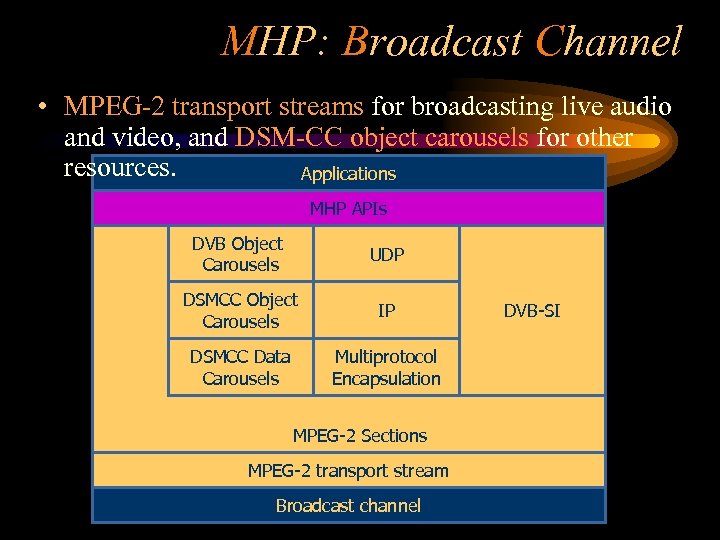 MHP: Broadcast Channel • MPEG-2 transport streams for broadcasting live audio and video, and DSM-CC object carousels for other resources. Applications MHP APIs DVB Object Carousels Carrusel de objetos DSMCC Object Carousels UDP IP IP DSMCC Data Multiprotocol Carrusel de Carousels Encapsulación datos Encapsulation multiprotocolo MPEG-2 Sections MPEG-2 transport stream Broadcast channel DVB-SI Información de servicio
 The Object Carousel • Main mechanism to broadcast data in MHP. – A group of files transmitted in a cyclical way. • A read-only filesystem over an MPEG-2 transport stream. – Resources are not always available immediately when needed. • There may be noticeable latencies.
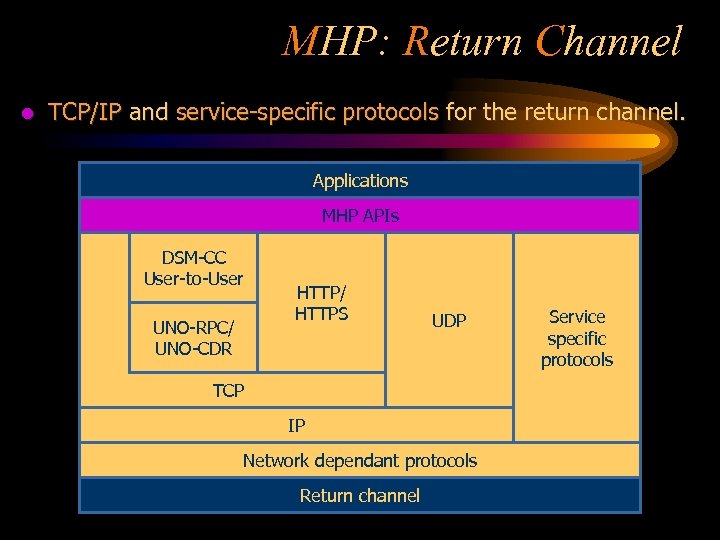 MHP: Return Channel l TCP/IP and service-specific protocols for the return channel. Aplicaciones Applications MHP APIs API DSM-CC Carrusel de objetos User-to-User UNO-RPC/ UNO-CDR Carrusel de datos TCP UDP HTTP/ HTTPS IP UDP Encapsulación multiprotocolo Secciones MPEG-2 IP Network dependant protocols Flujo de transporte MPEG-2 Canal dechannel Return difusión Información Service de servicio specific protocols
 Principles of the Architecture
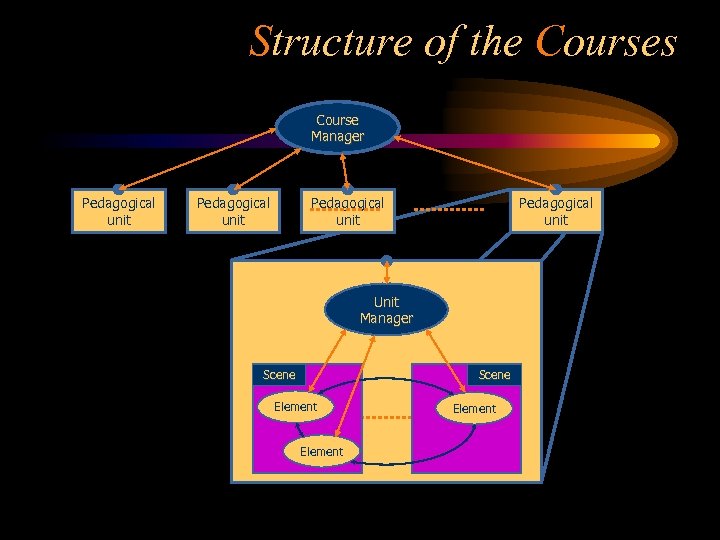 Structure of the Courses Course Manager Pedagogical unit Unit Manager Scene Element
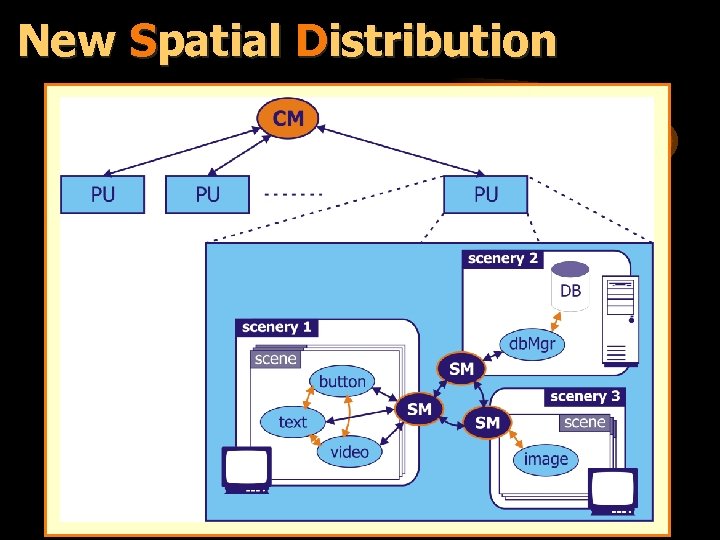 New Spatial Distribution
 Contextual Binding • A simple and effective solution for the synchronization of multiple sources of information. – Including the broadcast streams (media-driven units). • Based on contexts. – Identifiers linked to pieces of information. – Defined differently for the different types of content. • Timestamps in fragments of audio and video. • Regions in images. • Anchors in a text. • Options in menus, etc.
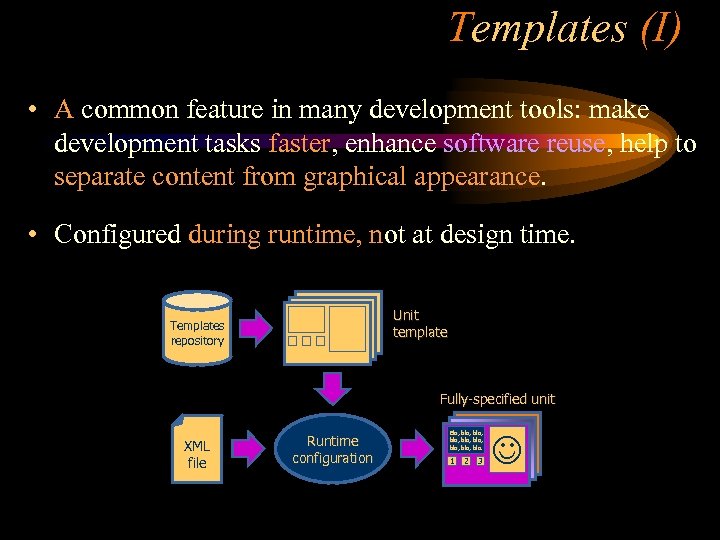 Templates (I) • A common feature in many development tools: make development tasks faster, enhance software reuse, help to separate content from graphical appearance. • Configured during runtime, not at design time. Unit template Templates repository Fully-specified unit XML file Runtime configuration Bla, bla, bla, bla, bla. 1 2 3
 Templates (II) • The object carousel transports – The Java class file of the template. – Auxiliary files to compose the scene. – Much smaller XML configuration files. • The cost of runtime configuration is masked by latencies and loading times. • Advantages: – More files can be kept in the cache Higher efficiency – The size of the carousel decreases. • Lower round-trip time lower latencies.
 Implementation Details
 Design Goals • No need of programming knowledge. • Flexibility and support for all the phases of development. • Based on free, open technologies. – Low cost. – Extensibility. – Interoperability. • Active agents produced: DVB-J applications
 Foundational Technologies: XML • A standard syntax for – the composition of the courses, – the configuration files for a template, – the structure of communication messages, – the definition of contexts in the different types of information. • Also used when assembling pedagogical units. – To communicate with other content-management systems or information repositories.
 Foundational Technologies: Java. Beans • A components architecture for Java. – Promotes components reuse. – Provides for visual development. • Beans are building blocks to construct applications. – Interrelations handled by means of event adapters. • Enough for simulated interactivity. • Not for non-broadcast services.
 Foundational Technologies: JXTA • Open-source API to support peer-to-peer communications. • Language and platform independent. • Favours decentralisation, as needed in a collaborative t-learning context. • Supports multicasting and addresses important issues such as resource discovery or group management.
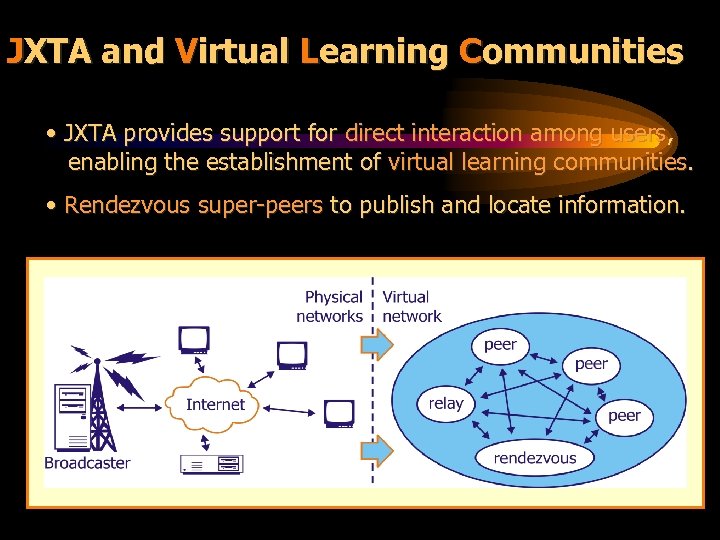 JXTA and Virtual Learning Communities • JXTA provides support for direct interaction among users, enabling the establishment of virtual learning communities. • Rendezvous super-peers to publish and locate information.
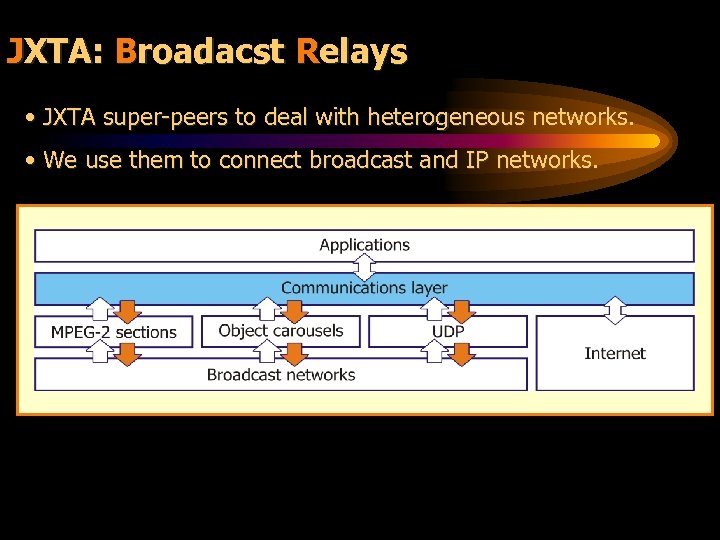 JXTA: Broadacst Relays • JXTA super-peers to deal with heterogeneous networks. • We use them to connect broadcast and IP networks.
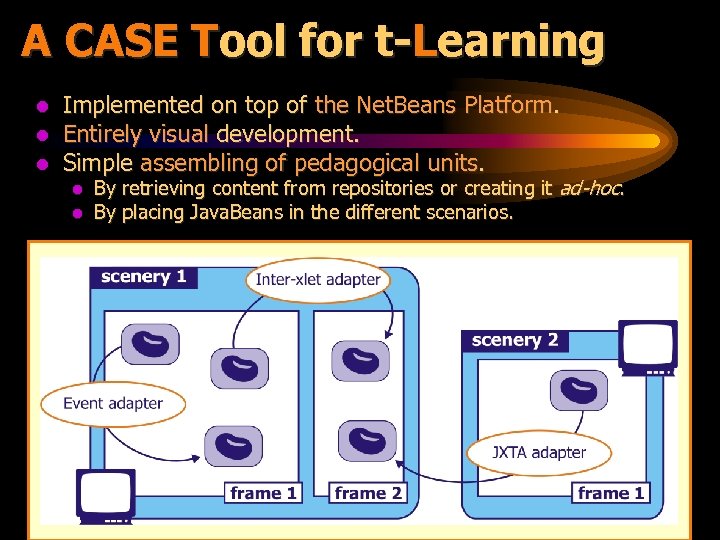 A CASE Tool for t-Learning l l l Implemented on top of the Net. Beans Platform. Entirely visual development. Simple assembling of pedagogical units. l l By retrieving content from repositories or creating it ad-hoc. By placing Java. Beans in the different scenarios.
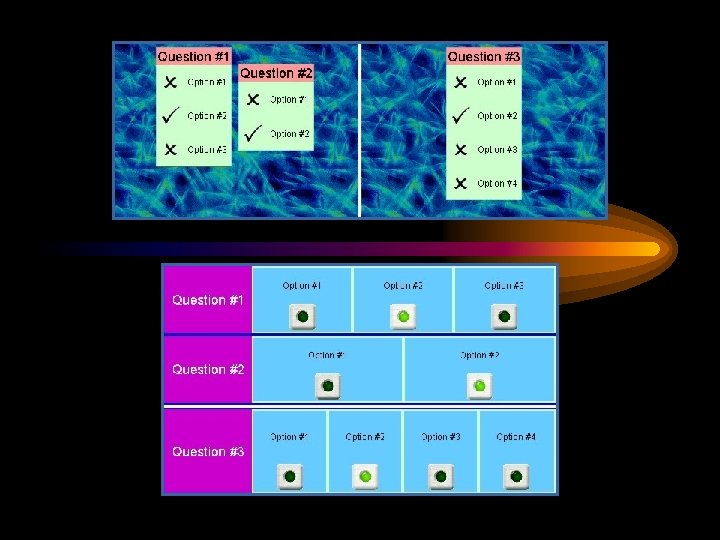
 A CASE Tool for t-Learning • Several wizards and assistant tools. – To define the composition of the courses. – To delimit contexts in the different types of information. – To specify interaction patterns among peers. – For the automatic creation of multiple-choice tests. • Automatic generation of the applications.
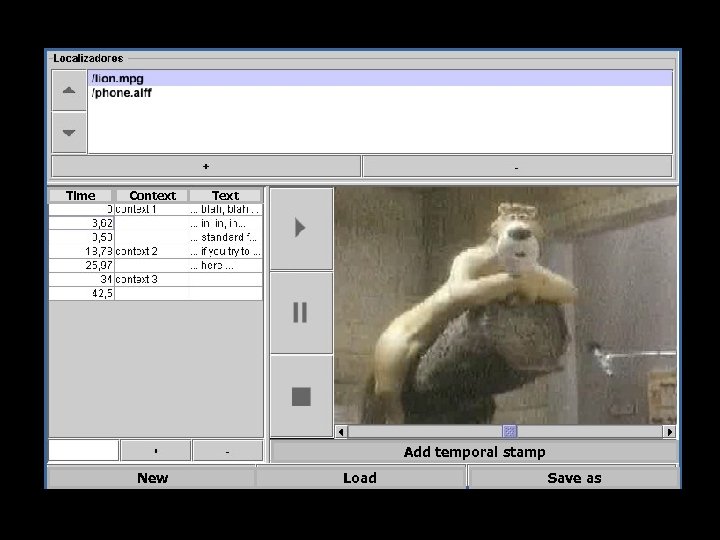 Time Context Text Add temporal stamp New Load Save as
 Summary and Future Work
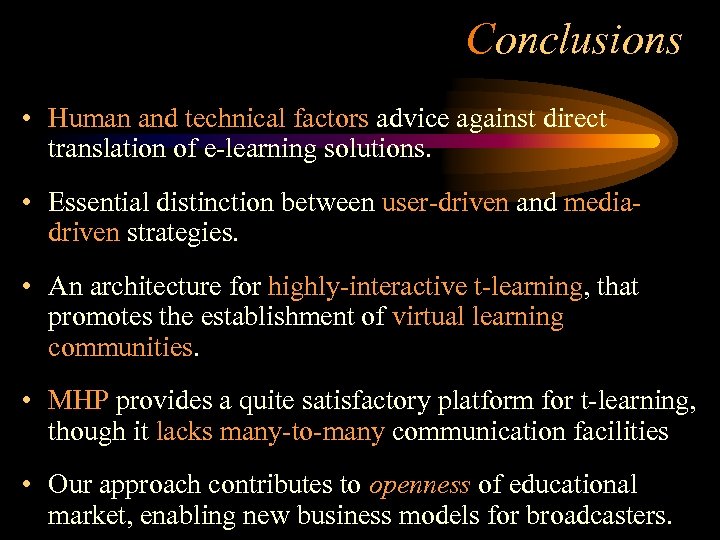 Conclusions • Human and technical factors advice against direct translation of e-learning solutions. • Essential distinction between user-driven and mediadriven strategies. • An architecture for highly-interactive t-learning, that promotes the establishment of virtual learning communities. • MHP provides a quite satisfactory platform for t-learning, though it lacks many-to-many communication facilities • Our approach contributes to openness of educational market, enabling new business models for broadcasters.
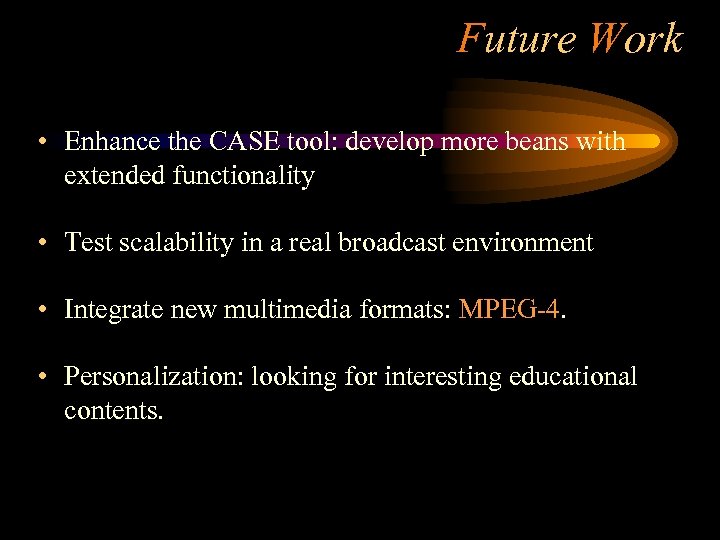 Future Work • Enhance the CASE tool: develop more beans with extended functionality • Test scalability in a real broadcast environment • Integrate new multimedia formats: MPEG-4. • Personalization: looking for interesting educational contents.