


 Скачать презентацию ICS 012 Visual Programming I Second Semester 2004
b7fdb09279b5b26d7e3af1b8b04ff327.ppt
- Количество слайдов: 22
 ICS 012 Visual Programming I Second Semester 2004 -2005 (042) Ahmed Esmat aesmat@kfupm. edu. sa http: //staff. kfupm. edu. sa/ITC/aesmat/ Slide 1
 ICS 012 Visual Programming I WEEK 1 v Visual and Event Driven Programming v An Overview of Visual Basic (IDE) http: //staff. kfupm. edu. sa/ITC/aesmat/ Slide 2
 Aims and Objectives To understand what is visual and event driven programming v The Visual Basic Programming environment v – – – – Background to BASIC Background to Windows Visual Basic Environment Design/Control/Project/Form/Code Windows Control Properties Events & Event Driven Programming Visual Basic Programs http: //staff. kfupm. edu. sa/ITC/aesmat/ Slide 3
 Visual Programming Aims v Aim is to develop the necessary skills to design and construct small-scale interactive software v Aim is to educate you with the fundamental principles of designing and writing programs v Visual Basic will be the target language but skills gained will be applicable to other languages http: //staff. kfupm. edu. sa/ITC/aesmat/ Slide 4
 Event Driven Programming Event-driven programs respond to events from the computer, such as the mouse button being pressed. v The designer uses ready-made objects such as Command. Buttons and Text. Boxes, to build user interfaces that make up the application. v This approach to programming drastically reduces the amount of code required to develop a Windows application. v http: //staff. kfupm. edu. sa/ITC/aesmat/ Slide 5
 Visual Programming Languages Windows easy to use v Programming via Visual environments v – – v . NET Visual C++, C# Java, J++, J# Borland Delphi and others… Visual Basic developed in-house at Microsoft – – – Interface designer Simple coding language Quick to produce programs http: //staff. kfupm. edu. sa/ITC/aesmat/ Slide 6
 Visual Basic Concepts v Controls - Processing – – Everything is a ‘control’ Controls have pre-defined ‘events’ Code can be attached to an event When an event occurs u if code has been attached it is executed, u otherwise default processing takes place http: //staff. kfupm. edu. sa/ITC/aesmat/ Slide 7
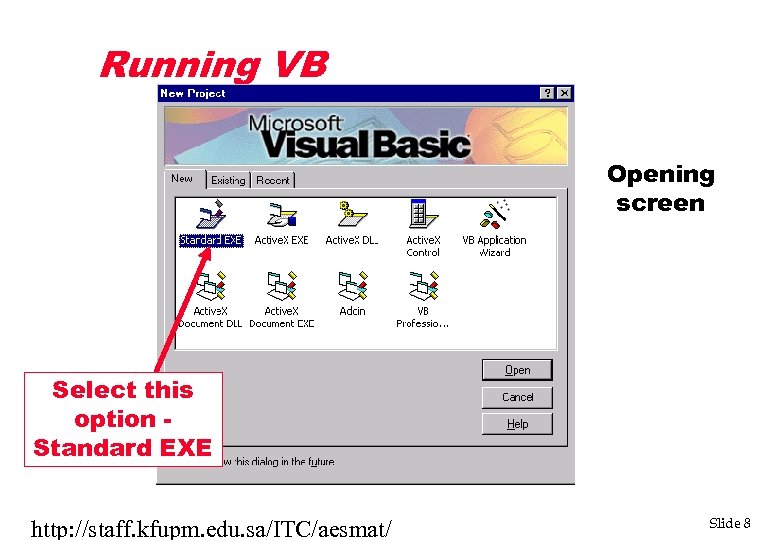 Running VB Opening screen Select this option Standard EXE http: //staff. kfupm. edu. sa/ITC/aesmat/ Slide 8
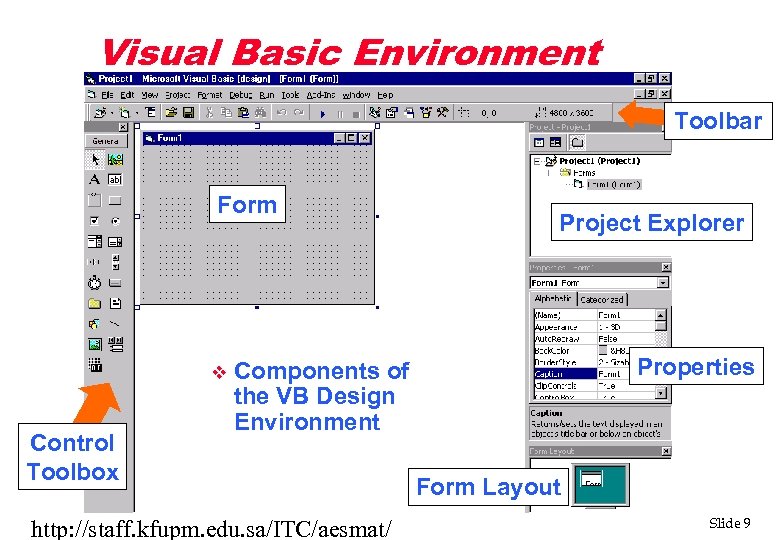 Visual Basic Environment Toolbar Form v Control Toolbox Project Explorer Properties Components of the VB Design Environment http: //staff. kfupm. edu. sa/ITC/aesmat/ Form Layout Slide 9
 Event Driven Programs in VB v In normal programming your application is always in control v In GUI(Graphical User Interface) programming you have a number of options which may be triggered v Events happen to a Control – – mostly user generated events controls can also cause events http: //staff. kfupm. edu. sa/ITC/aesmat/ Slide 10
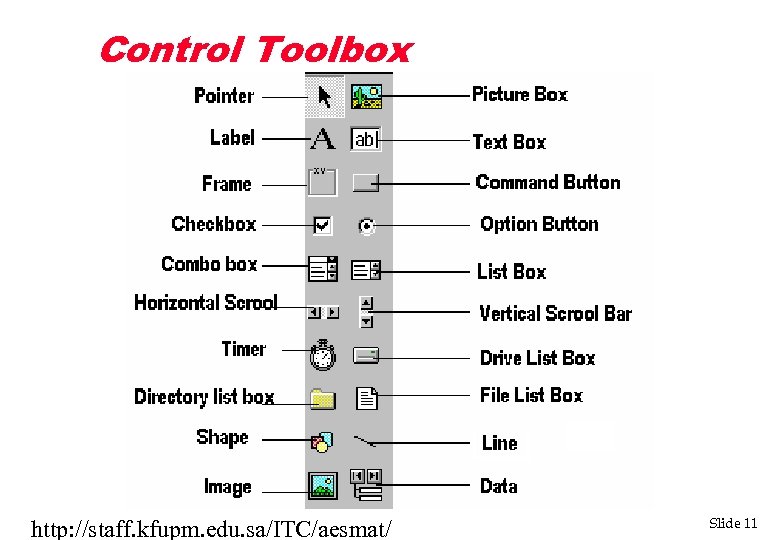 Control Toolbox http: //staff. kfupm. edu. sa/ITC/aesmat/ Slide 11
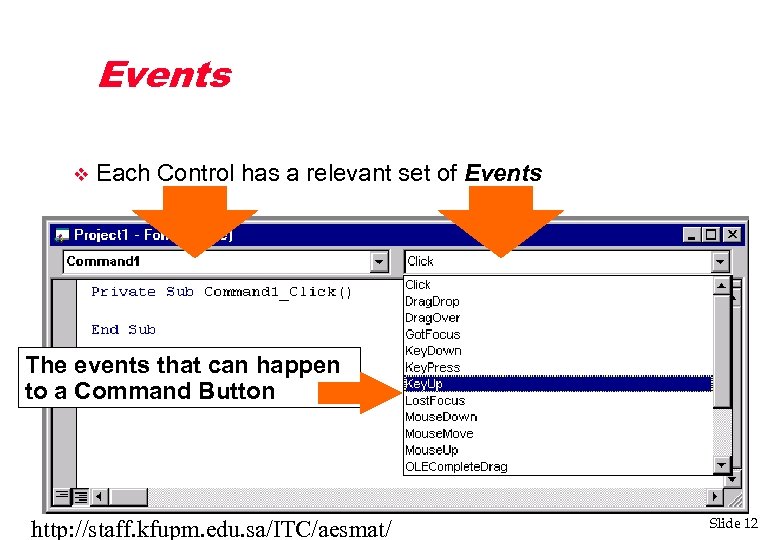 Events v Each Control has a relevant set of Events The events that can happen to a Command Button http: //staff. kfupm. edu. sa/ITC/aesmat/ Slide 12
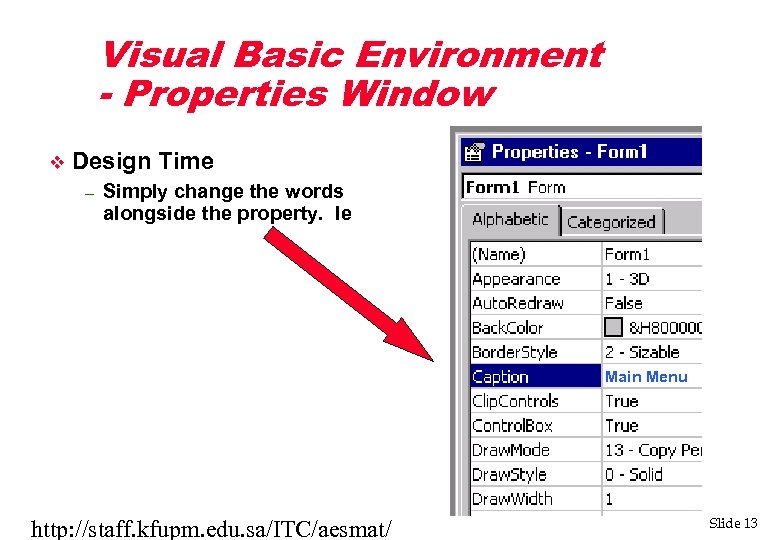 Visual Basic Environment - Properties Window v Controls - Properties Design Time – – All controls have appropriate Simply change the words properties the property. Ie alongside such as u Height, Name, Colour they can be changed either at design-time or at run-time Main Menu http: //staff. kfupm. edu. sa/ITC/aesmat/ Slide 13
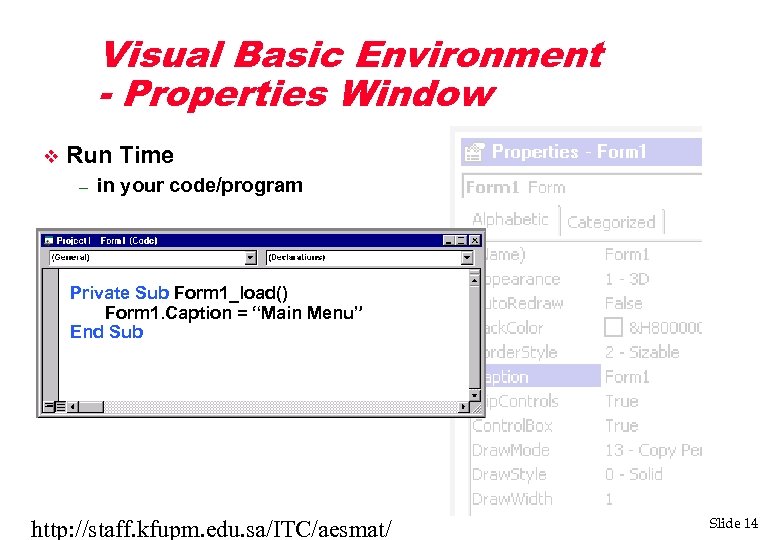 Visual Basic Environment - Properties Window v Run Time – in your code/program Private Sub Form 1_load() Form 1. Caption = “Main Menu” End Sub http: //staff. kfupm. edu. sa/ITC/aesmat/ Slide 14
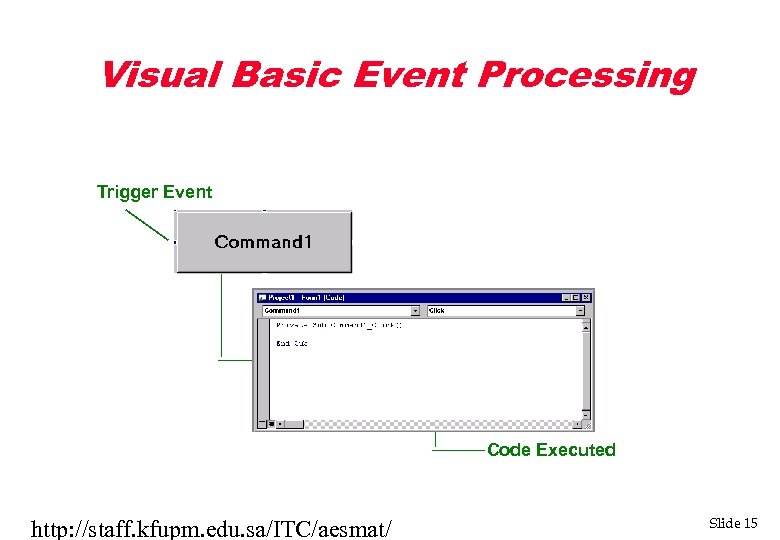 Visual Basic Event Processing Trigger Event Code Executed http: //staff. kfupm. edu. sa/ITC/aesmat/ Slide 15
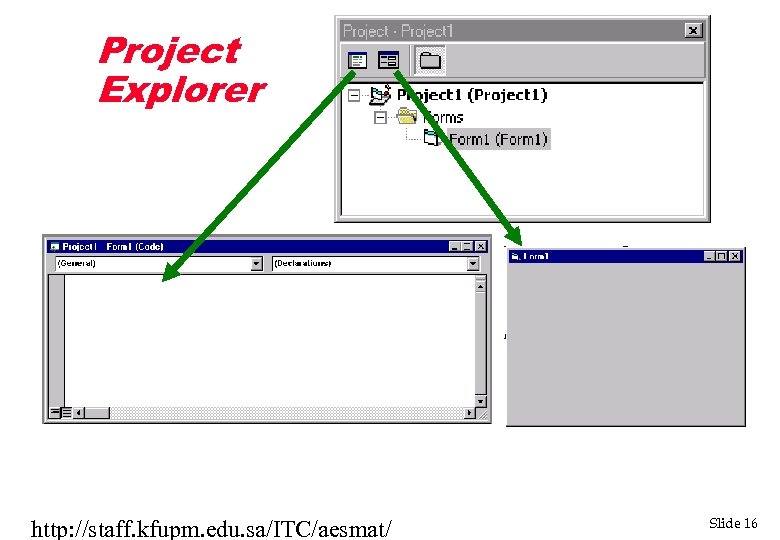 Project Explorer http: //staff. kfupm. edu. sa/ITC/aesmat/ Slide 16
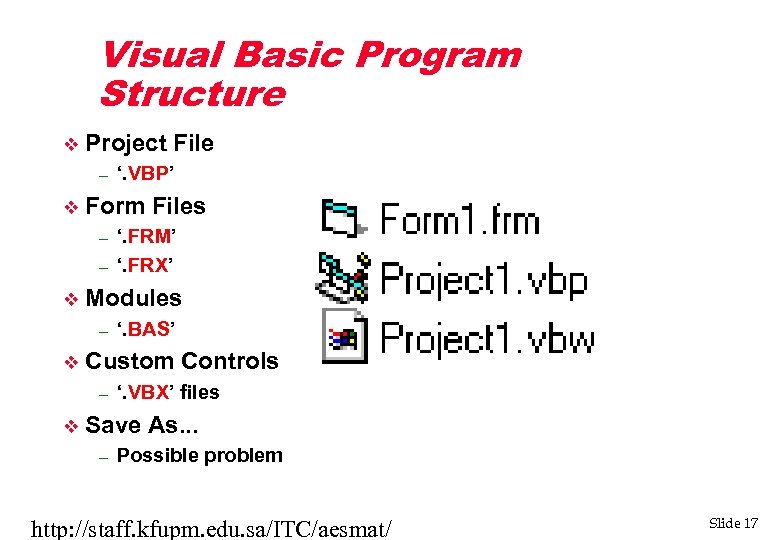 Visual Basic Program Structure v Project File – v Form Files – – v ‘. BAS’ Custom Controls – v ‘. FRM’ ‘. FRX’ Modules – v ‘. VBP’ ‘. VBX’ files Save As. . . – Possible problem http: //staff. kfupm. edu. sa/ITC/aesmat/ Slide 17
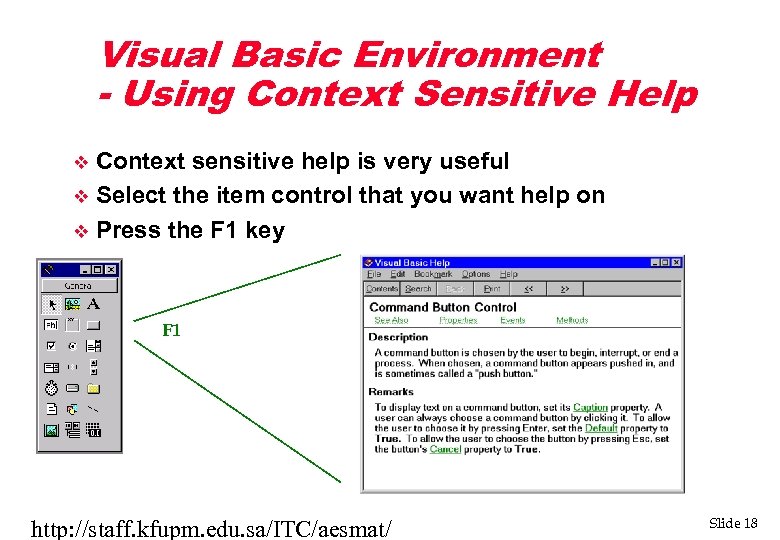 Visual Basic Environment - Using Context Sensitive Help Context sensitive help is very useful v Select the item control that you want help on v Press the F 1 key v F 1 http: //staff. kfupm. edu. sa/ITC/aesmat/ Slide 18
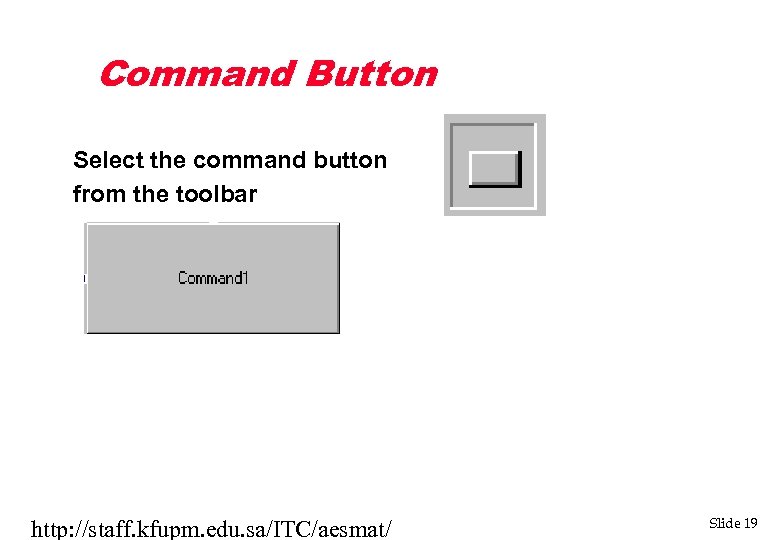 Command Button Select the command button from the toolbar http: //staff. kfupm. edu. sa/ITC/aesmat/ Slide 19
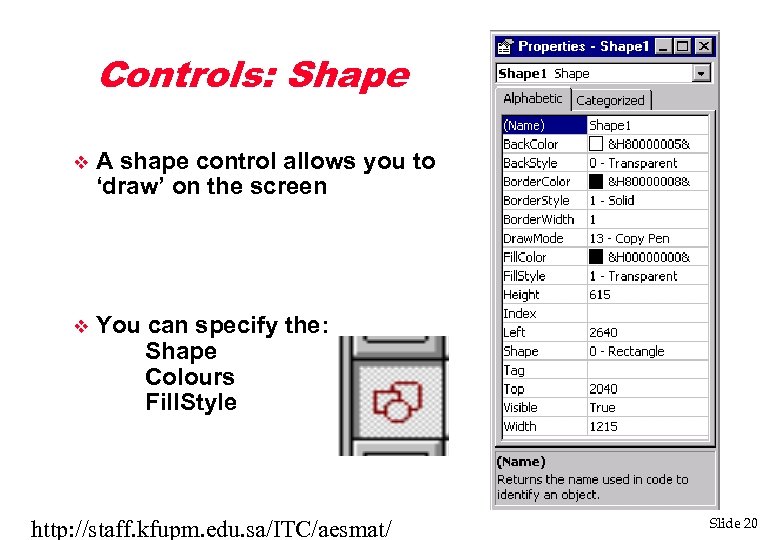 Controls: Shape v A shape control allows you to ‘draw’ on the screen v You can specify the: Shape Colours Fill. Style http: //staff. kfupm. edu. sa/ITC/aesmat/ Slide 20
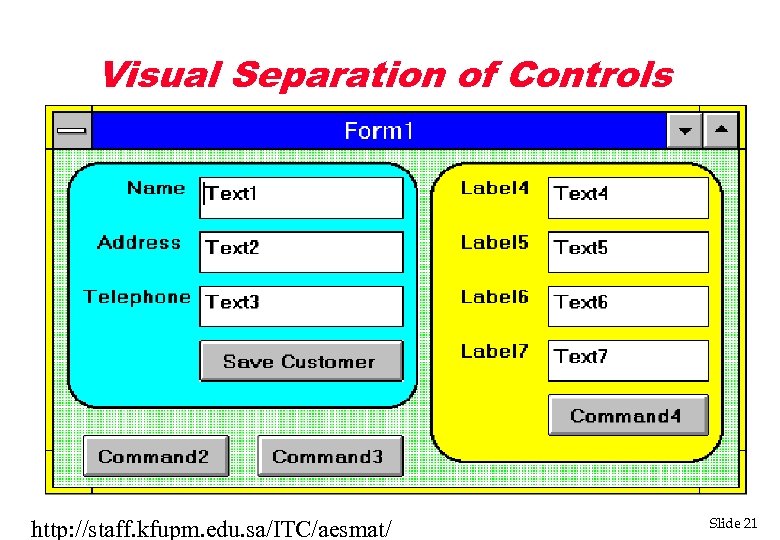 Visual Separation of Controls http: //staff. kfupm. edu. sa/ITC/aesmat/ Slide 21
 Writing VB Programs Plan the Program Tasks v Design User Interface v Set Properties v Write Code (Event Handlers) v Test and Debug the Program v Document and Distribute the Program v http: //staff. kfupm. edu. sa/ITC/aesmat/ Slide 22