 Скачать презентацию IBM Systems Director 6 2 for the IBM
dd04b2b2973287aeea13b0d89880e64b.ppt
- Количество слайдов: 77



IBM Systems Director 6. 2 for the IBM i Environment Bob Padzieski - ATS IBM Power Systems © Copyright 2011 IBM Corporation
IBM Power Systems Agenda § Systems management environment § IBM Systems Director 6. 2 – – Resources / relationships Monitoring / automating Maintenance / currency Virtualization / optimization § IBM Systems Director Editions § IBM Systems Director plug-ins – IBM Systems Director Active Energy Manager™ – IBM Systems Director VMControl™ – IBM Systems Director Network Control § Setting up IBM Systems Director for IBM i 2 © Copyright 2011 IBM Corporation
IBM Power Systems IT Organization Challenges § Thousands of “points of management” § Capital and operational expenses – Space and power constraints – Developing diverse administration skills § Legacy infrastructures – Fragile and difficult to change – Many specialized skills and tools required – Silos: OS, hardware, technologies, facilities … § Little time for planning, optimization and improvements § Pressures from criticality of IT to the business 3 3 © Copyright 2011 IBM Corporation
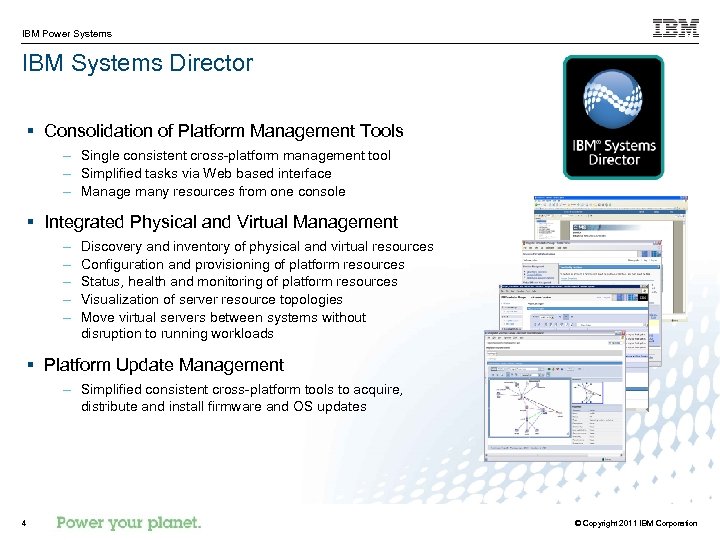
IBM Power Systems IBM Systems Director § Consolidation of Platform Management Tools – Single consistent cross-platform management tool – Simplified tasks via Web based interface – Manage many resources from one console § Integrated Physical and Virtual Management – – – Discovery and inventory of physical and virtual resources Configuration and provisioning of platform resources Status, health and monitoring of platform resources Visualization of server resource topologies Move virtual servers between systems without disruption to running workloads § Platform Update Management – Simplified consistent cross-platform tools to acquire, distribute and install firmware and OS updates 4 © Copyright 2011 IBM Corporation
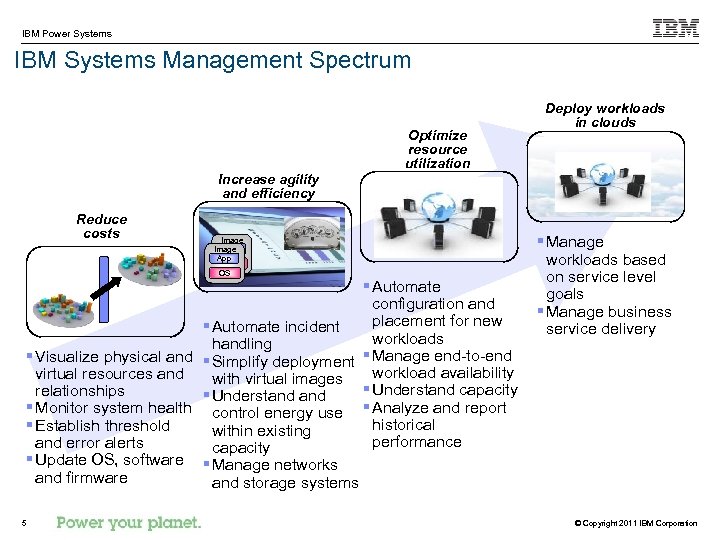
IBM Power Systems IBM Systems Management Spectrum Optimize resource utilization Deploy workloads in clouds Increase agility and efficiency Reduce costs Image App OS OS § Automate configuration and placement for new § Automate incident workloads handling § Visualize physical and § Simplify deployment § Manage end-to-end workload availability virtual resources and with virtual images § Understand capacity relationships § Understand § Monitor system health control energy use § Analyze and report historical § Establish threshold within existing performance and error alerts capacity § Update OS, software § Manage networks and firmware and storage systems 55 § Manage workloads based on service level goals § Manage business service delivery © Copyright 2011 IBM Corporation
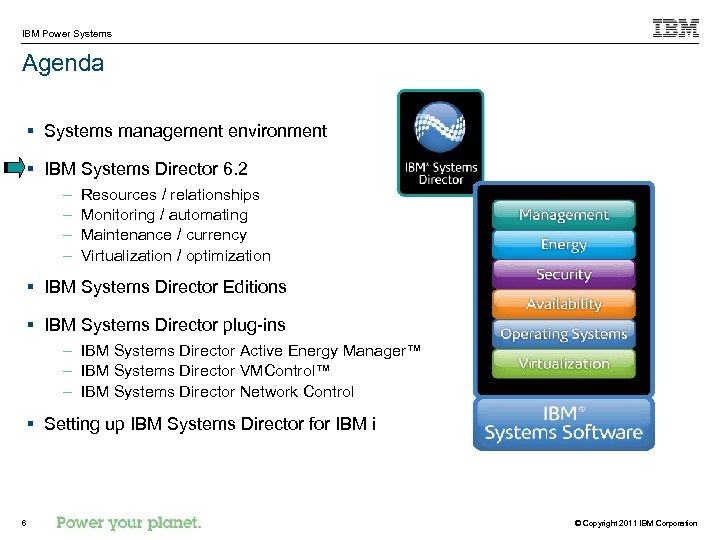
IBM Power Systems Agenda § Systems management environment § IBM Systems Director 6. 2 – – Resources / relationships Monitoring / automating Maintenance / currency Virtualization / optimization § IBM Systems Director Editions § IBM Systems Director plug-ins – IBM Systems Director Active Energy Manager™ – IBM Systems Director VMControl™ – IBM Systems Director Network Control § Setting up IBM Systems Director for IBM i 6 © Copyright 2011 IBM Corporation
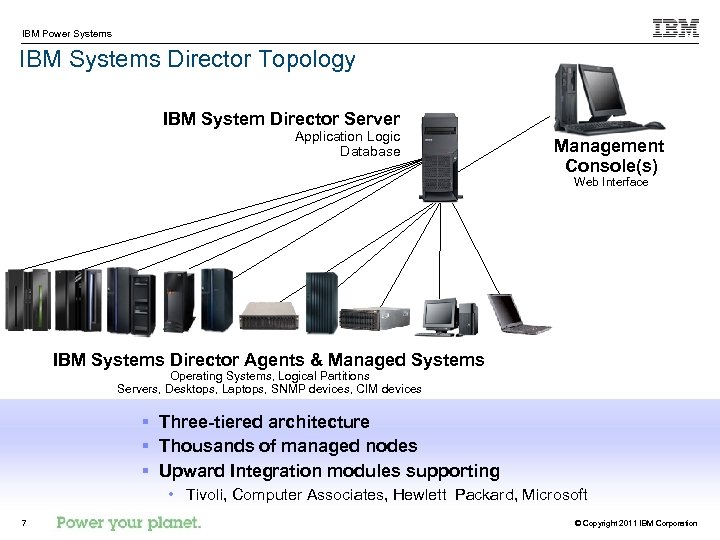
IBM Power Systems IBM Systems Director Topology IBM System Director Server Application Logic Database Management Console(s) Web Interface IBM Systems Director Agents & Managed Systems Operating Systems, Logical Partitions Servers, Desktops, Laptops, SNMP devices, CIM devices § Three-tiered architecture § Thousands of managed nodes § Upward Integration modules supporting • Tivoli, Computer Associates, Hewlett Packard, Microsoft 7 © Copyright 2011 IBM Corporation
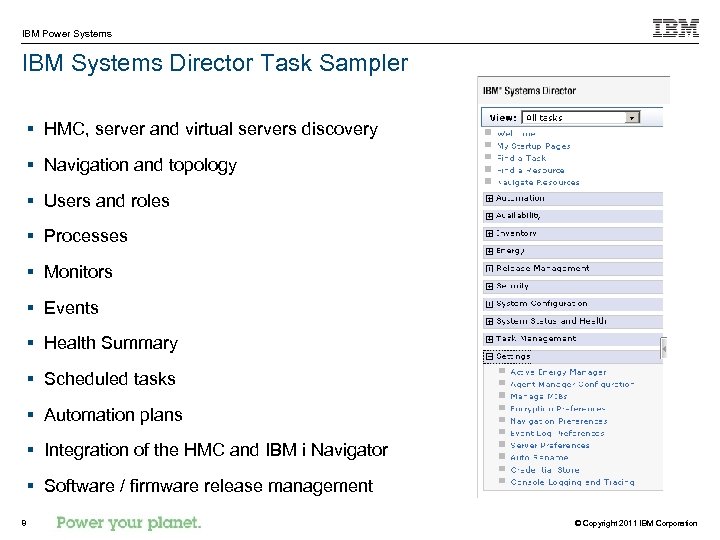
IBM Power Systems IBM Systems Director Task Sampler § HMC, server and virtual servers discovery § Navigation and topology § Users and roles § Processes § Monitors § Events § Health Summary § Scheduled tasks § Automation plans § Integration of the HMC and IBM i Navigator § Software / firmware release management 8 © Copyright 2011 IBM Corporation
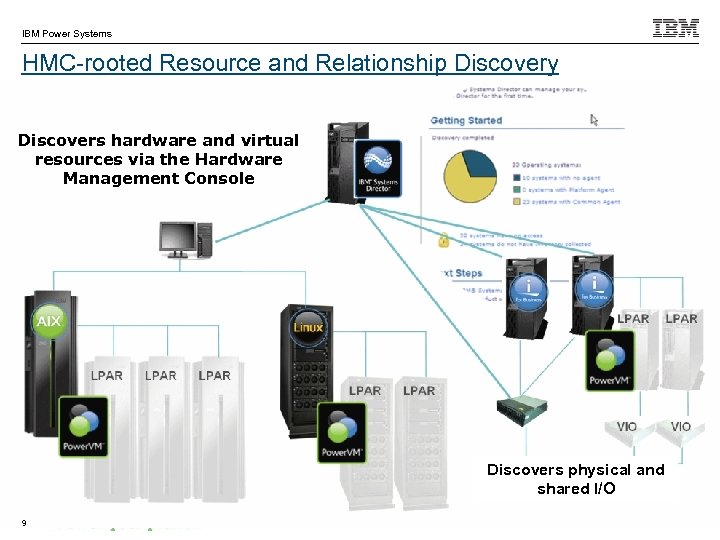
IBM Power Systems HMC-rooted Resource and Relationship Discovery Discovers hardware and virtual resources via the Hardware Management Console Discovers physical and shared I/O 9 © Copyright 2011 IBM Corporation
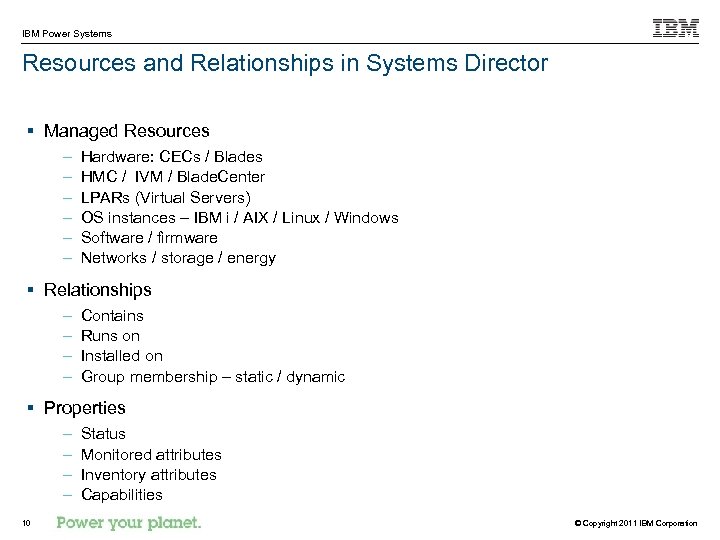
IBM Power Systems Resources and Relationships in Systems Director § Managed Resources – – – Hardware: CECs / Blades HMC / IVM / Blade. Center LPARs (Virtual Servers) OS instances – IBM i / AIX / Linux / Windows Software / firmware Networks / storage / energy § Relationships – – Contains Runs on Installed on Group membership – static / dynamic § Properties – – 10 Status Monitored attributes Inventory attributes Capabilities © Copyright 2011 IBM Corporation
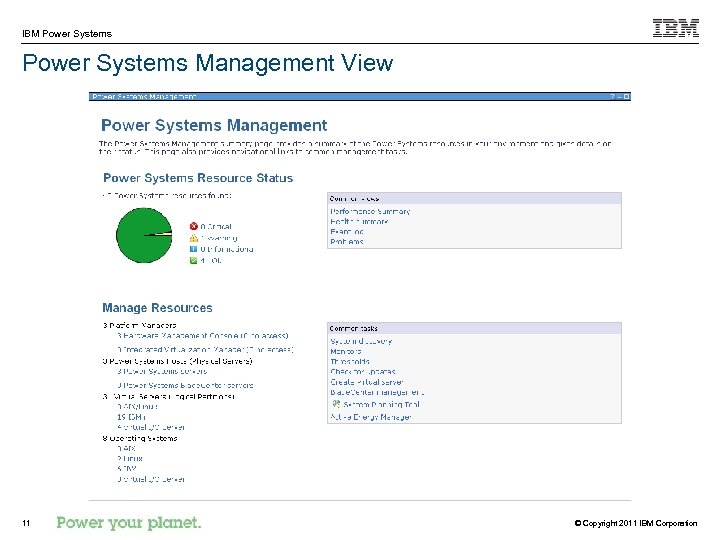
IBM Power Systems Management View 11 © Copyright 2011 IBM Corporation
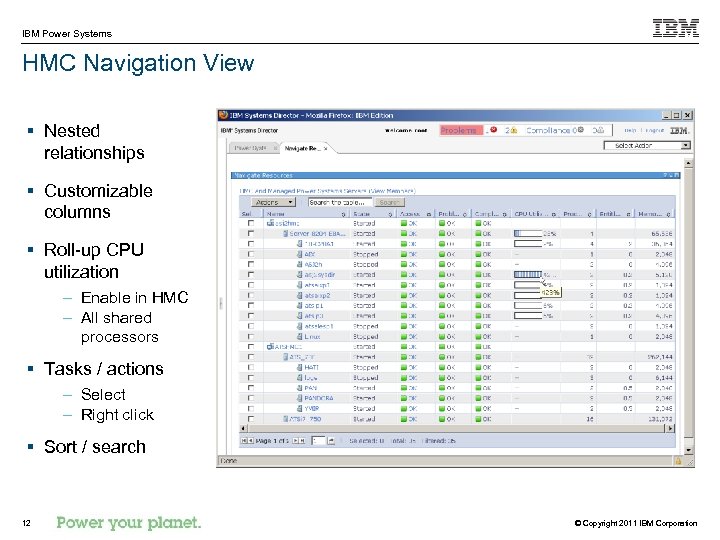
IBM Power Systems HMC Navigation View § Nested relationships § Customizable columns § Roll-up CPU utilization – Enable in HMC – All shared processors § Tasks / actions – Select – Right click § Sort / search 12 © Copyright 2011 IBM Corporation
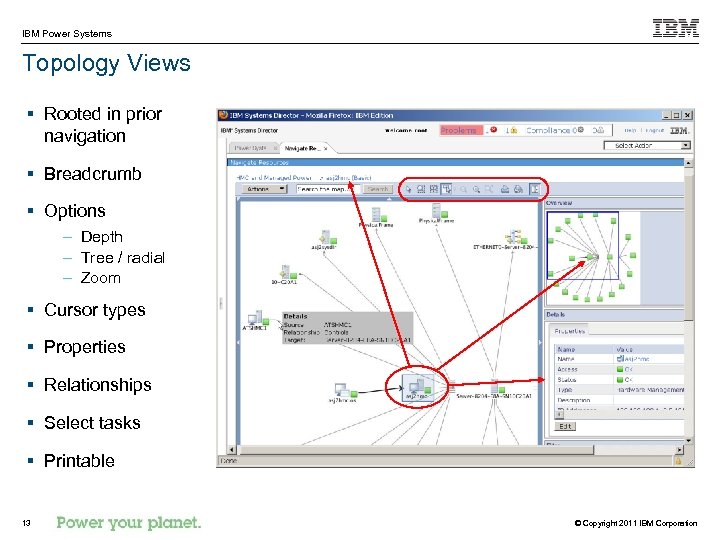
IBM Power Systems Topology Views § Rooted in prior navigation § Breadcrumb § Options – Depth – Tree / radial – Zoom § Cursor types § Properties § Relationships § Select tasks § Printable 13 © Copyright 2011 IBM Corporation
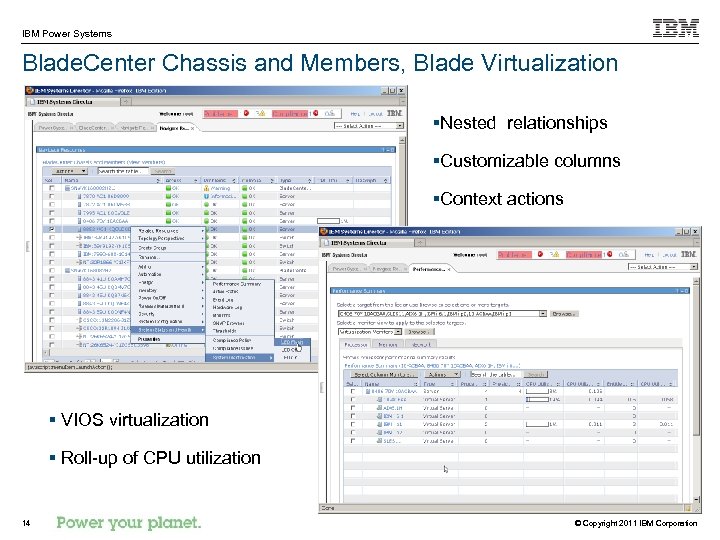
IBM Power Systems Blade. Center Chassis and Members, Blade Virtualization §Nested relationships §Customizable columns §Context actions § VIOS virtualization § Roll-up of CPU utilization 14 © Copyright 2011 IBM Corporation
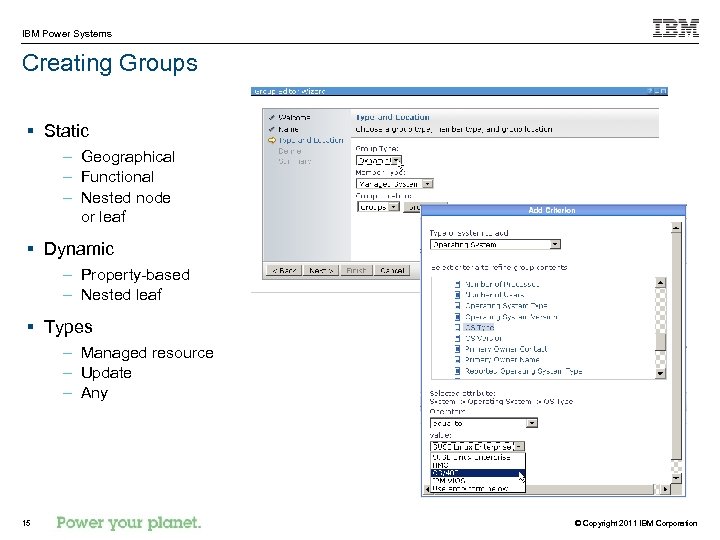
IBM Power Systems Creating Groups § Static – Geographical – Functional – Nested node or leaf § Dynamic – Property-based – Nested leaf § Types – Managed resource – Update – Any 15 © Copyright 2011 IBM Corporation
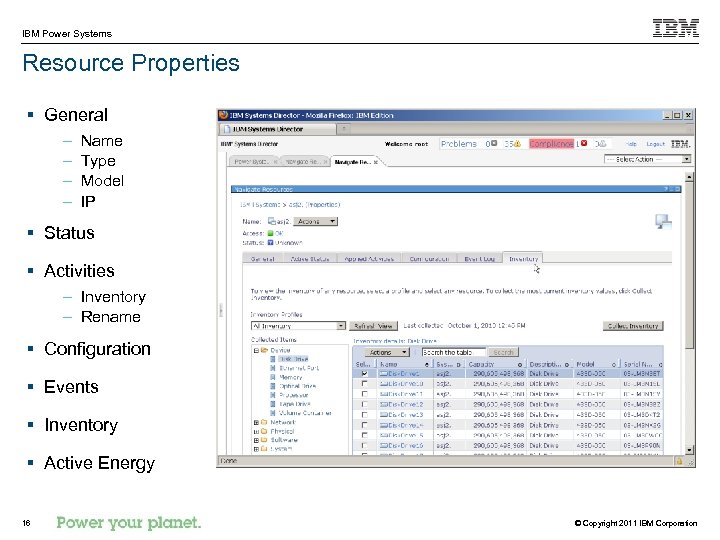
IBM Power Systems Resource Properties § General – – Name Type Model IP § Status § Activities – Inventory – Rename § Configuration § Events § Inventory § Active Energy 16 © Copyright 2011 IBM Corporation
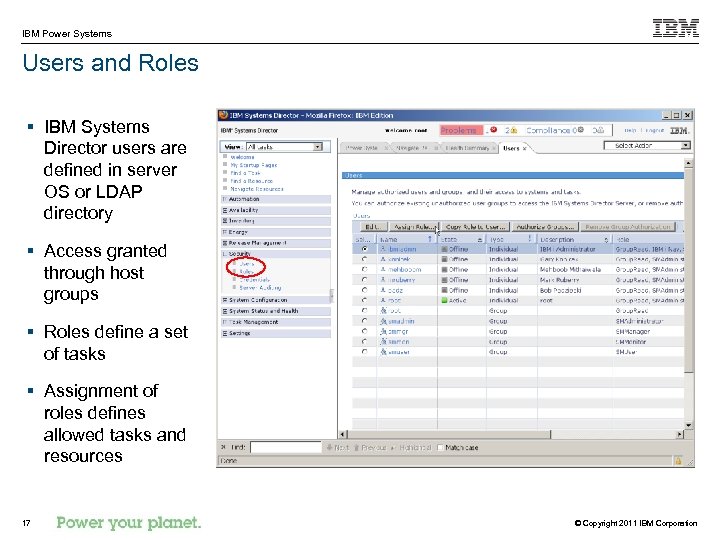
IBM Power Systems Users and Roles § IBM Systems Director users are defined in server OS or LDAP directory § Access granted through host groups § Roles define a set of tasks § Assignment of roles defines allowed tasks and resources 17 © Copyright 2011 IBM Corporation
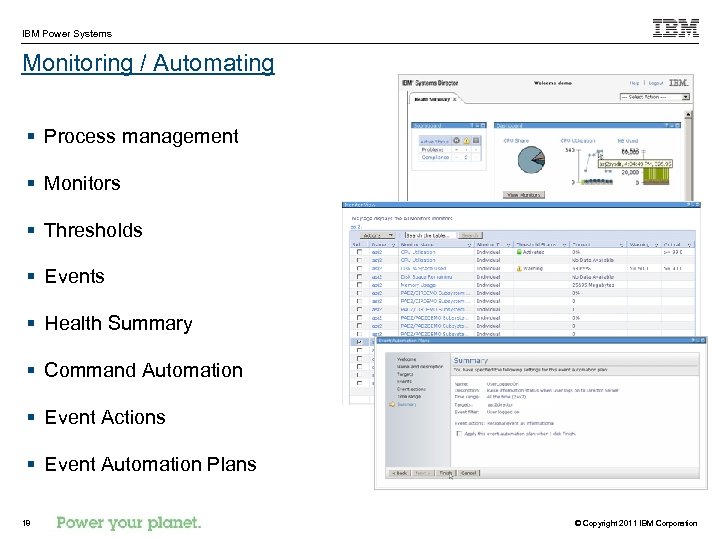
IBM Power Systems Monitoring / Automating § Process management § Monitors § Thresholds § Events § Health Summary § Command Automation § Event Actions § Event Automation Plans 18 © Copyright 2011 IBM Corporation
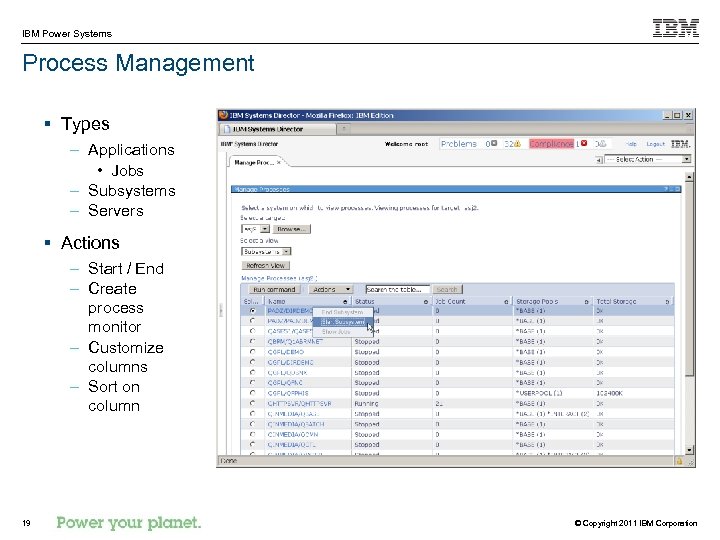
IBM Power Systems Process Management § Types – Applications • Jobs – Subsystems – Servers § Actions – Start / End – Create process monitor – Customize columns – Sort on column 19 © Copyright 2011 IBM Corporation
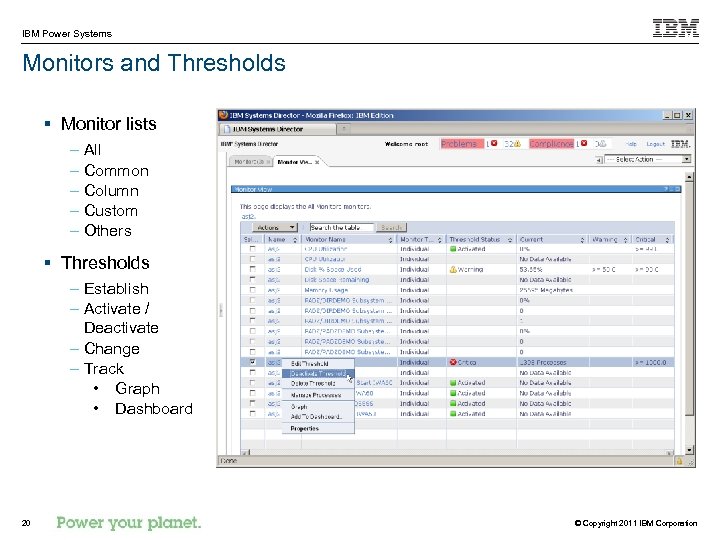
IBM Power Systems Monitors and Thresholds § Monitor lists – All – Common – Column – Custom – Others § Thresholds – Establish – Activate / Deactivate – Change – Track • Graph • Dashboard 20 © Copyright 2011 IBM Corporation
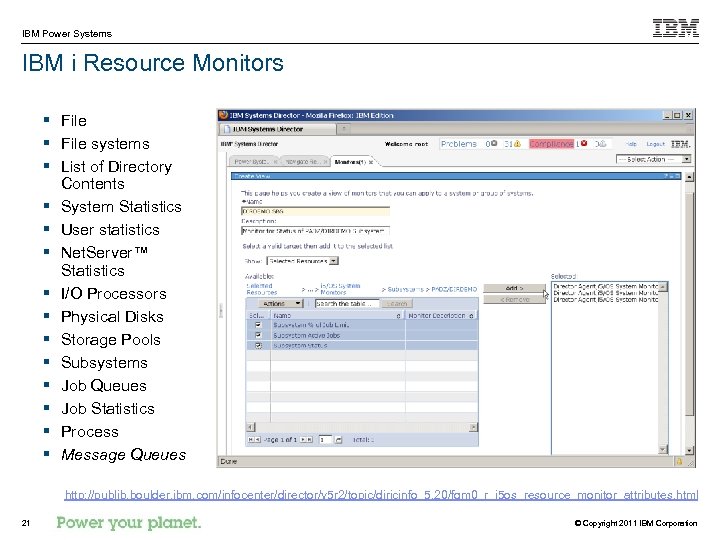
IBM Power Systems IBM i Resource Monitors § File systems § List of Directory Contents § System Statistics § User statistics § Net. Server™ Statistics § I/O Processors § Physical Disks § Storage Pools § Subsystems § Job Queues § Job Statistics § Process § Message Queues http: //publib. boulder. ibm. com/infocenter/director/v 5 r 2/topic/diricinfo_5. 20/fqm 0_r_i 5 os_resource_monitor_attributes. html 21 © Copyright 2011 IBM Corporation
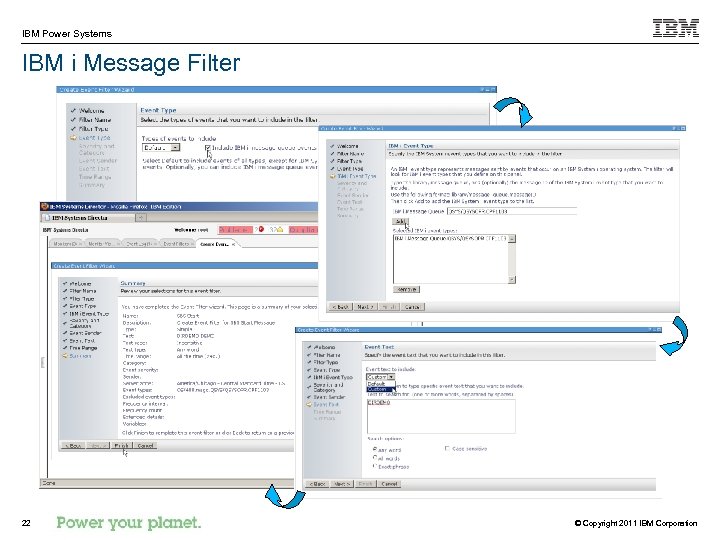
IBM Power Systems IBM i Message Filter 22 © Copyright 2011 IBM Corporation
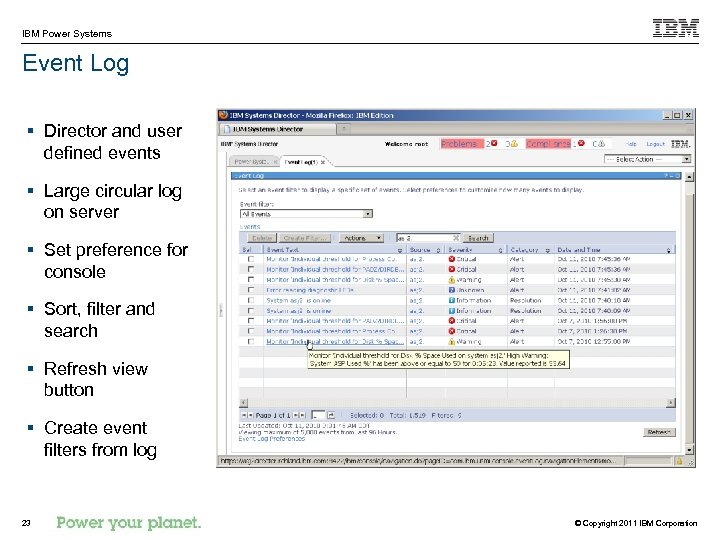
IBM Power Systems Event Log § Director and user defined events § Large circular log on server § Set preference for console § Sort, filter and search § Refresh view button § Create event filters from log 23 © Copyright 2011 IBM Corporation
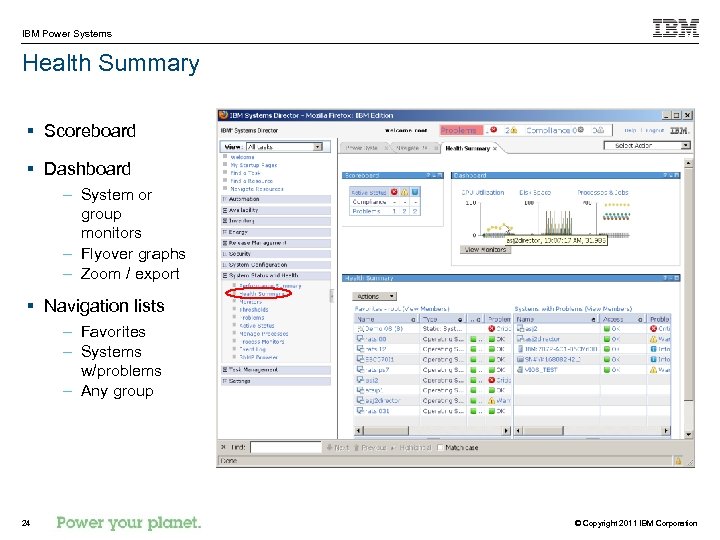
IBM Power Systems Health Summary § Scoreboard § Dashboard – System or group monitors – Flyover graphs – Zoom / export § Navigation lists – Favorites – Systems w/problems – Any group 24 © Copyright 2011 IBM Corporation
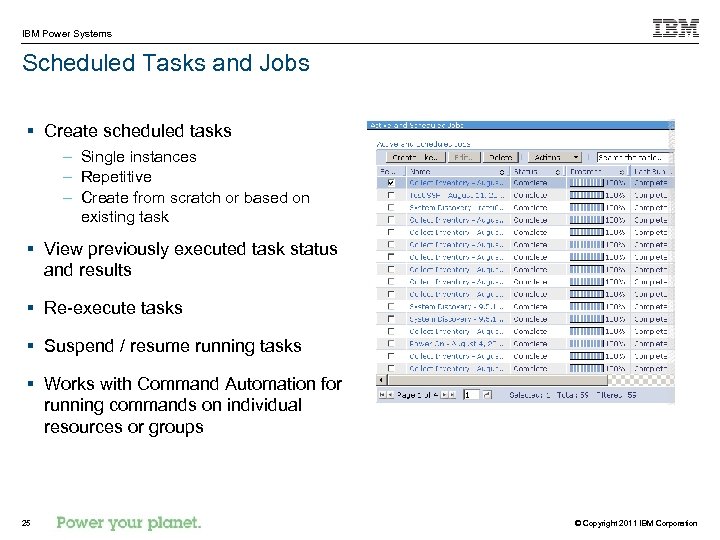
IBM Power Systems Scheduled Tasks and Jobs § Create scheduled tasks – Single instances – Repetitive – Create from scratch or based on existing task § View previously executed task status and results § Re-execute tasks § Suspend / resume running tasks § Works with Command Automation for running commands on individual resources or groups 25 © Copyright 2011 IBM Corporation
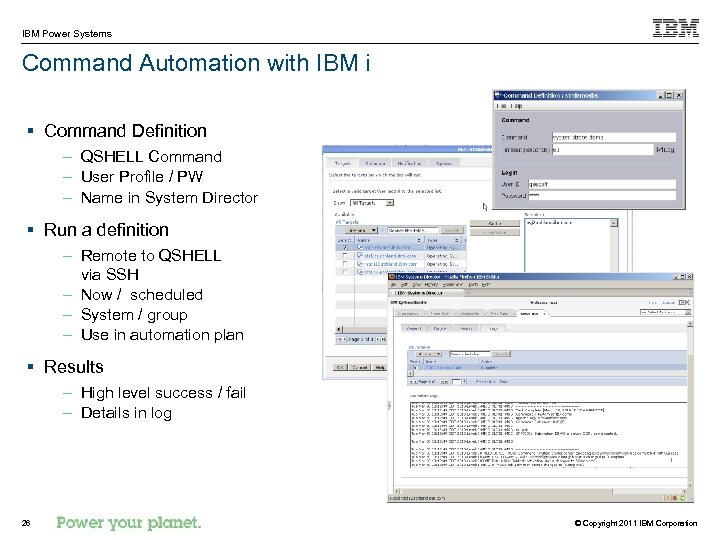
IBM Power Systems Command Automation with IBM i § Command Definition – QSHELL Command – User Profile / PW – Name in System Director § Run a definition – Remote to QSHELL via SSH – Now / scheduled – System / group – Use in automation plan § Results – High level success / fail – Details in log 26 © Copyright 2011 IBM Corporation
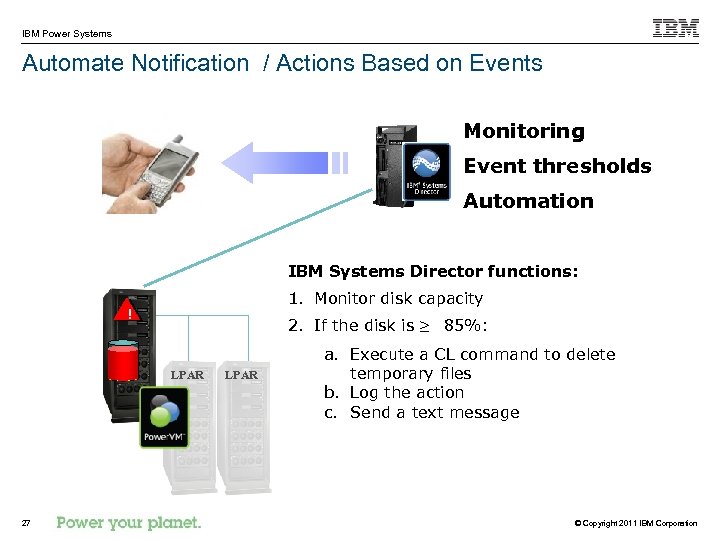
IBM Power Systems Automate Notification / Actions Based on Events Monitoring Event thresholds Automation IBM Systems Director functions: 1. Monitor disk capacity ! 2. If the disk is ≥ 85%: LPAR 27 LPAR a. Execute a CL command to delete temporary files b. Log the action c. Send a text message © Copyright 2011 IBM Corporation
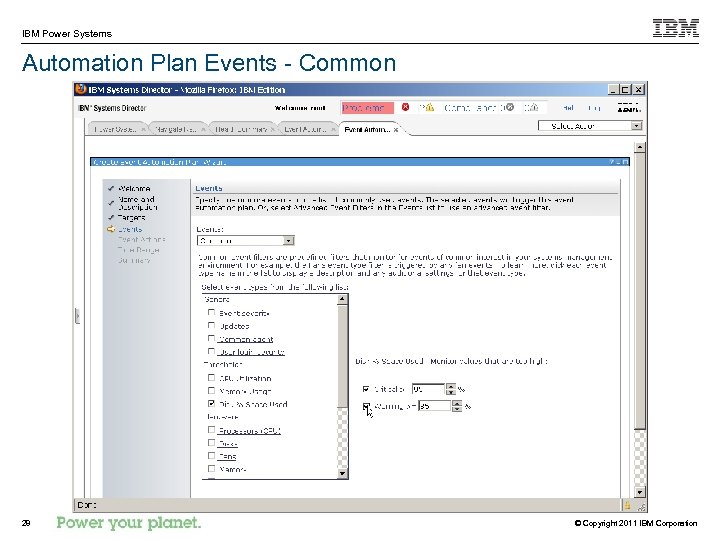
IBM Power Systems Automation Plan Events - Common 28 © Copyright 2011 IBM Corporation
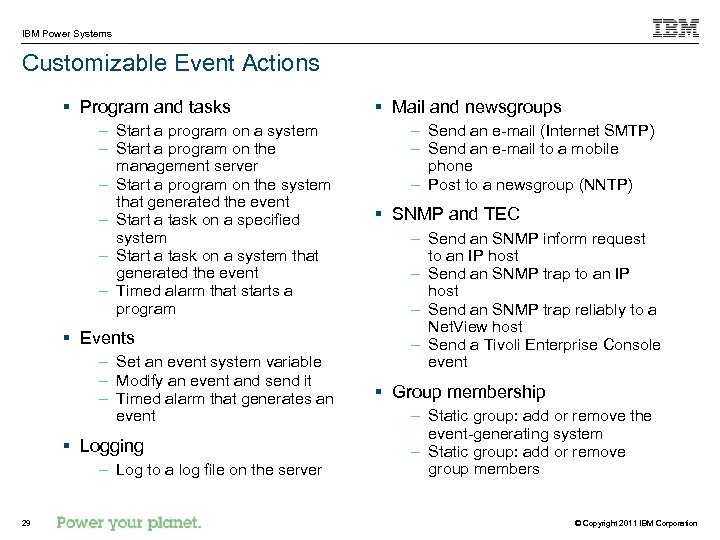
IBM Power Systems Customizable Event Actions § Program and tasks – Start a program on a system – Start a program on the management server – Start a program on the system that generated the event – Start a task on a specified system – Start a task on a system that generated the event – Timed alarm that starts a program § Events – Set an event system variable – Modify an event and send it – Timed alarm that generates an event § Logging – Log to a log file on the server 29 § Mail and newsgroups – Send an e-mail (Internet SMTP) – Send an e-mail to a mobile phone – Post to a newsgroup (NNTP) § SNMP and TEC – Send an SNMP inform request to an IP host – Send an SNMP trap reliably to a Net. View host – Send a Tivoli Enterprise Console event § Group membership – Static group: add or remove the event-generating system – Static group: add or remove group members © Copyright 2011 IBM Corporation
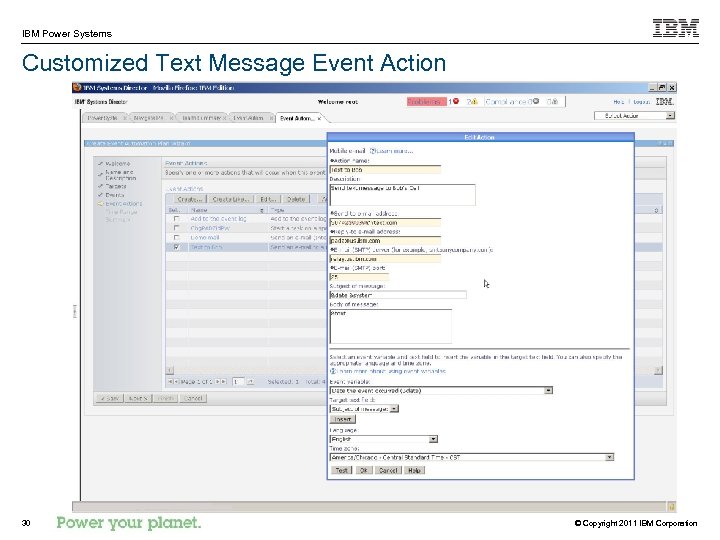
IBM Power Systems Customized Text Message Event Action 30 © Copyright 2011 IBM Corporation
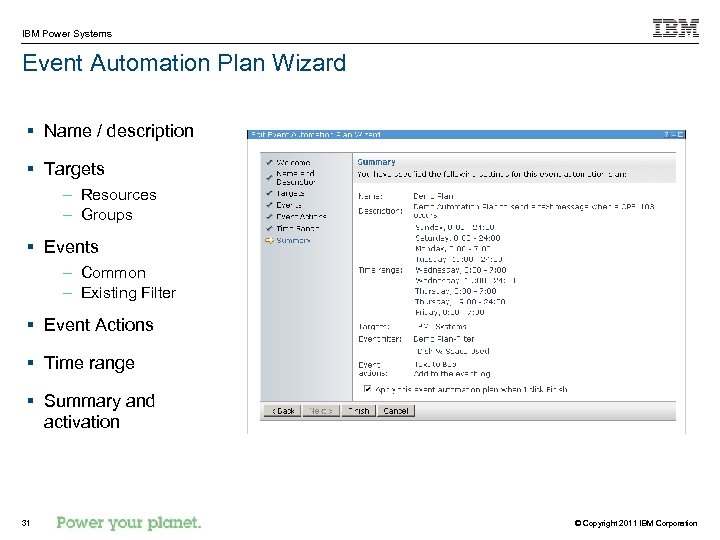
IBM Power Systems Event Automation Plan Wizard § Name / description § Targets – Resources – Groups § Events – Common – Existing Filter § Event Actions § Time range § Summary and activation 31 © Copyright 2011 IBM Corporation
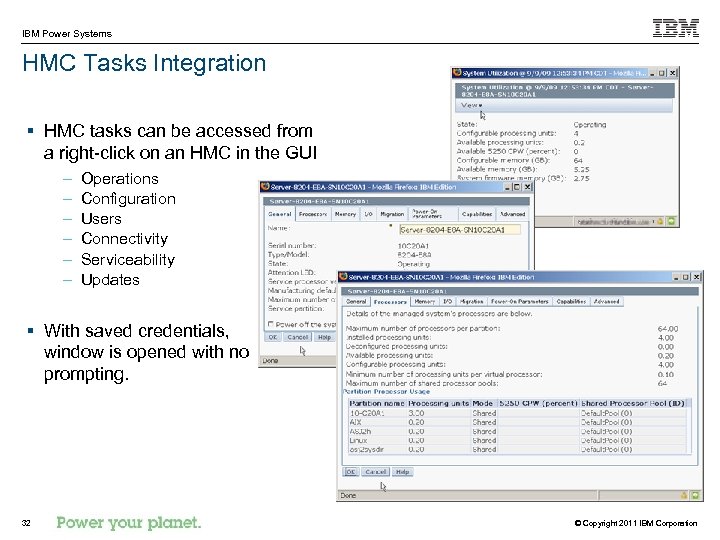
IBM Power Systems HMC Tasks Integration § HMC tasks can be accessed from a right-click on an HMC in the GUI – – – Operations Configuration Users Connectivity Serviceability Updates § With saved credentials, window is opened with no prompting. 32 © Copyright 2011 IBM Corporation
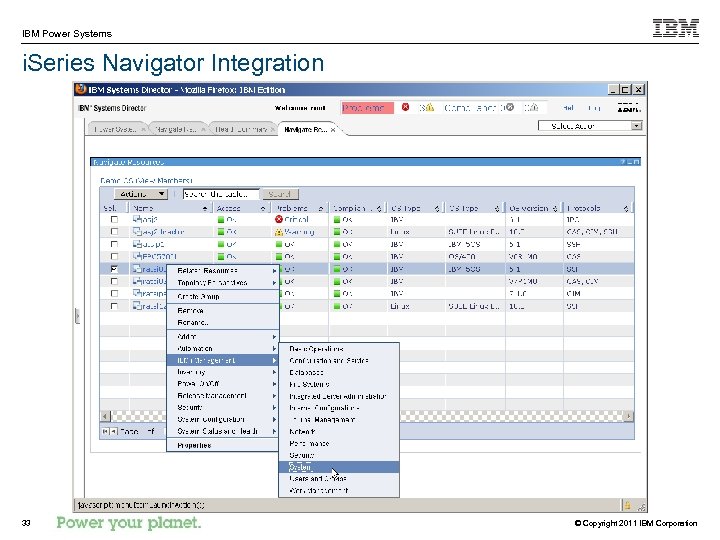
IBM Power Systems i. Series Navigator Integration 33 © Copyright 2011 IBM Corporation
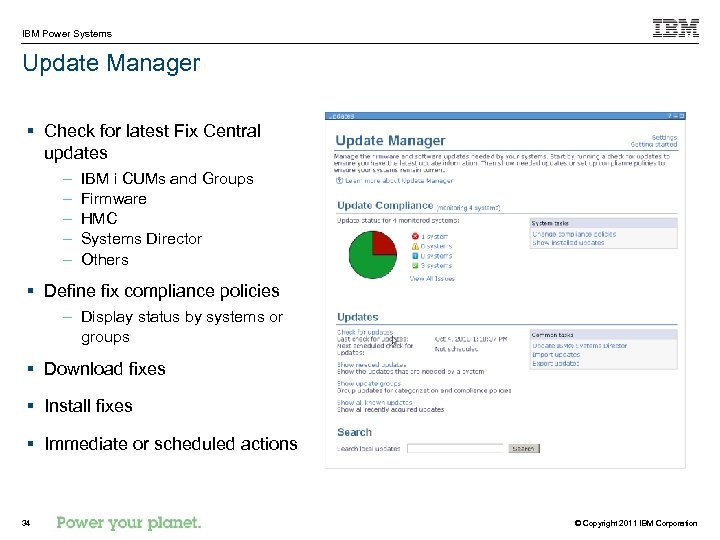
IBM Power Systems Update Manager § Check for latest Fix Central updates – – – IBM i CUMs and Groups Firmware HMC Systems Director Others § Define fix compliance policies – Display status by systems or groups § Download fixes § Install fixes § Immediate or scheduled actions 34 © Copyright 2011 IBM Corporation
IBM Power Systems Maintenance / Currency § IBM® Systems Director 6. 2 § IBM Director V 5. 20 agents § IBM i 5. 4 and later – Cumulative PTF package and PTF Groups § IBM AIX® 5. 3 TL 6 SP 5 and later – Technology levels and service packs § § § Linux, Novell Distribution Red Hat Enterprise Linux Hardware Management Console (HMC) - V 7. 3. 3 SP 2 and later Power Systems firmware VIOS version 1. 5. 2. 1 -FP 11. 1 or later – Migration, fix packs, service packs, and interim fixes § IBM Blade. Center – I/O Module Firmware – Management Modules, Advanced Management Modules, and Passthrough Modules § IBM System x servers running Linux or Windows, device driver and firmware updates § External storage firmware http: //publib. boulder. ibm. com/infocenter/director/v 6 r 2 x/topic/com. ibm. director. updates. helps. doc/fqm 0_c_um_update_types_and_applicable_resources. html 35 © Copyright 2011 IBM Corporation
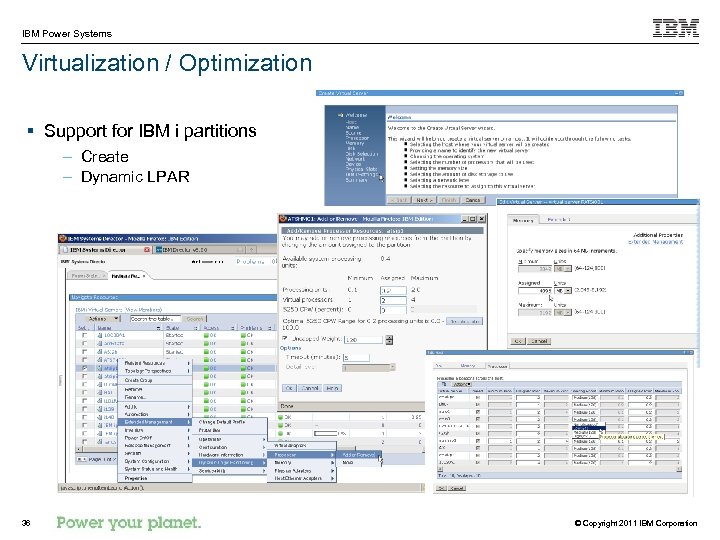
IBM Power Systems Virtualization / Optimization § Support for IBM i partitions – Create – Dynamic LPAR 36 © Copyright 2011 IBM Corporation
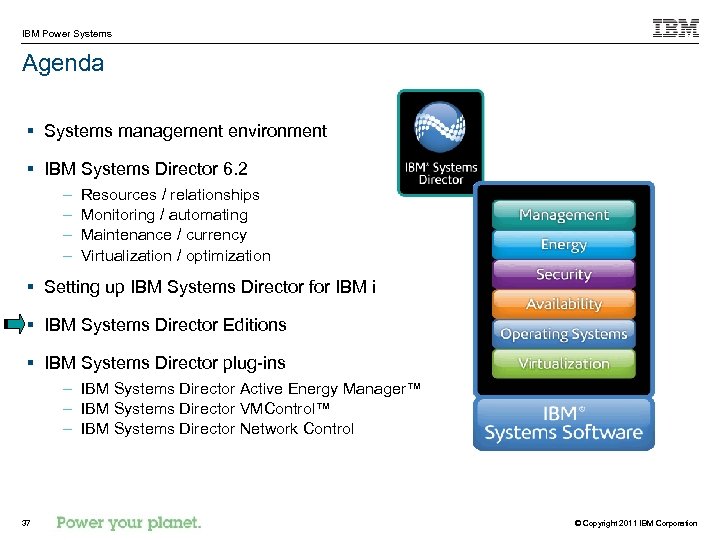
IBM Power Systems Agenda § Systems management environment § IBM Systems Director 6. 2 – – Resources / relationships Monitoring / automating Maintenance / currency Virtualization / optimization § Setting up IBM Systems Director for IBM i § IBM Systems Director Editions § IBM Systems Director plug-ins – IBM Systems Director Active Energy Manager™ – IBM Systems Director VMControl™ – IBM Systems Director Network Control 37 © Copyright 2011 IBM Corporation
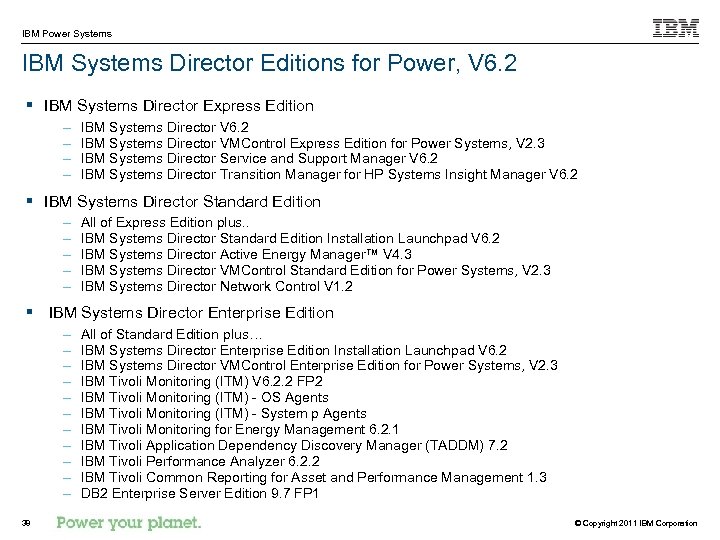
IBM Power Systems IBM Systems Director Editions for Power, V 6. 2 § IBM Systems Director Express Edition – – IBM Systems Director V 6. 2 IBM Systems Director VMControl Express Edition for Power Systems, V 2. 3 IBM Systems Director Service and Support Manager V 6. 2 IBM Systems Director Transition Manager for HP Systems Insight Manager V 6. 2 § IBM Systems Director Standard Edition – – – All of Express Edition plus. . IBM Systems Director Standard Edition Installation Launchpad V 6. 2 IBM Systems Director Active Energy Manager™ V 4. 3 IBM Systems Director VMControl Standard Edition for Power Systems, V 2. 3 IBM Systems Director Network Control V 1. 2 § IBM Systems Director Enterprise Edition – – – 38 All of Standard Edition plus… IBM Systems Director Enterprise Edition Installation Launchpad V 6. 2 IBM Systems Director VMControl Enterprise Edition for Power Systems, V 2. 3 IBM Tivoli Monitoring (ITM) V 6. 2. 2 FP 2 IBM Tivoli Monitoring (ITM) - OS Agents IBM Tivoli Monitoring (ITM) - System p Agents IBM Tivoli Monitoring for Energy Management 6. 2. 1 IBM Tivoli Application Dependency Discovery Manager (TADDM) 7. 2 IBM Tivoli Performance Analyzer 6. 2. 2 IBM Tivoli Common Reporting for Asset and Performance Management 1. 3 DB 2 Enterprise Server Edition 9. 7 FP 1 © Copyright 2011 IBM Corporation
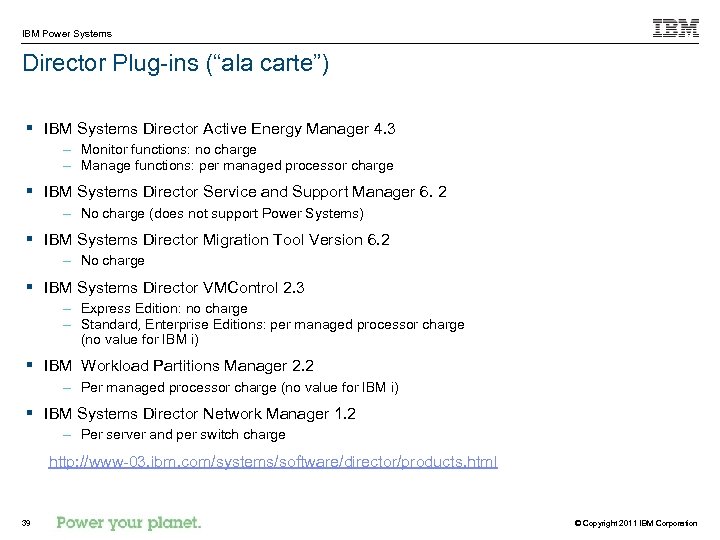
IBM Power Systems Director Plug-ins (“ala carte”) § IBM Systems Director Active Energy Manager 4. 3 – Monitor functions: no charge – Manage functions: per managed processor charge § IBM Systems Director Service and Support Manager 6. 2 – No charge (does not support Power Systems) § IBM Systems Director Migration Tool Version 6. 2 – No charge § IBM Systems Director VMControl 2. 3 – Express Edition: no charge – Standard, Enterprise Editions: per managed processor charge (no value for IBM i) § IBM Workload Partitions Manager 2. 2 – Per managed processor charge (no value for IBM i) § IBM Systems Director Network Manager 1. 2 – Per server and per switch charge http: //www-03. ibm. com/systems/software/director/products. html 39 © Copyright 2011 IBM Corporation
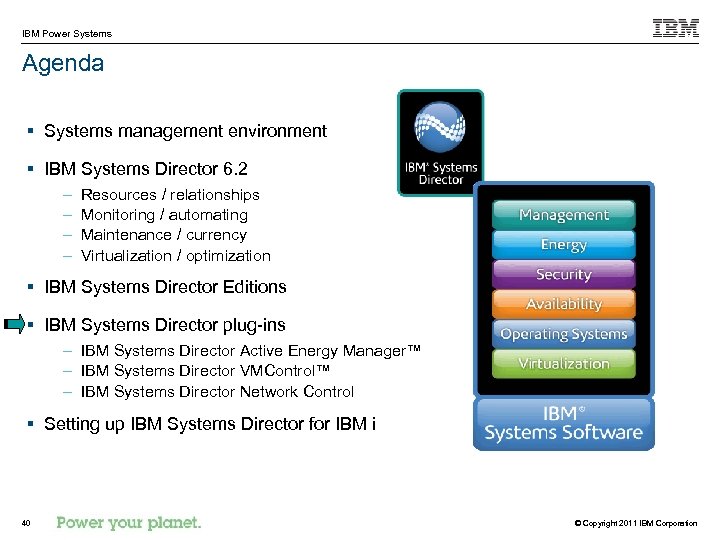
IBM Power Systems Agenda § Systems management environment § IBM Systems Director 6. 2 – – Resources / relationships Monitoring / automating Maintenance / currency Virtualization / optimization § IBM Systems Director Editions § IBM Systems Director plug-ins – IBM Systems Director Active Energy Manager™ – IBM Systems Director VMControl™ – IBM Systems Director Network Control § Setting up IBM Systems Director for IBM i 40 © Copyright 2011 IBM Corporation
IBM Power Systems IBM Systems Director Active Energy Manager § Monitor and manage Energy. Scale™ capabilities in certain POWER 6 and all POWER 7 servers – – – Power Trending Thermal Trending Effective CPU Trending Power Savings Power Capping § Monitor and manage other resources using an intelligent Power Distribution Unit (PDU+) – Pre-POWER 6 systems – Power 560 and Power 570 systems – I/O drawers and storage devices § Define relationships between IT and facilities equipment § Exploit System Director automation for energy events 41 © Copyright 2011 IBM Corporation
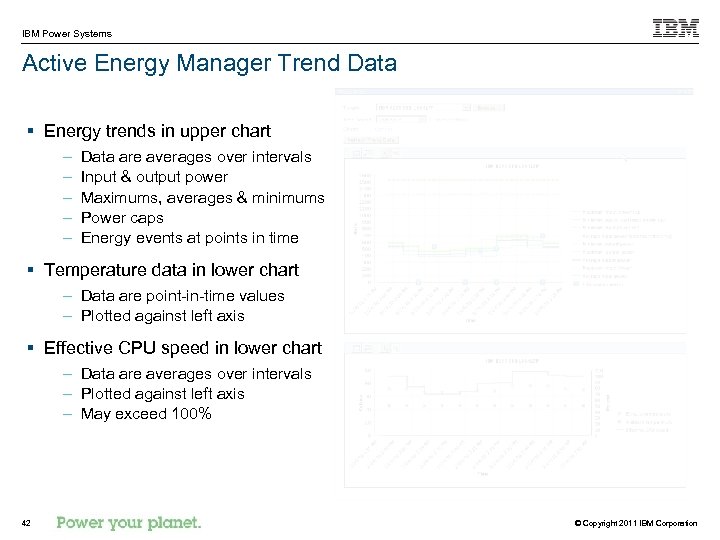
IBM Power Systems Active Energy Manager Trend Data § Energy trends in upper chart – – – Data are averages over intervals Input & output power Maximums, averages & minimums Power caps Energy events at points in time § Temperature data in lower chart – Data are point-in-time values – Plotted against left axis § Effective CPU speed in lower chart – Data are averages over intervals – Plotted against left axis – May exceed 100% 42 © Copyright 2011 IBM Corporation
IBM Power Systems IBM Systems Director VMControl § Virtual servers – Create, delete, manage and relocate – Performance summary – Power. VM, z/VM , VMware, Microsoft, Xen § Virtual appliances – Partition description and software image – Import, capture, manage and deploy § System pools – – Consolidation of resources and workloads into distinct and manageable groups Targets for virtual appliances Monitoring the health of the resources and the status of the workloads Manage by adding hosts or additional storage space § Editions – Express, Standard and Enterprise 43 © Copyright 2011 IBM Corporation
IBM Power Systems IBM Systems Director Network Control § Basic lifecycle management of network switches – Network system discovery and inventory – View network problems and events – Establish network monitors, thresholds and automation plans – Integration of vendor-based device management tools – Network diagnostics (ping, traceroute) § Virtual Switch VLAN configuration § Network device topology collection and visualization (virtual and physical) – View systems according to VLAN – View systems by subnet § Converged Ethernet network device support (FCo. CEE) via native support and vendor tools 44 © Copyright 2011 IBM Corporation
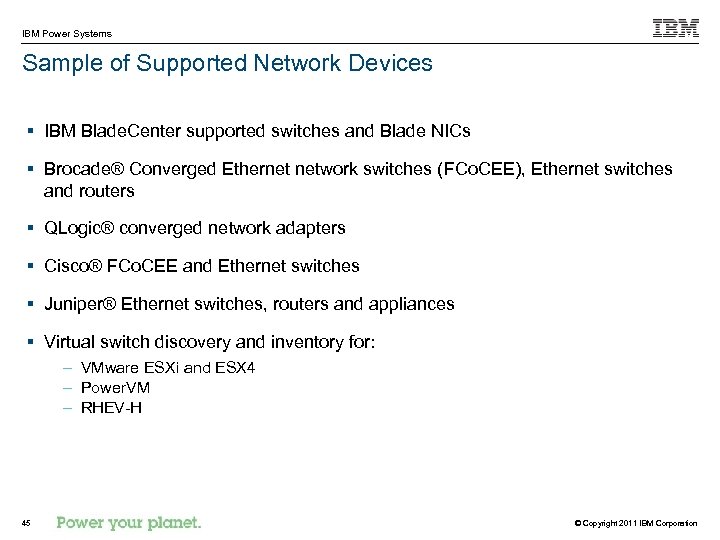
IBM Power Systems Sample of Supported Network Devices § IBM Blade. Center supported switches and Blade NICs § Brocade® Converged Ethernet network switches (FCo. CEE), Ethernet switches and routers § QLogic® converged network adapters § Cisco® FCo. CEE and Ethernet switches § Juniper® Ethernet switches, routers and appliances § Virtual switch discovery and inventory for: – VMware ESXi and ESX 4 – Power. VM – RHEV-H 45 © Copyright 2011 IBM Corporation
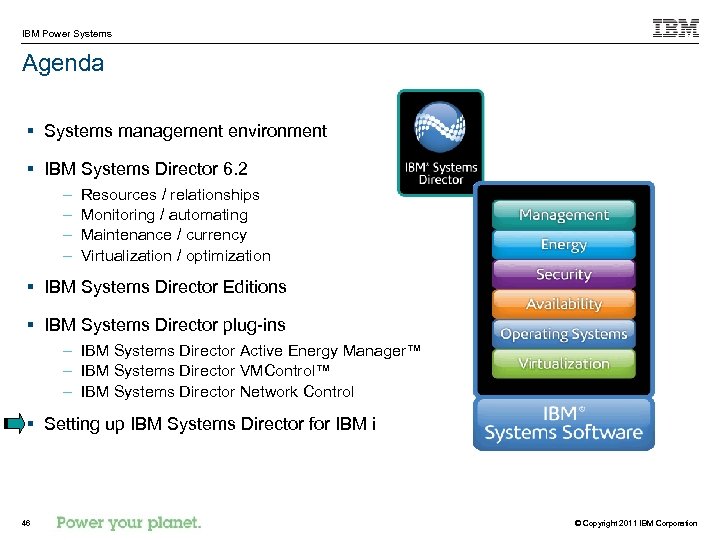
IBM Power Systems Agenda § Systems management environment § IBM Systems Director 6. 2 – – Resources / relationships Monitoring / automating Maintenance / currency Virtualization / optimization § IBM Systems Director Editions § IBM Systems Director plug-ins – IBM Systems Director Active Energy Manager™ – IBM Systems Director VMControl™ – IBM Systems Director Network Control § Setting up IBM Systems Director for IBM i 46 © Copyright 2011 IBM Corporation
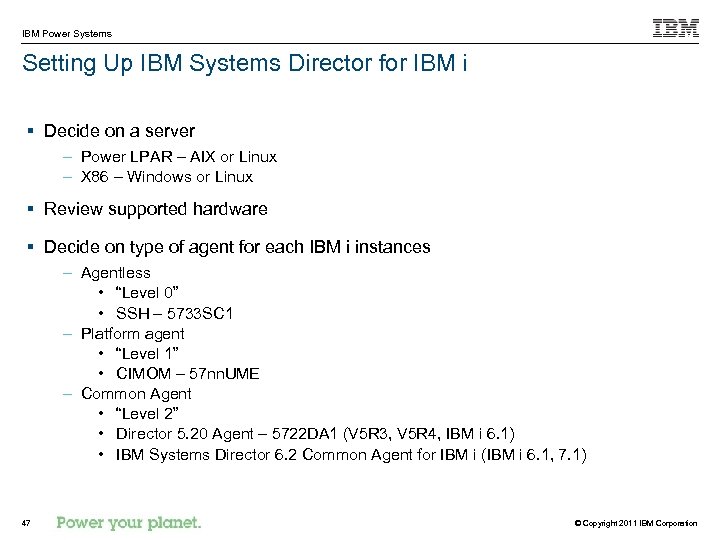
IBM Power Systems Setting Up IBM Systems Director for IBM i § Decide on a server – Power LPAR – AIX or Linux – X 86 – Windows or Linux § Review supported hardware § Decide on type of agent for each IBM i instances – Agentless • “Level 0” • SSH – 5733 SC 1 – Platform agent • “Level 1” • CIMOM – 57 nn. UME – Common Agent • “Level 2” • Director 5. 20 Agent – 5722 DA 1 (V 5 R 3, V 5 R 4, IBM i 6. 1) • IBM Systems Director 6. 2 Common Agent for IBM i (IBM i 6. 1, 7. 1) 47 © Copyright 2011 IBM Corporation
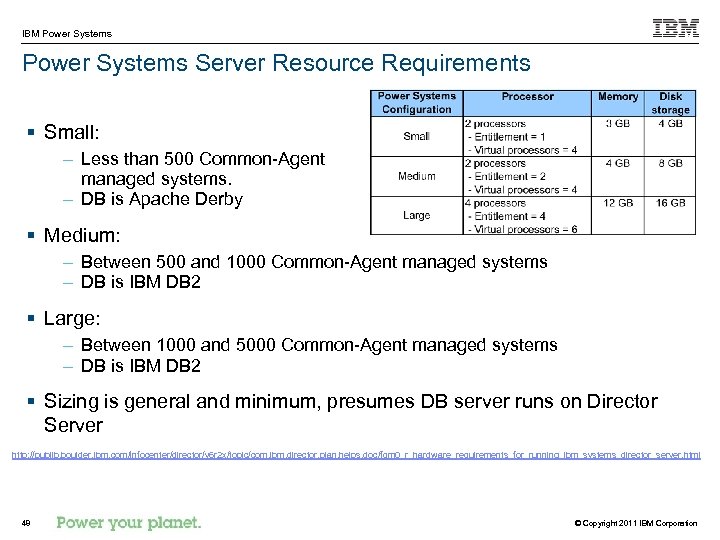
IBM Power Systems Server Resource Requirements § Small: – Less than 500 Common-Agent managed systems. – DB is Apache Derby § Medium: – Between 500 and 1000 Common-Agent managed systems – DB is IBM DB 2 § Large: – Between 1000 and 5000 Common-Agent managed systems – DB is IBM DB 2 § Sizing is general and minimum, presumes DB server runs on Director Server http: //publib. boulder. ibm. com/infocenter/director/v 6 r 2 x/topic/com. ibm. director. plan. helps. doc/fqm 0_r_hardware_requirements_for_running_ibm_systems_director_server. html 48 © Copyright 2011 IBM Corporation
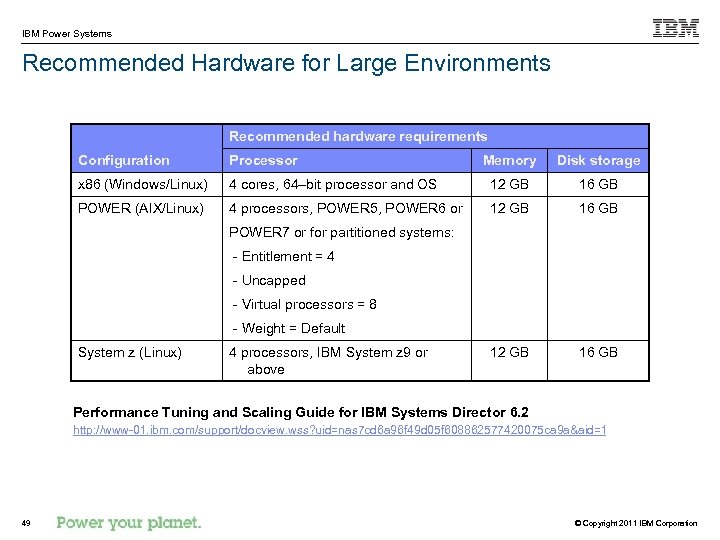
IBM Power Systems Recommended Hardware for Large Environments Recommended hardware requirements Configuration Processor Memory Disk storage x 86 (Windows/Linux) 4 cores, 64–bit processor and OS 12 GB 16 GB POWER (AIX/Linux) 4 processors, POWER 5, POWER 6 or 12 GB 16 GB POWER 7 or for partitioned systems: - Entitlement = 4 - Uncapped - Virtual processors = 8 - Weight = Default System z (Linux) 4 processors, IBM System z 9 or above Performance Tuning and Scaling Guide for IBM Systems Director 6. 2 http: //www-01. ibm. com/support/docview. wss? uid=nas 7 cd 6 a 96 f 49 d 05 f 608862577420075 ca 9 a&aid=1 49 © Copyright 2011 IBM Corporation
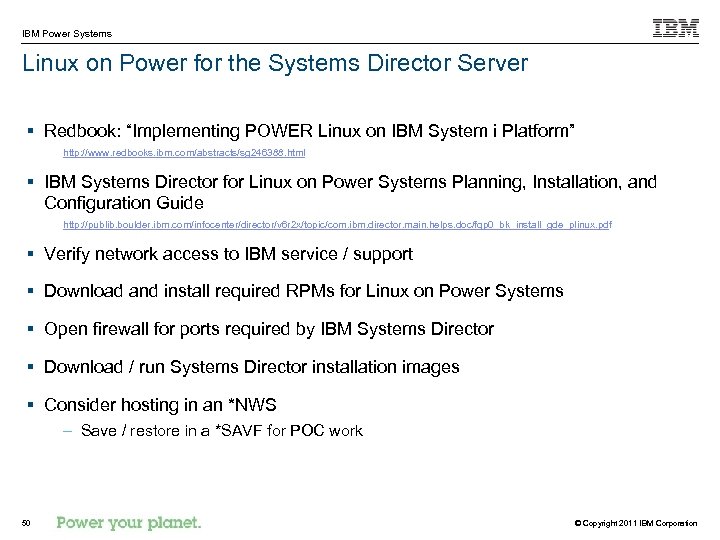
IBM Power Systems Linux on Power for the Systems Director Server § Redbook: “Implementing POWER Linux on IBM System i Platform” http: //www. redbooks. ibm. com/abstracts/sg 246388. html § IBM Systems Director for Linux on Power Systems Planning, Installation, and Configuration Guide http: //publib. boulder. ibm. com/infocenter/director/v 6 r 2 x/topic/com. ibm. director. main. helps. doc/fqp 0_bk_install_gde_plinux. pdf § Verify network access to IBM service / support § Download and install required RPMs for Linux on Power Systems § Open firewall for ports required by IBM Systems Director § Download / run Systems Director installation images § Consider hosting in an *NWS – Save / restore in a *SAVF for POC work 50 © Copyright 2011 IBM Corporation
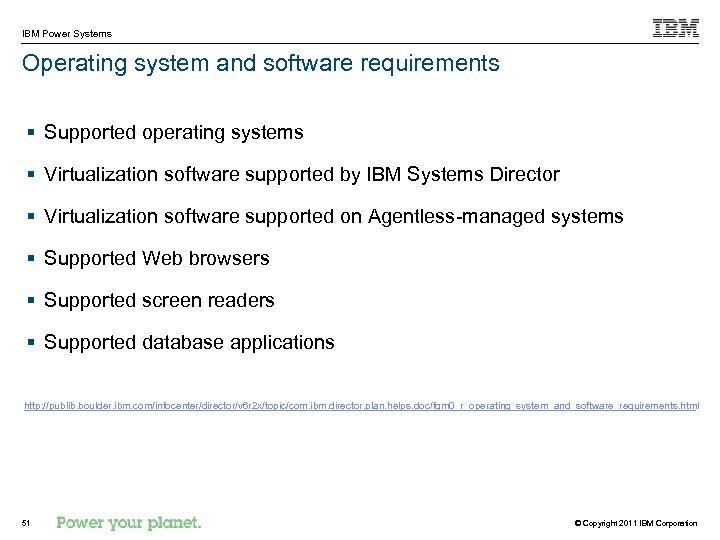
IBM Power Systems Operating system and software requirements § Supported operating systems § Virtualization software supported by IBM Systems Director § Virtualization software supported on Agentless-managed systems § Supported Web browsers § Supported screen readers § Supported database applications http: //publib. boulder. ibm. com/infocenter/director/v 6 r 2 x/topic/com. ibm. director. plan. helps. doc/fqm 0_r_operating_system_and_software_requirements. html 51 © Copyright 2011 IBM Corporation
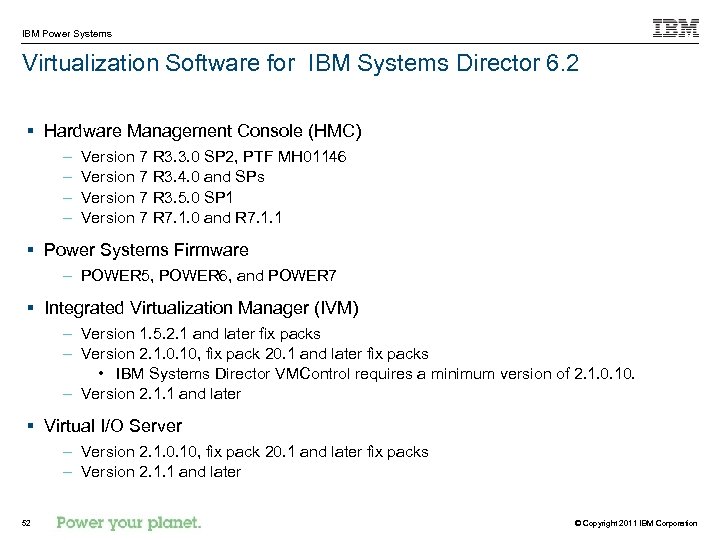
IBM Power Systems Virtualization Software for IBM Systems Director 6. 2 § Hardware Management Console (HMC) – – Version 7 R 3. 3. 0 SP 2, PTF MH 01146 Version 7 R 3. 4. 0 and SPs Version 7 R 3. 5. 0 SP 1 Version 7 R 7. 1. 0 and R 7. 1. 1 § Power Systems Firmware – POWER 5, POWER 6, and POWER 7 § Integrated Virtualization Manager (IVM) – Version 1. 5. 2. 1 and later fix packs – Version 2. 1. 0. 10, fix pack 20. 1 and later fix packs • IBM Systems Director VMControl requires a minimum version of 2. 1. 0. 10. – Version 2. 1. 1 and later § Virtual I/O Server – Version 2. 1. 0. 10, fix pack 20. 1 and later fix packs – Version 2. 1. 1 and later 52 © Copyright 2011 IBM Corporation
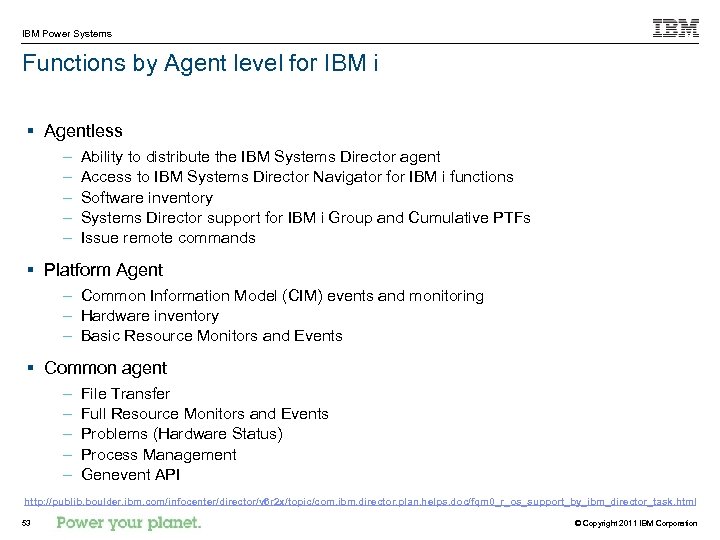
IBM Power Systems Functions by Agent level for IBM i § Agentless – – – Ability to distribute the IBM Systems Director agent Access to IBM Systems Director Navigator for IBM i functions Software inventory Systems Director support for IBM i Group and Cumulative PTFs Issue remote commands § Platform Agent – Common Information Model (CIM) events and monitoring – Hardware inventory – Basic Resource Monitors and Events § Common agent – – – File Transfer Full Resource Monitors and Events Problems (Hardware Status) Process Management Genevent API http: //publib. boulder. ibm. com/infocenter/director/v 6 r 2 x/topic/com. ibm. director. plan. helps. doc/fqm 0_r_os_support_by_ibm_director_task. html 53 © Copyright 2011 IBM Corporation
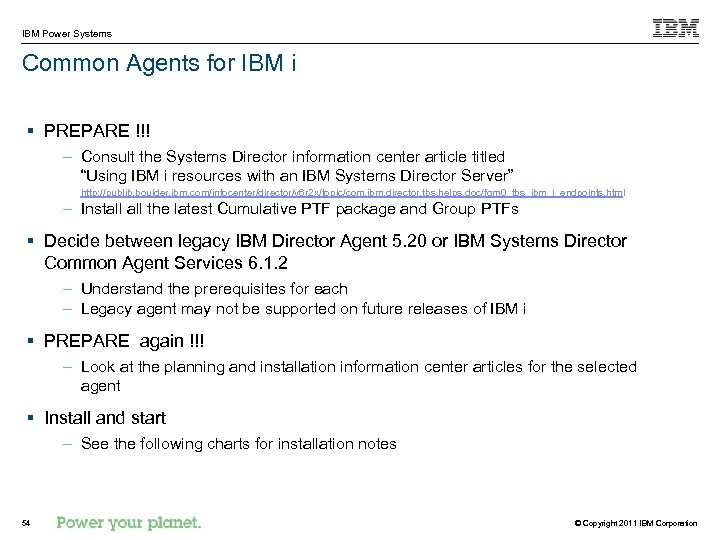
IBM Power Systems Common Agents for IBM i § PREPARE !!! – Consult the Systems Director information center article titled “Using IBM i resources with an IBM Systems Director Server” http: //publib. boulder. ibm. com/infocenter/director/v 6 r 2 x/topic/com. ibm. director. tbs. helps. doc/fqm 0_tbs_ibm_i_endpoints. html – Install the latest Cumulative PTF package and Group PTFs § Decide between legacy IBM Director Agent 5. 20 or IBM Systems Director Common Agent Services 6. 1. 2 – Understand the prerequisites for each – Legacy agent may not be supported on future releases of IBM i § PREPARE again !!! – Look at the planning and installation information center articles for the selected agent § Install and start – See the following charts for installation notes 54 © Copyright 2011 IBM Corporation
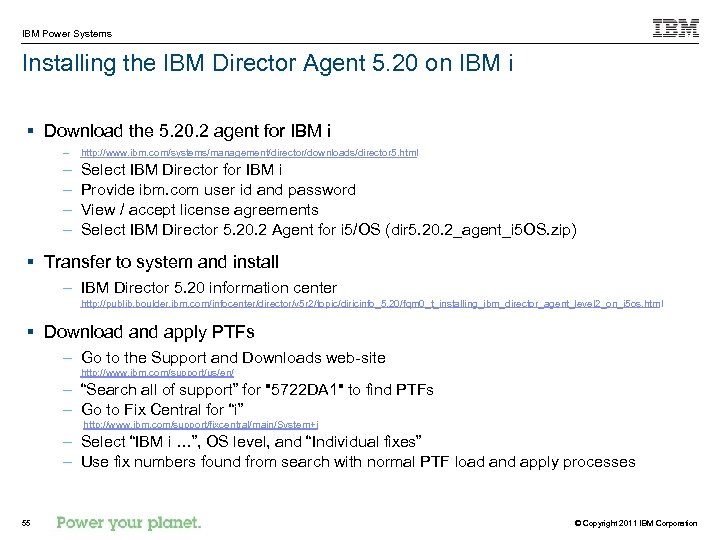
IBM Power Systems Installing the IBM Director Agent 5. 20 on IBM i § Download the 5. 20. 2 agent for IBM i – http: //www. ibm. com/systems/management/director/downloads/director 5. html – – Select IBM Director for IBM i Provide ibm. com user id and password View / accept license agreements Select IBM Director 5. 20. 2 Agent for i 5/OS (dir 5. 20. 2_agent_i 5 OS. zip) § Transfer to system and install – IBM Director 5. 20 information center http: //publib. boulder. ibm. com/infocenter/director/v 5 r 2/topic/diricinfo_5. 20/fqm 0_t_installing_ibm_director_agent_level 2_on_i 5 os. html § Download and apply PTFs – Go to the Support and Downloads web-site http: //www. ibm. com/support/us/en/ – “Search all of support” for "5722 DA 1" to find PTFs – Go to Fix Central for “i” http: //www. ibm. com/support/fixcentral/main/System+i – Select “IBM i …”, OS level, and “Individual fixes” – Use fix numbers found from search with normal PTF load and apply processes 55 © Copyright 2011 IBM Corporation
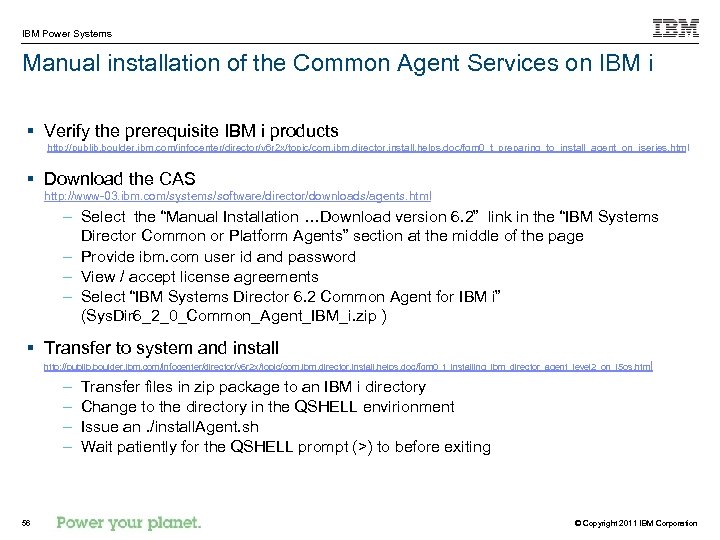
IBM Power Systems Manual installation of the Common Agent Services on IBM i § Verify the prerequisite IBM i products http: //publib. boulder. ibm. com/infocenter/director/v 6 r 2 x/topic/com. ibm. director. install. helps. doc/fqm 0_t_preparing_to_install_agent_on_iseries. html § Download the CAS http: //www-03. ibm. com/systems/software/director/downloads/agents. html – Select the “Manual Installation …Download version 6. 2” link in the “IBM Systems Director Common or Platform Agents” section at the middle of the page – Provide ibm. com user id and password – View / accept license agreements – Select “IBM Systems Director 6. 2 Common Agent for IBM i” (Sys. Dir 6_2_0_Common_Agent_IBM_i. zip ) § Transfer to system and install http: //publib. boulder. ibm. com/infocenter/director/v 6 r 2 x/topic/com. ibm. director. install. helps. doc/fqm 0_t_installing_ibm_director_agent_level 2_on_i 5 os. html – – 56 Transfer files in zip package to an IBM i directory Change to the directory in the QSHELL envirionment Issue an. /install. Agent. sh Wait patiently for the QSHELL prompt (>) to before exiting © Copyright 2011 IBM Corporation
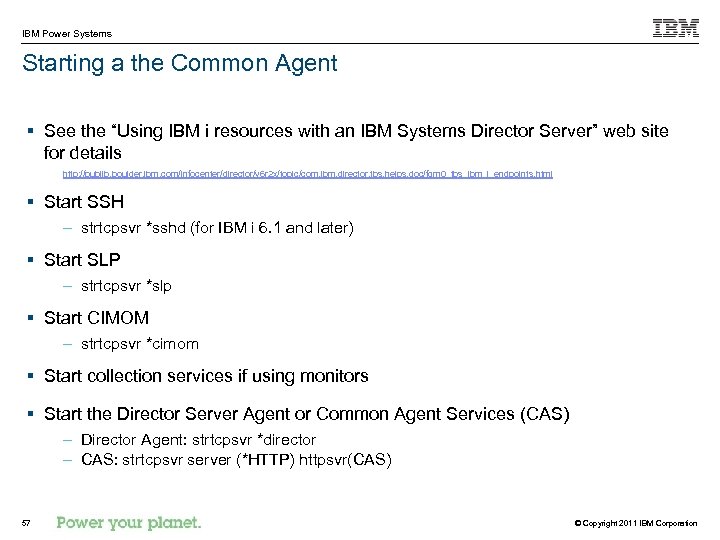
IBM Power Systems Starting a the Common Agent § See the “Using IBM i resources with an IBM Systems Director Server” web site for details http: //publib. boulder. ibm. com/infocenter/director/v 6 r 2 x/topic/com. ibm. director. tbs. helps. doc/fqm 0_tbs_ibm_i_endpoints. html § Start SSH – strtcpsvr *sshd (for IBM i 6. 1 and later) § Start SLP – strtcpsvr *slp § Start CIMOM – strtcpsvr *cimom § Start collection services if using monitors § Start the Director Server Agent or Common Agent Services (CAS) – Director Agent: strtcpsvr *director – CAS: strtcpsvr server (*HTTP) httpsvr(CAS) 57 © Copyright 2011 IBM Corporation
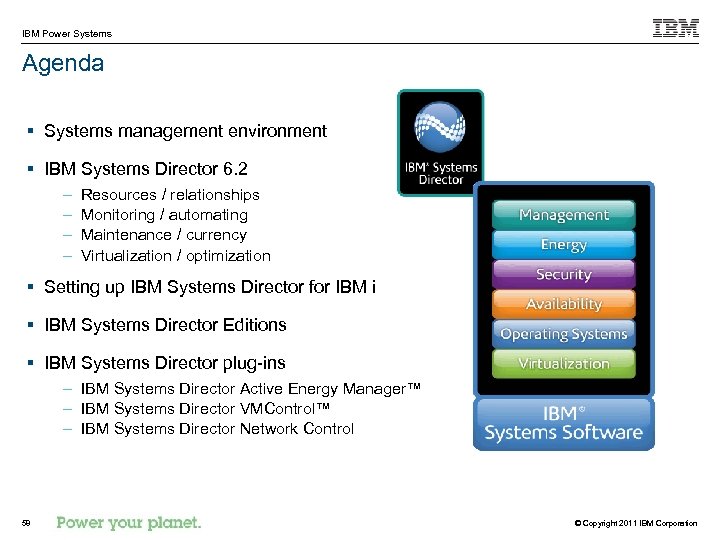
IBM Power Systems Agenda § Systems management environment § IBM Systems Director 6. 2 – – Resources / relationships Monitoring / automating Maintenance / currency Virtualization / optimization § Setting up IBM Systems Director for IBM i § IBM Systems Director Editions § IBM Systems Director plug-ins – IBM Systems Director Active Energy Manager™ – IBM Systems Director VMControl™ – IBM Systems Director Network Control 58 © Copyright 2011 IBM Corporation
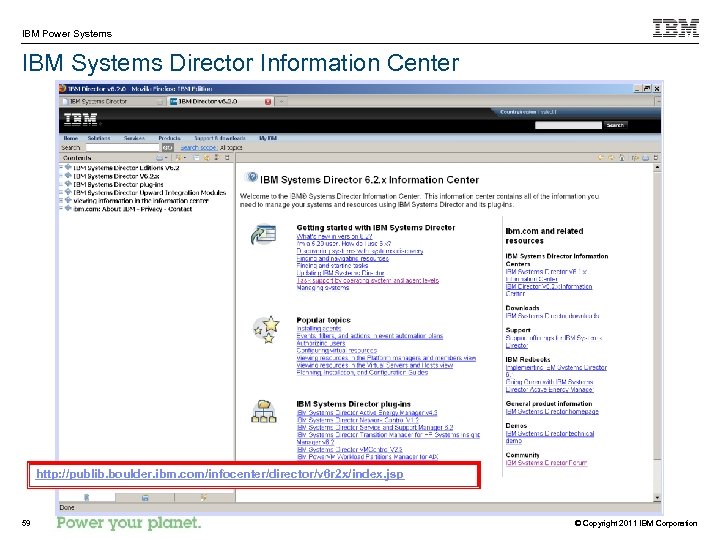
IBM Power Systems IBM Systems Director Information Center http: //publib. boulder. ibm. com/infocenter/director/v 6 r 2 x/index. jsp 59 © Copyright 2011 IBM Corporation
IBM Power Systems Reference Charts § IBM i Resource Monitors details § Creating a Resource Monitors 60 © Copyright 2011 IBM Corporation
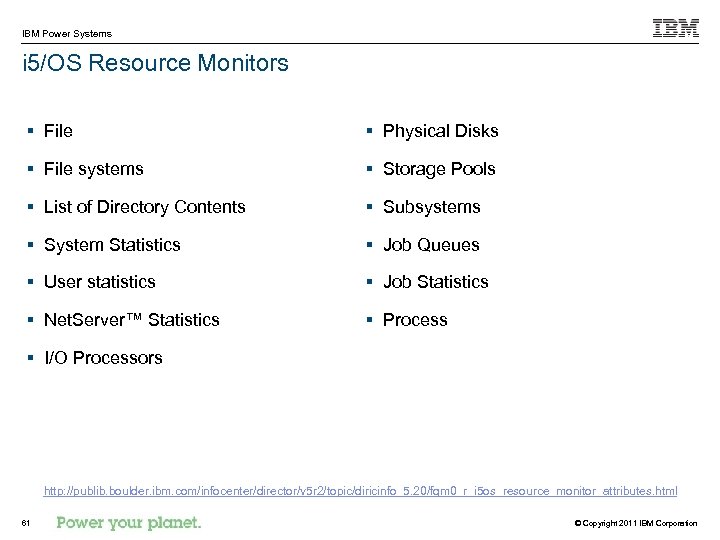
IBM Power Systems i 5/OS Resource Monitors § File § Physical Disks § File systems § Storage Pools § List of Directory Contents § Subsystems § System Statistics § Job Queues § User statistics § Job Statistics § Net. Server™ Statistics § Process § I/O Processors http: //publib. boulder. ibm. com/infocenter/director/v 5 r 2/topic/diricinfo_5. 20/fqm 0_r_i 5 os_resource_monitor_attributes. html 61 © Copyright 2011 IBM Corporation
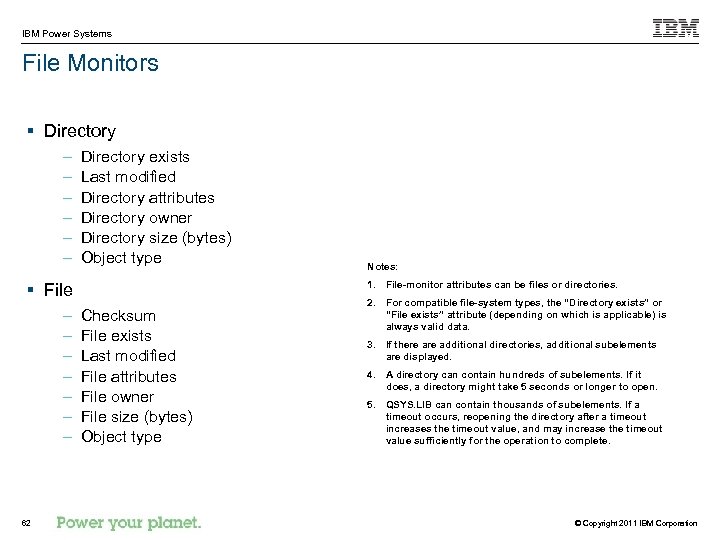
IBM Power Systems File Monitors § Directory – – – Directory exists Last modified Directory attributes Directory owner Directory size (bytes) Object type 1. File-monitor attributes can be files or directories. § File – – – – 62 Notes: Checksum File exists Last modified File attributes File owner File size (bytes) Object type 2. For compatible file-system types, the “Directory exists” or “File exists” attribute (depending on which is applicable) is always valid data. 3. If there additional directories, additional subelements are displayed. 4. A directory can contain hundreds of subelements. If it does, a directory might take 5 seconds or longer to open. 5. QSYS. LIB can contain thousands of subelements. If a timeout occurs, reopening the directory after a timeout increases the timeout value, and may increase the timeout value sufficiently for the operation to complete. © Copyright 2011 IBM Corporation
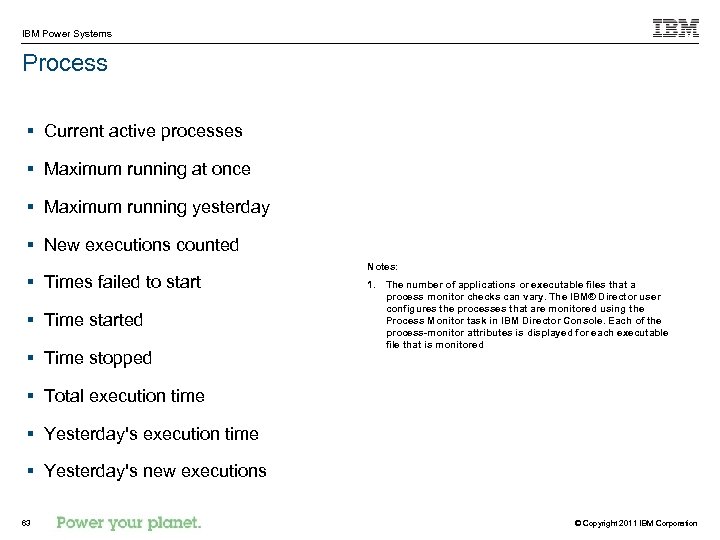
IBM Power Systems Process § Current active processes § Maximum running at once § Maximum running yesterday § New executions counted Notes: § Times failed to start § Time started § Time stopped 1. The number of applications or executable files that a process monitor checks can vary. The IBM® Director user configures the processes that are monitored using the Process Monitor task in IBM Director Console. Each of the process-monitor attributes is displayed for each executable file that is monitored § Total execution time § Yesterday's new executions 63 © Copyright 2011 IBM Corporation
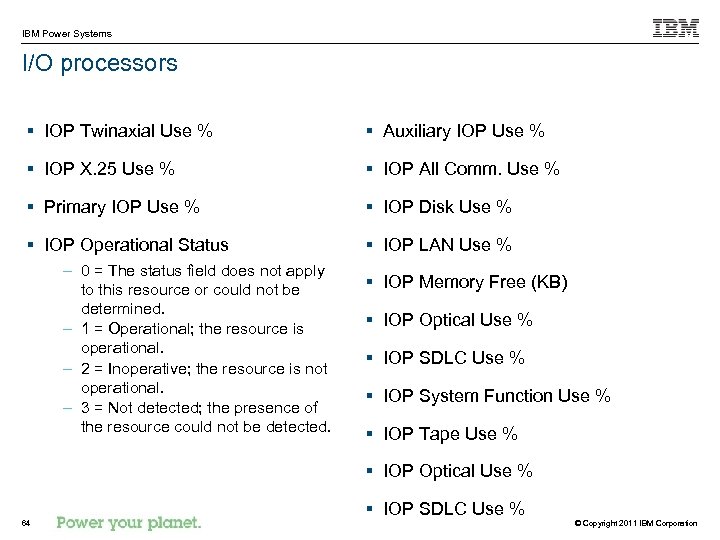
IBM Power Systems I/O processors § IOP Twinaxial Use % § Auxiliary IOP Use % § IOP X. 25 Use % § IOP All Comm. Use % § Primary IOP Use % § IOP Disk Use % § IOP Operational Status § IOP LAN Use % – 0 = The status field does not apply to this resource or could not be determined. – 1 = Operational; the resource is operational. – 2 = Inoperative; the resource is not operational. – 3 = Not detected; the presence of the resource could not be detected. § IOP Memory Free (KB) § IOP Optical Use % § IOP SDLC Use % § IOP System Function Use % § IOP Tape Use % § IOP Optical Use % 64 § IOP SDLC Use % © Copyright 2011 IBM Corporation
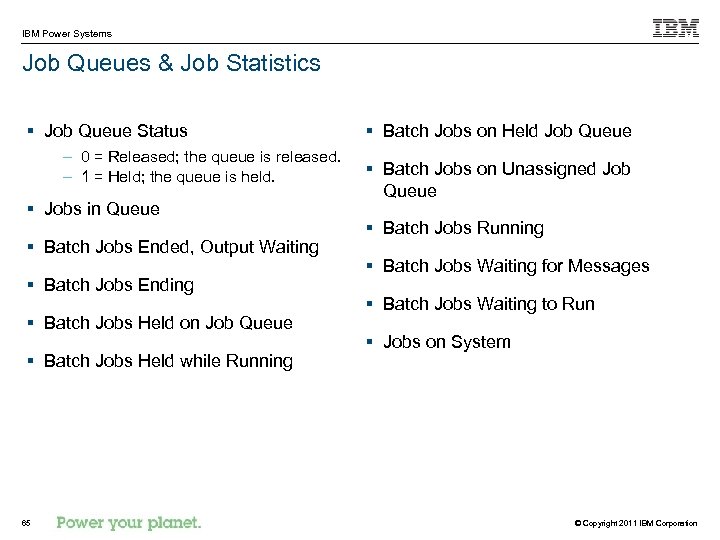
IBM Power Systems Job Queues & Job Statistics § Job Queue Status – 0 = Released; the queue is released. – 1 = Held; the queue is held. § Jobs in Queue § Batch Jobs Ended, Output Waiting § Batch Jobs Ending § Batch Jobs Held on Job Queue § Batch Jobs Held while Running 65 § Batch Jobs on Held Job Queue § Batch Jobs on Unassigned Job Queue § Batch Jobs Running § Batch Jobs Waiting for Messages § Batch Jobs Waiting to Run § Jobs on System © Copyright 2011 IBM Corporation
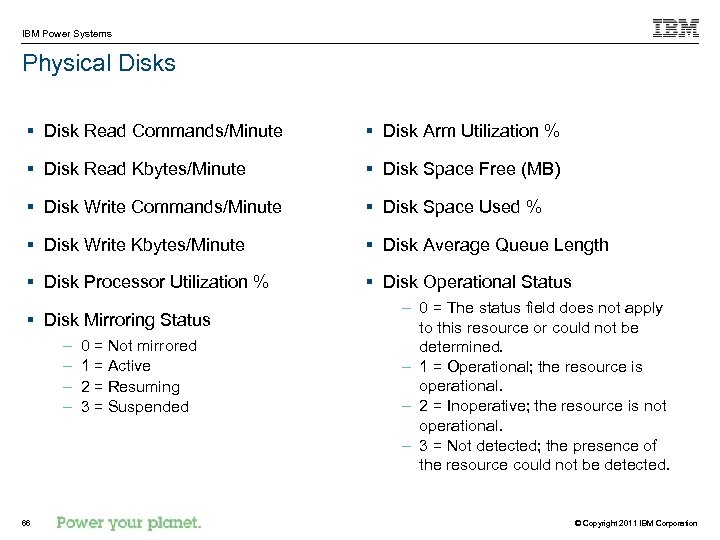
IBM Power Systems Physical Disks § Disk Read Commands/Minute § Disk Arm Utilization % § Disk Read Kbytes/Minute § Disk Space Free (MB) § Disk Write Commands/Minute § Disk Space Used % § Disk Write Kbytes/Minute § Disk Average Queue Length § Disk Processor Utilization % § Disk Operational Status § Disk Mirroring Status – – 66 0 = Not mirrored 1 = Active 2 = Resuming 3 = Suspended – 0 = The status field does not apply to this resource or could not be determined. – 1 = Operational; the resource is operational. – 2 = Inoperative; the resource is not operational. – 3 = Not detected; the presence of the resource could not be detected. © Copyright 2011 IBM Corporation
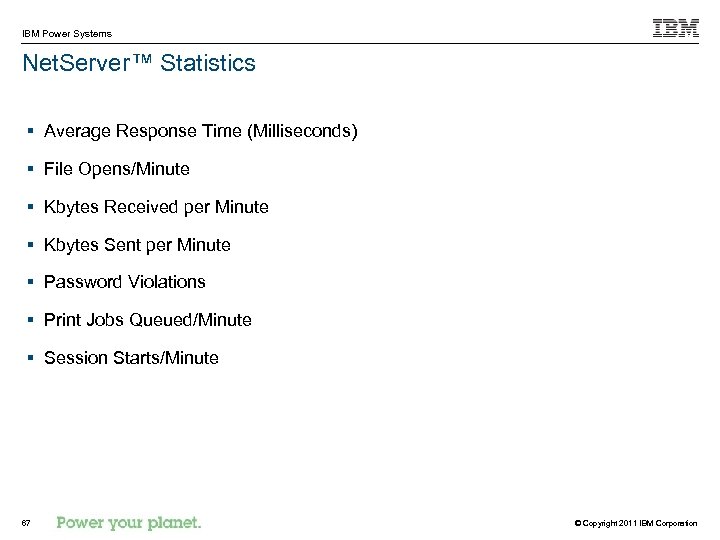
IBM Power Systems Net. Server™ Statistics § Average Response Time (Milliseconds) § File Opens/Minute § Kbytes Received per Minute § Kbytes Sent per Minute § Password Violations § Print Jobs Queued/Minute § Session Starts/Minute 67 © Copyright 2011 IBM Corporation
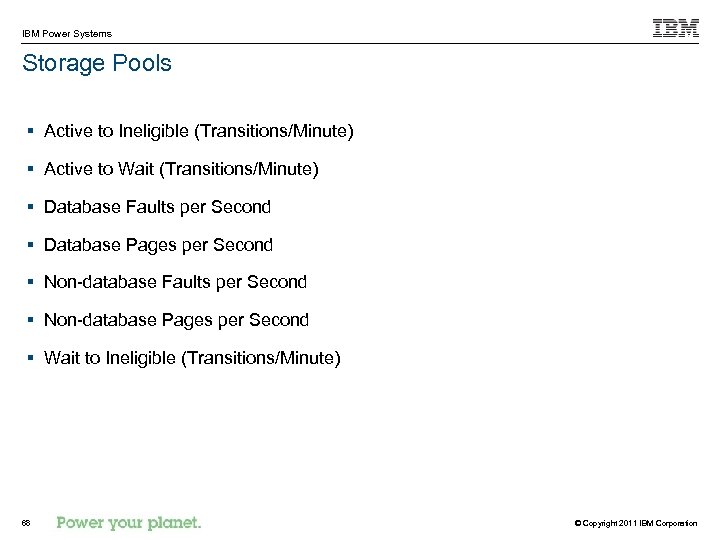
IBM Power Systems Storage Pools § Active to Ineligible (Transitions/Minute) § Active to Wait (Transitions/Minute) § Database Faults per Second § Database Pages per Second § Non-database Faults per Second § Non-database Pages per Second § Wait to Ineligible (Transitions/Minute) 68 © Copyright 2011 IBM Corporation
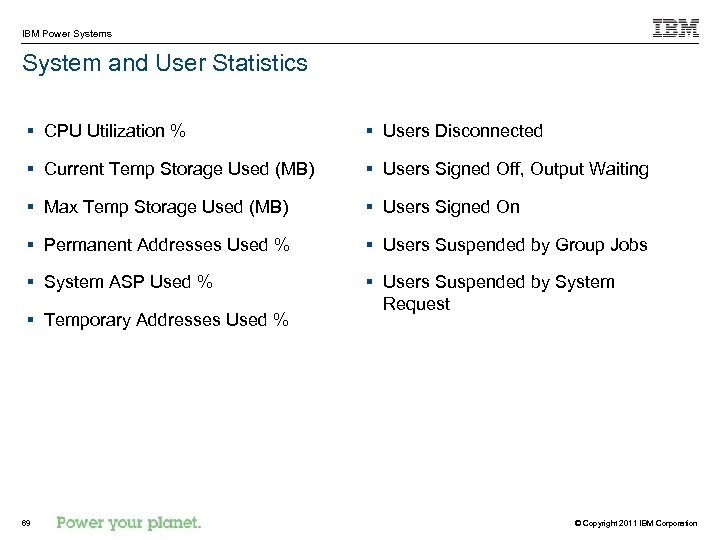
IBM Power Systems System and User Statistics § CPU Utilization % § Users Disconnected § Current Temp Storage Used (MB) § Users Signed Off, Output Waiting § Max Temp Storage Used (MB) § Users Signed On § Permanent Addresses Used % § Users Suspended by Group Jobs § System ASP Used % § Users Suspended by System Request § Temporary Addresses Used % 69 © Copyright 2011 IBM Corporation
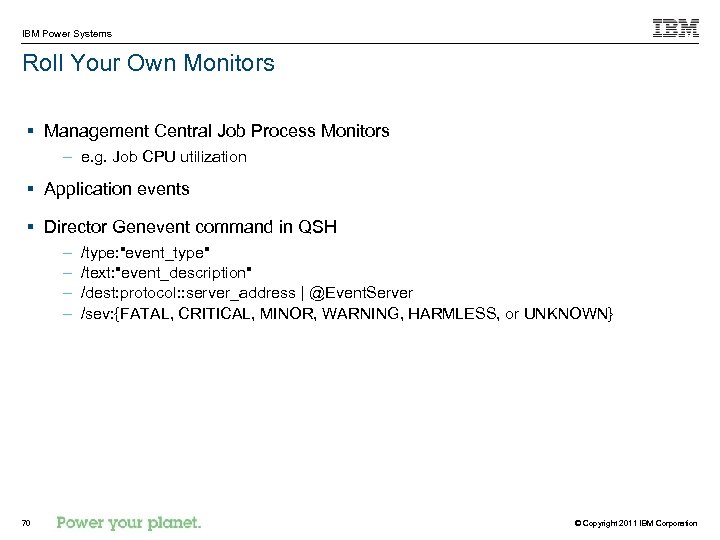
IBM Power Systems Roll Your Own Monitors § Management Central Job Process Monitors – e. g. Job CPU utilization § Application events § Director Genevent command in QSH – – 70 /type: "event_type" /text: "event_description" /dest: protocol: : server_address | @Event. Server /sev: {FATAL, CRITICAL, MINOR, WARNING, HARMLESS, or UNKNOWN} © Copyright 2011 IBM Corporation
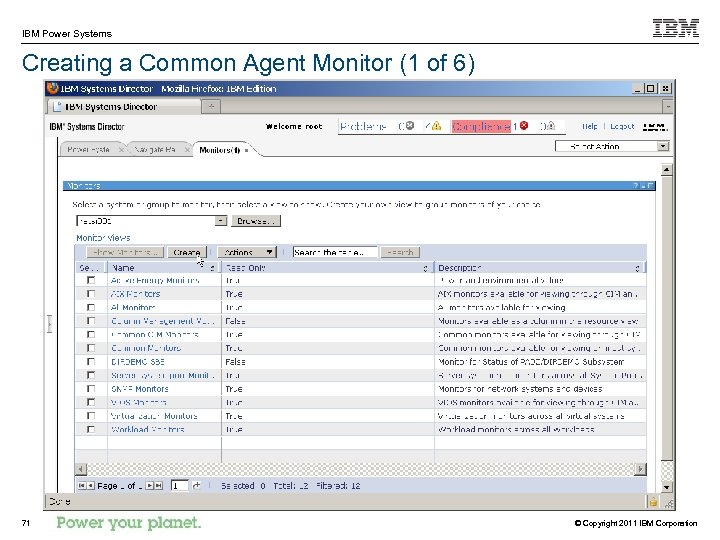
IBM Power Systems Creating a Common Agent Monitor (1 of 6) 71 © Copyright 2011 IBM Corporation
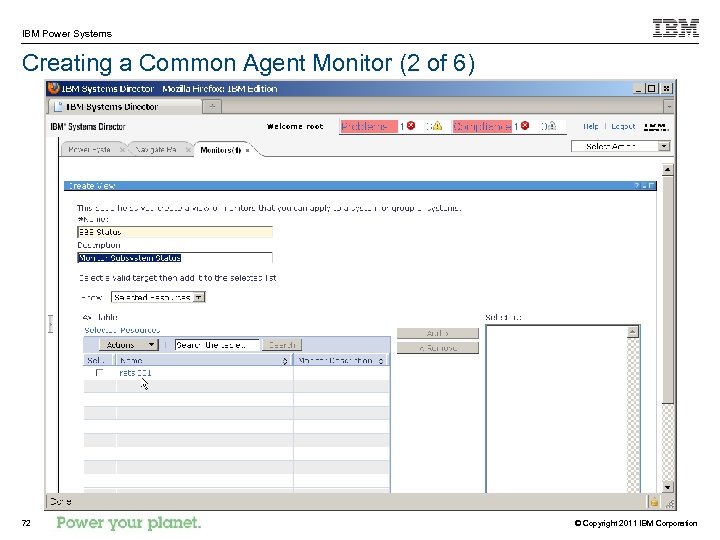
IBM Power Systems Creating a Common Agent Monitor (2 of 6) 72 © Copyright 2011 IBM Corporation
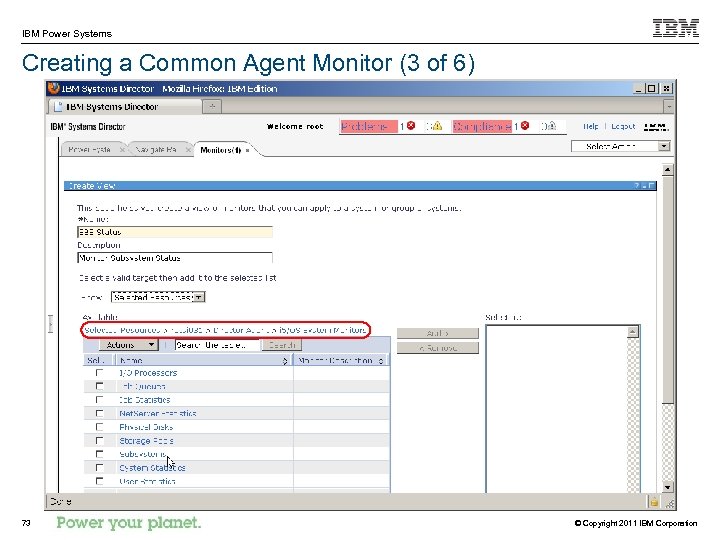
IBM Power Systems Creating a Common Agent Monitor (3 of 6) 73 © Copyright 2011 IBM Corporation
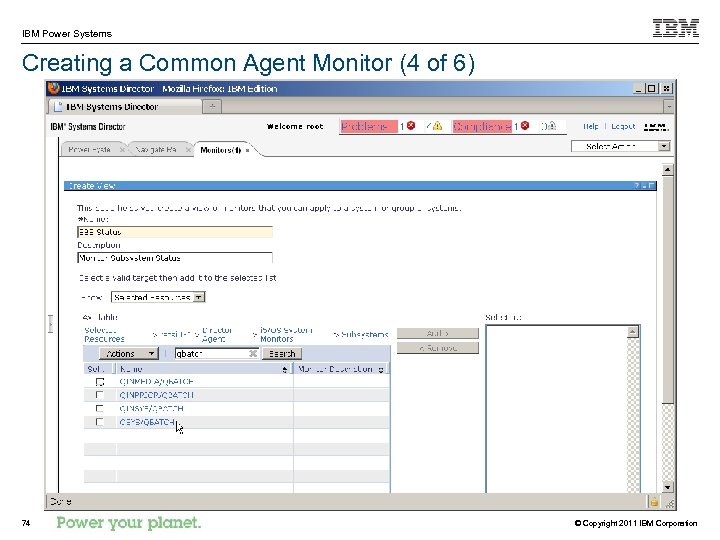
IBM Power Systems Creating a Common Agent Monitor (4 of 6) 74 © Copyright 2011 IBM Corporation
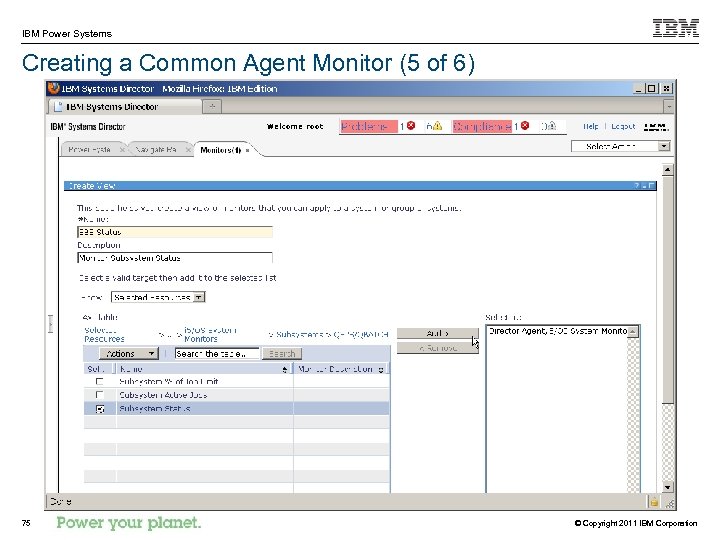
IBM Power Systems Creating a Common Agent Monitor (5 of 6) 75 © Copyright 2011 IBM Corporation
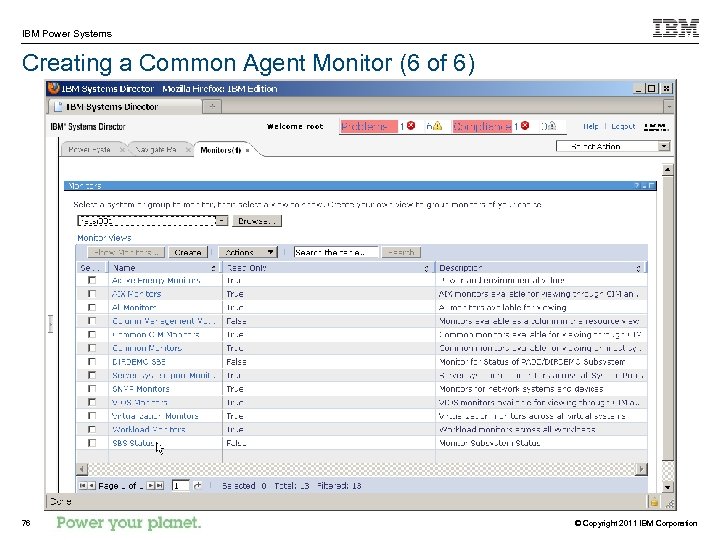
IBM Power Systems Creating a Common Agent Monitor (6 of 6) 76 © Copyright 2011 IBM Corporation
IBM Power Systems Trademarks The following are trademarks of the International Business Machines Corporation in the United States, other countries, or both. AIX®, IBM®, i. Series®, Blade. Center® , DS 4000®, Energy. Scale, IBM® Systems Director Active Energy Manager, i 5/OS®, Netcool®, Power®, POWER 5™, POWER 6™, POWER 7™, Power Systems Software, System x®, Tivoli®, z. Series®, and z/VM® Not all common law marks used by IBM are listed on this page. Failure of a mark to appear does not mean that IBM does not use the mark nor does it mean that the product is not actively marketed or is not significant within its relevant market. Those trademarks followed by ® are registered trademarks of IBM in the United States; all others are trademarks or common law marks of IBM in the United States. For a complete list of IBM Trademarks, see www. ibm. com/legal/copytrade. shtml: The following are trademarks or registered trademarks of other companies. Adobe, the Adobe logo, Post. Script, and the Post. Script logo are either registered trademarks or trademarks of Adobe Systems Incorporated in the United States, and/or other countries. Cell Broadband Engine is a trademark of Sony Computer Entertainment, Inc. in the United States, other countries, or both and is used under license therefrom. Java and all Java-based trademarks are trademarks of Sun Microsystems, Inc. in the United States, other countries, or both. Microsoft, Windows NT, and the Windows logo are trademarks of Microsoft Corporation in the United States, other countries, or both. Intel, Intel logo, Intel Inside logo, Intel Centrino logo, Celeron, Intel Xeon, Intel Speed. Step, Itanium, and Pentium are trademarks or registered trademarks of Intel Corporation or its subsidiaries in the United States and other countries. UNIX is a registered trademark of The Open Group in the United States and other countries. Linux is a registered trademark of Linus Torvalds in the United States, other countries, or both. ITIL is a registered trademark, and a registered community trademark of the Office of Government Commerce, and is registered in the U. S. Patent and Trademark Office. IT Infrastructure Library is a registered trademark of the Central Computer and Telecommunications Agency, which is now part of the Office of Government Commerce. * All other products may be trademarks or registered trademarks of their respective companies. Notes: Performance is in Internal Throughput Rate (ITR) ratio based on measurements and projections using standard IBM benchmarks in a controlled environment. The actual throughput that any user will experience will vary depending upon considerations such as the amount of multiprogramming in the user's job stream, the I/O configuration, the storage configuration, and the workload processed. Therefore, no assurance can be given that an individual user will achieve throughput improvements equivalent to the performance ratios stated here. IBM hardware products are manufactured from new parts, or new and serviceable used parts. Regardless, our warranty terms apply. All customer examples cited or described in this presentation are presented as illustrations of the manner in which some customers have used IBM products and the results they may have achieved. Actual environmental costs and performance characteristics will vary depending on individual customer configurations and conditions. This publication was produced in the United States. IBM may not offer the products, services or features discussed in this document in other countries, and the information may be subject to change without notice. Consult your local IBM business contact for information on the product or services available in your area. All statements regarding IBM's future direction and intent are subject to change or withdrawal without notice, and represent goals and objectives only. Information about non-IBM products is obtained from the manufacturers of those products or their published announcements. IBM has not tested those products and cannot confirm the performance, compatibility, or any other claims related to non-IBM products. Questions on the capabilities of non-IBM products should be addressed to the suppliers of those products. Prices subject to change without notice. Contact your IBM representative or Business Partner for the most current pricing in your geography. 77 © Copyright 2011 IBM Corporation
Скачать презентацию IBM Systems Director 6 2 for the IBM
dd04b2b2973287aeea13b0d89880e64b.ppt