 Скачать презентацию IBM System i Session Introduction to Web Sphere
601da22e483cc270d592d75c72cd357a.ppt
- Количество слайдов: 84



IBM System i™ Session: Introduction to Web. Sphere MQSeries 2007 Common Annual Conference 404359/36 CA Presented by Cyril Stewart: Written by Karen Stanley: - i want stress-free IT. i want control. i want an i. IBM Web. Sphere MQ Scenarios IBM Web. Sphere MQ Support (RTP)
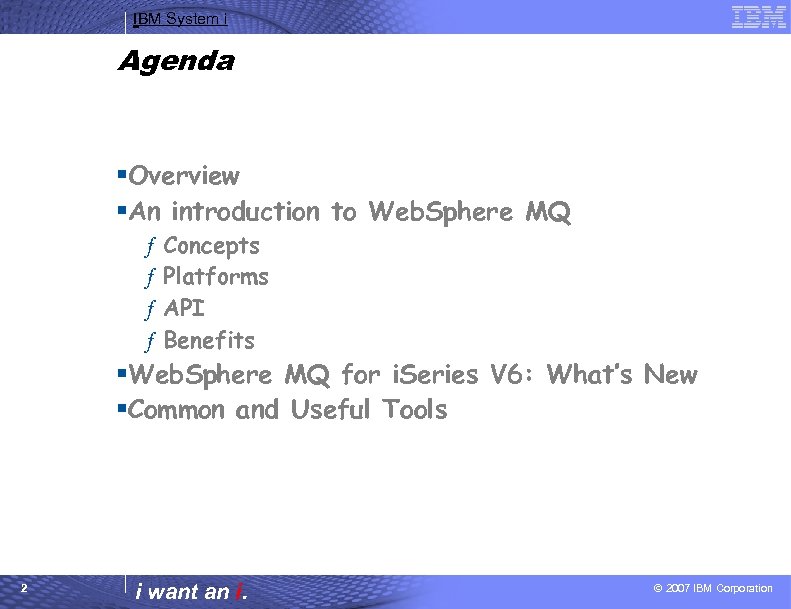
IBM System i Agenda §Overview §An introduction to Web. Sphere MQ ƒ ƒ Concepts Platforms API Benefits §Web. Sphere MQ for i. Series V 6: What’s New §Common and Useful Tools 2 i want an i. © 2007 IBM Corporation
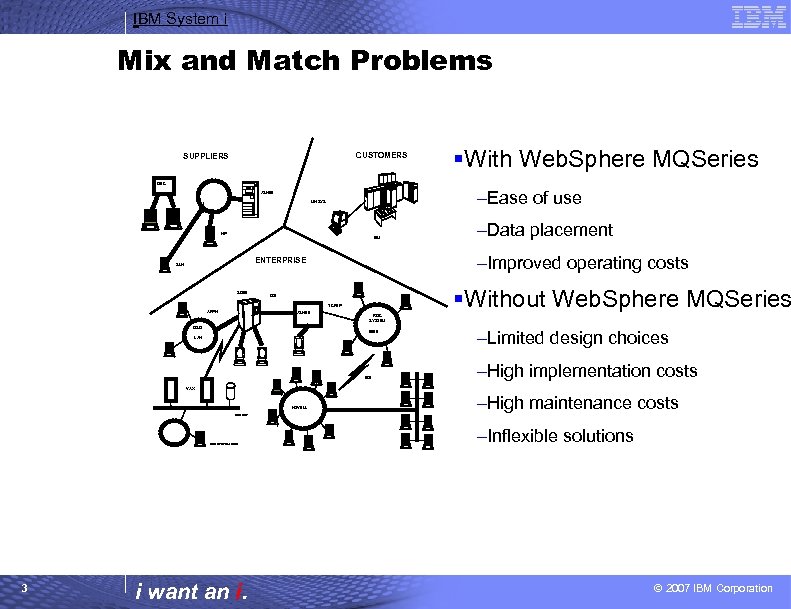
IBM System i Mix and Match Problems CUSTOMERS SUPPLIERS §With Web. Sphere MQSeries DEC –Ease of use AS/400 UNISYS HP IBM –Improved operating costs ENTERPRISE SUN S/390 §Without Web. Sphere MQSeries OSI TCP/IP APPN AS/400 –Data placement RISC SYSTEM OS/2 6000 LAN EDI –Limited design choices –High implementation costs VAX NOVELL DECNET RISC SYSTEM 6000 3 i want an i. –High maintenance costs –Inflexible solutions © 2007 IBM Corporation
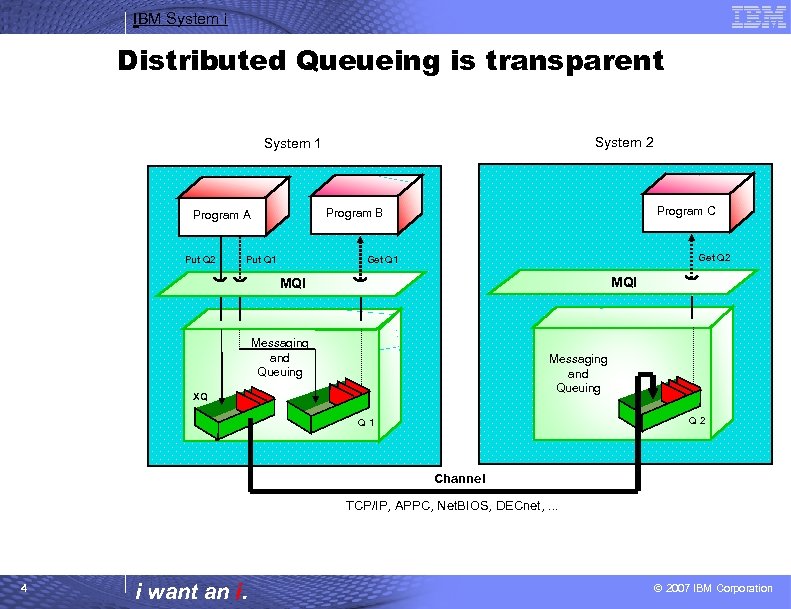
IBM System i Distributed Queueing is transparent System 2 System 1 Put Q 2 Program C Program B Program A Put Q 1 Get Q 2 Get Q 1 MQI Messaging and Queuing XQ Q 2 Q 1 Channel TCP/IP, APPC, Net. BIOS, DECnet, . . . 4 i want an i. © 2007 IBM Corporation
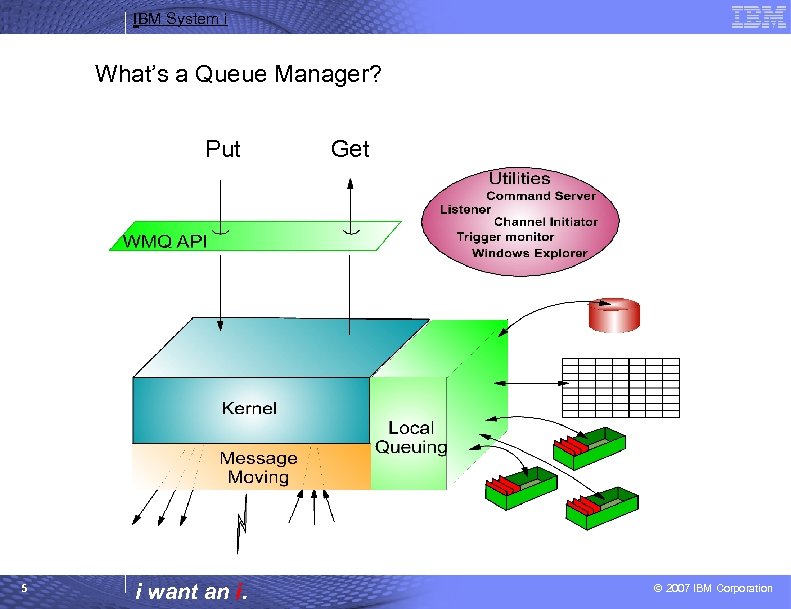
IBM System i What’s a Queue Manager? Put 5 i want an i. Get © 2007 IBM Corporation
IBM System i What’s a Queue Manager • A queue manager may - generally - be thought of as 3 components: • The Kernel is the part of the queue manager that understands how to implement the WMQ APIs. Given that the APIs are common across the queue manager family, it stands to reason that the Kernel is mostly common code across the set of queue managers. (The primary exception to this is the OS/390 queue manager where the same functions are implemented differently to support the same APIs). • The Local queuing component is the part of the queue manager responsible for interacting with the local operating system. It manages memory, the file system and any operating system primitives such as timers, signals, etc. This component insulates the Kernel from any considerations of how the underlying operating system provides services and so enables the Kernel to be operating system independent. • The Message Moving component is responsible for interacting with other queue managers and with MQI clients. For environments where all of the message queuing activity is local to a system then this component is unused - though this is a very rare case. The message moving functions are provided by specialized MQ applications, called Message Channel Agents. 6 i want an i. © 2007 IBM Corporation
IBM System i What’s a Queue? • Place to hold messages • Message Access – FIFO – Priority – Destructive and nondestructive access • Queue creation – Predefined – Dynamic definition • Parallel access by applications – Managed by the queue manager 7 i want an i. © 2007 IBM Corporation
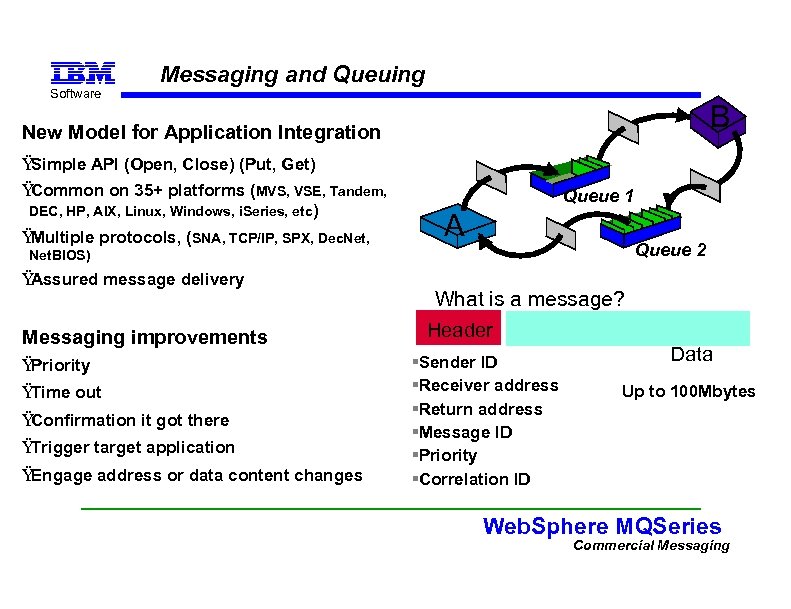
Software Messaging and Queuing B New Model for Application Integration Ÿ Simple API (Open, Close) (Put, Get) Ÿ Common on 35+ platforms (MVS, VSE, Tandem, DEC, HP, AIX, Linux, Windows, i. Series, etc) Ÿ Multiple protocols, (SNA, TCP/IP, SPX, Dec. Net, Queue 1 A Queue 2 Net. BIOS) Ÿ Assured message delivery Messaging improvements Ÿ Priority Ÿ Time out Ÿ Confirmation it got there Ÿ Trigger target application Ÿ Engage address or data content changes What is a message? Header §Sender ID §Receiver address §Return address §Message ID §Priority §Correlation ID Data Up to 100 Mbytes Web. Sphere MQSeries Commercial Messaging 8
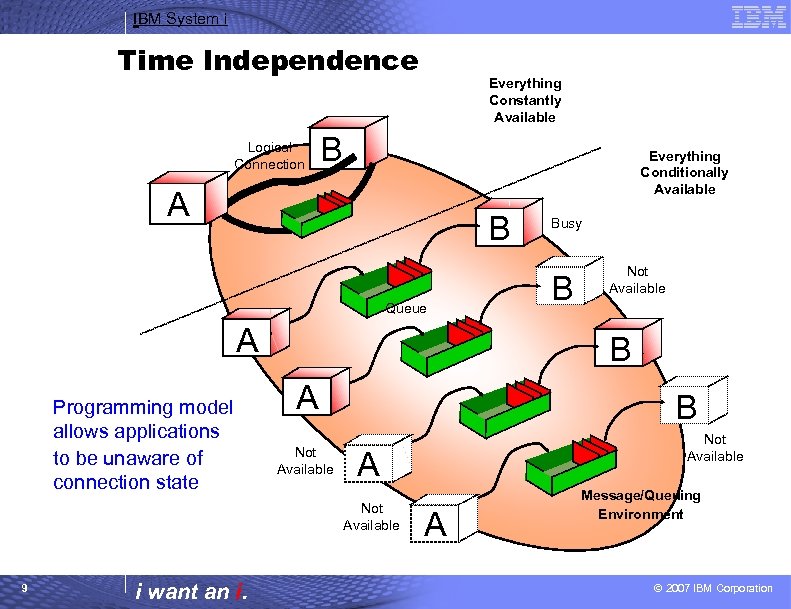
IBM System i Time Independence Logical Connection Everything Constantly Available B Everything Conditionally Available A B Queue A Programming model allows applications to be unaware of connection state i want an i. B Not Available B A Not Available B Not Available A Not Available 9 Busy A Message/Queuing Environment © 2007 IBM Corporation
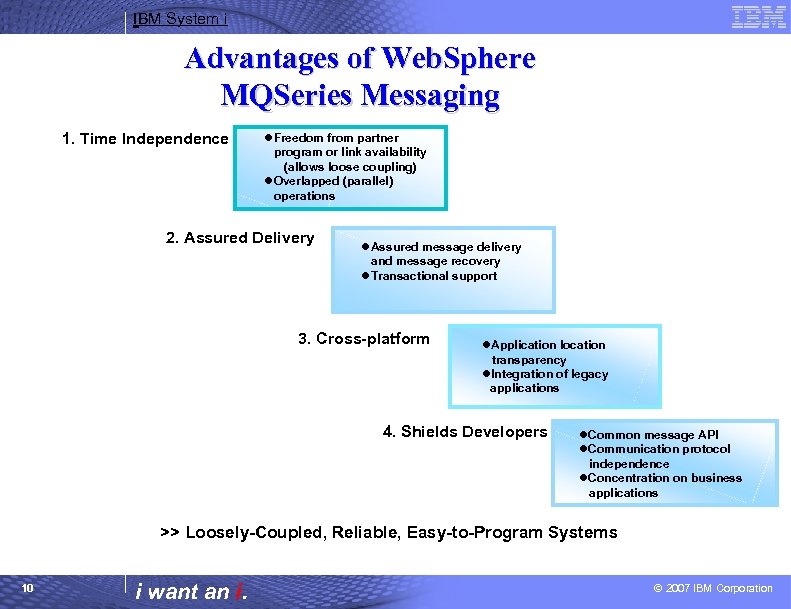
IBM System i Advantages of Web. Sphere MQSeries Messaging 1. Time Independence l. Freedom from partner program or link availability (allows loose coupling) l. Overlapped (parallel) operations 2. Assured Delivery l. Assured message delivery and message recovery l. Transactional support 3. Cross-platform l. Application location transparency l. Integration of legacy applications 4. Shields Developers l. Common message API l. Communication protocol independence l. Concentration on business applications >> Loosely-Coupled, Reliable, Easy-to-Program Systems 10 i want an i. © 2007 IBM Corporation
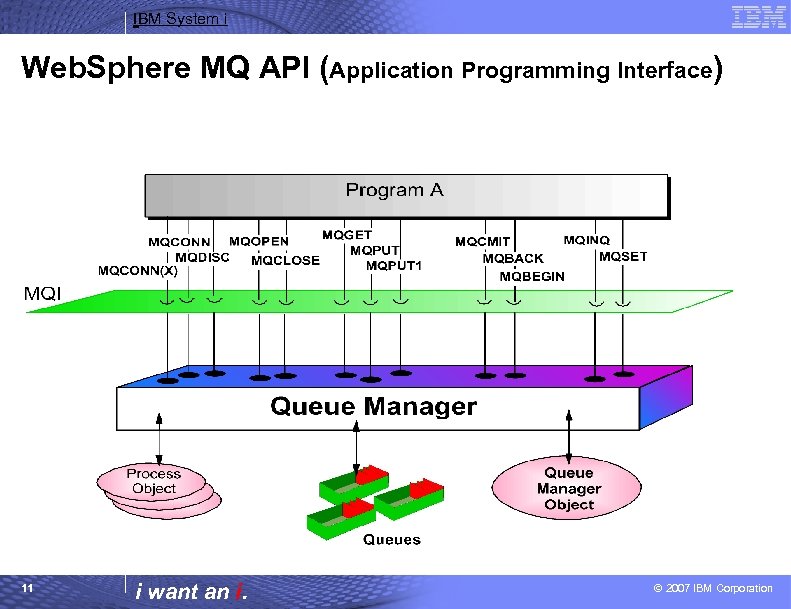
IBM System i Web. Sphere MQ API (Application Programming Interface) 11 i want an i. © 2007 IBM Corporation
IBM System i Web. Sphere MQ API (Application Programming Interface) There are 13 verbs in the WMQ API, four of which are most heavily used and the rest have less frequent use. The most common verbs will be MQOPEN, MQCLOSE, MQPUT and MQGET which are concerned with processing of messages on queues. The other verbs have important uses but will not be used as commonly as these four. There are many, many options associated with these verbs - approximately 250! However, in general, most of these options may be left to take their default values - and MQ provides a set of default structures to allow for easy assignment of these default values. The MQ API has both a procedural implementation and an object oriented implementation. This allows for straightforward usage in both of these programming environments. All of the popular languages and programming environments are supported: • • • Assembler (MVS/ESA) C, C++, COBOL, PL/1 RPG (OS/400/ i. Series) TAL (Compaq NSK) Java, JMS Lotus. Script Small. Talk Visual Basic COM Plus application environments, e. g. • Powerbuilder • CICS, IMS • Encina, Tuxedo, TXSeries, Web. Sphere, MTS, . . . 12 i want an i. © 2007 IBM Corporation
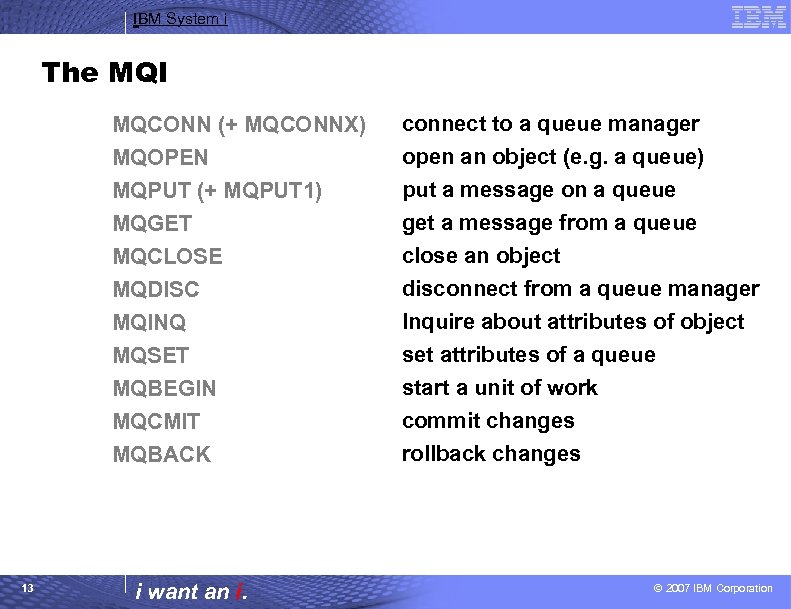
IBM System i The MQI MQCONN (+ MQCONNX) MQOPEN MQPUT (+ MQPUT 1) MQGET MQCLOSE MQDISC MQINQ MQSET MQBEGIN MQCMIT MQBACK 13 connect to a queue manager open an object (e. g. a queue) put a message on a queue get a message from a queue close an object disconnect from a queue manager Inquire about attributes of object set attributes of a queue start a unit of work commit changes rollback changes i want an i. © 2007 IBM Corporation
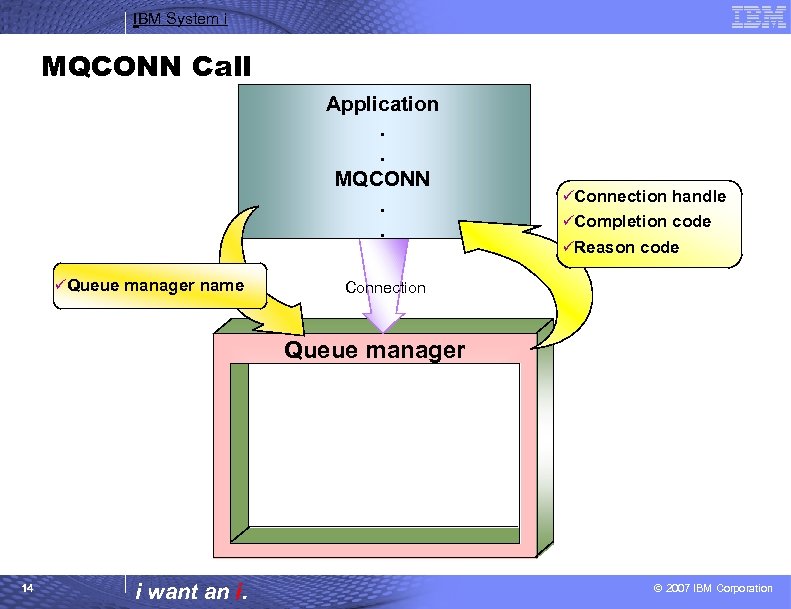
IBM System i MQCONN Call Application. . MQCONN. . üQueue manager name üConnection handle üCompletion code üReason code Connection Queue manager 14 i want an i. © 2007 IBM Corporation
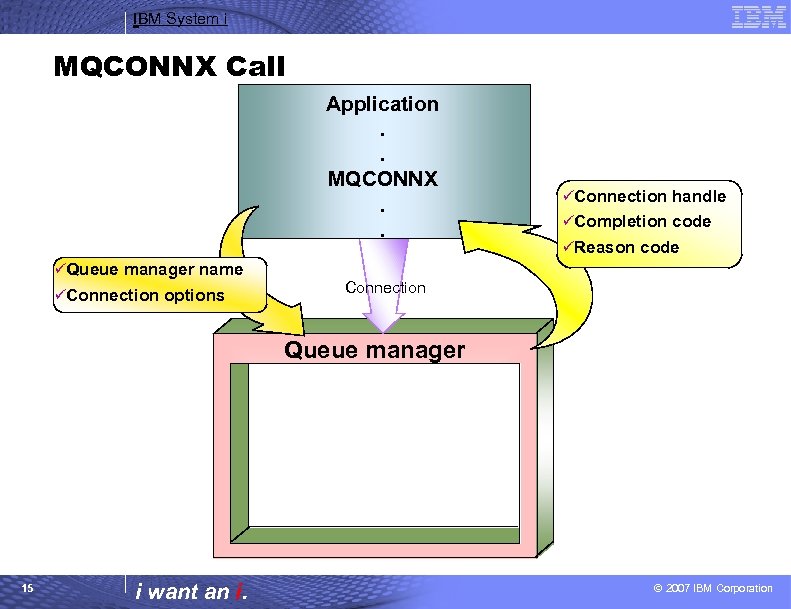
IBM System i MQCONNX Call Application. . MQCONNX. . üQueue manager name üConnection options üConnection handle üCompletion code üReason code Connection Queue manager 15 i want an i. © 2007 IBM Corporation
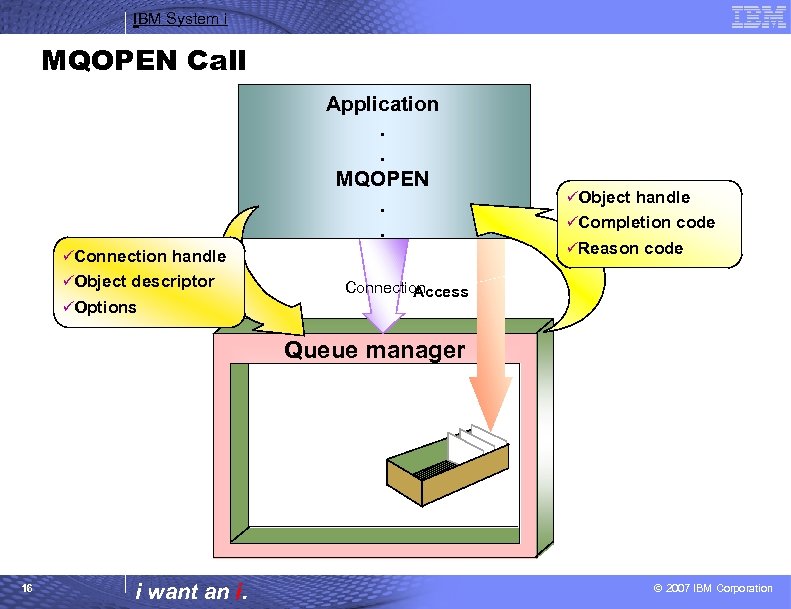
IBM System i MQOPEN Call Application. . MQOPEN. . üConnection handle üObject descriptor üOptions üObject handle üCompletion code üReason code Connection Access Queue manager 16 i want an i. © 2007 IBM Corporation
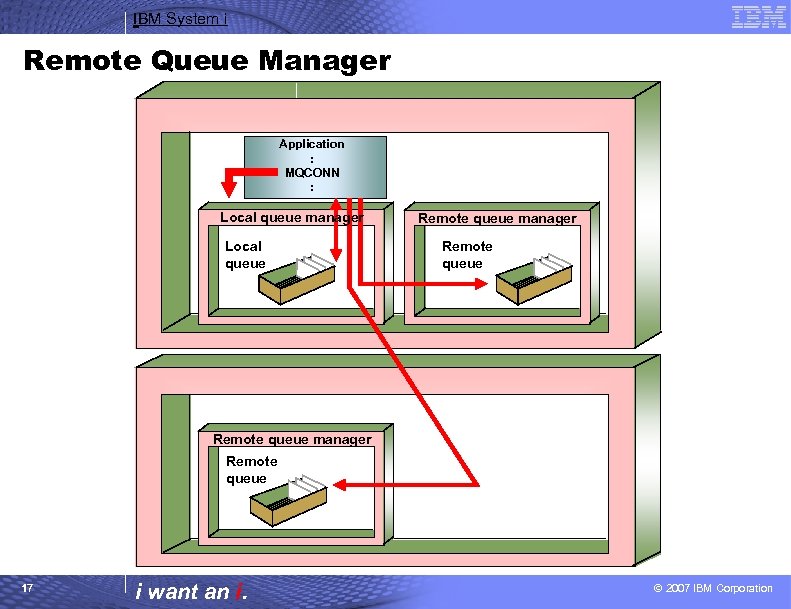
IBM System i Remote Queue Manager Application : MQCONN : Local queue manager Local queue Remote queue manager Remote queue 17 i want an i. © 2007 IBM Corporation
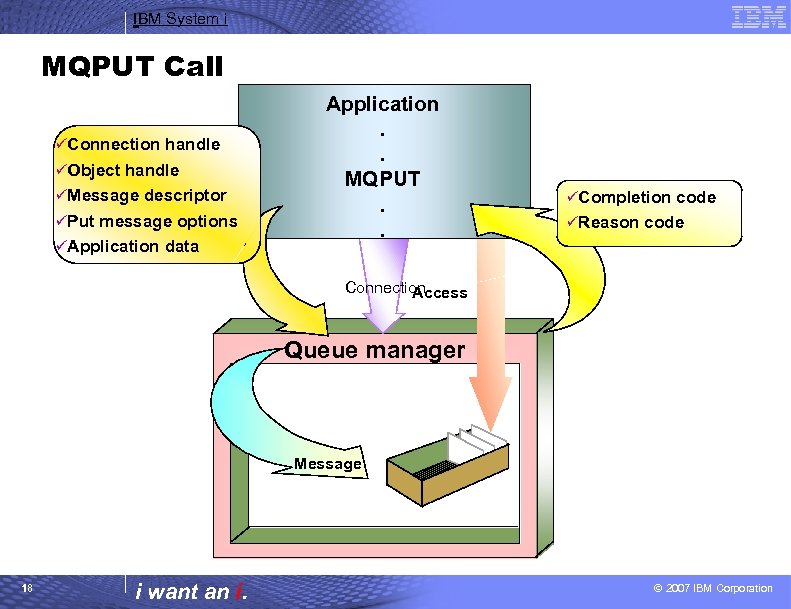
IBM System i MQPUT Call üConnection handle üObject handle üMessage descriptor üPut message options üApplication data Application. . MQPUT. . üCompletion code üReason code Connection Access Queue manager Message 18 i want an i. © 2007 IBM Corporation
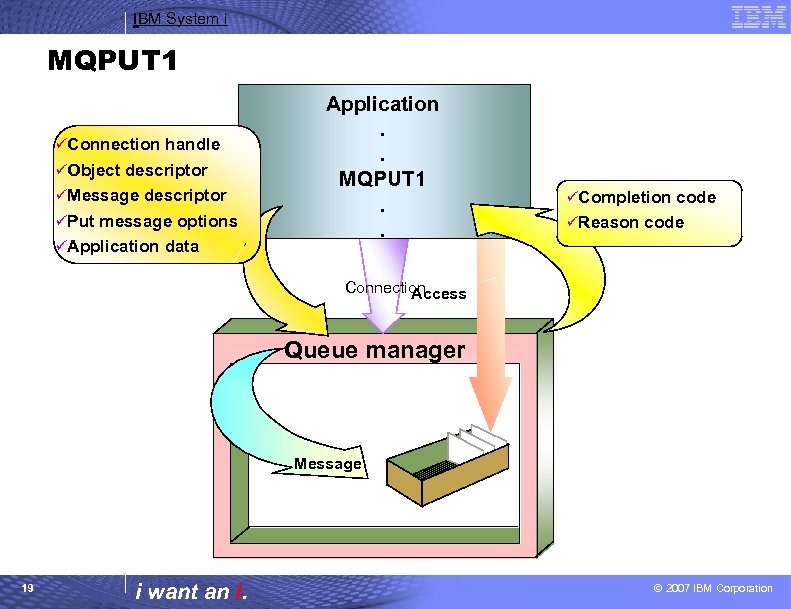
IBM System i MQPUT 1 üConnection handle üObject descriptor üMessage descriptor üPut message options üApplication data Application. . MQPUT 1. . üCompletion code üReason code Connection Access Queue manager Message 19 i want an i. © 2007 IBM Corporation
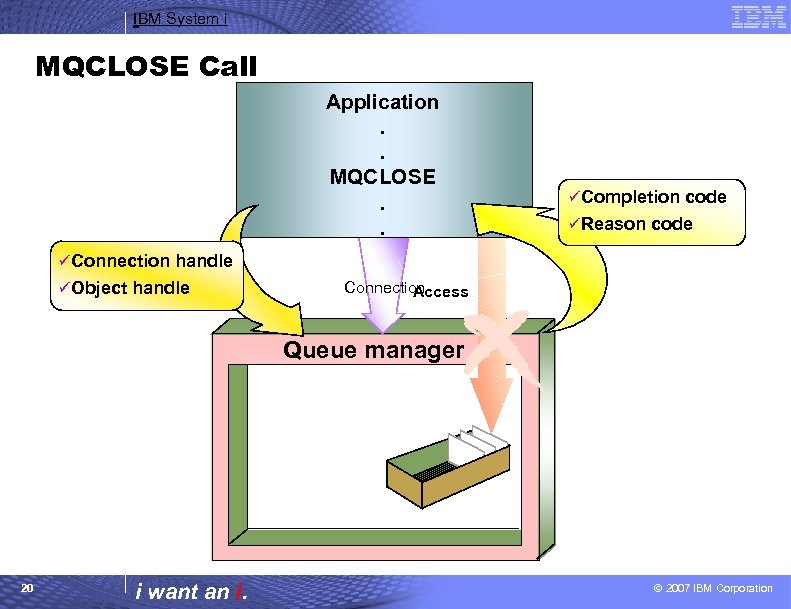
IBM System i MQCLOSE Call Application. . MQCLOSE. . üCompletion code üReason code üConnection handle üObject handle Connection Access Queue manager 20 i want an i. © 2007 IBM Corporation
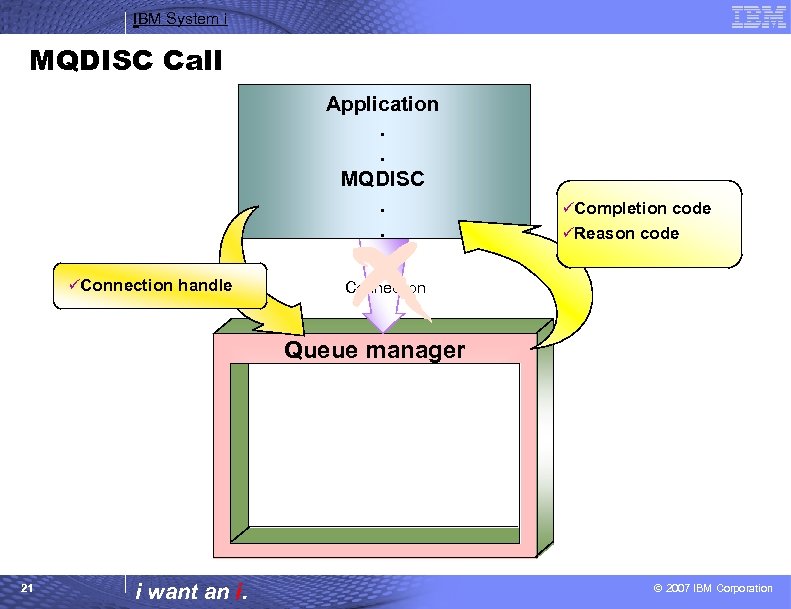
IBM System i MQDISC Call Application. . MQDISC. . üConnection handle üCompletion code üReason code Connection Queue manager 21 i want an i. © 2007 IBM Corporation
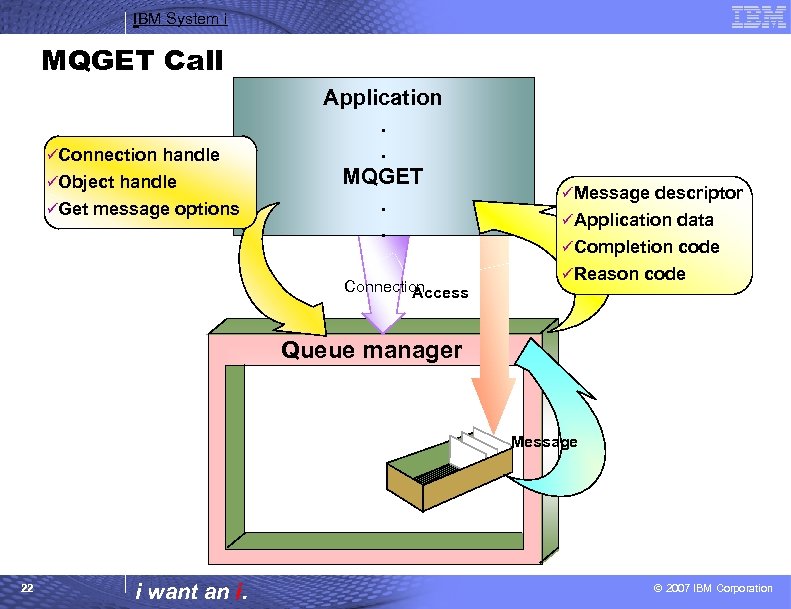
IBM System i MQGET Call üConnection handle üObject handle üGet message options Application. . MQGET. . Connection Access üMessage descriptor üApplication data üCompletion code üReason code Queue manager Message 22 i want an i. © 2007 IBM Corporation
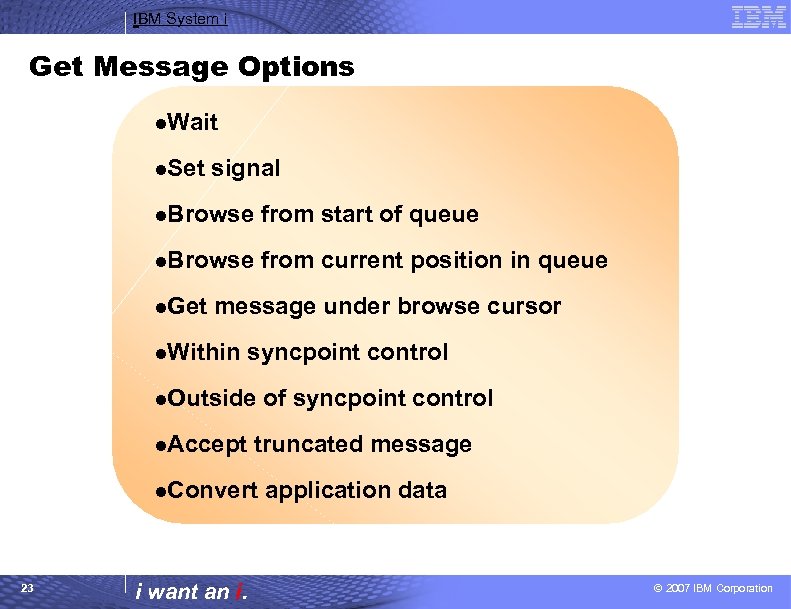
IBM System i Get Message Options l. Wait l. Set signal l. Browse from start of queue l. Browse from current position in queue l. Get message under browse cursor l. Within syncpoint control l. Outside of syncpoint control l. Accept truncated message l. Convert application data 23 i want an i. © 2007 IBM Corporation
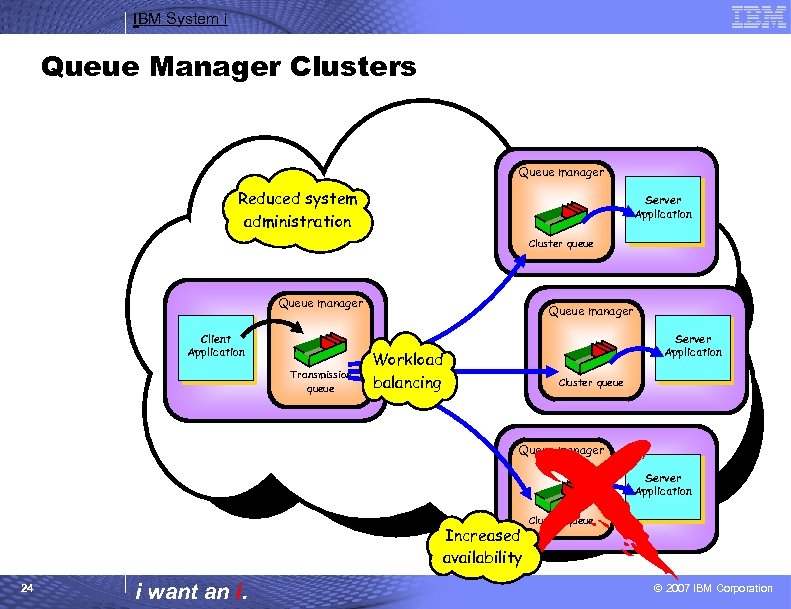
IBM System i Queue Manager Clusters Queue manager Reduced system administration Server Application Cluster queue Queue manager Client Application Transmission queue Queue manager Server Application Workload balancing Cluster queue Queue manager Server Application Increased availability 24 i want an i. Cluster queue © 2007 IBM Corporation
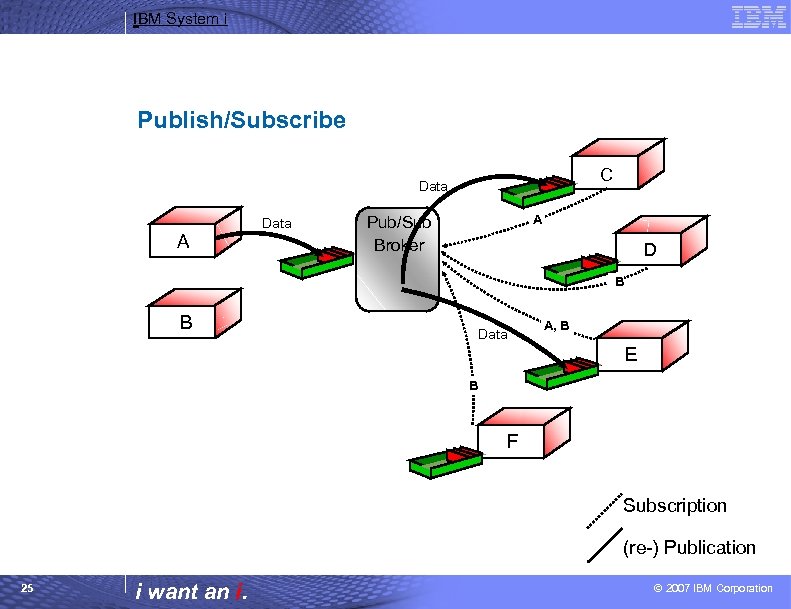
IBM System i Publish/Subscribe C Data A Pub/Sub Broker D B B Data A, B E B F Subscription (re-) Publication 25 i want an i. © 2007 IBM Corporation
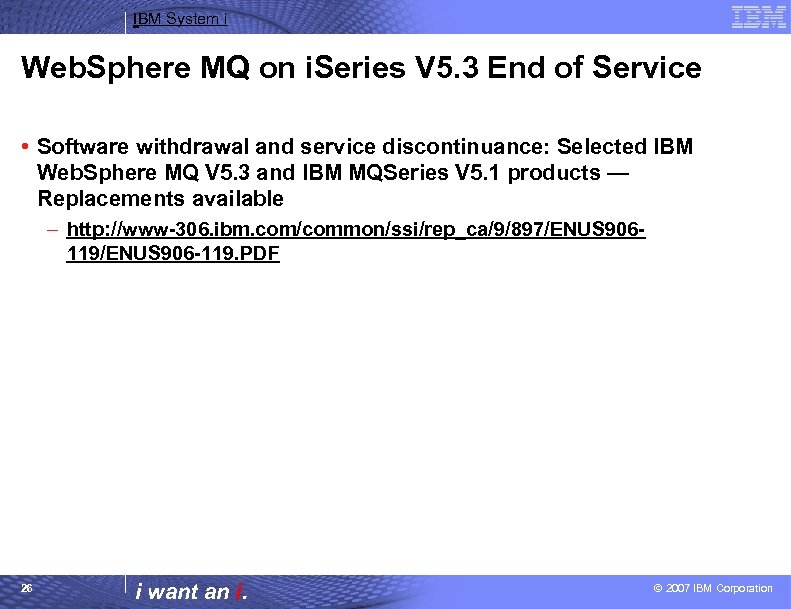
IBM System i Web. Sphere MQ on i. Series V 5. 3 End of Service • Software withdrawal and service discontinuance: Selected IBM Web. Sphere MQ V 5. 3 and IBM MQSeries V 5. 1 products — Replacements available – http: //www-306. ibm. com/common/ssi/rep_ca/9/897/ENUS 906119/ENUS 906 -119. PDF 26 i want an i. © 2007 IBM Corporation
IBM System i™ Session: Web. Sphere MQ V 6: What’s New i want stress-free IT. i want control. i want an i.
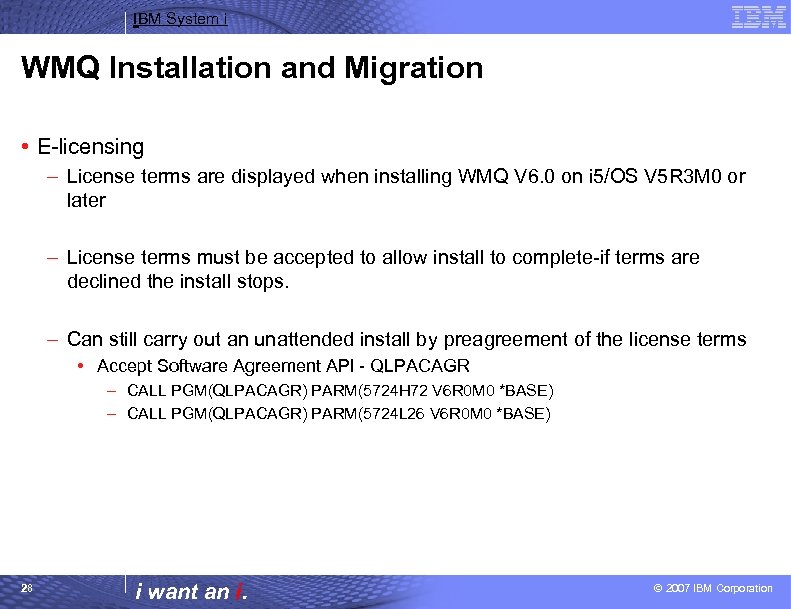
IBM System i WMQ Installation and Migration • E-licensing – License terms are displayed when installing WMQ V 6. 0 on i 5/OS V 5 R 3 M 0 or later – License terms must be accepted to allow install to complete-if terms are declined the install stops. – Can still carry out an unattended install by preagreement of the license terms • Accept Software Agreement API - QLPACAGR – CALL PGM(QLPACAGR) PARM(5724 H 72 V 6 R 0 M 0 *BASE) – CALL PGM(QLPACAGR) PARM(5724 L 26 V 6 R 0 M 0 *BASE) 28 i want an i. © 2007 IBM Corporation
IBM System i Migration Of Channel Definitions To Objects • Channel definitions migrated once at queue manager startup – AMQRCDFA. DAT (AMQRFCD 4 on i. Series) file is read and a new channel object created for each existing channel definition. – The mqm/QMQMADM group is granted ALLADM authority to the new objects so existing access behaviour is maintained. – AMQRFCDA. DAT file is renamed to AMQRFCDA. OLD (AMQRFCD 4 renamed to AMQRFOLD on i. Series) following migration. • Client channel definitions migrated once at queue manager startup – AMQCLCHL. TAB is read and a new channel object created for each existing client channel definition. – The mqm/QMQMADM group is granted ALLADM authority to the new objects so existing access behaviour is maintained. – AMQCLCHL. TAB remains unchanged in the queue manager subdirectory. 29 i want an i. © 2007 IBM Corporation
IBM System i Migration Of Channel Definitions To Objects Cont…. • During the first queue manager startup of a pre-v 6. 0 level queue manager at V 6. 0, migration of channel objects takes place – Message AMQ 8047 details how many channels were migrated and if any failed during the first queue manager startup. – Migration is only attempted if strmqm detects that other queue manager objects are backlevel. – Migration can be forced by setting the AMQ_MIGFORCE_CHANNEL environment variable. 30 i want an i. © 2007 IBM Corporation
IBM System i RCDMQMIMG and RCRMQMOBJ • RCDMQMIMG and RCRMQMOBJ accepts 2 new object types for OBJTYPE – OBJTYPE(*CHL) – OBJTYPE(*CLTCN) • Issuing the RCDMQMIMG for a channel of client connection channel object records a media image of the channel attributes that can be recovered from the queue manager logs. • RCRMQMOBJ accepts an additional special value for OBJTYPE – OBJTYPE(*CLCHLTAB) 31 i want an i. © 2007 IBM Corporation
IBM System i RCDMQMIMG and RCRMQMOBJ Cont…. • Issuing the RCRMQMOBJ command for a channel of client connection channel object recreates a damaged channel or client channel object from media images stored in the queue manager logs. • Specifying OBJTYPE(*CLCHLTAB) on RCRMQMOBJ forces recreation of the client channel table from the currently defined client channel objects. – Can be used to repair a damaged or missing AMQCLCHL. TAB. – Can be used to reconcile contents of AMQCLCHL. TAB with queue manager object definitions. – Can reduce the size of the AMQCLCHL. TAB by reducing unused record space. – Results in the records in the client channel table being written logically in AMQCLCHL. TAB in alphanumeric sequence. 32 i want an i. © 2007 IBM Corporation
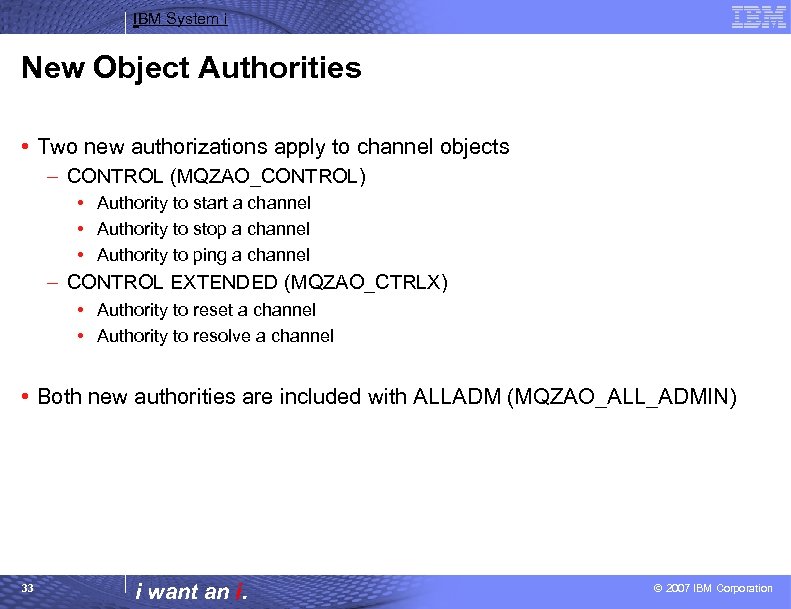
IBM System i New Object Authorities • Two new authorizations apply to channel objects – CONTROL (MQZAO_CONTROL) • Authority to start a channel • Authority to stop a channel • Authority to ping a channel – CONTROL EXTENDED (MQZAO_CTRLX) • Authority to reset a channel • Authority to resolve a channel • Both new authorities are included with ALLADM (MQZAO_ALL_ADMIN) 33 i want an i. © 2007 IBM Corporation
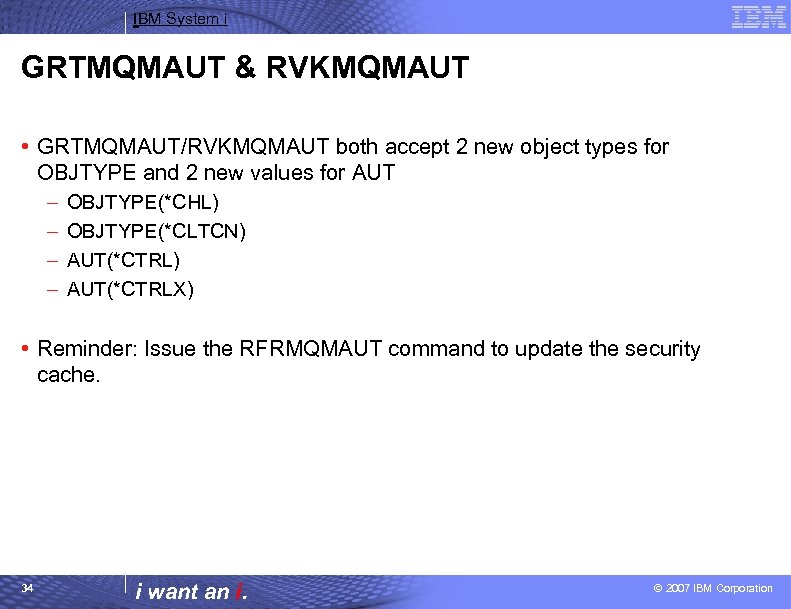
IBM System i GRTMQMAUT & RVKMQMAUT • GRTMQMAUT/RVKMQMAUT both accept 2 new object types for OBJTYPE and 2 new values for AUT – – OBJTYPE(*CHL) OBJTYPE(*CLTCN) AUT(*CTRLX) • Reminder: Issue the RFRMQMAUT command to update the security cache. 34 i want an i. © 2007 IBM Corporation
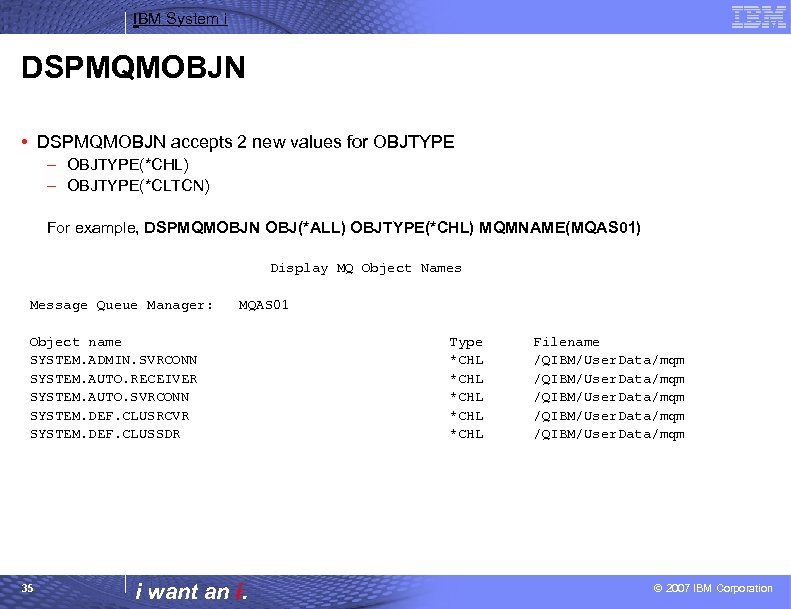
IBM System i DSPMQMOBJN • DSPMQMOBJN accepts 2 new values for OBJTYPE – OBJTYPE(*CHL) – OBJTYPE(*CLTCN) For example, DSPMQMOBJN OBJ(*ALL) OBJTYPE(*CHL) MQMNAME(MQAS 01) Display MQ Object Names Message Queue Manager: MQAS 01 Object name SYSTEM. ADMIN. SVRCONN SYSTEM. AUTO. RECEIVER SYSTEM. AUTO. SVRCONN SYSTEM. DEF. CLUSRCVR SYSTEM. DEF. CLUSSDR 35 i want an i. Type *CHL *CHL Filename /QIBM/User. Data/mqm © 2007 IBM Corporation
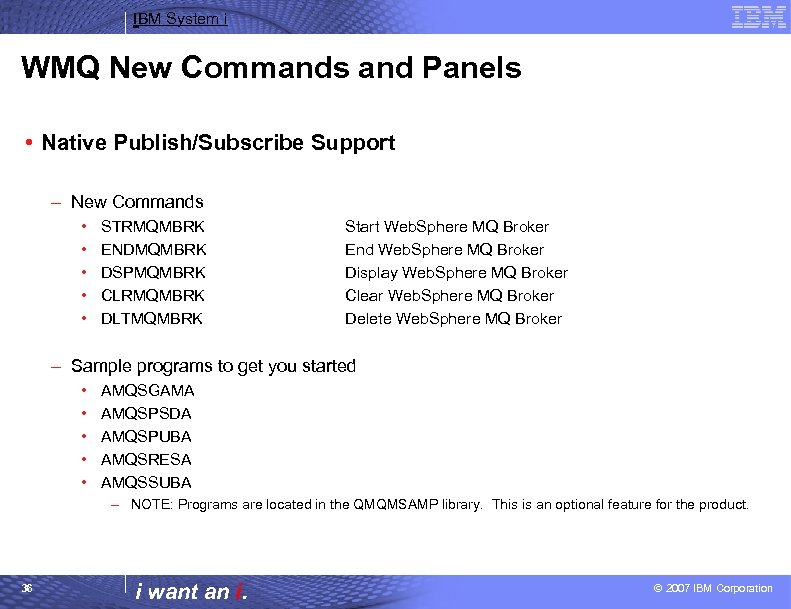
IBM System i WMQ New Commands and Panels • Native Publish/Subscribe Support – New Commands • • • STRMQMBRK ENDMQMBRK DSPMQMBRK CLRMQMBRK DLTMQMBRK Start Web. Sphere MQ Broker End Web. Sphere MQ Broker Display Web. Sphere MQ Broker Clear Web. Sphere MQ Broker Delete Web. Sphere MQ Broker – Sample programs to get you started • • • AMQSGAMA AMQSPSDA AMQSPUBA AMQSRESA AMQSSUBA – NOTE: Programs are located in the QMQMSAMP library. This is an optional feature for the product. 36 i want an i. © 2007 IBM Corporation
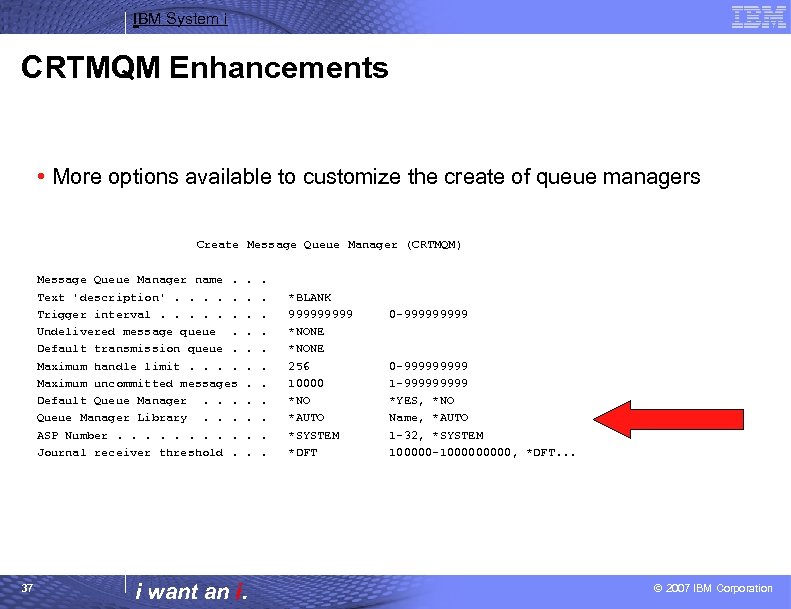
IBM System i CRTMQM Enhancements • More options available to customize the create of queue managers Create Message Queue Manager (CRTMQM) Message Queue Manager name. Text 'description'. . . Trigger interval. . . Undelivered message queue. Default transmission queue. Maximum handle limit. . Maximum uncommitted messages Default Queue Manager. . . Queue Manager Library. . . ASP Number. . Journal receiver threshold. 37 . . . i want an i. . . *BLANK 99999 *NONE 256 10000 *NO *AUTO *SYSTEM *DFT 0 -999999999 1 -99999 *YES, *NO Name, *AUTO 1 -32, *SYSTEM 100000 -100000, *DFT. . . © 2007 IBM Corporation
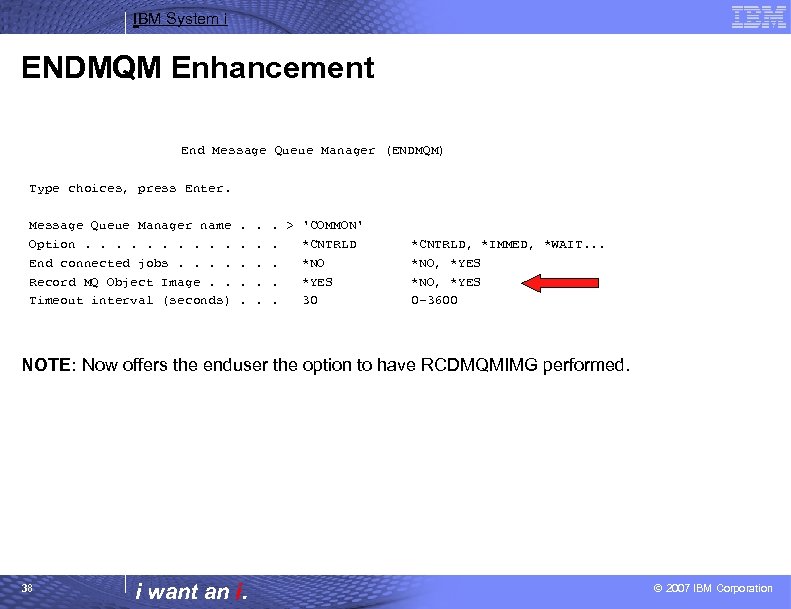
IBM System i ENDMQM Enhancement End Message Queue Manager (ENDMQM) Type choices, press Enter. Message Queue Manager name Option. . End connected jobs. . Record MQ Object Image. . Timeout interval (seconds) . . . > 'COMMON'. *CNTRLD. *NO. *YES. 30 *CNTRLD, *IMMED, *WAIT. . . *NO, *YES 0 -3600 NOTE: Now offers the enduser the option to have RCDMQMIMG performed. 38 i want an i. © 2007 IBM Corporation
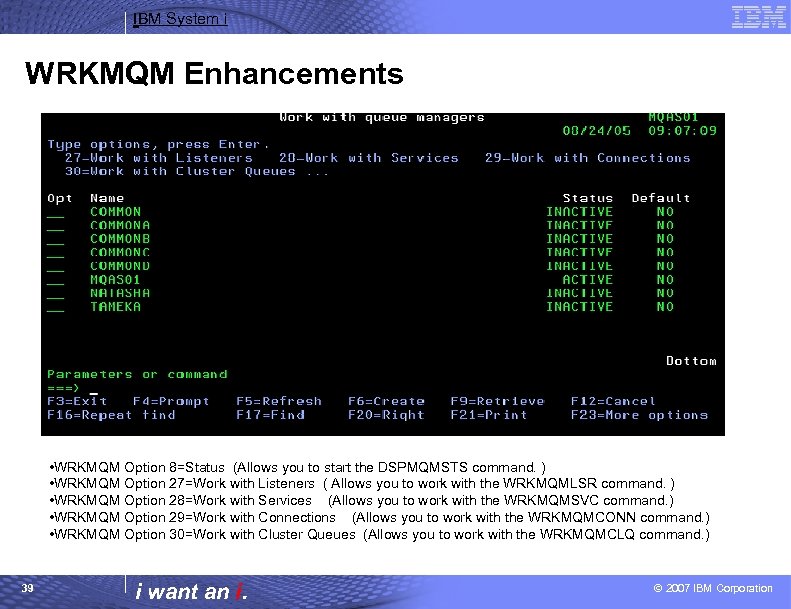
IBM System i WRKMQM Enhancements • WRKMQM Option 8=Status (Allows you to start the DSPMQMSTS command. ) • WRKMQM Option 27=Work with Listeners ( Allows you to work with the WRKMQMLSR command. ) • WRKMQM Option 28=Work with Services (Allows you to work with the WRKMQMSVC command. ) • WRKMQM Option 29=Work with Connections (Allows you to work with the WRKMQMCONN command. ) • WRKMQM Option 30=Work with Cluster Queues (Allows you to work with the WRKMQMCLQ command. ) 39 i want an i. © 2007 IBM Corporation
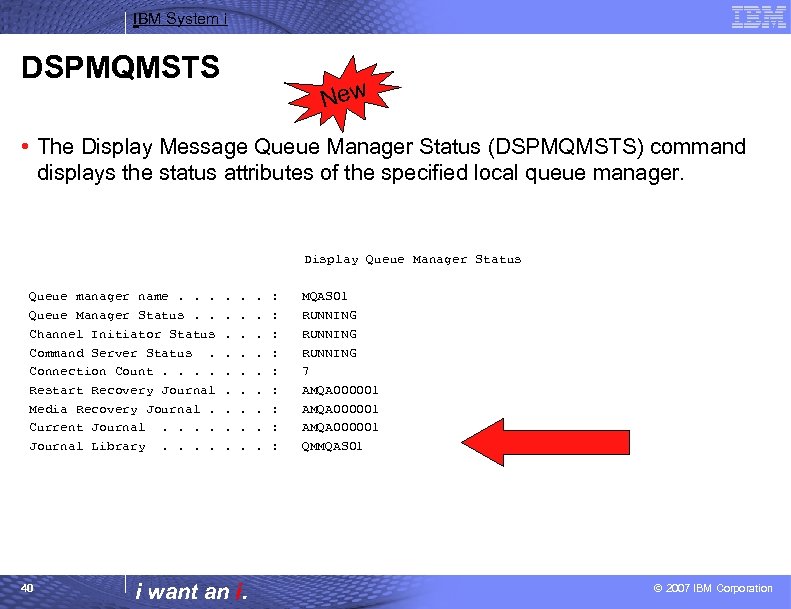
IBM System i DSPMQMSTS New • The Display Message Queue Manager Status (DSPMQMSTS) command displays the status attributes of the specified local queue manager. Display Queue Manager Status Queue manager name. . . Queue Manager Status. . Channel Initiator Status Command Server Status. Connection Count. . Restart Recovery Journal Media Recovery Journal. Current Journal. . Journal Library. . 40 . . . . i want an i. . : : : : : MQAS 01 RUNNING 7 AMQA 000001 QMMQAS 01 © 2007 IBM Corporation
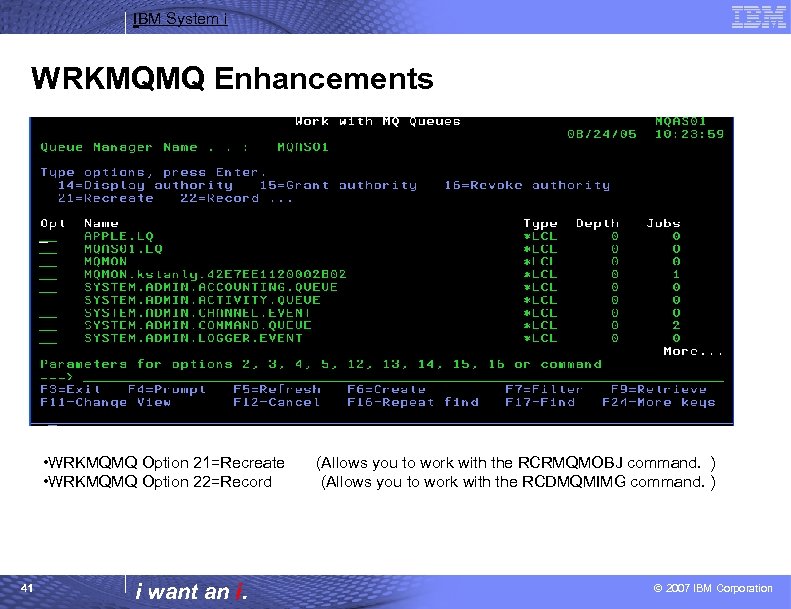
IBM System i WRKMQMQ Enhancements • WRKMQMQ Option 21=Recreate • WRKMQMQ Option 22=Record 41 i want an i. (Allows you to work with the RCRMQMOBJ command. ) (Allows you to work with the RCDMQMIMG command. ) © 2007 IBM Corporation
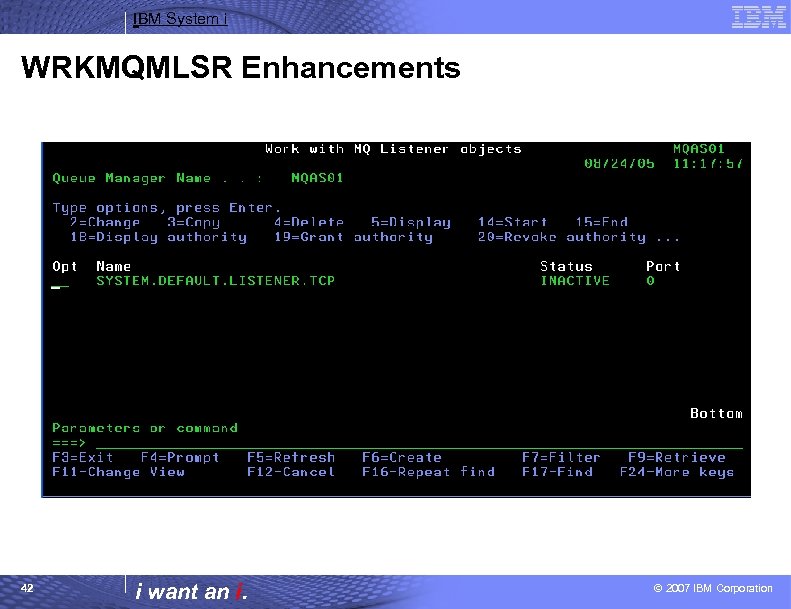
IBM System i WRKMQMLSR Enhancements 42 i want an i. © 2007 IBM Corporation
IBM System i WRKMQMLSR Enhancements Cont…. • WRKMQMLSR OPTION(*STATUS) – The Work With Queue Manager Listener Jobs displays a list of all the TCP listeners for the system. • NOTE: Same as WMQ V 5. 3 • WRKMQMLSR OPTION(*OBJECT) – This command allows you to work with one or more listener objects. This enables you to create, copy, change, display, delete, start, end, display authority and edit authority of an MQ listener object. 43 i want an i. © 2007 IBM Corporation
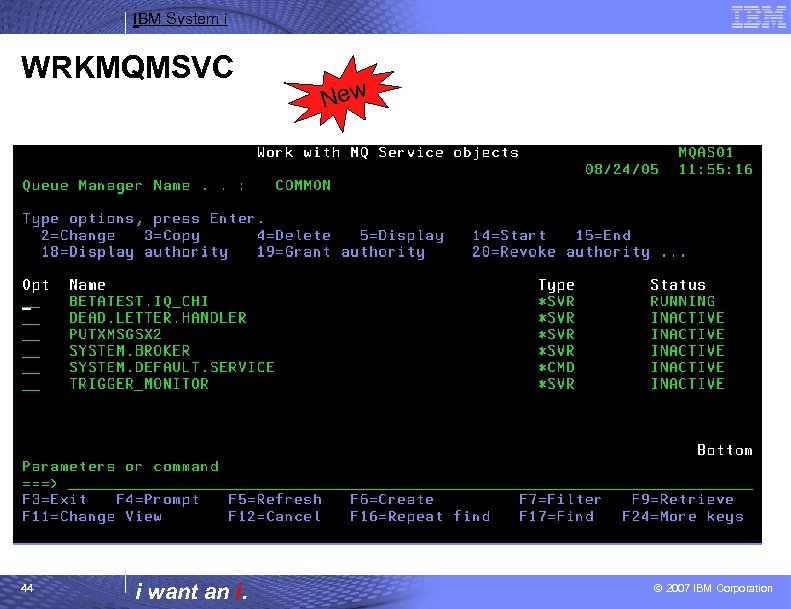
IBM System i WRKMQMSVC 44 i want an i. New © 2007 IBM Corporation
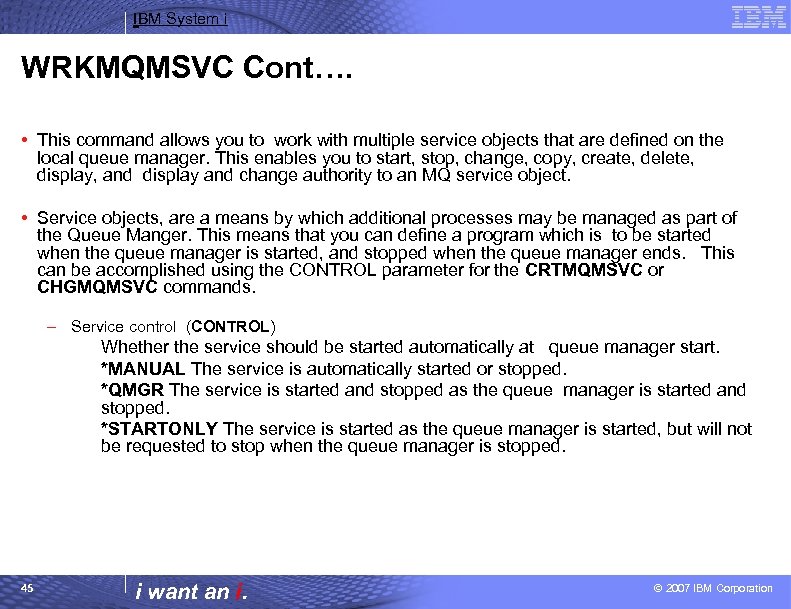
IBM System i WRKMQMSVC Cont…. • This command allows you to work with multiple service objects that are defined on the local queue manager. This enables you to start, stop, change, copy, create, delete, display, and display and change authority to an MQ service object. • Service objects, are a means by which additional processes may be managed as part of the Queue Manger. This means that you can define a program which is to be started when the queue manager is started, and stopped when the queue manager ends. This can be accomplished using the CONTROL parameter for the CRTMQMSVC or CHGMQMSVC commands. – Service control (CONTROL) Whether the service should be started automatically at queue manager start. *MANUAL The service is automatically started or stopped. *QMGR The service is started and stopped as the queue manager is started and stopped. *STARTONLY The service is started as the queue manager is started, but will not be requested to stop when the queue manager is stopped. 45 i want an i. © 2007 IBM Corporation
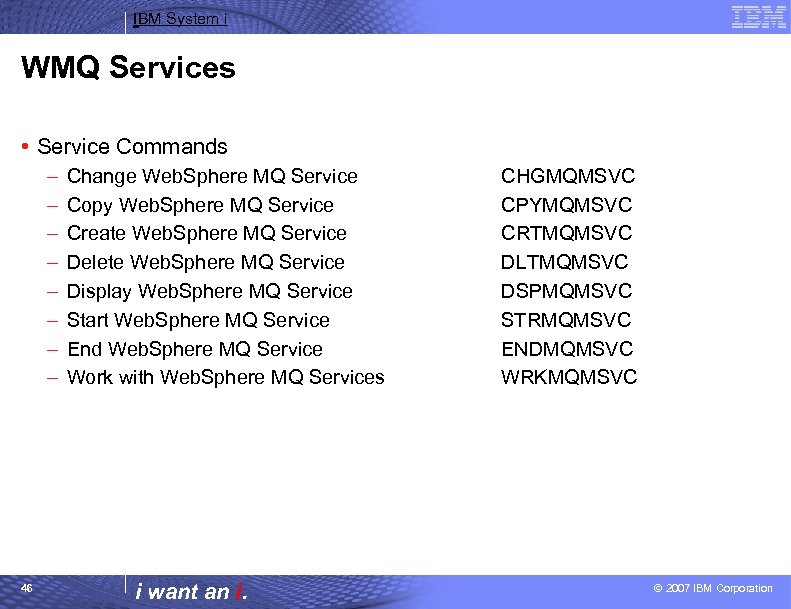
IBM System i WMQ Services • Service Commands – – – – 46 Change Web. Sphere MQ Service Copy Web. Sphere MQ Service Create Web. Sphere MQ Service Delete Web. Sphere MQ Service Display Web. Sphere MQ Service Start Web. Sphere MQ Service End Web. Sphere MQ Service Work with Web. Sphere MQ Services i want an i. CHGMQMSVC CPYMQMSVC CRTMQMSVC DLTMQMSVC DSPMQMSVC STRMQMSVC ENDMQMSVC WRKMQMSVC © 2007 IBM Corporation
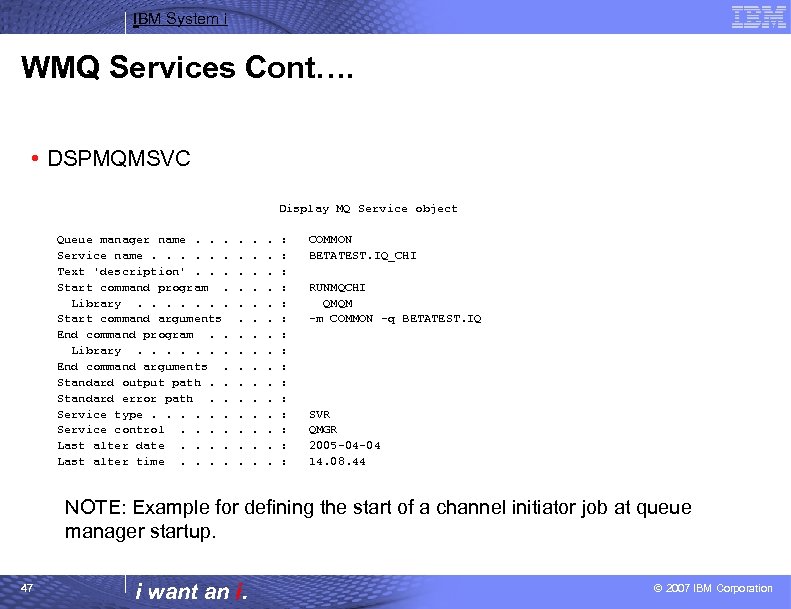
IBM System i WMQ Services Cont…. • DSPMQMSVC Display MQ Service object Queue manager name. . . Service name. . . Text 'description'. . . Start command program. Library. . . . Start command arguments End command program. . Library. . . . End command arguments. Standard output path. . Standard error path. . Service type. . . Service control. . Last alter date. . Last alter time. . . : : : : COMMON BETATEST. IQ_CHI RUNMQCHI QMQM -m COMMON -q BETATEST. IQ SVR QMGR 2005 -04 -04 14. 08. 44 NOTE: Example for defining the start of a channel initiator job at queue manager startup. 47 i want an i. © 2007 IBM Corporation
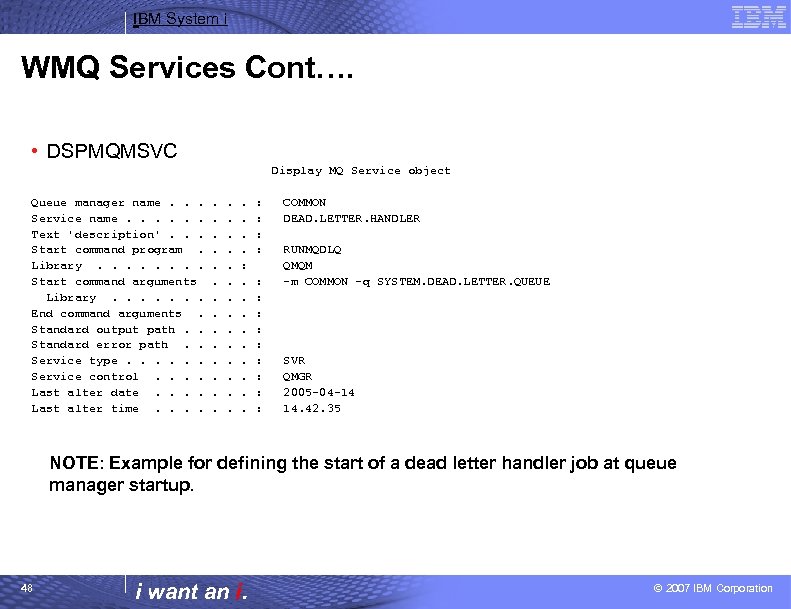
IBM System i WMQ Services Cont…. • DSPMQMSVC Display MQ Service object Queue manager name. . . Service name. . . Text 'description'. . . Start command program. Library. . . . Start command arguments Library. . . . End command arguments. Standard output path. . Standard error path. . Service type. . . Service control. . Last alter date. . Last alter time. . . . . : . . : : : : COMMON DEAD. LETTER. HANDLER RUNMQDLQ QMQM -m COMMON -q SYSTEM. DEAD. LETTER. QUEUE SVR QMGR 2005 -04 -14 14. 42. 35 NOTE: Example for defining the start of a dead letter handler job at queue manager startup. 48 i want an i. © 2007 IBM Corporation
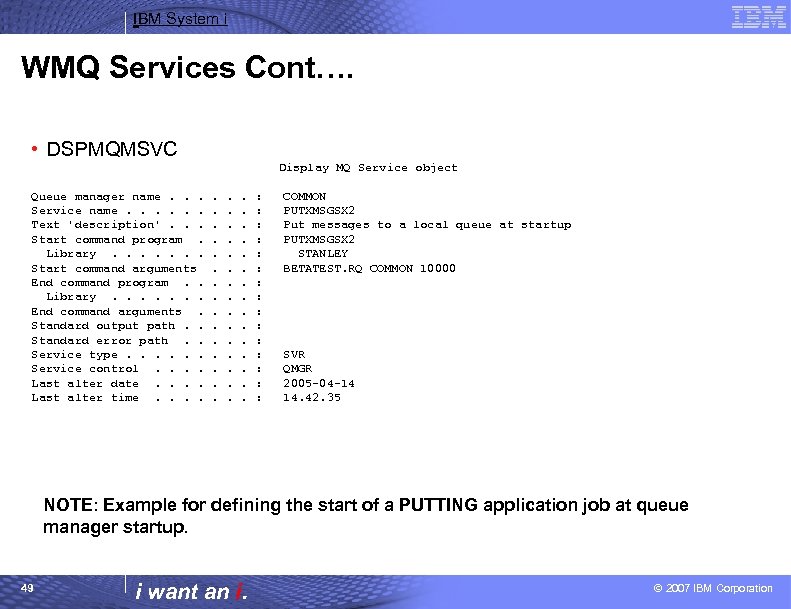
IBM System i WMQ Services Cont…. • DSPMQMSVC Display MQ Service object Queue manager name. . . Service name. . . Text 'description'. . . Start command program. Library. . . . Start command arguments End command program. . Library. . . . End command arguments. Standard output path. . Standard error path. . Service type. . . Service control. . Last alter date. . Last alter time. . . : : : : COMMON PUTXMSGSX 2 Put messages to a local queue at startup PUTXMSGSX 2 STANLEY BETATEST. RQ COMMON 10000 SVR QMGR 2005 -04 -14 14. 42. 35 NOTE: Example for defining the start of a PUTTING application job at queue manager startup. 49 i want an i. © 2007 IBM Corporation
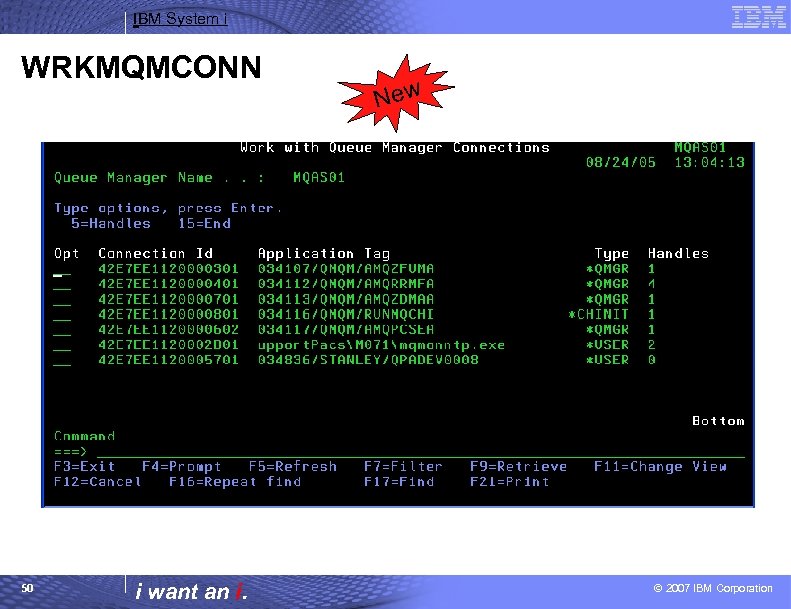
IBM System i WRKMQMCONN 50 i want an i. New © 2007 IBM Corporation
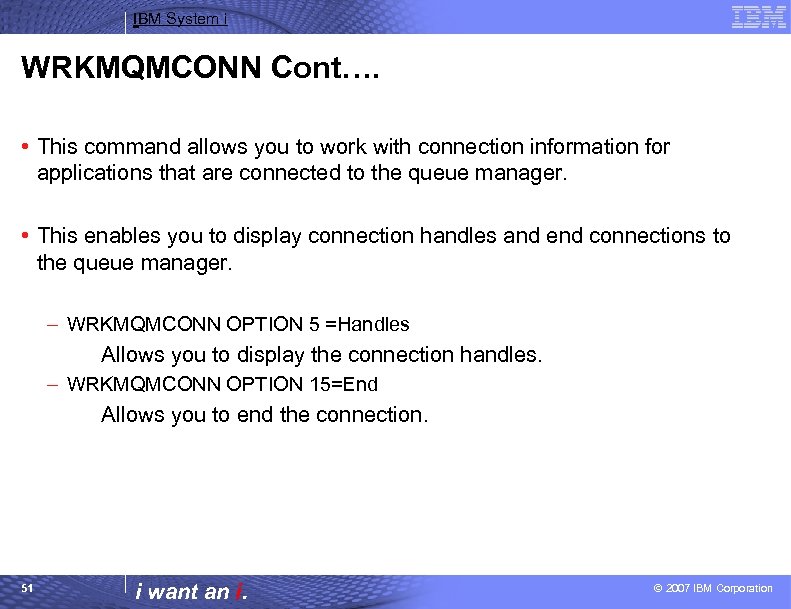
IBM System i WRKMQMCONN Cont…. • This command allows you to work with connection information for applications that are connected to the queue manager. • This enables you to display connection handles and end connections to the queue manager. – WRKMQMCONN OPTION 5 =Handles Allows you to display the connection handles. – WRKMQMCONN OPTION 15=End Allows you to end the connection. 51 i want an i. © 2007 IBM Corporation
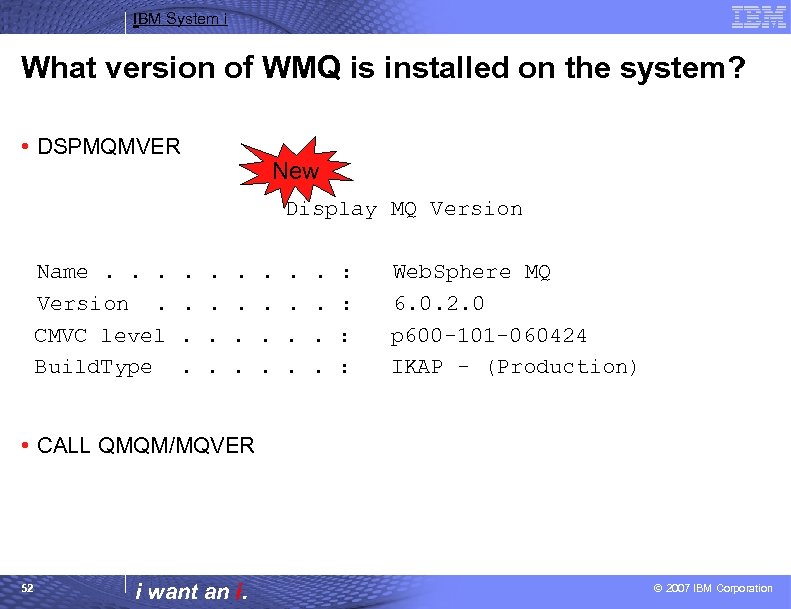
IBM System i What version of WMQ is installed on the system? • DSPMQMVER New Display MQ Version Name. . . Version. CMVC level Build. Type . . . : : Web. Sphere MQ 6. 0. 2. 0 p 600 -101 -060424 IKAP - (Production) • CALL QMQM/MQVER 52 i want an i. © 2007 IBM Corporation
IBM System i™ Session: Administration Enhancements i want stress-free IT. i want control. i want an i.
IBM System i STRMQM Enhancements Start Message Queue Manager (STRMQM) Type choices, press Enter. Message Queue Manager name. . . > 'COMMON' Redefine system objects Startup Status Detail. Service startup. . Perform replay only. . Activate backup. . . *NO *ALL *YES *NO *YES, *ALL, *YES, *NO *MIN *NO *NO New 54 i want an i. © 2007 IBM Corporation
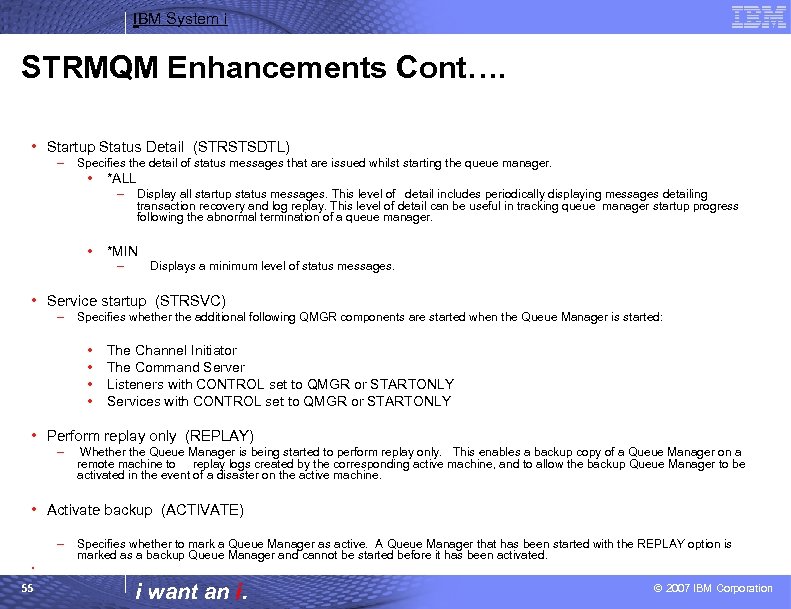
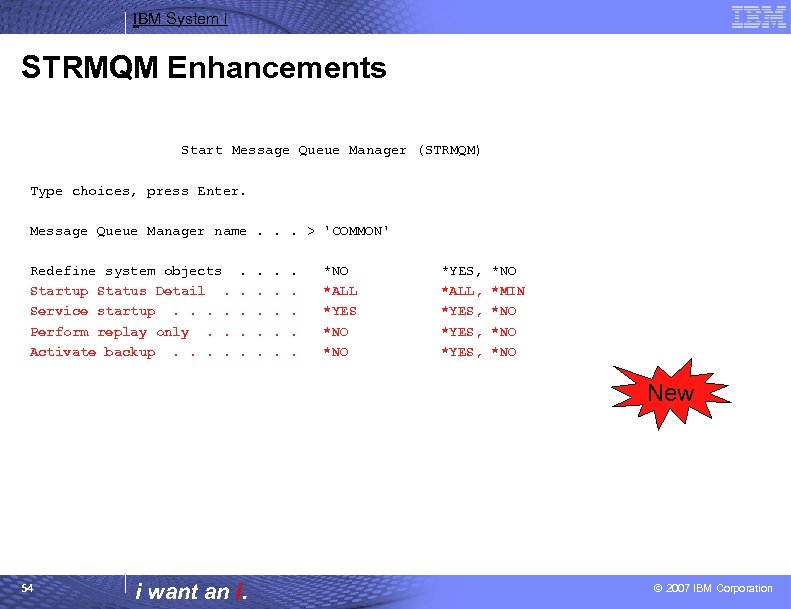
IBM System i STRMQM Enhancements Cont…. • Startup Status Detail (STRSTSDTL) – Specifies the detail of status messages that are issued whilst starting the queue manager. • *ALL – • Display all startup status messages. This level of detail includes periodically displaying messages detailing transaction recovery and log replay. This level of detail can be useful in tracking queue manager startup progress following the abnormal termination of a queue manager. *MIN – Displays a minimum level of status messages. • Service startup (STRSVC) – Specifies whether the additional following QMGR components are started when the Queue Manager is started: • • The Channel Initiator The Command Server Listeners with CONTROL set to QMGR or STARTONLY Services with CONTROL set to QMGR or STARTONLY • Perform replay only (REPLAY) – Whether the Queue Manager is being started to perform replay only. This enables a backup copy of a Queue Manager on a remote machine to replay logs created by the corresponding active machine, and to allow the backup Queue Manager to be activated in the event of a disaster on the active machine. • Activate backup (ACTIVATE) – Specifies whether to mark a Queue Manager as active. A Queue Manager that has been started with the REPLAY option is marked as a backup Queue Manager and cannot be started before it has been activated. • 55 i want an i. © 2007 IBM Corporation
IBM System i Monitoring Queues and Channels • Question: How can you verify that data is processing for your queues and channels? – Answer: WMQ V 6 introduces Online Monitoring of queues and channels to give the MQ Administrator more feedback regarding any concerns that may arise. – Online Monitoring is a low cost set of diagnostic values which measure the health of MQ resources. – The cost must be low enough to leave running without impacting the operation of the MQ system, but the control of these measurements must be flexible enough to allow them to be switched on at short notice to aid the diagnosis of a of perceived problem on the system. 56 i want an i. © 2007 IBM Corporation
IBM System i Monitoring Queues and Channels Cont…. • This new capability is available on both Distributed and z/OS queue managers. It extends the STATUS information for queues and channels. • For queues, you can now see what is the oldest message on the queue. You can also see how fast, on average, messages are passing through the queue. If the averages are low, but the oldest message is very old, then that might indicate an application doing a get by msgid/correlid and that message is in some way badly formatted or doesn't have the correct identifier. If all messages are staying for a long time on the queue, then that might indicate the serving application is overloaded, or more servers are needed to process the input. • Similar information is available for channels, where cluster channels can report on their associated transmission queue or subqueue. And there is more detailed state - not just RUNNING, RETRY etc to show exactly what a channel is doing. For example, is it running a user exit at this point, or is it calling the TCP/IP nameserver. . 57 i want an i. © 2007 IBM Corporation
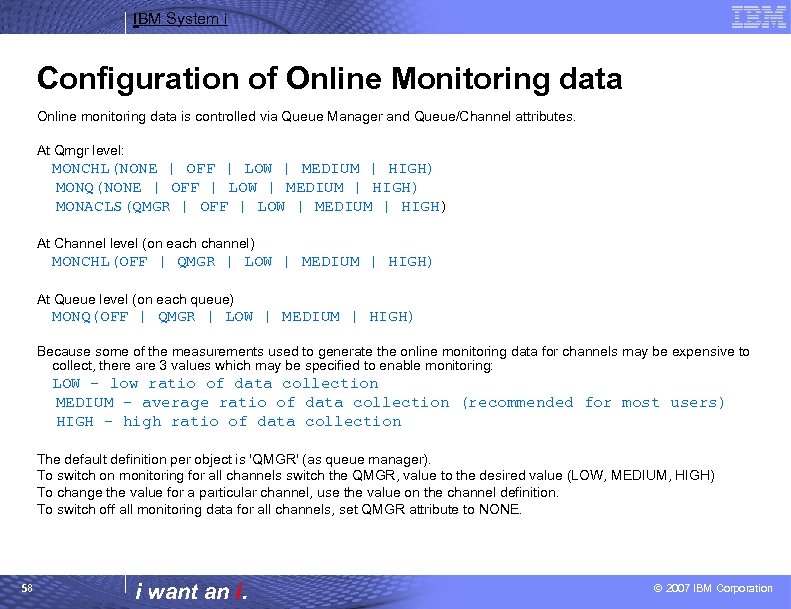
IBM System i Configuration of Online Monitoring data Online monitoring data is controlled via Queue Manager and Queue/Channel attributes. At Qmgr level: MONCHL(NONE | OFF | LOW | MEDIUM | HIGH) MONQ(NONE | OFF | LOW | MEDIUM | HIGH) MONACLS(QMGR | OFF | LOW | MEDIUM | HIGH) At Channel level (on each channel) MONCHL(OFF | QMGR | LOW | MEDIUM | HIGH) At Queue level (on each queue) MONQ(OFF | QMGR | LOW | MEDIUM | HIGH) Because some of the measurements used to generate the online monitoring data for channels may be expensive to collect, there are 3 values which may be specified to enable monitoring: LOW - low ratio of data collection MEDIUM - average ratio of data collection (recommended for most users) HIGH - high ratio of data collection The default definition per object is 'QMGR' (as queue manager). To switch on monitoring for all channels switch the QMGR, value to the desired value (LOW, MEDIUM, HIGH) To change the value for a particular channel, use the value on the channel definition. To switch off all monitoring data for all channels, set QMGR attribute to NONE. 58 i want an i. © 2007 IBM Corporation
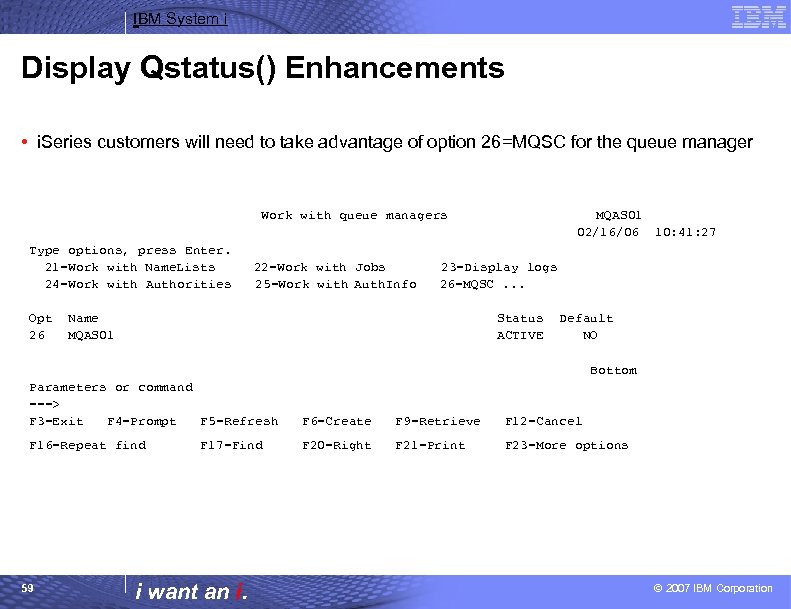
IBM System i Display Qstatus() Enhancements • i. Series customers will need to take advantage of option 26=MQSC for the queue manager Work with queue managers Type options, press Enter. 21=Work with Name. Lists 24=Work with Authorities Opt 26 22=Work with Jobs 25=Work with Auth. Info MQAS 01 02/16/06 10: 41: 27 23=Display logs 26=MQSC. . . Name MQAS 01 Status ACTIVE Default NO Bottom Parameters or command ===> F 3=Exit F 4=Prompt F 5=Refresh F 6=Create F 9=Retrieve F 12=Cancel F 16=Repeat find F 20=Right F 21=Print F 23=More options 59 F 17=Find i want an i. © 2007 IBM Corporation
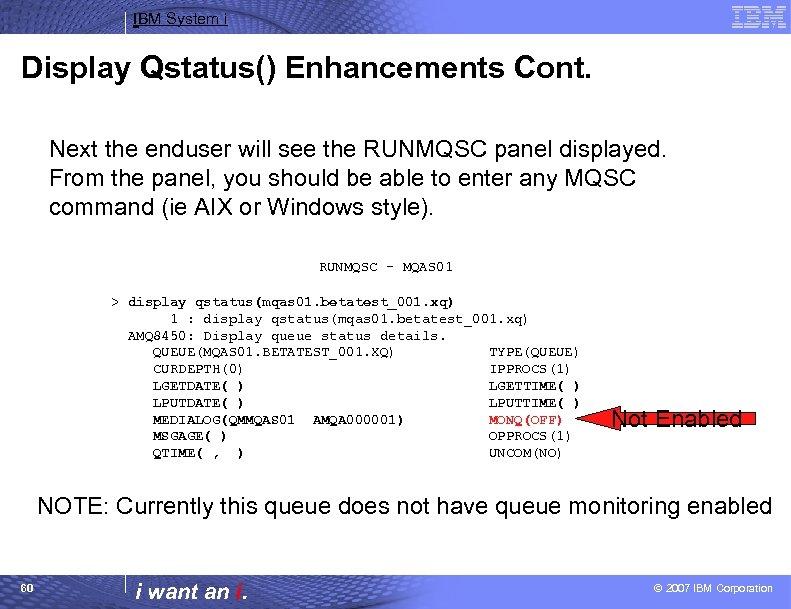
IBM System i Display Qstatus() Enhancements Cont. Next the enduser will see the RUNMQSC panel displayed. From the panel, you should be able to enter any MQSC command (ie AIX or Windows style). RUNMQSC - MQAS 01 > display qstatus(mqas 01. betatest_001. xq) 1 : display qstatus(mqas 01. betatest_001. xq) AMQ 8450: Display queue status details. QUEUE(MQAS 01. BETATEST_001. XQ) TYPE(QUEUE) CURDEPTH(0) IPPROCS(1) LGETDATE( ) LGETTIME( ) LPUTDATE( ) LPUTTIME( ) MEDIALOG(QMMQAS 01 AMQA 000001) MONQ(OFF) MSGAGE( ) OPPROCS(1) QTIME( , ) UNCOM(NO) Not Enabled NOTE: Currently this queue does not have queue monitoring enabled 60 i want an i. © 2007 IBM Corporation
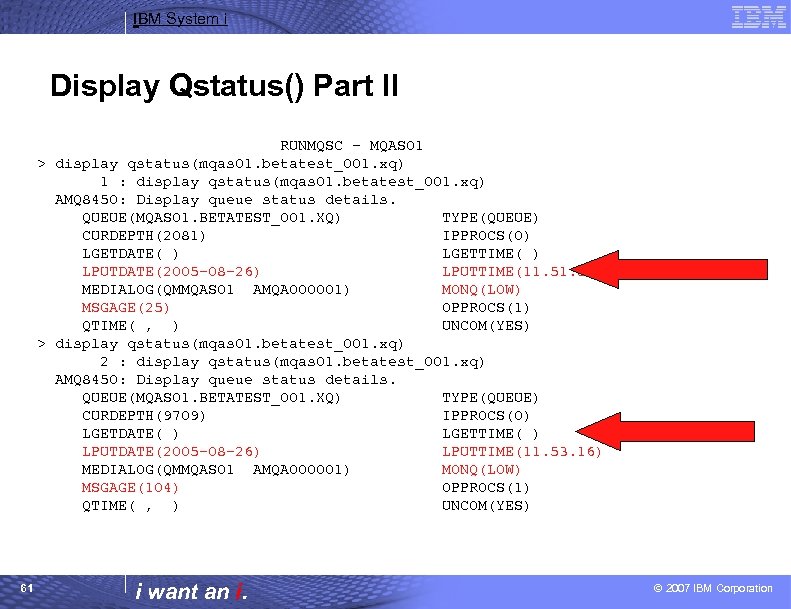
IBM System i Display Qstatus() Part II RUNMQSC - MQAS 01 > display qstatus(mqas 01. betatest_001. xq) 1 : display qstatus(mqas 01. betatest_001. xq) AMQ 8450: Display queue status details. QUEUE(MQAS 01. BETATEST_001. XQ) TYPE(QUEUE) CURDEPTH(2081) IPPROCS(0) LGETDATE( ) LGETTIME( ) LPUTDATE(2005 -08 -26) LPUTTIME(11. 57) MEDIALOG(QMMQAS 01 AMQA 000001) MONQ(LOW) MSGAGE(25) OPPROCS(1) QTIME( , ) UNCOM(YES) > display qstatus(mqas 01. betatest_001. xq) 2 : display qstatus(mqas 01. betatest_001. xq) AMQ 8450: Display queue status details. QUEUE(MQAS 01. BETATEST_001. XQ) TYPE(QUEUE) CURDEPTH(9709) IPPROCS(0) LGETDATE( ) LGETTIME( ) LPUTDATE(2005 -08 -26) LPUTTIME(11. 53. 16) MEDIALOG(QMMQAS 01 AMQA 000001) MONQ(LOW) MSGAGE(104) OPPROCS(1) QTIME( , ) UNCOM(YES) 61 i want an i. © 2007 IBM Corporation
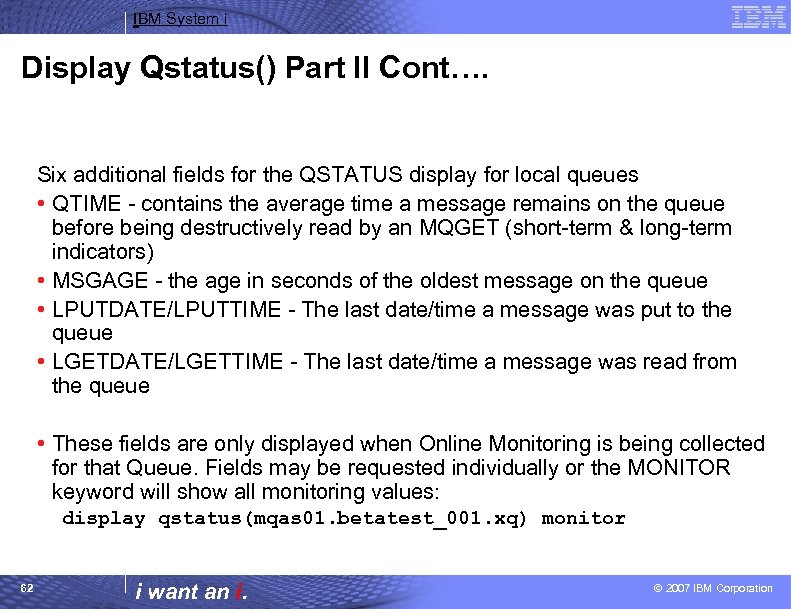
IBM System i Display Qstatus() Part II Cont…. Six additional fields for the QSTATUS display for local queues • QTIME - contains the average time a message remains on the queue before being destructively read by an MQGET (short-term & long-term indicators) • MSGAGE - the age in seconds of the oldest message on the queue • LPUTDATE/LPUTTIME - The last date/time a message was put to the queue • LGETDATE/LGETTIME - The last date/time a message was read from the queue • These fields are only displayed when Online Monitoring is being collected for that Queue. Fields may be requested individually or the MONITOR keyword will show all monitoring values: display qstatus(mqas 01. betatest_001. xq) monitor 62 i want an i. © 2007 IBM Corporation
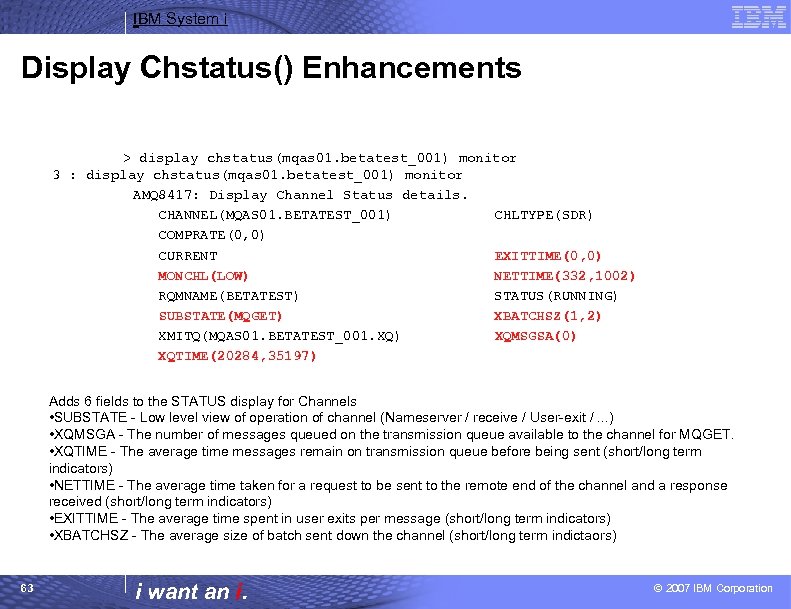
IBM System i Display Chstatus() Enhancements > display chstatus(mqas 01. betatest_001) monitor 3 : display chstatus(mqas 01. betatest_001) monitor AMQ 8417: Display Channel Status details. CHANNEL(MQAS 01. BETATEST_001) CHLTYPE(SDR) COMPRATE(0, 0) CURRENT EXITTIME(0, 0) MONCHL(LOW) NETTIME(332, 1002) RQMNAME(BETATEST) STATUS(RUNNING) SUBSTATE(MQGET) XBATCHSZ(1, 2) XMITQ(MQAS 01. BETATEST_001. XQ) XQMSGSA(0) XQTIME(20284, 35197) Adds 6 fields to the STATUS display for Channels • SUBSTATE - Low level view of operation of channel (Nameserver / receive / User-exit /. . . ) • XQMSGA - The number of messages queued on the transmission queue available to the channel for MQGET. • XQTIME - The average time messages remain on transmission queue before being sent (short/long term indicators) • NETTIME - The average time taken for a request to be sent to the remote end of the channel and a response received (short/long term indicators) • EXITTIME - The average time spent in user exits per message (short/long term indicators) • XBATCHSZ - The average size of batch sent down the channel (short/long term indictaors) 63 i want an i. © 2007 IBM Corporation
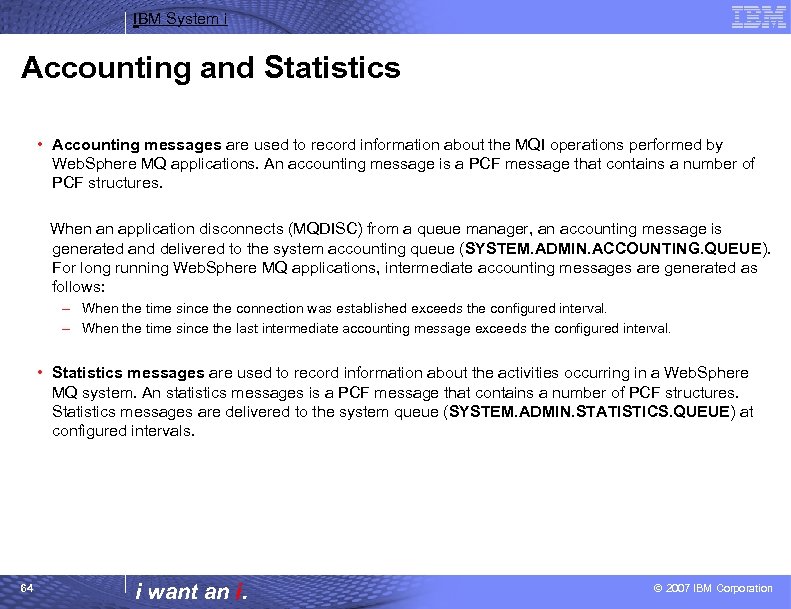
IBM System i Accounting and Statistics • Accounting messages are used to record information about the MQI operations performed by Web. Sphere MQ applications. An accounting message is a PCF message that contains a number of PCF structures. When an application disconnects (MQDISC) from a queue manager, an accounting message is generated and delivered to the system accounting queue (SYSTEM. ADMIN. ACCOUNTING. QUEUE). For long running Web. Sphere MQ applications, intermediate accounting messages are generated as follows: – When the time since the connection was established exceeds the configured interval. – When the time since the last intermediate accounting message exceeds the configured interval. • Statistics messages are used to record information about the activities occurring in a Web. Sphere MQ system. An statistics messages is a PCF message that contains a number of PCF structures. Statistics messages are delivered to the system queue (SYSTEM. ADMIN. STATISTICS. QUEUE) at configured intervals. 64 i want an i. © 2007 IBM Corporation
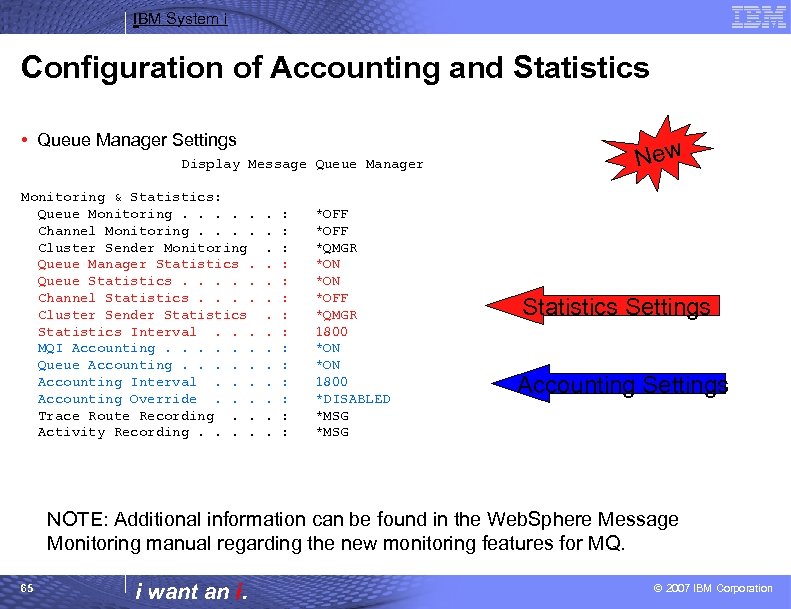
IBM System i Configuration of Accounting and Statistics • Queue Manager Settings Display Message Queue Manager Monitoring & Statistics: Queue Monitoring. . . Channel Monitoring. . Cluster Sender Monitoring Queue Manager Statistics. Queue Statistics. . . Channel Statistics. . Cluster Sender Statistics Interval. . . MQI Accounting. . . Queue Accounting. . . Accounting Interval. . . Accounting Override. . . Trace Route Recording. . Activity Recording. . . . : : : : *OFF *QMGR *ON *OFF *QMGR 1800 *ON 1800 *DISABLED *MSG New Statistics Settings Accounting Settings NOTE: Additional information can be found in the Web. Sphere Message Monitoring manual regarding the new monitoring features for MQ. 65 i want an i. © 2007 IBM Corporation
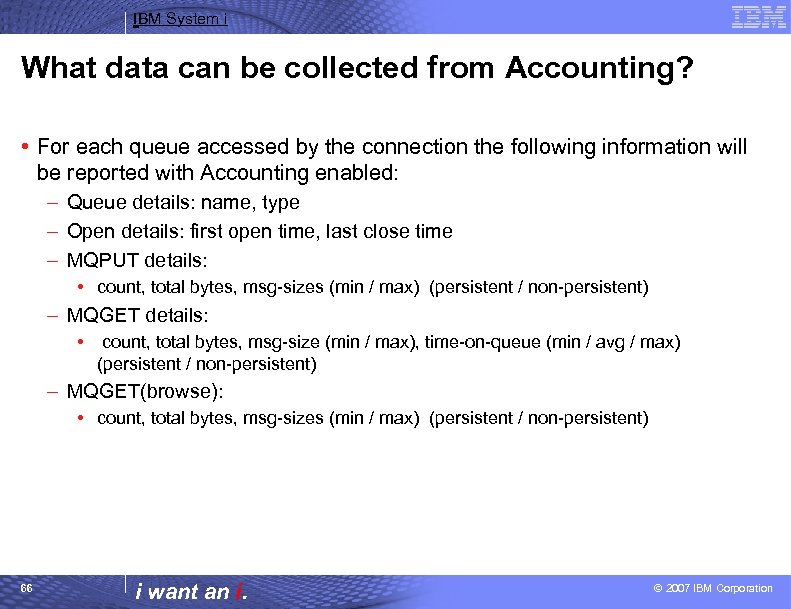
IBM System i What data can be collected from Accounting? • For each queue accessed by the connection the following information will be reported with Accounting enabled: – Queue details: name, type – Open details: first open time, last close time – MQPUT details: • count, total bytes, msg-sizes (min / max) (persistent / non-persistent) – MQGET details: • count, total bytes, msg-size (min / max), time-on-queue (min / avg / max) (persistent / non-persistent) – MQGET(browse): • count, total bytes, msg-sizes (min / max) (persistent / non-persistent) 66 i want an i. © 2007 IBM Corporation
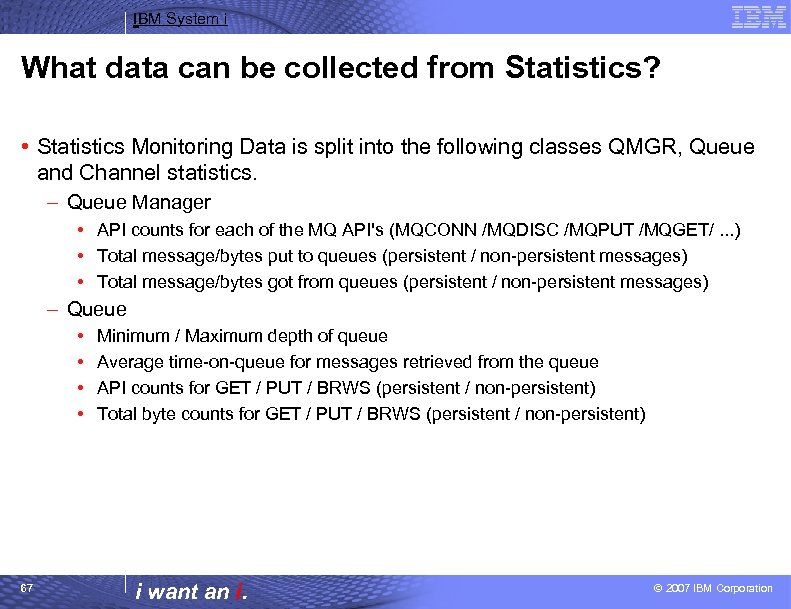
IBM System i What data can be collected from Statistics? • Statistics Monitoring Data is split into the following classes QMGR, Queue and Channel statistics. – Queue Manager • API counts for each of the MQ API's (MQCONN /MQDISC /MQPUT /MQGET/. . . ) • Total message/bytes put to queues (persistent / non-persistent messages) • Total message/bytes got from queues (persistent / non-persistent messages) – Queue • • 67 Minimum / Maximum depth of queue Average time-on-queue for messages retrieved from the queue API counts for GET / PUT / BRWS (persistent / non-persistent) Total byte counts for GET / PUT / BRWS (persistent / non-persistent) i want an i. © 2007 IBM Corporation
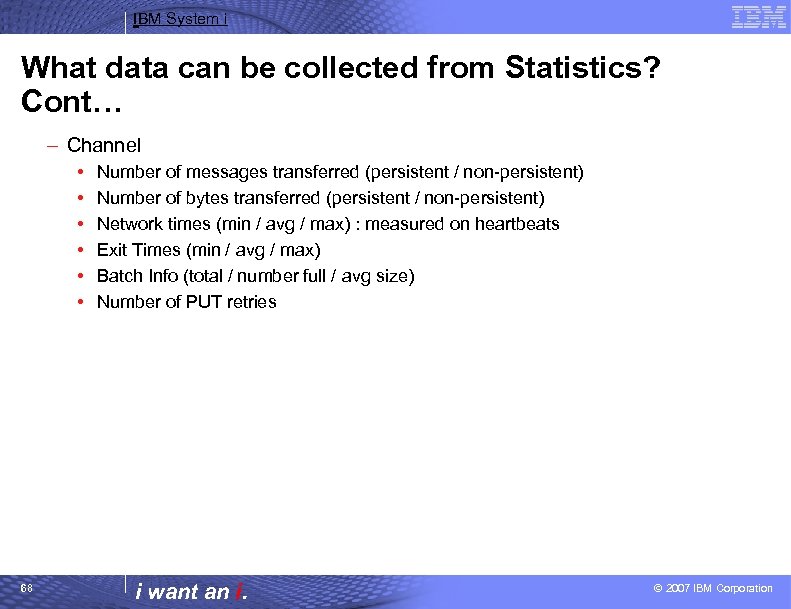
IBM System i What data can be collected from Statistics? Cont… – Channel • • • 68 Number of messages transferred (persistent / non-persistent) Number of bytes transferred (persistent / non-persistent) Network times (min / avg / max) : measured on heartbeats Exit Times (min / avg / max) Batch Info (total / number full / avg size) Number of PUT retries i want an i. © 2007 IBM Corporation
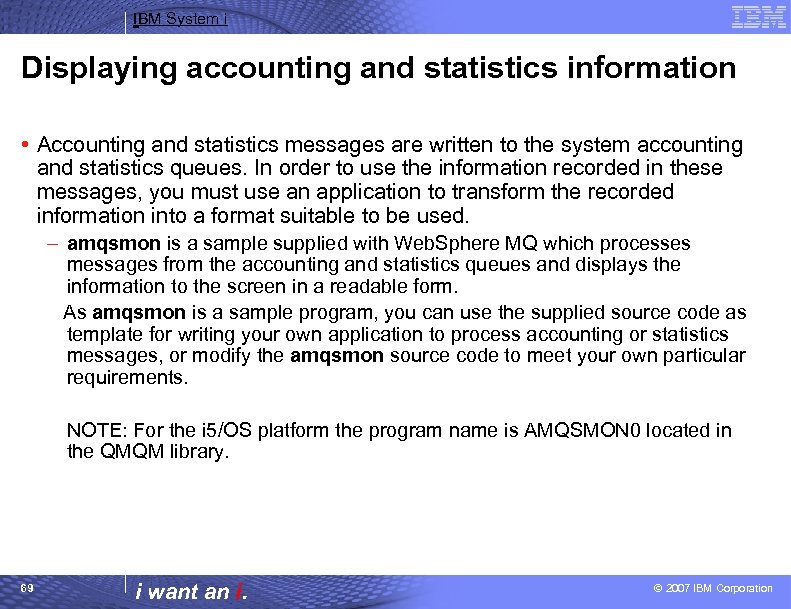
IBM System i Displaying accounting and statistics information • Accounting and statistics messages are written to the system accounting and statistics queues. In order to use the information recorded in these messages, you must use an application to transform the recorded information into a format suitable to be used. – amqsmon is a sample supplied with Web. Sphere MQ which processes messages from the accounting and statistics queues and displays the information to the screen in a readable form. As amqsmon is a sample program, you can use the supplied source code as template for writing your own application to process accounting or statistics messages, or modify the amqsmon source code to meet your own particular requirements. NOTE: For the i 5/OS platform the program name is AMQSMON 0 located in the QMQM library. 69 i want an i. © 2007 IBM Corporation
![IBM System i Executing the AMQSMON 0 program Usage: QMQM/AMQSMON 0 [-m QMgr. Name]](https://present5.com/presentation/601da22e483cc270d592d75c72cd357a/image-70.jpg "IBM System i Executing the AMQSMON 0 program Usage: QMQM/AMQSMON 0 [-m QMgr. Name]")
IBM System i Executing the AMQSMON 0 program Usage: QMQM/AMQSMON 0 [-m QMgr. Name] [-t statistics] [-a] [-q [queue_name]] [-c [channel_name]] [-t accounting] [-a] [-q] [queue_name]] [-i <connection. Id>] [-b] [-d <depth>] [-w <timeout>] [-l <fieldlist, . . . >] [-s <start. Time>] [-e <end. Time>] # # # # Process statistics queue Show only QMGR statistics Show only Queue statistics Show only Channel statistics Process accounting queue Process only MQI accounting Process only Queue accounting Process only matching connection Only browse records Number of records to display Time to wait (in seconds) Display only these fields Start time of record to process End time of record to process Examples: CALL PGM(QMQM/AMQSMON 0) PARM('-m MQAS 01' '-t accounting') CALL PGM(QMQM/AMQSMON 0) PARM('-m MQAS 01' '-t statistics') 70 i want an i. © 2007 IBM Corporation
IBM System i Message Tracking • The DSPMQMRTE command provides a convenient way a generating activity reports for messages. – Can be used in a variety of scenarios • Checking messages are going to their correct destination in a distributed queuing configuration. • Check that cluster workload balancing is working as expected 71 i want an i. © 2007 IBM Corporation
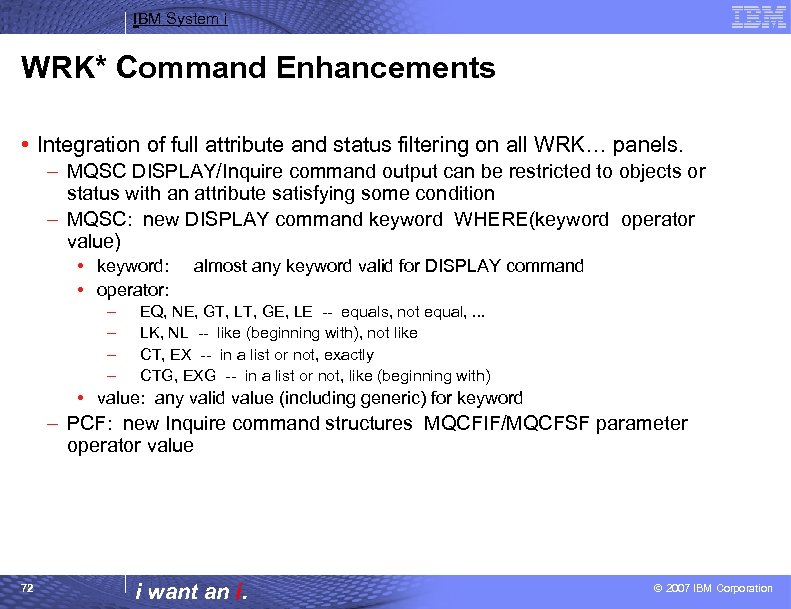
IBM System i WRK* Command Enhancements • Integration of full attribute and status filtering on all WRK… panels. – MQSC DISPLAY/Inquire command output can be restricted to objects or status with an attribute satisfying some condition – MQSC: new DISPLAY command keyword WHERE(keyword operator value) • keyword: • operator: – – almost any keyword valid for DISPLAY command EQ, NE, GT, LT, GE, LE -- equals, not equal, . . . LK, NL -- like (beginning with), not like CT, EX -- in a list or not, exactly CTG, EXG -- in a list or not, like (beginning with) • value: any valid value (including generic) for keyword – PCF: new Inquire command structures MQCFIF/MQCFSF parameter operator value 72 i want an i. © 2007 IBM Corporation
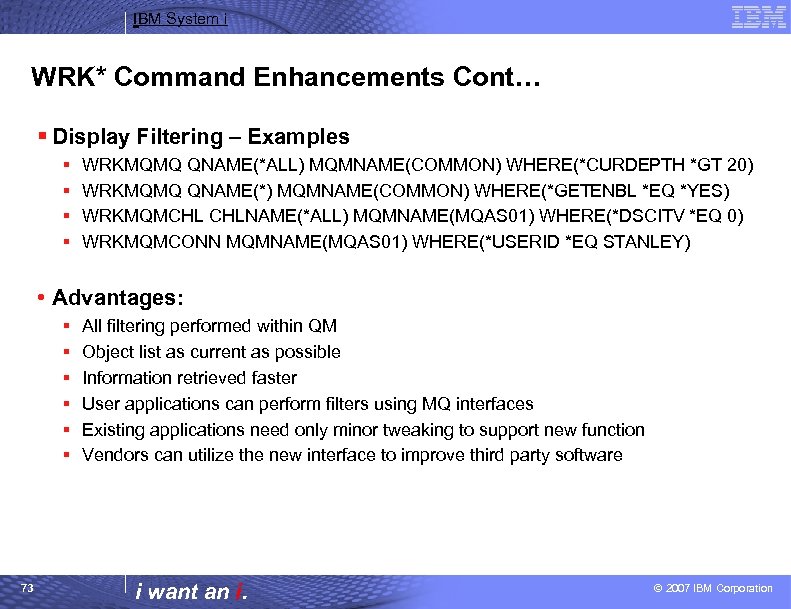
IBM System i WRK* Command Enhancements Cont… § Display Filtering – Examples § § WRKMQMQ QNAME(*ALL) MQMNAME(COMMON) WHERE(*CURDEPTH *GT 20) WRKMQMQ QNAME(*) MQMNAME(COMMON) WHERE(*GETENBL *EQ *YES) WRKMQMCHL CHLNAME(*ALL) MQMNAME(MQAS 01) WHERE(*DSCITV *EQ 0) WRKMQMCONN MQMNAME(MQAS 01) WHERE(*USERID *EQ STANLEY) • Advantages: § § § 73 All filtering performed within QM Object list as current as possible Information retrieved faster User applications can perform filters using MQ interfaces Existing applications need only minor tweaking to support new function Vendors can utilize the new interface to improve third party software i want an i. © 2007 IBM Corporation
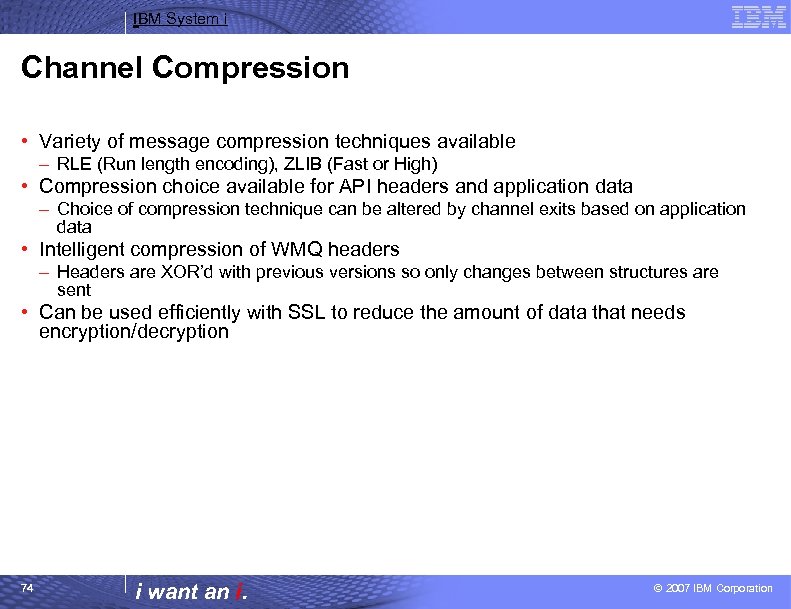
IBM System i Channel Compression • Variety of message compression techniques available – RLE (Run length encoding), ZLIB (Fast or High) • Compression choice available for API headers and application data – Choice of compression technique can be altered by channel exits based on application data • Intelligent compression of WMQ headers – Headers are XOR’d with previous versions so only changes between structures are sent • Can be used efficiently with SSL to reduce the amount of data that needs encryption/decryption 74 i want an i. © 2007 IBM Corporation
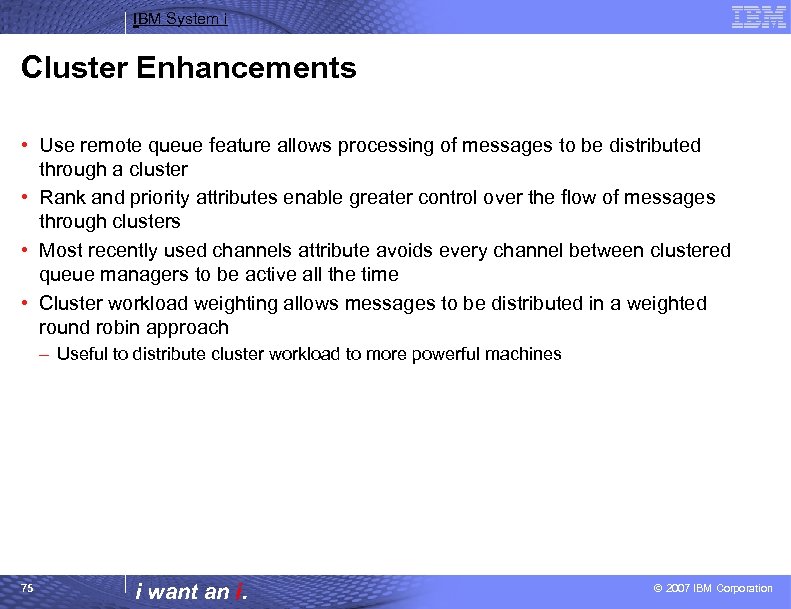
IBM System i Cluster Enhancements • Use remote queue feature allows processing of messages to be distributed through a cluster • Rank and priority attributes enable greater control over the flow of messages through clusters • Most recently used channels attribute avoids every channel between clustered queue managers to be active all the time • Cluster workload weighting allows messages to be distributed in a weighted round robin approach – Useful to distribute cluster workload to more powerful machines 75 i want an i. © 2007 IBM Corporation
IBM System i™ Session: Problem Determination i want stress-free IT. i want control. i want an i.
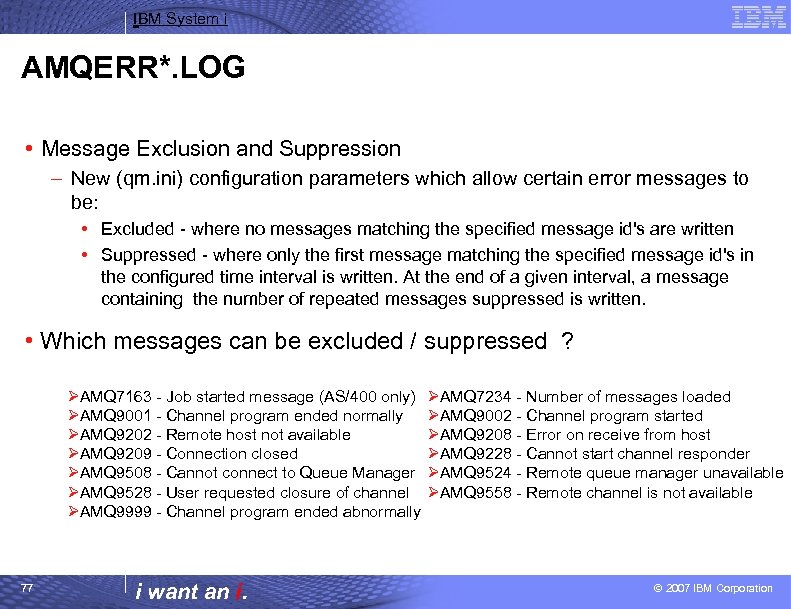
IBM System i AMQERR*. LOG • Message Exclusion and Suppression – New (qm. ini) configuration parameters which allow certain error messages to be: • Excluded - where no messages matching the specified message id's are written • Suppressed - where only the first message matching the specified message id's in the configured time interval is written. At the end of a given interval, a message containing the number of repeated messages suppressed is written. • Which messages can be excluded / suppressed ? ØAMQ 7163 - Job started message (AS/400 only) ØAMQ 9001 - Channel program ended normally ØAMQ 9202 - Remote host not available ØAMQ 9209 - Connection closed ØAMQ 9508 - Cannot connect to Queue Manager ØAMQ 9528 - User requested closure of channel ØAMQ 9999 - Channel program ended abnormally 77 i want an i. ØAMQ 7234 - Number of messages loaded ØAMQ 9002 - Channel program started ØAMQ 9208 - Error on receive from host ØAMQ 9228 - Cannot start channel responder ØAMQ 9524 - Remote queue manager unavailable ØAMQ 9558 - Remote channel is not available © 2007 IBM Corporation
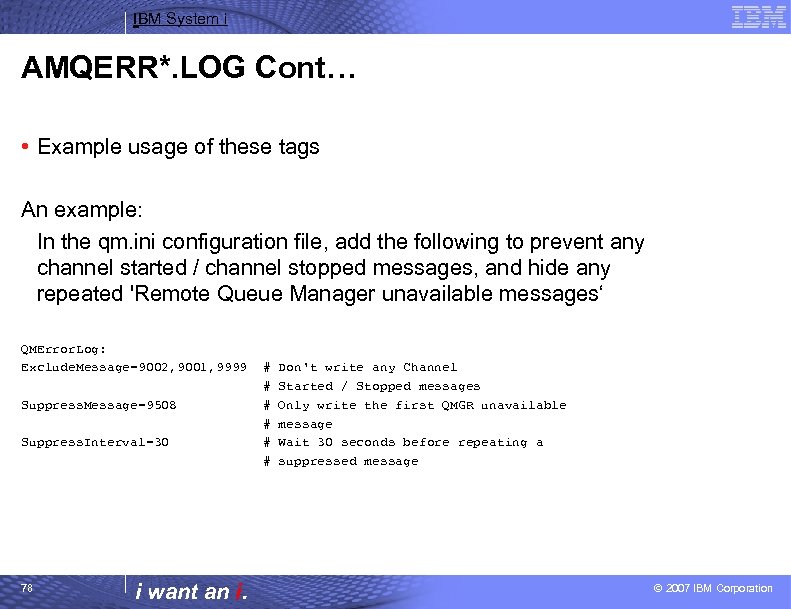
IBM System i AMQERR*. LOG Cont… • Example usage of these tags An example: In the qm. ini configuration file, add the following to prevent any channel started / channel stopped messages, and hide any repeated 'Remote Queue Manager unavailable messages‘ QMError. Log: Exclude. Message=9002, 9001, 9999 Suppress. Message=9508 Suppress. Interval=30 78 i want an i. # # # Don't write any Channel Started / Stopped messages Only write the first QMGR unavailable message Wait 30 seconds before repeating a suppressed message © 2007 IBM Corporation
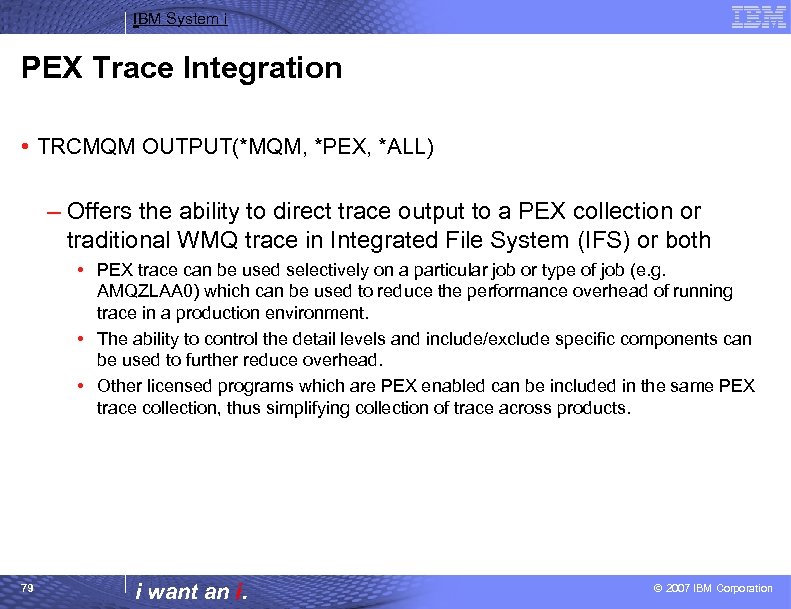
IBM System i PEX Trace Integration • TRCMQM OUTPUT(*MQM, *PEX, *ALL) – Offers the ability to direct trace output to a PEX collection or traditional WMQ trace in Integrated File System (IFS) or both • PEX trace can be used selectively on a particular job or type of job (e. g. AMQZLAA 0) which can be used to reduce the performance overhead of running trace in a production environment. • The ability to control the detail levels and include/exclude specific components can be used to further reduce overhead. • Other licensed programs which are PEX enabled can be included in the same PEX trace collection, thus simplifying collection of trace across products. 79 i want an i. © 2007 IBM Corporation
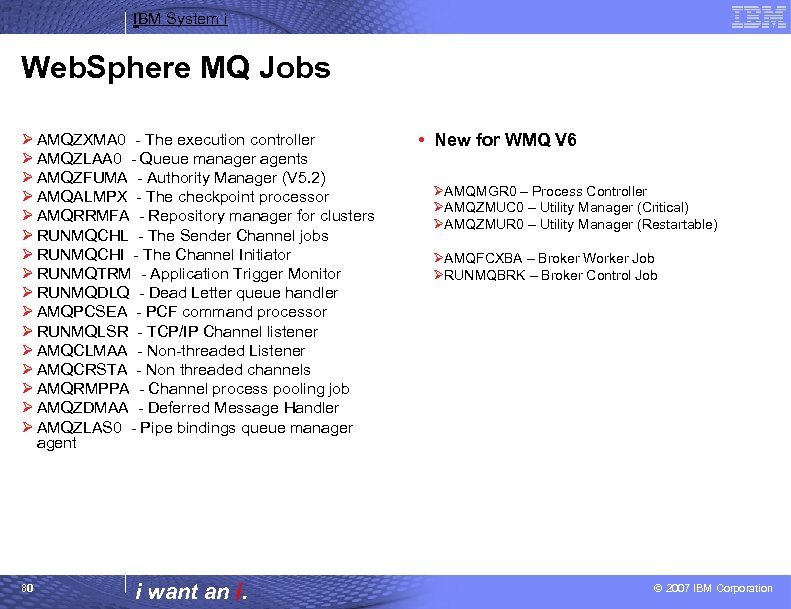
IBM System i Web. Sphere MQ Jobs Ø AMQZXMA 0 - The execution controller Ø AMQZLAA 0 - Queue manager agents Ø AMQZFUMA - Authority Manager (V 5. 2) Ø AMQALMPX - The checkpoint processor Ø AMQRRMFA - Repository manager for clusters Ø RUNMQCHL - The Sender Channel jobs Ø RUNMQCHI - The Channel Initiator Ø RUNMQTRM - Application Trigger Monitor Ø RUNMQDLQ - Dead Letter queue handler Ø AMQPCSEA - PCF command processor Ø RUNMQLSR - TCP/IP Channel listener Ø AMQCLMAA - Non-threaded Listener Ø AMQCRSTA - Non threaded channels Ø AMQRMPPA - Channel process pooling job Ø AMQZDMAA - Deferred Message Handler Ø AMQZLAS 0 - Pipe bindings queue manager agent 80 i want an i. • New for WMQ V 6 ØAMQMGR 0 – Process Controller ØAMQZMUC 0 – Utility Manager (Critical) ØAMQZMUR 0 – Utility Manager (Restartable) ØAMQFCXBA – Broker Worker Job ØRUNMQBRK – Broker Control Job © 2007 IBM Corporation
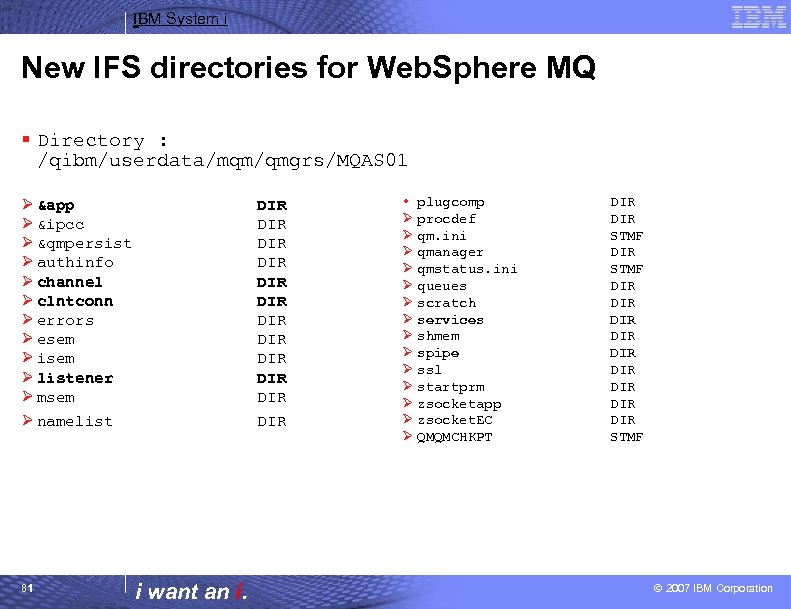
IBM System i New IFS directories for Web. Sphere MQ § Directory : /qibm/userdata/mqm/qmgrs/MQAS 01 Ø &app Ø &ipcc Ø &qmpersist Ø authinfo Ø channel Ø clntconn Ø errors Ø esem Ø isem Ø listener Ø msem Ø namelist 81 DIR DIR DIR i want an i. • plugcomp Ø procdef Ø qm. ini Ø qmanager Ø qmstatus. ini Ø queues Ø scratch Ø services Ø shmem Ø spipe Ø ssl Ø startprm Ø zsocketapp Ø zsocket. EC Ø QMQMCHKPT DIR STMF DIR DIR DIR STMF © 2007 IBM Corporation
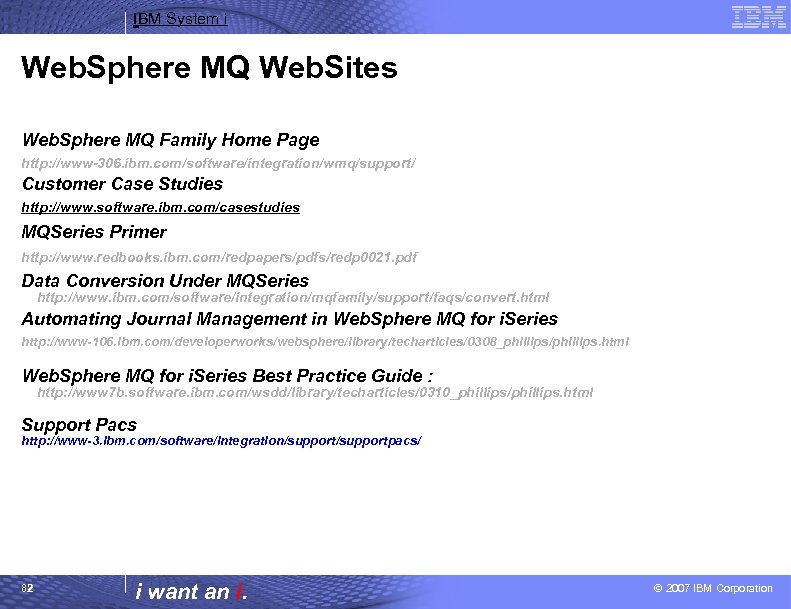
IBM System i Web. Sphere MQ Web. Sites Web. Sphere MQ Family Home Page http: //www-306. ibm. com/software/integration/wmq/support/ Customer Case Studies http: //www. software. ibm. com/casestudies MQSeries Primer http: //www. redbooks. ibm. com/redpapers/pdfs/redp 0021. pdf Data Conversion Under MQSeries http: //www. ibm. com/software/integration/mqfamily/support/faqs/convert. html Automating Journal Management in Web. Sphere MQ for i. Series http: //www-106. ibm. com/developerworks/websphere/library/techarticles/0308_phillips/phillips. html Web. Sphere MQ for i. Series Best Practice Guide : http: //www 7 b. software. ibm. com/wsdd/library/techarticles/0310_phillips/phillips. html Support Pacs http: //www-3. ibm. com/software/integration/supportpacs/ 82 i want an i. © 2007 IBM Corporation
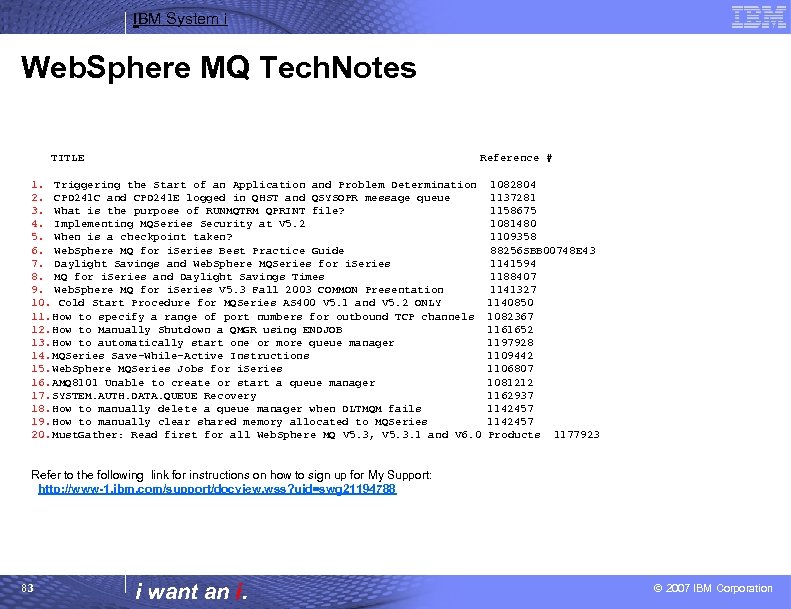
IBM System i Web. Sphere MQ Tech. Notes TITLE Reference # 1. Triggering the Start of an Application and Problem Determination 2. CPD 241 C and CPD 241 E logged in QHST and QSYSOPR message queue 3. What is the purpose of RUNMQTRM QPRINT file? 4. Implementing MQSeries Security at V 5. 2 5. When is a checkpoint taken? 6. Web. Sphere MQ for i. Series Best Practice Guide 7. Daylight Savings and Web. Sphere MQSeries for i. Series 8. MQ for i. Series and Daylight Savings Times 9. Web. Sphere MQ for i. Series V 5. 3 Fall 2003 COMMON Presentation 10. Cold Start Procedure for MQSeries AS 400 V 5. 1 and V 5. 2 ONLY 11. How to specify a range of port numbers for outbound TCP channels 12. How to Manually Shutdown a QMGR using ENDJOB 13. How to automatically start one or more queue manager 14. MQSeries Save-While-Active Instructions 15. Web. Sphere MQSeries Jobs for i. Series 16. AMQ 8101 Unable to create or start a queue manager 17. SYSTEM. AUTH. DATA. QUEUE Recovery 18. How to manually delete a queue manager when DLTMQM fails 19. How to manually clear shared memory allocated to MQSeries 20. Must. Gather: Read first for all Web. Sphere MQ V 5. 3, V 5. 3. 1 and V 6. 0 1082804 1137281 1158675 1081480 1109358 88256 SBB 00748 E 43 1141594 1188407 1141327 1140850 1082367 1161652 1197928 1109442 1106807 1081212 1162937 1142457 Products 1177923 Refer to the following link for instructions on how to sign up for My Support: http: //www-1. ibm. com/support/docview. wss? uid=swg 21194788 83 i want an i. © 2007 IBM Corporation
IBM System i Trademarks and Disclaimers 8 IBM Corporation 1994 -2007. All rights reserved. References in this document to IBM products or services do not imply that IBM intends to make them available in every country. Trademarks of International Business Machines Corporation in the United States, other countries, or both can be found on the World Wide Web at http: //www. ibm. com/legal/copytrade. shtml. Intel, Intel logo, Intel Inside logo, Intel Centrino logo, Celeron, Intel Xeon, Intel Speed. Step, Itanium, and Pentium are trademarks or registered trademarks of Intel Corporation or its subsidiaries in the United States and other countries. Linux is a registered trademark of Linus Torvalds in the United States, other countries, or both. Microsoft, Windows NT, and the Windows logo are trademarks of Microsoft Corporation in the United States, other countries, or both. IT Infrastructure Library is a registered trademark of the Central Computer and Telecommunications Agency which is now part of the Office of Government Commerce. ITIL is a registered trademark, and a registered community trademark of the Office of Government Commerce, and is registered in the U. S. Patent and Trademark Office. UNIX is a registered trademark of The Open Group in the United States and other countries. Java and all Java-based trademarks are trademarks of Sun Microsystems, Inc. in the United States, other countries, or both. Other company, product, or service names may be trademarks or service marks of others. Information is provided "AS IS" without warranty of any kind. The customer examples described are presented as illustrations of how those customers have used IBM products and the results they may have achieved. Actual environmental costs and performance characteristics may vary by customer. Information concerning non-IBM products was obtained from a supplier of these products, published announcement material, or other publicly available sources and does not constitute an endorsement of such products by IBM. Sources for non-IBM list prices and performance numbers are taken from publicly available information, including vendor announcements and vendor worldwide homepages. IBM has not tested these products and cannot confirm the accuracy of performance, capability, or any other claims related to non-IBM products. Questions on the capability of non-IBM products should be addressed to the supplier of those products. All statements regarding IBM future direction and intent are subject to change or withdrawal without notice, and represent goals and objectives only. Some information addresses anticipated future capabilities. Such information is not intended as a definitive statement of a commitment to specific levels of performance, function or delivery schedules with respect to any future products. Such commitments are only made in IBM product announcements. The information is presented here to communicate IBM's current investment and development activities as a good faith effort to help with our customers' future planning. Performance is based on measurements and projections using standard IBM benchmarks in a controlled environment. The actual throughput or performance that any user will experience will vary depending upon considerations such as the amount of multiprogramming in the user's job stream, the I/O configuration, the storage configuration, and the workload processed. Therefore, no assurance can be given that an individual user will achieve throughput or performance improvements equivalent to the ratios stated here. Prices are suggested U. S. list prices and are subject to change without notice. Starting price may not include a hard drive, operating system or other features. Contact your IBM representative or Business Partner for the most current pricing in your geography. Photographs shown may be engineering prototypes. Changes may be incorporated in production models. 84 i want an i. © 2007 IBM Corporation
Скачать презентацию IBM System i Session Introduction to Web Sphere
601da22e483cc270d592d75c72cd357a.ppt