 Скачать презентацию IBM Software Group TTEC Session — MADT
029c2c96a457f9a237ee73bbdacea59f.ppt
- Количество слайдов: 27



® IBM Software Group TTEC Session - MADT – 104 Base Service Installer (BSI) Process Solution Installer (PSI) Middleware Installer (MWI) Arlindo Chiavegatto November/2009 © 2008 IBM Corporation
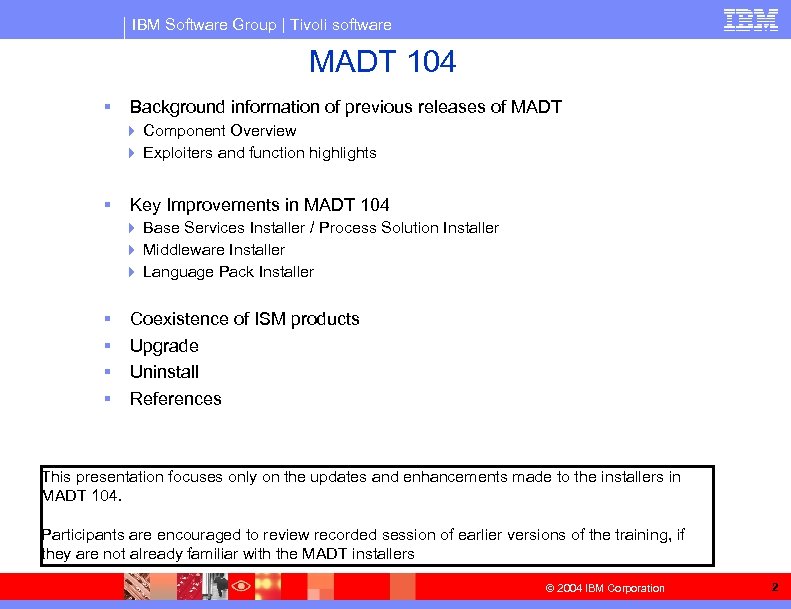
IBM Software Group | Tivoli software MADT 104 § Background information of previous releases of MADT 4 Component Overview 4 Exploiters and function highlights § Key Improvements in MADT 104 4 Base Services Installer / Process Solution Installer 4 Middleware Installer 4 Language Pack Installer § § Coexistence of ISM products Upgrade Uninstall References This presentation focuses only on the updates and enhancements made to the installers in MADT 104. Participants are encouraged to review recorded session of earlier versions of the training, if they are not already familiar with the MADT installers © 2004 IBM Corporation 2
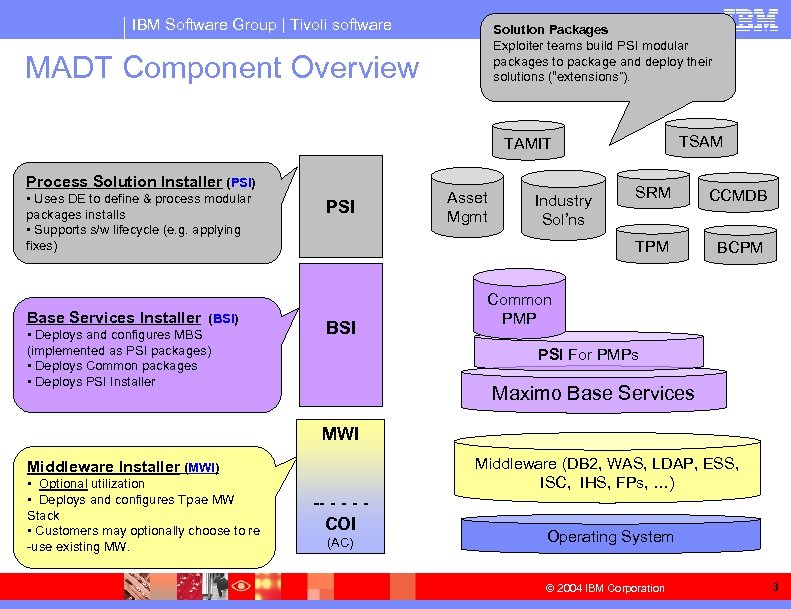
IBM Software Group | Tivoli software Solution Packages Exploiter teams build PSI modular packages to package and deploy their solutions (“extensions”). MADT Component Overview TSAM TAMIT Process Solution Installer (PSI) • Uses DE to define & process modular packages installs • Supports s/w lifecycle (e. g. applying fixes) Base Services Installer (BSI) • Deploys and configures MBS (implemented as PSI packages) • Deploys Common packages • Deploys PSI Installer BSI Industry Sol’ns SRM CCMDB TPM PSI Asset Mgmt BCPM Common PMP PSI For PMPs Maximo Base Services MWI Middleware (DB 2, WAS, LDAP, ESS, ISC, IHS, FPs, …) Middleware Installer (MWI) • Optional utilization • Deploys and configures Tpae MW Stack • Customers may optionally choose to re -use existing MW. -- - COI (AC) Operating System © 2004 IBM Corporation 3
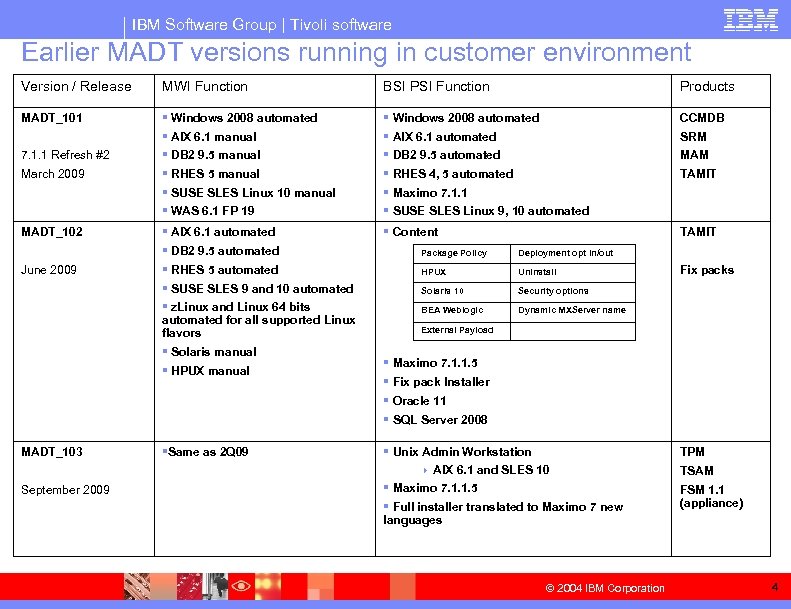
IBM Software Group | Tivoli software Earlier MADT versions running in customer environment Version / Release MWI Function BSI PSI Function Products MADT_101 § Windows 2008 automated § AIX 6. 1 manual § DB 2 9. 5 manual § RHES 5 manual § SUSE SLES Linux 10 manual § WAS 6. 1 FP 19 § Windows 2008 automated § AIX 6. 1 automated § DB 2 9. 5 automated § RHES 4, 5 automated § Maximo 7. 1. 1 § SUSE SLES Linux 9, 10 automated CCMDB § AIX 6. 1 automated § DB 2 9. 5 automated § RHES 5 automated § SUSE SLES 9 and 10 automated § z. Linux and Linux 64 bits automated for all supported Linux flavors § Solaris manual § HPUX manual § Content TAMIT §Same as 2 Q 09 § Unix Admin Workstation 4 AIX 6. 1 and SLES 10 § Maximo 7. 1. 1. 5 § Full installer translated to Maximo 7 new languages 7. 1. 1 Refresh #2 March 2009 MADT_102 June 2009 MADT_103 September 2009 Package Policy Uninstall Solaris 10 TAMIT Security options BEA Weblogic MAM Deployment opt in/out HPUX SRM Dynamic MXServer name Fix packs External Payload § Maximo 7. 1. 1. 5 § Fix pack Installer § Oracle 11 § SQL Server 2008 © 2004 IBM Corporation TPM TSAM FSM 1. 1 (appliance) 4
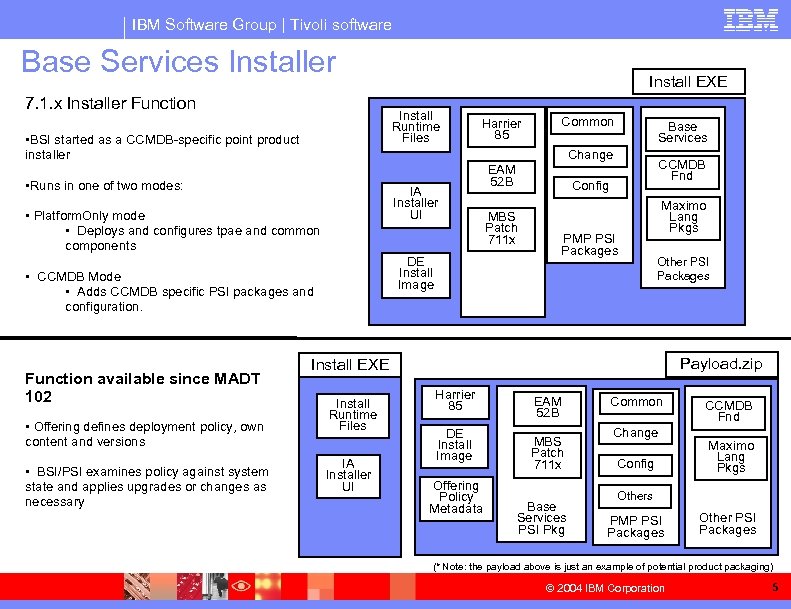
IBM Software Group | Tivoli software Base Services Installer 7. 1. x Installer Function Install Runtime Files • BSI started as a CCMDB-specific point product installer IA Installer UI • Platform. Only mode • Deploys and configures tpae and common components DE Install Image • CCMDB Mode • Adds CCMDB specific PSI packages and configuration. • Offering defines deployment policy, own content and versions • BSI/PSI examines policy against system state and applies upgrades or changes as necessary Harrier 85 Common Base Services Change • Runs in one of two modes: Function available since MADT 102 Install EXE EAM 52 B CCMDB Fnd Config MBS Patch 711 x PMP PSI Packages Maximo Lang Pkgs Other PSI Packages Payload. zip Install EXE Install Runtime Files IA Installer UI Harrier 85 DE Install Image Offering Policy Metadata EAM 52 B MBS Patch 711 x Base Services PSI Pkg Common Change Config CCMDB Fnd Maximo Lang Pkgs Others PMP PSI Packages Other PSI Packages (* Note: the payload above is just an example of potential product packaging) © 2004 IBM Corporation 5
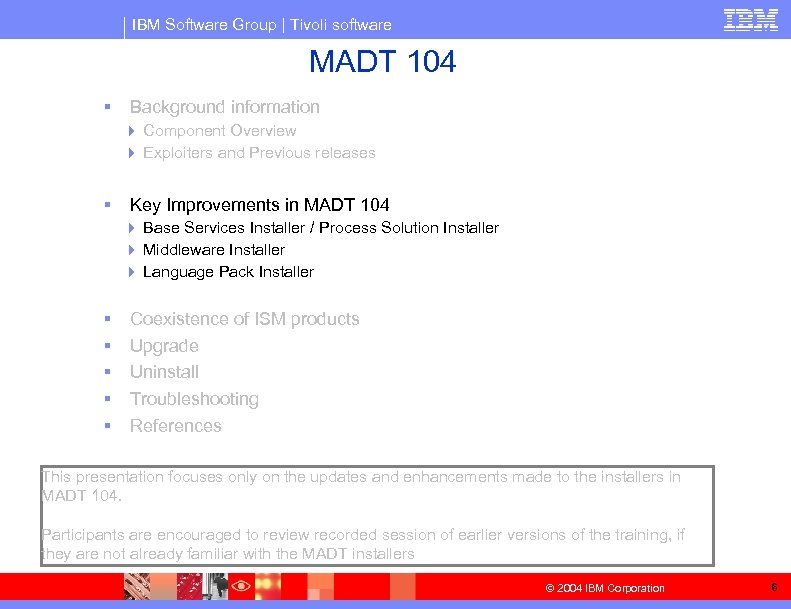
IBM Software Group | Tivoli software MADT 104 § Background information 4 Component Overview 4 Exploiters and Previous releases § Key Improvements in MADT 104 4 Base Services Installer / Process Solution Installer 4 Middleware Installer 4 Language Pack Installer § § § Coexistence of ISM products Upgrade Uninstall Troubleshooting References This presentation focuses only on the updates and enhancements made to the installers in MADT 104. Participants are encouraged to review recorded session of earlier versions of the training, if they are not already familiar with the MADT installers © 2004 IBM Corporation 6
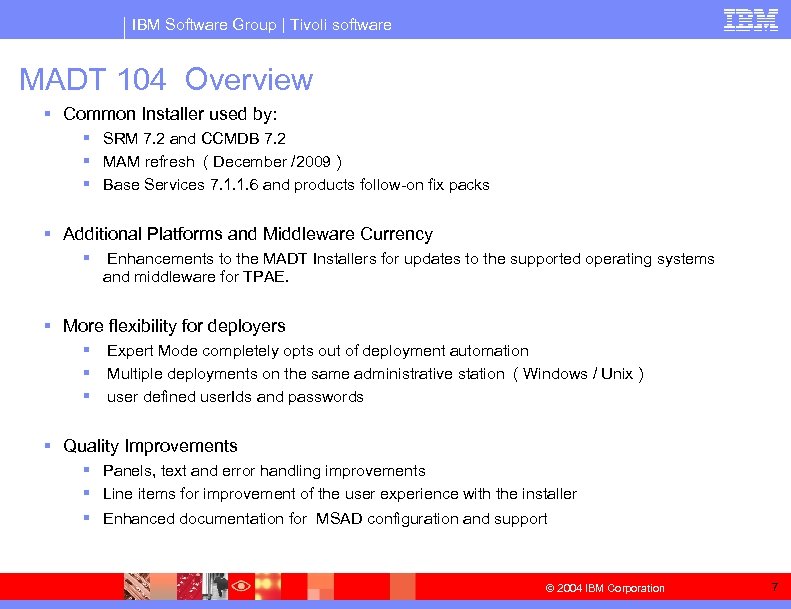
IBM Software Group | Tivoli software MADT 104 Overview § Common Installer used by: § SRM 7. 2 and CCMDB 7. 2 § MAM refresh ( December /2009 ) § Base Services 7. 1. 1. 6 and products follow-on fix packs § Additional Platforms and Middleware Currency § Enhancements to the MADT Installers for updates to the supported operating systems and middleware for TPAE. § More flexibility for deployers § § § Expert Mode completely opts out of deployment automation Multiple deployments on the same administrative station ( Windows / Unix ) user defined user. Ids and passwords § Quality Improvements § Panels, text and error handling improvements § Line items for improvement of the user experience with the installer § Enhanced documentation for MSAD configuration and support © 2004 IBM Corporation 7
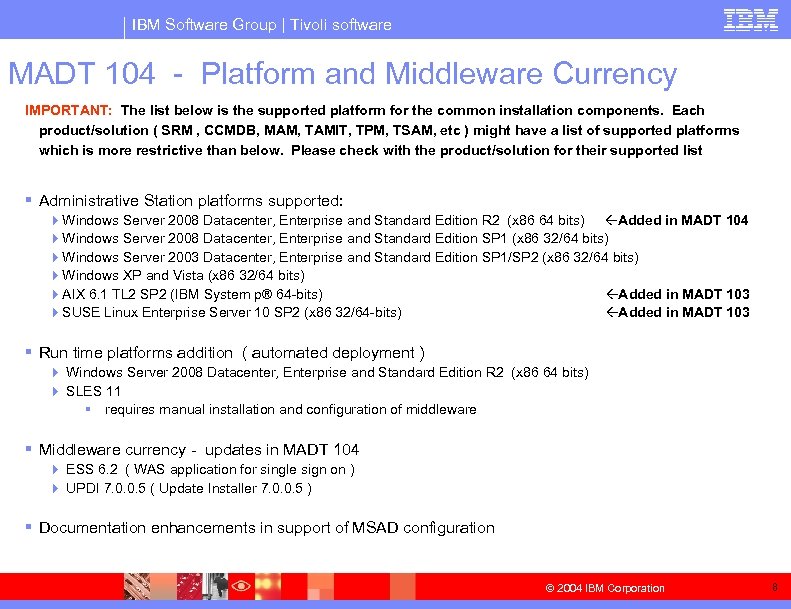
IBM Software Group | Tivoli software MADT 104 - Platform and Middleware Currency IMPORTANT: The list below is the supported platform for the common installation components. Each product/solution ( SRM , CCMDB, MAM, TAMIT, TPM, TSAM, etc ) might have a list of supported platforms which is more restrictive than below. Please check with the product/solution for their supported list § Administrative Station platforms supported: 4 Windows Server 2008 Datacenter, Enterprise and Standard Edition R 2 (x 86 64 bits) Added in MADT 104 4 Windows Server 2008 Datacenter, Enterprise and Standard Edition SP 1 (x 86 32/64 bits) 4 Windows Server 2003 Datacenter, Enterprise and Standard Edition SP 1/SP 2 (x 86 32/64 bits) 4 Windows XP and Vista (x 86 32/64 bits) 4 AIX 6. 1 TL 2 SP 2 (IBM System p® 64 -bits) Added in MADT 103 4 SUSE Linux Enterprise Server 10 SP 2 (x 86 32/64 -bits) Added in MADT 103 § Run time platforms addition ( automated deployment ) 4 Windows Server 2008 Datacenter, Enterprise and Standard Edition R 2 (x 86 64 bits) 4 SLES 11 § requires manual installation and configuration of middleware § Middleware currency - updates in MADT 104 4 ESS 6. 2 ( WAS application for single sign on ) 4 UPDI 7. 0. 0. 5 ( Update Installer 7. 0. 0. 5 ) § Documentation enhancements in support of MSAD configuration © 2004 IBM Corporation 8
IBM Software Group | Tivoli software BSI/PSI enhancements - Expert Mode Deployment § New choice of deployment, in addition of Simple and Custom deployments § When Expert Mode is chosen, NO configuration or automation is performed by the installer 4 The only actions executed are: § Validation of pre-req checking § Registering the installation with the DE inventory database § Unzip of files to the target directory at the administrative station § All subsequent tasks necessary must be done manually 4 Validation, configuration and setup of runtime environment ( J 2 EE / DBMS / LDAP ), 4 Configuration of the administrative station 4 Database instantiation, updatedb, build and deploy WAR and EAR 4 registry of MEA, health check validation, etc. § The availability of the choice for expert mode in the installer is defined by the solution package contents (Payload) 4 SRM and CCMDB 7. 2 do NOT support expert mode deployment 4 MAM refresh will support expert mode deployment § Mixed case deployments choices: 4 Environment is deployed with expert mode ( e. g. customer install MAM refresh ) § No data is obtained from the end user § No automation is performed, 4 Customer tries to install solution that does not support expert mode on top ( e. g. SRM 7. 2 / CCMDB 7. 2 ) § Expert Mode choice is not available in the installer, only Custom / Simple § Installer needs to obtain data that is not available and will go through all the required input panels for deployment § Automation is performed, as required / defined by the user © 2004 IBM Corporation 9
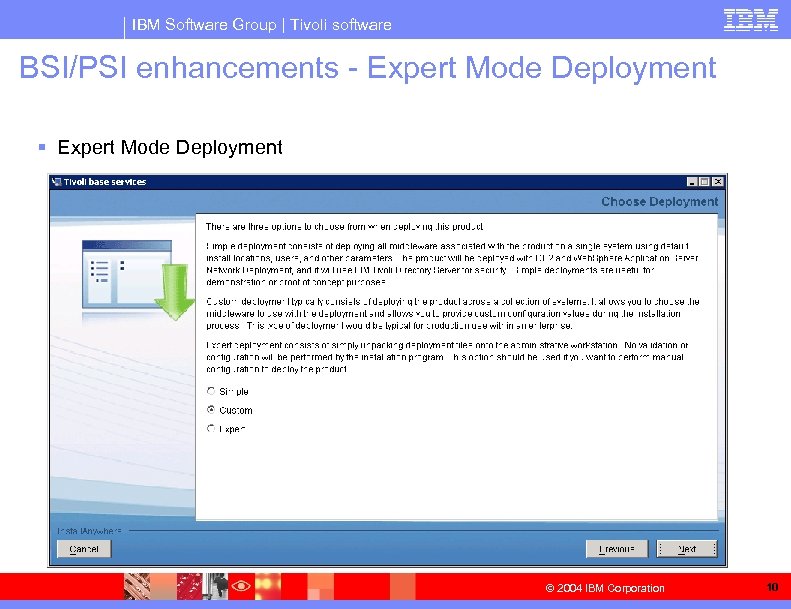
IBM Software Group | Tivoli software BSI/PSI enhancements - Expert Mode Deployment § Expert Mode Deployment © 2004 IBM Corporation 10
IBM Software Group | Tivoli software BSI/PSI enhancements – Upgrade warning 1. When installing a solution, BSI will warn users before upgrading Maximo base level § Scenario § Solutions can include a newer version/level of tpae in their Payload then the existing in the Admin Station § Packages that are already deployed in the Admin station may have not specified their compatibility with the newer level of tpae § BSI will identify and explicitly warn users that the base will be upgraded once the payload is processed § User will be given the choice to continue or cancel 2. Users can override failed system checks during install of PSI packages Scenarios: § Solution Packages (PMPs in PSI) contains a list of hot fixes that are as superseded by the version to be applied. § In a given customer environment there is a hot fix that is created after GA of the newer release, and is not identified in the superseded list. § The Install check will flag to user that new version to be applied does not supersede the existing hot fix § Missing superseded fixes can not be skipped during installation when using BSI § Customer will have to undo the interim fixes using PSI CLI prior to applying package with BSI © 2004 IBM Corporation 11
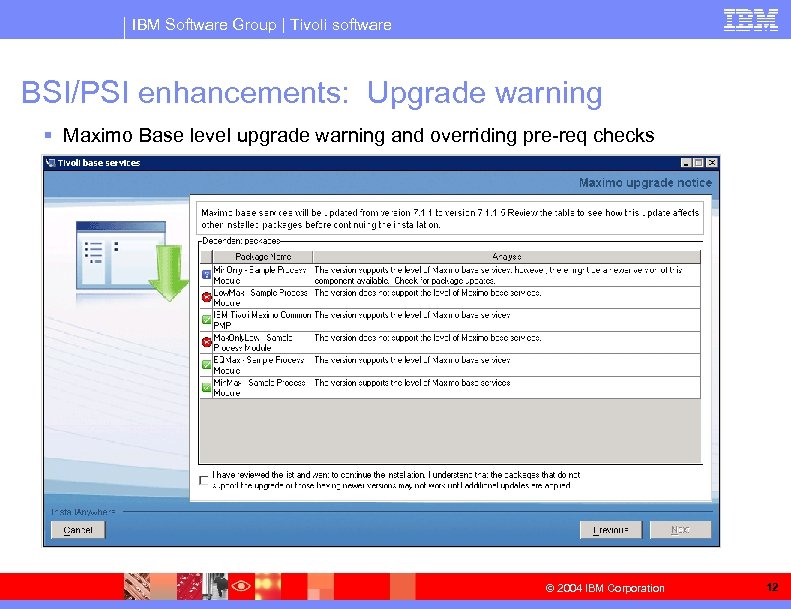
IBM Software Group | Tivoli software BSI/PSI enhancements: Upgrade warning § Maximo Base level upgrade warning and overriding pre-req checks © 2004 IBM Corporation 12
IBM Software Group | Tivoli software BSI/PSI enhancements - Custom User. Ids and Pwds Allow Changes to Default Users and Passwords during install 4 Relaxed the current limitation which required customers to utilize default values for the maximo administrator (maxadmin), registration user (maxreg), and integration users (mxintadm) as well as their respective passwords during installation. 4 The installer now accepts new user ids and passwords as input, and it will configure maximo such that these id's can perform their required functions. 4 The default users are still present in the maximo DB, with their default passwords § There is a dependency in existing scripts of having those users defined. 4 For customers using LDAP ( and VMMSYNCC), only the user. Ids and pwd provided during install are created and configured in the LDAP § Implication: If customer is using LDAP, and providing new users/pwd, only those users will be able to logon/authenticate to maximo. The default users are not created in the LDAP. © 2004 IBM Corporation 13
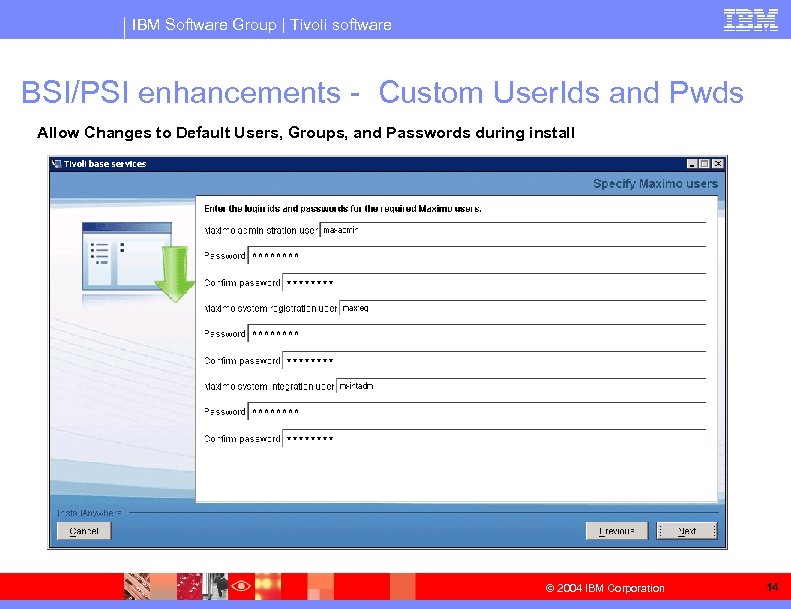
IBM Software Group | Tivoli software BSI/PSI enhancements - Custom User. Ids and Pwds Allow Changes to Default Users, Groups, and Passwords during install © 2004 IBM Corporation 14
IBM Software Group | Tivoli software BSI/PSI enhancements – SSL support § Support SSL for HTTP-Based Configuration Actions 4 Support for automated installation into application server that has SSL enabled. § TPM installer instructs users to turns on SSL 4 The common installer currently uses HTTP communication during § health check that runs at the end of the base services installation, and § to implement the Maximo Enterprise Adapter (MEA) registration function. – MEA registration is invoked during : – – – CCMDB installation to register the TADDM Launch In Context (LIC) function. to register Integration Modules during package installation, and to validate the Maximo 'maxadmin' user/password (only needed by packages using MEA registration). § Notes: § The common installers infers the SSL configuration using Virtual Host definition introspection. § The customer doesn’t need to explicitly tell BSI whether SSL is enabled or what port SSL traffic can flow on. © 2004 IBM Corporation 15
IBM Software Group | Tivoli software BSI/PSI enhancements – Multiple deployments on a single Administrative Station Support § A single administrative station can be used: § for a single deployment tree that is shared by all users in that machine ( similar to MADT 101 and 102) , or § to support multiple maximo deployment trees, each one to be owned by one different user. § The mechanism is associated to the usage of a global DE inventory repository vs. user-level repository. 4 The choice of DE repository installation is dependent on the O. S. authority of the user who is running the installer. 4 If the deployment is done by an user in the Administrator group ( Windows) or as a root user (Unix) § § § A global copy of DE is installed, a DE service / deamon is created ( system level ) once a global instance of DE is running, all users in that machine will be sharing the same deployment tree 4 If a non-Administrative /non-root user is used § § A local copy of the DE repository is stored in the user directory ( %USERPROFILE%acsi%USERNAME% ) The deployments done by that user will be restricted to that DE repository Only one deployment tree can be associated to one user ( and vice-versa ) No DE service / deamon is created § IMPORTANT: The backup of the administrative station MUST take in consideration the corresponding backup of the DE repository, which can be either local to the user or global (system wide ) © 2004 IBM Corporation 16
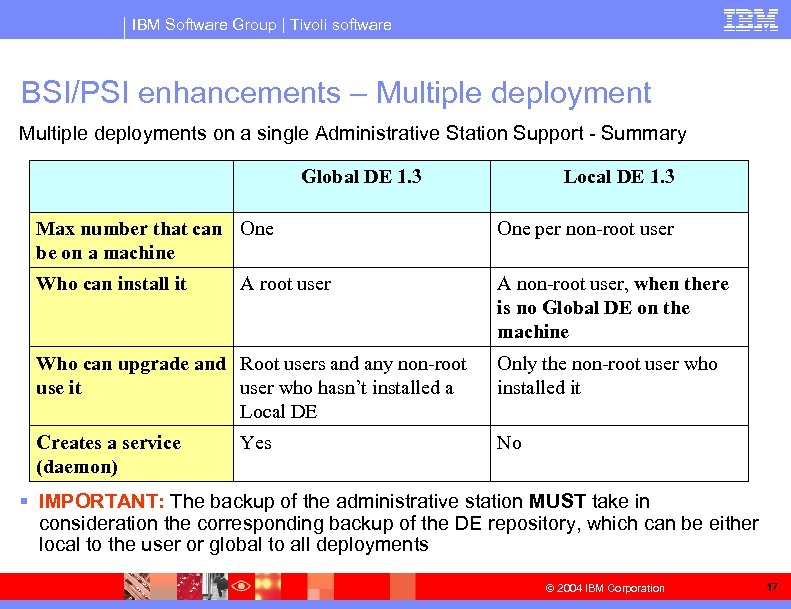
IBM Software Group | Tivoli software BSI/PSI enhancements – Multiple deployments on a single Administrative Station Support - Summary Global DE 1. 3 Local DE 1. 3 Max number that can One be on a machine One per non-root user Who can install it A non-root user, when there is no Global DE on the machine A root user Who can upgrade and Root users and any non-root use it user who hasn’t installed a Local DE Only the non-root user who installed it Creates a service (daemon) No Yes § IMPORTANT: The backup of the administrative station MUST take in consideration the corresponding backup of the DE repository, which can be either local to the user or global to all deployments © 2004 IBM Corporation 17
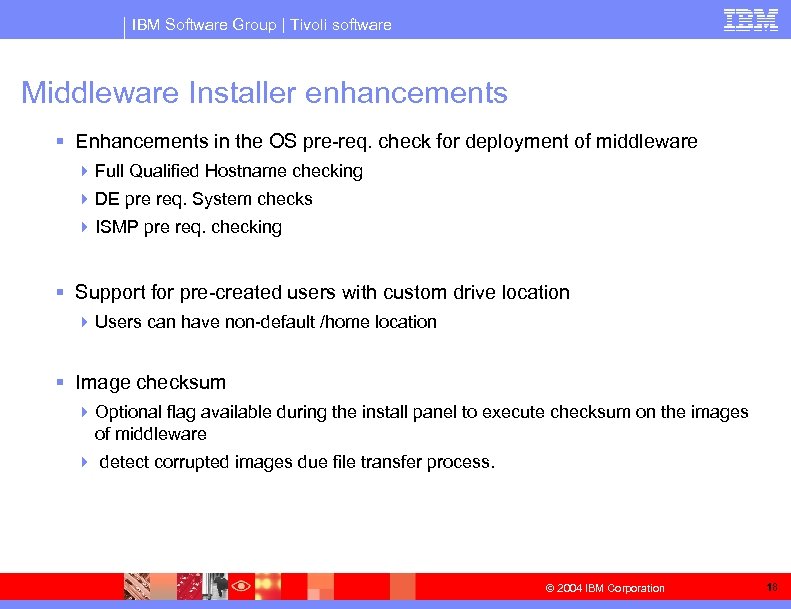
IBM Software Group | Tivoli software Middleware Installer enhancements § Enhancements in the OS pre-req. check for deployment of middleware 4 Full Qualified Hostname checking 4 DE pre req. System checks 4 ISMP pre req. checking § Support for pre-created users with custom drive location 4 Users can have non-default /home location § Image checksum 4 Optional flag available during the install panel to execute checksum on the images of middleware 4 detect corrupted images due file transfer process. © 2004 IBM Corporation 18
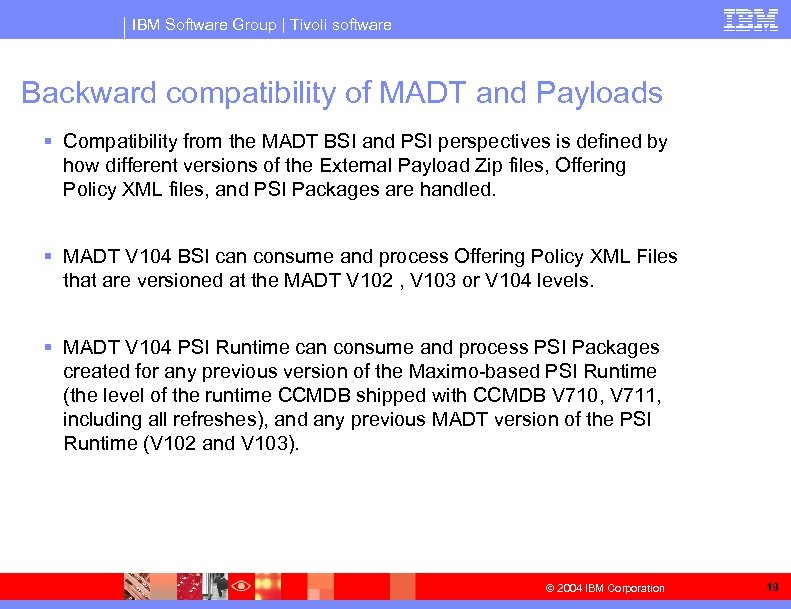
IBM Software Group | Tivoli software Backward compatibility of MADT and Payloads § Compatibility from the MADT BSI and PSI perspectives is defined by how different versions of the External Payload Zip files, Offering Policy XML files, and PSI Packages are handled. § MADT V 104 BSI can consume and process Offering Policy XML Files that are versioned at the MADT V 102 , V 103 or V 104 levels. § MADT V 104 PSI Runtime can consume and process PSI Packages created for any previous version of the Maximo-based PSI Runtime (the level of the runtime CCMDB shipped with CCMDB V 710, V 711, including all refreshes), and any previous MADT version of the PSI Runtime (V 102 and V 103). © 2004 IBM Corporation 19
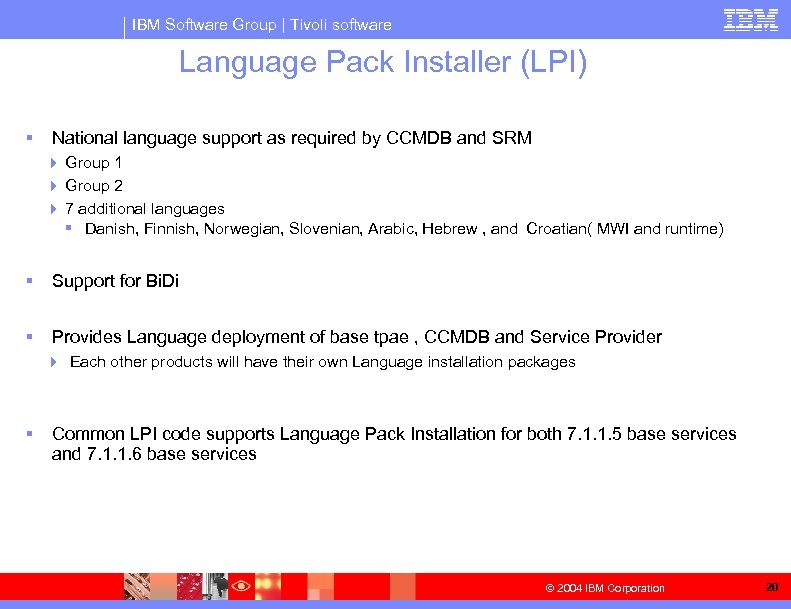
IBM Software Group | Tivoli software Language Pack Installer (LPI) § National language support as required by CCMDB and SRM 4 Group 1 4 Group 2 4 7 additional languages § Danish, Finnish, Norwegian, Slovenian, Arabic, Hebrew , and Croatian( MWI and runtime) § Support for Bi. Di § Provides Language deployment of base tpae , CCMDB and Service Provider 4 Each other products will have their own Language installation packages § Common LPI code supports Language Pack Installation for both 7. 1. 1. 5 base services and 7. 1. 1. 6 base services © 2004 IBM Corporation 20
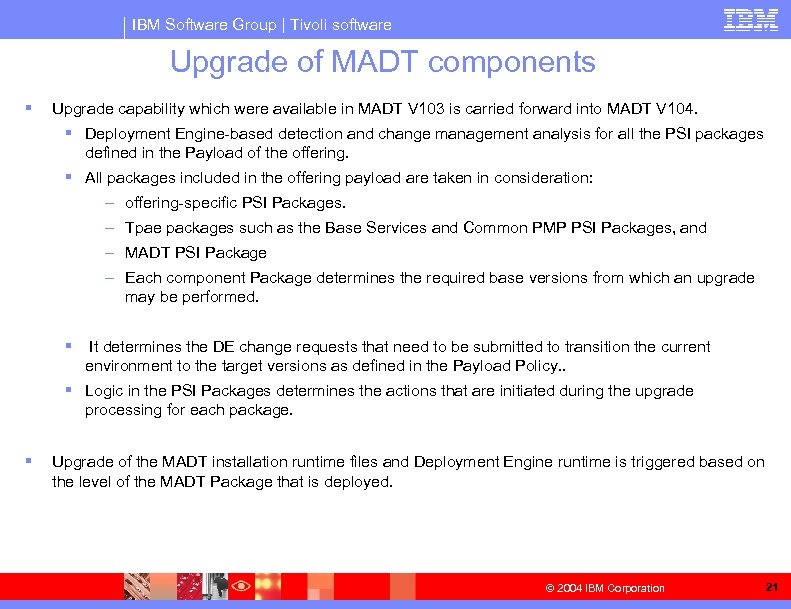
IBM Software Group | Tivoli software Upgrade of MADT components § Upgrade capability which were available in MADT V 103 is carried forward into MADT V 104. § Deployment Engine-based detection and change management analysis for all the PSI packages defined in the Payload of the offering. § All packages included in the offering payload are taken in consideration: – offering-specific PSI Packages. – Tpae packages such as the Base Services and Common PMP PSI Packages, and – MADT PSI Package – Each component Package determines the required base versions from which an upgrade may be performed. § It determines the DE change requests that need to be submitted to transition the current environment to the target versions as defined in the Payload Policy. . § Logic in the PSI Packages determines the actions that are initiated during the upgrade processing for each package. § Upgrade of the MADT installation runtime files and Deployment Engine runtime is triggered based on the level of the MADT Package that is deployed. © 2004 IBM Corporation 21
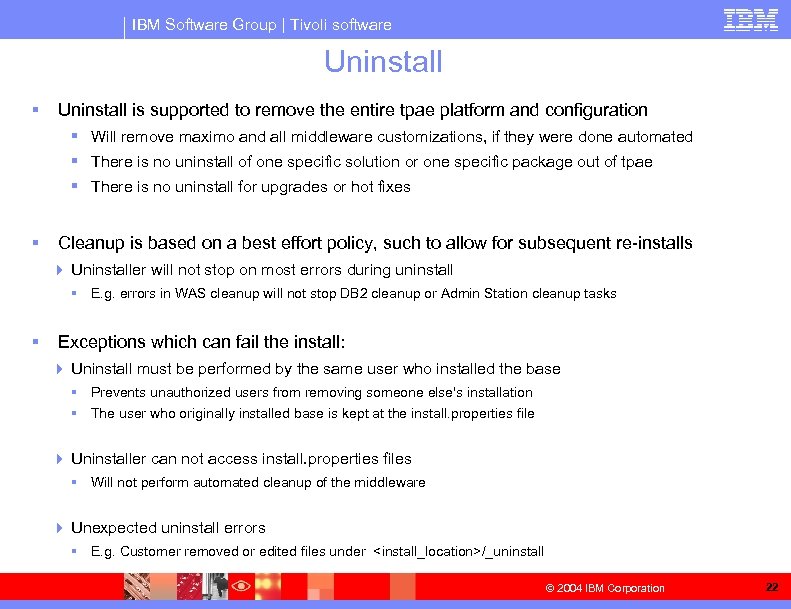
IBM Software Group | Tivoli software Uninstall § Uninstall is supported to remove the entire tpae platform and configuration § Will remove maximo and all middleware customizations, if they were done automated § There is no uninstall of one specific solution or one specific package out of tpae § There is no uninstall for upgrades or hot fixes § Cleanup is based on a best effort policy, such to allow for subsequent re-installs 4 Uninstaller will not stop on most errors during uninstall § E. g. errors in WAS cleanup will not stop DB 2 cleanup or Admin Station cleanup tasks § Exceptions which can fail the install: 4 Uninstall must be performed by the same user who installed the base § Prevents unauthorized users from removing someone else's installation § The user who originally installed base is kept at the install. properties file 4 Uninstaller can not access install. properties files § Will not perform automated cleanup of the middleware 4 Unexpected uninstall errors § E. g. Customer removed or edited files under <install_location>/_uninstall © 2004 IBM Corporation 22
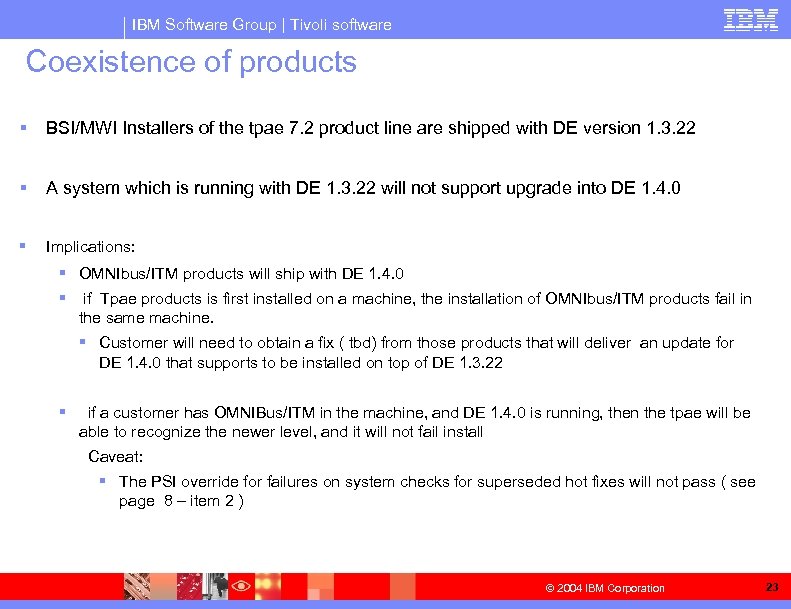
IBM Software Group | Tivoli software Coexistence of products § BSI/MWI Installers of the tpae 7. 2 product line are shipped with DE version 1. 3. 22 § A system which is running with DE 1. 3. 22 will not support upgrade into DE 1. 4. 0 § Implications: § OMNIbus/ITM products will ship with DE 1. 4. 0 § if Tpae products is first installed on a machine, the installation of OMNIbus/ITM products fail in the same machine. § Customer will need to obtain a fix ( tbd) from those products that will deliver an update for DE 1. 4. 0 that supports to be installed on top of DE 1. 3. 22 § if a customer has OMNIBus/ITM in the machine, and DE 1. 4. 0 is running, then the tpae will be able to recognize the newer level, and it will not fail install Caveat: § The PSI override for failures on system checks for superseded hot fixes will not pass ( see page 8 – item 2 ) © 2004 IBM Corporation 23
IBM Software Group | Tivoli software QUESTIONS? ? © 2004 IBM Corporation 24
IBM Software Group | Tivoli software BACKUP © 2004 IBM Corporation 25
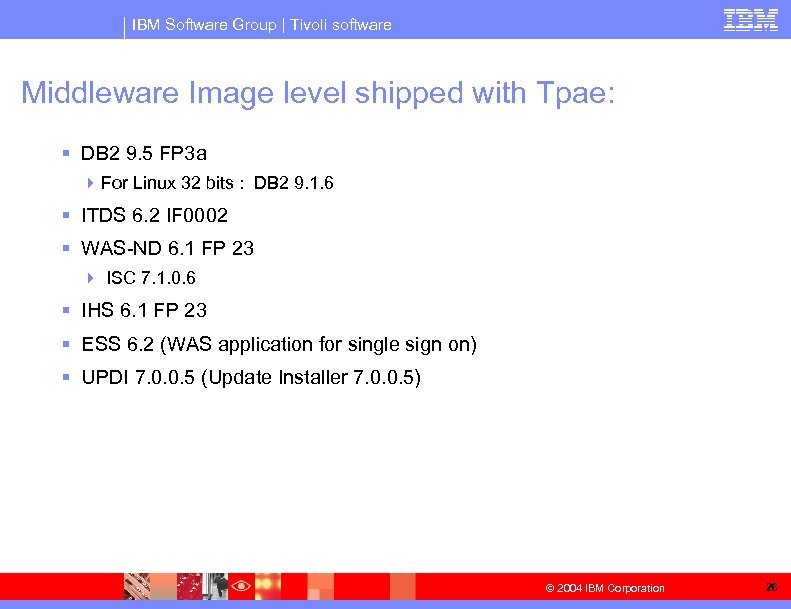
IBM Software Group | Tivoli software Middleware Image level shipped with Tpae: § DB 2 9. 5 FP 3 a 4 For Linux 32 bits : DB 2 9. 1. 6 § ITDS 6. 2 IF 0002 § WAS-ND 6. 1 FP 23 4 ISC 7. 1. 0. 6 § IHS 6. 1 FP 23 § ESS 6. 2 (WAS application for single sign on) § UPDI 7. 0. 0. 5 (Update Installer 7. 0. 0. 5) © 2004 IBM Corporation 26
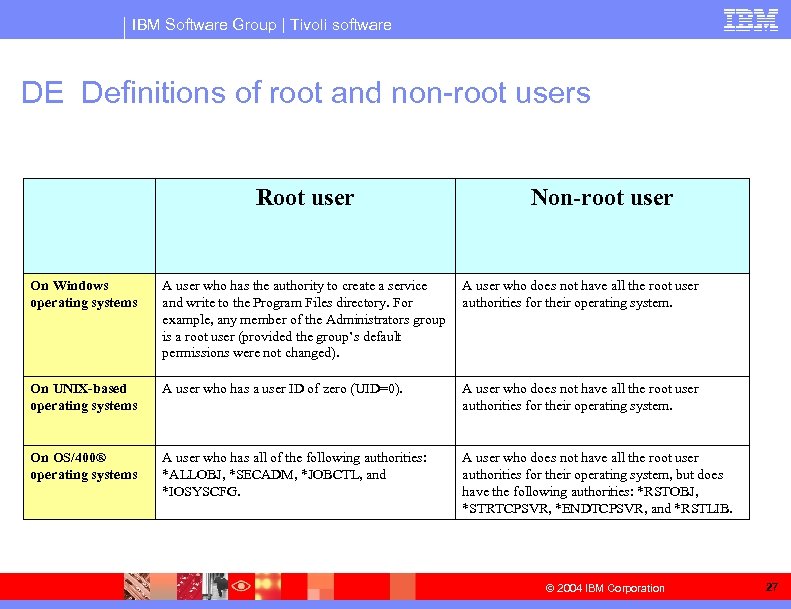
IBM Software Group | Tivoli software DE Definitions of root and non-root users Root user Non-root user On Windows operating systems A user who has the authority to create a service and write to the Program Files directory. For example, any member of the Administrators group is a root user (provided the group’s default permissions were not changed). A user who does not have all the root user authorities for their operating system. On UNIX-based operating systems A user who has a user ID of zero (UID=0). A user who does not have all the root user authorities for their operating system. On OS/400® operating systems A user who has all of the following authorities: *ALLOBJ, *SECADM, *JOBCTL, and *IOSYSCFG. A user who does not have all the root user authorities for their operating system, but does have the following authorities: *RSTOBJ, *STRTCPSVR, *ENDTCPSVR, and *RSTLIB. © 2004 IBM Corporation 27
Скачать презентацию IBM Software Group TTEC Session — MADT
029c2c96a457f9a237ee73bbdacea59f.ppt