 Скачать презентацию IBM Software Group Tivoli Access Manager problem
a49b355ecbb64ee37184875f5c02eb07.ppt
- Количество слайдов: 41



® IBM Software Group Tivoli Access Manager problem determination using logging and tracing features © IBM Corporation Jenny Totterdell - EMEA Security Support jenny_totterdell@uk. ibm. com
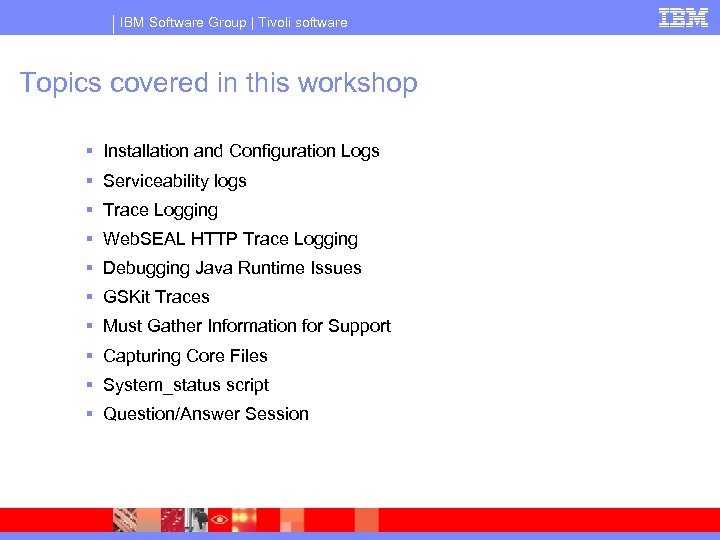
IBM Software Group | Tivoli software Topics covered in this workshop § Installation and Configuration Logs § Serviceability logs § Trace Logging § Web. SEAL HTTP Trace Logging § Debugging Java Runtime Issues § GSKit Traces § Must Gather Information for Support § Capturing Core Files § System_status script § Question/Answer Session
IBM Software Group | Tivoli software Log Files
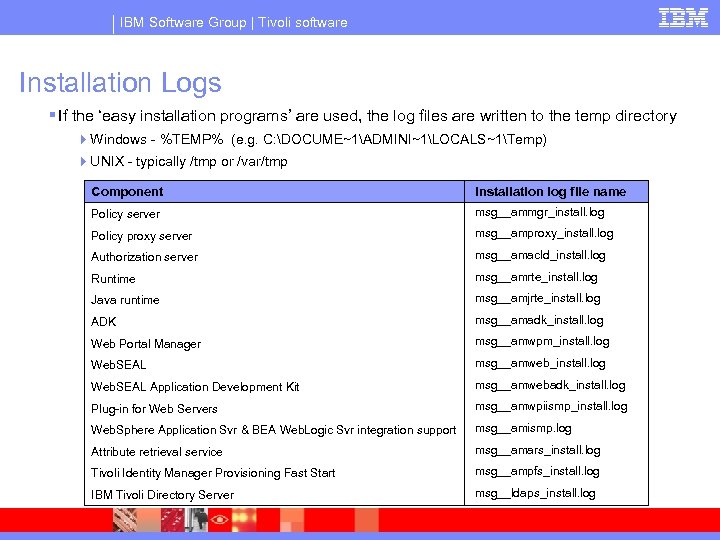
IBM Software Group | Tivoli software Installation Logs § If the ‘easy installation programs’ are used, the log files are written to the temp directory 4 Windows - %TEMP% (e. g. C: DOCUME~1ADMINI~1LOCALS~1Temp) 4 UNIX - typically /tmp or /var/tmp Component Installation log file name Policy server msg__ammgr_install. log Policy proxy server msg__amproxy_install. log Authorization server msg__amacld_install. log Runtime msg__amrte_install. log Java runtime msg__amjrte_install. log ADK msg__amadk_install. log Web Portal Manager msg__amwpm_install. log Web. SEAL msg__amweb_install. log Web. SEAL Application Development Kit msg__amwebadk_install. log Plug-in for Web Servers msg__amwpiismp_install. log Web. Sphere Application Svr & BEA Web. Logic Svr integration support msg__amismp. log Attribute retrieval service msg__amars_install. log Tivoli Identity Manager Provisioning Fast Start msg__ampfs_install. log IBM Tivoli Directory Server msg__ldaps_install. log
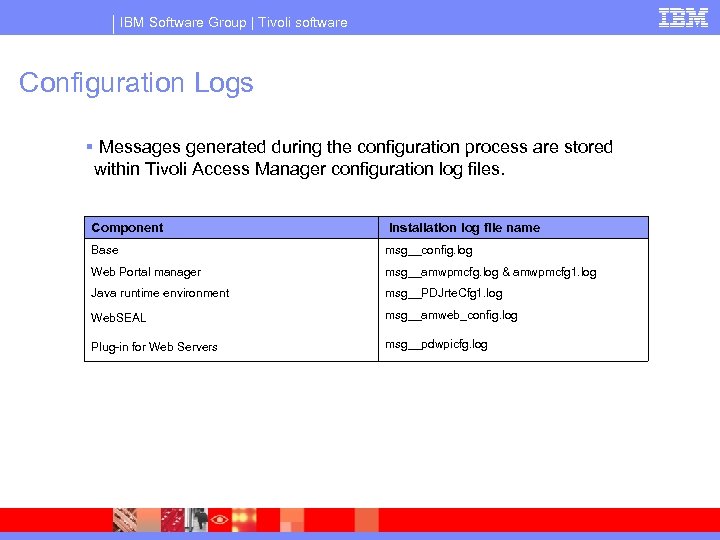
IBM Software Group | Tivoli software Configuration Logs § Messages generated during the configuration process are stored within Tivoli Access Manager configuration log files. Component Installation log file name Base msg__config. log Web Portal manager msg__amwpmcfg. log & amwpmcfg 1. log Java runtime environment msg__PDJrte. Cfg 1. log Web. SEAL msg__amweb_config. log Plug-in for Web Servers msg__pdwpicfg. log
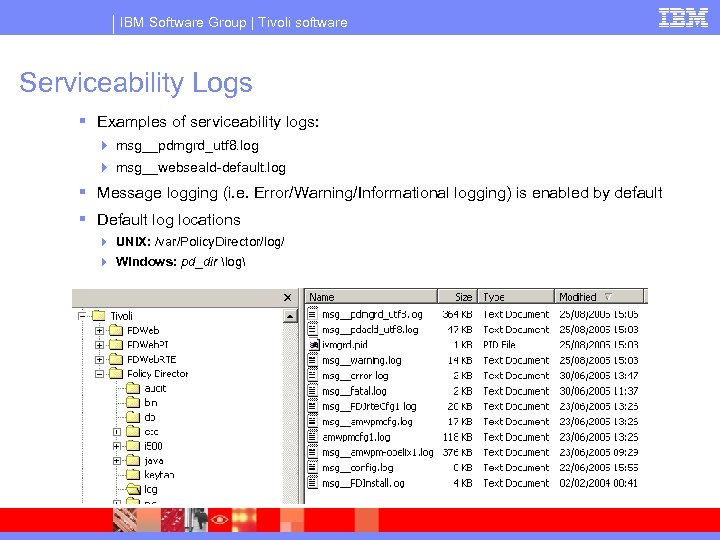
IBM Software Group | Tivoli software Serviceability Logs § Examples of serviceability logs: 4 msg__pdmgrd_utf 8. log 4 msg__webseald-default. log § Message logging (i. e. Error/Warning/Informational logging) is enabled by default § Default log locations 4 UNIX: /var/Policy. Director/log/ 4 Windows: pd_dir log
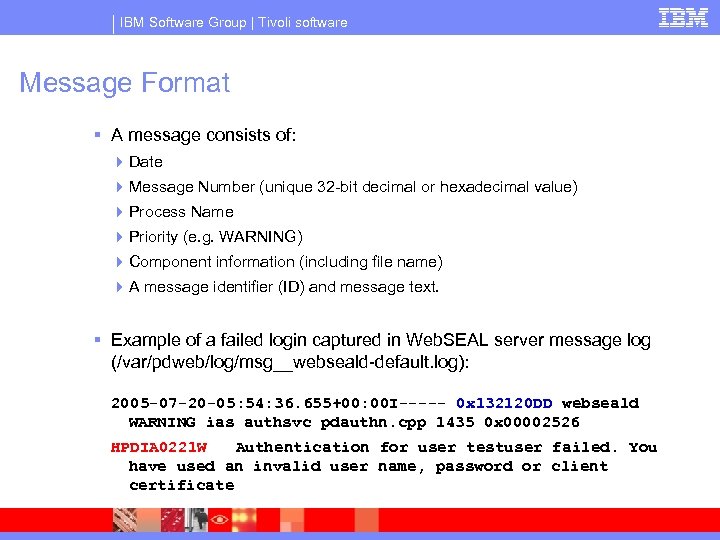
IBM Software Group | Tivoli software Message Format § A message consists of: 4 Date 4 Message Number (unique 32 -bit decimal or hexadecimal value) 4 Process Name 4 Priority (e. g. WARNING) 4 Component information (including file name) 4 A message identifier (ID) and message text. § Example of a failed login captured in Web. SEAL server message log (/var/pdweb/log/msg__webseald-default. log): 2005 -07 -20 -05: 54: 36. 655+00: 00 I----- 0 x 132120 DD webseald WARNING ias authsvc pdauthn. cpp 1435 0 x 00002526 HPDIA 0221 W Authentication for user testuser failed. You have used an invalid user name, password or client certificate
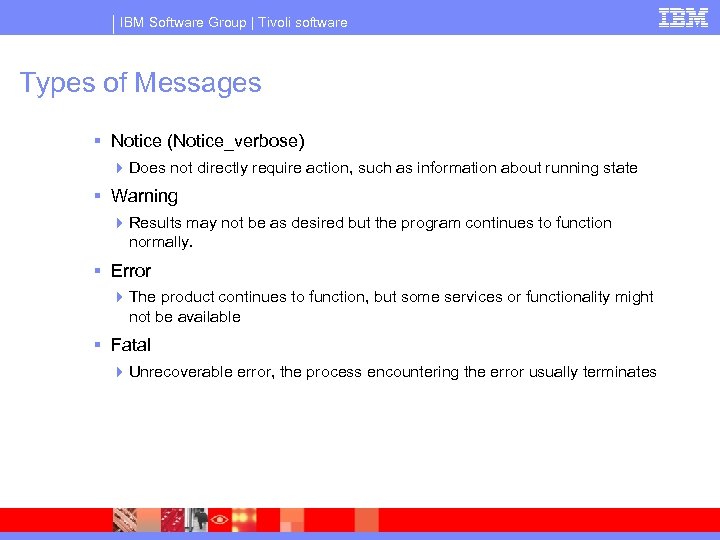
IBM Software Group | Tivoli software Types of Messages § Notice (Notice_verbose) 4 Does not directly require action, such as information about running state § Warning 4 Results may not be as desired but the program continues to function normally. § Error 4 The product continues to function, but some services or functionality might not be available § Fatal 4 Unrecoverable error, the process encountering the error usually terminates
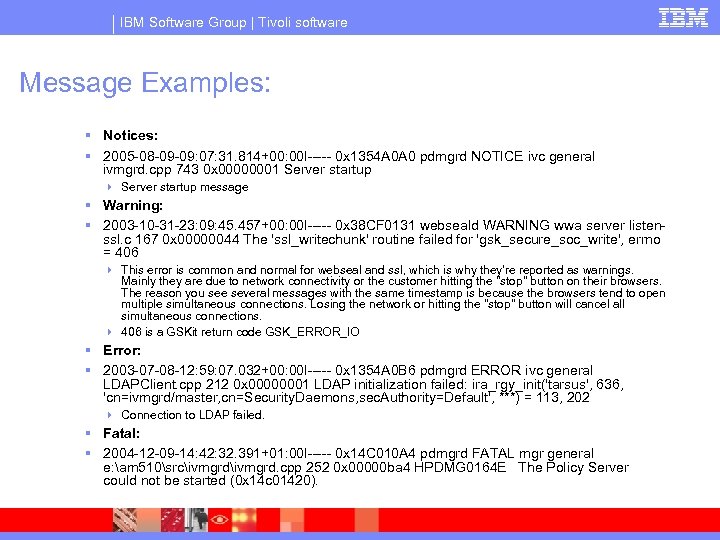
IBM Software Group | Tivoli software Message Examples: § Notices: § 2005 -08 -09 -09: 07: 31. 814+00: 00 I----- 0 x 1354 A 0 A 0 pdmgrd NOTICE ivc general ivmgrd. cpp 743 0 x 00000001 Server startup 4 Server startup message § Warning: § 2003 -10 -31 -23: 09: 45. 457+00: 00 I----- 0 x 38 CF 0131 webseald WARNING wwa server listenssl. c 167 0 x 00000044 The 'ssl_writechunk' routine failed for 'gsk_secure_soc_write', errno = 406 4 This error is common and normal for webseal and ssl, which is why they're reported as warnings. Mainly they are due to network connectivity or the customer hitting the "stop" button on their browsers. The reason you see several messages with the same timestamp is because the browsers tend to open multiple simultaneous connections. Losing the network or hitting the "stop" button will cancel all simultaneous connections. 4 406 is a GSKit return code GSK_ERROR_IO § Error: § 2003 -07 -08 -12: 59: 07. 032+00: 00 I----- 0 x 1354 A 0 B 6 pdmgrd ERROR ivc general LDAPClient. cpp 212 0 x 00000001 LDAP initialization failed: ira_rgy_init('tarsus', 636, 'cn=ivmgrd/master, cn=Security. Daemons, sec. Authority=Default', ***) = 113, 202 4 Connection to LDAP failed. § Fatal: § 2004 -12 -09 -14: 42: 32. 391+01: 00 I----- 0 x 14 C 010 A 4 pdmgrd FATAL mgr general e: am 510srcivmgrd. cpp 252 0 x 00000 ba 4 HPDMG 0164 E The Policy Server could not be started (0 x 14 c 01420).
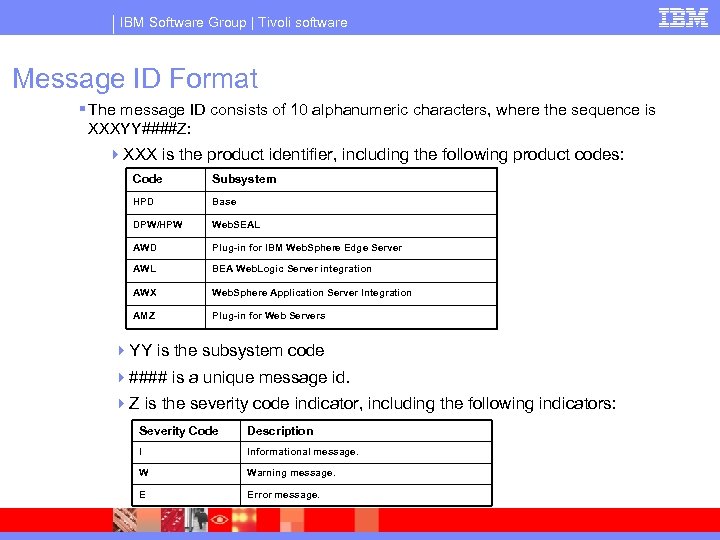
IBM Software Group | Tivoli software Message ID Format § The message ID consists of 10 alphanumeric characters, where the sequence is XXXYY####Z: 4 XXX is the product identifier, including the following product codes: Code Subsystem HPD Base DPW/HPW Web. SEAL AWD Plug-in for IBM Web. Sphere Edge Server AWL BEA Web. Logic Server integration AWX Web. Sphere Application Server Integration AMZ Plug-in for Web Servers 4 YY is the subsystem code 4#### is a unique message id. 4 Z is the severity code indicator, including the following indicators: Severity Code Description I Informational message. W Warning message. E Error message.
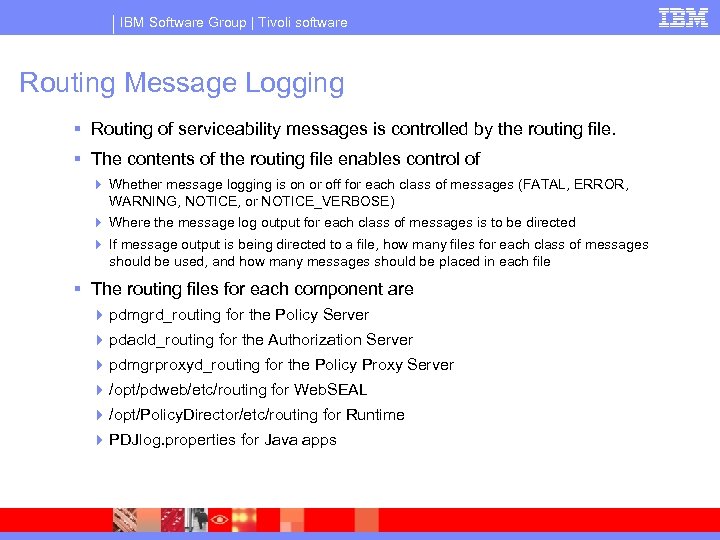
IBM Software Group | Tivoli software Routing Message Logging § Routing of serviceability messages is controlled by the routing file. § The contents of the routing file enables control of 4 Whether message logging is on or off for each class of messages (FATAL, ERROR, WARNING, NOTICE, or NOTICE_VERBOSE) 4 Where the message log output for each class of messages is to be directed 4 If message output is being directed to a file, how many files for each class of messages should be used, and how many messages should be placed in each file § The routing files for each component are 4 pdmgrd_routing for the Policy Server 4 pdacld_routing for the Authorization Server 4 pdmgrproxyd_routing for the Policy Proxy Server 4 /opt/pdweb/etc/routing for Web. SEAL 4 /opt/Policy. Director/etc/routing for Runtime 4 PDJlog. properties for Java apps
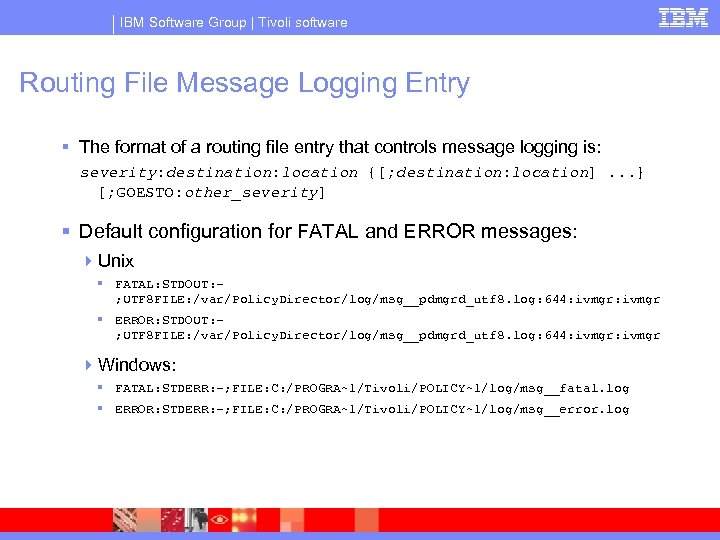
IBM Software Group | Tivoli software Routing File Message Logging Entry § The format of a routing file entry that controls message logging is: severity: destination: location {[; destination: location]. . . } [; GOESTO: other_severity] § Default configuration for FATAL and ERROR messages: 4 Unix § FATAL: STDOUT: ; UTF 8 FILE: /var/Policy. Director/log/msg__pdmgrd_utf 8. log: 644: ivmgr § ERROR: STDOUT: ; UTF 8 FILE: /var/Policy. Director/log/msg__pdmgrd_utf 8. log: 644: ivmgr 4 Windows: § FATAL: STDERR: -; FILE: C: /PROGRA~1/Tivoli/POLICY~1/log/msg__fatal. log § ERROR: STDERR: -; FILE: C: /PROGRA~1/Tivoli/POLICY~1/log/msg__error. log
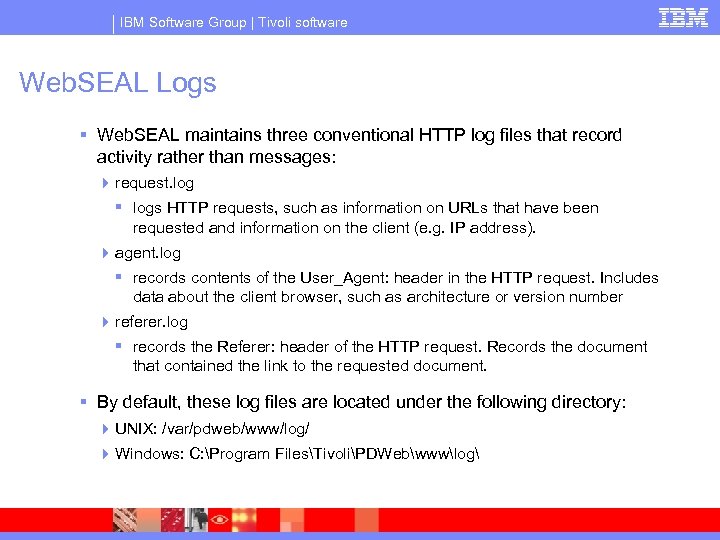
IBM Software Group | Tivoli software Web. SEAL Logs § Web. SEAL maintains three conventional HTTP log files that record activity rather than messages: 4 request. log § logs HTTP requests, such as information on URLs that have been requested and information on the client (e. g. IP address). 4 agent. log § records contents of the User_Agent: header in the HTTP request. Includes data about the client browser, such as architecture or version number 4 referer. log § records the Referer: header of the HTTP request. Records the document that contained the link to the requested document. § By default, these log files are located under the following directory: 4 UNIX: /var/pdweb/www/log/ 4 Windows: C: Program FilesTivoliPDWebwwwlog
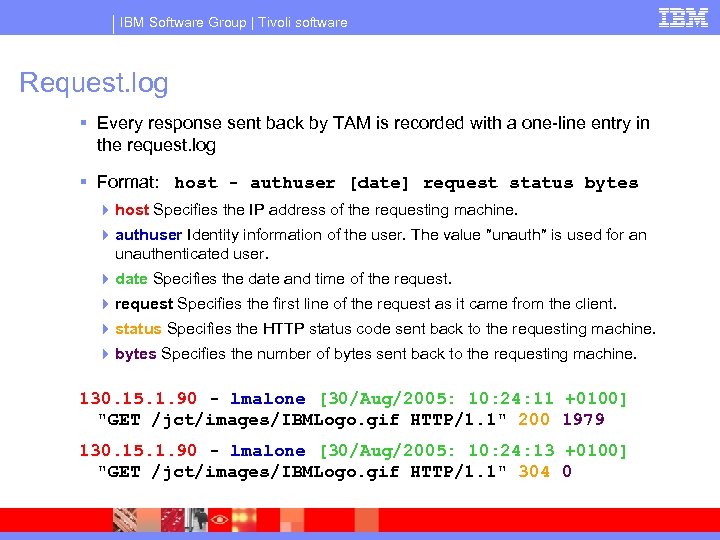
IBM Software Group | Tivoli software Request. log § Every response sent back by TAM is recorded with a one-line entry in the request. log § Format: host - authuser [date] request status bytes 4 host Specifies the IP address of the requesting machine. 4 authuser Identity information of the user. The value ″unauth″ is used for an unauthenticated user. 4 date Specifies the date and time of the request. 4 request Specifies the first line of the request as it came from the client. 4 status Specifies the HTTP status code sent back to the requesting machine. 4 bytes Specifies the number of bytes sent back to the requesting machine. 130. 15. 1. 90 - lmalone [30/Aug/2005: 10: 24: 11 +0100] "GET /jct/images/IBMLogo. gif HTTP/1. 1" 200 1979 130. 15. 1. 90 - lmalone [30/Aug/2005: 10: 24: 13 +0100] "GET /jct/images/IBMLogo. gif HTTP/1. 1" 304 0
IBM Software Group | Tivoli software Traces
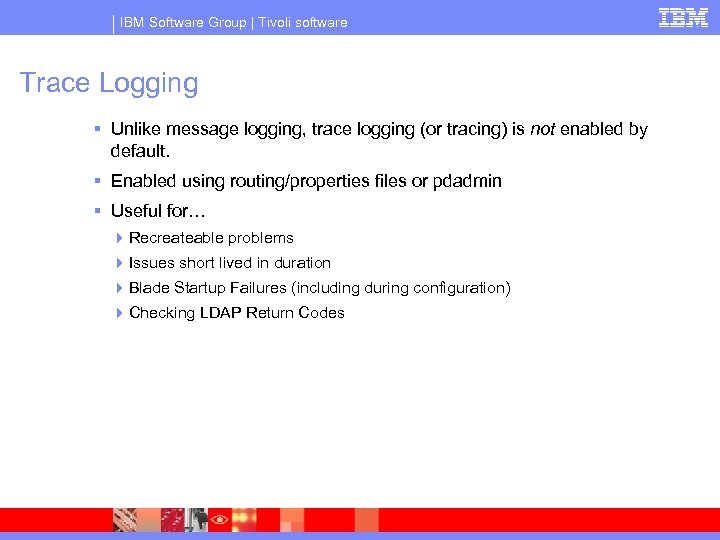
IBM Software Group | Tivoli software Trace Logging § Unlike message logging, trace logging (or tracing) is not enabled by default. § Enabled using routing/properties files or pdadmin § Useful for… 4 Recreateable problems 4 Issues short lived in duration 4 Blade Startup Failures (including during configuration) 4 Checking LDAP Return Codes
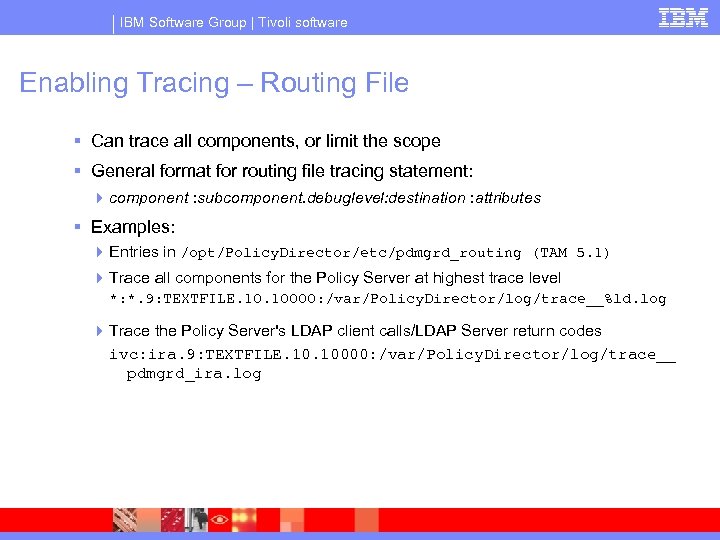
IBM Software Group | Tivoli software Enabling Tracing – Routing File § Can trace all components, or limit the scope § General format for routing file tracing statement: 4 component : subcomponent. debuglevel: destination : attributes § Examples: 4 Entries in /opt/Policy. Director/etc/pdmgrd_routing (TAM 5. 1) 4 Trace all components for the Policy Server at highest trace level *: *. 9: TEXTFILE. 10000: /var/Policy. Director/log/trace__%ld. log 4 Trace the Policy Server's LDAP client calls/LDAP Server return codes ivc: ira. 9: TEXTFILE. 10000: /var/Policy. Director/log/trace__ pdmgrd_ira. log
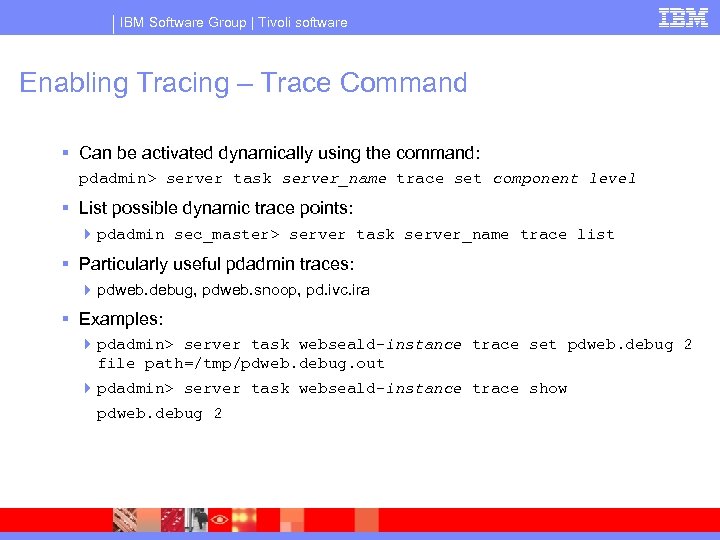
IBM Software Group | Tivoli software Enabling Tracing – Trace Command § Can be activated dynamically using the command: pdadmin> server task server_name trace set component level § List possible dynamic trace points: 4 pdadmin sec_master> server task server_name trace list § Particularly useful pdadmin traces: 4 pdweb. debug, pdweb. snoop, pd. ivc. ira § Examples: 4 pdadmin> server task webseald-instance trace set pdweb. debug 2 file path=/tmp/pdweb. debug. out 4 pdadmin> server task webseald-instance trace show pdweb. debug 2
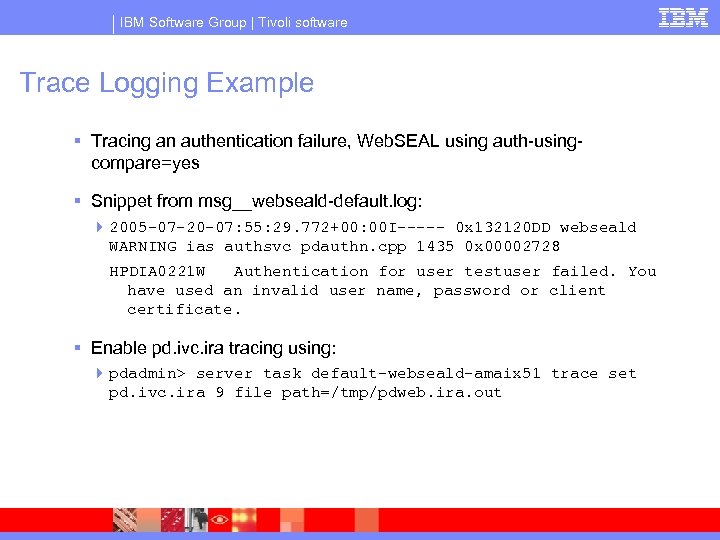
IBM Software Group | Tivoli software Trace Logging Example § Tracing an authentication failure, Web. SEAL using auth-usingcompare=yes § Snippet from msg__webseald-default. log: 4 2005 -07 -20 -07: 55: 29. 772+00: 00 I----- 0 x 132120 DD webseald WARNING ias authsvc pdauthn. cpp 1435 0 x 00002728 HPDIA 0221 W Authentication for user testuser failed. You have used an invalid user name, password or client certificate. § Enable pd. ivc. ira tracing using: 4 pdadmin> server task default-webseald-amaix 51 trace set pd. ivc. ira 9 file path=/tmp/pdweb. ira. out
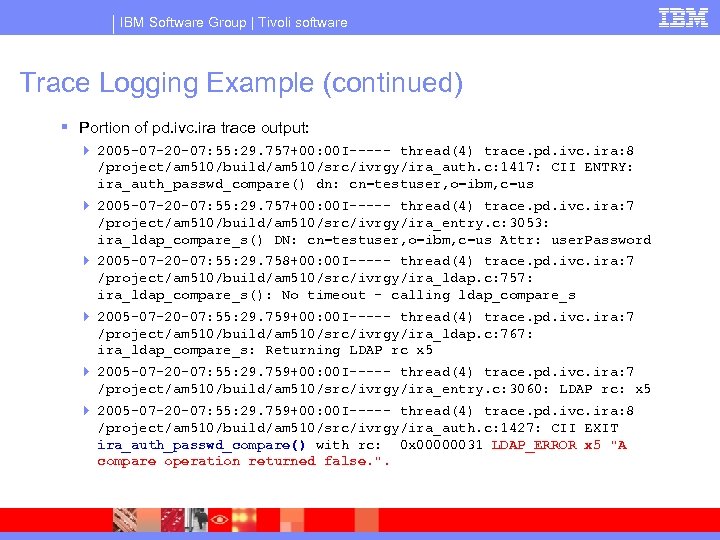
IBM Software Group | Tivoli software Trace Logging Example (continued) § Portion of pd. ivc. ira trace output: 4 2005 -07 -20 -07: 55: 29. 757+00: 00 I----- thread(4) trace. pd. ivc. ira: 8 /project/am 510/build/am 510/src/ivrgy/ira_auth. c: 1417: CII ENTRY: ira_auth_passwd_compare() dn: cn=testuser, o=ibm, c=us 4 2005 -07 -20 -07: 55: 29. 757+00: 00 I----- thread(4) trace. pd. ivc. ira: 7 /project/am 510/build/am 510/src/ivrgy/ira_entry. c: 3053: ira_ldap_compare_s() DN: cn=testuser, o=ibm, c=us Attr: user. Password 4 2005 -07 -20 -07: 55: 29. 758+00: 00 I----- thread(4) trace. pd. ivc. ira: 7 /project/am 510/build/am 510/src/ivrgy/ira_ldap. c: 757: ira_ldap_compare_s(): No timeout - calling ldap_compare_s 4 2005 -07 -20 -07: 55: 29. 759+00: 00 I----- thread(4) trace. pd. ivc. ira: 7 /project/am 510/build/am 510/src/ivrgy/ira_ldap. c: 767: ira_ldap_compare_s: Returning LDAP rc x 5 4 2005 -07 -20 -07: 55: 29. 759+00: 00 I----- thread(4) trace. pd. ivc. ira: 7 /project/am 510/build/am 510/src/ivrgy/ira_entry. c: 3060: LDAP rc: x 5 4 2005 -07 -20 -07: 55: 29. 759+00: 00 I----- thread(4) trace. pd. ivc. ira: 8 /project/am 510/build/am 510/src/ivrgy/ira_auth. c: 1427: CII EXIT ira_auth_passwd_compare() with rc: 0 x 00000031 LDAP_ERROR x 5 "A compare operation returned false. ".
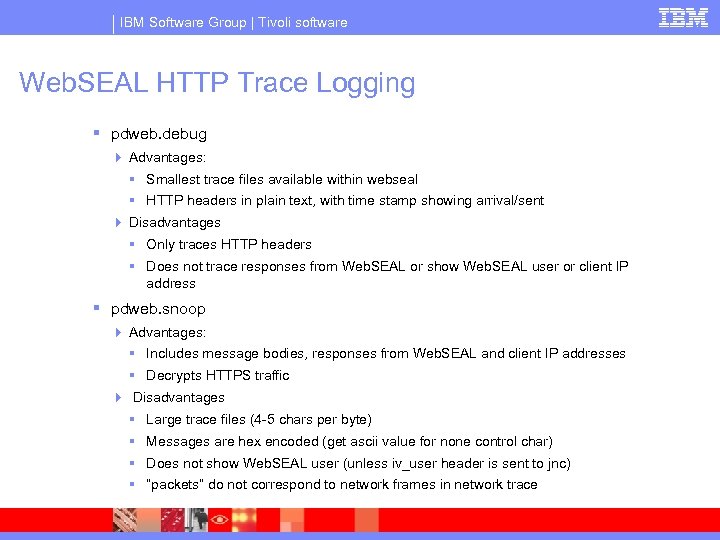
IBM Software Group | Tivoli software Web. SEAL HTTP Trace Logging § pdweb. debug 4 Advantages: § Smallest trace files available within webseal § HTTP headers in plain text, with time stamp showing arrival/sent 4 Disadvantages § Only traces HTTP headers § Does not trace responses from Web. SEAL or show Web. SEAL user or client IP address § pdweb. snoop 4 Advantages: § Includes message bodies, responses from Web. SEAL and client IP addresses § Decrypts HTTPS traffic 4 Disadvantages § Large trace files (4 -5 chars per byte) § Messages are hex encoded (get ascii value for none control char) § Does not show Web. SEAL user (unless iv_user header is sent to jnc) § “packets” do not correspond to network frames in network trace
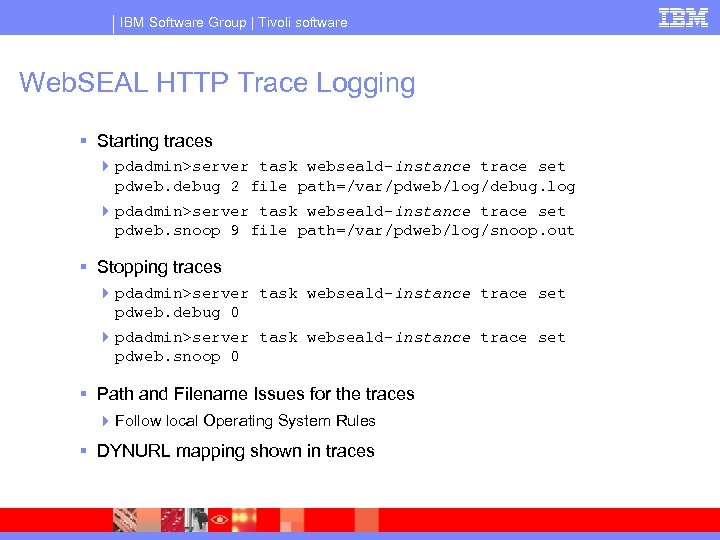
IBM Software Group | Tivoli software Web. SEAL HTTP Trace Logging § Starting traces 4 pdadmin>server task webseald-instance trace set pdweb. debug 2 file path=/var/pdweb/log/debug. log 4 pdadmin>server task webseald-instance trace set pdweb. snoop 9 file path=/var/pdweb/log/snoop. out § Stopping traces 4 pdadmin>server task webseald-instance trace set pdweb. debug 0 4 pdadmin>server task webseald-instance trace set pdweb. snoop 0 § Path and Filename Issues for the traces 4 Follow local Operating System Rules § DYNURL mapping shown in traces
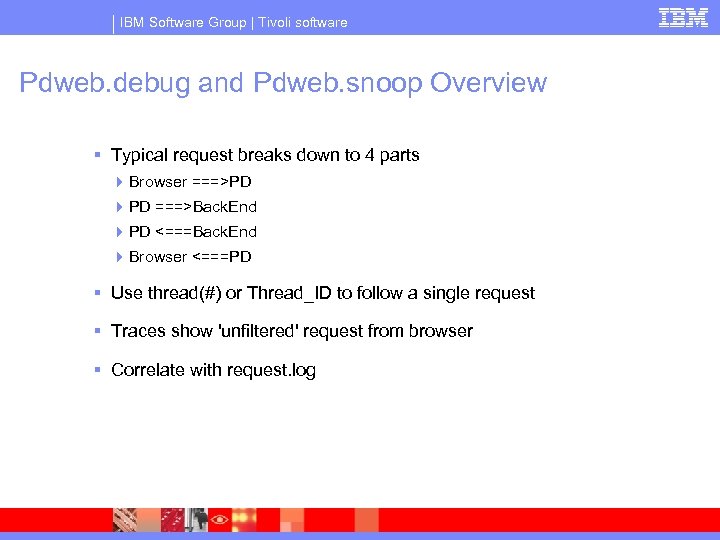
IBM Software Group | Tivoli software Pdweb. debug and Pdweb. snoop Overview § Typical request breaks down to 4 parts 4 Browser ===>PD 4 PD ===>Back. End 4 PD <===Back. End 4 Browser <===PD § Use thread(#) or Thread_ID to follow a single request § Traces show 'unfiltered' request from browser § Correlate with request. log
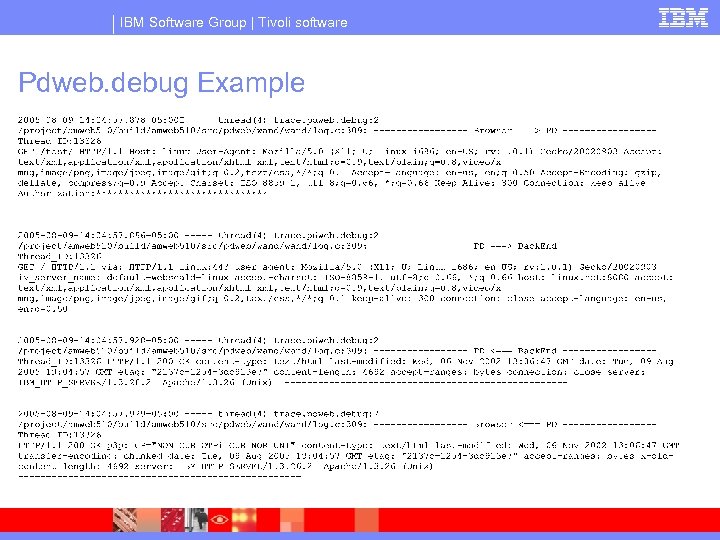
IBM Software Group | Tivoli software Pdweb. debug Example
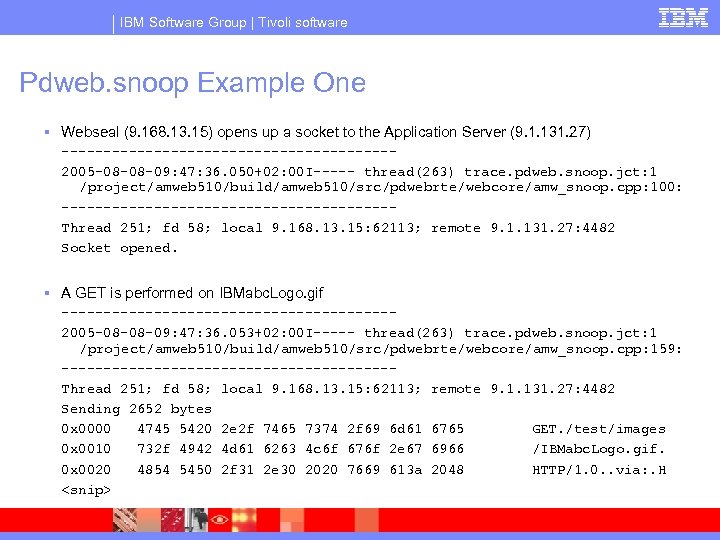
IBM Software Group | Tivoli software Pdweb. snoop Example One § Webseal (9. 168. 13. 15) opens up a socket to the Application Server (9. 1. 131. 27) --------------------2005 -08 -08 -09: 47: 36. 050+02: 00 I----- thread(263) trace. pdweb. snoop. jct: 1 /project/amweb 510/build/amweb 510/src/pdwebrte/webcore/amw_snoop. cpp: 100: --------------------Thread 251; fd 58; local 9. 168. 13. 15: 62113; remote 9. 1. 131. 27: 4482 Socket opened. § A GET is performed on IBMabc. Logo. gif --------------------2005 -08 -08 -09: 47: 36. 053+02: 00 I----- thread(263) trace. pdweb. snoop. jct: 1 /project/amweb 510/build/amweb 510/src/pdwebrte/webcore/amw_snoop. cpp: 159: --------------------Thread 251; fd 58; local 9. 168. 13. 15: 62113; remote 9. 1. 131. 27: 4482 Sending 2652 bytes 0 x 0000 4745 5420 2 e 2 f 7465 7374 2 f 69 6 d 61 6765 GET. /test/images 0 x 0010 732 f 4942 4 d 61 6263 4 c 6 f 676 f 2 e 67 6966 /IBMabc. Logo. gif. 0 x 0020 4854 5450 2 f 31 2 e 30 2020 7669 613 a 2048 HTTP/1. 0. . via: . H <snip>
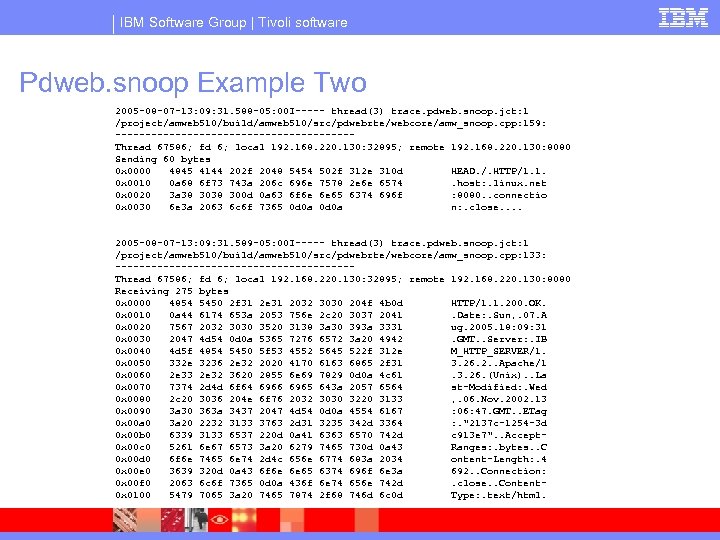
IBM Software Group | Tivoli software Pdweb. snoop Example Two 2005 -08 -07 -13: 09: 31. 588 -05: 00 I----- thread(3) trace. pdweb. snoop. jct: 1 /project/amweb 510/build/amweb 510/src/pdwebrte/webcore/amw_snoop. cpp: 159: --------------------Thread 67586; fd 6; local 192. 168. 220. 130: 32895; remote 192. 168. 220. 130: 8080 Sending 60 bytes 0 x 0000 4845 4144 202 f 2048 5454 502 f 312 e 310 d HEAD. /. HTTP/1. 1. 0 x 0010 0 a 68 6 f 73 743 a 206 c 696 e 7578 2 e 6 e 6574 . host: . linux. net 0 x 0020 3 a 38 300 d 0 a 63 6 f 6 e 6 e 65 6374 696 f : 8080. . connectio 0 x 0030 6 e 3 a 2063 6 c 6 f 7365 0 d 0 a n: . close. . 2005 -08 -07 -13: 09: 31. 589 -05: 00 I----- thread(3) trace. pdweb. snoop. jct: 1 /project/amweb 510/build/amweb 510/src/pdwebrte/webcore/amw_snoop. cpp: 133: --------------------Thread 67586; fd 6; local 192. 168. 220. 130: 32895; remote 192. 168. 220. 130: 8080 Receiving 275 bytes 0 x 0000 4854 5450 2 f 31 2 e 31 2032 3030 204 f 4 b 0 d HTTP/1. 1. 200. OK. 0 x 0010 0 a 44 6174 653 a 2053 756 e 2 c 20 3037 2041 . Date: . Sun, . 07. A 0 x 0020 7567 2032 3030 3520 3138 3 a 30 393 a 3331 ug. 2005. 18: 09: 31 0 x 0030 2047 4 d 54 0 d 0 a 5365 7276 6572 3 a 20 4942 . GMT. . Server: . IB 0 x 0040 4 d 5 f 4854 5450 5 f 53 4552 5645 522 f 312 e M_HTTP_SERVER/1. 0 x 0050 332 e 3236 2 e 32 2020 4170 6163 6865 2 f 31 3. 26. 2. . Apache/1 0 x 0060 2 e 33 2 e 32 3620 2855 6 e 69 7829 0 d 0 a 4 c 61 . 3. 26. (Unix). . La 0 x 0070 7374 2 d 4 d 6 f 64 6966 6965 643 a 2057 6564 st-Modified: . Wed 0 x 0080 2 c 20 3036 204 e 6 f 76 2032 3030 3220 3133 , . 06. Nov. 2002. 13 0 x 0090 3 a 30 363 a 3437 2047 4 d 54 0 d 0 a 4554 6167 : 06: 47. GMT. . ETag 0 x 00 a 0 3 a 20 2232 3133 3763 2 d 31 3235 342 d 3364 : . "2137 c-1254 -3 d 0 x 00 b 0 6339 3133 6537 220 d 0 a 41 6363 6570 742 d c 913 e 7". . Accept 0 x 00 c 0 5261 6 e 67 6573 3 a 20 6279 7465 730 d 0 a 43 Ranges: . bytes. . C 0 x 00 d 0 6 f 6 e 7465 6 e 74 2 d 4 c 656 e 6774 683 a 2034 ontent-Length: . 4 0 x 00 e 0 3639 320 d 0 a 43 6 f 6 e 6 e 65 6374 696 f 6 e 3 a 692. . Connection: 0 x 00 f 0 2063 6 c 6 f 7365 0 d 0 a 436 f 6 e 74 656 e 742 d . close. . Content 0 x 0100 5479 7065 3 a 20 7465 7874 2 f 68 746 d 6 c 0 d Type: . text/html.
IBM Software Group | Tivoli software Java Issues
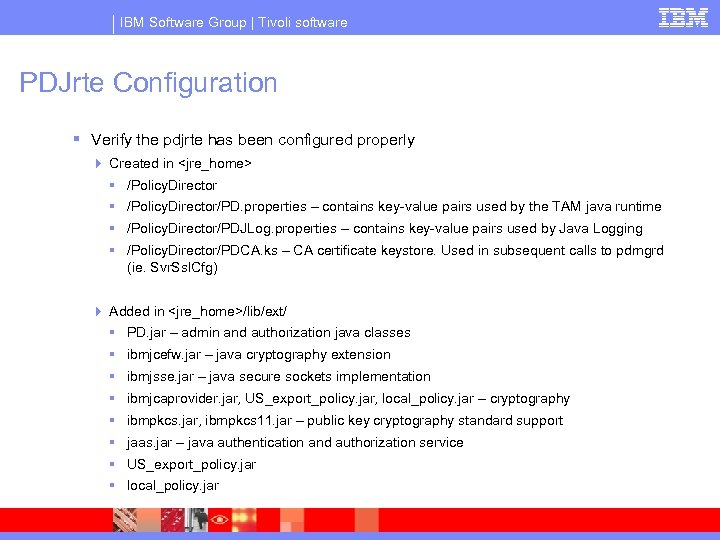
IBM Software Group | Tivoli software PDJrte Configuration § Verify the pdjrte has been configured properly 4 Created in <jre_home> § /Policy. Director/PD. properties – contains key-value pairs used by the TAM java runtime § /Policy. Director/PDJLog. properties – contains key-value pairs used by Java Logging § /Policy. Director/PDCA. ks – CA certificate keystore. Used in subsequent calls to pdmgrd (ie. Svr. Ssl. Cfg) 4 Added in <jre_home>/lib/ext/ § PD. jar – admin and authorization java classes § ibmjcefw. jar – java cryptography extension § ibmjsse. jar – java secure sockets implementation § ibmjcaprovider. jar, US_export_policy. jar, local_policy. jar – cryptography § ibmpkcs. jar, ibmpkcs 11. jar – public key cryptography standard support § jaas. jar – java authentication and authorization service § US_export_policy. jar § local_policy. jar
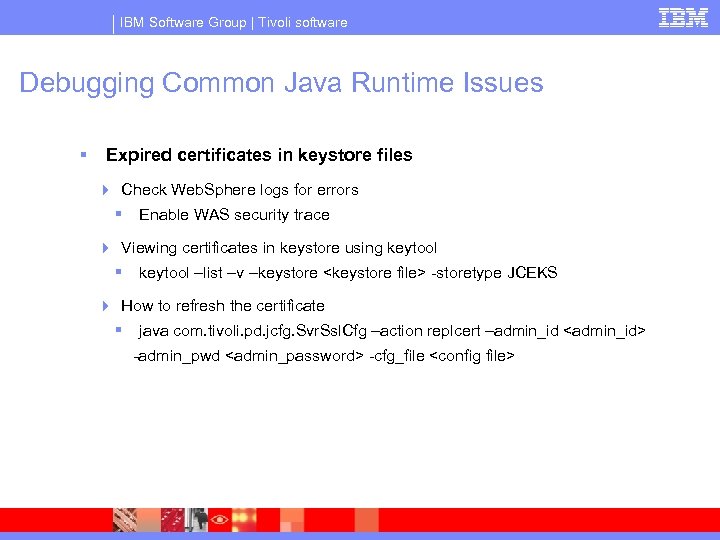
IBM Software Group | Tivoli software Debugging Common Java Runtime Issues § Expired certificates in keystore files 4 Check Web. Sphere logs for errors § Enable WAS security trace 4 Viewing certificates in keystore using keytool § keytool –list –v –keystore <keystore file> -storetype JCEKS 4 How to refresh the certificate § java com. tivoli. pd. jcfg. Svr. Ssl. Cfg –action replcert –admin_id <admin_id> -admin_pwd <admin_password> -cfg_file <config file>
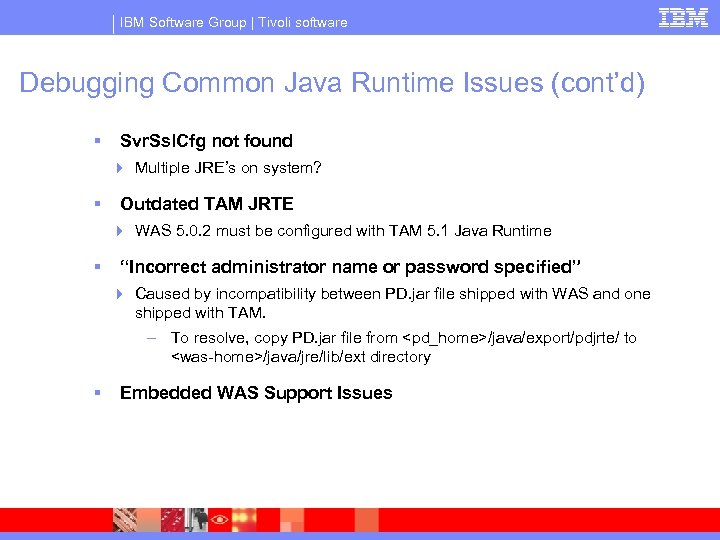
IBM Software Group | Tivoli software Debugging Common Java Runtime Issues (cont’d) § Svr. Ssl. Cfg not found 4 Multiple JRE’s on system? § Outdated TAM JRTE 4 WAS 5. 0. 2 must be configured with TAM 5. 1 Java Runtime § “Incorrect administrator name or password specified” 4 Caused by incompatibility between PD. jar file shipped with WAS and one shipped with TAM. – To resolve, copy PD. jar file from <pd_home>/java/export/pdjrte/ to <was-home>/java/jre/lib/ext directory § Embedded WAS Support Issues
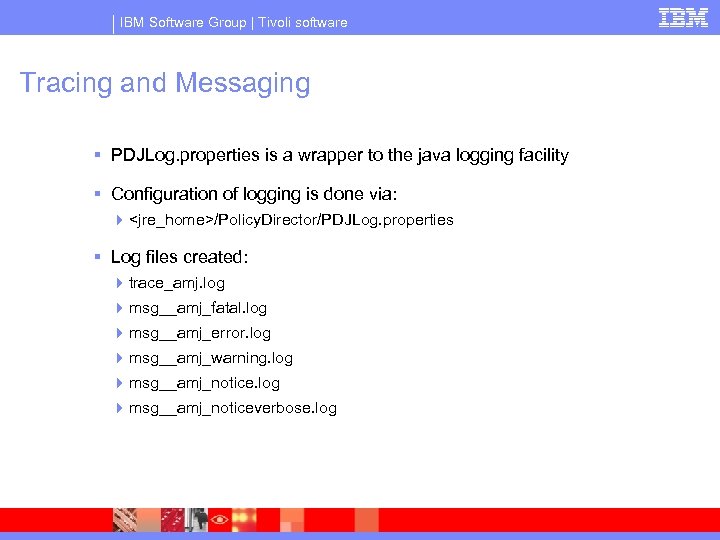
IBM Software Group | Tivoli software Tracing and Messaging § PDJLog. properties is a wrapper to the java logging facility § Configuration of logging is done via: 4 <jre_home>/Policy. Director/PDJLog. properties § Log files created: 4 trace_amj. log 4 msg__amj_fatal. log 4 msg__amj_error. log 4 msg__amj_warning. log 4 msg__amj_noticeverbose. log
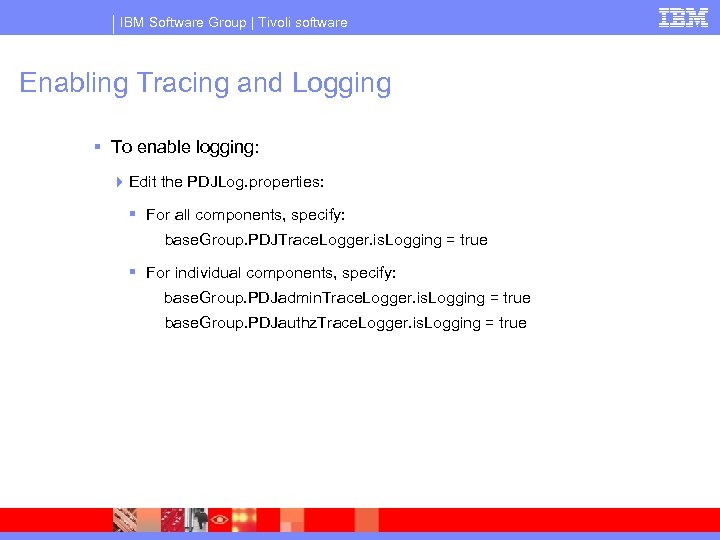
IBM Software Group | Tivoli software Enabling Tracing and Logging § To enable logging: 4 Edit the PDJLog. properties: § For all components, specify: base. Group. PDJTrace. Logger. is. Logging = true § For individual components, specify: base. Group. PDJadmin. Trace. Logger. is. Logging = true base. Group. PDJauthz. Trace. Logger. is. Logging = true
IBM Software Group | Tivoli software GSKit Traces
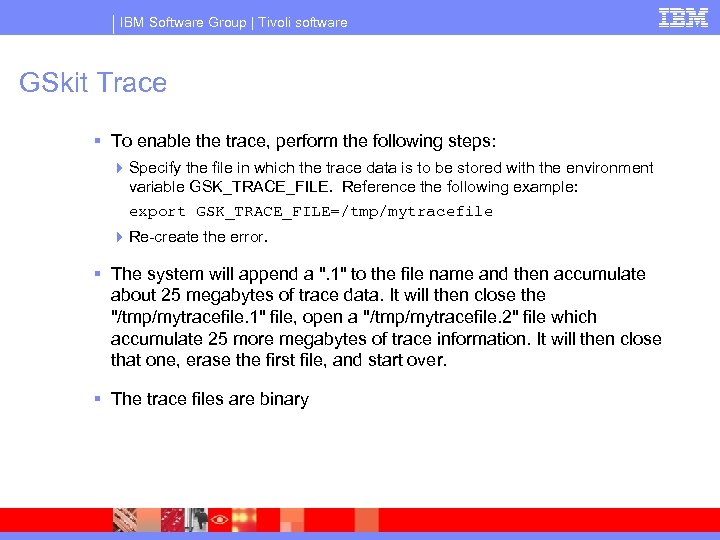
IBM Software Group | Tivoli software GSkit Trace § To enable the trace, perform the following steps: 4 Specify the file in which the trace data is to be stored with the environment variable GSK_TRACE_FILE. Reference the following example: export GSK_TRACE_FILE=/tmp/mytracefile 4 Re-create the error. § The system will append a ". 1" to the file name and then accumulate about 25 megabytes of trace data. It will then close the "/tmp/mytracefile. 1" file, open a "/tmp/mytracefile. 2" file which accumulate 25 more megabytes of trace information. It will then close that one, erase the first file, and start over. § The trace files are binary
IBM Software Group | Tivoli software System Data
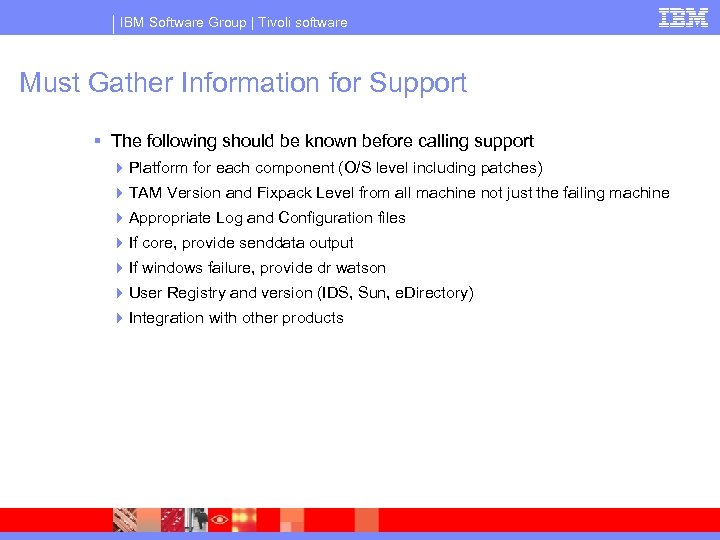
IBM Software Group | Tivoli software Must Gather Information for Support § The following should be known before calling support 4 Platform for each component (O/S level including patches) 4 TAM Version and Fixpack Level from all machine not just the failing machine 4 Appropriate Log and Configuration files 4 If core, provide senddata output 4 If windows failure, provide dr watson 4 User Registry and version (IDS, Sun, e. Directory) 4 Integration with other products
IBM Software Group | Tivoli software Capturing Core Files § Senddata Script 4 What does it capture § core § daemon binary § libs. tar <--- this tar file includes all the libraries which the daemon loads. § README <- which contains the scenario when the core occurred 4 How to run § script must be run from the /opt/Policy. Director/bin directory § must be plenty of space (at least 50 -100 mb) in the /tmp folder § create a README which contains the scenario for the core § Run senddata. pl § This file should be sent to IBM when the PMR is being opened
IBM Software Group | Tivoli software Core Files cont. § Also on AIX it is possible to use the AIX Command snapcore which does not require dbx.
IBM Software Group | Tivoli software System_status Script § Sample of Information Gathered 4 O/S and patch levels 4 Resource and Environment data (Memory, disk space, environment variables, locales, ulimits) 4 Network information (/etc/hosts, ip address, network devices, aliases) 4 TAM Configuration (configuration files, daemon build levels) 4 TAM Log files 4 TAM data § ACLs, Users, POPs, Groups, Junctions, Object. Space, Servers, Password Policy, GSO data, 4 LDAP Data § Schema definitions, suffix data 4 DB 2 Data § Instances, db connectivity to databases, table searches
IBM Software Group | Tivoli software System_status script (cont) § This script can be run with multiple options 4 system_status. ksh § Anonymous pdadmin and Anonymous LDAP Requests 4 system_status. ksh -D 'cn=root' -w 'cn=root_password' § Anonymous pdadmin but LDAP authentication with cn=root/cn=root_password 4 system_status. ksh -a 'sec_master' -p 'master_password' § pdadmin authentication with sec_master/master_password, but Anonymous LDAP bind 4 system_status. ksh -a 'sec_master' -p 'master_password' -D 'cn=root' -w 'cn=root_password' § Pdadmin and LDAP authentication § Resulting file will be in the format of hostname-mm-dd-yy_hh-mm-ss § This script can take up to and hour or more to run
IBM Software Group | Tivoli software Questions
Скачать презентацию IBM Software Group Tivoli Access Manager problem
a49b355ecbb64ee37184875f5c02eb07.ppt