 Скачать презентацию IBM Software Group BCS Content and Collaboration
799d2ebcf501af3f6267166613a83b87.ppt
- Количество слайдов: 34



IBM Software Group BCS : Content and Collaboration IBM Software Group Let’s give them something to talk about Martin Pepper ECM Technical Sales Maig Worel WW ECM Demo Team IBM Internal Use Only © 2005 IBM Corporation
IBM Software Group | DB 2 Information Management Software Agenda BCS Overview Share. Point Lab Lotus Quickr Overview Quickr and Content Manager Lab Quickr and File. Net BPM demonstration Office Integration Q&A IBM Internal Use Only © 2004 IBM Corporation 2
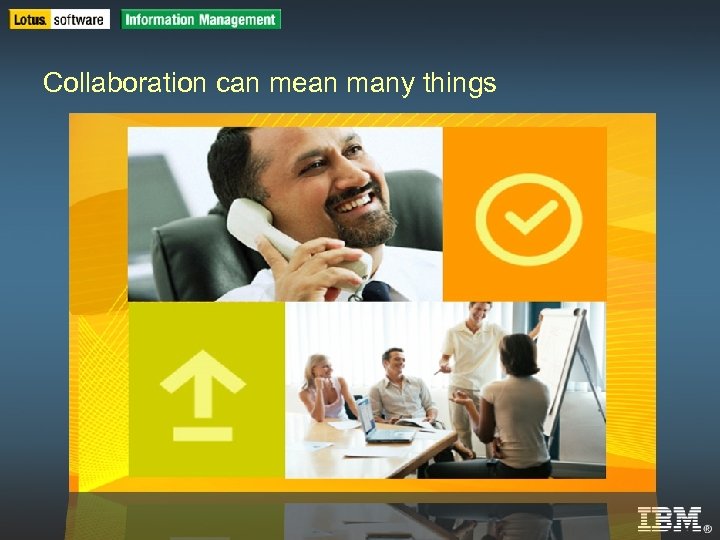
IBM Software Group | DB 2 Information Management Software Collaboration can mean many things IBM Internal Use Only © 2004 IBM Corporation
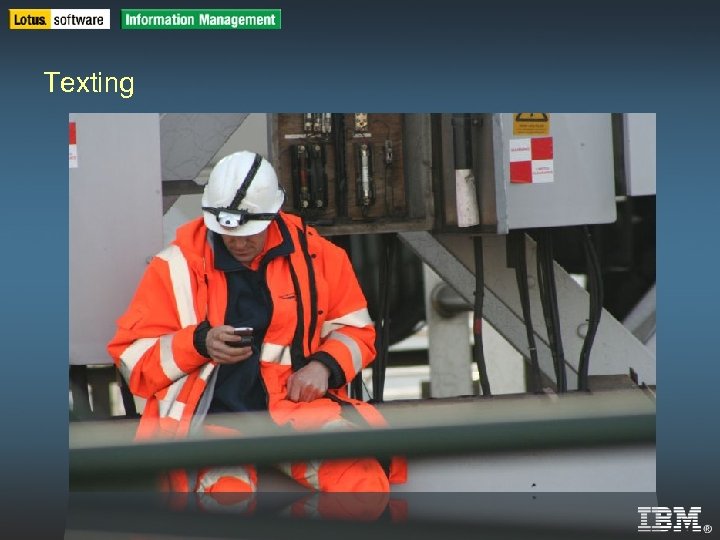
IBM Software Group | DB 2 Information Management Software Texting IBM Internal Use Only © 2004 IBM Corporation
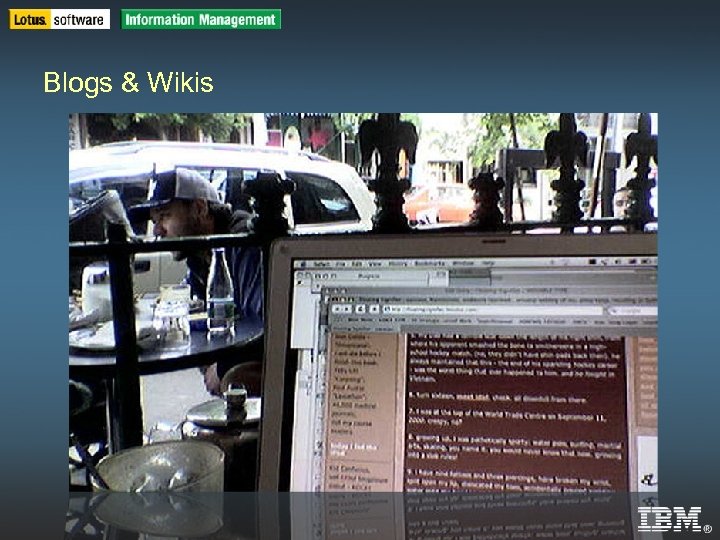
IBM Software Group | DB 2 Information Management Software Blogs & Wikis IBM Internal Use Only © 2004 IBM Corporation
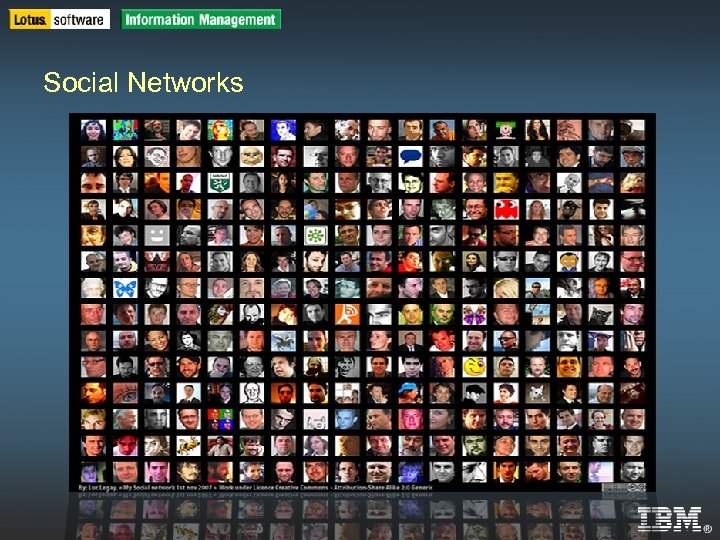
IBM Software Group | DB 2 Information Management Software Social Networks IBM Internal Use Only © 2004 IBM Corporation
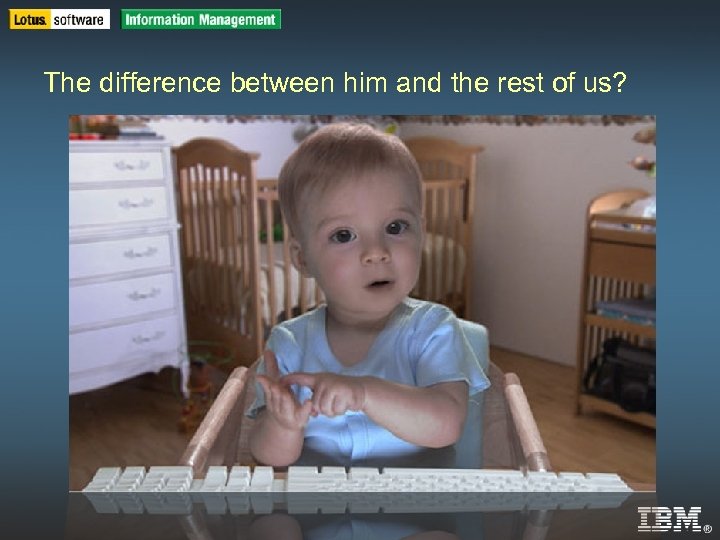
IBM Software Group | DB 2 Information Management Software The difference between him and the rest of us? IBM Internal Use Only © 2004 IBM Corporation
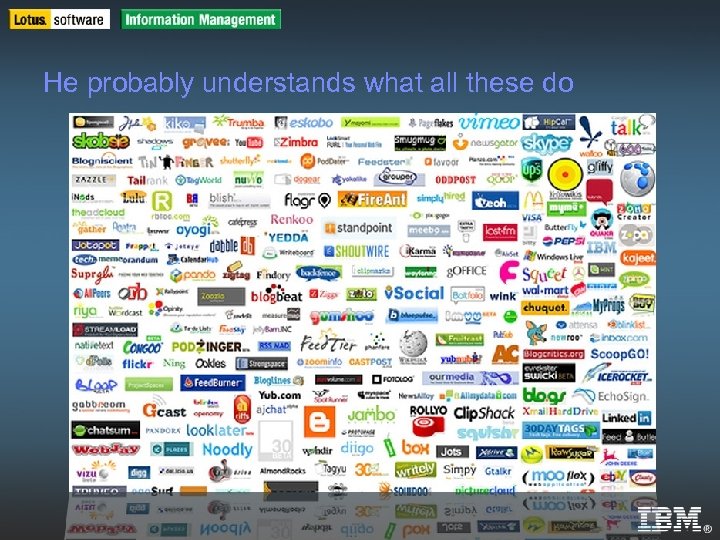
IBM Software Group | DB 2 Information Management Software He probably understands what all these do IBM Internal Use Only © 2004 IBM Corporation
IBM Software Group | DB 2 Information Management Software ECM systems are also present IBM Internal Use Only © 2004 IBM Corporation
IBM Software Group | DB 2 Information Management Software We’ve invested in these IBM Internal Use Only © 2004 IBM Corporation
IBM Software Group | DB 2 Information Management Software Two worlds. . . IBM Internal Use Only © 2004 IBM Corporation
IBM Software Group | DB 2 Information Management Software Why do they need to communicate? IBM Internal Use Only © 2004 IBM Corporation
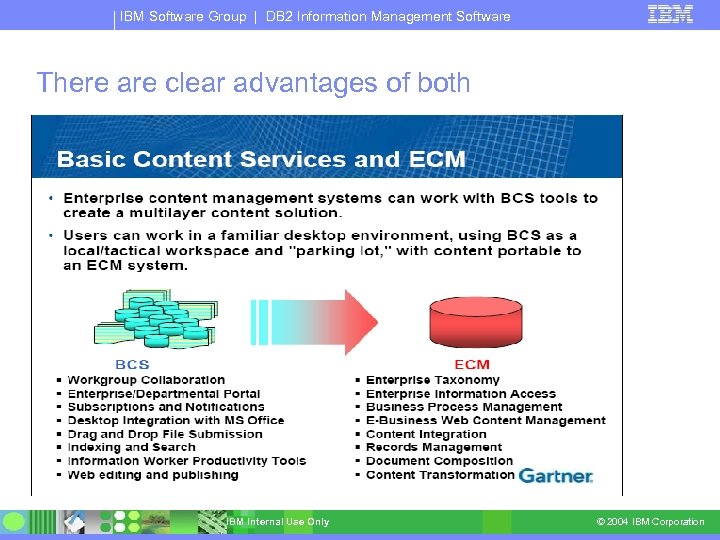
IBM Software Group | DB 2 Information Management Software There are clear advantages of both IBM Internal Use Only © 2004 IBM Corporation
IBM Software Group | DB 2 Information Management Software IBM product offerings IBM Internal Use Only © 2004 IBM Corporation
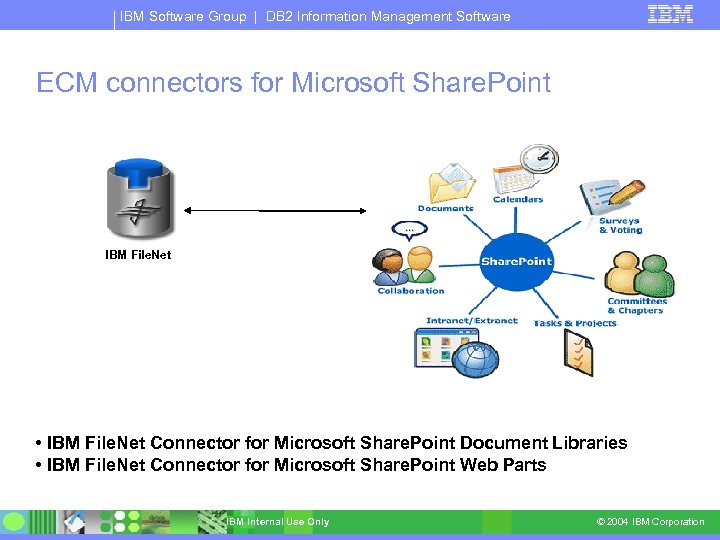
IBM Software Group | DB 2 Information Management Software ECM connectors for Microsoft Share. Point IBM File. Net • IBM File. Net Connector for Microsoft Share. Point Document Libraries • IBM File. Net Connector for Microsoft Share. Point Web Parts IBM Internal Use Only © 2004 IBM Corporation
IBM Software Group | DB 2 Information Management Software Recognising an opportunity • The vast majority of our customers will have Share. Point somewhere within their organisation – Many have been given it for free HOWEVER Customers are: EITHER struggling to maintain and / or control their Share. Point sites Escalating storage costs ? Viral growth of sites? High application development costs? Legal exposure? OR they are yet to deploy Share. Point on an enterprise scale due to lacking capabilities. How do you model, monitor and optimise your business processes? Records Management and corporate security policies? Slow performance and limitations on documents stored per library IBM Internal Use Only © 2004 IBM Corporation
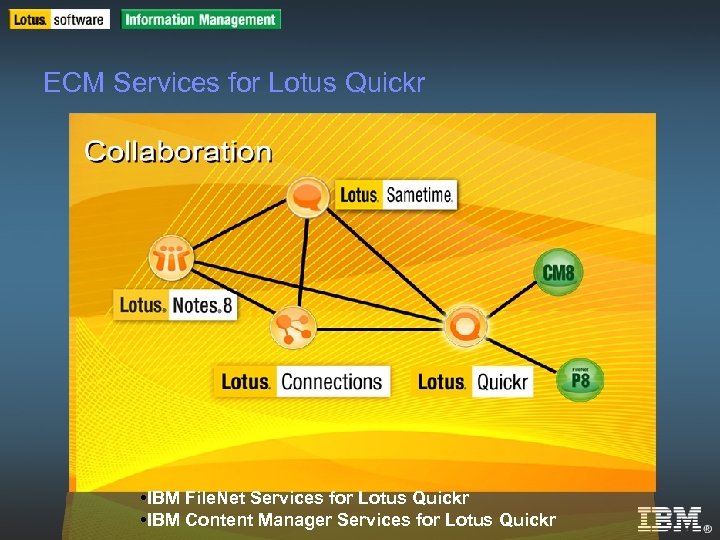
IBM Software Group | DB 2 Information Management Software ECM Services for Lotus Quickr • IBM File. Net Services for Lotus Quickr IBM Internal Use Only • IBM Content Manager Services for Lotus Quickr © 2004 IBM Corporation
IBM Software Group | DB 2 Information Management Software Recognising an opportunity Upsell for existing Quickr customers Easy to use interface into ECM Customers who interested in Microsoft alternatives Questions to ask : How do your teams currently work together? How rapidly can you respond to UI development and customisation requests? Legal exposure / Records Management? How do you integrate your collaboration environment with your business processes How do you measure and improve your business processes? IBM Internal Use Only © 2004 IBM Corporation
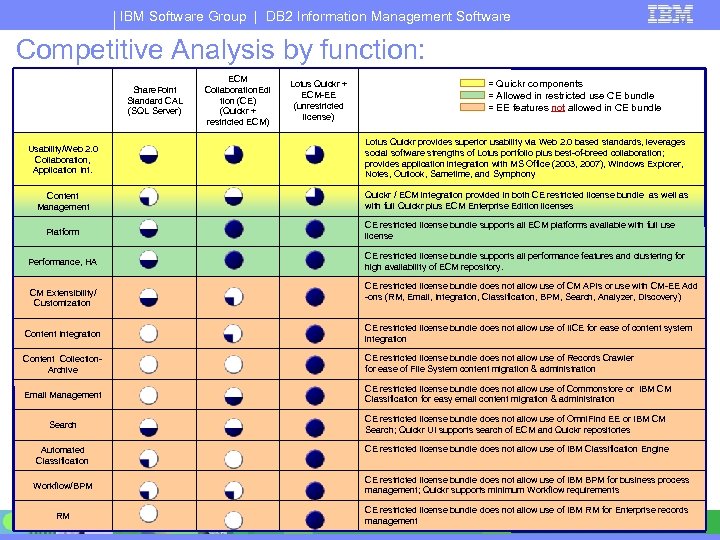
IBM Software Group | DB 2 Information Management Software Competitive Analysis by function: Share. Point Standard CAL (SQL Server) ECM Collaboration. Edi tion (CE) (Quickr + restricted ECM) Lotus Quickr + ECM-EE (unrestricted license) = Quickr components = Allowed in restricted use CE bundle = EE features not allowed in CE bundle Usability/Web 2. 0 Collaboration, Application Int. Lotus Quickr provides superior usability via Web 2. 0 based standards, leverages social software strengths of Lotus portfolio plus best-of-breed collaboration; provides application integration with MS Office (2003, 2007), Windows Explorer, Notes, Outlook, Sametime, and Symphony Content Management Quickr / ECM integration provided in both CE restricted license bundle as well as with full Quickr plus ECM Enterprise Edition licenses CE restricted license bundle supports all ECM platforms available with full use license Platform CE restricted license bundle supports all performance features and clustering for high availability of ECM repository. Performance, HA CE restricted license bundle does not allow use of CM APIs or use with CM-EE Add -ons (RM, Email, Integration, Classification, BPM, Search, Analyzer, Discovery) CM Extensibility/ Customization Content Integration CE restricted license bundle does not allow use of IICE for ease of content system integration Content Collection. Archive CE restricted license bundle does not allow use of Records Crawler for ease of File System content migration & administration Email Management CE restricted license bundle does not allow use of Commonstore or IBM CM Classification for easy email content migration & administration CE restricted license bundle does not allow use of Omni. Find EE or IBM CM Search; Quickr UI supports search of ECM and Quickr repositories Search CE restricted license bundle does not allow use of IBM Classification Engine Automated Classification CE restricted license bundle does not allow use of IBM BPM for business process management; Quickr supports minimum Workflow requirements Workflow/BPM RM IBM Internal Use Only CE restricted license bundle does not allow use of IBM RM for Enterprise records management © 2004 IBM Corporation 19
IBM Software Group IBM File. Net Connectors for Share. Point 2. 2 IBM Internal Use Only © 2005 IBM Corporation
IBM Software Group | DB 2 Information Management Software Agenda What’s new in 2. 2 Features Product architecture UFI Configuration Hints Demonstration Gremlins ! Where can you get more Information? Q&A IBM Internal Use Only © 2004 IBM Corporation
IBM Software Group IBM File. Net Connector for Share. Point 2. 2 IBM Internal Use Only © 2005 IBM Corporation
IBM Software Group | DB 2 Information Management Software What’s new in 2. 2 Import / Export (also called migration) Remote deployment of the Connector Administration Services Records management support Migration of Share. Point versions Move and create link to P 8 4. 0 document Single Sign on Support (SSO) when accessing link docs IBM Internal Use Only © 2004 IBM Corporation
IBM Software Group | DB 2 Information Management Software New 2. 2 Product Architecture IBM Internal Use Only © 2004 IBM Corporation
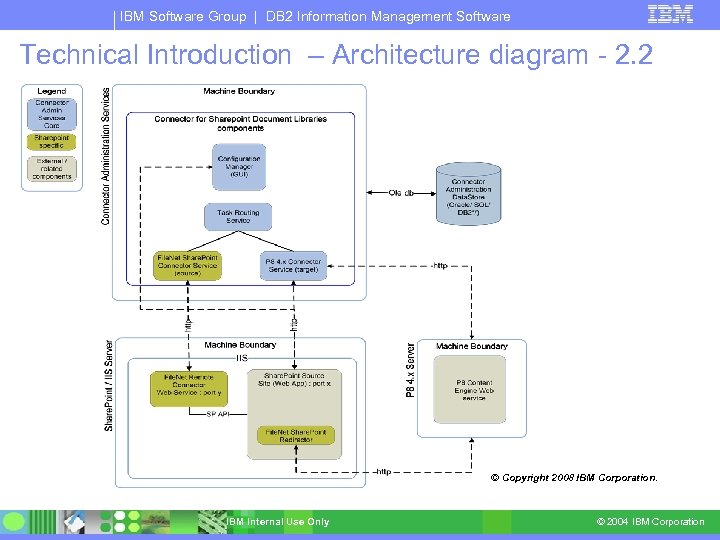
IBM Software Group | DB 2 Information Management Software Technical Introduction – Architecture diagram - 2. 2 © Copyright 2008 IBM Corporation. IBM Internal Use Only © 2004 IBM Corporation
IBM Software Group | DB 2 Information Management Software UFI Configuration Hints & Tips IBM Internal Use Only © 2004 IBM Corporation
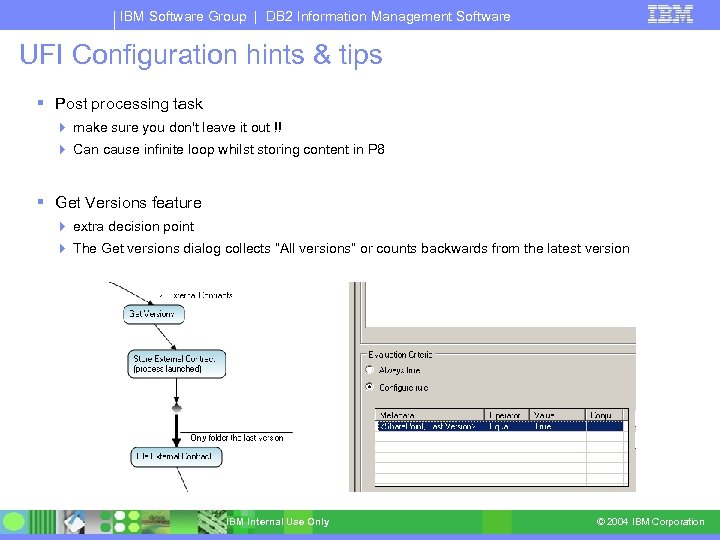
IBM Software Group | DB 2 Information Management Software UFI Configuration hints & tips Post processing task make sure you don't leave it out !! Can cause infinite loop whilst storing content in P 8 Get Versions feature extra decision point The Get versions dialog collects “All versions” or counts backwards from the latest version IBM Internal Use Only © 2004 IBM Corporation
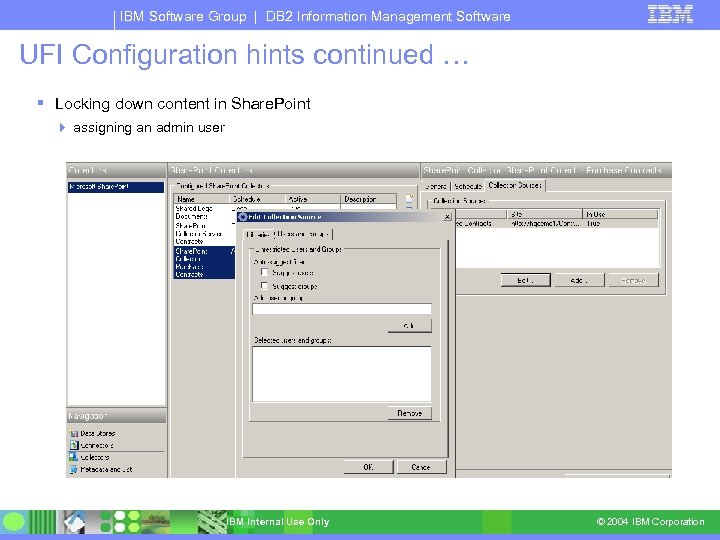
IBM Software Group | DB 2 Information Management Software UFI Configuration hints continued … Locking down content in Share. Point assigning an admin user IBM Internal Use Only © 2004 IBM Corporation
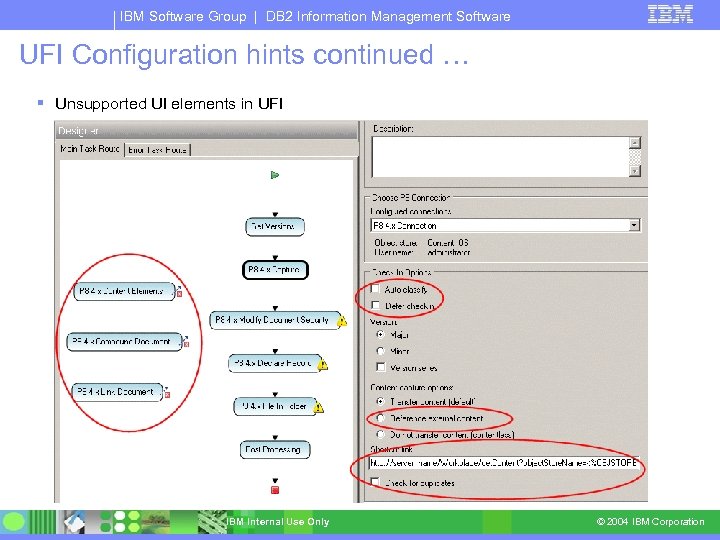
IBM Software Group | DB 2 Information Management Software UFI Configuration hints continued … Unsupported UI elements in UFI IBM Internal Use Only © 2004 IBM Corporation
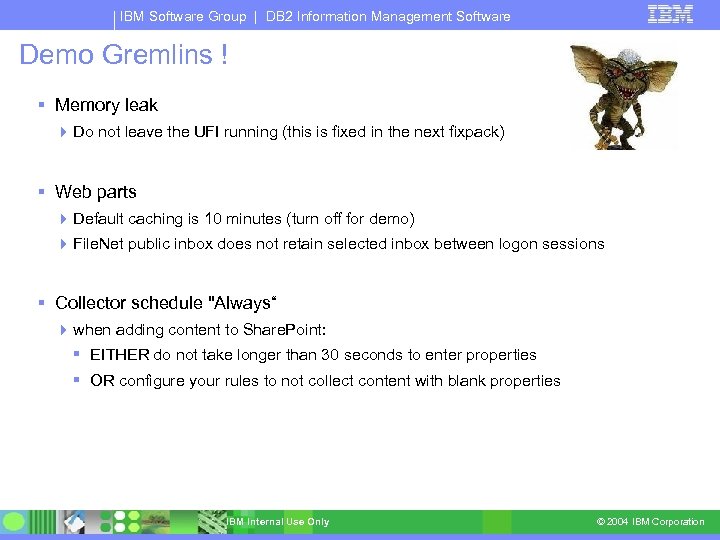
IBM Software Group | DB 2 Information Management Software Demo Gremlins ! Memory leak Do not leave the UFI running (this is fixed in the next fixpack) Web parts Default caching is 10 minutes (turn off for demo) File. Net public inbox does not retain selected inbox between logon sessions Collector schedule "Always“ when adding content to Share. Point: EITHER do not take longer than 30 seconds to enter properties OR configure your rules to not collect content with blank properties IBM Internal Use Only © 2004 IBM Corporation
IBM Software Group | DB 2 Information Management Software More Information External (www) Home Page http: //www-306. ibm. com/software/data/content-management/filenet-connectorsharepoint/support. html Tech. Notes and Product Documentation Internal (Xtreme Leverage) Home Page http: //w 3103. ibm. com/software/xl/myportal/!ut/p/c 1/04_SB 8 K 8 x. LLM 9 MSSz. Py 8 x. Bz 9 CP 0 os 3 hv. L 3 c_A 3 cf. Qw ML 4 w. ADAy. MPi 8 CAw. BAj. Qw. Mj. A 6 B 8 JG 55 Ay. Nid. Bvg. AI 4 GBHSHg 1 y. L 33 a. QPB 7 z_Tzyc 1 P 1 C 3 JDIwy y. TBQBJoef. FA!!/dl 2/d 1/L 2 d. JQSEv. UUt 3 QS 9 ZQn. B 3 Lz. Zf. S 0 p. HTj. BHTDEw. ODNQMDAy. SDh. RUFFU Mj. Ew. Tz. U!? nb=ca&ni=dm&ca=db 2 contentmanagement&pr=rsformicrosoftsharepoint Sales tools and product pricing BCS Advocates Quickr site https: //quickr. tap. ibm. com: 9443/lotus/myquickr/bcsadvocates/welcome Technical hints and tips, announcements, presentations and discussion boards Development WIKI for Share. Point Connector https: //w 3. tap. ibm. com/w 3 ki/display/SPInt/Home Latest technical presentations and product news IBM Internal Use Only © 2004 IBM Corporation
IBM Software Group | DB 2 Information Management Software Questions & (possibly) Answers IBM Internal Use Only © 2004 IBM Corporation
IBM Software Group | DB 2 Information Management Software Share. Point lab description IBM Internal Use Only © 2004 IBM Corporation
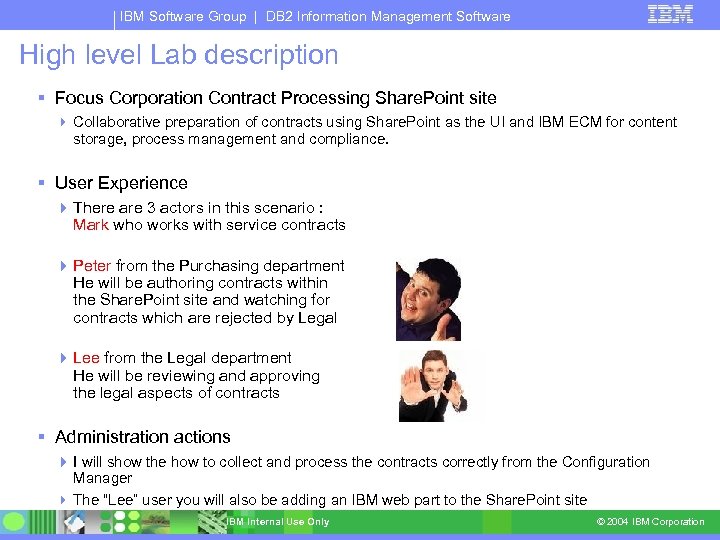
IBM Software Group | DB 2 Information Management Software High level Lab description Focus Corporation Contract Processing Share. Point site Collaborative preparation of contracts using Share. Point as the UI and IBM ECM for content storage, process management and compliance. User Experience There are 3 actors in this scenario : Mark who works with service contracts Peter from the Purchasing department He will be authoring contracts within the Share. Point site and watching for contracts which are rejected by Legal Lee from the Legal department He will be reviewing and approving the legal aspects of contracts Administration actions I will show the how to collect and process the contracts correctly from the Configuration Manager The “Lee” user you will also be adding an IBM web part to the Share. Point site IBM Internal Use Only © 2004 IBM Corporation
Скачать презентацию IBM Software Group BCS Content and Collaboration
799d2ebcf501af3f6267166613a83b87.ppt