 Скачать презентацию IBM Networking — the competitive advantage of your
b7f9e71a8dc35e16ce6ef30193f82f75.ppt
- Количество слайдов: 42



IBM Networking - the competitive advantage of your business Adam Wygodny System Networking Sales Leader for CEE Sławomir Słowiński System Networking Technical Sales for CEE adam. wygodny@pl. ibm. com slawomir. slowinski@pl. ibm. com IBM Forum 2012 – Estonia Tallinn, October 9, 2012
Agenda • • How to provide more by paying less? How to be effective during the crisis? How to transform IT departments into profitable centers? 4 IT trends How IBM System Networking helps to addresses IT trends Vision and Strategy Product portfolio overview Virtualization technology overview
Four Trends Reshaping DC Networks . . .
Four Trends Reshaping DC Networks 1. . . Virtualization
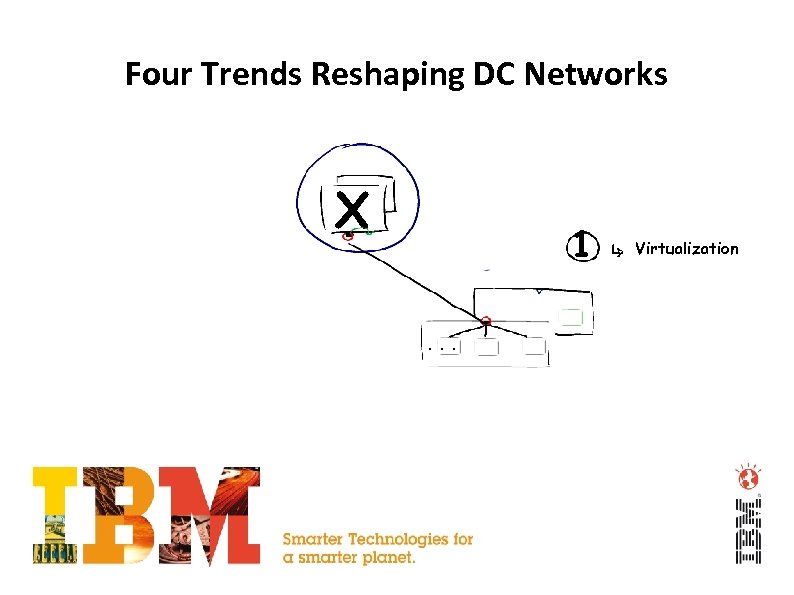
Four Trends Reshaping DC Networks X 1. . . Virtualization
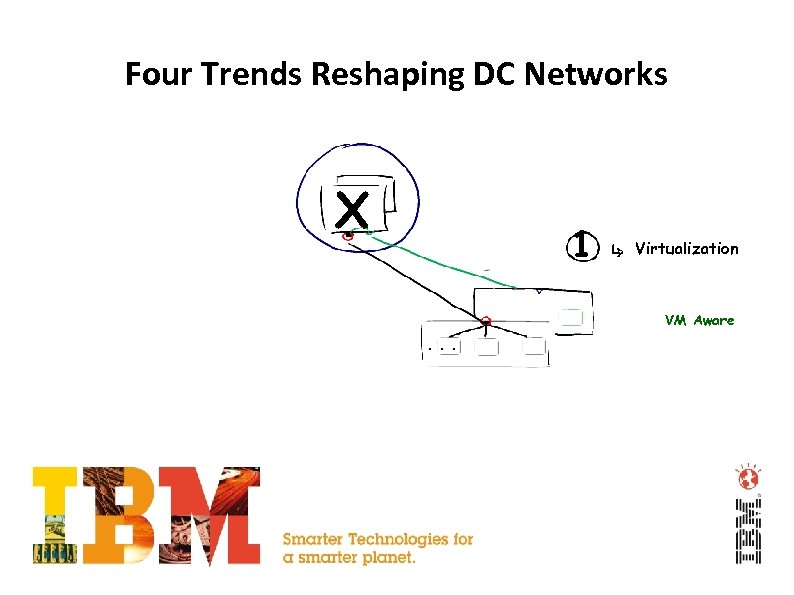
Four Trends Reshaping DC Networks X 1 Virtualization VM Aware. . .
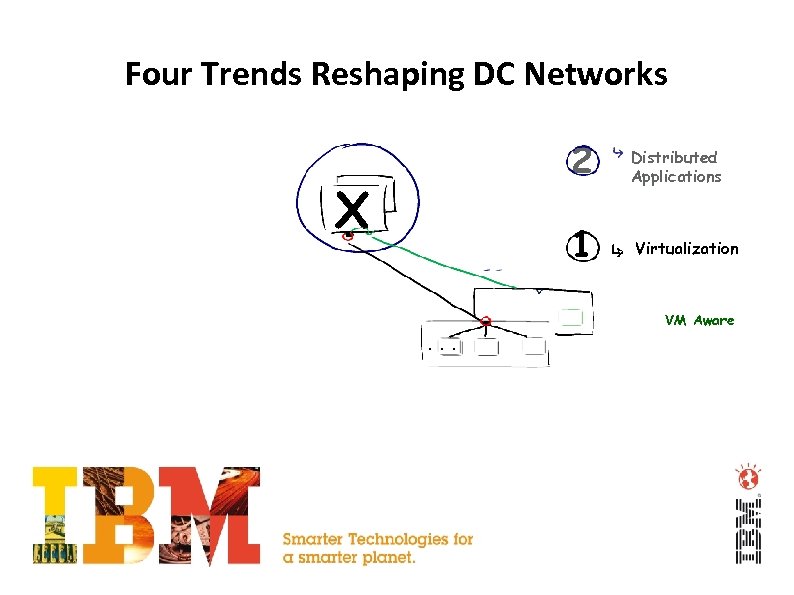
Four Trends Reshaping DC Networks 2 1 X Distributed Applications Virtualization VM Aware. . .
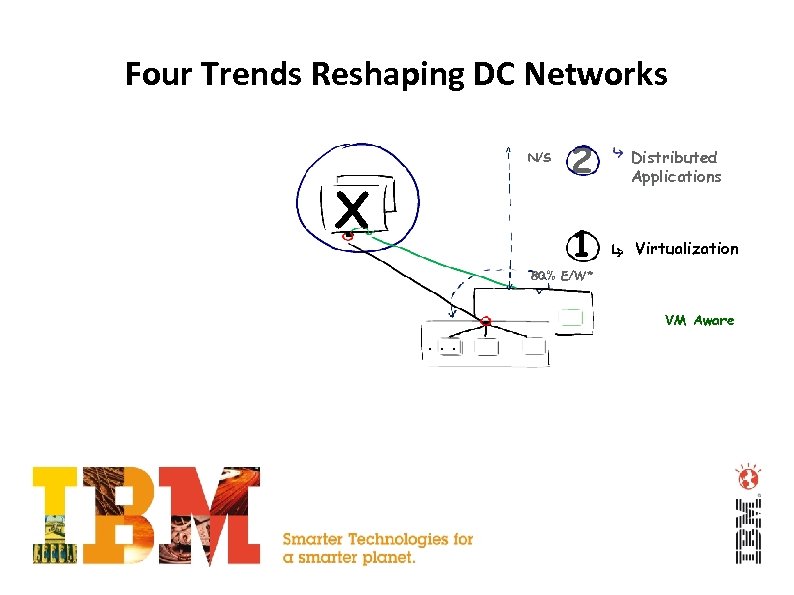
Four Trends Reshaping DC Networks X 2 Distributed Applications 1 N/S Virtualization 80% E/W* VM Aware. . .
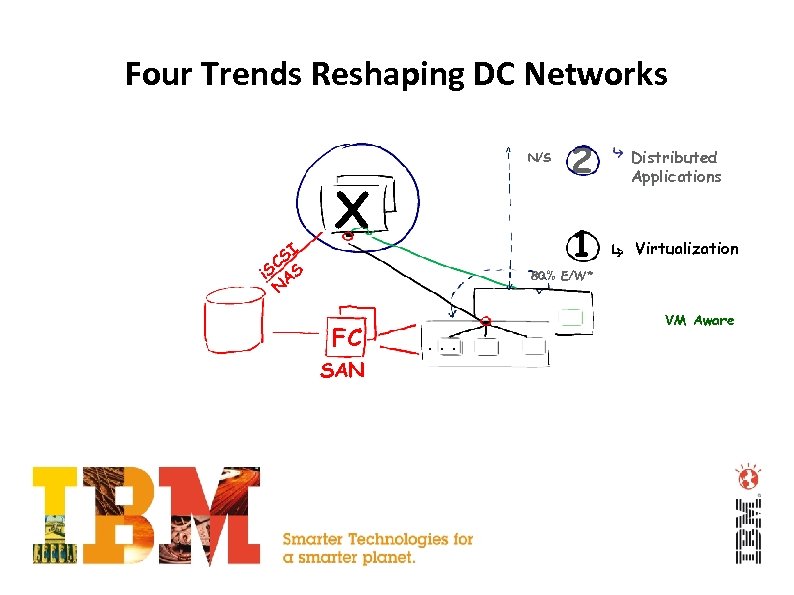
Four Trends Reshaping DC Networks SI C i. S AS N X 2 Distributed Applications 1 N/S Virtualization 80% E/W* FC SAN VM Aware. . .
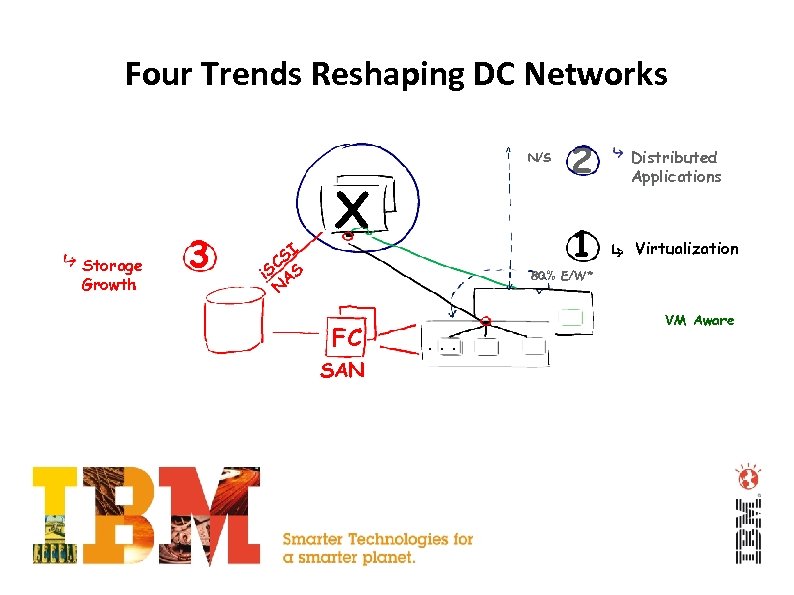
Four Trends Reshaping DC Networks Storage Growth 3 SI C i. S AS N X 2 Distributed Applications 1 N/S Virtualization 80% E/W* FC SAN VM Aware. . .
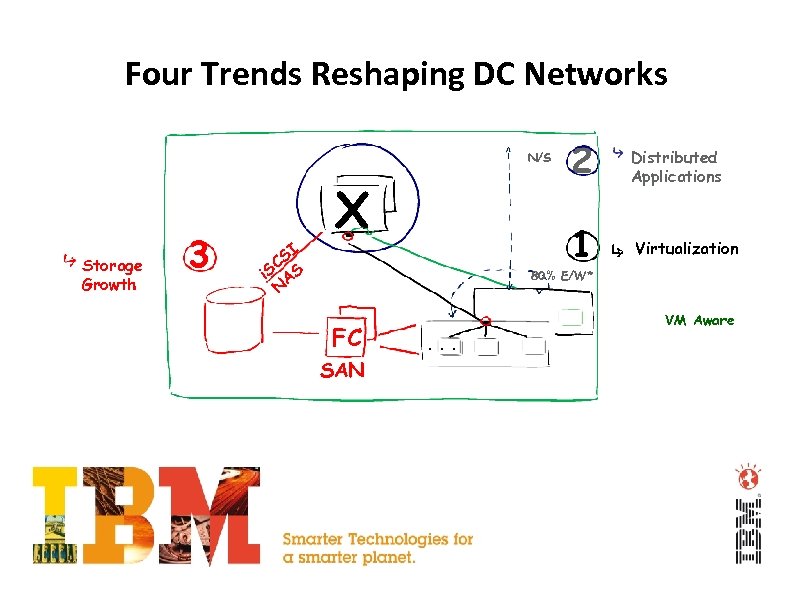
Four Trends Reshaping DC Networks Storage Growth 3 SI C i. S AS N X 2 Distributed Applications 1 N/S Virtualization 80% E/W* FC SAN VM Aware. . .
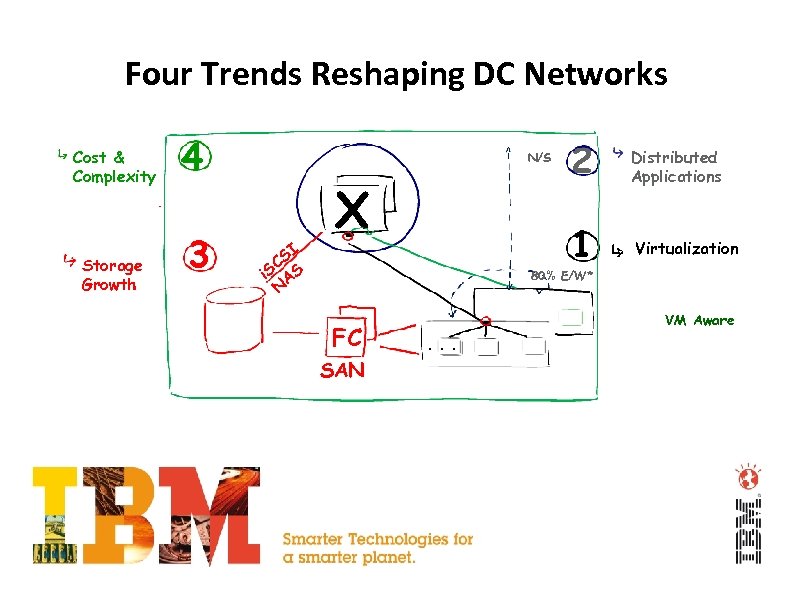
Four Trends Reshaping DC Networks Cost & Complexity Storage Growth 4 3 SI C i. S AS N X 2 Distributed Applications 1 N/S Virtualization 80% E/W* FC SAN VM Aware. . .
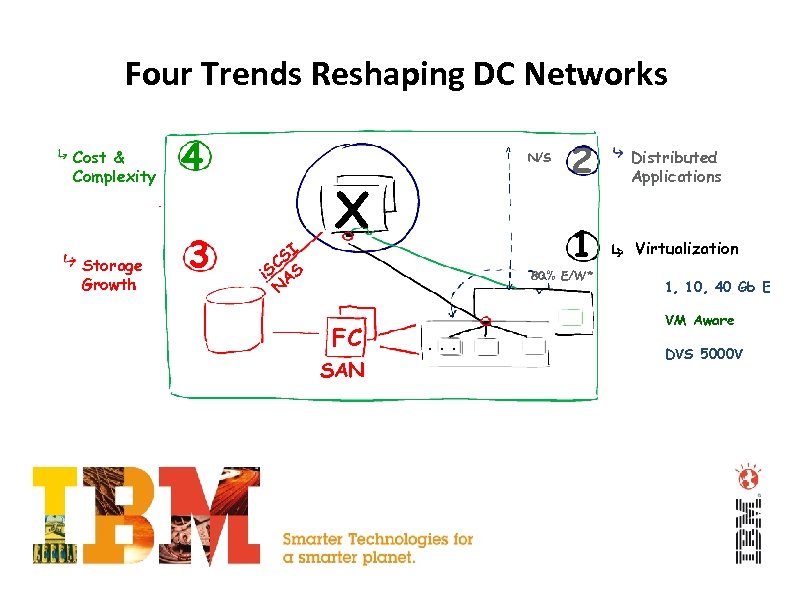
Four Trends Reshaping DC Networks Cost & Complexity Storage Growth 4 3 SI C i. S AS N X 2 Distributed Applications 1 N/S Virtualization 80% E/W* FC SAN 1, 10, 40 Gb E VM Aware . . . DVS 5000 V
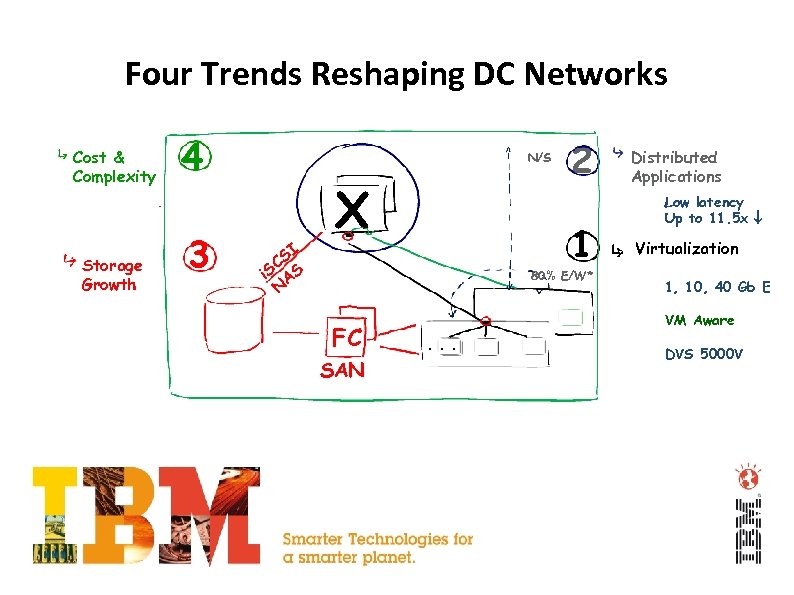
Four Trends Reshaping DC Networks Cost & Complexity Storage Growth 4 3 N/S SI C i. S AS N X 2 1 80% E/W* FC SAN Distributed Applications Low latency Up to 11. 5 x Virtualization 1, 10, 40 Gb E VM Aware . . . DVS 5000 V
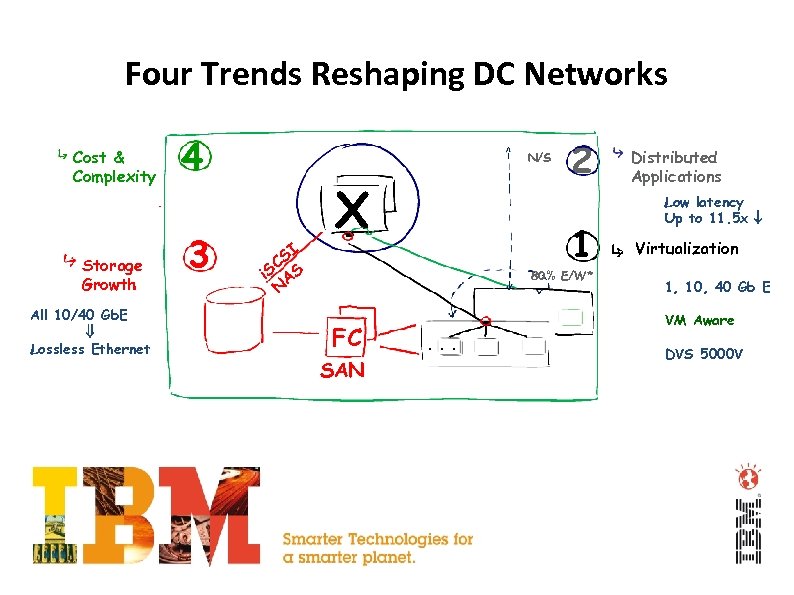
Four Trends Reshaping DC Networks Cost & Complexity Storage Growth All 10/40 Gb. E Lossless Ethernet 4 3 N/S SI C i. S AS N X 2 1 80% E/W* FC SAN Distributed Applications Low latency Up to 11. 5 x Virtualization 1, 10, 40 Gb E VM Aware . . . DVS 5000 V
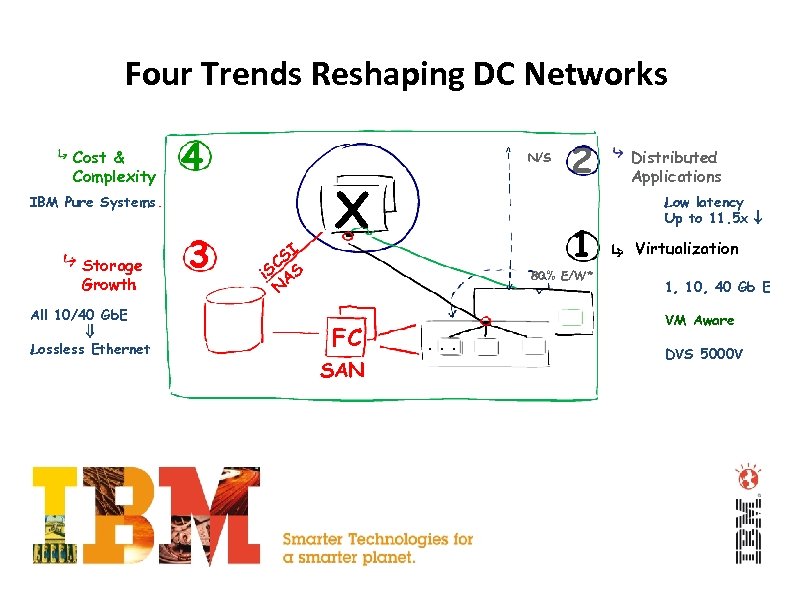
Four Trends Reshaping DC Networks Cost & Complexity 4 N/S IBM Pure Systems Storage Growth All 10/40 Gb. E Lossless Ethernet 3 SI C i. S AS N X 2 1 80% E/W* FC SAN Distributed Applications Low latency Up to 11. 5 x Virtualization 1, 10, 40 Gb E VM Aware . . . DVS 5000 V
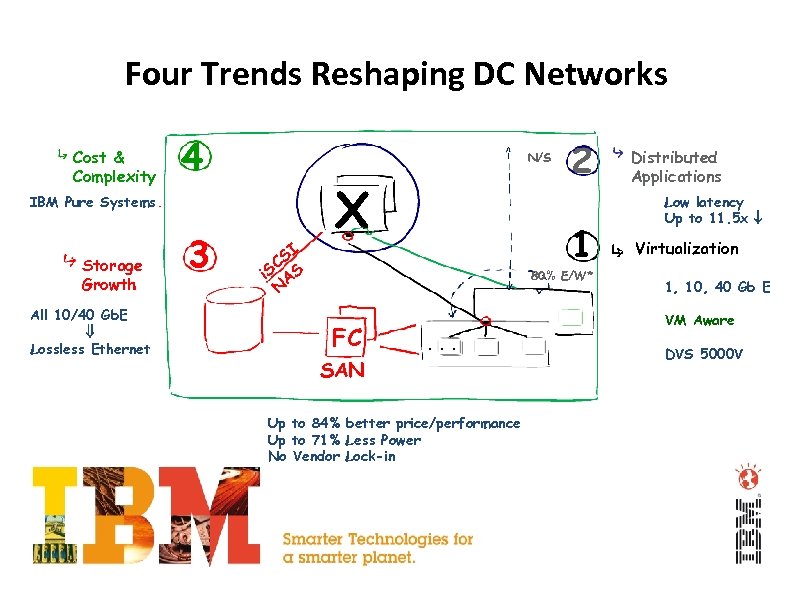
Four Trends Reshaping DC Networks Cost & Complexity 4 N/S IBM Pure Systems Storage Growth All 10/40 Gb. E Lossless Ethernet 3 SI C i. S AS N X 2 1 80% E/W* FC Distributed Applications Low latency Up to 11. 5 x Virtualization 1, 10, 40 Gb E VM Aware . . . SAN Up to 84% better price/performance Up to 71% Less Power No Vendor Lock-in DVS 5000 V
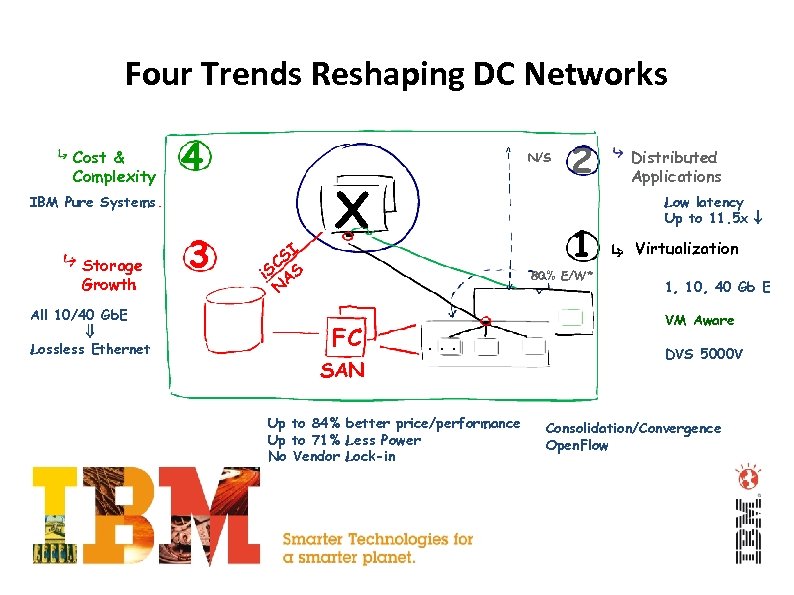
Four Trends Reshaping DC Networks Cost & Complexity 4 N/S IBM Pure Systems Storage Growth All 10/40 Gb. E Lossless Ethernet 3 SI C i. S AS N X 2 1 80% E/W* FC Distributed Applications Low latency Up to 11. 5 x Virtualization 1, 10, 40 Gb E VM Aware . . . SAN Up to 84% better price/performance Up to 71% Less Power No Vendor Lock-in DVS 5000 V Consolidation/Convergence Open. Flow
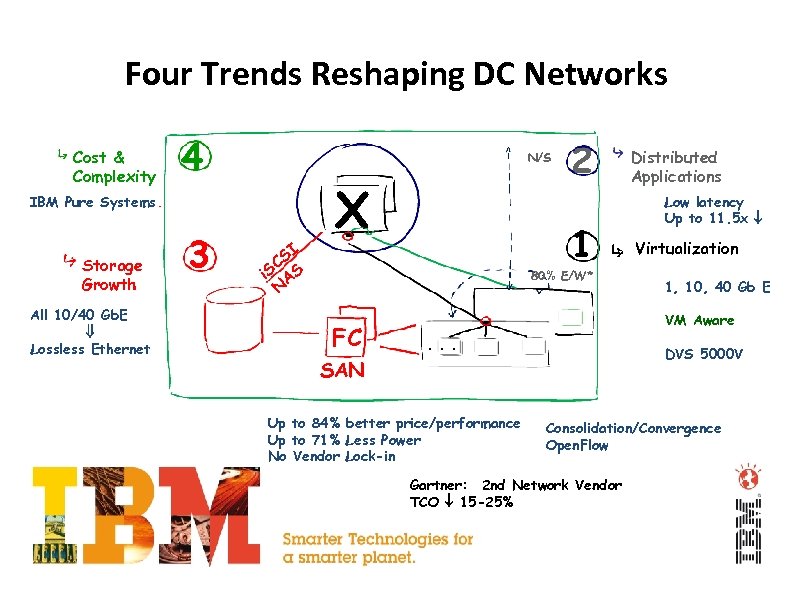
Four Trends Reshaping DC Networks Cost & Complexity 4 N/S IBM Pure Systems Storage Growth All 10/40 Gb. E Lossless Ethernet 3 SI C i. S AS N X 2 1 80% E/W* FC Distributed Applications Low latency Up to 11. 5 x Virtualization 1, 10, 40 Gb E VM Aware . . . DVS 5000 V SAN Up to 84% better price/performance Up to 71% Less Power No Vendor Lock-in Consolidation/Convergence Open. Flow Gartner: 2 nd Network Vendor TCO 15 -25%
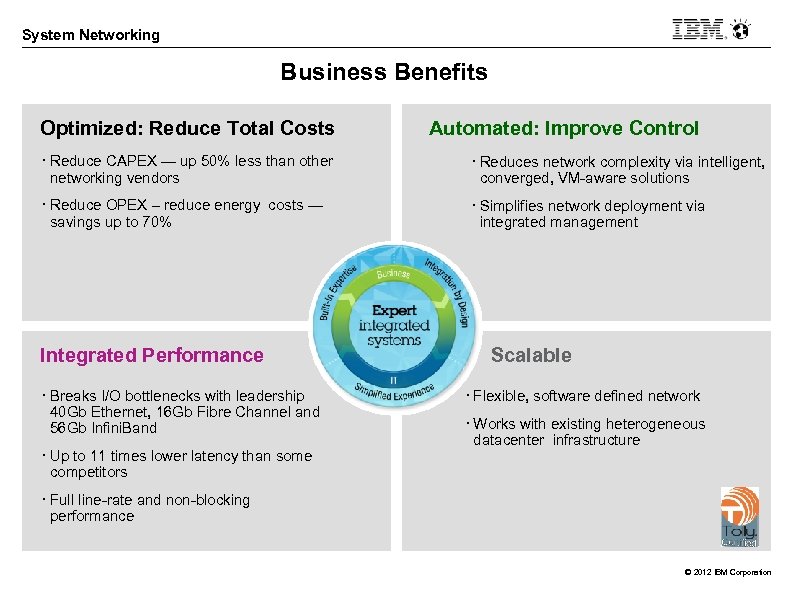
System Networking Business Benefits Optimized: Reduce Total Costs Automated: Improve Control • Reduce CAPEX — up 50% less than other networking vendors • Reduces network complexity via intelligent, converged, VM-aware solutions • Reduce OPEX – reduce energy costs — savings up to 70% • Simplifies network deployment via integrated management Integrated Performance • Breaks I/O bottlenecks with leadership 40 Gb Ethernet, 16 Gb Fibre Channel and 56 Gb Infini. Band • Up to 11 times lower latency than some competitors Scalable • Flexible, software defined network • Works with existing heterogeneous datacenter infrastructure • Full line-rate and non-blocking performance © 2012 IBM Corporation

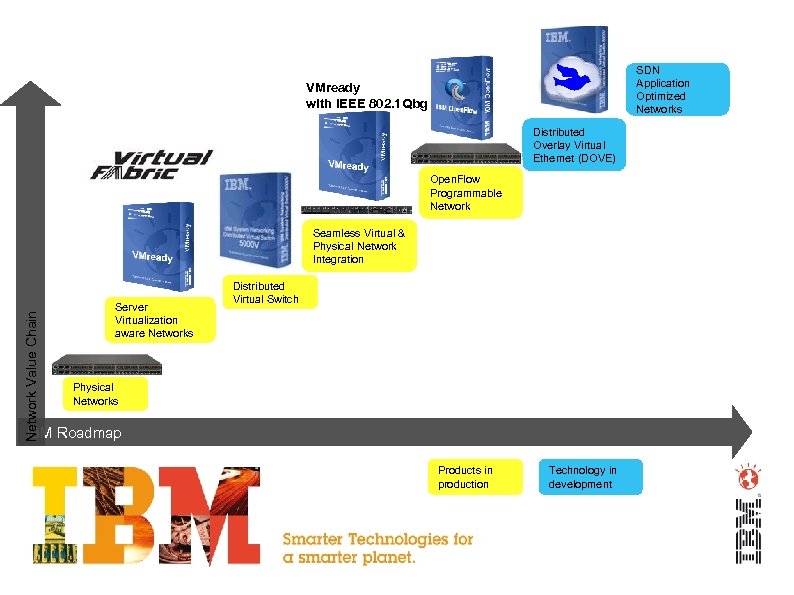
SDN Application Optimized Networks VMready with IEEE 802. 1 Qbg Distributed Overlay Virtual Ethernet (DOVE) Open. Flow Programmable Network Value Chain Seamless Virtual & Physical Network Integration Server Virtualization aware Networks Distributed Virtual Switch Physical Networks IBM Roadmap Products in production Technology in development
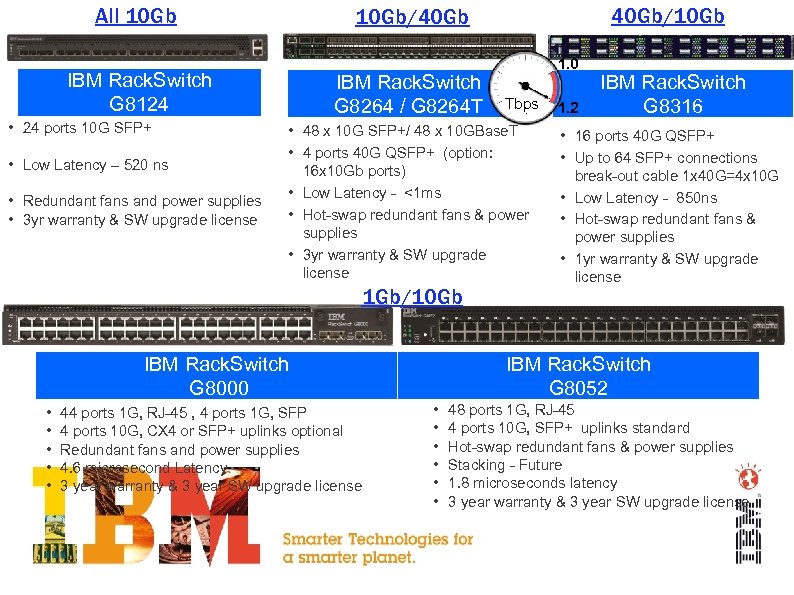
All 10 Gb IBM Rack. Switch G 8124 • 24 ports 10 G SFP+ • Low Latency – 520 ns • Redundant fans and power supplies • 3 yr warranty & SW upgrade license IBM Rack. Switch G 8264 / G 8264 T 1. 0 Tbps • 48 x 10 G SFP+/ 48 x 10 GBase. T • 4 ports 40 G QSFP+ (option: 16 x 10 Gb ports) • Low Latency - <1 ms • Hot-swap redundant fans & power supplies • 3 yr warranty & SW upgrade license 1 Gb/10 Gb IBM Rack. Switch G 8000 • • • 40 Gb/10 Gb/40 Gb 44 ports 1 G, RJ-45 , 4 ports 1 G, SFP 4 ports 10 G, CX 4 or SFP+ uplinks optional Redundant fans and power supplies 4. 6 microsecond Latency 3 year warranty & 3 year SW upgrade license 1. 2 IBM Rack. Switch G 8316 • 16 ports 40 G QSFP+ • Up to 64 SFP+ connections break-out cable 1 x 40 G=4 x 10 G • Low Latency - 850 ns • Hot-swap redundant fans & power supplies • 1 yr warranty & SW upgrade license IBM Rack. Switch G 8052 • • • 48 ports 1 G, RJ-45 4 ports 10 G, SFP+ uplinks standard Hot-swap redundant fans & power supplies Stacking - Future 1. 8 microseconds latency 3 year warranty & 3 year SW upgrade license
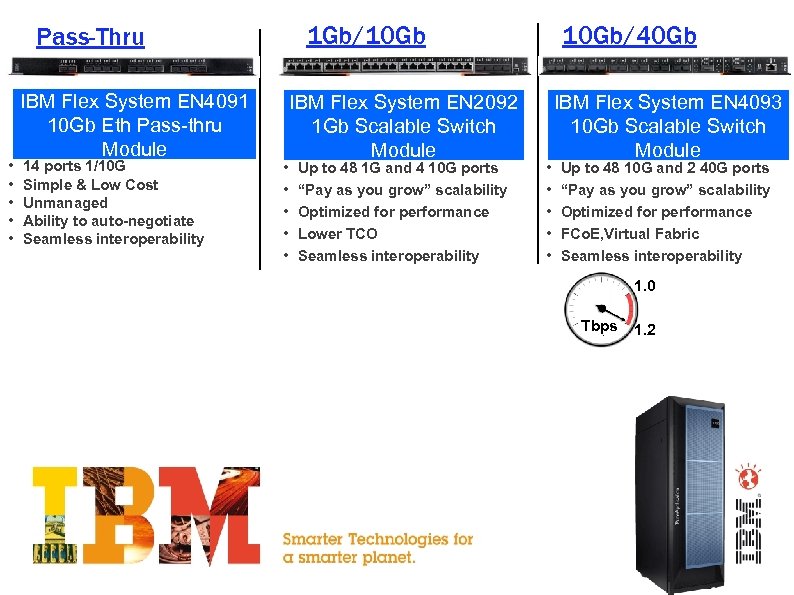
1 Gb/10 Gb Pass-Thru • • • IBM Flex System EN 4091 10 Gb Eth Pass-thru Module 14 ports 1/10 G Simple & Low Cost Unmanaged Ability to auto-negotiate Seamless interoperability • • • IBM Flex System EN 2092 1 Gb Scalable Switch Module Up to 48 1 G and 4 10 G ports “Pay as you grow” scalability Optimized for performance Lower TCO Seamless interoperability 10 Gb/40 Gb • • • IBM Flex System EN 4093 10 Gb Scalable Switch Module Up to 48 10 G and 2 40 G ports “Pay as you grow” scalability Optimized for performance FCo. E, Virtual Fabric Seamless interoperability 1. 0 Tbps 1. 2
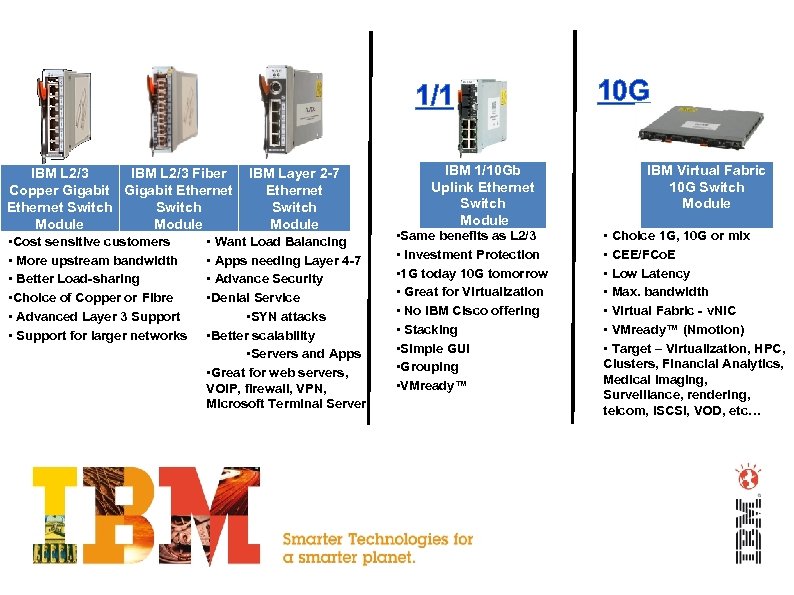
1/10 G 1 G IBM L 2/3 Fiber IBM Layer 2 -7 Copper Gigabit Ethernet Switch Module • Cost sensitive customers • Want Load Balancing • More upstream bandwidth • Apps needing Layer 4 -7 • Better Load-sharing • Advance Security • Choice of Copper or Fibre • Denial Service • Advanced Layer 3 Support • SYN attacks • Support for larger networks • Better scalability • Servers and Apps • Great for web servers, VOIP, firewall, VPN, Microsoft Terminal Server IBM 1/10 Gb Uplink Ethernet Switch Module • Same benefits as L 2/3 • Investment Protection • 1 G today 10 G tomorrow • Great for Virtualization • No IBM Cisco offering • Stacking • Simple GUI • Grouping • VMready™ 10 G IBM Virtual Fabric 10 G Switch Module • Choice 1 G, 10 G or mix • CEE/FCo. E • Low Latency • Max. bandwidth • Virtual Fabric - v. NIC • VMready™ (Nmotion) • Target – Virtualization, HPC, Clusters, Financial Analytics, Medical imaging, Surveillance, rendering, telcom, i. SCSI, VOD, etc…
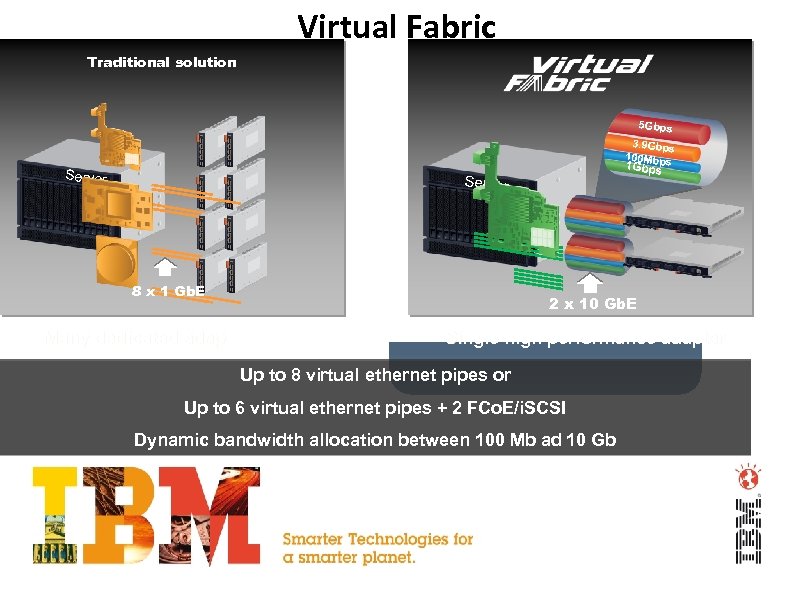
Virtual Fabric Traditional solution 5 Gbps 3. 9 Gbps 100 Mbps Server 1 Gbps Server 8 x 1 Gb. E 2 x 10 Gb. E Many dedicated adapters Single high performance adapter Up to 8 virtual ethernet pipes or Up to 6 virtual ethernet pipes + 2 FCo. E/i. SCSI Dynamic bandwidth allocation between 100 Mb ad 10 Gb
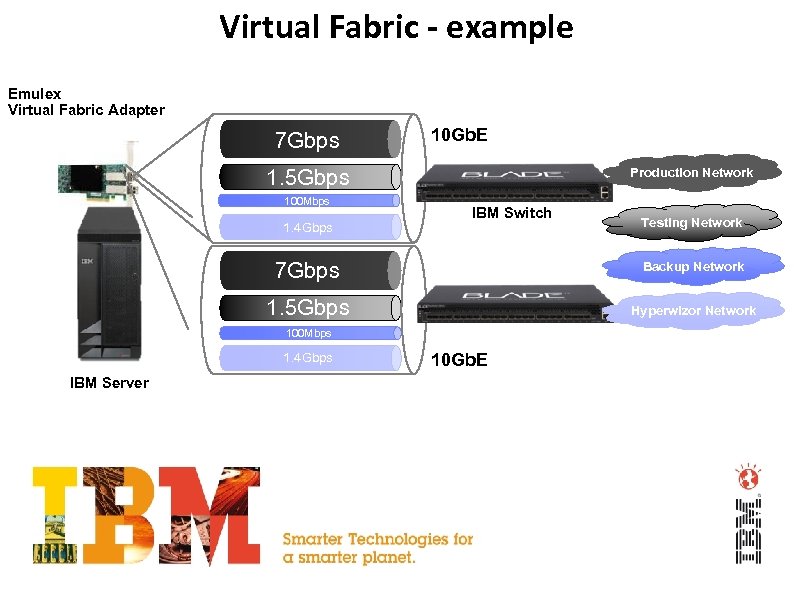
Virtual Fabric - example Emulex Virtual Fabric Adapter 7 Gbps 10 Gb. E 1. 5 Gbps 100 Mbps 1. 4 Gbps Production Network IBM Switch Testing Network 7 Gbps Backup Network 1. 5 Gbps Hyperwizor Network 100 Mbps 1. 4 Gbps IBM Server 10 Gb. E
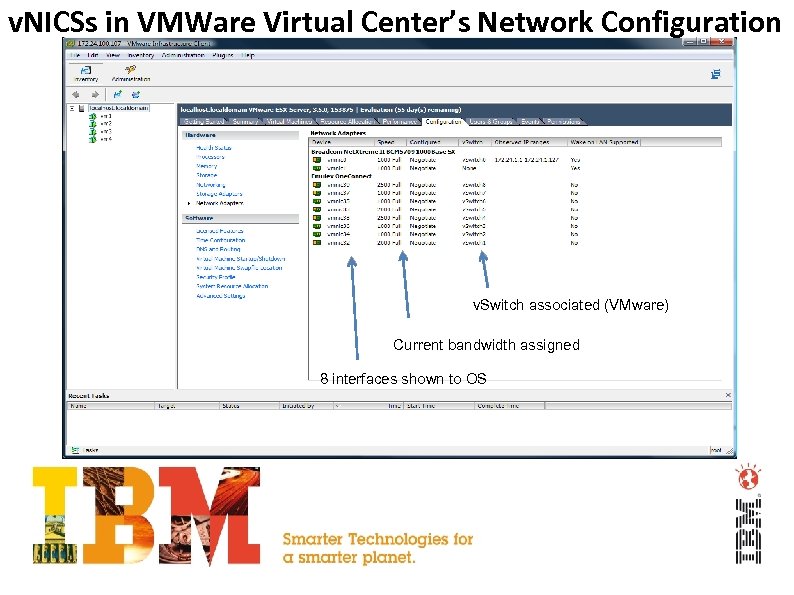
v. NICSs in VMWare Virtual Center’s Network Configuration v. Switch associated (VMware) Current bandwidth assigned 8 interfaces shown to OS
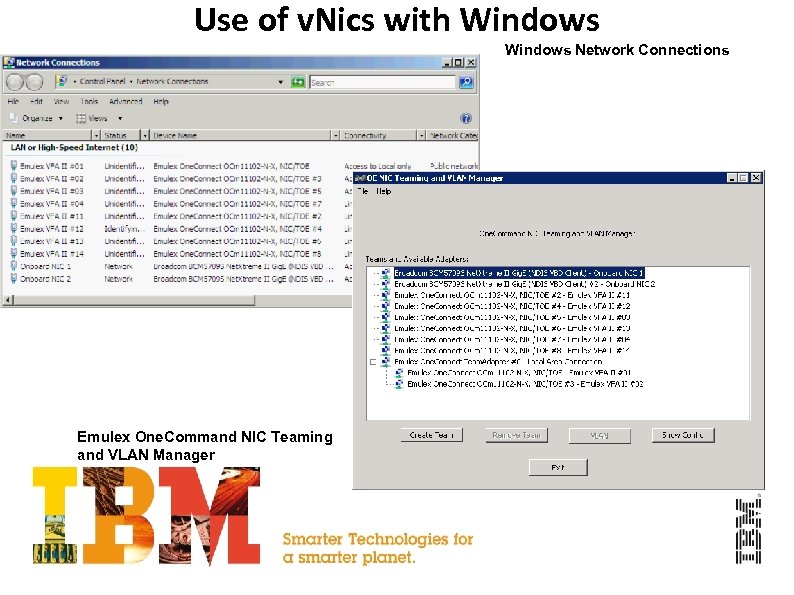
Use of v. Nics with Windows Network Connections Emulex One. Command NIC Teaming and VLAN Manager
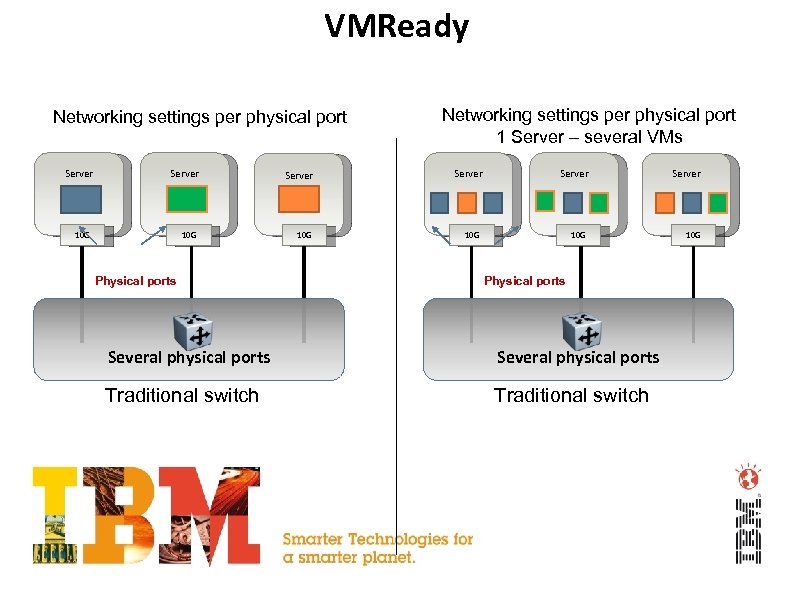
VMReady Networking settings per physical port Server 10 G 10 G Physical ports Networking settings per physical port 1 Server – several VMs Server 10 G 10 G Physical ports Several physical ports Traditional switch
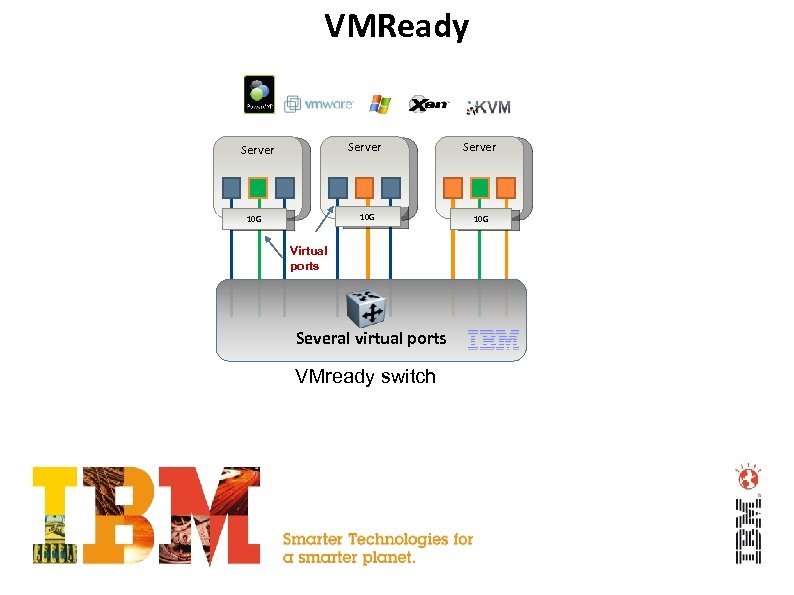
VMReady Server 10 G Virtual ports Several virtual ports VMready switch Server 10 G
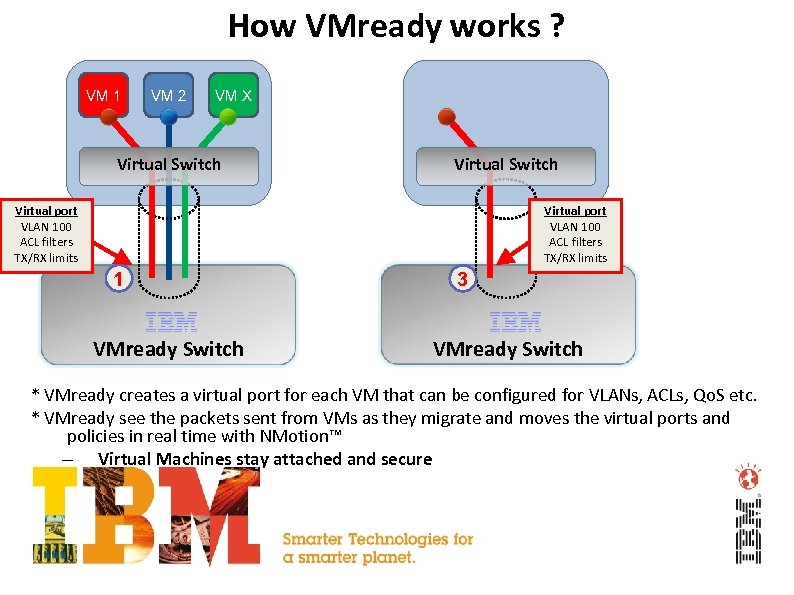
How VMready works ? VM 1 VM 2 VM X Virtual Switch Virtual port VLAN 100 ACL filters TX/RX limits 1 VMready Switch 3 VMready Switch * VMready creates a virtual port for each VM that can be configured for VLANs, ACLs, Qo. S etc. * VMready see the packets sent from VMs as they migrate and moves the virtual ports and policies in real time with NMotion™ – Virtual Machines stay attached and secure
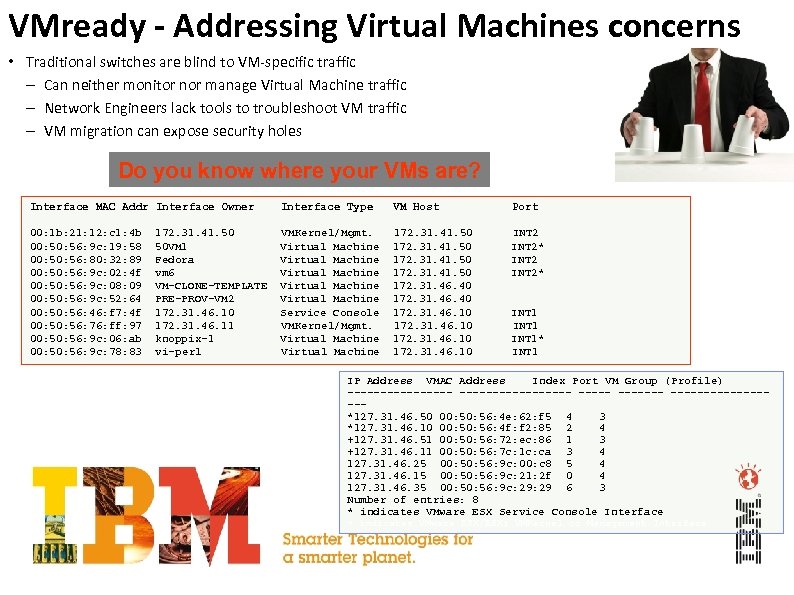
VMready - Addressing Virtual Machines concerns • Traditional switches are blind to VM-specific traffic – Can neither monitor nor manage Virtual Machine traffic – Network Engineers lack tools to troubleshoot VM traffic – VM migration can expose security holes Do you know where your VMs are? Interface MAC Addr Interface Owner Interface Type VM Host Port 00: 1 b: 21: 12: c 1: 4 b 00: 56: 9 c: 19: 58 00: 56: 80: 32: 89 00: 56: 9 c: 02: 4 f 00: 56: 9 c: 08: 09 00: 56: 9 c: 52: 64 00: 56: 46: f 7: 4 f 00: 56: 76: ff: 97 00: 56: 9 c: 06: ab 00: 56: 9 c: 78: 83 VMKernel/Mgmt. Virtual Machine Virtual Machine Service Console VMKernel/Mgmt. Virtual Machine 172. 31. 41. 50 172. 31. 46. 40 172. 31. 46. 10 INT 2* 172. 31. 41. 50 50 VM 1 Fedora vm 6 VM-CLONE-TEMPLATE PRE-PROV-VM 2 172. 31. 46. 10 172. 31. 46. 11 knoppix-1 vi-perl INT 1* INT 1 IP Address VMAC Address Index Port VM Group (Profile) ----------------- --------*127. 31. 46. 50 00: 56: 4 e: 62: f 5 4 3 *127. 31. 46. 10 00: 56: 4 f: f 2: 85 2 4 +127. 31. 46. 51 00: 56: 72: ec: 86 1 3 +127. 31. 46. 11 00: 56: 7 c: 1 c: ca 3 4 127. 31. 46. 25 00: 56: 9 c: 00: c 8 5 4 127. 31. 46. 15 00: 56: 9 c: 21: 2 f 0 4 127. 31. 46. 35 00: 56: 9 c: 29 6 3 Number of entries: 8 * indicates VMware ESX Service Console Interface + indicates VMware ESX/ESXi VMKernel or Management Interface
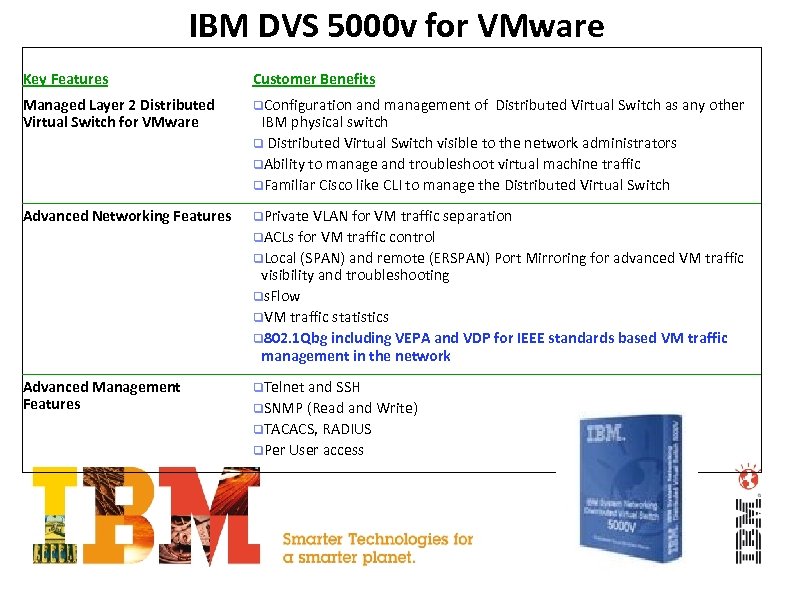
IBM DVS 5000 v for VMware Key Features Customer Benefits Managed Layer 2 Distributed Virtual Switch for VMware q. Configuration and management of Advanced Networking Features q. Private VLAN for VM traffic separation Distributed Virtual Switch as any other IBM physical switch q Distributed Virtual Switch visible to the network administrators q. Ability to manage and troubleshoot virtual machine traffic q. Familiar Cisco like CLI to manage the Distributed Virtual Switch q. ACLs for VM traffic control q. Local (SPAN) and remote (ERSPAN) Port Mirroring for advanced VM traffic visibility and troubleshooting qs. Flow q. VM traffic statistics q 802. 1 Qbg including VEPA and VDP for IEEE standards based VM traffic management in the network Advanced Management Features q. Telnet and SSH q. SNMP (Read and Write) q. TACACS, RADIUS q. Per User access
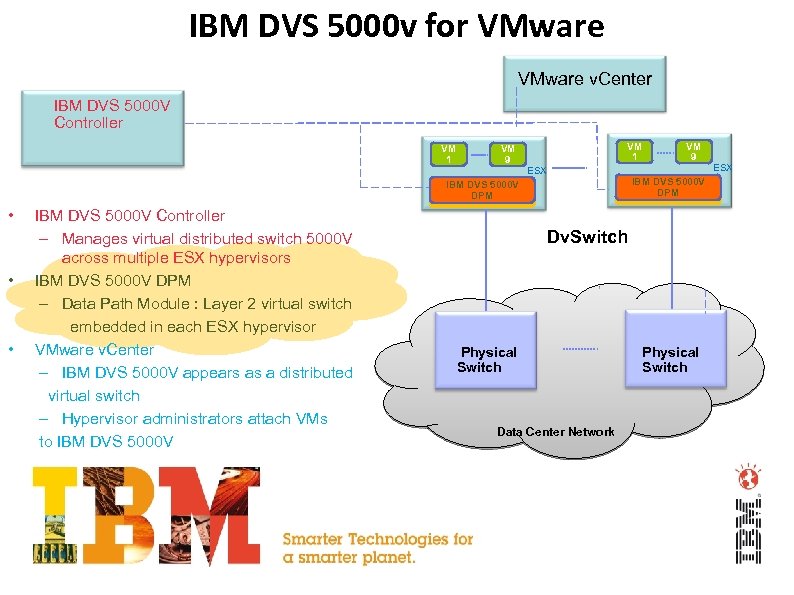
IBM DVS 5000 v for VMware v. Center IBM DVS 5000 V Controller VM 1 VM 9 VM 1 ESX IBM DVS 5000 V DPM • • • IBM DVS 5000 V Controller – Manages virtual distributed switch 5000 V across multiple ESX hypervisors IBM DVS 5000 V DPM – Data Path Module : Layer 2 virtual switch embedded in each ESX hypervisor VMware v. Center – IBM DVS 5000 V appears as a distributed virtual switch – Hypervisor administrators attach VMs to IBM DVS 5000 V VM 9 Dv. Switch Physical Switch Data Center Network Physical Switch ESX
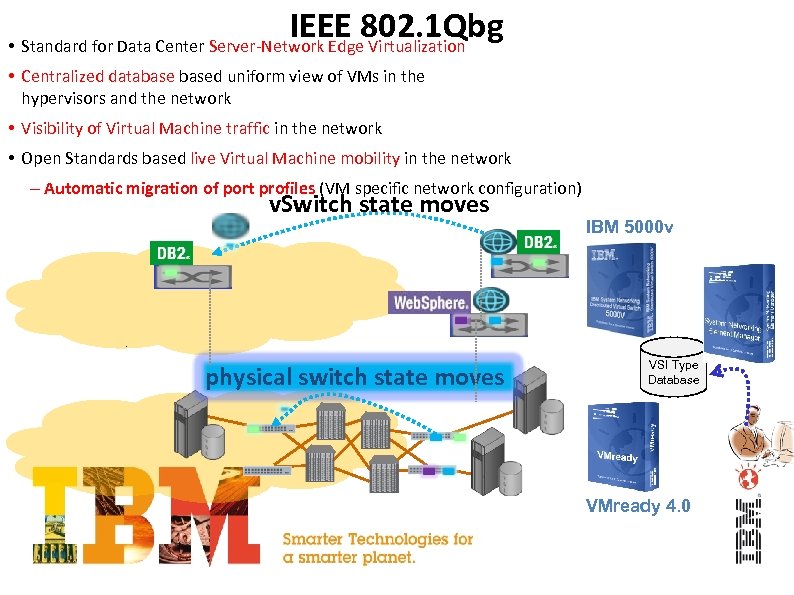
IEEE 802. 1 Qbg • Standard for Data Center Server-Network Edge Virtualization • Centralized databased uniform view of VMs in the hypervisors and the network • Visibility of Virtual Machine traffic in the network • Open Standards based live Virtual Machine mobility in the network – Automatic migration of port profiles (VM specific network configuration) v. Switch state moves physical switch state moves IBM 5000 v VSI Type Database VMready 4. 0
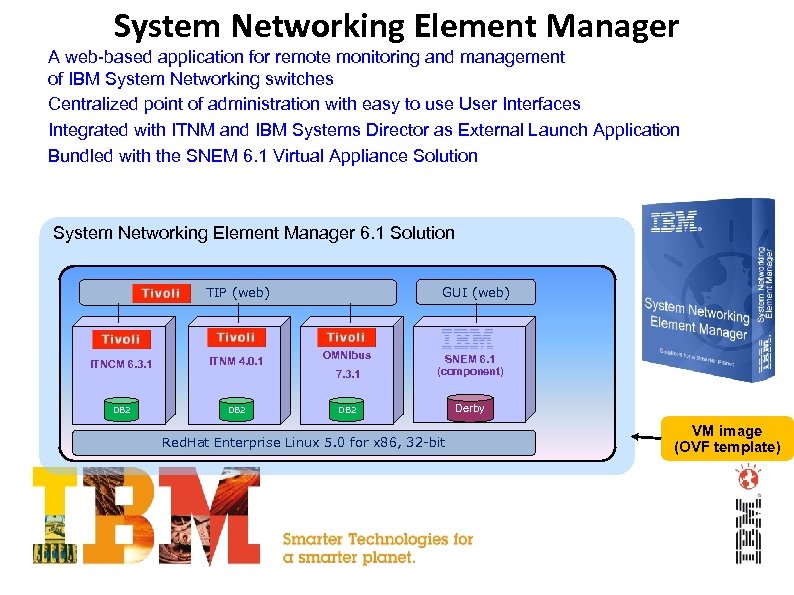
System Networking Element Manager • A web-based application for remote monitoring and management of IBM System Networking switches • Centralized point of administration with easy to use User Interfaces • Integrated with ITNM and IBM Systems Director as External Launch Application • Bundled with the SNEM 6. 1 Virtual Appliance Solution System Networking Element Manager 6. 1 Solution GUI (web) TIP (web) OMNIbus 7. 3. 1 ITNCM 6. 3. 1 ITNM 4. 0. 1 DB 2 SNEM 6. 1 (component) DB 2 Derby Red. Hat Enterprise Linux 5. 0 for x 86, 32 -bit 37 IBM Confidential VM image (OVF template)
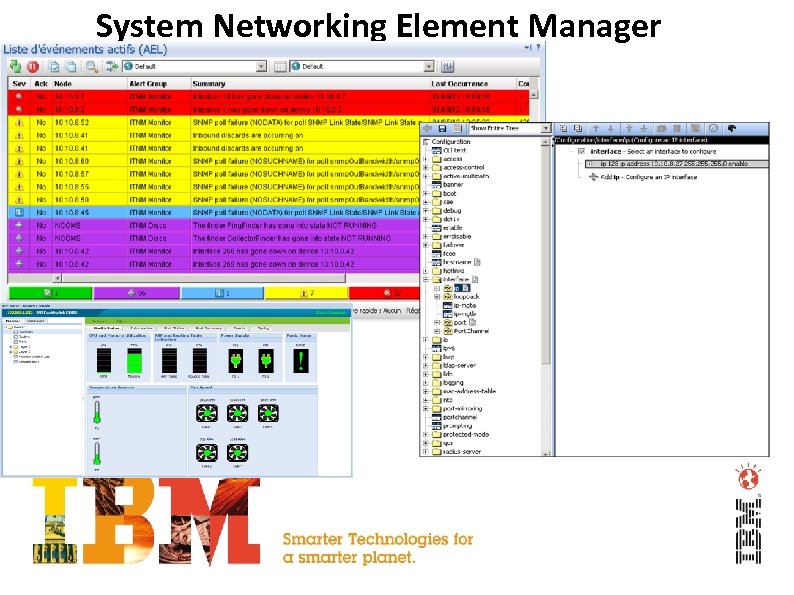
System Networking Element Manager 38
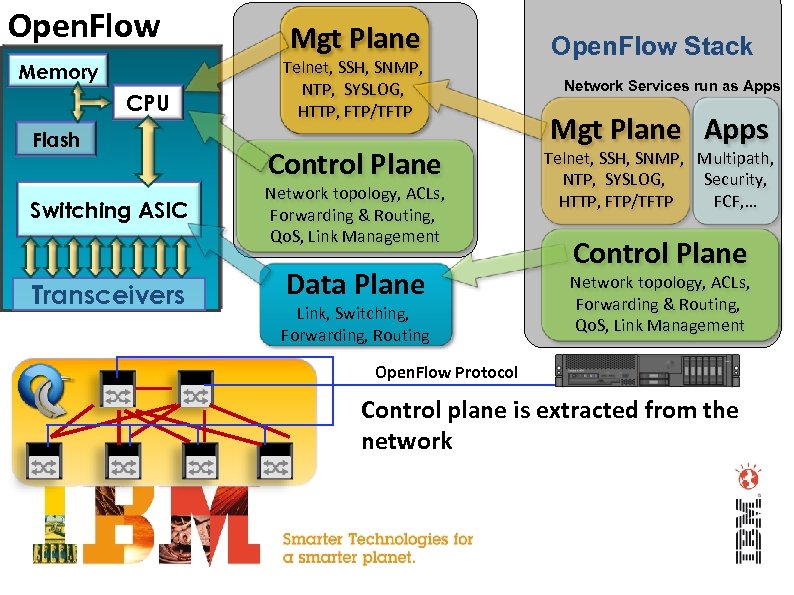
Open. Flow Memory CPU Flash Switching ASIC Transceivers Mgt Plane Telnet, SSH, SNMP, NTP, SYSLOG, HTTP, FTP/TFTP Control Plane Network topology, ACLs, Forwarding & Routing, Qo. S, Link Management Data Plane Link, Switching, Forwarding, Routing Open. Flow Stack Network Services run as Apps Mgt Plane Apps Telnet, SSH, SNMP, Multipath, Security, NTP, SYSLOG, FCF, … HTTP, FTP/TFTP Control Plane Network topology, ACLs, Forwarding & Routing, Qo. S, Link Management Open. Flow Protocol Control plane is extracted from the network
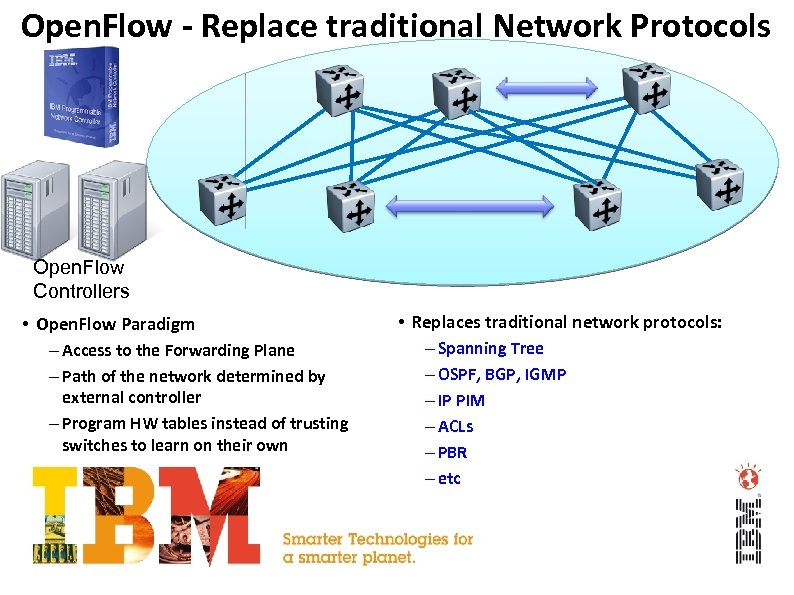
Open. Flow - Replace traditional Network Protocols Open. Flow Controllers • Open. Flow Paradigm – Access to the Forwarding Plane – Path of the network determined by external controller – Program HW tables instead of trusting switches to learn on their own • Replaces traditional network protocols: – Spanning Tree – OSPF, BGP, IGMP – IP PIM – ACLs – PBR – etc

Questions ? Adam Wygodny Adam. wygodny@pl. ibm. com +48 723 70 3025 Sławomir Słowiński slawomir. slowinski@pl. ibm. com +48 723 70 3608
System Networking Děkuji Hindi Hebrew Czech Simplified Chinese спасибo Thank You Russian Köszönöm Hungarian Arabic Grazie Italish Aitäh D‘akujem Ukrainiian Mulțumesc Romanian Dziękuję Polish Korean Georgian Danke благодаря Paldies Obrigado მადლობა გადაგიხადოთ Slovak Bulgarian Spanish Brazilian Portuguese хвала Teşekkür Ederim Turkish Gracias Serbian Slovenian спасибі Lietuviešu English Estonian Hvala Ačiū German Merci French Japanese Traditional Chinese Thai Latvijas © 2012 IBM Corporation IBM Confidential
Скачать презентацию IBM Networking — the competitive advantage of your
b7f9e71a8dc35e16ce6ef30193f82f75.ppt