



 i. Pay DEMO (R. I. P. ) : ( Milano - 23/09/08
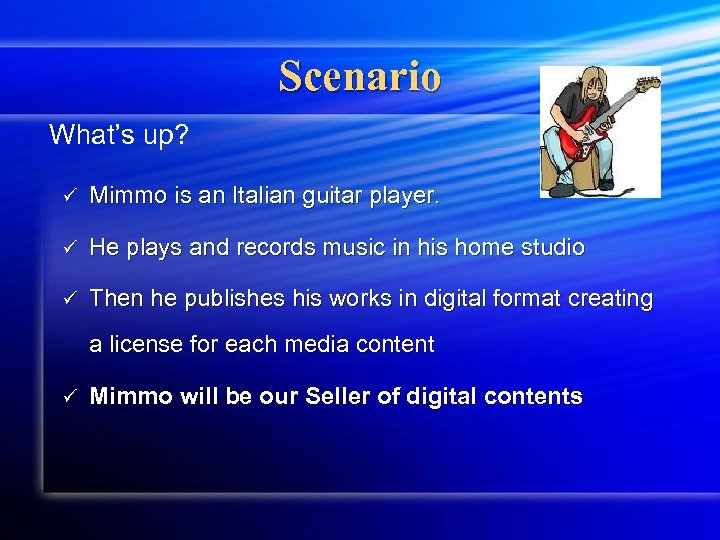 Scenario What’s up? ü Mimmo is an Italian guitar player. ü He plays and records music in his home studio ü Then he publishes his works in digital format creating a license for each media content ü Mimmo will be our Seller of digital contents
 Scenario What’s up? ü Leonardo is a guitar amateur and he had read several reviews about Mimmo’s music. ü Now he wants to buy a song recorded by Mimmo in order to play it in his Chillout EUD. ü Leonardo will be our Buyer of digital contents
 Consulting Shared Services What do they do? ü VASPs query Shared Services in order to retrieve information on Subscribers’defaults (usually querying on a limited time period) ü Shared Services take care of handling VASP’s requests, returning a specific kind of Record ü Subscribers are ideally “tagged” with a status which represents their current behaviour within the system: ü Black ü Grey ü White
 Consulting Shared Services (2) What do they do? ü Black Subscriber/Record: a defaulted subscriber, who did a default and never paid it off (since today) and cannot perform any purchase until he pays his due. ü Grey Subscriber/Record: a past defaulted subscriber, who has been black but has redeemed. It’s up to the VASP to decide whether tp trust the Subscriber or not (VASP’s policy). ü White Subscriber/Record: a “good” subscriber, who has never defaulted (in the requested time period), so he can be considered as a reliable user/customer.
 Scenario More technical details Buyer a) Visits Seller’s website a) Finds a song that he likes b) Agrees with the conditions of License Model, namely: I. II. c) b) Cost is 100 points To be Paid not before 7 dd and not after 15 dd Downloads the content Sends to Merchant a Purchase Request (DMP) containing the ID of the account, which will be used for the payment, and all other required information (Rate, Target, Service URLs)
 Scenario More technical details Merchant a) Sends a Cash Order Disposition to Seller’s VASP a) b) Queries Shared Services to retrieve any possible default of buyer Forwards the Cash Order Disposition to Buyer’s VASP (if success) Buyer’s VASP l Informs Buyer of having received a Cash Order Disposition Buyer l Sends OK to his VASP (he agrees on paying)
 Scenario More technical details Buyer’s VASP a) Credits 100 points to Seller’s account at Seller’s VASP a) Warns Merchant of a received payment Merchant a) Notifies the Buyer that the purchase was successful Buyer a) Requests a license to the LPD, specified in the downloaded content LPD • • Asks Seller’s VASP if the payment was made (if Yes) Issues a License
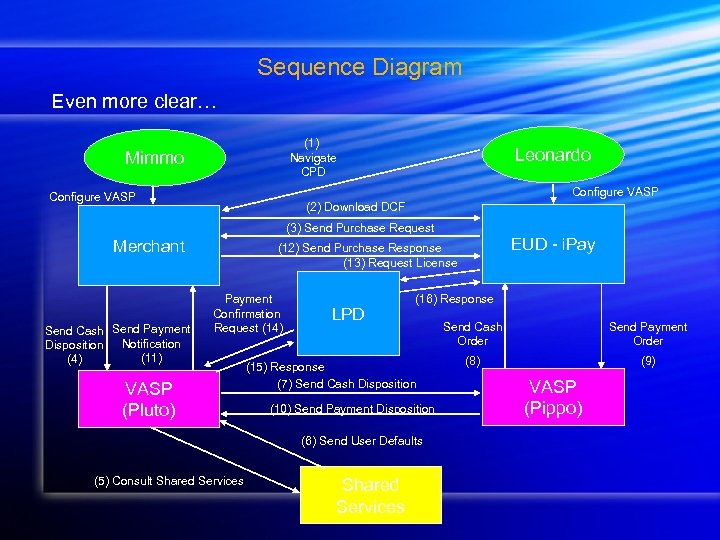 Sequence Diagram Even more clear… (1) Navigate CPD Mimmo Leonardo Configure VASP (2) Download DCF (3) Send Purchase Request Merchant Send Cash Send Payment Disposition Notification (11) (4) EUD - i. Pay (12) Send Purchase Response (13) Request License Payment Confirmation Request (14) VASP (Pluto) LPD (16) Response (15) Response (7) Send Cash Disposition (10) Send Payment Disposition (6) Send User Defaults (5) Consult Shared Services Send Cash Order Send Payment Order (8) (9) VASP (Pippo)
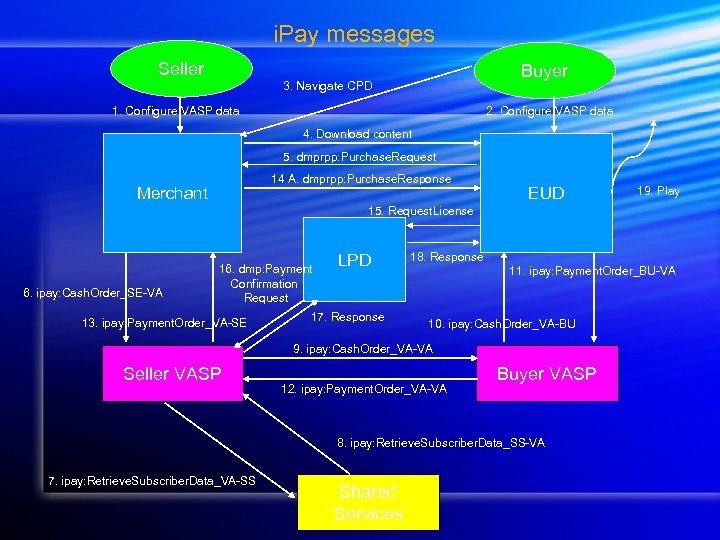 i. Pay messages Seller Buyer 3. Navigate CPD 1. Configure VASP data 2. Configure VASP data 4. Download content 5. dmprpp: Purchase. Request 14 A. dmprpp: Purchase. Response Merchant EUD 19. Play 15. Request. License 6. ipay: Cash. Order_SE-VA 16. dmp: Payment Confirmation Request 13. ipay: Payment. Order_VA-SE LPD 17. Response 18. Response 11. ipay: Payment. Order_BU-VA 10. ipay: Cash. Order_VA-BU 9. ipay: Cash. Order_VA-VA Seller VASP 12. ipay: Payment. Order_VA-VA Buyer VASP 8. ipay: Retrieve. Subscriber. Data_SS-VA 7. ipay: Retrieve. Subscriber. Data_VA-SS Shared Services
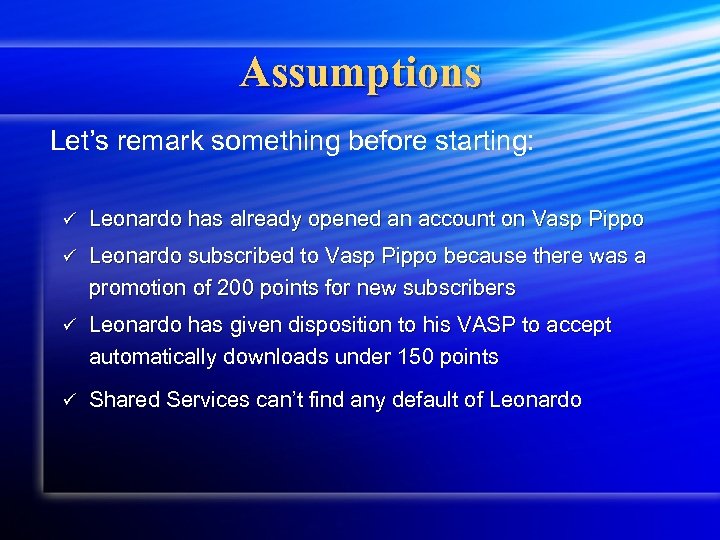 Assumptions Let’s remark something before starting: ü Leonardo has already opened an account on Vasp Pippo ü Leonardo subscribed to Vasp Pippo because there was a promotion of 200 points for new subscribers ü Leonardo has given disposition to his VASP to accept automatically downloads under 150 points ü Shared Services can’t find any default of Leonardo
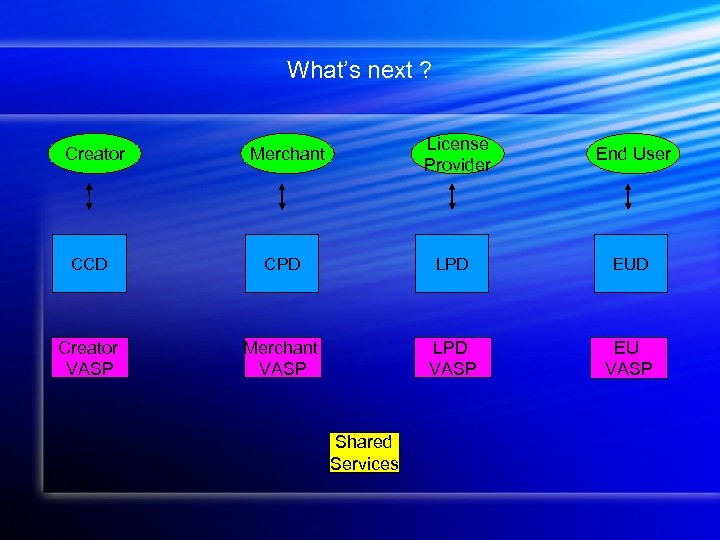 What’s next ? Creator License Provider Merchant End User CCD CPD LPD EUD Creator VASP Merchant VASP LPD VASP EU VASP Shared Services
 Thank you ! – Grazie ! – 謝謝 ! Questions?