 Скачать презентацию i MAP Discovering Complex Semantic Matches Between Database
4b39804fb3ae88beaceb05cd832853aa.ppt
- Количество слайдов: 63



i. MAP: Discovering Complex Semantic Matches Between Database Schemas Ohad Edry January 2009 Seminar in Databases
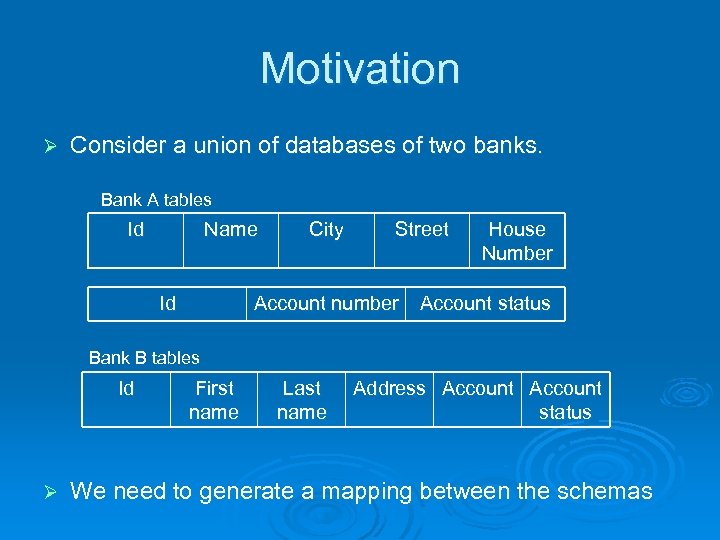
Motivation Ø Consider a union of databases of two banks. Bank A tables Id Name Id City Street House Number Account number Account status Bank B tables Id Ø First name Last name Address Account status We need to generate a mapping between the schemas
Introduction Ø Semantic mappings specify the relationships between data stored in disparate sources. l A mapping between attribute of target schema to attributes of source schema According to the semantics
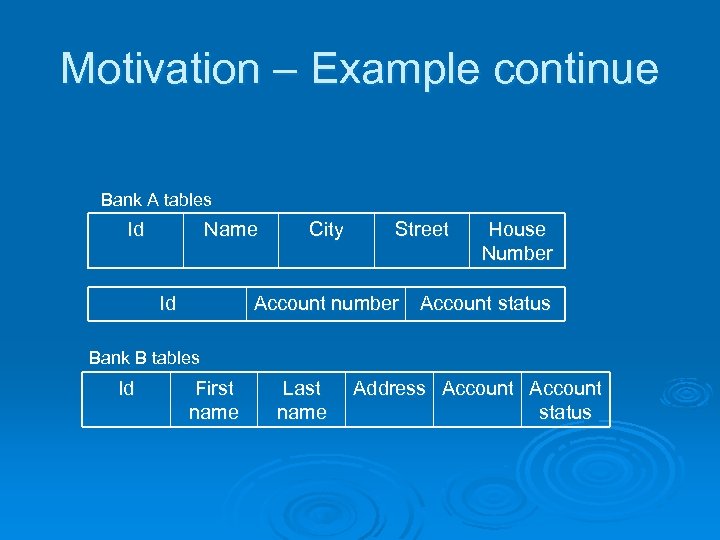
Motivation – Example continue Bank A tables Id Name Id City Street House Number Account number Account status Bank B tables Id First name Last name Address Account status
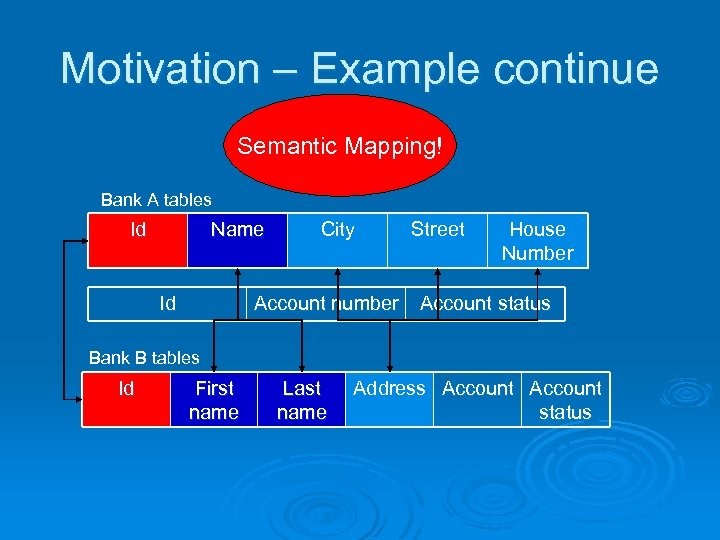
Motivation – Example continue Semantic Mapping! Bank A tables Id Name Id City Street House Number Account number Account status Bank B tables Id First name Last name Address Account status
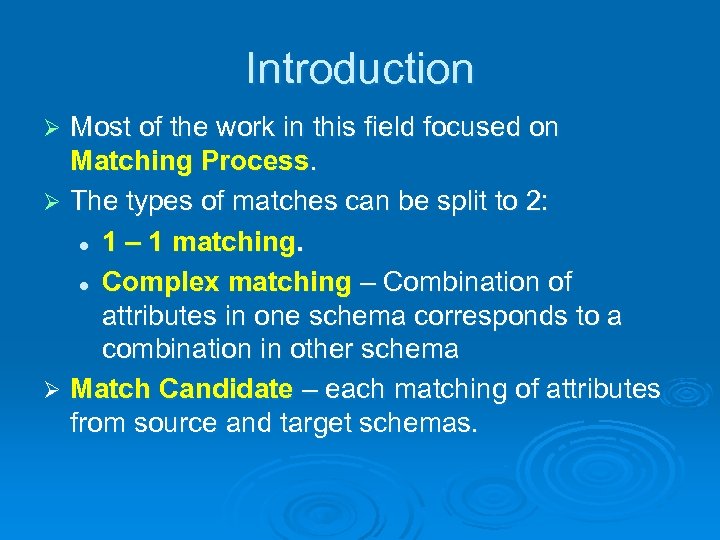
Introduction Most of the work in this field focused on Matching Process. Ø The types of matches can be split to 2: l 1 – 1 matching. l Complex matching – Combination of attributes in one schema corresponds to a combination in other schema Ø Match Candidate – each matching of attributes from source and target schemas. Ø
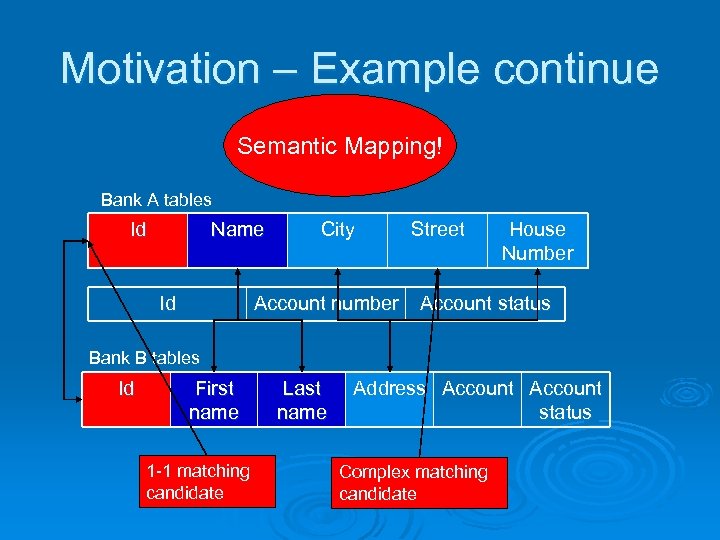
Motivation – Example continue Semantic Mapping! Bank A tables Id Name Id City Street House Number Account number Account status Bank B tables Id First name 1 -1 matching candidate Last name Address Account status Complex matching candidate
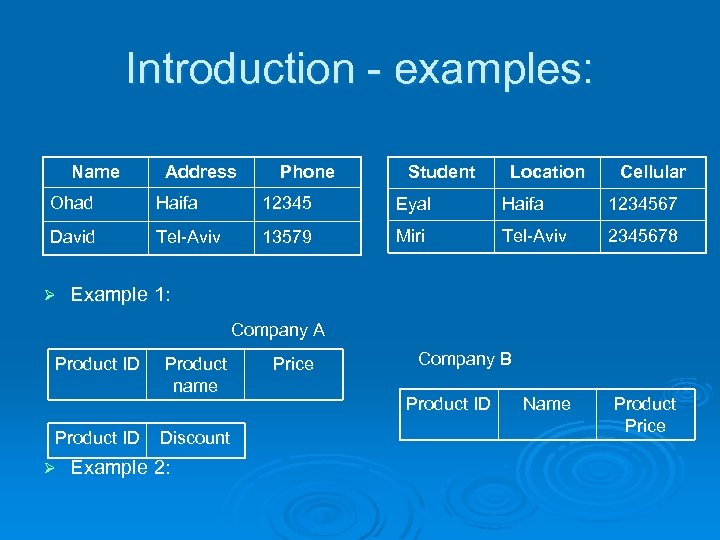
Introduction - examples: Name Address Phone Student Location Cellular Ohad Haifa 12345 Eyal Haifa 1234567 David Tel-Aviv 13579 Miri Tel-Aviv 2345678 Ø Example 1: Company A Product ID Ø Product name Discount Example 2: Price Company B Product ID Name Product Price
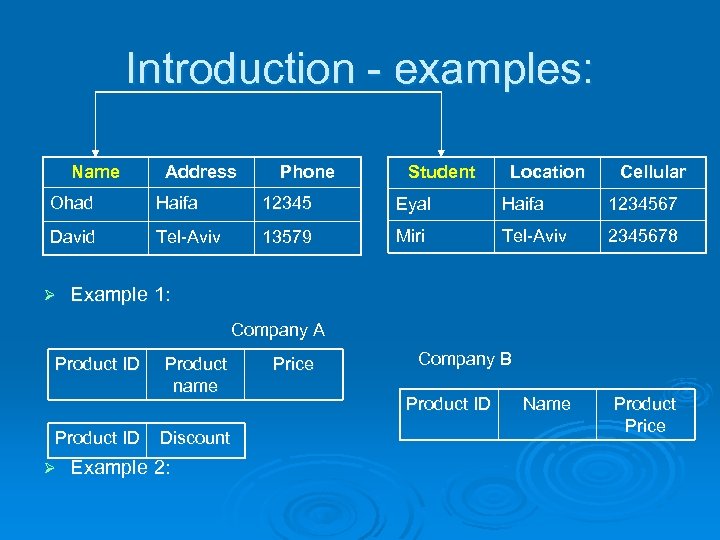
Introduction - examples: Name Address Phone Student Location Cellular Ohad Haifa 12345 Eyal Haifa 1234567 David Tel-Aviv 13579 Miri Tel-Aviv 2345678 Ø Example 1: Company A Product ID Ø Product name Discount Example 2: Price Company B Product ID Name Product Price
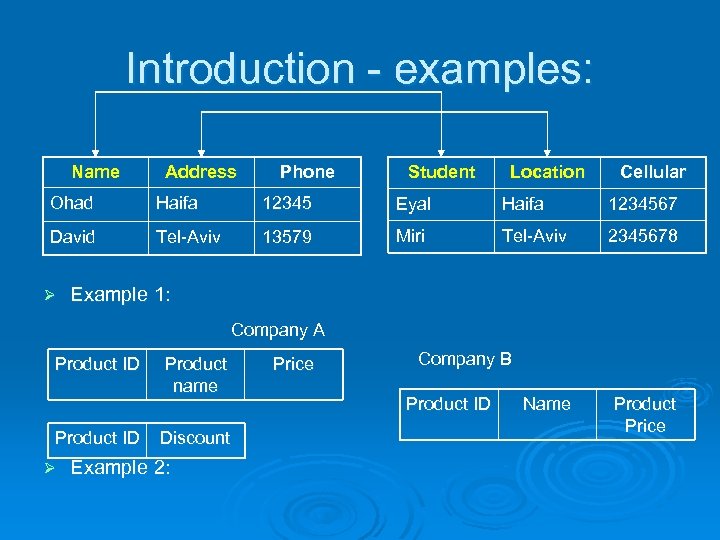
Introduction - examples: Name Address Phone Student Location Cellular Ohad Haifa 12345 Eyal Haifa 1234567 David Tel-Aviv 13579 Miri Tel-Aviv 2345678 Ø Example 1: Company A Product ID Ø Product name Discount Example 2: Price Company B Product ID Name Product Price
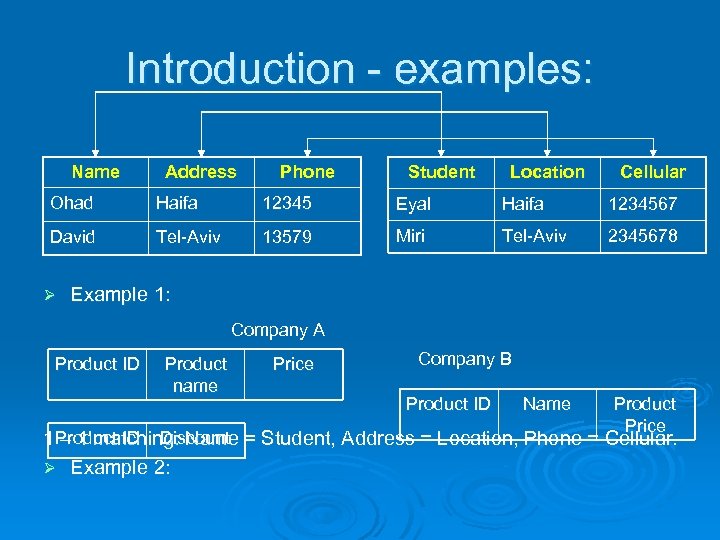
Introduction - examples: Name Address Phone Student Location Cellular Ohad Haifa 12345 Eyal Haifa 1234567 David Tel-Aviv 13579 Miri Tel-Aviv 2345678 Ø Example 1: Company A Product ID Product name Price Company B Product ID Name Product Price 1 Product ID Discount = Student, Address = Location, Phone = Cellular. – 1 matching: Name Ø Example 2:
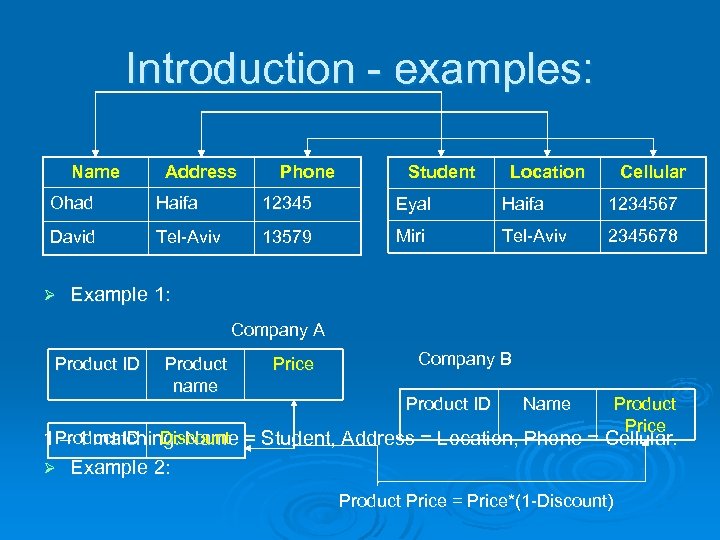
Introduction - examples: Name Address Phone Student Location Cellular Ohad Haifa 12345 Eyal Haifa 1234567 David Tel-Aviv 13579 Miri Tel-Aviv 2345678 Ø Example 1: Company A Product ID Product name Price Company B Product ID Name Product Price 1 Product ID Discount = Student, Address = Location, Phone = Cellular. – 1 matching: Name Ø Example 2: Product Price = Price*(1 -Discount)
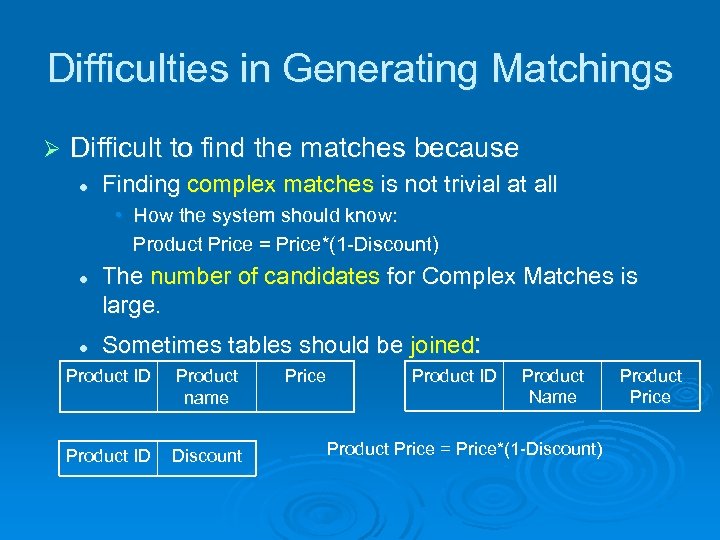
Difficulties in Generating Matchings Ø Difficult to find the matches because l Finding complex matches is not trivial at all • How the system should know: Product Price = Price*(1 -Discount) l l The number of candidates for Complex Matches is large. Sometimes tables should be joined: Product ID Product name Product ID Discount Price Product ID Product Name Product Price = Price*(1 -Discount) Product Price
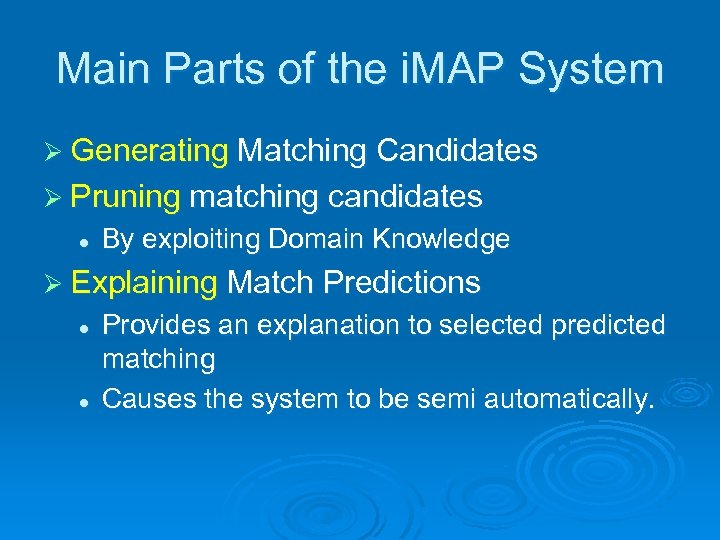
Main Parts of the i. MAP System Ø Generating Matching Candidates Ø Pruning matching candidates l By exploiting Domain Knowledge Ø Explaining Match Predictions l l Provides an explanation to selected predicted matching Causes the system to be semi automatically.
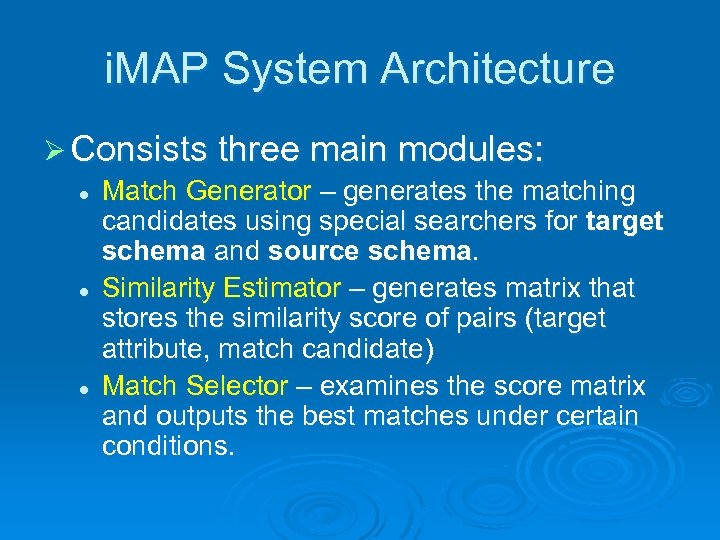
i. MAP System Architecture Ø Consists three main modules: l Match Generator – generates the matching candidates using special searchers for target schema and source schema. l Similarity Estimator – generates matrix that stores the similarity score of pairs (target attribute, match candidate) l Match Selector – examines the score matrix and outputs the best matches under certain conditions.
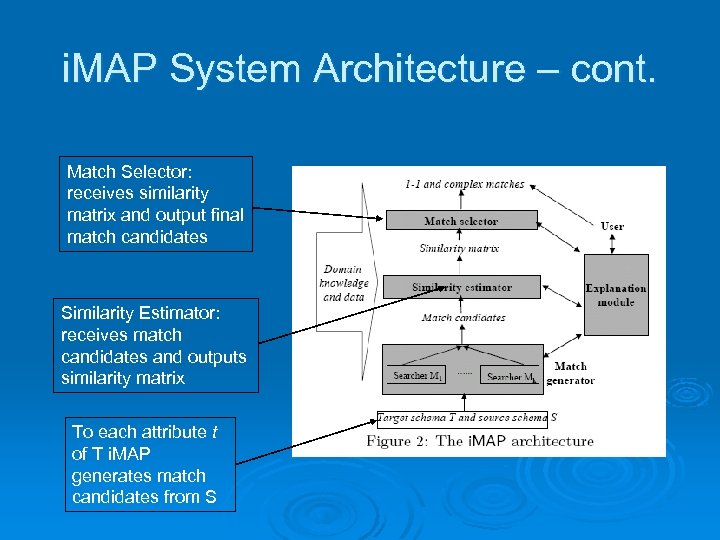
i. MAP System Architecture – cont. Match Selector: receives similarity matrix and output final match candidates Similarity Estimator: receives match candidates and outputs similarity matrix To each attribute t of T i. MAP generates match candidates from S
Part 1: Match Generation searchers Ø The key in match generation is to SEARCH through the space of possible match candidates. l Ø Search space – all attributes and data in source schemas Searchers work based on knowledge of operators and attributes types such as numeric, textual and some heuristic methods.
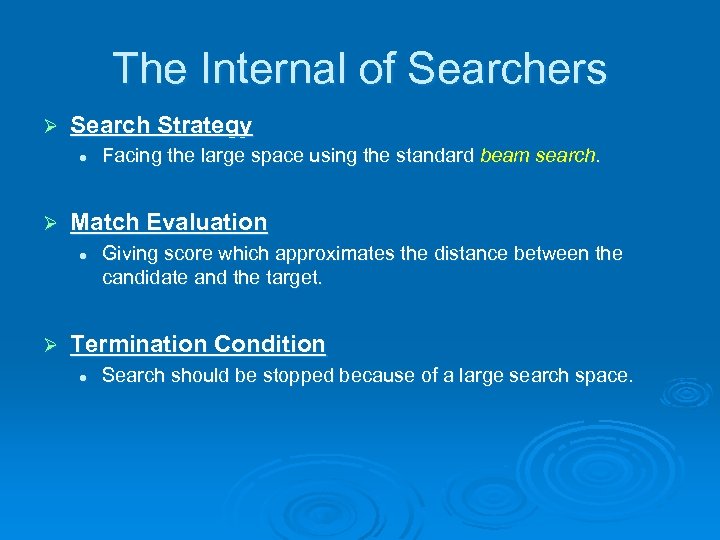
The Internal of Searchers Ø Search Strategy l Ø Match Evaluation l Ø Facing the large space using the standard beam search. Giving score which approximates the distance between the candidate and the target. Termination Condition l Search should be stopped because of a large search space.
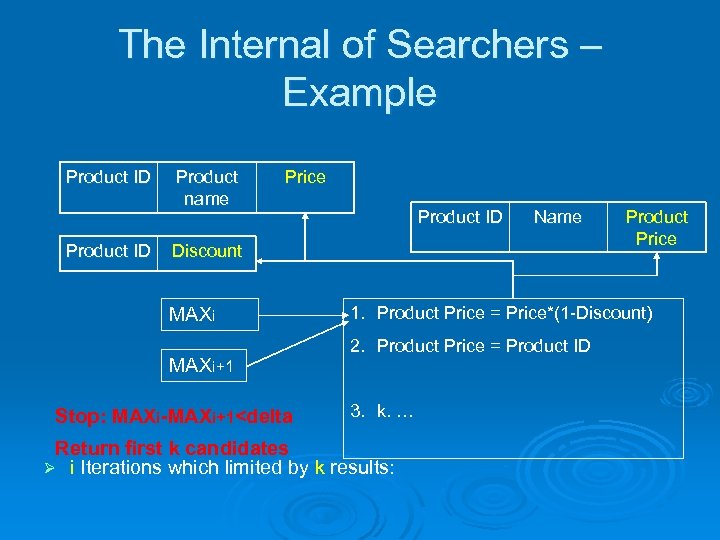
The Internal of Searchers – Example Product ID Product name Price Product ID Name Discount MAXi+1 Stop: MAXi-MAXi+1<delta Product Price 1. Product Price = Price*(1 -Discount) 2. Product Price = Product ID 3. k. … Return first k candidates Ø i Iterations which limited by k results:
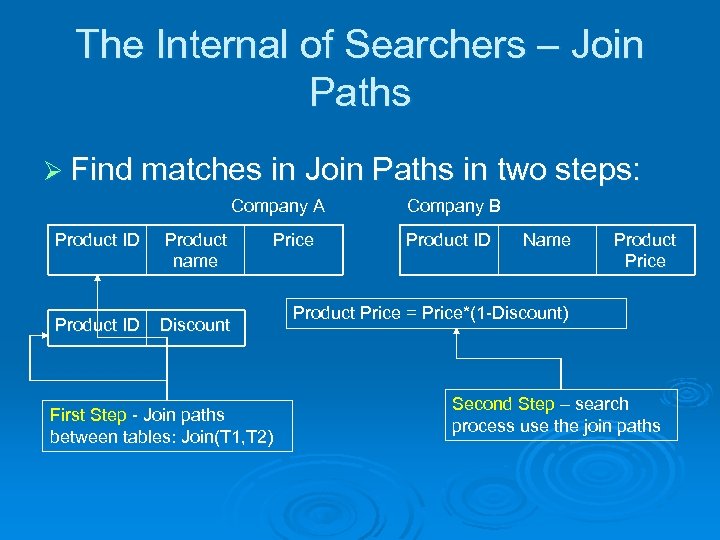
The Internal of Searchers – Join Paths Ø Find matches in Join Paths in two steps: Company A Product ID Product name Product ID Discount First Step - Join paths between tables: Join(T 1, T 2) Price Company B Product ID Name Product Price = Price*(1 -Discount) Second Step – search process use the join paths
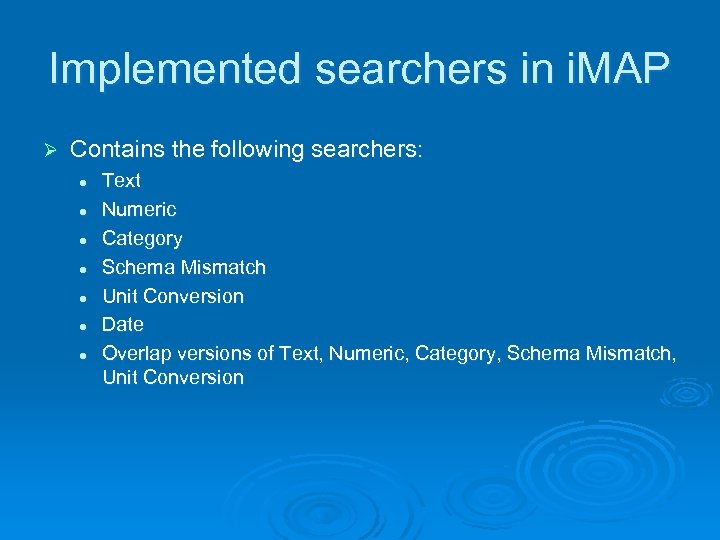
Implemented searchers in i. MAP Ø Contains the following searchers: l l l l Text Numeric Category Schema Mismatch Unit Conversion Date Overlap versions of Text, Numeric, Category, Schema Mismatch, Unit Conversion
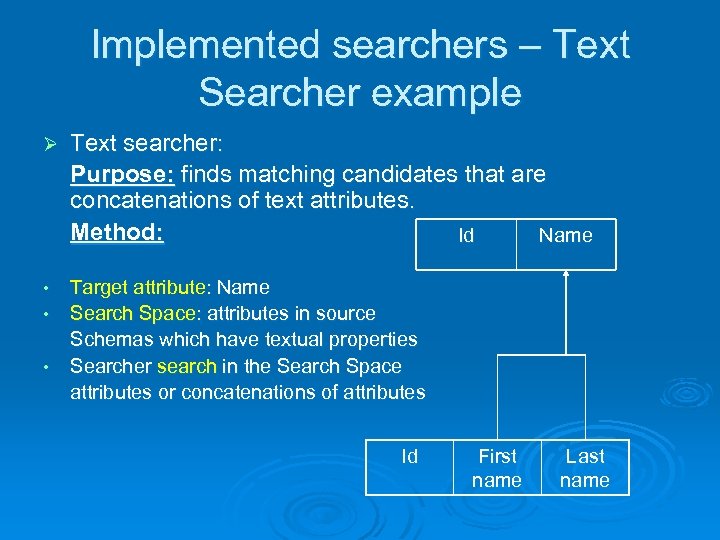
Implemented searchers – Text Searcher example Ø Text searcher: Purpose: finds matching candidates that are concatenations of text attributes. Method: Id Name • Target attribute: Name Search Space: attributes in source Schemas which have textual properties Searcher search in the Search Space attributes or concatenations of attributes • • Id First name Last name
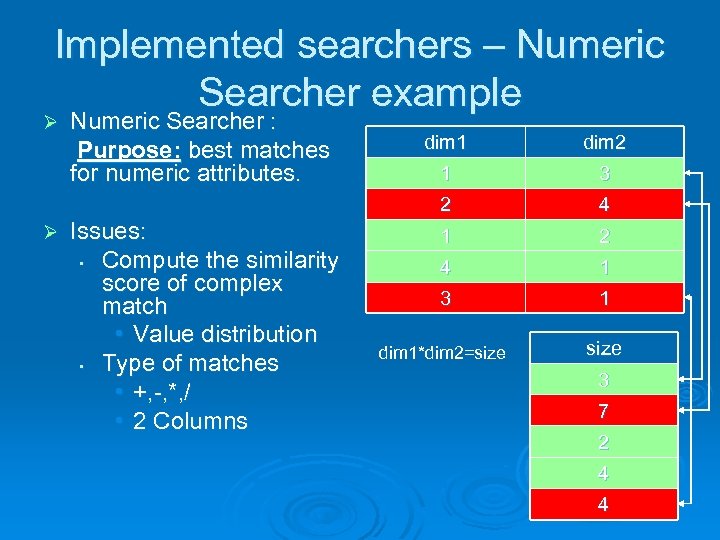
Implemented searchers – Numeric Searcher example Ø Numeric Searcher : Purpose: best matches for numeric attributes. Issues: • Compute the similarity score of complex match • Value distribution • Type of matches • +, -, *, / • 2 Columns dim 2 1 3 2 Ø dim 1 4 1 2 4 1 3 1 dim 1*dim 2=size 3 7 2 4 4
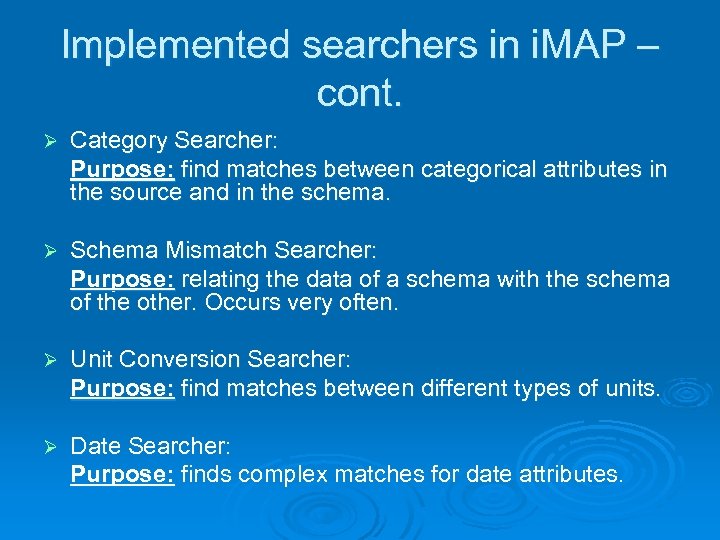
Implemented searchers in i. MAP – cont. Ø Category Searcher: Purpose: find matches between categorical attributes in the source and in the schema. Ø Schema Mismatch Searcher: Purpose: relating the data of a schema with the schema of the other. Occurs very often. Ø Unit Conversion Searcher: Purpose: find matches between different types of units. Ø Date Searcher: Purpose: finds complex matches for date attributes.
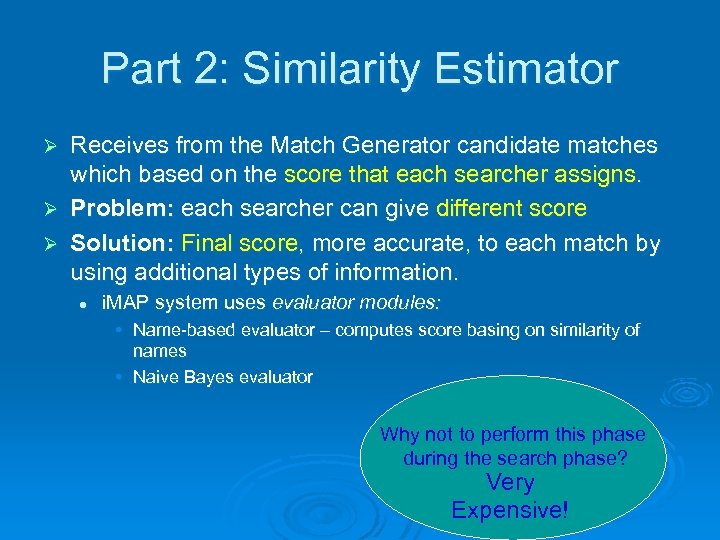
Part 2: Similarity Estimator Receives from the Match Generator candidate matches which based on the score that each searcher assigns. Ø Problem: each searcher can give different score Ø Solution: Final score, more accurate, to each match by using additional types of information. Ø l i. MAP system uses evaluator modules: • Name-based evaluator – computes score basing on similarity of names • Naive Bayes evaluator Why not to perform this phase during the search phase? Very Expensive!
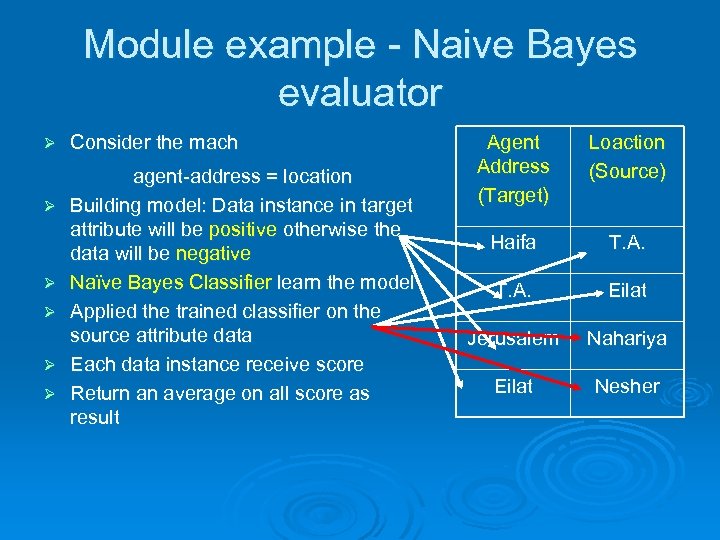
Module example - Naive Bayes evaluator Ø Ø Ø Consider the mach agent-address = location Building model: Data instance in target attribute will be positive otherwise the data will be negative Naïve Bayes Classifier learn the model Applied the trained classifier on the source attribute data Each data instance receive score Return an average on all score as result Agent Address (Target) Loaction (Source) Haifa T. A. Eilat Jerusalem Nahariya Eilat Nesher
Part 3: Match Selector Ø Receives from the Similarity Estimator the scored suggested for matching candidates Ø Problem: These matches may violate certain domain integrity constraints. l Ø For example: mapping 2 source attributes to the same target attributes. Solution: set of domain constraints l Defined by domain experts or users
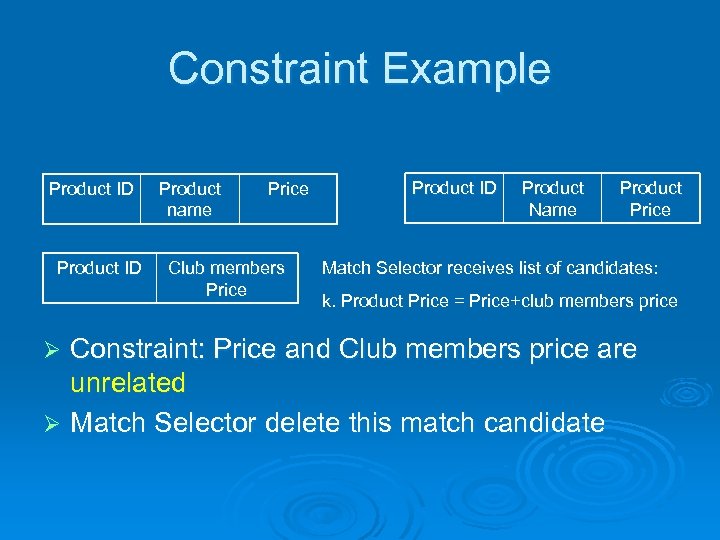
Constraint Example Product ID Product name Price Club members Price Product ID Product Name Product Price Match Selector receives list of candidates: k. Product Price = Price+club members price Constraint: Price and Club members price are unrelated Ø Match Selector delete this match candidate Ø
Exploiting Domain Knowledge Ø i. MAP system uses 4 different types of knowledge: l l Ø Domain Constraints Past matches Overlap data External data i. MAP uses its knowledge at all levels of the system and early as it can in match generation.
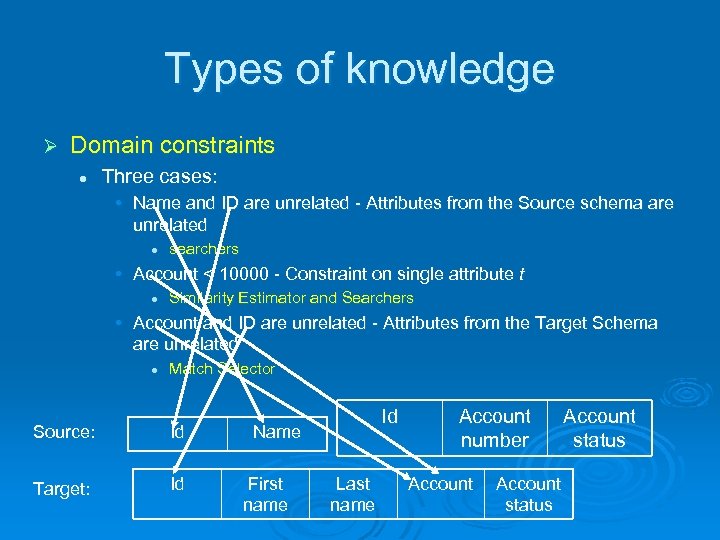
Types of knowledge Ø Domain constraints l Three cases: • Name and ID are unrelated - Attributes from the Source schema are unrelated l searchers • Account < 10000 - Constraint on single attribute t l Similarity Estimator and Searchers • Account and ID are unrelated - Attributes from the Target Schema are unrelated l Match Selector Source: Id Target: Id Id Name First name Last name Account number Account status
Types of knowledge – cont. Ø Past Complex Matches l Numeric Searcher can use past expression template: • Price=Price*(1 -Discount) generates VARIABLE*(1 -VARIABLE) Ø External Data – using external sources for learning about attributes and their data. l Given a target attribute and useful feature of that attribute, i. MAP learn about value distribution • Example: number of cities in state
Types of knowledge – cont. Ø Overlap Data – Provide information for the mapping process. l Ø Overlap Text, Category & Schema Mismatch searchers l l l Ø contains searchers which can exploit overlap data. S and T share a state listing Matches: city=state , country=state Re-evaluating results: city=state is 0 and country=state is 1 Overlap Numeric Searcher – using the overlap data and using equation discovery system (LAGRMGE) the best arithmetic expression for t is found.
Generating Explanations Ø One goal is to provide design environment which the user will inspect the matches predicted by the system, modified them manually and the system will have a feedback. Ø The system uses complex algorithms so it needs to explain the user the matches. Ø Explanations are good for the user as well l l Correct matches quickly Tells the system where its mistake.
Generating Explanations – so, what do you want to know about the matches? Ø i. MAP system defines 3 main questions: l l l Ø Explain the existing match – why a certain match X is presented in the output of i. MAP? Why the match survive the all process? Explain absent match - why a certain match Y is not presented in the output of i. MAP? Explain match ranking – why match X is ranked higher than match Y? Each of these questions can be asked for each module of i. MAP. l Question can be reformulated recursively to underlying components.
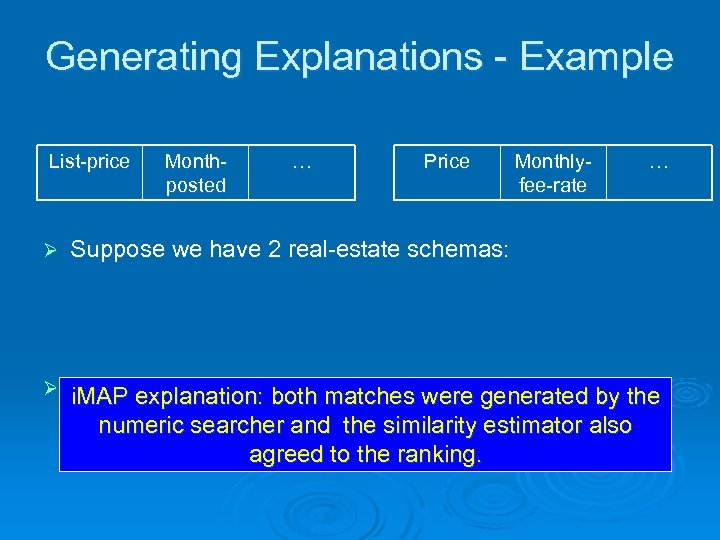
Generating Explanations - Example List-price Monthposted … Price Monthlyfee-rate … Ø Suppose we have 2 real-estate schemas: Ø i. MAP produces theboth matches were generated by the i. MAP explanation: ranked matches: l numeric searcher and the similarity estimator also (1) List-price=price*(1+monthly-fee-rate) agreed to the ranking. l (2) List-price=price
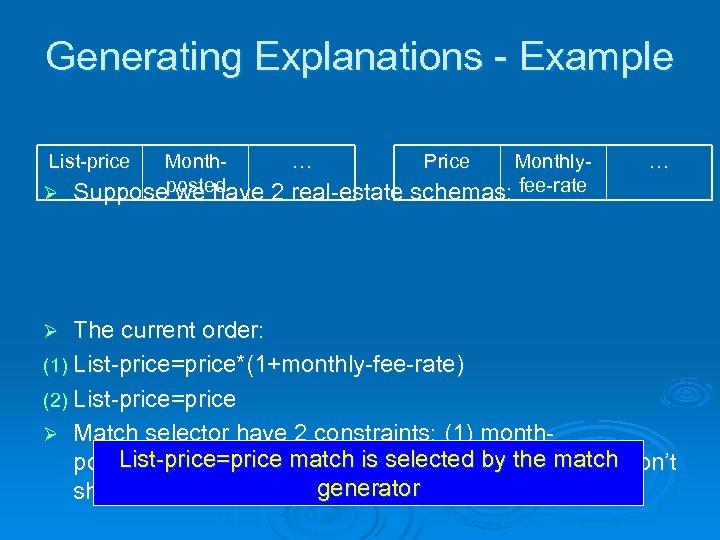
Generating Explanations - Example List-price Month… Price MonthlyØ Supposeposted we have 2 real-estate schemas: fee-rate … The current order: (1) List-price=price*(1+monthly-fee-rate) (2) List-price=price Ø Match selector have 2 constraints: (1) month. List-price=price match month-posted and price posted=month-fee-rate, (2) is selected by the match don’t generator share common attributes Ø
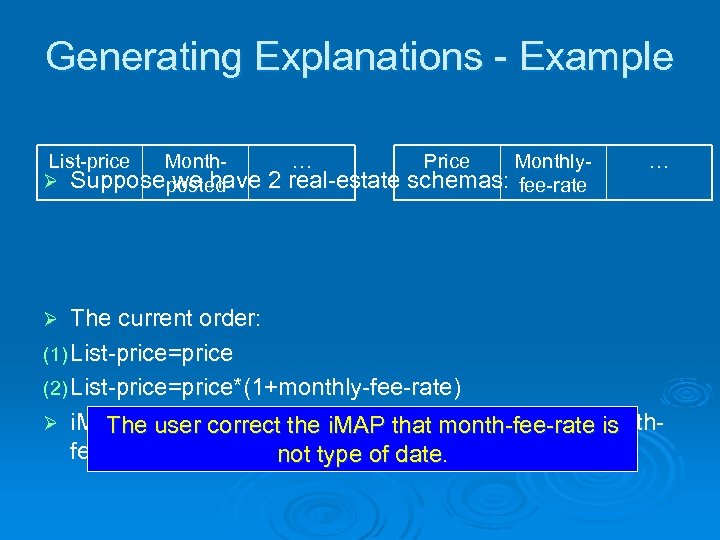
Generating Explanations - Example List-price Month… Price MonthlyØ Suppose posted we have 2 real-estate schemas: fee-rate … The current order: (1) List-price=price (2) List-price=price*(1+monthly-fee-rate) Ø i. MAP explains that the source thatmonth-posted=month. The user correct the i. MAP for month-fee-rate is the date searcherof date. not type Ø
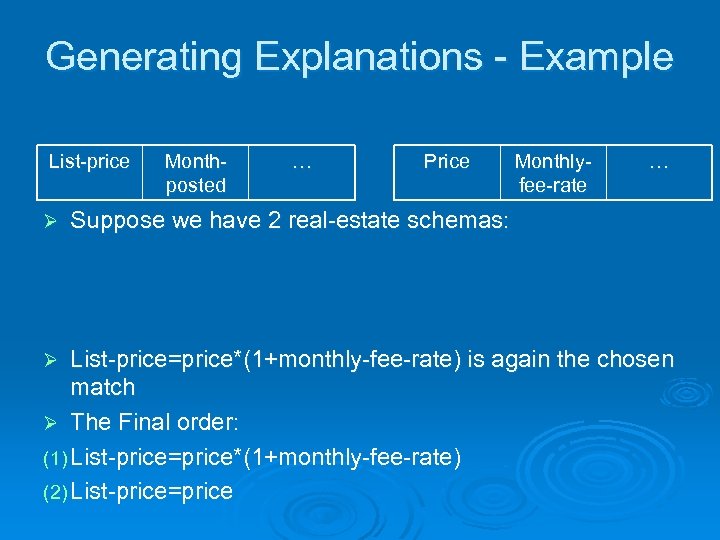
Generating Explanations - Example List-price Ø Monthposted … Price Monthlyfee-rate … Suppose we have 2 real-estate schemas: List-price=price*(1+monthly-fee-rate) is again the chosen match Ø The Final order: (1) List-price=price*(1+monthly-fee-rate) (2) List-price=price Ø
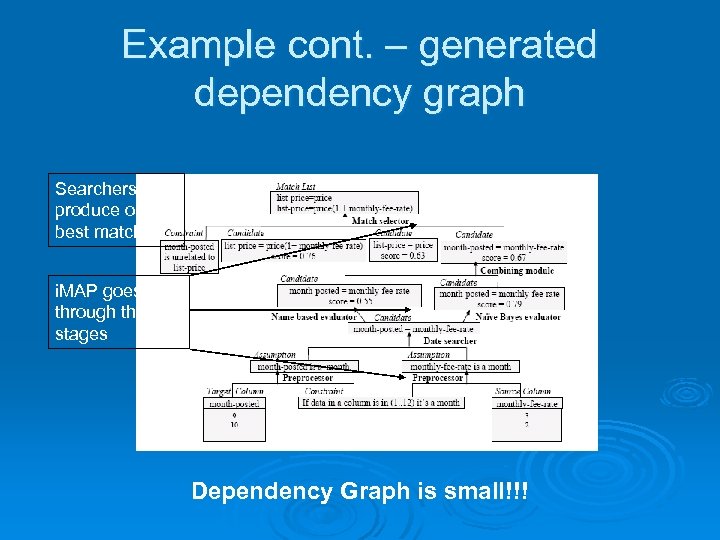
Example cont. – generated dependency graph Searchers produce only k best matches i. MAP goes through three stages Dependency Graph is small!!!
What do you want to know about the matches? Ø Why a certain match X is presented in the output of i. MAP? l Returns the part in the graph that describes the match.
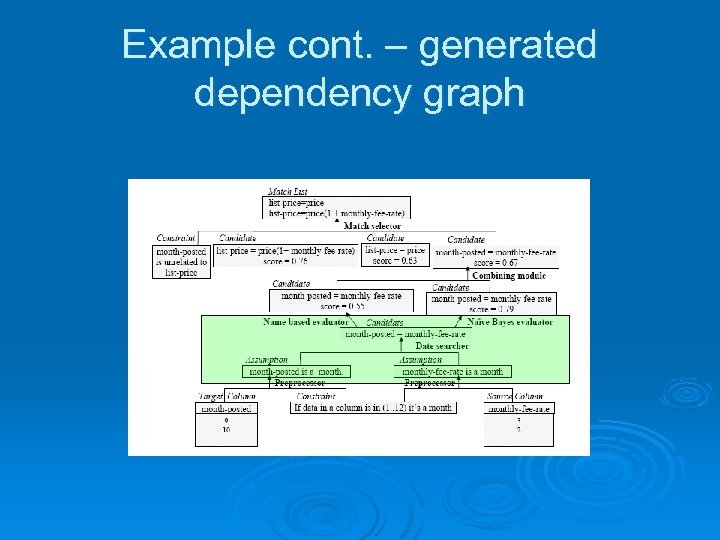
Example cont. – generated dependency graph
What do you want to know about the matches? Ø Why a certain match X is presented in the output of i. MAP? l Returns the part in the graph that describes the match. Ø Why match X is ranked higher than match Y? l Return the comparing part in the graph between the 2 matches.
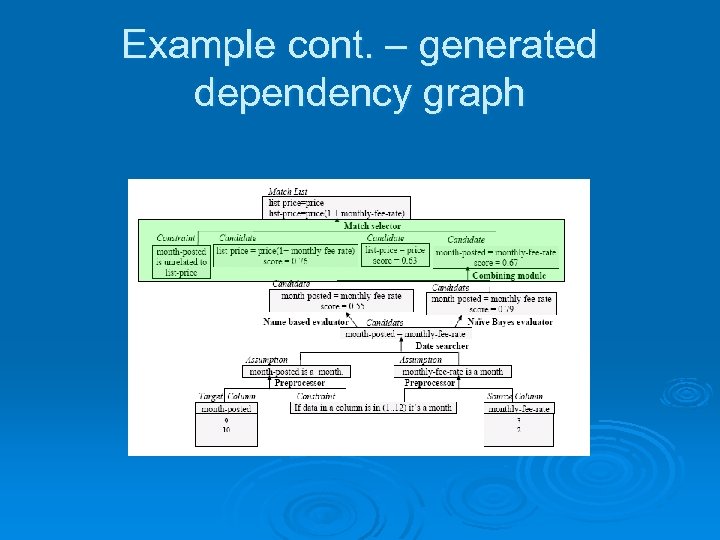
Example cont. – generated dependency graph
What do you want to know about the matches? Ø Why a certain match X is presented in the output of i. MAP? l Ø Why match X is ranked higher than match Y? l Ø Returns the part in the graph that describes the match. Return the comparing part in the graph between the 2 matches. Why a certain match Y is not presented in the output of i. MAP? l l If the has been eliminated during the process the part that responsible for the eliminating explains why Otherwise the i. MAP ask the searcher to check if they can generate the match and to explain why it was not generated
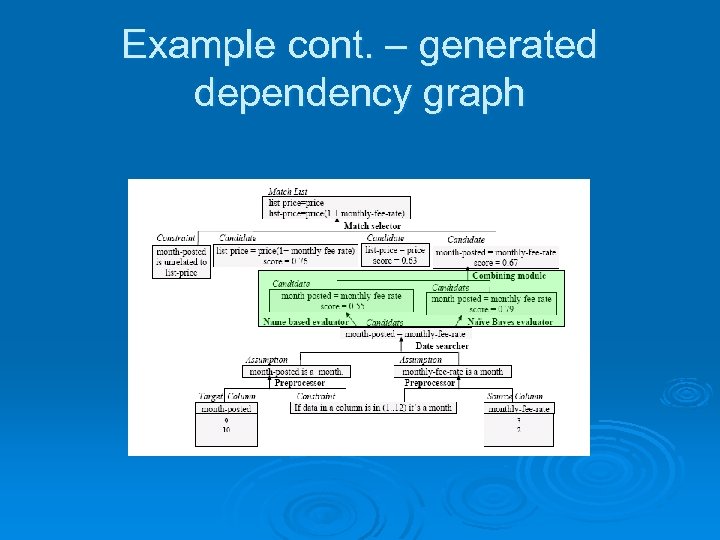
Example cont. – generated dependency graph
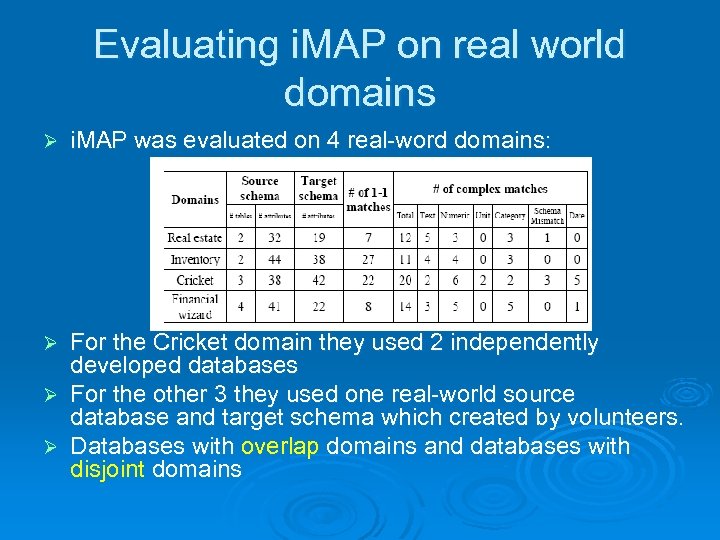
Evaluating i. MAP on real world domains Ø i. MAP was evaluated on 4 real-word domains: For the Cricket domain they used 2 independently developed databases Ø For the other 3 they used one real-world source database and target schema which created by volunteers. Ø Databases with overlap domains and databases with disjoint domains Ø
Evaluating i. MAP on real world domains – cont. Ø Data Processing: removing data such as “unknown” and adding the most obvious constraints. Ø Experiments: there actually 8 experimental domains l Ø 2 domains for each one – overlap domain and disjoint domain. Performance measure: l l 1 matching accuracy 3 matching accuracy Complex match Partial complex match
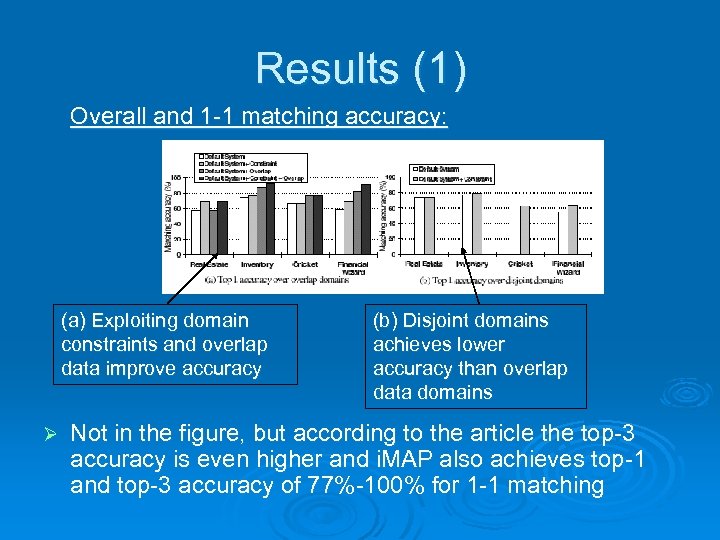
Results (1) Overall and 1 -1 matching accuracy: (a) Exploiting domain constraints and overlap data improve accuracy Ø (b) Disjoint domains achieves lower accuracy than overlap data domains Not in the figure, but according to the article the top-3 accuracy is even higher and i. MAP also achieves top-1 and top-3 accuracy of 77%-100% for 1 -1 matching
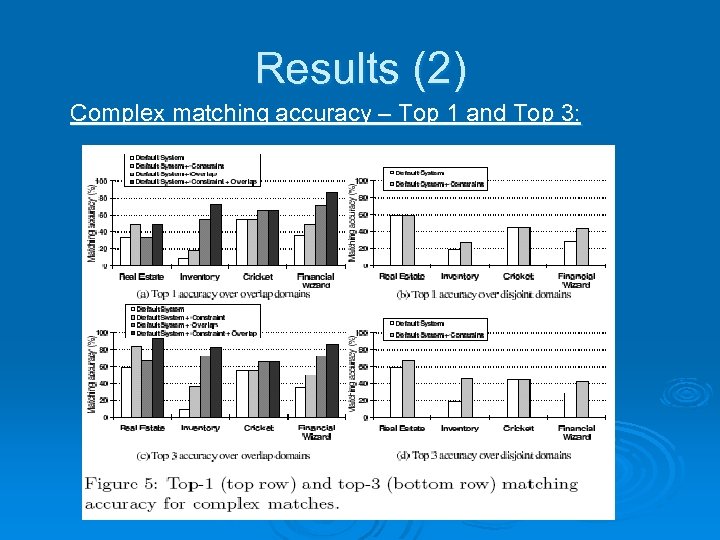
Results (2) Complex matching accuracy – Top 1 and Top 3:
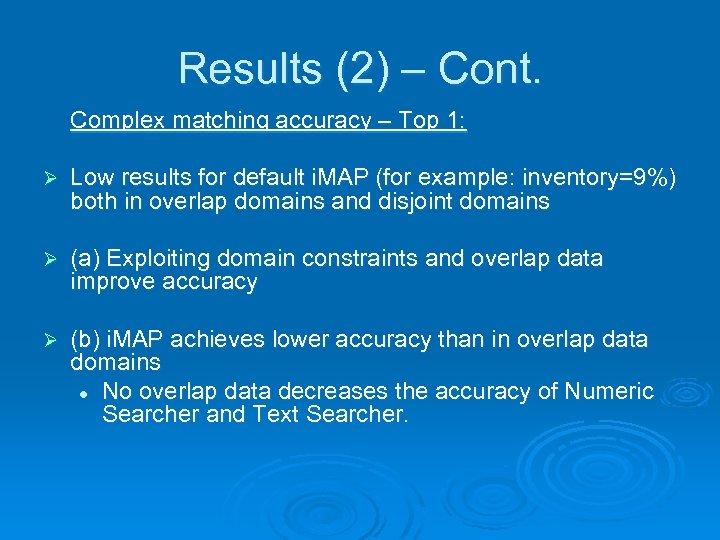
Results (2) – Cont. Complex matching accuracy – Top 1: Ø Low results for default i. MAP (for example: inventory=9%) both in overlap domains and disjoint domains Ø (a) Exploiting domain constraints and overlap data improve accuracy Ø (b) i. MAP achieves lower accuracy than in overlap data domains l No overlap data decreases the accuracy of Numeric Searcher and Text Searcher.
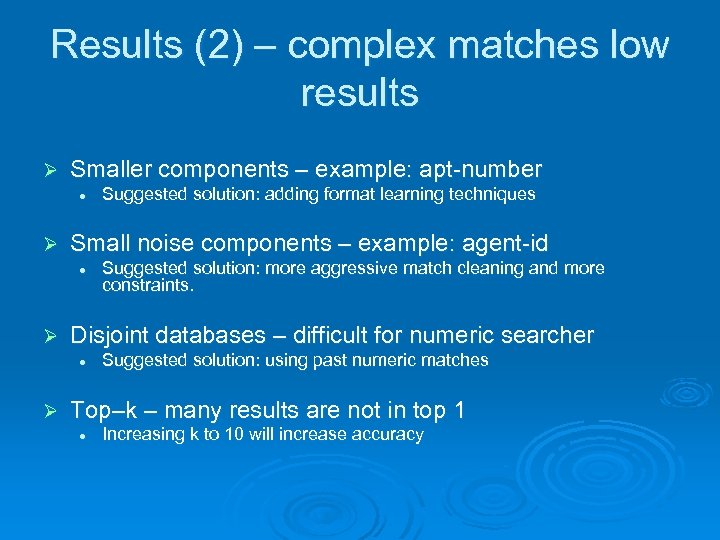
Results (2) – complex matches low results Ø Smaller components – example: apt-number l Ø Small noise components – example: agent-id l Ø Suggested solution: more aggressive match cleaning and more constraints. Disjoint databases – difficult for numeric searcher l Ø Suggested solution: adding format learning techniques Suggested solution: using past numeric matches Top–k – many results are not in top 1 l Increasing k to 10 will increase accuracy
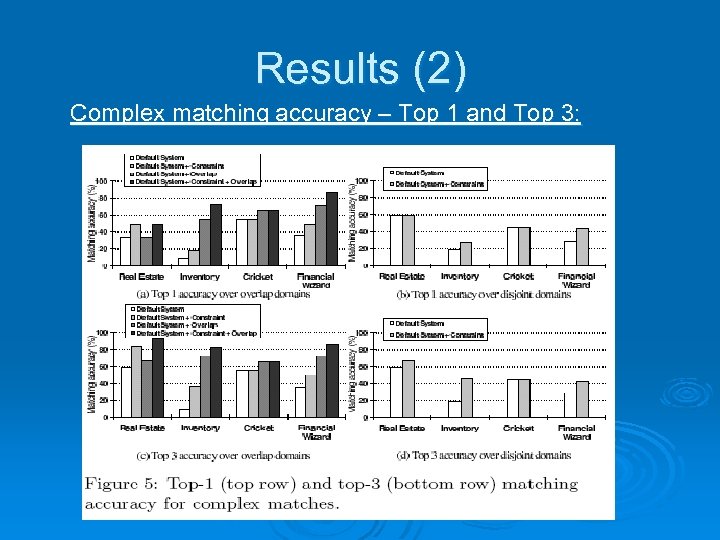
Results (2) Complex matching accuracy – Top 1 and Top 3:
Results (2) – Cont. Complex matching accuracy – Top 3: Ø Low results for default i. MAP (for example: inventory=9%) both in overlap domains and disjoint domains l Same reasons as in Top 1 Ø (c) Improvement in accuracy compared to (a) when using overlap and constraints Ø This is a outcome of correct complex matches in the top 3 matches
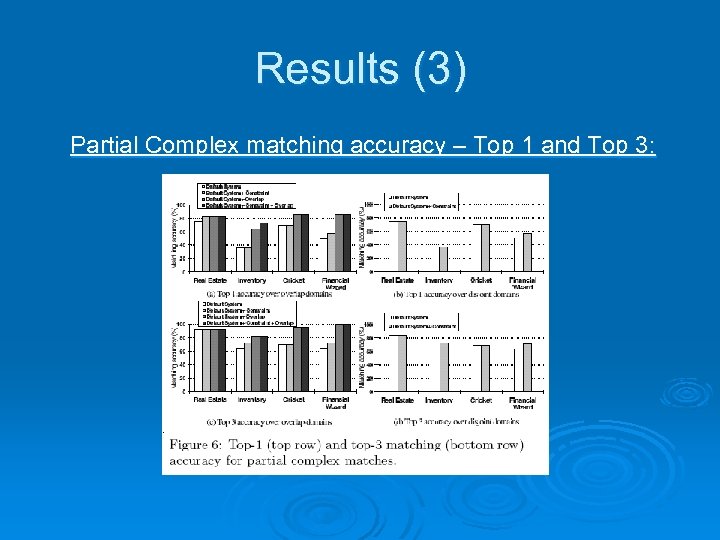
Results (3) Partial Complex matching accuracy – Top 1 and Top 3:
Results (3) – cont. Partial Complex matching accuracy – Top 1 and Top 3: Ø The accuracy is measured in finding only the right attributes l For example: wrong numeric template but right attributes Ø Much more accuracy than full complex matching accuracy. Ø Partial Complex Matches can be very useful when the user want to fix wrong matches
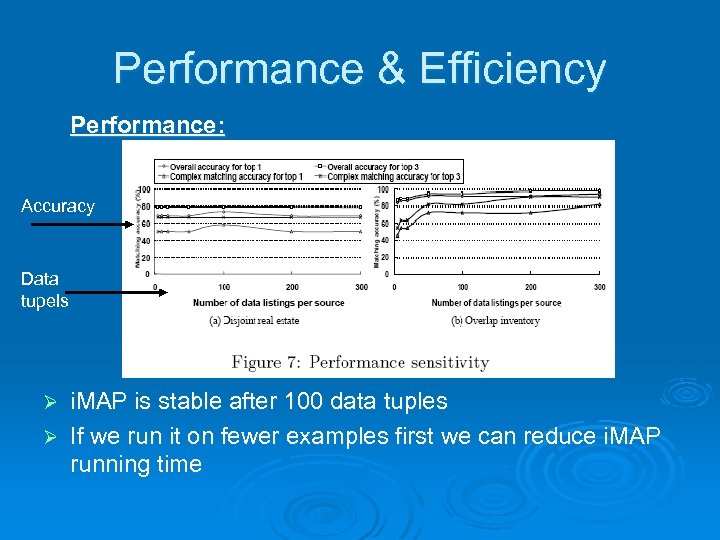
Performance & Efficiency Performance: Accuracy Data tupels i. MAP is stable after 100 data tuples Ø If we run it on fewer examples first we can reduce i. MAP running time Ø
Performance & Efficiency – Cont. Efficiency: Ø Unoptimized i. MAP version ran for 5 – 20 minutes on the experimental domains Ø Several techniques are suggested in the article to improve this time: l For example breaking the schemas into independent chunks
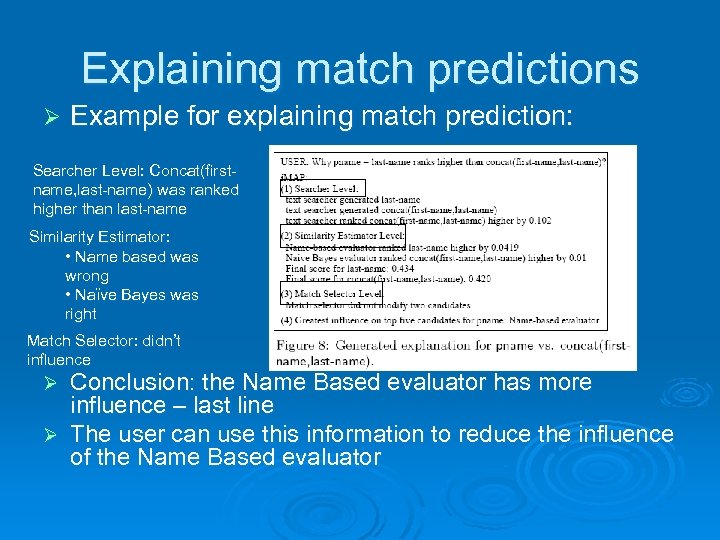
Explaining match predictions Ø Example for explaining match prediction: Searcher Level: Concat(firstname, last-name) was ranked higher than last-name Similarity Estimator: • Name based was wrong • Naïve Bayes was right Match Selector: didn’t influence Conclusion: the Name Based evaluator has more influence – last line Ø The user can use this information to reduce the influence of the Name Based evaluator Ø
Related work Ø L. Xu and D. Embley. Using domain ontologies to discover direct and in direct matches for schema elements: l l Ø Mapping the schema to domain ontology and searching in this domain. Can be added to as additional searcher Clio System: l Sophisticated set of user-interface techniques to improve matches
Conclusions Ø Most of the work in that field until now was about 1 -1 matching Ø This article focused on complex matching. Ø i. MAP key is the use of: l l Ø Searchers Domain knowledge Providing the user the possibility to affect the matches

? Any Questions

Thank you!

Bibliography Robin Dhamankar, Yoonkyong Lee, An. Hai Doan, Alon Halevy, Pedro Domingos. i. MAP: Discovering Complex Semantic Matches between Database Schemas. Ø http: //en. wikipedia. org/wiki/Beam_search Ø
Скачать презентацию i MAP Discovering Complex Semantic Matches Between Database
4b39804fb3ae88beaceb05cd832853aa.ppt