 Скачать презентацию I m Not Crazy About e College Either So
acbfe0fead1d66a404bd1660658b5f6c.ppt
- Количество слайдов: 25



I'm Not Crazy About e. College Either So Now What? A new tool for creating better course websites compatible with e. College So. TL Workshop 2011
I'm Not Crazy About e. College Either Why Do This? • Fried and Hansson (2010) in their book Rework advocate a mindful approach to envisioning your goals, and shaping every aspect of your work to reach them. • One tip they offer (#8) is Scratch your own itch.
I'm Not Crazy About e. College Either Things About e. College That Make Me Itchy • There's no search function
I'm Not Crazy About e. College Either Things About e. College That Make Me Itchy • There's no search function • Site-design tools are poor, and the site-building requirements interrupt each step of site design
I'm Not Crazy About e. College Either Things About e. College That Make Me Itchy • There's no search function • Site-design tools are poor, and the site-building requirements interrupt each step of site design • There's no framework to help students
I'm Not Crazy About e. College Either Things About e. College That Make Me Itchy • There's no search function • Site-design tools are poor, and the site-building requirements interrupt each step of site design • There's no framework to help students • It's not portable
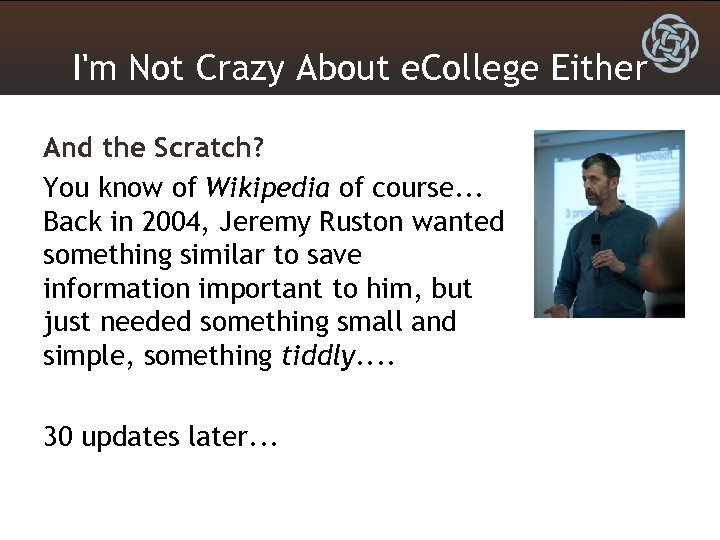
I'm Not Crazy About e. College Either And the Scratch? You know of Wikipedia of course. . . Back in 2004, Jeremy Ruston wanted something similar to save information important to him, but just needed something small and simple, something tiddly. . 30 updates later. . .
I'm Not Crazy About e. College Either Tiddly. Wiki Was Born How small and simple is it? • It's one file and fits on a flash drive. • You read it in any modern web browser. • It's Open Source, with a slew of programmers around the world who add to it. Thus, it won't disappear because the start-up company failed or was bought out, and won't become proprietary software you have to pay to use.
I'm Not Crazy About e. College Either • I've added a simple Word-like editor (via an Open Source plugin) for entering text, which makes it searchable. • You can easily cross-link information too. – In BI Systems I can link theorists' names to biographies. – In Divorce and Child Custody I can link legal terms to explanations. • It's not a multiuser wiki, but brings the benefits of a wiki for individual use
I'm Not Crazy About e. College Either Two basic concepts: • Tiddlers are "chunks" of information • Tags are labels that relate tiddlers to each other
I'm Not Crazy About e. College Either Imagine you wrote a history of Freud. You might create three sections: • "Formative Influences on Freud" • "Freud's Theory Development" • "Freud's Legacy" This would allow you to break up a large biography into three large chunks, or tiddlers.
I'm Not Crazy About e. College Either You might tag these as follows: • all three "psychoanalysis" • the first "personal influences on theory", "theory founders", and "European theorists" • the first and third "historical influences on theory" • the second "theory development" As you can see, tags relate to how someone might later organize the information. . . Say, for a paper in History and Systems.
I'm Not Crazy About e. College Either So how do you use a Tiddly. Wiki as a class site? First, I recommend creating your course site in Firefox, which simply does many things the other browsers (Safari, Chrome) can't. Don't even bother trying this with Internet Explorer. .
I'm Not Crazy About e. College Either Before adding content, look at the class session links from the Main. Menu. • Just click a link to open a class page. • Click edit from the toolbar up and right to change the name (e. g. , from "Class 1" to "Course Introduction"). • Click "Topic This Class" to open the topic tiddler, then Easy. Edit to add an explanation of what you will be doing this week or the objectives for the class session. Save and close this tiddler and the class page will show your updates.
I'm Not Crazy About e. College Either To add a reading • Drag and drop a pdf/doc file from the same directory onto the Tiddly. Wiki to create a tiddler for it. • Tag the tiddler as Reading, Optional or Required, Textbook or e. Reserve, and the week(s) you'll use it. • Click Easy. Edit to include the APA citation, a blank line, and then some commentary on why you chose it or what students should get from it. You can also change the title of the tiddler if you want.
I'm Not Crazy About e. College Either To add a handout • Drag and drop a file from the same directory onto the Tiddly. Wiki to create a tiddler for it. • Click Easy. Edit to include some commentary. or • Create a "New Tiddler" and give it a descriptive name. • Click Easy. Edit to cut-and-paste the text from Word to include it in the Tiddly. Wiki. • Tag the tiddler as Handout and the week(s) it will be relevant.
I'm Not Crazy About e. College Either To add an assignment • Drag and drop a file onto the Tiddly. Wiki to create a tiddler for it. or • Create a "New Tiddler" and give it a descriptive name. • Tag the tiddler as Assignment and the week(s) it is due. • Click Easy. Edit to include points possible, followed by a blank line, then add more explanation, objectives, or a link to a related handout (simply [[Tiddler. Name]]).
I'm Not Crazy About e. College Either To add a resource • Create a "New Tiddler" with a descriptive name. • Tag it as a Resource, and the week(s) it will be relevant. • Click Easy. Edit, type and highlight the text to show, and click the Link button to make a we link. Add some explanation if you like about the resource, for example, something on the credibility of the source, or why students will need to reference this resource in the future.
I'm Not Crazy About e. College Either Now that you have added some content. . . • Look again at the class pages - there are now icons and listings for the readings, handouts, and resources you added. • Assignments show up the week before they are due, as well as the week they are due. • If you want to change or add weeks for some content, or change optional and required tags for reading content, just open the tiddler for that content and change the tags.
I'm Not Crazy About e. College Either Now take a look at the Instructor Menu • You can change the course name. • You can edit the Start. Date tiddler to set the starting date of the semester and have the date of each class show automatically each week on the class page. • You can also see everything you've entered thus far in a syllabus format by clicking All Classes, as well as look for any tiddlers you created but did not assign to a week (Orphaned Course Materials).
I'm Not Crazy About e. College Either To add the syllabus • Simply drag and drop the file onto the Tiddly. Wiki, and tag it Course. Syllabus. Click Easy. Edit to add any comments. • If you need to revise the syllabus, simply repeat this process (it's easiest if the revised syllabus file has the word "revised" in its name), and both will show up using the Course Syllabus link from the Main. Menu.
I'm Not Crazy About e. College Either Now take a look at the Main. Menu • You can see on the right there are links for all assignments, handouts. . . as well as a list of recent changes to the Tiddly. Wiki. This helps students stay up to date and organized. • If you click "New Tiddler" and tag it Class. Material. Menu, it will show up on the Main. Menu on the right side just below the Recent Updates link. This makes it easy to add a new menu item for any additional points you want here (e. g. , Course Policies, Contacting The Instructor, Submitting Lab Assignments, etc. . . ).
I'm Not Crazy About e. College Either Last, upload it to e. College. • First, Save changes to save your work. • Next, upload the Tiddly. Wiki and related files (or a zip file) as you would any other documents into e. College. • Create a "week" or sidebar tab (like "Meetings"). • Go to the Author tab of that "week" and click the <HTML> tab below the edit window. • Copy and paste the code from the How Do I Show the Tiddlywiki in e. College? link. • Save and then view the page from the Course tab (to see what students see).
I'm Not Crazy About e. College Either Future ideas: • Link to a calendar for assignments and such, like Google maybe. . . • Make a user manual, with content written by users, maybe using a Tiddly. Wiki. . . • Work in objectives across assignments, materials, and class meetings. . . • Add theming options. . . • Improve the quiz plugin for self-study quizzes. . . • Import ability for notes for Departments or students. . .
I'm Not Crazy About e. College Either Fin
Скачать презентацию I m Not Crazy About e College Either So
acbfe0fead1d66a404bd1660658b5f6c.ppt