


 Скачать презентацию I Introduction Copyright 2009 Oracle All rights
les_00_Intro.ppt
- Количество слайдов: 6
 I Introduction Copyright © 2009, Oracle. All rights reserved.
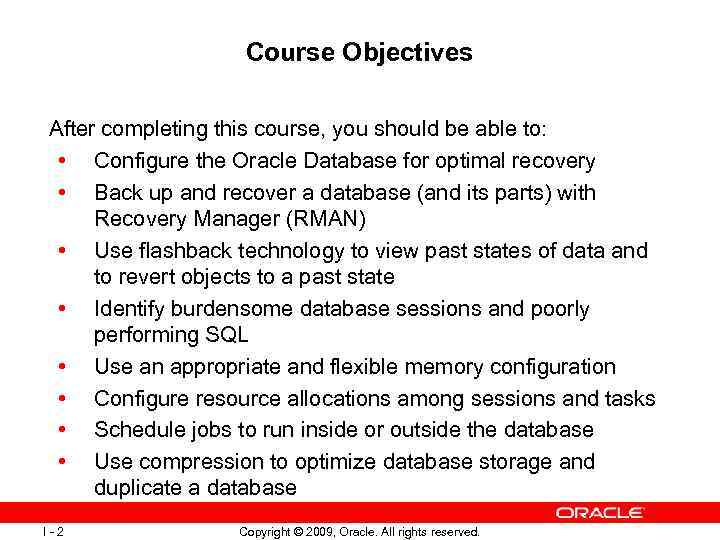 Course Objectives After completing this course, you should be able to: • Configure the Oracle Database for optimal recovery • Back up and recover a database (and its parts) with Recovery Manager (RMAN) • Use flashback technology to view past states of data and to revert objects to a past state • Identify burdensome database sessions and poorly performing SQL • Use an appropriate and flexible memory configuration • Configure resource allocations among sessions and tasks • Schedule jobs to run inside or outside the database • Use compression to optimize database storage and duplicate a database I - 2 Copyright © 2009, Oracle. All rights reserved.
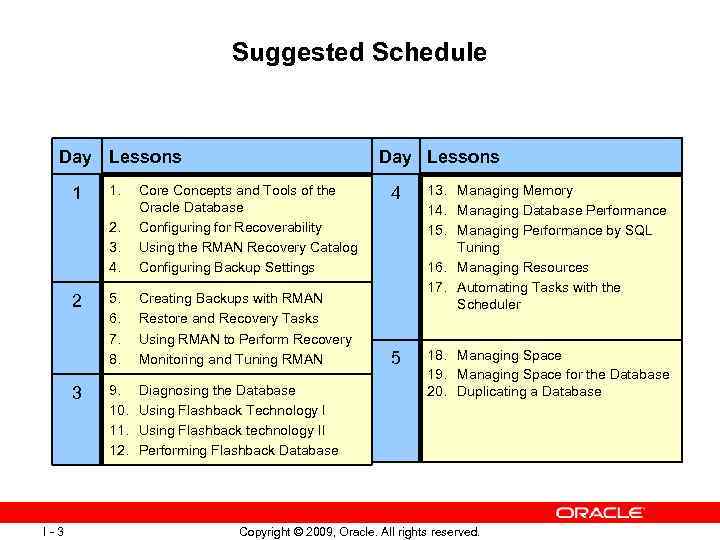 Suggested Schedule Day Lessons 1. 2. 3. 4. 1 2 3 I - 3 Core Concepts and Tools of the Oracle Database Configuring for Recoverability Using the RMAN Recovery Catalog Configuring Backup Settings 5. 6. 7. 8. Creating Backups with RMAN Restore and Recovery Tasks Using RMAN to Perform Recovery Monitoring and Tuning RMAN 9. 10. 11. 12. Diagnosing the Database Using Flashback Technology I Using Flashback technology II Performing Flashback Database 4 13. Managing Memory 14. Managing Database Performance 15. Managing Performance by SQL Tuning 16. Managing Resources 17. Automating Tasks with the Scheduler 5 18. Managing Space 19. Managing Space for the Database 20. Duplicating a Database Copyright © 2009, Oracle. All rights reserved.
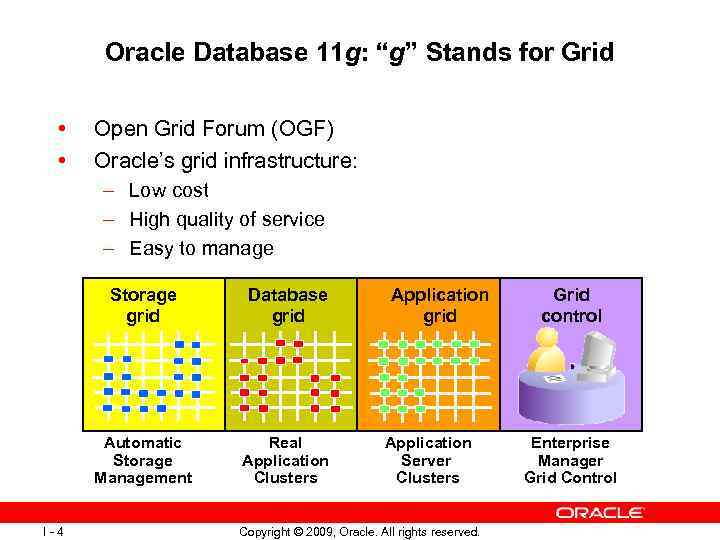 Oracle Database 11 g: “g” Stands for Grid • • Open Grid Forum (OGF) Oracle’s grid infrastructure: – Low cost – High quality of service – Easy to manage Storage grid Automatic Storage Management I - 4 Database grid Real Application Clusters Application grid Application Server Clusters Copyright © 2009, Oracle. All rights reserved. Grid control Enterprise Manager Grid Control
 Grid Infrastructure for Single-Instance is introduced with Oracle Database 11 g Release 2 (11. 2) • Is installed from the clusterware media, separate from the Oracle database software • Contains Oracle Automatic Storage Management (ASM) • Contains Oracle Restart—a high availability solution for nonclustered databases – Can monitor and restart the following components: — — — I - 6 Database instances Oracle Net listener Database services ASM instance ASM disk groups Oracle Notification Services (ONS/e. ONS) for Data Guard Copyright © 2009, Oracle. All rights reserved.
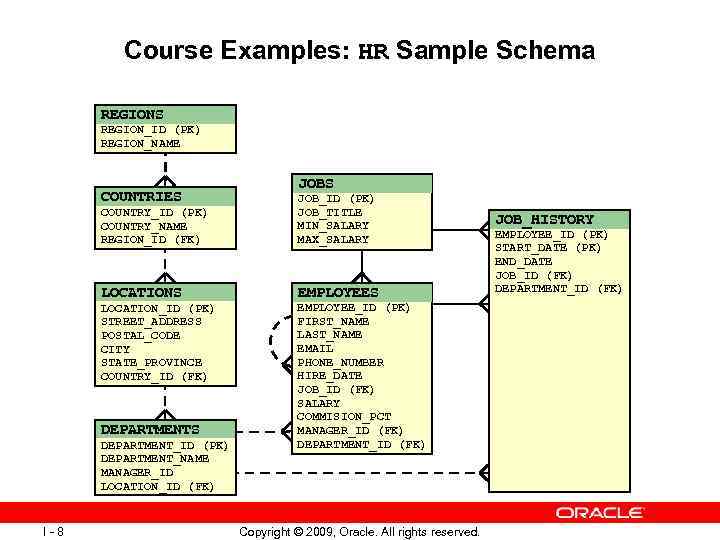 Course Examples: HR Sample Schema REGIONS REGION_ID (PK) REGION_NAME COUNTRIES JOBS COUNTRY_ID (PK) COUNTRY_NAME REGION_ID (FK) JOB_ID (PK) JOB_TITLE MIN_SALARY MAX_SALARY LOCATIONS EMPLOYEES LOCATION_ID (PK) STREET_ADDRESS POSTAL_CODE CITY STATE_PROVINCE COUNTRY_ID (FK) DEPARTMENTS DEPARTMENT_ID (PK) DEPARTMENT_NAME MANAGER_ID LOCATION_ID (FK) I - 8 EMPLOYEE_ID (PK) FIRST_NAME LAST_NAME EMAIL PHONE_NUMBER HIRE_DATE JOB_ID (FK) SALARY COMMISION_PCT MANAGER_ID (FK) DEPARTMENT_ID (FK) Copyright © 2009, Oracle. All rights reserved. JOB_HISTORY EMPLOYEE_ID (PK) START_DATE (PK) END_DATE JOB_ID (FK) DEPARTMENT_ID (FK)