


 Скачать презентацию Human Computer Interaction User Interfaces for Games IMGD
d412b6991995b000d7cddccabe2b3138.ppt
- Количество слайдов: 36
 Human Computer Interaction (User Interfaces) for Games IMGD 4000
 Topics • Background • HCI Principles • HCI and Games
 What do these things have in common? • • A Computer Mouse A Touch Screen A program on your Mac or Windows machine that includes a trashcan, icons of disk drives, and folders Pull-down menus • All examples of advances in HCI design – Designed to make it easier to accomplish things with computer
 HCI • • • Human-Computer Interfaces is a sub-discipline of CS – Study, design, construction and implementation of human-centric interactive computer systems A user interface (UI) is how a human interacts with system HCI includes – Designing screens and menus that are easier to use – Studies reasoning behind building specific functionality – Long-term effects that systems will have on humans HCI combines: – Computer Science, – Sociology and Anthropology - interactions between technology human systems – Ergonomics - safety, comfort of computer systems – Psychology - the cognitive processes of humans and the behavior of users – Linguistics - development of human and machine languages To outsiders, HCI provides recommendations for UI design – Menus, icons, forms, data display and entry screens
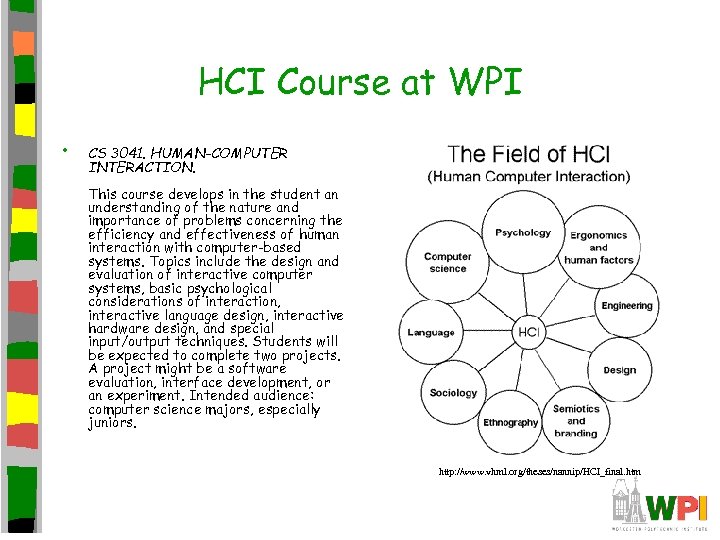 HCI Course at WPI • CS 3041. HUMAN-COMPUTER INTERACTION. This course develops in the student an understanding of the nature and importance of problems concerning the efficiency and effectiveness of human interaction with computer-based systems. Topics include the design and evaluation of interactive computer systems, basic psychological considerations of interaction, interactive language design, interactive hardware design, and special input/output techniques. Students will be expected to complete two projects. A project might be a software evaluation, interface development, or an experiment. Intended audience: computer science majors, especially juniors. http: //www. vhml. org/theses/nannip/HCI_final. htm
 User Interface • All games have one • Is not just what users press to get avatar to move – Includes opening menu, config screens, and in-game, onscreen buttons • Basic rules: – Keep simple, descriptive and fast
 Principles of Human-Computer Interface Design (1 of 3) • • Recognize Diversity – Range of users playing game: novice player, expert but not your game, knowledgeable in your game but intermittent, and frequent. – Accommodating all a challenge • Novices need help • Experts want speed (get to the game!) Shortcuts – Help novices and experts – increase the pace of interaction – special keys, hidden commands, and macros
 Principles of Human-Computer Interface Design (2 of 3) • Strive for consistency • Informative feedback • Error prevention and simple error handling – consistent actions in similar situations – identical terminology – consistent color, layout, capitalization, fonts – For every user action, system should respond – Show user activity completed successfully. – Example: prefer menu selection to form fill-in – Example: no alphabetic characters in numeric entry fields
 Principles of Human-Computer Interface Design (3 of 3) • Reduce short-term memory load – Humans can store only 7 (plus or minus 2) pieces of information in their short term memory – Screens where options are visible – Pull-down menus and icons
 User Interface Design Tips (1 of 2) • Keep simple, uncluttered • Every option/button easy to get to • – Most common options only. Easy way to view less common options (“show details” and “hide details”) – Too many clicks frustrates users • Where possible, use tooltips, a small description over each button Give response to every action • Provide feedback on progress during long action – Play sound, change cursor – Avoid pauses before show action – Progress bar, etc.
 User Interface Design Tips (2 of 2) • Test user interface on others. instruct, just watch Don’t – After done, ask what they think – HCI has user narrate during study • Be prepared to overhaul and throw it away!
 Learning from Games: HCI Design Innovations in Entertainment Software J. Dyck, D. Pinelle, B. Brown, and C. Gutwin University of Saskatchewan Proceedings of Graphics Interface, 2003
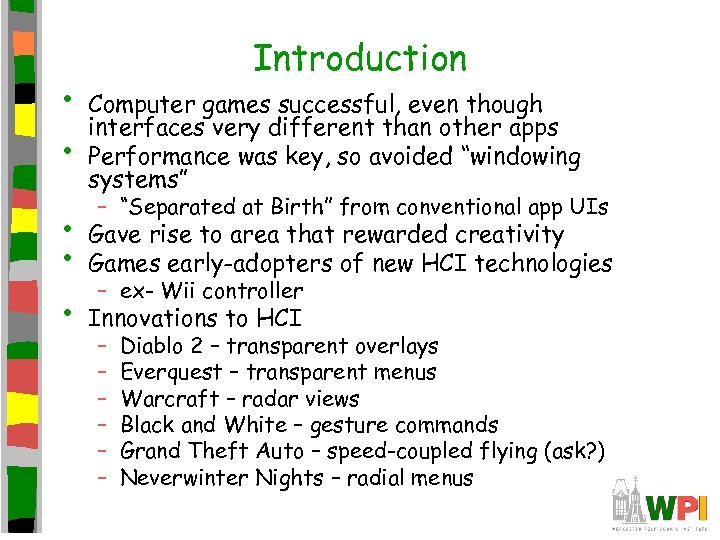 • • Introduction Computer games successful, even though interfaces very different than other apps Performance was key, so avoided “windowing systems” – “Separated at Birth” from conventional app UIs • • Gave rise to area that rewarded creativity Games early-adopters of new HCI technologies • Innovations to HCI – ex- Wii controller – – – Diablo 2 – transparent overlays Everquest – transparent menus Warcraft – radar views Black and White – gesture commands Grand Theft Auto – speed-coupled flying (ask? ) Neverwinter Nights – radial menus
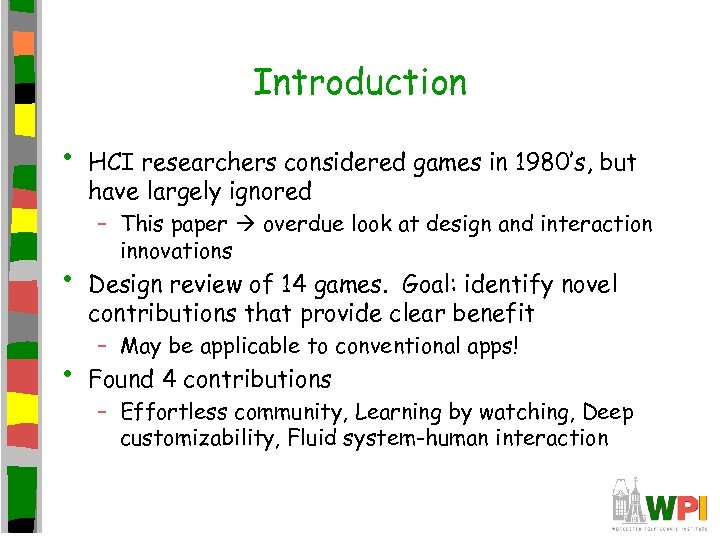 Introduction • • • HCI researchers considered games in 1980’s, but have largely ignored – This paper overdue look at design and interaction innovations Design review of 14 games. Goal: identify novel contributions that provide clear benefit – May be applicable to conventional apps! Found 4 contributions – Effortless community, Learning by watching, Deep customizability, Fluid system-human interaction
 Outline • Introduction • Methodology • Contributions • Summary (next)
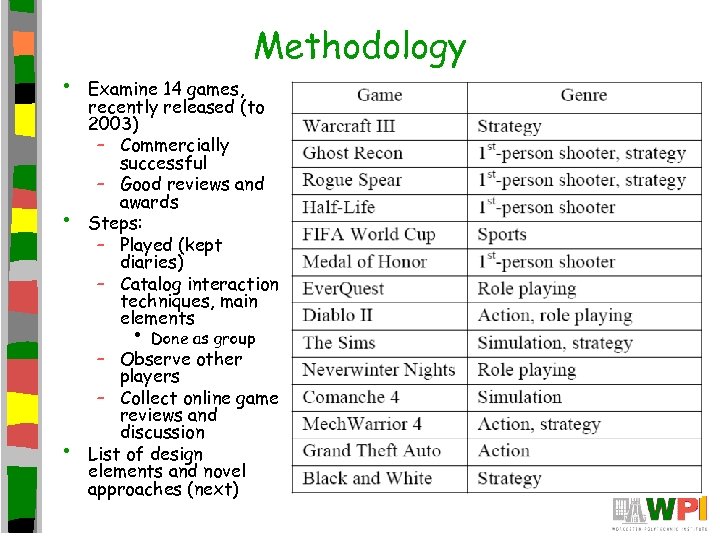 • • Methodology Examine 14 games, recently released (to 2003) – Commercially successful – Good reviews and awards Steps: – Played (kept diaries) – Catalog interaction techniques, main elements • • Done as group – Observe other players – Collect online game reviews and discussion List of design elements and novel approaches (next)
 Outline • Introduction • Methodology • Contributions – – Effortless Community Learning by Watching Deep Customizability Fluid System-Human Interaction • Summary (next)
 Effortless Community • Easy to participate in online user • • communities and easy to form groups Provides collaborators to solve problems Critical: – Need critical mass of users – Need way to find right subgroups
 Effortless Community – Getting Critical Mass • Many apps have lots of users (ie- Java • • JBuilder, Photoshop) comp. graphics. apps. photoshop has 140, 000 discussion threads But community not usually together – When the are, done outside application • In contrast, games make it easy to connect to other users (get critical mass)
![Effortless Community – Effortless Connection to Community • Traditionally difficult! [refs] • Games do](https://present5.com/presentation/d412b6991995b000d7cddccabe2b3138/image-20.jpg "Effortless Community – Effortless Connection to Community • Traditionally difficult! [refs] • Games do") Effortless Community – Effortless Connection to Community • Traditionally difficult! [refs] • Games do with 1 -2 mouse-clicks • Dedicated, fast servers • User-hosted (with server browsers)
Effortless Community – Effortless Connection to Community • Traditionally difficult! [refs] • Games do with 1 -2 mouse-clicks • Dedicated, fast servers • User-hosted (with server browsers)
 Effortless Community – Identifying and Forming Groups (1 of 2) • Many users, but often have constraints – Similar personalities, expertise, interests • Two approaches: meeting places, in-game • grouping Meeting places – Used around games with limited time interactions, small group play
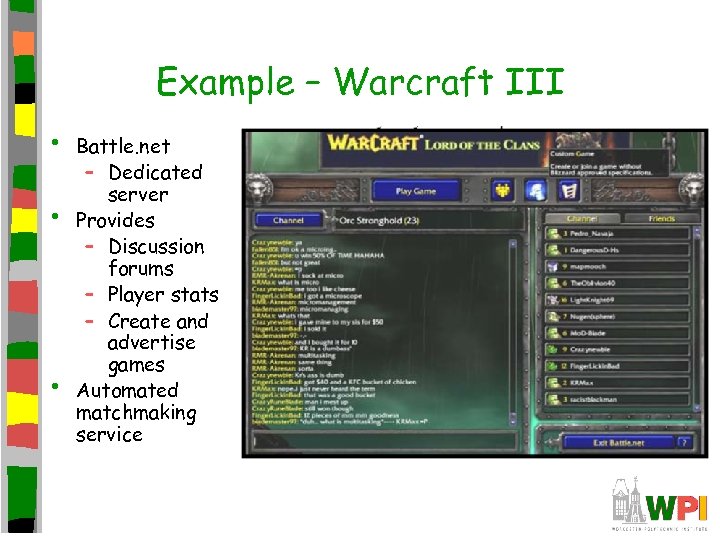 Example – Warcraft III • • • Battle. net – Dedicated server Provides – Discussion forums – Player stats – Create and advertise games Automated matchmaking service
 Effortless Community – Identifying and Forming Groups (2 of 2) • In-game groups. – – – Used in MMOs. Guilds – specific purpose Location – in area, similar goals Conversation channels, friend lists Explicit teams Visual identity – avatars show skills, loyalties and expertise
 Outline • Introduction • Methodology • Contributions – – Effortless Community Learning by Watching Deep Customizability Fluid System-Human Interaction • Summary (next)
 Learning by Watching • Beginners learn from more experienced – Typical of real-world communities • Games enable online through avatars • Ex: watch avatar next to you during action • Ex: observer mode in games, or after being shot (counter strike)
 Outline • Introduction • Methodology • Contributions – – Effortless Community Learning by Watching Deep Customizability Fluid System-Human Interaction • Summary (next)
 Deep Customizability • Modifying and extending the UI • • commonplace in games Let users change to support tasks, style of play Ranges: – Anything goes UI malleability – Natural extensibility – Portable customizations (next)
 Deep Customizability Anything Goes Interface Malleability • Gamers learned that different configs affect performance – Unlike in conventional apps, difference means life or death • Two main areas: interface layout and • mapping controls to functions Remap functions of UI controls – Undo functionality allows users to try out
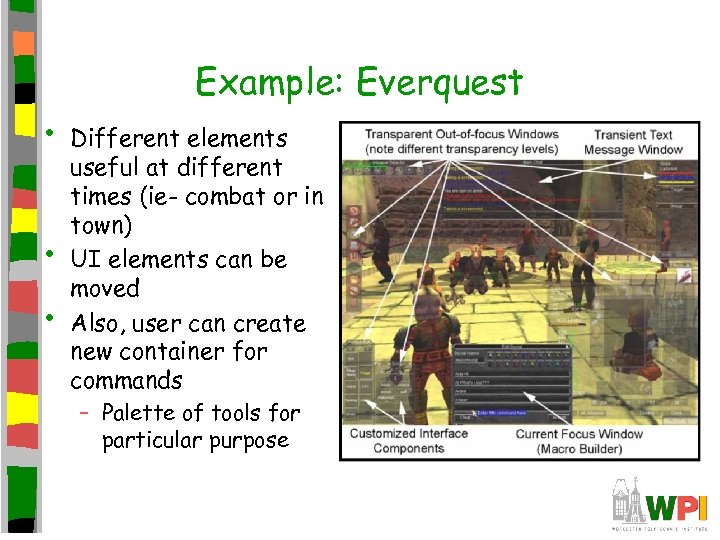 Example: Everquest • • • Different elements useful at different times (ie- combat or in town) UI elements can be moved Also, user can create new container for commands – Palette of tools for particular purpose
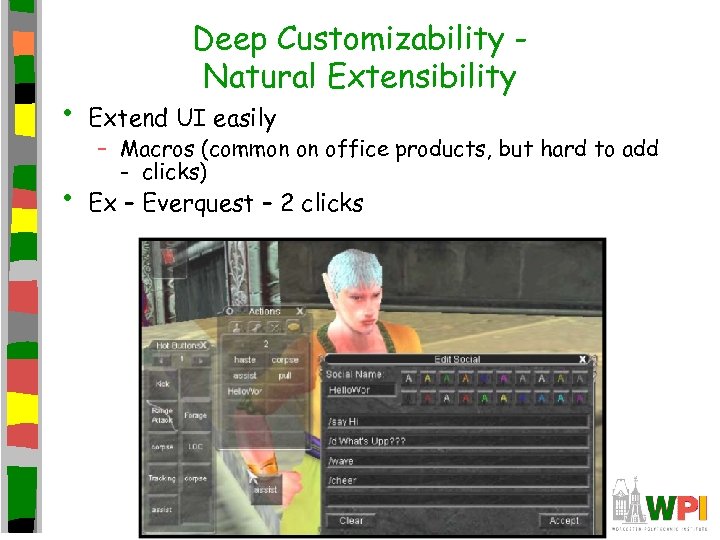 Deep Customizability Natural Extensibility • Extend UI easily • Ex – Everquest – 2 clicks – Macros (common on office products, but hard to add - clicks)
 Deep Customizability – Portable Customizations • Modifications and extensions can be saved • Ex: “Mods” and skins and new levels • Age-old argument – – build interface right in first place, no need to customize – But, as more diverse users play, less likely for one-size-fits all • Games chose latter
 Outline • Introduction • Methodology • Contributions – – Effortless Community Learning by Watching Deep Customizability Fluid System-Human Interaction • Summary (next)
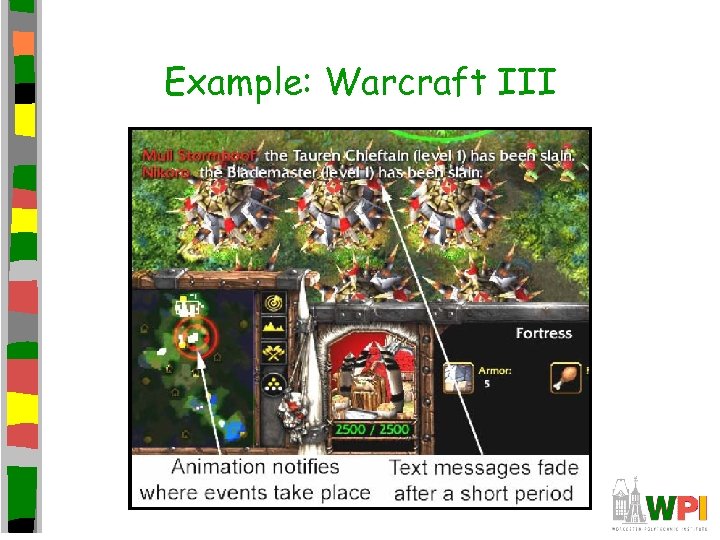
 Fluid System-Human Interaction • • Minimize user disruption, demand less user attention or effort Calm messaging – Presented in unobtrusive way, no need to ack or dismiss – Audio – cues and instructions (ie- while flying) – Transient text – fade from view, or message area – Animation – draw user eye (relative to importance)
 Example: Warcraft III
 Fluid System-Human Interaction • As interface used, changes transparency – Ex: Everquest 2 (shown earlier) • Context –aware view behaviors – Ex: change in camera, either manually or automatically depending upon the game situation
 Summary • Take away game innovations: • Apply to your games! – Effortless Community – games make it easy to form, join and participate in communities of users – Learning by Watching – games help people learn the application by watching “over the shoulder” of more experienced users – Deep Customizability – give users power to modify and extend UI, allow users to share those mods – Fluid system-human interaction – communicate with users in a way that does not demand attention or interrupt flow of work