


 Скачать презентацию HRP 222 Topic 3 Showing Data Copyright
deefa2397819077cea31203ae44f191d.ppt
- Количество слайдов: 52
 HRP 222 Topic 3 – Showing Data Copyright © 1999 -2001 Leland Stanford Junior University. All rights reserved. Warning: This presentation is protected by copyright law and international treaties. Unauthorized reproduction of this presentation, or any portion of it, may result in severe civil and criminal penalties and will be prosecuted to maximum extent possible under the law.
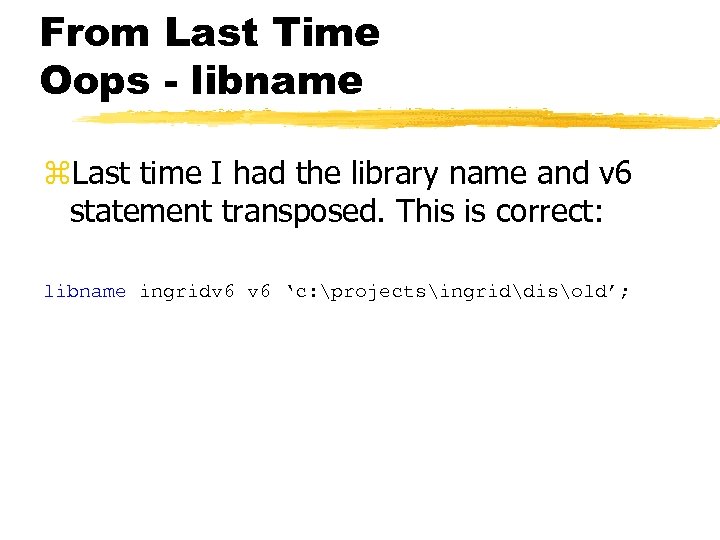 From Last Time Oops - libname z. Last time I had the library name and v 6 statement transposed. This is correct: libname ingridv 6 ‘c: projectsingriddisold’;
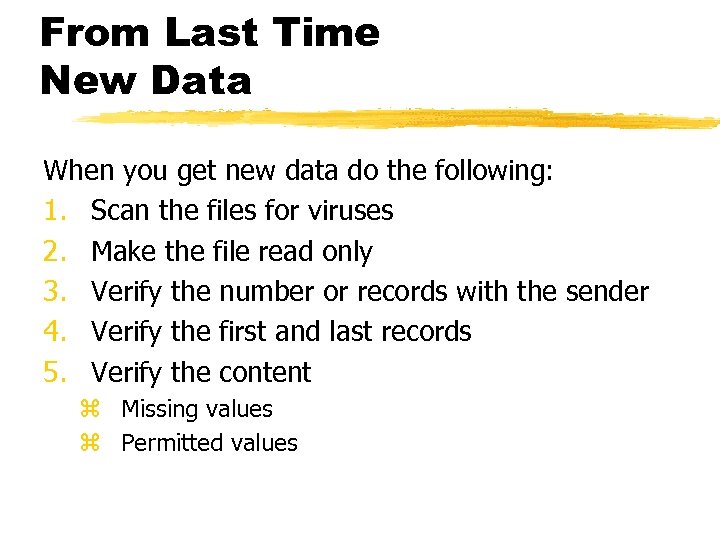 From Last Time New Data When you get new data do the following: 1. Scan the files for viruses 2. Make the file read only 3. Verify the number or records with the sender 4. Verify the first and last records 5. Verify the content z Missing values z Permitted values
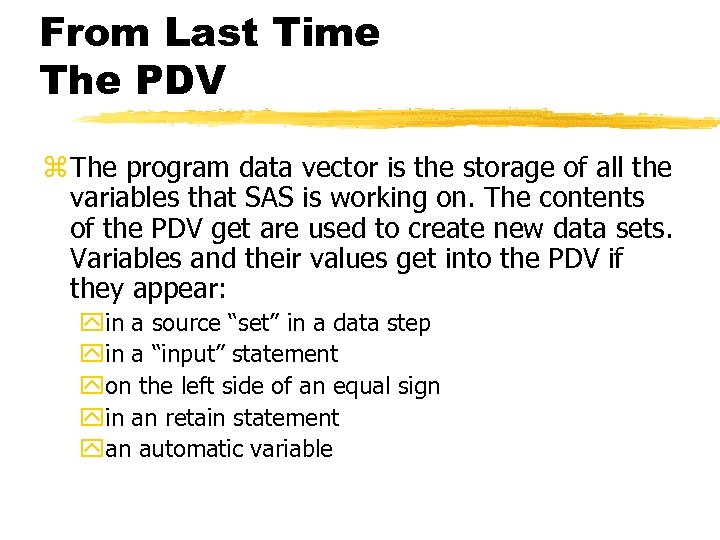 From Last Time The PDV z The program data vector is the storage of all the variables that SAS is working on. The contents of the PDV get are used to create new data sets. Variables and their values get into the PDV if they appear: yin a source “set” in a data step yin a “input” statement yon the left side of an equal sign yin an retain statement yan automatic variable
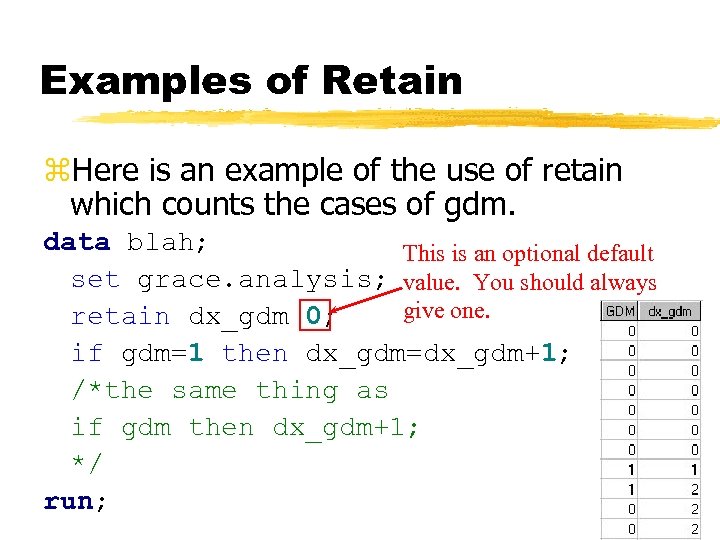 Examples of Retain z. Here is an example of the use of retain which counts the cases of gdm. data blah; This is an optional default set grace. analysis; value. You should always give one. retain dx_gdm 0; if gdm=1 then dx_gdm=dx_gdm+1; /*the same thing as if gdm then dx_gdm+1; */ run;
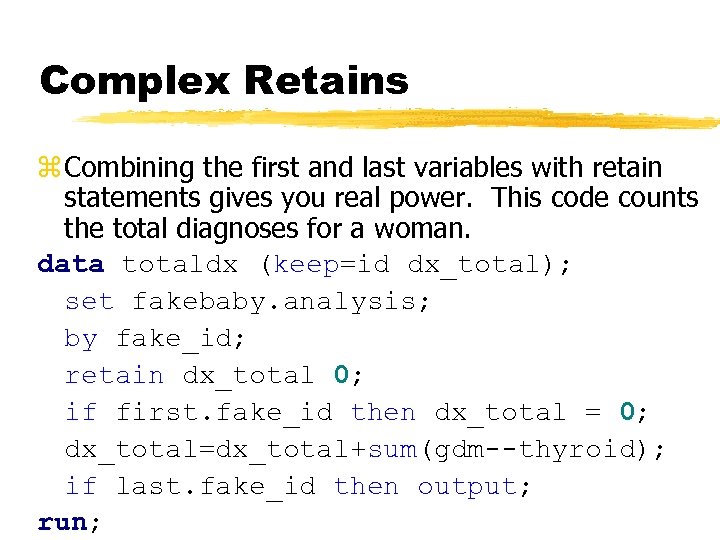 Complex Retains z Combining the first and last variables with retain statements gives you real power. This code counts the total diagnoses for a woman. data totaldx (keep=id dx_total); set fakebaby. analysis; by fake_id; retain dx_total 0; if first. fake_id then dx_total = 0; dx_total=dx_total+sum(gdm--thyroid); if last. fake_id then output; run;
 Security z Assume that somebody is always looking over your shoulder on the web and people are reading your email. z Put a firewall between you and the web. z That said, the biggest threats to computer security are the legal users of the system. y. Walking away from a terminal y. Using passwords that are easy to crack by script kiddies y. Taking data off of restricted machines y. Viruses and Trojan horses will kill you if you let them!
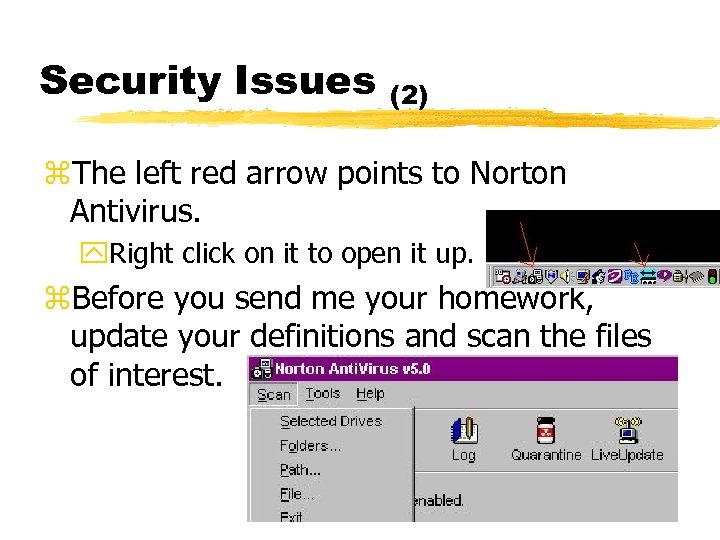 Security Issues (2) z. The left red arrow points to Norton Antivirus. y. Right click on it to open it up. z. Before you send me your homework, update your definitions and scan the files of interest.
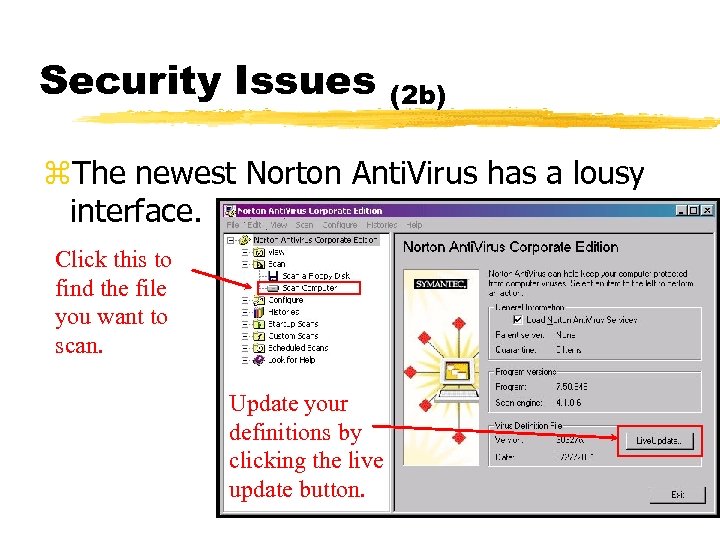 Security Issues (2 b) z. The newest Norton Anti. Virus has a lousy interface. Click this to find the file you want to scan. Update your definitions by clicking the live update button.
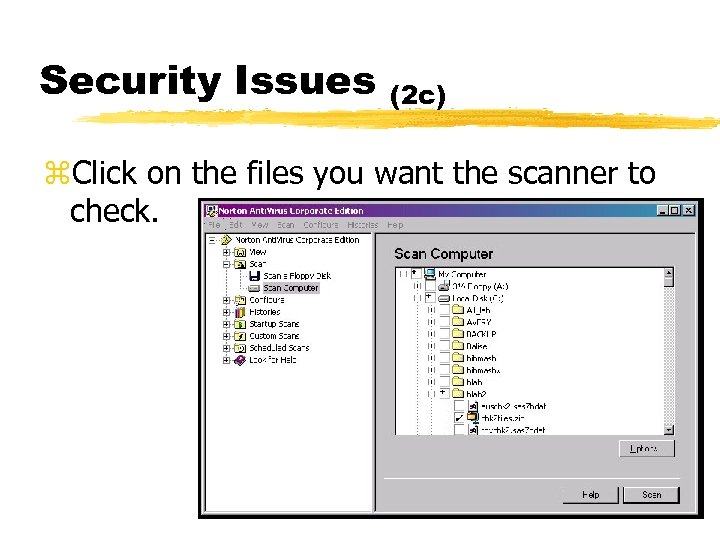 Security Issues (2 c) z. Click on the files you want the scanner to check.
 Security (3) z Securing your email: y. There are programs which will scramble your email while it is in route, effectively making it impossible for people to read it without your permission. z The best way to encrypt data is by using PGP encryption. y. If you use a PC or Mac, visit the upper site for the latest version information. xhttp: //cws. internet. com/encrypt. html xhttp: //web. mit. edu/network/pgp. html
 Security (4) z You can secure the connection between machines by using encrypted transmissions. y. PGP y. SSH y. SSL z Virtual Private Networks (VPNs) are all the rage. z Machines can recognize each other: y. Kerberos – make a. klogin file on your unix account y. SSH
 More on Finding Problems z. I showed you how to identify problems and write them to the log. This is an important task but documenting problems with reports that look good is an equally important task.
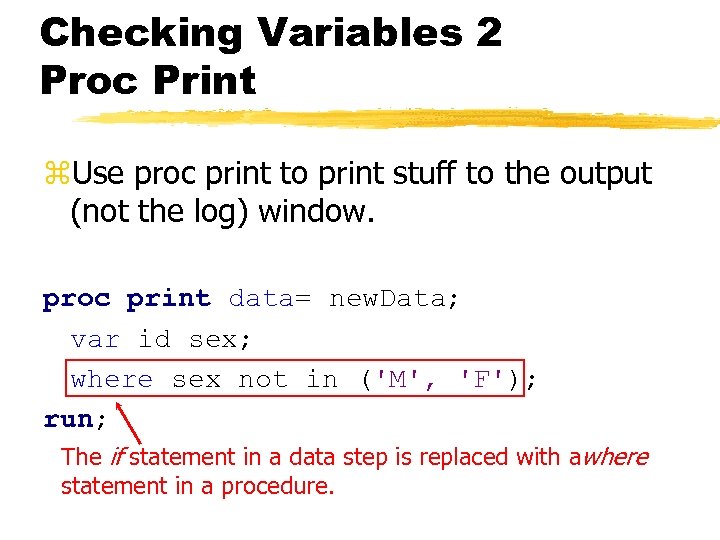 Checking Variables 2 Proc Print z. Use proc print to print stuff to the output (not the log) window. proc print data= new. Data; var id sex; where sex not in ('M', 'F'); run; The if statement in a data step is replaced with awhere statement in a procedure.
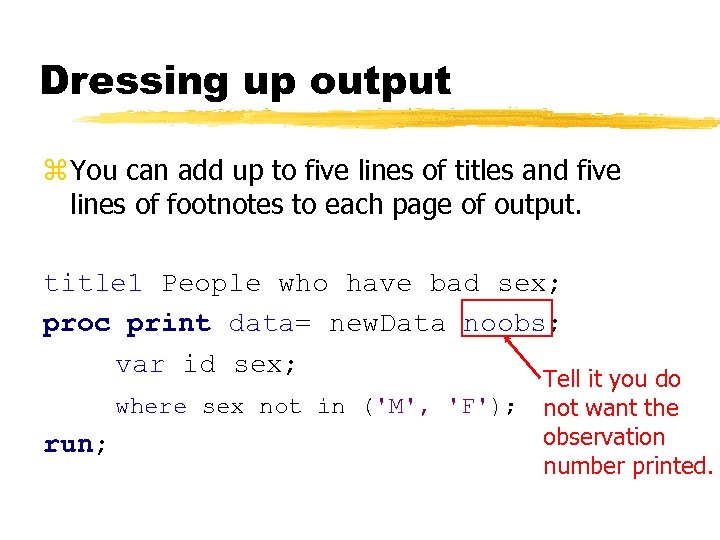 Dressing up output z You can add up to five lines of titles and five lines of footnotes to each page of output. title 1 People who have bad sex; proc print data= new. Data noobs; var id sex; where sex not in ('M', 'F'); run; Tell it you do not want the observation number printed.
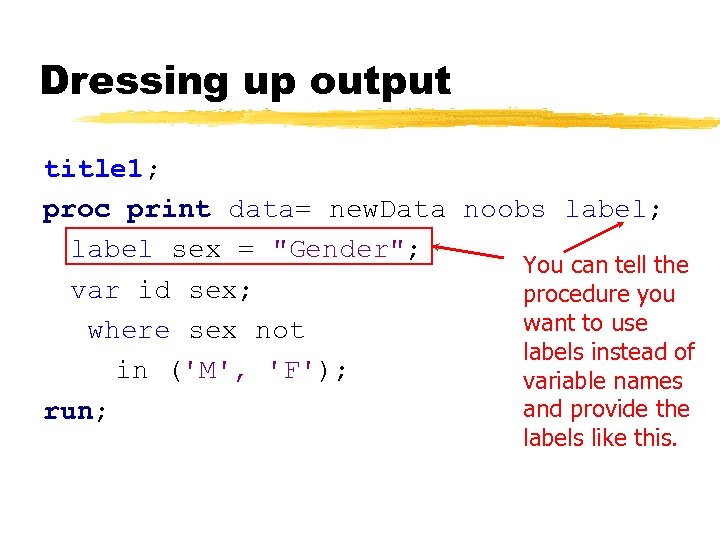 Dressing up output title 1; proc print data= new. Data noobs label; label sex = "Gender"; You can tell the var id sex; procedure you want to use where sex not labels instead of in ('M', 'F'); variable names and provide the run; labels like this.
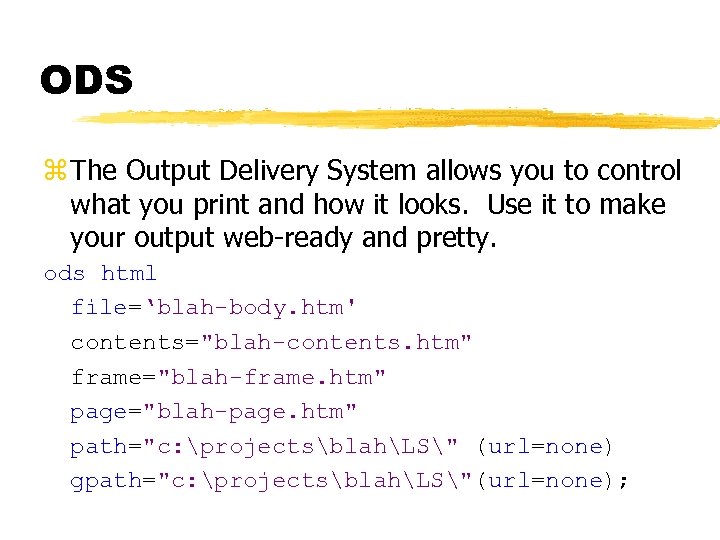 ODS z The Output Delivery System allows you to control what you print and how it looks. Use it to make your output web-ready and pretty. ods html file=‘blah-body. htm' contents="blah-contents. htm" frame="blah-frame. htm" page="blah-page. htm" path="c: projectsblahLS" (url=none) gpath="c: projectsblahLS"(url=none);
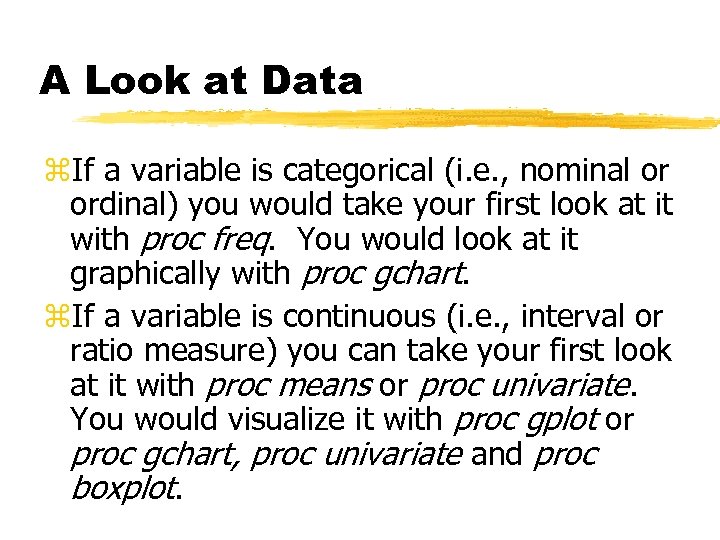 A Look at Data z. If a variable is categorical (i. e. , nominal or ordinal) you would take your first look at it with proc freq. You would look at it graphically with proc gchart. z. If a variable is continuous (i. e. , interval or ratio measure) you can take your first look at it with proc means or proc univariate. You would visualize it with proc gplot or proc gchart, proc univariate and proc boxplot.
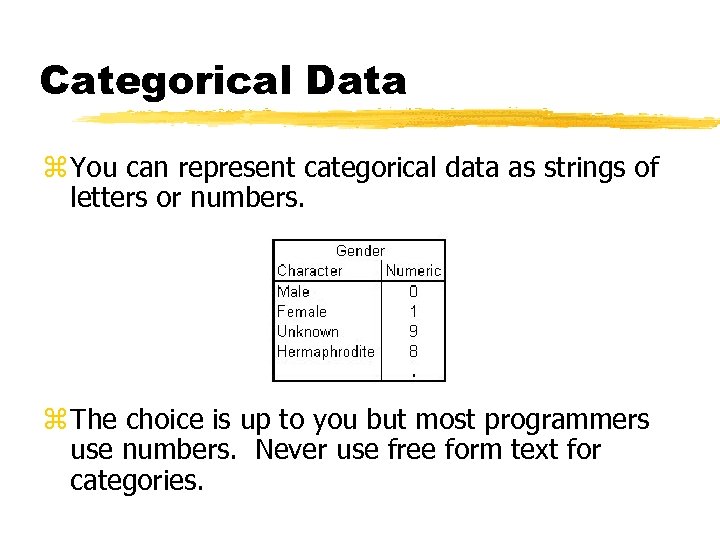 Categorical Data z You can represent categorical data as strings of letters or numbers. z The choice is up to you but most programmers use numbers. Never use free form text for categories.
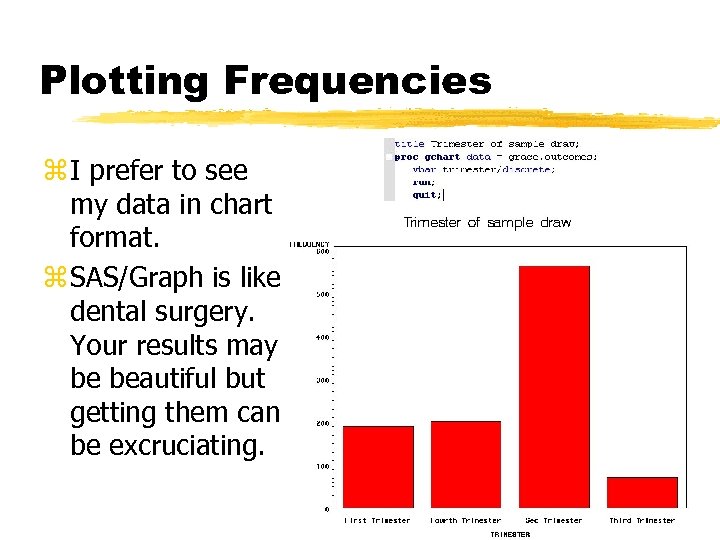 Plotting Frequencies z I prefer to see my data in chart format. z SAS/Graph is like dental surgery. Your results may be beautiful but getting them can be excruciating.
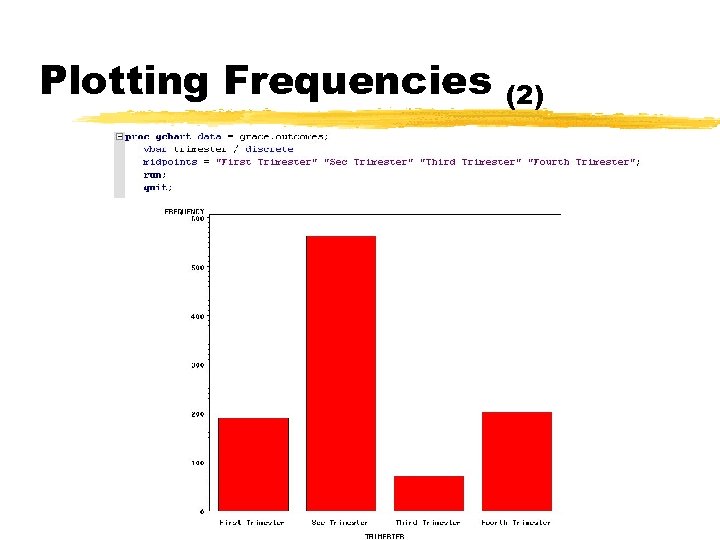 Plotting Frequencies (2)
 Counting observations z. If you want to get a tabular count of all the different values stored in a variable, use proc freq (pronounced “freak”) with this very simple syntax. proc freq data= gen 6 sas. at; tables race; run; proc freq data= gen 6 sas. at; where center = ‘stan’; tables race; run;
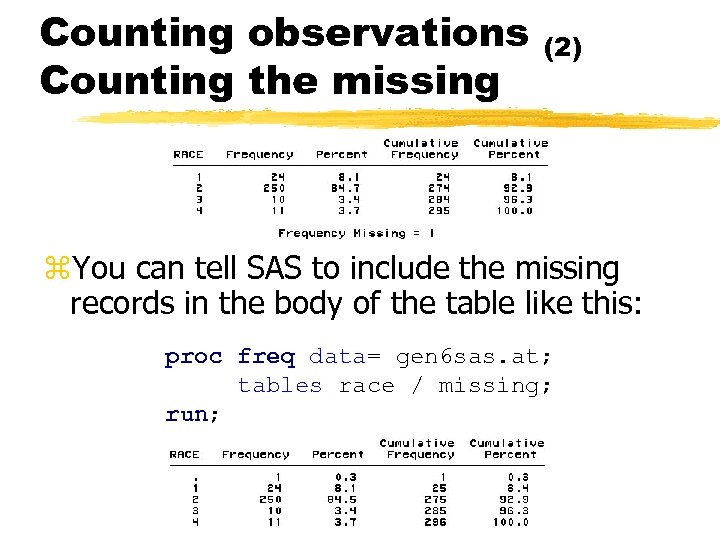 Counting observations Counting the missing (2) z. You can tell SAS to include the missing records in the body of the table like this: proc freq data= gen 6 sas. at; tables race / missing; run;
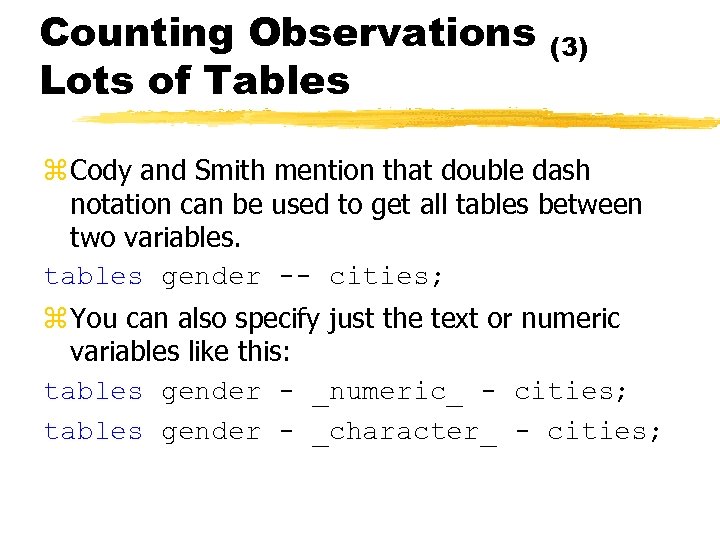 Counting Observations Lots of Tables (3) z Cody and Smith mention that double dash notation can be used to get all tables between two variables. tables gender -- cities; z You can also specify just the text or numeric variables like this: tables gender - _numeric_ - cities; tables gender - _character_ - cities;
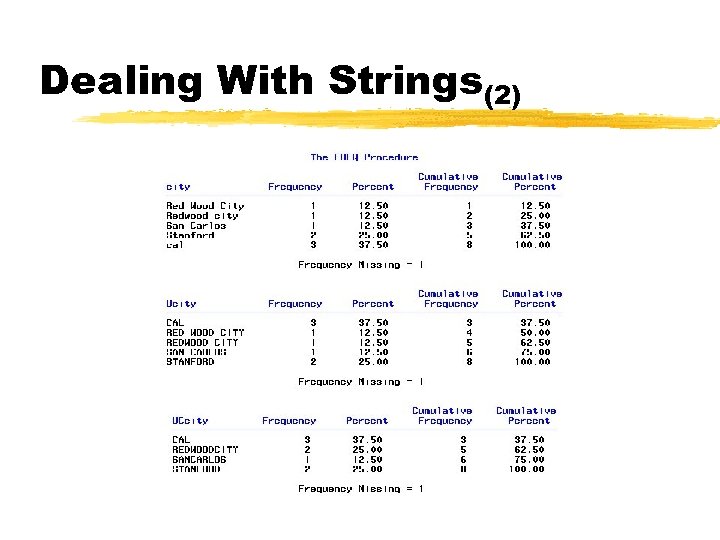
 Counting Observations Warning! (4) z. Proc freq only examines the first 16 positions of a character variable. These two strings are identical to proc freq. Do not put beans or raisins in your nose Do not put beans z. Capitalization and spacing are both meaningful to proc freq. These are different: y. Spam & Eggs, Spam&Eggs, spam & eggs
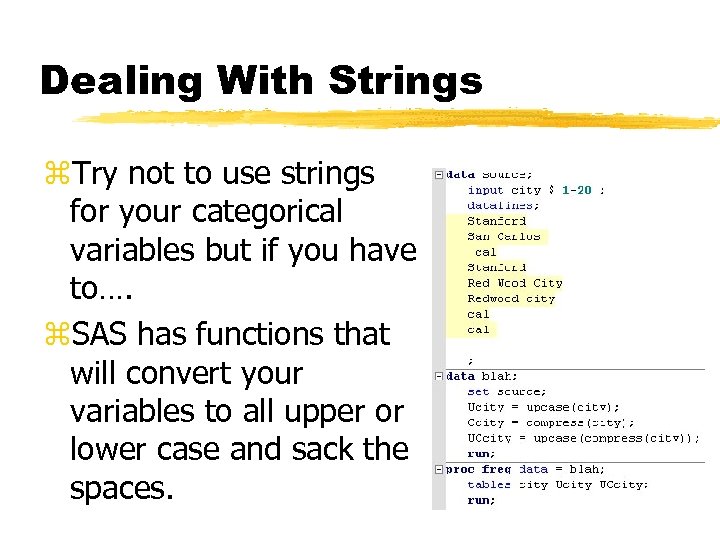 Dealing With Strings z. Try not to use strings for your categorical variables but if you have to…. z. SAS has functions that will convert your variables to all upper or lower case and sack the spaces.
 Dealing With Strings(2)
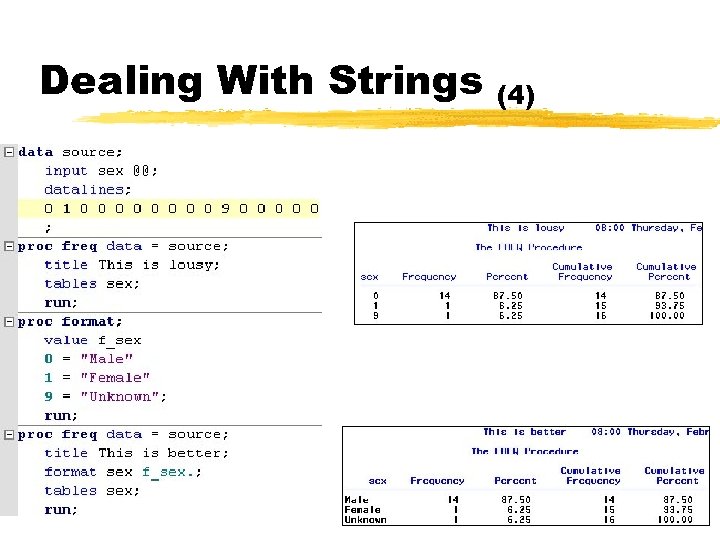
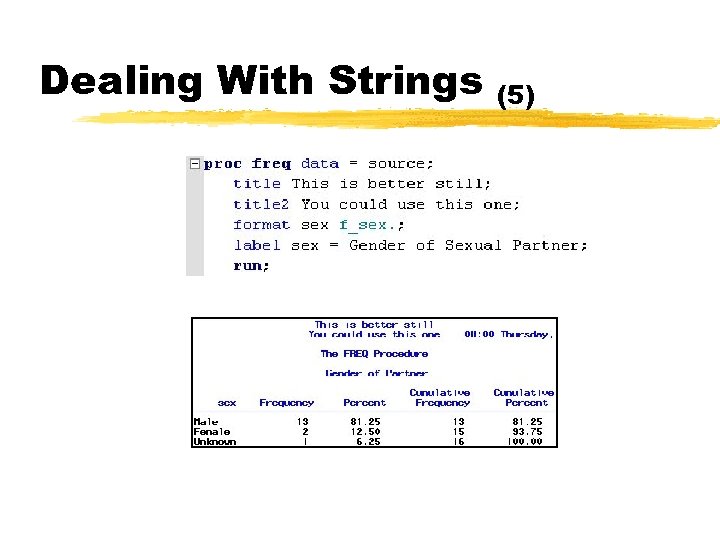
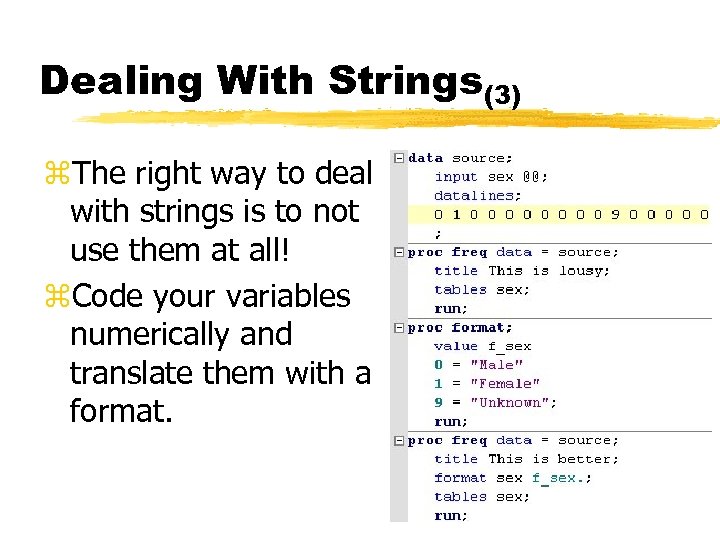 Dealing With Strings(3) z. The right way to deal with strings is to not use them at all! z. Code your variables numerically and translate them with a format.
 Dealing With Strings (4)
 Dealing With Strings (5)
 Continuous Variables z. You can now describe numerically or graphically a categorical variable. Continuous variables are generally easier to work with. z. Proc means by default will give you min max mean and SD for one or more variables.
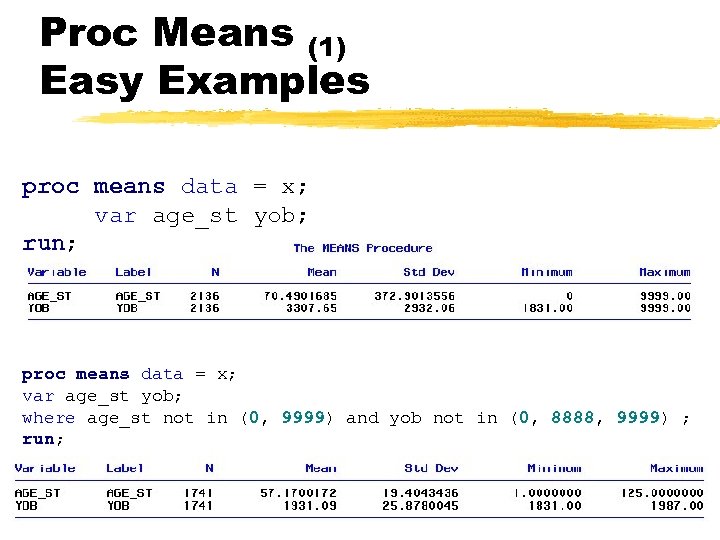 Proc Means (1) Easy Examples proc means data = x; var age_st yob; run; proc means data = x; var age_st yob; where age_st not in (0, 9999) and yob not in (0, 8888, 9999) ; run;
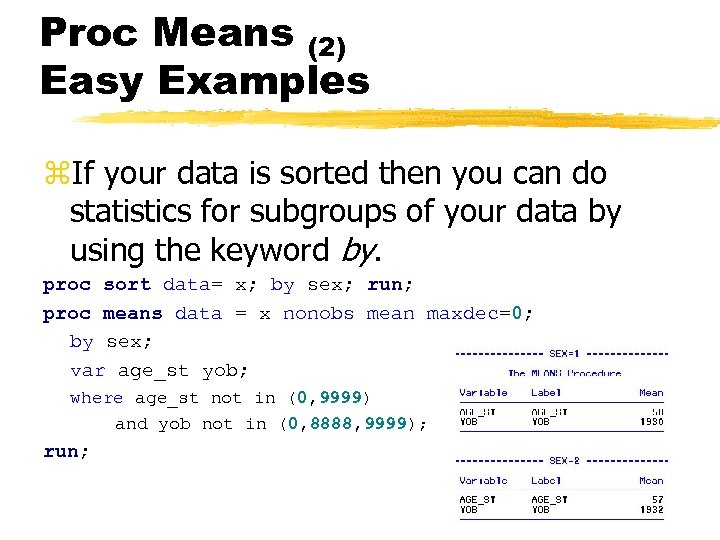 Proc Means (2) Easy Examples z. If your data is sorted then you can do statistics for subgroups of your data by using the keyword by. proc sort data= x; by sex; run; proc means data = x nonobs mean maxdec=0; by sex; var age_st yob; where age_st not in (0, 9999) and yob not in (0, 8888, 9999); run;
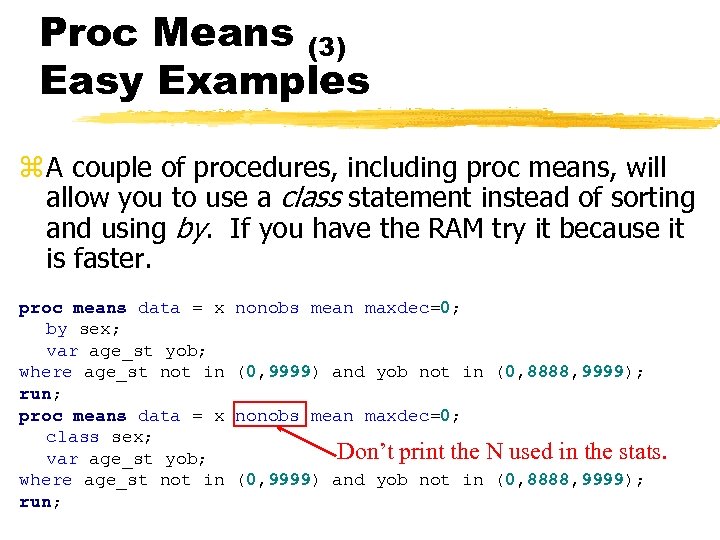 Proc Means (3) Easy Examples z A couple of procedures, including proc means, will allow you to use a class statement instead of sorting and using by. If you have the RAM try it because it is faster. proc means data = x by sex; var age_st yob; where age_st not in run; proc means data = x class sex; var age_st yob; where age_st not in run; nonobs mean maxdec=0; (0, 9999) and yob not in (0, 8888, 9999); nonobs mean maxdec=0; Don’t print the N used in the stats. (0, 9999) and yob not in (0, 8888, 9999);
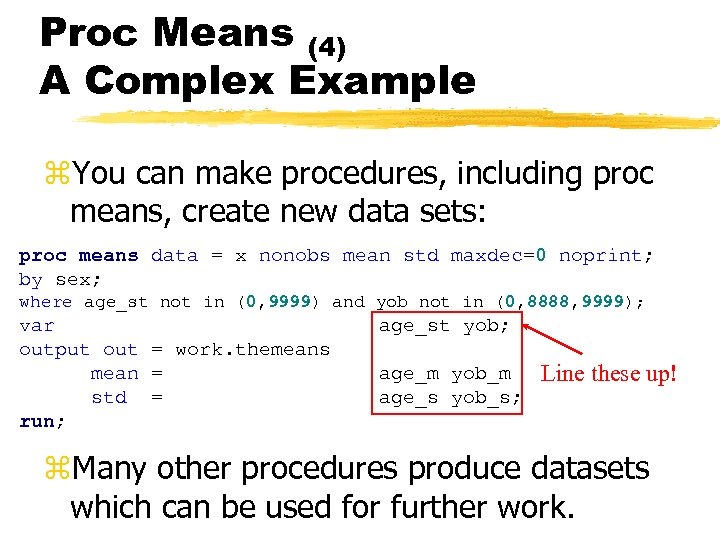 Proc Means (4) A Complex Example z. You can make procedures, including proc means, create new data sets: proc means data = x nonobs mean std maxdec=0 noprint; by sex; where age_st not in (0, 9999) and yob not in (0, 8888, 9999); var output out = work. themeans mean = std = run; age_st yob; age_m yob_m age_s yob_s; Line these up! z. Many other procedures produce datasets which can be used for further work.
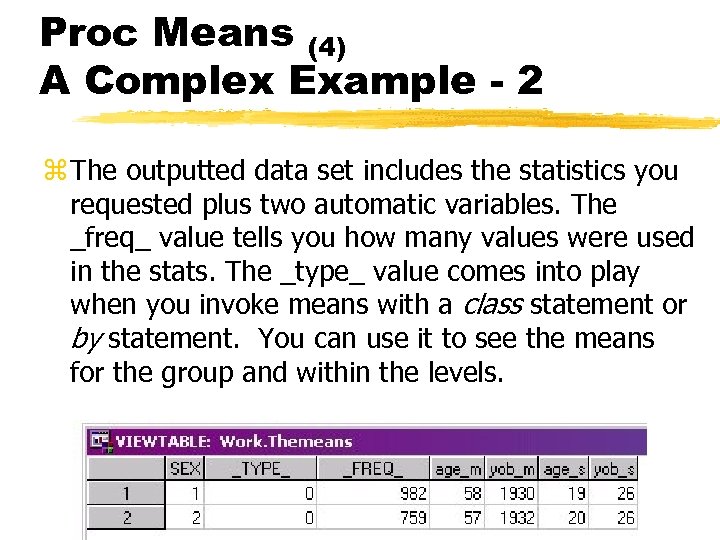 Proc Means (4) A Complex Example - 2 z The outputted data set includes the statistics you requested plus two automatic variables. The _freq_ value tells you how many values were used in the stats. The _type_ value comes into play when you invoke means with a class statement or by statement. You can use it to see the means for the group and within the levels.
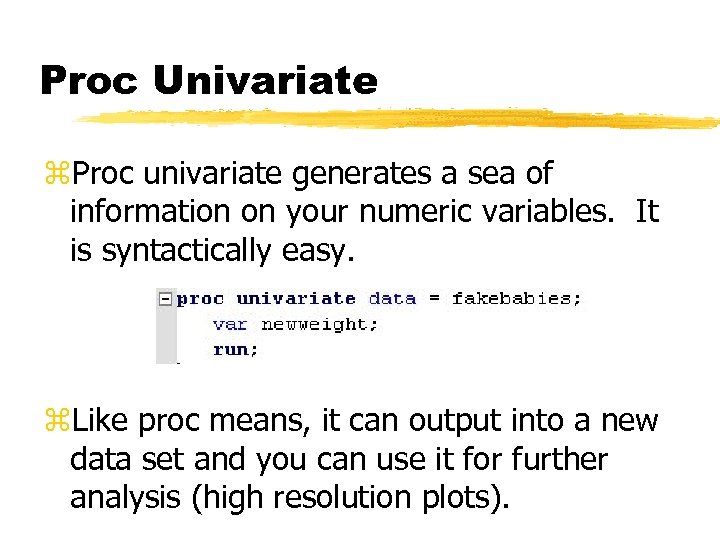 Proc Univariate z. Proc univariate generates a sea of information on your numeric variables. It is syntactically easy. z. Like proc means, it can output into a new data set and you can use it for further analysis (high resolution plots).
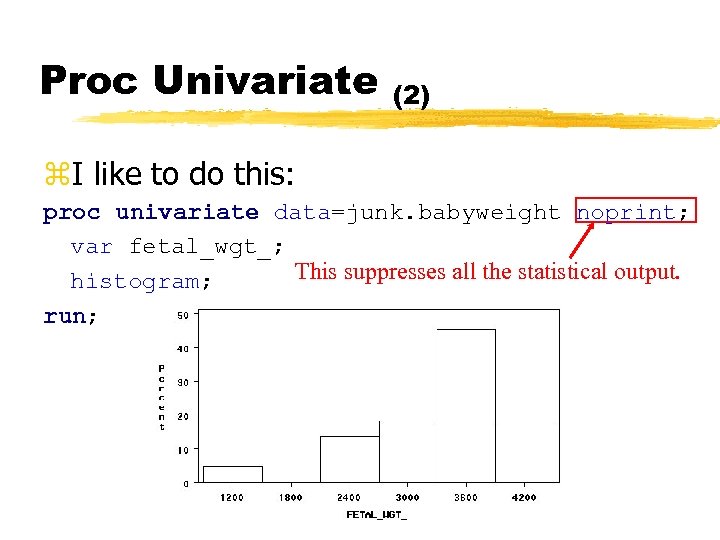 Proc Univariate (2) z. I like to do this: proc univariate data=junk. babyweight noprint; var fetal_wgt_; This suppresses all the statistical output. histogram; run;
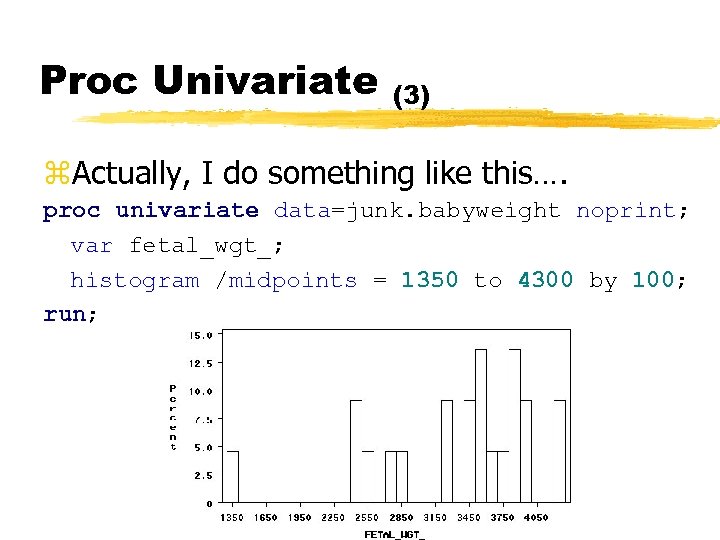 Proc Univariate (3) z. Actually, I do something like this…. proc univariate data=junk. babyweight noprint; var fetal_wgt_; histogram /midpoints = 1350 to 4300 by 100; run;
 Based on Di. Iorio page 89.
 Formats z. Formats are typically used to indicate that numeric value corresponds to a text value. z. You can also use formats to deal affectively with missing or invalid values.
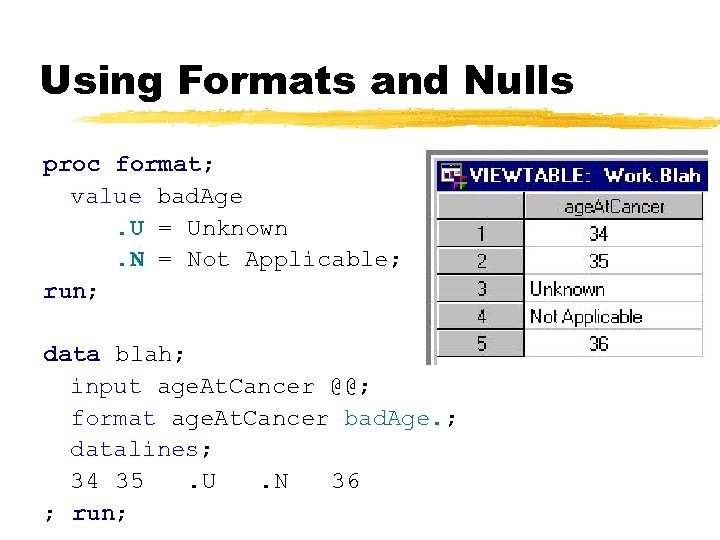 Using Formats and Nulls proc format; value bad. Age. U = Unknown. N = Not Applicable; run; data blah; input age. At. Cancer @@; format age. At. Cancer bad. Age. ; datalines; 34 35. U. N 36 ; run;
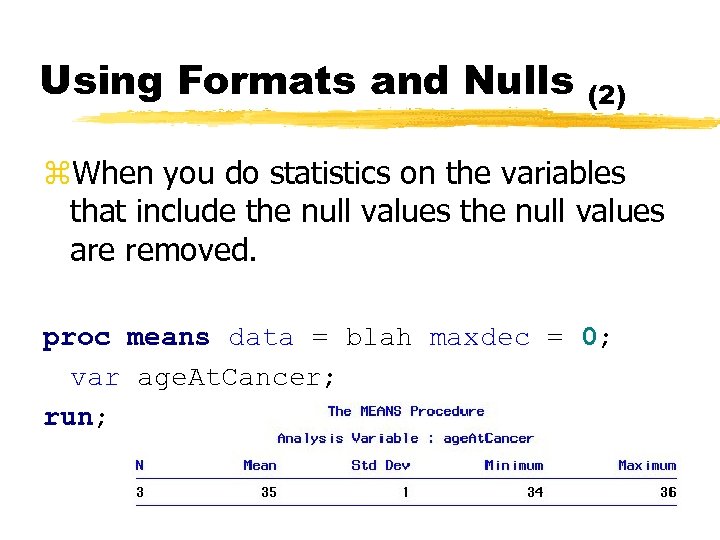 Using Formats and Nulls (2) z. When you do statistics on the variables that include the null values are removed. proc means data = blah maxdec = 0; var age. At. Cancer; run;
 Dates z. You know how to import numbers and character data. I have alluded to the fact that dates in SAS are difficult to work with because dates are stored as number of days since Jan 01, 1960. Importing requires an informat and viewing a date requires a date format.
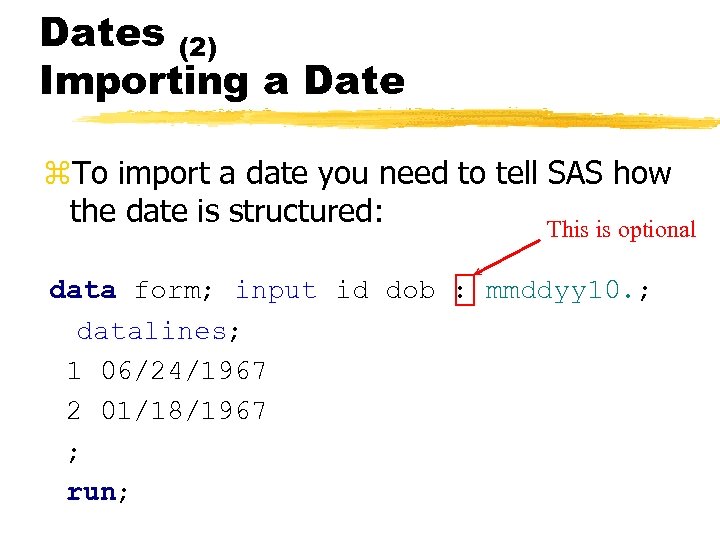 Dates (2) Importing a Date z. To import a date you need to tell SAS how the date is structured: This is optional data form; input id dob : mmddyy 10. ; datalines; 1 06/24/1967 2 01/18/1967 ; run;
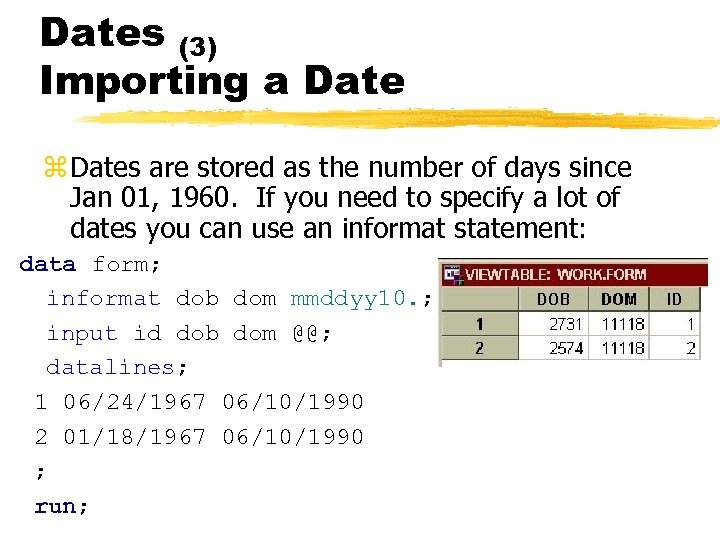 Dates (3) Importing a Date z Dates are stored as the number of days since Jan 01, 1960. If you need to specify a lot of dates you can use an informat statement: data form; informat dob dom mmddyy 10. ; input id dob dom @@; datalines; 1 06/24/1967 06/10/1990 2 01/18/1967 06/10/1990 ; run;
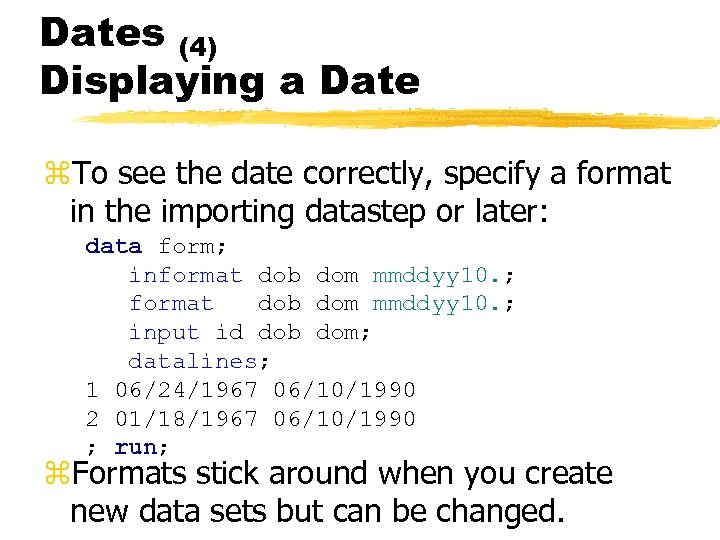 Dates (4) Displaying a Date z. To see the date correctly, specify a format in the importing datastep or later: data form; informat dob dom mmddyy 10. ; input id dob dom; datalines; 1 06/24/1967 06/10/1990 2 01/18/1967 06/10/1990 ; run; z. Formats stick around when you create new data sets but can be changed.
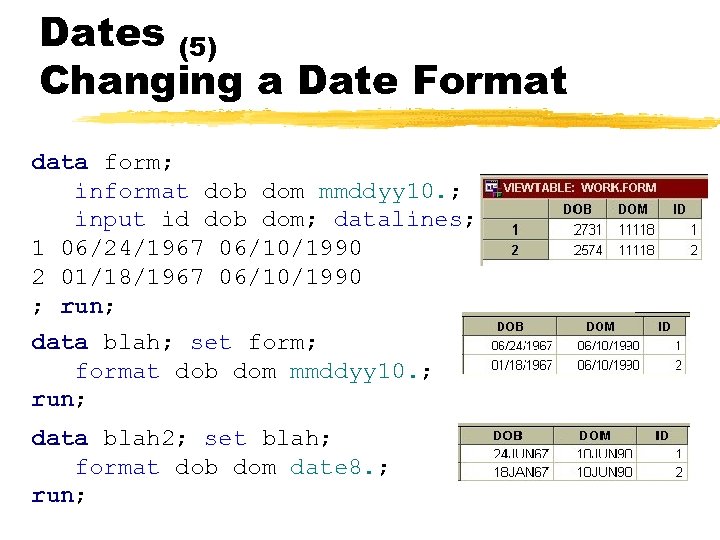 Dates (5) Changing a Date Format data form; informat dob dom mmddyy 10. ; input id dob dom; datalines; 1 06/24/1967 06/10/1990 2 01/18/1967 06/10/1990 ; run; data blah; set form; format dob dom mmddyy 10. ; run; data blah 2; set blah; format dob dom date 8. ; run;
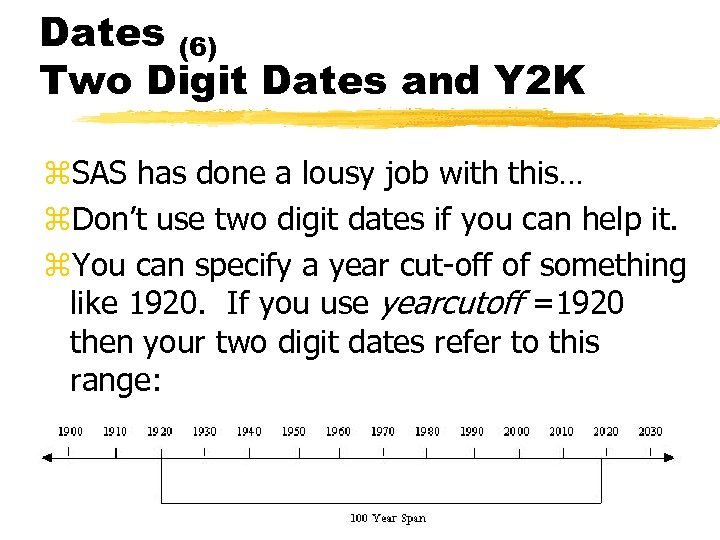 Dates (6) Two Digit Dates and Y 2 K z. SAS has done a lousy job with this… z. Don’t use two digit dates if you can help it. z. You can specify a year cut-off of something like 1920. If you use yearcutoff =1920 then your two digit dates refer to this range:
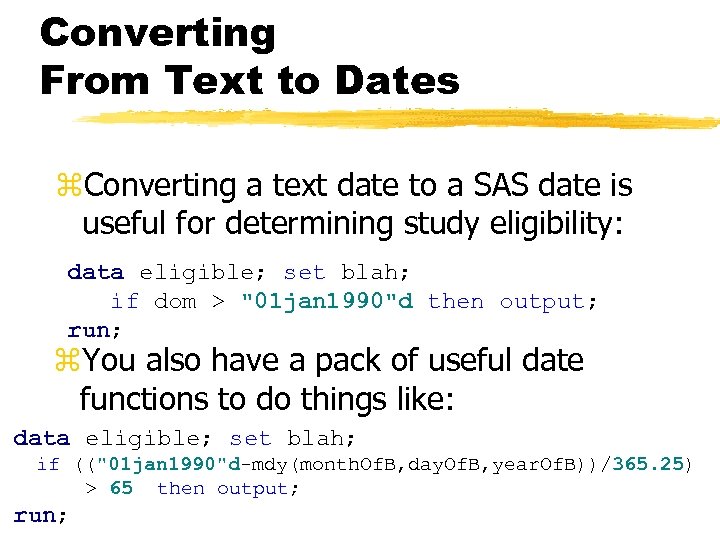 Converting From Text to Dates z. Converting a text date to a SAS date is useful for determining study eligibility: data eligible; set blah; if dom > "01 jan 1990"d then output; run; z. You also have a pack of useful date functions to do things like: data eligible; set blah; if (("01 jan 1990"d-mdy(month. Of. B, day. Of. B, year. Of. B))/365. 25) > 65 then output; run;
 Before Next Time z. Cody & Smith – Read the rest of Chapter 2, and all of Chapter 3
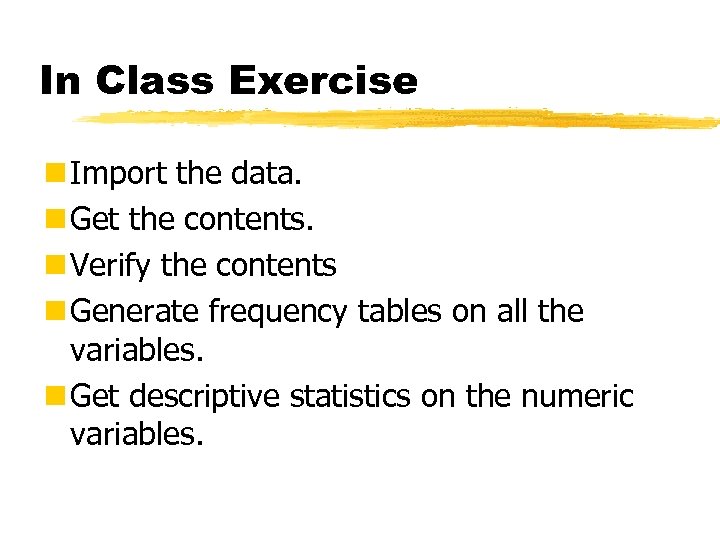 In Class Exercise n Import the data. n Get the contents. n Verify the contents n Generate frequency tables on all the variables. n Get descriptive statistics on the numeric variables.