


 Скачать презентацию HRMS Project Update May 26 2004 HRMS Implementation
6855dbfe64928d9bfafa9358101c981f.ppt
- Количество слайдов: 41
 HRMS Project Update May 26, 2004 HRMS Implementation Project
 Agenda Project Status Update n Planning and Assessment Phase n Current Highlights n Agency Status n Challenges Release Scope Overview n Business Architecture n Self Service Pilot n Interfaces and Reports n Technical Architecture and Access n Conversion and Data Clean-up n Testing Approach The Next 3 Months 2
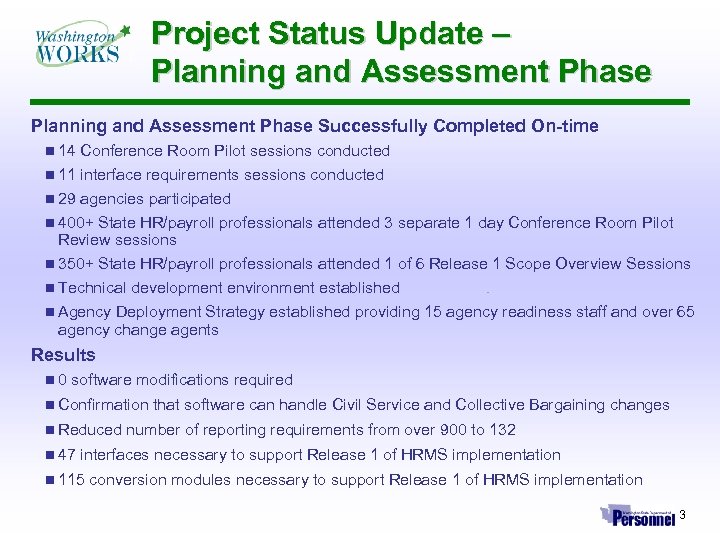 Project Status Update – Planning and Assessment Phase Successfully Completed On-time n 14 Conference Room Pilot sessions conducted n 11 interface requirements sessions conducted n 29 agencies participated n 400+ State HR/payroll professionals attended 3 separate 1 day Conference Room Pilot Review sessions n 350+ State HR/payroll professionals attended 1 of 6 Release 1 Scope Overview Sessions n Technical development environment established n Agency Deployment Strategy established providing 15 agency readiness staff and over 65 agency change agents Results n 0 software modifications required n Confirmation that software can handle Civil Service and Collective Bargaining changes n Reduced number of reporting requirements from over 900 to 132 n 47 interfaces necessary to support Release 1 of HRMS implementation n 115 conversion modules necessary to support Release 1 of HRMS implementation 3
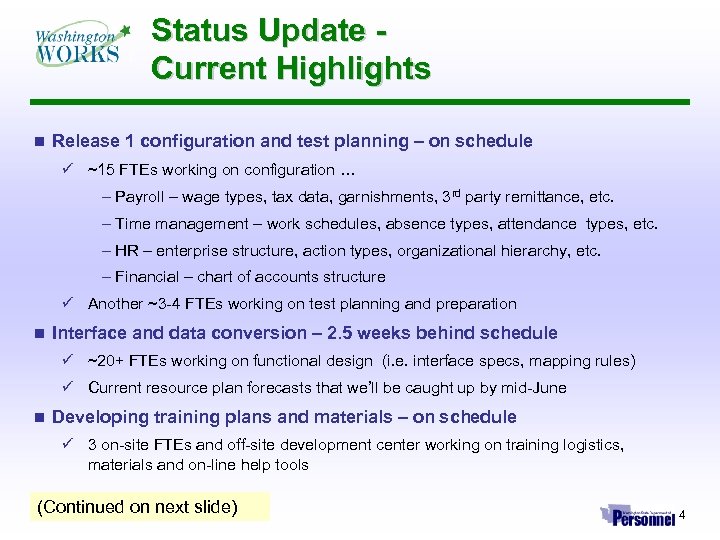 Status Update Current Highlights n Release 1 configuration and test planning – on schedule ü ~15 FTEs working on configuration … – Payroll – wage types, tax data, garnishments, 3 rd party remittance, etc. – Time management – work schedules, absence types, attendance types, etc. – HR – enterprise structure, action types, organizational hierarchy, etc. – Financial – chart of accounts structure ü Another ~3 -4 FTEs working on test planning and preparation n Interface and data conversion – 2. 5 weeks behind schedule ü ~20+ FTEs working on functional design (i. e. interface specs, mapping rules) ü Current resource plan forecasts that we’ll be caught up by mid-June n Developing training plans and materials – on schedule ü 3 on-site FTEs and off-site development center working on training logistics, materials and on-line help tools (Continued on next slide) 4
 Status Update Current Highlights n Business Warehouse – on schedule ü 10+ FTEs working on confirming Release 1 requirements analysis and design üDesign of business warehouse extracts in-process n Technical Architecture – on schedule ü 10+ FTEs working on the production environment design and build-out n Continuing agency outreach efforts – on schedule ü 15+ FTEs providing one-on-one meetings with agencies, helping resolve agency issues, supporting workshops, etc. 5
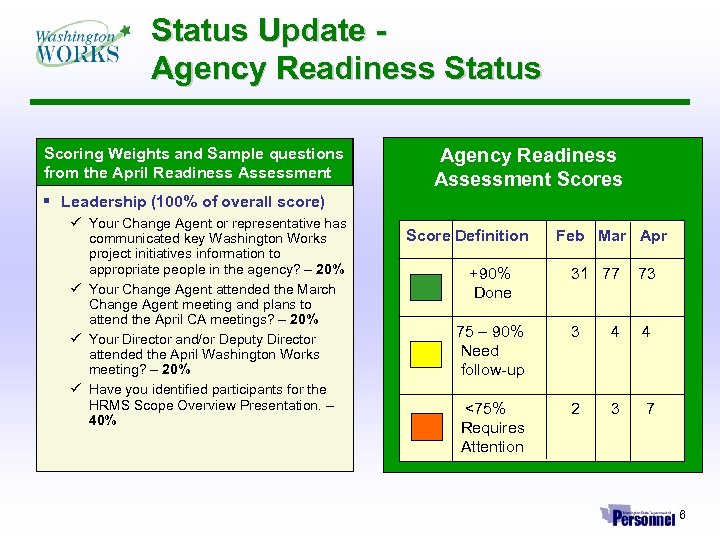 Status Update Agency Readiness Status Scoring Weights and Sample questions from the April Readiness Assessment Agency Readiness Assessment Scores § Leadership (100% of overall score) ü Your Change Agent or representative has communicated key Washington Works project initiatives information to appropriate people in the agency? – 20% ü Your Change Agent attended the March Change Agent meeting and plans to attend the April CA meetings? – 20% ü Your Director and/or Deputy Director attended the April Washington Works meeting? – 20% ü Have you identified participants for the HRMS Scope Overview Presentation. – 40% Score Definition Feb Mar Apr +90% 31 77 73 Done 75 – 90% Need follow-up 3 4 4 <75% Requires Attention 2 3 7 6
 Status Update – Challenges We Are Now Focused On ü Closing the 2. 5 week schedule variance ü Providing ample turn-around time for agencies on interfaces and data clean-up ü Providing access to historical data ü Identifying the number of agency testers and trainers ü Interfacing to DOP’s mainframe applications (DRS, HCA, etc. ) ü Ensuring adequate knowledge transfer ü Planning a self service pilot that ‘tests the waters’ without increasing the project’s risk profile Challenges on the Horizon ü Securing agency help on testing and training ü Helping agencies identify the impact of Release 1 on internal reporting ü Supporting agency data clean-up efforts ü Impact of Release 1 functionality on forms, procedures and workflow ü Getting a jump start on Release 2 without sacrificing the success of Release 1 deployment 7
 Release 1 Business Architecture Key Observations n Minimal Process Change ü Create a flexible foundation for change but retain the fundamentals of personnel and payroll processing ü Increase data capture leading to more accurate data, more effective reporting and more training of end users ü Working with Civil Service Reform team to begin set-up of the first batch of envisioned job classification changes n Agency Collaboration ü We are building agency collaboration into the detailed design and configuration of the system ü Our Agency Design Review Group will provide design review responsibilities during configuration ü While most of the Release 1 configuration is pulled from Pay/1, we have pulled agency specific data through surveys ü System test will represent agencies’ main opportunity to understand/verify how SAP is configured n Areas of Significant Agency Impact ü Time Management – some agencies may need to change their positive time reporting strategies ü Financial Reporting – depending on the SAP chart-of-accounts structure, some agencies’ financial reporting and reconciliation procedures might change 8
 Business Architecture: What You Get in Release 1 Personnel Administration n Each employee will get a single, unique Personnel Number that stays with them forever. n Employee information is entered, tracked, and updated in a series of screens (Infotypes) supporting personnel management (hiring, separation, promotions, etc. ). Payroll n Includes all calculations needed to process payroll: n Identifies gross pay, gross to net, and deduction and benefit processing n Applies state/agency-specific rules to determine wages that can be garnished, pay subject to taxes, and wages subject to retirement deductions n Supports warrant printing and direct deposit processing, vendor payments, and the transfer of funds to the financial system for AFRS reporting n Supports all requirements for federal payroll reporting and will be configured to be compliant with applicable statutes, etc. 1 st of 3 slides 9
 Business Architecture: What You Get in Release 1 Time Management n Processes time reporting the same as PAY 1 n Processes existing payroll and leave feeds n Supports the recording of time events and transfer to the payroll module n Allows hours to be loaded by activity or applied to a specific cost center n CATS online timesheet available as electronic timesheet Benefits Administration n Limited implementation to support benefit deduction interfaces n Integration of payroll deductions to State benefit agencies (Health Care Authority, Department of Retirement Systems) Organizational Management n This functionality was not available in PAY 1. n Provides a more flexible way to set-up reporting and information distribution structures within an organization to meet the needs of small or larger agencies. 2 nd of 3 slides 10
 Business Architecture: What You Get in Release 1 Compensation Administration n Allows agencies to plan and administer compensation adjustments and defines pay scales and salary structures for jobs and positions n Allows HR staff to manage new and more innovative reward strategies, including performance and competency-based pay, variable pay plans, and long-term incentives n Allows for easy comparative analysis of compensation packages using internal and external data Workforce Cost Planning n Allows HR professionals to do all work-force cost-planning tasks online, instead of using manual processes as is done today n Provides HR executives with improved planning accuracy, access to a broad foundation of data, flexible decision support, and continuous monitoring of actual performance relative to plans 3 rd of 3 slides 11
 Self Service What to Expect in Releases 1 -3 n Release 1 – Start Small ü ü ü n Release 2 – Scale Fast ü ü n Limited pilot to introduce inquiry and limited transaction capabilities Controlled environment – designated, manageable user base Minimize disruption to participating agency workflow First major self service capabilities introduced with Release 2 (e. g. e-Recruitment) and integration with DOP’s e. Learning solution Roll-out of Release 1 employee self service capabilities statewide Introduction of Release 1 manager self service capabilities statewide Introduction of some limited automated workflow capabilities Release 3 – Finish Strong ü ü Additional self service capabilities introduced – improvements to CATS time sheet Expansion of Release 1 employee and manager self service capabilities 12
 Self Service The Release 1 Pilot Objectives n Determine ease of implementation üIdentify any special requirements to implement and/or maintain üUnderstand training support required üUnderstand user acceptance/usage patterns n Identify opportunities to add value üWhat capabilities matter most to the end user üWhat does agency demand look like n Understand agency workflow implications üWhat does self service do to agency work flow üHow does self service affect DOP’s service delivery Timing - 1 month after ‘Go Live’ n Allow participating agencies to become familiar with HRMS before self service goes live 1 st of 2 slides 13
 Self Service The Release 1 Pilot Scope - Employee Self Service Only n View only recommendations üLeave Balances üPaycheck data (comparable to pay stub) üPossibly others n Update recommendations üHome Address üWork Phone Who Will Participate n Limited number of agencies that demonstrate üStrong desire to participate üTechnical infrastructure in-place üHistory of using self service in other applications üAbility to provide the resources to help support roll-out and training üA controllable environment n 8 agencies have expressed interest 2 nd of 2 slides 14
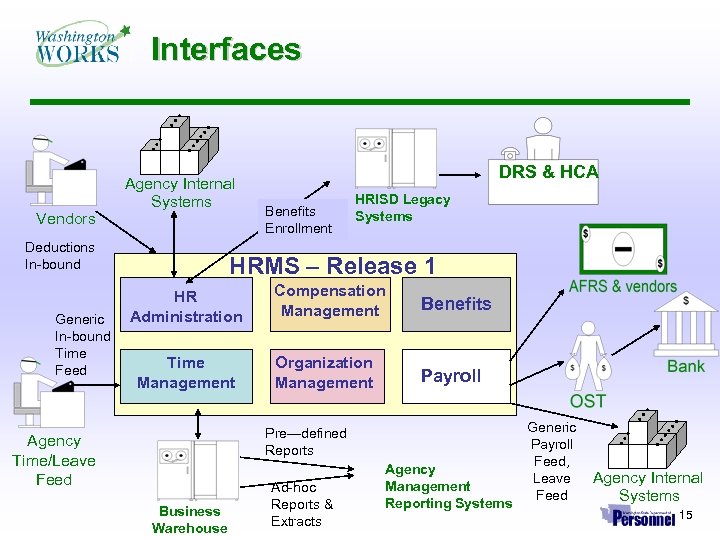 Interfaces Vendors Agency Internal Systems Deductions In-bound Generic In-bound Time Feed DRS & HCA Benefits Enrollment HRISD Legacy Systems HRMS – Release 1 HR Administration Time Management Compensation Management Benefits Organization Management Payroll Pre—defined Reports Agency Time/Leave Feed Business Warehouse Ad-hoc Reports & Extracts Agency Management Reporting Systems Generic Payroll Feed, Leave Agency Internal Feed Systems 15
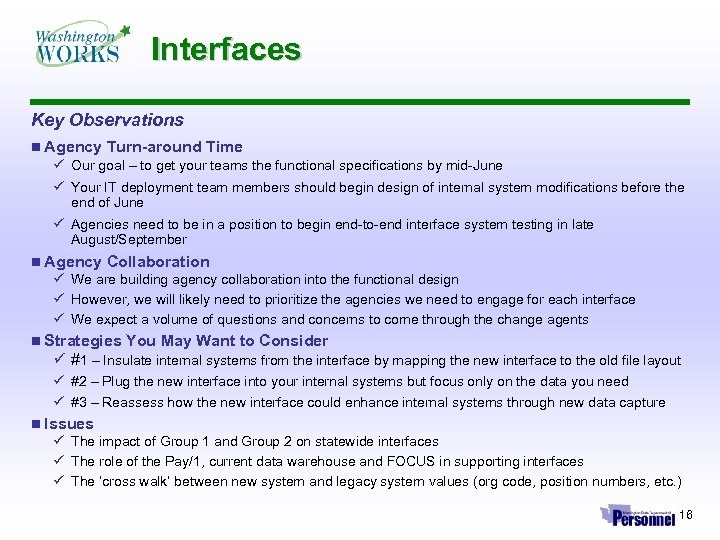 Interfaces Key Observations n Agency Turn-around Time ü Our goal – to get your teams the functional specifications by mid-June ü Your IT deployment team members should begin design of internal system modifications before the end of June ü Agencies need to be in a position to begin end-to-end interface system testing in late August/September n Agency Collaboration ü We are building agency collaboration into the functional design ü However, we will likely need to prioritize the agencies we need to engage for each interface ü We expect a volume of questions and concerns to come through the change agents n Strategies You May Want to Consider ü #1 – Insulate internal systems from the interface by mapping the new interface to the old file layout ü #2 – Plug the new interface into your internal systems but focus only on the data you need ü #3 – Reassess how the new interface could enhance internal systems through new data capture n Issues ü The impact of Group 1 and Group 2 on statewide interfaces ü The role of the Pay/1, current data warehouse and FOCUS in supporting interfaces ü The ‘cross walk’ between new system and legacy system values (org code, position numbers, etc. ) 16
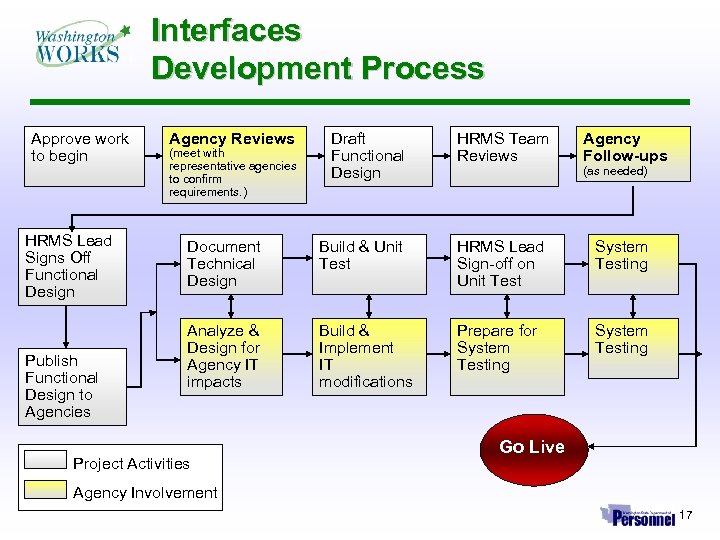 Interfaces Development Process Approve work to begin HRMS Lead Signs Off Functional Design Publish Functional Design to Agencies Agency Reviews (meet with representative agencies to confirm requirements. ) Draft Functional Design HRMS Team Reviews Agency Follow-ups (as needed) Document Technical Design Build & Unit Test HRMS Lead Sign-off on Unit Test System Testing Analyze & Design for Agency IT impacts Build & Implement IT modifications Prepare for System Testing Project Activities Go Live Agency Involvement 17
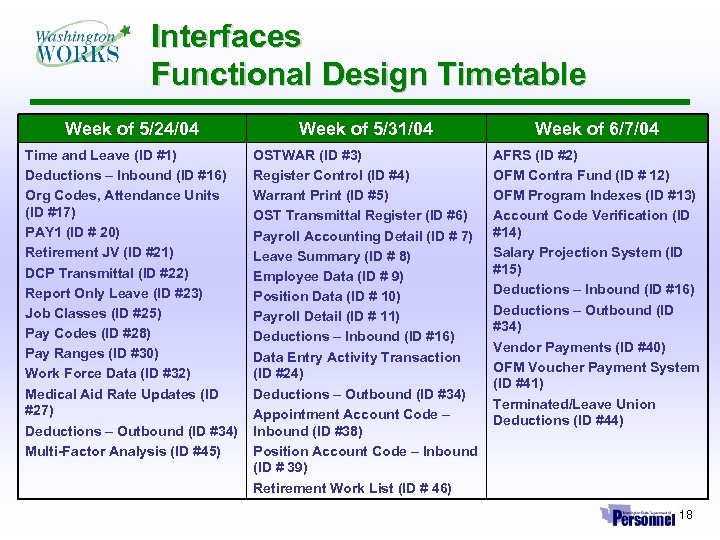 Interfaces Functional Design Timetable Week of 5/24/04 Week of 5/31/04 Week of 6/7/04 Time and Leave (ID #1) Deductions – Inbound (ID #16) Org Codes, Attendance Units (ID #17) PAY 1 (ID # 20) Retirement JV (ID #21) DCP Transmittal (ID #22) Report Only Leave (ID #23) Job Classes (ID #25) Pay Codes (ID #28) Pay Ranges (ID #30) Work Force Data (ID #32) Medical Aid Rate Updates (ID #27) Deductions – Outbound (ID #34) Multi-Factor Analysis (ID #45) OSTWAR (ID #3) Register Control (ID #4) Warrant Print (ID #5) OST Transmittal Register (ID #6) Payroll Accounting Detail (ID # 7) Leave Summary (ID # 8) Employee Data (ID # 9) Position Data (ID # 10) Payroll Detail (ID # 11) Deductions – Inbound (ID #16) Data Entry Activity Transaction (ID #24) Deductions – Outbound (ID #34) Appointment Account Code – Inbound (ID #38) Position Account Code – Inbound (ID # 39) Retirement Work List (ID # 46) AFRS (ID #2) OFM Contra Fund (ID # 12) OFM Program Indexes (ID #13) Account Code Verification (ID #14) Salary Projection System (ID #15) Deductions – Inbound (ID #16) Deductions – Outbound (ID #34) Vendor Payments (ID #40) OFM Voucher Payment System (ID #41) Terminated/Leave Union Deductions (ID #44) 18
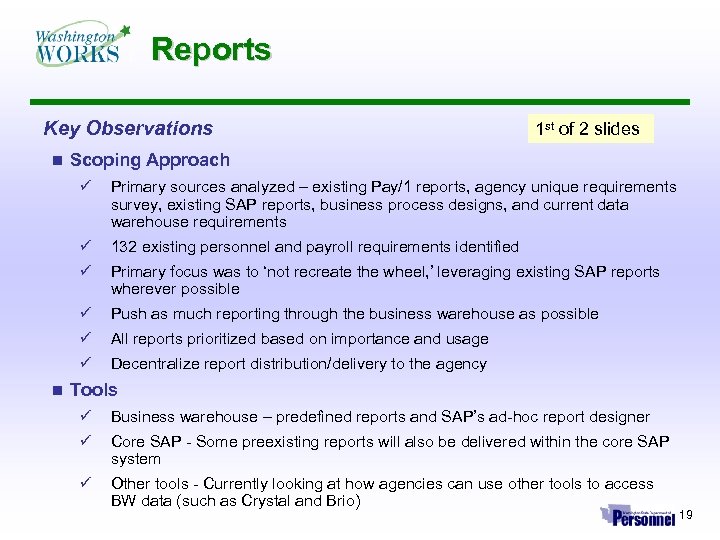 Reports Key Observations n 1 st of 2 slides Scoping Approach ü ü 132 existing personnel and payroll requirements identified ü Primary focus was to ‘not recreate the wheel, ’ leveraging existing SAP reports wherever possible ü Push as much reporting through the business warehouse as possible ü All reports prioritized based on importance and usage ü n Primary sources analyzed – existing Pay/1 reports, agency unique requirements survey, existing SAP reports, business process designs, and current data warehouse requirements Decentralize report distribution/delivery to the agency Tools ü Business warehouse – predefined reports and SAP’s ad-hoc report designer ü Core SAP - Some preexisting reports will also be delivered within the core SAP system ü Other tools - Currently looking at how agencies can use other tools to access BW data (such as Crystal and Brio) 19
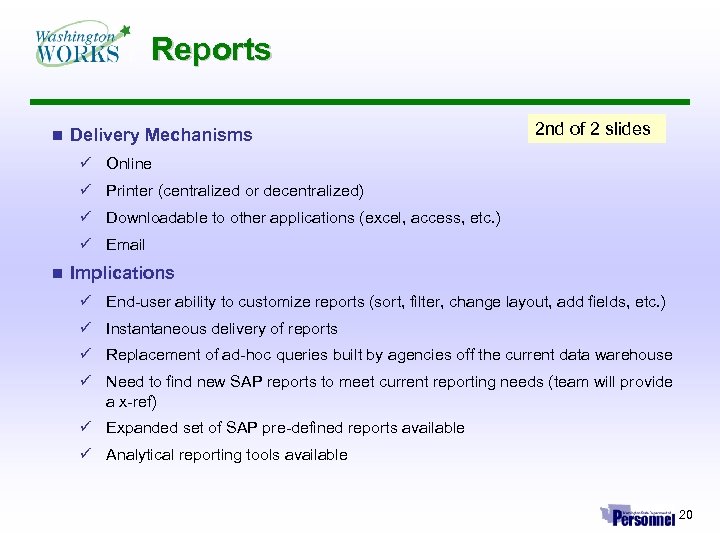 Reports n Delivery Mechanisms 2 nd of 2 slides ü Online ü Printer (centralized or decentralized) ü Downloadable to other applications (excel, access, etc. ) ü Email n Implications ü End-user ability to customize reports (sort, filter, change layout, add fields, etc. ) ü Instantaneous delivery of reports ü Replacement of ad-hoc queries built by agencies off the current data warehouse ü Need to find new SAP reports to meet current reporting needs (team will provide a x-ref) ü Expanded set of SAP pre-defined reports available ü Analytical reporting tools available 20
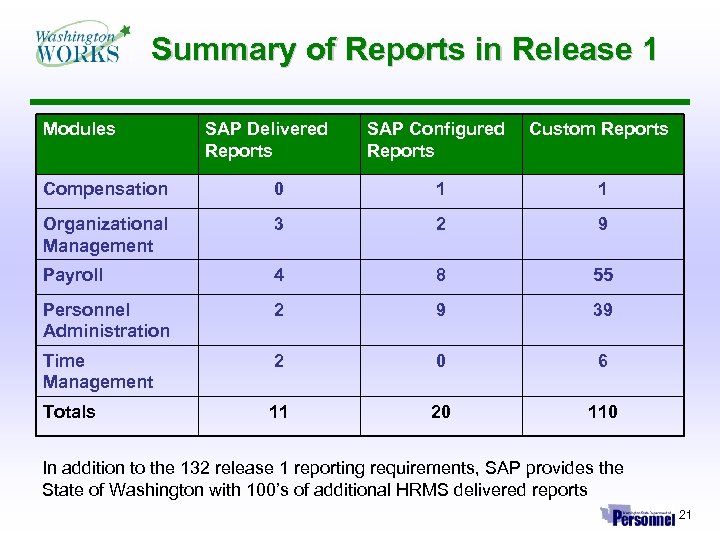 Summary of Reports in Release 1 Modules SAP Delivered Reports SAP Configured Reports Custom Reports Compensation 0 1 1 Organizational Management 3 2 9 Payroll 4 8 55 Personnel Administration 2 9 39 Time Management 2 0 6 Totals 11 20 110 In addition to the 132 release 1 reporting requirements, SAP provides the State of Washington with 100’s of additional HRMS delivered reports 21
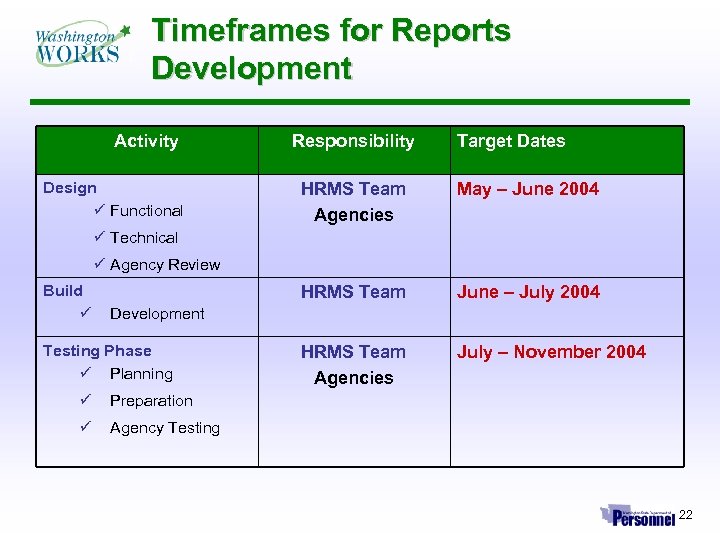 Timeframes for Reports Development Activity Design ü Functional Responsibility Target Dates HRMS Team Agencies May – June 2004 HRMS Team June – July 2004 HRMS Team Agencies July – November 2004 ü Technical ü Agency Review Build ü Development Testing Phase ü Planning ü Preparation ü Agency Testing 22
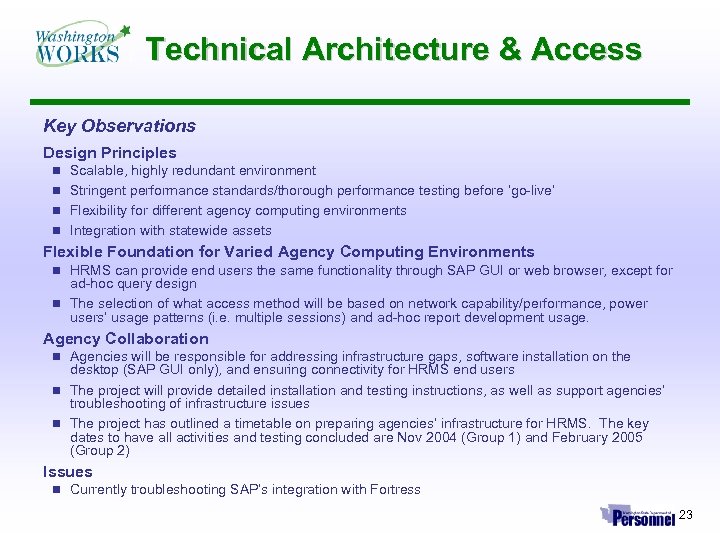 Technical Architecture & Access Key Observations Design Principles n Scalable, highly redundant environment n Stringent performance standards/thorough performance testing before ‘go-live’ n Flexibility for different agency computing environments n Integration with statewide assets Flexible Foundation for Varied Agency Computing Environments n HRMS can provide end users the same functionality through SAP GUI or web browser, except for ad-hoc query design n The selection of what access method will be based on network capability/performance, power users’ usage patterns (i. e. multiple sessions) and ad-hoc report development usage. Agency Collaboration n Agencies will be responsible for addressing infrastructure gaps, software installation on the desktop (SAP GUI only), and ensuring connectivity for HRMS end users n The project will provide detailed installation and testing instructions, as well as support agencies’ troubleshooting of infrastructure issues n The project has outlined a timetable on preparing agencies’ infrastructure for HRMS. The key dates to have all activities and testing concluded are Nov 2004 (Group 1) and February 2005 (Group 2) Issues n Currently troubleshooting SAP’s integration with Fortress 23
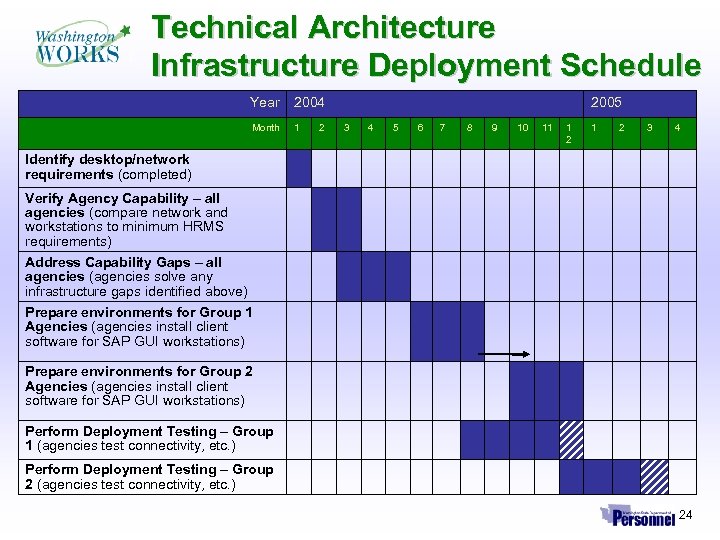 Technical Architecture Infrastructure Deployment Schedule Year 2004 Month 1 2 2005 3 4 5 6 7 8 9 10 11 1 2 3 4 Identify desktop/network requirements (completed) Verify Agency Capability – all agencies (compare network and workstations to minimum HRMS requirements) Address Capability Gaps – all agencies (agencies solve any infrastructure gaps identified above) Prepare environments for Group 1 Agencies (agencies install client software for SAP GUI workstations) Prepare environments for Group 2 Agencies (agencies install client software for SAP GUI workstations) Perform Deployment Testing – Group 1 (agencies test connectivity, etc. ) Perform Deployment Testing – Group 2 (agencies test connectivity, etc. ) 24
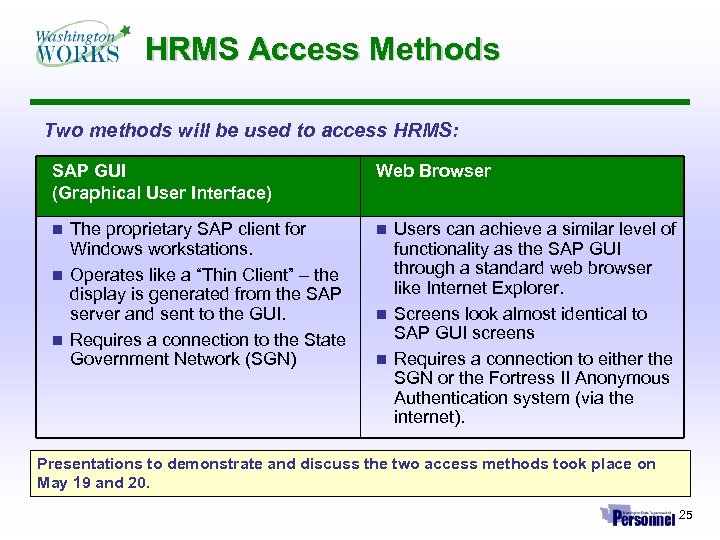 HRMS Access Methods Two methods will be used to access HRMS: SAP GUI (Graphical User Interface) Web Browser The proprietary SAP client for Windows workstations. n Operates like a “Thin Client” – the display is generated from the SAP server and sent to the GUI. n Requires a connection to the State Government Network (SGN) n n Users can achieve a similar level of functionality as the SAP GUI through a standard web browser like Internet Explorer. n Screens look almost identical to SAP GUI screens n Requires a connection to either the SGN or the Fortress II Anonymous Authentication system (via the internet). Presentations to demonstrate and discuss the two access methods took place on May 19 and 20. 25
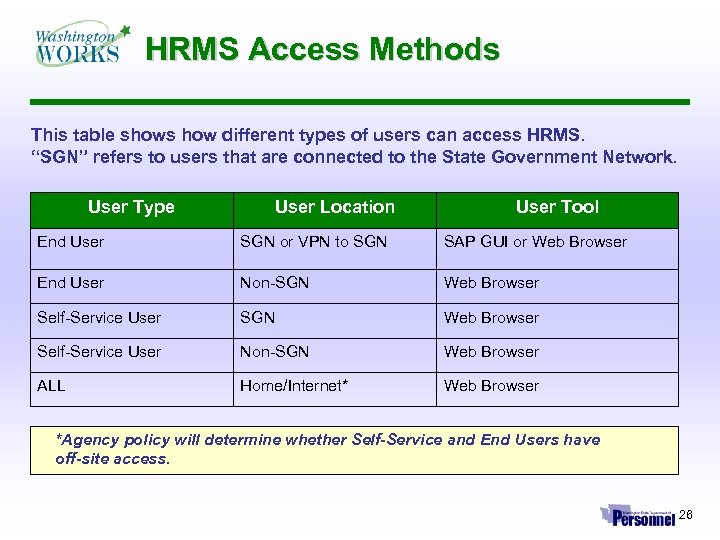 HRMS Access Methods This table shows how different types of users can access HRMS. “SGN” refers to users that are connected to the State Government Network. User Type User Location User Tool End User SGN or VPN to SGN SAP GUI or Web Browser End User Non-SGN Web Browser Self-Service User Non-SGN Web Browser ALL Home/Internet* Web Browser *Agency policy will determine whether Self-Service and End Users have off-site access. 26
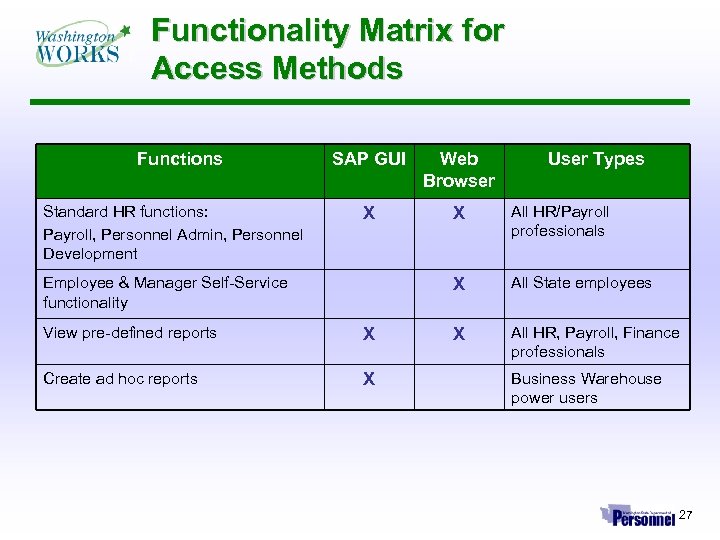 Functionality Matrix for Access Methods Functions SAP GUI Web Browser Standard HR functions: Payroll, Personnel Admin, Personnel Development X X All HR/Payroll professionals X All State employees X All HR, Payroll, Finance professionals Employee & Manager Self-Service functionality View pre-defined reports X Create ad hoc reports X User Types Business Warehouse power users 27
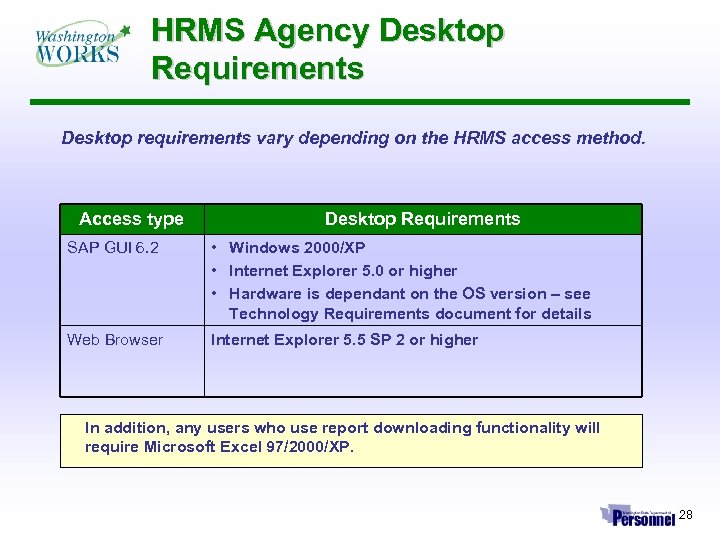 HRMS Agency Desktop Requirements Desktop requirements vary depending on the HRMS access method. Access type Desktop Requirements SAP GUI 6. 2 • Windows 2000/XP • Internet Explorer 5. 0 or higher • Hardware is dependant on the OS version – see Technology Requirements document for details Web Browser Internet Explorer 5. 5 SP 2 or higher In addition, any users who use report downloading functionality will require Microsoft Excel 97/2000/XP. 28
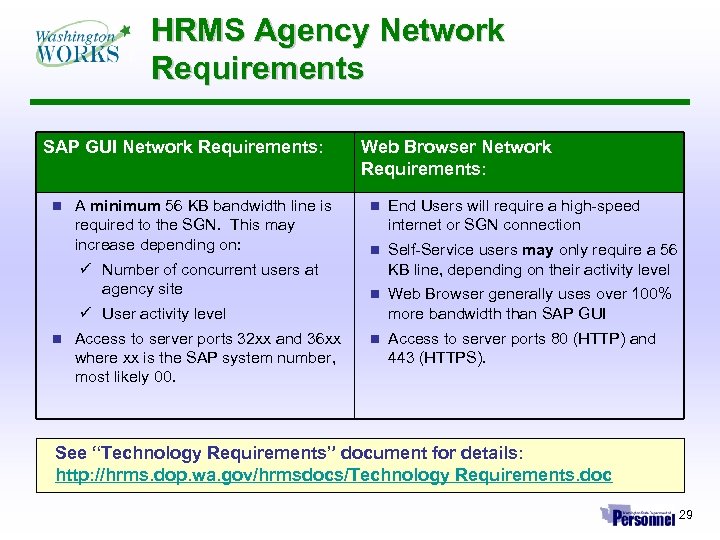 HRMS Agency Network Requirements SAP GUI Network Requirements: n A minimum 56 KB bandwidth line is required to the SGN. This may increase depending on: ü Number of concurrent users at agency site Web Browser Network Requirements: n End Users will require a high-speed internet or SGN connection n Self-Service users may only require a 56 KB line, depending on their activity level n Web Browser generally uses over 100% more bandwidth than SAP GUI n Access to server ports 80 (HTTP) and 443 (HTTPS). ü User activity level n Access to server ports 32 xx and 36 xx where xx is the SAP system number, most likely 00. See “Technology Requirements” document for details: http: //hrms. dop. wa. gov/hrmsdocs/Technology Requirements. doc 29
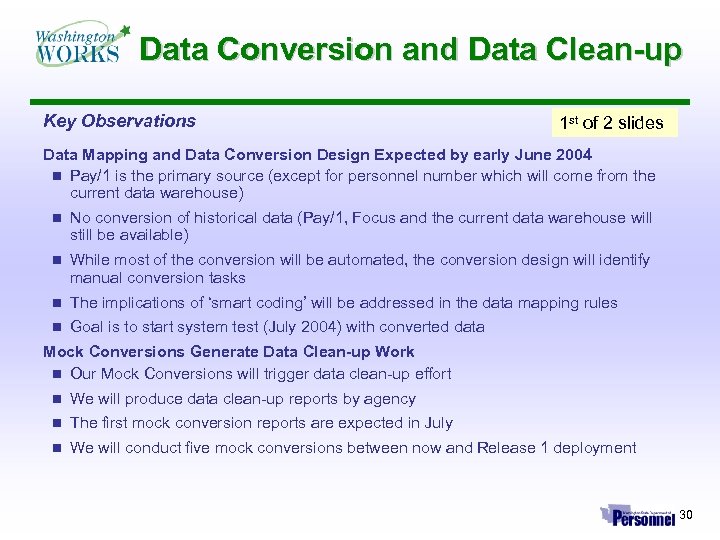 Data Conversion and Data Clean-up Key Observations 1 st of 2 slides Data Mapping and Data Conversion Design Expected by early June 2004 n Pay/1 is the primary source (except for personnel number which will come from the current data warehouse) n No conversion of historical data (Pay/1, Focus and the current data warehouse will still be available) n While most of the conversion will be automated, the conversion design will identify manual conversion tasks n The implications of ‘smart coding’ will be addressed in the data mapping rules n Goal is to start system test (July 2004) with converted data Mock Conversions Generate Data Clean-up Work n Our Mock Conversions will trigger data clean-up effort n We will produce data clean-up reports by agency n The first mock conversion reports are expected in July n We will conduct five mock conversions between now and Release 1 deployment 30
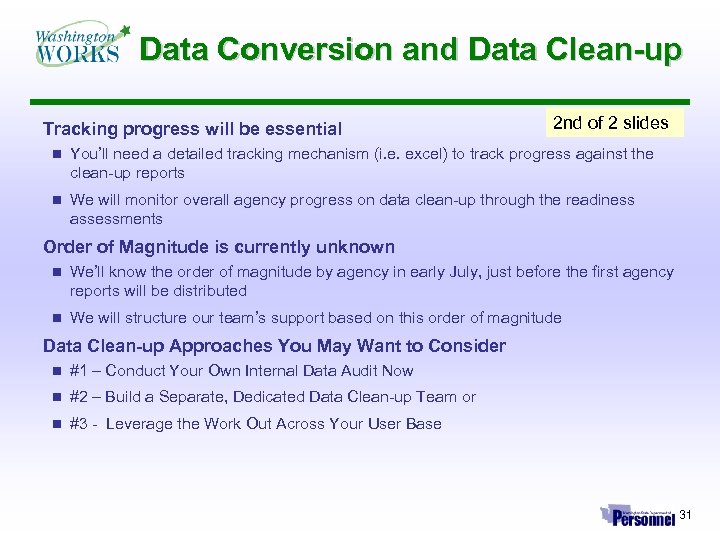 Data Conversion and Data Clean-up Tracking progress will be essential 2 nd of 2 slides n You’ll need a detailed tracking mechanism (i. e. excel) to track progress against the clean-up reports n We will monitor overall agency progress on data clean-up through the readiness assessments Order of Magnitude is currently unknown n We’ll know the order of magnitude by agency in early July, just before the first agency reports will be distributed n We will structure our team’s support based on this order of magnitude Data Clean-up Approaches You May Want to Consider n #1 – Conduct Your Own Internal Data Audit Now n #2 – Build a Separate, Dedicated Data Clean-up Team or n #3 - Leverage the Work Out Across Your User Base 31
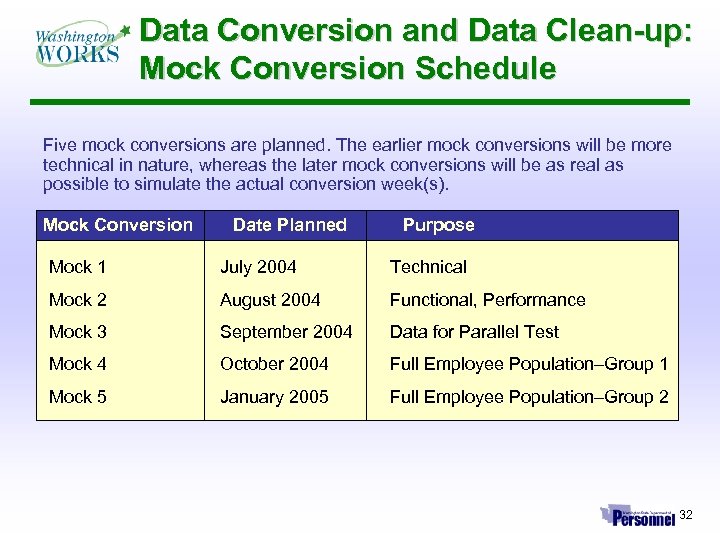 Data Conversion and Data Clean-up: Mock Conversion Schedule Five mock conversions are planned. The earlier mock conversions will be more technical in nature, whereas the later mock conversions will be as real as possible to simulate the actual conversion week(s). Mock Conversion Date Planned Purpose Mock 1 July 2004 Technical Mock 2 August 2004 Functional, Performance Mock 3 September 2004 Data for Parallel Test Mock 4 October 2004 Full Employee Population–Group 1 Mock 5 January 2005 Full Employee Population–Group 2 32
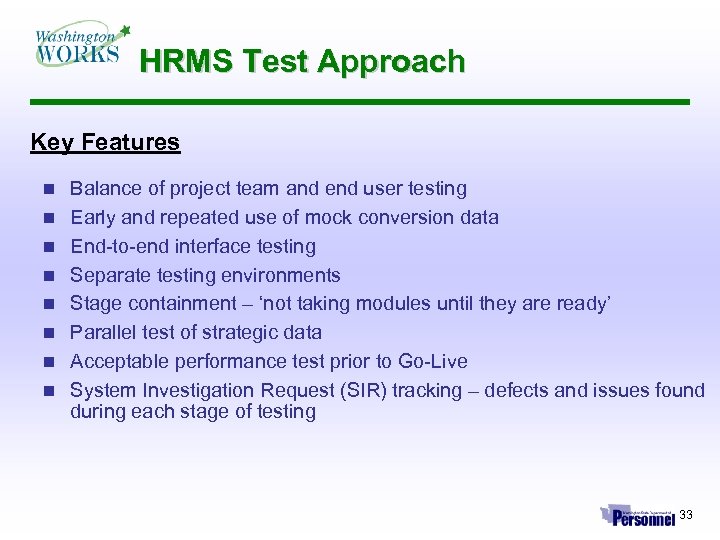 HRMS Test Approach Key Features n n n n Balance of project team and end user testing Early and repeated use of mock conversion data End-to-end interface testing Separate testing environments Stage containment – ‘not taking modules until they are ready’ Parallel test of strategic data Acceptable performance test prior to Go-Live System Investigation Request (SIR) tracking – defects and issues found during each stage of testing 33
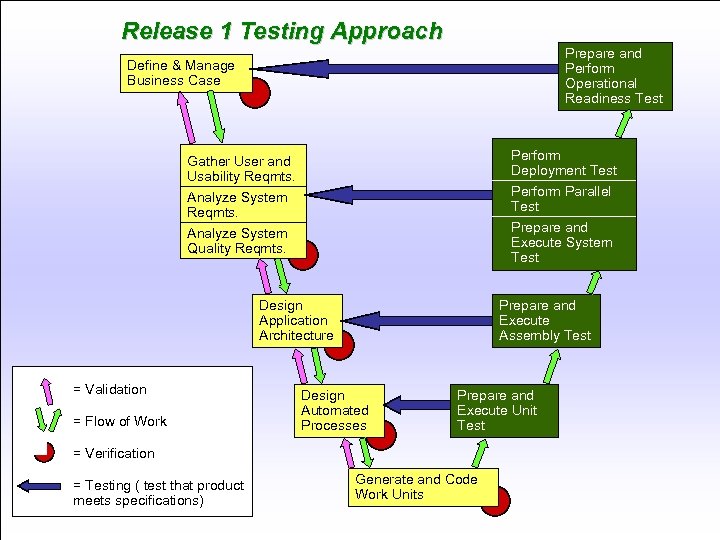 Release 1 Testing Approach Prepare and Perform Operational Readiness Test Define & Manage Business Case Perform Deployment Test Perform Parallel Test Prepare and Execute System Test Gather User and Usability Reqmts. Analyze System Quality Reqmts. Design Application Architecture = Validation = Flow of Work Prepare and Execute Assembly Test Design Automated Processes Prepare and Execute Unit Test = Verification = Testing ( test that product meets specifications) Generate and Code Work Units 34
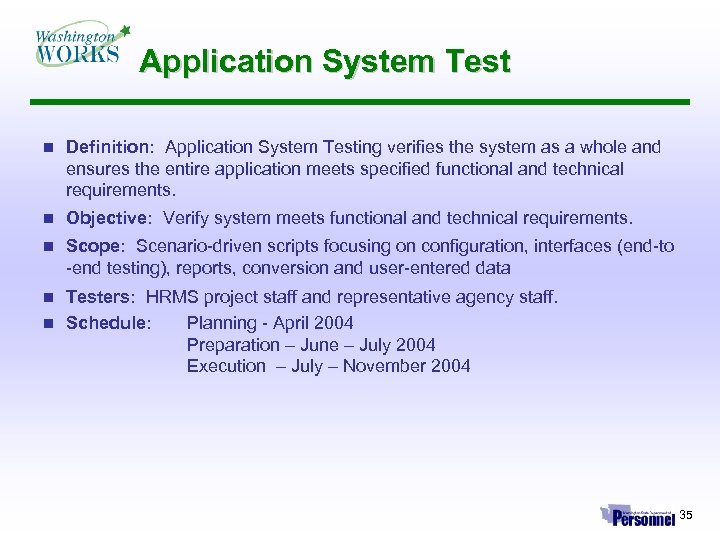 Application System Test n Definition: Application System Testing verifies the system as a whole and ensures the entire application meets specified functional and technical requirements. n Objective: Verify system meets functional and technical requirements. n Scope: Scenario-driven scripts focusing on configuration, interfaces (end-to -end testing), reports, conversion and user-entered data Testers: HRMS project staff and representative agency staff. n Schedule: Planning - April 2004 Preparation – June – July 2004 Execution – July – November 2004 n 35
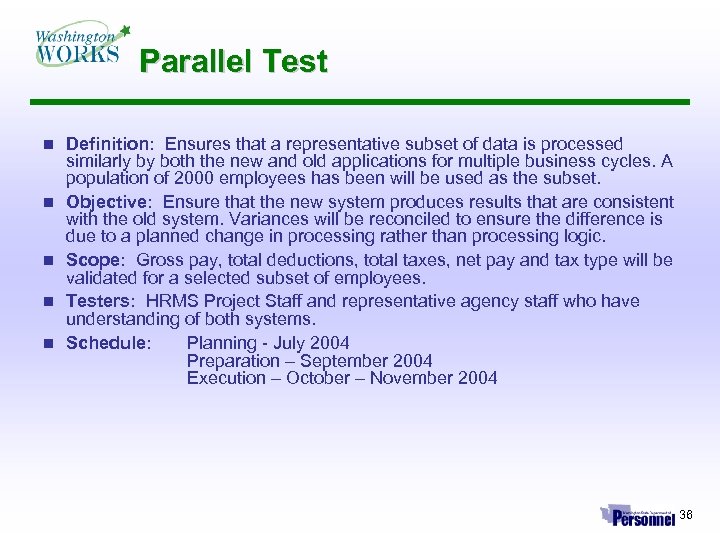 Parallel Test n n n Definition: Ensures that a representative subset of data is processed similarly by both the new and old applications for multiple business cycles. A population of 2000 employees has been will be used as the subset. Objective: Ensure that the new system produces results that are consistent with the old system. Variances will be reconciled to ensure the difference is due to a planned change in processing rather than processing logic. Scope: Gross pay, total deductions, total taxes, net pay and tax type will be validated for a selected subset of employees. Testers: HRMS Project Staff and representative agency staff who have understanding of both systems. Schedule: Planning - July 2004 Preparation – September 2004 Execution – October – November 2004 36
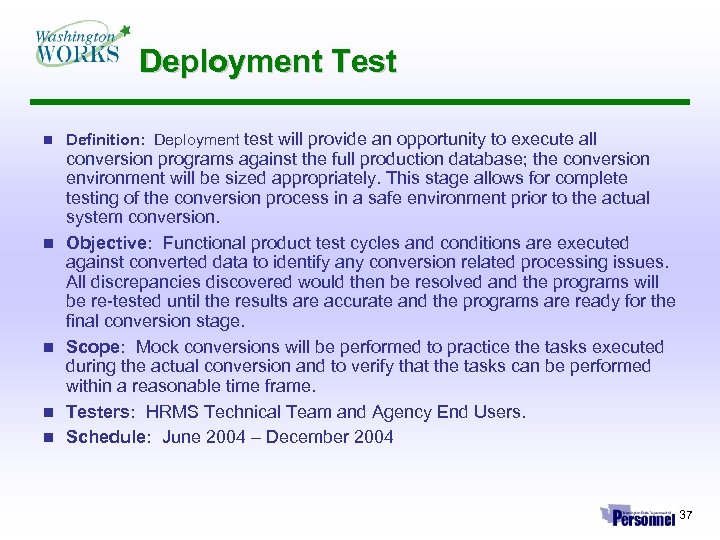 Deployment Test n n n Definition: Deployment test will provide an opportunity to execute all conversion programs against the full production database; the conversion environment will be sized appropriately. This stage allows for complete testing of the conversion process in a safe environment prior to the actual system conversion. Objective: Functional product test cycles and conditions are executed against converted data to identify any conversion related processing issues. All discrepancies discovered would then be resolved and the programs will be re-tested until the results are accurate and the programs are ready for the final conversion stage. Scope: Mock conversions will be performed to practice the tasks executed during the actual conversion and to verify that the tasks can be performed within a reasonable time frame. Testers: HRMS Technical Team and Agency End Users. Schedule: June 2004 – December 2004 37
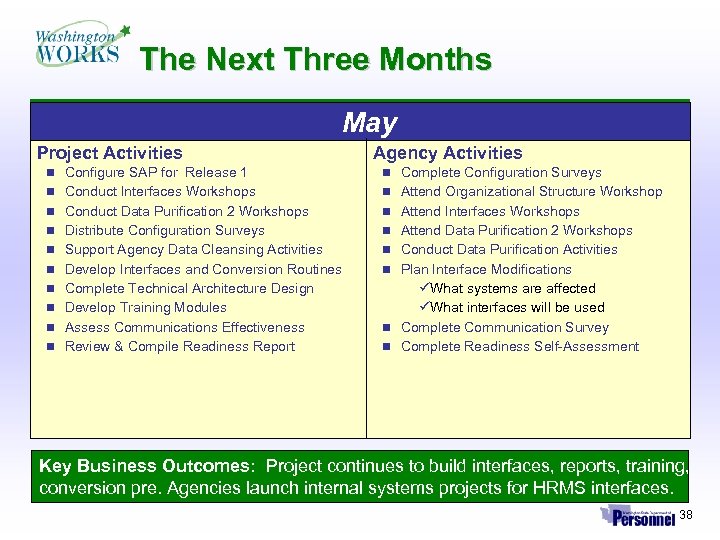 The Next Three Months May Project Activities Agency Activities n Configure SAP for Release 1 n Complete Configuration Surveys n Conduct Interfaces Workshops n Attend Organizational Structure Workshop n Conduct Data Purification 2 Workshops n Attend Interfaces Workshops n Distribute Configuration Surveys n Attend Data Purification 2 Workshops n Support Agency Data Cleansing Activities n Conduct Data Purification Activities n Develop Interfaces and Conversion Routines n Plan Interface Modifications n Complete Technical Architecture Design üWhat systems are affected üWhat interfaces will be used n Complete Communication Survey n Complete Readiness Self-Assessment n Develop Training Modules n Assess Communications Effectiveness n Review & Compile Readiness Report Key Business Outcomes: Project continues to build interfaces, reports, training, conversion pre. Agencies launch internal systems projects for HRMS interfaces. 38
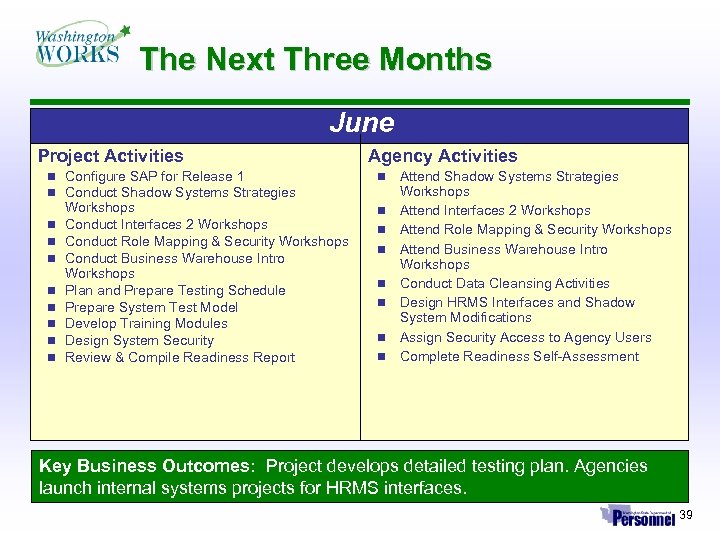 The Next Three Months June Project Activities n Configure SAP for Release 1 n Conduct Shadow Systems Strategies n n n n Workshops Conduct Interfaces 2 Workshops Conduct Role Mapping & Security Workshops Conduct Business Warehouse Intro Workshops Plan and Prepare Testing Schedule Prepare System Test Model Develop Training Modules Design System Security Review & Compile Readiness Report Agency Activities n n n n Attend Shadow Systems Strategies Workshops Attend Interfaces 2 Workshops Attend Role Mapping & Security Workshops Attend Business Warehouse Intro Workshops Conduct Data Cleansing Activities Design HRMS Interfaces and Shadow System Modifications Assign Security Access to Agency Users Complete Readiness Self-Assessment Key Business Outcomes: Project develops detailed testing plan. Agencies launch internal systems projects for HRMS interfaces. 39
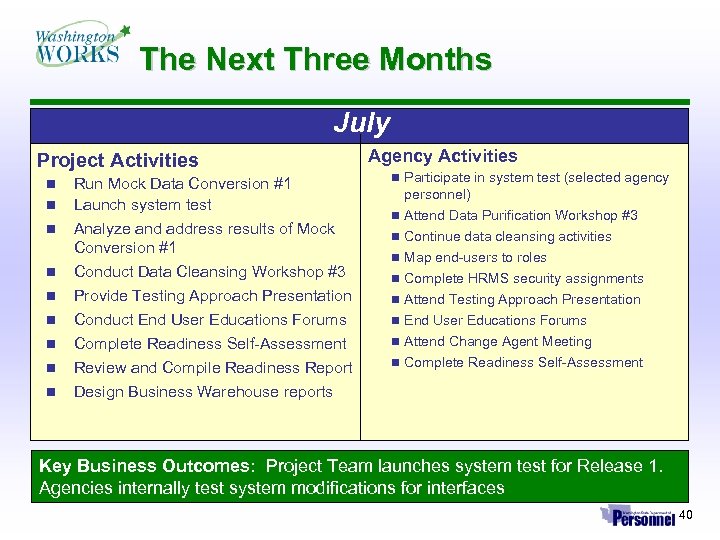 The Next Three Months July Project Activities n n n n n Run Mock Data Conversion #1 Launch system test Analyze and address results of Mock Conversion #1 Conduct Data Cleansing Workshop #3 Provide Testing Approach Presentation Conduct End User Educations Forums Complete Readiness Self-Assessment Review and Compile Readiness Report Design Business Warehouse reports Agency Activities n Participate in system test (selected agency n n n n personnel) Attend Data Purification Workshop #3 Continue data cleansing activities Map end-users to roles Complete HRMS security assignments Attend Testing Approach Presentation End User Educations Forums Attend Change Agent Meeting Complete Readiness Self-Assessment Key Business Outcomes: Project Team launches system test for Release 1. Agencies internally test system modifications for interfaces 40
 Questions? ? ? ? Keep up-to-date on HRMS activities, technical requirements, and agency information releases. http: //hrms. dop. wa. gov 41