 Скачать презентацию HP Data Management Campaign Sales Training Presented by
ccb4b39fe46c0b790e2663568f451c3f.ppt
- Количество слайдов: 46



HP Data Management Campaign Sales Training Presented by Micro. Age November 3 rd, 2008
Agenda Data Management – Backup & De-duplication Michael Dandrea, Storage Sales Specialist Hewlett-Packard (Canada) National Marketing Campaign Brett Beranek, Marketing Manager, Hartco Maria Fiore, Business Development Manager, Hartco Mia Brathwaite, HP Sales Specialist, Hartco © 2006 Micro. Age
HP Storage. Works D 2 D 2500 Backup Systems
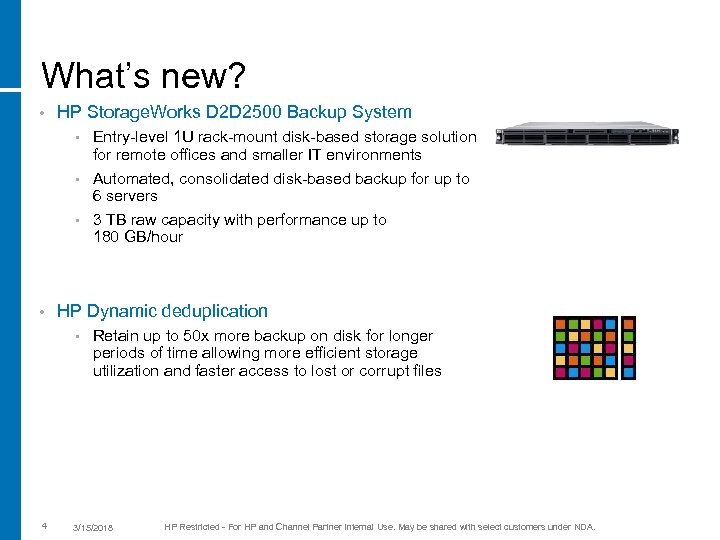
What’s new? • HP Storage. Works D 2 D 2500 Backup System • Entry-level 1 U rack-mount disk-based storage solution for remote offices and smaller IT environments Automated, consolidated disk-based backup for up to 6 servers • 3 TB raw capacity with performance up to 180 GB/hour • • HP Dynamic deduplication • 4 Retain up to 50 x more backup on disk for longer periods of time allowing more efficient storage utilization and faster access to lost or corrupt files 3/15/2018 HP Restricted - For HP and Channel Partner Internal Use. May be shared with select customers under NDA.
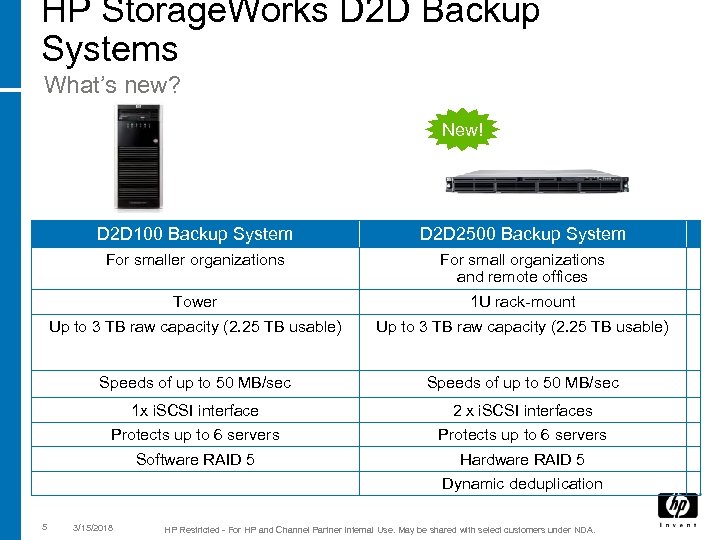
HP Storage. Works D 2 D Backup Systems What’s new? New! D 2 D 100 Backup System D 2 D 2500 Backup System For smaller organizations For small organizations and remote offices Tower 1 U rack-mount Up to 3 TB raw capacity (2. 25 TB usable) Speeds of up to 50 MB/sec 1 x i. SCSI interface 2 x i. SCSI interfaces Protects up to 6 servers Software RAID 5 Hardware RAID 5 Dynamic deduplication 5 3/15/2018 HP Restricted - For HP and Channel Partner Internal Use. May be shared with select customers under NDA.
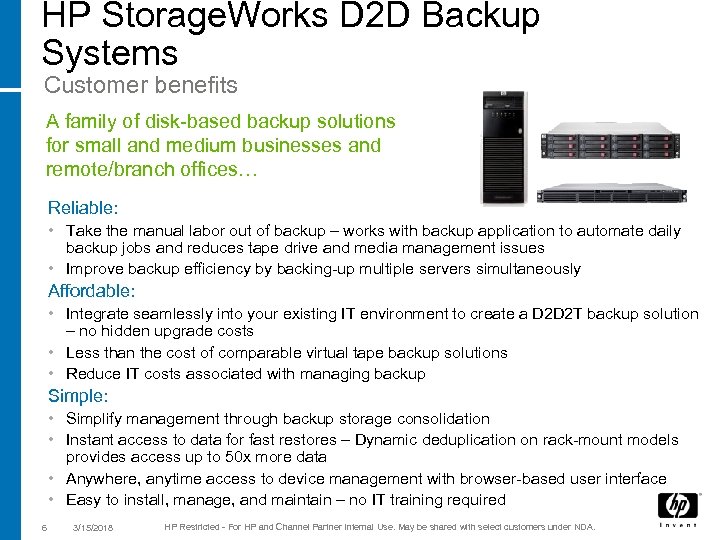
HP Storage. Works D 2 D Backup Systems Customer benefits A family of disk-based backup solutions for small and medium businesses and remote/branch offices… Reliable: • Take the manual labor out of backup – works with backup application to automate daily backup jobs and reduces tape drive and media management issues • Improve backup efficiency by backing-up multiple servers simultaneously Affordable: • Integrate seamlessly into your existing IT environment to create a D 2 D 2 T backup solution – no hidden upgrade costs • Less than the cost of comparable virtual tape backup solutions • Reduce IT costs associated with managing backup Simple: • Simplify management through backup storage consolidation • Instant access to data for fast restores – Dynamic deduplication on rack-mount models provides access up to 50 x more data • Anywhere, anytime access to device management with browser-based user interface • Easy to install, manage, and maintain – no IT training required 6 3/15/2018 HP Restricted - For HP and Channel Partner Internal Use. May be shared with select customers under NDA.
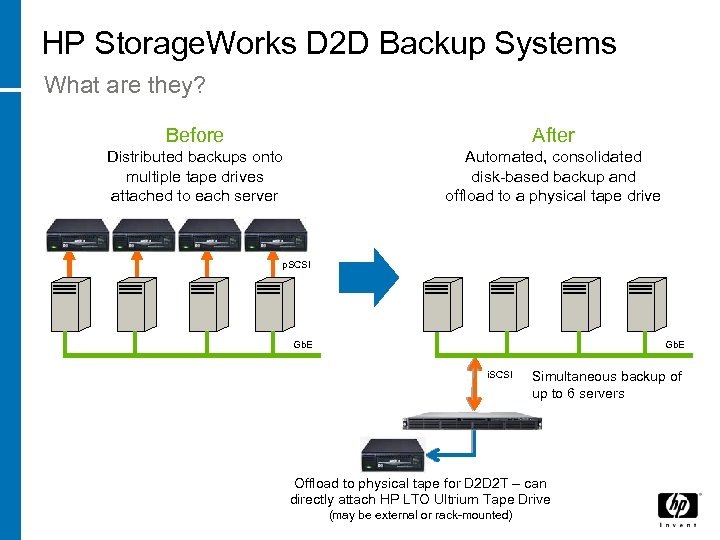
HP Storage. Works D 2 D Backup Systems What are they? Before After Distributed backups onto multiple tape drives attached to each server Automated, consolidated disk-based backup and offload to a physical tape drive p. SCSI Gb. E i. SCSI Simultaneous backup of up to 6 servers Offload to physical tape for D 2 D 2 T – can directly attach HP LTO Ultrium Tape Drive (may be external or rack-mounted)
Dynamic deduplication – retain up to 50 x more backup data on the same disk
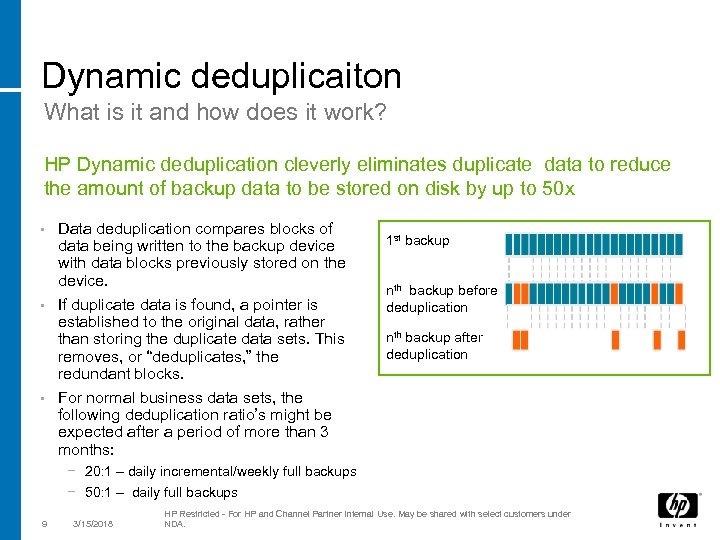
Dynamic deduplicaiton What is it and how does it work? HP Dynamic deduplication cleverly eliminates duplicate data to reduce the amount of backup data to be stored on disk by up to 50 x Data deduplication compares blocks of data being written to the backup device with data blocks previously stored on the device. • If duplicate data is found, a pointer is established to the original data, rather than storing the duplicate data sets. This removes, or “deduplicates, ” the redundant blocks. • For normal business data sets, the following deduplication ratio’s might be expected after a period of more than 3 months: • 1 st backup nth backup before deduplication nth backup after deduplication − 20: 1 – daily incremental/weekly full backups − 50: 1 – daily full backups 9 3/15/2018 HP Restricted - For HP and Channel Partner Internal Use. May be shared with select customers under NDA.
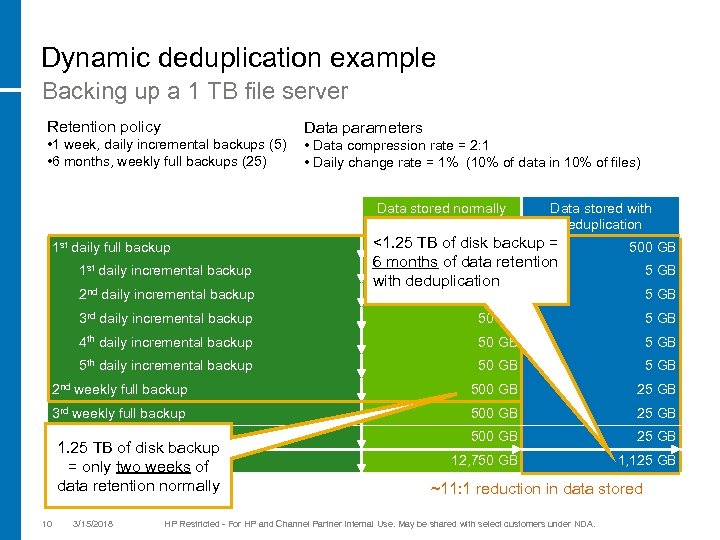
Dynamic deduplication example Backing up a 1 TB file server Retention policy • 1 week, daily incremental backups (5) • 6 months, weekly full backups (25) Data parameters • Data compression rate = 2: 1 • Daily change rate = 1% (10% of data in 10% of files) Data stored normally 1 st daily full backup 1 st daily incremental backup 2 nd daily incremental backup Data stored with deduplication <1. 25 TB of disk backup = 500 GB 6 months of data retention 50 GB with deduplication 500 GB 50 GB 5 GB 3 rd daily incremental backup 50 GB 5 GB 4 th daily incremental backup 50 GB 5 th daily incremental backup 50 GB 5 GB 2 nd weekly full backup 500 GB 25 GB 3 rd weekly full backup 500 GB 25 th weekly full backup 500 GB 25 GB 12, 750 GB 1, 125 GB 1. 25 TB of disk backup TOTAL two weeks of = only data retention normally 10 3/15/2018 ~11: 1 reduction in data stored HP Restricted - For HP and Channel Partner Internal Use. May be shared with select customers under NDA.
Dynamic deduplicaiton What are the benefits? • Retain up to 50 x more backup data on the same disk − Allows longer retention of backup data on disk − Faster data recovery – data is available on disk for longer periods of time enabling fast recovery of lost or corrupt files from multiple backup points for improved service levels − More efficient storage utilization – reduces cost per gigabyte for backup • Deduplication does not increase the capacity of your disk, but it will reduce the capacity of your backup over time * Actual de-duplication ratio’s depend on the type of data and retention period 11 3/15/2018 HP Restricted - For HP and Channel Partner Internal Use. May be shared with select customers under NDA.
Who needs HP Storage. Works D 2 D 2500 Backup Systems?
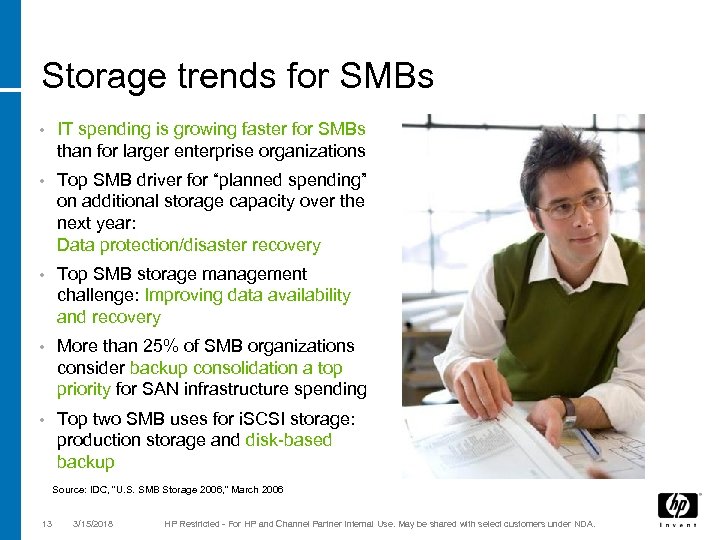
Storage trends for SMBs • IT spending is growing faster for SMBs than for larger enterprise organizations • Top SMB driver for “planned spending” on additional storage capacity over the next year: Data protection/disaster recovery • Top SMB storage management challenge: Improving data availability and recovery • More than 25% of SMB organizations consider backup consolidation a top priority for SAN infrastructure spending • Top two SMB uses for i. SCSI storage: production storage and disk-based backup Source: IDC, “U. S. SMB Storage 2006, ” March 2006 13 3/15/2018 HP Restricted - For HP and Channel Partner Internal Use. May be shared with select customers under NDA.
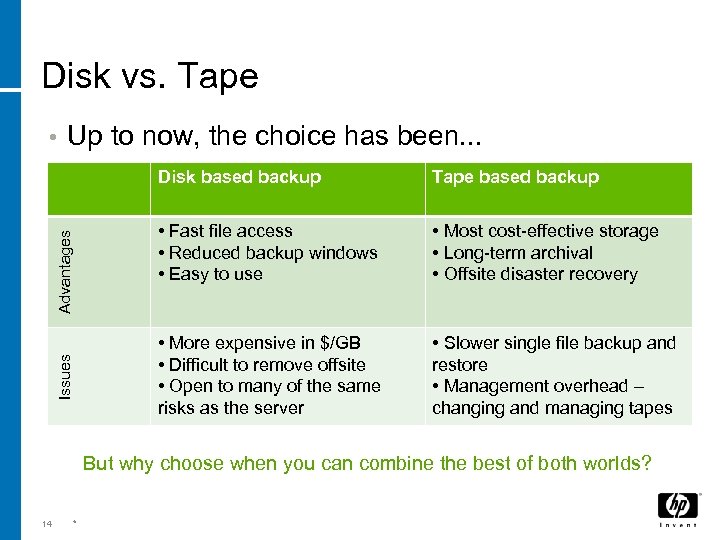
Disk vs. Tape • Up to now, the choice has been. . . Issues Advantages Disk based backup Tape based backup • Fast file access • Reduced backup windows • Easy to use • Most cost-effective storage • Long-term archival • Offsite disaster recovery • More expensive in $/GB • Difficult to remove offsite • Open to many of the same risks as the server • Slower single file backup and restore • Management overhead – changing and managing tapes But why choose when you can combine the best of both worlds? 14 *
The unique value of HP D 2 D 2500 Backup Systems • Automates the backup process − No manual labor required for daily backups to disk – especially good for businesses or remote offices with limited IT resources − Lower risk of human error – backups happen when they should, day in and day out − Shorter backup window – backs up multiple servers simultaneously • Makes it easy to restore lost data quickly − Online access to up to 50 x more backup data – lost files restored in minutes, not hours − Less downtime – improves overall business productivity − Dependable disk-based backup - hardware RAID 5 (D 2 D 2500) • Consolidates the backup of multiple servers − Single disk-based device – removes the need for multiple direct-attached backup devices. . . and the management overhead that goes with them − Robust disk-to-tape (D 2 D 2 T) solution – offload to an LTO Ultrium tape drive for offsite storage or long-term archiving, copy to tape can be scheduled automatically − Browser-based management – monitor your backup device from anywhere at anytime 15 3/15/2018 HP Restricted - For HP and Channel Partner Internal Use. May be shared with select customers under NDA.
Why would you need the HP Storage. Works D 2 D Backup System? • Enhanced data protection wherever you start from • Currently using disk-based backup when… − Disk storage capacity limit is reached − More robust data protection solutions are required – disk-to-tape (D 2 D 2 T) − Data centre space challenges require rack-able solutions • Currently using direct-attach disk-to-tape when… − Manual backup puts too much strain on IT resources − Restoring lost data takes too long and makes downtime a serious issue − Backup reliability hinders operational effectiveness • For remote offices when… − Little or no IT resources are available − You depend on the backup to work as scheduled 16 3/15/2018 HP Restricted - For HP and Channel Partner Internal Use. May be shared with select customers under NDA.
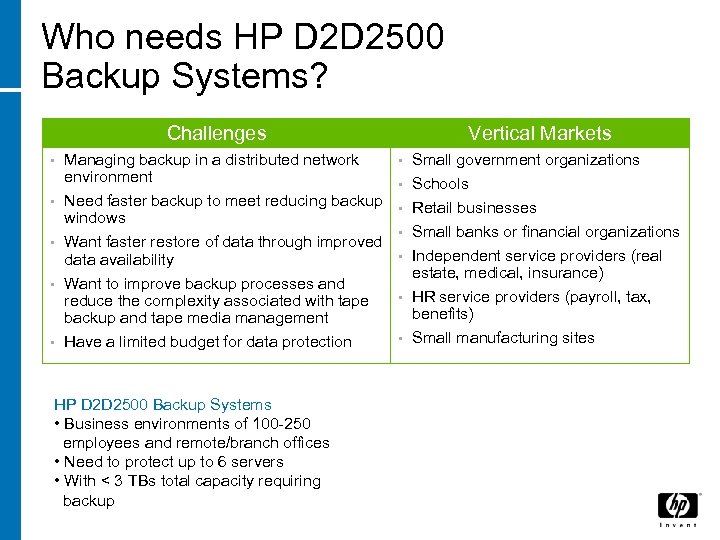
Who needs HP D 2 D 2500 Backup Systems? Challenges • Managing backup in a distributed network environment Vertical Markets • Small government organizations • Schools Need faster backup to meet reducing backup • Retail businesses windows • Small banks or financial organizations • Want faster restore of data through improved • Independent service providers (real data availability estate, medical, insurance) • Want to improve backup processes and • HR service providers (payroll, tax, reduce the complexity associated with tape benefits) backup and tape media management • Small manufacturing sites • Have a limited budget for data protection • HP D 2 D 2500 Backup Systems • Business environments of 100 -250 employees and remote/branch offices • Need to protect up to 6 servers • With < 3 TBs total capacity requiring backup
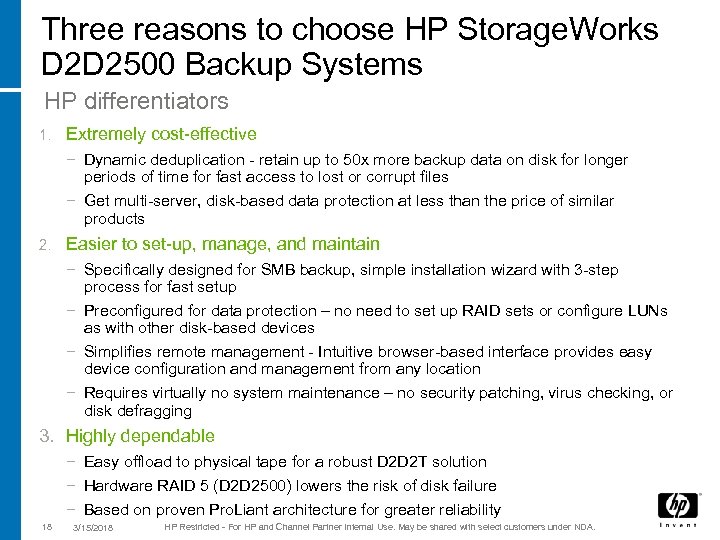
Three reasons to choose HP Storage. Works D 2 D 2500 Backup Systems HP differentiators 1. Extremely cost-effective − Dynamic deduplication - retain up to 50 x more backup data on disk for longer periods of time for fast access to lost or corrupt files − Get multi-server, disk-based data protection at less than the price of similar products 2. Easier to set-up, manage, and maintain − Specifically designed for SMB backup, simple installation wizard with 3 -step process for fast setup − Preconfigured for data protection – no need to set up RAID sets or configure LUNs as with other disk-based devices − Simplifies remote management - Intuitive browser-based interface provides easy device configuration and management from any location − Requires virtually no system maintenance – no security patching, virus checking, or disk defragging 3. Highly dependable − Easy offload to physical tape for a robust D 2 D 2 T solution − Hardware RAID 5 (D 2 D 2500) lowers the risk of disk failure − Based on proven Pro. Liant architecture for greater reliability 18 3/15/2018 HP Restricted - For HP and Channel Partner Internal Use. May be shared with select customers under NDA.
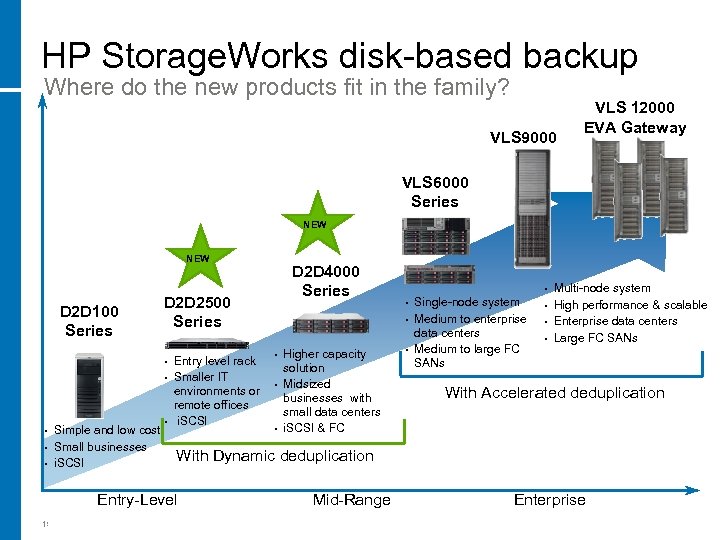
HP Storage. Works disk-based backup Where do the new products fit in the family? VLS 9000 VLS 12000 EVA Gateway VLS 6000 Series NEW D 2 D 100 Series D 2 D 2500 Series • • • Simple and low cost Small businesses i. SCSI • Entry level rack Smaller IT environments or remote offices i. SCSI April 2008 • • • Higher capacity solution Midsized businesses with small data centers i. SCSI & FC • Single-node system Medium to enterprise data centers Medium to large FC SANs • • • Multi-node system High performance & scalable Enterprise data centers Large FC SANs With Accelerated deduplication With Dynamic deduplication Entry-Level 19 D 2 D 4000 Series Mid-Range Enterprise
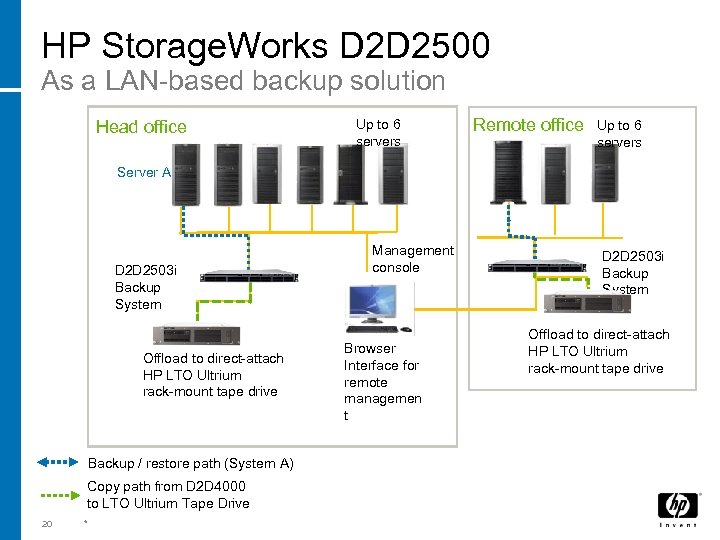
HP Storage. Works D 2 D 2500 As a LAN-based backup solution Head office Up to 6 servers Remote office Up to 6 servers Server A D 2 D 2503 i Backup System Offload to direct-attach HP LTO Ultrium rack-mount tape drive Backup / restore path (System A) Copy path from D 2 D 4000 to LTO Ultrium Tape Drive 20 * Management console Browser Interface for remote managemen t D 2 D 2503 i Backup System Offload to direct-attach HP LTO Ultrium rack-mount tape drive
Product Compatibility Information
Hardware support • Network compatibility − All Gb Ethernet NICs and switches (optimal) − 100 base-T Ethernet (supported) • Servers and workstations − All HP platforms with compatible operating systems − All non-HP platforms with compatible operating systems 22 3/15/2018 HP Restricted - For HP and Channel Partner Internal Use. May be shared with select customers under NDA.
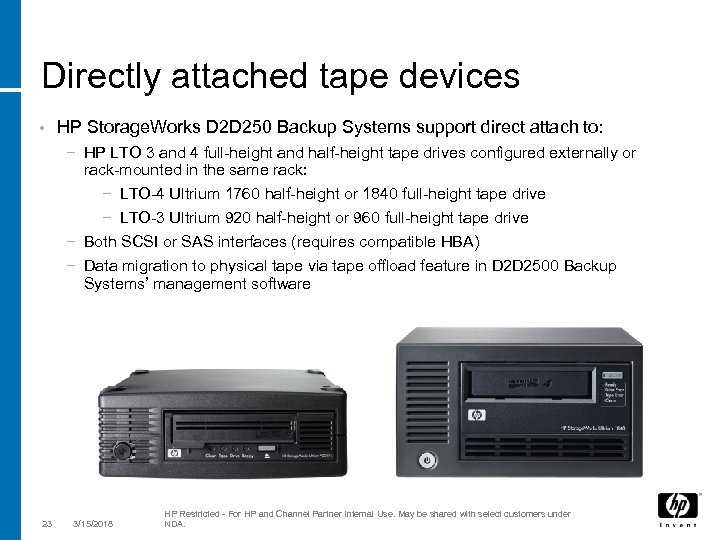
Directly attached tape devices • HP Storage. Works D 2 D 250 Backup Systems support direct attach to: − HP LTO 3 and 4 full-height and half-height tape drives configured externally or rack-mounted in the same rack: − LTO-4 Ultrium 1760 half-height or 1840 full-height tape drive − LTO-3 Ultrium 920 half-height or 960 full-height tape drive − Both SCSI or SAS interfaces (requires compatible HBA) − Data migration to physical tape via tape offload feature in D 2 D 2500 Backup Systems’ management software 23 3/15/2018 HP Restricted - For HP and Channel Partner Internal Use. May be shared with select customers under NDA.
OS support • Direct backup of systems with the following operating systems − Microsoft Windows Server 2003 (32 -bit, 64 -bit, IA 64) − Microsoft Windows Server 2008 (32 -bit, 64 -bit, IA 64) − Microsoft Windows XP (32 -bit) − Microsoft Windows Vista (32 -bit, 64 -bit) − Linux (Red Hat EL 5 and SLES 10 SP 1) − HP-UX 11. 23 − HP-UX 11. 31 − Solaris 10 Check HP compatibility website for future updates at www. hp. com/go/connect 24 3/15/2018 HP Restricted - For HP and Channel Partner Internal Use. May be shared with select customers under NDA.
Software support • Backup applications supported at launch − − − HP Data Protector Express HP Data Protector CA ARCserve EMC/Legato Net. Worker Symantec Backup Exec Symantec Net. Backup − Check HP compatibility website for future updates at www. hp. com/go/connect Note: Windows native backup does not fully support autoloaders 25 3/15/2018 HP Restricted - For HP and Channel Partner Internal Use. May be shared with select customers under NDA.
Partners, Services and Solutions
Warranty HP Storage. Works D 2 D 2500 Backup System • 1 -year, next-day, parts exchange, limited warranty • Plus 9 x 5 phone support for the duration of the warranty
Recommended services To enhance ROI and product uptime and maintain a low cost of ownership, HP recommends: • 3 years 24 x 7 hardware support − Guards against downtime, which reduces productivity and profitability − Eases budget planning with fixed-cost support that includes parts and labor − Direct access to proven technical and problem-solving expertise • 3 years 24 x 7 software support − − − − Improve the productivity of system managers and operators Improve system performance and reduce downtime due to software defects Expedite problem resolution through expert-level technical resources Enjoy consistent service coverage across geographically dispersed sites Update HP and selected third-party software at a predictable cost Take advantage of subscription savings on software updates Keep your license compliancy up-to-date
HP Care Pack Services are sold by HP and HP authorized enterprise and commercial resellers. • A range of Fixed Care. Pack options are available for the HP Storage. Works D 2 D 2500 • A range of Flexible Care. Pack options are available for the HP Storage. Works D 2 D 4000 HP Care. Packs offer a range of: • Durations – 1 to 5 years in length • Response times – 4 hour, 6 hour, next day • Cover – 24 x 7, 13 x 6, For more information on the HP Care. Packs available for the HP D 2 D 2500 Backup Systems please refer to the individual product Quickspecs or visit www. hp. com/hps/carepack/services/
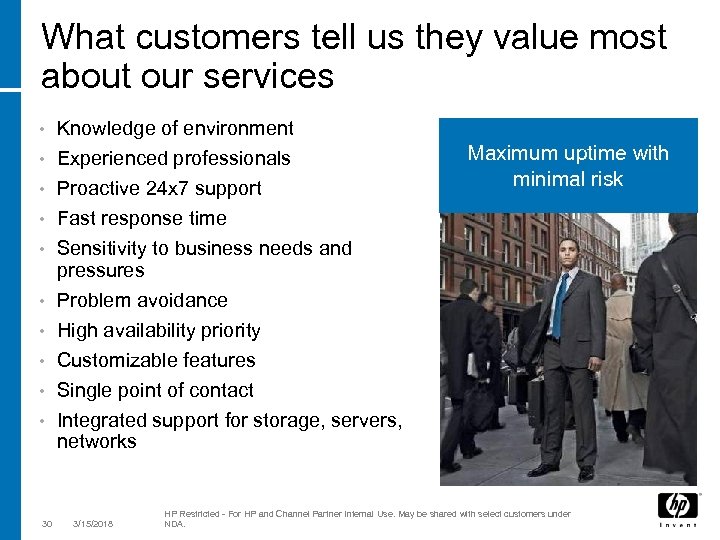
What customers tell us they value most about our services Knowledge of environment • Experienced professionals • • • 30 Proactive 24 x 7 support Fast response time Sensitivity to business needs and pressures Problem avoidance High availability priority Customizable features Single point of contact Integrated support for storage, servers, networks 3/15/2018 Maximum uptime with minimal risk HP Restricted - For HP and Channel Partner Internal Use. May be shared with select customers under NDA.
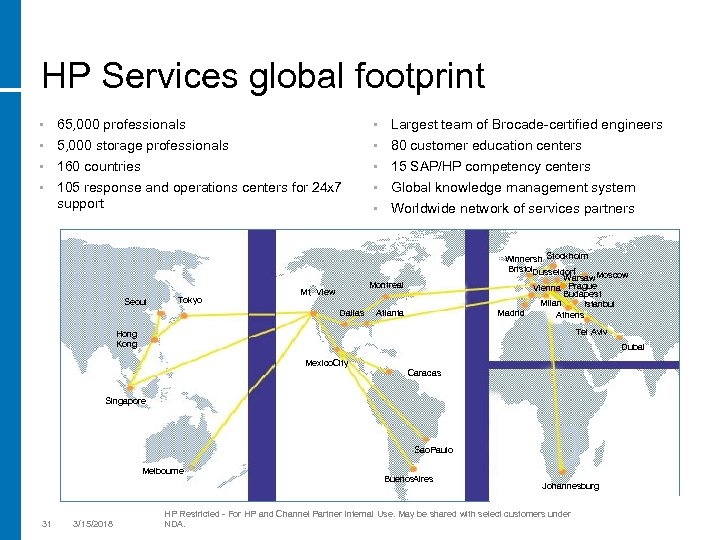
HP Services global footprint • 65, 000 professionals • Largest team of Brocade-certified engineers • 5, 000 storage professionals • 80 customer education centers 160 countries • 105 response and operations centers for 24 x 7 support • Seoul Tokyo 15 SAP/HP competency centers • Global knowledge management system • Worldwide network of services partners • Winnersh Stockholm Bristol. Dusseldorf Warsaw. Moscow Vienna Prague Budapest Milan Istanbul Madrid Athens Montreal Mt. View Dallas Atlanta Tel Aviv Hong Kong Dubai Mexico. City Caracas Singapore Sao. Paulo Melbourne 31 3/15/2018 Buenos. Aires Johannesburg HP Restricted - For HP and Channel Partner Internal Use. May be shared with select customers under NDA.
Product Information and Availability
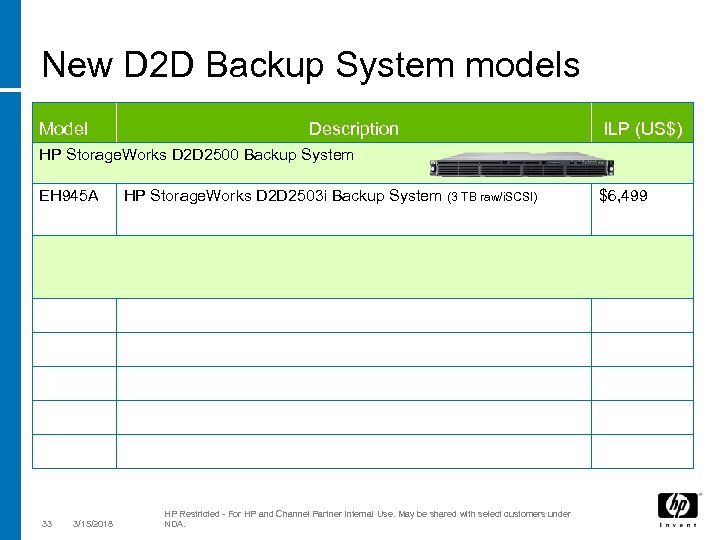
New D 2 D Backup System models Model Description ILP (US$) HP Storage. Works D 2 D 2500 Backup System EH 945 A 33 3/15/2018 HP Storage. Works D 2 D 2503 i Backup System (3 TB raw/i. SCSI) HP Restricted - For HP and Channel Partner Internal Use. May be shared with select customers under NDA. $6, 499
Additional information • www. hp. com/go/D 2 D 2500 for additional information on the range of HP D 2 D Backup Systems www. hp. com/go/connect for additional information on hardware and software compatibility and connectivity for i. SCSI products • www. hp. com/go/ebs for additional information on hardware and software compatibility and connectivity for the HP D 2 D 4000 Backup Systems with a fibre channel interface • www. hp. com/go/dataprotector for additional information on HP Data Protector software • 34 3/15/2018 HP Restricted - For HP and Channel Partner Internal Use. May be shared with select customers under NDA.
Technology for better business outcomes © 2007 Hewlett-Packard Development Company, L. P. The information contained herein is subject to change without notice.
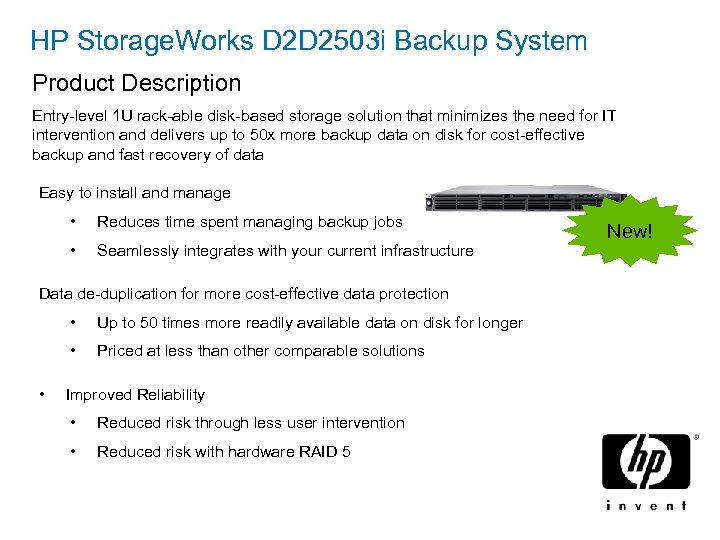
HP Storage. Works D 2 D 2503 i Backup System Product Description Entry-level 1 U rack-able disk-based storage solution that minimizes the need for IT intervention and delivers up to 50 x more backup data on disk for cost-effective backup and fast recovery of data Easy to install and manage • Reduces time spent managing backup jobs • Seamlessly integrates with your current infrastructure Data de-duplication for more cost-effective data protection • • • Up to 50 times more readily available data on disk for longer Priced at less than other comparable solutions Improved Reliability • Reduced risk through less user intervention • Reduced risk with hardware RAID 5 New!
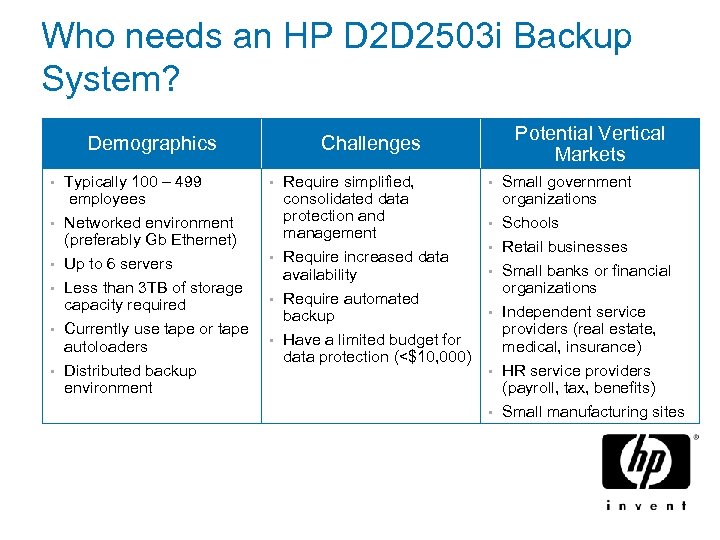
Who needs an HP D 2 D 2503 i Backup System? Demographics • Typically 100 – 499 employees • Networked environment (preferably Gb Ethernet) Up to 6 servers Less than 3 TB of storage capacity required Currently use tape or tape autoloaders Distributed backup environment • • Potential Vertical Markets Challenges Require simplified, consolidated data protection and management • Require increased data availability • Require automated backup • Have a limited budget for data protection (<$10, 000) • • Small government organizations • Schools Retail businesses Small banks or financial organizations Independent service providers (real estate, medical, insurance) HR service providers (payroll, tax, benefits) Small manufacturing sites • • •
HP Data Management Campaign November National Campaign
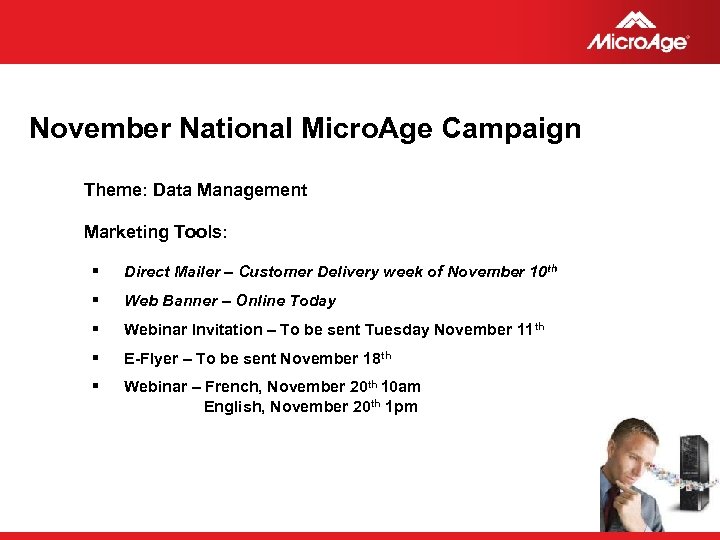
November National Micro. Age Campaign Theme: Data Management Marketing Tools: § Direct Mailer – Customer Delivery week of November 10 th § Web Banner – Online Today § Webinar Invitation – To be sent Tuesday November 11 th § E-Flyer – To be sent November 18 th § Webinar – French, November 20 th 10 am English, November 20 th 1 pm © 2006 Micro. Age
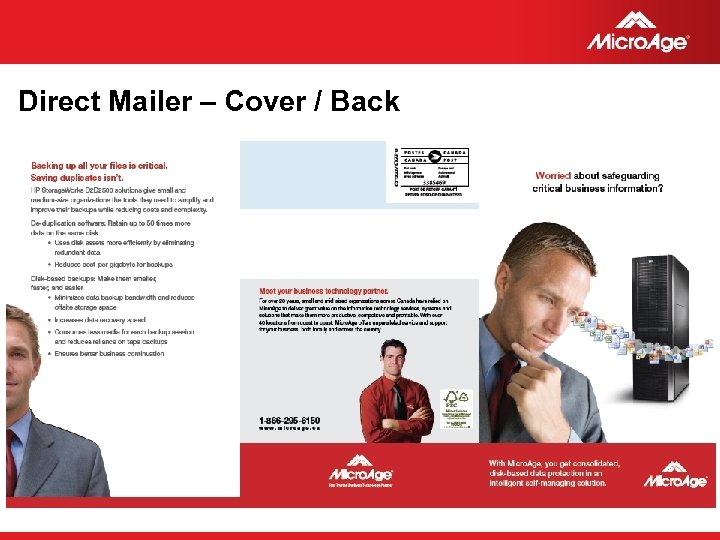
Direct Mailer – Cover / Back © 2006 Micro. Age
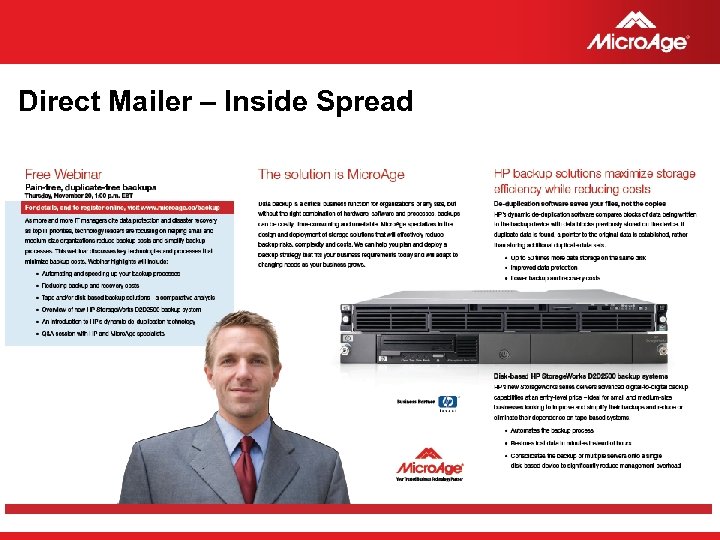
Direct Mailer – Inside Spread © 2006 Micro. Age
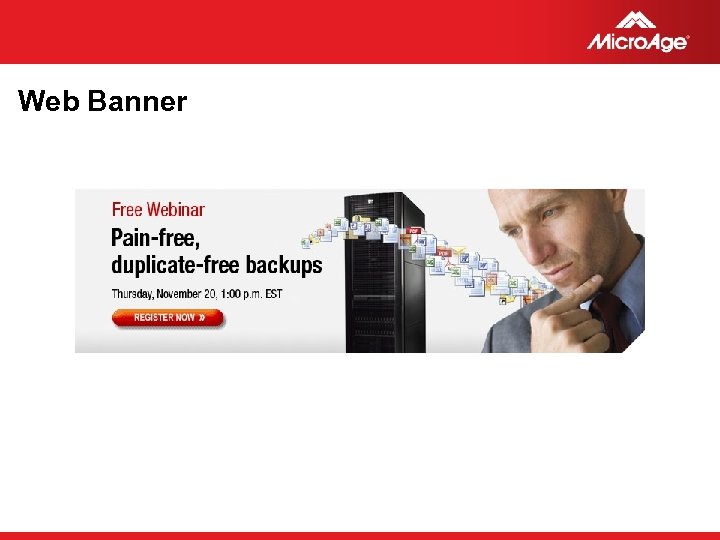
Web Banner © 2006 Micro. Age
Follow-up Tips
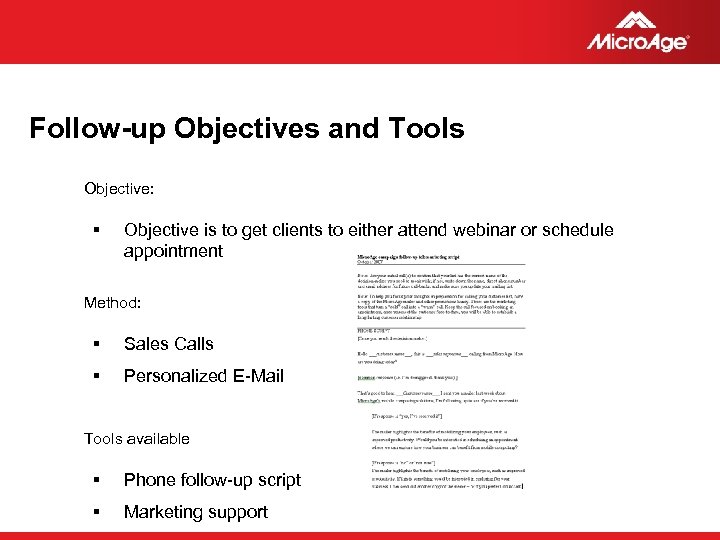
Follow-up Objectives and Tools Objective: § Objective is to get clients to either attend webinar or schedule appointment Method: § Sales Calls § Personalized E-Mail Tools available § Phone follow-up script § Marketing support © 2006 Micro. Age
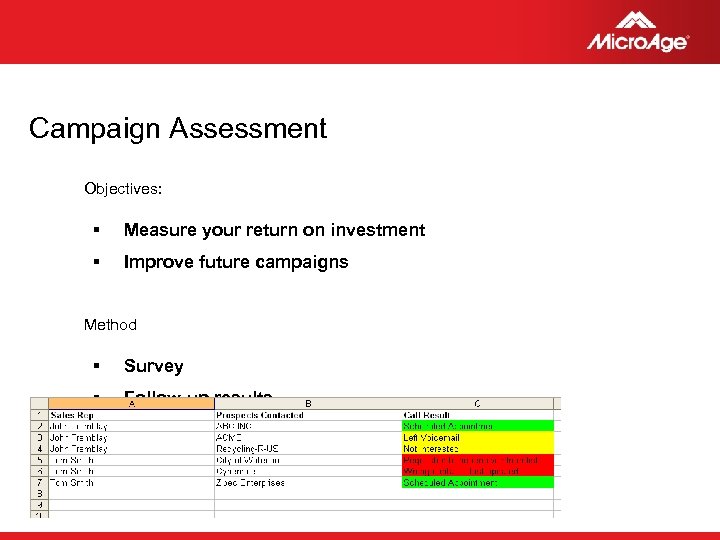
Campaign Assessment Objectives: § Measure your return on investment § Improve future campaigns Method § Survey § Follow-up results © 2006 Micro. Age
Thank You
Скачать презентацию HP Data Management Campaign Sales Training Presented by
ccb4b39fe46c0b790e2663568f451c3f.ppt