


 Скачать презентацию How to use the Grid for my e-Science
a08048cccde79eabbadc49bd1b36e8c4.ppt
- Количество слайдов: 40
 How to use the Grid for my e-Science a guide on things I must know to benefit from it Álvaro Fernández Casaní IFIC computing & GRID researcher
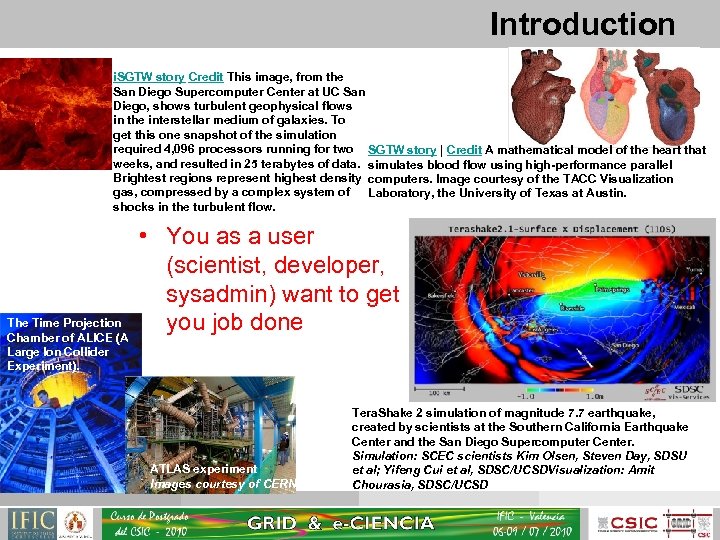 Introduction i. SGTW story Credit This image, from the San Diego Supercomputer Center at UC San Diego, shows turbulent geophysical flows in the interstellar medium of galaxies. To get this one snapshot of the simulation required 4, 096 processors running for two SGTW story | Credit A mathematical model of the heart that weeks, and resulted in 25 terabytes of data. simulates blood flow using high-performance parallel Brightest regions represent highest density computers. Image courtesy of the TACC Visualization gas, compressed by a complex system of Laboratory, the University of Texas at Austin. shocks in the turbulent flow. The Time Projection Chamber of ALICE (A Large Ion Collider Experiment). • You as a user (scientist, developer, sysadmin) want to get you job done ATLAS experiment Images courtesy of CERN Tera. Shake 2 simulation of magnitude 7. 7 earthquake, created by scientists at the Southern California Earthquake Center and the San Diego Supercomputer Center. Simulation: SCEC scientists Kim Olsen, Steven Day, SDSU et al; Yifeng Cui et al, SDSC/UCSDVisualization: Amit Chourasia, SDSC/UCSD
 Contents of the talk • Use cases – Use of isolated resources. – Shared use of your resources with others (or use other’s resources): • Computational problems – Shared data among a Virtual Organization • Medical data – Remote Instrumentation • Anatomy of the GRID • Middleware layer – – Security Information System Job management Data management • Important resources – Monitoring and accounting – Help channels
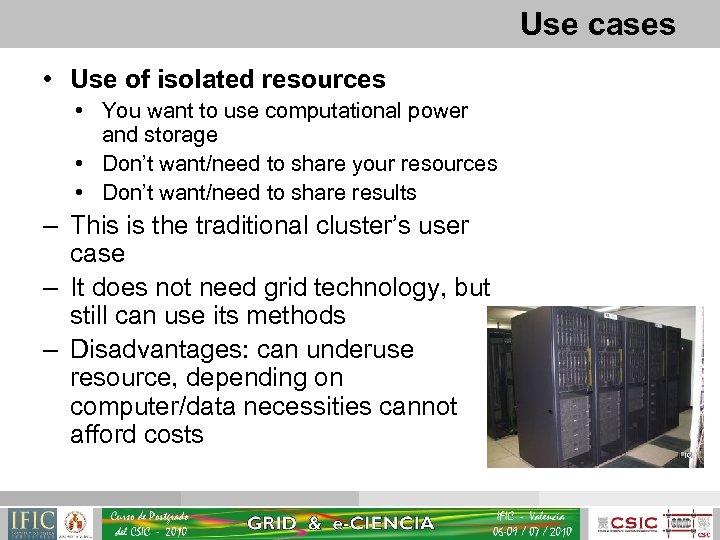 Use cases • Use of isolated resources • You want to use computational power and storage • Don’t want/need to share your resources • Don’t want/need to share results – This is the traditional cluster’s user case – It does not need grid technology, but still can use its methods – Disadvantages: can underuse resource, depending on computer/data necessities cannot afford costs
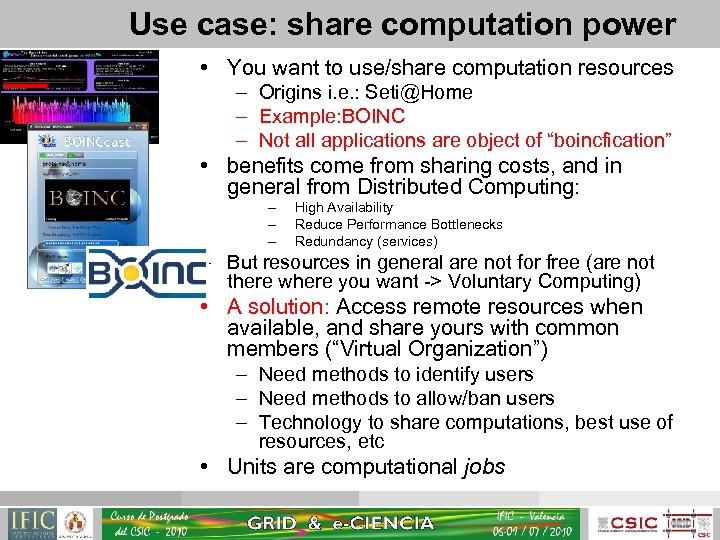 Use case: share computation power • You want to use/share computation resources – Origins i. e. : Seti@Home – Example: BOINC – Not all applications are object of “boincfication” • benefits come from sharing costs, and in general from Distributed Computing: – – – High Availability Reduce Performance Bottlenecks Redundancy (services) – But resources in general are not for free (are not there where you want -> Voluntary Computing) • A solution: Access remote resources when available, and share yours with common members (“Virtual Organization”) – Need methods to identify users – Need methods to allow/ban users – Technology to share computations, best use of resources, etc • Units are computational jobs
 Computational problems • Sequential Calculations: jobs are executed secuentially in 1 cpu • Parallel calculations: many sub-calculations can be worked on "in parallel". This allows you to speed up your computation. – Coarse Grain vs. Fine Grain: depending on the number of computations vs. communications – Embarrassingly parallel: every computation is independent of every other ( very coarse grain) • High Performance Computing (HPC): problems that require of high-end resources, tightly-coupled networks with lots of processors and high-speed communication networks. • High Throughput Computing (HTC): values the number of finished computations instead of the computing power. Loosely coupled networks
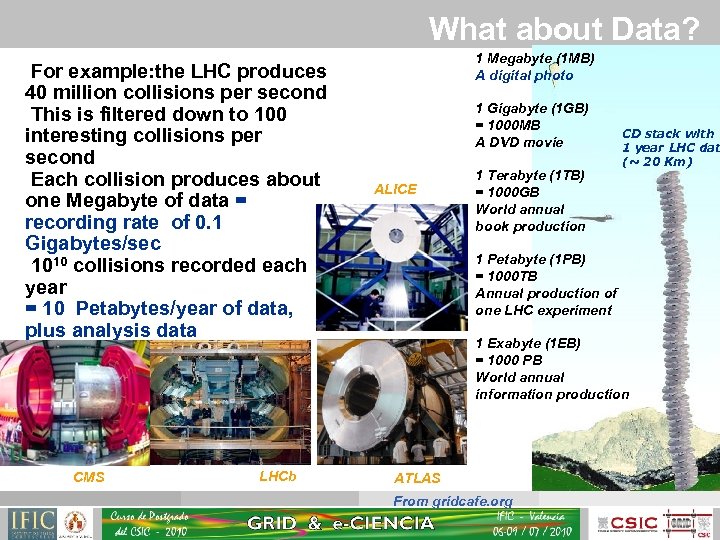 What about Data? For example: the LHC produces 40 million collisions per second This is filtered down to 100 interesting collisions per second Each collision produces about one Megabyte of data = recording rate of 0. 1 Gigabytes/sec 1010 collisions recorded each year = 10 Petabytes/year of data, plus analysis data CMS LHCb 1 Megabyte (1 MB) A digital photo 1 Gigabyte (1 GB) = 1000 MB A DVD movie ALICE 1 Terabyte (1 TB) = 1000 GB World annual book production CD stack with 1 year LHC dat (~ 20 Km) 1 Petabyte (1 PB) = 1000 TB Annual production of one LHC experiment 1 Exabyte (1 EB) = 1000 PB World annual information production ATLAS From gridcafe. org
 Grid Technology and Virtual Organizations • CERN started to see the high amount of data and computing power they need to process it • Not feasible to store at a central point • Distribute resources among participant centers • Centre puts its computing and storage resources ( helps to share costs ) • Data is distributed among centers • Everybody can access remote resources – Need technology to access these resources in a coherent manner: Grid Technology • Users belong to a common Organizations • Secure access and trustworthy relations
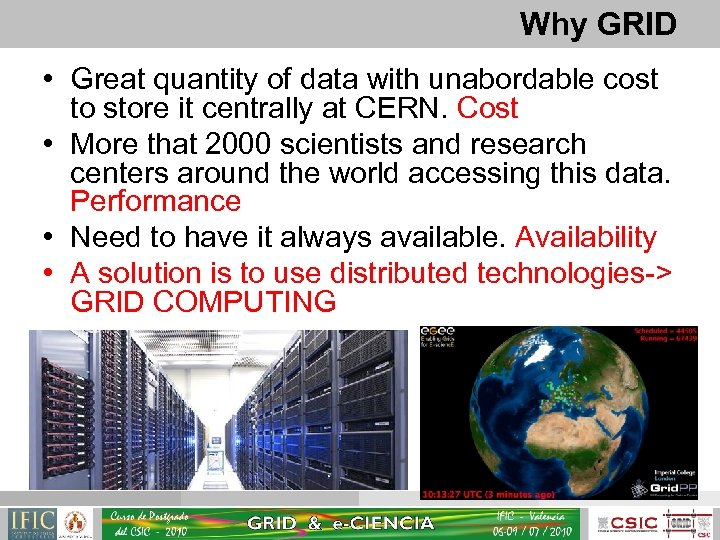 Why GRID • Great quantity of data with unabordable cost to store it centrally at CERN. Cost • More that 2000 scientists and research centers around the world accessing this data. Performance • Need to have it always available. Availability • A solution is to use distributed technologies-> GRID COMPUTING
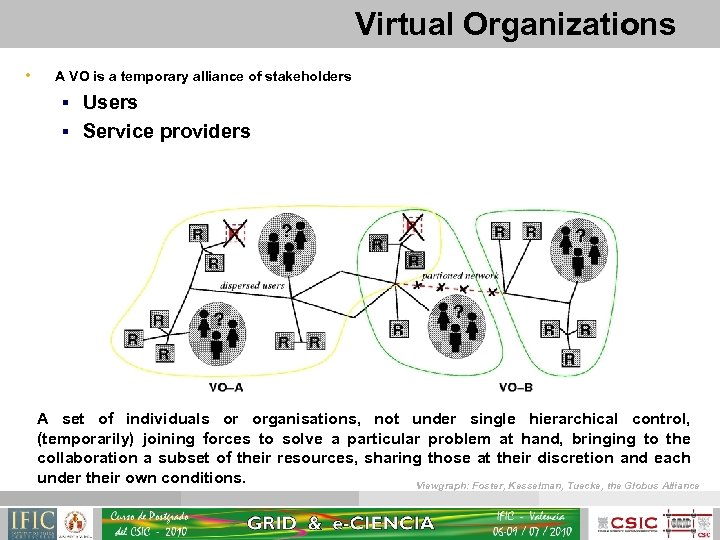 Virtual Organizations • A VO is a temporary alliance of stakeholders Users Service providers A set of individuals or organisations, not under single hierarchical control, (temporarily) joining forces to solve a particular problem at hand, bringing to the collaboration a subset of their resources, sharing those at their discretion and each under their own conditions. Viewgraph: Foster, Kesselman, Tuecke, the Globus Alliance
 Use case: share data and results • Sharing of data is crucial for some applications – You produce data at one site that is consumed at some other place – Reduce access bottlenecks ( Replication ) – Data always available (High Availability ) • Need the appropriate technology: – Methods for storing, locating data – Methods for Replication of data – Methods for guaranteeing privacy of data
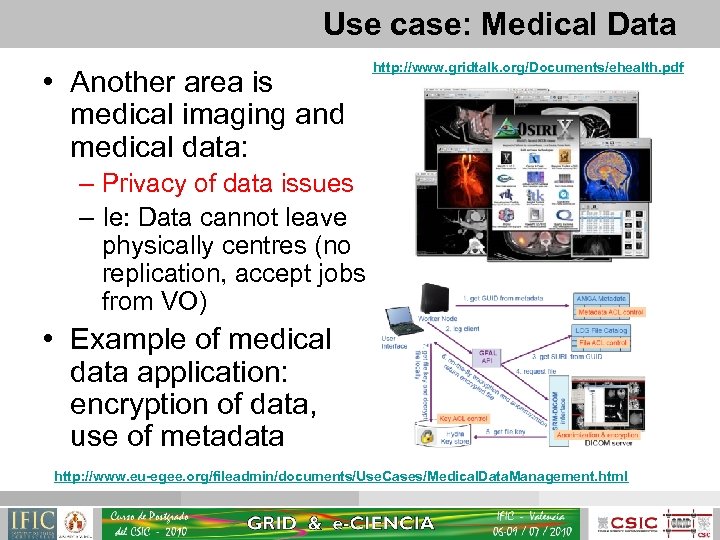 Use case: Medical Data • Another area is medical imaging and medical data: http: //www. gridtalk. org/Documents/ehealth. pdf – Privacy of data issues – Ie: Data cannot leave physically centres (no replication, accept jobs from VO) • Example of medical data application: encryption of data, use of metadata http: //www. eu-egee. org/fileadmin/documents/Use. Cases/Medical. Data. Management. html
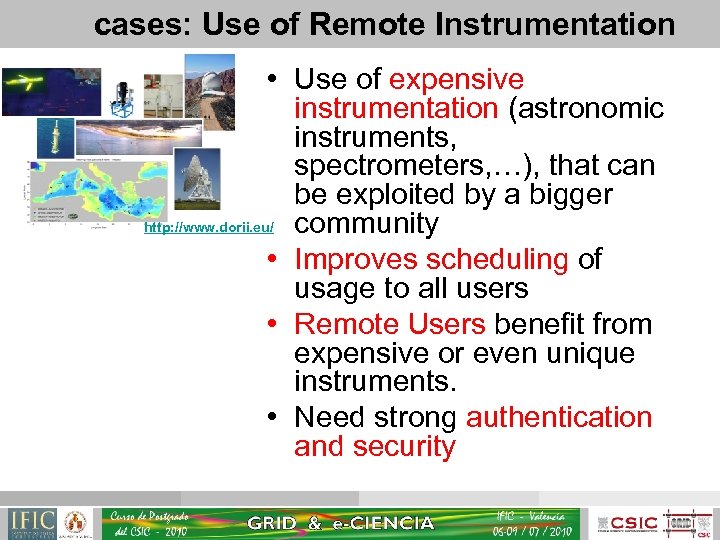 cases: Use of Remote Instrumentation • Use of expensive instrumentation (astronomic instruments, spectrometers, …), that can be exploited by a bigger http: //www. dorii. eu/ community • Improves scheduling of usage to all users • Remote Users benefit from expensive or even unique instruments. • Need strong authentication and security
 Virtual Organizations needs • In Grid, resources are maintained but their owners, not centralized. • But Virtual Organization need control its members – authorize a group of users / ban (Authorization methods) • Control of the availability of the resources – Monitoring • Control who is accessing the resources, what kind of jobs are running – Accounting
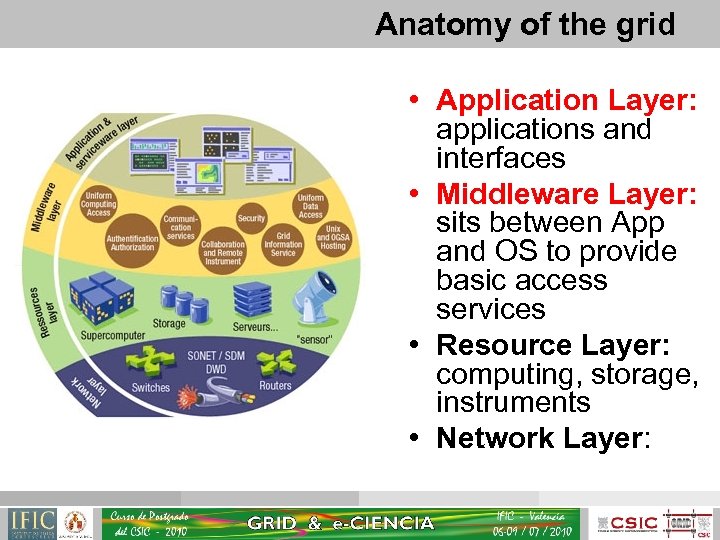 Anatomy of the grid • Application Layer: applications and interfaces • Middleware Layer: sits between App and OS to provide basic access services • Resource Layer: computing, storage, instruments • Network Layer:
 Middleware • Provides a set of common services to access remote resources in a coherent manner. • Globus is the most common middleware (http: //globus. org/), but other exists • Our infrastructure is using g. Lite (http: // www. glite. org) which has globus as a base, and develops other services • Security Services: – Authentication, Authorization • Information Service • Job Management • Data Management
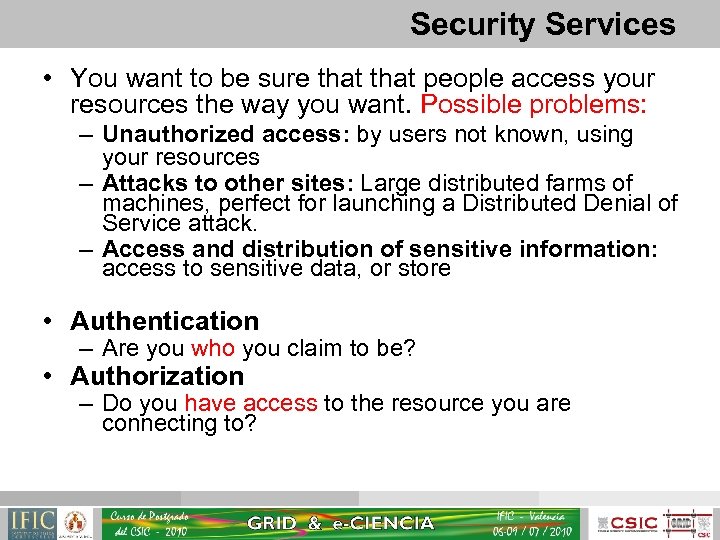 Security Services • You want to be sure that people access your resources the way you want. Possible problems: – Unauthorized access: by users not known, using your resources – Attacks to other sites: Large distributed farms of machines, perfect for launching a Distributed Denial of Service attack. – Access and distribution of sensitive information: access to sensitive data, or store • Authentication – Are you who you claim to be? • Authorization – Do you have access to the resource you are connecting to?
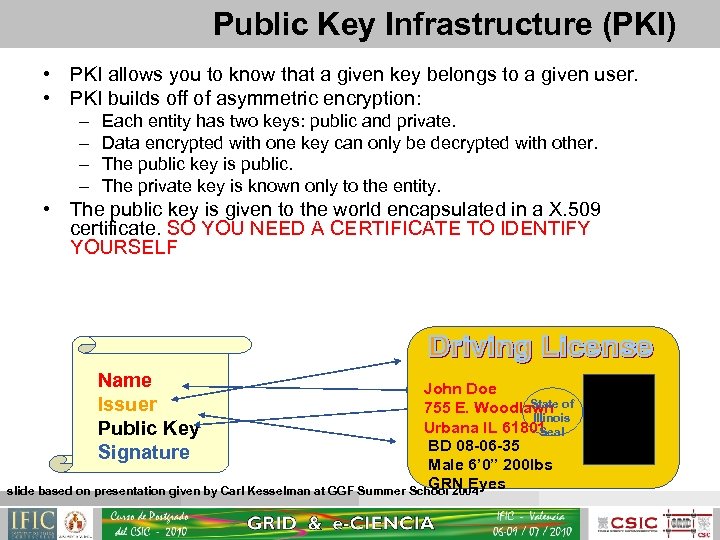 Public Key Infrastructure (PKI) • PKI allows you to know that a given key belongs to a given user. • PKI builds off of asymmetric encryption: – – Each entity has two keys: public and private. Data encrypted with one key can only be decrypted with other. The public key is public. The private key is known only to the entity. • The public key is given to the world encapsulated in a X. 509 certificate. SO YOU NEED A CERTIFICATE TO IDENTIFY YOURSELF Name Issuer Public Key Signature John Doe State 755 E. Woodlawn of Illinois Urbana IL 61801 Seal BD 08 -06 -35 Male 6’ 0” 200 lbs GRN Eyes slide based on presentation given by Carl Kesselman at GGF Summer School 2004
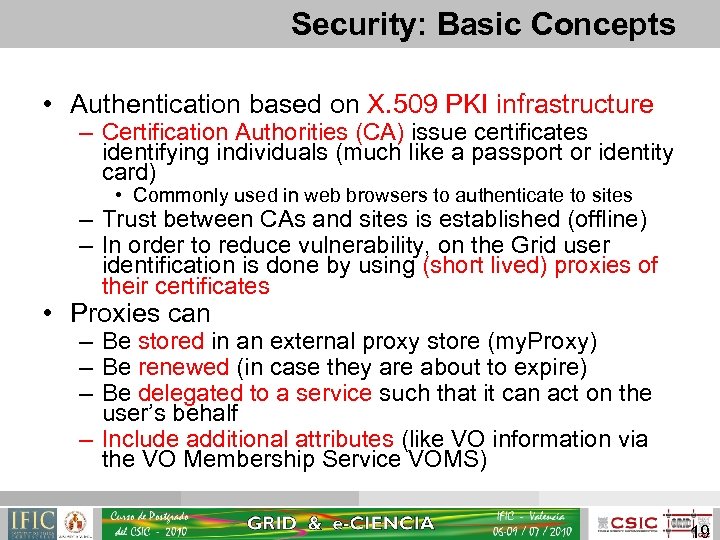 Security: Basic Concepts • Authentication based on X. 509 PKI infrastructure – Certification Authorities (CA) issue certificates identifying individuals (much like a passport or identity card) • Commonly used in web browsers to authenticate to sites – Trust between CAs and sites is established (offline) – In order to reduce vulnerability, on the Grid user identification is done by using (short lived) proxies of their certificates • Proxies can – Be stored in an external proxy store (my. Proxy) – Be renewed (in case they are about to expire) – Be delegated to a service such that it can act on the user’s behalf – Include additional attributes (like VO information via the VO Membership Service VOMS) 19
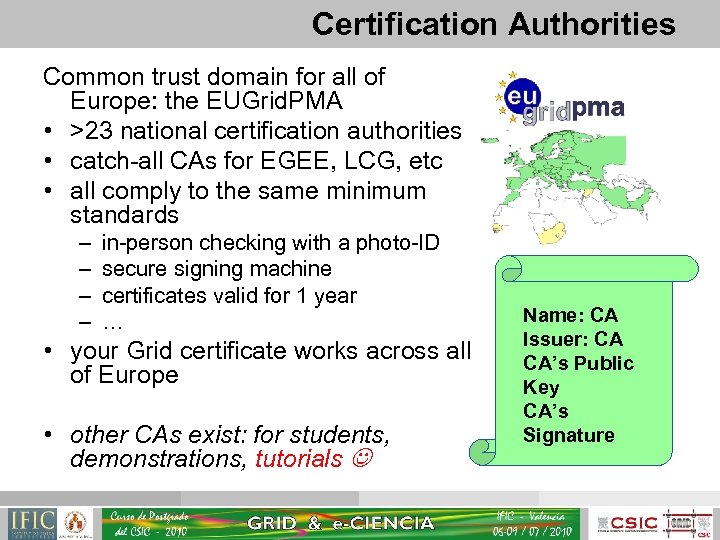 Certification Authorities Common trust domain for all of Europe: the EUGrid. PMA • >23 national certification authorities • catch-all CAs for EGEE, LCG, etc • all comply to the same minimum standards – – in-person checking with a photo-ID secure signing machine certificates valid for 1 year … • your Grid certificate works across all of Europe • other CAs exist: for students, demonstrations, tutorials Name: CA Issuer: CA CA’s Public Key CA’s Signature
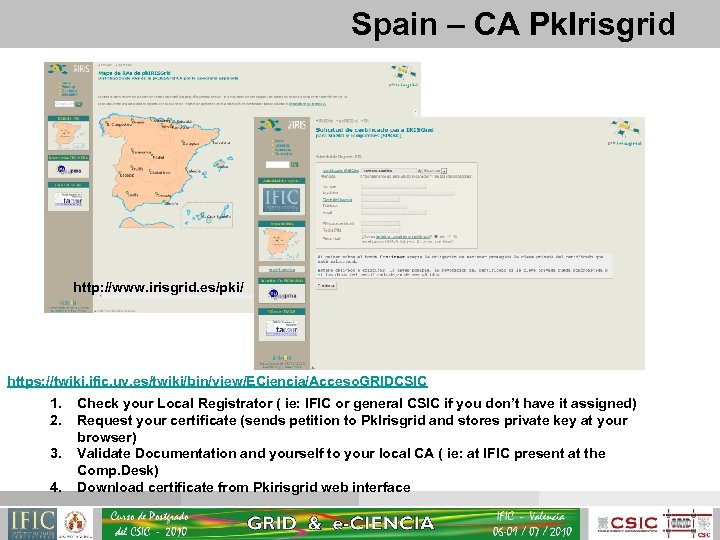 Spain – CA Pk. Irisgrid http: //www. irisgrid. es/pki/ https: //twiki. ific. uv. es/twiki/bin/view/ECiencia/Acceso. GRIDCSIC 1. 2. 3. 4. Check your Local Registrator ( ie: IFIC or general CSIC if you don’t have it assigned) Request your certificate (sends petition to Pk. Irisgrid and stores private key at your browser) Validate Documentation and yourself to your local CA ( ie: at IFIC present at the Comp. Desk) Download certificate from Pkirisgrid web interface
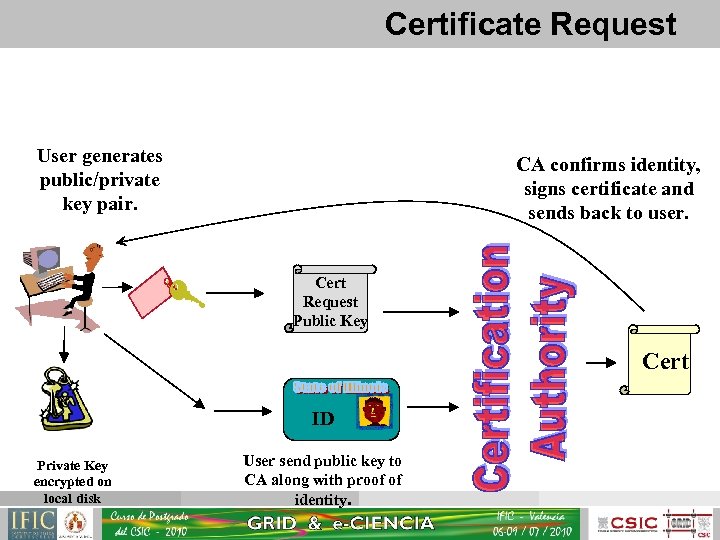 Certificate Request User generates public/private key pair. CA confirms identity, signs certificate and sends back to user. Cert Request Public Key Cert ID Private Key encrypted on local disk User send public key to CA along with proof of identity.
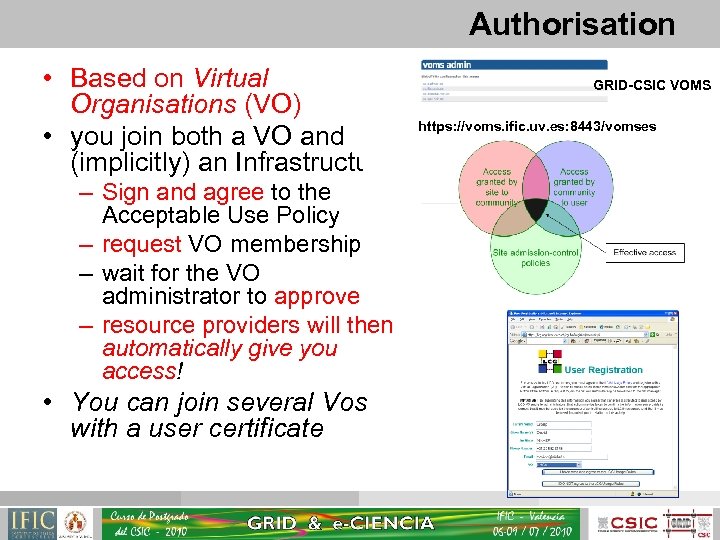 Authorisation • Based on Virtual Organisations (VO) • you join both a VO and (implicitly) an Infrastructure: – Sign and agree to the Acceptable Use Policy – request VO membership – wait for the VO administrator to approve – resource providers will then automatically give you access! • You can join several Vos with a user certificate GRID-CSIC VOMS https: //voms. ific. uv. es: 8443/vomses
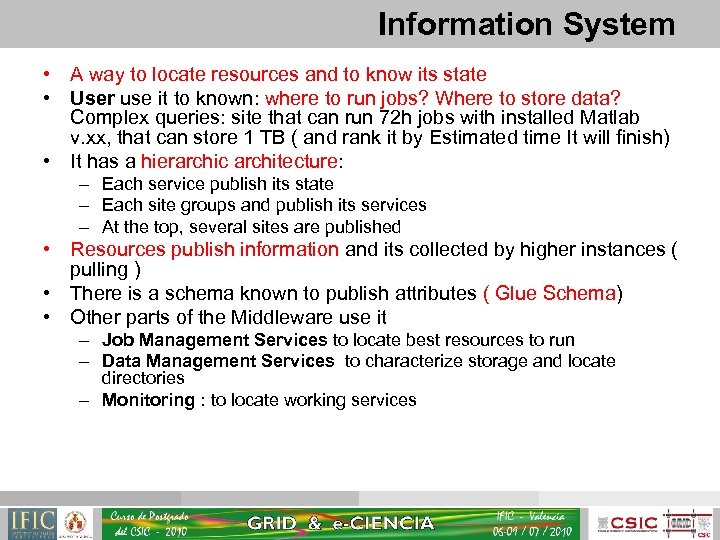 Information System • A way to locate resources and to know its state • User use it to known: where to run jobs? Where to store data? Complex queries: site that can run 72 h jobs with installed Matlab v. xx, that can store 1 TB ( and rank it by Estimated time It will finish) • It has a hierarchic architecture: – Each service publish its state – Each site groups and publish its services – At the top, several sites are published • Resources publish information and its collected by higher instances ( pulling ) • There is a schema known to publish attributes ( Glue Schema) • Other parts of the Middleware use it – Job Management Services to locate best resources to run – Data Management Services to characterize storage and locate directories – Monitoring : to locate working services
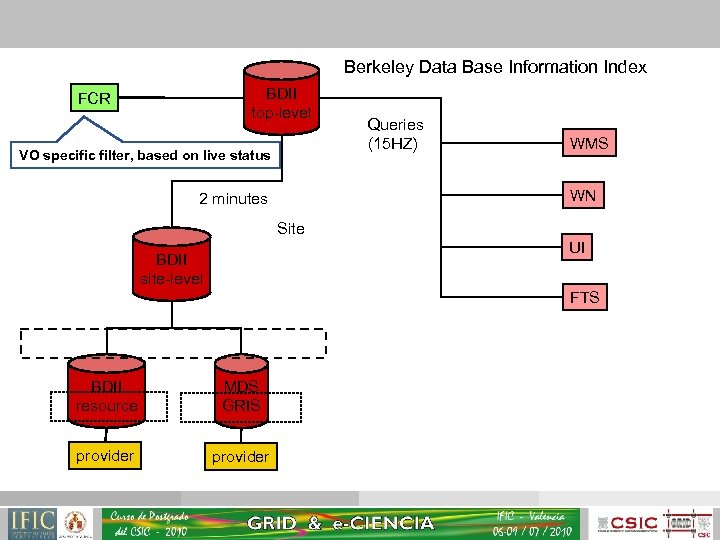 Berkeley Data Base Information Index BDII top-level FCR VO specific filter, based on live status Queries (15 HZ) WMS WN 2 minutes Site UI BDII site-level FTS BDII resource MDS GRIS provider
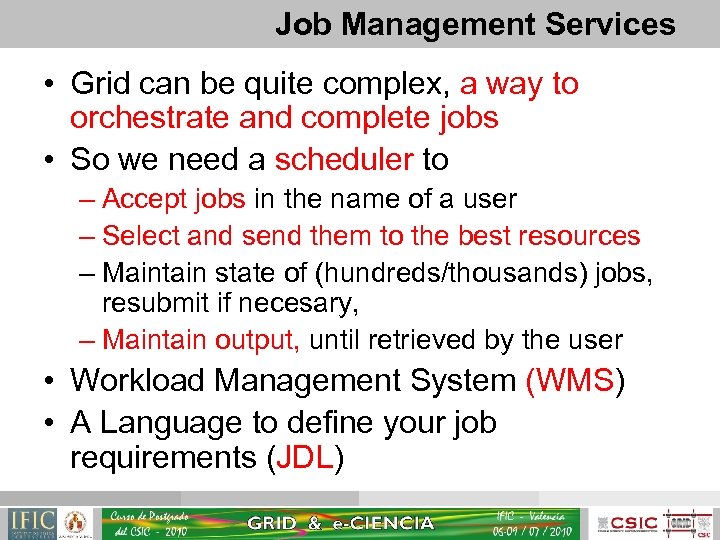 Job Management Services • Grid can be quite complex, a way to orchestrate and complete jobs • So we need a scheduler to – Accept jobs in the name of a user – Select and send them to the best resources – Maintain state of (hundreds/thousands) jobs, resubmit if necesary, – Maintain output, until retrieved by the user • Workload Management System (WMS) • A Language to define your job requirements (JDL)
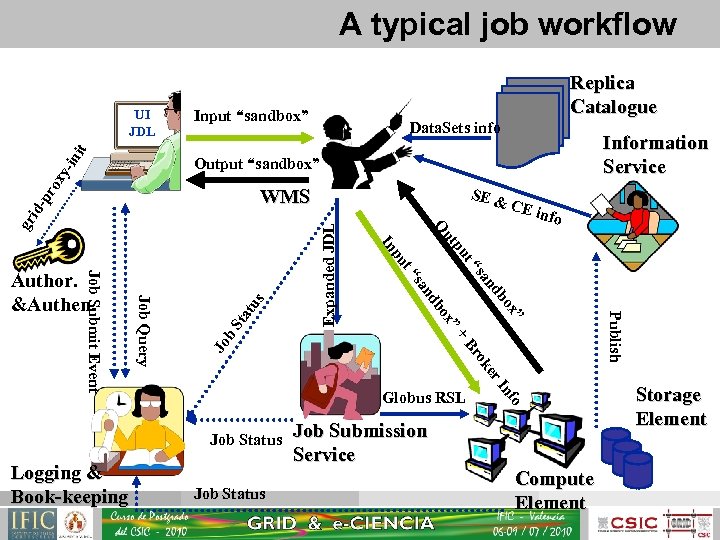 A typical job workflow nit UI JDL Replica Catalogue Input “sandbox” Data. Sets info pr ox y-i Output “sandbox” SE & b nd ” Br Jo b ”+ er ok fo In Job Status Job Submission Service Compute Element Publish ox ox Expanded JDL sa s t“ b nd tu pu sa St a nfo ut t“ pu In Job Query Job Submit Event Globus RSL Job Status Logging & Book-keeping CE i O gr id- WMS Author. &Authen. Information Service Storage Element
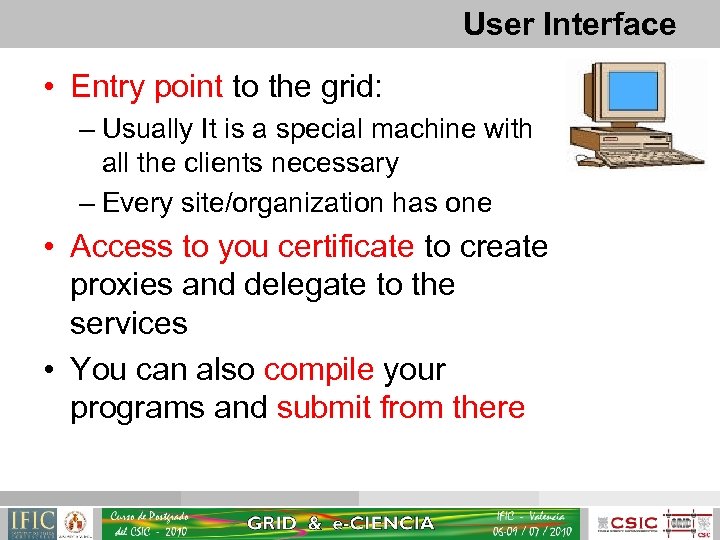 User Interface • Entry point to the grid: – Usually It is a special machine with all the clients necessary – Every site/organization has one • Access to you certificate to create proxies and delegate to the services • You can also compile your programs and submit from there
 Computing Element (CE) • Represents a computing node at a remote site – A batch system that schedules jobs – A set of computers ( Worker Nodes) behind, able to run jobs • A site can have Several CEs grouping homogeneous Worker Nodes • Jobs wait in the batch system at the CE, until can be executed – Wall time: Total time that is in queue and executing – CPU time: time that your job consumes • Jobs will be executed finally in a WN, and when finished return the output ( to the WMS and the User)
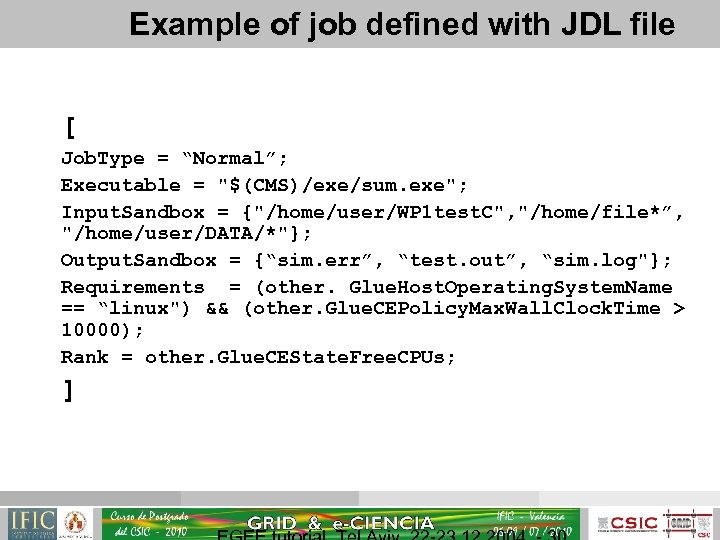 Example of job defined with JDL file [ Job. Type = “Normal”; Executable = "$(CMS)/exe/sum. exe"; Input. Sandbox = {"/home/user/WP 1 test. C", "/home/file*”, "/home/user/DATA/*"}; Output. Sandbox = {“sim. err”, “test. out”, “sim. log"}; Requirements = (other. Glue. Host. Operating. System. Name == “linux") && (other. Glue. CEPolicy. Max. Wall. Clock. Time > 10000); Rank = other. Glue. CEState. Free. CPUs; ]
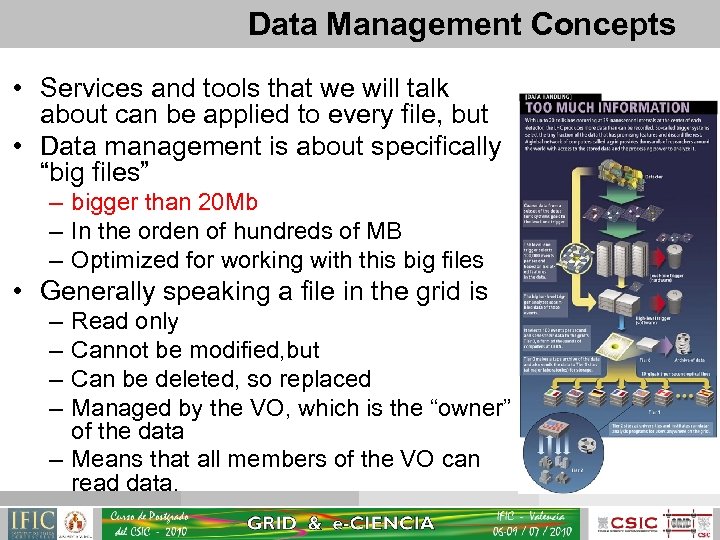 Data Management Concepts • Services and tools that we will talk about can be applied to every file, but • Data management is about specifically “big files” – bigger than 20 Mb – In the orden of hundreds of MB – Optimized for working with this big files • Generally speaking a file in the grid is – – Read only Cannot be modified, but Can be deleted, so replaced Managed by the VO, which is the “owner” of the data – Means that all members of the VO can read data.
 Files and storage • Files are kept in Storage Elements (SE): – Every site has to provide one – Consists of a data fabric and a interface to the grid – Authorization to store files is at the level of the Virtual Organization • Files are replicated for availability and performance accessing to local replicas when needed: – Need a unique identifier for a file ( GUID ) – Need a namespace model to easily locate files and replicas – Read only modes ease the replication inconsistencies Storage Element
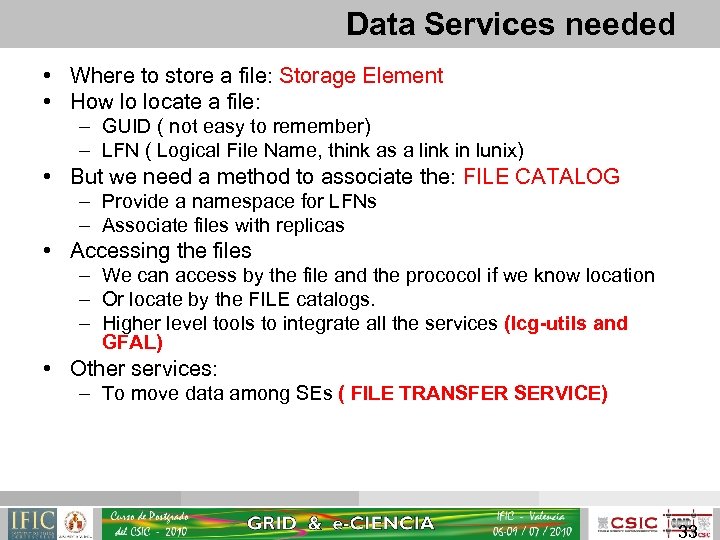 Data Services needed • Where to store a file: Storage Element • How lo locate a file: – GUID ( not easy to remember) – LFN ( Logical File Name, think as a link in lunix) • But we need a method to associate the: FILE CATALOG – Provide a namespace for LFNs – Associate files with replicas • Accessing the files – We can access by the file and the prococol if we know location – Or locate by the FILE catalogs. – Higher level tools to integrate all the services (lcg-utils and GFAL) • Other services: – To move data among SEs ( FILE TRANSFER SERVICE) 33
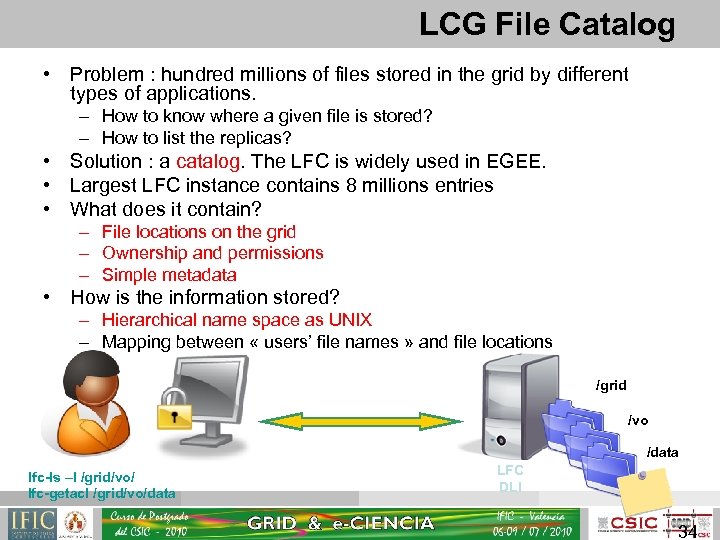 LCG File Catalog • Problem : hundred millions of files stored in the grid by different types of applications. – How to know where a given file is stored? – How to list the replicas? • Solution : a catalog. The LFC is widely used in EGEE. • Largest LFC instance contains 8 millions entries • What does it contain? – File locations on the grid – Ownership and permissions – Simple metadata • How is the information stored? – Hierarchical name space as UNIX – Mapping between « users’ file names » and file locations /grid /vo /data lfc-ls –l /grid/vo/ lfc-getacl /grid/vo/data LFC DLI 34
 Lcg-util/gfal • Problem : a grid user can be a physicist, a software engineer, a physician… Low-level tools are not suitable for all • Need high-level tools to manipulate data • Lcg-util/gfal interacts with different systems: – Different types of storage elements (CASTOR, d. Cache, DPM) – The LFC catalog – The information system (BDII) • Lcg-util : high level tool to store, replicate, delete, copy files and to (un)register information in the catalogue • Gfal (Grid File Access library) : Posix C API • Support of SRM v 2. 2 35
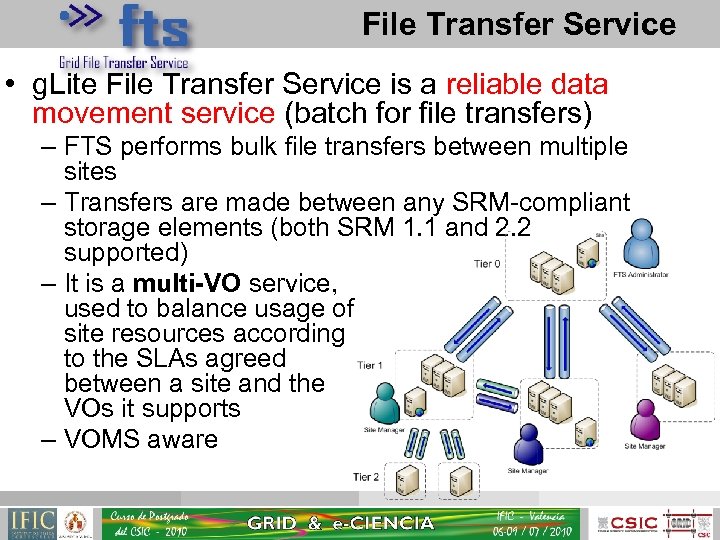 File Transfer Service • g. Lite File Transfer Service is a reliable data movement service (batch for file transfers) – FTS performs bulk file transfers between multiple sites – Transfers are made between any SRM-compliant storage elements (both SRM 1. 1 and 2. 2 supported) – It is a multi-VO service, used to balance usage of site resources according to the SLAs agreed between a site and the VOs it supports – VOMS aware
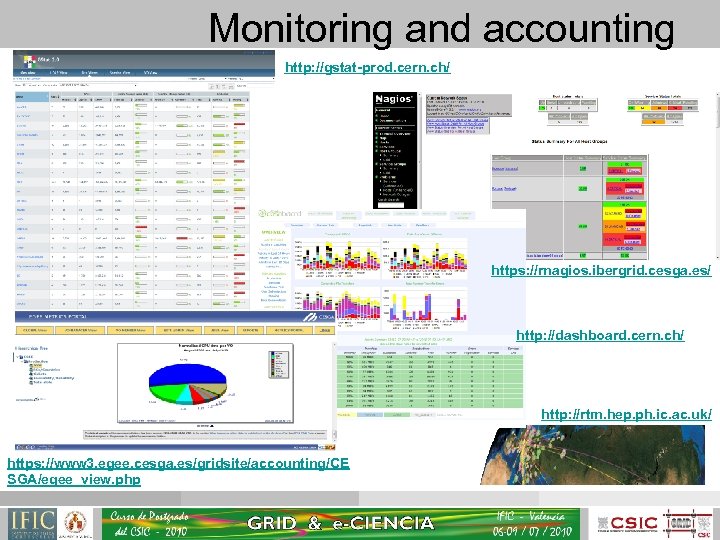 Monitoring and accounting http: //gstat-prod. cern. ch/ https: //rnagios. ibergrid. cesga. es/ http: //dashboard. cern. ch/ http: //rtm. hep. ph. ic. ac. uk/ https: //www 3. egee. cesga. es/gridsite/accounting/CE SGA/egee_view. php
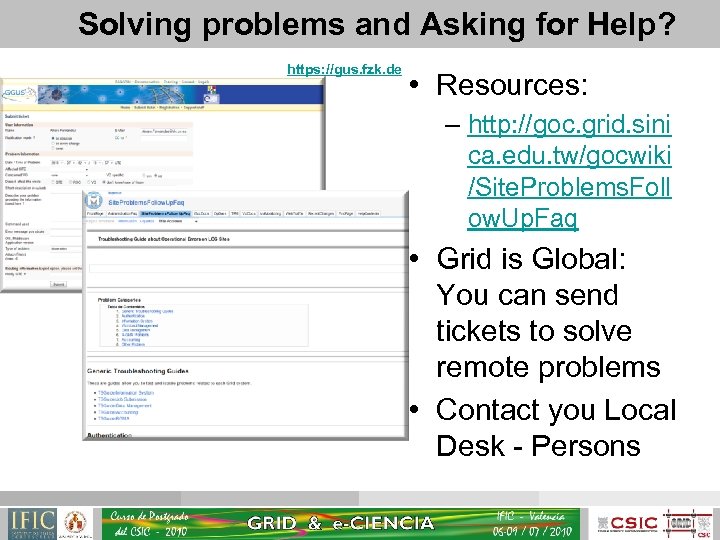 Solving problems and Asking for Help? https: //gus. fzk. de • Resources: – http: //goc. grid. sini ca. edu. tw/gocwiki /Site. Problems. Foll ow. Up. Faq • Grid is Global: You can send tickets to solve remote problems • Contact you Local Desk - Persons
 Links • http: //egee-technical. web. cern. ch/egeetechnical/documents/glossary. htm • http: //www. euegee. org/fileadmin/documents/Use. Cases/
 Thanks for the Attention and … From isgtw. org: Image courtesy. T obias Blanke