Скачать презентацию How To Size Configure and Manage Compaq Servers
3c47a17c9061af2dda04728385c68ac2.ppt
- Количество слайдов: 66
 How To Size, Configure and Manage Compaq Servers in a Novell Net. Ware® Environment www. novell. com Tim Cancila Manager, Mainstream Server Novell QA Compaq Computer Corporation tim. cancila@compaq. com Tracy Clayton Novell Program Manager, Compaq Computer Corporation tracy. clayton@compaq. com Jenifer Golmitz, MCNE, MCSE Novell Systems Engineer, Compaq Computer Corporation jenifer. golmitz@compaq. com
 Layout of Session • Latest and greatest technologies from Compaq 4 Adaptive Infrastructure Strategy 4 Pro. Liant Advantage and Storage. Works 4 Memory Technology Advancements 4 Processor Technology Advancements • Sizing Servers 4 Customer Comparison to Pro. Liant Servers and Storage 4 Novell Specific Sizing 4 High Availability and Clustering Solutions 4 Considerations when Sizing Servers
 Layout of Session (cont. ) • Server installation 4 Smart. Start Installation 4 Smart. Start Scripting Toolkit • Server management 4 Asset Collector 4 RILOE/i. LO 4 Compaq Insight Manager 7 4 Consolidated Support Pack
 Session Breakdown • Latest and greatest technologies and sizing servers— 45 minutes • Server installation and management— 60 minutes • Meet the experts— 30 minutes 4 Informal setting, not required to stay 4 Attendees to ask questions directly to Compaq 4 Experts will also be in the Compaq booth • Experts Bar for 1: 1 discussions
 Adaptive Infrastructure Strategy • Virtual Presence and Control 4 Secure, anytime, anywhere resource access and control • Automated Systems Provisioning 4 Automation of deployment, provisioning and change management process • Dynamic Resource Scaling 4 Real-time, dynamic delivery of computing resources when needed, wherever needed • Intelligent Fault Resilience 4 Predict, diagnose and rapidly respond to potential and actual fault conditions
 Essential Elements of Adaptive Infrastructure Strategy • Based on Unifying Industry Standards • Powered by Industry Defining Technologies • Integrated with Solutions and Services • Scales to businesses of all sizes
 Compaq Product Alignment with Adaptive Infrastructure Strategy • Virtual Presence and Control • Dynamic Resource Scaling Remote Insight Lights Out Edition (RILOE) 4 Integrated Lights Out Technology (i. LO) • Automated Systems Provisioning 4 Embedded Configuration Tools 4 Smart. Start and Smart. Start Scripting Toolkit 4 Storage Migration Compaq SANWorks Dynamic Resource Manager 4 Resource Partitioning Manager 4 Distributed Internet Server Array • Intelligent Fault Resilience 4 Compaq Insight Manager 7 (CIM) 4 High Availability Clustering 4 Integrated RAID 4 Hot Plug Technologies 4 Advanced Memory Protection 4 4
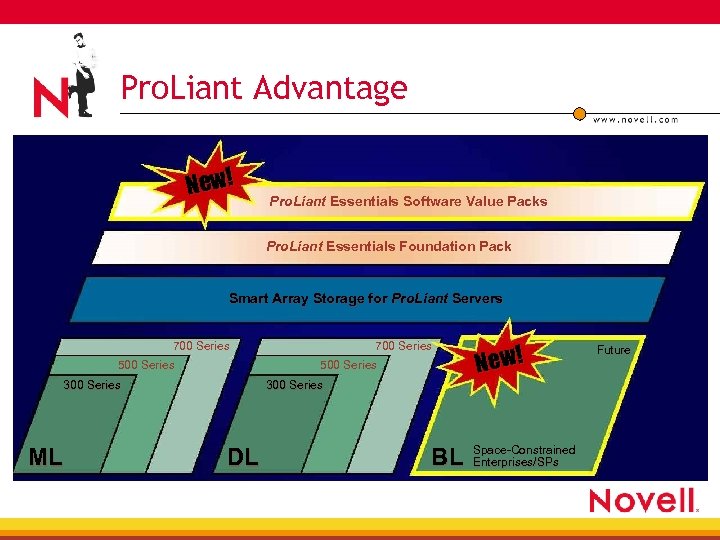 Pro. Liant Advantage New! Pro. Liant Essentials Software Value Packs Pro. Liant Essentials Foundation Pack Smart Array Storage for Pro. Liant Servers 700 Series 500 Series 300 Series ML 700 Series 300 Series DL BL New! Space-Constrained Enterprises/SPs Future
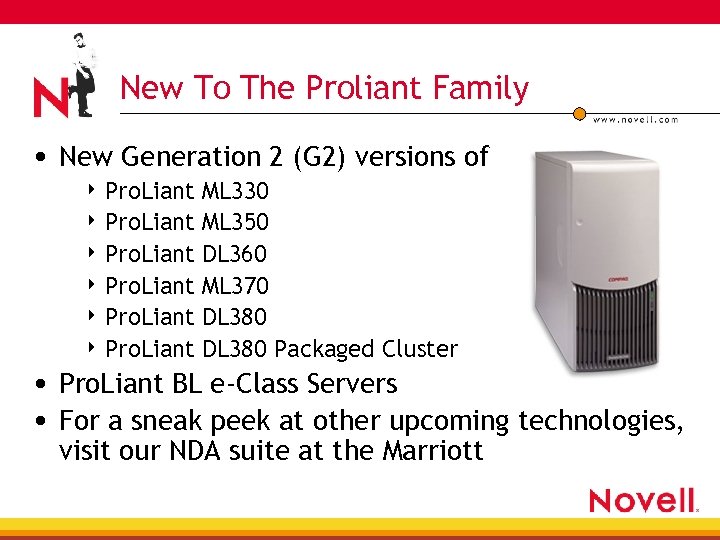 New To The Proliant Family • New Generation 2 (G 2) versions of 4 Pro. Liant ML 330 ML 350 DL 360 ML 370 DL 380 Packaged Cluster • Pro. Liant BL e-Class Servers • For a sneak peek at other upcoming technologies, visit our NDA suite at the Marriott
 Introduction to Hyper-Threading • Hyper-Threading technology provides thread- • • level parallelism (TLP) on each processor resulting in increased utilization of processor execution resources Each physical processor appears as two logical to the operating system and software Requires no changes to existing software Intel code name was ‘Jackson Technology’ Hyper-Threading is a form of simultaneous multi -Threading (SMT)
 SMP, SMT, and Hyper-Threading • Symmetric Multi-Processing Multiple physical processors 4 Each physical processor has: 4 • Architectural state (GP-, Segment-, Control-, Debug- and MSR registers, and APIC) • Processor core (execution engine, cache, processor bus interface, processor FW) • Simultaneous Multi-Threading Multiple threads execute “simultaneously” on any given individual processor 4 Goal: Independent streams/sequences of instructions 4
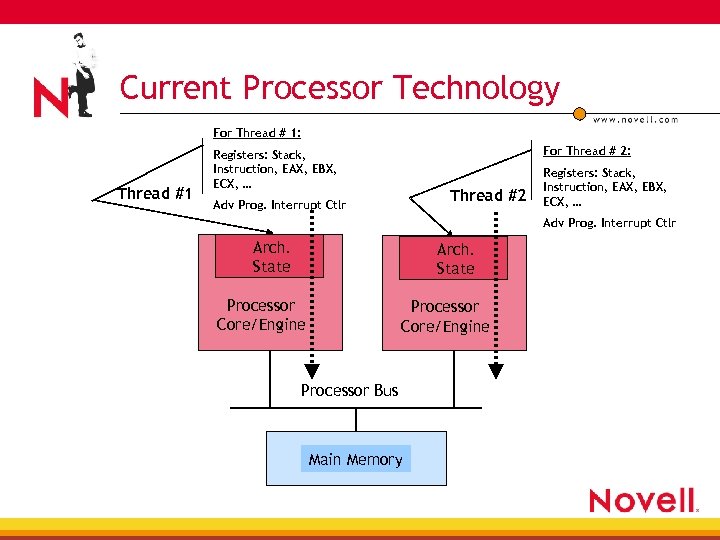 Current Processor Technology For Thread # 1: Thread #1 For Thread # 2: Registers: Stack, Instruction, EAX, EBX, ECX, … Thread #2 Adv Prog. Interrupt Ctlr Registers: Stack, Instruction, EAX, EBX, ECX, … Adv Prog. Interrupt Ctlr Arch. State Processor Core/Engine Processor Bus Main Memory
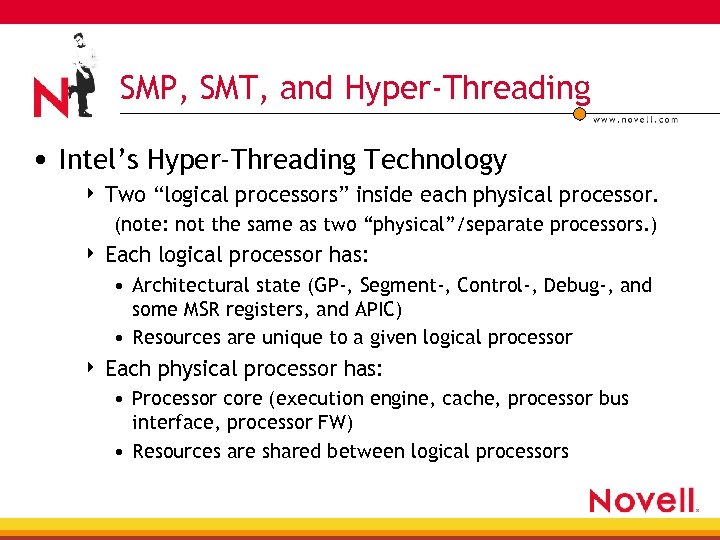 SMP, SMT, and Hyper-Threading • Intel’s Hyper-Threading Technology 4 Two “logical processors” inside each physical processor. (note: not the same as two “physical”/separate processors. ) 4 Each logical processor has: • Architectural state (GP-, Segment-, Control-, Debug-, and some MSR registers, and APIC) • Resources are unique to a given logical processor 4 Each physical processor has: • Processor core (execution engine, cache, processor bus interface, processor FW) • Resources are shared between logical processors
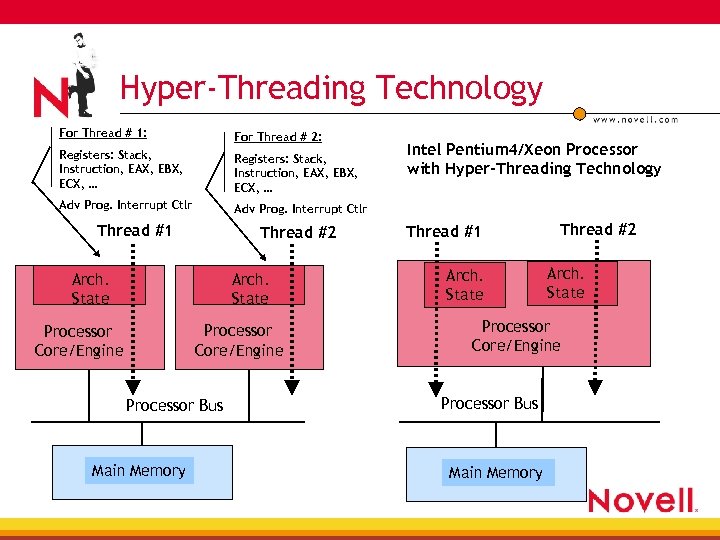 Hyper-Threading Technology For Thread # 1: For Thread # 2: Registers: Stack, Instruction, EAX, EBX, ECX, … Adv Prog. Interrupt Ctlr Thread #1 Thread #2 Arch. State Processor Core/Engine Processor Bus Main Memory Intel Pentium 4/Xeon Processor with Hyper-Threading Technology Thread #1 Arch. State Thread #2 Arch. State Processor Core/Engine Processor Bus Main Memory
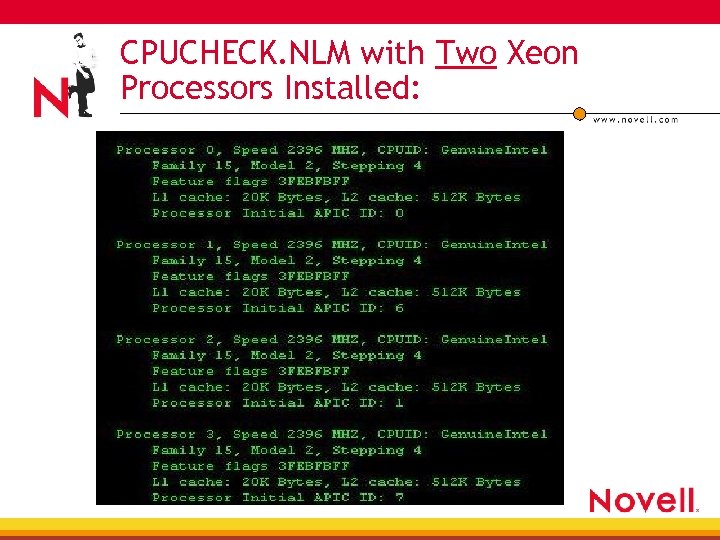 CPUCHECK. NLM with Two Xeon Processors Installed:
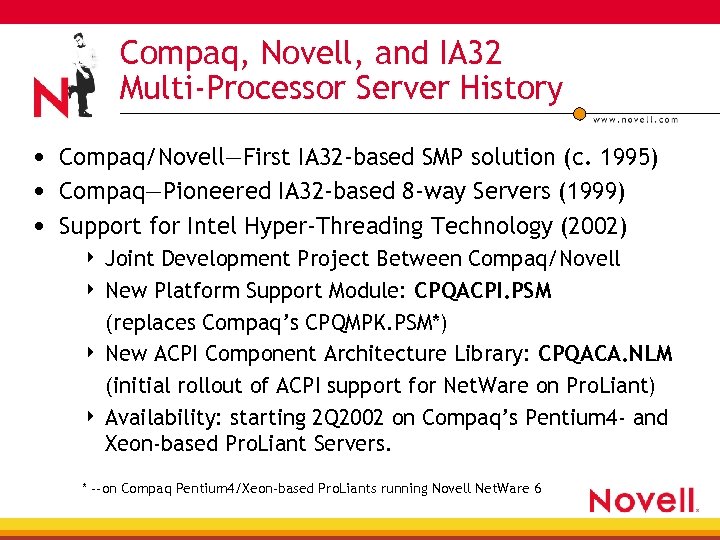 Compaq, Novell, and IA 32 Multi-Processor Server History • Compaq/Novell—First IA 32 -based SMP solution (c. 1995) • Compaq—Pioneered IA 32 -based 8 -way Servers (1999) • Support for Intel Hyper-Threading Technology (2002) Joint Development Project Between Compaq/Novell 4 New Platform Support Module: CPQACPI. PSM (replaces Compaq’s CPQMPK. PSM*) 4 New ACPI Component Architecture Library: CPQACA. NLM (initial rollout of ACPI support for Net. Ware on Pro. Liant) 4 Availability: starting 2 Q 2002 on Compaq’s Pentium 4 - and Xeon-based Pro. Liant Servers. 4 * --on Compaq Pentium 4/Xeon-based Pro. Liants running Novell Net. Ware 6
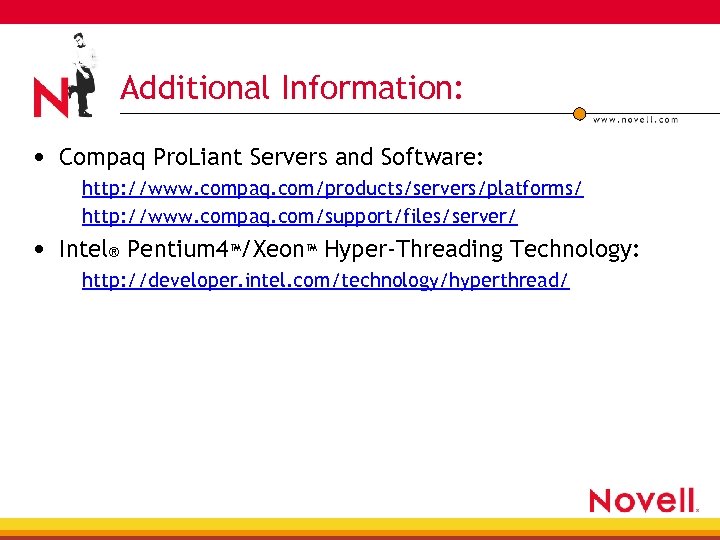 Additional Information: • Compaq Pro. Liant Servers and Software: http: //www. compaq. com/products/servers/platforms/ http: //www. compaq. com/support/files/server/ • Intel® Pentium 4™/Xeon™ Hyper-Threading Technology: http: //developer. intel. com/technology/hyperthread/
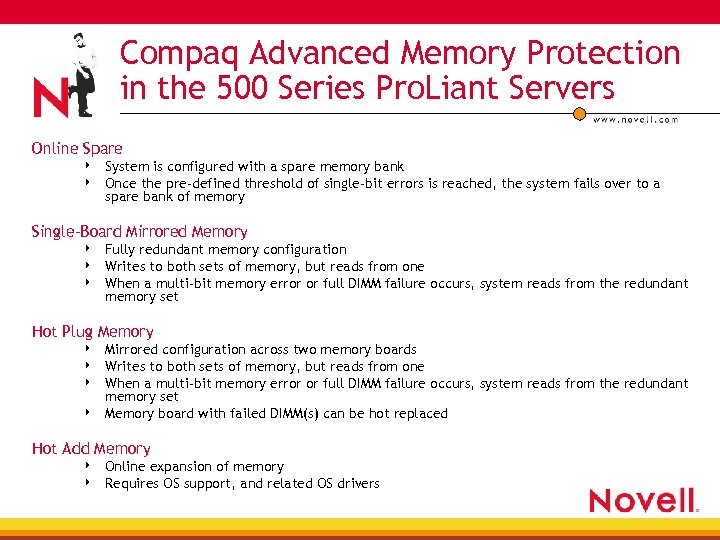 Compaq Advanced Memory Protection in the 500 Series Pro. Liant Servers Online Spare 4 4 System is configured with a spare memory bank Once the pre-defined threshold of single-bit errors is reached, the system fails over to a spare bank of memory Single-Board Mirrored Memory 4 4 4 Fully redundant memory configuration Writes to both sets of memory, but reads from one When a multi-bit memory error or full DIMM failure occurs, system reads from the redundant memory set Hot Plug Memory 4 4 Mirrored configuration across two memory boards Writes to both sets of memory, but reads from one When a multi-bit memory error or full DIMM failure occurs, system reads from the redundant memory set Memory board with failed DIMM(s) can be hot replaced Hot Add Memory 4 4 Online expansion of memory Requires OS support, and related OS drivers
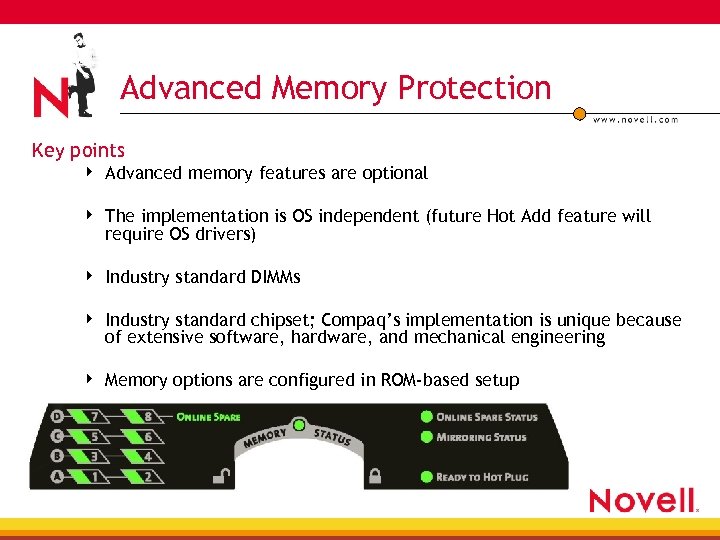 Advanced Memory Protection Key points 4 Advanced memory features are optional 4 The implementation is OS independent (future Hot Add feature will require OS drivers) 4 Industry standard DIMMs 4 Industry standard chipset; Compaq’s implementation is unique because of extensive software, hardware, and mechanical engineering 4 Memory options are configured in ROM-based setup
 Why Advanced Memory Protection? • The likelihood of memory errors is increasing 4 4 4 OS and applications are requiring more memory, increasing the probability of a memory failure Increasing DIMM components (like capacitors per DIMM or DRAMs per DIMM) means more solder joints, which in turn means more failures The greater DRAM density has also resulted in lower voltages, making capacitors more sensitive to soft errors • To help identify whether the investment in redundant memory makes sense for your environment, use the following ROI equation 4 ROI = (Cost of downtime x Probability of memory failure) – (Investment in Additional Memory)
 What is Dt. S? Dt. S=DAS to SAN Direct Attach Storage to Storage Area Network • Instant consolidation of existing DAS data into a Compaq SAN • Significant simplification of storage consolidation 4 Creates an easy migration from Smart Array DAS to SAN 4 Minimizes application disruption during data migration 4 Protects investments in drives and data
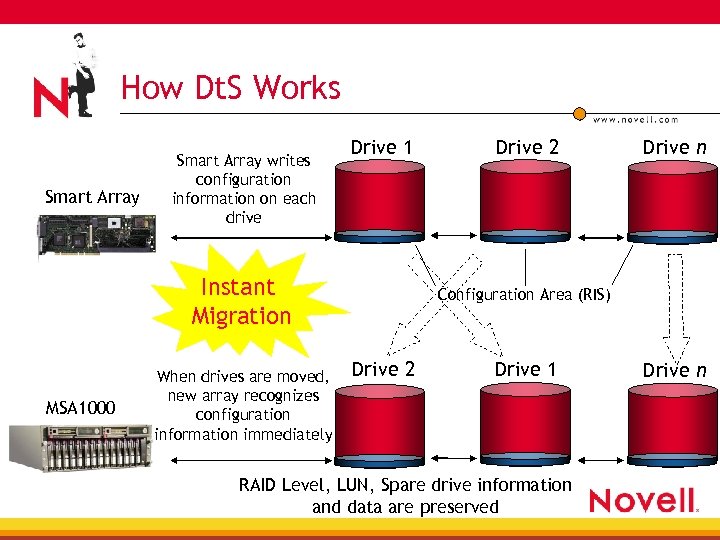 How Dt. S Works Smart Array writes configuration information on each drive Drive 1 Instant Migration MSA 1000 When drives are moved, new array recognizes configuration information immediately Drive 2 Drive n Configuration Area (RIS) Drive 2 Drive 1 RAID Level, LUN, Spare drive information and data are preserved Drive n
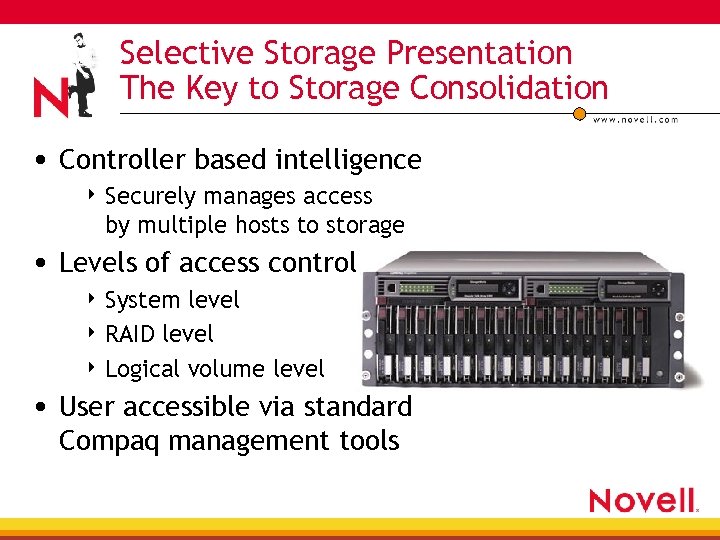 Selective Storage Presentation The Key to Storage Consolidation • Controller based intelligence 4 Securely manages access by multiple hosts to storage • Levels of access control 4 System level 4 RAID level 4 Logical volume level • User accessible via standard Compaq management tools
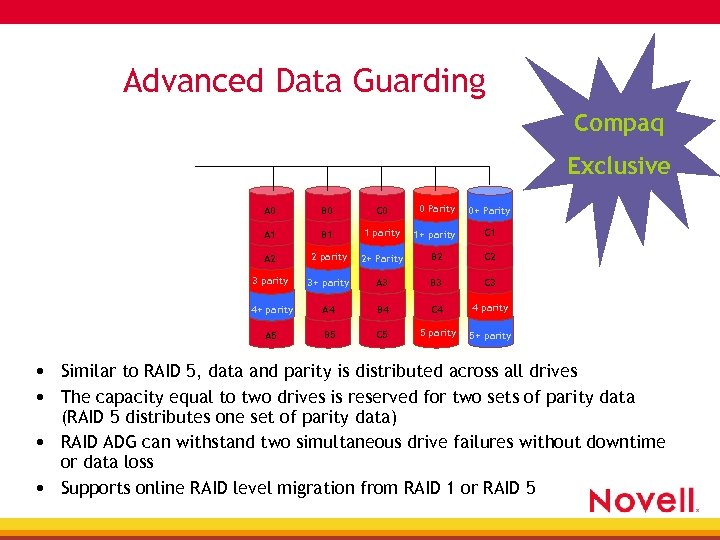 Advanced Data Guarding Compaq Exclusive A 0 B 0 C 0 0 Parity 0+ Parity A 1 B 1 1 parity 1+ parity C 1 A 2 2 parity 2+ Parity B 2 C 2 3 parity 3+ parity A 3 B 3 C 3 4+ parity A 4 B 4 C 4 4 parity A 5 B 5 C 5 5 parity 5+ parity • Similar to RAID 5, data and parity is distributed across all drives • The capacity equal to two drives is reserved for two sets of parity data (RAID 5 distributes one set of parity data) • RAID ADG can withstand two simultaneous drive failures without downtime or data loss • Supports online RAID level migration from RAID 1 or RAID 5
 Data Replication Manager • Data Replication Manager is a disaster tolerant remotemirroring solution • Based on Storage. Works. TM HSG 80 Fibre channel array • SAN solution ensures business continuance and velocity
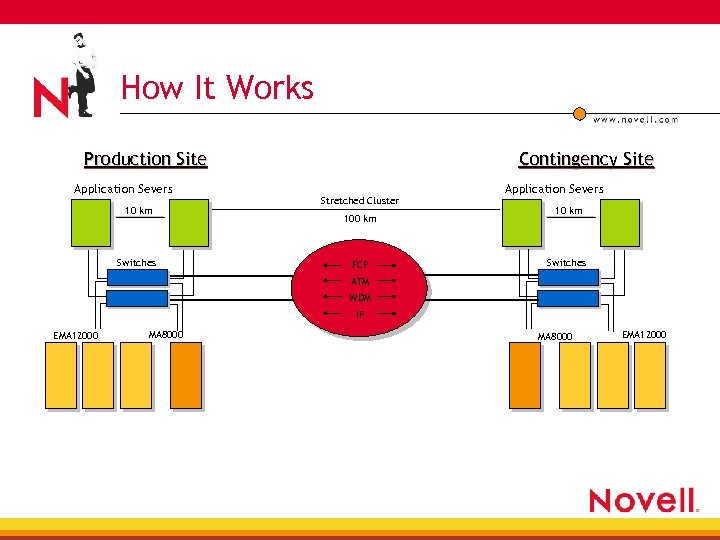 How It Works Production Site Application Severs 10 km Switches Contingency Site Stretched Cluster 100 km FCP Application Severs 10 km Switches ATM WDM IP EMA 12000 MA 8000 EMA 12000
 Choosing What’s Right for Your Business • Determine the revenue loss if your systems are down 4 This will help you decide if clustering is appropriate for your business • Buy with high availability in mind 4 Always buy any available redundant power options • Even the smallest businesses can afford redundant power in their hardware 4 Consider redundant disk and NIC options
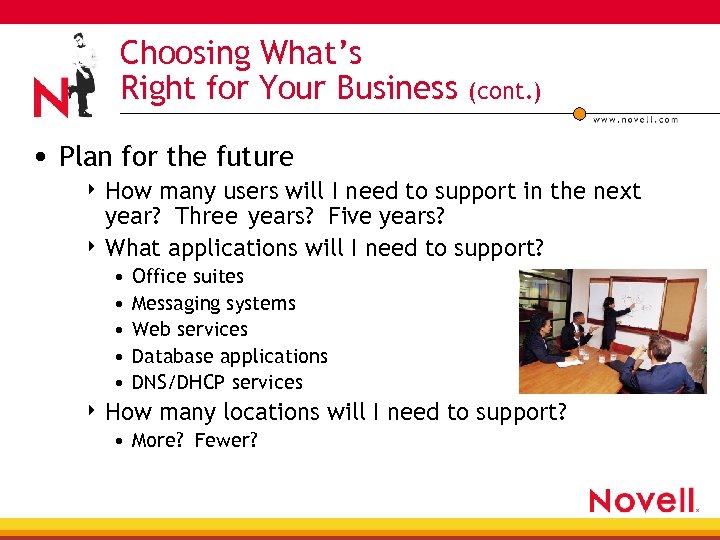 Choosing What’s Right for Your Business (cont. ) • Plan for the future 4 How many users will I need to support in the next year? Three years? Five years? 4 What applications will I need to support? • • • Office suites Messaging systems Web services Database applications DNS/DHCP services 4 How many locations will I need to support? • More? Fewer?
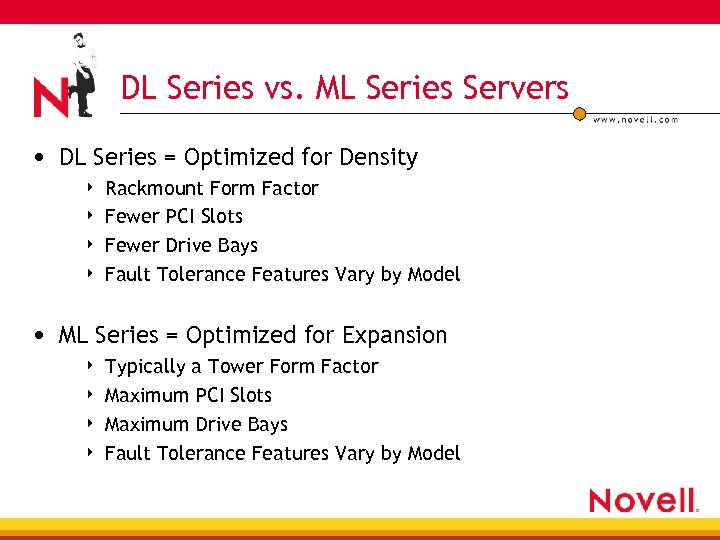 DL Series vs. ML Series Servers • DL Series = Optimized for Density 4 4 Rackmount Form Factor Fewer PCI Slots Fewer Drive Bays Fault Tolerance Features Vary by Model • ML Series = Optimized for Expansion 4 4 Typically a Tower Form Factor Maximum PCI Slots Maximum Drive Bays Fault Tolerance Features Vary by Model
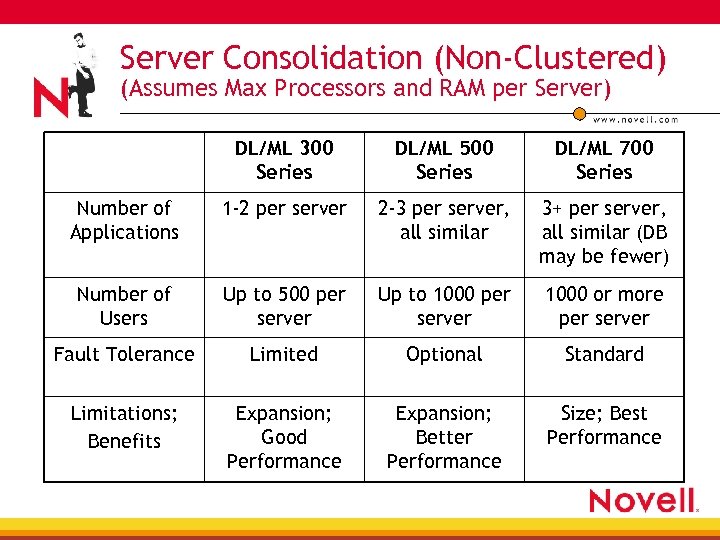 Server Consolidation (Non-Clustered) (Assumes Max Processors and RAM per Server) DL/ML 300 Series DL/ML 500 Series DL/ML 700 Series Number of Applications 1 -2 per server 2 -3 per server, all similar 3+ per server, all similar (DB may be fewer) Number of Users Up to 500 per server Up to 1000 per server 1000 or more per server Fault Tolerance Limited Optional Standard Limitations; Benefits Expansion; Good Performance Expansion; Better Performance Size; Best Performance
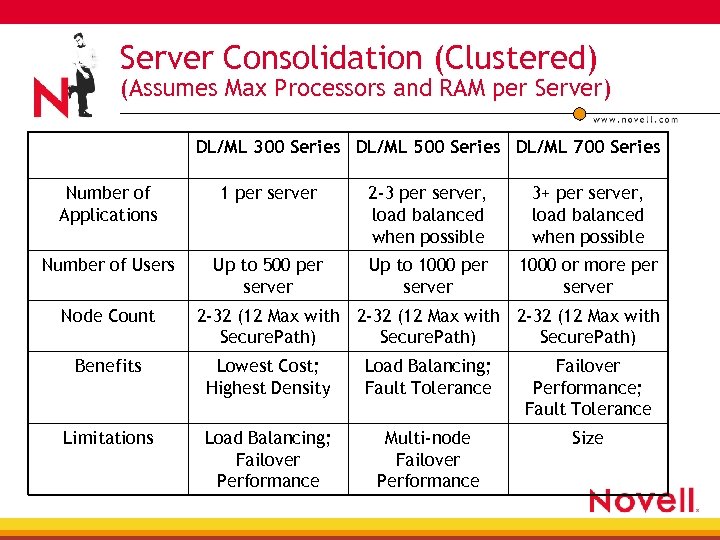 Server Consolidation (Clustered) (Assumes Max Processors and RAM per Server) DL/ML 300 Series DL/ML 500 Series DL/ML 700 Series Number of Applications 1 per server 2 -3 per server, load balanced when possible 3+ per server, load balanced when possible Number of Users Up to 500 per server Up to 1000 per server 1000 or more per server Node Count 2 -32 (12 Max with Secure. Path) Benefits Lowest Cost; Highest Density Load Balancing; Fault Tolerance Failover Performance; Fault Tolerance Limitations Load Balancing; Failover Performance Multi-node Failover Performance Size
 Net. Ware® 6 vs. Net. Ware 4. x and 5. x • Let performance be your guide 4 You will see a performance increase when running Net. Ware 6 for virtually any application without any special tuning 4 A server that is adequately performing now will most likely be able to either support more users or additional applications when running Net. Ware 6 • Net. Ware 6 is an additive product 4 You don’t need to rip and replace to take advantage of the new features
 Server Installation • Smart. Start—Assisted and Manual Path • Pro. Liant Essentials CD (Foundation Pack shipped with every CD) • Smart. Start Scripting Toolkit
 Net. Ware 6 Installation Options Offered by Compaq • Pre-installed on server at time of purchase 4 4 Currently receive a Net. Ware 6 CD with server purchase Pre-loaded servers available in May 2002 timeframe • Smart. Start Manual Path Installation 4 4 Available for Net. Ware 6 as of Smart. Start 5. 30 release Configure hardware with prompts, Net. Ware 6 install is left to administrator to configure • Smart. Start Assisted Path Installation 4 4 Available for Net. Ware 6 with the Smart. Start 5. 40 release (scheduled for May 2002) Assists the administrator through both the hardware and the OS configuration • Smart. Start Scripting Toolkit 4 High Volume Server Deployment Tool
 Seven Steps to the Scripting Toolkit 1. 2. 3. 4. Create the Repository Server Creating the Batch Files Configuring the Source Server Creating the Toolkit Configuration Utilities Boot Disk 5. Using the Toolkit Boot Disk on the Source Server 6. Edit the response. ni file 7. Creating the Network Boot Disk
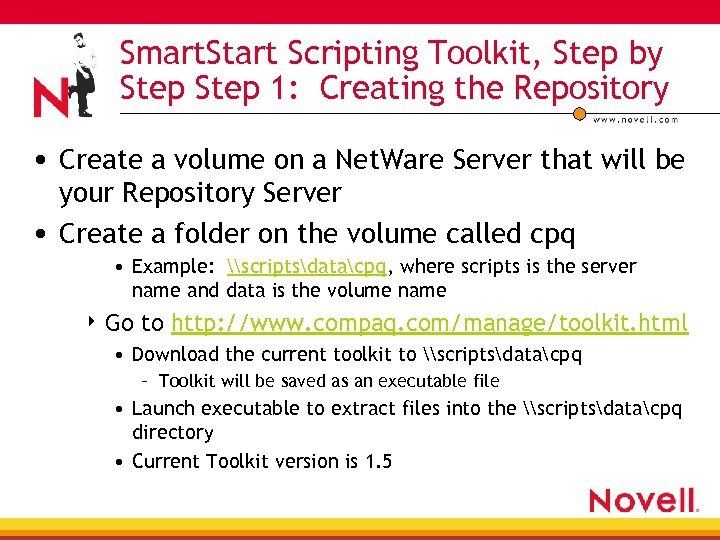 Smart. Start Scripting Toolkit, Step by Step 1: Creating the Repository • Create a volume on a Net. Ware Server that will be your Repository Server • Create a folder on the volume called cpq • Example: \scriptsdatacpq, where scripts is the server name and data is the volume name 4 Go to http: //www. compaq. com/manage/toolkit. html • Download the current toolkit to \scriptsdatacpq – Toolkit will be saved as an executable file • Launch executable to extract files into the \scriptsdatacpq directory • Current Toolkit version is 1. 5
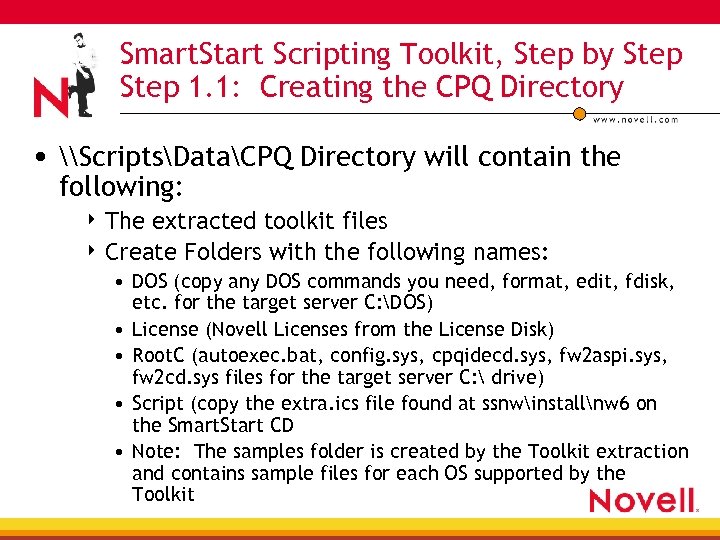 Smart. Start Scripting Toolkit, Step by Step 1. 1: Creating the CPQ Directory • \ScriptsDataCPQ Directory will contain the following: 4 The extracted toolkit files 4 Create Folders with the following names: • DOS (copy any DOS commands you need, format, edit, fdisk, etc. for the target server C: DOS) • License (Novell Licenses from the License Disk) • Root. C (autoexec. bat, config. sys, cpqidecd. sys, fw 2 aspi. sys, fw 2 cd. sys files for the target server C: drive) • Script (copy the extra. ics file found at ssnwinstallnw 6 on the Smart. Start CD • Note: The samples folder is created by the Toolkit extraction and contains sample files for each OS supported by the Toolkit
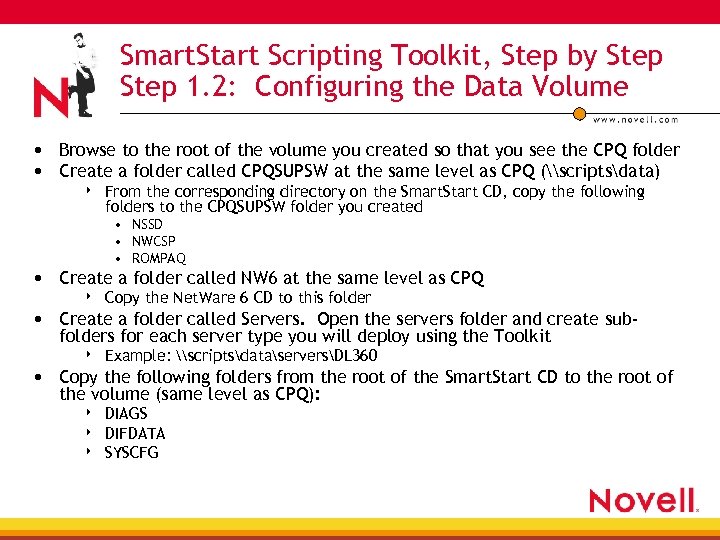 Smart. Start Scripting Toolkit, Step by Step 1. 2: Configuring the Data Volume • Browse to the root of the volume you created so that you see the CPQ folder • Create a folder called CPQSUPSW at the same level as CPQ (\scriptsdata) 4 From the corresponding directory on the Smart. Start CD, copy the following folders to the CPQSUPSW folder you created • NSSD • NWCSP • ROMPAQ • Create a folder called NW 6 at the same level as CPQ 4 Copy the Net. Ware 6 CD to this folder • Create a folder called Servers. Open the servers folder and create subfolders for each server type you will deploy using the Toolkit 4 Example: \scriptsdataserversDL 360 • Copy the following folders from the root of the Smart. Start CD to the root of the volume (same level as CPQ): 4 4 4 DIAGS DIFDATA SYSCFG
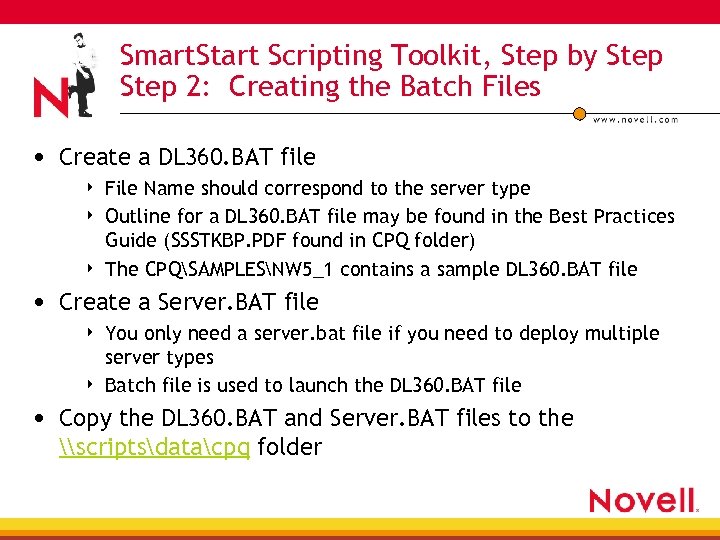 Smart. Start Scripting Toolkit, Step by Step 2: Creating the Batch Files • Create a DL 360. BAT file 4 4 4 File Name should correspond to the server type Outline for a DL 360. BAT file may be found in the Best Practices Guide (SSSTKBP. PDF found in CPQ folder) The CPQSAMPLESNW 5_1 contains a sample DL 360. BAT file • Create a Server. BAT file 4 4 You only need a server. bat file if you need to deploy multiple server types Batch file is used to launch the DL 360. BAT file • Copy the DL 360. BAT and Server. BAT files to the \scriptsdatacpq folder
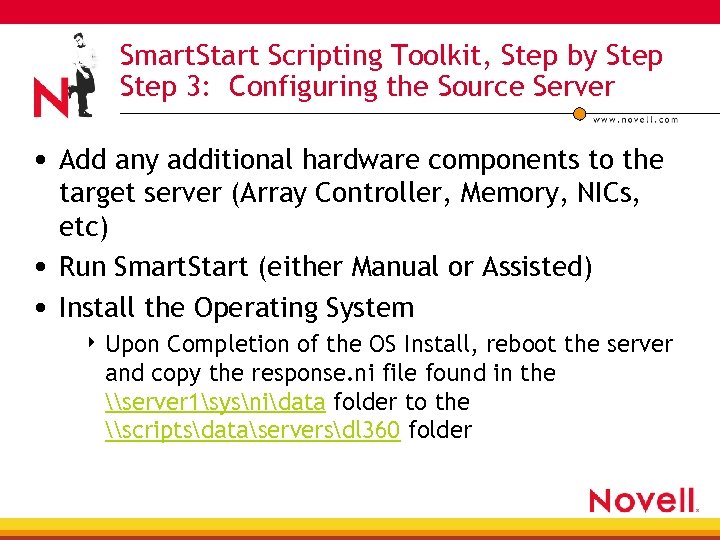 Smart. Start Scripting Toolkit, Step by Step 3: Configuring the Source Server • Add any additional hardware components to the target server (Array Controller, Memory, NICs, etc) • Run Smart. Start (either Manual or Assisted) • Install the Operating System 4 Upon Completion of the OS Install, reboot the server and copy the response. ni file found in the \server 1sysnidata folder to the \scriptsdataserversdl 360 folder
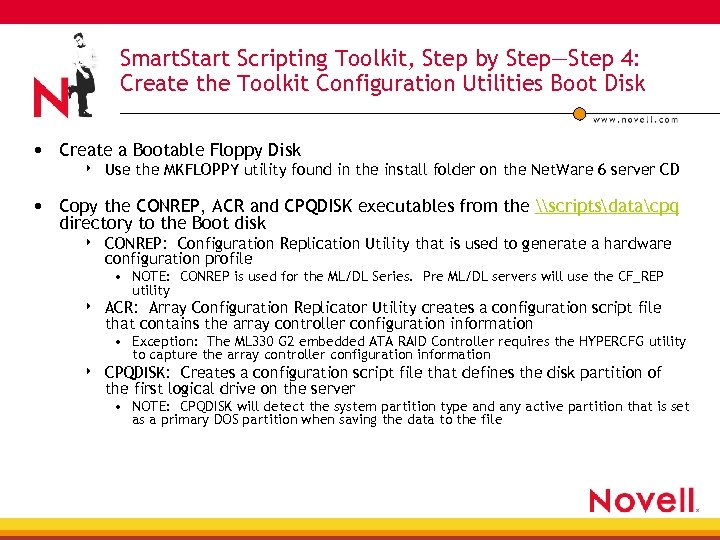 Smart. Start Scripting Toolkit, Step by Step—Step 4: Create the Toolkit Configuration Utilities Boot Disk • Create a Bootable Floppy Disk 4 Use the MKFLOPPY utility found in the install folder on the Net. Ware 6 server CD • Copy the CONREP, ACR and CPQDISK executables from the \scriptsdatacpq directory to the Boot disk 4 CONREP: Configuration Replication Utility that is used to generate a hardware configuration profile • NOTE: CONREP is used for the ML/DL Series. Pre ML/DL servers will use the CF_REP utility 4 ACR: Array Configuration Replicator Utility creates a configuration script file that contains the array controller configuration information • Exception: The ML 330 G 2 embedded ATA RAID Controller requires the HYPERCFG utility to capture the array controller configuration information 4 CPQDISK: Creates a configuration script file that defines the disk partition of the first logical drive on the server • NOTE: CPQDISK will detect the system partition type and any active partition that is set as a primary DOS partition when saving the data to the file
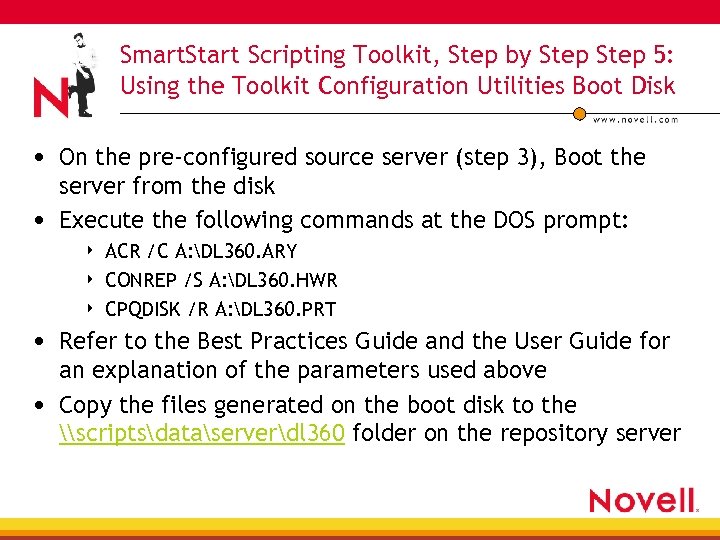 Smart. Start Scripting Toolkit, Step by Step 5: Using the Toolkit Configuration Utilities Boot Disk • On the pre-configured source server (step 3), Boot the server from the disk • Execute the following commands at the DOS prompt: 4 4 4 ACR /C A: DL 360. ARY CONREP /S A: DL 360. HWR CPQDISK /R A: DL 360. PRT • Refer to the Best Practices Guide and the User Guide for an explanation of the parameters used above • Copy the files generated on the boot disk to the \scriptsdataserverdl 360 folder on the repository server
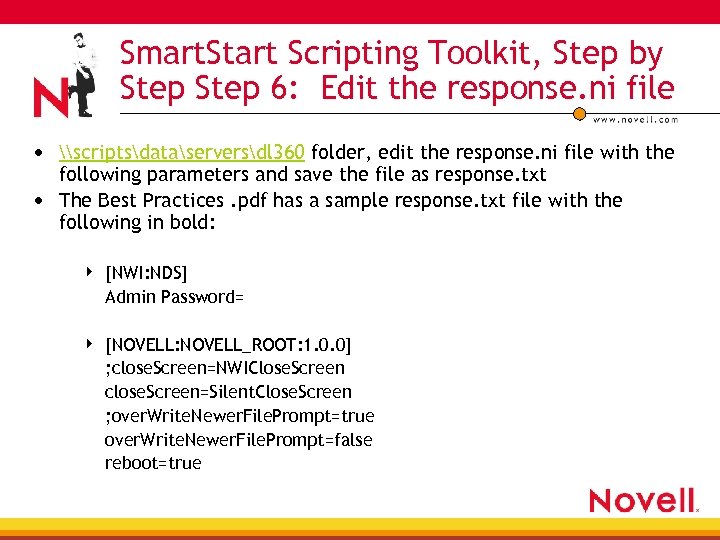 Smart. Start Scripting Toolkit, Step by Step 6: Edit the response. ni file • \scriptsdataserversdl 360 folder, edit the response. ni file with the following parameters and save the file as response. txt • The Best Practices. pdf has a sample response. txt file with the following in bold: 4 [NWI: NDS] Admin Password= 4 [NOVELL: NOVELL_ROOT: 1. 0. 0] ; close. Screen=NWIClose. Screen close. Screen=Silent. Close. Screen ; over. Write. Newer. File. Prompt=true over. Write. Newer. File. Prompt=false reboot=true
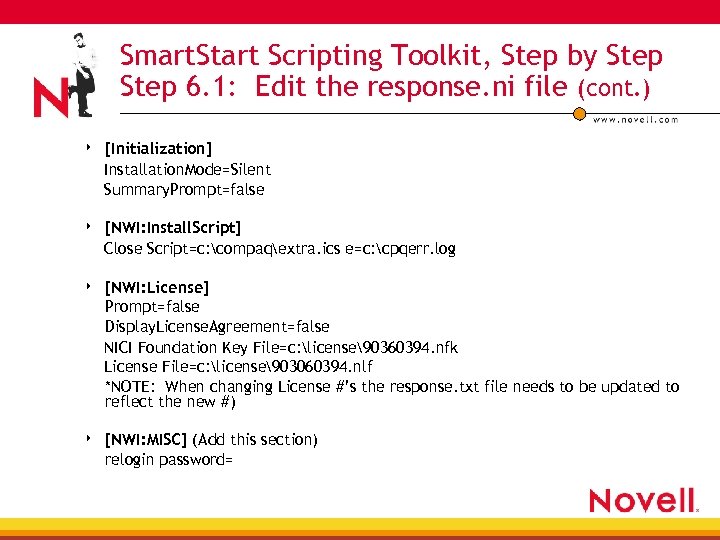 Smart. Start Scripting Toolkit, Step by Step 6. 1: Edit the response. ni file (cont. ) 4 [Initialization] Installation. Mode=Silent Summary. Prompt=false 4 [NWI: Install. Script] Close Script=c: compaqextra. ics e=c: cpqerr. log 4 [NWI: License] Prompt=false Display. License. Agreement=false NICI Foundation Key File=c: license90360394. nfk License File=c: license903060394. nlf *NOTE: When changing License #’s the response. txt file needs to be updated to reflect the new #) 4 [NWI: MISC] (Add this section) relogin password=
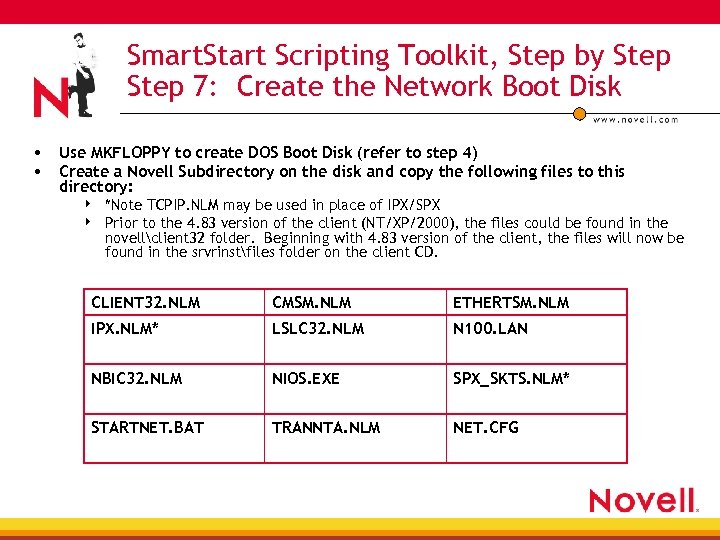 Smart. Start Scripting Toolkit, Step by Step 7: Create the Network Boot Disk • Use MKFLOPPY to create DOS Boot Disk (refer to step 4) • Create a Novell Subdirectory on the disk and copy the following files to this directory: 4 4 *Note TCPIP. NLM may be used in place of IPX/SPX Prior to the 4. 83 version of the client (NT/XP/2000), the files could be found in the novellclient 32 folder. Beginning with 4. 83 version of the client, the files will now be found in the srvrinstfiles folder on the client CD. CLIENT 32. NLM CMSM. NLM ETHERTSM. NLM IPX. NLM* LSLC 32. NLM N 100. LAN NBIC 32. NLM NIOS. EXE SPX_SKTS. NLM* STARTNET. BAT TRANNTA. NLM NET. CFG
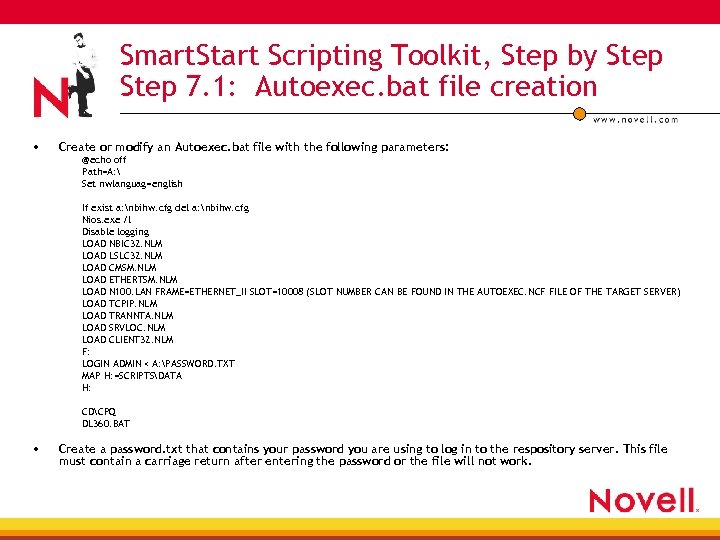 Smart. Start Scripting Toolkit, Step by Step 7. 1: Autoexec. bat file creation • Create or modify an Autoexec. bat file with the following parameters: @echo off Path=A: Set nwlanguag=english If exist a: nbihw. cfg del a: nbihw. cfg Nios. exe /l Disable logging LOAD NBIC 32. NLM LOAD LSLC 32. NLM LOAD CMSM. NLM LOAD ETHERTSM. NLM LOAD N 100. LAN FRAME=ETHERNET_II SLOT=10008 (SLOT NUMBER CAN BE FOUND IN THE AUTOEXEC. NCF FILE OF THE TARGET SERVER) LOAD TCPIP. NLM LOAD TRANNTA. NLM LOAD SRVLOC. NLM LOAD CLIENT 32. NLM F: LOGIN ADMIN < A: PASSWORD. TXT MAP H: =SCRIPTSDATA H: CDCPQ DL 360. BAT • Create a password. txt that contains your password you are using to log in to the respository server. This file must contain a carriage return after entering the password or the file will not work.
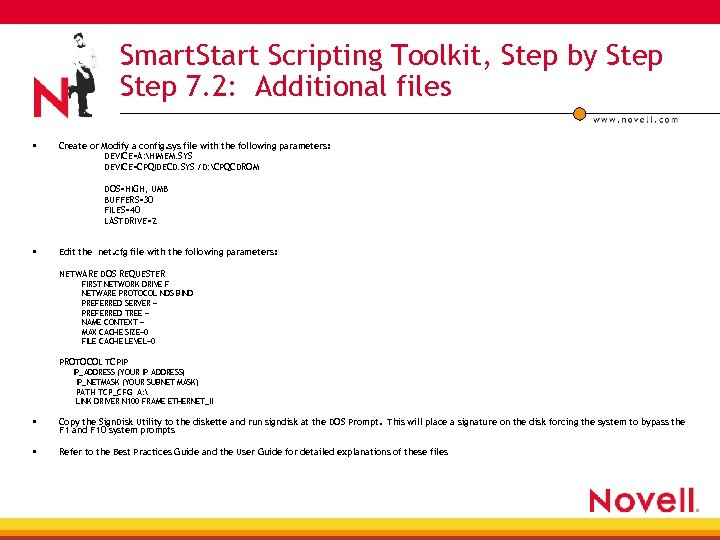 Smart. Start Scripting Toolkit, Step by Step 7. 2: Additional files • Create or Modify a config. sys file with the following parameters: DEVICE=A: HIMEM. SYS DEVICE=CPQIDECD. SYS /D: CPQCDROM DOS=HIGH, UMB BUFFERS=30 FILES=40 LASTDRIVE=Z • Edit the net. cfg file with the following parameters: NETWARE DOS REQUESTER FIRST NETWORK DRIVE F NETWARE PROTOCOL NDS BIND PREFERRED SERVER = PREFERRED TREE = NAME CONTEXT = MAX CACHE SIZE=0 FILE CACHE LEVEL=0 PROTOCOL TCPIP IP_ADDRESS (YOUR IP ADDRESS) IP_NETMASK (YOUR SUBNET MASK) PATH TCP_CFG A: LINK DRIVER N 100 FRAME ETHERNET_II • Copy the Sign. Disk Utility to the diskette and run signdisk at the DOS Prompt. This will place a signature on the disk forcing the system to bypass the F 1 and F 10 system prompts • Refer to the Best Practices Guide and the User Guide for detailed explanations of these files
 e. Directory Collection Agent • Novell e. Directory™ Agent for instrumentation of Pro. Liant hardware information in the directory • Console. One® snap-in to view and manage hardware data • Browser links to Remote Insight Board, Compaq Insight Server Agents and Compaq Insight Manager 7 • Now in release, download at http: //www. compaq. com/manage/novell_integration. html
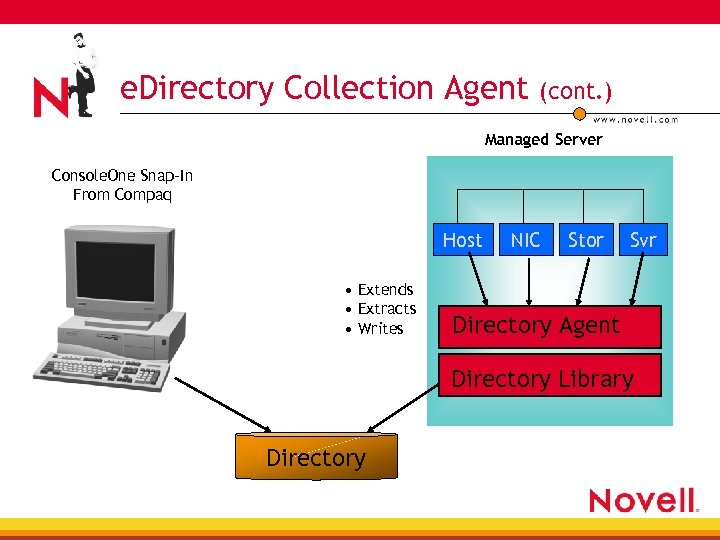 e. Directory Collection Agent (cont. ) Managed Server Console. One Snap-In From Compaq Host • Extends • Extracts • Writes NIC Stor Svr Directory Agent Directory Library Directory
 Remote Insight Board • The Remote Insight Board 4 4 What is it? Remote Management option card for Pro. Liant Servers It’s a computer in a PCI slot Completely independent of hardware and OS • What does it do? 4 4 4 Allows a user to take complete control over a server I/O control – Video, Mouse, Keyboard, Floppy Remote Power ON/OFF • Is it secure? 4 Supports SSL (128 bit), the board has a local set of users and hashed passwords
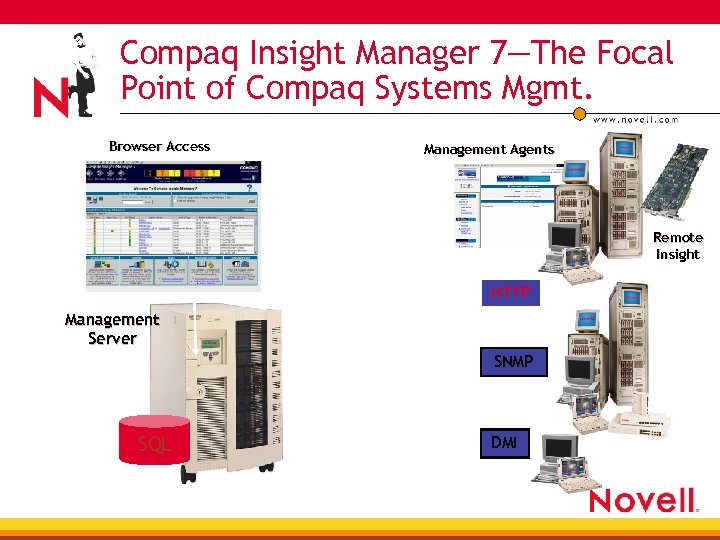 Compaq Insight Manager 7—The Focal Point of Compaq Systems Mgmt. Browser Access Management Agents Remote Insight HTTP Management Server SNMP SQL DMI
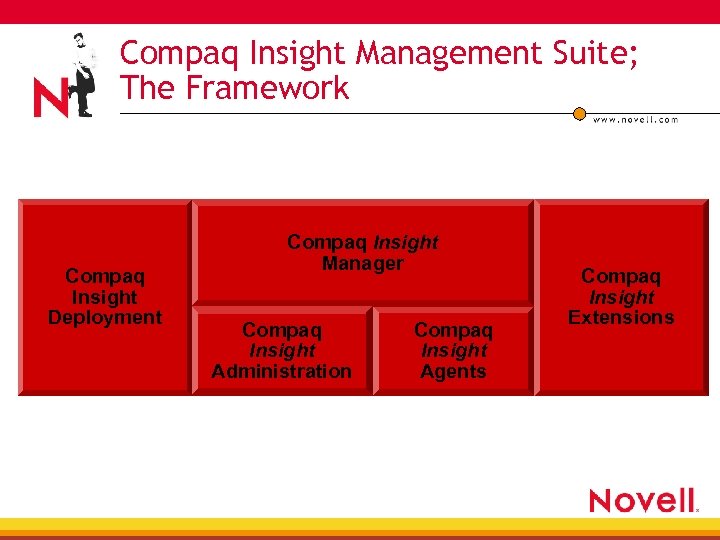 Compaq Insight Management Suite; The Framework Compaq Insight Deployment Compaq Insight Manager Compaq Insight Administration Compaq Insight Agents Compaq Insight Extensions
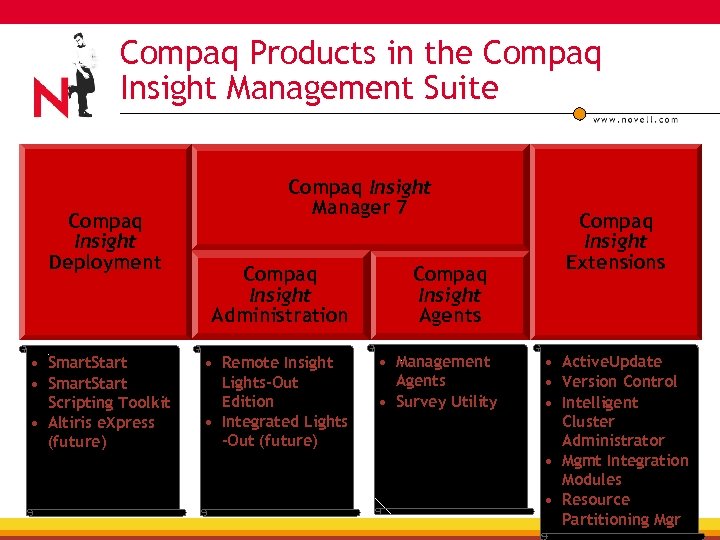 Compaq Products in the Compaq Insight Management Suite Compaq Insight Deployment • Smart. Start Scripting Toolkit • Altiris e. Xpress (future) Compaq Insight Manager 7 Compaq Insight Administration • Remote Insight Lights-Out Edition • Integrated Lights -Out (future) Compaq Insight Agents • Management Agents • Survey Utility Compaq Insight Extensions • Active. Update • Version Control • Intelligent Cluster Administrator • Mgmt Integration Modules • Resource Partitioning Mgr
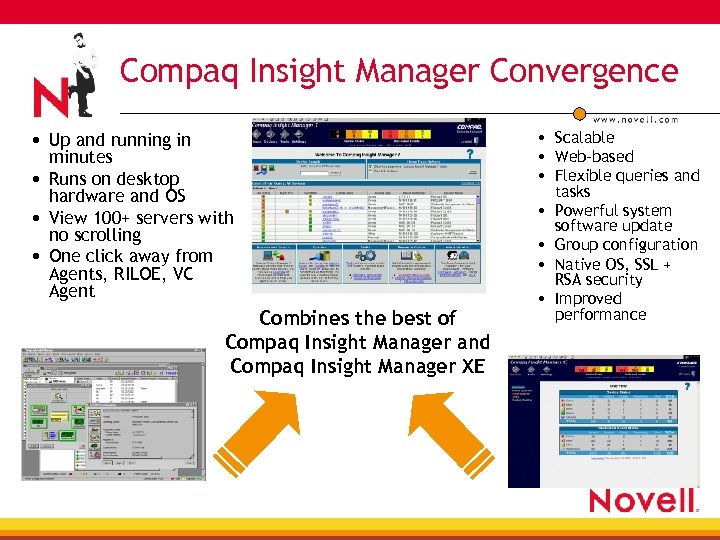 Compaq Insight Manager Convergence • Up and running in minutes • Runs on desktop hardware and OS • View 100+ servers with no scrolling • One click away from Agents, RILOE, VC Agent Combines the best of Compaq Insight Manager and Compaq Insight Manager XE • Scalable • Web-based • Flexible queries and • • tasks Powerful system software update Group configuration Native OS, SSL + RSA security Improved performance
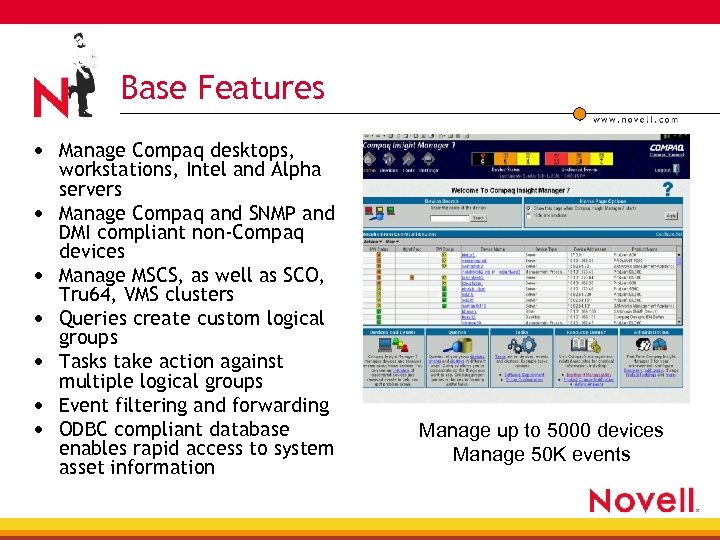 Base Features • Manage Compaq desktops, • • • workstations, Intel and Alpha servers Manage Compaq and SNMP and DMI compliant non-Compaq devices Manage MSCS, as well as SCO, Tru 64, VMS clusters Queries create custom logical groups Tasks take action against multiple logical groups Event filtering and forwarding ODBC compliant database enables rapid access to system asset information Manage up to 5000 devices Manage 50 K events
 Compaq Insight Manager 7 Advantage • Maximize system availability, workforce productivity, business uptime 4 Pre-failure alerts warn of potential problems before they result in unplanned downtime 4 Simple status icons and quick access to fault information speed problem diagnosis • Lower cost of maintaining IT infrastructure 4 Remote system software update means less traveling by IT staff 4 Version control and revision history helps pinpoint servers that require software updates
 Compaq Insight Manager 7 Advantage • Centralized management access point 4 Quickly access agents, RILOE, Version Control Agents, Version Control Repository Manager, Availability Agents installed on any device. • Protect investment in existing infrastructure 4 Compaq Insight Manager 7 manages both Compaq and non. Compaq devices instrumented to HTTP, SNMP, and DMI • Reduce number of management consoles 4 Compaq Insight Manager 7 manage servers, clusters, clients, printers, networking gear and other devices instrumented to HTTP, SNMP, and DMI.
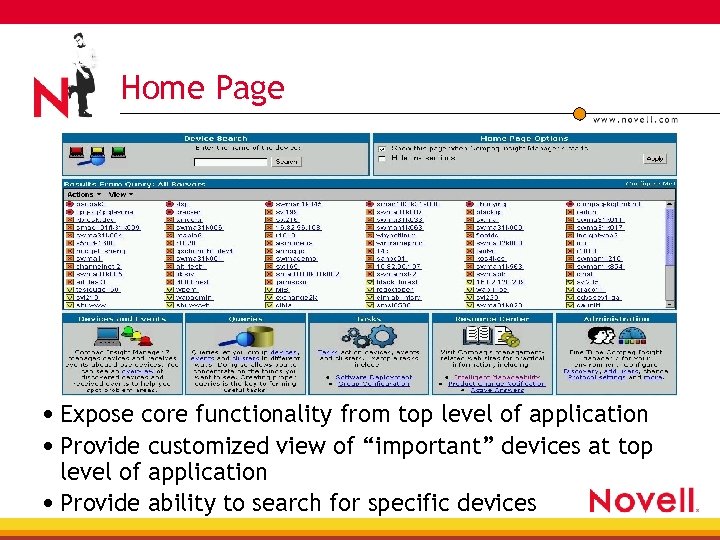 Home Page • Expose core functionality from top level of application • Provide customized view of “important” devices at top level of application • Provide ability to search for specific devices
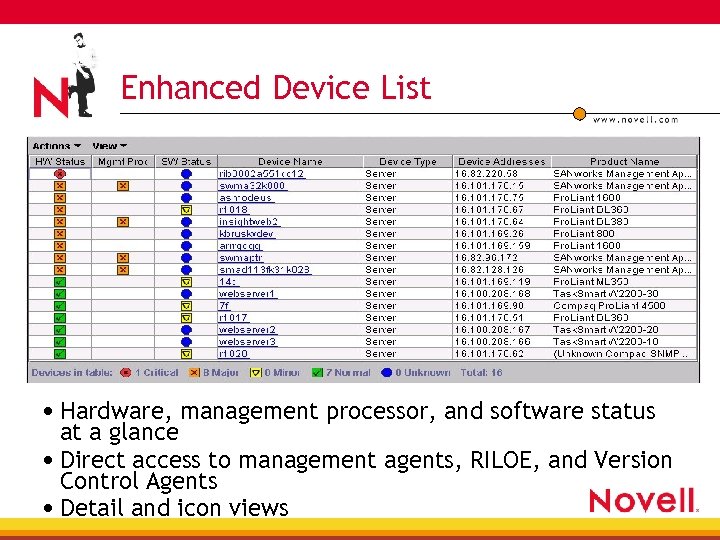 Enhanced Device List • Hardware, management processor, and software status at a glance • Direct access to management agents, RILOE, and Version Control Agents • Detail and icon views
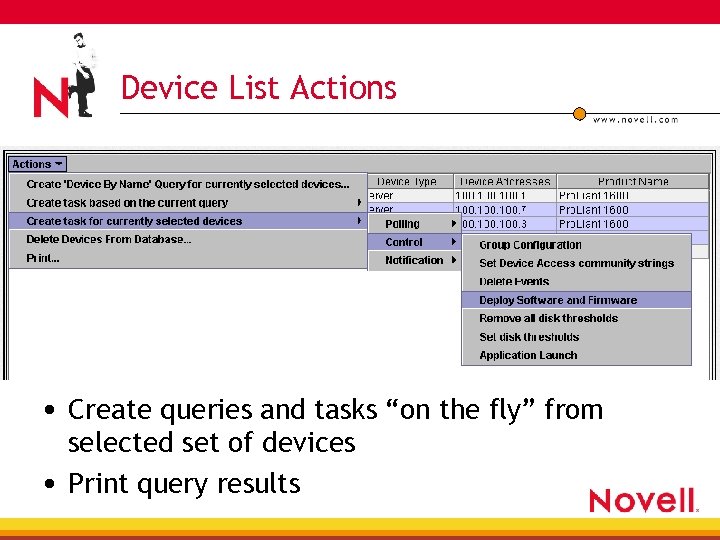 Device List Actions • Create queries and tasks “on the fly” from selected set of devices • Print query results
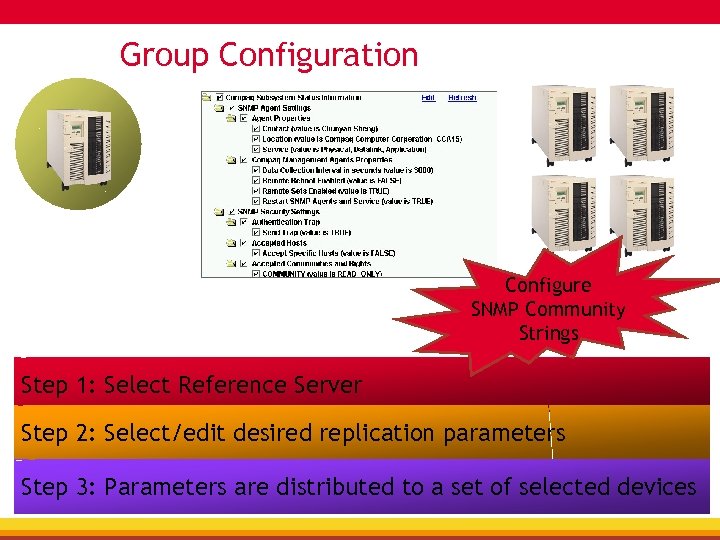 Group Configuration Configure SNMP Community Strings Step 1: Select Reference Server Step 2: Select/edit desired replication parameters Step 3: Parameters are distributed to a set of selected devices
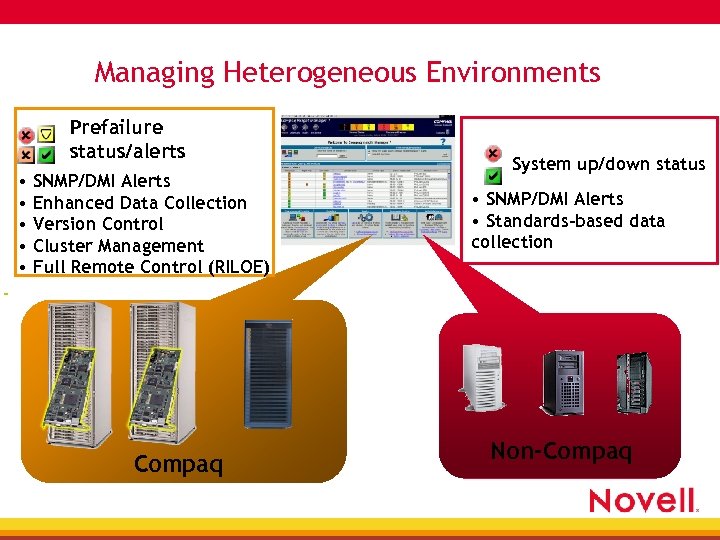 Managing Heterogeneous Environments Prefailure status/alerts • SNMP/DMI Alerts • Enhanced Data Collection • Version Control • Cluster Management • Full Remote Control (RILOE) System up/down status • SNMP/DMI Alerts • Standards-based data collection Compaq Non-Compaq
 Compaq Support Pack (CSP) • New package and installation programs for Compaq's server support software • Replaces NSSD (Net. Ware), NTSSD (MS) and EFS (Unix) delivery vehicles • Ships on Smart. Start 4 Launch CSP at the console by typing: cpqsmstxxx: cpqsupswnwcspcpqdploy. nlm xxx=version number of smartstart. Example: cpqsmst 530 • Individual components downloadable from the web • Contains OS specific bundles of Compaq's optimized drivers, utilities and management agents • Remote Deployment Utility (RDU) deploys driver and management agent updates to network attached servers
 Compaq At Brain. Share • one Net Solutions Lab, Booth 104 • NDA Suite at the Marriott Downtown 4 4 4 Alta Room Must bring business card/ID to gain admittance Sign a Non-Disclosure Agreement • TUT 132: Directory-based Remote Server Management 4 Tuesday & Thursday, 3: 00 – 4: 15 • TUT 308: SAN Migration on Net. Ware 6 with the Compaq MSA 1000 4 Tuesday, 9: 30 – 10: 45, Friday, 10: 45 – 12: 00
 Meet the Experts • Meet the Experts of Compaq 4 Tim Cancila—Pro. Liant Advantage 4 Tracy Clayton—Sizing, Clustering 4 Brian Corell—Storage Solutions 4 Catherine Schwartz – Compaq Insight Manager 7 4 Daniel Mowry—Processor Technology, Enterprise Servers 4 Karen Skweres—Smart. Start Scripting Toolkit