


 Скачать презентацию How to register as a new user with
edf79c04d31166618c4da9d741ec7a1b.ppt
- Количество слайдов: 13
 How to register as a new user with CITI Program
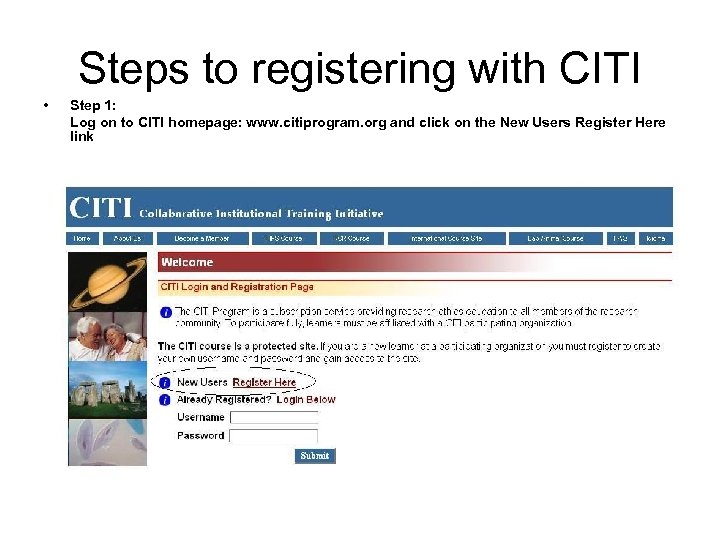 Steps to registering with CITI • Step 1: Log on to CITI homepage: www. citiprogram. org and click on the New Users Register Here link
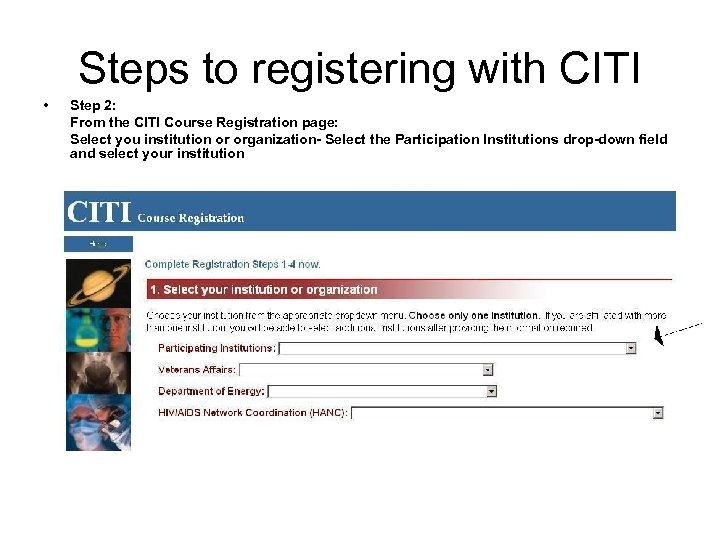 Steps to registering with CITI • Step 2: From the CITI Course Registration page: Select you institution or organization- Select the Participation Institutions drop-down field and select your institution
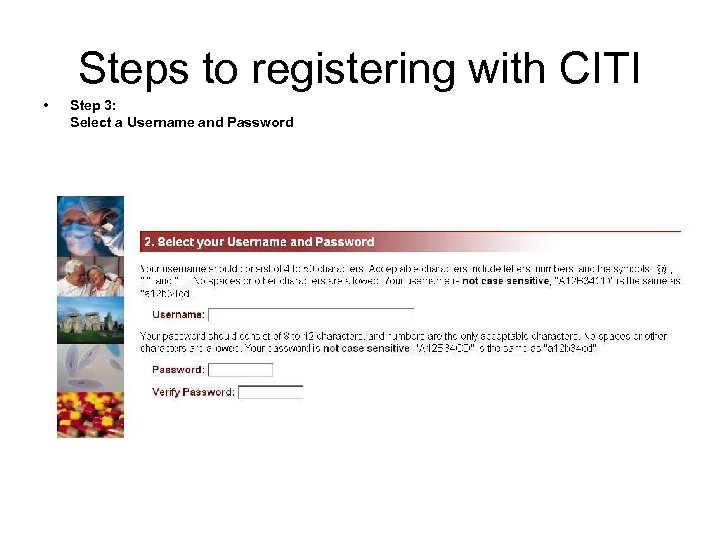 Steps to registering with CITI • Step 3: Select a Username and Password
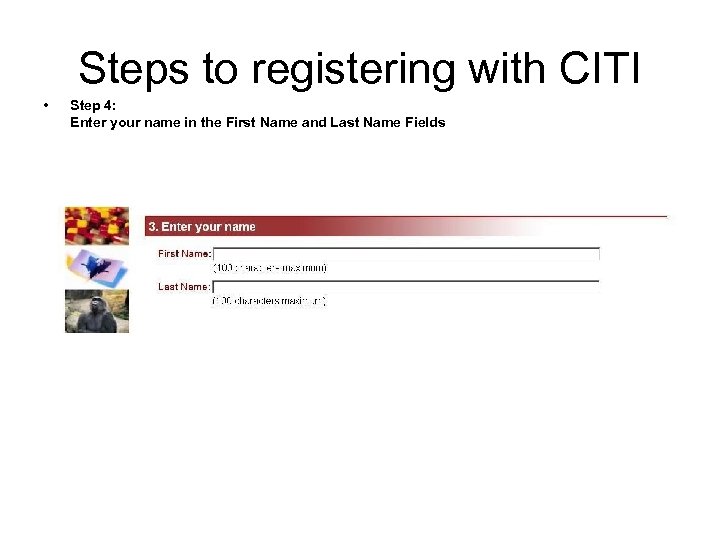 Steps to registering with CITI • Step 4: Enter your name in the First Name and Last Name Fields
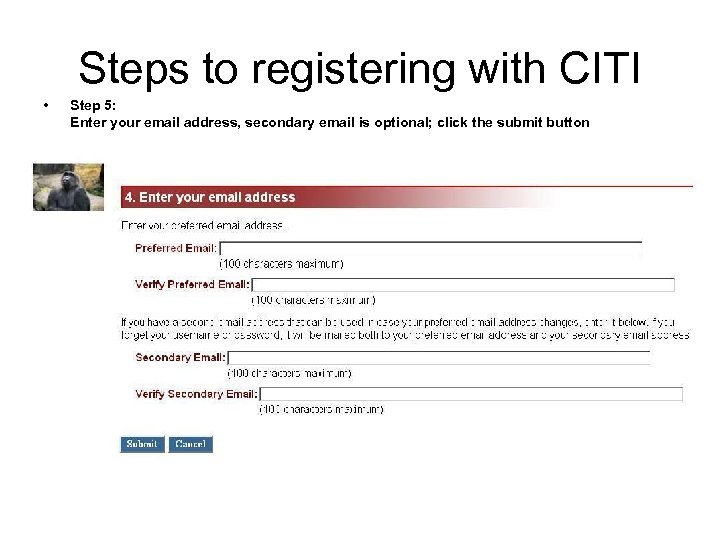 Steps to registering with CITI • Step 5: Enter your email address, secondary email is optional; click the submit button
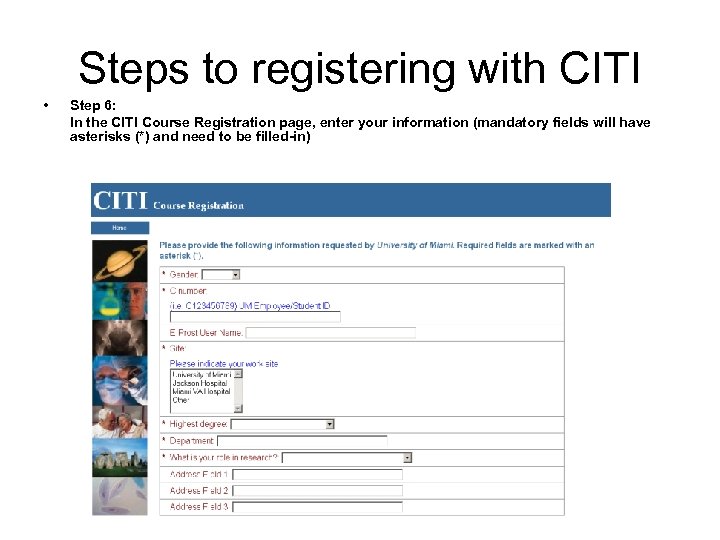 Steps to registering with CITI • Step 6: In the CITI Course Registration page, enter your information (mandatory fields will have asterisks (*) and need to be filled-in)
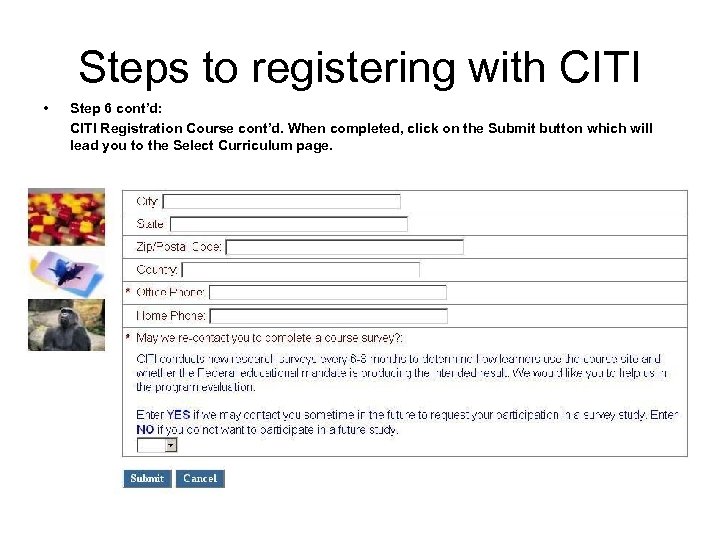 Steps to registering with CITI • Step 6 cont’d: CITI Registration Course cont’d. When completed, click on the Submit button which will lead you to the Select Curriculum page.
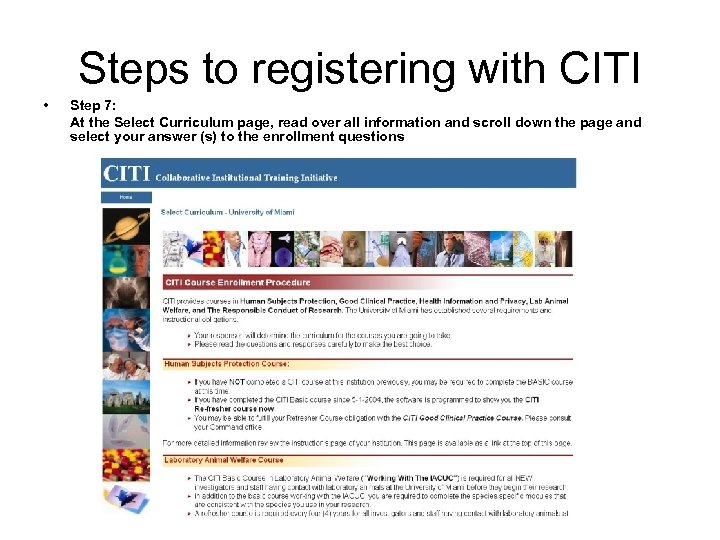 Steps to registering with CITI • Step 7: At the Select Curriculum page, read over all information and scroll down the page and select your answer (s) to the enrollment questions
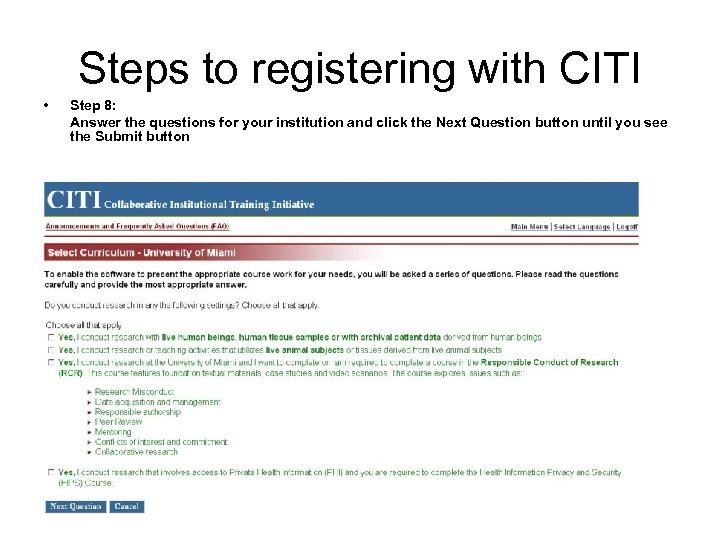 Steps to registering with CITI • Step 8: Answer the questions for your institution and click the Next Question button until you see the Submit button
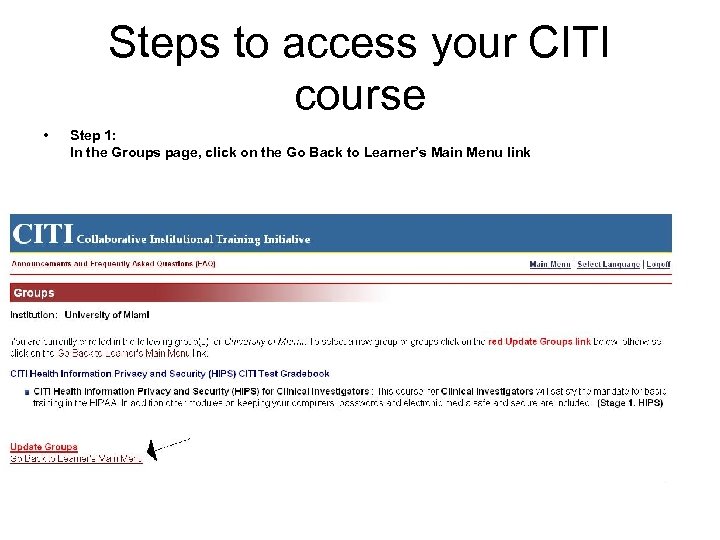 Steps to access your CITI course • Step 1: In the Groups page, click on the Go Back to Learner’s Main Menu link
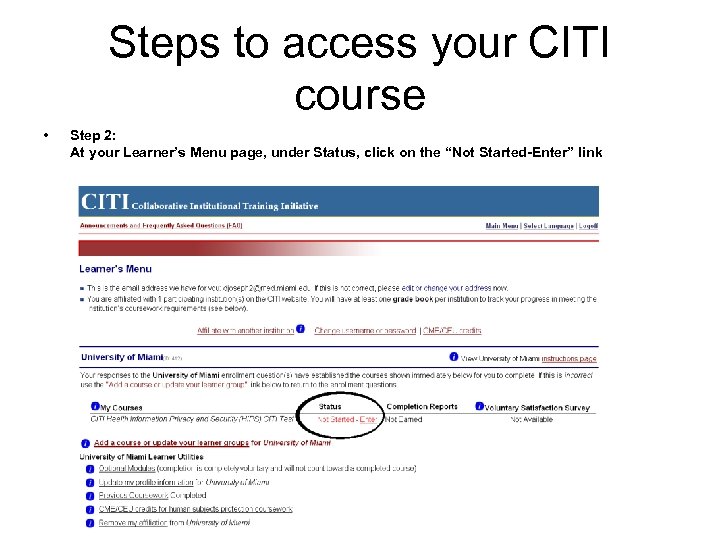 Steps to access your CITI course • Step 2: At your Learner’s Menu page, under Status, click on the “Not Started-Enter” link
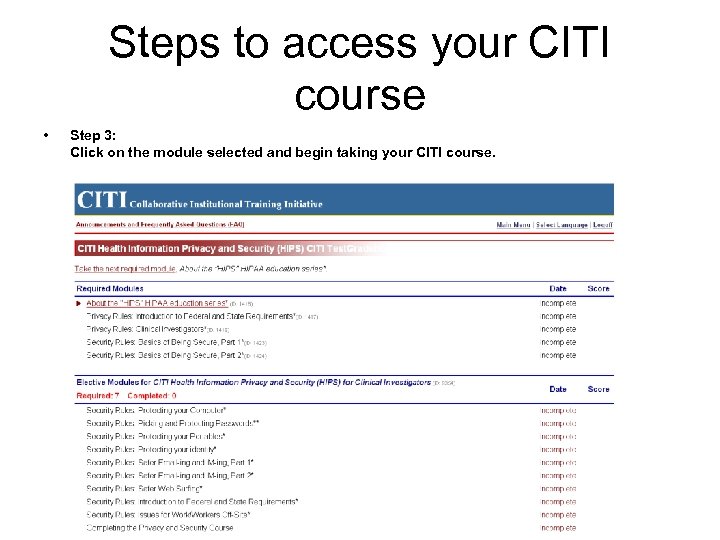 Steps to access your CITI course • Step 3: Click on the module selected and begin taking your CITI course.