 Скачать презентацию How to print barcodes in batch mode via
082bbe83d82171e70f278d15a24e7600.ppt
- Количество слайдов: 19



How to print barcodes in batch mode via item-03 Version 18 and up Yoel Kortick yoel. kortick@exlibris. co. il
All of the information in this document is the property of Ex Libris Ltd. It may NOT, under any circumstances, be distributed, transmitted, copied, or displayed without the written permission of Ex Libris Ltd. The information contained in this document has been prepared for the sole purpose of providing information for the members of the ICC Israel College Consortium. The material herein contained has been prepared in good faith; however, Ex Libris disclaims any obligation or warranty as to its accuracy and/or suitability for any usage or purpose other than that for which it is intended. © Ex Libris Ltd. , 2006 2 Barcodes via item-03
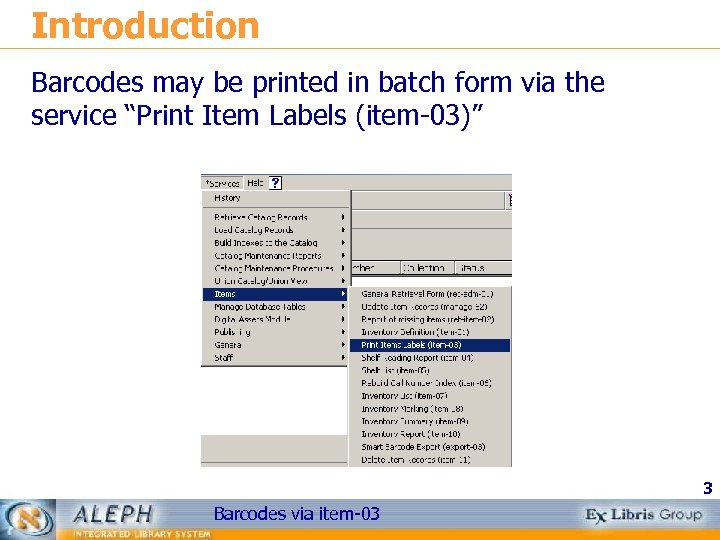
Introduction Barcodes may be printed in batch form via the service “Print Item Labels (item-03)” 3 Barcodes via item-03
Introduction The first step is to create an input file of items for which you want to print barcodes. You may do this via the service "General Retrieval Form - (ret-adm 01)”. This service provides a wide array of retrieval options. See the help section of the service for details. 4 Barcodes via item-03
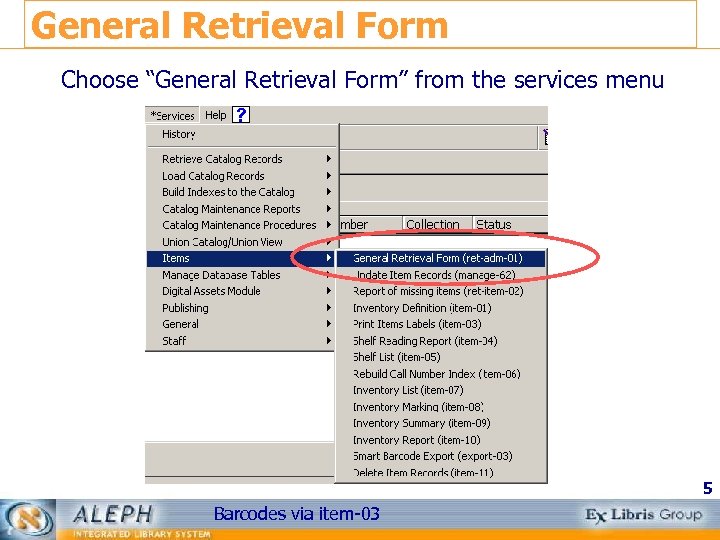
General Retrieval Form Choose “General Retrieval Form” from the services menu 5 Barcodes via item-03
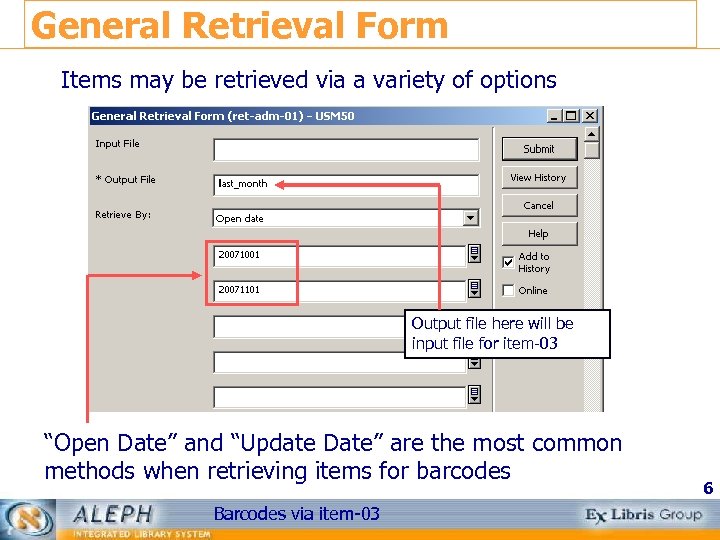
General Retrieval Form Items may be retrieved via a variety of options Output file here will be input file for item-03 “Open Date” and “Update Date” are the most common methods when retrieving items for barcodes Barcodes via item-03 6
General Retrieval Form Update Date retrieves both new and updated records. For example, if barcode 500 -10 existed for many years, but the item status was changed on Nov 16, 2007 it would be retrieved via a query of update from 20071116 to 20071116. Open Date retrieves only new items. In the above case barcode 500 -10 would not be retrieved via a query of update from 20071116 to 20071116. Only items created on Nov 16, 2007 would be retrieved 7 Barcodes via item-03
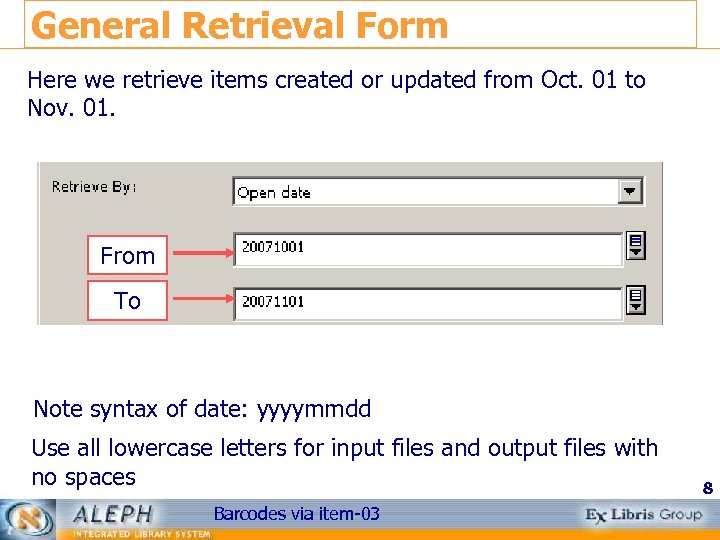
General Retrieval Form Here we retrieve items created or updated from Oct. 01 to Nov. 01. From To Note syntax of date: yyyymmdd Use all lowercase letters for input files and output files with no spaces Barcodes via item-03 8
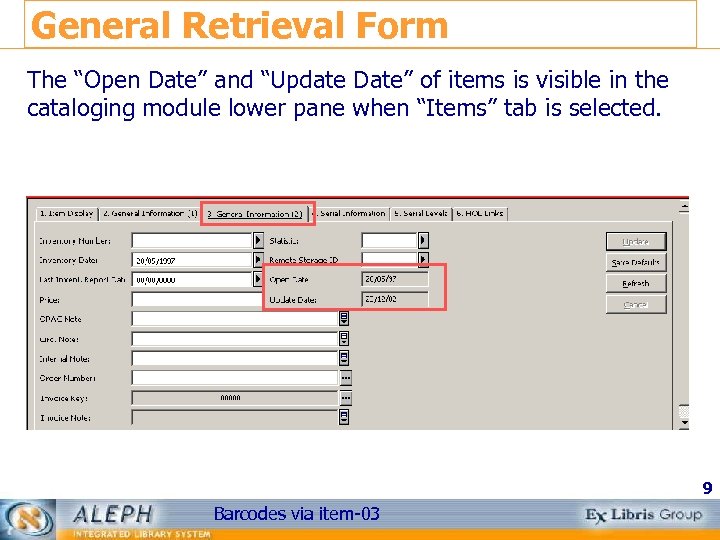
General Retrieval Form The “Open Date” and “Update Date” of items is visible in the cataloging module lower pane when “Items” tab is selected. 9 Barcodes via item-03
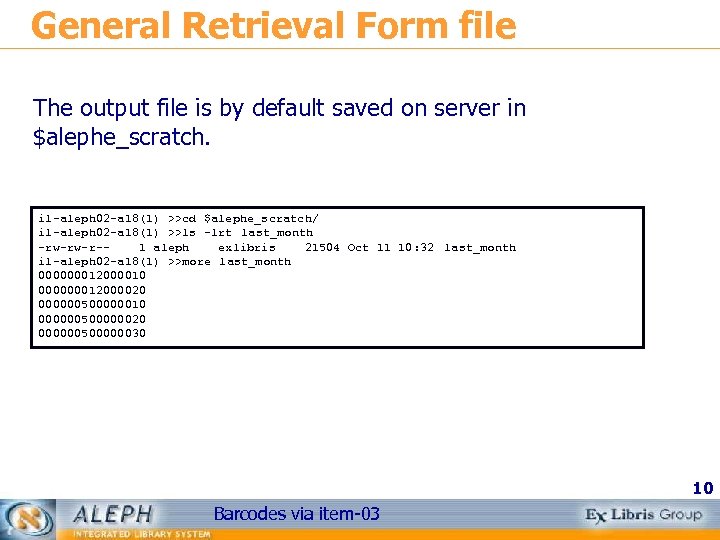
General Retrieval Form file The output file is by default saved on server in $alephe_scratch. il-aleph 02 -a 18(1) >>cd $alephe_scratch/ il-aleph 02 -a 18(1) >>ls -lrt last_month -rw-rw-r-1 aleph exlibris 21504 Oct 11 10: 32 last_month il-aleph 02 -a 18(1) >>more last_month 000000012000010 000000012000020 000000500000010 000000500000020 000000500000030 10 Barcodes via item-03
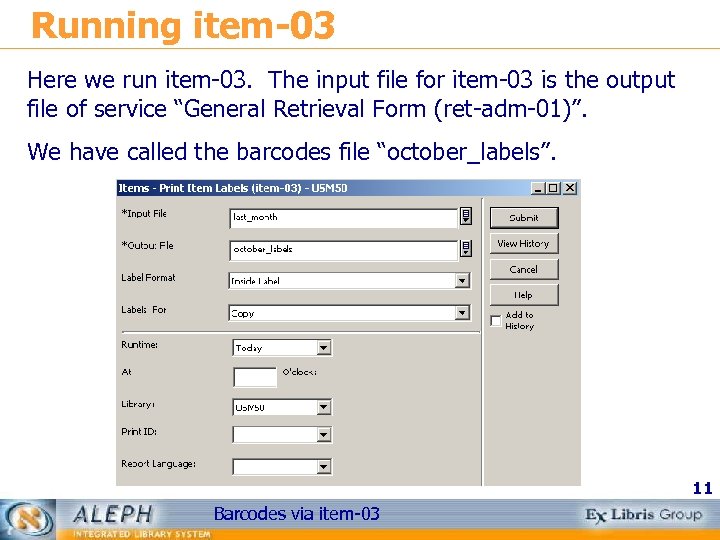
Running item-03 Here we run item-03. The input file for item-03 is the output file of service “General Retrieval Form (ret-adm-01)”. We have called the barcodes file “october_labels”. 11 Barcodes via item-03
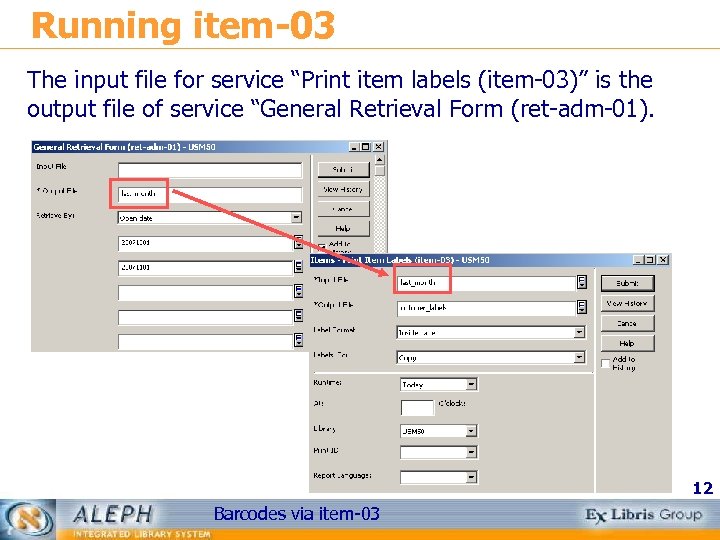
Running item-03 The input file for service “Print item labels (item-03)” is the output file of service “General Retrieval Form (ret-adm-01). 12 Barcodes via item-03
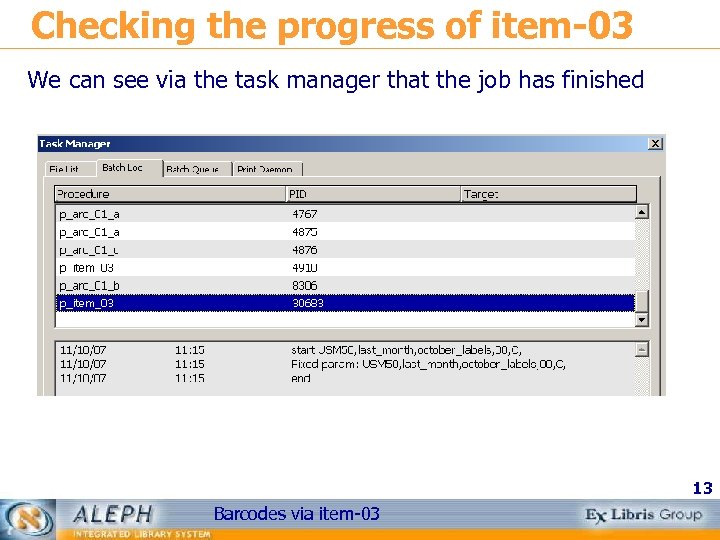
Checking the progress of item-03 We can see via the task manager that the job has finished 13 Barcodes via item-03
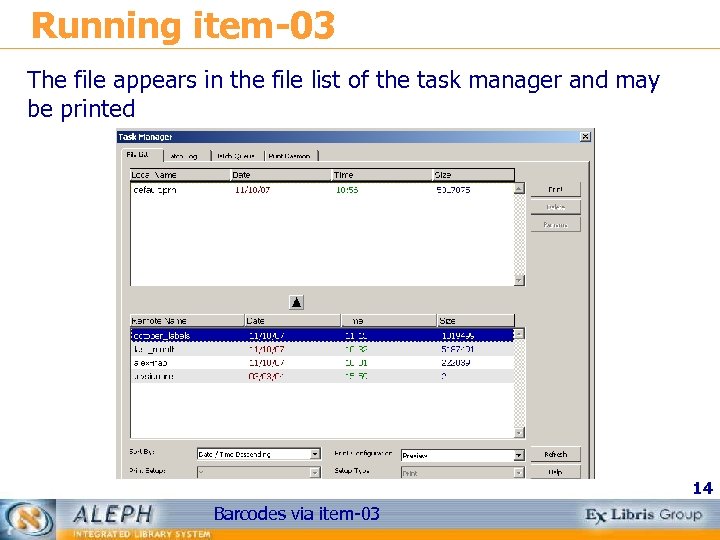
Running item-03 The file appears in the file list of the task manager and may be printed 14 Barcodes via item-03
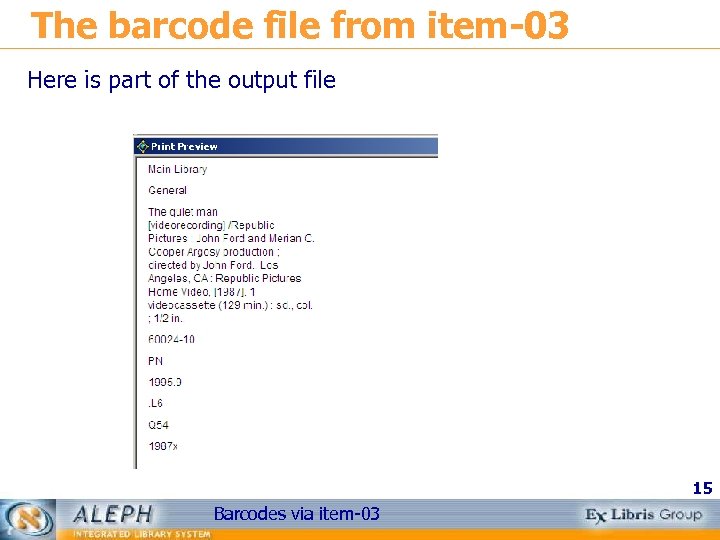
The barcode file from item-03 Here is part of the output file 15 Barcodes via item-03
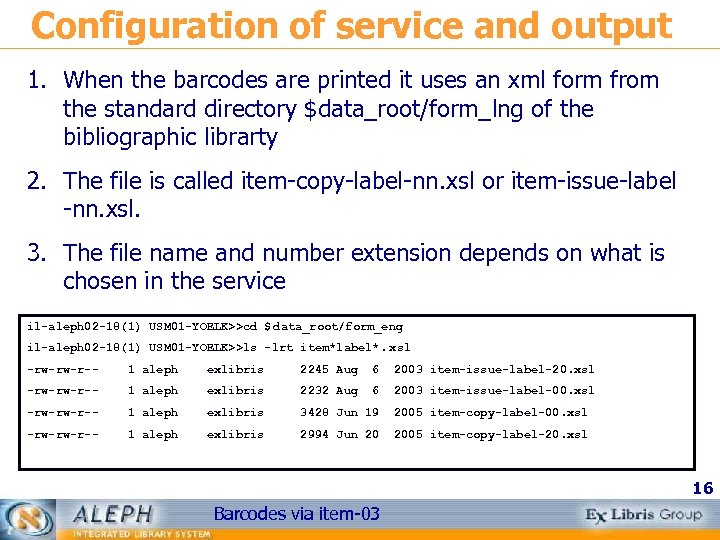
Configuration of service and output 1. When the barcodes are printed it uses an xml form from the standard directory $data_root/form_lng of the bibliographic librarty 2. The file is called item-copy-label-nn. xsl or item-issue-label -nn. xsl. 3. The file name and number extension depends on what is chosen in the service il-aleph 02 -18(1) USM 01 -YOELK>>cd $ data_root/form_eng il-aleph 02 -18(1) USM 01 -YOELK>>ls -lrt item*label*. xsl -rw-rw-r-- 1 aleph exlibris 2245 Aug 6 2003 item-issue-label-20. xsl -rw-rw-r-- 1 aleph exlibris 2232 Aug 6 2003 item-issue-label-00. xsl -rw-rw-r-- 1 aleph exlibris 3428 Jun 19 2005 item-copy-label-00. xsl -rw-rw-r-- 1 aleph exlibris 2994 Jun 20 2005 item-copy-label-20. xsl 16 Barcodes via item-03
Configuration of service and output The XML form of the service interface is determined in the file $aleph_root/pc_b_eng/p-item-03. xml. In this file various texts for various format numbers can be entered so that user can choose different formats based on text of the pull down box. This XML page is edited like all standard service XML pages. Whether or not item-copy-label-nn or item-issue-label-nn is used is determined by what user chooses in the “Labels For” field of the service. The format number of the file is determined by what user chooses in the “Label Format” field. 17 Barcodes via item-03
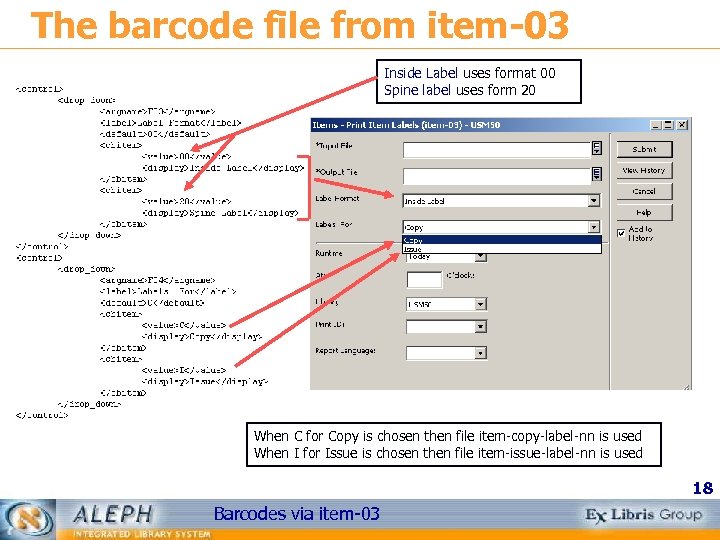
The barcode file from item-03 Inside Label uses format 00 Spine label uses form 20 When C for Copy is chosen then file item-copy-label-nn is used When I for Issue is chosen then file item-issue-label-nn is used 18 Barcodes via item-03
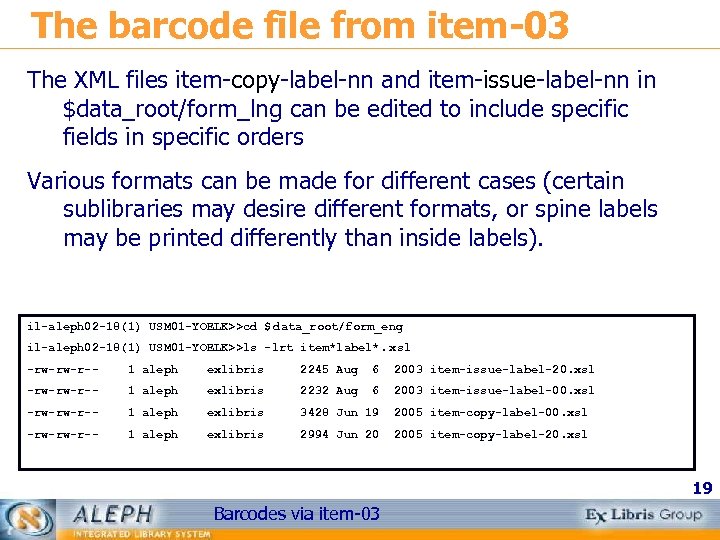
The barcode file from item-03 The XML files item-copy-label-nn and item-issue-label-nn in $data_root/form_lng can be edited to include specific fields in specific orders Various formats can be made for different cases (certain sublibraries may desire different formats, or spine labels may be printed differently than inside labels). il-aleph 02 -18(1) USM 01 -YOELK>>cd $ data_root/form_eng il-aleph 02 -18(1) USM 01 -YOELK>>ls -lrt item*label*. xsl -rw-rw-r-- 1 aleph exlibris 2245 Aug 6 2003 item-issue-label-20. xsl -rw-rw-r-- 1 aleph exlibris 2232 Aug 6 2003 item-issue-label-00. xsl -rw-rw-r-- 1 aleph exlibris 3428 Jun 19 2005 item-copy-label-00. xsl -rw-rw-r-- 1 aleph exlibris 2994 Jun 20 2005 item-copy-label-20. xsl 19 Barcodes via item-03
Скачать презентацию How to print barcodes in batch mode via
082bbe83d82171e70f278d15a24e7600.ppt