 Скачать презентацию How to Build a Grid Service Using GT
50d20e7a378044b4f34d7ed3db0b28f7.ppt
- Количество слайдов: 134



How to Build a Grid Service Using GT 3 l l l Globus Alliance Staff Charles Bacon, Lisa Childers, Jarek Gawor, Joe Insley, Ravi Madduri, Argonne National Laboratory Ben Clifford, USC/Information Sciences Institute Copyright (C) 2003 University of Chicago and The University of Southern California. All Rights Reserved. This presentation is licensed for use under the terms of the Globus Toolkit Public License. See http: //www. globus. Org/toolkit/download/license. html for the full text of this license.
How to Build a Grid Service Using GT 3 l l Overview of Grid Services and GT 3 Build a Grid Service – Overview – 1. Deployment: Stand Up a File. Share Service – 2. Naming: Share Files using Identifiers – 3. Inspection: Add Service Data – 4. Virtual Organization: Register with a Community Index – 5. Lifetime Management: Maintain service registration – 6. Discovery: Find a File – 7. GT 3 Security: Share Files Securely Time permitting: – 8. Transience: Create and Destroy File. Shares l Publish your Grid Service: The GTR January 2004 Build a Grid Service Using GT 3 2
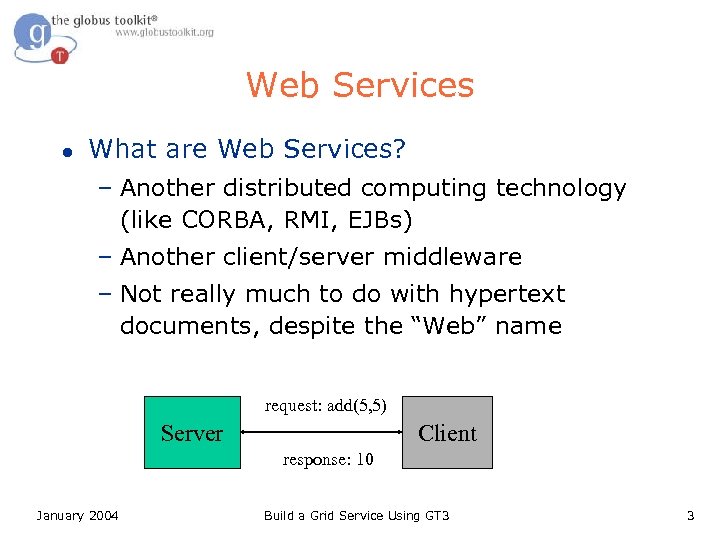
Web Services l What are Web Services? – Another distributed computing technology (like CORBA, RMI, EJBs) – Another client/server middleware – Not really much to do with hypertext documents, despite the “Web” name request: add(5, 5) Server Client response: 10 January 2004 Build a Grid Service Using GT 3 3
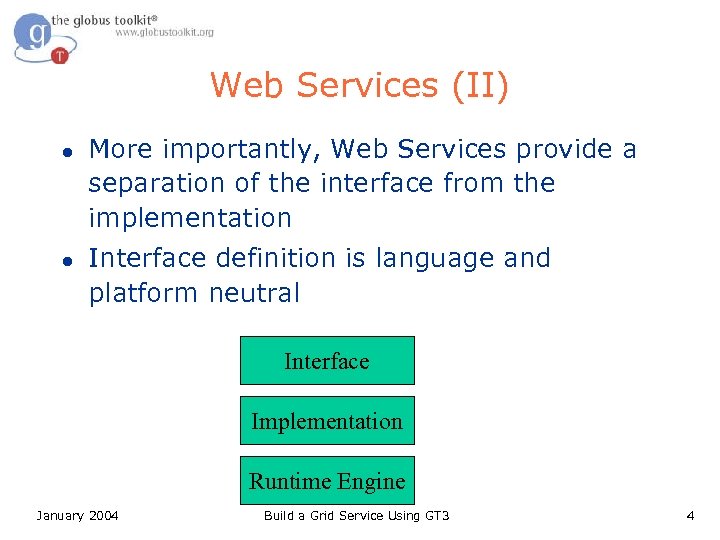
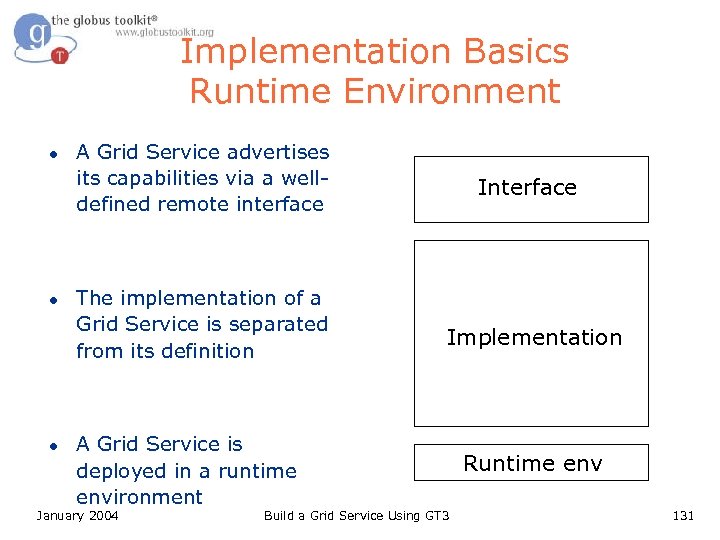
Web Services (II) l l More importantly, Web Services provide a separation of the interface from the implementation Interface definition is language and platform neutral Interface Implementation Runtime Engine January 2004 Build a Grid Service Using GT 3 4
Web Services (III) l Permits Service-Oriented Architecture (SOA) – Architect your application as a composition of loosely-coupled independent services – “Loosely coupled”: A change in implementation of one service will not affect the other services – Using a common interface description language simplifies indexing and discovery problems January 2004 Build a Grid Service Using GT 3 5
Web Services Architecture l Discovery – UDDI, other registries/indices l Description – Web Services Description Language (WSDL) l Invocation – Simple Object Access Protocol (SOAP) l Transport – HTTP, other transports January 2004 Build a Grid Service Using GT 3 6
Basic Invocation l Discover a service that meets your criteria – Client queries registry l Get service’s WSDL, generate client stubs – Client queries server, receives response l Invoke desired operations via SOAP/HTTP – Invocation l Convert result back to native types from SOAP response January 2004 Build a Grid Service Using GT 3 7
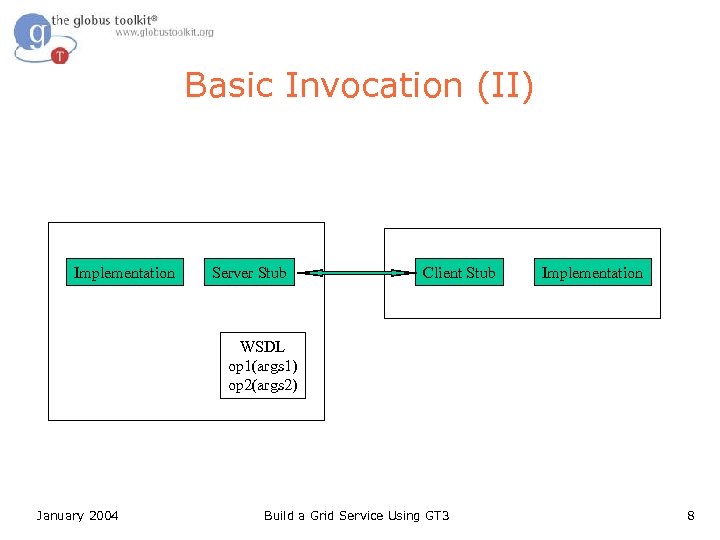
Basic Invocation (II) Implementation Server Stub Client Stub Implementation WSDL op 1(args 1) op 2(args 2) January 2004 Build a Grid Service Using GT 3 8
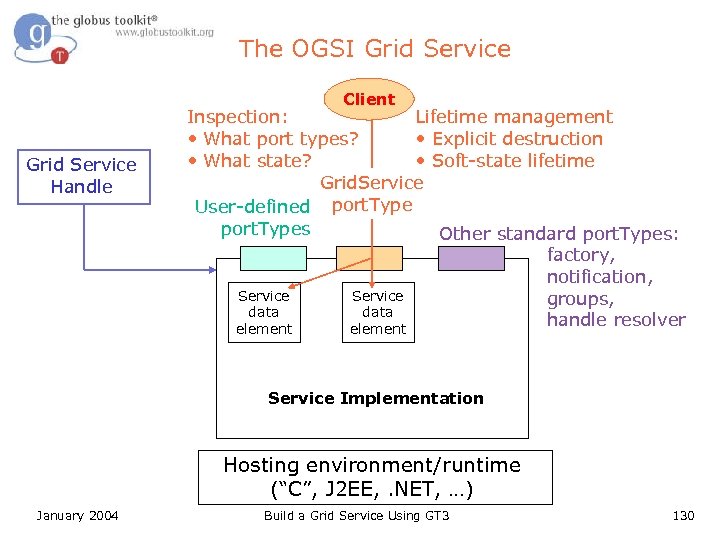
Grid Service l l l A Grid Service is a standard Web Service, plus extensions The extensions are defined in a community standard called the Open Grid Services Infrastructure (OGSI) This tutorial is designed to highlight these extensions January 2004 Build a Grid Service Using GT 3 9
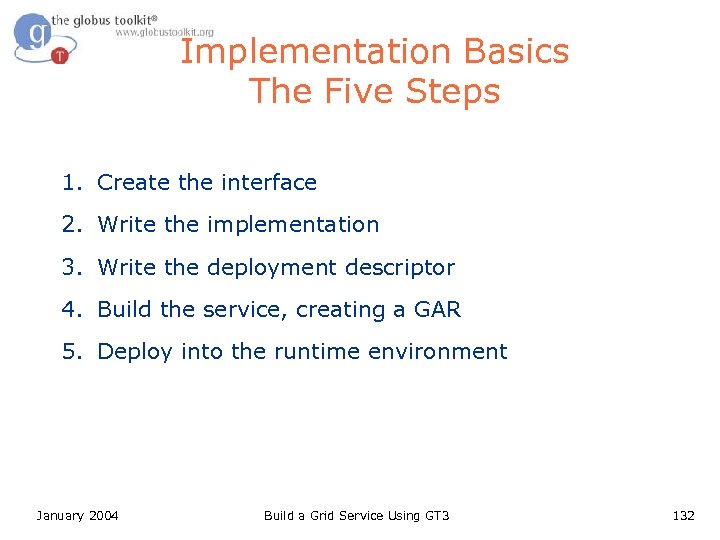
Implementation Basics The Five Steps 1. Create the interface 2. Write the implementation 3. Write the deployment descriptor 4. Build the service, creating a GAR 5. Deploy into the runtime environment January 2004 Build a Grid Service Using GT 3 10
The Five Steps 1. Create the Interface • The capabilities and behaviors of services are described using WSDL • In your design, be mindful of service composability – January 2004 The capabilities that you expose in the interface will be discoverable by other services Build a Grid Service Using GT 3 11
1. Create the Interface WSDL l Web Service Description Language l XML-based language for: – Abstractly describing message exchanges between clients and services > Types defined using XML Schema > Message comprising one or more parts of XML Schema types/elements > Operation = input/output or input only messages > Interface = named group of operations – Binding the interfaces to concrete protocols > E. g. SOAP/http January 2004 Build a Grid Service Using GT 3 12
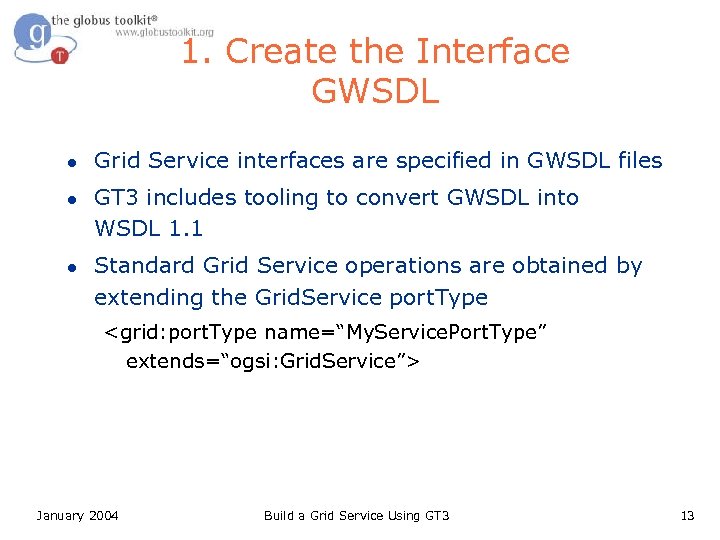
1. Create the Interface GWSDL l l l Grid Service interfaces are specified in GWSDL files GT 3 includes tooling to convert GWSDL into WSDL 1. 1 Standard Grid Service operations are obtained by extending the Grid. Service port. Type <grid: port. Type name=“My. Service. Port. Type” extends=“ogsi: Grid. Service”> January 2004 Build a Grid Service Using GT 3 13
The Five Steps 2. Write the Implementation • Server – – Your service must provide an implementation for all of the operations defined in the GWSDL – • Your service should inherit from the GT 3 class Grid. Service. Impl Methods and data that you wish to keep private should not appear in the GWSDL Client – January 2004 When you build the service, GT 3 will automatically generate a class that clients can use to connect to the service at runtime Build a Grid Service Using GT 3 14
2. Write the Implementation Operation Providers l l GT 3 includes support for a delegation-based programming model, in the form of Operation Providers An operation provider is created by implementing the org. globus. ogsa. Operation. Provider interface Operation providers enable developers to encapsulate functionality so that it can be reused in different services Can ease the task of bringing legacy code into OGSI -compliance January 2004 Build a Grid Service Using GT 3 15
The Five Steps 3. Write the Deployment Descriptor • Grid service runtime configuration is described in a WSDD file • The file includes parameters such as – Security configuration for the service – Path to the service’s WSDL file – Base class of the service implementation – Operation providers January 2004 Build a Grid Service Using GT 3 16
The Five Steps 4. Build the Service, Creating a GAR • GT 3 provides standard build targets that can be used for compiling Grid Services – – • The build targets take the GWSDL, Java and WSDD files as input The output of the build process is a portable grid service binary, called a GAR file The GAR file contains information needed to install a service in the runtime environment – January 2004 Similar to a WAR (used for distributing webservices) Build a Grid Service Using GT 3 17
The Five Steps 5. Deploy into the Runtime Environment • ant deploy –Dgar. name=my. Service. gar January 2004 Build a Grid Service Using GT 3 18
How to Build a Grid Service Using GT 3 l l Overview of Grid Services and GT 3 Build a Grid Service – Overview – 1. Deployment: Stand Up a File. Share Service – 2. Naming: Share Files using Identifiers – 3. Inspection: Add Service Data – 4. Virtual Organization: Register with a Community Index – 5. Lifetime Management: Maintain service registration – 6. Discovery: Find a File – 7. GT 3 Security: Share Files Securely Time permitting: – 8. Transience: Create and Destroy File. Shares l Publish your Grid Service: The GTR January 2004 Build a Grid Service Using GT 3 19
Hands-On Tutorial Structure l l l The hands-on portion of the tutorial is organized as a series of exercises in which students add increasing functionality to a skeletal service implementation The exercises demonstrate fundamental interactions using Open Grid Services Infrastructure Each exercise includes: – A discussion of the concepts behind the exercise – Implementation details – Step-by-step instructions – A view of the finished exercise January 2004 Build a Grid Service Using GT 3 20
Supporting Tutorial Materials l Each attendee will use – This slideset – A code bundle, including > A File. Share service implementation with annotations for each exercise – A set of exercise notes – X. 509 certificates – Files for sharing l The instructors will use – An index service containing attendee service entries – A visualizer for the index service’s data January 2004 Build a Grid Service Using GT 3 21
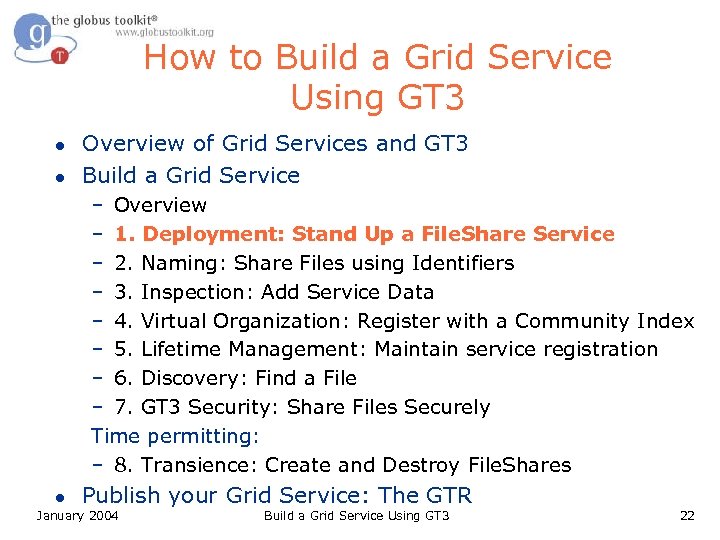
How to Build a Grid Service Using GT 3 l l Overview of Grid Services and GT 3 Build a Grid Service – Overview – 1. Deployment: Stand Up a File. Share Service – 2. Naming: Share Files using Identifiers – 3. Inspection: Add Service Data – 4. Virtual Organization: Register with a Community Index – 5. Lifetime Management: Maintain service registration – 6. Discovery: Find a File – 7. GT 3 Security: Share Files Securely Time permitting: – 8. Transience: Create and Destroy File. Shares l Publish your Grid Service: The GTR January 2004 Build a Grid Service Using GT 3 22
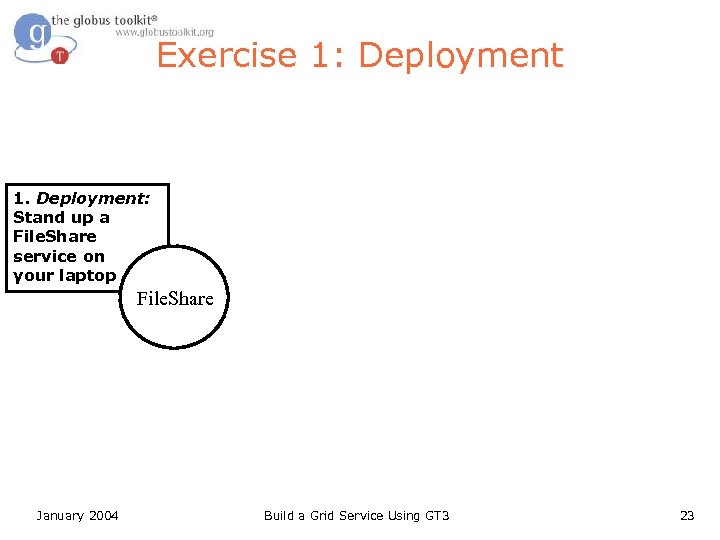
Exercise 1: Deployment 1. Deployment: Stand up a File. Share service on your laptop File. Share January 2004 Build a Grid Service Using GT 3 23
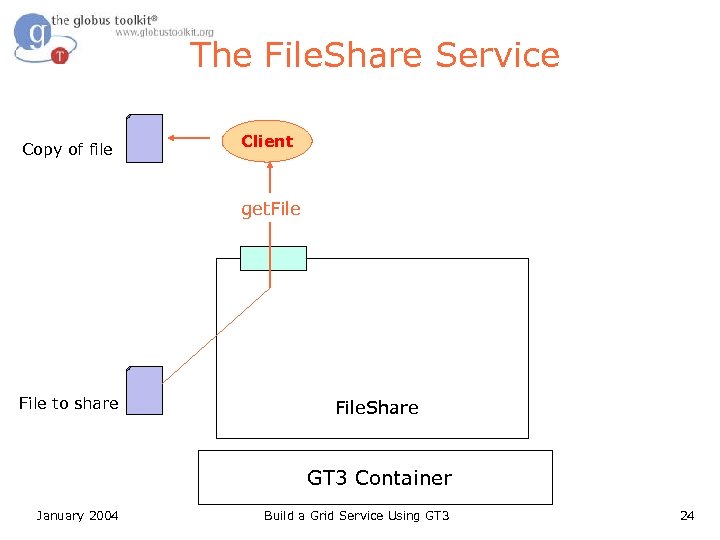
The File. Share Service Copy of file Client get. File to share File. Share GT 3 Container January 2004 Build a Grid Service Using GT 3 24
Fileshare Service Overview l Interface Description –. gwsdl files l Service and Client Implementation –. java files l Build Instructions for Ant – build. xml (like a Makefile) l Deployment Description –. wsdd files January 2004 Build a Grid Service Using GT 3 25
Pieces to Install l GT 3 core – Includes the container > globus-start-container – starts container l Fileshare service – Includes the service and client – Automated build/deploy using ant > clean. All – similar to “make clean” > deploy. Gar – compiles. java, installs into container > undeploy. Gar – uninstalls from container January 2004 Build a Grid Service Using GT 3 26
What Attendees Should Do l Install GT 3 core, fileshare service l Start the GT 3 container – Will start File. Share service automatically l Run the Get. File client – Get a file (for example, LICENSE) January 2004 Build a Grid Service Using GT 3 27
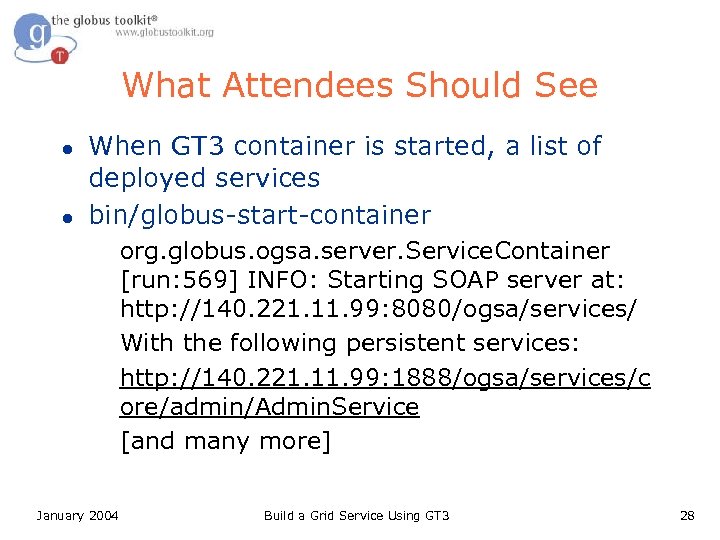
What Attendees Should See l l When GT 3 container is started, a list of deployed services bin/globus-start-container org. globus. ogsa. server. Service. Container [run: 569] INFO: Starting SOAP server at: http: //140. 221. 11. 99: 8080/ogsa/services/ With the following persistent services: http: //140. 221. 11. 99: 1888/ogsa/services/c ore/admin/Admin. Service [and many more] January 2004 Build a Grid Service Using GT 3 28
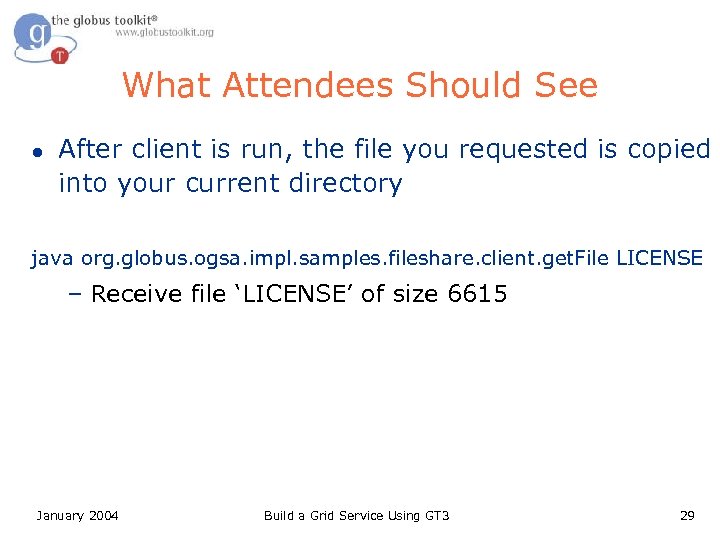
What Attendees Should See l After client is run, the file you requested is copied into your current directory java org. globus. ogsa. impl. samples. fileshare. client. get. File LICENSE – Receive file ‘LICENSE’ of size 6615 January 2004 Build a Grid Service Using GT 3 29
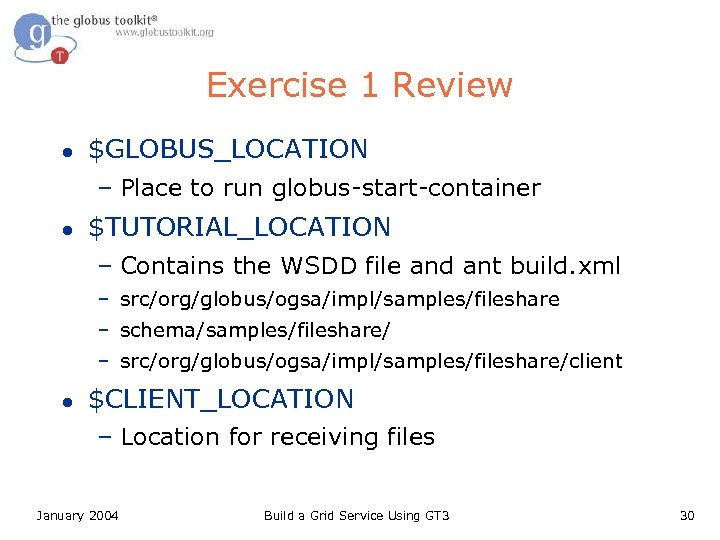
Exercise 1 Review l $GLOBUS_LOCATION – Place to run globus-start-container l $TUTORIAL_LOCATION – Contains the WSDD file and ant build. xml – src/org/globus/ogsa/impl/samples/fileshare – schema/samples/fileshare/ – src/org/globus/ogsa/impl/samples/fileshare/client l $CLIENT_LOCATION – Location for receiving files January 2004 Build a Grid Service Using GT 3 30
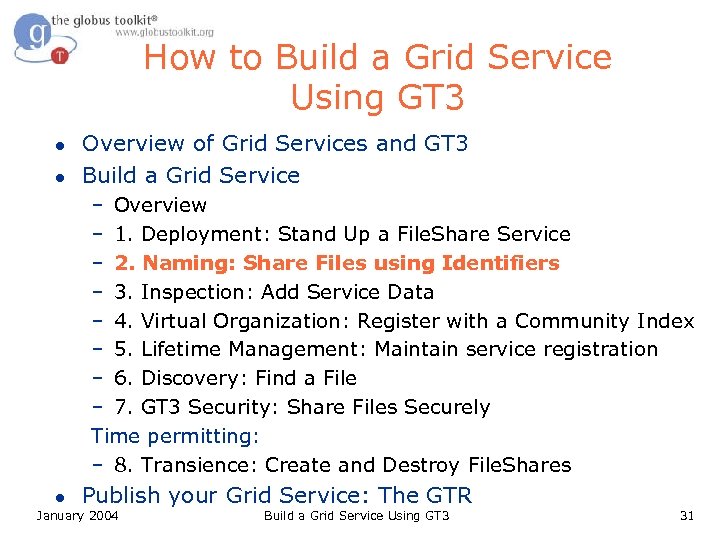
How to Build a Grid Service Using GT 3 l l Overview of Grid Services and GT 3 Build a Grid Service – Overview – 1. Deployment: Stand Up a File. Share Service – 2. Naming: Share Files using Identifiers – 3. Inspection: Add Service Data – 4. Virtual Organization: Register with a Community Index – 5. Lifetime Management: Maintain service registration – 6. Discovery: Find a File – 7. GT 3 Security: Share Files Securely Time permitting: – 8. Transience: Create and Destroy File. Shares l Publish your Grid Service: The GTR January 2004 Build a Grid Service Using GT 3 31
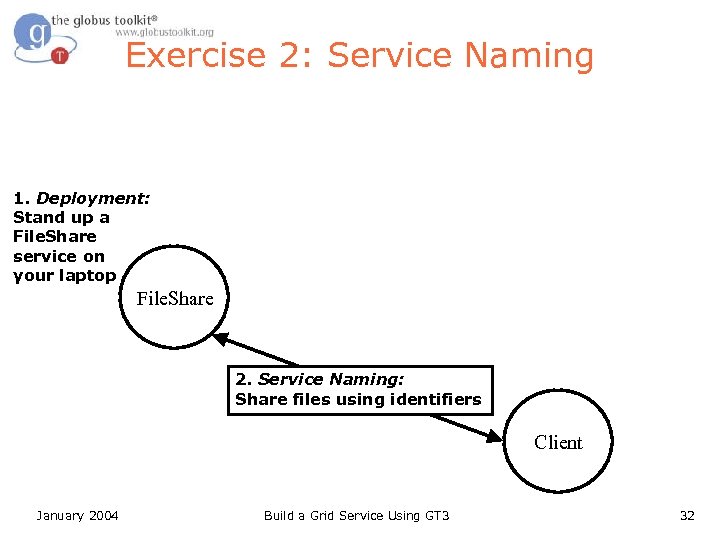
Exercise 2: Service Naming 1. Deployment: Stand up a File. Share service on your laptop File. Share 2. Service Naming: Share files using identifiers Client January 2004 Build a Grid Service Using GT 3 32
Grid Service Naming l Grid Services can be stateful. One implication of this is that one instance is potentially quite different from another – Grid Services must be uniquely identifiable l l Grid Service handles are the way in which services (and their associated state) are uniquely identified In one sense, a grid service handle can be thought of as representing a particular combination of behavior + state January 2004 Build a Grid Service Using GT 3 33
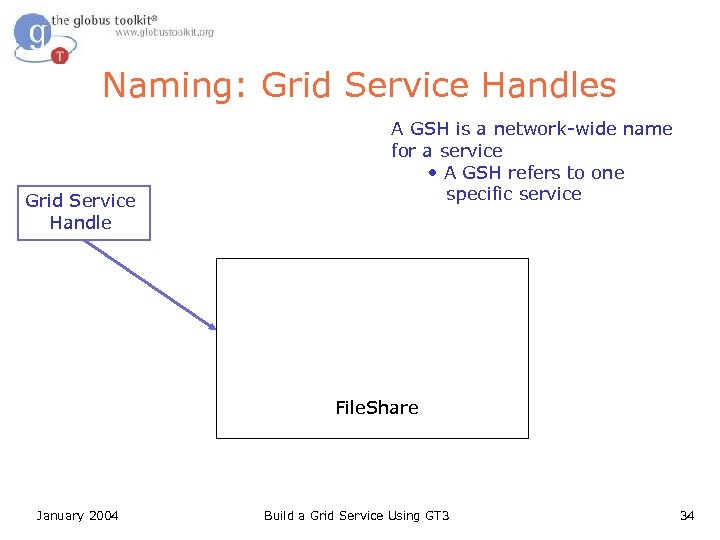
Naming: Grid Service Handles Grid Service Handle A GSH is a network-wide name for a service • A GSH refers to one specific service File. Share January 2004 Build a Grid Service Using GT 3 34
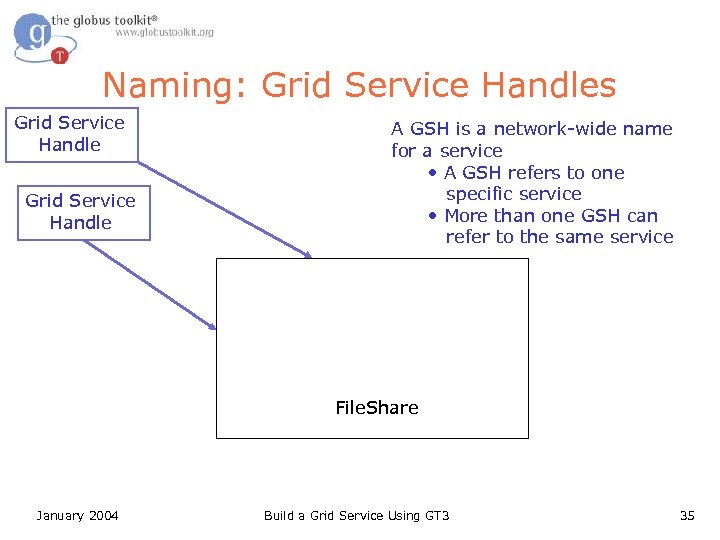
Naming: Grid Service Handles Grid Service Handle A GSH is a network-wide name for a service • A GSH refers to one specific service • More than one GSH can refer to the same service File. Share January 2004 Build a Grid Service Using GT 3 35
What Attendees Should Do l l Modify the Get. File client to use a GSH Look at the container output for the GSH of the File. Share. Service Use the local service’s GSH explicitly with the client Exchange GSHs with a neighbor and retrieve from their service January 2004 Build a Grid Service Using GT 3 36
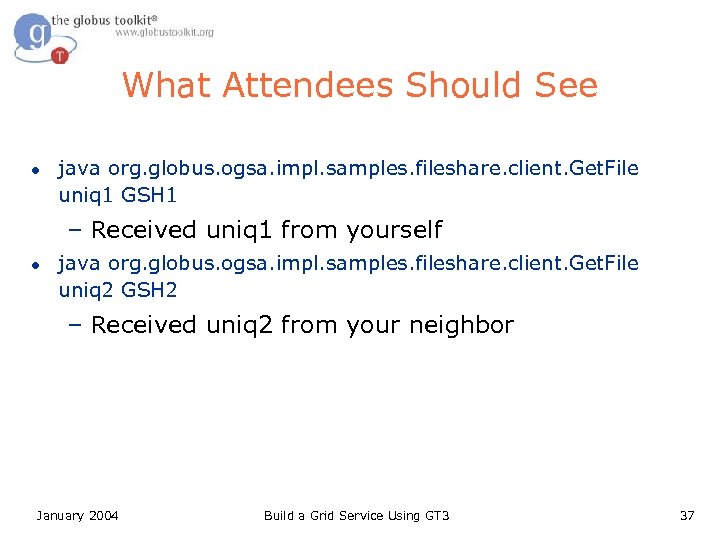
What Attendees Should See l java org. globus. ogsa. impl. samples. fileshare. client. Get. File uniq 1 GSH 1 – Received uniq 1 from yourself l java org. globus. ogsa. impl. samples. fileshare. client. Get. File uniq 2 GSH 2 – Received uniq 2 from your neighbor January 2004 Build a Grid Service Using GT 3 37
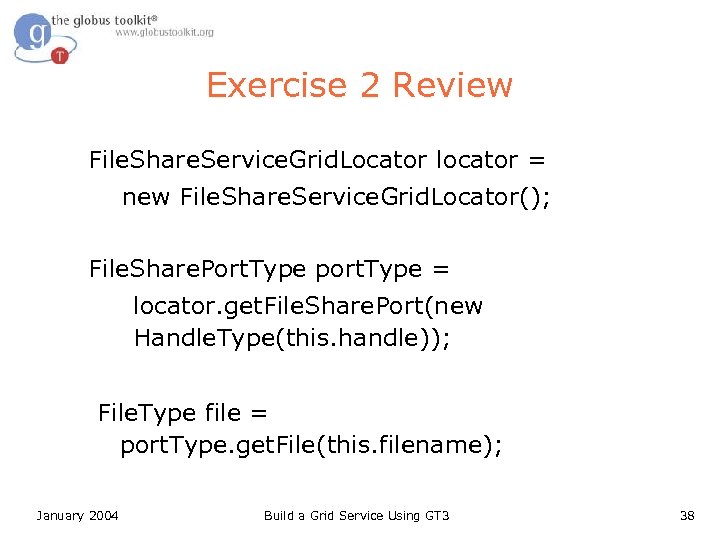
Exercise 2 Review File. Share. Service. Grid. Locator locator = new File. Share. Service. Grid. Locator(); File. Share. Port. Type port. Type = locator. get. File. Share. Port(new Handle. Type(this. handle)); File. Type file = port. Type. get. File(this. filename); January 2004 Build a Grid Service Using GT 3 38
How to Build a Grid Service Using GT 3 l l Overview of Grid Services and GT 3 Build a Grid Service – Overview – 1. Deployment: Stand Up a File. Share Service – 2. Naming: Share Files using Identifiers – 3. Inspection: Add Service Data – 4. Virtual Organization: Register with a Community Index – 5. Lifetime Management: Maintain service registration – 6. Discovery: Find a File – 7. GT 3 Security: Share Files Securely Time permitting: – 8. Transience: Create and Destroy File. Shares l Publish your Grid Service: The GTR January 2004 Build a Grid Service Using GT 3 39
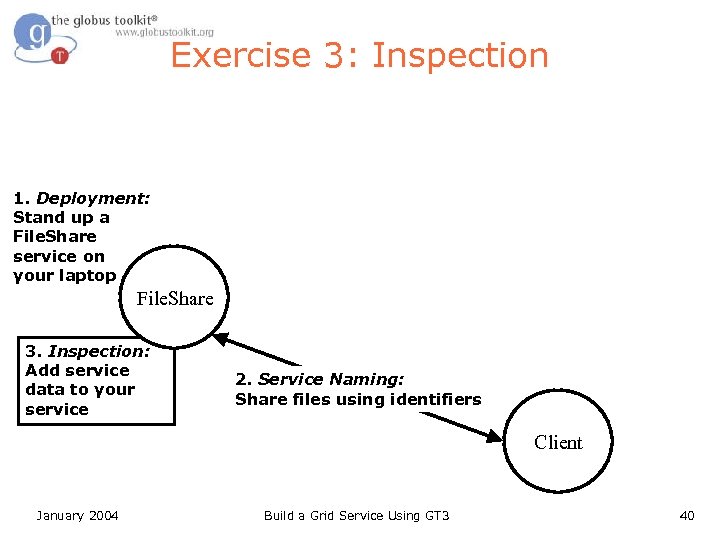
Exercise 3: Inspection 1. Deployment: Stand up a File. Share service on your laptop File. Share 3. Inspection: Add service data to your service 2. Service Naming: Share files using identifiers Client January 2004 Build a Grid Service Using GT 3 40
Service Data l Any Grid Service can expose internal state as Service Data Elements – An XML element of arbitrary complexity l Each service has a set of Service Data Elements January 2004 Build a Grid Service Using GT 3 41
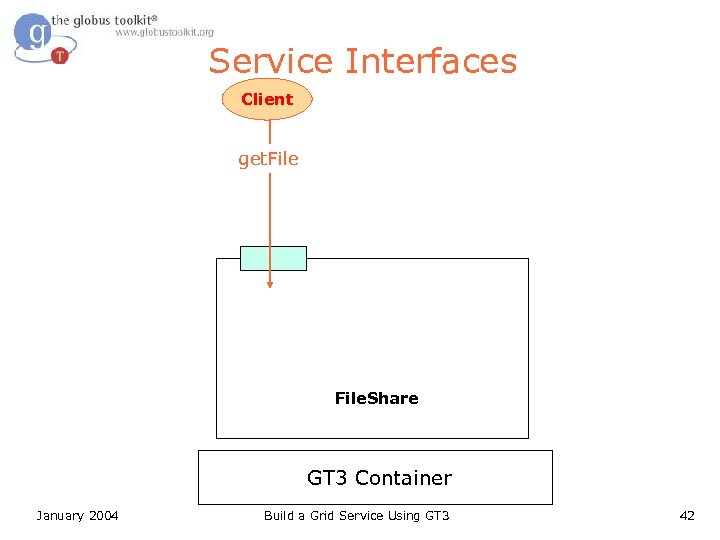
Service Interfaces Client get. File. Share GT 3 Container January 2004 Build a Grid Service Using GT 3 42
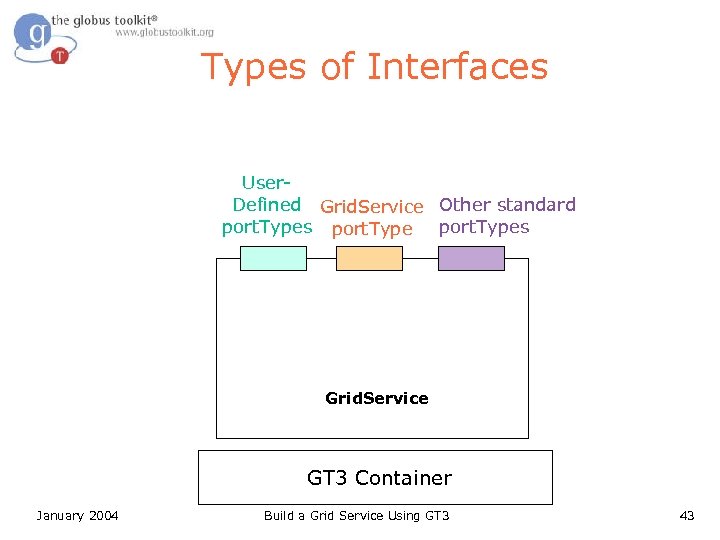
Types of Interfaces User. Defined Grid. Service Other standard port. Types Grid. Service GT 3 Container January 2004 Build a Grid Service Using GT 3 43
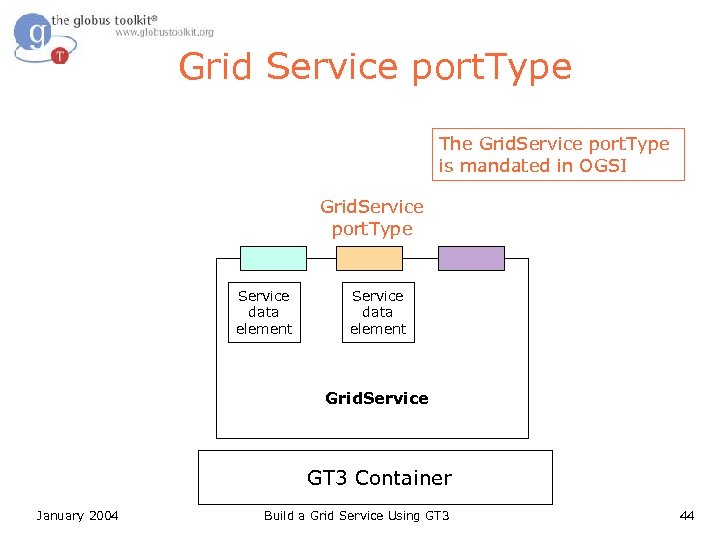
Grid Service port. Type The Grid. Service port. Type is mandated in OGSI Grid. Service port. Type Service data element Grid. Service GT 3 Container January 2004 Build a Grid Service Using GT 3 44
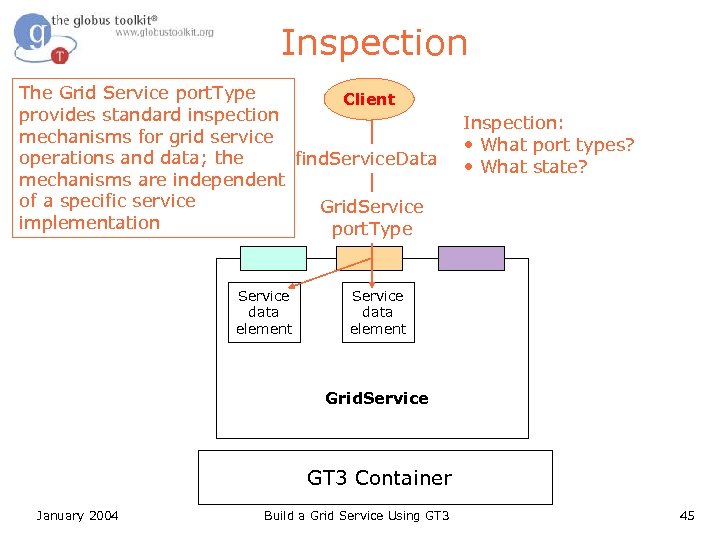
Inspection The Grid Service port. Type Client provides standard inspection mechanisms for grid service operations and data; the find. Service. Data mechanisms are independent of a specific service Grid. Service implementation port. Type Service data element Inspection: • What port types? • What state? Service data element Grid. Service GT 3 Container January 2004 Build a Grid Service Using GT 3 45
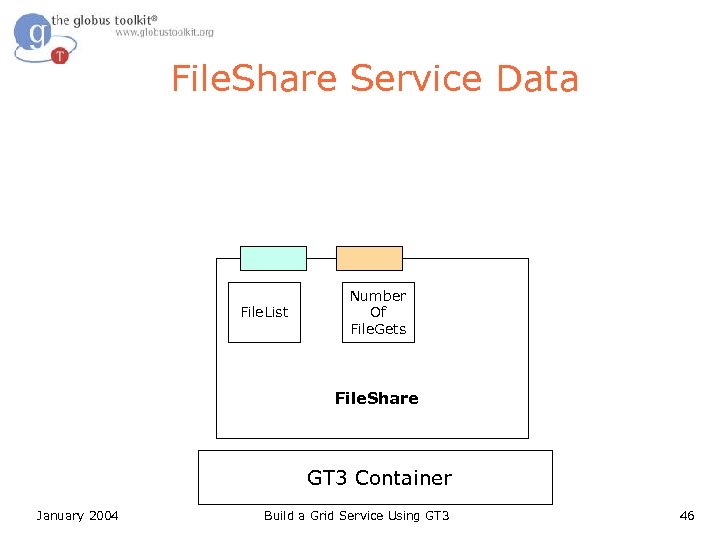
File. Share Service Data File. List Number Of File. Gets File. Share GT 3 Container January 2004 Build a Grid Service Using GT 3 46
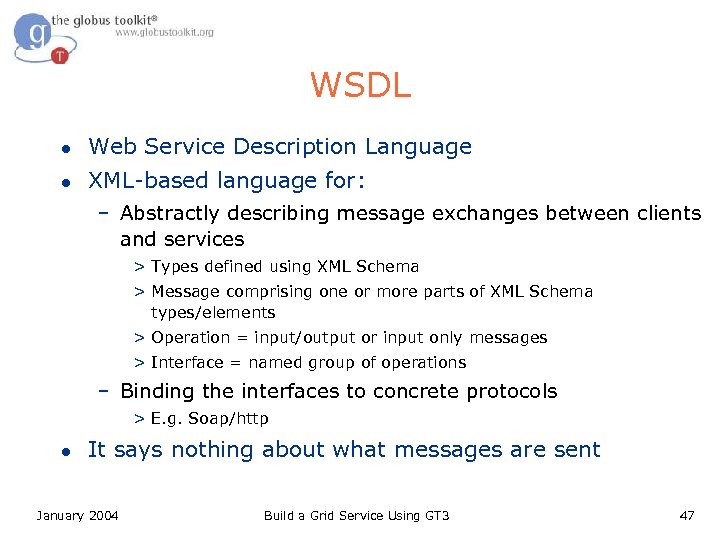
WSDL l Web Service Description Language l XML-based language for: – Abstractly describing message exchanges between clients and services > Types defined using XML Schema > Message comprising one or more parts of XML Schema types/elements > Operation = input/output or input only messages > Interface = named group of operations – Binding the interfaces to concrete protocols > E. g. Soap/http l It says nothing about what messages are sent January 2004 Build a Grid Service Using GT 3 47
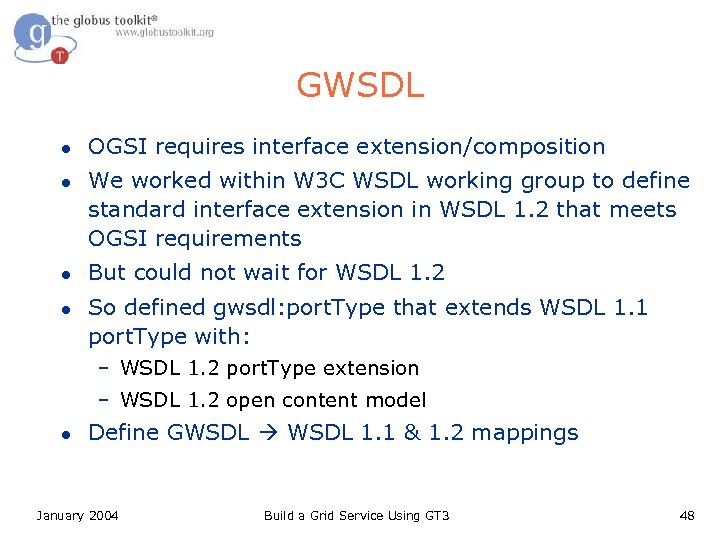
GWSDL l l OGSI requires interface extension/composition We worked within W 3 C WSDL working group to define standard interface extension in WSDL 1. 2 that meets OGSI requirements But could not wait for WSDL 1. 2 So defined gwsdl: port. Type that extends WSDL 1. 1 port. Type with: – WSDL 1. 2 port. Type extension – WSDL 1. 2 open content model l Define GWSDL 1. 1 & 1. 2 mappings January 2004 Build a Grid Service Using GT 3 48
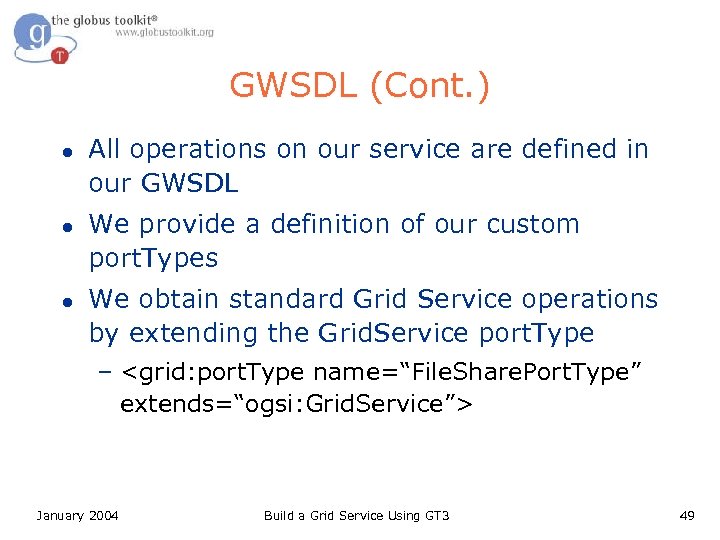
GWSDL (Cont. ) l l l All operations on our service are defined in our GWSDL We provide a definition of our custom port. Types We obtain standard Grid Service operations by extending the Grid. Service port. Type – <grid: port. Type name=“File. Share. Port. Type” extends=“ogsi: Grid. Service”> January 2004 Build a Grid Service Using GT 3 49
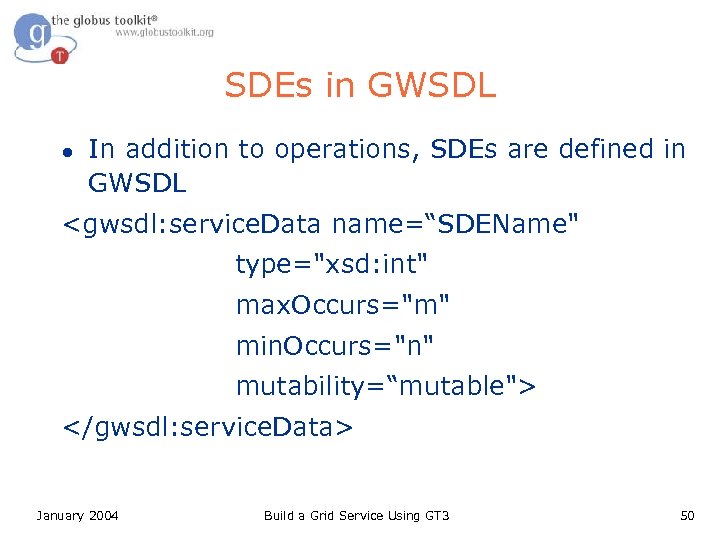
SDEs in GWSDL l In addition to operations, SDEs are defined in GWSDL <gwsdl: service. Data name=“SDEName" type="xsd: int" max. Occurs="m" min. Occurs="n" mutability=“mutable"> </gwsdl: service. Data> January 2004 Build a Grid Service Using GT 3 50
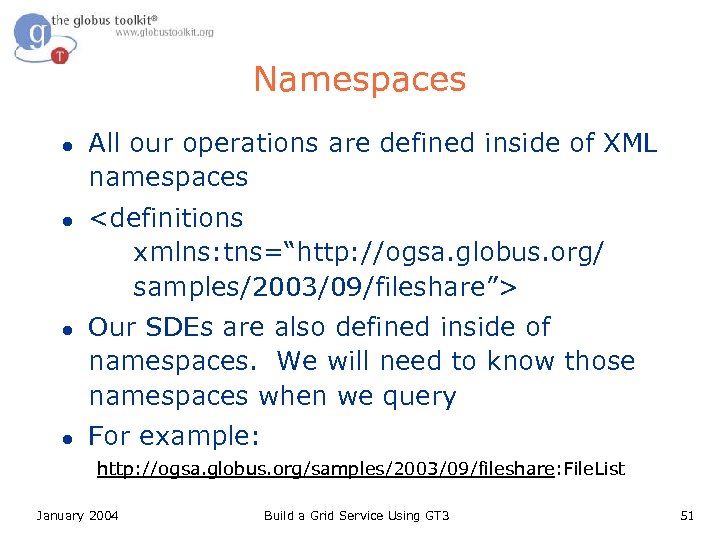
Namespaces l l All our operations are defined inside of XML namespaces <definitions xmlns: tns=“http: //ogsa. globus. org/ samples/2003/09/fileshare”> Our SDEs are also defined inside of namespaces. We will need to know those namespaces when we query For example: http: //ogsa. globus. org/samples/2003/09/fileshare: File. List January 2004 Build a Grid Service Using GT 3 51
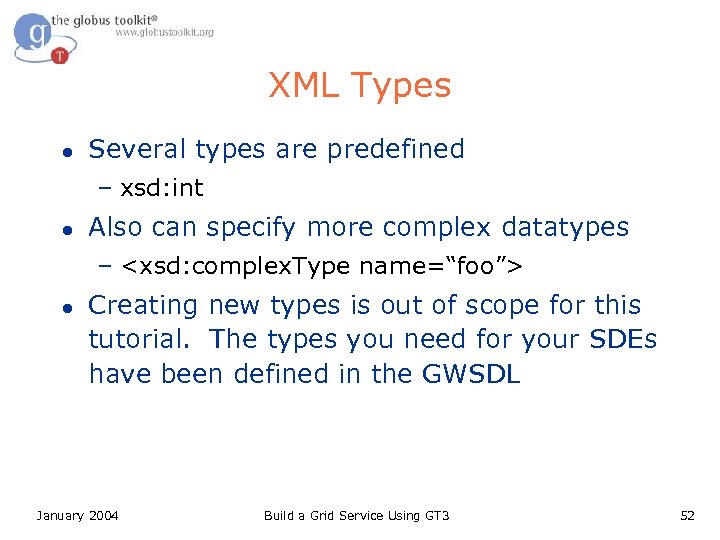
XML Types l Several types are predefined – xsd: int l Also can specify more complex datatypes – <xsd: complex. Type name=“foo”> l Creating new types is out of scope for this tutorial. The types you need for your SDEs have been defined in the GWSDL January 2004 Build a Grid Service Using GT 3 52
What Attendees should Do l l l Uncomment service. Data from fileshare_port_type. gwsdl Uncoment SDE update code in File. Share. Impl. java Verify your work by using handy client: ogsi-find-servicedata-by-name – Use the pre-built client to inspect service data by name – Observe how service data changes over time January 2004 Build a Grid Service Using GT 3 53
![What Attendees Should See l Output of ogsi-find-service-data-by-name […] <ns 3: Number. Of. File.](https://present5.com/presentation/50d20e7a378044b4f34d7ed3db0b28f7/image-54.jpg "What Attendees Should See l Output of ogsi-find-service-data-by-name […] <ns 3: Number. Of. File.")
What Attendees Should See l Output of ogsi-find-service-data-by-name […] <ns 3: Number. Of. File. Gets […] xsi: type="xsd: int"> 0 </ns 3: Number. Of. File. Gets> […] January 2004 Build a Grid Service Using GT 3 54
Exercise 3 Review l l SDEs are defined in GWSDL You can extend GWSDL to get pre-defined operations, like find. Service. Data l SDEs use XML types l SDEs are namespace qualified l The Grid. Service port. Type is mandated by OGSI January 2004 Build a Grid Service Using GT 3 55
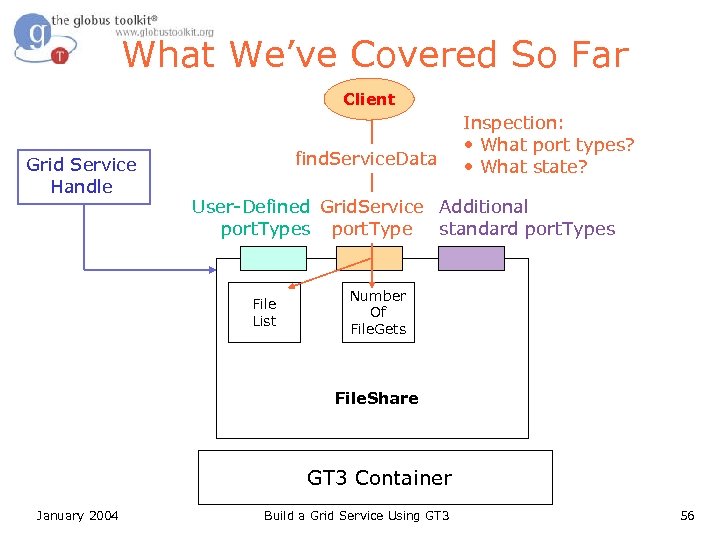
What We’ve Covered So Far Client Grid Service Handle find. Service. Data Inspection: • What port types? • What state? User-Defined Grid. Service Additional port. Types port. Type standard port. Types File List Number Of File. Gets File. Share GT 3 Container January 2004 Build a Grid Service Using GT 3 56
How to Build a Grid Service Using GT 3 l l Overview of Grid Services and GT 3 Build a Grid Service – Overview – 1. Deployment: Stand Up a File. Share Service – 2. Naming: Share Files using Identifiers – 3. Inspection: Add Service Data – 4. Virtual Organization: Register with a Community Index – 5. Lifetime Management: Maintain service registration – 6. Discovery: Find a File – 7. GT 3 Security: Share Files Securely Time permitting: – 8. Transience: Create and Destroy File. Shares l Publish your Grid Service: The GTR January 2004 Build a Grid Service Using GT 3 57
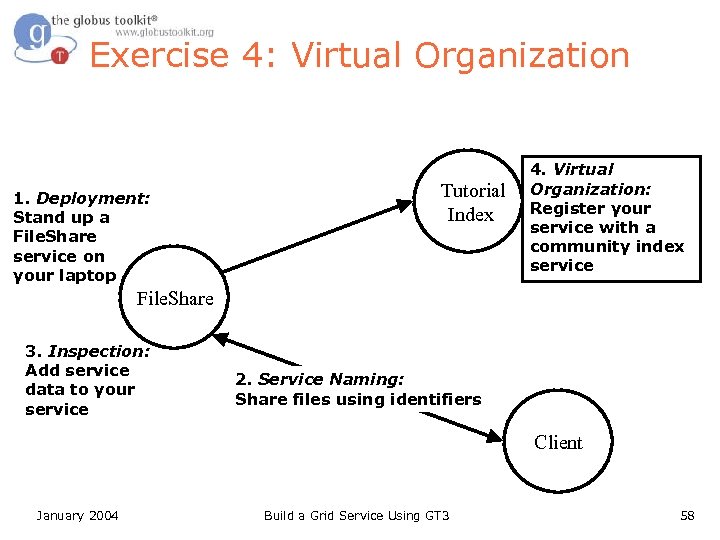
Exercise 4: Virtual Organization 1. Deployment: Stand up a File. Share service on your laptop Tutorial Index 4. Virtual Organization: Register your service with a community index service File. Share 3. Inspection: Add service data to your service 2. Service Naming: Share files using identifiers Client January 2004 Build a Grid Service Using GT 3 58
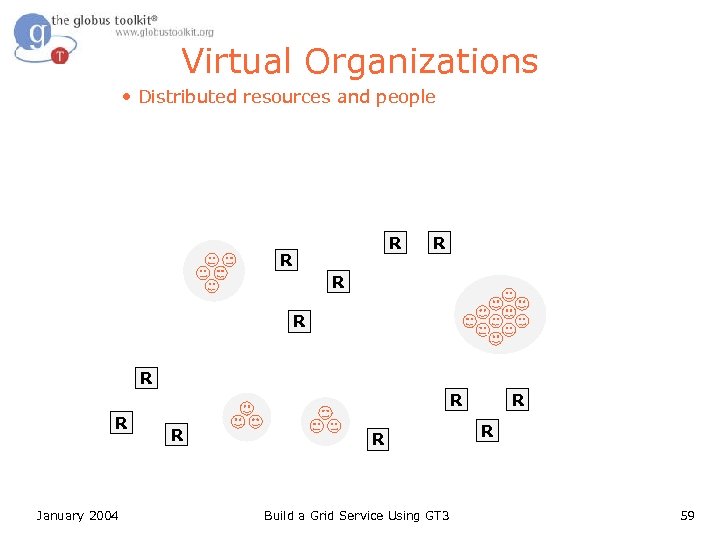
Virtual Organizations • Distributed resources and people R R R R January 2004 R R Build a Grid Service Using GT 3 R R 59
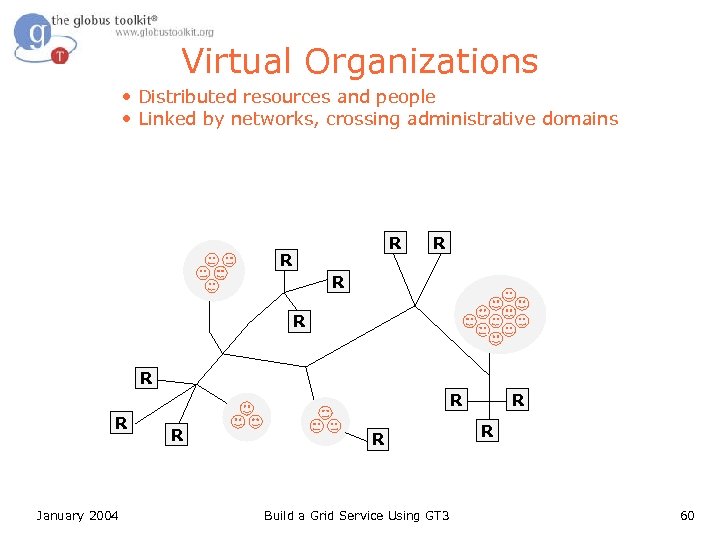
Virtual Organizations • Distributed resources and people • Linked by networks, crossing administrative domains R R R R January 2004 R R Build a Grid Service Using GT 3 R R 60
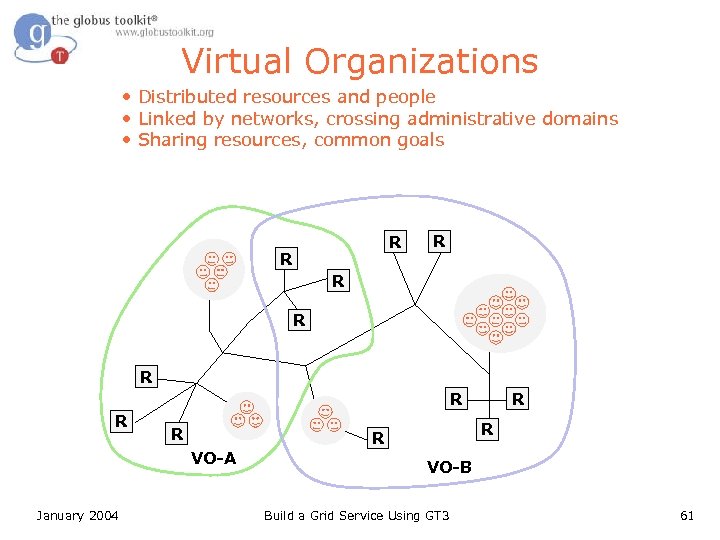
Virtual Organizations • Distributed resources and people • Linked by networks, crossing administrative domains • Sharing resources, common goals R R R R R January 2004 R R VO-A R VO-B Build a Grid Service Using GT 3 61
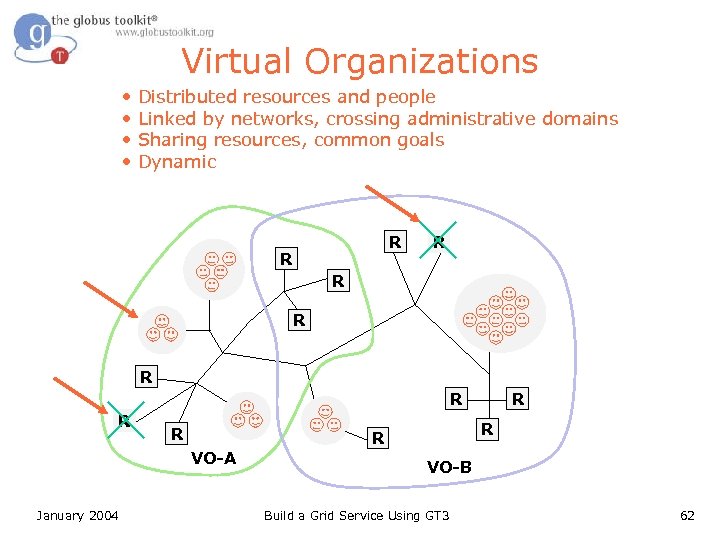
Virtual Organizations • • Distributed resources and people Linked by networks, crossing administrative domains Sharing resources, common goals Dynamic R R R R R January 2004 R R VO-A R VO-B Build a Grid Service Using GT 3 62
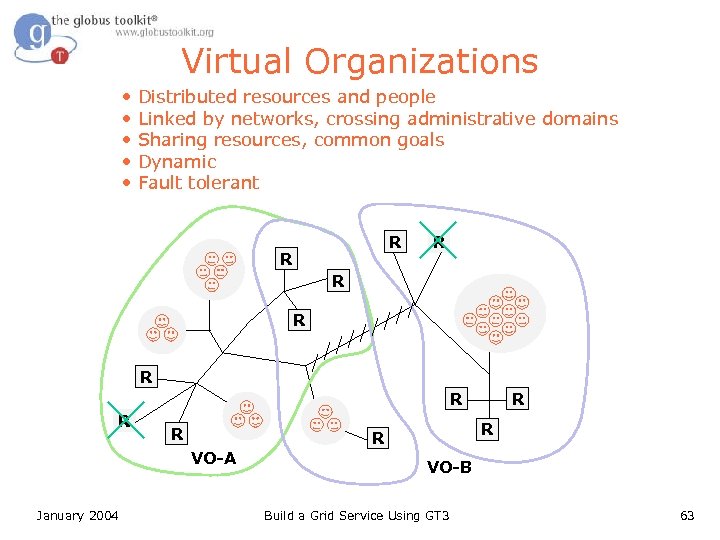
Virtual Organizations • • • Distributed resources and people Linked by networks, crossing administrative domains Sharing resources, common goals Dynamic Fault tolerant R R R R R January 2004 R R VO-A R VO-B Build a Grid Service Using GT 3 63
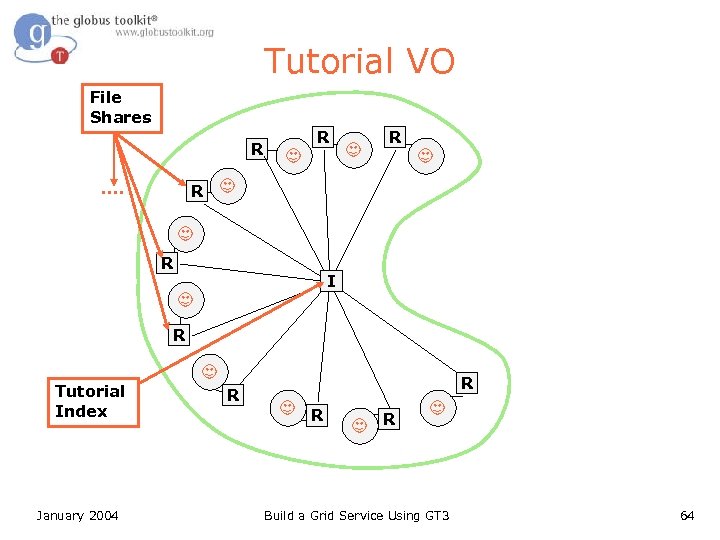
Tutorial VO File Shares R R R I R Tutorial Index January 2004 R R Build a Grid Service Using GT 3 64
Service Group l Service Groups represent a collection of services – The OGSI spec defines Service Groups as a generic “bag” of entries – Developers extend the semantics in ways that are meaningful in their problem space l The Tutorial Index is written on top of Service Groups January 2004 Build a Grid Service Using GT 3 65
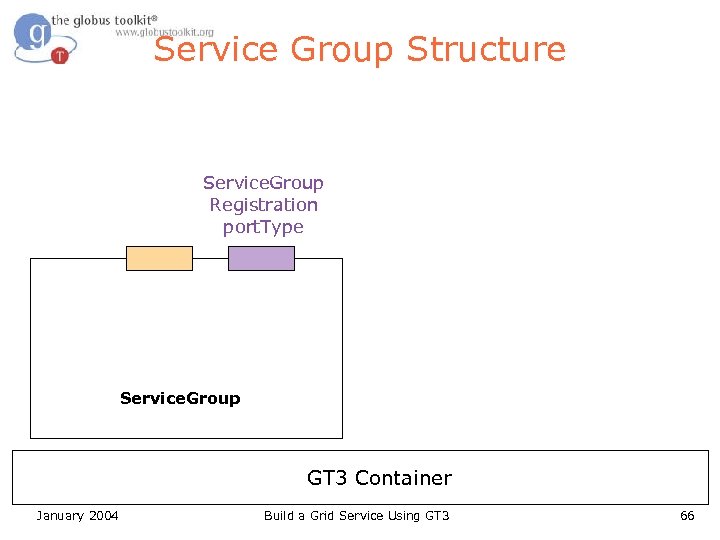
Service Group Structure Service. Group Registration port. Type Service. Group GT 3 Container January 2004 Build a Grid Service Using GT 3 66
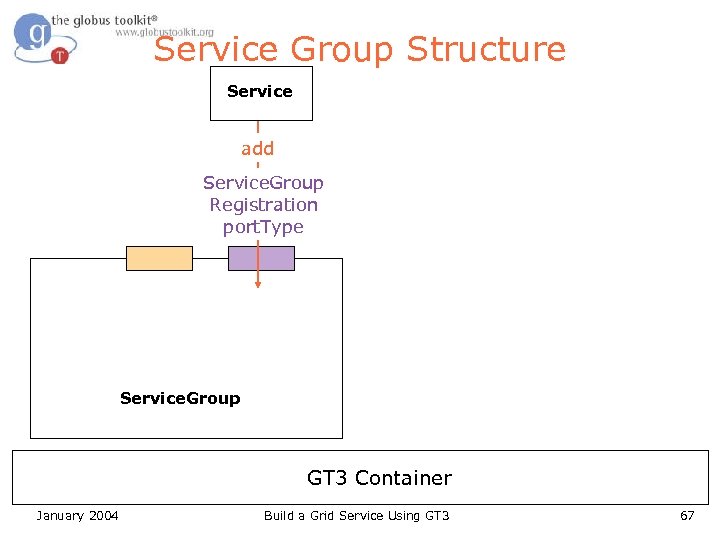
Service Group Structure Service add Service. Group Registration port. Type Service. Group GT 3 Container January 2004 Build a Grid Service Using GT 3 67
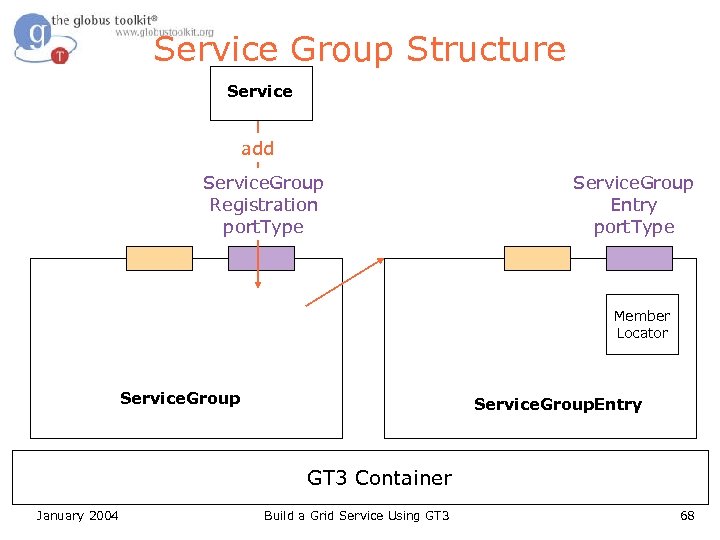
Service Group Structure Service add Service. Group Registration port. Type Service. Group Entry port. Type Member Locator Service. Group. Entry GT 3 Container January 2004 Build a Grid Service Using GT 3 68
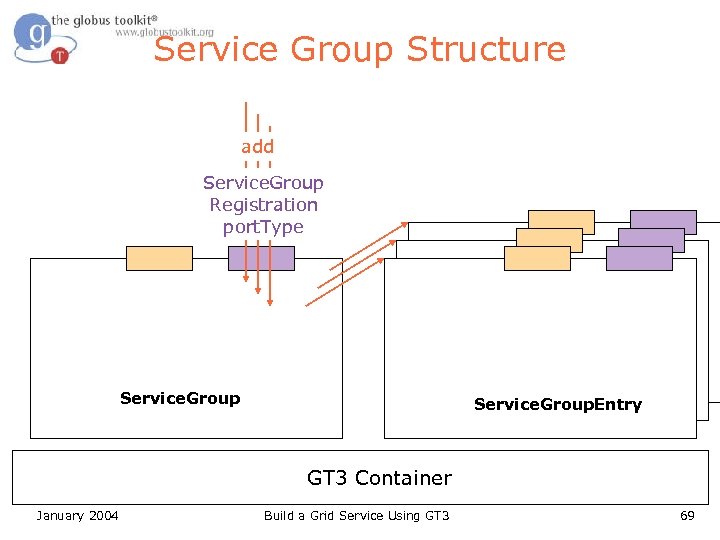
Service Group Structure add Service. Group Registration port. Type Service. Group. Entry Service. Group GT 3 Container January 2004 Build a Grid Service Using GT 3 69
The Tutorial Index l l The Index will be running on one of the instructor’s machines The Index represents a collection of services – A way for each File. Share to advertise its existence to the VO – A copy of each File. Share’s service data to be cached in a single place January 2004 Build a Grid Service Using GT 3 70
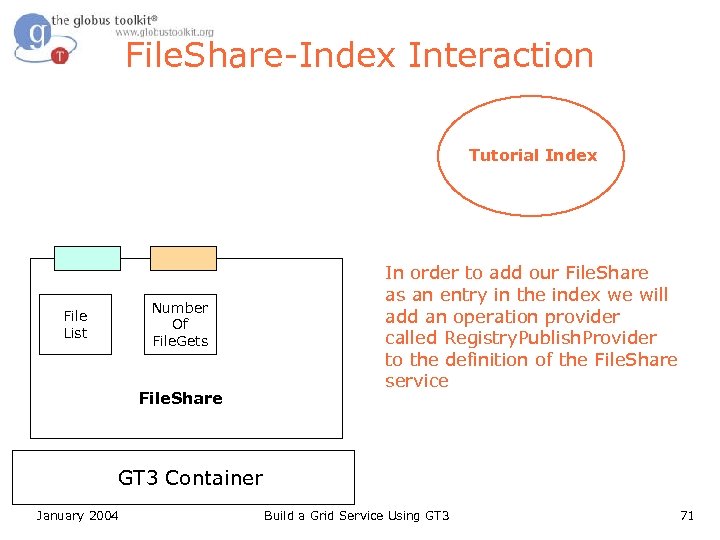
File. Share-Index Interaction Tutorial Index Number Of File. Gets File List File. Share In order to add our File. Share as an entry in the index we will add an operation provider called Registry. Publish. Provider to the definition of the File. Share service GT 3 Container January 2004 Build a Grid Service Using GT 3 71
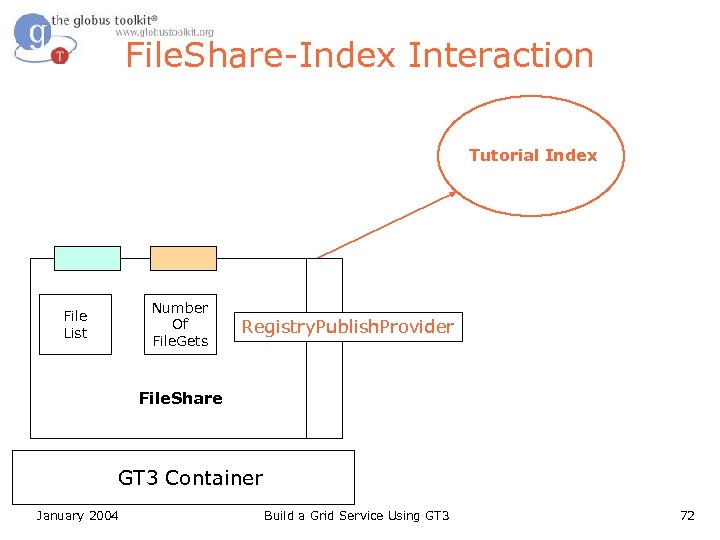
File. Share-Index Interaction Tutorial Index Number Of File. Gets File List Registry. Publish. Provider File. Share GT 3 Container January 2004 Build a Grid Service Using GT 3 72
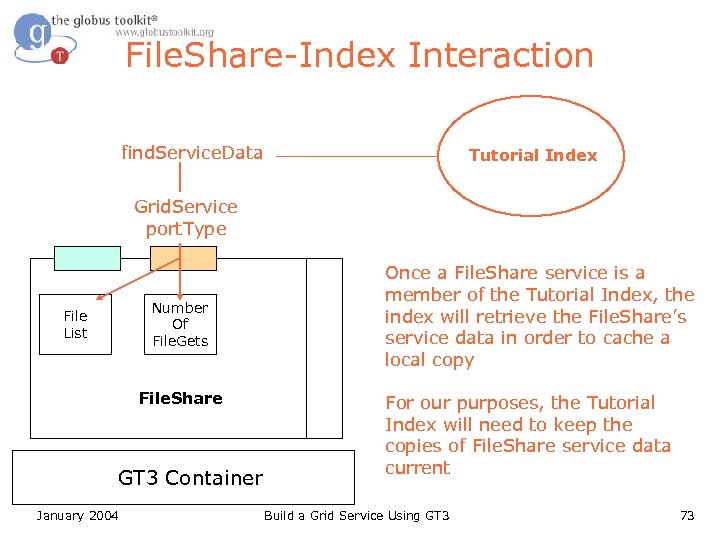
File. Share-Index Interaction find. Service. Data Tutorial Index Grid. Service port. Type Number Of File. Gets File List File. Share GT 3 Container January 2004 Once a File. Share service is a member of the Tutorial Index, the index will retrieve the File. Share’s service data in order to cache a local copy For our purposes, the Tutorial Index will need to keep the copies of File. Share service data current Build a Grid Service Using GT 3 73
Subscriptions l Notification. Source port. Type – an optional OGSI interface l l Used by our index to subscribe to the service data of File. Share services As part of the OGSI notification pattern, the Tutorial Index implements the Notification. Sink port. Type January 2004 Build a Grid Service Using GT 3 74
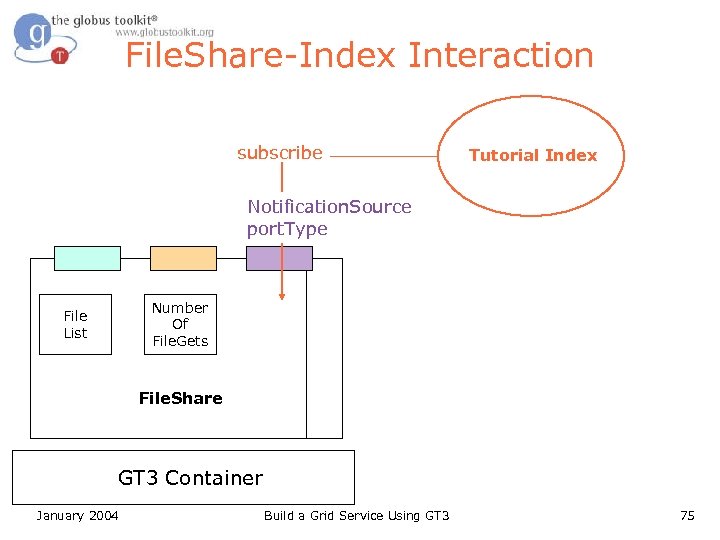
File. Share-Index Interaction subscribe Tutorial Index Notification. Source port. Type Number Of File. Gets File List File. Share GT 3 Container January 2004 Build a Grid Service Using GT 3 75
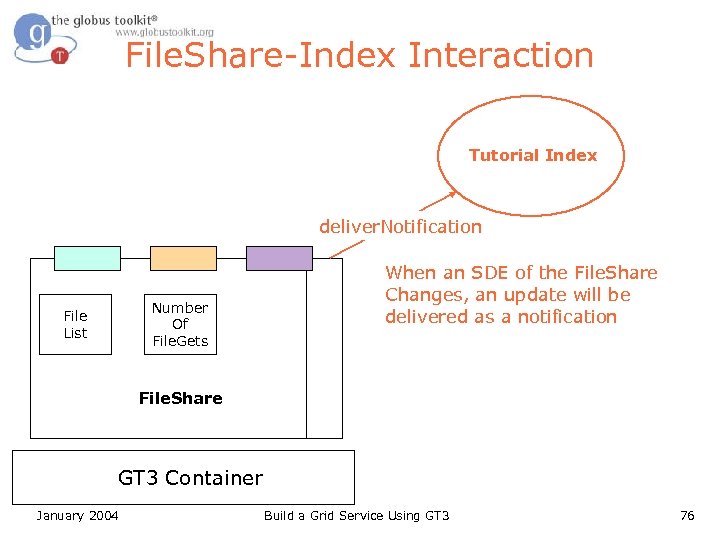
File. Share-Index Interaction Tutorial Index deliver. Notification Number Of File. Gets File List When an SDE of the File. Share Changes, an update will be delivered as a notification File. Share GT 3 Container January 2004 Build a Grid Service Using GT 3 76
Concepts in Exercise l l operation. Providers is an entry in the WSDD file Operation providers add functionality If the additional functionality includes the addition of a public interface, you need to add an entry to the. gwsdl If the additional functionality requires runtime parameters, you need to add them to the. wsdd January 2004 Build a Grid Service Using GT 3 77
Registry. Publish. Provider l Registry. Publish. Provider requires parameters in wsdd file: – registry GSH of the Tutorial Index service group (mandatory) – registry-keepalive set to ‘true’ to keep registration alive (optional) – registry-lifetime parameter to specify how long the entry should live (optional) – registry-remove ‘true’ if the entry should be removed at shutdown (optional) l Defines no operations, does not need anything to be changed in GWSDL January 2004 Build a Grid Service Using GT 3 78
Notification. Source. Provider l Notification. Source. Provider makes our service data available for subscription – Defines an operation that will be used by the Index service we’re registering to – Therefore, needs to appear in our GWSDL l l In the end, our GWSDL will extend both Grid. Service and Notification. Source Does not require any WSDD parameters January 2004 Build a Grid Service Using GT 3 79
What Attendees Should Do l Uncomment operation. Providers and parameters in WSDD l Add Notification. Source port. Type to GWSDL l Deploy, restart container l Don’t need to modify any service code! January 2004 Build a Grid Service Using GT 3 80
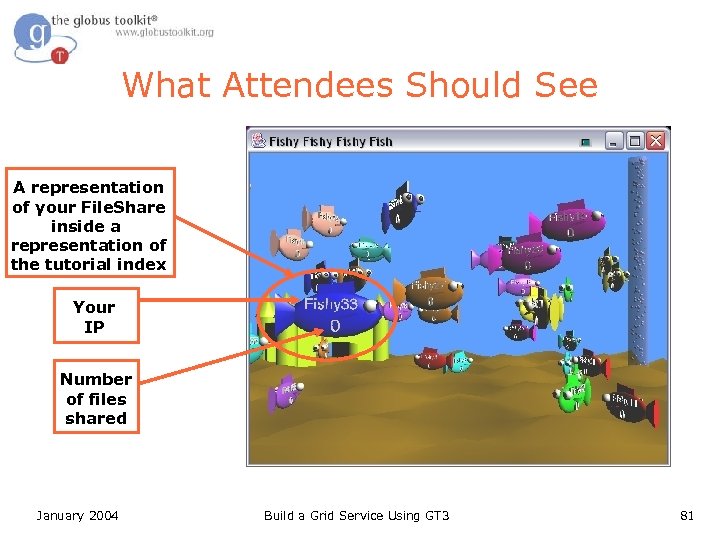
What Attendees Should See A representation of your File. Share inside a representation of the tutorial index Your IP Number of files shared January 2004 Build a Grid Service Using GT 3 81
Exercise 4 Review l operation. Providers allow you to add functionality without writing code – We saw this with Registry. Publish and Notification Source l l Service Groups contain Service. Group. Entries representing members of the group The Tutorial Index uses subscriptions to receive updates January 2004 Build a Grid Service Using GT 3 82
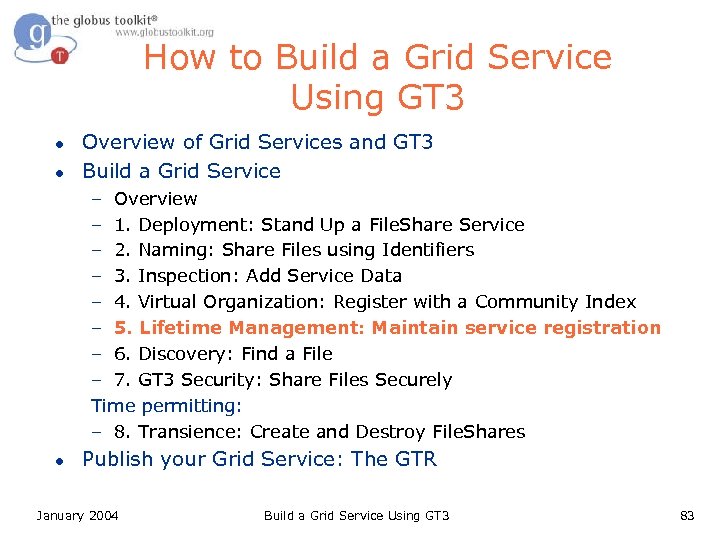
How to Build a Grid Service Using GT 3 l l Overview of Grid Services and GT 3 Build a Grid Service – Overview – 1. Deployment: Stand Up a File. Share Service – 2. Naming: Share Files using Identifiers – 3. Inspection: Add Service Data – 4. Virtual Organization: Register with a Community Index – 5. Lifetime Management: Maintain service registration – 6. Discovery: Find a File – 7. GT 3 Security: Share Files Securely Time permitting: – 8. Transience: Create and Destroy File. Shares l Publish your Grid Service: The GTR January 2004 Build a Grid Service Using GT 3 83
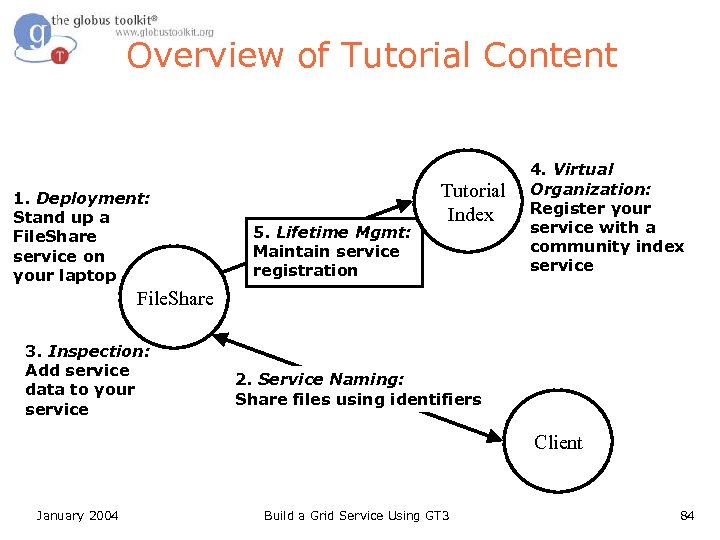
Overview of Tutorial Content 1. Deployment: Stand up a File. Share service on your laptop 5. Lifetime Mgmt: Maintain service registration Tutorial Index 4. Virtual Organization: Register your service with a community index service File. Share 3. Inspection: Add service data to your service 2. Service Naming: Share files using identifiers Client January 2004 Build a Grid Service Using GT 3 84
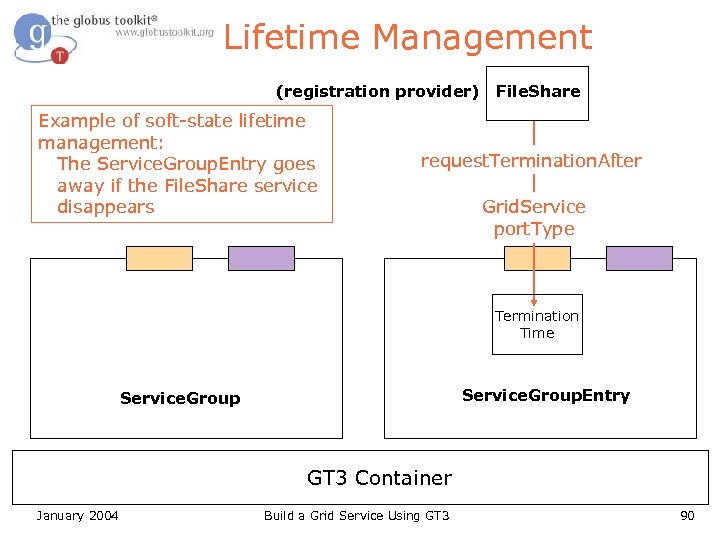
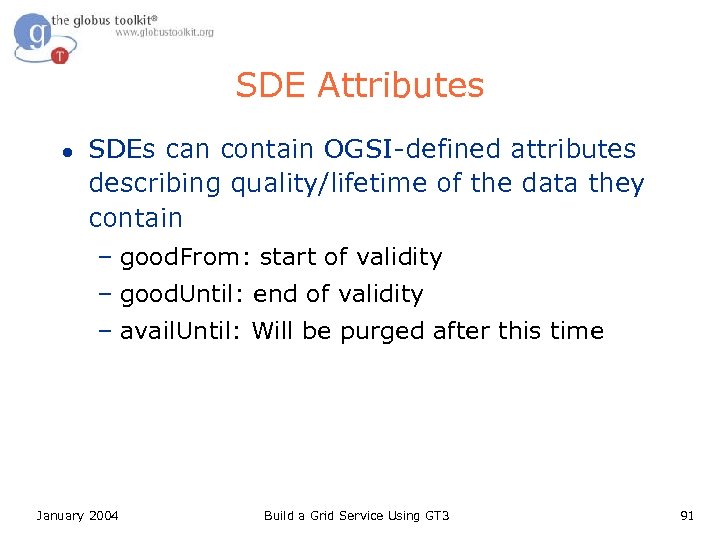
Soft state l l l We need a mechanism to clean up old/unwanted state A service group has an remove operation, but this is not enough. For example, what happens if a service dies without removing itself? All of our state has a limited lifetime. If a service is still alive and wants to remain registered, it must keep indicating its interest in that state. January 2004 Build a Grid Service Using GT 3 85
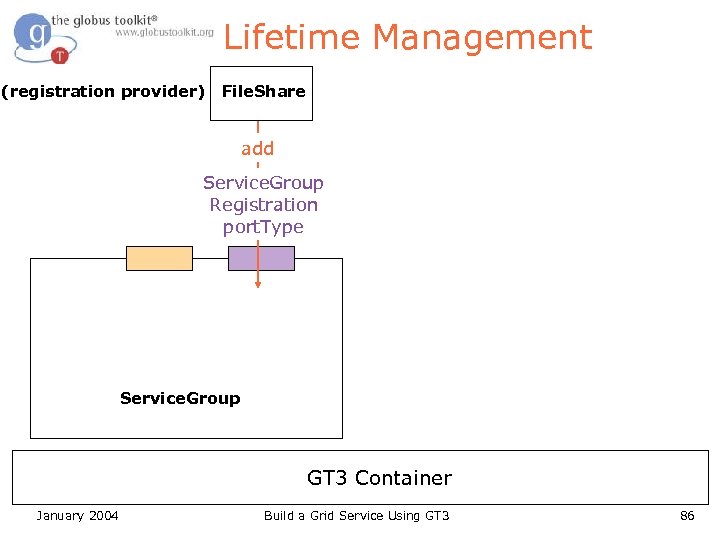
Lifetime Management (registration provider) File. Share add Service. Group Registration port. Type Service. Group GT 3 Container January 2004 Build a Grid Service Using GT 3 86
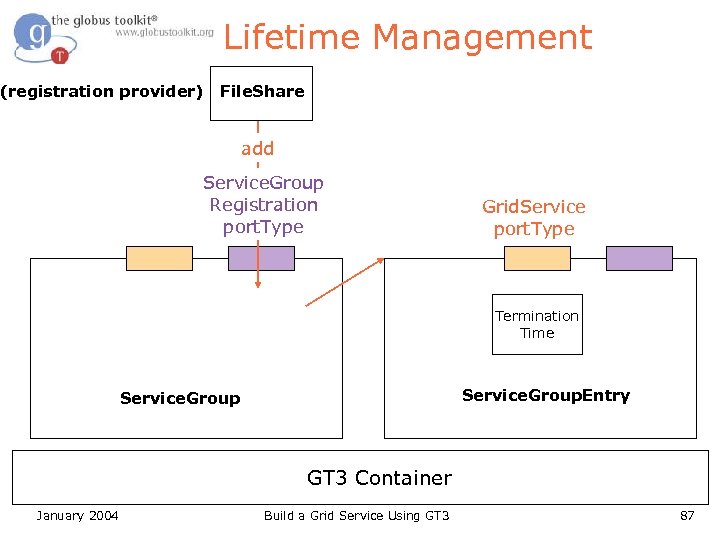
Lifetime Management (registration provider) File. Share add Service. Group Registration port. Type Grid. Service port. Type Termination Time Service. Group. Entry Service. Group GT 3 Container January 2004 Build a Grid Service Using GT 3 87
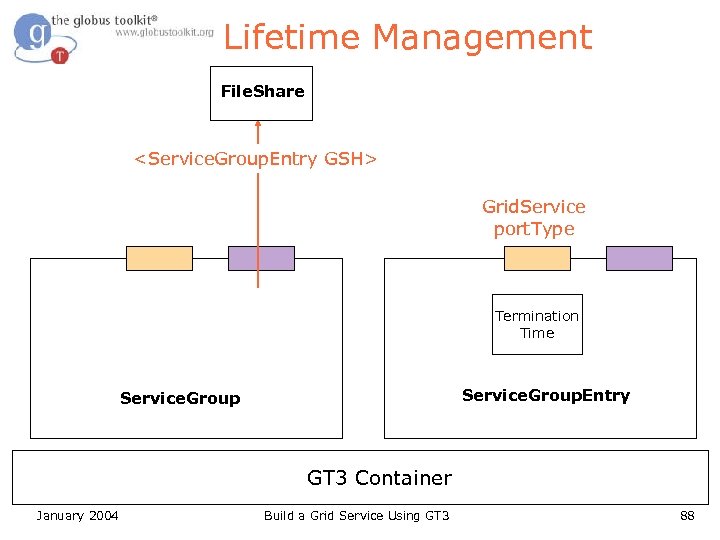
Lifetime Management File. Share <Service. Group. Entry GSH> Grid. Service port. Type Termination Time Service. Group. Entry Service. Group GT 3 Container January 2004 Build a Grid Service Using GT 3 88
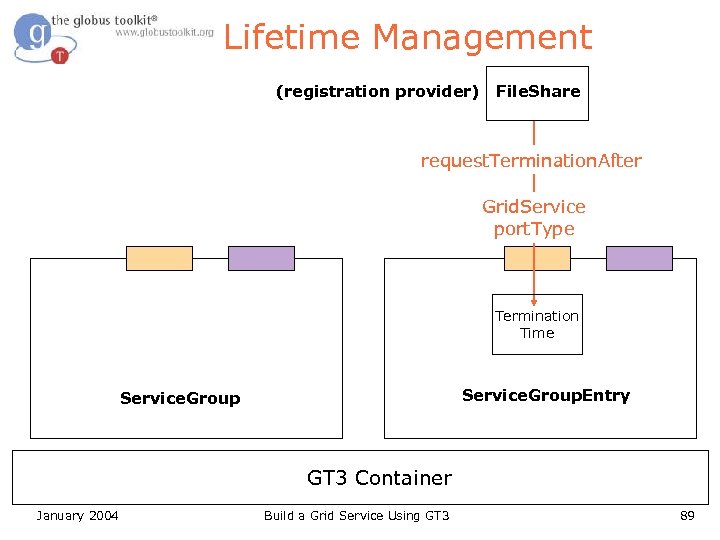
Lifetime Management (registration provider) File. Share request. Termination. After Grid. Service port. Type Termination Time Service. Group. Entry Service. Group GT 3 Container January 2004 Build a Grid Service Using GT 3 89
Lifetime Management (registration provider) Example of soft-state lifetime management: The Service. Group. Entry goes away if the File. Share service disappears File. Share request. Termination. After Grid. Service port. Type Termination Time Service. Group. Entry Service. Group GT 3 Container January 2004 Build a Grid Service Using GT 3 90
SDE Attributes l SDEs can contain OGSI-defined attributes describing quality/lifetime of the data they contain – good. From: start of validity – good. Until: end of validity – avail. Until: Will be purged after this time January 2004 Build a Grid Service Using GT 3 91
How to Build a Grid Service Using GT 3 l l Overview of Grid Services and GT 3 Build a Grid Service – Overview – 1. Deployment: Stand Up a File. Share Service – 2. Naming: Share Files using Identifiers – 3. Inspection: Add Service Data – 4. Virtual Organization: Register with a Community Index – 5. Lifetime Management: Maintain service registration – 6. Discovery: Find a File – 7. GT 3 Security: Share Files Securely Time permitting: – 8. Transience: Create and Destroy File. Shares l Publish your Grid Service: The GTR January 2004 Build a Grid Service Using GT 3 92
Exercise 6: Discovery 1. Deployment: Stand up a File. Share service on your laptop 5. Lifetime Mgmt: Maintain service registration Tutorial Index File. Share 3. Inspection: Add service data to your service 2. Service Naming: Share files using identifiers 4. Virtual Organization: Register your service with a community index service 6. Discovery: Find services that publish the file you wish to retrieve Client January 2004 Build a Grid Service Using GT 3 93
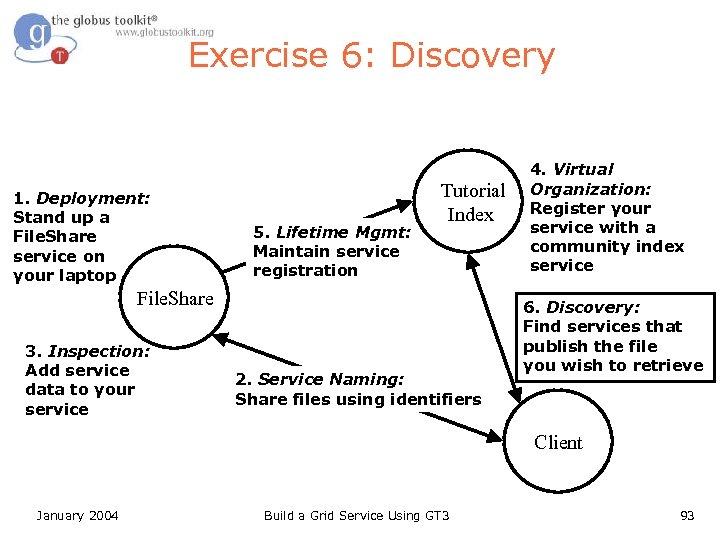
What is Discovery? l l l We want to find a service that has some property In our case, a person wants to find a service that is sharing a particular filename (‘haggis. txt’) The Tutorial Index knows about of all the services and which files are available We can search the Tutorial Index for the service that is publishing ‘haggis. txt’ The identification of the service(s) meeting our criteria is called Discovery January 2004 Build a Grid Service Using GT 3 94
Implementation Details l l l The Tutorial Index publishes all of the information it has as service data (an SDE called ogsi: entry) We can use standard service data querying methods for accessing the Tutorial Index’s data However, our ogsi: entry will contain a large amount of data; it will be necessary to search inside of the SDE to find the data we need January 2004 Build a Grid Service Using GT 3 95
Searching Inside an SDE l To search the SDE data we can use a GT 3 specific query mechanism that allows us to assemble an XPath query An XPath overview in two bullets: > XPath is a convenient query language for searching XML documents > XPath queries are formed by identifying a route to the desired data We shall provide you with an XPath query to search the SDE of the Tutorial Index… January 2004 Build a Grid Service Using GT 3 96
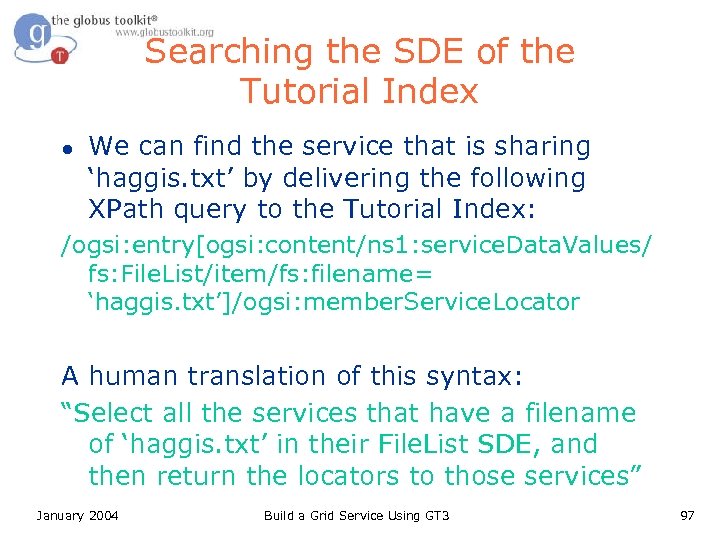
Searching the SDE of the Tutorial Index l We can find the service that is sharing ‘haggis. txt’ by delivering the following XPath query to the Tutorial Index: /ogsi: entry[ogsi: content/ns 1: service. Data. Values/ fs: File. List/item/fs: filename= ‘haggis. txt’]/ogsi: member. Service. Locator A human translation of this syntax: “Select all the services that have a filename of ‘haggis. txt’ in their File. List SDE, and then return the locators to those services” January 2004 Build a Grid Service Using GT 3 97
What Attendees Should Do l l l Create a uniquely-named file in $GLOBUS_LOCATION Use the Get. File. Index client to perform an XPath query against the tutorial Index to retrieve the newly created file Use Get. File. Index to retrieve a file from your neighbor January 2004 Build a Grid Service Using GT 3 98
Exercise 6 Review l l l The Indexing Service Group provides a way to discover services based on SDEs The Indexing. Service. Group aggregates the SDEs of services registering to it Because SDEs are XML, GT 3 allows XPath queries for searching and retrieving SDEs January 2004 Build a Grid Service Using GT 3 99
How to Build a Grid Service Using GT 3 l l Overview of Grid Services and GT 3 Build a Grid Service – Overview – 1. Deployment: Stand Up a File. Share Service – 2. Naming: Share Files using Identifiers – 3. Inspection: Add Service Data – 4. Virtual Organization: Register with a Community Index – 5. Lifetime Management: Maintain service registration – 6. Discovery: Find a File – 7. GT 3 Security: Share Files Securely Time permitting: – 8. Transience: Create and Destroy File. Shares l Publish your Grid Service: The GTR January 2004 Build a Grid Service Using GT 3 100
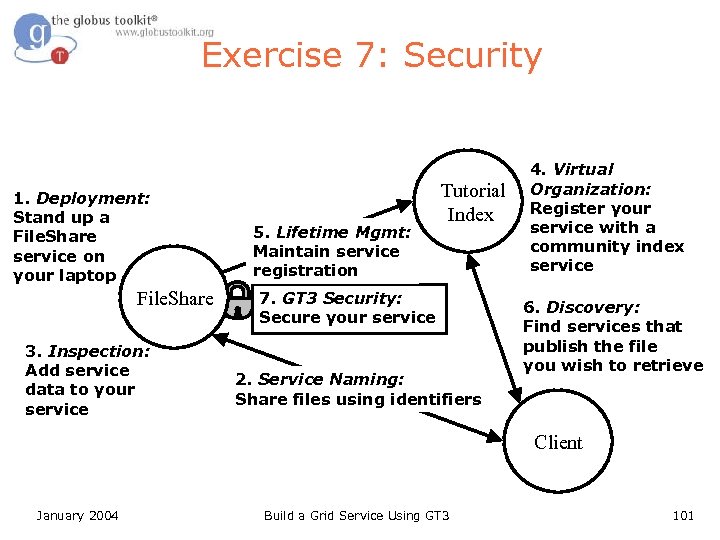
Exercise 7: Security 1. Deployment: Stand up a File. Share service on your laptop File. Share 3. Inspection: Add service data to your service 5. Lifetime Mgmt: Maintain service registration Tutorial Index 7. GT 3 Security: Secure your service 2. Service Naming: Share files using identifiers 4. Virtual Organization: Register your service with a community index service 6. Discovery: Find services that publish the file you wish to retrieve Client January 2004 Build a Grid Service Using GT 3 101
GT 3 Security Details l Built on top of PKI – Each entity has two keys: public and private – Data encrypted with one key can only be decrypted with other – The private key is known only to the entity l The public key is given to the world encapsulated in a X. 509 certificate January 2004 Build a Grid Service Using GT 3 102
Certificates l l l A X. 509 certificate binds a public key to a name It includes a name and a public key bundled together and signed by a trusted party (Certificate Authority) An example of a Distinguished Name (DN): “/O=Tutorial/OU=User/CN=Charles Bacon” January 2004 Build a Grid Service Using GT 3 103
Certificate Authorities l l A Certificate Authority (CA) signs certificate requests To verify a certificate signature, you must have a copy of the CA certificate By default, stored in /etc/gridsecurity/certificates For our tutorial, stored in $TUTORIAL_LOCATION/certificates January 2004 Build a Grid Service Using GT 3 104
Proxy Certificates l Proxy certificates contain a new keypair, and are signed by the original certificate – Also has shorter lifetime – Stored in /tmp/x 509 up_u$UID – Protected by filesystem permissions l Create a proxy using org. globus. tools. Proxy. Init – Full GT 3 install includes C command line clients as well January 2004 Build a Grid Service Using GT 3 105
Service-side Authentication l l l XML configuration files designed to set security parameters for a service Allows per-method authentication settings auth-method – none: no authentication – pkey: GSI Secure Message – gsi: GSI Secure Conversation l run-as – caller: Execute method with caller’s credential – system: Execute method with container credential – service: Execute method with service credential l Need to mention the XML configuration file in the wsdd as security. Config parameter January 2004 Build a Grid Service Using GT 3 106
Client-side Authentication l l Can set authentication properties programmatically For example, our Get. File client will set GSI Secure Conversation authentication – ((Stub)port. Type). _set. Property(Constants. G SI_SEC_CONV, Constants. ENCRYPTION); January 2004 Build a Grid Service Using GT 3 107
Authorization l GT 3 allows for different authorization methods – Client > None: no authorization will be performed > Self: service will be authorized if it has the same identity as the client > Host: service will be authorized if the host returns an identity containing the hostname – Server > None: no authorization will be performed > Self: client will be authorized if it has the same identity as the service > Gridmap: User will be authorized as identity listed in gridmap January 2004 Build a Grid Service Using GT 3 108
Gridmap Files l A mapping from certificate subject names to local resource identities – “/O=Tutorial/OU=User/CN=Charles Bacon” bacon l l l Used in the gridmap authorization methods Each service may have its own gridmap, specified by the gridmap parameter Allows per-site authorization – Decentralized control required for VOs January 2004 Build a Grid Service Using GT 3 109
What Attendees Should Do l Uncomment the security. Config parameter in WSDD l Uncomment the security code in Get. File. java l Try to Get. File from your service l Try querying the SDEs of your service l Create a proxy, then try both again January 2004 Build a Grid Service Using GT 3 110
What Attendees Should See l l Without a proxy, you cannot interact with your service With a proxy, both operations are successful January 2004 Build a Grid Service Using GT 3 111
Exercise 7 Review l l l Service security is configured through parameters in the WSDD file, and in the security. Config XML file Client security is configured by setting properties in the Java code Service-side authentication may be specified on a per-operation basis January 2004 Build a Grid Service Using GT 3 112
How to Build a Grid Service Using GT 3 l l Overview of Grid Services and GT 3 Build a Grid Service – Overview – 1. Deployment: Stand Up a File. Share Service – 2. Naming: Share Files using Identifiers – 3. Inspection: Add Service Data – 4. Virtual Organization: Register with a Community Index – 5. Lifetime Management: Maintain service registration – 6. Discovery: Find a File – 7. GT 3 Security: Share Files Securely Time permitting: – 8. Transience: Create and Destroy File. Shares l Publish your Grid Service: The GTR January 2004 Build a Grid Service Using GT 3 113
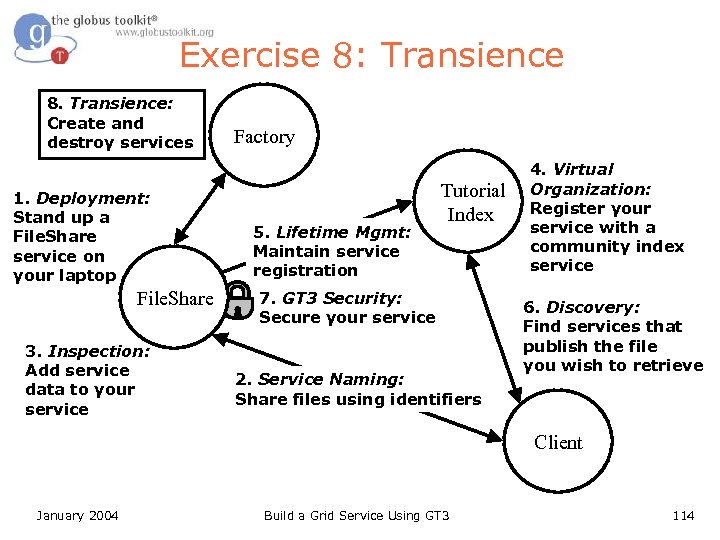
Exercise 8: Transience 8. Transience: Create and destroy services 1. Deployment: Stand up a File. Share service on your laptop File. Share 3. Inspection: Add service data to your service Factory 5. Lifetime Mgmt: Maintain service registration Tutorial Index 7. GT 3 Security: Secure your service 2. Service Naming: Share files using identifiers 4. Virtual Organization: Register your service with a community index service 6. Discovery: Find services that publish the file you wish to retrieve Client January 2004 Build a Grid Service Using GT 3 114
Transience l l File. Share is persistent, with one instance running whenever the container is running However, OGSI services can be transient – Transience allows for the dynamic creation and destruction of services l OGSI includes a Factory pattern in order to support service transience January 2004 Build a Grid Service Using GT 3 115
Factory l The OGSI Factory port. Type supports a create. Service operation – As a result a new service is created l Factory. Provider is the GT 3 implementation of the OGSI port. Type; it defines a create. Service method for service instance creation January 2004 Build a Grid Service Using GT 3 116
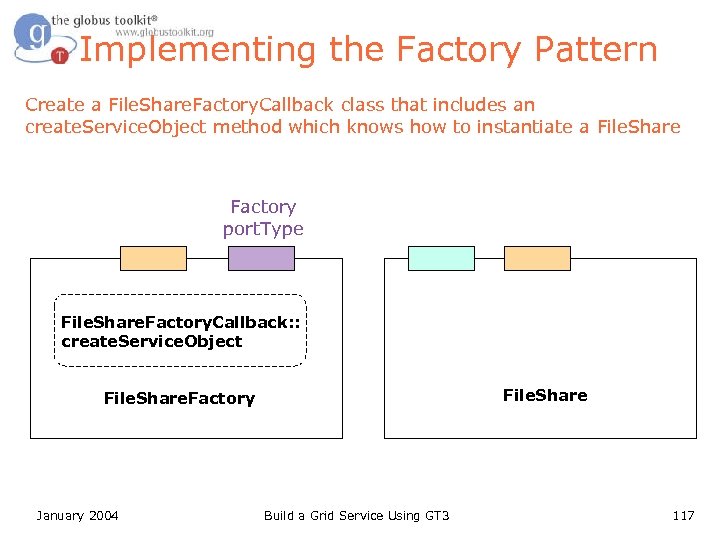
Implementing the Factory Pattern Create a File. Share. Factory. Callback class that includes an create. Service. Object method which knows how to instantiate a File. Share Factory port. Type File. Share. Factory. Callback: : create. Service. Object File. Share. Factory January 2004 Build a Grid Service Using GT 3 117
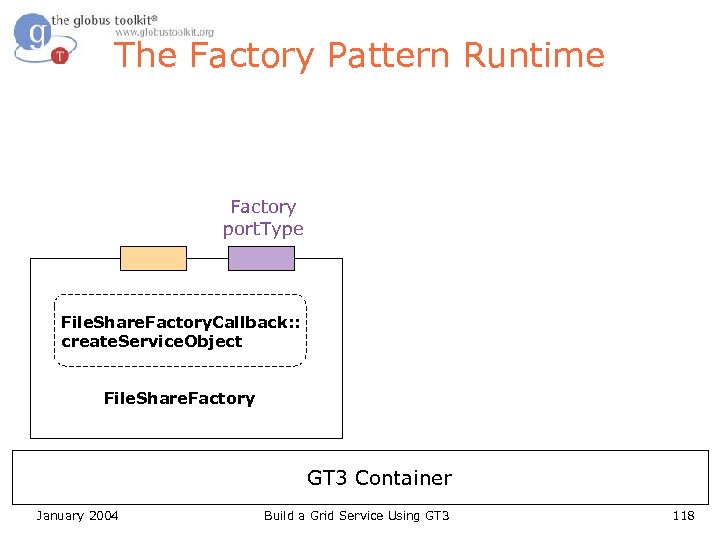
The Factory Pattern Runtime Factory port. Type File. Share. Factory. Callback: : create. Service. Object File. Share. Factory GT 3 Container January 2004 Build a Grid Service Using GT 3 118
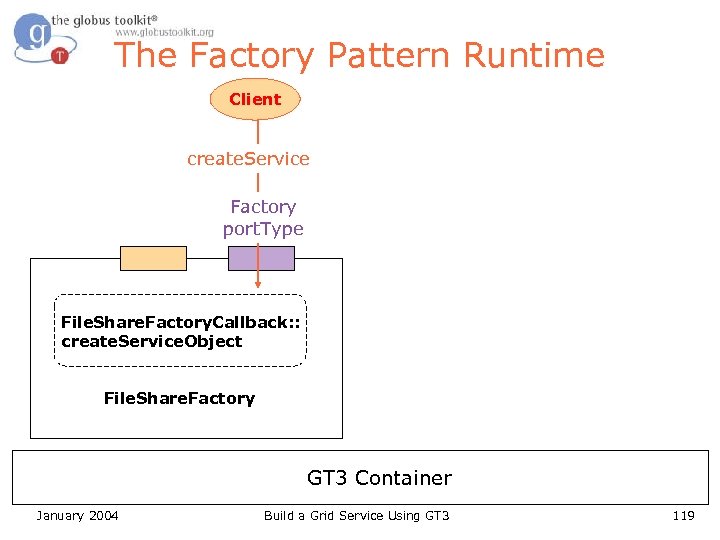
The Factory Pattern Runtime Client create. Service Factory port. Type File. Share. Factory. Callback: : create. Service. Object File. Share. Factory GT 3 Container January 2004 Build a Grid Service Using GT 3 119
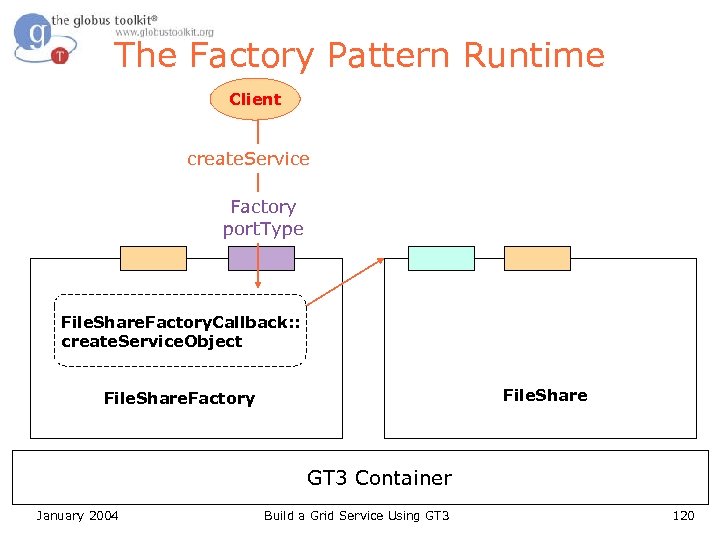
The Factory Pattern Runtime Client create. Service Factory port. Type File. Share. Factory. Callback: : create. Service. Object File. Share. Factory GT 3 Container January 2004 Build a Grid Service Using GT 3 120
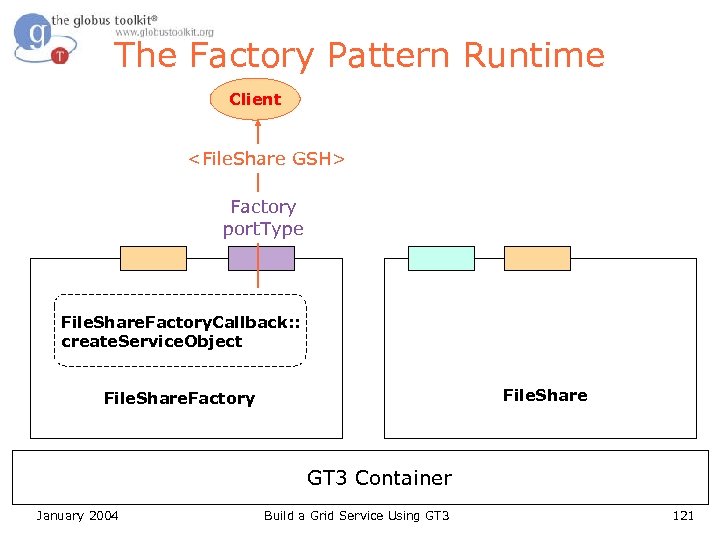
The Factory Pattern Runtime Client <File. Share GSH> Factory port. Type File. Share. Factory. Callback: : create. Service. Object File. Share. Factory GT 3 Container January 2004 Build a Grid Service Using GT 3 121
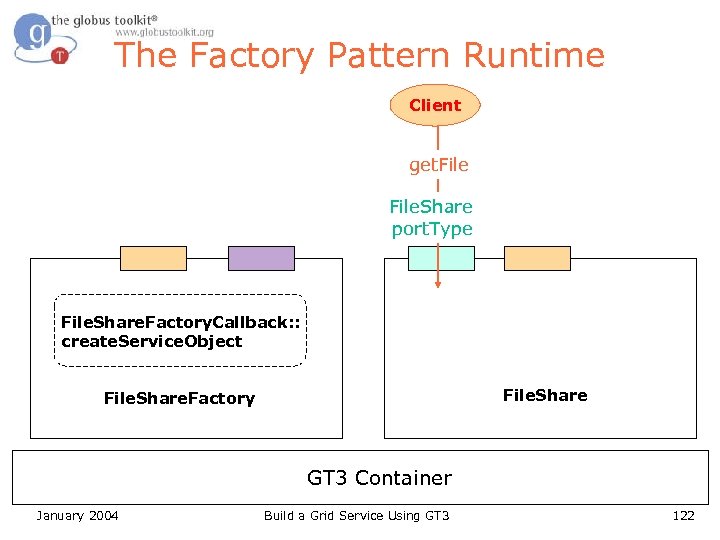
The Factory Pattern Runtime Client get. File. Share port. Type File. Share. Factory. Callback: : create. Service. Object File. Share. Factory GT 3 Container January 2004 Build a Grid Service Using GT 3 122
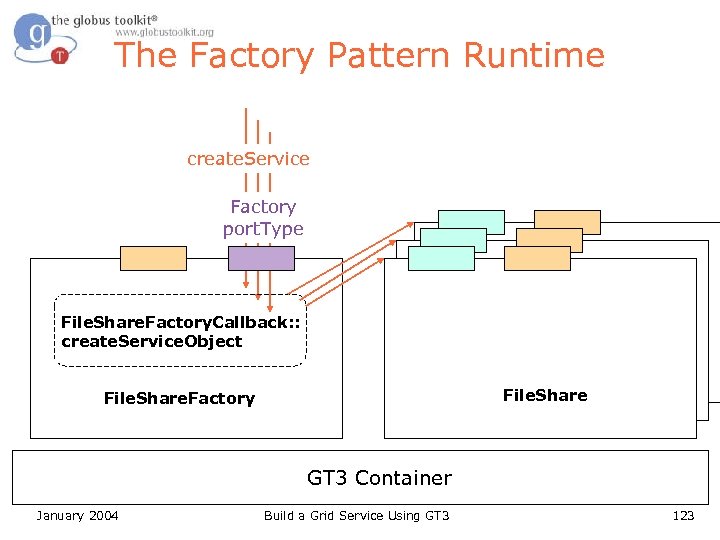
The Factory Pattern Runtime create. Service Factory port. Type File. Share. Factory. Callback: : create. Service. Object File. Share. Factory GT 3 Container January 2004 Build a Grid Service Using GT 3 123
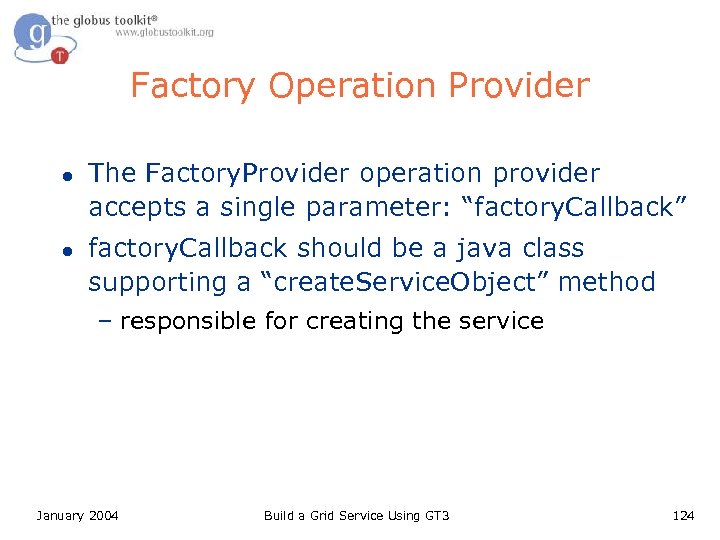
Factory Operation Provider l l The Factory. Provider operation provider accepts a single parameter: “factory. Callback” factory. Callback should be a java class supporting a “create. Service. Object” method – responsible for creating the service January 2004 Build a Grid Service Using GT 3 124
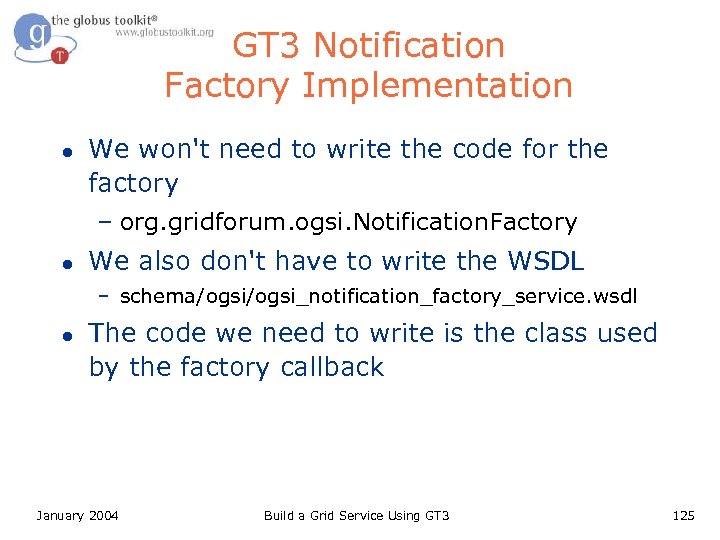
GT 3 Notification Factory Implementation l We won't need to write the code for the factory – org. gridforum. ogsi. Notification. Factory l We also don't have to write the WSDL – schema/ogsi_notification_factory_service. wsdl l The code we need to write is the class used by the factory callback January 2004 Build a Grid Service Using GT 3 125
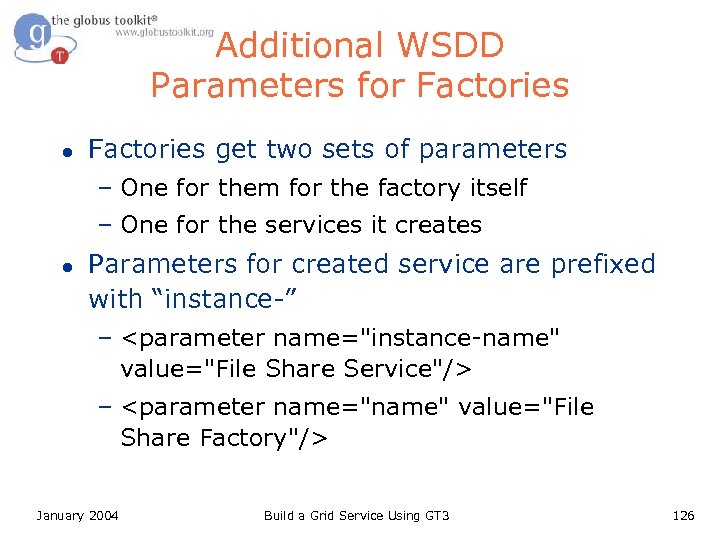
Additional WSDD Parameters for Factories l Factories get two sets of parameters – One for them for the factory itself – One for the services it creates l Parameters for created service are prefixed with “instance-” – <parameter name="instance-name" value="File Share Service"/> – <parameter name="name" value="File Share Factory"/> January 2004 Build a Grid Service Using GT 3 126
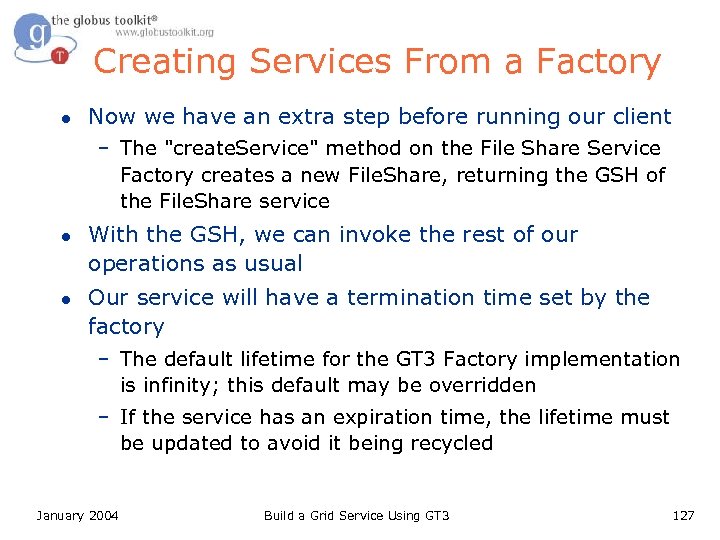
Creating Services From a Factory l Now we have an extra step before running our client – The "create. Service" method on the File Share Service Factory creates a new File. Share, returning the GSH of the File. Share service l l With the GSH, we can invoke the rest of our operations as usual Our service will have a termination time set by the factory – The default lifetime for the GT 3 Factory implementation is infinity; this default may be overridden – If the service has an expiration time, the lifetime must be updated to avoid it being recycled January 2004 Build a Grid Service Using GT 3 127
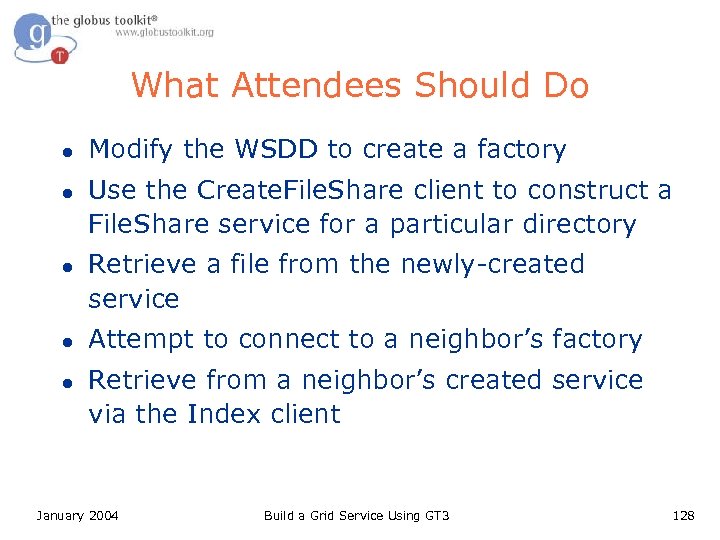
What Attendees Should Do l l l Modify the WSDD to create a factory Use the Create. File. Share client to construct a File. Share service for a particular directory Retrieve a file from the newly-created service Attempt to connect to a neighbor’s factory Retrieve from a neighbor’s created service via the Index client January 2004 Build a Grid Service Using GT 3 128
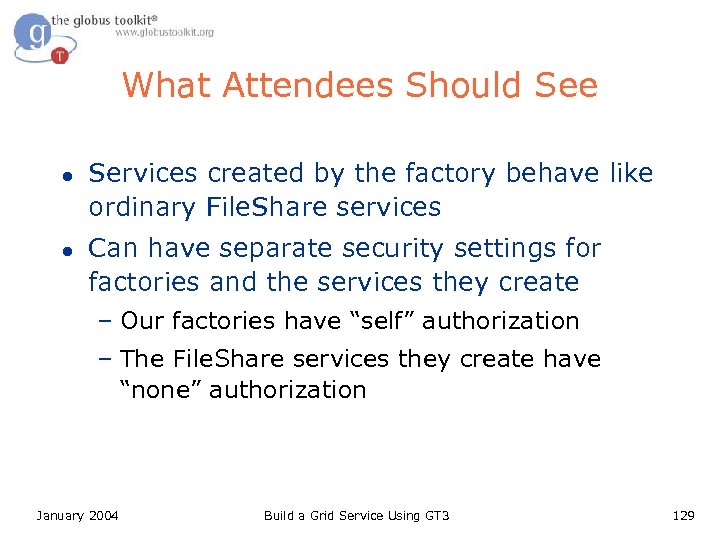
What Attendees Should See l l Services created by the factory behave like ordinary File. Share services Can have separate security settings for factories and the services they create – Our factories have “self” authorization – The File. Share services they create have “none” authorization January 2004 Build a Grid Service Using GT 3 129
The OGSI Grid Service Client Grid Service Handle Lifetime management Inspection: • Explicit destruction • What port types? • Soft-state lifetime • What state? Grid. Service User-defined port. Types Other standard port. Types: factory, notification, Service groups, data handle resolver element Service Implementation Hosting environment/runtime (“C”, J 2 EE, . NET, …) January 2004 Build a Grid Service Using GT 3 130
Implementation Basics Runtime Environment l l l A Grid Service advertises its capabilities via a welldefined remote interface The implementation of a Grid Service is separated from its definition A Grid Service is deployed in a runtime environment January 2004 Interface Implementation Build a Grid Service Using GT 3 Runtime env 131
Implementation Basics The Five Steps 1. Create the interface 2. Write the implementation 3. Write the deployment descriptor 4. Build the service, creating a GAR 5. Deploy into the runtime environment January 2004 Build a Grid Service Using GT 3 132
The Grid Technology Repository l l Designed to facilitate code reuse Appropriate for publishing Operation. Providers and Grid. Services Low barrier to publish Licensing term set by contributors http: //gtr. globus. org January 2004 http: //gtr. nesc. ac. uk Build a Grid Service Using GT 3 133
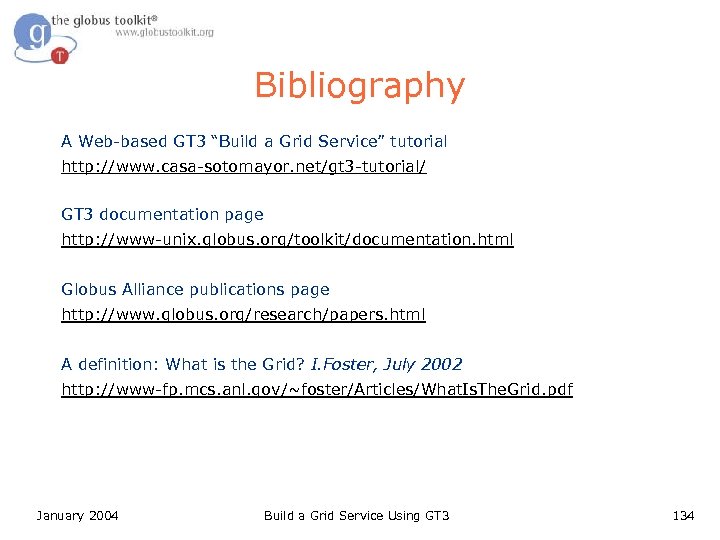
Bibliography A Web-based GT 3 “Build a Grid Service” tutorial http: //www. casa-sotomayor. net/gt 3 -tutorial/ GT 3 documentation page http: //www-unix. globus. org/toolkit/documentation. html Globus Alliance publications page http: //www. globus. org/research/papers. html A definition: What is the Grid? I. Foster, July 2002 http: //www-fp. mcs. anl. gov/~foster/Articles/What. Is. The. Grid. pdf January 2004 Build a Grid Service Using GT 3 134
Скачать презентацию How to Build a Grid Service Using GT
50d20e7a378044b4f34d7ed3db0b28f7.ppt