 Скачать презентацию How to be discovered not a survival
c257ef707df498a9ceb59eb2af12d343.ppt
- Количество слайдов: 21



How to be discovered – not a survival techniques Dedicated to Marilyn Ortega and her sister • We’ll discuss: – – – Sending your GPS location with smart phone Finding GPS location of received picture Improve your cell reception Signaling Marking your location to be discovered from the air or passerby. • Future topics • Survival techniques » Cars, desert, hiking etc • Don’t be lost !

About Marilyn Ortega fatal hiking trip. June 2017 I have very bad news. You may have met Marilyn but she only hiked a few times with our group. She was signed up as a Trail Trekker though. Her and her sisters 15 year old daughter went camping in Trinity Alps wilderness area last week. They had not been since June 7 th. Their campground spot had everything they brought and had been left undisturbed. The last anyone had seen them was that day and by a KOA Campground employee who gave them ideas about 5 different hikes they could take. Marilyn was a very inexperienced hiker. Wore only shorts. Never took water. After 5 days missing with no word from they finally sent a search and rescue team and found their car at 3 am this morning and later found all three people. Marilyn and her sister didn't make it. Trinity, Linda's daughter, is in critical condition in the hospital. I will let you know more as I find out. Please pray for their souls and for Trinity to recover. Susan Taj
Before you hike in the wilderness • Never go alone • Wear bright COLOR !. Reflective vest, prepare for overnight !. • Familiar yourself with directions of North & South • Notice the terrain features – take pics N-E-S-W (clockwise) • Always be aware of N-S direction along your path » Help you retrace back your path » Occasionally look behind » Try to remember unique rocks, plants etc • Leave a clue where you are going while cell reception is still available. • • Leave “bread crumbs” - electronic or otherwise Send pictures of landmarks or GPS location to friends. ( more later on ) Post on Facebook – FB strips the GPS info, hence you must describe your location Remember – texting is easier than email but email preserves “meta data” – GPS, date & time, brand of your phone etc. Texting may not !. • Use rocks arranged as arrow to indicate your travel direction - There are many i. Phone & Android Apps to let family & friends track you - I do not recommend these apps because of increased battery consumption unless you bring extra battery.
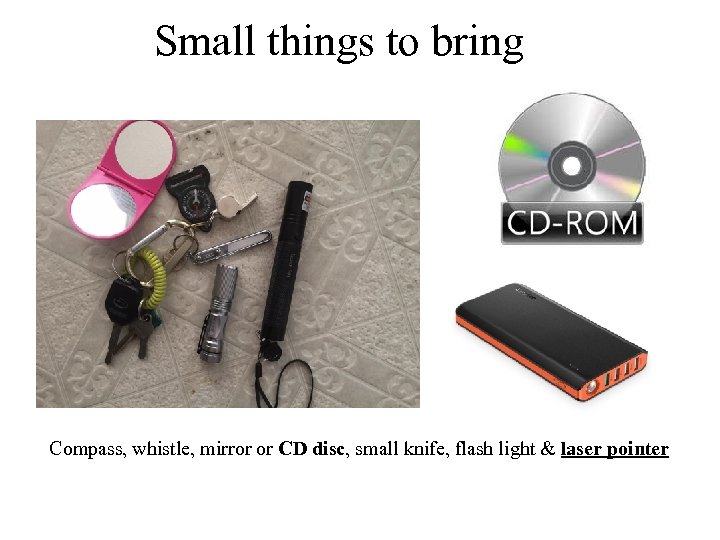
Small things to bring Compass, whistle, mirror or CD disc, small knife, flash light & laser pointer
Uses - Dollar Tree folding mirror - for signaling aircrafts, houses, vehicles or people - folding feature increases chance to be seen - hang the mirror or CD on a string and let winds do the work - Whistle - attracts more attention than shouting - reach further - Flash light & Laser - At night laser beam can be seen from a wide area - law enforcement will react !. They think you are interfering with aviation !. - You can buy key chain laser for $1 at Dollar Tree or 99 cent - Compass - Helps aligning paper map/Google map ( i. Phone/Android has compass function too )
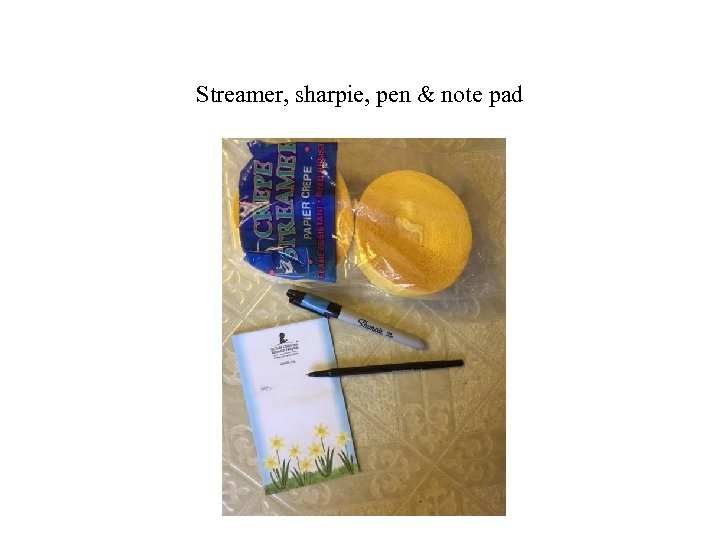
Streamer, sharpie, pen & note pad
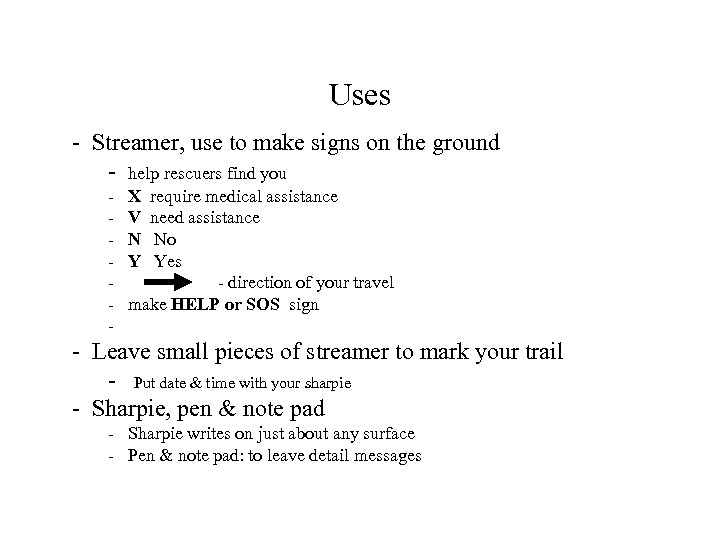
Uses - Streamer, use to make signs on the ground - help rescuers find you - X V N Y require medical assistance need assistance No Yes - direction of your travel make HELP or SOS sign - Leave small pieces of streamer to mark your trail - Put date & time with your sharpie - Sharpie, pen & note pad - Sharpie writes on just about any surface - Pen & note pad: to leave detail messages
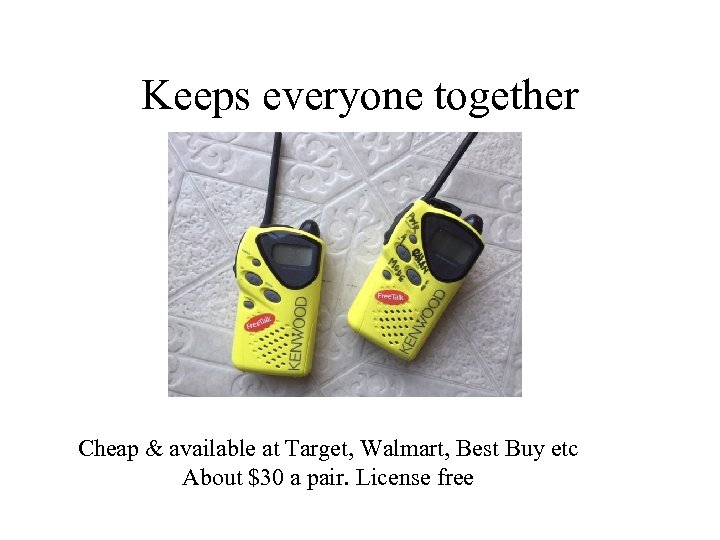
Keeps everyone together Cheap & available at Target, Walmart, Best Buy etc About $30 a pair. License free
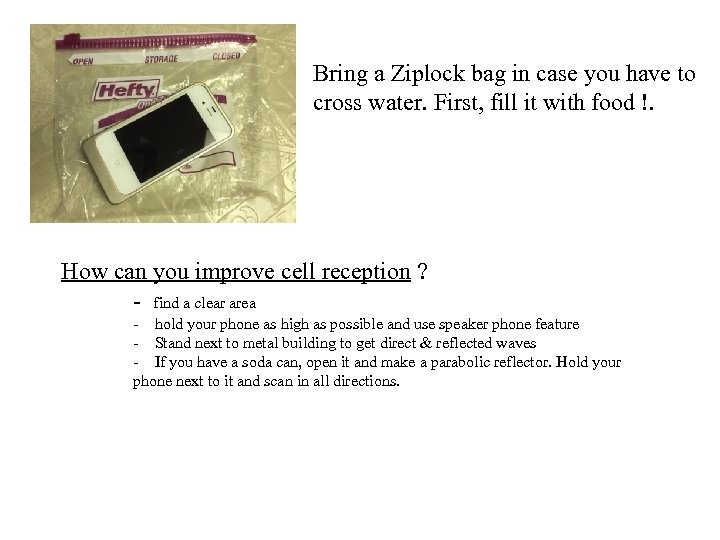
Bring a Ziplock bag in case you have to cross water. First, fill it with food !. How can you improve cell reception ? - find a clear area - hold your phone as high as possible and use speaker phone feature - Stand next to metal building to get direct & reflected waves - If you have a soda can, open it and make a parabolic reflector. Hold your phone next to it and scan in all directions.
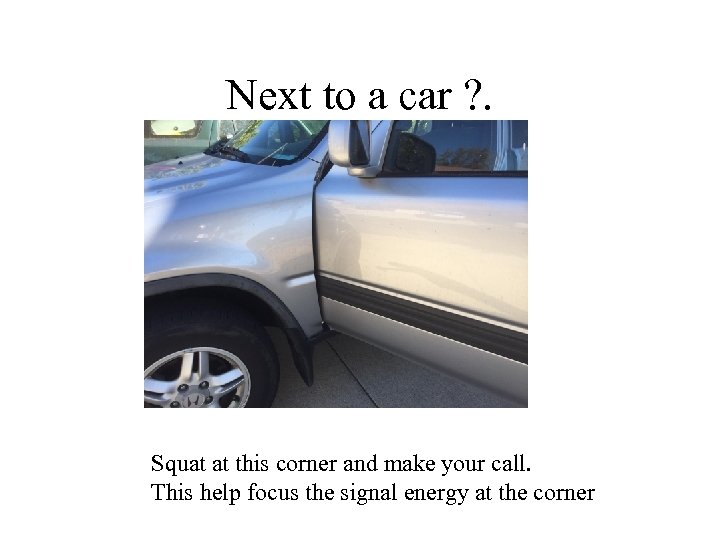
Next to a car ? . Squat at this corner and make your call. This help focus the signal energy at the corner
What is GPS location ? . • GPS location 34, -118 or N 34, W 118 • Open Google map then type in search bar: 34, -118 » This is in the hills of Hacienda Heights. • 34 is how many degrees above the equator » 0 deg = equator, 90 deg is north pole and vise versa • • - 118 or W 118 is how many degrees west of Greenwich Village, England 1 deg = 60 Nautical mile 1 angular minute = 1 Nautical mile = 1. 15 regular mile

Sending your GPS location cat te crea your lo f s to Pres P PIN o DRO Click share You get this Open Google or Apple map You also get street view and GPS
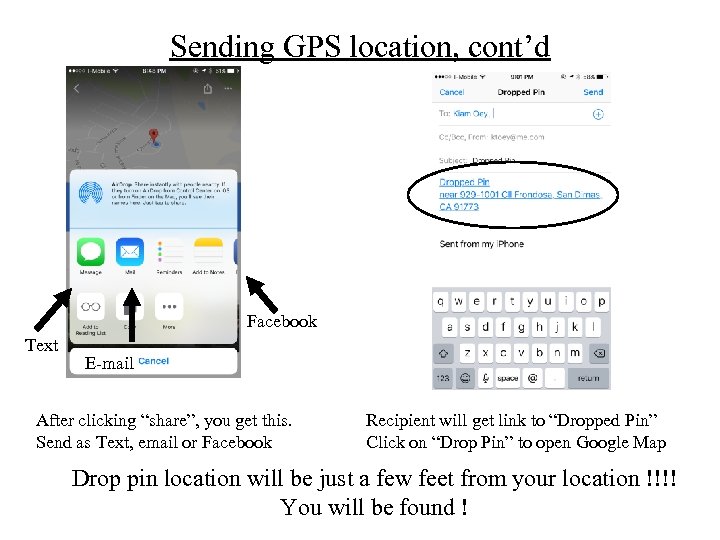
Sending GPS location, cont’d Facebook Text E-mail After clicking “share”, you get this. Send as Text, email or Facebook Recipient will get link to “Dropped Pin” Click on “Drop Pin” to open Google Map Drop pin location will be just a few feet from your location !!!! You will be found !
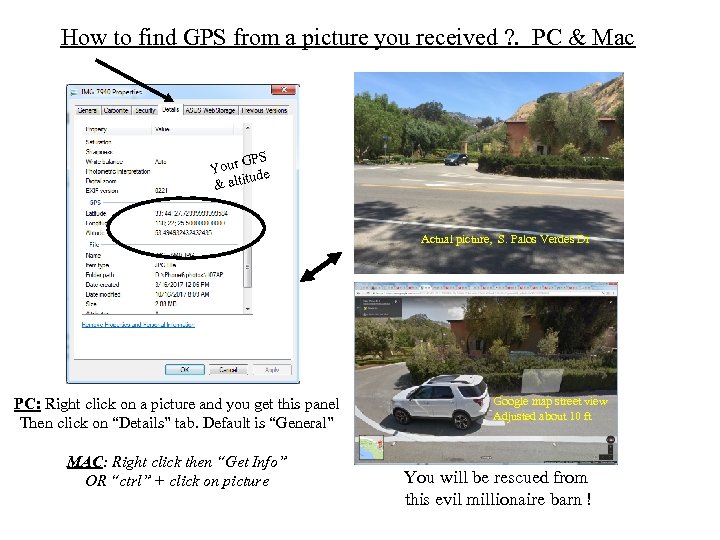
How to find GPS from a picture you received ? . PC & Mac GPS Your de tu & alti Actual picture, S. Palos Verdes Dr PC: Right click on a picture and you get this panel Then click on “Details” tab. Default is “General” MAC: Right click then “Get Info” OR “ctrl” + click on picture Google map street view Adjusted about 10 ft You will be rescued from this evil millionaire barn !
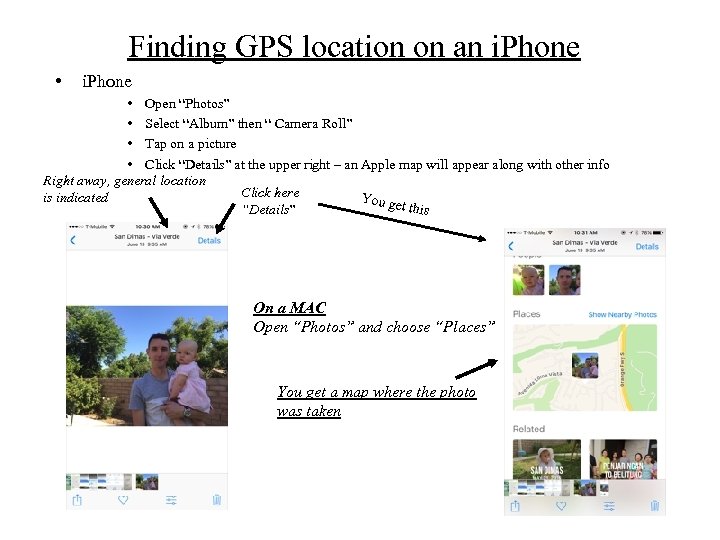
Finding GPS location on an i. Phone • i. Phone • Open “Photos” • Select “Album” then “ Camera Roll” • Tap on a picture • Click “Details” at the upper right – an Apple map will appear along with other info Right away, general location Click here is indicated You ge t this “Details” On a MAC Open “Photos” and choose “Places” You get a map where the photo was taken
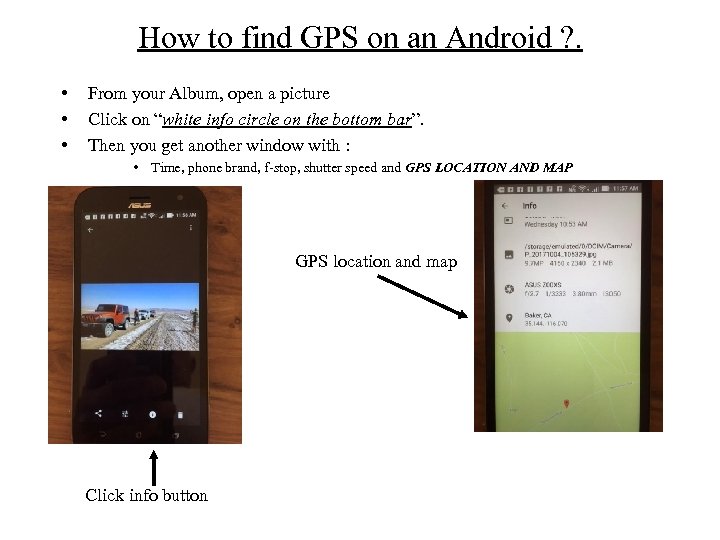
How to find GPS on an Android ? . • • • From your Album, open a picture Click on “white info circle on the bottom bar”. Then you get another window with : • Time, phone brand, f-stop, shutter speed and GPS LOCATION AND MAP GPS location and map Click info button
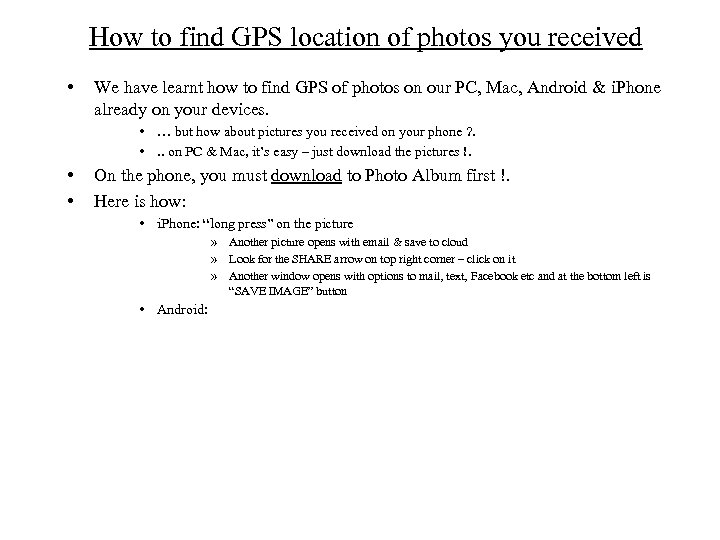
How to find GPS location of photos you received • We have learnt how to find GPS of photos on our PC, Mac, Android & i. Phone already on your devices. • … but how about pictures you received on your phone ? . • . . on PC & Mac, it’s easy – just download the pictures !. • • On the phone, you must download to Photo Album first !. Here is how: • i. Phone: “long press” on the picture » Another picture opens with email & save to cloud » Look for the SHARE arrow on top right corner – click on it » Another window opens with options to mail, text, Facebook etc and at the bottom left is “SAVE IMAGE” button • Android:
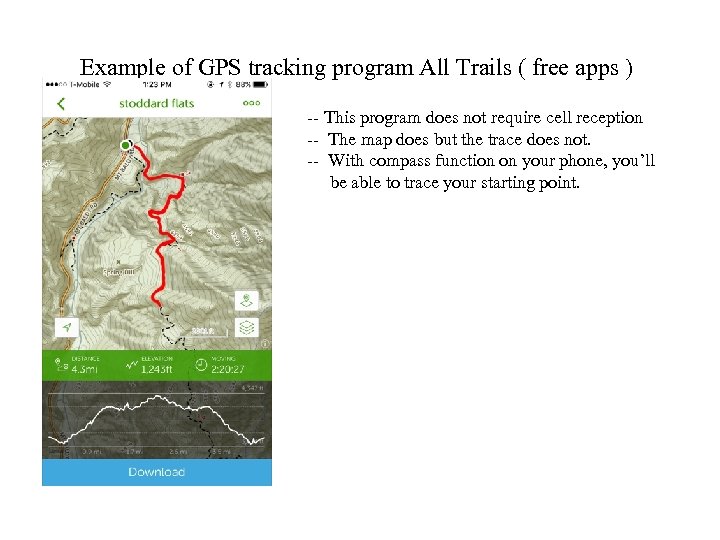
Example of GPS tracking program All Trails ( free apps ) -- This program does not require cell reception -- The map does but the trace does not. -- With compass function on your phone, you’ll be able to trace your starting point.
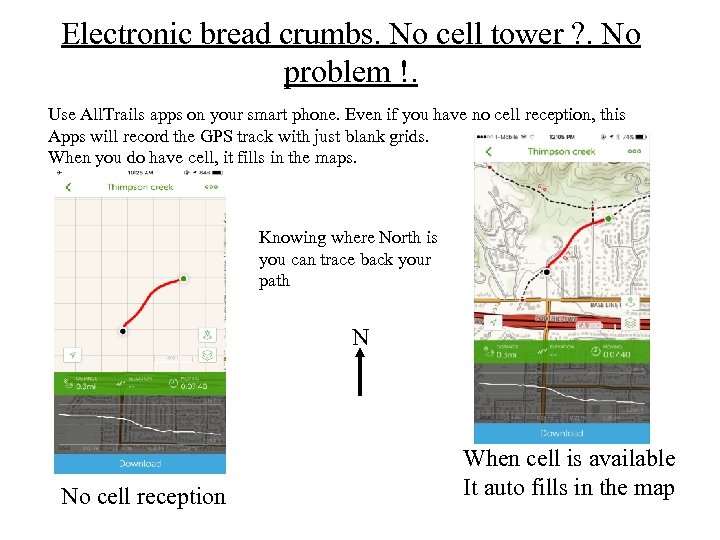
Electronic bread crumbs. No cell tower ? . No problem !. Use All. Trails apps on your smart phone. Even if you have no cell reception, this Apps will record the GPS track with just blank grids. When you do have cell, it fills in the maps. Knowing where North is you can trace back your path N No cell reception When cell is available It auto fills in the map
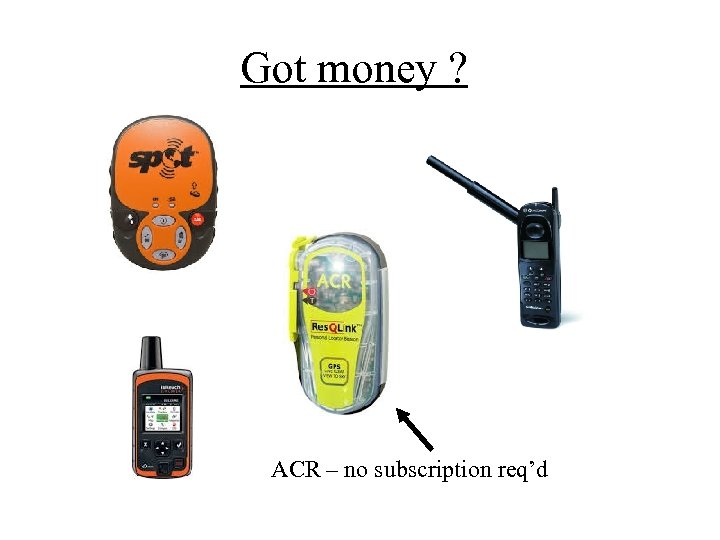
Got money ? ACR – no subscription req’d
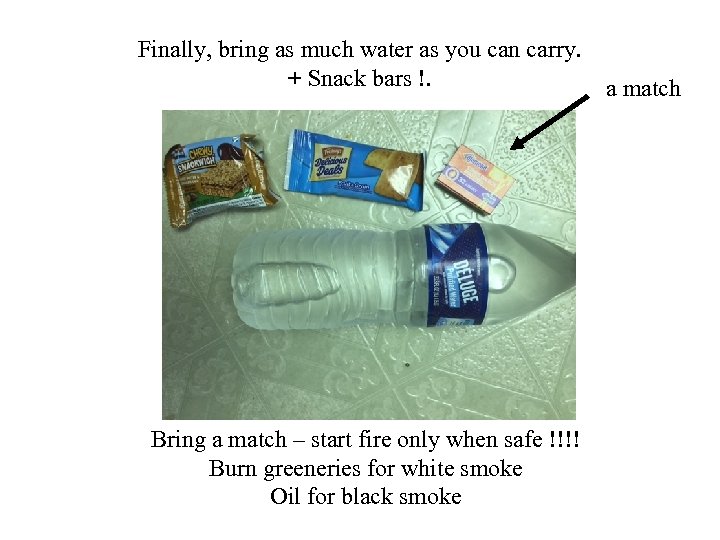
Finally, bring as much water as you can carry. + Snack bars !. Bring a match – start fire only when safe !!!! Burn greeneries for white smoke Oil for black smoke a match
Скачать презентацию How to be discovered not a survival
c257ef707df498a9ceb59eb2af12d343.ppt