 Скачать презентацию How To Access My Econ Lab Have a
cdb0888d0eb7d9f5ee0bdfe2e4d78c3a.ppt
- Количество слайдов: 13



How To Access My. Econ. Lab Have a new book? New books come with My. Econ. Lab Have a used book? Purchase access at www. myeconlab. com Select the level of access you prefer: • My. Econ. Lab plus e. Text Want to Purchase a Print Upgrade? • Visit the Student Center within My. Econ. Lab
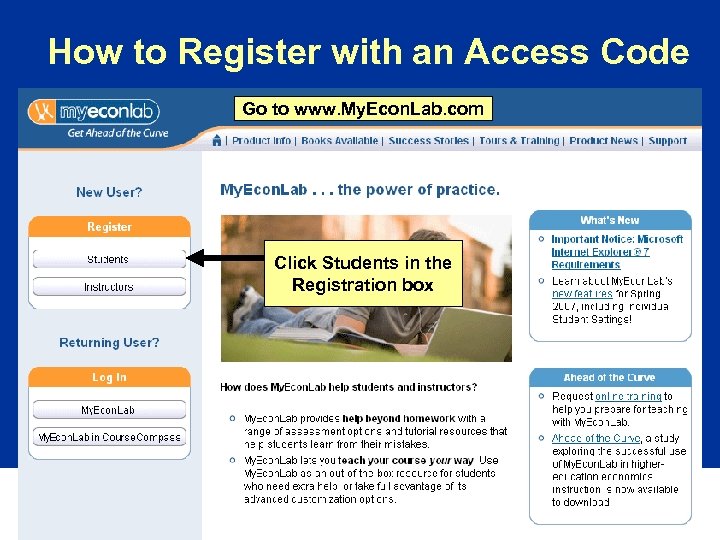
How to Register with an Access Code Go to www. My. Econ. Lab. com Click Students in the Registration box
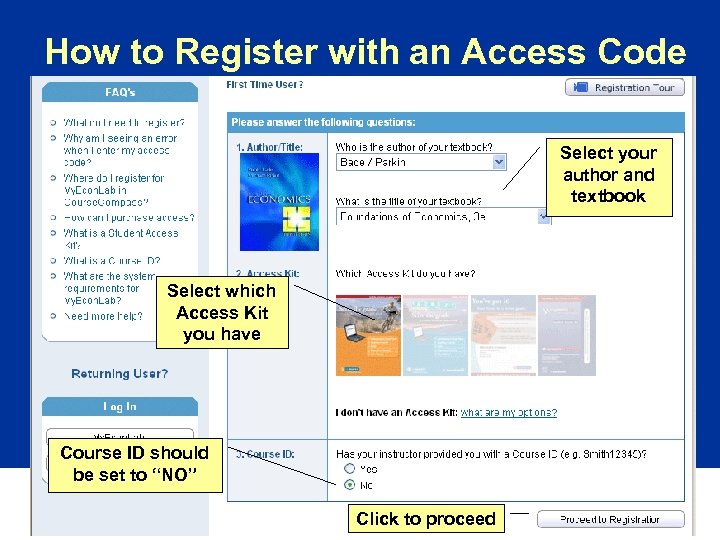
How to Register with an Access Code Select your author and textbook Select which Access Kit you have Course ID should be set to “NO” Click to proceed
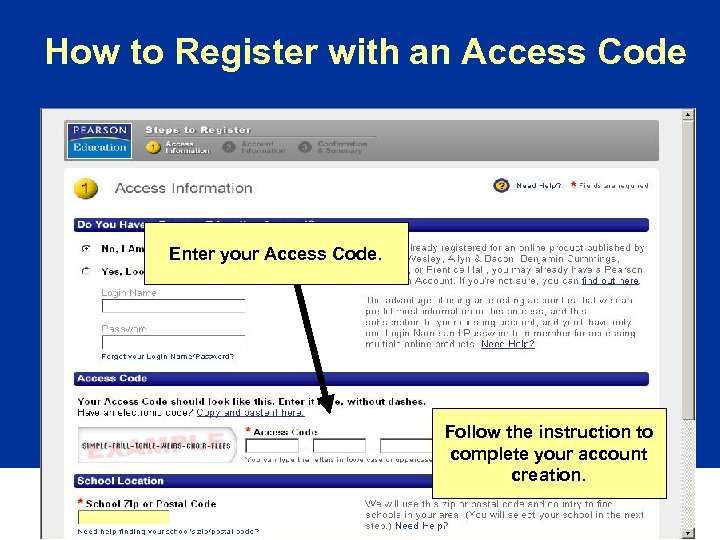
How to Register with an Access Code Enter your Access Code. Follow the instruction to complete your account creation.
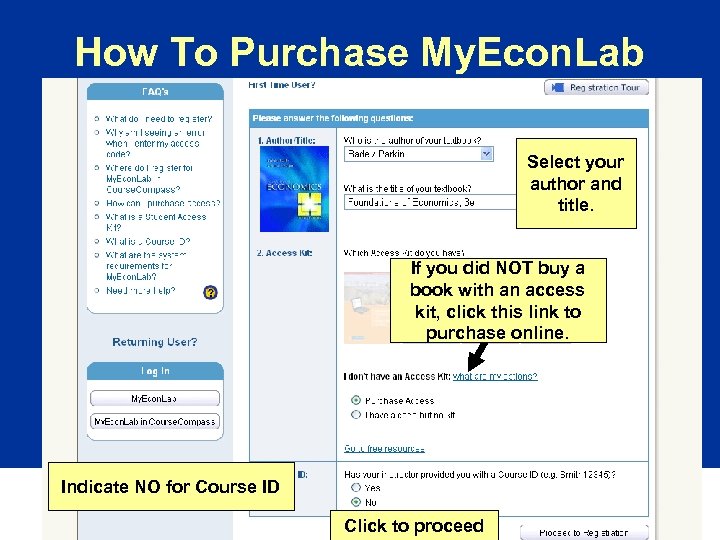
How To Purchase My. Econ. Lab Select your author and title. If you did NOT buy a book with an access kit, click this link to purchase online. Indicate NO for Course ID Click to proceed
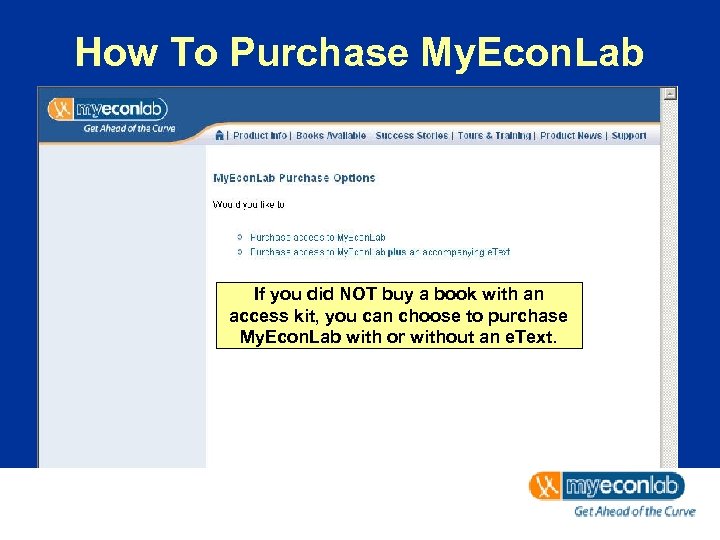
How To Purchase My. Econ. Lab If you did NOT buy a book with an access kit, you can choose to purchase My. Econ. Lab with or without an e. Text.
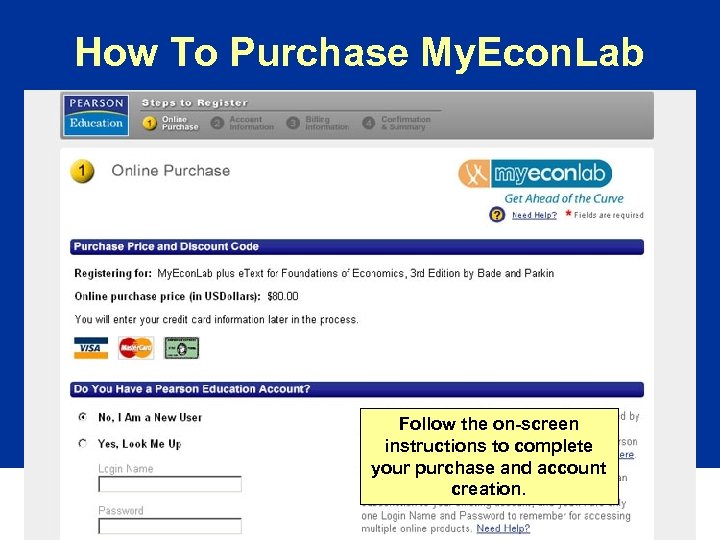
How To Purchase My. Econ. Lab Follow the on-screen instructions to complete your purchase and account creation.
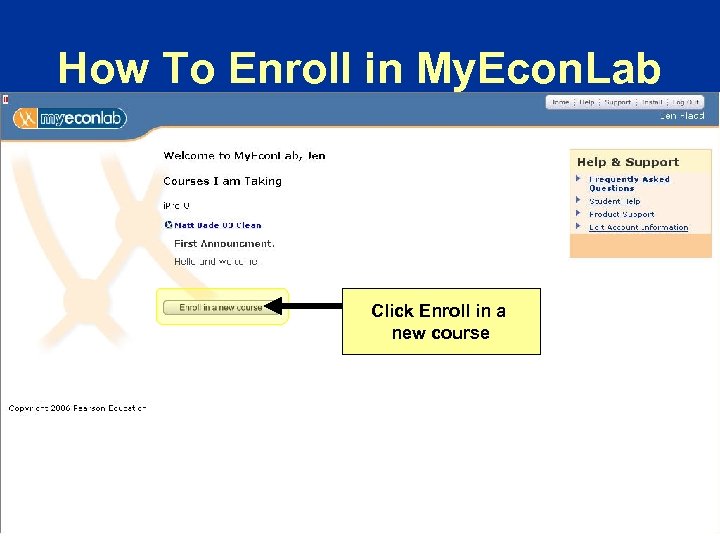
How To Enroll in My. Econ. Lab Click Enroll in a new course
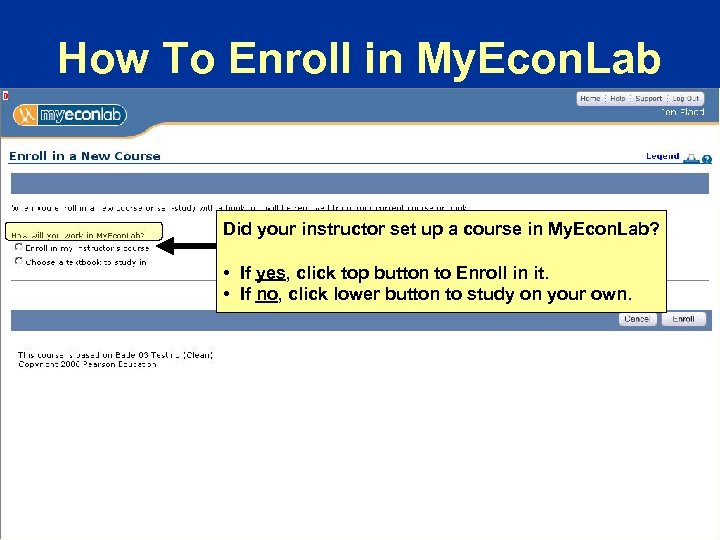
How To Enroll in My. Econ. Lab Did your instructor set up a course in My. Econ. Lab? • If yes, click top button to Enroll in it. • If no, click lower button to study on your own.
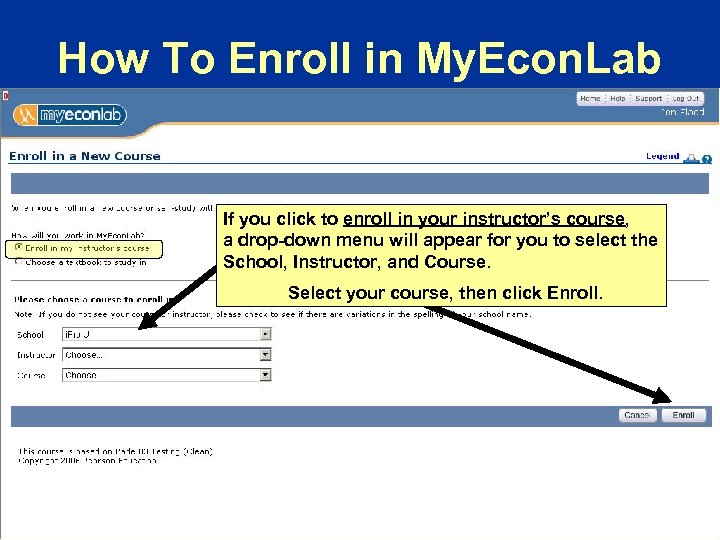
How To Enroll in My. Econ. Lab If you click to enroll in your instructor’s course, a drop-down menu will appear for you to select the School, Instructor, and Course. Select your course, then click Enroll.
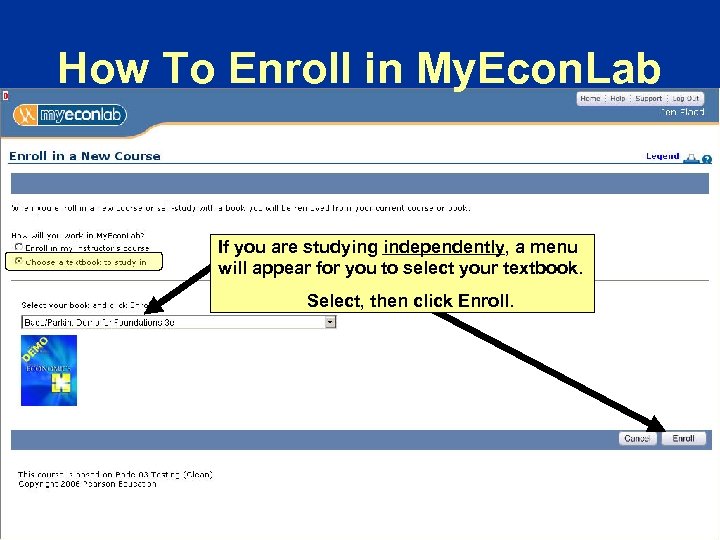
How To Enroll in My. Econ. Lab If you are studying independently, a menu will appear for you to select your textbook. Select, then click Enroll.
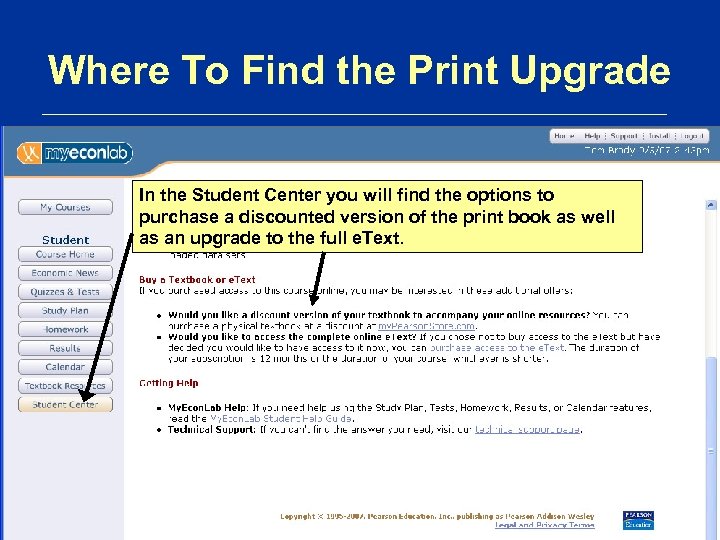
Where To Find the Print Upgrade In the Student Center you will find the options to purchase a discounted version of the print book as well as an upgrade to the full e. Text.
Questions about My. Econ. Lab? Student Tech Support Hot-line • Toll free: 800 -677 -6337 • Monday through Friday, 8 AM to 8 PM • Sunday, 5 PM to midnight Online Tech Support Form • www. myeconlab. com/support • 24 hours a day, 7 days a week • Support via Chat also available
Скачать презентацию How To Access My Econ Lab Have a
cdb0888d0eb7d9f5ee0bdfe2e4d78c3a.ppt