Скачать презентацию Hoosh Afsar Financial Engineer Fannie Mae Venkat Tummalapalli
8a9e804aed1de20f1b6515e82563a81b.ppt
- Количество слайдов: 37
 Hoosh Afsar Financial Engineer Fannie Mae Venkat Tummalapalli Senior Product Manager Oracle Corporation
 Extending the reach of Enterprise Manager 10 g to monitor custom applications across the grid
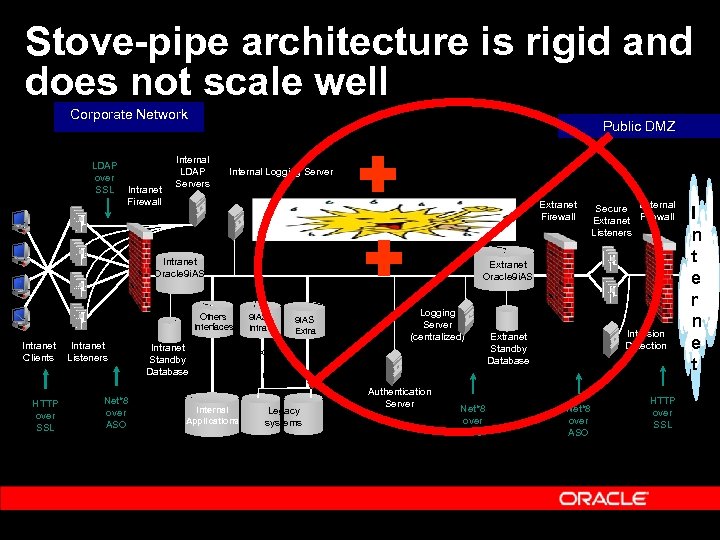 Stove-pipe architecture is rigid and does not scale well Corporate Network LDAP over SSL Intranet Firewall Public DMZ Internal LDAP Servers Internal Logging Server Extranet Firewall Intranet Oracle 9 i. AS Others Interfaces Intranet Clients HTTP over SSL Intranet Listeners Net*8 over ASO Intranet Standby Database Internal Applications Secure External Extranet Firewall Listeners Extranet Oracle 9 i. AS Intra 9 i. AS Extra Net*8 over ASO Logging Server (centralized) Tuxe do Serv er Legacy systems Authentication Server Net*8 over ASO Intrusion Detection Extranet Standby Database Net*8 over ASO HTTP over SSL I n t e r n e t
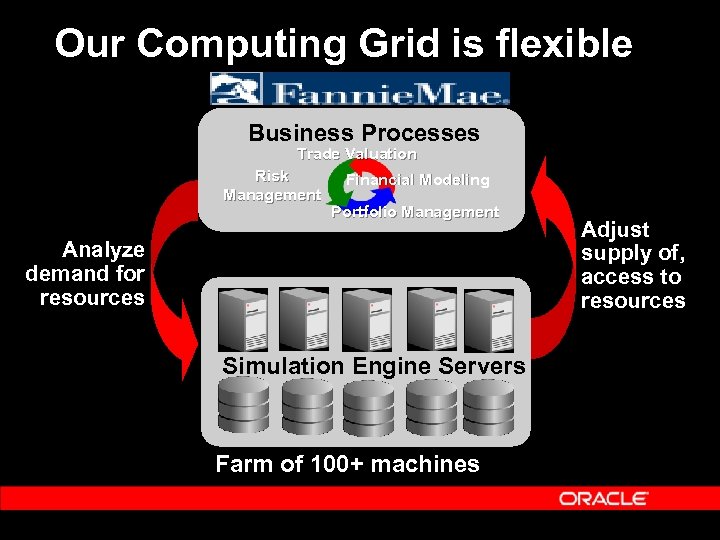 Our Computing Grid is flexible Business Processes Trade Valuation Risk Management Financial Modeling Portfolio Management Analyze demand for resources Simulation Engine Servers Farm of 100+ machines Adjust supply of, access to resources
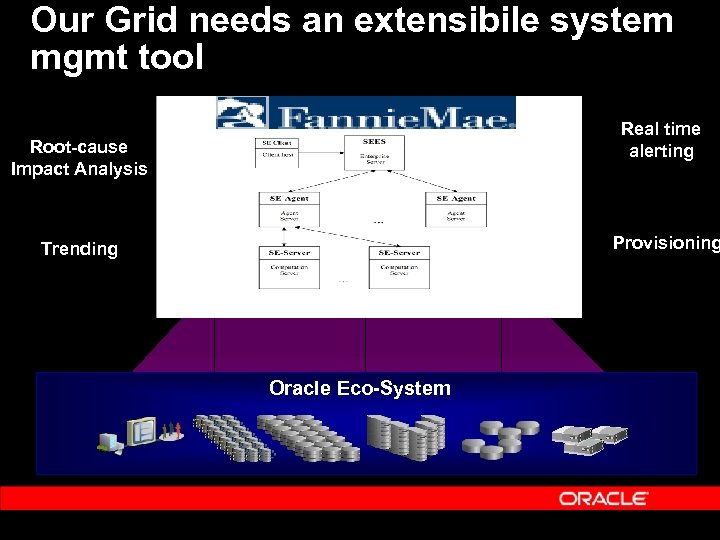 Our Grid needs an extensibile system mgmt tool Real time alerting Root-cause Impact Analysis Provisioning Trending Oracle Eco-System
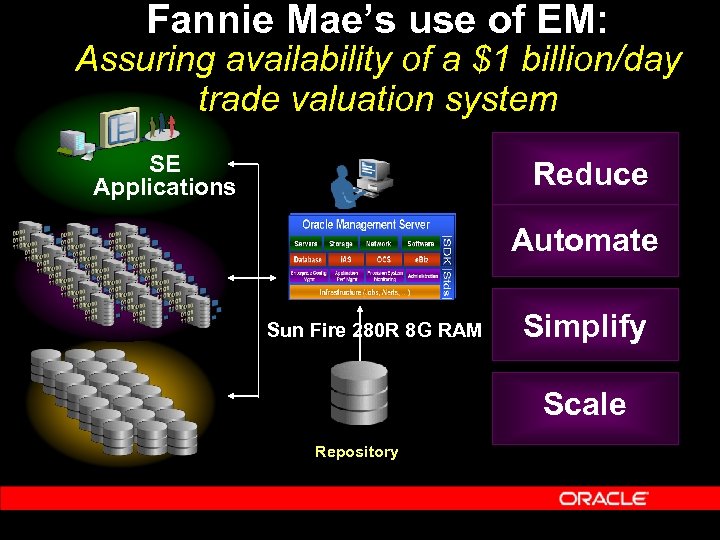 Fannie Mae’s use of EM: Assuring availability of a $1 billion/day trade valuation system SE Applications Reduce Automate Sun Fire 280 R 8 G RAM Simplify Scale Repository
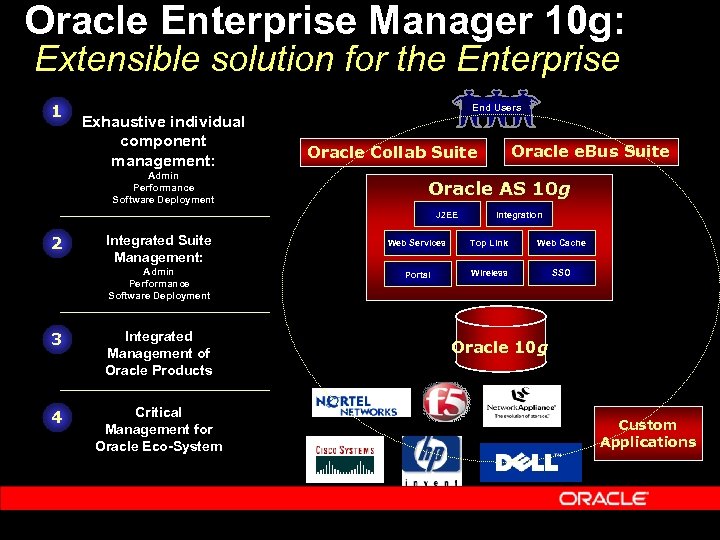 Oracle Enterprise Manager 10 g: Extensible solution for the Enterprise 1 Exhaustive individual component management: Admin Performance Software Deployment End Users Oracle AS 10 g J 2 EE 2 Integrated Suite Management: Admin Performance Software Deployment 3 Integrated Management of Oracle Products 4 Critical Management for Oracle Eco-System Oracle e. Bus Suite Oracle Collab Suite Web Services Portal Integration Oracle 9 i. AS Top Link OC 4 J Web Cache Wireless SSO Oracle 10 g Custom Applications
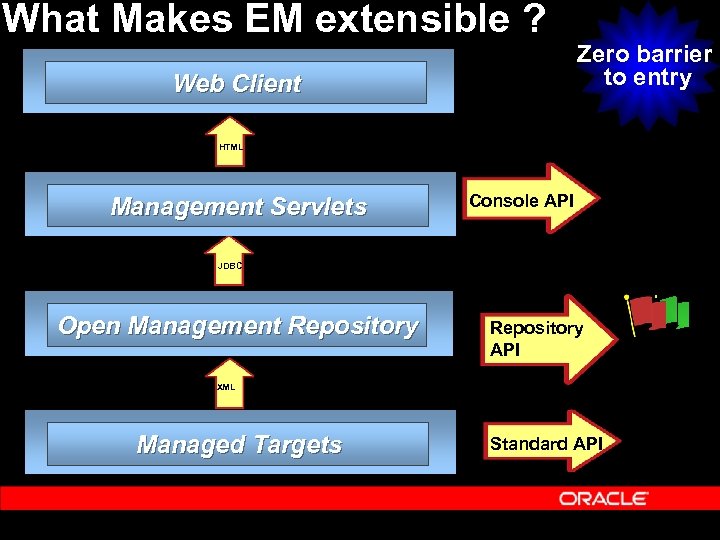 What Makes EM extensible ? Web Client Zero barrier to entry HTML Management Servlets Console API JDBC Open Management Repository API XML Managed Targets Standard API
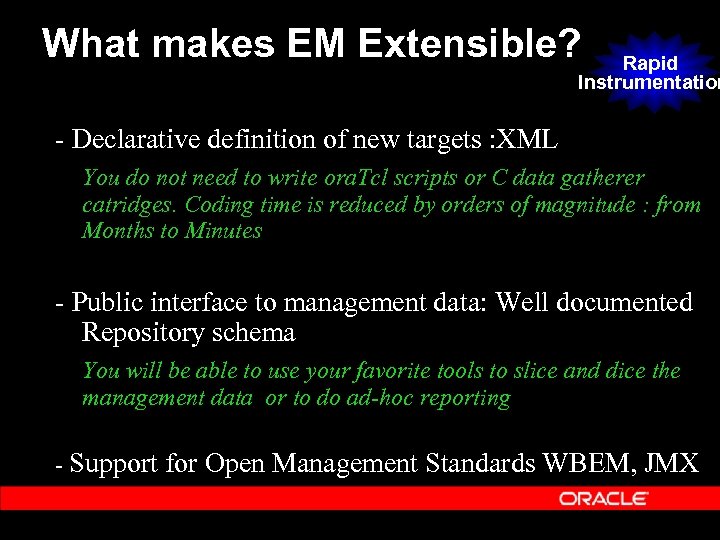 What makes EM Extensible? Rapid Instrumentation - Declarative definition of new targets : XML You do not need to write ora. Tcl scripts or C data gatherer catridges. Coding time is reduced by orders of magnitude : from Months to Minutes - Public interface to management data: Well documented Repository schema You will be able to use your favorite tools to slice and dice the management data or to do ad-hoc reporting - Support for Open Management Standards WBEM, JMX
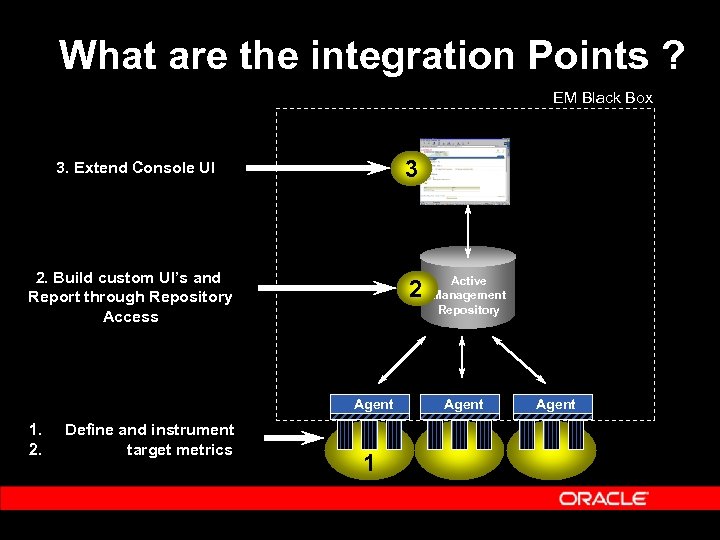 What are the integration Points ? EM Black Box 3 3. Extend Console UI 2. Build custom UI’s and Report through Repository Access 2 Agent 1. 2. Define and instrument target metrics 1 Active Management Repository Agent
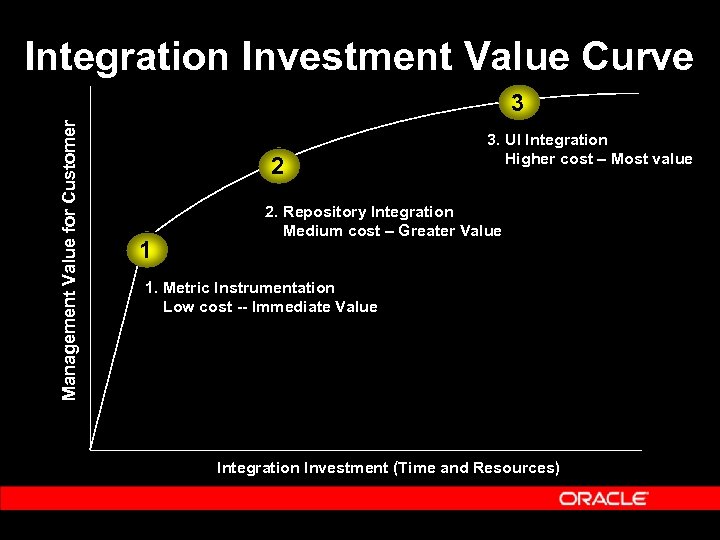 Integration Investment Value Curve Management Value for Customer 3 2 1 3. UI Integration Higher cost – Most value 2. Repository Integration Medium cost – Greater Value 1. Metric Instrumentation Low cost -- Immediate Value Integration Investment (Time and Resources)
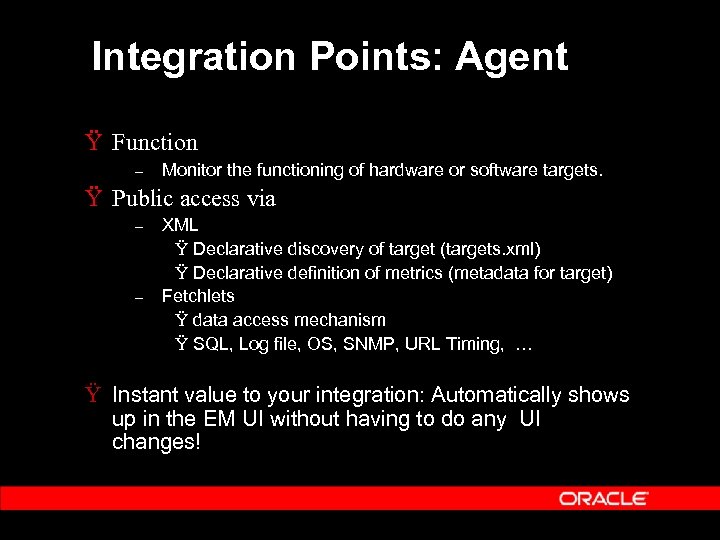 Integration Points: Agent Ÿ Function – Monitor the functioning of hardware or software targets. Ÿ Public access via – – XML Ÿ Declarative discovery of target (targets. xml) Ÿ Declarative definition of metrics (metadata for target) Fetchlets Ÿ data access mechanism Ÿ SQL, Log file, OS, SNMP, URL Timing, … Ÿ Instant value to your integration: Automatically shows up in the EM UI without having to do any UI changes!
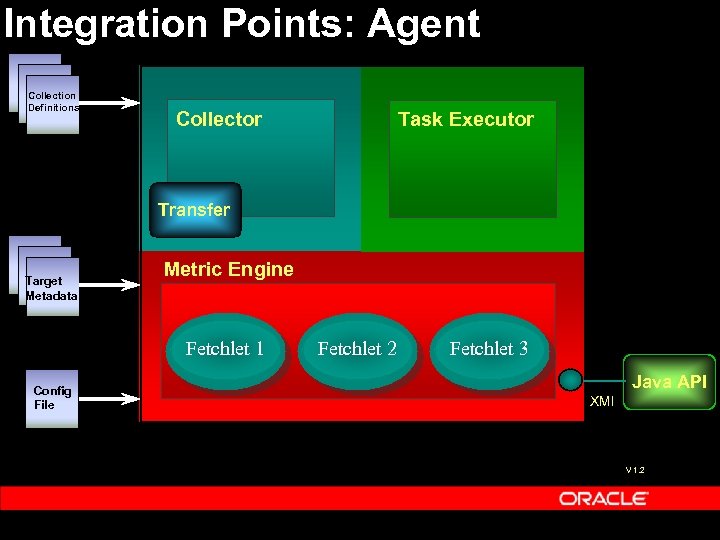 Integration Points: Agent Collection Definitions Collector Task Executor Transfer Target Metadata Metric Engine Fetchlet 1 Config File Fetchlet 2 Fetchlet 3 Java API XMI V 1. 2
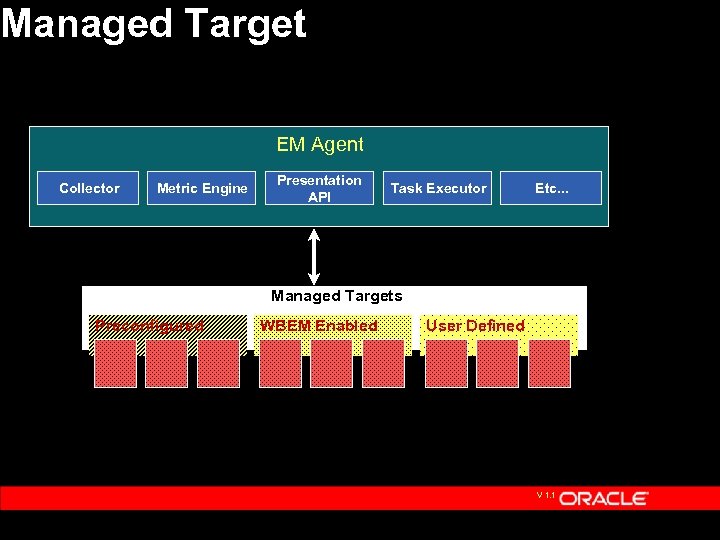 Managed Target EM Agent Collector Metric Engine Presentation API Task Executor Etc. . . Managed Targets Preconfigured WBEM Enabled User Defined V 1. 1
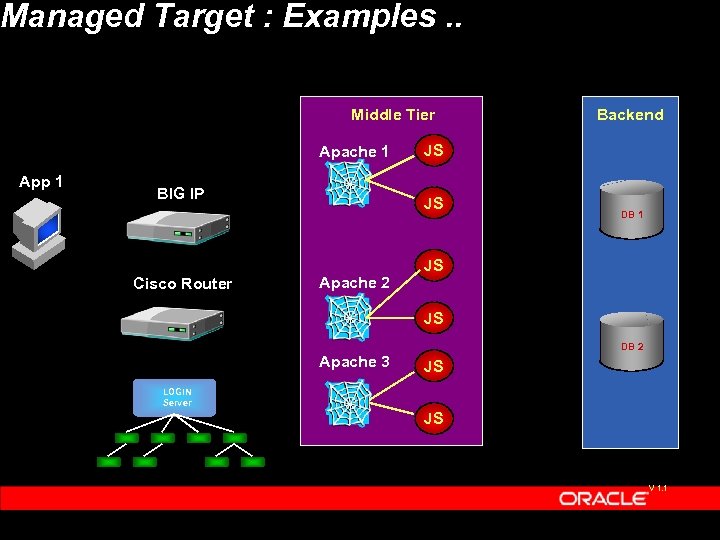 Managed Target : Examples. . Middle Tier Apache 1 App 1 BIG IP Cisco Router JS JS Apache 2 Backend DB 1 JS JS DB 2 Apache 3 JS LOGIN Server JS V 1. 1
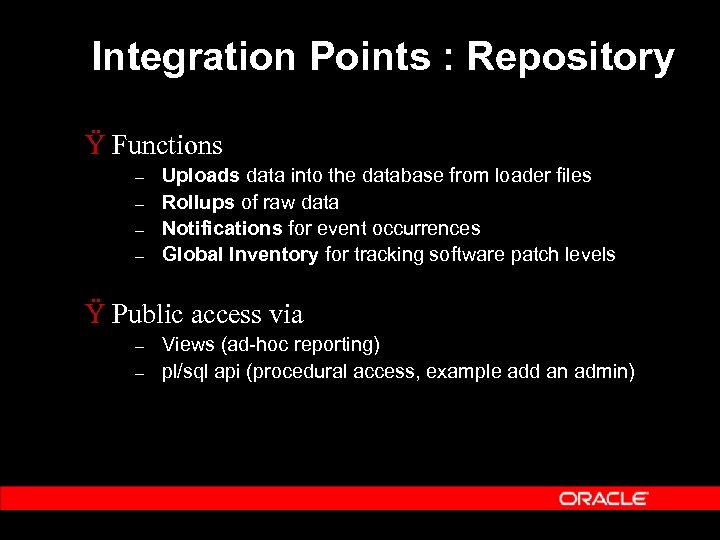 Integration Points : Repository Ÿ Functions – – Uploads data into the database from loader files Rollups of raw data Notifications for event occurrences Global Inventory for tracking software patch levels Ÿ Public access via – – Views (ad-hoc reporting) pl/sql api (procedural access, example add an admin)
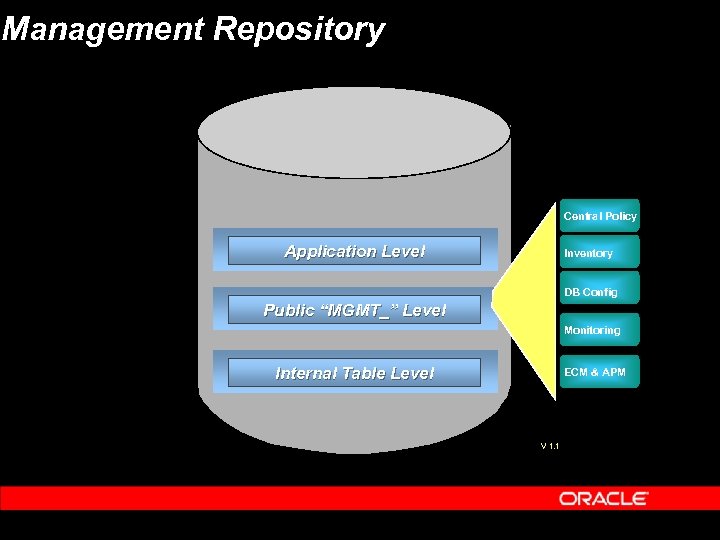 Management Repository Central Policy Application Level Inventory DB Config Public “MGMT_” Level Monitoring Internal Table Level ECM & APM V 1. 1
 Integration Points: User Interface Ÿ Create homepages for your custom targets Ÿ Plug in administration components that are based off data collected in the repository. Ÿ The administration components can directly connect to targets or go thru the Agent to make changes on managed node.
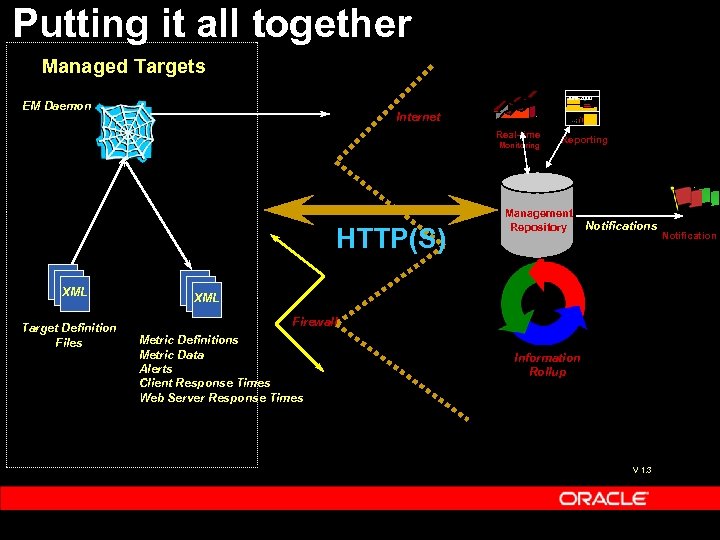 Putting it all together Managed Targets June 2000 EM Daemon Internet Real-time Monitoring HTTP(S) XML Target Definition Files Reporting Management Repository Notifications XML Firewall Metric Definitions Metric Data Alerts Client Response Times Web Server Response Times Information Rollup V 1. 3 Notification
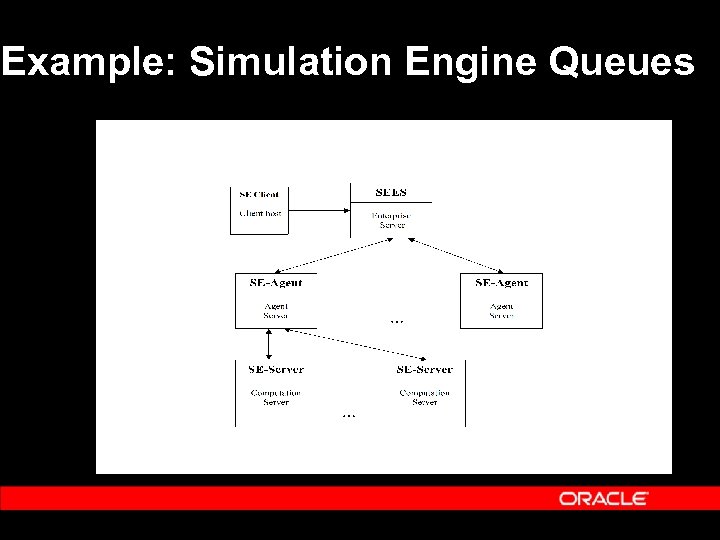 Example: Simulation Engine Queues
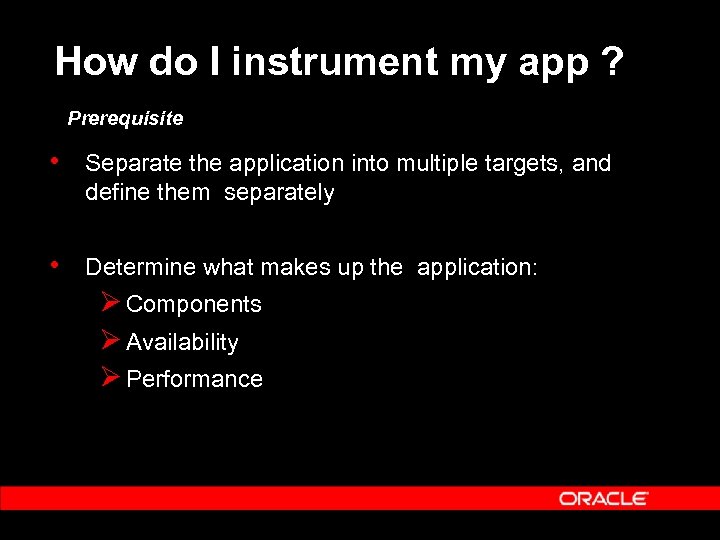 How do I instrument my app ? Prerequisite • Separate the application into multiple targets, and define them separately • Determine what makes up the application: Ø Components Ø Availability Ø Performance
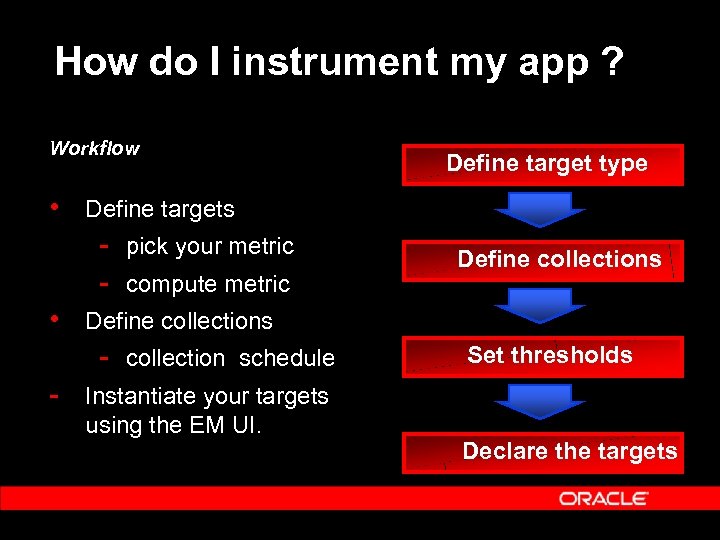 How do I instrument my app ? Workflow • Define targets - pick your metric - compute metric • Define collections - collection schedule - Instantiate your targets using the EM UI. Define target type Define collections Set thresholds Declare the targets
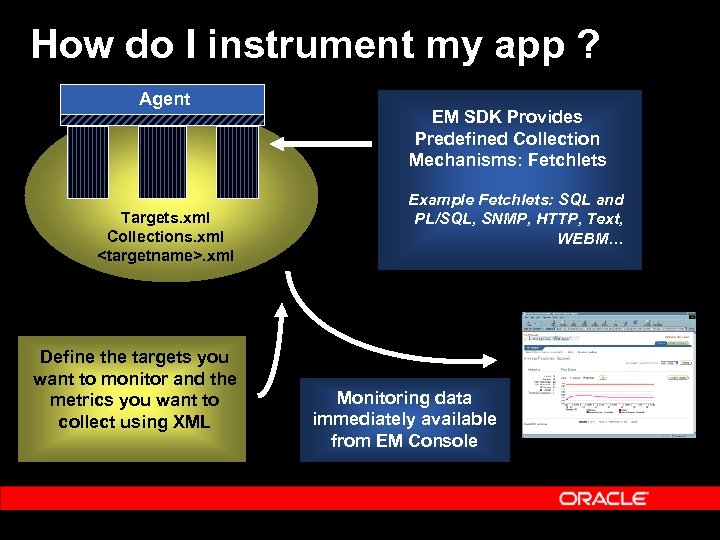 How do I instrument my app ? Agent Targets. xml Collections. xml
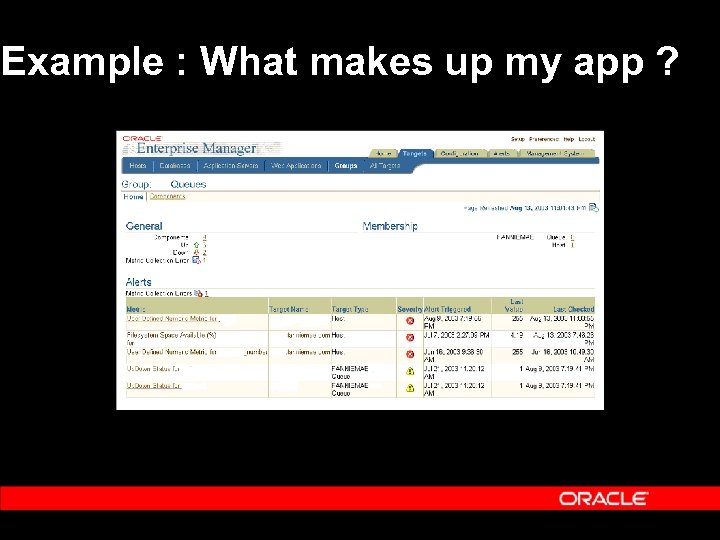 Example : What makes up my app ?
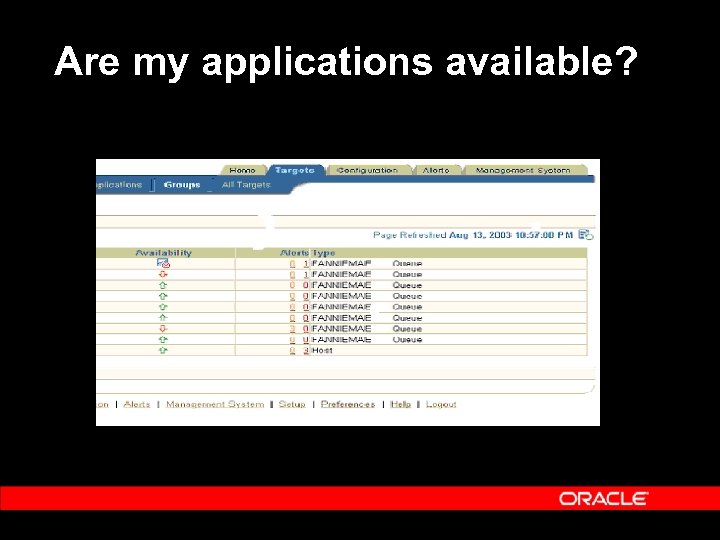 Are my applications available?
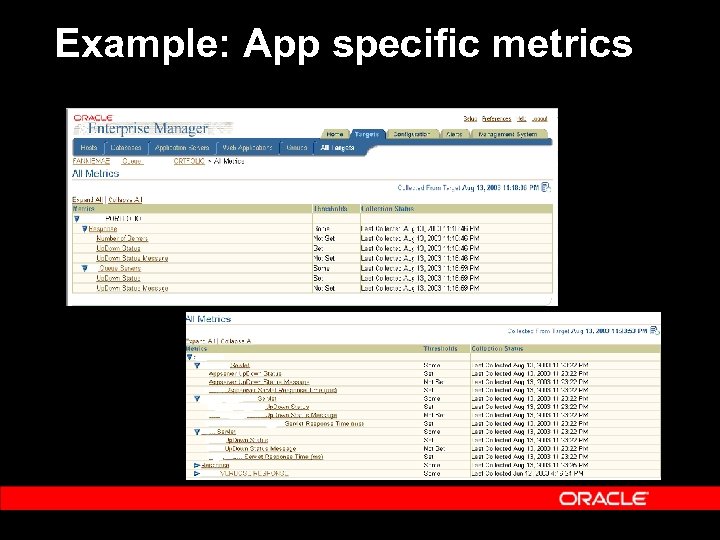 Example: App specific metrics
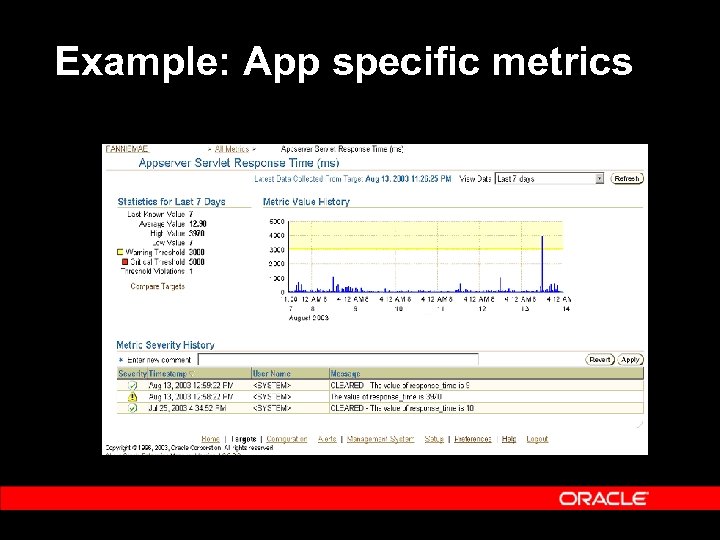 Example: App specific metrics
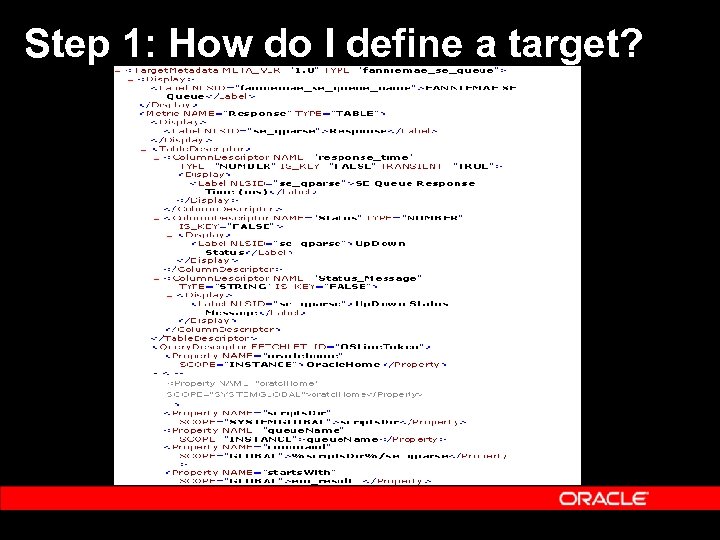 Step 1: How do I define a target?
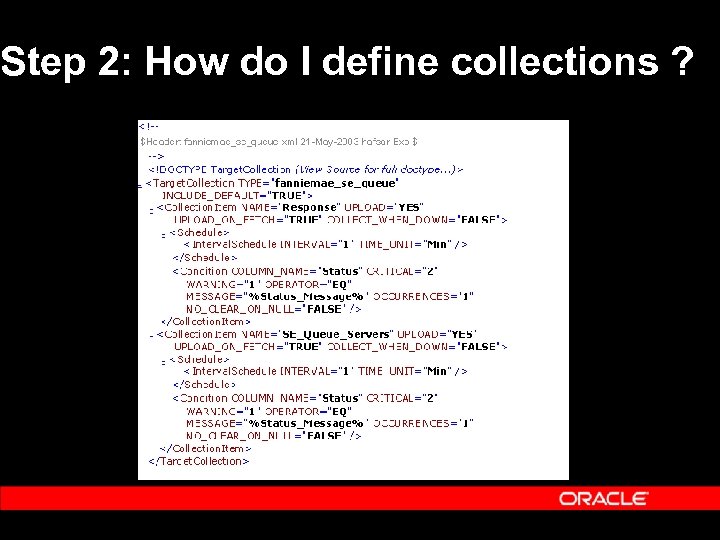 Step 2: How do I define collections ?
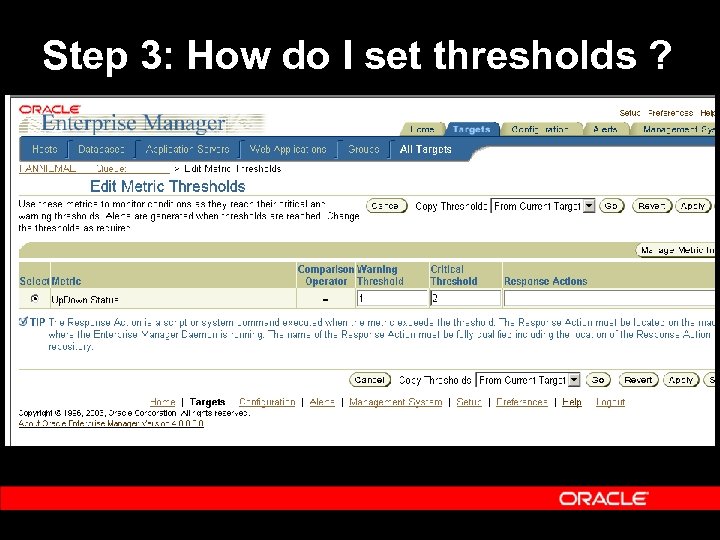 Step 3: How do I set thresholds ?
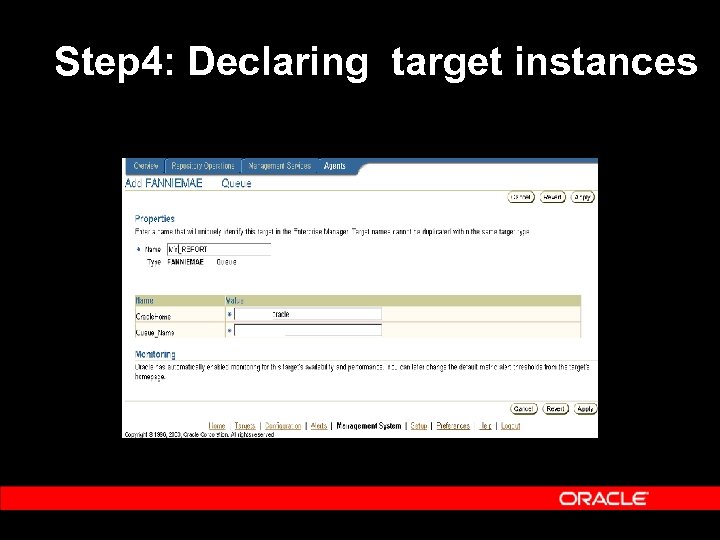 Step 4: Declaring target instances
 Step 5: Quality Assurance Ÿ Test metrics using the EM Metrics Browser Ÿ Setup collections into the repository - Edit emd. properties and specify Repository upload URL, Upload Interval Ÿ The custom application is now ready to be monitored by EM !
 What did it buy for us ? Ÿ The data that we collect will now be uploaded/ rolled up periodically - Raw data -> hourly -> daily ->. . Ÿ Time Series charts with various statistical data for trending- Average, High/Low Watermark, Std Dev. Ÿ Event detection and real time notifications Ÿ Correlation across various layers of the FM stack Ÿ Service level reporting
 When will it be available ? Ÿ 1 st planned release : End of CY 2003
 Q & A Q U E S T I O N S A N S W E R S