


 Скачать презентацию Homework Reading Tokheim Section 13 -6
10e40e7b1bcdcf084a9ac6506065814f.ppt
- Количество слайдов: 21
 Homework • Reading – Tokheim, Section 13 -6 • Continue mp 1 – Questions? • Labs – Continue labs with your assigned section 1
 Accessing I/O Devices • Can’t directly access I/O devices under Unix – Why not? • Can do it under Tutor – Why? • Tutor allows us to learn about accessing I/O devices from “hands-on” experience 2
 I/O Devices • We’ll discuss 2 types of I/O devices in detail: – Serial ports – Parallel ports • Covering the following aspects: – Physical connectors – Overview of interface electronics – Handshake procedures – I/O addresses assigned – Programming procedures 3
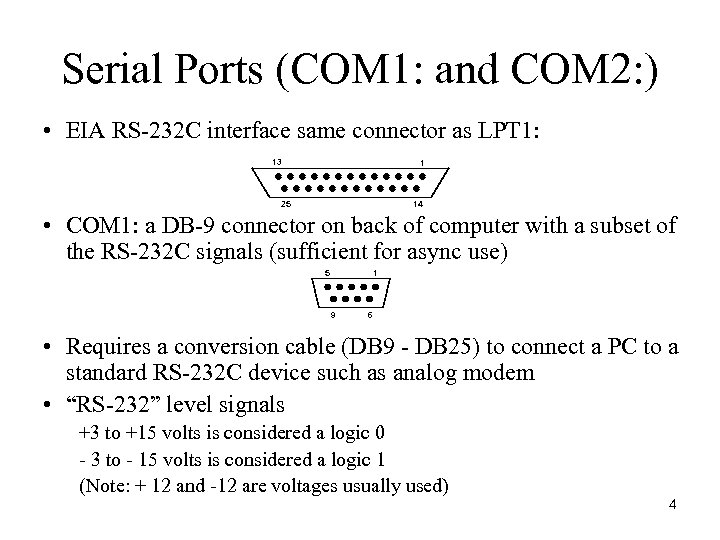 Serial Ports (COM 1: and COM 2: ) • EIA RS-232 C interface same connector as LPT 1: 13 1 25 14 • COM 1: a DB-9 connector on back of computer with a subset of the RS-232 C signals (sufficient for async use) 5 1 9 6 • Requires a conversion cable (DB 9 - DB 25) to connect a PC to a standard RS-232 C device such as analog modem • “RS-232” level signals +3 to +15 volts is considered a logic 0 - 3 to - 15 volts is considered a logic 1 (Note: + 12 and -12 are voltages usually used) 4
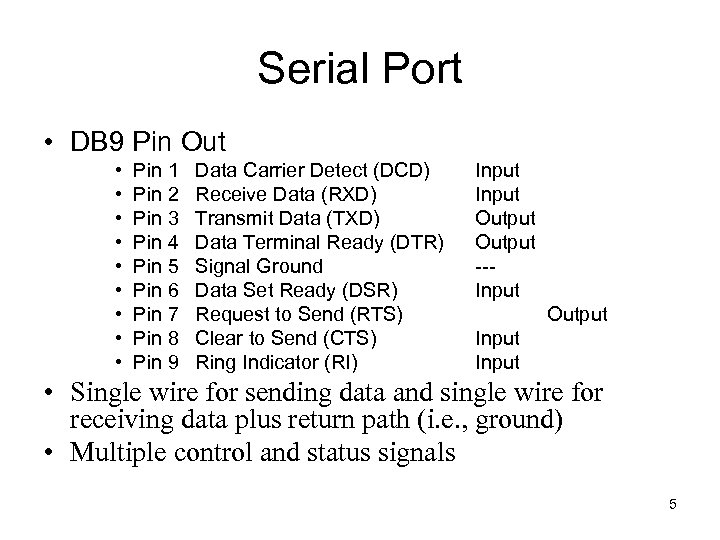 Serial Port • DB 9 Pin Out • • • Pin 1 Pin 2 Pin 3 Pin 4 Pin 5 Pin 6 Pin 7 Pin 8 Pin 9 Data Carrier Detect (DCD) Receive Data (RXD) Transmit Data (TXD) Data Terminal Ready (DTR) Signal Ground Data Set Ready (DSR) Request to Send (RTS) Clear to Send (CTS) Ring Indicator (RI) Input Output --Input Output Input • Single wire for sending data and single wire for receiving data plus return path (i. e. , ground) • Multiple control and status signals 5
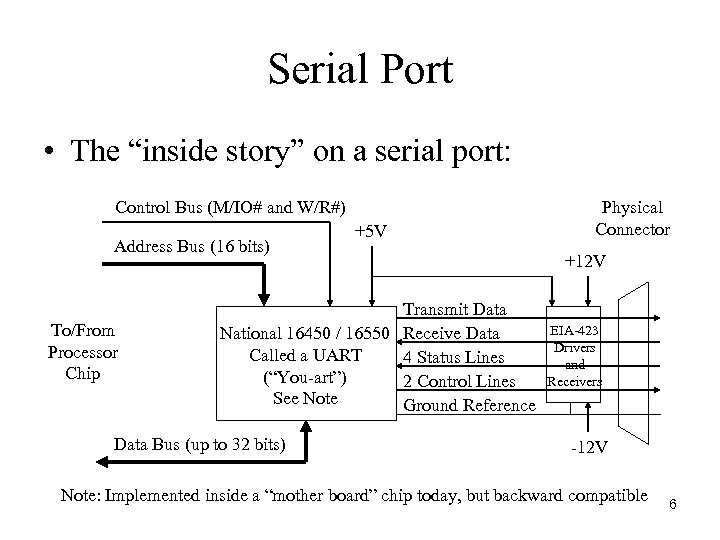 Serial Port • The “inside story” on a serial port: Control Bus (M/IO# and W/R#) Address Bus (16 bits) To/From Processor Chip +5 V Transmit Data National 16450 / 16550 Receive Data Called a UART 4 Status Lines (“You-art”) 2 Control Lines See Note Ground Reference Data Bus (up to 32 bits) Physical Connector +12 V EIA-423 Drivers and Receivers -12 V Note: Implemented inside a “mother board” chip today, but backward compatible 6
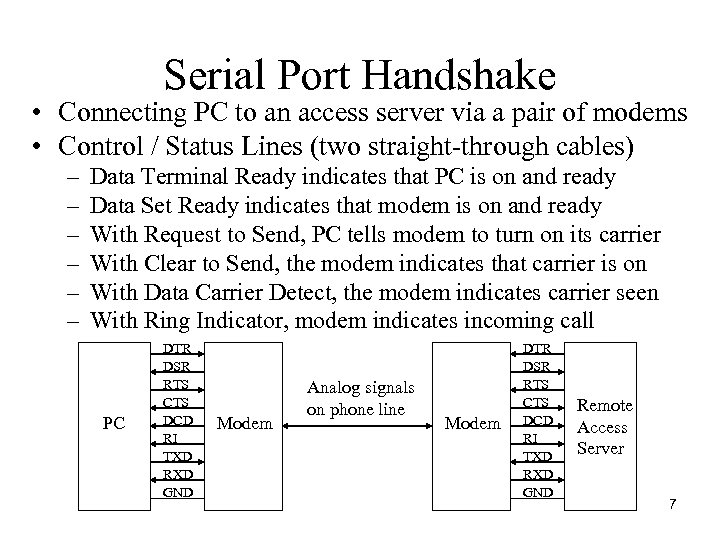 Serial Port Handshake • Connecting PC to an access server via a pair of modems • Control / Status Lines (two straight-through cables) – – – Data Terminal Ready indicates that PC is on and ready Data Set Ready indicates that modem is on and ready With Request to Send, PC tells modem to turn on its carrier With Clear to Send, the modem indicates that carrier is on With Data Carrier Detect, the modem indicates carrier seen With Ring Indicator, modem indicates incoming call PC DTR DSR RTS CTS DCD RI TXD RXD GND Modem Analog signals on phone line Modem DTR DSR RTS CTS DCD RI TXD RXD GND Remote Access Server 7
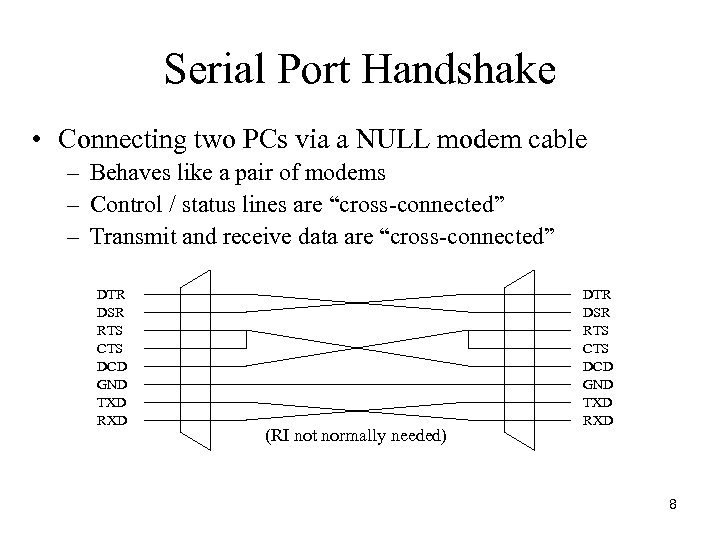 Serial Port Handshake • Connecting two PCs via a NULL modem cable – Behaves like a pair of modems – Control / status lines are “cross-connected” – Transmit and receive data are “cross-connected” DTR DSR RTS CTS DCD GND TXD RXD (RI not normally needed) DTR DSR RTS CTS DCD GND TXD RXD 8
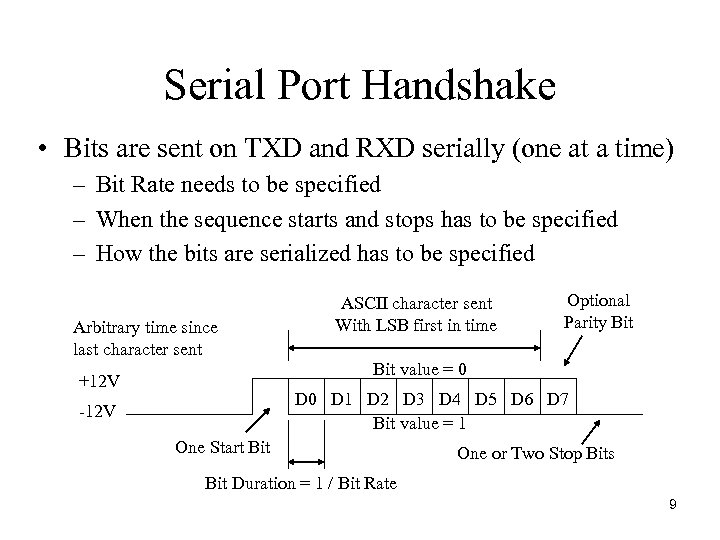 Serial Port Handshake • Bits are sent on TXD and RXD serially (one at a time) – Bit Rate needs to be specified – When the sequence starts and stops has to be specified – How the bits are serialized has to be specified Arbitrary time since last character sent ASCII character sent With LSB first in time Optional Parity Bit value = 0 +12 V D 0 D 1 D 2 D 3 D 4 D 5 D 6 D 7 Bit value = 1 -12 V One Start Bit One or Two Stop Bits Bit Duration = 1 / Bit Rate 9
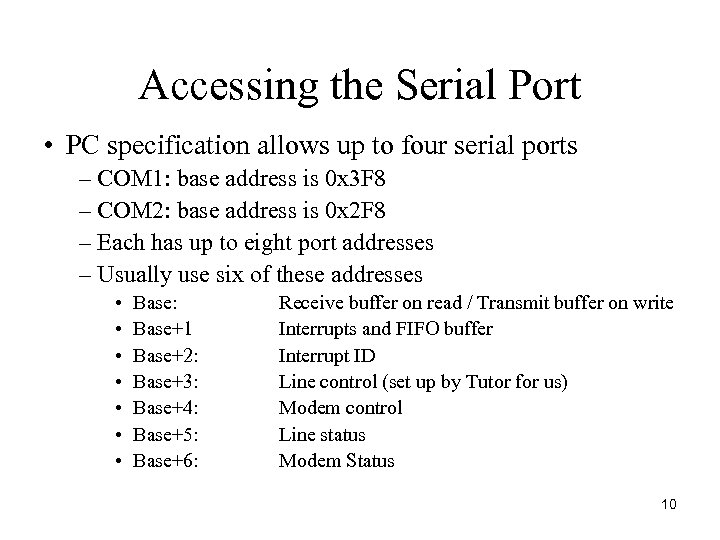 Accessing the Serial Port • PC specification allows up to four serial ports – COM 1: base address is 0 x 3 F 8 – COM 2: base address is 0 x 2 F 8 – Each has up to eight port addresses – Usually use six of these addresses • • Base: Base+1 Base+2: Base+3: Base+4: Base+5: Base+6: Receive buffer on read / Transmit buffer on write Interrupts and FIFO buffer Interrupt ID Line control (set up by Tutor for us) Modem control Line status Modem Status 10
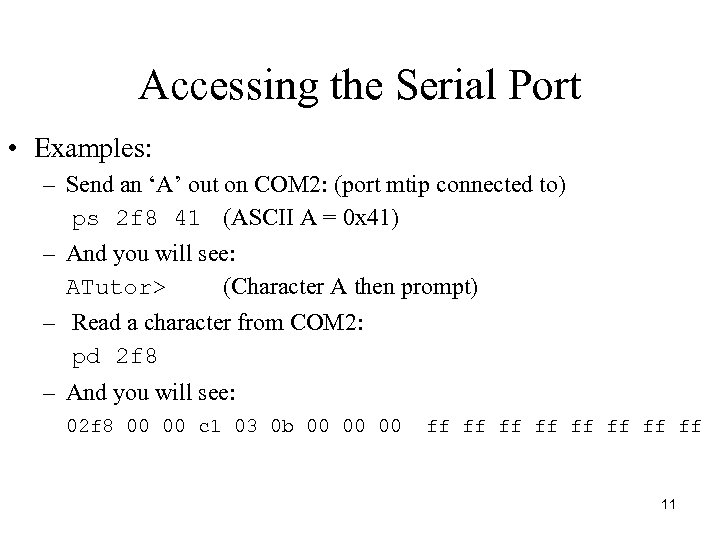 Accessing the Serial Port • Examples: – Send an ‘A’ out on COM 2: (port mtip connected to) ps 2 f 8 41 (ASCII A = 0 x 41) – And you will see: ATutor> (Character A then prompt) – Read a character from COM 2: pd 2 f 8 – And you will see: 02 f 8 00 00 c 1 03 0 b 00 00 00 ff ff 11
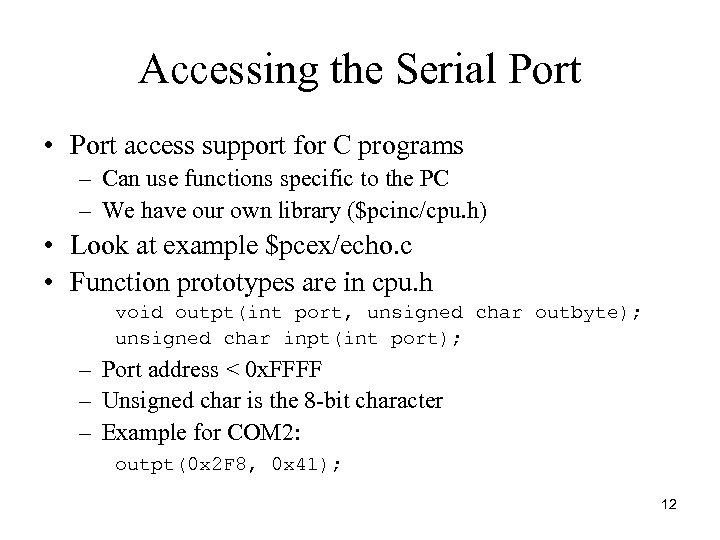 Accessing the Serial Port • Port access support for C programs – Can use functions specific to the PC – We have our own library ($pcinc/cpu. h) • Look at example $pcex/echo. c • Function prototypes are in cpu. h void outpt(int port, unsigned char outbyte); unsigned char inpt(int port); – Port address < 0 x. FFFF – Unsigned char is the 8 -bit character – Example for COM 2: outpt(0 x 2 F 8, 0 x 41); 12
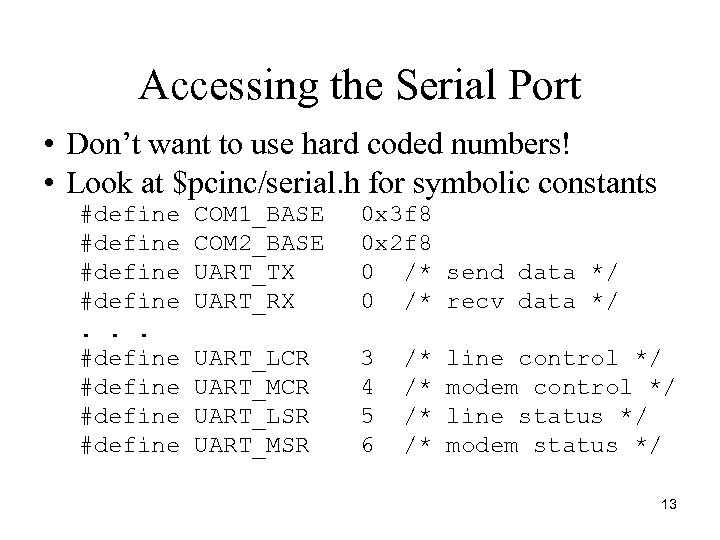 Accessing the Serial Port • Don’t want to use hard coded numbers! • Look at $pcinc/serial. h for symbolic constants #define. . . #define COM 1_BASE COM 2_BASE UART_TX UART_RX 0 x 3 f 8 0 x 2 f 8 0 /* send data */ 0 /* recv data */ UART_LCR UART_MCR UART_LSR UART_MSR 3 4 5 6 /* /* line control */ modem control */ line status */ modem status */ 13
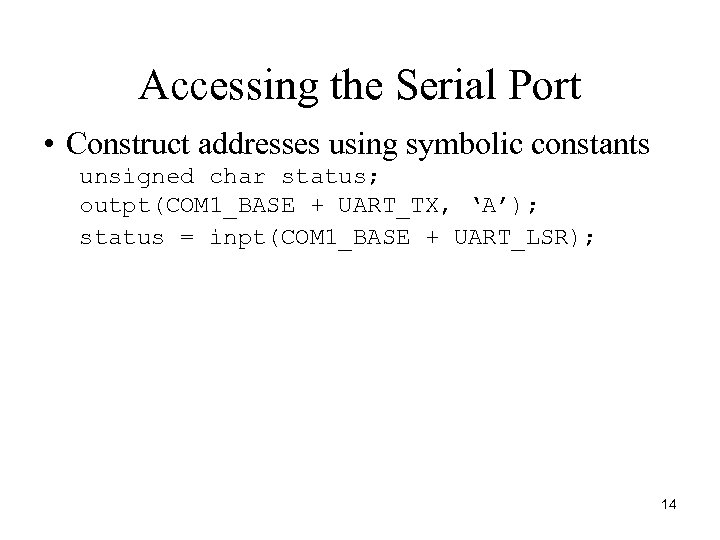 Accessing the Serial Port • Construct addresses using symbolic constants unsigned char status; outpt(COM 1_BASE + UART_TX, ‘A’); status = inpt(COM 1_BASE + UART_LSR); 14
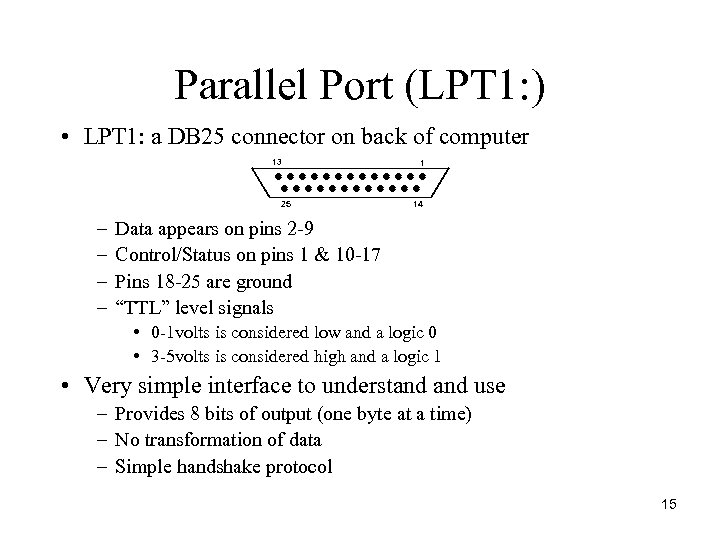 Parallel Port (LPT 1: ) • LPT 1: a DB 25 connector on back of computer 13 25 – – 1 14 Data appears on pins 2 -9 Control/Status on pins 1 & 10 -17 Pins 18 -25 are ground “TTL” level signals • 0 -1 volts is considered low and a logic 0 • 3 -5 volts is considered high and a logic 1 • Very simple interface to understand use – Provides 8 bits of output (one byte at a time) – No transformation of data – Simple handshake protocol 15
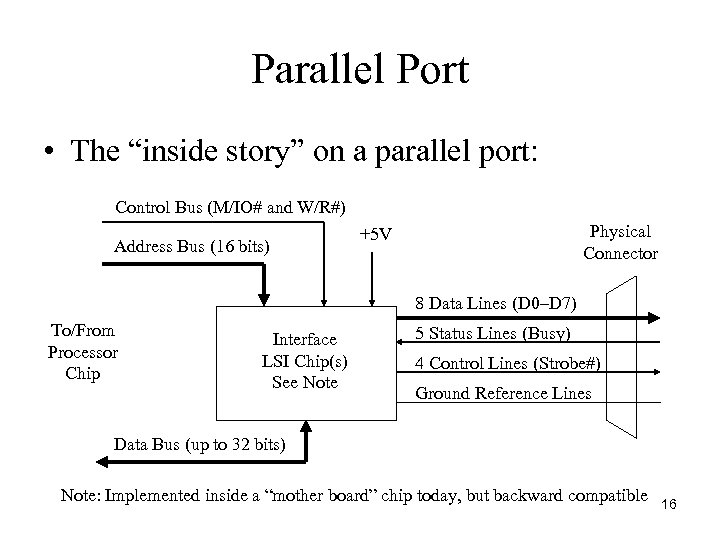 Parallel Port • The “inside story” on a parallel port: Control Bus (M/IO# and W/R#) Address Bus (16 bits) Physical Connector +5 V 8 Data Lines (D 0–D 7) To/From Processor Chip Interface LSI Chip(s) See Note 5 Status Lines (Busy) 4 Control Lines (Strobe#) Ground Reference Lines Data Bus (up to 32 bits) Note: Implemented inside a “mother board” chip today, but backward compatible 16
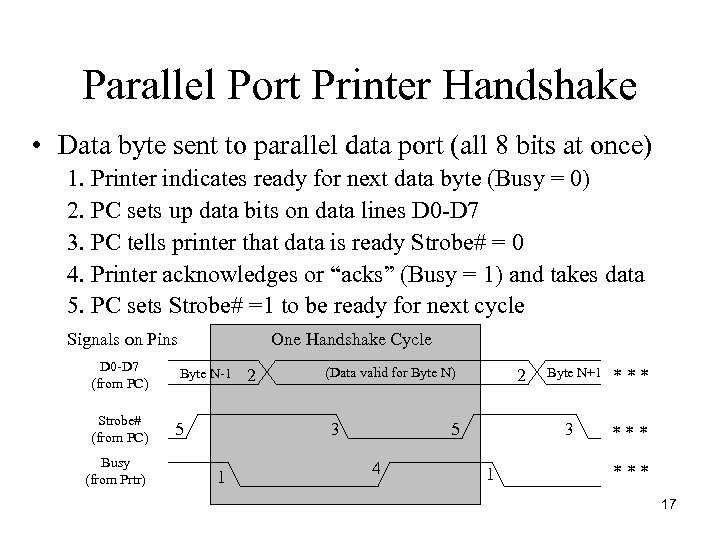 Parallel Port Printer Handshake • Data byte sent to parallel data port (all 8 bits at once) 1. Printer indicates ready for next data byte (Busy = 0) 2. PC sets up data bits on data lines D 0 -D 7 3. PC tells printer that data is ready Strobe# = 0 4. Printer acknowledges or “acks” (Busy = 1) and takes data 5. PC sets Strobe# =1 to be ready for next cycle Signals on Pins D 0 -D 7 (from PC) Strobe# (from PC) Busy (from Prtr) One Handshake Cycle Byte N-1 5 2 (Data valid for Byte N) 3 1 2 5 4 Byte N+1 3 1 *** *** 17
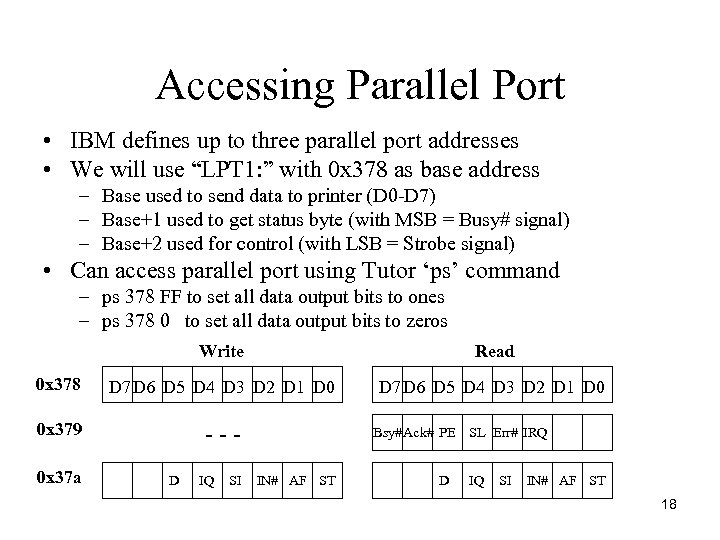 Accessing Parallel Port • IBM defines up to three parallel port addresses • We will use “LPT 1: ” with 0 x 378 as base address – Base used to send data to printer (D 0 -D 7) – Base+1 used to get status byte (with MSB = Busy# signal) – Base+2 used for control (with LSB = Strobe signal) • Can access parallel port using Tutor ‘ps’ command – ps 378 FF to set all data output bits to ones – ps 378 0 to set all data output bits to zeros Write Read 0 x 378 D 7 D 6 D 5 D 4 D 3 D 2 D 1 D 0 0 x 379 --- 0 x 37 a D IQ SI Bsy#Ack# PE SL Err# IRQ IN# AF ST D IQ SI IN# AF ST 18
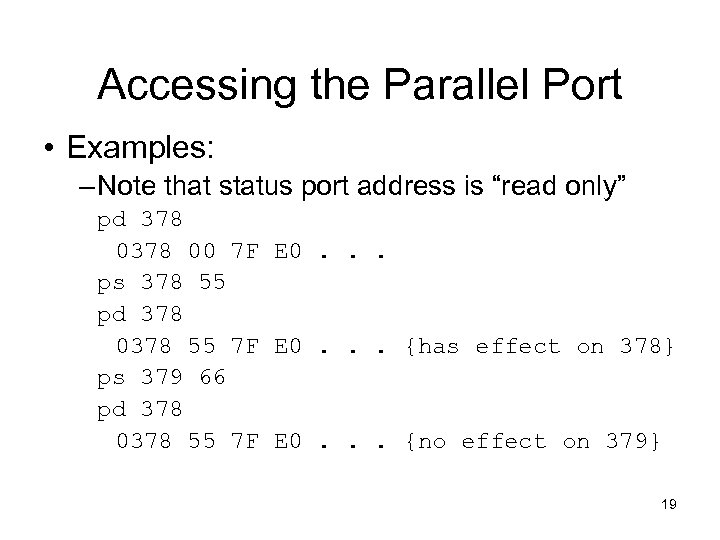 Accessing the Parallel Port • Examples: – Note that status port address is “read only” pd 378 00 7 F E 0. . . ps 378 55 pd 378 0378 55 7 F E 0. . . {has effect on 378} ps 379 66 pd 378 0378 55 7 F E 0. . . {no effect on 379} 19
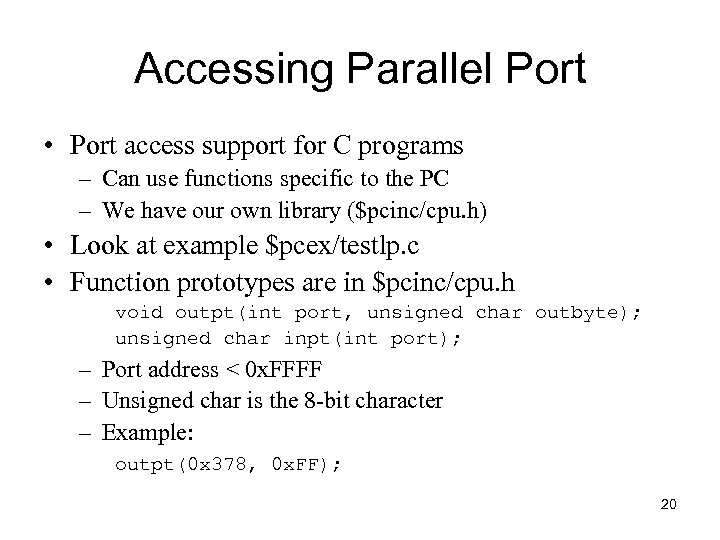 Accessing Parallel Port • Port access support for C programs – Can use functions specific to the PC – We have our own library ($pcinc/cpu. h) • Look at example $pcex/testlp. c • Function prototypes are in $pcinc/cpu. h void outpt(int port, unsigned char outbyte); unsigned char inpt(int port); – Port address < 0 x. FFFF – Unsigned char is the 8 -bit character – Example: outpt(0 x 378, 0 x. FF); 20
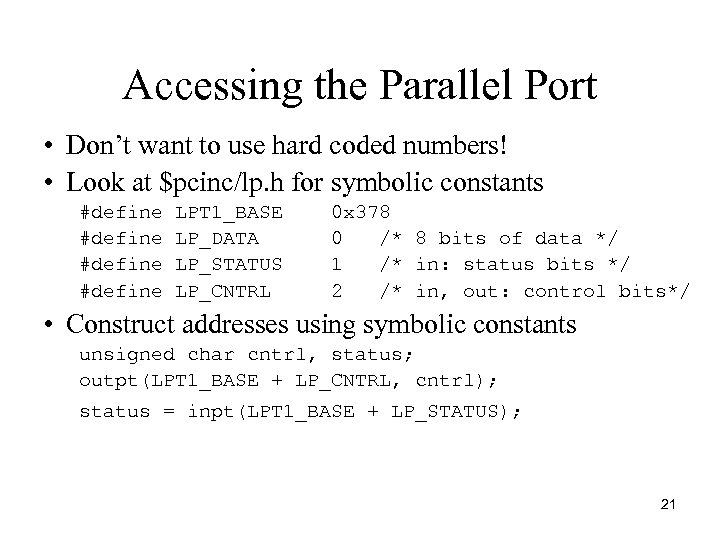 Accessing the Parallel Port • Don’t want to use hard coded numbers! • Look at $pcinc/lp. h for symbolic constants #define LPT 1_BASE LP_DATA LP_STATUS LP_CNTRL 0 x 378 0 /* 8 bits of data */ 1 /* in: status bits */ 2 /* in, out: control bits*/ • Construct addresses using symbolic constants unsigned char cntrl, status; outpt(LPT 1_BASE + LP_CNTRL, cntrl); status = inpt(LPT 1_BASE + LP_STATUS); 21