


 Скачать презентацию HIPAA Security Advanced HIPAA Security Rule Compliance and
4c6dfedb3bf818c3e3befa48ae27bd13.ppt
- Количество слайдов: 70
 HIPAA Security: Advanced HIPAA Security Rule Compliance and Implementation Strategies John Parmigiani National Practice Director Regulatory and Compliance Services CTG Health. Care Solutions, Inc.
 · Introductions · HIPAA and Privacy/Security · Final Security Rule · Key Concepts · Steps Toward Compliance · Security Best Practices · Conclusions 2
 3
3
 John Parmigiani · · · CTGHS National Practice Director for Regulatory and Compliance Services CTGHS National Practice Director of HIPAA Compliance Services HCS Director of Compliance Programs HIPAA Security Standards Government Chair/ HIPAA Infrastructure Group Directed development and implementation of security initiatives for HCFA (now CMS)- Director of Enterprise Standards · · · Security architecture Security awareness and training program Systems security policies and procedures E-commerce/Internet Directed development and implementation of agency-wide information systems policy and standards and information resources management AMC Workgroup on HIPAA Security and Privacy; Content Committee of CPRIHOST/HIMSS Security and Privacy Toolkit; Editorial Advisory Boards of HIPAA Compliance Alert’s HIPAA Answer Book and HIPAA Training Line; Chair, HIPAAWatch Advisory Board; Train for HIPAA Advisory Board; HIMSS Privacy and Security Task Force 4
 Can’t have Privacy without Security! 5
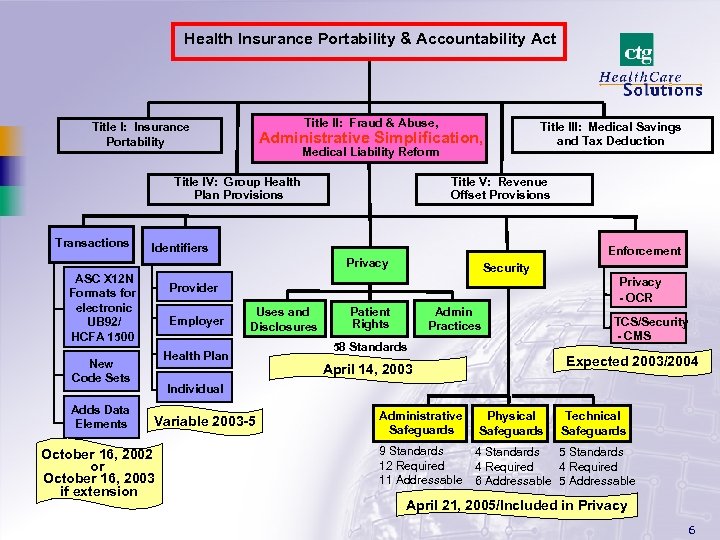 Health Insurance Portability & Accountability Act Title II: Fraud & Abuse, Title I: Insurance Portability Administrative Simplification, Medical Liability Reform Title IV: Group Health Plan Provisions Transactions Title V: Revenue Offset Provisions Identifiers Enforcement Privacy ASC X 12 N Formats for electronic UB 92/ HCFA 1500 Security Privacy - OCR Provider Employer Uses and Disclosures Health Plan New Code Sets Adds Data Elements Title III: Medical Savings and Tax Deduction Patient Rights Admin Practices 58 Standards TCS/Security - CMS Expected 2003/2004 April 14, 2003 Individual Variable 2003 -5 October 16, 2002 or October 16, 2003 if extension Administrative Safeguards 9 Standards 12 Required 11 Addressable Physical Safeguards Technical Safeguards 4 Standards 5 Standards 4 Required 6 Addressable 5 Addressable April 21, 2005/Included in Privacy 6
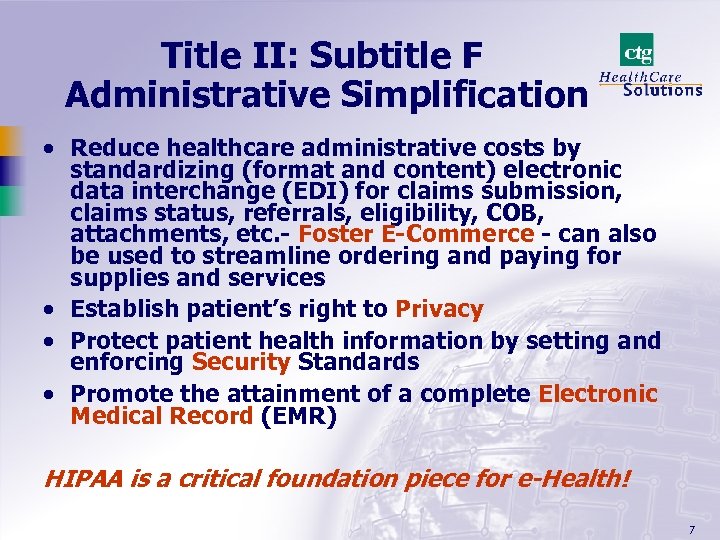 Title II: Subtitle F Administrative Simplification · Reduce healthcare administrative costs by standardizing (format and content) electronic data interchange (EDI) for claims submission, claims status, referrals, eligibility, COB, attachments, etc. - Foster E-Commerce - can also be used to streamline ordering and paying for supplies and services · Establish patient’s right to Privacy · Protect patient health information by setting and enforcing Security Standards · Promote the attainment of a complete Electronic Medical Record (EMR) HIPAA is a critical foundation piece for e-Health! 7
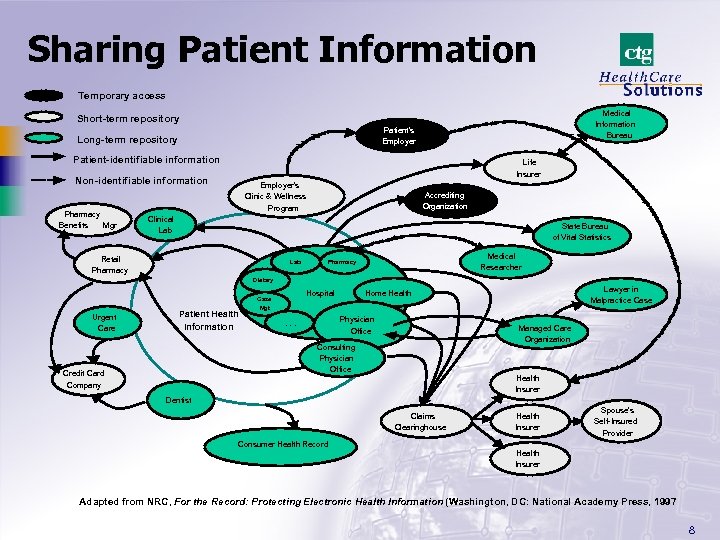 Sharing Patient Information Temporary access Medical Information Bureau Short-term repository Patient’s Employer Long-term repository Patient-identifiable information Life Insurer Non-identifiable information Pharmacy Benefits Mgr Employer’s Clinic & Wellness Program Accrediting Organization Clinical Lab State Bureau of Vital Statistics Retail Pharmacy Lab Medical Researcher Pharmacy Dietary Hospital Case Urgent Care Patient Health Information Mgt Physician Office . . . Managed Care Organization Consulting Physician Office Credit Card Company Lawyer in Malpractice Case Home Health Insurer Dentist Claims Clearinghouse Health Insurer Spouse’s Self-Insured Provider Consumer Health Record Health Insurer Adapted from NRC, For the Record: Protecting Electronic Health Information (Washington, DC: National Academy Press, 1997 8
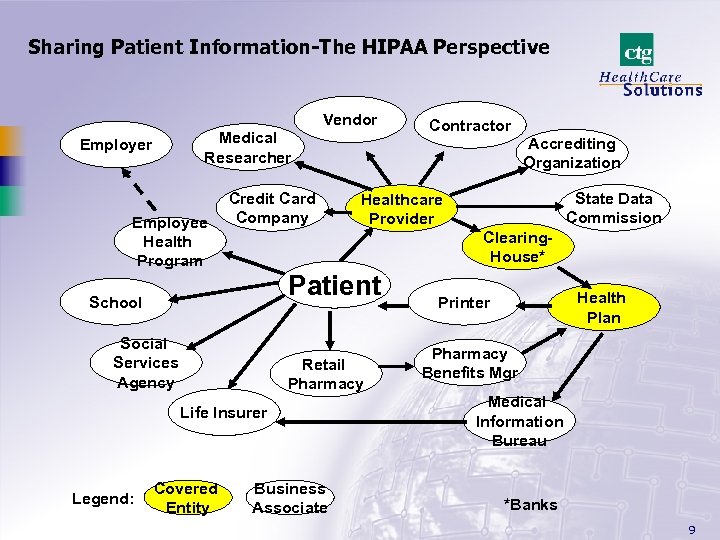 Sharing Patient Information-The HIPAA Perspective Vendor Medical Researcher Employee Health Program Credit Card Company Accrediting Organization Patient Social Services Agency Retail Pharmacy Life Insurer Covered Entity State Data Commission Healthcare Provider Clearing. House* School Legend: Contractor Business Associate Health Plan Printer Pharmacy Benefits Mgr Medical Information Bureau *Banks 9
 During this presentation… Ø 6, 000 people will have used the Internet for the first time Ø 10, 000 people will get mobile phones in the U. S. Ø 38, 000 voice mails will be sent worldwide Ø 300, 000 e-mails will be logged 10
 11
11
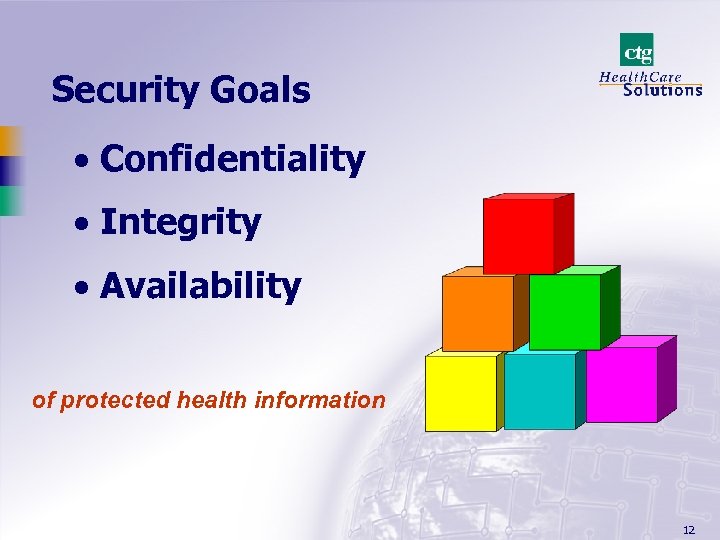 Security Goals · Confidentiality · Integrity · Availability of protected health information 12
 Good Security Practices · Access Controls- restrict user access to PHI based on need-to-know · Authentication- verify identity and allow access to PHI by only authorized users · Audit Controls- identify who did what and when relative to PHI 13
 Security Truisms · There is no such thing as 100% security · Security is a business process- it is an investment, not an expense · It is difficult to calculate the on return on investment for security · Threats and risks are constantly changing- you must know your real risks and determine the probability and impact of their occurrence · Prioritize your security efforts and manage risks to an level acceptable to your organization · Some security is better than no security- kept simple and straightforward and transparent to the user · Security tools and products are like safety devices (seat belts, smoke detectors, etc. ): · Most of the time, you do not need them; · But those few times when you do need them… · Your overall security is only as good as your weakest link 14
 So…Security is Good Business · “Reasonable measures” need to be taken to protect confidential information (due diligence) · A balanced security approach provides due diligence without impeding health care · Good security can reduce liabilities- patient safety, fines, lawsuits, bad public relations · Security is essential to privacy 15
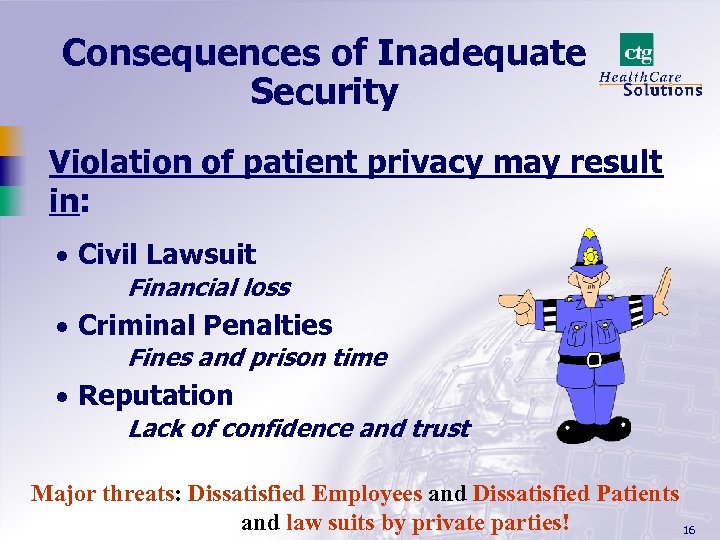 Consequences of Inadequate Security Violation of patient privacy may result in: · Civil Lawsuit Financial loss · Criminal Penalties Fines and prison time · Reputation Lack of confidence and trust Major threats: Dissatisfied Employees and Dissatisfied Patients and law suits by private parties! 16
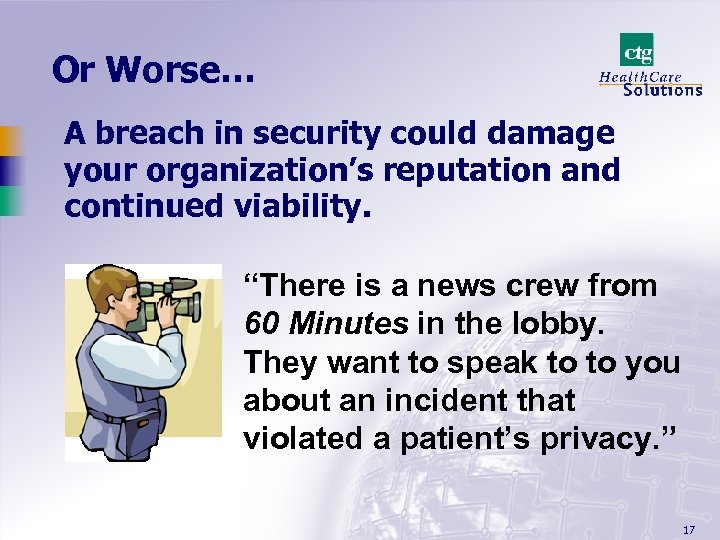 Or Worse… A breach in security could damage your organization’s reputation and continued viability. “There is a news crew from 60 Minutes in the lobby. They want to speak to to you about an incident that violated a patient’s privacy. ” 17
 HIPAA Security Standards · Are based upon good business practices and accepted international and national standards and · Have these basic characteristics: · Comprehensive · Flexible · Scalable · Technology Neutral 18
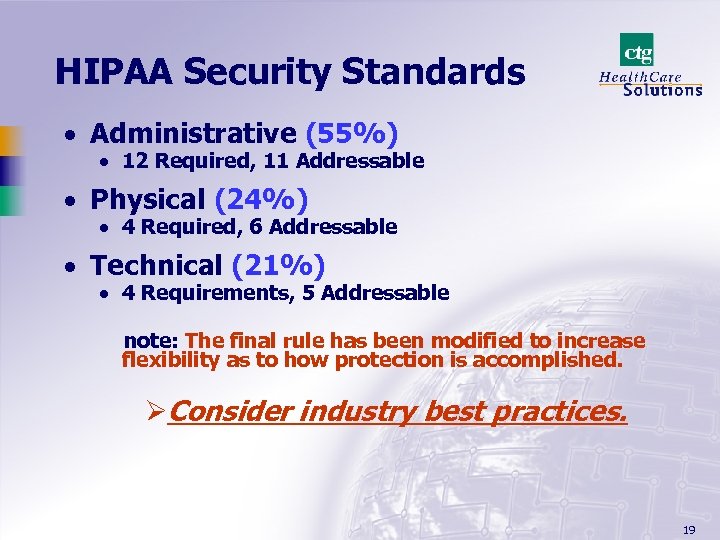 HIPAA Security Standards · Administrative (55%) · 12 Required, 11 Addressable · Physical (24%) · 4 Required, 6 Addressable · Technical (21%) · 4 Requirements, 5 Addressable note: The final rule has been modified to increase flexibility as to how protection is accomplished. ØConsider industry best practices. 19
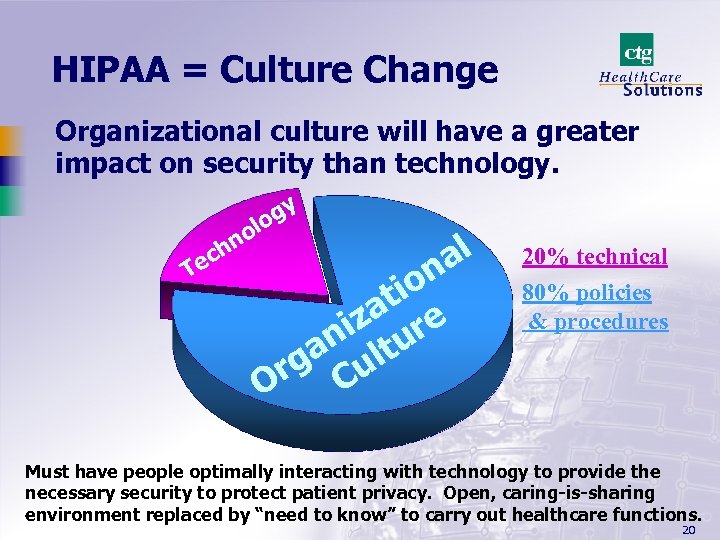 HIPAA = Culture Change Organizational culture will have a greater impact on security than technology. gy lo no h c Te al n io at e iz ur an lt rg Cu O 20% technical 80% policies & procedures Must have people optimally interacting with technology to provide the necessary security to protect patient privacy. Open, caring-is-sharing environment replaced by “need to know” to carry out healthcare functions. 20
 21
21
 Risk Analysis · “The most appropriate means of compliance for any covered entity can only be determined by that entity assessing its own risks and deciding upon the measures that would best mitigate those risks” · Does not imply that organizations are given complete discretion to make their own rules- Addressable does not mean Optional · Organizations determine their own technology choices to mitigate their risks 22
 Addressable Implementation Specifications · Covered eternities must assess if an implementation specification is reasonable and appropriate based upon factors such as: § Risk analysis and mitigation strategy § Current security controls in place § Costs of implementation • Key concept: “reasonable and appropriate” • Cost is not meant to free covered entities from their security responsibilities 23
 Addressable Implementation Specifications • If the implementation specification is reasonable and appropriate, then implement it • If the implementation specification is not reasonable and appropriate, then: · Document why it would not be reasonable and appropriate to implement the implementation specification and implement an equivalent alternative measure if reasonable and appropriate or · Do not implement and explain why in documentation 24
 Other Concepts · Security standards extend to the members of a covered entity’s workforce even if they work at home (transcriptionists) · Security awareness and training is a critical activity, regardless of an organization's size · Evaluation – Must have a periodic review of technical controls and procedures of the entity’s security program · Documentation Retention – Six years from the date of its creation or the date when it last was in effect, whichever is later 25
 26
26
 Critical Compliance Success Factors · Top management buy-in/ commitment · Federal Sentencing Guidelines- Business Judgment Rule /Model Business Corporation Act · Champions · Vendor commitments · Best practices (assessment tools, model policies and procedures, forms)WEDI/SNIP; DSMOs; HIMSS/CPRI; CAQH; NCHICA; AAMC; ANSI; NCVHS; AMA; AHA; ADA; NCPDP; AHIMA; MGMA; etc. 27
 Critical Compliance Success Factors … · Business rather than compliance goals drive HIPAA- not a static set of requirements but a blueprint to communicate uniformly and efficiently with trading partners · Continued awareness and education of HIPAA and its impacts on both organization and its stakeholders · Reasonable solutions that make good business sense with security (risk aversion and appropriate to business environment) · Document your decisions relative to the HIPAA requirements- “due diligence” is the best defense. “If it has been documented, it hasn’t been done”! 28
 Serendipity Effect of Privacy Compliance · Complying with the Security Rule should be fairly easy if you have done the preliminary work for Privacy- PHI flow, risk assessments · Implementation of “safeguards” to protect the privacy of PHI · Balance through synchronization and symmetry 29
 Immediate Steps · Assign responsibility to one person-CSO and establish a compliance program · Conduct a risk analysis- not only technical but also administrative and physical security considerations · Deliver security training, education, and awareness in conjunction with privacy · Develop/update policies, procedures, and documentation as needed · Review and modify access and audit controls · Establish security incident reporting and response procedures · Develop business continuity procedures · Make sure your business associates and vendors help enable your compliance efforts 30
 Information Security Policy · The foundation for an Information Security Program · Defines the expected state of security for the organization · Defines the technical security controls for implementation · Without policies, there is no plan for an organization to design and implement an effective security program · Provides a basis for training · Must be implemented and enforced or just “shelf ware” 31
 Steps Toward Compliance… · Develop programs for Awareness, Education, and Training · · Identify various audiences Determine specific needs of each audience Determine best mode of delivery Establish a “certification” test for each aspect of the program (to ensure knowledge transfer and for proof of compliance) 32
 Privacy/Security Training · HIPAA Training in Privacy and Security needs to encompass the entire workforce · Training needs to be both focused and on-going · Really trying to make good Privacy and Security Practices second-nature · Culture change (behavior modification) takes time · Look for opportunities for training, education and awareness · Documentation essential to show “due diligence” 33
 Security Training Process · Third parties with access to organizational systems are required to complete security training. · Contractors and vendors must sign confidentiality agreements or non-disclosure agreements. · A training needs assessment should be conducted to determine what training is required, by whom, and how it will be conducted. · The security training program should be periodically evaluated and updated against actual organizational requirements. · Employees are required to meet a minimum training requirement prior to being granted access to clinical information systems and other PHI. 34
 Targeted Training · Board Members and Executives · Stress oversight role and consequences of non-compliance- OIG Guidelines, SBO · How rest of industry is addressing compliance (best practices) · Up-to-date awareness of guidance, rulemaking, and legislative changes · Front-line Staff · Emphasize privacy and how it’s protected by security · Describe penalties for rogue actions · Explain good security practices 35
 Targeted Training… · Administrative Staff · Emphasize good security practices · Describe how access to PHI must be terminated when the employee leaves or is reassigned to a new function · Technical Staff · Emphasize security mechanisms for protecting data at rest and in transit · How to implement authentication and access, disaster recovery, encryption, etc. requirements 36
 Targeted Training… · Support Staff- cleaning, maintenance, business associates, etc. · What to do when they encounter PHI: any information seen on someone’s desk or computer monitor is private and nothing is to be done to it · Any information, not their own, is not to be discussed, even if accidentally viewed 37
 Topical Areas HIPAA Security Training Requirements: · Individual security responsibilities (not only for e. PHI but also oral and written PHI) · Virus protection/malicious software · Monitoring login success and failure · Incident reporting · Password management · Workstation security 38
 Topical Areas Others topics may include: · Policies and Procedures health information) (with respect to protecting · Confidentiality, Integrity, Availability (CIA) · Sensitivity of health data (different levels- HIV, substance abuse, mental health) · Threats to information security · Countermeasures (Physical, technical, operational) · Sanctions for security breaches 39
 Preferred Delivery Modes · New hires: Internet, Intranet, or multimedia computer training · Can be accessed at anytime · Same question can be repeated · Can be turned off when audience loses interest · Best as introduction 40
 Preferred Delivery Modes… · Clinicians, mid-level managers, and board members: stand-up presentations · Can be customized · Speaker can respond to questions from the audience · Departmental point people: train-thetrainer approach · Can relate to co-workers and provide relevant, pertinent lessons · Impact on each departmental function explained 41
 Ongoing Compliance Management · You have the training done, now what do you do? · How do you keep your workforce engaged over the long term? · How do you plan to handle patient and employee complaints? · How do you work toward a total ehealth environment? · Organizational provisions for HIPAA compliance-temporary and permanent? LC 42
 43
43
 Observation · Walk around and look · Logged-on but unattended workstations · Uncontrolled access to areas that house IT equipment and/or PHI · Passwords on post-it notes · Medical charts and PHI strewn about · Trash containing PHI in receptacles and dumpsters 44
 Creating User Accounts · Established on role-based access rules · Unique User. ID that is not based upon the user’s name, department, telephone extension or employee number · Systems should prohibit concurrent access of the same User. ID · User. IDs are uniform across systems and platforms · Policy governs the use of temporary, groupshared or generic User. IDs · Two-factor authentication (something you know, something you have, something about you- user id and password is only one factor!) 45
 Password Creation · · · · Force users to create “strong” passwords Minimum of six to seven characters in length Easy to remember (So you don’t write it down) Difficult to guess Contains letters and numbers Contains a special character (!@#$%&*) Don’t use personal data, words found in a dictionary, common abbreviations, team names, pet names, repeat characters · Don’t index your password each time you change it · Don’t change more than once every 6 months to one year- forced change at first log on 46
 Workstations · Applications processing PHI have automatic time-outs (screen savers/log-offs) set for ten minutes · Workstation supports multiple logon sessions and uses biometric with single sign-on and proximity cards for auto logoff · Secure location to minimize the possibility of unauthorized access to individually identifiable health information · Privacy screens or anti-glare screens are used to protect information displayed if unable to locate in a controlled access area · Regular updates of anti-virus software · Transcriptionists or coders working from home have two internal hard drives to boot from– one for work, one for personal use 47
 Media Controls · Policy/Procedure for receipt and removal of hardware and software (virus checking, “foreign” software); wipe or remove PHI from systems or media prior to disposal · Disable print capability, A drive, Read Only · Limit e-mail distribution/Internet access · E-fax as an alternative · Encourage individual back-up or store on network drive/ password protect confidential files · Store back-up tapes offsite or if onsite in a fire proof safe 48
 Media Disposal (containing PHI) · Paper documents are securely stored until they are disposed of by shredding, pulping or burning · Prescription bottles, labels, CD ROMS, or other items are destroyed through burning, pulverization, or high-pressure compression process · Hard disk drives and other read/write magnetic media are sanitized by overwriting at least three times with random patterns of “ 1 s and 0 s” before they are reused or disposed of 49
 Networks · Unused firewall ports are closed unless there is documentation as to why it is opened, the time-frame it will remain open, the requestor, and the manager/person who approved the change · “Deny” rather than “Allow” is the default policy on networks systems · Wireless networks are encrypted · The network is periodically scanned for vulnerabilities 50
 Personnel Clearance Procedures · Background investigations to include credit report, criminal record checks, at least two reference checks on employees who have access to highly sensitive information (HIV, psychiatric care, substance abuse) or have administrator privileges to critical systems or systems containing PHI 51
 Termination Procedures · Documentation for ending access to systems when employment ends · Policies and Procedures for changing locks, turning in hardware, software, remote access capability · Removal from system accounts, both internal and external · Remind employee that PHI that they had access to must remain confidential even after leaving 52
 Sanctions · · · Must be spelled out Punishment should fit the crime Enforcement Documentation “Teachable Moment”- Training Opportunity 53
 Audits: Russian Proverb- Doveryai, no proverayai…. Trust, but verify · Data Owners periodically receive an access control list of who has access to their systems and what privileges they have · Users are randomly selected for audit · Audit data is provided to their managers · Warning banners are displayed at logon to any system or network (“No expectation of privacy”) · Audit logs are stored on a separate system and only the Information Security Officer has access to the logs · Audit trails generated and evaluated 54
 Physical Access Controls · Card swipe or proximity cards control physical access to departments that are designated restricted areas NOTE: The use of card swipe or proximity cards allows the organization to maintain granular access control (day of week, time of day, etc. ) and generate access logs to restricted access areas · Guest badges indicate access areas and expiration date (Picture on badges, expiration date in ink) 55
 E-Mail · Studies show that online communications can benefit patients, providers, and payers · Need to insure confidentiality of PHIauthentication, message integrity, nonrepudiation · Free software-PGP 8 - www. pgp. com (basics for encrypting occasional messages); personal edition ($39) embeds encrypting into most top commercial e-mail programs 56
 E-mail, cont’d. · De-identify- use codes instead of name, SSN, address, health plan ids, account numbers, telephone numbers, etc. · Only keep e-mail a limited amount of time · Know who has access to e-mail with PHI and periodically monitor 57
 E-mail, cont’d. · One method: thin-client (application proxy model) using SSL- end-user’s computer only handles input and output data and communicates with servers which encrypt the sessions · Another method: zip the file, password protect, send as an attachment to the email 58
 Wireless Devices (PDAs) Ø E-health Applications Ø Patient care Ø Transcription Ø Order entry Ø Remote consults Ø Security issues Ø Intercepts – need for encryption Ø Lost / stolen - physical access Ø Authenticating access- authorizing the user 59
 Wireless (PDAs) Safeguards · Own the PDA, if possible- limited applications · Require specific security featuresauthentication, virus protection, encryption · Policies- physical (lock up); administrative (don’t store passwords on PDA); technical (encrypt PHI that is stored) · Interconnection to the institutional network- access points (“Achilles heel”), VPN, firewalls 60
 Incident Reporting and Response · Can staff identify an unauthorized use of patient information? · Do staff know how to report security incidents? · Will staff report an incident? · Is there one telephone number that staff can call to report any type of incident? · Are there trained and experienced employees responsible for collecting and preserving evidence? · Is the procedure enforced? 61
 Risk Analysis · What needs to be protected? (Assets – Hardware, software, data, information, knowledge workers/people) · What are the possible threats? (Acts of nature, Acts of man) · What are the vulnerabilities that can be exploited by the threats? · What is the probability or likelihood of a threat exploiting a vulnerability? · What is the impact to the organization? · What controls are needed to mitigate impacts/ protect against threats 62
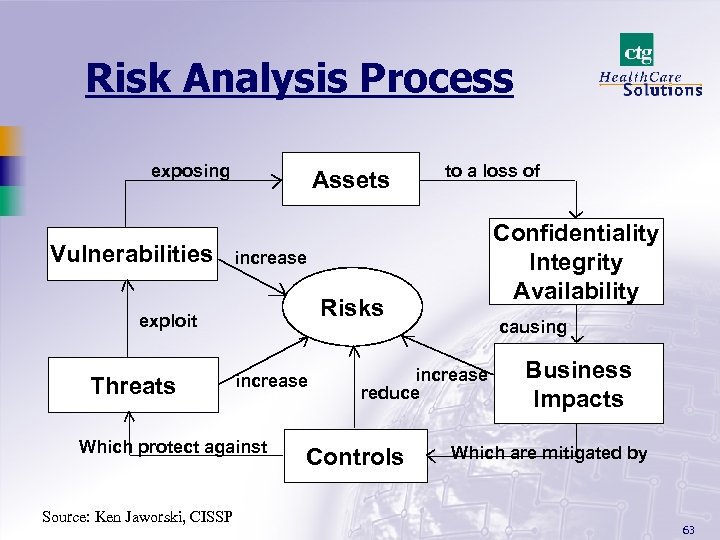 Risk Analysis Process exposing Vulnerabilities Assets Risks increase Which protect against Source: Ken Jaworski, CISSP Confidentiality Integrity Availability increase exploit Threats to a loss of causing increase reduce Controls Business Impacts Which are mitigated by 63
 Threats/Risk Mitigators · Acts of Nature · Some type of natural disaster; tornado, earthquake, flood, etc. - Backup/Disaster Recovery Plans/Business Continuity Plans · Acts of Man · Unintentional - Sending a fax containing confidential information to the wrong fax machine; catching a computer virus- Policies & Procedures · Intentional - Abusing authorized privileges to look at patient information when there is no business “need-to-know”; hackers. Access/Authentication Controls, Audit Trails, Sanctions, Intrusion Detection 64
 Possible Risks · · · · Cash flow slowed or stopped Fines, penalties, imprisonment, law suits Loss or corruption of patient data Unauthorized access and/or disclosure Loss of physical assets- computers, pdas, facilities Patient safety Employee safety Bad PR Risk analysis either qualitative (H/M/L) and/or quantitative ($/units/expected values) 65
 66
66
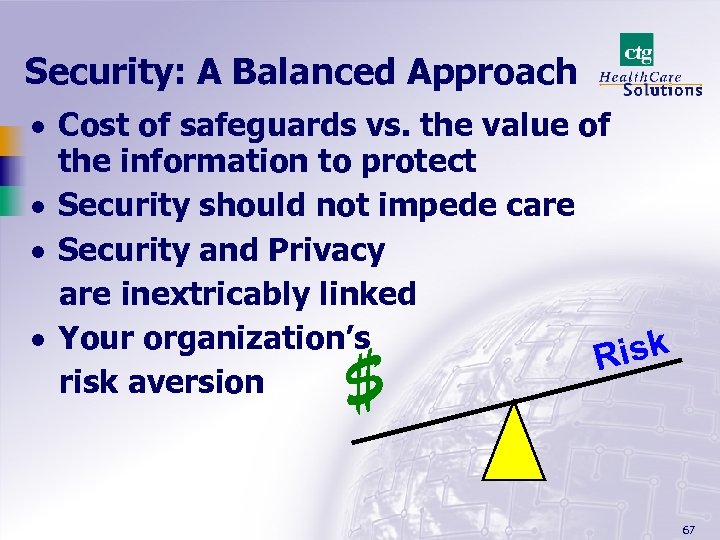 Security: A Balanced Approach · Cost of safeguards vs. the value of the information to protect · Security should not impede care · Security and Privacy are inextricably linked · Your organization’s Risk risk aversion $ 67
 Remember… · You are all patients at some point in time- how would you like to be treated and/or your healthcare information to be protected? . . . the Golden Rule · You and your corporation will judged by the courts and the enforcement agencies by whether you exercised “due diligence” toward HIPAA compliance requirements 68
 Reasonableness/Common Sense · Administrative Simplification (AS) Provisions are aimed at process improvement and saving money · AS mitigates the impact of increased demand for medical services and lower supply of practitioners Remember: Due Diligence! · Healthcare providers and payers should not have to go broke becoming HIPAA-compliant · Expect fine-tuning adjustments over the years 69
 john. parmigiani@ctghs. com / 410 -750 -2497 70