


 Скачать презентацию Higher Computer Networking Study Notes 2007 Marr College
edb1b4db055af403847f89ffef422bd8.ppt
- Количество слайдов: 67
 Higher Computer Networking Study Notes 2007 Marr College Higher Computer Networking 1
 Network Protocols – 6 hours Marr College Higher Computer Networking 2
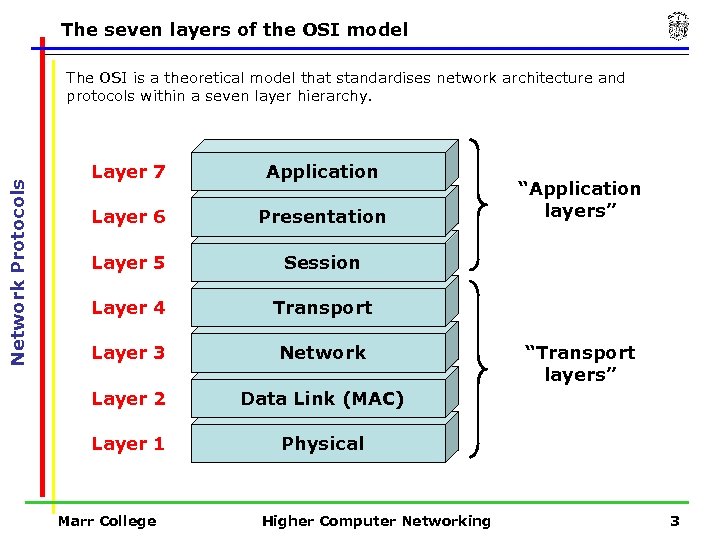 The seven layers of the OSI model Network Protocols The OSI is a theoretical model that standardises network architecture and protocols within a seven layer hierarchy. Layer 7 Application Layer 6 Presentation Layer 5 Session Layer 4 Transport Layer 3 Network Layer 2 Data Link (MAC) Layer 1 Physical Marr College Higher Computer Networking “Application layers” “Transport layers” 3
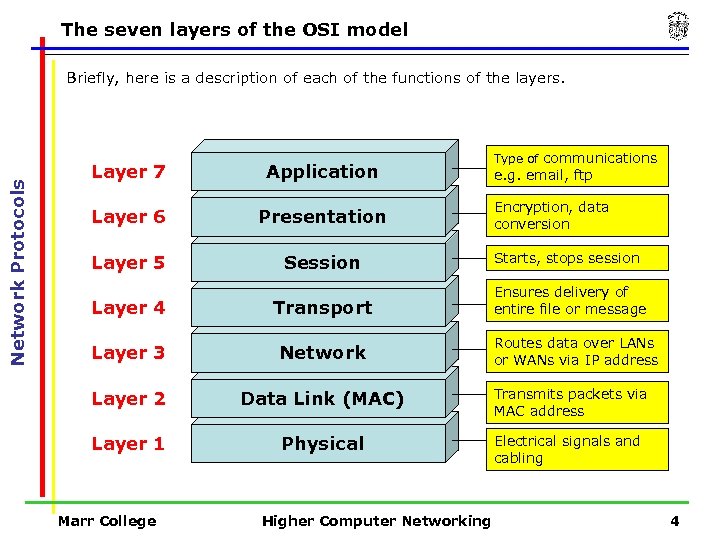 The seven layers of the OSI model Network Protocols Briefly, here is a description of each of the functions of the layers. Type of communications Layer 7 Application Layer 6 Presentation Layer 5 Session Starts, stops session Layer 4 Transport Ensures delivery of entire file or message Layer 3 Network Layer 2 Data Link (MAC) Transmits packets via MAC address Layer 1 Physical Electrical signals and cabling Marr College Higher Computer Networking e. g. email, ftp Encryption, data conversion Routes data over LANs or WANs via IP address 4
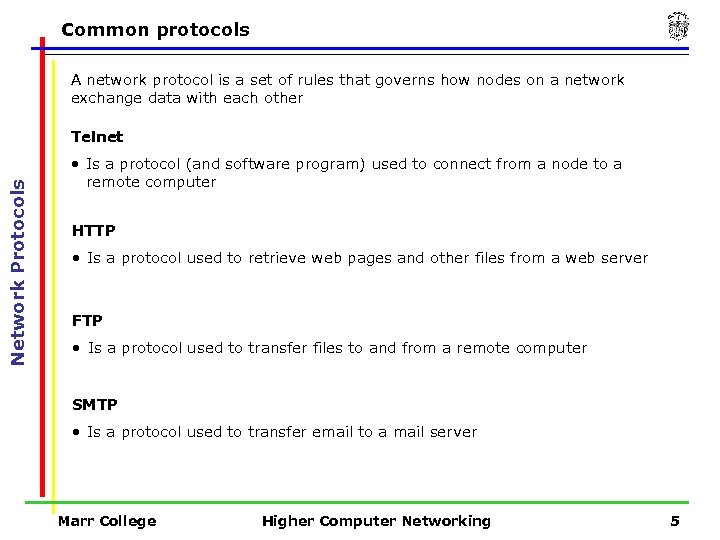 Common protocols A network protocol is a set of rules that governs how nodes on a network exchange data with each other Network Protocols Telnet • Is a protocol (and software program) used to connect from a node to a remote computer HTTP • Is a protocol used to retrieve web pages and other files from a web server FTP • Is a protocol used to transfer files to and from a remote computer SMTP • Is a protocol used to transfer email to a mail server Marr College Higher Computer Networking 5
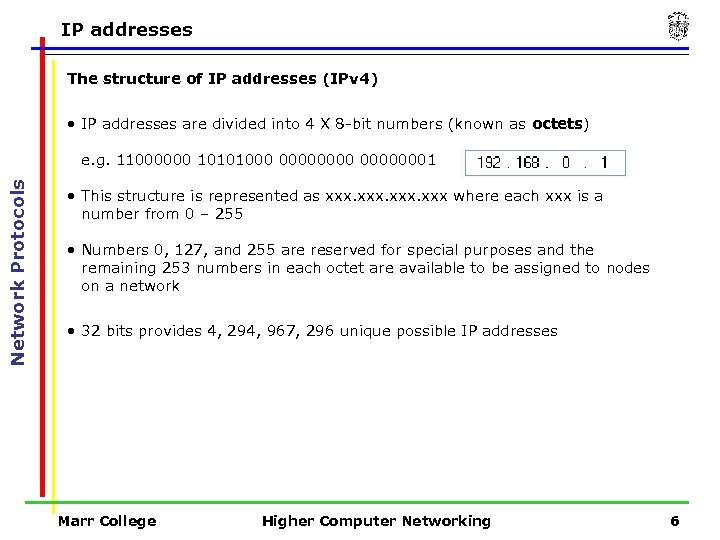 IP addresses The structure of IP addresses (IPv 4) • IP addresses are divided into 4 X 8 -bit numbers (known as octets) Network Protocols e. g. 11000000 10101000 00000001 • This structure is represented as xxx where each xxx is a number from 0 – 255 • Numbers 0, 127, and 255 are reserved for special purposes and the remaining 253 numbers in each octet are available to be assigned to nodes on a network • 32 bits provides 4, 294, 967, 296 unique possible IP addresses Marr College Higher Computer Networking 6
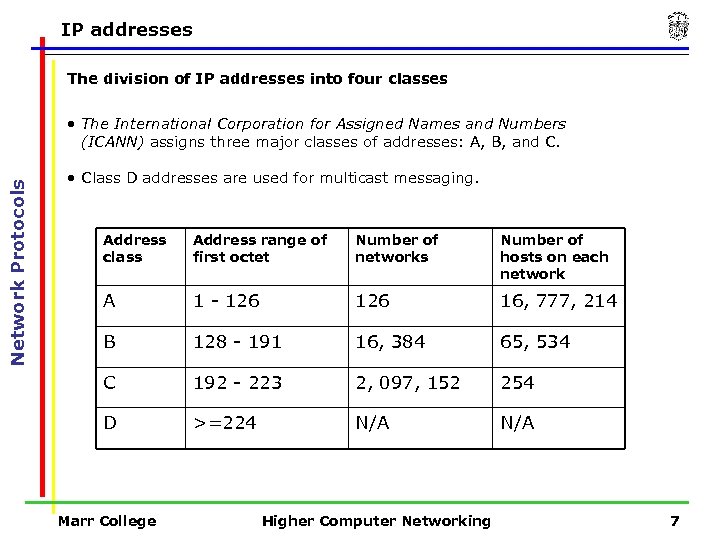 IP addresses The division of IP addresses into four classes Network Protocols • The International Corporation for Assigned Names and Numbers (ICANN) assigns three major classes of addresses: A, B, and C. • Class D addresses are used for multicast messaging. Address class Address range of first octet Number of networks Number of hosts on each network A 1 - 126 16, 777, 214 B 128 - 191 16, 384 65, 534 C 192 - 223 2, 097, 152 254 D >=224 N/A Marr College Higher Computer Networking 7
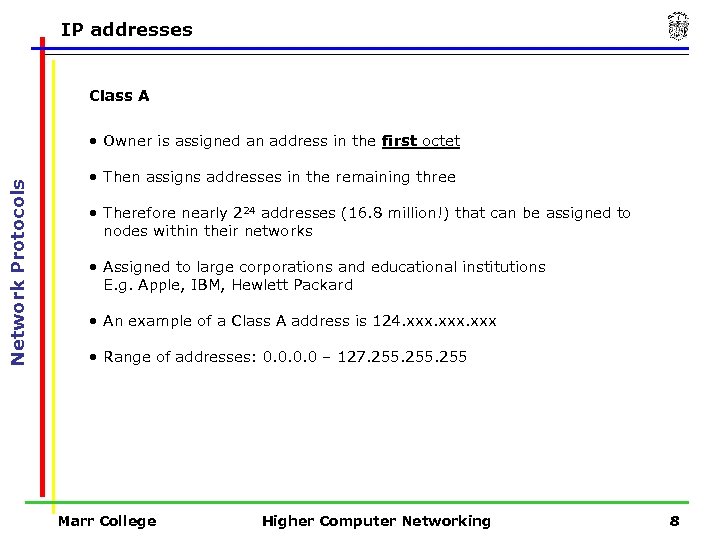 IP addresses Class A Network Protocols • Owner is assigned an address in the first octet • Then assigns addresses in the remaining three • Therefore nearly 224 addresses (16. 8 million!) that can be assigned to nodes within their networks • Assigned to large corporations and educational institutions E. g. Apple, IBM, Hewlett Packard • An example of a Class A address is 124. xxx • Range of addresses: 0. 0 – 127. 255 Marr College Higher Computer Networking 8
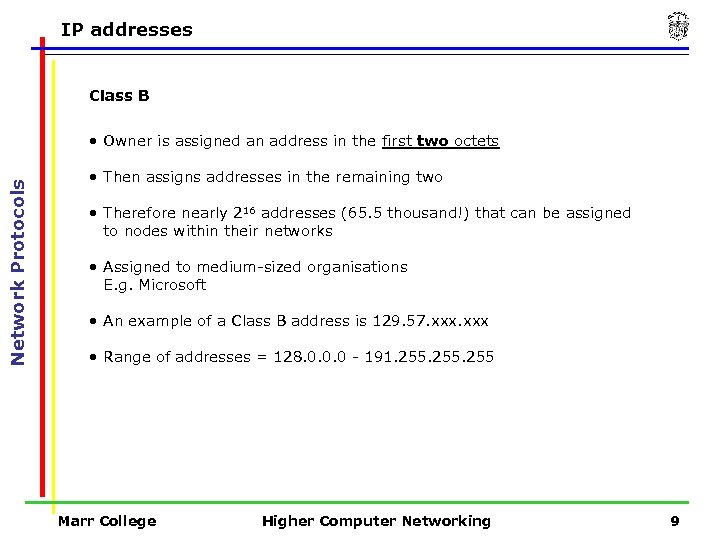 IP addresses Class B Network Protocols • Owner is assigned an address in the first two octets • Then assigns addresses in the remaining two • Therefore nearly 216 addresses (65. 5 thousand!) that can be assigned to nodes within their networks • Assigned to medium-sized organisations E. g. Microsoft • An example of a Class B address is 129. 57. xxx • Range of addresses = 128. 0. 0. 0 - 191. 255 Marr College Higher Computer Networking 9
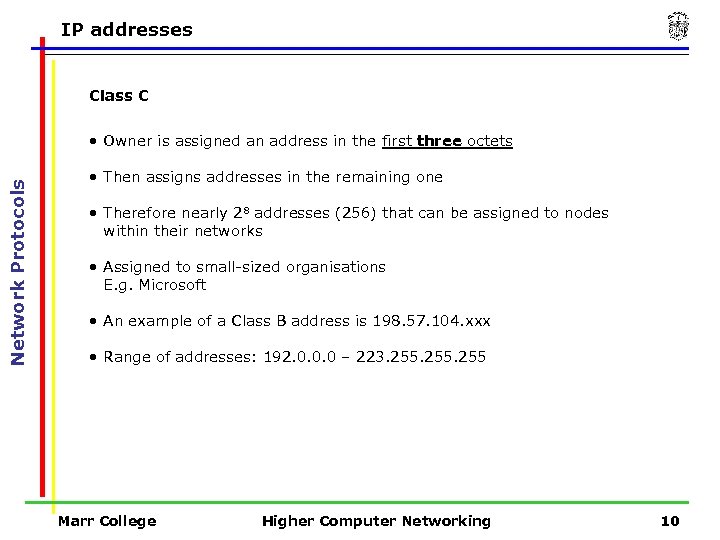 IP addresses Class C Network Protocols • Owner is assigned an address in the first three octets • Then assigns addresses in the remaining one • Therefore nearly 28 addresses (256) that can be assigned to nodes within their networks • Assigned to small-sized organisations E. g. Microsoft • An example of a Class B address is 198. 57. 104. xxx • Range of addresses: 192. 0. 0. 0 – 223. 255 Marr College Higher Computer Networking 10
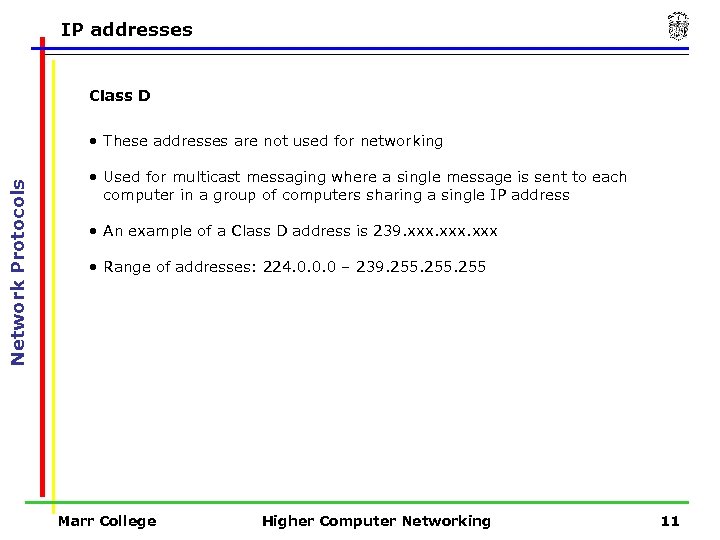 IP addresses Class D Network Protocols • These addresses are not used for networking • Used for multicast messaging where a single message is sent to each computer in a group of computers sharing a single IP address • An example of a Class D address is 239. xxx • Range of addresses: 224. 0. 0. 0 – 239. 255 Marr College Higher Computer Networking 11
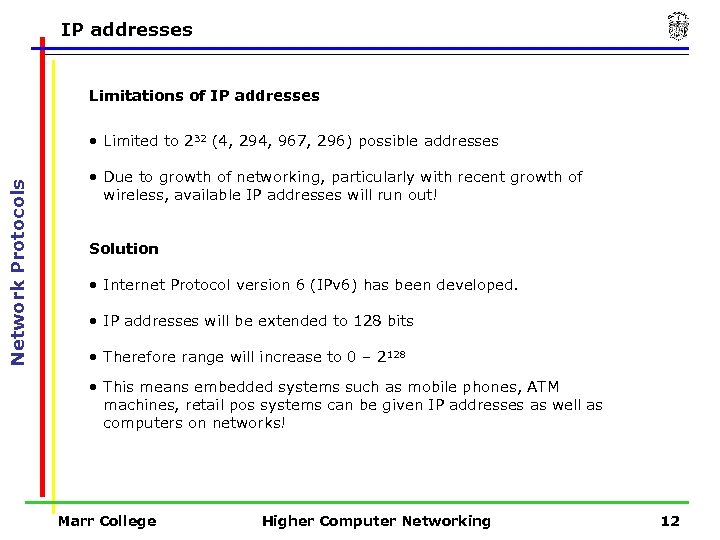 IP addresses Limitations of IP addresses Network Protocols • Limited to 232 (4, 294, 967, 296) possible addresses • Due to growth of networking, particularly with recent growth of wireless, available IP addresses will run out! Solution • Internet Protocol version 6 (IPv 6) has been developed. • IP addresses will be extended to 128 bits • Therefore range will increase to 0 – 2128 • This means embedded systems such as mobile phones, ATM machines, retail pos systems can be given IP addresses as well as computers on networks! Marr College Higher Computer Networking 12
 DNS Domain names Network Protocols • IP addresses are difficult to remember so Domain Names are used to identify them instead. • When we connect to a remote computer using a domain name such as google. com, a system known as the Domain Name Service (DNS) translates the domain name into an IP address • This is a technique known as Name Resolution. Marr College Higher Computer Networking 13
 DNS Domain name servers Network Protocols • A hierarchy of Domain Name Servers store the IP Addresses of all Domain Names used on the Internet. • When a client of a DNS requests a connection to a Domain Name e. g. google. com the local DNS on a LAN searches through it’s database and returns the associated IP Address e. g. 216. 239. 99. • If the local DNS does not contain the IP Address for the requested Domain Name then the request is passed to another DNS server on the Internet and so on until it is resolved. Marr College Higher Computer Networking 14
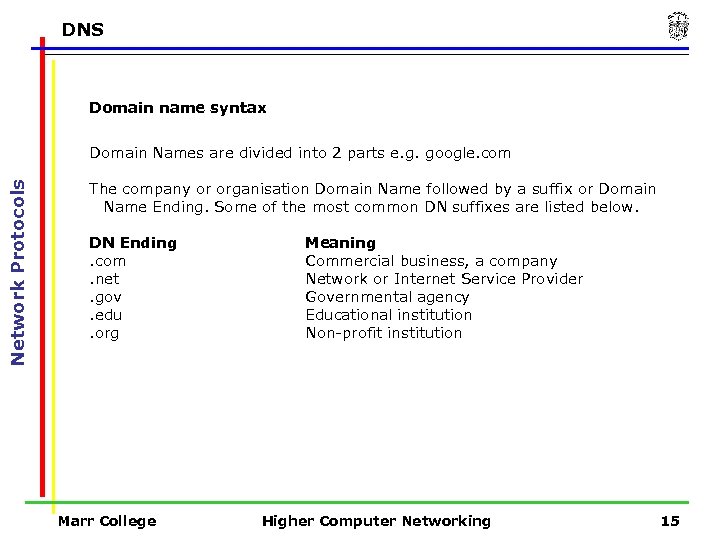 DNS Domain name syntax Network Protocols Domain Names are divided into 2 parts e. g. google. com The company or organisation Domain Name followed by a suffix or Domain Name Ending. Some of the most common DN suffixes are listed below. DN Ending. com. net. gov. edu. org Marr College Meaning Commercial business, a company Network or Internet Service Provider Governmental agency Educational institution Non-profit institution Higher Computer Networking 15
 Network Applications – 10 hours Marr College Higher Computer Networking 16
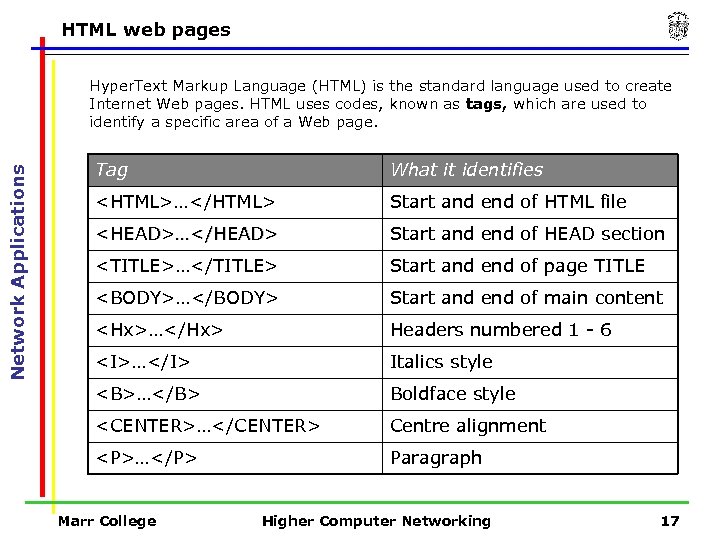 HTML web pages Network Applications Hyper. Text Markup Language (HTML) is the standard language used to create Internet Web pages. HTML uses codes, known as tags, which are used to identify a specific area of a Web page. Tag What it identifies … Start and end of HTML file
…
Paragraph Marr College Higher Computer Networking 17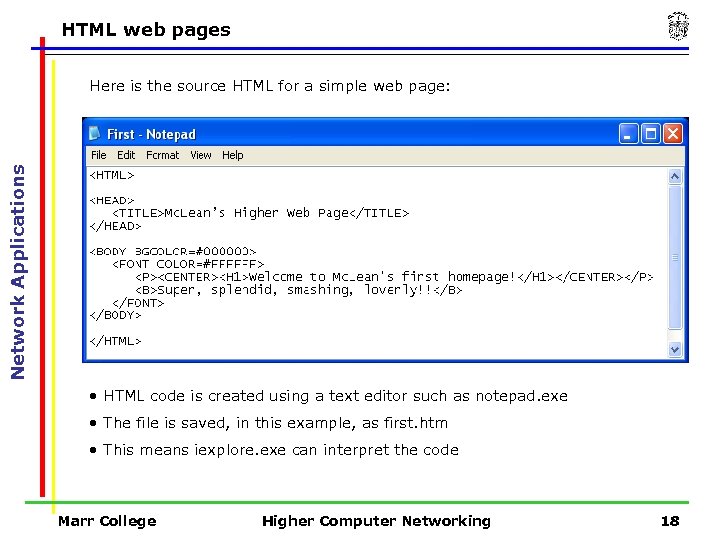 HTML web pages Network Applications Here is the source HTML for a simple web page: • HTML code is created using a text editor such as notepad. exe • The file is saved, in this example, as first. htm • This means iexplore. exe can interpret the code Marr College Higher Computer Networking 18
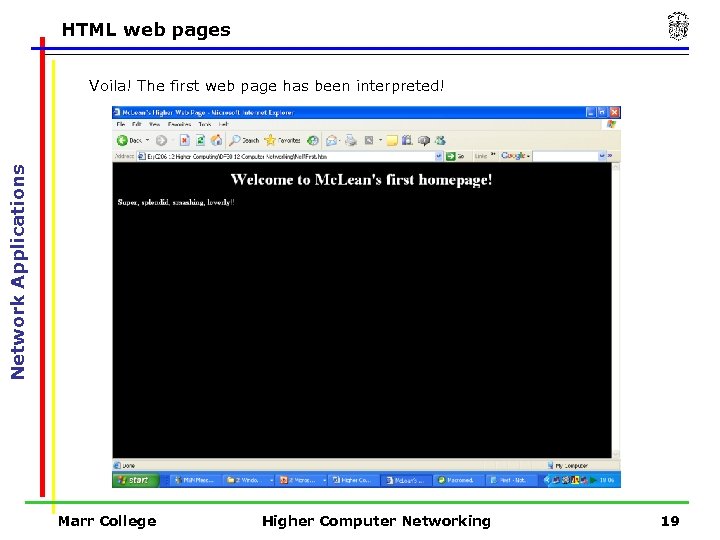 HTML web pages Network Applications Voila! The first web page has been interpreted! Marr College Higher Computer Networking 19
 Browsers and microbrowsers for WAP Browsers Network Applications A browser is a program that interprets HTML code into a web page. They: • Store “favourites” and keep a “history” of sites visited • Cache images etc. on the hard disk (speeds up loading) • Can be extended by means of “plugins” such as Flash player Microsoft Internet Explorer is common and so is Mozilla Firefox Microbrowsers A microbrowser is used to browse the Internet on a wireless handheld device e. g. a mobile phone or a PDA • Small file size to minimise memory / bandwidth overheads Marr College Higher Computer Networking 20
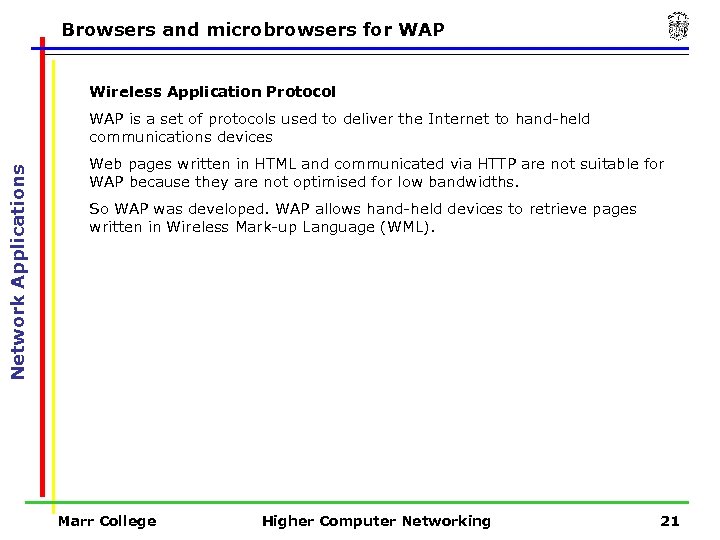 Browsers and microbrowsers for WAP Wireless Application Protocol Network Applications WAP is a set of protocols used to deliver the Internet to hand-held communications devices Web pages written in HTML and communicated via HTTP are not suitable for WAP because they are not optimised for low bandwidths. So WAP was developed. WAP allows hand-held devices to retrieve pages written in Wireless Mark-up Language (WML). Marr College Higher Computer Networking 21
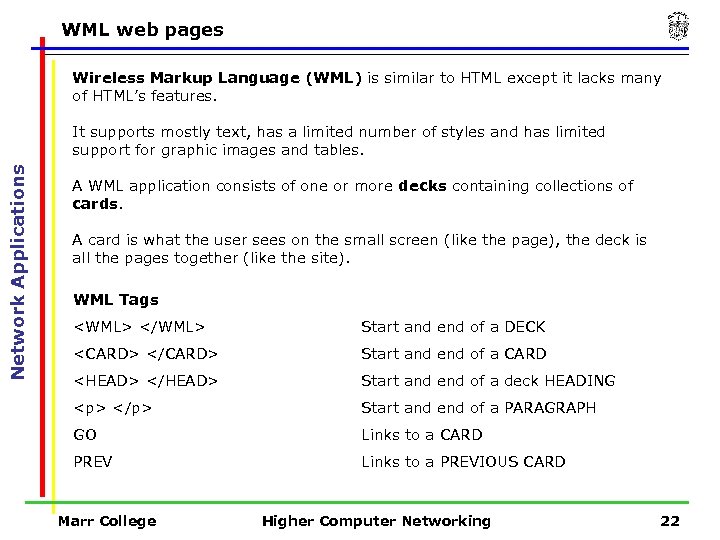 WML web pages Wireless Markup Language (WML) is similar to HTML except it lacks many of HTML’s features. Network Applications It supports mostly text, has a limited number of styles and has limited support for graphic images and tables. A WML application consists of one or more decks containing collections of cards. A card is what the user sees on the small screen (like the page), the deck is all the pages together (like the site). WML Tags
Start and end of a PARAGRAPH GO Links to a CARD PREV Links to a PREVIOUS CARD Marr College Higher Computer Networking 22
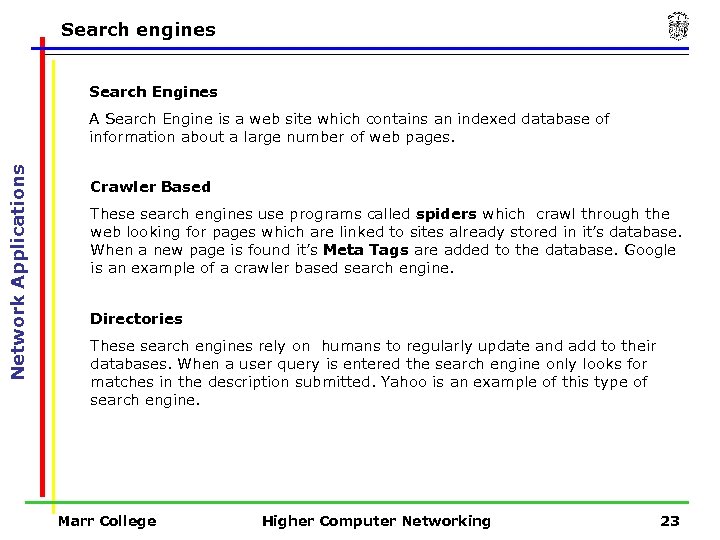 Search engines Search Engines Network Applications A Search Engine is a web site which contains an indexed database of information about a large number of web pages. Crawler Based These search engines use programs called spiders which crawl through the web looking for pages which are linked to sites already stored in it’s database. When a new page is found it’s Meta Tags are added to the database. Google is an example of a crawler based search engine. Directories These search engines rely on humans to regularly update and add to their databases. When a user query is entered the search engine only looks for matches in the description submitted. Yahoo is an example of this type of search engine. Marr College Higher Computer Networking 23
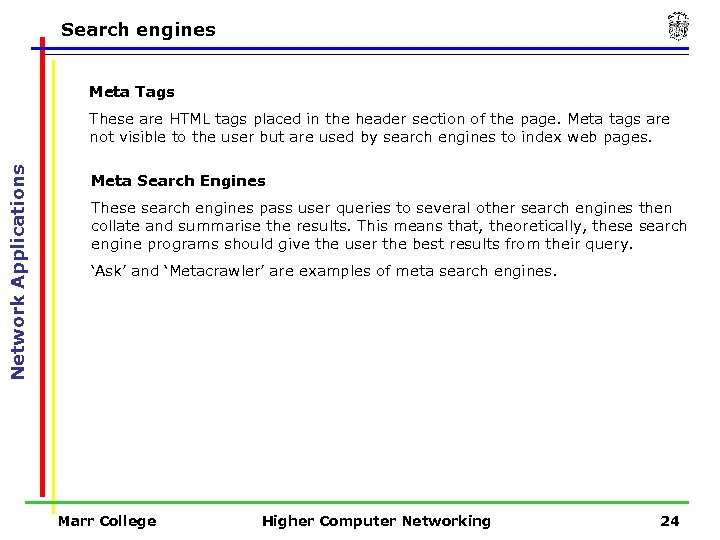 Search engines Meta Tags Network Applications These are HTML tags placed in the header section of the page. Meta tags are not visible to the user but are used by search engines to index web pages. Meta Search Engines These search engines pass user queries to several other search engines then collate and summarise the results. This means that, theoretically, these search engine programs should give the user the best results from their query. ‘Ask’ and ‘Metacrawler’ are examples of meta search engines. Marr College Higher Computer Networking 24
 E-commerce Internet Service Provider (ISP) Network Applications An ISP is a company that provides Internet services such as access to the Internet and web site hosting. Most ISPs are resellers who lease connections to the Internet from large telecommunications companies and share leased bandwidth with their ‘paying customers’. Larger ISPs offer dial-up or broadband access and many provide web site hosting, including ‘domain name’ registration, for typically £ 4. 99 per month. ISPs lease a range of IP addresses (from ICANN) and allocate dynamically upon connection. Marr College Higher Computer Networking 25
 E-commerce E-Commerce Network Applications E-commerce is using computer networks including the Internet to buy or sell goods or services. E-commerce includes: on-line banking, e-shopping, buying stocks and shares and even booking holidays! Advantages for the customer Increased convenience – look at and pay for goods without leaving their homes Increased choice – compare different retailer prices before buying Advantages for the retailer Increased customer base – potentially a world wide market Less overheads – no building to pay for, less staff to pay etc Marr College Higher Computer Networking 26
 E-commerce Fraud in E-sales payment Network Applications Criminals target networks including the Internet to steal from bank accounts, steal ID’s and passwords, clone credit cards and even steal users identities. Networks uses several methods to prevent fraud. Secure Socket Layer Technology SSL is protocol used to secure the communication link between the user and the HTTP server. When connected to a secure server the URL will start with HTTPS and or a padlock will appear on the browser. SSL technology encrypts any data being transmitted and authenticates both client and server (sender and receiver). SSL is sometimes referred to as S-HTTP. Secure Electronic Transaction SET is a security method which uses cryptography and digital certificates to help retailers verify customer details. SET routes credit card details directly to card processing systems and away from retailers computers thus lessening the security risk. Digital Certificates are used to authenticate users privileges, roles and permissions during secure transactions. Marr College Higher Computer Networking 27
 Social implications of networks Information Rich v Information Poor Network Applications An information rich society is: • one which has access to the technology for connecting to the Internet • and the skills to collect, collaborate and use the information accessed to its full potential. An information poor society is: • one which does not have access to the Internet and lack the skills required to use it properly. People who are said to be information rich are better educated, have better job prospects, make informed decisions and choices and have an enhanced leisure experience. Marr College Higher Computer Networking 28
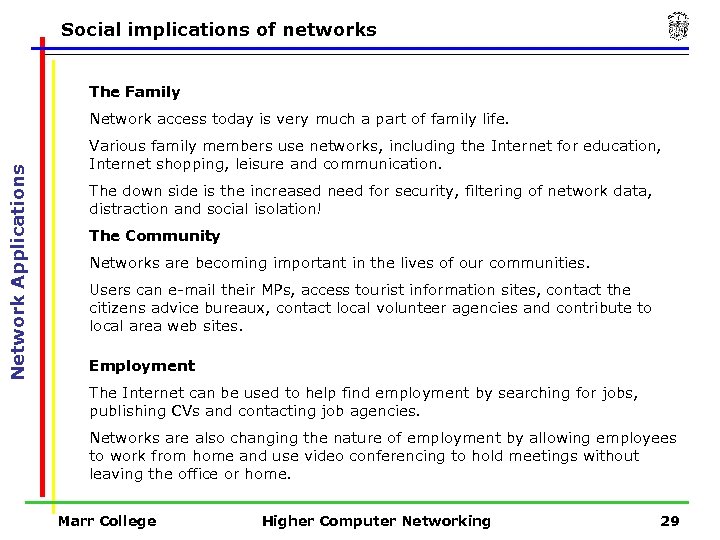 Social implications of networks The Family Network Applications Network access today is very much a part of family life. Various family members use networks, including the Internet for education, Internet shopping, leisure and communication. The down side is the increased need for security, filtering of network data, distraction and social isolation! The Community Networks are becoming important in the lives of our communities. Users can e-mail their MPs, access tourist information sites, contact the citizens advice bureaux, contact local volunteer agencies and contribute to local area web sites. Employment The Internet can be used to help find employment by searching for jobs, publishing CVs and contacting job agencies. Networks are also changing the nature of employment by allowing employees to work from home and use video conferencing to hold meetings without leaving the office or home. Marr College Higher Computer Networking 29
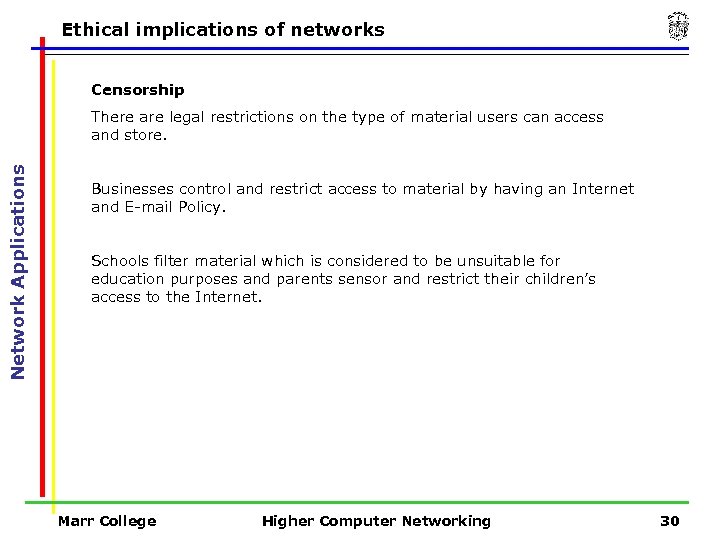 Ethical implications of networks Censorship Network Applications There are legal restrictions on the type of material users can access and store. Businesses control and restrict access to material by having an Internet and E-mail Policy. Schools filter material which is considered to be unsuitable for education purposes and parents sensor and restrict their children’s access to the Internet. Marr College Higher Computer Networking 30
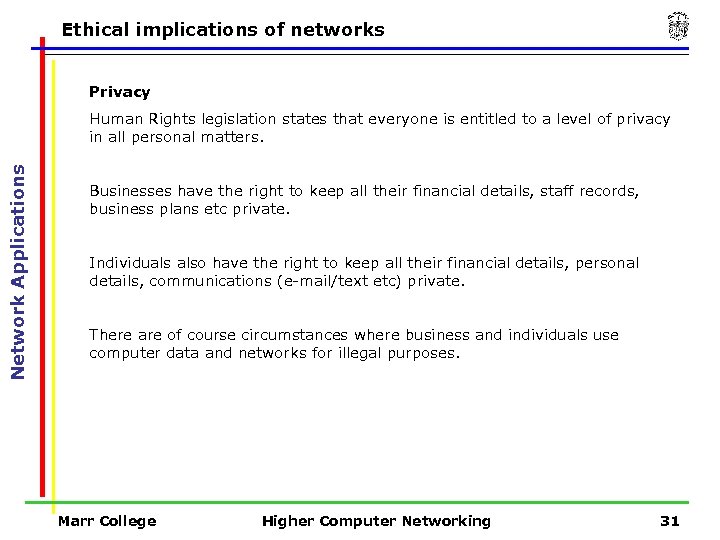 Ethical implications of networks Privacy Network Applications Human Rights legislation states that everyone is entitled to a level of privacy in all personal matters. Businesses have the right to keep all their financial details, staff records, business plans etc private. Individuals also have the right to keep all their financial details, personal details, communications (e-mail/text etc) private. There are of course circumstances where business and individuals use computer data and networks for illegal purposes. Marr College Higher Computer Networking 31
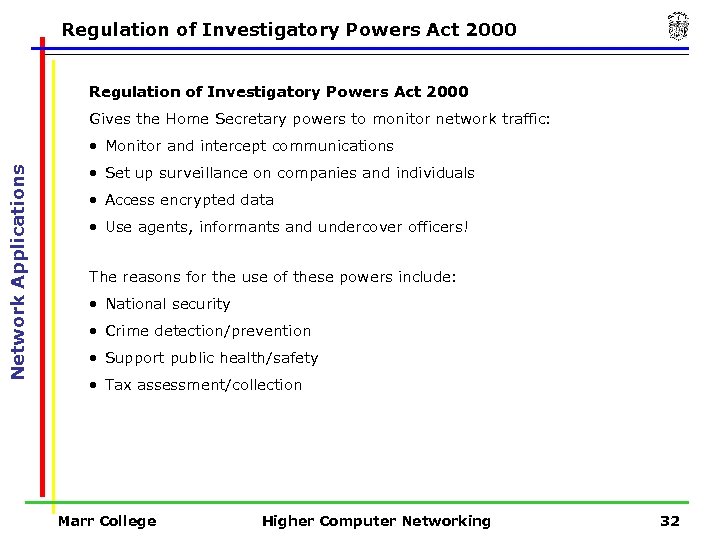 Regulation of Investigatory Powers Act 2000 Gives the Home Secretary powers to monitor network traffic: Network Applications • Monitor and intercept communications • Set up surveillance on companies and individuals • Access encrypted data • Use agents, informants and undercover officers! The reasons for the use of these powers include: • National security • Crime detection/prevention • Support public health/safety • Tax assessment/collection Marr College Higher Computer Networking 32
 Network Security – 12 hours Marr College Higher Computer Networking 33
 User access rights Network Security The purpose of network security is to protect : Network Security • data on the network • the network itself • and the users of the network. Network Security Measures There are many methods used to ensure network security including : • controlling user access rights to data • and hardware. Marr College Higher Computer Networking 34
 User access rights User Access Rights using File/Folder Permissions Network Security Network managers control access to specific folders by creating a hierarchical structure of user permissions. Permissions are the description of the type of access allocated to files/folders on the network. Read Only – users can read files in a folder but can not edit or change them. Create Only – users can add a new file to a folder but can not read, edit or delete any other files in the folder. Change – users can read, write, edit, change and delete but not assign permissions Full – users have full access including setting access rights/permissions Marr College Higher Computer Networking 35
 User access rights Categories of Permissions can be assigned to: Network Security • All network users • User Groups • Individual workstations/users Note: File permissions override folder permissions. e. g. a file with change permissions can be edited in a read only folder. Marr College Higher Computer Networking 36
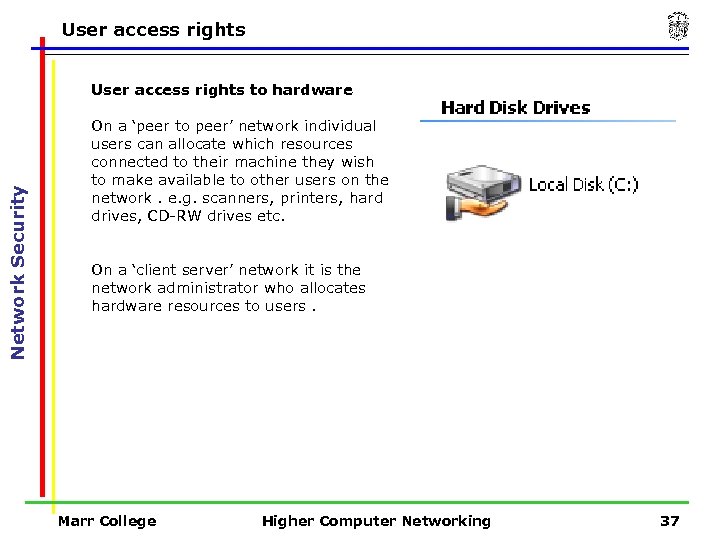 User access rights Network Security User access rights to hardware On a ‘peer to peer’ network individual users can allocate which resources connected to their machine they wish to make available to other users on the network. e. g. scanners, printers, hard drives, CD-RW drives etc. On a ‘client server’ network it is the network administrator who allocates hardware resources to users. Marr College Higher Computer Networking 37
 Computer and network security requirements Computer and Network Security Requirements Network Security It is required by law (The Data Protection Act) that all data held about individuals must be protected from unauthorised access. Confidentiality - All network data must be kept confidential. This can be for commercial as well as security reasons. Data Integrity - All network data must be secure from corruption, data loss and has to be correct and up to date. Availability - All network data must be available to authorised users only, but on demand! Network security systems have to be effective but must also allow immediate authorised user access to data. Marr College Higher Computer Networking 38
 Threats to network security are classified as Passive or Active Attacks. 1 Passive Attacks Network Security A passive attack is an attempt to intercept and copy network data. Hackers use programs to monitor the transmission of data travelling on the network, thus threatening the confidentiality of the data. Passive attacks often go unnoticed by authorised network users. The best method of defence against passive attacks is encryption. 2 Active Attacks An active attack is an attempt to damage or destroy network data. Hackers often modify the data stream of the network by diverting data through a computer system which corrupts the data before sending it on to it’s original destination. A similar method can be used which uses false data streams i. e. the data is diverted to a computer which replaces it with false data which is then sent on to the destination computer. Marr College Higher Computer Networking 39
 Denial of Service attacks Denial of Service (DOS) Attack Network Security A DOS attack is an active attack which disrupts and denies the services provided by a network to legitimate users. Costs can be vast due to system downtime resulting in lost revenue and the labour required to identify and react to an attack. DOS attacks are launched for either malicious, personal or political intent. Marr College Higher Computer Networking 40
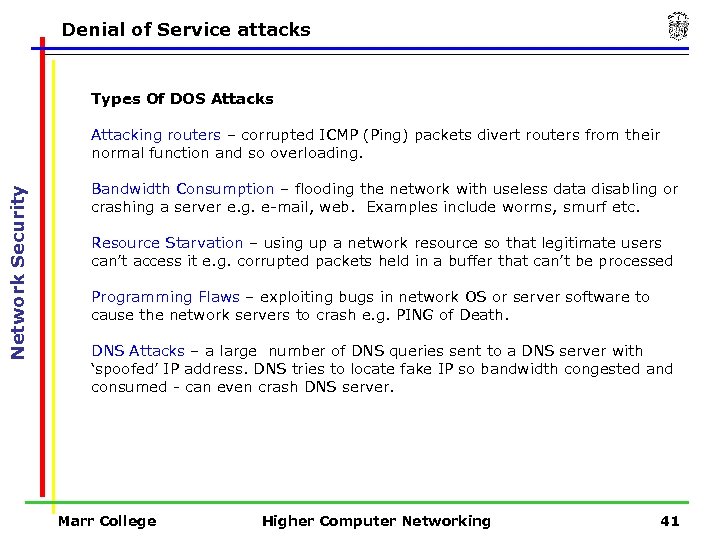 Denial of Service attacks Types Of DOS Attacks Network Security Attacking routers – corrupted ICMP (Ping) packets divert routers from their normal function and so overloading. Bandwidth Consumption – flooding the network with useless data disabling or crashing a server e. g. e-mail, web. Examples include worms, smurf etc. Resource Starvation – using up a network resource so that legitimate users can’t access it e. g. corrupted packets held in a buffer that can’t be processed Programming Flaws – exploiting bugs in network OS or server software to cause the network servers to crash e. g. PING of Death. DNS Attacks – a large number of DNS queries sent to a DNS server with ‘spoofed’ IP address. DNS tries to locate fake IP so bandwidth congested and consumed - can even crash DNS server. Marr College Higher Computer Networking 41
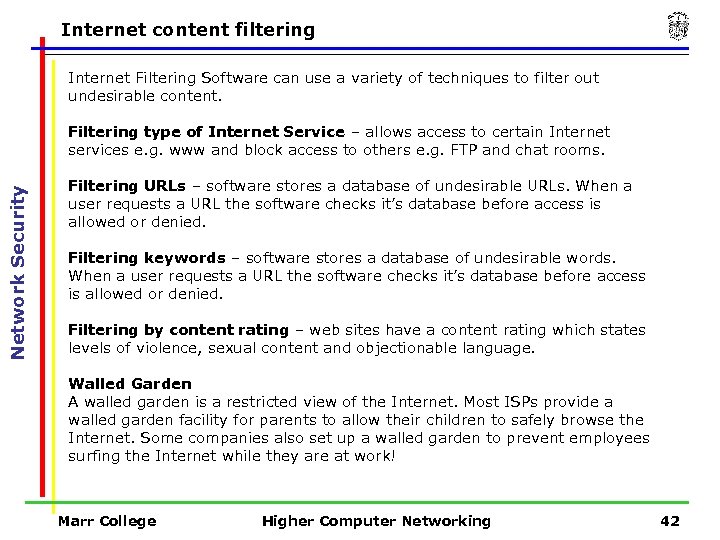 Internet content filtering Internet Filtering Software can use a variety of techniques to filter out undesirable content. Network Security Filtering type of Internet Service – allows access to certain Internet services e. g. www and block access to others e. g. FTP and chat rooms. Filtering URLs – software stores a database of undesirable URLs. When a user requests a URL the software checks it’s database before access is allowed or denied. Filtering keywords – software stores a database of undesirable words. When a user requests a URL the software checks it’s database before access is allowed or denied. Filtering by content rating – web sites have a content rating which states levels of violence, sexual content and objectionable language. Walled Garden A walled garden is a restricted view of the Internet. Most ISPs provide a walled garden facility for parents to allow their children to safely browse the Internet. Some companies also set up a walled garden to prevent employees surfing the Internet while they are at work! Marr College Higher Computer Networking 42
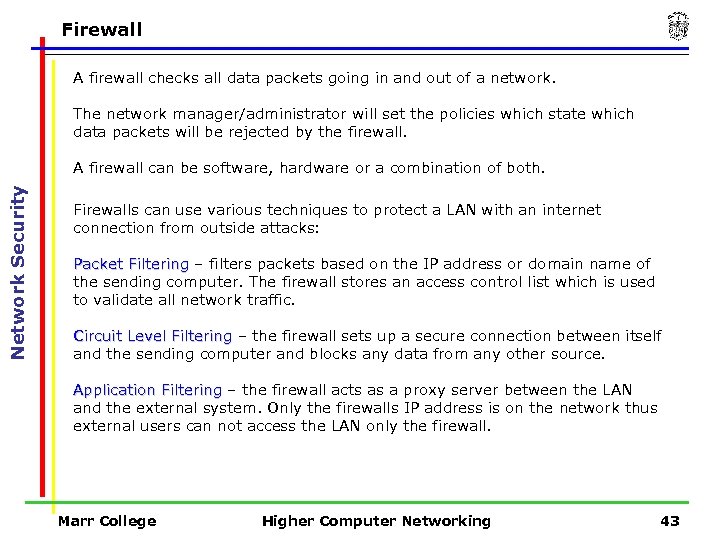 Firewall A firewall checks all data packets going in and out of a network. The network manager/administrator will set the policies which state which data packets will be rejected by the firewall. Network Security A firewall can be software, hardware or a combination of both. Firewalls can use various techniques to protect a LAN with an internet connection from outside attacks: Packet Filtering – filters packets based on the IP address or domain name of the sending computer. The firewall stores an access control list which is used to validate all network traffic. Circuit Level Filtering – the firewall sets up a secure connection between itself and the sending computer and blocks any data from any other source. Application Filtering – the firewall acts as a proxy server between the LAN and the external system. Only the firewalls IP address is on the network thus external users can not access the LAN only the firewall. Marr College Higher Computer Networking 43
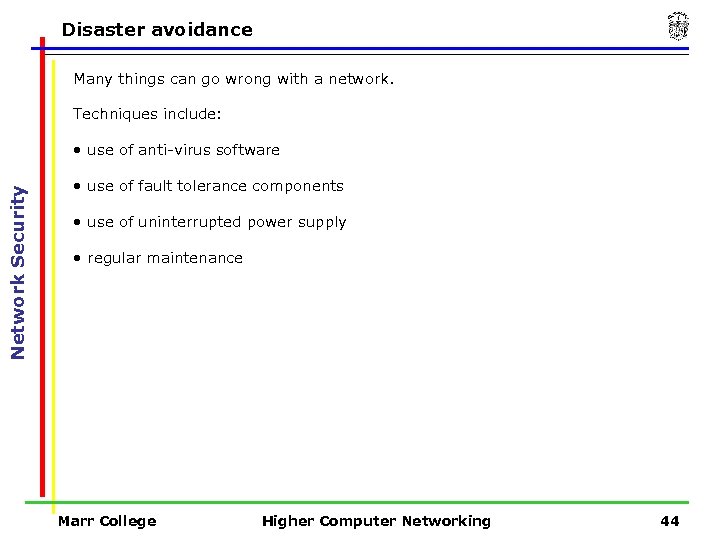 Disaster avoidance Many things can go wrong with a network. Techniques include: Network Security • use of anti-virus software • use of fault tolerance components • use of uninterrupted power supply • regular maintenance Marr College Higher Computer Networking 44
 Disaster avoidance Anti-virus software Network Security Up-to-date anti-virus software running on the server and its clients. Use of Fault Tolerance Components These ensure the system is able to recover after failure. Redundancy i. e. having more of a resource than is actually required so that if one fails you have another ready to take its place e. g. a server with a builtin dual power supply RAID (Redundant Array of Independent Discs) is where all data on one disc is automatically copied (mirrored) onto another or other discs. Clustering of servers is grouping servers to act as one – if one goes down another takes over its job. Marr College Higher Computer Networking 45
 Disaster avoidance Uninterrupted Power Supply Network Security UPS uses a battery which will provide between 15 and 20 minutes of reserve power in the event of a power cut. This allows network users to save work and close applications without serious loss of data. Regular Maintenance It is essential to have a preventative maintenance strategy. This involves regular inspection of all network components to try and anticipate any hardware failures before they happen. Marr College Higher Computer Networking 46
 Backup strategy Network Backup Strategy Network Security It is essential to have an effective backup strategy in place. All user files are usually backed up as applications and programs can be reinstalled from CD. Backup Server A computer set aside for the purpose of backup which may use RAID technologies and mirror discs. Using a backup server as a central store eliminates the risk of important data being overlooked by the backup schedule. Marr College Higher Computer Networking 47
 Backup strategy Mirror Discs Network Security A mirror disc is a hard disc, or discs, which automatically store the exact contents of another disc. Mirror discs are ‘written to’ every time a user file is updated or added. Magnetic Tape DAT tape has a capacity of 8 GB while Digital Linear Tape (DLT) has a capacity of up to 80 GB with a transfer rate of 6 MB per second. Super DLT has a capacity of up to 220 GB with a transfer rate of up to 40 MB per second. Marr College Higher Computer Networking 48
 Backup strategy Backup Schedule Network Security The backup schedule dictates when backups are made. Full Backup - Usually carried out on a weekly basis. All user files are backed up whether they have been updated or not so is a lengthy process. Differential Backup - Carried out at the end of every day where only user files that have been updated are backed up. This saves time and capacity. Incremental Backup - This where any files that have been changed since the last backup (of any type) are backed up. This is the fastest type of backup though data recovery can take more time. Marr College Higher Computer Networking 49
 Network Data Transmission – 8 hours Marr College Higher Computer Networking 50
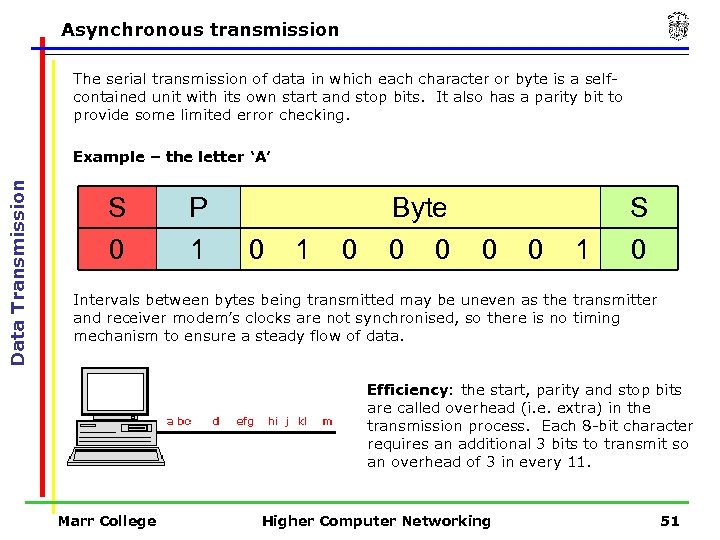 Asynchronous transmission The serial transmission of data in which each character or byte is a selfcontained unit with its own start and stop bits. It also has a parity bit to provide some limited error checking. Data Transmission Example – the letter ‘A’ S 0 P 1 0 Byte 0 0 1 S 0 Intervals between bytes being transmitted may be uneven as the transmitter and receiver modem’s clocks are not synchronised, so there is no timing mechanism to ensure a steady flow of data. Efficiency: the start, parity and stop bits are called overhead (i. e. extra) in the transmission process. Each 8 -bit character requires an additional 3 bits to transmit so an overhead of 3 in every 11. Marr College Higher Computer Networking 51
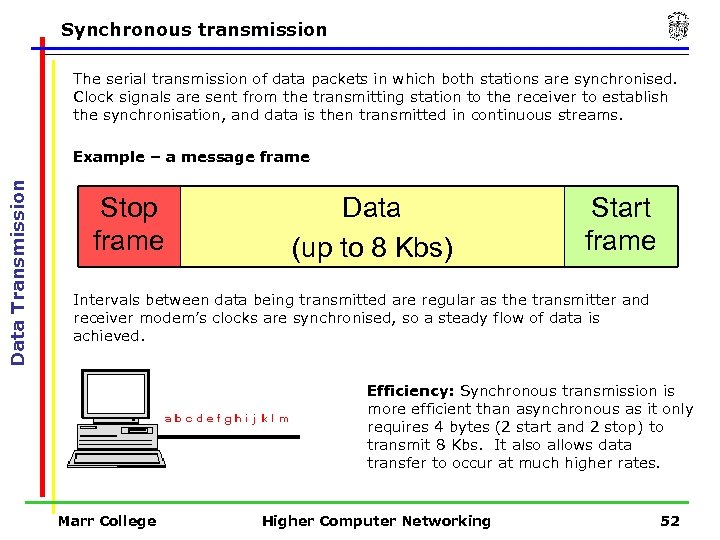 Synchronous transmission The serial transmission of data packets in which both stations are synchronised. Clock signals are sent from the transmitting station to the receiver to establish the synchronisation, and data is then transmitted in continuous streams. Data Transmission Example – a message frame Stop frame Data (up to 8 Kbs) Start frame Intervals between data being transmitted are regular as the transmitter and receiver modem’s clocks are synchronised, so a steady flow of data is achieved. Efficiency: Synchronous transmission is more efficient than asynchronous as it only requires 4 bytes (2 start and 2 stop) to transmit 8 Kbs. It also allows data transfer to occur at much higher rates. Marr College Higher Computer Networking 52
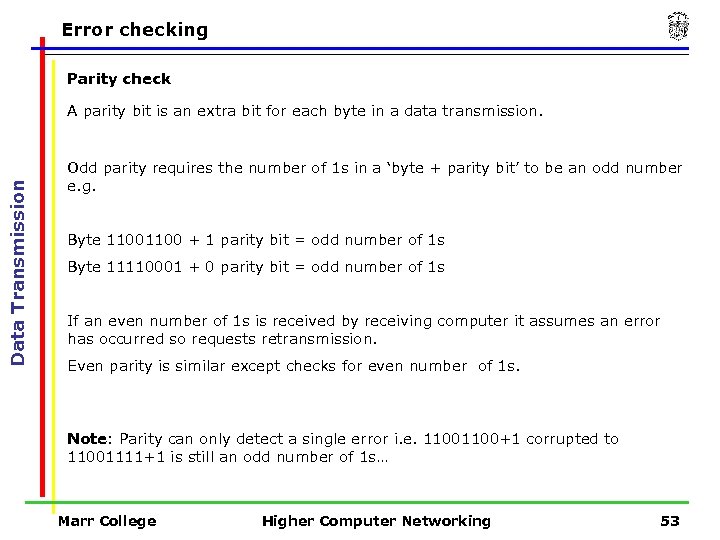 Error checking Parity check Data Transmission A parity bit is an extra bit for each byte in a data transmission. Odd parity requires the number of 1 s in a ‘byte + parity bit’ to be an odd number e. g. Byte 1100 + 1 parity bit = odd number of 1 s Byte 11110001 + 0 parity bit = odd number of 1 s If an even number of 1 s is received by receiving computer it assumes an error has occurred so requests retransmission. Even parity is similar except checks for even number of 1 s. Note: Parity can only detect a single error i. e. 1100+1 corrupted to 11001111+1 is still an odd number of 1 s… Marr College Higher Computer Networking 53
 Error checking Cyclic Redundancy Check (CRC) A CRC is a checksum value e. g. a 4 -byte value in an Ethernet frame. Data Transmission Ø The sending computer performs a calculation on the frame and encodes the result in the frame. Ø The receiving computer performs the same calculation. Ø If the values don’t match then some data was lost or changed during the transmission Ø In which case the data is resent. Marr College Higher Computer Networking 54
 TCP/IP Transfer Control Protocol / Internet Protocol is the standard protocol used in LANs, WANs and Internet. Data Transmission Ø TCP splits a file into data packets and adds a TCP header to each including a sequence number Ø IP then adds its own header including IP address of destination. Ø IP then routes to destination Ø Receiving computer then reassembles using TCP sequence number. Marr College Higher Computer Networking 55
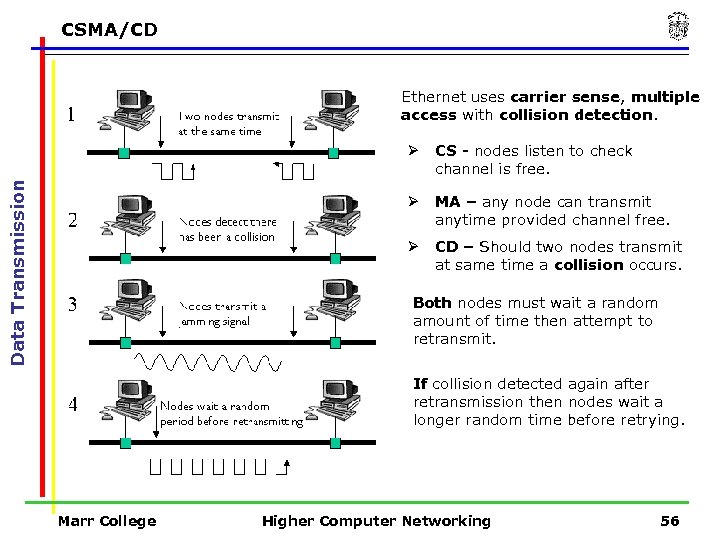 CSMA/CD Ethernet uses carrier sense, multiple access with collision detection. CS - nodes listen to check channel is free. Ø MA – any node can transmit anytime provided channel free. Ø Data Transmission Ø CD – Should two nodes transmit at same time a collision occurs. Both nodes must wait a random amount of time then attempt to retransmit. If collision detected again after retransmission then nodes wait a longer random time before retrying. Marr College Higher Computer Networking 56
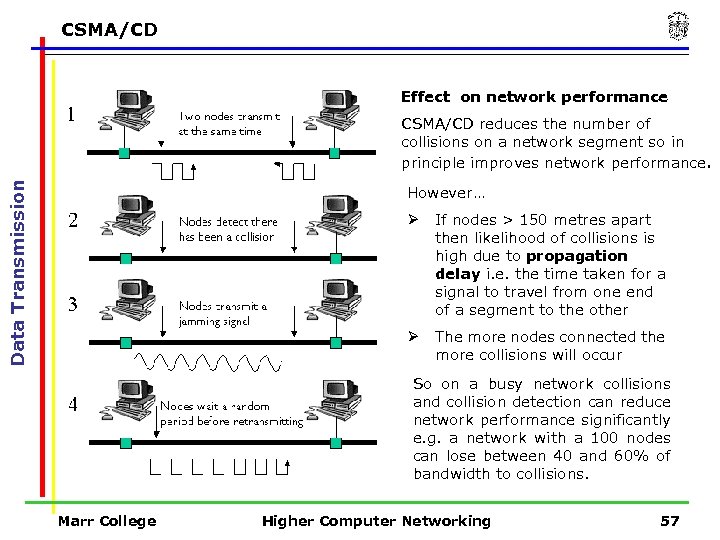 CSMA/CD Effect on network performance Data Transmission CSMA/CD reduces the number of collisions on a network segment so in principle improves network performance. However… Ø If nodes > 150 metres apart then likelihood of collisions is high due to propagation delay i. e. the time taken for a signal to travel from one end of a segment to the other Ø The more nodes connected the more collisions will occur So on a busy network collisions and collision detection can reduce network performance significantly e. g. a network with a 100 nodes can lose between 40 and 60% of bandwidth to collisions. Marr College Higher Computer Networking 57
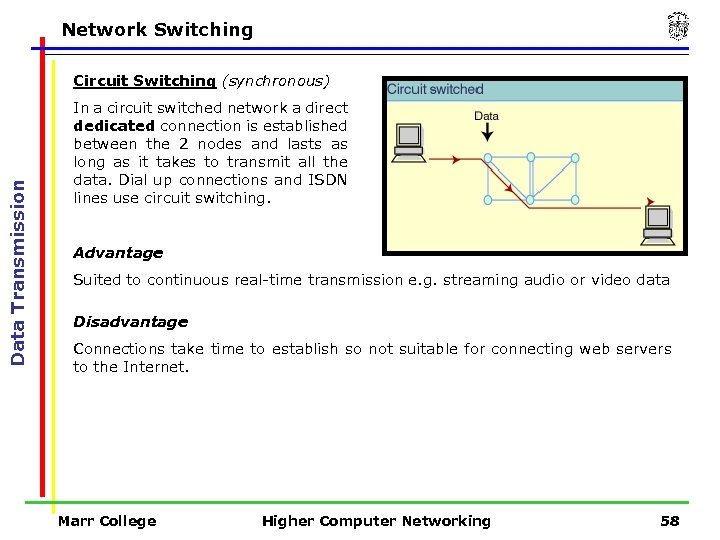 Network Switching Data Transmission Circuit Switching (synchronous) In a circuit switched network a direct dedicated connection is established between the 2 nodes and lasts as long as it takes to transmit all the data. Dial up connections and ISDN lines use circuit switching. Advantage Suited to continuous real-time transmission e. g. streaming audio or video data Disadvantage Connections take time to establish so not suitable for connecting web servers to the Internet. Marr College Higher Computer Networking 58
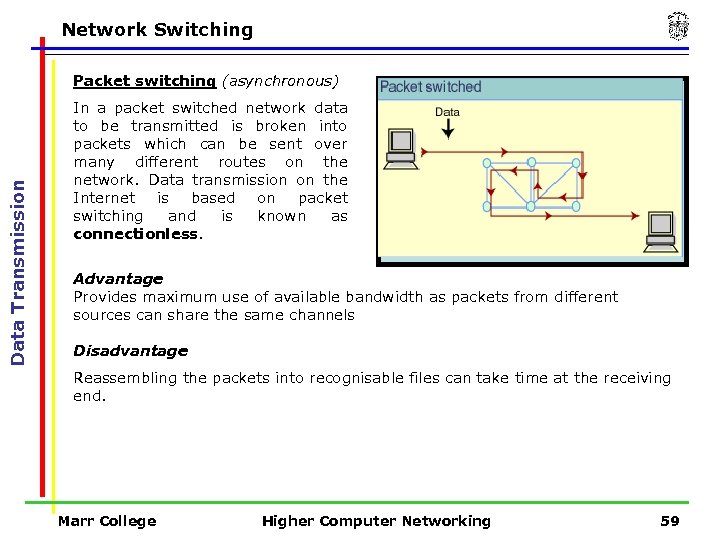 Network Switching Data Transmission Packet switching (asynchronous) In a packet switched network data to be transmitted is broken into packets which can be sent over many different routes on the network. Data transmission on the Internet is based on packet switching and is known as connectionless. Advantage Provides maximum use of available bandwidth as packets from different sources can share the same channels Disadvantage Reassembling the packets into recognisable files can take time at the receiving end. Marr College Higher Computer Networking 59
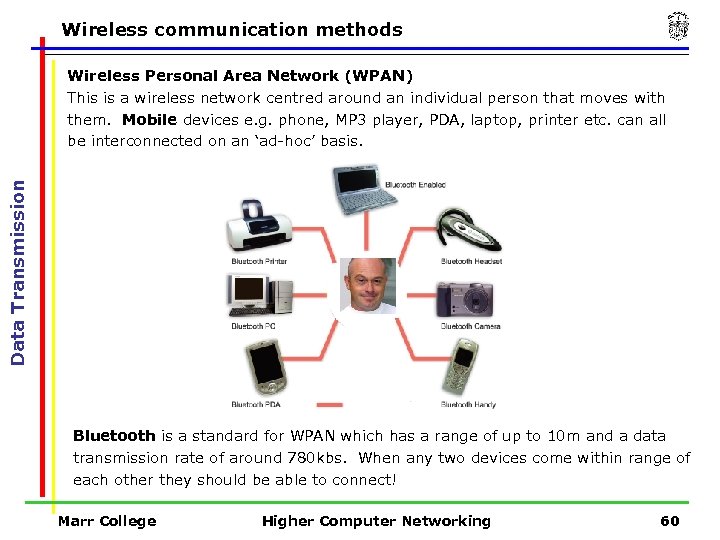 Wireless communication methods Data Transmission Wireless Personal Area Network (WPAN) This is a wireless network centred around an individual person that moves with them. Mobile devices e. g. phone, MP 3 player, PDA, laptop, printer etc. can all be interconnected on an ‘ad-hoc’ basis. Bluetooth is a standard for WPAN which has a range of up to 10 m and a data transmission rate of around 780 kbs. When any two devices come within range of each other they should be able to connect! Marr College Higher Computer Networking 60
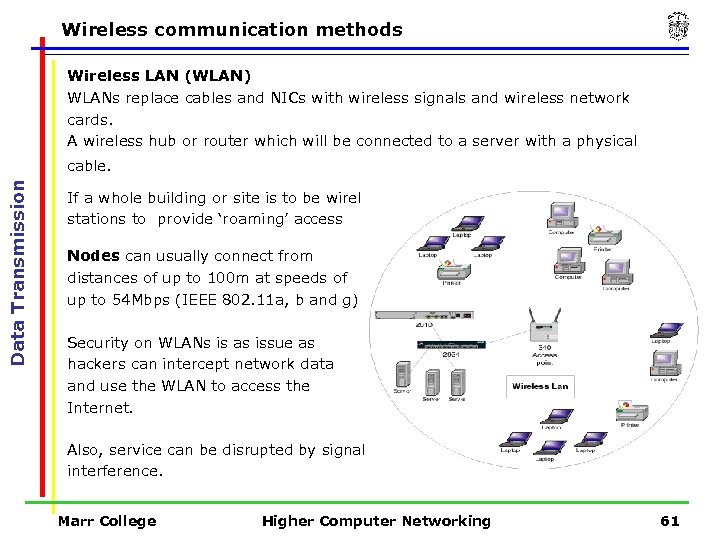 Wireless communication methods Wireless LAN (WLAN) WLANs replace cables and NICs with wireless signals and wireless network cards. A wireless hub or router which will be connected to a server with a physical Data Transmission cable. If a whole building or site is to be wireless then there may be a number of base stations to provide ‘roaming’ access Nodes can usually connect from distances of up to 100 m at speeds of up to 54 Mbps (IEEE 802. 11 a, b and g) Security on WLANs is as issue as hackers can intercept network data and use the WLAN to access the Internet. Also, service can be disrupted by signal interference. Marr College Higher Computer Networking 61
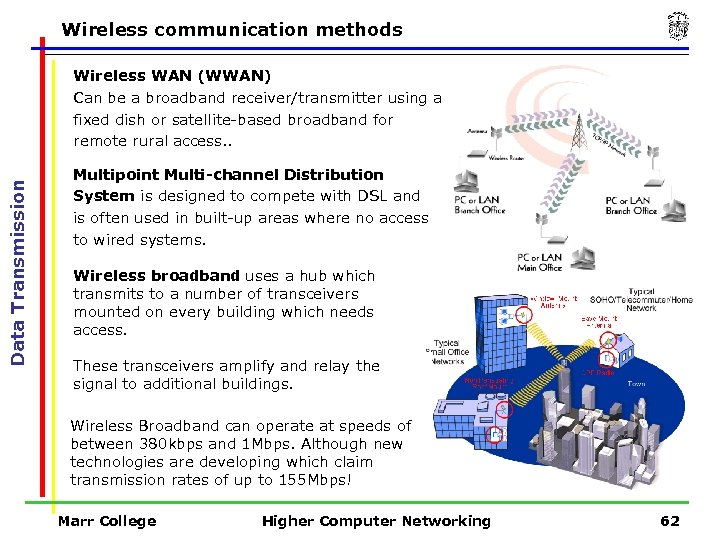 Wireless communication methods Data Transmission Wireless WAN (WWAN) Can be a broadband receiver/transmitter using a fixed dish or satellite-based broadband for remote rural access. . Multipoint Multi-channel Distribution System is designed to compete with DSL and is often used in built-up areas where no access to wired systems. Wireless broadband uses a hub which transmits to a number of transceivers mounted on every building which needs access. These transceivers amplify and relay the signal to additional buildings. Wireless Broadband can operate at speeds of between 380 kbps and 1 Mbps. Although new technologies are developing which claim transmission rates of up to 155 Mbps! Marr College Higher Computer Networking 62
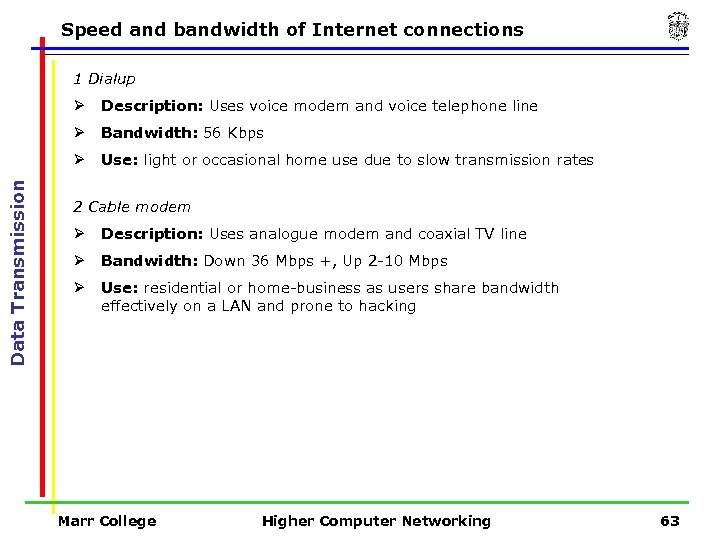 Speed and bandwidth of Internet connections 1 Dialup Description: Uses voice modem and voice telephone line Ø Bandwidth: 56 Kbps Ø Data Transmission Ø Use: light or occasional home use due to slow transmission rates 2 Cable modem Ø Description: Uses analogue modem and coaxial TV line Ø Bandwidth: Down 36 Mbps +, Up 2 -10 Mbps Ø Use: residential or home-business as users share bandwidth effectively on a LAN and prone to hacking Marr College Higher Computer Networking 63
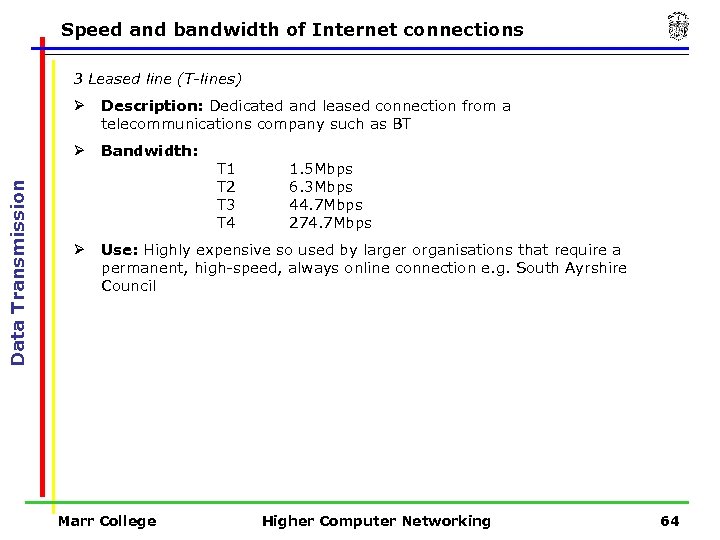 Speed and bandwidth of Internet connections 3 Leased line (T-lines) Description: Dedicated and leased connection from a telecommunications company such as BT Ø Data Transmission Ø Bandwidth: Ø Use: Highly expensive so used by larger organisations that require a permanent, high-speed, always online connection e. g. South Ayrshire Council Marr College T 1 T 2 T 3 T 4 1. 5 Mbps 6. 3 Mbps 44. 7 Mbps 274. 7 Mbps Higher Computer Networking 64
 Speed and bandwidth of Internet connections 4 ISDN – Integrated Service Digital Network Description: Dial-up, circuit-switched, synchronous transmission using digital telephone lines (no need for ADC) Ø Data Transmission Ø Bandwidth: 2 x 64 Kbps channels delivering 128 Kbps + Ø Use: Cheaper alternative to T-carrier leased lines so often used by small organisations or businesses and even home users. 5 ADSL – Asymmetric Digital Subscriber Line Ø Description: Provides broadband using ordinary telephone lines by dividing the frequency into three channels, one each for voice, upstream and downstream. Ø Bandwidth: Up to 9 Mbps downstream and 1. 5 Mbps upstream Ø Use: Broadband home or business internet access. Also used by business where T-line bandwidths not required. Marr College Higher Computer Networking 65
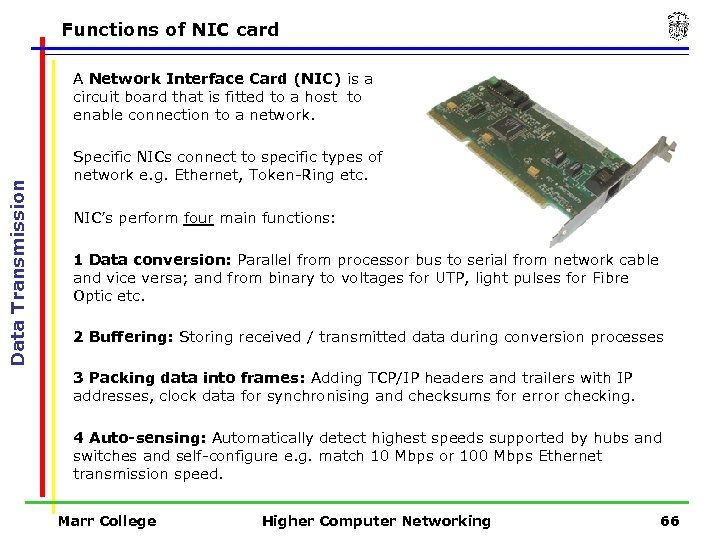 Functions of NIC card Data Transmission A Network Interface Card (NIC) is a circuit board that is fitted to a host to enable connection to a network. Specific NICs connect to specific types of network e. g. Ethernet, Token-Ring etc. NIC’s perform four main functions: 1 Data conversion: Parallel from processor bus to serial from network cable and vice versa; and from binary to voltages for UTP, light pulses for Fibre Optic etc. 2 Buffering: Storing received / transmitted data during conversion processes 3 Packing data into frames: Adding TCP/IP headers and trailers with IP addresses, clock data for synchronising and checksums for error checking. 4 Auto-sensing: Automatically detect highest speeds supported by hubs and switches and self-configure e. g. match 10 Mbps or 100 Mbps Ethernet transmission speed. Marr College Higher Computer Networking 66
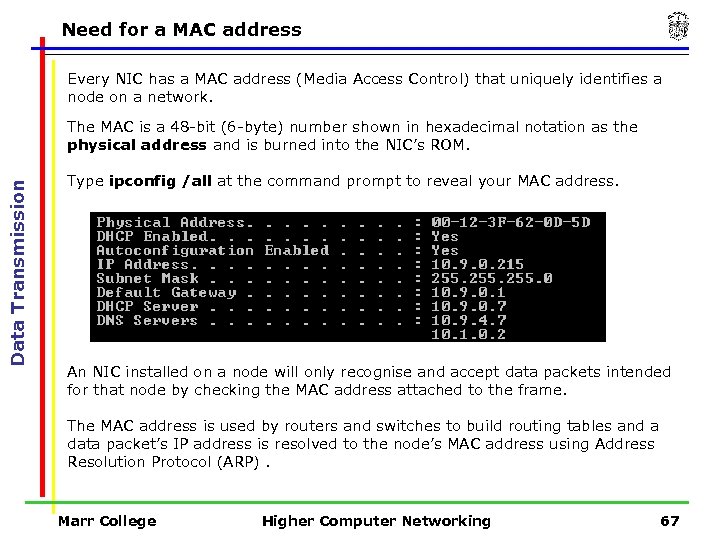 Need for a MAC address Every NIC has a MAC address (Media Access Control) that uniquely identifies a node on a network. Data Transmission The MAC is a 48 -bit (6 -byte) number shown in hexadecimal notation as the physical address and is burned into the NIC’s ROM. Type ipconfig /all at the command prompt to reveal your MAC address. An NIC installed on a node will only recognise and accept data packets intended for that node by checking the MAC address attached to the frame. The MAC address is used by routers and switches to build routing tables and a data packet’s IP address is resolved to the node’s MAC address using Address Resolution Protocol (ARP). Marr College Higher Computer Networking 67