 Скачать презентацию HEP Applications with Globus Virtual Workspaces Ian Gable
09f8acee8bbb57d805b06d4812386013.ppt
- Количество слайдов: 20



HEP Applications with Globus Virtual Workspaces Ian Gable, A. Agarwal, A. Charbonneau, R. Desmarais, R. Enge, D. Grundy, A. Norton, D. Penfold-Brown, R. Seuster, R. J. Sobie, D. C. Vanderster National Research Council of Canada, Ottawa, Ontario, Canada University of Victoria, British Columbia, Canada HEPi. X Fall 2007, St Louis Ian Gable University of Victoria 1
Overview • Motivation • Virtual Machines on the Grid • Example Deployment • Results Ian Gable University of Victoria 2
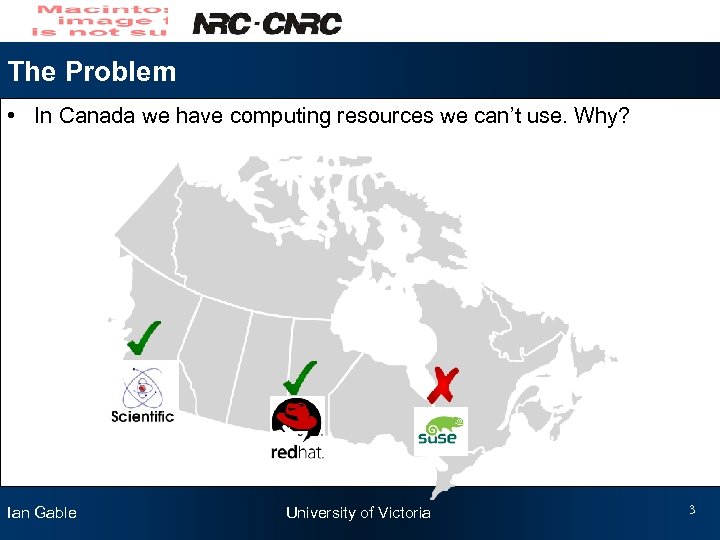
The Problem • In Canada we have computing resources we can’t use. Why? Ian Gable University of Victoria 3
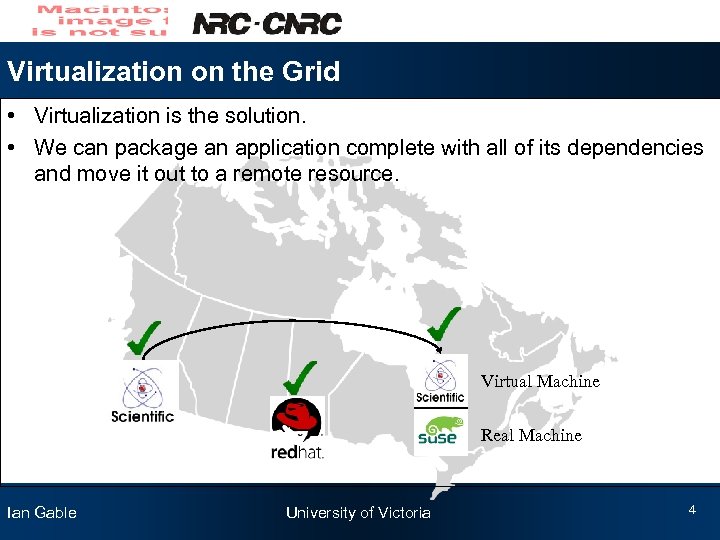
Virtualization on the Grid • Virtualization is the solution. • We can package an application complete with all of its dependencies and move it out to a remote resource. Virtual Machine Real Machine Ian Gable University of Victoria 4
Virtualization for HEP Apps on the Grid • Find a virtual machine technology • Need a middleware • Movement of Images • Security Ian Gable University of Victoria 5
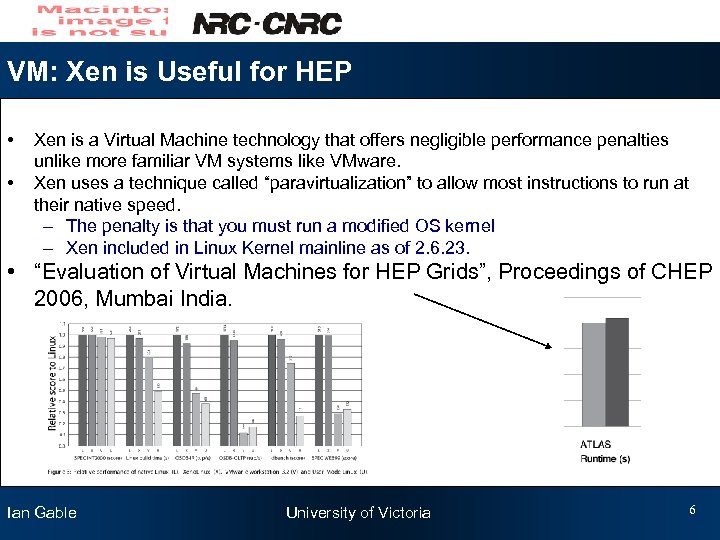
VM: Xen is Useful for HEP • • Xen is a Virtual Machine technology that offers negligible performance penalties unlike more familiar VM systems like VMware. Xen uses a technique called “paravirtualization” to allow most instructions to run at their native speed. – The penalty is that you must run a modified OS kernel – Xen included in Linux Kernel mainline as of 2. 6. 23. • “Evaluation of Virtual Machines for HEP Grids”, Proceedings of CHEP 2006, Mumbai India. Ian Gable University of Victoria 6
Before Globus Virtual Workspaces • We first tried developing our own in house solution for Grid. X 1. • Set of simple Perl scripts to boot VMs on demand. • Not well integrated with middleware, non-standard interface. • Rewrite for every cluster. Ian Gable University of Victoria 7
Security • Are you giving root away on your clusters? – root on dom. U != root on dom 0 (not including recent Xen bugs). • Sandboxing – Globus Virtual Workspaces helps. VMs are booted on BEHALF of users. – Different networking sandbox strategies available. – We experimented successfully with each worknode NATing its virtual workernodes. • Authentication – Can you verify the source of your image? Ian Gable University of Victoria 8
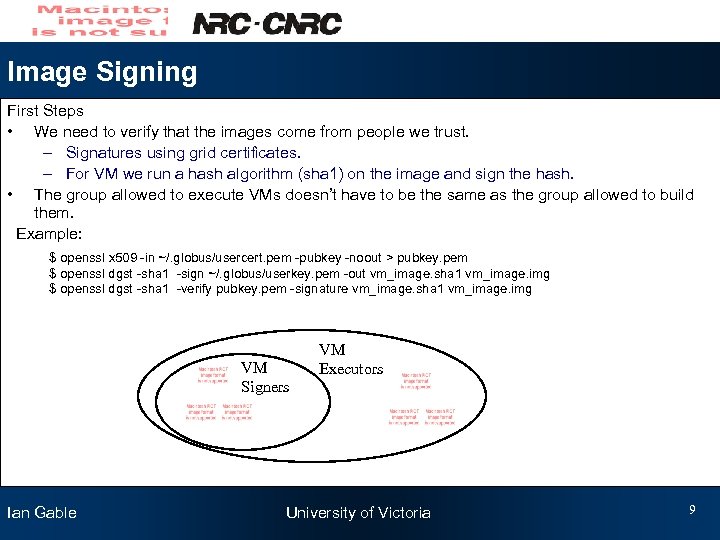
Image Signing First Steps • We need to verify that the images come from people we trust. – Signatures using grid certificates. – For VM we run a hash algorithm (sha 1) on the image and sign the hash. • The group allowed to execute VMs doesn’t have to be the same as the group allowed to build them. Example: $ openssl x 509 -in ~/. globus/usercert. pem -pubkey -noout > pubkey. pem $ openssl dgst -sha 1 -sign ~/. globus/userkey. pem -out vm_image. sha 1 vm_image. img $ openssl dgst -sha 1 -verify pubkey. pem -signature vm_image. sha 1 vm_image. img VM Signers Ian Gable VM Executors University of Victoria 9
Experiences • Test Deployment • Building Images • Results Ian Gable University of Victoria 10
Test Deployments Goal • Deploy an example HEP application using Globus Virtual Workspaces. Configuration • Deployed Globus Virtual Workspaces on two separate clusters. – Scientific Linux(SL) 5. 0, Intel machines at the University of Victoria – Su. Se 10. 2, Opteron machines at the National Research Council in Ottawa • Application is the ATLAS Distribution Kit 13. 0. 10 – Selected because it was familiar to us. Ian Gable University of Victoria 11
Where do we get the VMs? • Getting the additional flexibility of VM now burdens us with building them. • Building virtual machines can be a hurdle. – If it isn’t easy people won’t do it. • Several possible approaches. – Give users the tools to easily build their own images. – Provide users with pre-built images which they can customize. Ian Gable University of Victoria 12
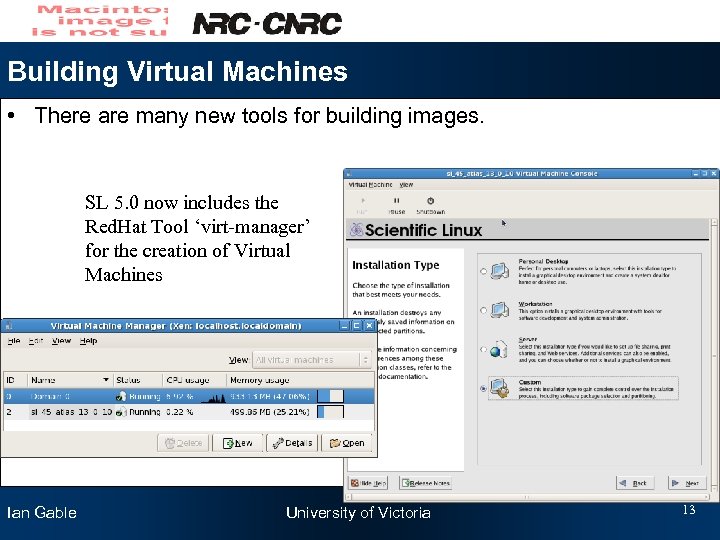
Building Virtual Machines • There are many new tools for building images. SL 5. 0 now includes the Red. Hat Tool ‘virt-manager’ for the creation of Virtual Machines Ian Gable University of Victoria 13
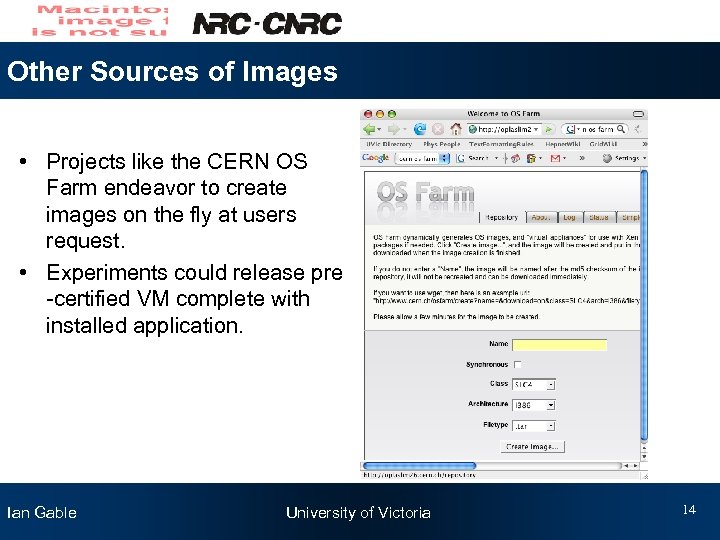
Other Sources of Images • Projects like the CERN OS Farm endeavor to create images on the fly at users request. • Experiments could release pre -certified VM complete with installed application. Ian Gable University of Victoria 14
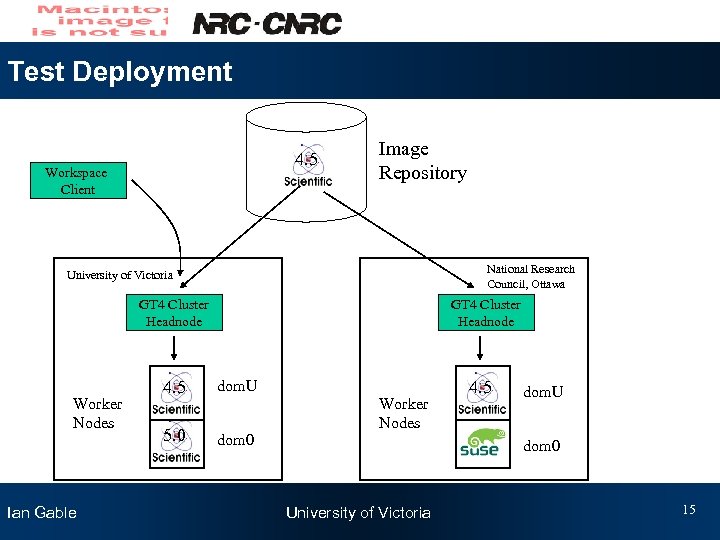
Test Deployment 4. 5 Workspace Client Image Repository National Research Council, Ottawa University of Victoria GT 4 Cluster Headnode Worker Nodes Ian Gable GT 4 Cluster Headnode 4. 5 dom. U 5. 0 dom 0 Worker Nodes 4. 5 dom. U dom 0 University of Victoria 15
Results • Jet simulation and reconstruction performed using the ATLAS 13. 0. 10 kit shipped inside a SL 4. 5 image to a remote SL 5. 0 cluster. Image booted on Su. Se cluster (Su. Se still needs work). • Result Verified using ATLAS Run Time Test (RTT). • More work required to study image portability across common distributions. • Support from Workspaces developers is excellent. I recommend that you try it out and help make sure that Workspaces ends up suitable for your needs. Ian Gable University of Victoria 16
Areas of Future Work • OS kernel of guest image must be present at site. – Addressed with addition of pygrub. • Mechanism for authenticating images. – Sign with grid certificates? • Automatic local image caching. • Better integration with LRMS (PBS, torque, Maui etc. ) • Integration with Gird Metascheduler Ian Gable University of Victoria 17
Conclusion • VMs could allow Canadian HEP access to resources it couldn’t have accessed before. • Globus Virtual Workspace is in the early stages of providing a mechanism deploy VMs using existing using GT 4. • Security mechanisms for VMs needs more research. Ian Gable University of Victoria 18
Question to HEPi. X • How much does booting someone else's VM on your cluster scare you? Ian Gable University of Victoria 19
Acknowledgements Globus Virtual Workspaces Developers: Kate Keahey Tim Freeman Ian Gable University of Victoria 20
Скачать презентацию HEP Applications with Globus Virtual Workspaces Ian Gable
09f8acee8bbb57d805b06d4812386013.ppt