


 Скачать презентацию Hardware Outline 1 2 3 4 5 6
3b2d1a4830b479b5c80a5c77f6345ada.ppt
- Количество слайдов: 47
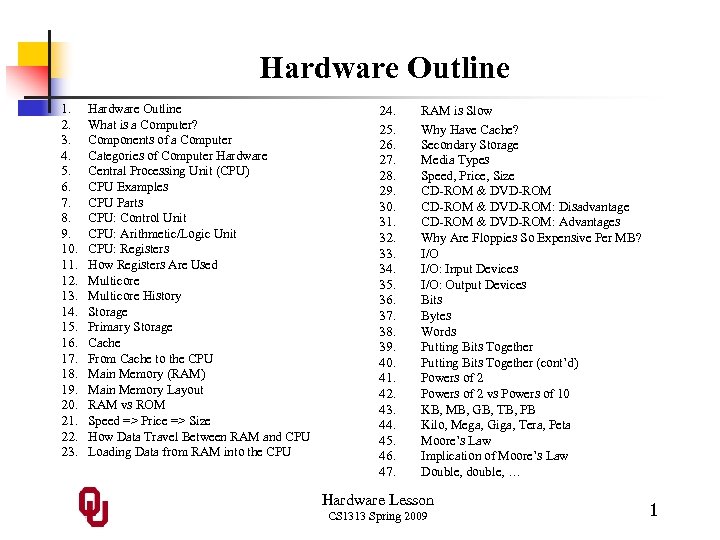 Hardware Outline 1. 2. 3. 4. 5. 6. 7. 8. 9. 10. 11. 12. 13. 14. 15. 16. 17. 18. 19. 20. 21. 22. 23. Hardware Outline What is a Computer? Components of a Computer Categories of Computer Hardware Central Processing Unit (CPU) CPU Examples CPU Parts CPU: Control Unit CPU: Arithmetic/Logic Unit CPU: Registers How Registers Are Used Multicore History Storage Primary Storage Cache From Cache to the CPU Main Memory (RAM) Main Memory Layout RAM vs ROM Speed => Price => Size How Data Travel Between RAM and CPU Loading Data from RAM into the CPU 24. 25. 26. 27. 28. 29. 30. 31. 32. 33. 34. 35. 36. 37. 38. 39. 40. 41. 42. 43. 44. 45. 46. 47. RAM is Slow Why Have Cache? Secondary Storage Media Types Speed, Price, Size CD-ROM & DVD-ROM: Disadvantage CD-ROM & DVD-ROM: Advantages Why Are Floppies So Expensive Per MB? I/O: Input Devices I/O: Output Devices Bits Bytes Words Putting Bits Together (cont’d) Powers of 2 vs Powers of 10 KB, MB, GB, TB, PB Kilo, Mega, Giga, Tera, Peta Moore’s Law Implication of Moore’s Law Double, double, … Hardware Lesson CS 1313 Spring 2009 1
![What is a Computer? “… [A] programmable electronic device that can store, retrieve and](https://present5.com/presentation/3b2d1a4830b479b5c80a5c77f6345ada/image-2.jpg "What is a Computer? “… [A] programmable electronic device that can store, retrieve and") What is a Computer? “… [A] programmable electronic device that can store, retrieve and process data. ” (N. Dale & D. Orshalick, Introduction to PASCAL and Structured Design, D. C. Heath & Co. , Lexington MA, 1983, p. 2) Hardware Lesson CS 1313 Spring 2009 2
What is a Computer? “… [A] programmable electronic device that can store, retrieve and process data. ” (N. Dale & D. Orshalick, Introduction to PASCAL and Structured Design, D. C. Heath & Co. , Lexington MA, 1983, p. 2) Hardware Lesson CS 1313 Spring 2009 2
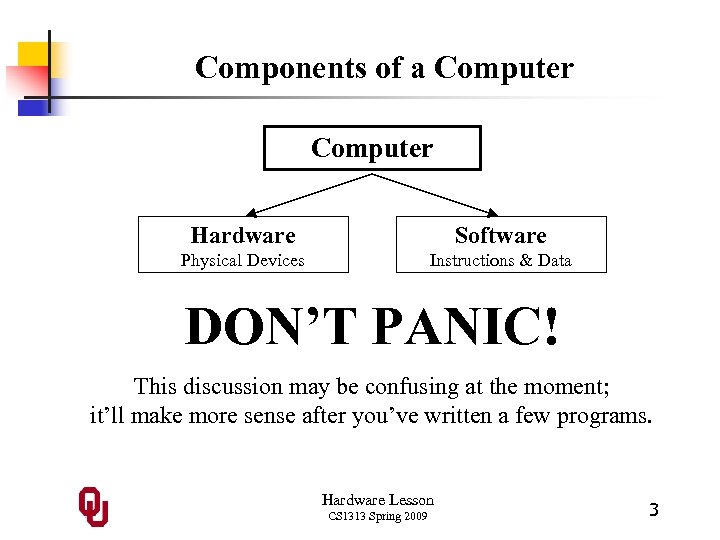 Components of a Computer Hardware Software Physical Devices Instructions & Data DON’T PANIC! This discussion may be confusing at the moment; it’ll make more sense after you’ve written a few programs. Hardware Lesson CS 1313 Spring 2009 3
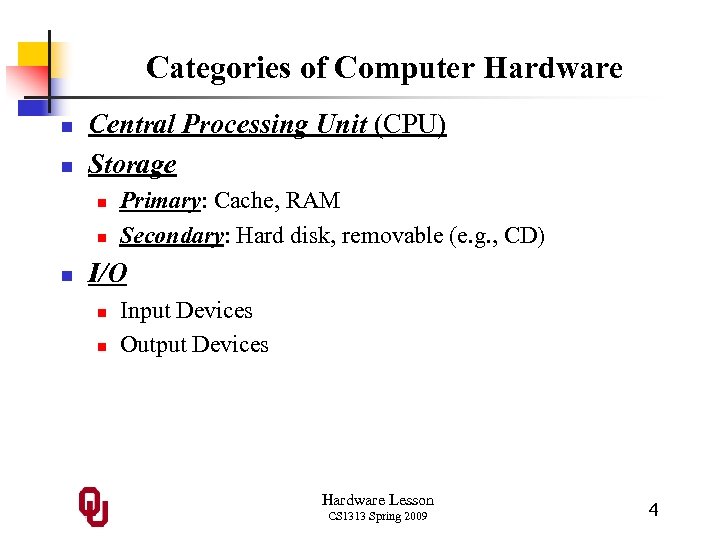 Categories of Computer Hardware n n Central Processing Unit (CPU) Storage n n n Primary: Cache, RAM Secondary: Hard disk, removable (e. g. , CD) I/O n n Input Devices Output Devices Hardware Lesson CS 1313 Spring 2009 4
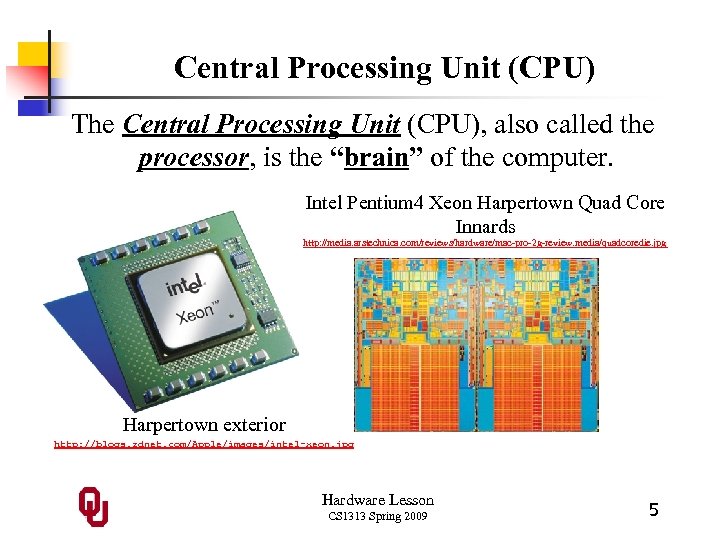 Central Processing Unit (CPU) The Central Processing Unit (CPU), also called the processor, is the “brain” of the computer. Intel Pentium 4 Xeon Harpertown Quad Core Innards http: //media. arstechnica. com/reviews/hardware/mac-pro-2 g-review. media/quadcoredie. jpg Harpertown exterior http: //blogs. zdnet. com/Apple/images/intel-xeon. jpg Hardware Lesson CS 1313 Spring 2009 5
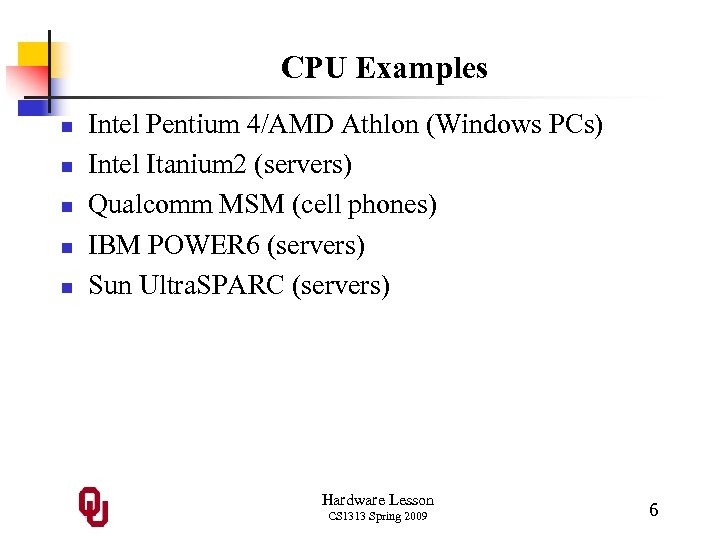 CPU Examples n n n Intel Pentium 4/AMD Athlon (Windows PCs) Intel Itanium 2 (servers) Qualcomm MSM (cell phones) IBM POWER 6 (servers) Sun Ultra. SPARC (servers) Hardware Lesson CS 1313 Spring 2009 6
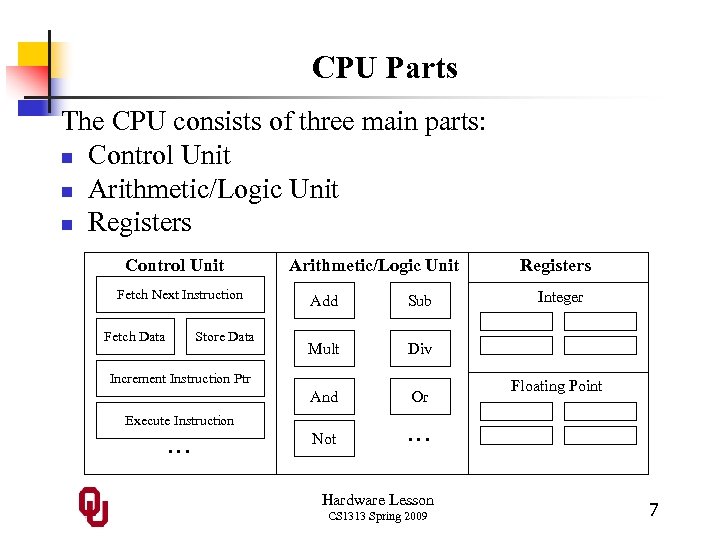 CPU Parts The CPU consists of three main parts: n Control Unit n Arithmetic/Logic Unit n Registers Control Unit Fetch Next Instruction Arithmetic/Logic Unit Store Data Sub Mult Or Not … Increment Instruction Ptr Execute Instruction … Integer Div And Fetch Data Add Registers Hardware Lesson CS 1313 Spring 2009 Floating Point 7
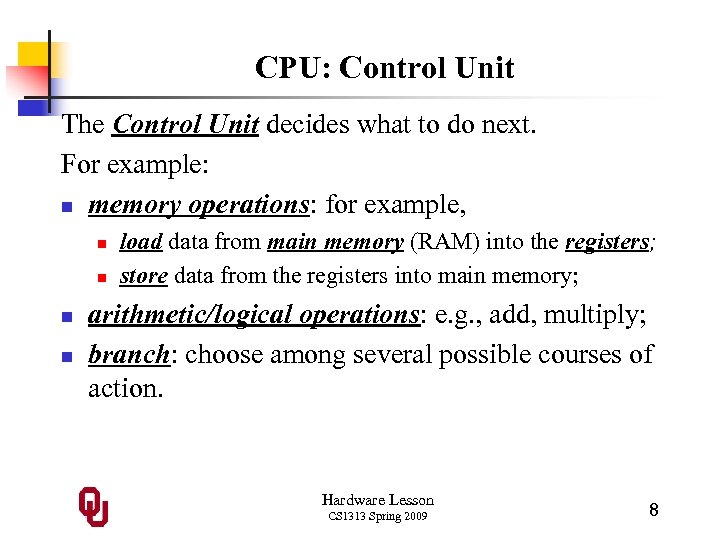 CPU: Control Unit The Control Unit decides what to do next. For example: n memory operations: for example, n n load data from main memory (RAM) into the registers; store data from the registers into main memory; arithmetic/logical operations: e. g. , add, multiply; branch: choose among several possible courses of action. Hardware Lesson CS 1313 Spring 2009 8
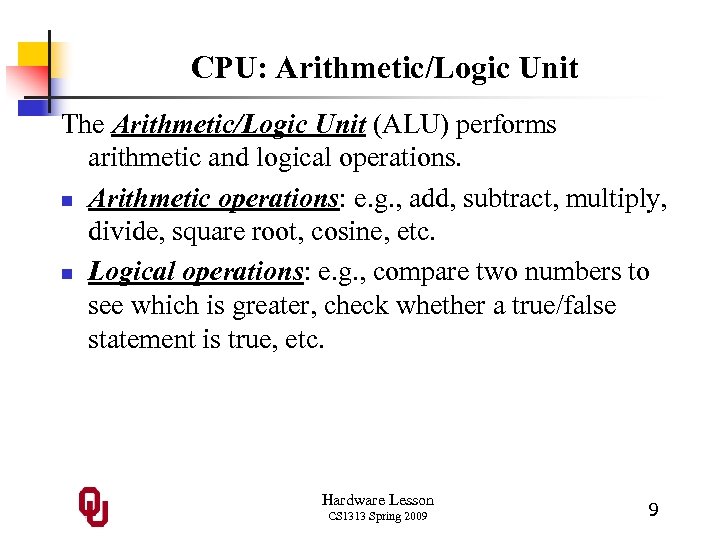 CPU: Arithmetic/Logic Unit The Arithmetic/Logic Unit (ALU) performs arithmetic and logical operations. n Arithmetic operations: e. g. , add, subtract, multiply, divide, square root, cosine, etc. n Logical operations: e. g. , compare two numbers to see which is greater, check whether a true/false statement is true, etc. Hardware Lesson CS 1313 Spring 2009 9
 CPU: Registers are memory-like locations inside the CPU where data and instructions reside that are being used right now. That is, registers hold the operands being used by the current arithmetic or logical operation, or the result of the arithmetic or logical operation that was just performed. For example, if the CPU is adding two numbers, then the addend is in some register, the augend is in another register, and after the addition is performed, the sum shows up in yet another register. A typical CPU has only a few hundred to a few thousand bytes of registers. Hardware Lesson CS 1313 Spring 2009 10
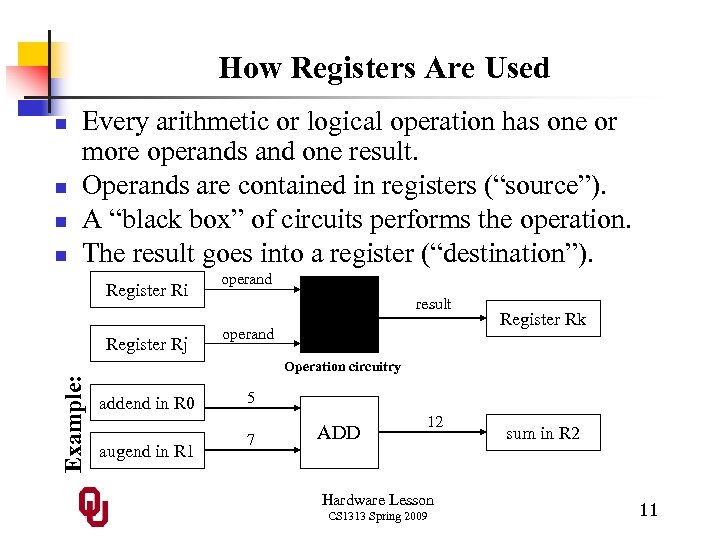 How Registers Are Used n n Every arithmetic or logical operation has one or more operands and one result. Operands are contained in registers (“source”). A “black box” of circuits performs the operation. The result goes into a register (“destination”). Register Ri Register Rj operand result operand Register Rk Example: Operation circuitry addend in R 0 augend in R 1 5 7 ADD 12 Hardware Lesson CS 1313 Spring 2009 sum in R 2 11
 Multicore n n n A multicore CPU is a chip with multiple, independent “brains, ” known as cores. These multiple cores can run completely separate programs, or they can cooperate together to work simultaneously in parallel on different parts of the same program. All of the cores share the same connection to memory – and the same bandwidth (memory speed). Hardware Lesson CS 1313 Spring 2009 12
 Multicore History n n Dual core: October 2005 Quad core: June 2006 Hex core: September 2008 Oct core: estimated late 2009 http: //www. intel. com/pressroom/kits/quickreffam. htm (dual, quad, hex) http: //en. wikipedia. org/wiki/Intel_Nehalem_(microarchitecture) (oct) Hardware Lesson CS 1313 Spring 2009 13
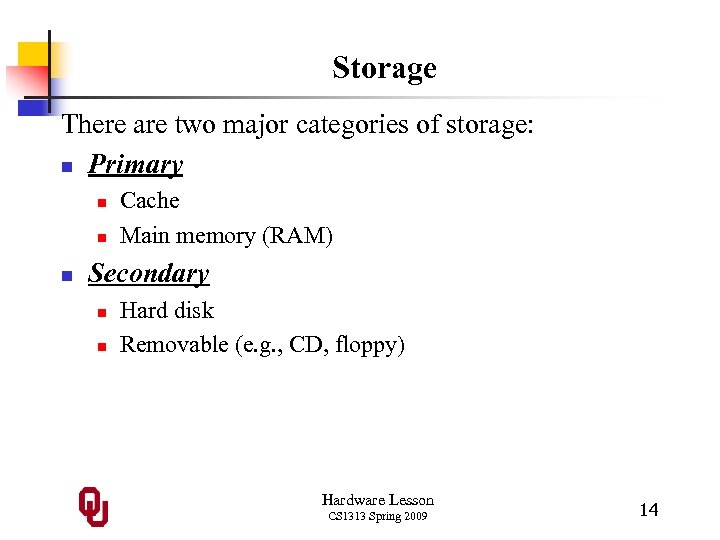 Storage There are two major categories of storage: n Primary n n n Cache Main memory (RAM) Secondary n n Hard disk Removable (e. g. , CD, floppy) Hardware Lesson CS 1313 Spring 2009 14
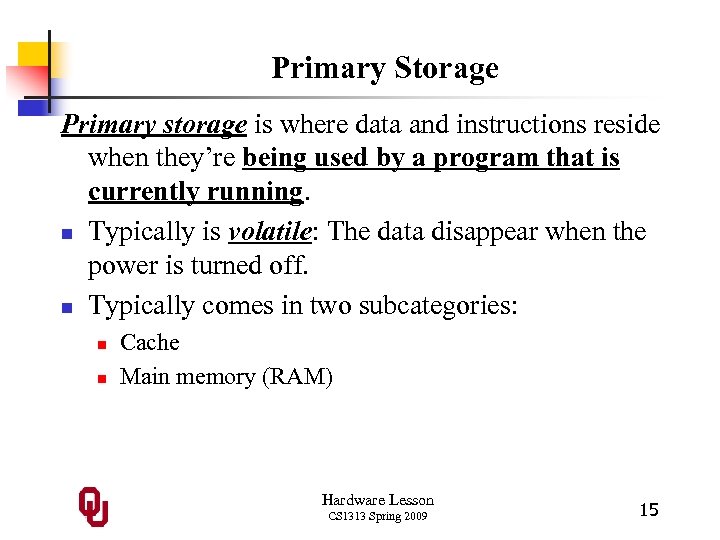 Primary Storage Primary storage is where data and instructions reside when they’re being used by a program that is currently running. n Typically is volatile: The data disappear when the power is turned off. n Typically comes in two subcategories: n n Cache Main memory (RAM) Hardware Lesson CS 1313 Spring 2009 15
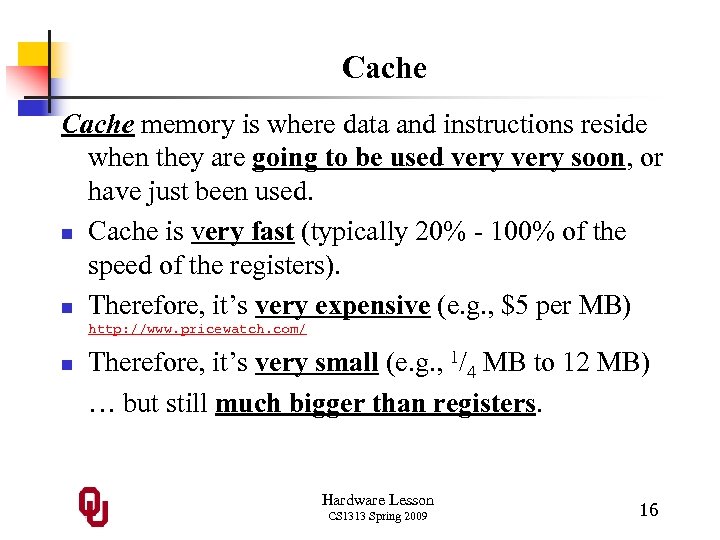 Cache memory is where data and instructions reside when they are going to be used very soon, or have just been used. n Cache is very fast (typically 20% - 100% of the speed of the registers). n Therefore, it’s very expensive (e. g. , $5 per MB) http: //www. pricewatch. com/ n Therefore, it’s very small (e. g. , 1/4 MB to 12 MB) … but still much bigger than registers. Hardware Lesson CS 1313 Spring 2009 16
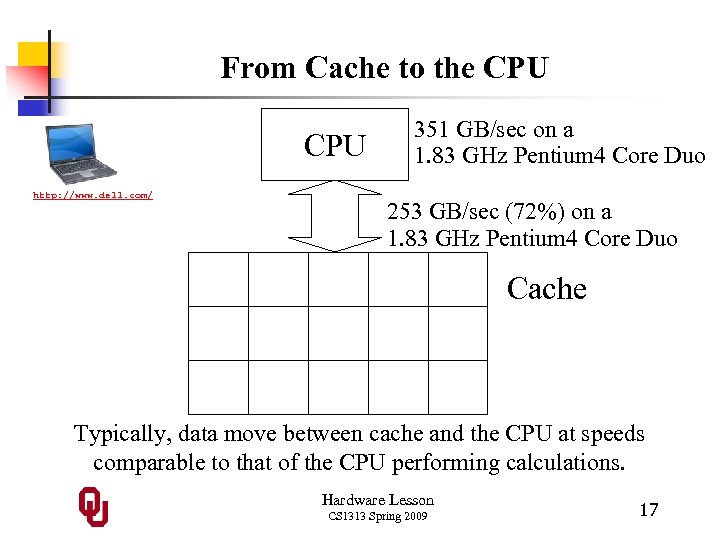 From Cache to the CPU http: //www. dell. com/ 351 GB/sec on a 1. 83 GHz Pentium 4 Core Duo 253 GB/sec (72%) on a 1. 83 GHz Pentium 4 Core Duo Cache Typically, data move between cache and the CPU at speeds comparable to that of the CPU performing calculations. Hardware Lesson CS 1313 Spring 2009 17
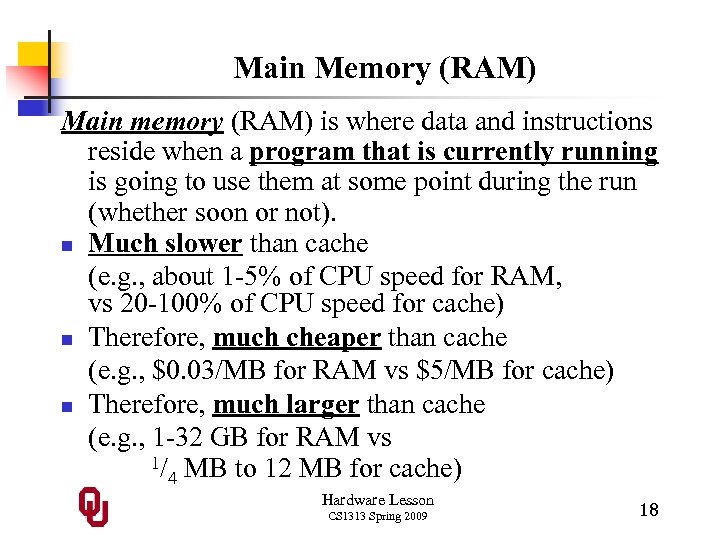 Main Memory (RAM) Main memory (RAM) is where data and instructions reside when a program that is currently running is going to use them at some point during the run (whether soon or not). n Much slower than cache (e. g. , about 1 -5% of CPU speed for RAM, vs 20 -100% of CPU speed for cache) n Therefore, much cheaper than cache (e. g. , $0. 03/MB for RAM vs $5/MB for cache) n Therefore, much larger than cache (e. g. , 1 -32 GB for RAM vs 1/ MB to 12 MB for cache) 4 Hardware Lesson CS 1313 Spring 2009 18
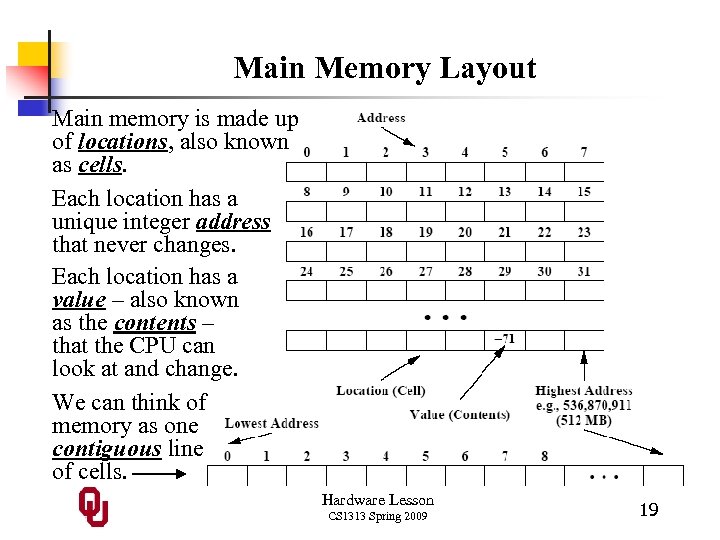 Main Memory Layout Main memory is made up of locations, also known as cells. Each location has a unique integer address that never changes. Each location has a value – also known as the contents – that the CPU can look at and change. We can think of memory as one contiguous line of cells. Hardware Lesson CS 1313 Spring 2009 19
 RAM vs ROM RAM: Random Access Memory n Memory that the CPU can look at and change arbitrarily (i. e. , can load from or store into any location at any time, not just in a sequence). n We often use the phrases Main Memory, Memory and RAM interchangeably. n Sometimes known as core memory, named for an older memory technology. (Note that this use of the word “core” is unrelated to “dual core. ”) ROM: Read Only Memory n Memory that the CPU can look at arbitrarily, but cannot change. Hardware Lesson CS 1313 Spring 2009 20
 Speed => Price => Size n n n Registers are VERY fast, because they are etched directly into the CPU. Cache is also very fast, because it’s also etched into the CPU, but it isn’t directly connected to the Control Unit or Arithmetic/Logic Unit. Cache operates at speeds similar to registers, but cache is MUCH bigger than the collection of registers (typically on the order of 1, 000 to 10, 000 times as big). Main memory (RAM) is much slower than cache, because it isn’t part of the CPU; therefore, it’s much cheaper than cache, and therefore it’s much bigger than cache (for example, 1, 000 times as big). Hardware Lesson CS 1313 Spring 2009 21
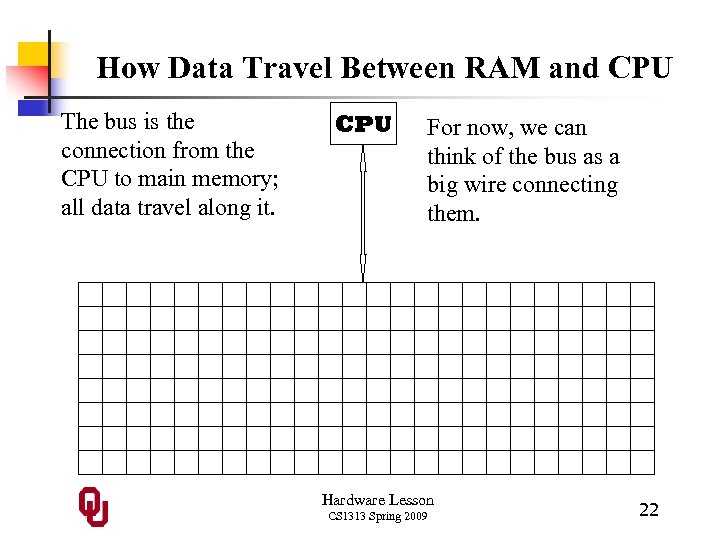 How Data Travel Between RAM and CPU The bus is the connection from the CPU to main memory; all data travel along it. CPU For now, we can think of the bus as a big wire connecting them. Hardware Lesson CS 1313 Spring 2009 22
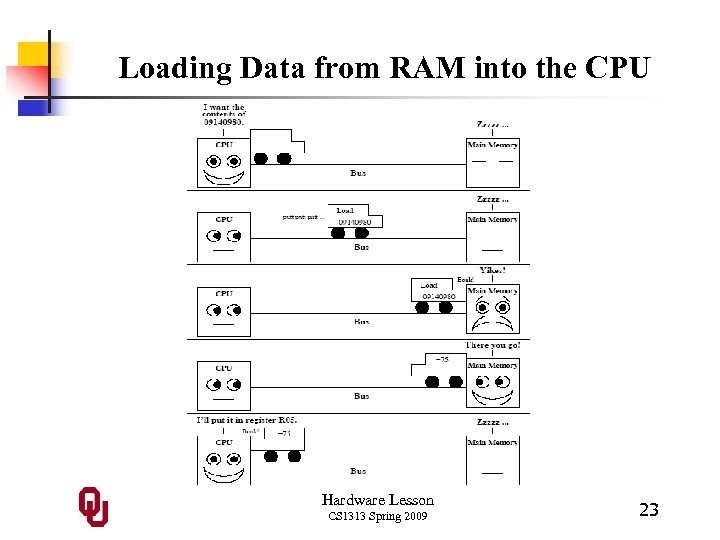 Loading Data from RAM into the CPU Hardware Lesson CS 1313 Spring 2009 23
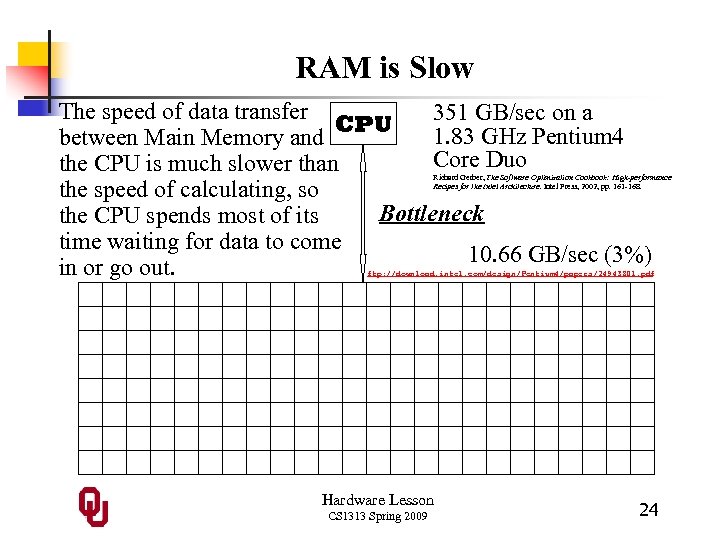 RAM is Slow The speed of data transfer 351 GB/sec on a CPU 1. 83 GHz Pentium 4 between Main Memory and Core Duo the CPU is much slower than the speed of calculating, so Bottleneck the CPU spends most of its time waiting for data to come 10. 66 GB/sec (3%) in or go out. Richard Gerber, The Software Optimization Cookbook: High-performance Recipes for the Intel Architecture. Intel Press, 2002, pp. 161 -168. ftp: //download. intel. com/design/Pentium 4/papers/24943801. pdf Hardware Lesson CS 1313 Spring 2009 24
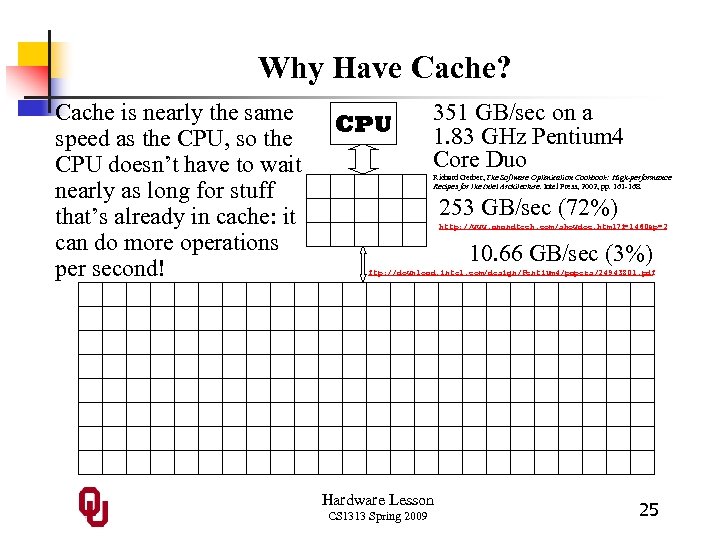 Why Have Cache? Cache is nearly the same speed as the CPU, so the CPU doesn’t have to wait nearly as long for stuff that’s already in cache: it can do more operations per second! CPU 351 GB/sec on a 1. 83 GHz Pentium 4 Core Duo Richard Gerber, The Software Optimization Cookbook: High-performance Recipes for the Intel Architecture. Intel Press, 2002, pp. 161 -168. 253 GB/sec (72%) http: //www. anandtech. com/showdoc. html? i =1460&p=2 10. 66 GB/sec (3%) ftp: //download. intel. com/design/Pentium 4/papers/24943801. pdf Hardware Lesson CS 1313 Spring 2009 25
 Secondary Storage n n Where data and instructions reside that are going to be used in the future Nonvolatile: data don’t disappear when power is turned off. Much slower than RAM, therefore much cheaper, therefore much larger. Other than hard disk, most are portable: they can be easily removed from your computer and taken to someone else’s. Hardware Lesson CS 1313 Spring 2009 26
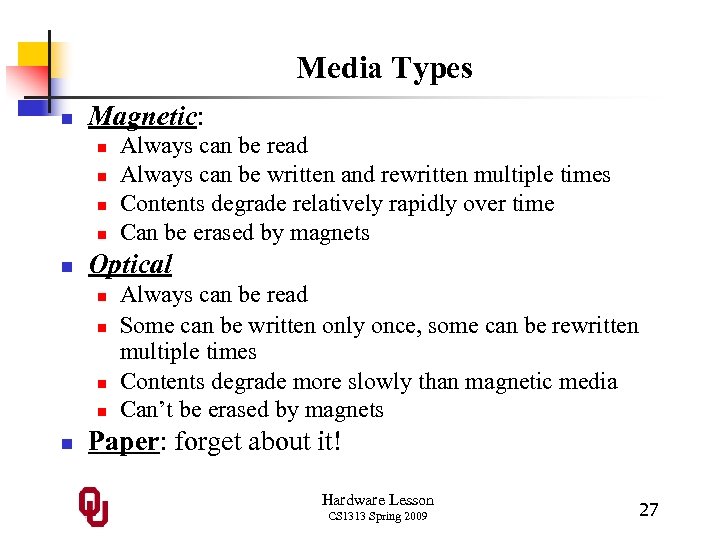 Media Types n Magnetic: n n n Optical n n n Always can be read Always can be written and rewritten multiple times Contents degrade relatively rapidly over time Can be erased by magnets Always can be read Some can be written only once, some can be rewritten multiple times Contents degrade more slowly than magnetic media Can’t be erased by magnets Paper: forget about it! Hardware Lesson CS 1313 Spring 2009 27
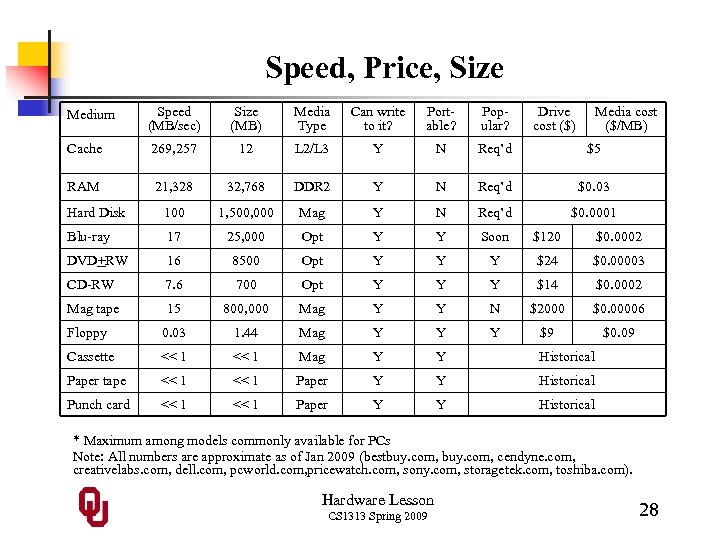 Speed, Price, Size Medium Speed (MB/sec) Size (MB) Media Type Can write to it? Portable? Popular? Drive cost ($) Media cost ($/MB) Cache 269, 257 12 L 2/L 3 Y N Req’d $5 RAM 21, 328 32, 768 DDR 2 Y N Req’d $0. 03 Hard Disk 100 1, 500, 000 Mag Y N Req’d $0. 0001 Blu-ray 17 25, 000 Opt Y Y Soon $120 $0. 0002 DVD+RW 16 8500 Opt Y Y Y $24 $0. 00003 CD-RW 7. 6 700 Opt Y Y Y $14 $0. 0002 Mag tape 15 800, 000 Mag Y Y N $2000 $0. 00006 Floppy 0. 03 1. 44 Mag Y Y Y $9 $0. 09 Cassette << 1 Mag Y Y Historical Paper tape << 1 Paper Y Y Historical Punch card << 1 Paper Y Y Historical * Maximum among models commonly available for PCs Note: All numbers are approximate as of Jan 2009 (bestbuy. com, cendyne. com, creativelabs. com, dell. com, pcworld. com, pricewatch. com, sony. com, storagetek. com, toshiba. com). Hardware Lesson CS 1313 Spring 2009 28
 CD-ROM/DVD-ROM/BD-ROM When a CD or DVD or Blu-ray holds data instead of music or a movie, it acts very much like Read Only Memory (ROM): n it can only be read from, but not written to; n it’s nonvolatile; n it can be addressed essentially arbitrarily (it’s not actually arbitrary, but it’s fast enough that it might as well be). Hardware Lesson CS 1313 Spring 2009 29
 CD-ROM/DVD-ROM/BD-ROM: Disadvantage of CD-ROM/DVD-ROM/BD-ROM compared to ROM: speed. n CD-ROM/DVD-ROM/BD-ROM are much slower than ROM. n n CD-ROM is 7. 6 MB/sec (peak); DVD-ROM is 16 MB/sec; BD-ROM is 17 MB/sec. Most ROM these days is 21, 328 MB/sec (1200+ times as fast as DVD or Blu-ray and 2800 times as fast as CD). Hardware Lesson CS 1313 Spring 2009 30
 CD-ROM & DVD-ROM: Advantages of CD-ROM/DVD-ROM compared to ROM: n CD-ROM and DVD-ROM are much cheaper than ROM. n n n Blank CDs and blank BDs are roughly $0. 0002 per MB; blank DVDs are roughly $0. 00003 per MB. ROM is even more expensive than RAM (which is $0. 03/MB), because it has to be made special. CD-ROM and DVD-ROM are much larger – they can have arbitrary amount of storage (on many CDs or DVDs); ROM is limited to a few GB. Hardware Lesson CS 1313 Spring 2009 31
 Why Are Floppies So Expensive Per MB? CD-RWs cost roughly $0. 0002 per MB, but floppy disks cost about $0. 09 per MB, 450 times as expensive per MB. Why? Well, an individual CD has much greater capacity than an individual floppy (700 MB vs. 1. 44 MB), and the costs of manufacturing the actual physical objects are similar. So, the cost of a floppy per MB is much higher. Hardware Lesson CS 1313 Spring 2009 32
 I/O We often say I/O as a shorthand for “Input/Output. ” Hardware Lesson CS 1313 Spring 2009 33
 I/O: Input Devices We often say I/O as a shorthand for “Input/Output. ” Input Devices transfer data into computer (e. g. , from a user into memory). For example: n Keyboard n Mouse n Scanner n Microphone n Touchpad n Joystick Hardware Lesson CS 1313 Spring 2009 34
 I/O: Output Devices We often say I/O as a shorthand for “Input/Output. ” Output Devices transfer data out of computer (e. g. , from memory to a user). For example: n Monitor n Printer n Speakers Hardware Lesson CS 1313 Spring 2009 35
 Bits Bit (Binary dig. IT) n Tiniest possible piece of memory. n Made of teeny tiny transistors wired together. n Has 2 possible values that we can think of in several ways: n n n Low or High: Voltage into transistor Off or On: Conceptual description of transistor state False or True: Boolean value for symbolic logic 0 or 1: Integer value Bits aren’t individually addressable: the CPU can’t load from or store into an individual bit of memory. Hardware Lesson CS 1313 Spring 2009 36
 Bytes Byte: a sequence of 8 contiguous bits (typically) n On most platforms (kinds of computers), it’s the smallest addressable piece of memory: typically, the CPU can load from or store into an individual byte. n Possible integer values: 0. . 255 or -128. . 127 (to be explained later) n Can also represent a character (e. g. , letter, digit, punctuation; to be explained later) Hardware Lesson CS 1313 Spring 2009 37
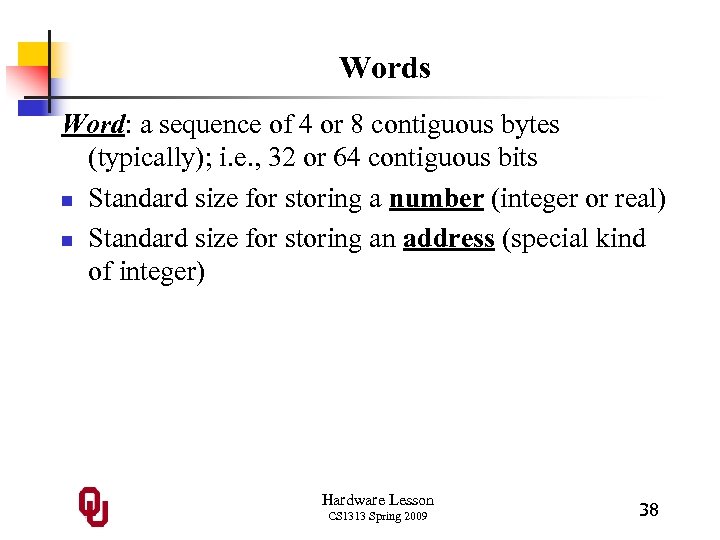 Words Word: a sequence of 4 or 8 contiguous bytes (typically); i. e. , 32 or 64 contiguous bits n Standard size for storing a number (integer or real) n Standard size for storing an address (special kind of integer) Hardware Lesson CS 1313 Spring 2009 38
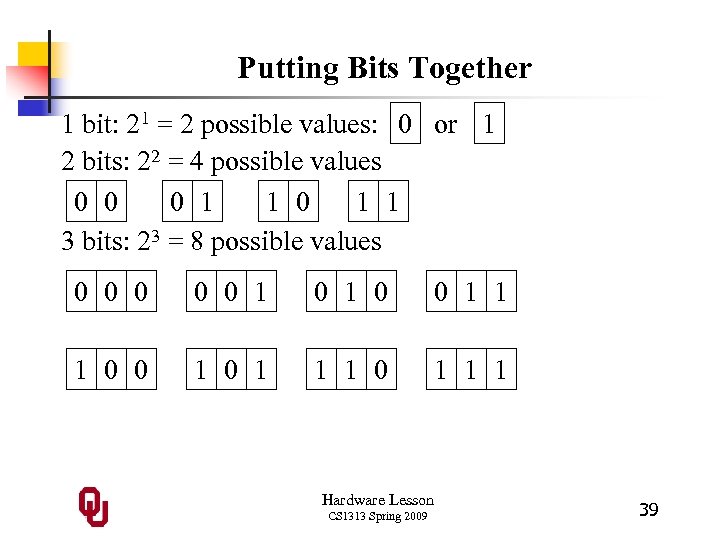 Putting Bits Together 1 bit: 21 = 2 possible values: 0 or 1 2 bits: 22 = 4 possible values 0 0 0 1 1 3 bits: 23 = 8 possible values 0 0 0 1 1 1 0 0 1 1 1 Hardware Lesson CS 1313 Spring 2009 39
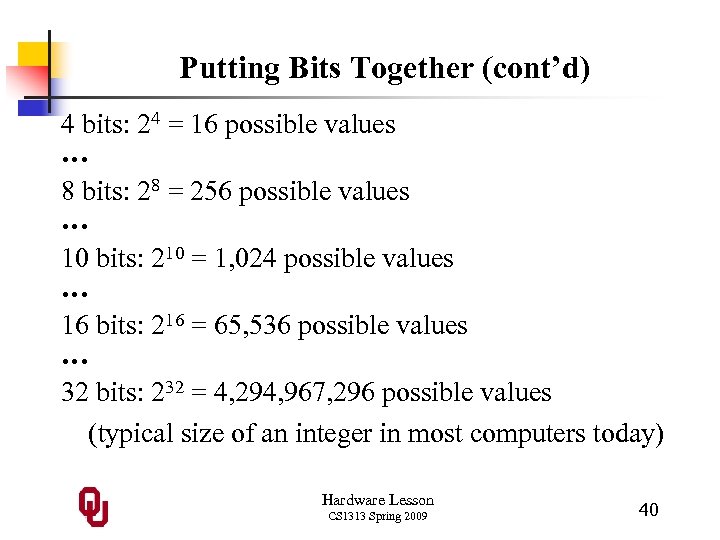 Putting Bits Together (cont’d) 4 bits: 24 = 16 possible values … 8 bits: 28 = 256 possible values … 10 bits: 210 = 1, 024 possible values … 16 bits: 216 = 65, 536 possible values … 32 bits: 232 = 4, 294, 967, 296 possible values (typical size of an integer in most computers today) Hardware Lesson CS 1313 Spring 2009 40
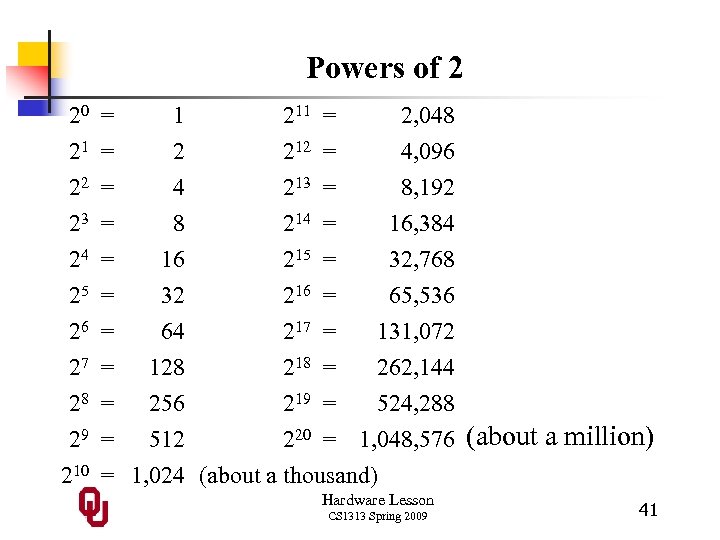 Powers of 2 20 21 22 23 24 25 26 27 28 29 210 = = 1 2 4 8 211 212 213 214 = = 2, 048 4, 096 8, 192 16, 384 = 16 215 = 32, 768 = 32 216 = 65, 536 = 64 217 = 131, 072 = 128 218 = 262, 144 = 256 219 = 524, 288 = 512 220 = 1, 048, 576 (about a million) = 1, 024 (about a thousand) Hardware Lesson CS 1313 Spring 2009 41
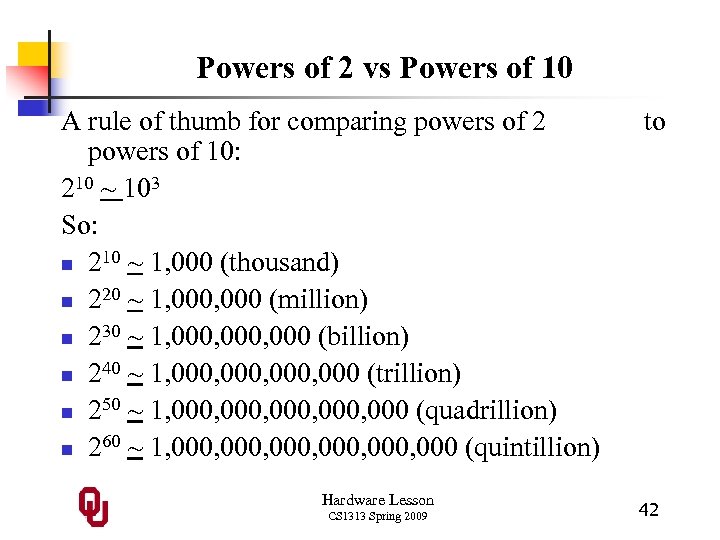 Powers of 2 vs Powers of 10 A rule of thumb for comparing powers of 2 powers of 10: 210 ~ 103 So: n 210 ~ 1, 000 (thousand) n 220 ~ 1, 000 (million) n 230 ~ 1, 000, 000 (billion) n 240 ~ 1, 000, 000 (trillion) n 250 ~ 1, 000, 000 (quadrillion) n 260 ~ 1, 000, 000 (quintillion) Hardware Lesson CS 1313 Spring 2009 to 42
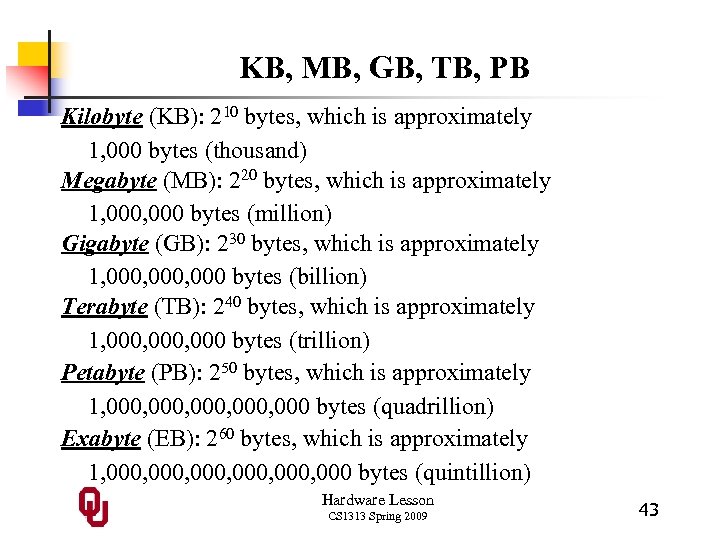 KB, MB, GB, TB, PB Kilobyte (KB): 210 bytes, which is approximately 1, 000 bytes (thousand) Megabyte (MB): 220 bytes, which is approximately 1, 000 bytes (million) Gigabyte (GB): 230 bytes, which is approximately 1, 000, 000 bytes (billion) Terabyte (TB): 240 bytes, which is approximately 1, 000, 000 bytes (trillion) Petabyte (PB): 250 bytes, which is approximately 1, 000, 000 bytes (quadrillion) Exabyte (EB): 260 bytes, which is approximately 1, 000, 000 bytes (quintillion) Hardware Lesson CS 1313 Spring 2009 43
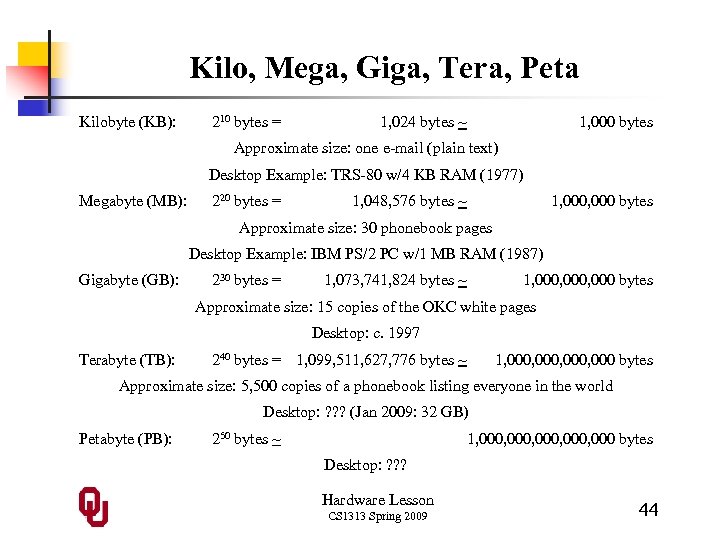 Kilo, Mega, Giga, Tera, Peta Kilobyte (KB): 210 bytes = 1, 024 bytes ~ 1, 000 bytes Approximate size: one e-mail (plain text) Desktop Example: TRS-80 w/4 KB RAM (1977) Megabyte (MB): 220 bytes = 1, 048, 576 bytes ~ 1, 000 bytes Approximate size: 30 phonebook pages Desktop Example: IBM PS/2 PC w/1 MB RAM (1987) Gigabyte (GB): 230 bytes = 1, 073, 741, 824 bytes ~ 1, 000, 000 bytes Approximate size: 15 copies of the OKC white pages Desktop: c. 1997 Terabyte (TB): 240 bytes = 1, 099, 511, 627, 776 bytes ~ 1, 000, 000 bytes Approximate size: 5, 500 copies of a phonebook listing everyone in the world Desktop: ? ? ? (Jan 2009: 32 GB) Petabyte (PB): 250 bytes ~ 1, 000, 000 bytes Desktop: ? ? ? Hardware Lesson CS 1313 Spring 2009 44
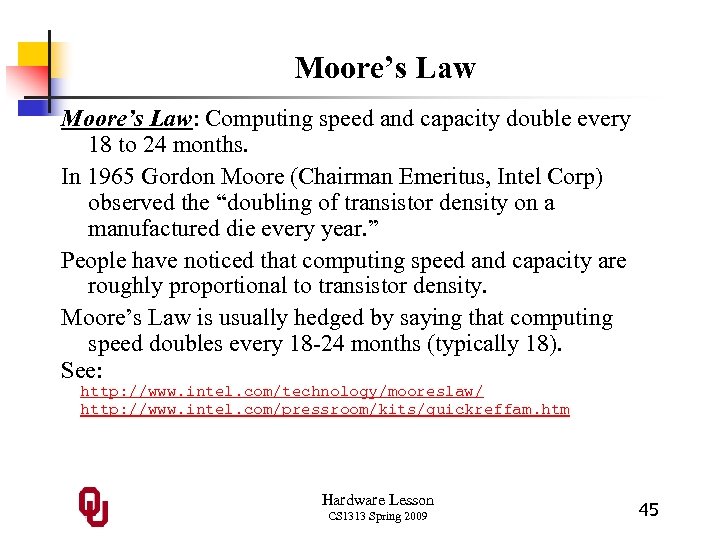 Moore’s Law: Computing speed and capacity double every 18 to 24 months. In 1965 Gordon Moore (Chairman Emeritus, Intel Corp) observed the “doubling of transistor density on a manufactured die every year. ” People have noticed that computing speed and capacity are roughly proportional to transistor density. Moore’s Law is usually hedged by saying that computing speed doubles every 18 -24 months (typically 18). See: http: //www. intel. com/technology/mooreslaw/ http: //www. intel. com/pressroom/kits/quickreffam. htm Hardware Lesson CS 1313 Spring 2009 45
 Implication of Moore’s Law If computing speed and capacity double every 18 months, what are the implications in our lives? Well, the average undergrad student is – to one significant figure – about 20 years old. And the average lifespan in the US – to one significant figure – is about 80 years. So, the average undergrad student has 60 years to go. So how much will computing speed and capacity increase during the time you have left? Hardware Lesson CS 1313 Spring 2009 46
 Double, double, … 60 years / 18 months = 40 doublings What is 240? Consider the computer on your desktop today, compared to the computer on your desktop the day you die. How much faster will it be? Can we possibly predict what the future of computing will enable us to do? Hardware Lesson CS 1313 Spring 2009 47