 Скачать презентацию Haptics Smell and Brain Interaction The Frontiers of
b9a70d5e6d75f73c52d932644092bf22.ppt
- Количество слайдов: 22



Haptics, Smell and Brain Interaction The Frontiers of HCI Jim Warren derived from lots of places and with thanks to Beryl Plimmer
Learning Outcomes • Describe haptics in terms of – Human perception – Applications – Devices • Describe application of eye tracking and visual gesture recognition • Describe the exploration of – Olfactory detection and production – Brain wave detection
The Human Perceptual System • Physical Aspects of Perception – Touch (tactile/cutaneous) • Located in the skin, enables us to feel – Texture – Heat – Pain – Movement (kinesthetic/proprioceptive) • The location of your body and its appendages • The direction and speed of your movements 1 -3
Physical Aspects of Perception • Proprioception – We use sensation from our joints (e. g. their angles) and our muscles (e. g. strain) to determine the position of our limbs and perceive body position • Combine with vestibular system (inner ear, balance) to perceive motion, orientation and acceleration – This combination is sometimes called the kinaesthetic sense. 1 -4
Mobile devices • Phone output – Vibrate – silent alert. • These can be used like earcons – different signals for different events • Does your phone have different alerts? – Can you tell the difference? 1 -5
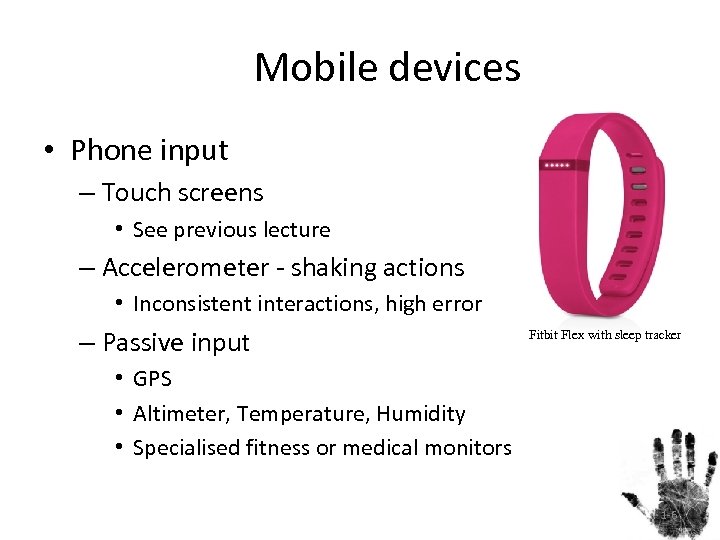
Mobile devices • Phone input – Touch screens • See previous lecture – Accelerometer - shaking actions • Inconsistent interactions, high error rates – Passive input Fitbit Flex with sleep tracker • GPS • Altimeter, Temperature, Humidity • Specialised fitness or medical monitors 1 -6
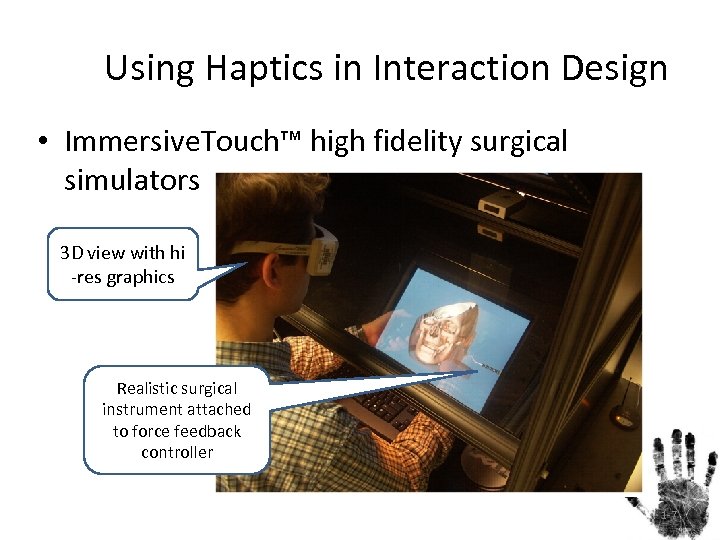
Using Haptics in Interaction Design • Immersive. Touch™ high fidelity surgical simulators 3 D view with hi -res graphics Realistic surgical instrument attached to force feedback controller 1 -7
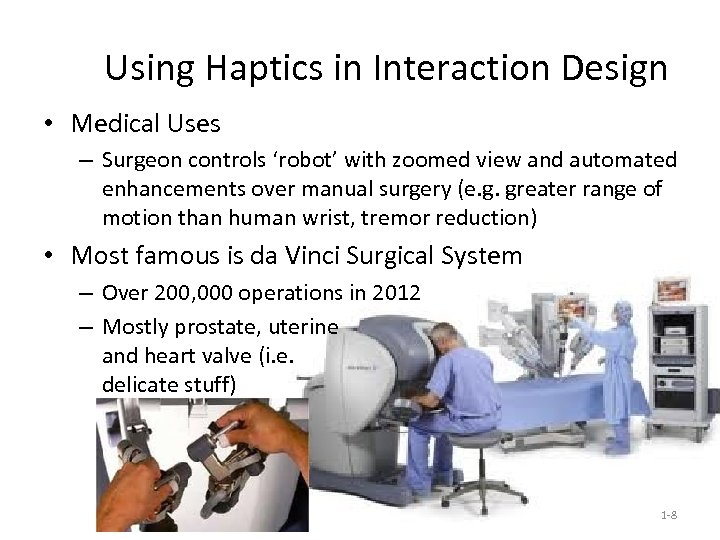
Using Haptics in Interaction Design • Medical Uses – Surgeon controls ‘robot’ with zoomed view and automated enhancements over manual surgery (e. g. greater range of motion than human wrist, tremor reduction) • Most famous is da Vinci Surgical System – Over 200, 000 operations in 2012 – Mostly prostate, uterine and heart valve (i. e. delicate stuff) 1 -8
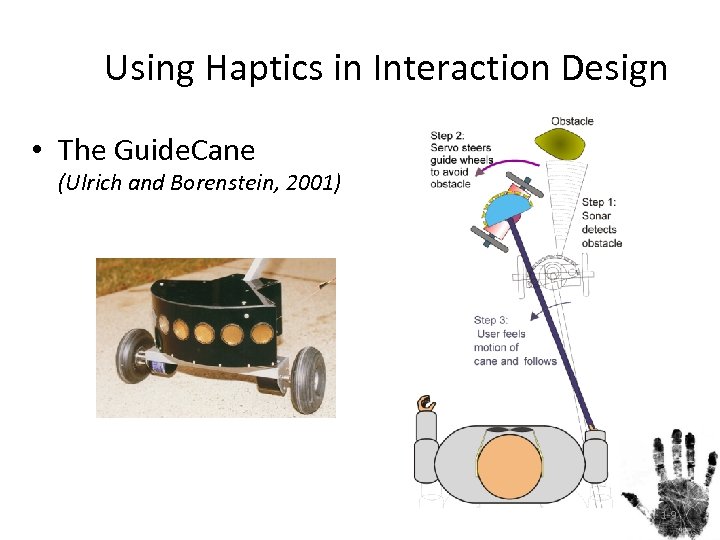
Using Haptics in Interaction Design • The Guide. Cane (Ulrich and Borenstein, 2001) 1 -9
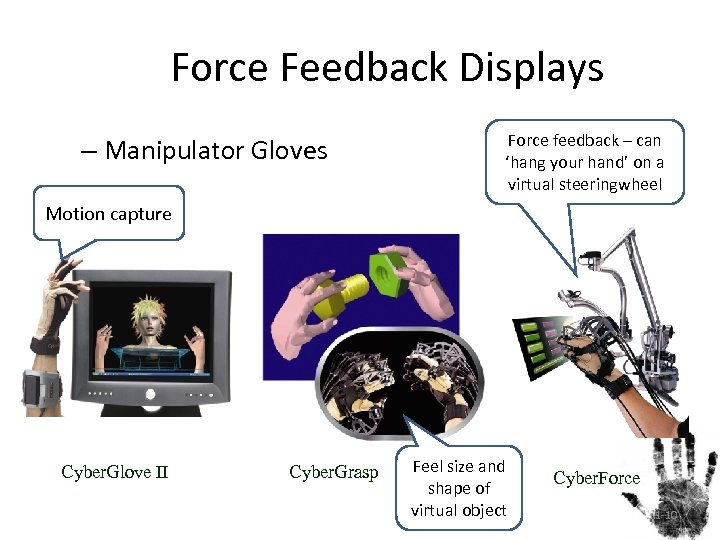
Force Feedback Displays – Manipulator Gloves Force feedback – can ‘hang your hand’ on a virtual steeringwheel Motion capture Cyber. Glove II Cyber. Grasp Feel size and shape of virtual object Cyber. Force 1 -10
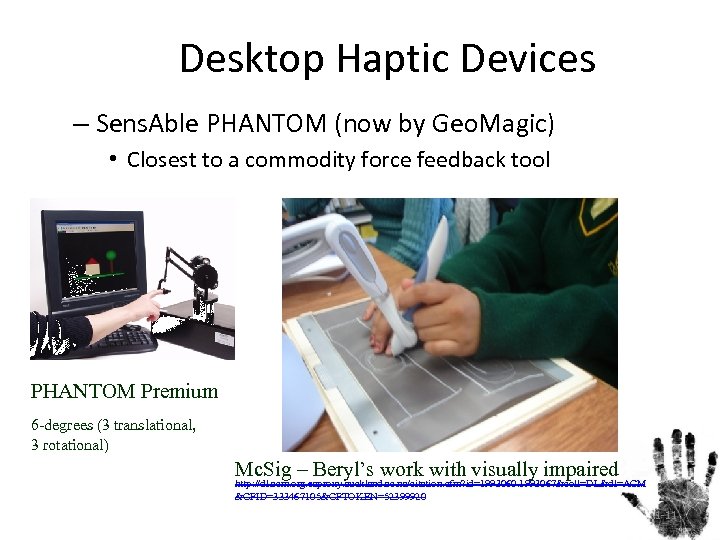
Desktop Haptic Devices – Sens. Able PHANTOM (now by Geo. Magic) • Closest to a commodity force feedback tool PHANTOM Premium 6 -degrees (3 translational, 3 rotational) Mc. Sig – Beryl’s work with visually impaired http: //dl. acm. org. ezproxy. auckland. ac. nz/citation. cfm? id=1993060. 1993067&coll=DL&dl=ACM &CFID=333467105&CFTOKEN=52399920 1 -11
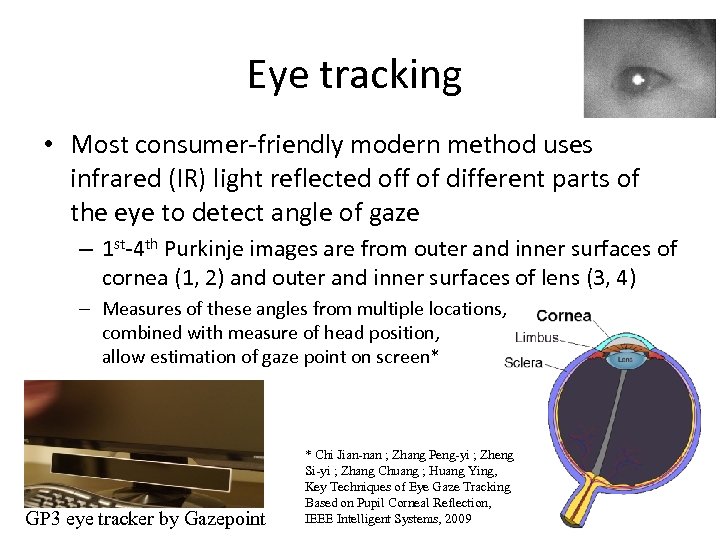
Eye tracking • Most consumer-friendly modern method uses infrared (IR) light reflected off of different parts of the eye to detect angle of gaze – 1 st-4 th Purkinje images are from outer and inner surfaces of cornea (1, 2) and outer and inner surfaces of lens (3, 4) – Measures of these angles from multiple locations, combined with measure of head position, allow estimation of gaze point on screen* GP 3 eye tracker by Gazepoint * Chi Jian-nan ; Zhang Peng-yi ; Zheng Si-yi ; Zhang Chuang ; Huang Ying, Key Techniques of Eye Gaze Tracking Based on Pupil Corneal Reflection, IEEE Intelligent Systems, 2009 1 -12
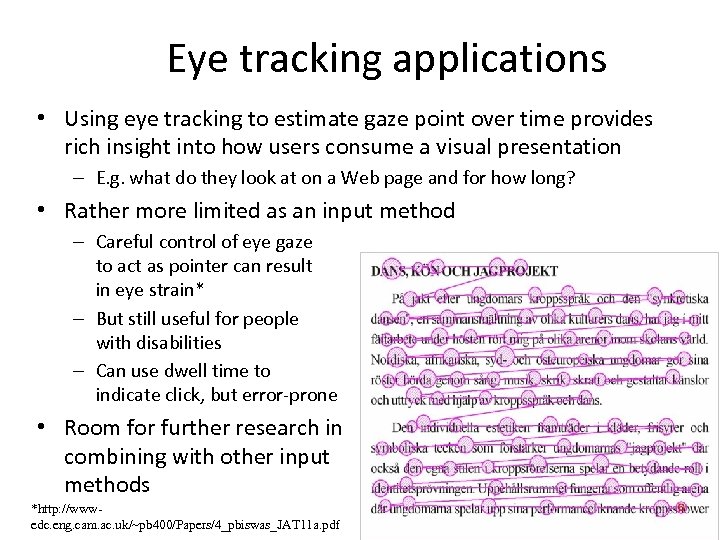
Eye tracking applications • Using eye tracking to estimate gaze point over time provides rich insight into how users consume a visual presentation – E. g. what do they look at on a Web page and for how long? • Rather more limited as an input method – Careful control of eye gaze to act as pointer can result in eye strain* – But still useful for people with disabilities – Can use dwell time to indicate click, but error-prone • Room for further research in combining with other input methods *http: //wwwedc. eng. cam. ac. uk/~pb 400/Papers/4_pbiswas_JAT 11 a. pdf 1 -13
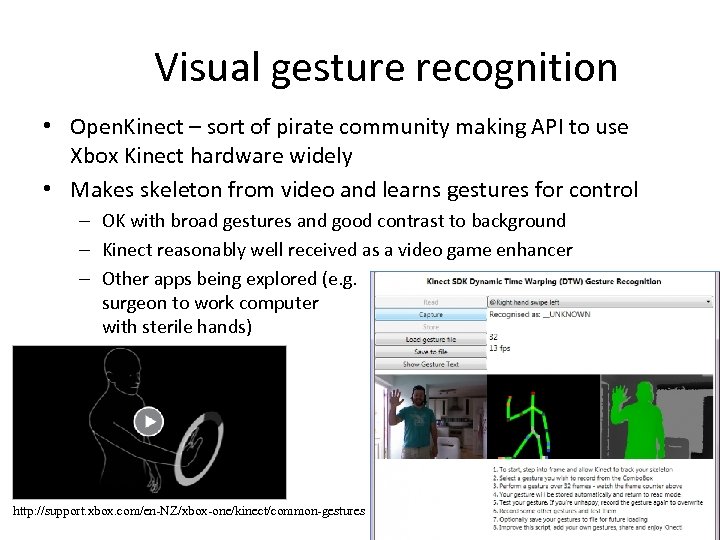
Visual gesture recognition • Open. Kinect – sort of pirate community making API to use Xbox Kinect hardware widely • Makes skeleton from video and learns gestures for control – OK with broad gestures and good contrast to background – Kinect reasonably well received as a video game enhancer – Other apps being explored (e. g. surgeon to work computer with sterile hands) http: //support. xbox. com/en-NZ/xbox-one/kinect/common-gestures 1 -14
Olfactory - Odour/ Smell • Smell is essentially our ability to detect specific chemical particles in the air • We can detect about 4000 different smells • And they can be combined in millions of different ways • Smell is very deep in our animal brain 1 -15
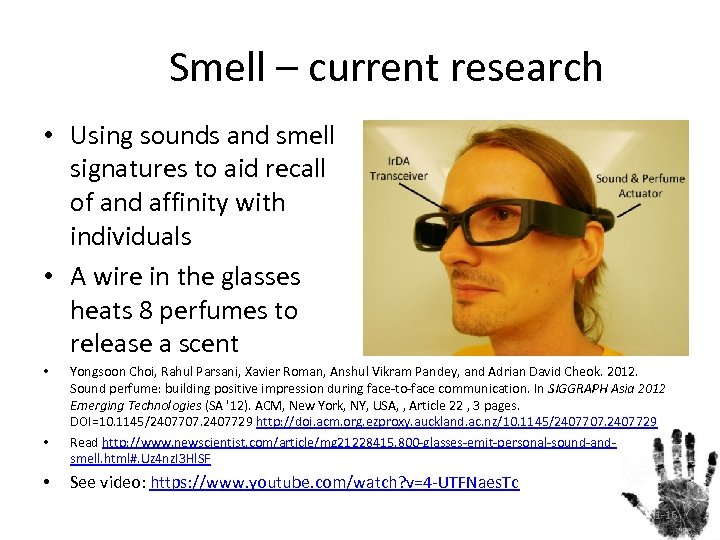
Smell – current research • Using sounds and smell signatures to aid recall of and affinity with individuals • A wire in the glasses heats 8 perfumes to release a scent • • • Yongsoon Choi, Rahul Parsani, Xavier Roman, Anshul Vikram Pandey, and Adrian David Cheok. 2012. Sound perfume: building positive impression during face-to-face communication. In SIGGRAPH Asia 2012 Emerging Technologies (SA '12). ACM, New York, NY, USA, , Article 22 , 3 pages. DOI=10. 1145/2407707. 2407729 http: //doi. acm. org. ezproxy. auckland. ac. nz/10. 1145/2407707. 2407729 Read http: //www. newscientist. com/article/mg 21228415. 800 -glasses-emit-personal-sound-andsmell. html#. Uz 4 nz. I 3 Hl. SF See video: https: //www. youtube. com/watch? v=4 -UTFNaes. Tc 1 -16
Technology of Odour • Input – Detecting particular chemicals is possible • Drug/ explosive sniffers – Detecting the range of smells in anything like human terms is extremely difficult task • Output – Manufacturing particular smells possible (e. g. ‘freshly baked cookies’ – Active generation of a range of smells very difficult, but choosing a single smell to assert branding and positive association for a retail outlet or such is already done (see http: //www. scentair. com/why-scentair-news-press/smells-sellas-hard-nosed-traders-discover/) – Actually not that different than the conventional use of perfume to create an almost-subliminal association for one’s partner – Also similar to branding with corporate colours 1 -17
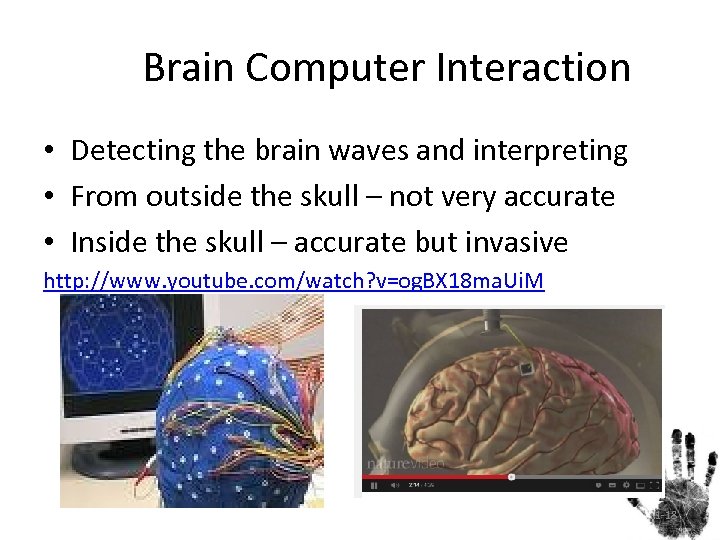
Brain Computer Interaction • Detecting the brain waves and interpreting • From outside the skull – not very accurate • Inside the skull – accurate but invasive http: //www. youtube. com/watch? v=og. BX 18 ma. Ui. M 1 -18
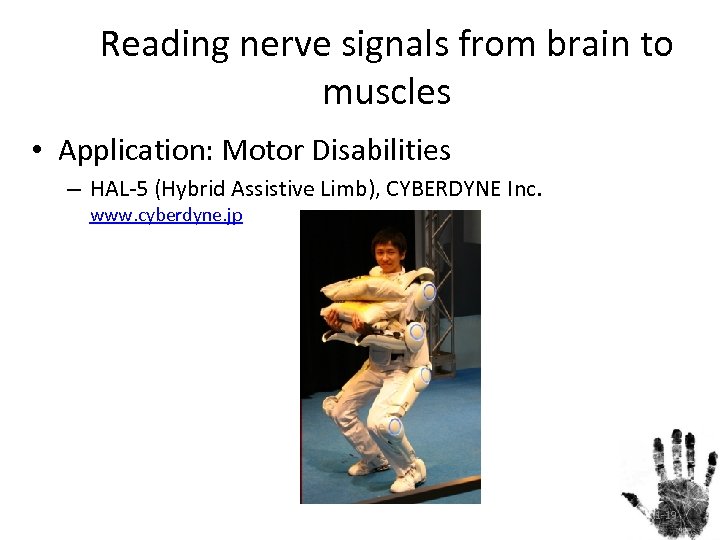
Reading nerve signals from brain to muscles • Application: Motor Disabilities – HAL-5 (Hybrid Assistive Limb), CYBERDYNE Inc. www. cyberdyne. jp 1 -19
1 -20
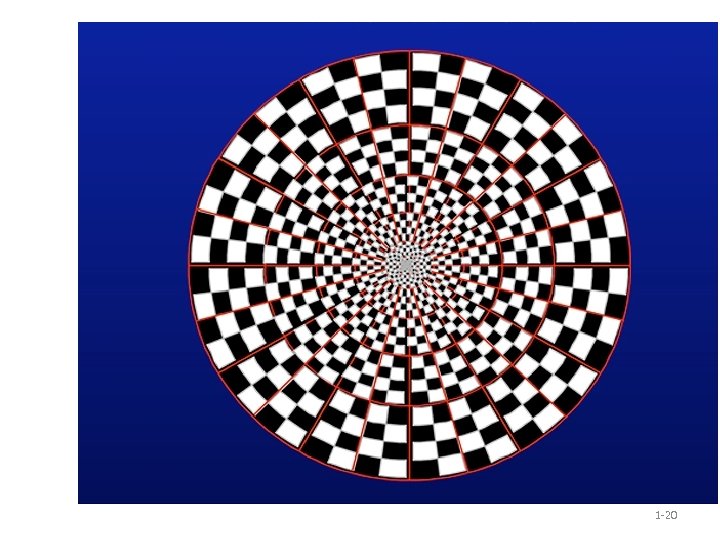
EEG and Visually Evoked Potentials (VEP) • Electroencephalography (EEG) is the recording of electrical activity along the scalp • Patterns (in shape, or as strobing) coming into the eye can translate to measurable signals on the EEG (VEP) – However, there are many sources of noise, including blinking – And it’s not a rapid-response thing (usually analyse period 200 -500 ms following onset of visual stimulus) – See http: //webvision. med. utah. edu/book/electrophysiology/visually-evoked-potentials/ 1 -21
Summary • Describe haptics in terms of – Human perception • Touch, proprioception, kinaesthetics – Applications • Surgery (training or actual), assistive technology • Describe applications of eye tracking and visual gesture recognition – Eye tracking: user studies, assistive; Visual gesture: games • Describe the exploration of – Olfactory detection and production • Detection of specific chemicals possible • Production of a limited range of scents – Brain wave detection • Awkward set up and use through EEG, but a boon to those who need it • Fairly limited interaction without surgery
Скачать презентацию Haptics Smell and Brain Interaction The Frontiers of
b9a70d5e6d75f73c52d932644092bf22.ppt