 Скачать презентацию Hands on Security Authentication and Authorization Virginia Martín-Rubio
7ce4c5c16bbebc24feeb7b08863d5a7d.ppt
- Количество слайдов: 16



Hands on Security, Authentication and Authorization Virginia Martín-Rubio Pascual virginia. martinrubio@rediris. es Red. IRIS/Red. es Curso Grid y e-Ciencia 2010, Valencia 6 - 9 Julio 2010
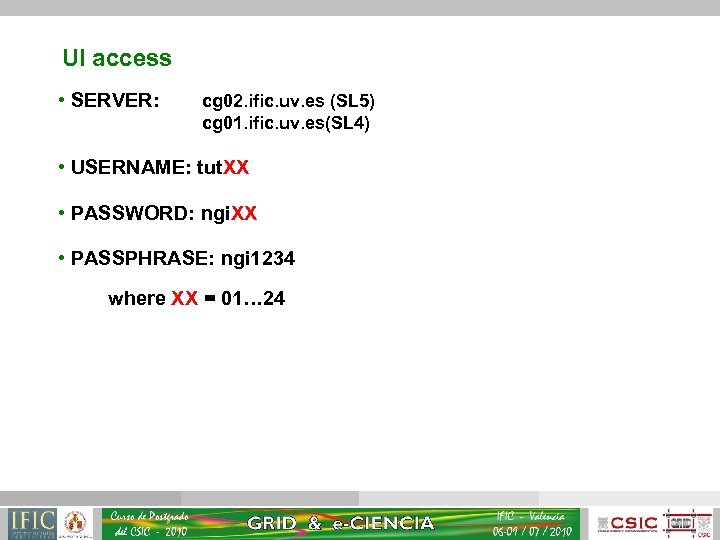
UI access • SERVER: cg 02. ific. uv. es (SL 5) cg 01. ific. uv. es(SL 4) • USERNAME: tut. XX • PASSWORD: ngi. XX • PASSPHRASE: ngi 1234 where XX = 01… 24
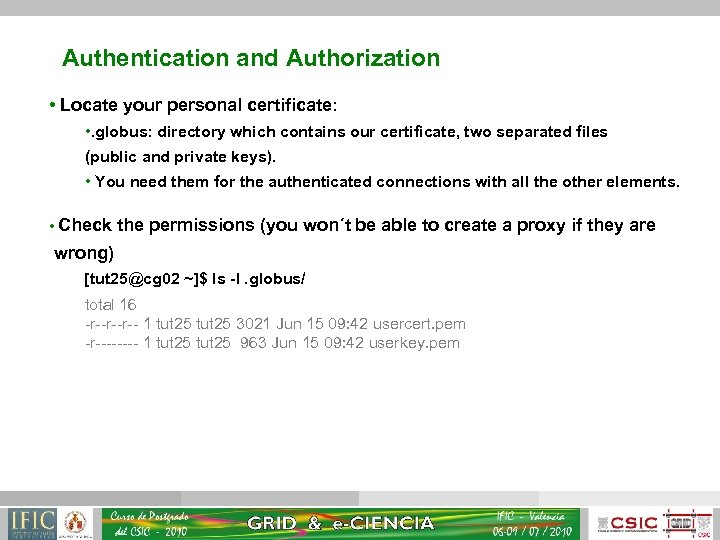
Authentication and Authorization • Locate your personal certificate: • . globus: directory which contains our certificate, two separated files (public and private keys). • You need them for the authenticated connections with all the other elements. • Check the permissions (you won´t be able to create a proxy if they are wrong) [tut 25@cg 02 ~]$ ls -l. globus/ total 16 -r--r--r-- 1 tut 25 3021 Jun 15 09: 42 usercert. pem -r---- 1 tut 25 963 Jun 15 09: 42 userkey. pem
![Authentication and Authorization • Look inside your certificate: grid-cert-info [tut 25@cg 02 ~]$ grid-cert-info](https://present5.com/presentation/7ce4c5c16bbebc24feeb7b08863d5a7d/image-4.jpg "Authentication and Authorization • Look inside your certificate: grid-cert-info [tut 25@cg 02 ~]$ grid-cert-info")
Authentication and Authorization • Look inside your certificate: grid-cert-info [tut 25@cg 02 ~]$ grid-cert-info Certificate: Data: … Issuer: C=ES, O=IFCA, CN=IFCA Formacion Grid CA Validity Not Before: May 28 00: 00 2010 GMT Not After : Jul 12 00: 00 2010 GMT Subject: C=ES, O=IFCA, CN=tut 25 Subject Public Key Info: Public Key Algorithm: rsa. Encryption RSA Public Key: (1024 bit) Modulus (1024 bit): 00: aa: …: 72: 81 Exponent: 65537 (0 x 10001) … • Important Information: • Creation and expiration date • Name and subject of the CA • Common Name (CN) of the certificate owner • Certificate subject
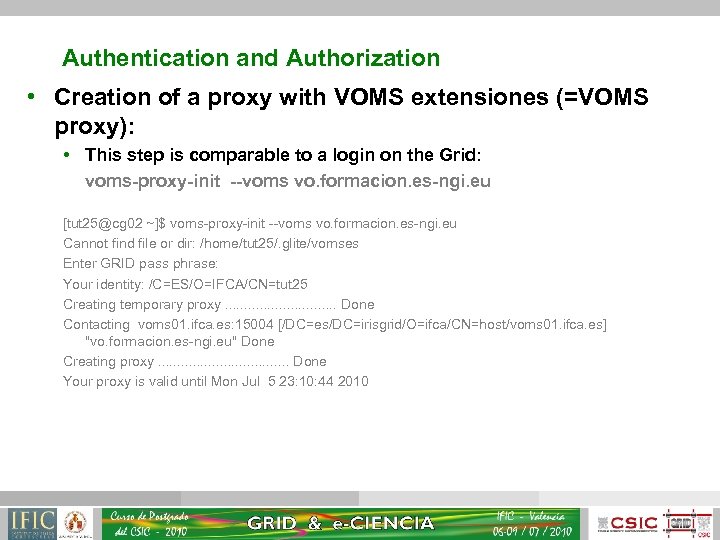
Authentication and Authorization • Creation of a proxy with VOMS extensiones (=VOMS proxy): • This step is comparable to a login on the Grid: voms-proxy-init --voms vo. formacion. es-ngi. eu [tut 25@cg 02 ~]$ voms-proxy-init --voms vo. formacion. es-ngi. eu Cannot find file or dir: /home/tut 25/. glite/vomses Enter GRID pass phrase: Your identity: /C=ES/O=IFCA/CN=tut 25 Creating temporary proxy. . . . Done Contacting voms 01. ifca. es: 15004 [/DC=es/DC=irisgrid/O=ifca/CN=host/voms 01. ifca. es] "vo. formacion. es-ngi. eu" Done Creating proxy. . . . Done Your proxy is valid until Mon Jul 5 23: 10: 44 2010
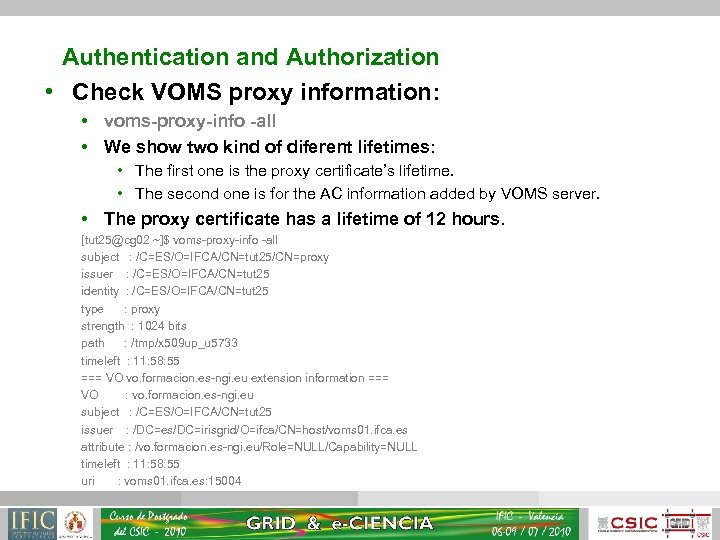
Authentication and Authorization • Check VOMS proxy information: • voms-proxy-info -all • We show two kind of diferent lifetimes: • The first one is the proxy certificate’s lifetime. • The second one is for the AC information added by VOMS server. • The proxy certificate has a lifetime of 12 hours. [tut 25@cg 02 ~]$ voms-proxy-info -all subject : /C=ES/O=IFCA/CN=tut 25/CN=proxy issuer : /C=ES/O=IFCA/CN=tut 25 identity : /C=ES/O=IFCA/CN=tut 25 type : proxy strength : 1024 bits path : /tmp/x 509 up_u 5733 timeleft : 11: 58: 55 === VO vo. formacion. es-ngi. eu extension information === VO : vo. formacion. es-ngi. eu subject : /C=ES/O=IFCA/CN=tut 25 issuer : /DC=es/DC=irisgrid/O=ifca/CN=host/voms 01. ifca. es attribute : /vo. formacion. es-ngi. eu/Role=NULL/Capability=NULL timeleft : 11: 58: 55 uri : voms 01. ifca. es: 15004
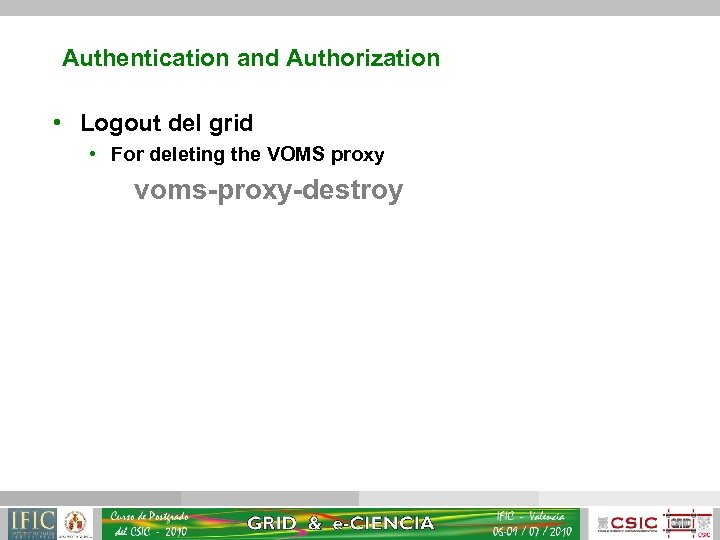
Authentication and Authorization • Logout del grid • For deleting the VOMS proxy voms-proxy-destroy
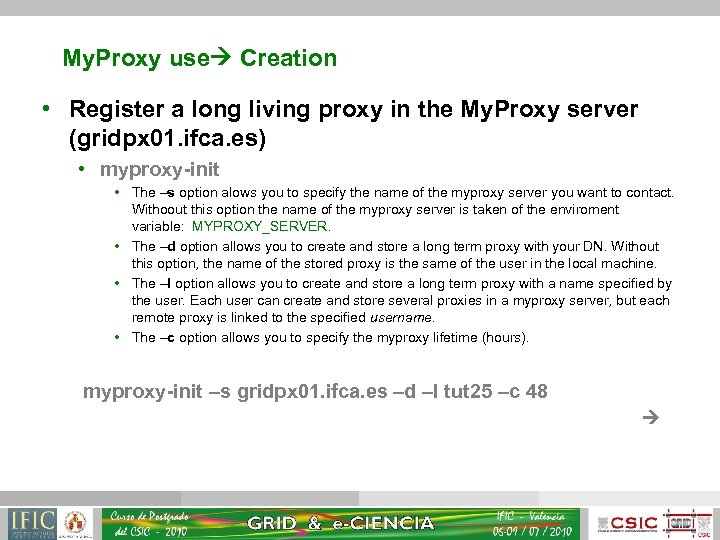
My. Proxy use Creation • Register a long living proxy in the My. Proxy server (gridpx 01. ifca. es) • myproxy-init • The –s option alows you to specify the name of the myproxy server you want to contact. Withoout this option the name of the myproxy server is taken of the enviroment variable: MYPROXY_SERVER. • The –d option allows you to create and store a long term proxy with your DN. Without this option, the name of the stored proxy is the same of the user in the local machine. • The –l option allows you to create and store a long term proxy with a name specified by the user. Each user can create and store several proxies in a myproxy server, but each remote proxy is linked to the specified username. • The –c option allows you to specify the myproxy lifetime (hours). myproxy-init –s gridpx 01. ifca. es –d –l tut 25 –c 48
![My. Proxy use Creation [tut 25@cg 02 ~]$ myproxy-init –s gridpx 01. ifca. es](https://present5.com/presentation/7ce4c5c16bbebc24feeb7b08863d5a7d/image-9.jpg "My. Proxy use Creation [tut 25@cg 02 ~]$ myproxy-init –s gridpx 01. ifca. es")
My. Proxy use Creation [tut 25@cg 02 ~]$ myproxy-init –s gridpx 01. ifca. es –d –l tut 25 –c 48 Your identity: /C=ES/O=IFCA/CN=tut 25 Enter GRID pass phrase for this identity: Creating proxy. . . . Done Proxy Verify OK Your proxy is valid until: Wed Jul 7 15: 19 2010 Enter My. Proxy pass phrase: Verifying - Enter My. Proxy pass phrase: A proxy valid for 48 hours (2. 0 days) for user tut 25 now exists on gridpx 01. ifca. es.
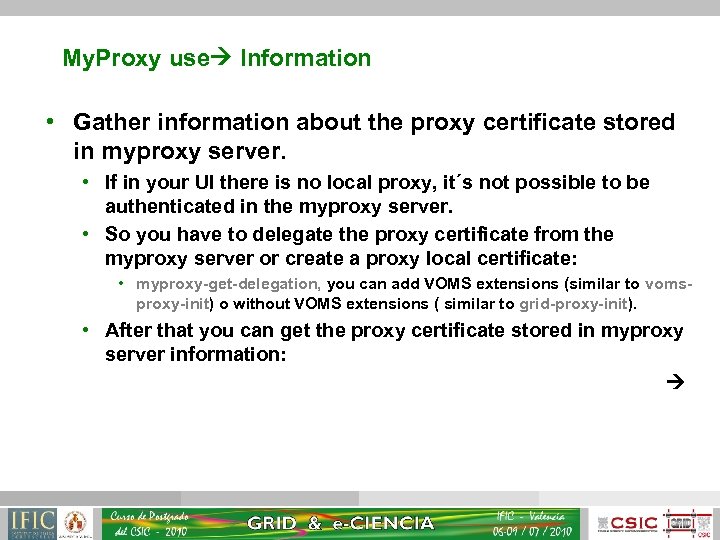
My. Proxy use Information • Gather information about the proxy certificate stored in myproxy server. • If in your UI there is no local proxy, it´s not possible to be authenticated in the myproxy server. • So you have to delegate the proxy certificate from the myproxy server or create a proxy local certificate: • myproxy-get-delegation, you can add VOMS extensions (similar to vomsproxy-init) o without VOMS extensions ( similar to grid-proxy-init). • After that you can get the proxy certificate stored in myproxy server information:
![My. Proxy use Information [tut 25@cg 02 ~]$ myproxy-info –s gridpx 01. ifca. es](https://present5.com/presentation/7ce4c5c16bbebc24feeb7b08863d5a7d/image-11.jpg "My. Proxy use Information [tut 25@cg 02 ~]$ myproxy-info –s gridpx 01. ifca. es")
My. Proxy use Information [tut 25@cg 02 ~]$ myproxy-info –s gridpx 01. ifca. es –d username: tut 25 owner: /C=ES/O=IFCA/CN=tut 25 timeleft: 47: 59: 52 (2. 0 days) • If the credentials have been initialized with –d or -s, you also have to specify it when using myproxy-info. • If the credentials have been initialized with –l, you also have to specify it when using myproxy-info: [tut 25@cg 02 ~]$ myproxy-infogridpx 01. ifca. es –d -l tut 25 username: tut 25 owner: /C=ES/O=IFCA/CN=tut 25 timeleft: 47: 58: 04 (2. 0 days) • It’s very important the username of the proxy, because it’s which identifies and makes difference with the other proxies that you can have stored in your local machine.
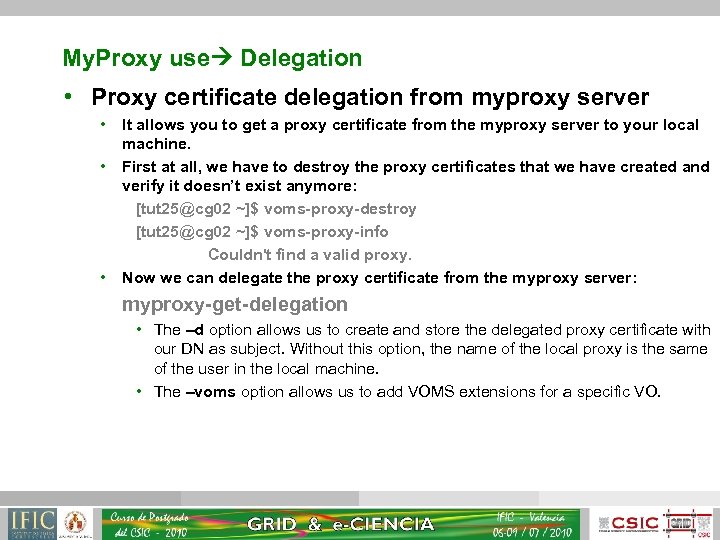
My. Proxy use Delegation • Proxy certificate delegation from myproxy server • • • It allows you to get a proxy certificate from the myproxy server to your local machine. First at all, we have to destroy the proxy certificates that we have created and verify it doesn’t exist anymore: [tut 25@cg 02 ~]$ voms-proxy-destroy [tut 25@cg 02 ~]$ voms-proxy-info Couldn't find a valid proxy. Now we can delegate the proxy certificate from the myproxy server: myproxy-get-delegation • The –d option allows us to create and store the delegated proxy certificate with our DN as subject. Without this option, the name of the local proxy is the same of the user in the local machine. • The –voms option allows us to add VOMS extensions for a specific VO.
![My. Proxy use Delegation [tut 25@cg 02 ~]$ myproxy-get-delegation -l tut 25 --voms vo.](https://present5.com/presentation/7ce4c5c16bbebc24feeb7b08863d5a7d/image-13.jpg "My. Proxy use Delegation [tut 25@cg 02 ~]$ myproxy-get-delegation -l tut 25 --voms vo.")
My. Proxy use Delegation [tut 25@cg 02 ~]$ myproxy-get-delegation -l tut 25 --voms vo. formacion. es-ngi. eu Enter My. Proxy pass phrase: Cannot find file or dir: /home/tut 25/. glite/vomses Your identity: /C=ES/O=IFCA/CN=tut 25/CN=proxy/CN=proxy Creating temporary proxy. . . . . Done Contacting voms 01. ifca. es: 15004 [/DC=es/DC=irisgrid/O=ifca/CN=host/voms 01. ifca. es] "vo. formacion. es-ngi. eu" Done Creating proxy. . . . . . Done Your proxy is valid until Tue Jul 6 03: 07: 10 2010 A credential has been received for user tut 25 in /tmp/x 509 up_u 5733. • Verify now that the user has a local proxy: voms-proxy-info -all
![My. Proxy use Delegation [tut 25@cg 02 ~]$ voms-proxy-info -all subject : /C=ES/O=IFCA/CN=tut 25/CN=proxy/CN=proxy](https://present5.com/presentation/7ce4c5c16bbebc24feeb7b08863d5a7d/image-14.jpg "My. Proxy use Delegation [tut 25@cg 02 ~]$ voms-proxy-info -all subject : /C=ES/O=IFCA/CN=tut 25/CN=proxy/CN=proxy")
My. Proxy use Delegation [tut 25@cg 02 ~]$ voms-proxy-info -all subject : /C=ES/O=IFCA/CN=tut 25/CN=proxy/CN=proxy issuer : /C=ES/O=IFCA/CN=tut 25/CN=proxy/CN=proxy identity : /C=ES/O=IFCA/CN=tut 25/CN=proxy/CN=proxy type : proxy strength : 1024 bits path : /tmp/x 509 up_u 5733 timeleft : 11: 57: 53 === VO vo. formacion. es-ngi. eu extension information === VO : vo. formacion. es-ngi. eu subject : /C=ES/O=IFCA/CN=tut 25 issuer : /DC=es/DC=irisgrid/O=ifca/CN=host/voms 01. ifca. es attribute : /vo. formacion. es-ngi. eu/Role=NULL/Capability=NULL timeleft : 11: 57: 53 uri : voms 01. ifca. es: 15004
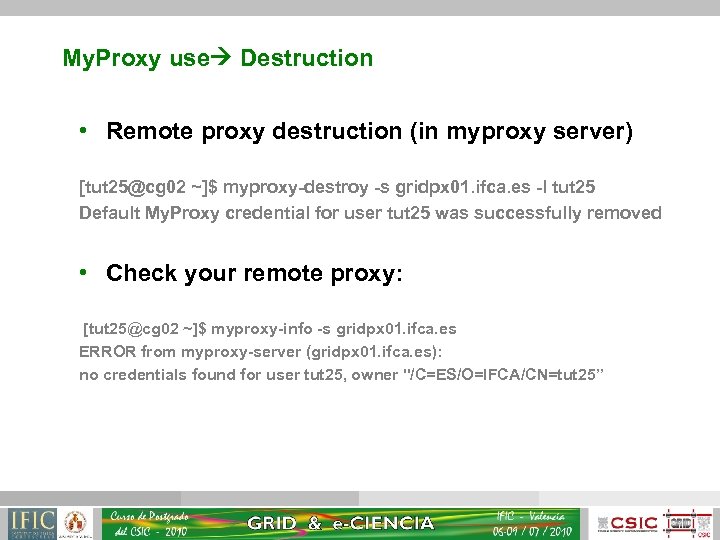
My. Proxy use Destruction • Remote proxy destruction (in myproxy server) [tut 25@cg 02 ~]$ myproxy-destroy -s gridpx 01. ifca. es -l tut 25 Default My. Proxy credential for user tut 25 was successfully removed • Check your remote proxy: [tut 25@cg 02 ~]$ myproxy-info -s gridpx 01. ifca. es ERROR from myproxy-server (gridpx 01. ifca. es): no credentials found for user tut 25, owner "/C=ES/O=IFCA/CN=tut 25”
Thanks for your attention! Questions? 16
Скачать презентацию Hands on Security Authentication and Authorization Virginia Martín-Rubio
7ce4c5c16bbebc24feeb7b08863d5a7d.ppt