


 Скачать презентацию Hands-On Ethical Hacking and Network Defense Second Edition
b814b26fbfb26fb6fb031f2053f992ea.ppt
- Количество слайдов: 44
 Hands-On Ethical Hacking and Network Defense Second Edition Chapter 9 Embedded Operating Systems: The Hidden Threat
 Objectives • After reading this chapter and completing the exercises, you will be able to: – Explain what embedded operating systems are and where they’re used – Describe Windows and other embedded operating systems – Identify vulnerabilities of embedded operating systems and best practices for protecting them
 Introduction to Embedded Operating Systems
 Introduction to Embedded Operating Systems • Embedded system – Any computer system that isn’t a general-purpose PC or server • GPSs and ATMs • Electronic consumer and industrial items • Embedded operating system (OS) – Small program developed for embedded systems • Stripped-down version of OS commonly used on general-purpose computers • Designed to be small and efficient
 Introduction to Embedded Operating Systems (cont’d. ) • Real-time operating system (RTOS) – Typically used in devices such as programmable thermostats, appliance controls, and spacecraft • Corporate buildings – May have many embedded systems • Firewalls, switches, routers, Web-filtering appliances, network attached storage devices, etc. • Embedded systems – Are in all networks – Perform essential functions • Route network traffic; block suspicious packets
 Windows and Other Embedded Operating Systems • Recycling common code and reusing technologies – Sound software engineering practices – Also introduce common points of failure • Viruses, worms, Trojans, and other attack vectors • Windows and Linux vulnerabilities – Might also exist in embedded version • Windows CE – Some source code is available to the public • Code sharing is not common • Microsoft believed it would increase adoptions
 Windows and Other Embedded Operating Systems (cont’d. ) • Windows Embedded Standard – Provides full Windows API – Performs many of the same tasks as desktop version – Designed for more advanced devices • Complex hardware requirements – Modular OS • Unneeded features can be removed
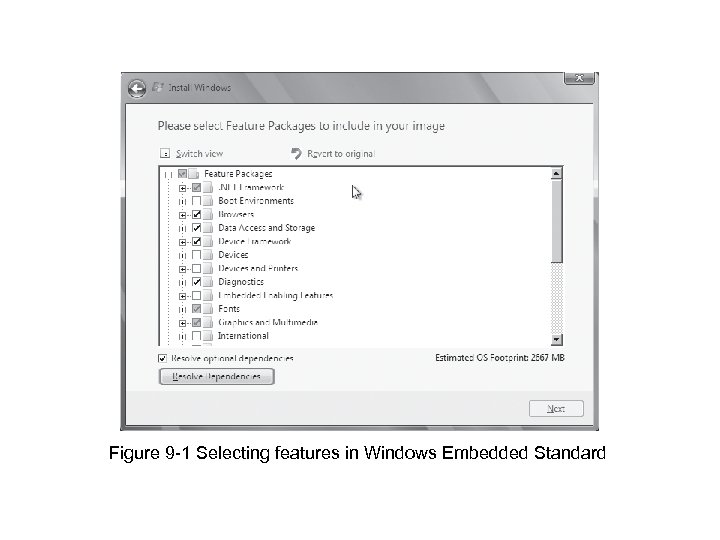 Figure 9 -1 Selecting features in Windows Embedded Standard
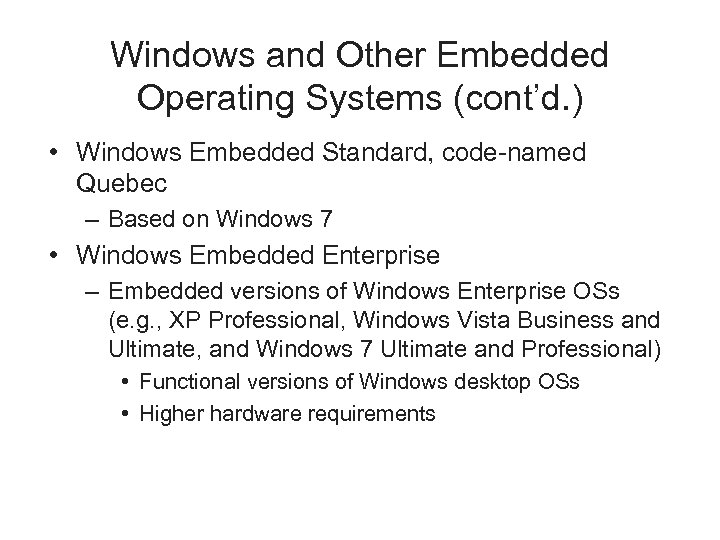 Windows and Other Embedded Operating Systems (cont’d. ) • Windows Embedded Standard, code-named Quebec – Based on Windows 7 • Windows Embedded Enterprise – Embedded versions of Windows Enterprise OSs (e. g. , XP Professional, Windows Vista Business and Ultimate, and Windows 7 Ultimate and Professional) • Functional versions of Windows desktop OSs • Higher hardware requirements
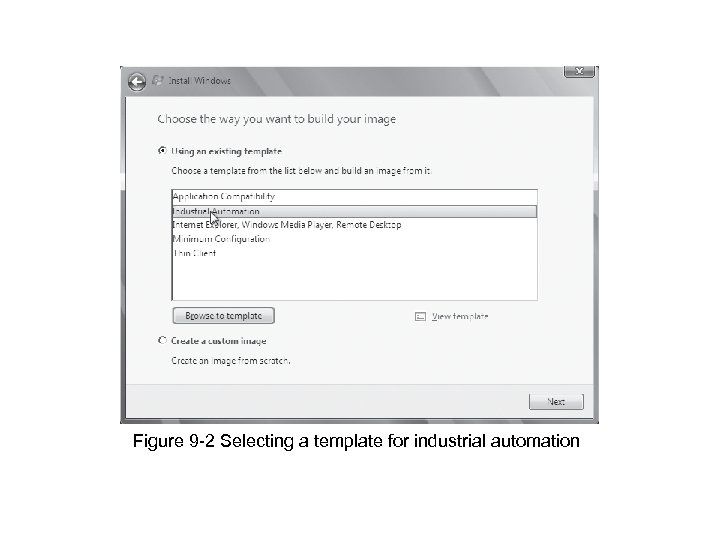 Figure 9 -2 Selecting a template for industrial automation
 Other Proprietary Embedded OSs • Vx. Works – Widely used embedded OS • Developed by Wind River Systems – Used in many different environments and applications – Designed to run efficiently on minimal hardware – Used by a variety of systems
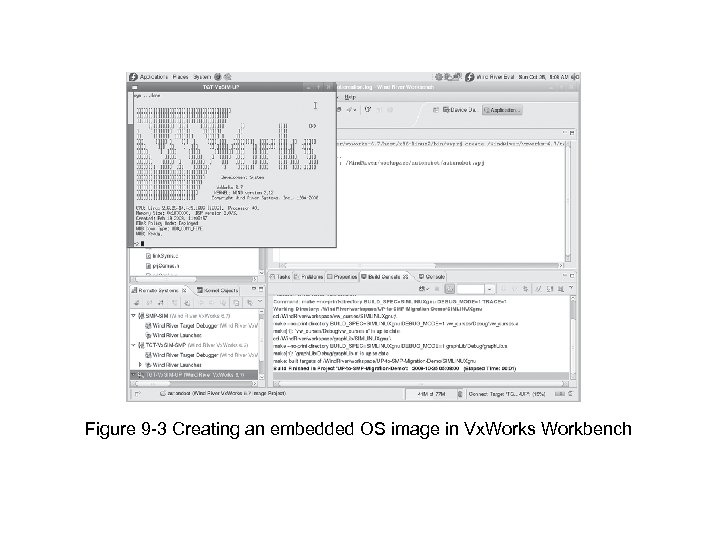 Figure 9 -3 Creating an embedded OS image in Vx. Works Workbench
 Other Proprietary Embedded OSs (cont’d. ) • Green Hill Software embedded OSs – F-35 Joint Strike Fighter – Multiple independent levels of security/safety (MILS) • OS certified to run multiple levels of classification – Embedded OS code • Used in printers, routers, switches, etc. • QNX Software Systems QNX – Commercial RTOS • Used in Cisco’s ultra-high-availability routers and Logitech universal remotes
 Other Proprietary Embedded OSs (cont’d. ) • Real-Time Executive for Multiprocessor Systems (RTEMS) – Open-source embedded OS – Used in space systems • Supports processors designed to operate in space • Using multiple embedded OSs – Increases attack surface
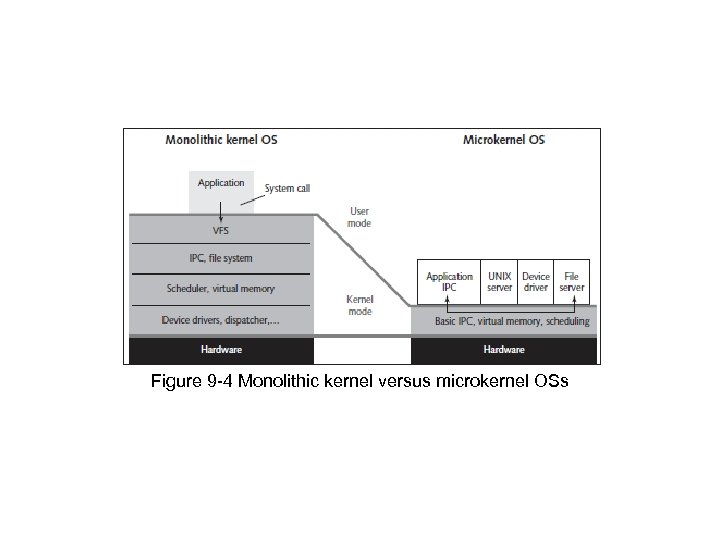 Figure 9 -4 Monolithic kernel versus microkernel OSs
 *Nix Embedded OSs • Embedded Linux – Monolithic OS • Used in industrial, medical, and consumer items – Can be tailored for devices with limited memory or hard drive capacity – Supports widest variety of hardware – Allows adding features • Dynamic kernel modules
 *Nix Embedded OSs (cont’d. ) • Real Time Linux (RTLinux) – OS microkernel extension – Turns “regular” Linux into an RTOS • Suitable for embedded applications requiring a guaranteed response in a predictable manner • Linux dd-wrt – Embedded Linux OS – Used in Linksys WRT 54 G wireless router • Found in home offices and small businesses
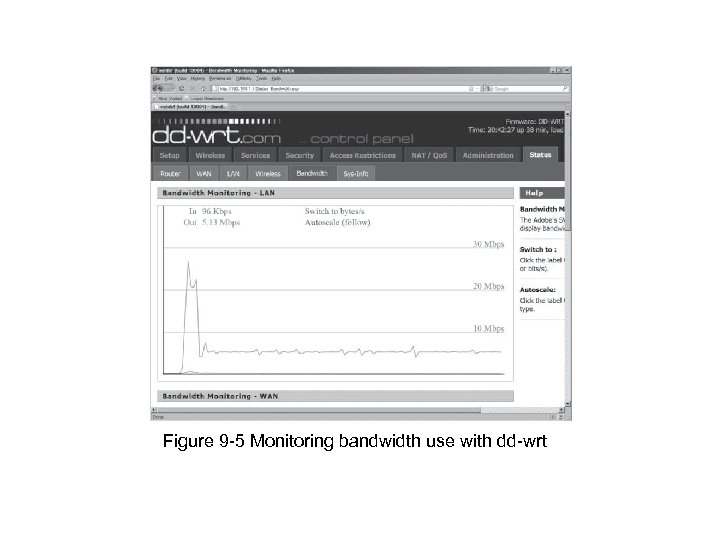 Figure 9 -5 Monitoring bandwidth use with dd-wrt
 Vulnerabilities of Embedded OSs
 Psy. Bot • Links Ch 9 e, 9 f
 Windows Mobile Vulnerabilities
 Vulnerabilities of Embedded OSs • Impact of attacks have become more serious – Embedded OSs are no exception • Easiest way to profit from hacking – Attack devices that store and dispense cash (e. g. , ATMs) • Involves use of card skimmers or stealing the machines
 Embedded OSs Are Everywhere • Embedded systems with Y 2 K software flaw – Billions located everywhere • Today – Many more embedded devices • Under attack from hackers and terrorists • Attackers want to further financial or political causes – Addressing security early in design phase is essential
 Embedded OSs Are Networked • Advantages of connecting to a network – Efficiency and economy – Ability to manage and share services • Keeps human resources and expertise minimal • Reduces costs • Any device added to a network infrastructure – Increases potential for security problems
 Embedded OSs Are Difficult to Patch • General-purpose desktop OSs – Simple to patch • Wait for vulnerability to be identified • Download and install patch • Embedded OSs – Must continue operating regardless of threat – Lack familiar interfaces – Buffer overflow attacks might be successful • Few updates released to correct vulnerabilities • Manufacturers typically prefer system upgrades
 Embedded OSs Are Difficult to Patch (cont’d. ) • Open-source software – Cost of developing and patching shared by opensource community • Patching Linux kernel – Estimated at tens of billions of dollars – Offers flexibility and support • Large; has many code portions • Fixing a vulnerability – Weigh cost of fixing against importance of information the embedded system controls
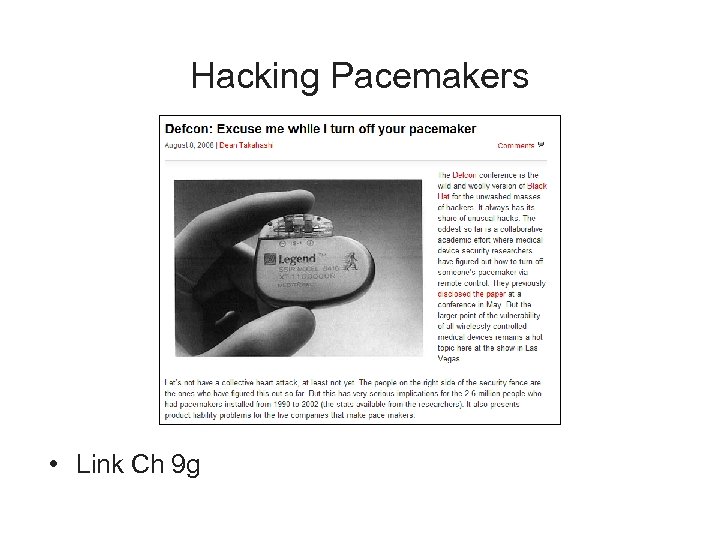 Hacking Pacemakers • Link Ch 9 g
 Embedded OSs Are in Networking Devices • Networking devices – Usually have software and hardware designed to transmit information across networks • General-purpose computers – Originally performed routing and switching • High-speed networks now use specialized hardware and embedded OSs • Attacks that compromise a router – Can give complete access to network resources • Attackers follow usual methods of footprinting, scanning, and enumerating the target
 Embedded OSs Are in Networking Devices (cont’d. ) • Authentication bypass vulnerability – Common vulnerability of routers – Specially crafted URL bypasses normal authentication mechanism • Router Hacking Contest – Link Ch 8 h • After bypassing authentication – Attackers can launch other network attacks • Use access gained through compromised router
 Embedded OSs Are in Network Peripherals • Common peripheral devices: – Printers, scanners, copiers, and fax devices • Multifunction devices (MFDs) – Perform more than one function • Rarely scanned for vulnerabilities or configured for security – Have embedded OSs with sensitive information • Information susceptible to theft and modification • Attackers may use malware or insert malicious links • Social-engineering techniques may be used to gain access
 Hacking into a Printer • Taking control of a printer gives you – Access to stored print jobs – You can use the printer as a gateway into a secure LAN • See link Ch 9 i – You could also alter the messages the printer produces to send malicious links to desktops
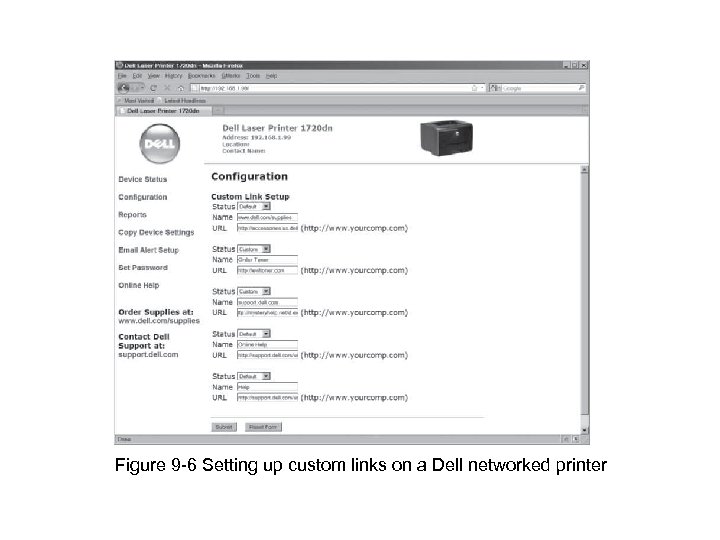 Figure 9 -6 Setting up custom links on a Dell networked printer
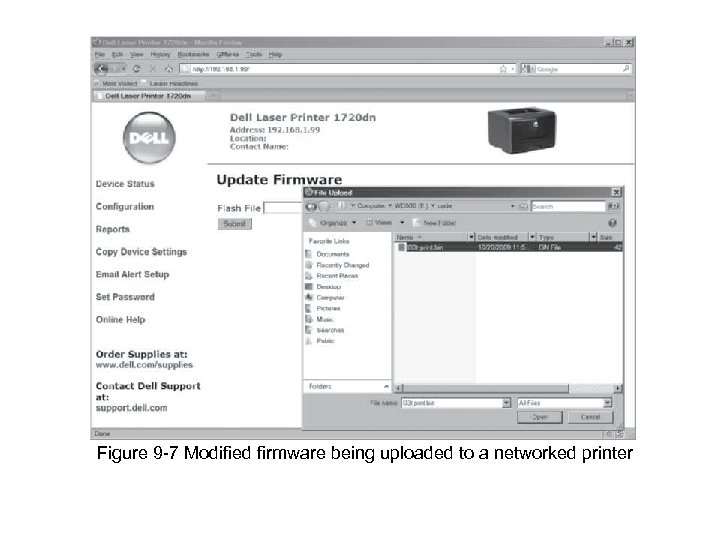 Figure 9 -7 Modified firmware being uploaded to a networked printer
 Supervisory Control and Data Acquisition Systems • Used for equipment monitoring in large industries (e. g. , public works and utilities) – Anywhere automation is critical • May have many embedded systems as components – Vulnerable through data fed in and out or embedded OSs • Systems controlling critical infrastructure – Usually separated from Internet by “air gap”
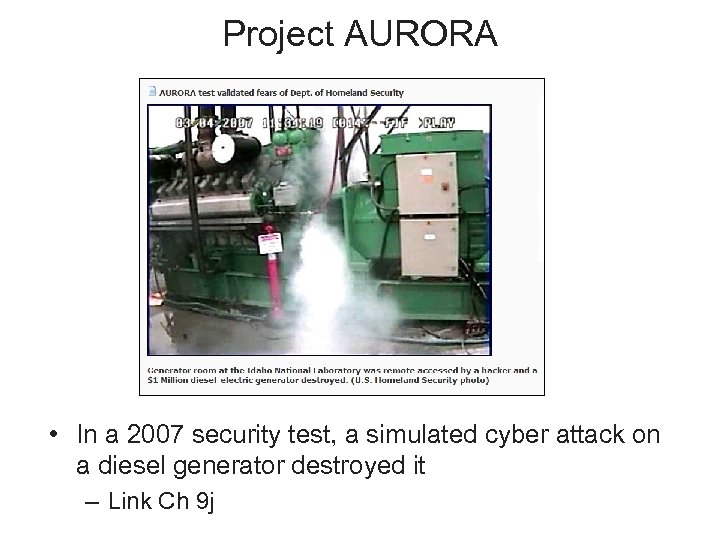 Project AURORA • In a 2007 security test, a simulated cyber attack on a diesel generator destroyed it – Link Ch 9 j
 Stuxnet • Infected Siemens Programmable Logic Controller cards in nuclear power plants • Suspected to be a targeted military attack against one Iranian nuclear plant • Very sophisticated attack, using four 0 -day exploits • Infected thousands of Iranian systems • Iran may have executed nuclear staff over this – Links Ch 9 k – 9 m
 Cell Phones, Smartphones, and PDAs • Conversations over traditional phones – Considered protected • Tapping used to require a lot of time, expensive equipment, and a warrant – Many have the same security expectations of cell phones, smartphones, and PDAs • PDAs have additional vulnerabilities associated with PDA applications and services • Smartphones combine functions; have even more vulnerabilities
 Cell Phones, Smartphones, and PDAs (cont’d. ) • Cell phone vulnerabilities – – Attackers listening to your phone calls Using the phone as a microphone “Cloning” the phone to make long-distance calls Get useful information for computer or network access • Steal trade or national security secrets • Java-based phone viruses
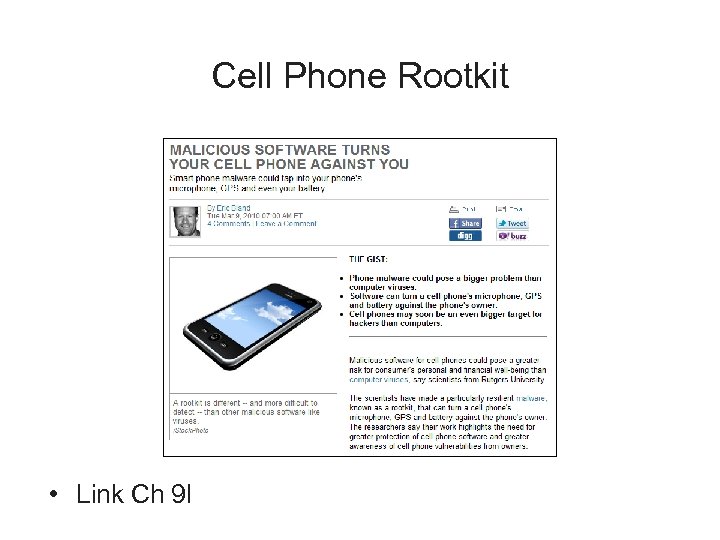 Cell Phone Rootkit • Link Ch 9 l
 Rootkits • Modify OS parts or install themselves as kernel modules, drivers, libraries, and applications – Exist for Windows and *nix OSs • Rootkit-detection tools and antivirus software – Detect rootkits and prevent installation • More difficult if OS has already been compromised • Rootkits can monitor OS for anti-rootkit tools and neutralize them • Biggest threat – Infects firmware
 Rootkits (cont’d. ) • Trusted Platform Module (TPM) – Defense against low-level rootkits • Ensures OS hasn’t been subverted or corrupted • ISO standard ISO/IEC 11889 • Firmware rootkits – Hard to detect • Code for firmware often isn’t checked for corruption • Insider hacking – Harder to detect • Malicious code hidden in flash memory
 Rootkits (cont’d. ) • Systems compromised before purchased – May function like normal – Must flash (rewrite) BIOS, wipe hard drive, and reload OS • Expensive and time consuming • Lo. Jack for Laptops – Laptop theft-recovery service – Some design-level vulnerabilities rootkits can exploit • Infection residing in computer’s BIOS • Call-home mechanism
 Best Practices for Protecting Embedded OSs
 Best Practices for Protecting Embedded OSs • Include: – Identify all embedded systems in an organization • Prioritize systems or functions that depend on them – Follow least privileges principle for access – Use data transport encryption – Configure embedded systems securely • • Use cryptographic measures Install patches and updates Restrict network access and reduce attack surface Upgrade or replace systems that can’t be fixed or pose unacceptable risks