


 Скачать презентацию Hands-On Ethical Hacking and Network Defense Chapter 9
10f3a6ec8a609e913605ad23dc64ef0d.ppt
- Количество слайдов: 40
 Hands-On Ethical Hacking and Network Defense Chapter 9 Linux Operating System Vulnerabilities Hands-On Ethical Hacking and Network Defense
 Objectives Describe the fundamentals of the Linux operating system Describe the vulnerabilities of the Linux operating system Describe Linux remote attacks Explain countermeasures for protecting the Linux operating system 2
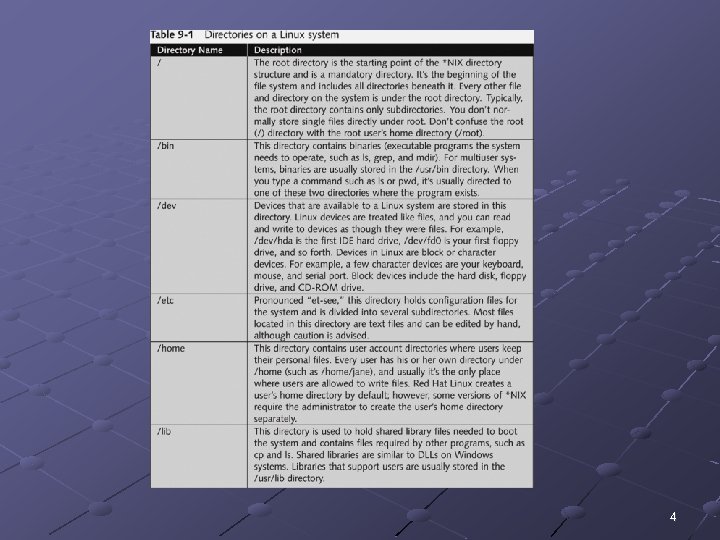
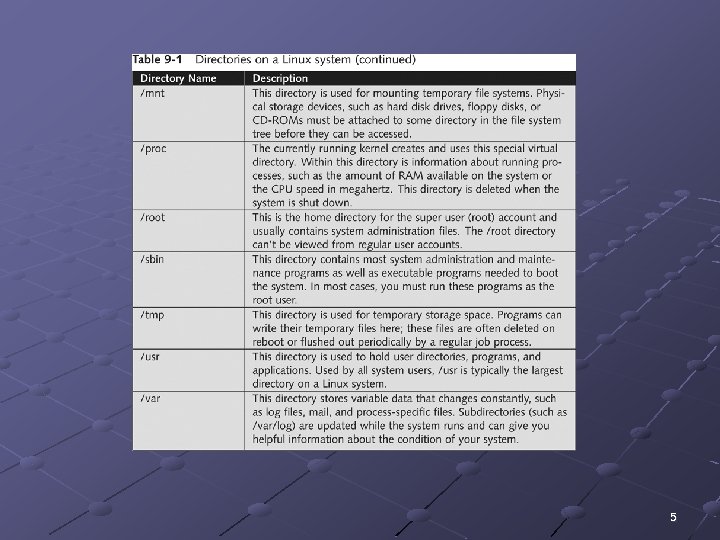
 Review of Linux Fundamentals Linux is a version of UNIX n n Usually available free Red Hat Includes documentation and support for a fee Linux creates default directories 3
 4
4
 5
5
 Linux Exploration Demo See link Ch 9 b 6
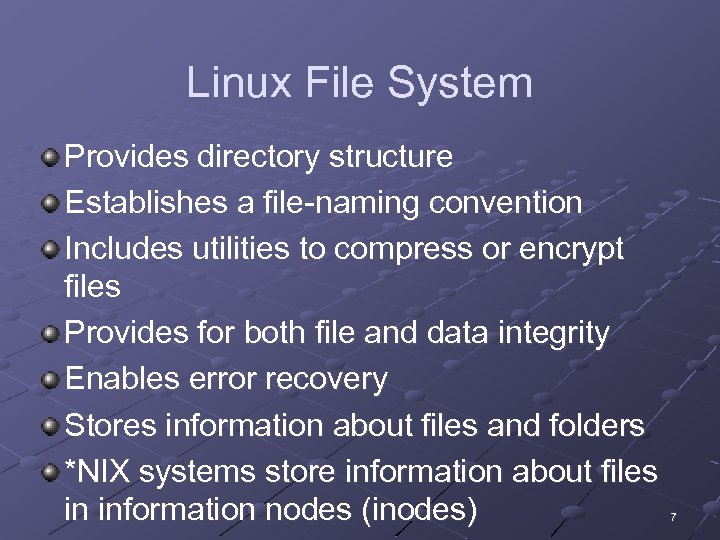 Linux File System Provides directory structure Establishes a file-naming convention Includes utilities to compress or encrypt files Provides for both file and data integrity Enables error recovery Stores information about files and folders *NIX systems store information about files in information nodes (inodes) 7
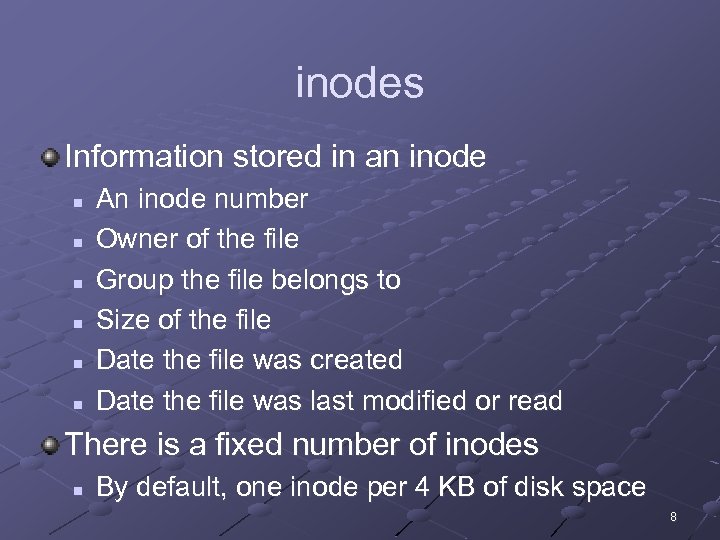 inodes Information stored in an inode n n n An inode number Owner of the file Group the file belongs to Size of the file Date the file was created Date the file was last modified or read There is a fixed number of inodes n By default, one inode per 4 KB of disk space 8
 Mounting In Windows, each device has a letter n A: for floppy, C: for hard disk, and so on *NIX mounts a file system (usually a drive) as a subfile system of the root file system / mount command is used to mount file systems n or to display currently mounted file systems df command displays disk usage of mounted file systems 9
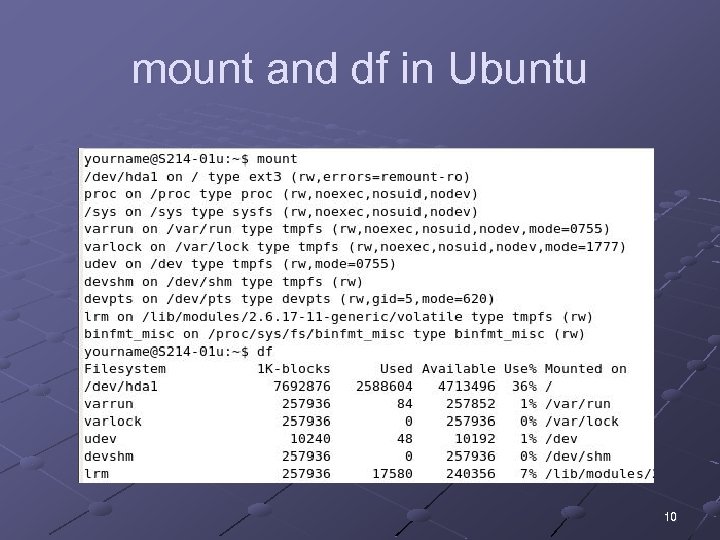 mount and df in Ubuntu 10
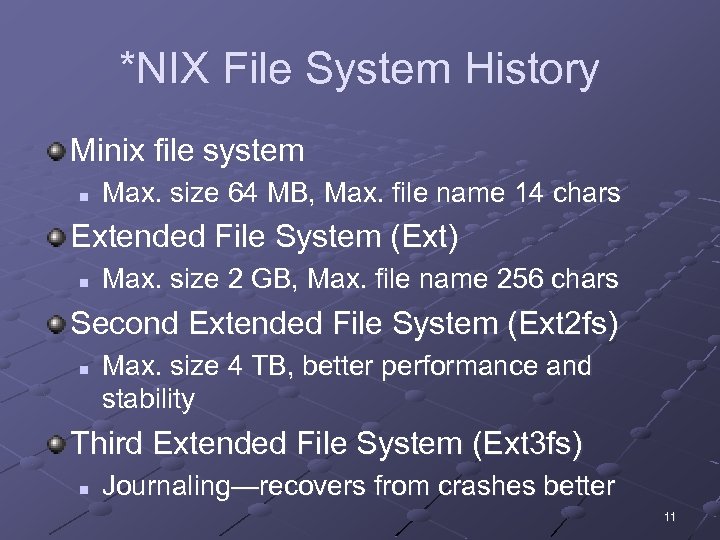 *NIX File System History Minix file system n Max. size 64 MB, Max. file name 14 chars Extended File System (Ext) n Max. size 2 GB, Max. file name 256 chars Second Extended File System (Ext 2 fs) n Max. size 4 TB, better performance and stability Third Extended File System (Ext 3 fs) n Journaling—recovers from crashes better 11
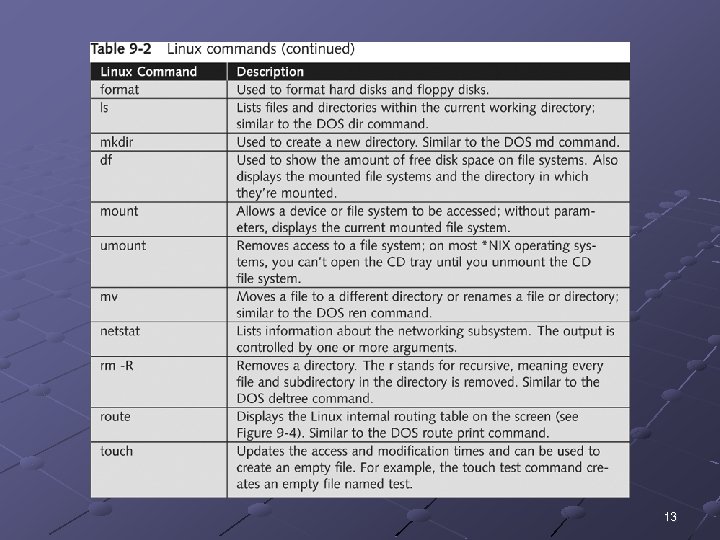
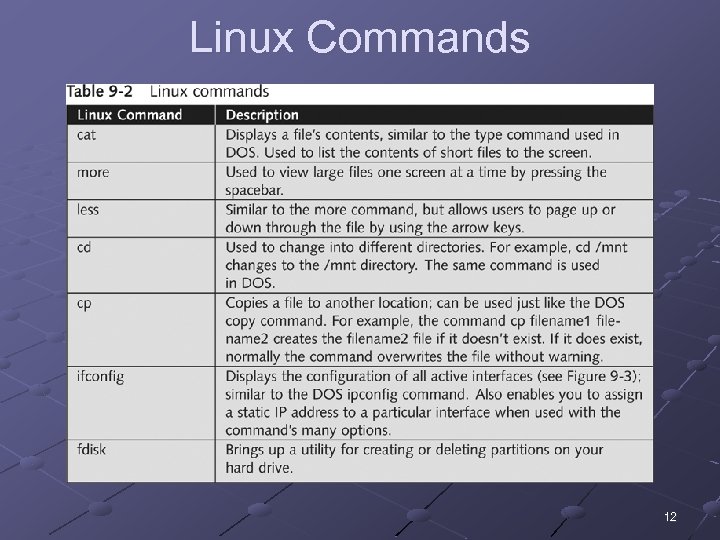 Linux Commands 12
 13
13
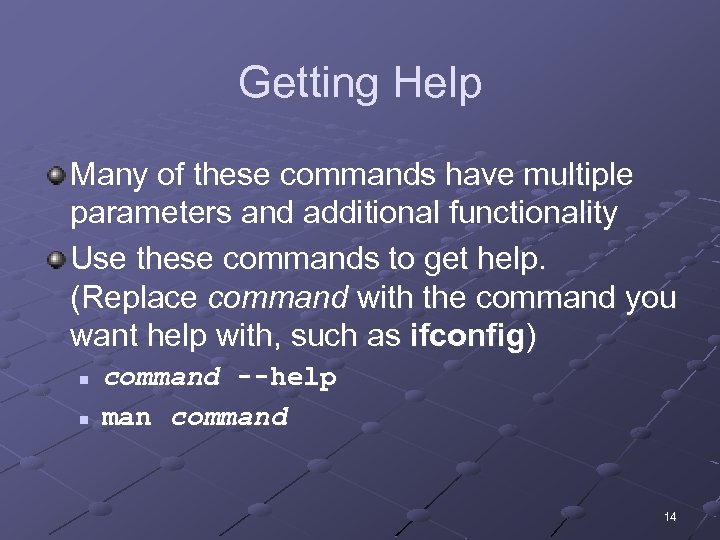 Getting Help Many of these commands have multiple parameters and additional functionality Use these commands to get help. (Replace command with the command you want help with, such as ifconfig) n n command --help man command 14
 Linux OS Vulnerabilities UNIX has been around for quite some time Attackers have had plenty of time to discover vulnerabilities in *NIX systems Enumeration tools can also be used against Linux systems Nessus can be used to enumerate Linux systems 15
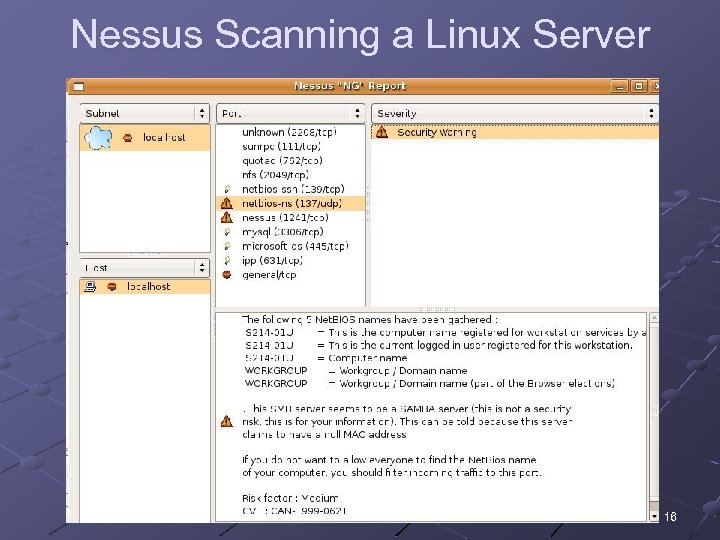 Nessus Scanning a Linux Server 16
 Linux OS Vulnerabilities (continued) Nessus can be used to n n n Discover vulnerabilities related to SMB and Net. BIOS Discover other vulnerabilities Enumerate shared resources 17
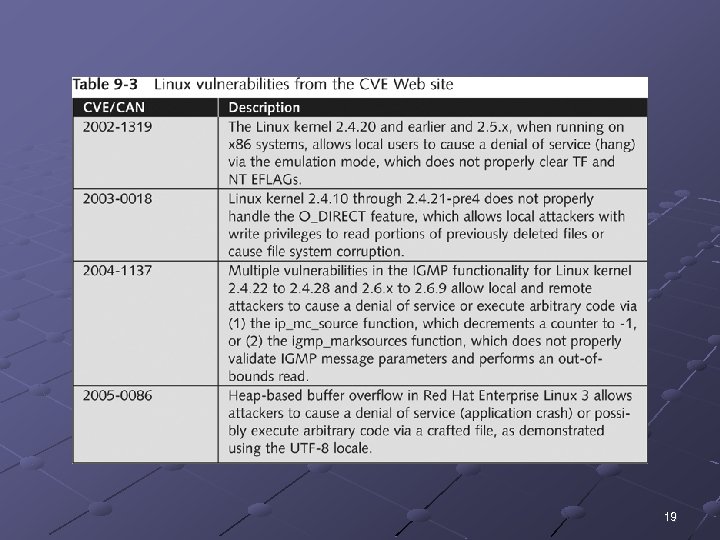
 Linux OS Vulnerabilities (continued) Test Linux computer against common known vulnerabilities n n Review the CVE and CAN information See links Ch 9 m, n, o 18
 19
19
 Remote Access Attacks on Linux Systems Differentiate between local attacks and remote attacks n Remote attacks are harder to perform Attacking a network remotely requires n n Knowing what system a remote user is operating The attacked system’s password and login accounts 20
 Footprinting an Attacked System Footprinting techniques n Used to find out information about a target system Determining the OS version the attacked computer is running n n Check newsgroups for details on posted messages Knowing a company’s e-mail address makes the search easier 21
 Other Footprinting Tools Whois databases DNS zone transfers Nessus Port scanning tools 22
 Using Social Engineering to Attack Remote Linux Systems Goal n To get OS information from company employees Common techniques n n n Urgency Quid pro quo Status quo Kindness Position Train your employees about social engineering techniques 23
 Trojans Trojan programs spread as n n E-mail attachments Fake patches or security fixes that can be downloaded from the Internet Trojan program functions n n Allow for remote administration Create a FTP server on attacked machine Steal passwords Log all keys a user enters, and e-mail results to the attacker 24
 Trojans Trojan programs can use legitimate outbound ports n n Firewalls and IDSs cannot identify this traffic as malicious Example: Sheepshank uses HTTP GETs It is easier to protect systems from already identified Trojan programs n See links Ch 9 e, f, g 25
 Installing Trojan Programs (continued) Rootkits n n Contain Trojan binary programs ready to be installed by an intruder with root access to the system Replace legitimate commands with Trojan programs Hides the tools used for later attacks Example: LRK 5 26
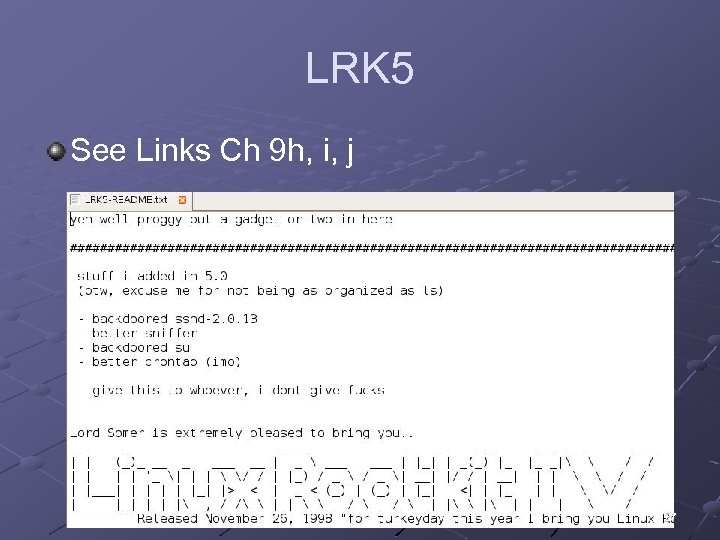 LRK 5 See Links Ch 9 h, i, j 27
 Rootkit Detectors Security testers should check their Linux systems for rootkits n n n Rootkit Hunter (Link Ch 9 l) Chkrootkit (Link Ch 9 l) Rootkit Profiler (Link Ch 9 k) 28
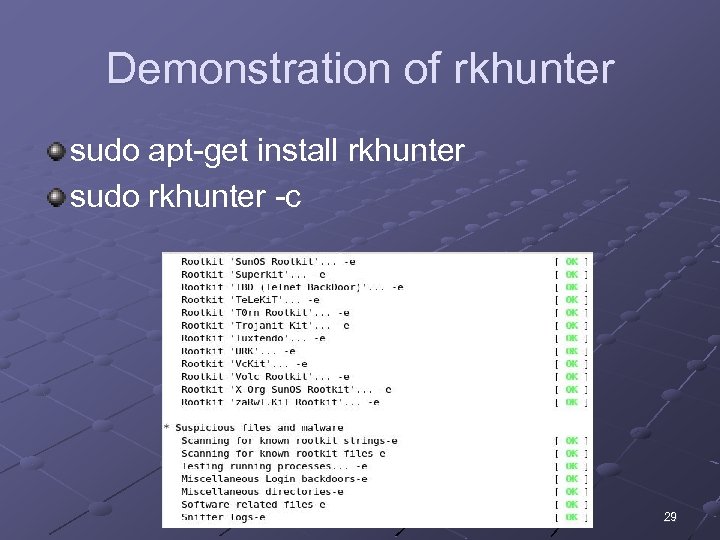 Demonstration of rkhunter sudo apt-get install rkhunter sudo rkhunter -c 29
 Creating Buffer Overflow Programs Buffer overflows write code to the OS’s memory n n Then run some type of program Can elevate the attacker’s permissions to the level of the owner Security testers should know what a buffer overflow program looks like 30
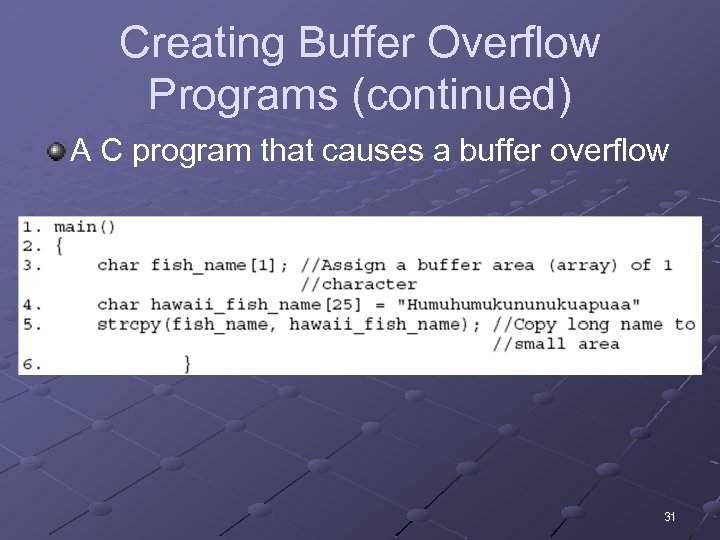 Creating Buffer Overflow Programs (continued) A C program that causes a buffer overflow 31
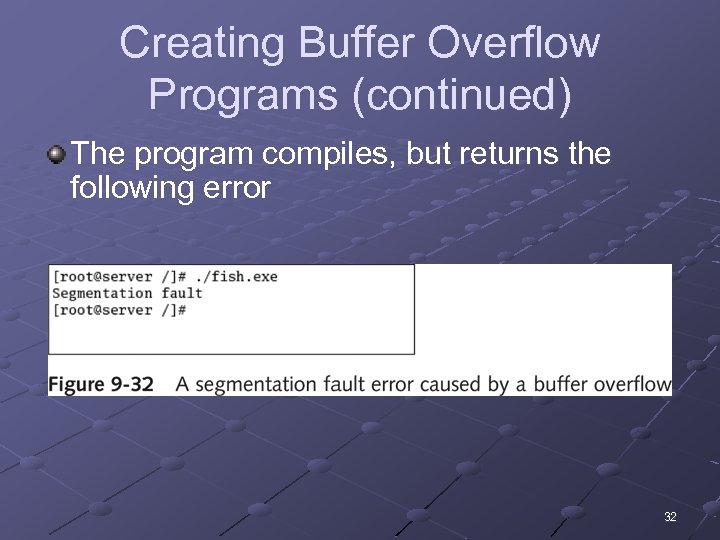 Creating Buffer Overflow Programs (continued) The program compiles, but returns the following error 32
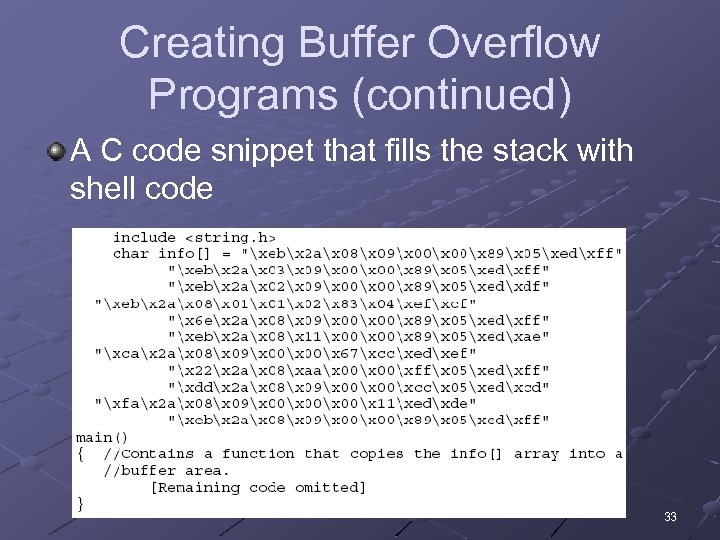 Creating Buffer Overflow Programs (continued) A C code snippet that fills the stack with shell code 33
 Avoiding Buffer Overflows Write code that avoids functions known to have buffer overflow vulnerabilities strcpy() strcat() sprintf() gets() Configure OS to not allow code in the stack to run any other executable code in the stack Some compilers like gcc warn programmers when dangerous functions are used 34
 Using Sniffers to Gain Access to Remote Linux Systems Sniffers work by setting a network card adapter in promiscuous mode n NIC accepts all packets that traverse the network cable Attacker can analyze packets and learn user names and passwords n Avoid using protocols such as Telnet, HTTP, and FTP that send data in clear text Sniffers n Tcpdump, Ethereal (now Wireshark) 35
 Countermeasures Against Linux Remote Attacks Measures include n n User awareness training Keeping current on new kernel releases and security updates 36
 User Awareness Training Social Engineering n n n Users must be told not to reveal information to outsiders Make customers aware that many exploits can be downloaded from Web sites Teach users to be suspicious of people asking questions about the system they are using Verify caller’s identity Call back technique 37
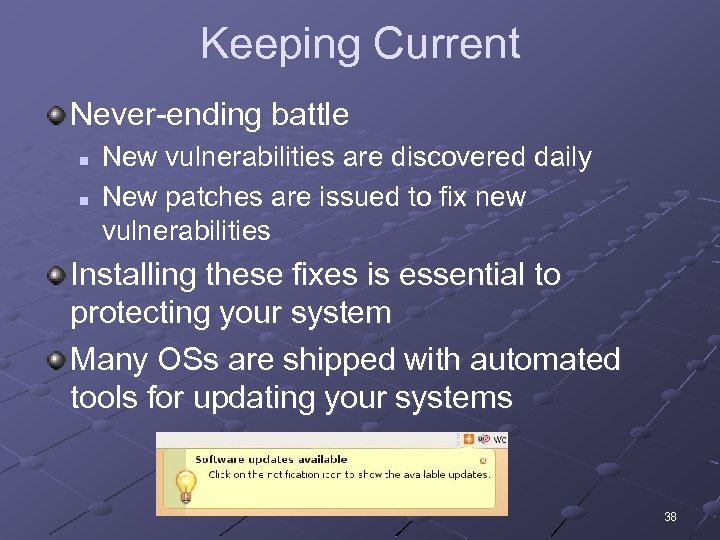 Keeping Current Never-ending battle n n New vulnerabilities are discovered daily New patches are issued to fix new vulnerabilities Installing these fixes is essential to protecting your system Many OSs are shipped with automated tools for updating your systems 38
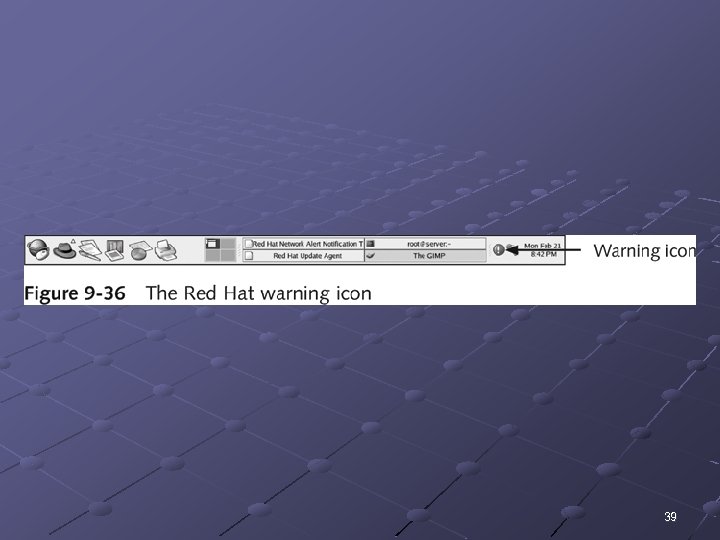 39
39
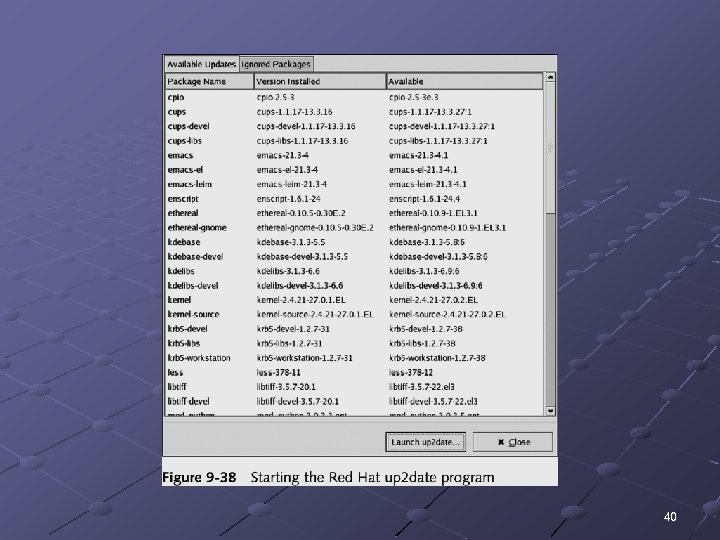 40
40